WinRT App
29 April 2014
Building Apps for Windows Phone 8.1 Jump Start
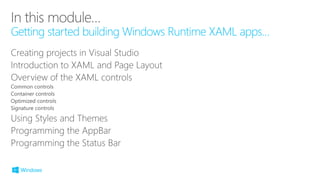
Getting started building Windows Runtime XAML apps…
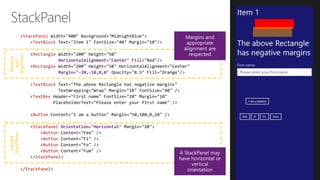
StackPanel
TextBlock
Rectangle
HorizontalAlignment="Center"
Rectangle
Margin="-20,-10,0,0"
TextBlock
TextBox
Button
StackPanel Orientation="Horizontal"
Button
Button
Button
Button
StackPanel
StackPanel
Nested
StackPanel
Margins
and
Alignment
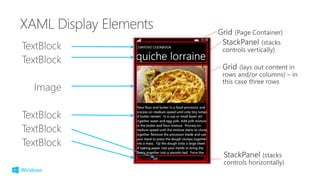
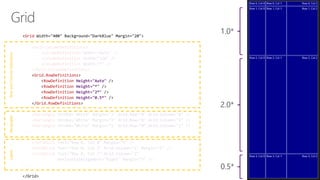
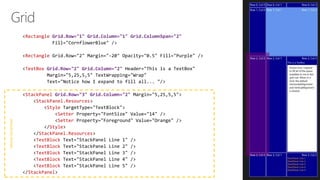
Grid
Grid.ColumnDefinitions
ColumnDefinition Width="Auto"
ColumnDefinition Width="120"
ColumnDefinition Width="*"
Grid.ColumnDefinitions
Grid.RowDefinitions
RowDefinition Height="Auto"
RowDefinition Height="*"
RowDefinition Height="2*"
RowDefinition Height="0.5*"
Grid.RowDefinitions
Rectangle Grid.Row="0" Grid.Column="0"
Rectangle Grid.Row="0" Grid.Column="1"
Rectangle Grid.Row="0" Grid.Column="2"
TextBlock
TextBlock Grid.Column="1"
TextBlock Grid.Column="2"
HorizontalAlignment="Right"
RectanglesRowandColumnDefinitionsLabels
Rectangle Grid.Row="1" Grid.Column="1" Grid.ColumnSpan="2"
Rectangle
TextBox Grid.Row="2" Grid.Column="2"
StackPanel Grid.Row="3" Grid.Column="2"
StackPanel.Resources
Style
Setter
Setter
Style
StackPanel.Resources
TextBlock
TextBlock
TextBlock
TextBlock
TextBlock
StackPanel
NestedStackPanel
15
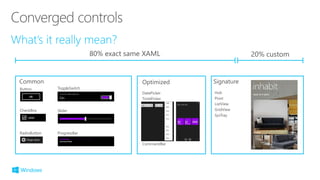
80% exact same XAML 20% custom
Common SignatureOptimized
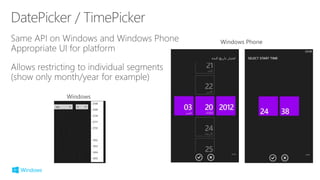
DatePicker
TimePicker
CommandBar
Button
CheckBox
RadioButton ProgressBar
Slider
ToggleSwitch
Hub
Pivot
ListView
GridView
SysTray
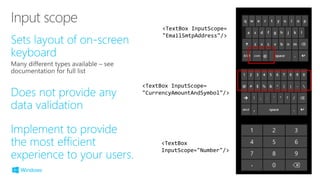
<TextBox InputScope=
"EmailSmtpAddress"/>
<TextBox InputScope=
"CurrencyAmountAndSymbol"/>
<TextBox
InputScope="Number"/>
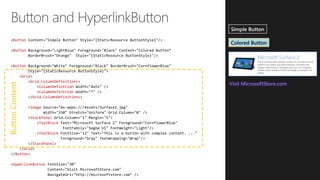
ButtonContent
Button
Button
Button
Grid
Grid.ColumnDefinitions
ColumnDefinition
ColumnDefinition
Grid.ColumnDefinitions
Image
StackPanel
TextBlock
TextBlock
StackPanel
Grid
Button
HyperlinkButton
XAMLCode-Behind
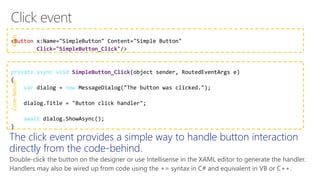
Button
Click="SimpleButton_Click"
private async void SimpleButton_Click
var new
await
The click event provides a simple way to handle button interaction
directly from the code-behind.
Double-click the button on the designer or use Intellisense in the XAML editor to generate the handler.
Handlers may also be wired up from code using the += syntax in C# and equivalent in VB or C++.
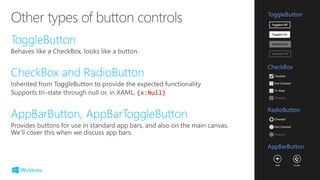
{x:Null}
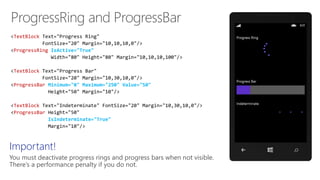
TextBlock
ProgressRing IsActive="True"
TextBlock
ProgressBar Minimum="0" Maximum="250" Value="50"
TextBlock
ProgressBar
IsIndeterminate="True"
Important!
You must deactivate progress rings and progress bars when not visible.
There’s a performance penalty if you do not.
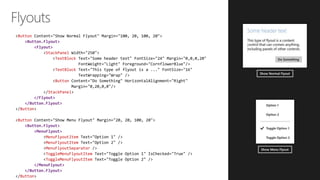
Button
<Button.Flyout>
<Flyout>
StackPanel
TextBlock
TextBlock
Button
StackPanel
</Flyout>
</Button.Flyout>
Button
Button
<Button.Flyout>
<MenuFlyout>
MenuFlyoutItem
MenuFlyoutItem
MenuFlyoutSeparator
ToggleMenuFlyoutItem
</MenuFlyout>
</Button.Flyout>
Button
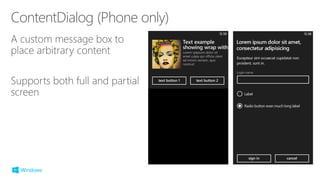
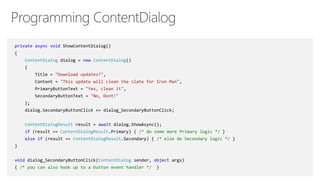
private async void ShowContentDialog()
{
ContentDialog dialog = new ContentDialog()
{
Title = "Download updates?",
Content = "This update will clean the slate for Iron Man",
PrimaryButtonText = "Yes, clean it",
SecondaryButtonText = "No, Dont!"
};
dialog.SecondaryButtonClick += dialog_SecondaryButtonClick;
ContentDialogResult result = await dialog.ShowAsync();
if (result == ContentDialogResult.Primary) { /* do some more Primary logic */ }
else if (result == ContentDialogResult.Secondary) { /* else do Secondary logic */ }
}
void dialog_SecondaryButtonClick(ContentDialog sender, object args)
{ /* you can also hook up to a button event handler */ }
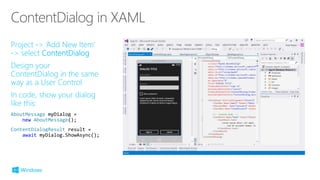
AboutMessage myDialog =
new AboutMessage();
ContentDialogResult result =
await myDialog.ShowAsync();
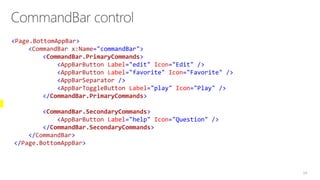
<Page.BottomAppBar>
<CommandBar x:Name="commandBar">
<CommandBar.PrimaryCommands>
<AppBarButton Label="edit" Icon="Edit" />
<AppBarButton Label="favorite" Icon="Favorite" />
<AppBarSeparator />
<AppBarToggleButton Label="play" Icon="Play" />
</CommandBar.PrimaryCommands>
<CommandBar.SecondaryCommands>
<AppBarButton Label="help" Icon="Question" />
</CommandBar.SecondaryCommands>
</CommandBar>
</Page.BottomAppBar>
34
35
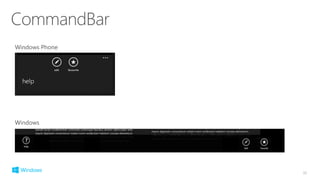
Windows Phone
Windows
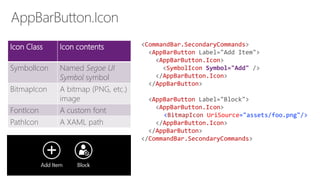
Icon Class Icon contents
SymbolIcon Named Segoe UI
Symbol symbol
BitmapIcon A bitmap (PNG, etc.)
image
FontIcon A custom font
PathIcon A XAML path
<CommandBar.SecondaryCommands>
<AppBarButton Label="Add Item">
<AppBarButton.Icon>
<SymbolIcon Symbol="Add" />
</AppBarButton.Icon>
</AppBarButton>
<AppBarButton Label="Block">
<AppBarButton.Icon>
<BitmapIcon UriSource="assets/foo.png"/>
</AppBarButton.Icon>
</AppBarButton>
</CommandBar.SecondaryCommands>
<Page.BottomAppBar>
<CommandBar>
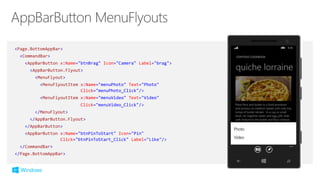
<AppBarButton x:Name="btnBrag" Icon="Camera" Label="brag">
<AppBarButton.Flyout>
<MenuFlyout>
<MenuFlyoutItem x:Name="menuPhoto" Text="Photo"
Click="menuPhoto_Click"/>
<MenuFlyoutItem x:Name="menuVideo" Text="Video"
Click="menuVideo_Click"/>
</MenuFlyout>
</AppBarButton.Flyout>
</AppBarButton>
<AppBarButton x:Name="btnPinToStart" Icon="Pin"
Click="btnPinToStart_Click" Label="Like"/>
</CommandBar>
</Page.BottomAppBar>
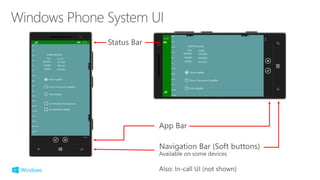
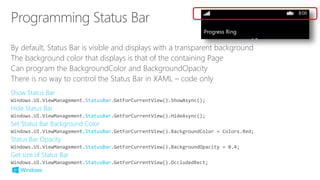
By default, Status Bar is visible and displays with a transparent background
The background color that displays is that of the containing Page
Can program the BackgroundColor and BackgroundOpacity
There is no way to control the Status Bar in XAML – code only
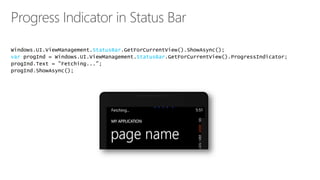
StatusBar
StatusBar
StatusBar
StatusBar
StatusBar
StatusBar
var StatusBar
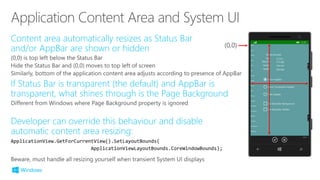
ApplicationView.GetForCurrentView().SetLayoutBounds(
ApplicationViewLayoutBounds.CoreWindowBounds);
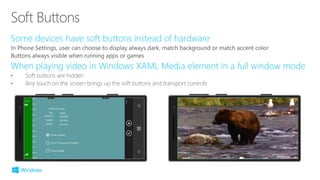
• Soft buttons are hidden
• Any touch on the screen brings up the soft buttons and transport controls
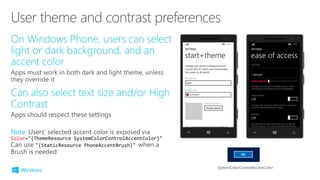
Color="{ThemeResource SystemColorControlAccentColor}"
"{StaticResource PhoneAccentBrush}"
SystemColorControlAccentColor
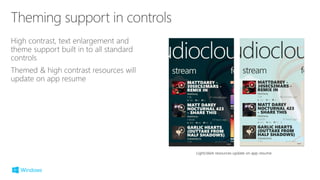
Light/dark resources update on app resume
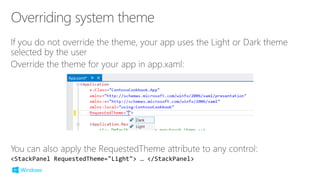
<StackPanel RequestedTheme="Light"> … </StackPanel>
©2014 Microsoft Corporation. All rights reserved. Microsoft, Windows, Office, Azure, System Center, Dynamics and other product names are or may be registered trademarks and/or trademarks in the
U.S. and/or other countries. The information herein is for informational purposes only and represents the current view of Microsoft Corporation as of the date of this presentation. Because Microsoft
must respond to changing market conditions, it should not be interpreted to be a commitment on the part of Microsoft, and Microsoft cannot guarantee the accuracy of any information provided after
the date of this presentation. MICROSOFT MAKES NO WARRANTIES, EXPRESS, IMPLIED OR STATUTORY, AS TO THE INFORMATION IN THIS PRESENTATION.

02 getting started building windows runtime apps