30 April 2014
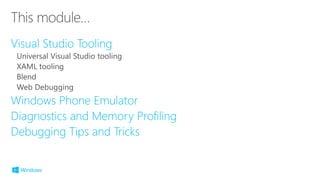
Visual Studio Tooling
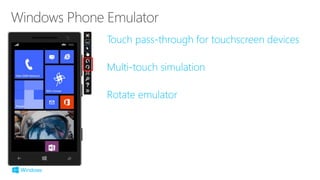
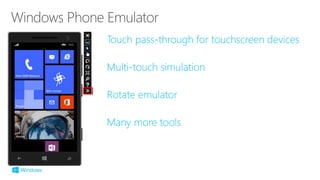
Windows Phone Emulator
Diagnostics and Memory Profiling
Debugging Tips and Tricks
Code Files .cs, .js, .cpp, .h
XAML
Images .png, .jpg…
RESW
XML, etc
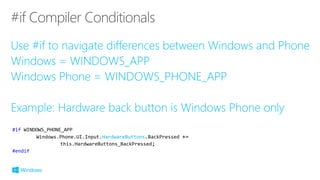
#if WINDOWS_PHONE_APP
Windows.Phone.UI.Input.HardwareButtons.BackPressed +=
this.HardwareButtons_BackPressed;
#endif
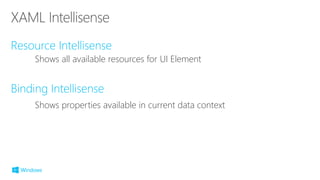
Shows all available resources for UI Element
Shows properties available in current data context
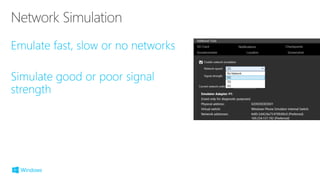
Rural, urban, suburban emulation
Navigate route at different speeds
Simulate phone without NFC or
front facing camera
test saving and load files from SD Card
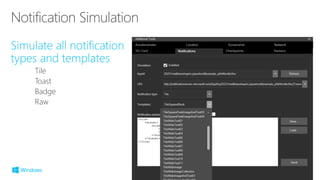
Tile
Toast
Badge
Raw
Diagnostics and Memory Profiling
Debugging Tips and Extras
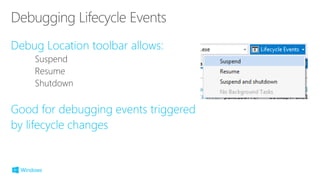
Suspend
Resume
Shutdown
Share Contracts
File Pickers
Speech Commands
©2014 Microsoft Corporation. All rights reserved. Microsoft, Windows, Office, Azure, System Center, Dynamics and other product names are or may be registered trademarks and/or trademarks in the
U.S. and/or other countries. The information herein is for informational purposes only and represents the current view of Microsoft Corporation as of the date of this presentation. Because Microsoft
must respond to changing market conditions, it should not be interpreted to be a commitment on the part of Microsoft, and Microsoft cannot guarantee the accuracy of any information provided after
the date of this presentation. MICROSOFT MAKES NO WARRANTIES, EXPRESS, IMPLIED OR STATUTORY, AS TO THE INFORMATION IN THIS PRESENTATION.

20 tooling and diagnostics