




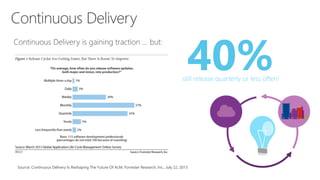
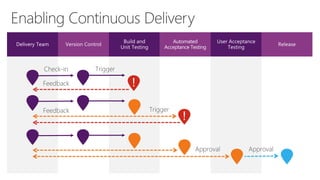
Source: Continuous Delivery Is Reshaping The Future Of ALM, Forrester Research, Inc., July 22, 2013
40%still release quarterly or less often!
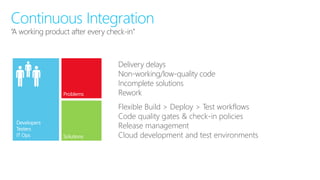
“A working product after every check-in”
Continuous Integration
Delivery delays
Non-working/low-quality code
Incomplete solutions
Rework
Flexible Build > Deploy > Test workflows
Code quality gates & check-in policies
Release management
Cloud development and test environments
DEMO
Cloud Build and CI with Microsoft Azure
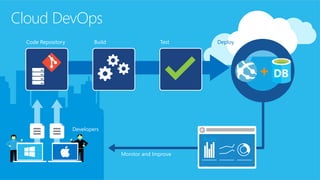
Cloud DevOps
Code Repository
Developers
Build Test Deploy
Monitor and Improve
Azure
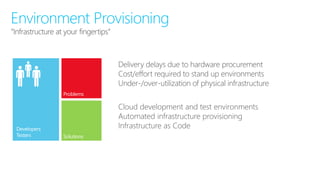
“Infrastructure at your fingertips”
Environment Provisioning
Delivery delays due to hardware procurement
Cost/effort required to stand up environments
Under-/over-utilization of physical infrastructure
Cloud development and test environments
Automated infrastructure provisioning
Infrastructure as Code
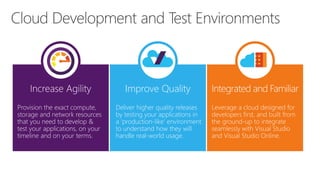
Improve Quality
Deliver higher quality releases
by testing your applications in
a ‘production-like’ environment
to understand how they will
handle real-world usage.
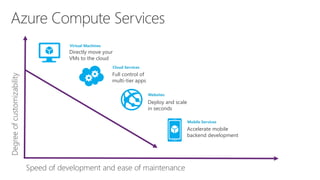
Azure Compute Services
Speed of development and ease of maintenance
Degreeofcustomizability
Virtual Machines
Cloud Services
Websites
Mobile Services
Directly move your
VMs to the cloud
Full control of
multi-tier apps
Deploy and scale
in seconds
Accelerate mobile
backend development
DEMO
Cloud Dev and Test Environments
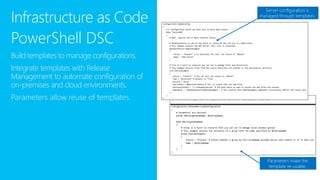
Infrastructure as Code
PowerShell DSC
Build templates to manage configurations.
Integrate templates with Release
Management to automate configuration of
on-premises and cloud environments.
Parameters allow reuse of templates.
Server configuration is
managed through templates.
Parameters make the
template re-usable.
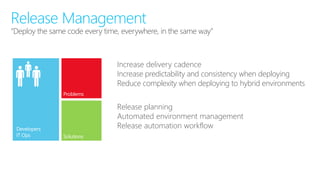
“Deploy the same code every time, everywhere, in the same way”
Release Management
Increase delivery cadence
Increase predictability and consistency when deploying
Reduce complexity when deploying to hybrid environments
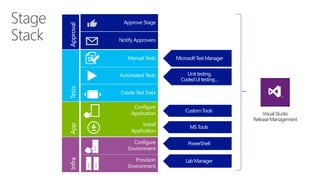
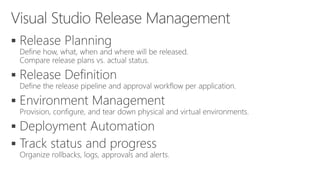
Release planning
Automated environment management
Release automation workflow
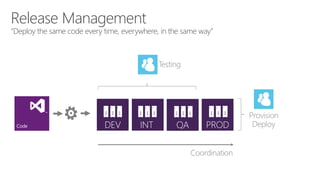
“Deploy the same code every time, everywhere, in the same way”
Release Management
VisualStudio
ReleaseManagement





Define Release Plans
and Templates
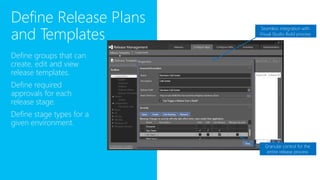
Define groups that can
create, edit and view
release templates.
Define required
approvals for each
release stage.
Define stage types for a
given environment.
Granular control for the
entire release process
Seamless integration with
Visual Studio Build process
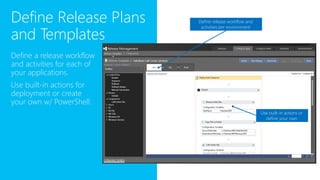
Define a release workflow
and activities for each of
your applications.
Use built-in actions for
deployment or create
your own w/ PowerShell.
Use built-in actions or
define your own
Define release workflow and
activities per environment
Define Release Plans
and Templates
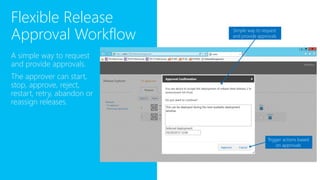
Flexible Release
Approval Workflow
A simple way to request
and provide approvals.
The approver can start,
stop, approve, reject,
restart, retry, abandon or
reassign releases.
Simple way to request
and provide approvals
Trigger actions based
on approvals
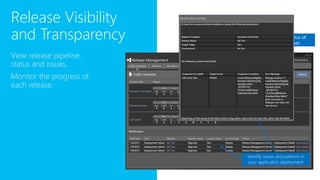
Release Visibility
and Transparency
View release pipeline,
status and issues.
Monitor the progress of
each release.
Check the status of
your releases
Identify issues and patterns in
your application deployment
DEMO
Visual Studio Release Management
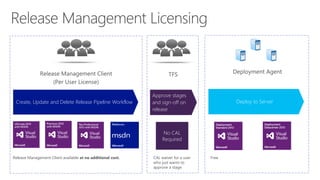
Create, Update and Delete Release Pipeline Workflow
Approve stages
and sign-off on
release
Deploy to Server
No CAL
Required
Release Management Client available at no additional cost. FreeCAL waiver for a user
who just wants to
approve a stage
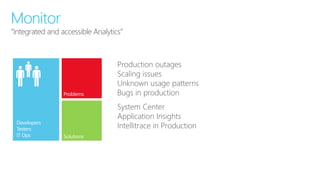
“Integrated and accessible Analytics”
Monitor
Production outages
Scaling issues
Unknown usage patterns
Bugs in production
System Center
Application Insights
Intellitrace in ProductionDevelopers
Testers
IT Ops
www.visualstudio.com
visualstudio.com msdn.microsoft.com
2015-01-12 TechTalk - Continuous Delivery and Release Management

2015-01-12 TechTalk - Continuous Delivery and Release Management

  • 2.
  • 3.
    Source: Continuous DeliveryIs Reshaping The Future Of ALM, Forrester Research, Inc., July 22, 2013 40%still release quarterly or less often!
  • 5.
    “A working productafter every check-in” Continuous Integration Delivery delays Non-working/low-quality code Incomplete solutions Rework Flexible Build > Deploy > Test workflows Code quality gates & check-in policies Release management Cloud development and test environments
  • 6.
    DEMO Cloud Build andCI with Microsoft Azure
  • 7.
    Cloud DevOps Code Repository Developers BuildTest Deploy Monitor and Improve Azure
  • 8.
    “Infrastructure at yourfingertips” Environment Provisioning Delivery delays due to hardware procurement Cost/effort required to stand up environments Under-/over-utilization of physical infrastructure Cloud development and test environments Automated infrastructure provisioning Infrastructure as Code
  • 9.
    Improve Quality Deliver higherquality releases by testing your applications in a ‘production-like’ environment to understand how they will handle real-world usage.
  • 10.
    Azure Compute Services Speedof development and ease of maintenance Degreeofcustomizability Virtual Machines Cloud Services Websites Mobile Services Directly move your VMs to the cloud Full control of multi-tier apps Deploy and scale in seconds Accelerate mobile backend development
  • 11.
    DEMO Cloud Dev andTest Environments
  • 12.
    Infrastructure as Code PowerShellDSC Build templates to manage configurations. Integrate templates with Release Management to automate configuration of on-premises and cloud environments. Parameters allow reuse of templates. Server configuration is managed through templates. Parameters make the template re-usable.
  • 14.
    “Deploy the samecode every time, everywhere, in the same way” Release Management Increase delivery cadence Increase predictability and consistency when deploying Reduce complexity when deploying to hybrid environments Release planning Automated environment management Release automation workflow
  • 15.
    “Deploy the samecode every time, everywhere, in the same way” Release Management
  • 16.
  • 17.
  • 18.
    Define Release Plans andTemplates Define groups that can create, edit and view release templates. Define required approvals for each release stage. Define stage types for a given environment. Granular control for the entire release process Seamless integration with Visual Studio Build process
  • 19.
    Define a releaseworkflow and activities for each of your applications. Use built-in actions for deployment or create your own w/ PowerShell. Use built-in actions or define your own Define release workflow and activities per environment Define Release Plans and Templates
  • 20.
    Flexible Release Approval Workflow Asimple way to request and provide approvals. The approver can start, stop, approve, reject, restart, retry, abandon or reassign releases. Simple way to request and provide approvals Trigger actions based on approvals
  • 21.
    Release Visibility and Transparency Viewrelease pipeline, status and issues. Monitor the progress of each release. Check the status of your releases Identify issues and patterns in your application deployment
  • 22.
  • 24.
    Create, Update andDelete Release Pipeline Workflow Approve stages and sign-off on release Deploy to Server No CAL Required Release Management Client available at no additional cost. FreeCAL waiver for a user who just wants to approve a stage
  • 25.
    “Integrated and accessibleAnalytics” Monitor Production outages Scaling issues Unknown usage patterns Bugs in production System Center Application Insights Intellitrace in ProductionDevelopers Testers IT Ops
  • 26.