Welcome To E.D.E.N
The Executive Development Exchange
Network
March 24, 2021
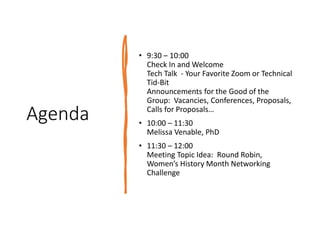
Agenda
• 9:30 – 10:00
Check In and Welcome
Tech Talk - Your Favorite Zoom or Technical
Tid-Bit
Announcements for the Good of the
Group: Vacancies, Conferences, Proposals,
Calls for Proposals…
• 10:00 – 11:30
Melissa Venable, PhD
• 11:30 – 12:00
Meeting Topic Idea: Round Robin,
Women’s History Month Networking
Challenge
Warm welcome to our speaker
Infographic
s
Crash
Course Melissa A. Venable, PhD
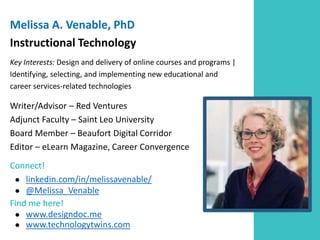
Melissa A. Venable, PhD
Instructional Technology
Key Interests: Design and delivery of online courses and programs |
Identifying, selecting, and implementing new educational and
career services-related technologies
Writer/Advisor – Red Ventures
Adjunct Faculty – Saint Leo University
Board Member – Beaufort Digital Corridor
Editor – eLearn Magazine, Career Convergence
Connect!
● linkedin.com/in/melissavenable/
● @Melissa_Venable
Find me here!
● www.designdoc.me
● www.technologytwins.com
“[This] project isn’t the first attempt to present data like this to
the public, but it stands out for its custom graphics, which make
abstract, complex numbers quickly comprehensible.” - NPR
HOW DOES MONEY FLOW IN AND OUT OF GOVERNMENT?
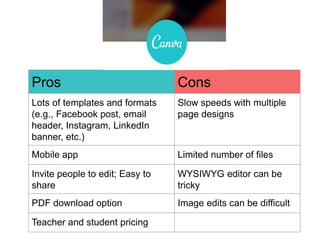
Pros Cons
Lots of templates and formats
(e.g., Facebook post, email
header, Instagram, LinkedIn
banner, etc.)
Slow speeds with multiple
page designs
Mobile app Limited number of files
Invite people to edit; Easy to
share
WYSIWYG editor can be
tricky
PDF download option Image edits can be difficult
Teacher and student pricing
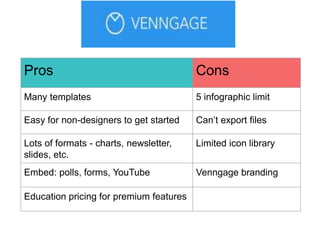
Pros Cons
Many templates 5 infographic limit
Easy for non-designers to get started Can’t export files
Lots of formats - charts, newsletter,
slides, etc.
Limited icon library
Embed: polls, forms, YouTube Venngage branding
Education pricing for premium features
Pros Cons
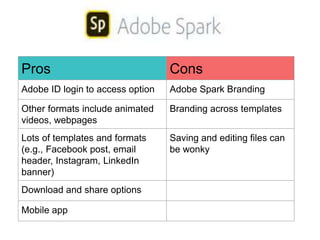
Adobe ID login to access option Adobe Spark Branding
Other formats include animated
videos, webpages
Branding across templates
Lots of templates and formats
(e.g., Facebook post, email
header, Instagram, LinkedIn
banner)
Saving and editing files can
be wonky
Download and share options
Mobile app
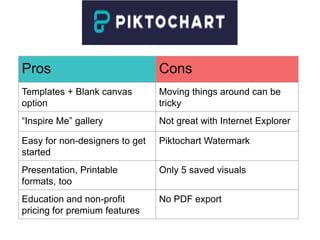
Pros Cons
Templates + Blank canvas
option
Moving things around can be
tricky
“Inspire Me” gallery Not great with Internet Explorer
Easy for non-designers to get
started
Piktochart Watermark
Presentation, Printable
formats, too
Only 5 saved visuals
Education and non-profit
pricing for premium features
No PDF export
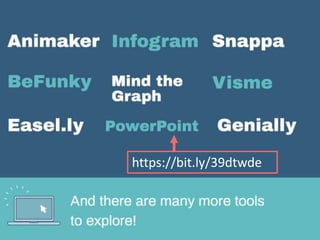
https://bit.ly/39dtwde
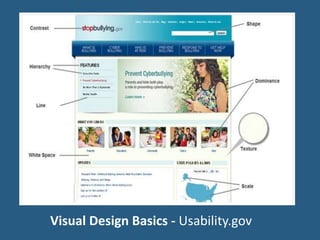
Visual Design Basics - Usability.gov
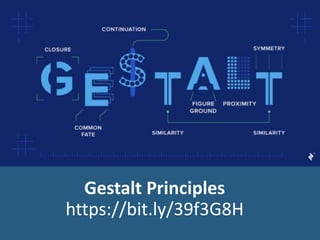
Gestalt Principles
https://bit.ly/39f3G8H
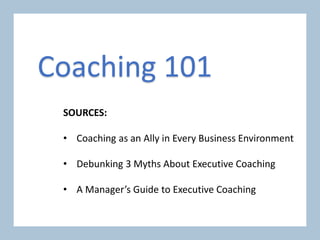
SOURCES:
• Coaching as an Ally in Every Business Environment
• Debunking 3 Myths About Executive Coaching
• A Manager’s Guide to Executive Coaching
Coaching 101
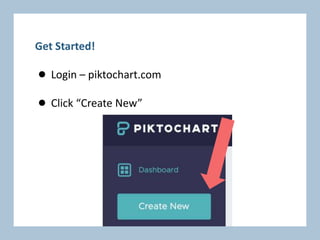
Get Started!
● Login – piktochart.com
● Click “Create New”
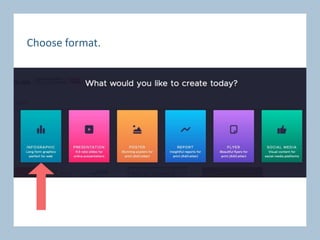
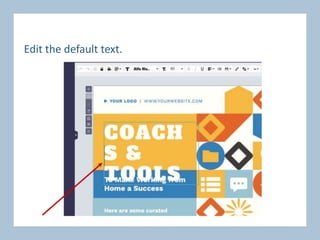
Choose format.
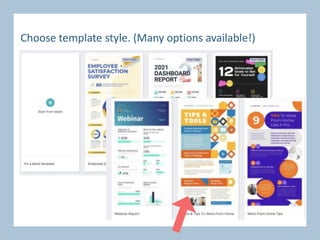
Choose template style. (Many options available!)
Edit the default text.
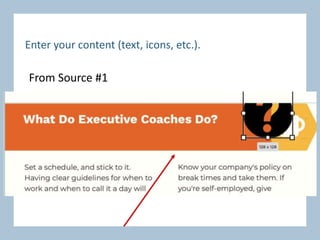
Enter your content (text, icons, etc.).
From Source #1
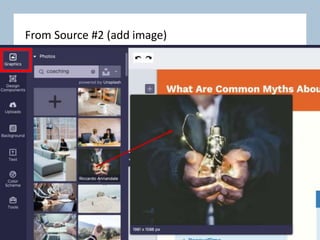
From Source #2 (add image)
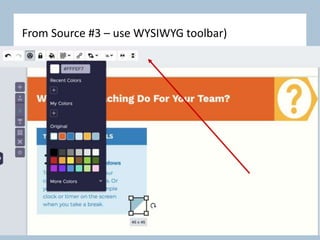
From Source #3 – use WYSIWYG toolbar)
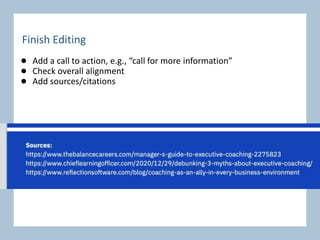
Finish Editing
● Add a call to action, e.g., “call for more information”
● Check overall alignment
● Add sources/citations
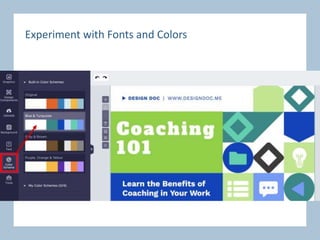
Experiment with Fonts and Colors
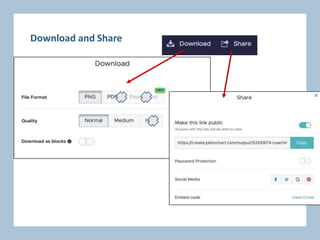
Download and Share
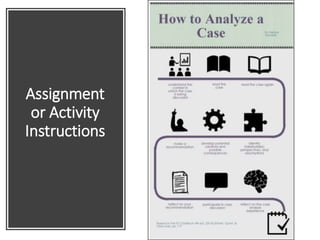
Assignment
or Activity
Instructions
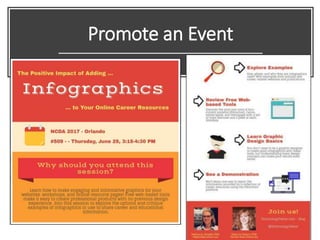
Promote an Event
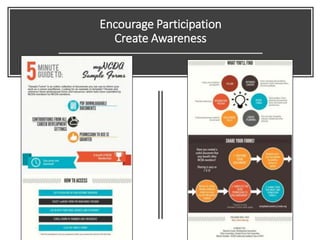
Encourage Participation
Create Awareness
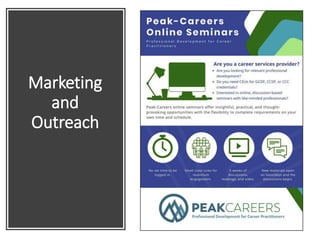
Marketing
and
Outreach
Presentation
Slides
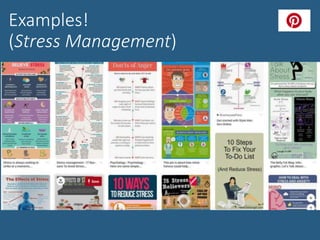
Examples!
(Stress Management)
EDEN - Infographics Crash Course

EDEN - Infographics Crash Course

  • 1.
    Welcome To E.D.E.N TheExecutive Development Exchange Network March 24, 2021
  • 2.
    Agenda • 9:30 –10:00 Check In and Welcome Tech Talk - Your Favorite Zoom or Technical Tid-Bit Announcements for the Good of the Group: Vacancies, Conferences, Proposals, Calls for Proposals… • 10:00 – 11:30 Melissa Venable, PhD • 11:30 – 12:00 Meeting Topic Idea: Round Robin, Women’s History Month Networking Challenge
  • 3.
    Warm welcome toour speaker Infographic s Crash Course Melissa A. Venable, PhD
  • 5.
    Melissa A. Venable,PhD Instructional Technology Key Interests: Design and delivery of online courses and programs | Identifying, selecting, and implementing new educational and career services-related technologies Writer/Advisor – Red Ventures Adjunct Faculty – Saint Leo University Board Member – Beaufort Digital Corridor Editor – eLearn Magazine, Career Convergence Connect! ● linkedin.com/in/melissavenable/ ● @Melissa_Venable Find me here! ● www.designdoc.me ● www.technologytwins.com
  • 12.
    “[This] project isn’tthe first attempt to present data like this to the public, but it stands out for its custom graphics, which make abstract, complex numbers quickly comprehensible.” - NPR HOW DOES MONEY FLOW IN AND OUT OF GOVERNMENT?
  • 14.
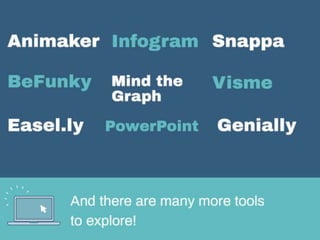
    Pros Cons Lots oftemplates and formats (e.g., Facebook post, email header, Instagram, LinkedIn banner, etc.) Slow speeds with multiple page designs Mobile app Limited number of files Invite people to edit; Easy to share WYSIWYG editor can be tricky PDF download option Image edits can be difficult Teacher and student pricing
  • 16.
    Pros Cons Many templates5 infographic limit Easy for non-designers to get started Can’t export files Lots of formats - charts, newsletter, slides, etc. Limited icon library Embed: polls, forms, YouTube Venngage branding Education pricing for premium features
  • 18.
    Pros Cons Adobe IDlogin to access option Adobe Spark Branding Other formats include animated videos, webpages Branding across templates Lots of templates and formats (e.g., Facebook post, email header, Instagram, LinkedIn banner) Saving and editing files can be wonky Download and share options Mobile app
  • 20.
    Pros Cons Templates +Blank canvas option Moving things around can be tricky “Inspire Me” gallery Not great with Internet Explorer Easy for non-designers to get started Piktochart Watermark Presentation, Printable formats, too Only 5 saved visuals Education and non-profit pricing for premium features No PDF export
  • 23.
  • 25.
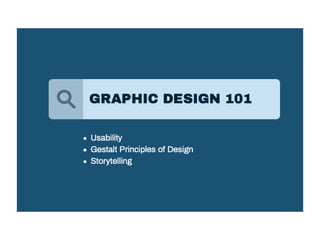
    Visual Design Basics- Usability.gov
  • 26.
  • 38.
    SOURCES: • Coaching asan Ally in Every Business Environment • Debunking 3 Myths About Executive Coaching • A Manager’s Guide to Executive Coaching Coaching 101
  • 39.
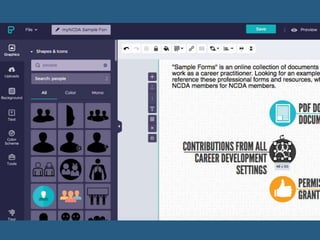
    Get Started! ● Login– piktochart.com ● Click “Create New”
  • 40.
  • 41.
    Choose template style.(Many options available!)
  • 42.
  • 43.
    Enter your content(text, icons, etc.). From Source #1
  • 44.
    From Source #2(add image)
  • 45.
    From Source #3– use WYSIWYG toolbar)
  • 46.
    Finish Editing ● Adda call to action, e.g., “call for more information” ● Check overall alignment ● Add sources/citations
  • 47.
  • 49.
  • 52.
  • 53.
  • 54.
  • 55.
  • 56.
  • 57.

Editor's Notes

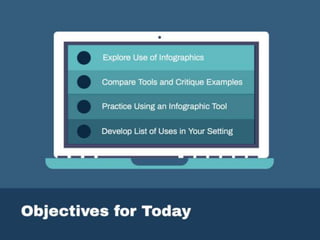
  • #7 So, as we all move to more digital work and perhaps creating more online resources, products, and services. Thinking about the visual component of how we do all of this can be helpful. These are my goals for this morning. I want you to feel comfortable creating something original, for use with your audience and your needs. So to do that, we’ll work through these four objectives. As we move forward, please use the chat window to share ideas, reactions, questions – I’ve got the chat open!
  • #8 Big three – Images, Video, Infographics (a term that covers a lot of ground, and one we’ll focus on today.” COMMUNICATION
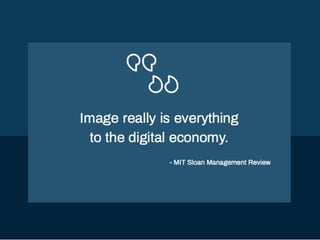
  • #9 Let’s begin with a little information about visual communication in general. This quote from a professor at MIT’s Business School Everything! Why and how is this the case. You already intuitively know this to be true – you’re attention is captured by visual components of websites, social media posts, etc. everyday. You already know good design when you see it. Now it’s time to use advanced, intuitive tools to put that knowledge to work.
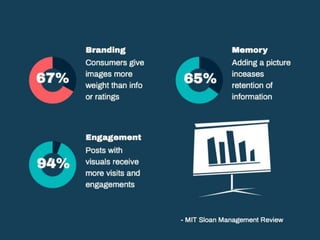
  • #10 https://sloanreview.mit.edu/article/the-rise-of-visual-content-online/ Some of the numbers from this article – 67% of consumers give images more weight than information about a product or ratings when making a decision about it. Adding an image to information increases retention of the information by 65% Posts with visuals receive 94% more page visits and engagements than those without. (comment, purchase something, click for more info, etc.) Relevance now – moving services online as schools and businesses make decisions related to the coronavirus and government guidelines around quarantines.
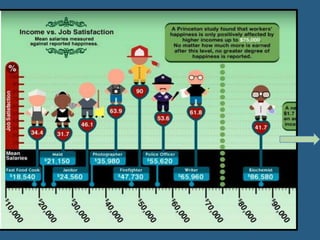
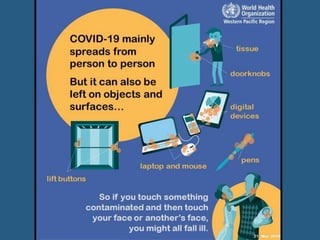
  • #11 You encounter visual media all the time – anyone been to Washington, DC?
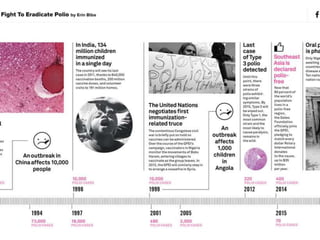
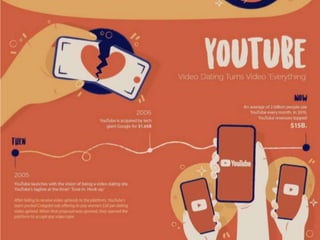
  • #12 Timeline – what if this was a narrative? Much more interesting this way
  • #13 Usafacts.org
  • #14 Importance of not just repurposing videos and images, but creating your own content. Four Tools!
  • #26 https://www.usability.gov/what-and-why/visual-design.html
  • #27 Laws of visual perception Principles of grouping Shapes imply meaning – interpreted by the viewer/reader
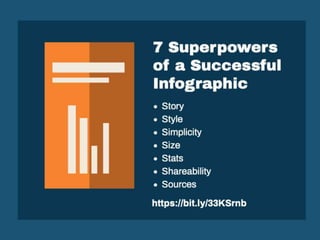
  • #28 Storytelling Flow of your message Sharing data Easy to share!
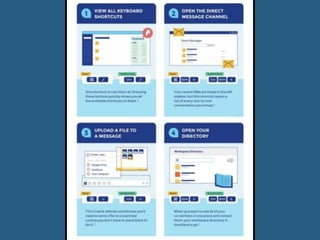
  • #33 Slack Tricks that Will Impress Your Boss
  • #34 Slack Tricks that Will Impress Your Boss