ITIL
SERVICE OPERATION
Based on ITIL 2011 Service Operation publication
Marvin Sirait
January 2017
Topics
Service
Operation
Introduction
Service management as a practice
Service operation principles
Service operation processes
Common service operation activities
Organizing for service operation
Technology considerations
Implementation of service operation
Challenges, risks and critical success factors
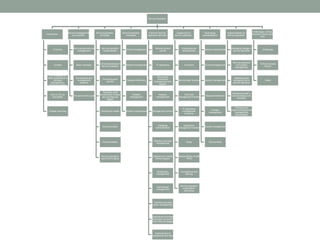
Service Operation
Introduction
Overview
Context
ITIL in relation to
other publications in
the Best
Management
Practice portfolio
Why is ITIL so
successful
Chapter summary
Service management
as a practice
Services and service
management
Basic concepts
Governance and
management
systems
The service life cycle
Service operation
principles
Service operation
fundamentals
Achieving balance in
service operation
Providing good
service
Operation staff
involvement in other
service lifecycle
stages
Operational health
Communication
Documentation
Service operation
inputs and outputs
Service operation
processes
Event management
Incident management
Request fulfillment
Problem
management
Access management
Common service
operation activities
Monitoring and
control
IT operations
Server and
mainframe
management and
support
Network
management
Storage and archive
Database
administration
Directory services
management
Desktop and mobile
device support
Middleware
management
Internet/web
management
Facilities and data
center management
Operational activities
of process covered in
other lifecycle stages
Improvement of
operational activities
Organizing for
service operation
Organizational
development
Functions
Service desk function
Technical
management function
IT operations
management
functions
Application
management function
Roles
Responsibility model
- RACI
Competence and
training
Service operation
organization
structures
Technology
considerations
Generic requirements
Event management
Incident management
Request fulfillment
Problem
management
Access management
Service desk
Implementation of
service operation
Managing change in
service operation
Service operation
and project
management
Assessing and
managing risk in
service operation
Operational staff in
service design and
transition
Planning and
implementing service
management
technologies
Challenges, Critical
Success Factors and
risks
Challenges
Critical success
factors
Risks
INTRODUCTION
• Overview
• Context
• ITIL in relation to other publications in the Best
Management Practice portfolio
• Why is ITIL so successful
• Chapter summary
Overview
• Purpose
• to coordinate and carry out the activities and processes required to
deliver and manage services at agreed levels to business users
and customers
• Objectives
• Maintain business satisfaction and confidence in IT through
effective and efficient delivery and support of agreed IT services
• Minimize the impact of service outages on day-to-day business
activities
• Ensure that access to agreed IT services is only provided to those
authorized to receive those services.
Overview
• Value to business
• Reduce unplanned labor and costs for both the business and IT through
optimized handling of service outages and identification of their root causes.
• Reduce the duration and frequency of service outages which will allow the
business to take full advantage of the value created by the services they are
receiving.
• Provide operational results and data that can be used by other ITIL processes
to improve services continually and provide justification for investing in ongoing
service improvement activities and supporting technologies.
• Meet the goals and objectives of the organization’s security policy by ensuring
that IT services will be accessed only by those authorized to use them.
• Provide quick and effective access to standard services which business staff
can use to improve their productivity or the quality of business services and
products.
• Provide a basis for automated operations, thus increasing efficiencies and
allowing expensive human resources to be used for more innovative work,
such as designing new or improved functionality or defining new ways in which
the business can exploit technology for increased competitive advantage.
Context
• ITIL Service Strategy
• provides guidance on how to view service management not only as an
organizational capability but as a strategic asset
• ITIL Service Design
• provides guidance for the design and development of services and service
management practices
• ITIL Service Transition
• provides guidance for the development and improvement of capabilities for
introducing new and changed services into supported environments
• ITIL Service Operation
• provides guidance on achieving effectiveness and efficiency in the delivery and
support of services to ensure value for the customer, the users and the service
provider
• ITIL Continual Service Improvement
• provides guidance on creating and maintaining value for customers through better
strategy, design, transition and operation of services
ITIL in relation to other publications in the
Best Management Practice portfolio
• ITIL is part of a portfolio of best-practice publications
(known collectively as Best Management Practice or
BMP) aimed at helping organizations and individuals
manage projects, programs and services consistently and
effectively
• BMP publications include:
• Management of Portfolios
• Management of Risk
• Management of Value
• Managing Successful Programmes
• Managing Successful Projects
• Portfolio, Programme and Project Offices
Why is ITIL so successful
• Vendor-neutral
• ITIL service management practices are applicable in any IT
organization because they are not based on any particular technology
platform or industry type.
• Non-prescriptive
• ITIL offers robust, mature and time-tested practices that have
applicability to all types of service organization.
• It continues to be useful and relevant in public and private small,
medium and large enterprises, and within any technical environment.
• Best practice
• ITIL represents the learning experiences and thought leadership of the
world’s best-in-class service providers.
Why is ITIL so successful
• ITIL is adopted by organizations to enable them to:
• Deliver value for customers through services
• Integrate the strategy for services with the business strategy and customer
needs
• Measure, monitor and optimize IT services and service provider performance
• Manage the IT investment and budget
• Manage risk
• Manage knowledge
• Manage capabilities and resources to deliver services effectively and efficiently
• Enable adoption of a standard approach to service management across the
enterprise
• Change the organizational culture to support the achievement of sustained
success
• Improve the interaction and relationship with customers
• Coordinate the delivery of goods and services across the value network
• Optimize and reduce costs.
Chapter summary
• Service management as a practice
• explains the concepts of service management and services, and describes
how these can be used to create value
• Service operation principles
• describes some of the key principles of service operation that will enable
service providers to plan and implement best practice in service operation
• Service operation processes
• sets out the processes and activities on which effective service operation
depends and how they integrate with the other stages of the lifecycle
• Common service operation activities
• identifies the operational activities required to effectively and efficiently manage
IT services on a day-to-day basis to deliver value to the business
Chapter summary
• Organizing for service operation
• identifies the organizational roles and responsibilities that should be
considered to manage the service operation lifecycle stage and
processes
• Technology considerations
• provides recommendations for the use of technology in service
operation and the basic requirements a service provider will need to
consider when choosing service management tools
• Implementing service transition
• outlines effective ways to implement the service operation lifecycle
stage
• Challenges, risks and critical success factors
• discusses typical examples of challenges, risks and critical success
factors for the service operation lifecycle stage
SERVICE MANAGEMENTAS A
PRACTICE
• Services and service management
• Basic concepts
• Governance and management systems
• The service lifecycle
Services and service management
• Services
• means of delivering value to customers by facilitating the outcomes
customers want to achieve without the ownership of specific costs and
risks
• Outcome
• The result of carrying out an activity, following a process, or delivering
an IT service etc. The term is used to refer to intended results, as well
as to actual results.
• Core services
• deliver the basic outcomes desired by one or more customers.
• Enabling services
• needed in order for a core service to be delivered.
• Enhancing services
• added to a core service to make it more exciting or enticing to the
customer.
Services and service management
• Service management
• a set of specialized organizational capabilities for providing value to
customers in the form of services.
• Service provider
• An organization supplying services to one or more internal or
external customers.
• IT service management (ITSM)
• The implementation and management of quality IT services that
meet the needs of the business. IT service management is
performed by IT service providers through an appropriate mix of
people, process and information technology.
• IT service provider
• A service provider that provides IT services to internal or external
customers.
Services and service management
• A service level agreement (SLA) is used to document
agreements between an IT service provider and a
customer. An SLA describes the IT service, documents
service level targets, and specifies the responsibilities of
the IT service provider and the customer.
• Main types of service provider
• Type I – internal service provider
• An internal service provider that is embedded within a business unit.
There may be several Type I service providers within an organization.
• Type II – shared services unit
• An internal service provider that provides shared IT services to more
than one business unit.
• Type III – external service provider
• A service provider that provides IT services to external customers
Services and service management
• Within the service provider organization there are many
different stakeholders including the functions, groups and
teams that deliver the services.
• There are also many stakeholders external to the service
provider organization, for example:
• Customers
• Those who buy goods or services. The customer of an IT service provider is
the person or group who defines and agrees the service level targets.
• Users
• Those who use the service on a day-today basis. Users are distinct from
customers, as some customers do not use the IT service directly.
• Suppliers
• Third parties responsible for supplying goods or services that are required to
deliver IT services. Examples of suppliers include commodity hardware and
software vendors, network and telecom providers, and outsourcing
organizations.
Services and service management
• The value of a service is created by combining two
primary elements: utility (fitness for purpose) and warranty
(fitness for use).
• Utility
• functionality offered by a product or service to meet a particular
need
• Warranty
• assurance that a product or service will meet its agreed
requirements
• Utility is what the service does, and warranty is how it is
delivered.
Services and service management
• Public frameworks and standards are attractive when
compared with proprietary knowledge for the following reasons:
• Proprietary knowledge is deeply embedded in organizations and
therefore difficult to adopt, replicate or even transfer with the
cooperation of the owners.
• Proprietary knowledge is customized for the local context and the
specific needs of the business to the point of being idiosyncratic.
• Owners of proprietary knowledge expect to be rewarded for their
investments.
• Publicly available frameworks and standards such as ITIL, LEAN, Six
Sigma, COBIT, CMMI, PRINCE2, PMBOK®, ISO 9000, ISO/IEC 20000
and ISO/IEC 27001 are validated across a diverse set of environments
and situations rather than the limited experience of a single
organization.
• The knowledge of public frameworks is more likely to be widely
distributed among a large community of professionals through publicly
available training and certification.
Basic concepts
• Asset
• Any resource or capability.
• Customer asset
• Any resource or capability used by a customer to achieve a business outcome.
• Service asset
• Any resource or capability used by a service provider to deliver services to a
customer.
• There are two types of asset used by both service providers and
customers – resources and capabilities. Organizations use them to
create value in the form of goods and services.
• Resources
• direct inputs for production.
• Capabilities
• organization’s ability to coordinate, control and deploy resources to produce
value.
Basic concepts
• Process
• structured set of activities designed to accomplish a specific objective.
A process takes one or more defined inputs and turns them into
defined outputs.
• Process characteristics include:
• Measurability
• We are able to measure the process in a relevant manner.
• Specific results
• The reason a process exists is to deliver a specific result. This result must
be individually identifiable and countable.
• Customers
• Every process delivers its primary results to a customer or stakeholder.
• Responsiveness to specific triggers
• While a process may be ongoing or iterative, it should be traceable to a
specific trigger.
Basic concepts
• Function
• team or group of people and the tools or other resources they use
to carry out one or more processes or activities
• Role
• a set of responsibilities, activities and authorities granted to a
person or team
• Organizational culture
• set of shared values and norms that control the service provider’s
interactions with all stakeholders.
Basic concepts
• Service portfolio
• complete set of services that is managed by a service provider and
represents the service provider’s commitments and investments
across all customers and market spaces
• represents all the resources presently engaged or being released
in various stages of the service lifecycle:
• Service pipeline
• All services that are under consideration or development, but are not yet
available to customers.
• Service catalogue
• All live IT services, including those available for deployment.
• Retired services
• All services that have been phased out or retired.
Basic concepts
• Service providers often find it useful to distinguish
customer-facing services from supporting services:
• Customer-facing services
• IT services that are visible to the customer. These are normally services
that support the customer’s business processes and facilitate one or
more outcomes desired by the customer.
• Supporting services
• IT services that support or ‘underpin’ the customer-facing services.
These are typically invisible to the customer, but are essential to the
delivery of customer-facing IT services.
Basic concepts
• Implementing an SKMS enables effective decision support and
reduces the risks that arise from a lack of proper mechanisms.
• Layers:
• Presentation layer
• enables searching, browsing, retrieving, updating, subscribing and
collaboration. The different views onto the other layers are suitable for
different audiences.
• Knowledge processing layer
• where the information is converted into useful knowledge which enables
decision-making.
• Information integration layer
• provides integrated information that may be gathered from data in multiple
sources in the data layer.
• Data layer
• includes tools for data discovery and data collection, and data items in
unstructured and structured forms.
Governance and management systems
• Governance is the single overarching area that ties IT and
the business together, and services are one way of
ensuring that the organization is able to execute that
governance.
• Governance is what defines the common directions,
policies and rules that both the business and IT use to
conduct business.
• Governance insures that policies and strategy are actually
implemented, and that required processes are correctly
followed.
• Governance includes defining roles and responsibilities,
measuring and reporting, and taking actions to resolve
any issues identified.
Governance and management systems
• Governance
• ensures that policies and strategy are actually implemented, and
that required processes are correctly followed.
• includes defining roles and responsibilities, measuring and
reporting, and taking actions to resolve any issues identified.
• Management systems (ISO 9001):
• The framework of policy, processes, functions, standards,
guidelines and tools that ensures an organization or part of an
organization can achieve its objectives.
• ISO management system standards use the Plan-Do-
Check-Act (PDCA) cycle.
• ISO/IEC 20000 is an internationally recognized standard
that allows organizations to demonstrate excellence and
prove best practice in ITSM.
The service lifecycle
• Specialization and coordination across the lifecycle
• Specialization allows for expert focus on components of the service
but components of the service also need to work together for value
• Coordination across the lifecycle creates an environment focused
on business and customer outcomes instead of just IT objectives
and projects
• Specialization combined with coordination helps to manage
expertise, improve focus and reduce overlaps and gaps in
processes
• Processes through the service lifecycle
• Service management is more effective if people have a clear
understanding of how processes interact throughout the service
lifecycle, within the organization and with other parties (users,
customers, suppliers).
SERVICE OPERATION PRINCIPLES
• Service operation fundamentals
• Achieving balance in service operation
• Providing good service
• Operation staff involvement in other service lifecycle
stages
• Operational health
• Communication
• Documentation
• Service operation inputs and outputs
Service operation fundamentals
• Purpose
• to coordinate and carry out the activities and processes required to
deliver and manage services at agreed levels to business users
and customers
• Scope
• The services themselves
• Service management processes
• Technology
• People
• Optimization
• Long-term incremental improvement
• Short-tem ongoing improvement
Service operations processes and
functions
• Processes
• Event management
• Incident and problem management
• Request fulfillment
• Access management
• Functions
• Service desk
• Technical management
• IT operations management
• Application management
Service operation principles
• Functions, groups, teams, departments, and divisions
• Achieving balance in service operation
• Internal IT view versus external business view
• Stability versus responsiveness
• Quality of service versus cost of service
• Reactive versus proactive
• Providing service
• Operation staff involvement in service design and service
transition
• Operational health
• Communication
• Documentation
Service operation processes
• Event management
• Incident management
• Request fulfillment
• Problem management
• Access management
Event management
• Event:
• any change of state that has significance for the management of a
configuration item (CI) or IT service
• typically recognized through notifications created by an IT service,
CI or monitoring tool.
• Types of monitoring tools:
• active monitoring tools that poll key CIs to determine their status
and availability. Any exceptions will generate an alert that needs to
be communicated to the appropriate tool or team for action
• passive monitoring tools that detect and correlate operational alerts
or communications generated by CIs
Event management
• Purpose
• to manage events throughout their lifecycle
• Objectives
• Detect all changes of state that have significance for the
management of a CI or IT service
• Determine the appropriate control action for events and ensure
these are communicated to the appropriate functions
• Provide the trigger, or entry point, for the execution of many service
operation processes and operations management activities
• Provide the means to compare actual operating performance and
behavior against design standards and SLAs
• Provide a basis for service assurance and reporting; and service
improvement.
Event management
• Value to business
• provides mechanisms for early detection of incidents
• makes it possible for some types of automated activity to be
monitored by exception
• can signal status changes or exceptions that allow the appropriate
person or team to perform early response
• provides a basis for automated operations
• can have a direct bearing on service delivery and customer
satisfaction
• Types of events
• Informational
• Warning
• Exception
Event management
• Process:
1. Event occurs
2. Event notification
3. Event detection
4. Event logged
5. First-level event correlation and filtering
6. Significance of events (informational, warning, exception)
7. Second-level event correlation
8. Further action required?
9. Response selection
10. Review actions
11. Close event
Incident management
• Incident:
• an unplanned interruption to an IT service or reduction in the quality
of an IT service or a failure of a CI that has not yet impacted an IT
service
• Incident management:
• the process responsible for managing the lifecycle of all incidents
• Purpose:
• to restore normal service operation as quickly as possible and
minimize the adverse impact on business operations, thus ensuring
that agreed levels of service quality are maintained.
Incident management
• Objectives
• Ensure that standardized methods and procedures are used for
efficient and prompt response, analysis, documentation, ongoing
management and reporting of incidents
• Increase visibility and communication of incidents to business and
IT support staff
• Enhance business perception of IT through use of a professional
approach in quickly resolving and communicating incidents when
they occur
• Align incident management activities and priorities with those of the
business
• Maintain user satisfaction with the quality of IT services.
Incident management
• Value to business
• The ability to reduce unplanned labor and costs for both the
business and IT support staff caused by incidents
• The ability to detect and resolve incidents which results in lower
downtime to the business, which in turn means higher availability of
the service
• The ability to align IT activity to real-time business priorities.
• The ability to identify potential improvements to services.
• The service desk can, during its handling of incidents, identify
additional service or training requirements found in IT or the
business.
Incident management
• Basic concepts:
• Timescales
• agreed for all incident handling stages (these will differ depending upon
the priority level of the incident), based upon the overall incident
response and resolution targets within SLAs, and captured as targets
within OLAs and UCs
• Incident model
• a way of predefining the steps that should be taken to handle a process
(in this case a process for dealing with a particular type of incident) in an
agreed way
• Major incidents
• A separate procedure, with shorter timescales and greater urgency,
must be used for ‘major’ incidents
• Incident status tracking
• Incidents should be tracked throughout their lifecycle to support proper
handling and reporting on the status of incidents.
Incident management
• Process:
1. Incident identification
2. Incident logging
3. Incident categorization
4. Incident prioritization
5. Initial diagnosis
6. Incident escalation (functional, hierarchic)
7. Investigation and diagnosis
8. Resolution and recovery
9. Incident closure
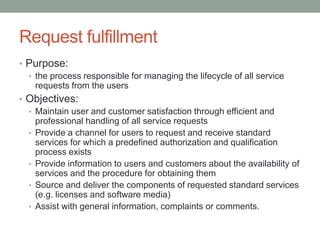
Request fulfillment
• The term ‘service request’ is used as a generic description
for many different types of demands that are placed upon
the IT organization by the users.
• Typically requests for small changes that are low risk,
frequently performed, low cost, etc.
Request fulfillment
• Purpose:
• the process responsible for managing the lifecycle of all service
requests from the users
• Objectives:
• Maintain user and customer satisfaction through efficient and
professional handling of all service requests
• Provide a channel for users to request and receive standard
services for which a predefined authorization and qualification
process exists
• Provide information to users and customers about the availability of
services and the procedure for obtaining them
• Source and deliver the components of requested standard services
(e.g. licenses and software media)
• Assist with general information, complaints or comments.
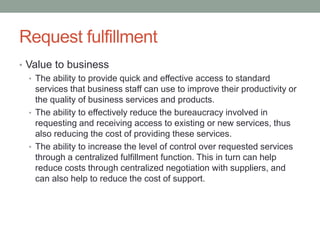
Request fulfillment
• Value to business
• The ability to provide quick and effective access to standard
services that business staff can use to improve their productivity or
the quality of business services and products.
• The ability to effectively reduce the bureaucracy involved in
requesting and receiving access to existing or new services, thus
also reducing the cost of providing these services.
• The ability to increase the level of control over requested services
through a centralized fulfillment function. This in turn can help
reduce costs through centralized negotiation with suppliers, and
can also help to reduce the cost of support.
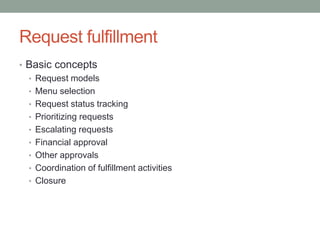
Request fulfillment
• Basic concepts
• Request models
• Menu selection
• Request status tracking
• Prioritizing requests
• Escalating requests
• Financial approval
• Other approvals
• Coordination of fulfillment activities
• Closure
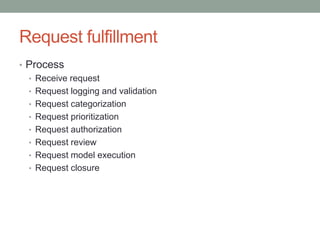
Request fulfillment
• Process
• Receive request
• Request logging and validation
• Request categorization
• Request prioritization
• Request authorization
• Request review
• Request model execution
• Request closure
Problem management
• Problem: the unknown cause of one or more incidents
• Problem management is the process responsible for
managing the lifecycle of all problems
• Purpose
• to manage the lifecycle of all problems from first identification
through further investigation, documentation and eventual removal
• Objectives
• to prevent problems and resulting incidents from happening
• to eliminate recurring incidents
• to minimize the impact of incidents that cannot be prevented
Problem management
• Value to business
• Higher availability of IT services by reducing the number and
duration of incidents that those services may incur
• Higher productivity of IT staff by reducing unplanned labor caused
by incidents and creating the ability to resolve incidents more
quickly through recorded known errors and workarounds.
• Reduced expenditure on workarounds or fixes that do not work.
• Reduction in cost of effort in fire-fighting or resolving repeat
incidents.
Problem management
• Basic concepts
• Reactive and proactive problem management activities
• Reactive: process activities will typically be triggered in reaction to an
incident that has taken place
• Proactive: process activities are triggered by activities seeking to
improve services
• Problem models
• Incidents versus problems
Problem management
• Problem analysis techniques
• Chronological analysis
• Pain value analysis
• Kepner and tregoe
• Brainstorming
• 5-Whys
• Fault isolation
• Affinity mapping
• Hypothesis testing
• Technical observation post
• Ishikawa diagrams
• Pareto analysis
Problem management
• Process
1. Problem detection
2. Problem logging
3. Problem categorization
4. Problem prioritization
5. Problem investigation and diagnosis
6. Workarounds
7. Raising a known error record
8. Problem resolution
9. Problem closure
10. Major problem review
Access management
• Access Management is the process of granting authorized
users the right to use a service, while preventing access to
non-authorized users
• Value to business
• Controlled access to services ensures that the organization is able to
maintain more effectively the confidentiality of its information
• Employees have the right level of access to execute their jobs
effectively
• There is less likelihood of errors being made in data entry or in the use
of a critical service by an unskilled user (e.g. production control
systems)
• The ability to audit use of services and to trace the abuse of services
• The ability more easily to revoke access rights when needed
• May be needed for regulatory compliance (e.g. SOX, HIPAA, COBIT)
Access management
• Basic concepts:
• Access
• Identity
• Rights
• Services or service groups
• Directory services
• Process:
1. Requesting access
2. Verification
3. Providing rights
4. Monitoring identity status
5. Logging and tracking access
6. Removing or restricting rights
Common service operation activities
• Monitoring and control
• IT operations
• Mainframe management
• Server management and support
• Network management
• Storage and archive
• Database administration
• Directory services management
• Desktop support
• Middleware management
• Internet/web management
• Facilities and data center management
• Information security management and service operation
• Improvement of operational activities
Monitoring and control
• Monitoring refers to the activity of observing a situation to detect
changes that happen over time
• Monitoring implies:
• Using tools to monitor the status of key CIs and key operational activities
• Ensuring that specified conditions are met (or not met) and, if not, to raise an
alert to the appropriate group (e.g. the availability of key network devices)
• Ensuring that the performance or utilization of a component or system is within
a specified range (e.g. disk space or memory utilization)
• To detect abnormal types or levels of activity in the infrastructure (e.g. potential
security threats)
• To detect unauthorized changes (e.g. introduction of software)
• To ensure compliance with the organization’s policies (e.g. inappropriate use of
e-mail)
• To track outputs to the business and ensure that they meet quality and
performance requirements
• To track any information that is used to measure Key Performance Indicators
(KPIs)
Monitoring and control
• Reporting refers to the analysis, production and
distribution of the output of the monitoring activity
• Reporting implies:
• Using tools to collate the output of monitoring information that can
be disseminated to various groups, functions or processes
• Interpreting the meaning of that information
• Determining where that information would best be used
• Ensuring that decision makers have access to the information that
will enable them to make decisions
• Routing the reported information to the appropriate person, group
or tool
Monitoring and control
• Control refers to the process of managing the utilization or
behavior of a device, system or service. Control requires three
conditions:
• The action must ensure that behavior conforms to a defined standard
or norm
• The conditions prompting the action must be defined, understood and
confirmed
• The action must be defined, approved and appropriate for these
conditions
• Control implies:
• Using tools to define what conditions represent normal operations or
abnormal operations
• Regulate performance of devices, systems or services
• Measure availability
• Initiate corrective action, which could be automated (e.g. reboot a
device remotely or run a script), or manual (e.g. notify operations staff
of the status).
Monitoring and control
• The most common model for defining control is the
Monitor Control Loop
• Types:
• Open loop systems
• designed to perform a specific activity regardless of environmental
conditions
• Closed loop systems
• designed to perform a specific activity regardless of environmental
conditions
• Can be used to manage:
• The performance of activities in a process or procedure
• The effectiveness of a process or procedure as a whole
• The performance of a device
• The performance of a series of devices
Monitoring and control
• Levels of monitoring
• Internal: focuses on activities that are self-contained within that team
or department
• External: each team or department will also be controlling items and
activities on behalf of other groups, processes or functions
• Types of monitoring
• Active versus passive
• Active: ongoing ‘interrogation’ of a device or system to determine its status
• Passive: generating and transmitting events to a ‘listening device’ or
monitoring agent
• Reactive versus proactive
• Reactive: request or trigger action following a certain type of event or failure
• Proactive: detect patterns of events which indicate that a system or service
may be about to fail.
• Continuous versus exception-based measurement
• Continuous: monitoring a system in real time to ensure that it complies with
a performance norm
• Exception-based: detects and reports against exceptions
Monitoring and control
• Measurement
• refers to any technique that is used to evaluate the extent, dimension
or capacity of an item in relation to a standard or unit
• Extent refers to the degree of compliance or completion (e.g. are all
changes formally authorized by the appropriate authority)
• Dimension refers to the size of an item, e.g. the number of incidents
resolved by the Service Desk
• Capacity refers to the total capability of an item, for example maximum
number of standard transactions that can be processed by a server
per minute.
• Metrics
• refer to the quantitative, periodic assessment of a process, system or
function, together with the procedures and tools that will be used to
make these assessments and the procedures for interpreting them.
• Key Performance Indicators
• refers to a specific, agreed level of performance that will be used to
measure the effectiveness of an organization or process.
IT operations
• Console Management / Operations Bridge
• provide a central coordination point for managing various classes
of events, detecting incidents, managing routine operational
activities and reporting on the status or performance of technology
components
• Job scheduling
• IT Operations will perform standard routines, queries or reports
delegated to it as part of delivering services; or as part of routine
housekeeping delegated by Technical and Application Management
teams
• Backup and Restore
• Print and Output
• generating and delivering information in printed or electronic form
Mainframe management
• Mainframes form the central component of many services
and its performance will therefore set a baseline for
service performance and user or customer expectations
• Activities:
• Mainframe operating system maintenance and support
• Third-level support for any mainframe-related incidents/problems
• Writing job scripts
• System programming
Server management and support
• Operating system support
• License management
• Third-level support
• Procurement advice
• System security
• Definition and management of virtual servers
• Capacity and performance
• Ongoing maintenance
• Decommissioning and disposal of old server equipment
Network management
• Network Management will have overall responsibility for all of the organization’s
own Local Area Networks (LANs), Metropolitan Area Networks (MANs) and Wide
Area Networks (WANs) – and will also be responsible for liaising with third-party
network suppliers.
• Activities:
• Initial planning and installation of new networks/network components; maintenance and
upgrades to the physical network infrastructure. This is done through Service Design and
Service Transition.
• Third-level support for all network related activities, including investigation of network issues and
liaison with third-parties as necessary
• Maintenance and support of network operating system and middleware software including patch
management, upgrades, etc.
• Monitoring of network traffic to identify failures or to spot potential performance or bottleneck
issues
• Reconfiguring or rerouting of traffic to achieve improved throughput or batter balance
• Network security (in liaison with the organization’s Information Security Management) including
firewall management, access rights, password protection etc.
• Assigning and managing IP addresses, Domain Name Systems and Dynamic Host Configuration
Protocol (DHCP) systems
• Managing Internet Service Providers (ISPs).
• Implementing, monitoring and maintaining Intrusion Detection Systems on behalf of Information
Security Management
• Updating Configuration Management as necessary by documenting CIs, status, relationships,
etc.
Storage and archive
• Storage and Archiving will require the management of the
infrastructure components as well as the policies related to where
data is stored, for how long, in what form and who may access it.
• Responsibilities:
• Definition of data storage policies and procedures
• File storage naming conventions, hierarchy and placement decisions
• Design, sizing, selection, procurement, configuration and operation of all data
storage infrastructure
• Maintenance and support for all utility and middleware data-storage software
• Liaison with Information Lifecycle Management team(s) or Governance teams
to ensure compliance with freedom of information, data protection and IT
governance regulations
• Involvement with definition and agreement of archiving policy
• Housekeeping of all data storage facilities
• Archiving data according to rules and schedules defined during Service
Design.
• Retrieval of archived data as needed (e.g. for audit purposes, for forensic
evidence, or to meet any other business requirements)
• Third-line support for storage and archive-related incidents.
Database administration
• Database Administration works to ensure the optimal performance, security and
functionality of databases that they manage.
• Responsibilities:
• Creation and maintenance of database standards and policies
• Initial database design, creation, testing
• Management of the database availability and performance; resilience, sizing, capacity
volumetric etc.
• Resilience may require database replication
• Ongoing administration of database objects: indexes, tables, views, constraints,
sequences snapshots and stored procedures; page locks – to achieve optimum utilization
• The definition of triggers that will generate events, which in turn will alert database
administrators of potential performance or integrity issues with the database
• Performing database housekeeping – the routine tasks that ensure that the databases are
functioning optimally and securely, e.g. tuning, indexing, etc.
• Monitoring of usage: transaction volumes, response times, concurrency levels, etc.
• Generating reports. These could be reports based on the data in the database, or reports
related to the performance and integrity of the database
• Identification, reporting and management of database security issues; audit trails and
forensics
• Assistance in designing database backup, archiving and storage strategy
• Assistance in designing database alerts and event management
• Provision of third-level support for all database-related incidents.
Directory services management
• A Directory Service is a specialized software application that manages
information about the resources available on a network and which users
have access to.
• Activities:
• Working as part of Service Design and Service Transition to ensure that new
services are accessible and controlled when they are deployed
• Locating resources on a network
• Tracking the status of those resources and providing the ability to manage those
resources remotely
• Managing the rights of specific users or groups of users to access resources on a
network
• Defining and maintaining naming conventions to be used for resources on a network
• Ensuring consistency of naming and access control on different networks in the
organization
• Linking different Directory Services throughout the organization to form a distributed
Directory Service, i.e. users will only see one logical set of network resources. This
is called Distribution of Directory Services
• Monitoring Events on the Directory Services, such as unsuccessful attempts to
access a resource, and taking the appropriate action where required
• Maintaining and updating the tools used to manage Directory Services.
Desktop support
• Desktop Support will have overall responsibility for all of
the organization’s desktop and laptop computer hardware,
software and peripherals.
• Responsibilities:
• Desktop policies and procedures, for example licensing policies,
use of laptops or desktops for personal purposes, USB lockdown,
etc.
• Designing and agreeing standard desktop images
• Desktop service maintenance including deployment of releases,
upgrades, patches and hot-fixes
• Design and implementation of desktop archiving/rebuild policy
• Third-level support of desktop-related incidents
• Support for connectivity issues
• Configuration control and audit of all desktop equipment
Middleware management
• Middleware is software that connects or integrates software
components across distributed or disparate applications and
systems.
• Middleware enables the effective transfer of data between
applications, and is therefore key to services that are
dependent on multiple applications or data sources.
• Activities:
• Working as part of Service Design and Transition to ensure that the
appropriate middleware solutions are chosen and that they can
perform optimally when they are deployed
• Ensuring the correct operation of middleware through monitoring and
control
• Detecting and resolving Incidents related to middleware
• Maintaining and updating middleware, including licensing, and
installing new versions
• Defining and maintaining information about how applications are linked
through Middleware.
Internet/web management
• Responsibilities:
• Defining architectures for Internet and web services
• The specification of standards for development and management of
web-based applications, content, websites and web pages. This will
typically be done during Service Design
• Design, testing, implementation and maintenance of websites
• The editing of content to be posted onto the web
• Maintenance of all web development and management applications
• Liaison and advice to web-content teams within the business
• Liaison with and supplier management of ISPs, hosts, third-party
monitoring or virtualization organizations etc.
• Third-level support for Internet-/web-related incidents
• Support for interfaces with back-end and legacy systems
• Monitoring and management of website performance
• Website availability, resilience and security
Facilities and data center management
• Facilities Management refers to the management of the
physical environment of IT Operations, usually located in
Data Centers or computer rooms.
• Main components:
• Building management
• Equipment hosting
• Power management
• Environmental conditioning and alert systems
• Safety
• Physical access control
• Shipping and receiving
• Contract management
• Maintenance
Facilities and data center management
• Data center strategies
• Data center automation
• Policy-based management
• Real time services
• Standardization of equipment
• SOAs
• Virtualization
• Unified management systems
Information security management and
service operation
• Role of service operation teams in information security
management:
• Policing and reporting
• Technical assistance
• Operational security control
• Screening and vetting
• Training and awareness
• Documented policies and procedures
Improvement of operational activities
• Process improvements can be made to give higher IT
service quality and/or performed in a more cost effective
way
• Activities:
• Automation of manual tasks
• Reviewing makeshift activities or procedures
• Operational audits
• Using incident and problem management
• Communication
• Education and training
Organizing for Service Operation
• Functions:
• Service desk
• Technical management
• IT operations management
• IT operations control
• Facilities management
• Application management
• Functions and activities
• One activity could be performed by several teams or departments
• One department could perform several activities
• An activity could be performed by groups
• Factors influencing the organizational decision:
• Size and location
• Complexity of technology used
• Availability of skills
• Culture
• Financial situation
Service desk
• Definition
• a functional unit made up of a dedicated number of staff
responsible for dealing with a variety of service events, often made
via telephone calls, web interface, or automatically reported
infrastructure events
• a vitally important part of an organization’s IT Department and
should be the single point of contact for IT users on a day-by-day
basis
• Objective:
• to restore the ‘normal service’ to the users as quickly as possible
Service desk
• Responsibilities
• Logging all relevant incident/service request details, allocating
categorization and prioritization codes
• Providing first-line investigation and diagnosis
• Resolving those incidents/service requests they are able
• Escalating incidents/service requests that they cannot resolve
within agreed timescales
• Keeping users informed of progress
• Closing all resolved incidents, requests and other calls
• Conducting customer/user satisfaction callbacks/surveys as agreed
• Communication with users – keeping them informed of incident
progress, notifying them of impending changes or agreed outages,
etc.
• Updating the CMS under the direction and approval of
Configuration Management if so agreed.
Service desk
• Organizational structure
• Local
• co-located within or physically close to the user community it serves
• Centralized
• reduce the number of Service Desks by merging them into a single
location
• Virtual
• through the use of technology, particularly the Internet, and the use of
corporate support tools, it is possible to give the impression of a single,
centralized Service Desk when in fact the personnel may be spread or
located in any number or type of geographical or structural locations
• Follow the sun
• some global or international organizations may wish to combine two or
more of their geographically dispersed Service Desks to provide a 24-
hour follow-the-sun service.
Service desk
• Staffing
• Staffing levels
• Skill levels
• Training
• Staff retention
• Super users
• Metrics
• Metrics should be established so that performance of the Service Desk
can be evaluated at regular intervals. This is important to assess the
health, maturity, efficiency, effectiveness and any opportunities to
improve Service Desk operations.
• Safeguards for outsourcing
• Common tools and processes
• SLA targets
• Good communications
• Ownership of data
Technical management
• Technical Management refers to the groups, departments
or teams that provide technical expertise and overall
management of the IT Infrastructure.
• Role:
• custodian of technical knowledge and expertise related to
managing the IT Infrastructure
• provides the actual resources to support the ITSM Lifecycle
• Objective
• to help plan, implement and maintain a stable technical
infrastructure to support the organization’s business processes
Technical management
• Activities
• Identifying the knowledge and expertise required to manage and operate the IT
Infrastructure and to deliver IT services
• Documentation of the skills that exist in the organization, as well as those skills
that need to be developed
• Initiating training programs to develop and refine the skills in the appropriate
technical resources and maintaining training records for all technical resources
• Design and delivery of training for users, the Service Desk and other groups
• Recruiting or contracting resources with skills that cannot be developed
internally
• Procuring skills for specific activities where the required skills are not available
internally or in the open market
• Definition of standards used in the design of new architectures and
participation in the definition of technology architectures during the Service
Strategy and Design phases.
• Research and development of solutions that can help expand the Service
Portfolio or which can be used to simplify or automate IT Operations, reduce
costs or increase levels of IT service
• Involvement in the design and building of new services
Technical management
• Activities (cont.)
• Involvement in projects
• Availability and Capacity Management are dependent on Technical
Management for engineering IT services to meet the levels of service required
by the business.
• Assistance in assessing risk, identifying critical service and system
dependencies and defining and implementing countermeasures.
• Designing and performing tests for the functionality, performance and
manageability of IT services.
• Managing vendors
• Definition and management of Event Management standards and tools
• Technical Management departments or groups are integral to the performance
of Incident Management.
• Technical Management as a function provides the resources that execute the
Problem Management process
• Technical Management resources will be involved in defining coding systems
that are used in Incident and Problem Management (e.g. Incident Categories).
• Technical Management resources are used to support Problem Management in
validating and maintaining the KEDB.
Technical management
• Activities (cont.)
• Change Management relies on the technical knowledge and expertise to
evaluate changes, and many changes will be built by Technical Management.
• Releases are frequently deployed using Technical Management resources.
• Technical Management will provide information for, and operationally maintain,
the Configuration Management system and its data.
• Technical Management is involved in the Continual Service Improvement
processes, particularly in identifying opportunities for improvement and then in
helping to evaluate alternative solutions.
• As a custodian of technical knowledge and expertise, Technical Management
ensures that all system and operating documentation is up to date and properly
utilized.
• Updating and maintaining data used for reporting on technical and service
capabilities, e.g. Capacity and Performance Management, Availability
Management, Problem Management, etc.
• Assisting IT Financial Management to identify the cost of technology and IT
human resources used to manage IT services.
• Involvement in defining the operational activities performed as part of IT
Operations Management
Technical management
• Metrics
• Measurement of agreed outputs
• Process metrics
• Technology performance
• Mean Time Between Failures of specified equipment
• Measurement of maintenance activity
• Training and skills development
• Documentation
• Technical documentation
• Maintenance schedules
• Skills inventory
IT operations management
• Definition
• the department, group or team of people responsible for performing
the organization’s day-to-day operational activities
• Role
• Operations control
• oversees the execution and monitoring of the operational activities and
events in the IT Infrastructure
• Facilities management
• management of the physical IT environment, typically a Data Centre or
computer rooms and recovery sites together with all the power and cooling
equipment
• Objectives
• Maintenance of the status quo to achieve stability of the organization’s
day-to-day processes and activities
• Regular scrutiny and improvements to achieve improved service at
reduced costs, while maintaining stability
• Swift application of operational skills to diagnose and resolve any IT
operations failures that occur.
IT operations management
• Metrics
• IT Operations Management is measured in terms of its effective
execution of specified activities and procedures, as well as its
execution of process activities.
• Documentation
• Standard Operating Procedures
• Operations logs
• Shift schedules and reports
• Operations schedule
Application Management
• Application Management is responsible for managing
applications throughout their lifecycle.
• Role
• custodian of technical knowledge and expertise related to
managing applications
• provides the actual resources to support the ITSM Lifecycle
• Objectives
• to support the organization’s business processes by helping to
identify functional and manageability requirements for application
software
• to assist in the design and deployment of those applications and
the ongoing support and improvement of those applications.
Application management
• Principles
• Build or buy
• Operational models
• the specification of the operational environment in which the application
will eventually run when it goes live.
• Application management life cycle
• Requirements
• Design
• Build
• Deploy
• Operate
• Optimize
Application management
• Activities
• Identifying the knowledge and expertise required to manage and operate
applications in the delivery of IT services.
• Initiating training programs to develop and refine the skills in the appropriate
Application Management resources and maintaining training records for these
resources.
• Recruiting or contracting resources with skills that cannot be developed
internally
• Design and delivery of end-user training
• Insourcing for specific activities where the required skills are not available
internally or in the open market
• Definition of standards used in the design of new architectures and
participation in the definition of application architectures during the Service
Strategy processes.
• Research and Development of solutions that can help expand the Service
Portfolio or which can be used to simplify or automate IT Operations, reduce
costs or increase levels of IT service.
• Involvement in the design and building of new services.
• Involvement in projects
Application management
• Activities (cont.)
• Designing and performing tests for the functionality, performance and manageability
of IT Services
• Availability and Capacity Management are dependent on Application Management
for contributing to the design of applications to meet the levels of service required by
the business
• Assistance in assessing risk, identifying critical service and system dependencies
and defining and implementing countermeasures.
• Managing vendors
• Involvement in definition of Event Management standards and especially in the
instrumentation of applications for the generation of meaningful events.
• Application Management as a function provides the resources that execute the
Problem Management process.
• Application Management resources will be involved in defining coding systems that
are used in Incident and Problem Management (e.g. Incident Categories).
• Application Management resources are used to support Problem Management in
validating and maintaining the KEDB together with the Application Development
teams.
• Change Management relies on the technical knowledge and expertise to evaluate
changes and many changes will be built by Application Management teams.
Application management
• Activities (cont.)
• Successful Release Management is dependent on involvement from
Application Management staff.
• Application Management will define, manage and maintain attributes and
relationships of application CIs in the CMS.
• Application Management is involved in the Continual Service Improvement
processes, particularly in identifying opportunities for improvement and then in
helping to evaluate alternative solutions.
• Application Management ensures that all system and operating documentation
is up to date and properly utilized.
• Collaboration with Technical Management on performing Training Needs
Analysis and maintaining Skills Inventories.
• Assisting IT Financial Management to identify the cost of the ongoing
management of applications.
• Involvement in defining the operational activities performed as part of IT
Operations Management.
• Input into, and maintenance of, software configuration policies.
• Together with Software Development teams, the definition and maintenance of
documentation related to applications.
Application management
• Metrics
• Measurement of agreed outputs
• Process metrics
• Application performance
• Measurement of maintenance activity
• Project metrics
• Training and skill development
• Documentation
• Application portfolio
• Application requirements (functional, manageability, usability, test)
• Use and change cases
• Design documentation
• Manuals
Service operation roles and
responsibilities
• Service desk
• Service desk manager
• Service desk supervisor
• Service desk analysts
• Super users
• Technical management
• Technical managers / team leaders
• Technical analysts/architects
• Technical operator
• IT operations management
• IT operations manager
• Shift leaders
• IT operations analysts
• IT operators
• Application management
• Application managers / team leaders
• Application analyst/architect
Service operation roles and
responsibilities
• Event management
• Role of service desk
• Role of technical and application management
• Incident management
• Incident manager
• First line
• Second line
• Third line
• Request fulfillment
• Service desk and incident management staff
• Problem management
• Problem manager
• Problem-solving groups
• Access management
• Role of service desk
• Role of technical and application management
Service operation organization structures
• By technical specification
• departments are created according to technology and the skills and
activities needed to manage that technology
• By activity
• people who perform similar activities, regardless of the technology,
should be grouped together, although within each department there
may be teams focusing on a specific technology, application, etc.
• By process
• similar to the activity-based structure, except that its departments
focus on end-to-end sets of activities rather than on one individual type
of activity
• By geography
• IT Operations can be physically distributed and in some cases each
location needs to be organized according to its own particular context.
• Hybrid
Technology considerations
• Generic requirements
• Self-help
• Workflow or process engine
• Integrated CMS
• Discovery/deployment/licensing technology
• Remote control
• Diagnostic utilities
• Reporting
• Dashboards
• Integration with business service management
Technology considerations
• Event management
• Multi-environmental, open interface to allow monitoring and alerting across
heterogeneous services and an organization’s entire IT Infrastructure.
• Easy to deploy, with minimal set up costs.
• ‘Standard’ agents to monitor most common
environments/components/systems.
• Open interfaces to accept any standard (e.g. SNMP) event input and
generation of multiple alerting.
• Centralized routing of all events to a single location, programmable to allow
different location(s) at various times.
• Support for design/test phases – so that new applications/services can be
monitored during design/test phases and results fed back into the design and
transition.
• Programmable assessment and handling of alerts depending upon symptoms
and impact.
• The ability to allow an operator to acknowledge an alert, and if no response is
entered within a defined timeframe, to escalate the alert.
• Good reporting functionality to allow feed-back into design and transition
phases as well a meaningful management information and business user
‘dashboard’.
Technology considerations
• Incident management
• Integrated ITSM technology
• Workflow and automated escalation
• Request fulfillment
• Integrated ITSM technology is needed so that Service Requests can
be linked to incidents or events that have initiated them
• Front-end Self-Help capabilities will be needed to allow users to submit
requests via some form of web-based, menu-driven selection process.
• Problem management
• Integrated service management technology
• Change management
• Integrated CMS
• Known error database
Technology considerations
• Access management
• Human Resource Management technology, to validate the identity of
users and to track their status
• Directory Services Technology
• Access Management features in Applications, Middleware, Operating
Systems and Network Operating Systems
• Change Management systems
• Request Fulfillment technology
• Service desk
• Telephony
• Support tools
• Known error database
• Diagnostic scripts
• Self-help web interface
• Remote control
• IT service continuity planning for ITSM support tools
Implementing service operation
• Managing change in service operation
• Change triggers
• Change assessment
• Measurement of successful change
• Service operation and project management
• Assessing and managing risk in service operation
• Operational staff in service design and transition
• Planning and implementing service operation technologies
• Licenses
• Dedicated licenses
• Shared licenses
• Web licenses
• Service on demand
• Deployment
• Capacity checks
• Timing of technology deployment
• Type of introduction
Challenges, critical success factors and
risks
• Challenges
• Lack of engagement with development and project staff
• Justifying funding
• Challenges for service operation managers
• Service Design may tend to focus on an individual service at a time,
whereas Service Operation tends to focus on delivering and supporting
all services at the same time.
• Service Design will often be conducted in projects, while Service
Operation focuses on ongoing, repeatable management processes and
activities
• The two stages in the lifecycle have different metrics, which encourages
Service Design to complete the project on time, to specification and in
budget. In many cases it is difficult to forecast what the service will look
like and how much it will cost after it has been deployed and operated
for some time.
• Service Transition that is not used effectively to manage the transition
between the Design and Operation phases
Challenges, critical success factors and
risks
• Critical success factors
• Management support
• Business support
• Champions
• Staffing and retention
• Service management training
• Suitable tools
• Validity of testing
• Measurement and reporting
Challenges, critical success factors and
risks
• Risks
• Service loss
• Risks to successful service operation
• Inadequate funding and resources
• Loss of momentum
• Loss of key personnel
• Resistance to change
• Lack of management support
• Faulty initial design
• Differing customer expectations

ITIL Service Operation 2011

  • 1.
    ITIL SERVICE OPERATION Based onITIL 2011 Service Operation publication Marvin Sirait January 2017
  • 2.
    Topics Service Operation Introduction Service management asa practice Service operation principles Service operation processes Common service operation activities Organizing for service operation Technology considerations Implementation of service operation Challenges, risks and critical success factors
  • 3.
    Service Operation Introduction Overview Context ITIL inrelation to other publications in the Best Management Practice portfolio Why is ITIL so successful Chapter summary Service management as a practice Services and service management Basic concepts Governance and management systems The service life cycle Service operation principles Service operation fundamentals Achieving balance in service operation Providing good service Operation staff involvement in other service lifecycle stages Operational health Communication Documentation Service operation inputs and outputs Service operation processes Event management Incident management Request fulfillment Problem management Access management Common service operation activities Monitoring and control IT operations Server and mainframe management and support Network management Storage and archive Database administration Directory services management Desktop and mobile device support Middleware management Internet/web management Facilities and data center management Operational activities of process covered in other lifecycle stages Improvement of operational activities Organizing for service operation Organizational development Functions Service desk function Technical management function IT operations management functions Application management function Roles Responsibility model - RACI Competence and training Service operation organization structures Technology considerations Generic requirements Event management Incident management Request fulfillment Problem management Access management Service desk Implementation of service operation Managing change in service operation Service operation and project management Assessing and managing risk in service operation Operational staff in service design and transition Planning and implementing service management technologies Challenges, Critical Success Factors and risks Challenges Critical success factors Risks
  • 4.
    INTRODUCTION • Overview • Context •ITIL in relation to other publications in the Best Management Practice portfolio • Why is ITIL so successful • Chapter summary
  • 5.
    Overview • Purpose • tocoordinate and carry out the activities and processes required to deliver and manage services at agreed levels to business users and customers • Objectives • Maintain business satisfaction and confidence in IT through effective and efficient delivery and support of agreed IT services • Minimize the impact of service outages on day-to-day business activities • Ensure that access to agreed IT services is only provided to those authorized to receive those services.
  • 6.
    Overview • Value tobusiness • Reduce unplanned labor and costs for both the business and IT through optimized handling of service outages and identification of their root causes. • Reduce the duration and frequency of service outages which will allow the business to take full advantage of the value created by the services they are receiving. • Provide operational results and data that can be used by other ITIL processes to improve services continually and provide justification for investing in ongoing service improvement activities and supporting technologies. • Meet the goals and objectives of the organization’s security policy by ensuring that IT services will be accessed only by those authorized to use them. • Provide quick and effective access to standard services which business staff can use to improve their productivity or the quality of business services and products. • Provide a basis for automated operations, thus increasing efficiencies and allowing expensive human resources to be used for more innovative work, such as designing new or improved functionality or defining new ways in which the business can exploit technology for increased competitive advantage.
  • 7.
    Context • ITIL ServiceStrategy • provides guidance on how to view service management not only as an organizational capability but as a strategic asset • ITIL Service Design • provides guidance for the design and development of services and service management practices • ITIL Service Transition • provides guidance for the development and improvement of capabilities for introducing new and changed services into supported environments • ITIL Service Operation • provides guidance on achieving effectiveness and efficiency in the delivery and support of services to ensure value for the customer, the users and the service provider • ITIL Continual Service Improvement • provides guidance on creating and maintaining value for customers through better strategy, design, transition and operation of services
  • 8.
    ITIL in relationto other publications in the Best Management Practice portfolio • ITIL is part of a portfolio of best-practice publications (known collectively as Best Management Practice or BMP) aimed at helping organizations and individuals manage projects, programs and services consistently and effectively • BMP publications include: • Management of Portfolios • Management of Risk • Management of Value • Managing Successful Programmes • Managing Successful Projects • Portfolio, Programme and Project Offices
  • 9.
    Why is ITILso successful • Vendor-neutral • ITIL service management practices are applicable in any IT organization because they are not based on any particular technology platform or industry type. • Non-prescriptive • ITIL offers robust, mature and time-tested practices that have applicability to all types of service organization. • It continues to be useful and relevant in public and private small, medium and large enterprises, and within any technical environment. • Best practice • ITIL represents the learning experiences and thought leadership of the world’s best-in-class service providers.
  • 10.
    Why is ITILso successful • ITIL is adopted by organizations to enable them to: • Deliver value for customers through services • Integrate the strategy for services with the business strategy and customer needs • Measure, monitor and optimize IT services and service provider performance • Manage the IT investment and budget • Manage risk • Manage knowledge • Manage capabilities and resources to deliver services effectively and efficiently • Enable adoption of a standard approach to service management across the enterprise • Change the organizational culture to support the achievement of sustained success • Improve the interaction and relationship with customers • Coordinate the delivery of goods and services across the value network • Optimize and reduce costs.
  • 11.
    Chapter summary • Servicemanagement as a practice • explains the concepts of service management and services, and describes how these can be used to create value • Service operation principles • describes some of the key principles of service operation that will enable service providers to plan and implement best practice in service operation • Service operation processes • sets out the processes and activities on which effective service operation depends and how they integrate with the other stages of the lifecycle • Common service operation activities • identifies the operational activities required to effectively and efficiently manage IT services on a day-to-day basis to deliver value to the business
  • 12.
    Chapter summary • Organizingfor service operation • identifies the organizational roles and responsibilities that should be considered to manage the service operation lifecycle stage and processes • Technology considerations • provides recommendations for the use of technology in service operation and the basic requirements a service provider will need to consider when choosing service management tools • Implementing service transition • outlines effective ways to implement the service operation lifecycle stage • Challenges, risks and critical success factors • discusses typical examples of challenges, risks and critical success factors for the service operation lifecycle stage
  • 13.
    SERVICE MANAGEMENTAS A PRACTICE •Services and service management • Basic concepts • Governance and management systems • The service lifecycle
  • 14.
    Services and servicemanagement • Services • means of delivering value to customers by facilitating the outcomes customers want to achieve without the ownership of specific costs and risks • Outcome • The result of carrying out an activity, following a process, or delivering an IT service etc. The term is used to refer to intended results, as well as to actual results. • Core services • deliver the basic outcomes desired by one or more customers. • Enabling services • needed in order for a core service to be delivered. • Enhancing services • added to a core service to make it more exciting or enticing to the customer.
  • 15.
    Services and servicemanagement • Service management • a set of specialized organizational capabilities for providing value to customers in the form of services. • Service provider • An organization supplying services to one or more internal or external customers. • IT service management (ITSM) • The implementation and management of quality IT services that meet the needs of the business. IT service management is performed by IT service providers through an appropriate mix of people, process and information technology. • IT service provider • A service provider that provides IT services to internal or external customers.
  • 16.
    Services and servicemanagement • A service level agreement (SLA) is used to document agreements between an IT service provider and a customer. An SLA describes the IT service, documents service level targets, and specifies the responsibilities of the IT service provider and the customer. • Main types of service provider • Type I – internal service provider • An internal service provider that is embedded within a business unit. There may be several Type I service providers within an organization. • Type II – shared services unit • An internal service provider that provides shared IT services to more than one business unit. • Type III – external service provider • A service provider that provides IT services to external customers
  • 17.
    Services and servicemanagement • Within the service provider organization there are many different stakeholders including the functions, groups and teams that deliver the services. • There are also many stakeholders external to the service provider organization, for example: • Customers • Those who buy goods or services. The customer of an IT service provider is the person or group who defines and agrees the service level targets. • Users • Those who use the service on a day-today basis. Users are distinct from customers, as some customers do not use the IT service directly. • Suppliers • Third parties responsible for supplying goods or services that are required to deliver IT services. Examples of suppliers include commodity hardware and software vendors, network and telecom providers, and outsourcing organizations.
  • 18.
    Services and servicemanagement • The value of a service is created by combining two primary elements: utility (fitness for purpose) and warranty (fitness for use). • Utility • functionality offered by a product or service to meet a particular need • Warranty • assurance that a product or service will meet its agreed requirements • Utility is what the service does, and warranty is how it is delivered.
  • 19.
    Services and servicemanagement • Public frameworks and standards are attractive when compared with proprietary knowledge for the following reasons: • Proprietary knowledge is deeply embedded in organizations and therefore difficult to adopt, replicate or even transfer with the cooperation of the owners. • Proprietary knowledge is customized for the local context and the specific needs of the business to the point of being idiosyncratic. • Owners of proprietary knowledge expect to be rewarded for their investments. • Publicly available frameworks and standards such as ITIL, LEAN, Six Sigma, COBIT, CMMI, PRINCE2, PMBOK®, ISO 9000, ISO/IEC 20000 and ISO/IEC 27001 are validated across a diverse set of environments and situations rather than the limited experience of a single organization. • The knowledge of public frameworks is more likely to be widely distributed among a large community of professionals through publicly available training and certification.
  • 20.
    Basic concepts • Asset •Any resource or capability. • Customer asset • Any resource or capability used by a customer to achieve a business outcome. • Service asset • Any resource or capability used by a service provider to deliver services to a customer. • There are two types of asset used by both service providers and customers – resources and capabilities. Organizations use them to create value in the form of goods and services. • Resources • direct inputs for production. • Capabilities • organization’s ability to coordinate, control and deploy resources to produce value.
  • 21.
    Basic concepts • Process •structured set of activities designed to accomplish a specific objective. A process takes one or more defined inputs and turns them into defined outputs. • Process characteristics include: • Measurability • We are able to measure the process in a relevant manner. • Specific results • The reason a process exists is to deliver a specific result. This result must be individually identifiable and countable. • Customers • Every process delivers its primary results to a customer or stakeholder. • Responsiveness to specific triggers • While a process may be ongoing or iterative, it should be traceable to a specific trigger.
  • 22.
    Basic concepts • Function •team or group of people and the tools or other resources they use to carry out one or more processes or activities • Role • a set of responsibilities, activities and authorities granted to a person or team • Organizational culture • set of shared values and norms that control the service provider’s interactions with all stakeholders.
  • 23.
    Basic concepts • Serviceportfolio • complete set of services that is managed by a service provider and represents the service provider’s commitments and investments across all customers and market spaces • represents all the resources presently engaged or being released in various stages of the service lifecycle: • Service pipeline • All services that are under consideration or development, but are not yet available to customers. • Service catalogue • All live IT services, including those available for deployment. • Retired services • All services that have been phased out or retired.
  • 24.
    Basic concepts • Serviceproviders often find it useful to distinguish customer-facing services from supporting services: • Customer-facing services • IT services that are visible to the customer. These are normally services that support the customer’s business processes and facilitate one or more outcomes desired by the customer. • Supporting services • IT services that support or ‘underpin’ the customer-facing services. These are typically invisible to the customer, but are essential to the delivery of customer-facing IT services.
  • 25.
    Basic concepts • Implementingan SKMS enables effective decision support and reduces the risks that arise from a lack of proper mechanisms. • Layers: • Presentation layer • enables searching, browsing, retrieving, updating, subscribing and collaboration. The different views onto the other layers are suitable for different audiences. • Knowledge processing layer • where the information is converted into useful knowledge which enables decision-making. • Information integration layer • provides integrated information that may be gathered from data in multiple sources in the data layer. • Data layer • includes tools for data discovery and data collection, and data items in unstructured and structured forms.
  • 26.
    Governance and managementsystems • Governance is the single overarching area that ties IT and the business together, and services are one way of ensuring that the organization is able to execute that governance. • Governance is what defines the common directions, policies and rules that both the business and IT use to conduct business. • Governance insures that policies and strategy are actually implemented, and that required processes are correctly followed. • Governance includes defining roles and responsibilities, measuring and reporting, and taking actions to resolve any issues identified.
  • 27.
    Governance and managementsystems • Governance • ensures that policies and strategy are actually implemented, and that required processes are correctly followed. • includes defining roles and responsibilities, measuring and reporting, and taking actions to resolve any issues identified. • Management systems (ISO 9001): • The framework of policy, processes, functions, standards, guidelines and tools that ensures an organization or part of an organization can achieve its objectives. • ISO management system standards use the Plan-Do- Check-Act (PDCA) cycle. • ISO/IEC 20000 is an internationally recognized standard that allows organizations to demonstrate excellence and prove best practice in ITSM.
  • 28.
    The service lifecycle •Specialization and coordination across the lifecycle • Specialization allows for expert focus on components of the service but components of the service also need to work together for value • Coordination across the lifecycle creates an environment focused on business and customer outcomes instead of just IT objectives and projects • Specialization combined with coordination helps to manage expertise, improve focus and reduce overlaps and gaps in processes • Processes through the service lifecycle • Service management is more effective if people have a clear understanding of how processes interact throughout the service lifecycle, within the organization and with other parties (users, customers, suppliers).
  • 29.
    SERVICE OPERATION PRINCIPLES •Service operation fundamentals • Achieving balance in service operation • Providing good service • Operation staff involvement in other service lifecycle stages • Operational health • Communication • Documentation • Service operation inputs and outputs
  • 31.
    Service operation fundamentals •Purpose • to coordinate and carry out the activities and processes required to deliver and manage services at agreed levels to business users and customers • Scope • The services themselves • Service management processes • Technology • People • Optimization • Long-term incremental improvement • Short-tem ongoing improvement
  • 32.
    Service operations processesand functions • Processes • Event management • Incident and problem management • Request fulfillment • Access management • Functions • Service desk • Technical management • IT operations management • Application management
  • 33.
    Service operation principles •Functions, groups, teams, departments, and divisions • Achieving balance in service operation • Internal IT view versus external business view • Stability versus responsiveness • Quality of service versus cost of service • Reactive versus proactive • Providing service • Operation staff involvement in service design and service transition • Operational health • Communication • Documentation
  • 34.
    Service operation processes •Event management • Incident management • Request fulfillment • Problem management • Access management
  • 35.
    Event management • Event: •any change of state that has significance for the management of a configuration item (CI) or IT service • typically recognized through notifications created by an IT service, CI or monitoring tool. • Types of monitoring tools: • active monitoring tools that poll key CIs to determine their status and availability. Any exceptions will generate an alert that needs to be communicated to the appropriate tool or team for action • passive monitoring tools that detect and correlate operational alerts or communications generated by CIs
  • 36.
    Event management • Purpose •to manage events throughout their lifecycle • Objectives • Detect all changes of state that have significance for the management of a CI or IT service • Determine the appropriate control action for events and ensure these are communicated to the appropriate functions • Provide the trigger, or entry point, for the execution of many service operation processes and operations management activities • Provide the means to compare actual operating performance and behavior against design standards and SLAs • Provide a basis for service assurance and reporting; and service improvement.
  • 37.
    Event management • Valueto business • provides mechanisms for early detection of incidents • makes it possible for some types of automated activity to be monitored by exception • can signal status changes or exceptions that allow the appropriate person or team to perform early response • provides a basis for automated operations • can have a direct bearing on service delivery and customer satisfaction • Types of events • Informational • Warning • Exception
  • 38.
    Event management • Process: 1.Event occurs 2. Event notification 3. Event detection 4. Event logged 5. First-level event correlation and filtering 6. Significance of events (informational, warning, exception) 7. Second-level event correlation 8. Further action required? 9. Response selection 10. Review actions 11. Close event
  • 39.
    Incident management • Incident: •an unplanned interruption to an IT service or reduction in the quality of an IT service or a failure of a CI that has not yet impacted an IT service • Incident management: • the process responsible for managing the lifecycle of all incidents • Purpose: • to restore normal service operation as quickly as possible and minimize the adverse impact on business operations, thus ensuring that agreed levels of service quality are maintained.
  • 40.
    Incident management • Objectives •Ensure that standardized methods and procedures are used for efficient and prompt response, analysis, documentation, ongoing management and reporting of incidents • Increase visibility and communication of incidents to business and IT support staff • Enhance business perception of IT through use of a professional approach in quickly resolving and communicating incidents when they occur • Align incident management activities and priorities with those of the business • Maintain user satisfaction with the quality of IT services.
  • 41.
    Incident management • Valueto business • The ability to reduce unplanned labor and costs for both the business and IT support staff caused by incidents • The ability to detect and resolve incidents which results in lower downtime to the business, which in turn means higher availability of the service • The ability to align IT activity to real-time business priorities. • The ability to identify potential improvements to services. • The service desk can, during its handling of incidents, identify additional service or training requirements found in IT or the business.
  • 42.
    Incident management • Basicconcepts: • Timescales • agreed for all incident handling stages (these will differ depending upon the priority level of the incident), based upon the overall incident response and resolution targets within SLAs, and captured as targets within OLAs and UCs • Incident model • a way of predefining the steps that should be taken to handle a process (in this case a process for dealing with a particular type of incident) in an agreed way • Major incidents • A separate procedure, with shorter timescales and greater urgency, must be used for ‘major’ incidents • Incident status tracking • Incidents should be tracked throughout their lifecycle to support proper handling and reporting on the status of incidents.
  • 43.
    Incident management • Process: 1.Incident identification 2. Incident logging 3. Incident categorization 4. Incident prioritization 5. Initial diagnosis 6. Incident escalation (functional, hierarchic) 7. Investigation and diagnosis 8. Resolution and recovery 9. Incident closure
  • 44.
    Request fulfillment • Theterm ‘service request’ is used as a generic description for many different types of demands that are placed upon the IT organization by the users. • Typically requests for small changes that are low risk, frequently performed, low cost, etc.
  • 45.
    Request fulfillment • Purpose: •the process responsible for managing the lifecycle of all service requests from the users • Objectives: • Maintain user and customer satisfaction through efficient and professional handling of all service requests • Provide a channel for users to request and receive standard services for which a predefined authorization and qualification process exists • Provide information to users and customers about the availability of services and the procedure for obtaining them • Source and deliver the components of requested standard services (e.g. licenses and software media) • Assist with general information, complaints or comments.
  • 46.
    Request fulfillment • Valueto business • The ability to provide quick and effective access to standard services that business staff can use to improve their productivity or the quality of business services and products. • The ability to effectively reduce the bureaucracy involved in requesting and receiving access to existing or new services, thus also reducing the cost of providing these services. • The ability to increase the level of control over requested services through a centralized fulfillment function. This in turn can help reduce costs through centralized negotiation with suppliers, and can also help to reduce the cost of support.
  • 47.
    Request fulfillment • Basicconcepts • Request models • Menu selection • Request status tracking • Prioritizing requests • Escalating requests • Financial approval • Other approvals • Coordination of fulfillment activities • Closure
  • 48.
    Request fulfillment • Process •Receive request • Request logging and validation • Request categorization • Request prioritization • Request authorization • Request review • Request model execution • Request closure
  • 49.
    Problem management • Problem:the unknown cause of one or more incidents • Problem management is the process responsible for managing the lifecycle of all problems • Purpose • to manage the lifecycle of all problems from first identification through further investigation, documentation and eventual removal • Objectives • to prevent problems and resulting incidents from happening • to eliminate recurring incidents • to minimize the impact of incidents that cannot be prevented
  • 50.
    Problem management • Valueto business • Higher availability of IT services by reducing the number and duration of incidents that those services may incur • Higher productivity of IT staff by reducing unplanned labor caused by incidents and creating the ability to resolve incidents more quickly through recorded known errors and workarounds. • Reduced expenditure on workarounds or fixes that do not work. • Reduction in cost of effort in fire-fighting or resolving repeat incidents.
  • 51.
    Problem management • Basicconcepts • Reactive and proactive problem management activities • Reactive: process activities will typically be triggered in reaction to an incident that has taken place • Proactive: process activities are triggered by activities seeking to improve services • Problem models • Incidents versus problems
  • 52.
    Problem management • Problemanalysis techniques • Chronological analysis • Pain value analysis • Kepner and tregoe • Brainstorming • 5-Whys • Fault isolation • Affinity mapping • Hypothesis testing • Technical observation post • Ishikawa diagrams • Pareto analysis
  • 53.
    Problem management • Process 1.Problem detection 2. Problem logging 3. Problem categorization 4. Problem prioritization 5. Problem investigation and diagnosis 6. Workarounds 7. Raising a known error record 8. Problem resolution 9. Problem closure 10. Major problem review
  • 54.
    Access management • AccessManagement is the process of granting authorized users the right to use a service, while preventing access to non-authorized users • Value to business • Controlled access to services ensures that the organization is able to maintain more effectively the confidentiality of its information • Employees have the right level of access to execute their jobs effectively • There is less likelihood of errors being made in data entry or in the use of a critical service by an unskilled user (e.g. production control systems) • The ability to audit use of services and to trace the abuse of services • The ability more easily to revoke access rights when needed • May be needed for regulatory compliance (e.g. SOX, HIPAA, COBIT)
  • 55.
    Access management • Basicconcepts: • Access • Identity • Rights • Services or service groups • Directory services • Process: 1. Requesting access 2. Verification 3. Providing rights 4. Monitoring identity status 5. Logging and tracking access 6. Removing or restricting rights
  • 56.
    Common service operationactivities • Monitoring and control • IT operations • Mainframe management • Server management and support • Network management • Storage and archive • Database administration • Directory services management • Desktop support • Middleware management • Internet/web management • Facilities and data center management • Information security management and service operation • Improvement of operational activities
  • 57.
    Monitoring and control •Monitoring refers to the activity of observing a situation to detect changes that happen over time • Monitoring implies: • Using tools to monitor the status of key CIs and key operational activities • Ensuring that specified conditions are met (or not met) and, if not, to raise an alert to the appropriate group (e.g. the availability of key network devices) • Ensuring that the performance or utilization of a component or system is within a specified range (e.g. disk space or memory utilization) • To detect abnormal types or levels of activity in the infrastructure (e.g. potential security threats) • To detect unauthorized changes (e.g. introduction of software) • To ensure compliance with the organization’s policies (e.g. inappropriate use of e-mail) • To track outputs to the business and ensure that they meet quality and performance requirements • To track any information that is used to measure Key Performance Indicators (KPIs)
  • 58.
    Monitoring and control •Reporting refers to the analysis, production and distribution of the output of the monitoring activity • Reporting implies: • Using tools to collate the output of monitoring information that can be disseminated to various groups, functions or processes • Interpreting the meaning of that information • Determining where that information would best be used • Ensuring that decision makers have access to the information that will enable them to make decisions • Routing the reported information to the appropriate person, group or tool
  • 59.
    Monitoring and control •Control refers to the process of managing the utilization or behavior of a device, system or service. Control requires three conditions: • The action must ensure that behavior conforms to a defined standard or norm • The conditions prompting the action must be defined, understood and confirmed • The action must be defined, approved and appropriate for these conditions • Control implies: • Using tools to define what conditions represent normal operations or abnormal operations • Regulate performance of devices, systems or services • Measure availability • Initiate corrective action, which could be automated (e.g. reboot a device remotely or run a script), or manual (e.g. notify operations staff of the status).
  • 60.
    Monitoring and control •The most common model for defining control is the Monitor Control Loop • Types: • Open loop systems • designed to perform a specific activity regardless of environmental conditions • Closed loop systems • designed to perform a specific activity regardless of environmental conditions • Can be used to manage: • The performance of activities in a process or procedure • The effectiveness of a process or procedure as a whole • The performance of a device • The performance of a series of devices
  • 61.
    Monitoring and control •Levels of monitoring • Internal: focuses on activities that are self-contained within that team or department • External: each team or department will also be controlling items and activities on behalf of other groups, processes or functions • Types of monitoring • Active versus passive • Active: ongoing ‘interrogation’ of a device or system to determine its status • Passive: generating and transmitting events to a ‘listening device’ or monitoring agent • Reactive versus proactive • Reactive: request or trigger action following a certain type of event or failure • Proactive: detect patterns of events which indicate that a system or service may be about to fail. • Continuous versus exception-based measurement • Continuous: monitoring a system in real time to ensure that it complies with a performance norm • Exception-based: detects and reports against exceptions
  • 62.
    Monitoring and control •Measurement • refers to any technique that is used to evaluate the extent, dimension or capacity of an item in relation to a standard or unit • Extent refers to the degree of compliance or completion (e.g. are all changes formally authorized by the appropriate authority) • Dimension refers to the size of an item, e.g. the number of incidents resolved by the Service Desk • Capacity refers to the total capability of an item, for example maximum number of standard transactions that can be processed by a server per minute. • Metrics • refer to the quantitative, periodic assessment of a process, system or function, together with the procedures and tools that will be used to make these assessments and the procedures for interpreting them. • Key Performance Indicators • refers to a specific, agreed level of performance that will be used to measure the effectiveness of an organization or process.
  • 63.
    IT operations • ConsoleManagement / Operations Bridge • provide a central coordination point for managing various classes of events, detecting incidents, managing routine operational activities and reporting on the status or performance of technology components • Job scheduling • IT Operations will perform standard routines, queries or reports delegated to it as part of delivering services; or as part of routine housekeeping delegated by Technical and Application Management teams • Backup and Restore • Print and Output • generating and delivering information in printed or electronic form
  • 64.
    Mainframe management • Mainframesform the central component of many services and its performance will therefore set a baseline for service performance and user or customer expectations • Activities: • Mainframe operating system maintenance and support • Third-level support for any mainframe-related incidents/problems • Writing job scripts • System programming
  • 65.
    Server management andsupport • Operating system support • License management • Third-level support • Procurement advice • System security • Definition and management of virtual servers • Capacity and performance • Ongoing maintenance • Decommissioning and disposal of old server equipment
  • 66.
    Network management • NetworkManagement will have overall responsibility for all of the organization’s own Local Area Networks (LANs), Metropolitan Area Networks (MANs) and Wide Area Networks (WANs) – and will also be responsible for liaising with third-party network suppliers. • Activities: • Initial planning and installation of new networks/network components; maintenance and upgrades to the physical network infrastructure. This is done through Service Design and Service Transition. • Third-level support for all network related activities, including investigation of network issues and liaison with third-parties as necessary • Maintenance and support of network operating system and middleware software including patch management, upgrades, etc. • Monitoring of network traffic to identify failures or to spot potential performance or bottleneck issues • Reconfiguring or rerouting of traffic to achieve improved throughput or batter balance • Network security (in liaison with the organization’s Information Security Management) including firewall management, access rights, password protection etc. • Assigning and managing IP addresses, Domain Name Systems and Dynamic Host Configuration Protocol (DHCP) systems • Managing Internet Service Providers (ISPs). • Implementing, monitoring and maintaining Intrusion Detection Systems on behalf of Information Security Management • Updating Configuration Management as necessary by documenting CIs, status, relationships, etc.
  • 67.
    Storage and archive •Storage and Archiving will require the management of the infrastructure components as well as the policies related to where data is stored, for how long, in what form and who may access it. • Responsibilities: • Definition of data storage policies and procedures • File storage naming conventions, hierarchy and placement decisions • Design, sizing, selection, procurement, configuration and operation of all data storage infrastructure • Maintenance and support for all utility and middleware data-storage software • Liaison with Information Lifecycle Management team(s) or Governance teams to ensure compliance with freedom of information, data protection and IT governance regulations • Involvement with definition and agreement of archiving policy • Housekeeping of all data storage facilities • Archiving data according to rules and schedules defined during Service Design. • Retrieval of archived data as needed (e.g. for audit purposes, for forensic evidence, or to meet any other business requirements) • Third-line support for storage and archive-related incidents.
  • 68.
    Database administration • DatabaseAdministration works to ensure the optimal performance, security and functionality of databases that they manage. • Responsibilities: • Creation and maintenance of database standards and policies • Initial database design, creation, testing • Management of the database availability and performance; resilience, sizing, capacity volumetric etc. • Resilience may require database replication • Ongoing administration of database objects: indexes, tables, views, constraints, sequences snapshots and stored procedures; page locks – to achieve optimum utilization • The definition of triggers that will generate events, which in turn will alert database administrators of potential performance or integrity issues with the database • Performing database housekeeping – the routine tasks that ensure that the databases are functioning optimally and securely, e.g. tuning, indexing, etc. • Monitoring of usage: transaction volumes, response times, concurrency levels, etc. • Generating reports. These could be reports based on the data in the database, or reports related to the performance and integrity of the database • Identification, reporting and management of database security issues; audit trails and forensics • Assistance in designing database backup, archiving and storage strategy • Assistance in designing database alerts and event management • Provision of third-level support for all database-related incidents.
  • 69.
    Directory services management •A Directory Service is a specialized software application that manages information about the resources available on a network and which users have access to. • Activities: • Working as part of Service Design and Service Transition to ensure that new services are accessible and controlled when they are deployed • Locating resources on a network • Tracking the status of those resources and providing the ability to manage those resources remotely • Managing the rights of specific users or groups of users to access resources on a network • Defining and maintaining naming conventions to be used for resources on a network • Ensuring consistency of naming and access control on different networks in the organization • Linking different Directory Services throughout the organization to form a distributed Directory Service, i.e. users will only see one logical set of network resources. This is called Distribution of Directory Services • Monitoring Events on the Directory Services, such as unsuccessful attempts to access a resource, and taking the appropriate action where required • Maintaining and updating the tools used to manage Directory Services.
  • 70.
    Desktop support • DesktopSupport will have overall responsibility for all of the organization’s desktop and laptop computer hardware, software and peripherals. • Responsibilities: • Desktop policies and procedures, for example licensing policies, use of laptops or desktops for personal purposes, USB lockdown, etc. • Designing and agreeing standard desktop images • Desktop service maintenance including deployment of releases, upgrades, patches and hot-fixes • Design and implementation of desktop archiving/rebuild policy • Third-level support of desktop-related incidents • Support for connectivity issues • Configuration control and audit of all desktop equipment
  • 71.
    Middleware management • Middlewareis software that connects or integrates software components across distributed or disparate applications and systems. • Middleware enables the effective transfer of data between applications, and is therefore key to services that are dependent on multiple applications or data sources. • Activities: • Working as part of Service Design and Transition to ensure that the appropriate middleware solutions are chosen and that they can perform optimally when they are deployed • Ensuring the correct operation of middleware through monitoring and control • Detecting and resolving Incidents related to middleware • Maintaining and updating middleware, including licensing, and installing new versions • Defining and maintaining information about how applications are linked through Middleware.
  • 72.
    Internet/web management • Responsibilities: •Defining architectures for Internet and web services • The specification of standards for development and management of web-based applications, content, websites and web pages. This will typically be done during Service Design • Design, testing, implementation and maintenance of websites • The editing of content to be posted onto the web • Maintenance of all web development and management applications • Liaison and advice to web-content teams within the business • Liaison with and supplier management of ISPs, hosts, third-party monitoring or virtualization organizations etc. • Third-level support for Internet-/web-related incidents • Support for interfaces with back-end and legacy systems • Monitoring and management of website performance • Website availability, resilience and security
  • 73.
    Facilities and datacenter management • Facilities Management refers to the management of the physical environment of IT Operations, usually located in Data Centers or computer rooms. • Main components: • Building management • Equipment hosting • Power management • Environmental conditioning and alert systems • Safety • Physical access control • Shipping and receiving • Contract management • Maintenance
  • 74.
    Facilities and datacenter management • Data center strategies • Data center automation • Policy-based management • Real time services • Standardization of equipment • SOAs • Virtualization • Unified management systems
  • 75.
    Information security managementand service operation • Role of service operation teams in information security management: • Policing and reporting • Technical assistance • Operational security control • Screening and vetting • Training and awareness • Documented policies and procedures
  • 76.
    Improvement of operationalactivities • Process improvements can be made to give higher IT service quality and/or performed in a more cost effective way • Activities: • Automation of manual tasks • Reviewing makeshift activities or procedures • Operational audits • Using incident and problem management • Communication • Education and training
  • 77.
    Organizing for ServiceOperation • Functions: • Service desk • Technical management • IT operations management • IT operations control • Facilities management • Application management • Functions and activities • One activity could be performed by several teams or departments • One department could perform several activities • An activity could be performed by groups • Factors influencing the organizational decision: • Size and location • Complexity of technology used • Availability of skills • Culture • Financial situation
  • 78.
    Service desk • Definition •a functional unit made up of a dedicated number of staff responsible for dealing with a variety of service events, often made via telephone calls, web interface, or automatically reported infrastructure events • a vitally important part of an organization’s IT Department and should be the single point of contact for IT users on a day-by-day basis • Objective: • to restore the ‘normal service’ to the users as quickly as possible
  • 79.
    Service desk • Responsibilities •Logging all relevant incident/service request details, allocating categorization and prioritization codes • Providing first-line investigation and diagnosis • Resolving those incidents/service requests they are able • Escalating incidents/service requests that they cannot resolve within agreed timescales • Keeping users informed of progress • Closing all resolved incidents, requests and other calls • Conducting customer/user satisfaction callbacks/surveys as agreed • Communication with users – keeping them informed of incident progress, notifying them of impending changes or agreed outages, etc. • Updating the CMS under the direction and approval of Configuration Management if so agreed.
  • 80.
    Service desk • Organizationalstructure • Local • co-located within or physically close to the user community it serves • Centralized • reduce the number of Service Desks by merging them into a single location • Virtual • through the use of technology, particularly the Internet, and the use of corporate support tools, it is possible to give the impression of a single, centralized Service Desk when in fact the personnel may be spread or located in any number or type of geographical or structural locations • Follow the sun • some global or international organizations may wish to combine two or more of their geographically dispersed Service Desks to provide a 24- hour follow-the-sun service.
  • 81.
    Service desk • Staffing •Staffing levels • Skill levels • Training • Staff retention • Super users • Metrics • Metrics should be established so that performance of the Service Desk can be evaluated at regular intervals. This is important to assess the health, maturity, efficiency, effectiveness and any opportunities to improve Service Desk operations. • Safeguards for outsourcing • Common tools and processes • SLA targets • Good communications • Ownership of data
  • 82.
    Technical management • TechnicalManagement refers to the groups, departments or teams that provide technical expertise and overall management of the IT Infrastructure. • Role: • custodian of technical knowledge and expertise related to managing the IT Infrastructure • provides the actual resources to support the ITSM Lifecycle • Objective • to help plan, implement and maintain a stable technical infrastructure to support the organization’s business processes
  • 83.
    Technical management • Activities •Identifying the knowledge and expertise required to manage and operate the IT Infrastructure and to deliver IT services • Documentation of the skills that exist in the organization, as well as those skills that need to be developed • Initiating training programs to develop and refine the skills in the appropriate technical resources and maintaining training records for all technical resources • Design and delivery of training for users, the Service Desk and other groups • Recruiting or contracting resources with skills that cannot be developed internally • Procuring skills for specific activities where the required skills are not available internally or in the open market • Definition of standards used in the design of new architectures and participation in the definition of technology architectures during the Service Strategy and Design phases. • Research and development of solutions that can help expand the Service Portfolio or which can be used to simplify or automate IT Operations, reduce costs or increase levels of IT service • Involvement in the design and building of new services
  • 84.
    Technical management • Activities(cont.) • Involvement in projects • Availability and Capacity Management are dependent on Technical Management for engineering IT services to meet the levels of service required by the business. • Assistance in assessing risk, identifying critical service and system dependencies and defining and implementing countermeasures. • Designing and performing tests for the functionality, performance and manageability of IT services. • Managing vendors • Definition and management of Event Management standards and tools • Technical Management departments or groups are integral to the performance of Incident Management. • Technical Management as a function provides the resources that execute the Problem Management process • Technical Management resources will be involved in defining coding systems that are used in Incident and Problem Management (e.g. Incident Categories). • Technical Management resources are used to support Problem Management in validating and maintaining the KEDB.
  • 85.
    Technical management • Activities(cont.) • Change Management relies on the technical knowledge and expertise to evaluate changes, and many changes will be built by Technical Management. • Releases are frequently deployed using Technical Management resources. • Technical Management will provide information for, and operationally maintain, the Configuration Management system and its data. • Technical Management is involved in the Continual Service Improvement processes, particularly in identifying opportunities for improvement and then in helping to evaluate alternative solutions. • As a custodian of technical knowledge and expertise, Technical Management ensures that all system and operating documentation is up to date and properly utilized. • Updating and maintaining data used for reporting on technical and service capabilities, e.g. Capacity and Performance Management, Availability Management, Problem Management, etc. • Assisting IT Financial Management to identify the cost of technology and IT human resources used to manage IT services. • Involvement in defining the operational activities performed as part of IT Operations Management
  • 86.
    Technical management • Metrics •Measurement of agreed outputs • Process metrics • Technology performance • Mean Time Between Failures of specified equipment • Measurement of maintenance activity • Training and skills development • Documentation • Technical documentation • Maintenance schedules • Skills inventory
  • 87.
    IT operations management •Definition • the department, group or team of people responsible for performing the organization’s day-to-day operational activities • Role • Operations control • oversees the execution and monitoring of the operational activities and events in the IT Infrastructure • Facilities management • management of the physical IT environment, typically a Data Centre or computer rooms and recovery sites together with all the power and cooling equipment • Objectives • Maintenance of the status quo to achieve stability of the organization’s day-to-day processes and activities • Regular scrutiny and improvements to achieve improved service at reduced costs, while maintaining stability • Swift application of operational skills to diagnose and resolve any IT operations failures that occur.
  • 88.
    IT operations management •Metrics • IT Operations Management is measured in terms of its effective execution of specified activities and procedures, as well as its execution of process activities. • Documentation • Standard Operating Procedures • Operations logs • Shift schedules and reports • Operations schedule
  • 89.
    Application Management • ApplicationManagement is responsible for managing applications throughout their lifecycle. • Role • custodian of technical knowledge and expertise related to managing applications • provides the actual resources to support the ITSM Lifecycle • Objectives • to support the organization’s business processes by helping to identify functional and manageability requirements for application software • to assist in the design and deployment of those applications and the ongoing support and improvement of those applications.
  • 90.
    Application management • Principles •Build or buy • Operational models • the specification of the operational environment in which the application will eventually run when it goes live. • Application management life cycle • Requirements • Design • Build • Deploy • Operate • Optimize
  • 91.
    Application management • Activities •Identifying the knowledge and expertise required to manage and operate applications in the delivery of IT services. • Initiating training programs to develop and refine the skills in the appropriate Application Management resources and maintaining training records for these resources. • Recruiting or contracting resources with skills that cannot be developed internally • Design and delivery of end-user training • Insourcing for specific activities where the required skills are not available internally or in the open market • Definition of standards used in the design of new architectures and participation in the definition of application architectures during the Service Strategy processes. • Research and Development of solutions that can help expand the Service Portfolio or which can be used to simplify or automate IT Operations, reduce costs or increase levels of IT service. • Involvement in the design and building of new services. • Involvement in projects
  • 92.
    Application management • Activities(cont.) • Designing and performing tests for the functionality, performance and manageability of IT Services • Availability and Capacity Management are dependent on Application Management for contributing to the design of applications to meet the levels of service required by the business • Assistance in assessing risk, identifying critical service and system dependencies and defining and implementing countermeasures. • Managing vendors • Involvement in definition of Event Management standards and especially in the instrumentation of applications for the generation of meaningful events. • Application Management as a function provides the resources that execute the Problem Management process. • Application Management resources will be involved in defining coding systems that are used in Incident and Problem Management (e.g. Incident Categories). • Application Management resources are used to support Problem Management in validating and maintaining the KEDB together with the Application Development teams. • Change Management relies on the technical knowledge and expertise to evaluate changes and many changes will be built by Application Management teams.
  • 93.
    Application management • Activities(cont.) • Successful Release Management is dependent on involvement from Application Management staff. • Application Management will define, manage and maintain attributes and relationships of application CIs in the CMS. • Application Management is involved in the Continual Service Improvement processes, particularly in identifying opportunities for improvement and then in helping to evaluate alternative solutions. • Application Management ensures that all system and operating documentation is up to date and properly utilized. • Collaboration with Technical Management on performing Training Needs Analysis and maintaining Skills Inventories. • Assisting IT Financial Management to identify the cost of the ongoing management of applications. • Involvement in defining the operational activities performed as part of IT Operations Management. • Input into, and maintenance of, software configuration policies. • Together with Software Development teams, the definition and maintenance of documentation related to applications.
  • 94.
    Application management • Metrics •Measurement of agreed outputs • Process metrics • Application performance • Measurement of maintenance activity • Project metrics • Training and skill development • Documentation • Application portfolio • Application requirements (functional, manageability, usability, test) • Use and change cases • Design documentation • Manuals
  • 95.
    Service operation rolesand responsibilities • Service desk • Service desk manager • Service desk supervisor • Service desk analysts • Super users • Technical management • Technical managers / team leaders • Technical analysts/architects • Technical operator • IT operations management • IT operations manager • Shift leaders • IT operations analysts • IT operators • Application management • Application managers / team leaders • Application analyst/architect
  • 96.
    Service operation rolesand responsibilities • Event management • Role of service desk • Role of technical and application management • Incident management • Incident manager • First line • Second line • Third line • Request fulfillment • Service desk and incident management staff • Problem management • Problem manager • Problem-solving groups • Access management • Role of service desk • Role of technical and application management
  • 97.
    Service operation organizationstructures • By technical specification • departments are created according to technology and the skills and activities needed to manage that technology • By activity • people who perform similar activities, regardless of the technology, should be grouped together, although within each department there may be teams focusing on a specific technology, application, etc. • By process • similar to the activity-based structure, except that its departments focus on end-to-end sets of activities rather than on one individual type of activity • By geography • IT Operations can be physically distributed and in some cases each location needs to be organized according to its own particular context. • Hybrid
  • 98.
    Technology considerations • Genericrequirements • Self-help • Workflow or process engine • Integrated CMS • Discovery/deployment/licensing technology • Remote control • Diagnostic utilities • Reporting • Dashboards • Integration with business service management
  • 99.
    Technology considerations • Eventmanagement • Multi-environmental, open interface to allow monitoring and alerting across heterogeneous services and an organization’s entire IT Infrastructure. • Easy to deploy, with minimal set up costs. • ‘Standard’ agents to monitor most common environments/components/systems. • Open interfaces to accept any standard (e.g. SNMP) event input and generation of multiple alerting. • Centralized routing of all events to a single location, programmable to allow different location(s) at various times. • Support for design/test phases – so that new applications/services can be monitored during design/test phases and results fed back into the design and transition. • Programmable assessment and handling of alerts depending upon symptoms and impact. • The ability to allow an operator to acknowledge an alert, and if no response is entered within a defined timeframe, to escalate the alert. • Good reporting functionality to allow feed-back into design and transition phases as well a meaningful management information and business user ‘dashboard’.
  • 100.
    Technology considerations • Incidentmanagement • Integrated ITSM technology • Workflow and automated escalation • Request fulfillment • Integrated ITSM technology is needed so that Service Requests can be linked to incidents or events that have initiated them • Front-end Self-Help capabilities will be needed to allow users to submit requests via some form of web-based, menu-driven selection process. • Problem management • Integrated service management technology • Change management • Integrated CMS • Known error database
  • 101.
    Technology considerations • Accessmanagement • Human Resource Management technology, to validate the identity of users and to track their status • Directory Services Technology • Access Management features in Applications, Middleware, Operating Systems and Network Operating Systems • Change Management systems • Request Fulfillment technology • Service desk • Telephony • Support tools • Known error database • Diagnostic scripts • Self-help web interface • Remote control • IT service continuity planning for ITSM support tools
  • 102.
    Implementing service operation •Managing change in service operation • Change triggers • Change assessment • Measurement of successful change • Service operation and project management • Assessing and managing risk in service operation • Operational staff in service design and transition • Planning and implementing service operation technologies • Licenses • Dedicated licenses • Shared licenses • Web licenses • Service on demand • Deployment • Capacity checks • Timing of technology deployment • Type of introduction
  • 103.
    Challenges, critical successfactors and risks • Challenges • Lack of engagement with development and project staff • Justifying funding • Challenges for service operation managers • Service Design may tend to focus on an individual service at a time, whereas Service Operation tends to focus on delivering and supporting all services at the same time. • Service Design will often be conducted in projects, while Service Operation focuses on ongoing, repeatable management processes and activities • The two stages in the lifecycle have different metrics, which encourages Service Design to complete the project on time, to specification and in budget. In many cases it is difficult to forecast what the service will look like and how much it will cost after it has been deployed and operated for some time. • Service Transition that is not used effectively to manage the transition between the Design and Operation phases
  • 104.
    Challenges, critical successfactors and risks • Critical success factors • Management support • Business support • Champions • Staffing and retention • Service management training • Suitable tools • Validity of testing • Measurement and reporting
  • 105.
    Challenges, critical successfactors and risks • Risks • Service loss • Risks to successful service operation • Inadequate funding and resources • Loss of momentum • Loss of key personnel • Resistance to change • Lack of management support • Faulty initial design • Differing customer expectations