Python and R for
Quantitative Finance

    An Introduction

      Luca Sbardella
     luca.sbardella@gmail.com
             @lsbardel


       LondonR - Nov 09


Overview
1) Putting things into context
2) Python and R
3) Examples


1 ­ Context


How can quantitative finance pratictioners best
leverage their expertise without reinventing the
wheel and spending lots of their precious time
writing low level code?

          opensource technologies


Current Approach

✔   Extensive use of large propriety C, C++ or Java libraries.
✔   Server­side applications written in
        ✔    .Net/C# ­ Windows servers
        ✔    Java – Windows & Linux/Unix
✔   VBA/Excel on the client side :(
✔   Some web/based clients :)
✔   Limited if inexistent use of powerful opensource 
      technologies/libraries.


Problems

✔   Full development cycle in low­level languages is expensive
             C++ : Python = 7 : 1
✔   Writing code already developed many times before
✔   Difficult to adjust to new technologies as they become 
     available
✔   Often libraries are deployed on the client machine
✔   Some technologies (.Net) force a decision on the platform 
     to be used (Windows)


A different approach

✔   Limit low­level development to critical number­crunching 
      components
✔   Use available high­standard opensource technologies
✔   Flexible, multiplatform server­side configuration
✔   Multi­language support
✔   Abstraction when possible
✔   Remote procedure calls (RPC)


A proposed solution

✔   Use of Python as main server side driver
✔   Legacy C, C++ as Python modules (Boost­Python)
✔   Interaction with other technologies
        ✔    R ­ for statistics
        ✔    Erlang/Haskell – functional programming and 
               concurrency
        ✔    q – kdb+ timeseries database (commercial)
        ✔    Javascript/flex – web GUI front­end


2 ­ Python and R

✔   Combine  two  of  the  most  used  and  powerful  opensource 
    languages to create a truly dynamic application framework.
✔   Benefit from an active community of developers and a vast 
    array of ready available libraries.
✔   Seemingless integration with C/C++ libraries


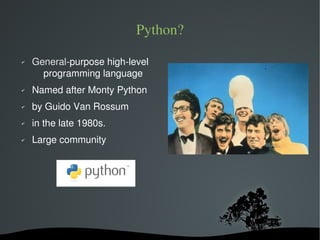
Python?
✔   General-purpose high-level
      programming language
✔   Named after Monty Python
✔   by Guido Van Rossum
✔   in the late 1980s.
✔   Large community


Python Features

✔   Dynamically typed
✔   Multi­paradigm design
        ✔   Object Oriented
        ✔   Metaprogramming (reflection)
        ✔   Functional programming
✔   Emphasizes semplicity
✔   Extendibility via C or C++ (boost.python, Cpython)


Where?

✔   Fast Prototyping
✔   Scientific programming (numpy, scipy, …)
✔   Database abstraction (pyodbc, django)
✔   RPC servers (JSON, XML, Binary, ...)
✔   Domain Specific Languages (DSP)
✔   Web servers (mod_python, twisted, ...)
✔   Web Frameworks (django, zope, ...)
✔   Glue for anything you can think of


R language

✔   Open source implementation of S/SPLUS
✔   Scripting language that excels in
        ✔    data analysis
        ✔    statistics and econometric
        ✔    graphics
✔   Huge collection of statistical packages available
✔   Can be used as stand­alone server side language but not 
     ideal


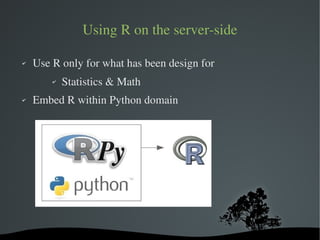
Using R on the server­side

✔   Use R only for what has been design for
        ✔   Statistics & Math
✔   Embed R within Python domain


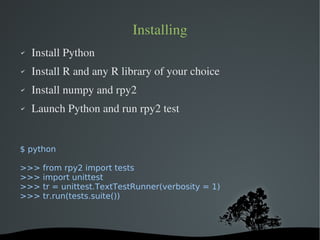
Installing
✔   Install Python
✔   Install R and any R library of your choice
✔   Install numpy and rpy2
✔   Launch Python and run rpy2 test


$ python

>>>   from rpy2 import tests
>>>   import unittest
>>>   tr = unittest.TextTestRunner(verbosity = 1)
>>>   tr.run(tests.suite())


3 ­ Examples

1) Sharing memory and arrays
2) Small server for rolling statistics calculation
3) A timeseries DSL (Domain Specific Language). Not 
    presented.


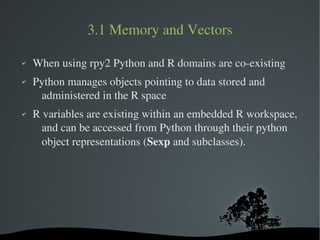
3.1 Memory and Vectors

✔   When using rpy2 Python and R domains are co­existing
✔   Python manages objects pointing to data stored and 
     administered in the R space
✔   R variables are existing within an embedded R workspace, 
      and can be accessed from Python through their python 
      object representations (Sexp and subclasses).


3.1 – Memory and Vectors
import rpy2.rinterface as ri
import numpy as ny

# Create an integer array in R domain
rx = ri.SexpVector([1,2,3,4], ri.INTSXP)

# Create a local copy in Python domain
nx = ny.array(rx)

# Proxy to R vector without coping
nx_nc = ny.asarray(rx)


3.2 A small server

✔   A minimalist Client­server application
✔   The Python server uses R packages to perform time­series 
     analysis on historical stock prices
✔   The server exposes a RPC­JSON interface to the client
✔   Implement one function which calculate a simple rolling 
      moving avarage


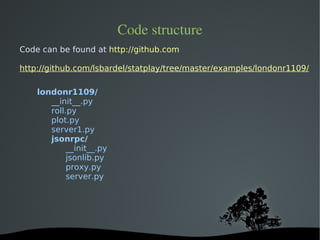
Code structure
Code can be found at http://github.com

http://github.com/lsbardel/statplay/tree/master/examples/londonr1109/

    londonr1109/
       __init__.py
       roll.py
       plot.py
       server1.py
       jsonrpc/
            __init__.py
            jsonlib.py
            proxy.py
            server.py


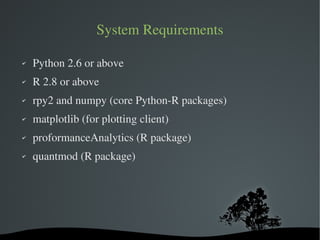
System Requirements

✔   Python 2.6 or above
✔   R 2.8 or above
✔   rpy2 and numpy (core Python­R packages)
✔   matplotlib (for plotting client)
✔   proformanceAnalytics (R package)
✔   quantmod (R package)


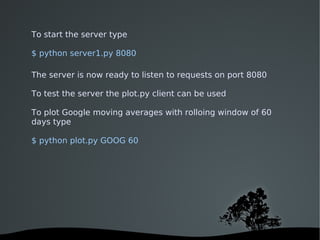
To start the server type

$ python server1.py 8080

The server is now ready to listen to requests on port 8080

To test the server the plot.py client can be used

To plot Google moving averages with rolloing window of 60
days type

$ python plot.py GOOG 60


References

✔   Python: www.python.org
✔   R: www.r­project.org
✔   rpy2: http://rpy.sourceforge.net/
✔   numpy: www.numpy.org
✔   matplotlib: http://matplotlib.sourceforge.net
✔   twisted: http://twistedmatrix.com
✔   boost: http://www.boost.org/


Python and R for quantitative finance

  • 1.
    Python and Rfor Quantitative Finance An Introduction Luca Sbardella luca.sbardella@gmail.com @lsbardel LondonR - Nov 09    
  • 2.
  • 3.
    1 ­ Context How can quantitativefinance pratictioners best leverage their expertise without reinventing the wheel and spending lots of their precious time writing low level code? opensource technologies    
  • 4.
    Current Approach ✔ Extensive use of large propriety C, C++ or Java libraries. ✔ Server­side applications written in ✔ .Net/C# ­ Windows servers ✔ Java – Windows & Linux/Unix ✔ VBA/Excel on the client side :( ✔ Some web/based clients :) ✔ Limited if inexistent use of powerful opensource  technologies/libraries.    
  • 5.
    Problems ✔ Full development cycle in low­level languages is expensive C++ : Python = 7 : 1 ✔ Writing code already developed many times before ✔ Difficult to adjust to new technologies as they become  available ✔ Often libraries are deployed on the client machine ✔ Some technologies (.Net) force a decision on the platform  to be used (Windows)    
  • 6.
    A different approach ✔ Limit low­level development to critical number­crunching  components ✔ Use available high­standard opensource technologies ✔ Flexible, multiplatform server­side configuration ✔ Multi­language support ✔ Abstraction when possible ✔ Remote procedure calls (RPC)    
  • 7.
    A proposed solution ✔ Use of Python as main server side driver ✔ Legacy C, C++ as Python modules (Boost­Python) ✔ Interaction with other technologies ✔ R ­ for statistics ✔ Erlang/Haskell – functional programming and  concurrency ✔ q – kdb+ timeseries database (commercial) ✔ Javascript/flex – web GUI front­end    
  • 8.
    2 ­ Python and R ✔ Combine  two  of  the  most  used  and  powerful  opensource  languages to create a truly dynamic application framework. ✔ Benefit from an active community of developers and a vast  array of ready available libraries. ✔ Seemingless integration with C/C++ libraries    
  • 9.
    Python? ✔ General-purpose high-level programming language ✔ Named after Monty Python ✔ by Guido Van Rossum ✔ in the late 1980s. ✔ Large community    
  • 10.
    Python Features ✔ Dynamically typed ✔ Multi­paradigm design ✔ Object Oriented ✔ Metaprogramming (reflection) ✔ Functional programming ✔ Emphasizes semplicity ✔ Extendibility via C or C++ (boost.python, Cpython)    
  • 11.
    Where? ✔ Fast Prototyping ✔ Scientific programming (numpy, scipy, …) ✔ Database abstraction (pyodbc, django) ✔ RPC servers (JSON, XML, Binary, ...) ✔ Domain Specific Languages (DSP) ✔ Web servers (mod_python, twisted, ...) ✔ Web Frameworks (django, zope, ...) ✔ Glue for anything you can think of    
  • 12.
    R language ✔ Open source implementation of S/SPLUS ✔ Scripting language that excels in ✔ data analysis ✔ statistics and econometric ✔ graphics ✔ Huge collection of statistical packages available ✔ Can be used as stand­alone server side language but not  ideal    
  • 13.
    Using R on the server­side ✔ Use R only for what has been design for ✔ Statistics & Math ✔ Embed R within Python domain    
  • 14.
    Installing ✔ Install Python ✔ Install R and any R library of your choice ✔ Install numpy and rpy2 ✔ Launch Python and run rpy2 test $ python >>> from rpy2 import tests >>> import unittest >>> tr = unittest.TextTestRunner(verbosity = 1) >>> tr.run(tests.suite())    
  • 15.
  • 16.
    3.1 Memory and Vectors ✔ When using rpy2 Python and R domains are co­existing ✔ Python manages objects pointing to data stored and  administered in the R space ✔ R variables are existing within an embedded R workspace,  and can be accessed from Python through their python  object representations (Sexp and subclasses).    
  • 17.
    3.1 – Memory and Vectors import rpy2.rinterface asri import numpy as ny # Create an integer array in R domain rx = ri.SexpVector([1,2,3,4], ri.INTSXP) # Create a local copy in Python domain nx = ny.array(rx) # Proxy to R vector without coping nx_nc = ny.asarray(rx)    
  • 18.
    3.2 A small server ✔ A minimalist Client­server application ✔ The Python server uses R packages to perform time­series  analysis on historical stock prices ✔ The server exposes a RPC­JSON interface to the client ✔ Implement one function which calculate a simple rolling  moving avarage    
  • 19.
    Code structure Code can befound at http://github.com http://github.com/lsbardel/statplay/tree/master/examples/londonr1109/ londonr1109/ __init__.py roll.py plot.py server1.py jsonrpc/ __init__.py jsonlib.py proxy.py server.py    
  • 20.
    System Requirements ✔ Python 2.6 or above ✔ R 2.8 or above ✔ rpy2 and numpy (core Python­R packages) ✔ matplotlib (for plotting client) ✔ proformanceAnalytics (R package) ✔ quantmod (R package)    
  • 21.
    To start theserver type $ python server1.py 8080 The server is now ready to listen to requests on port 8080 To test the server the plot.py client can be used To plot Google moving averages with rolloing window of 60 days type $ python plot.py GOOG 60    
  • 22.
    References ✔ Python: www.python.org ✔ R: www.r­project.org ✔ rpy2: http://rpy.sourceforge.net/ ✔ numpy: www.numpy.org ✔ matplotlib: http://matplotlib.sourceforge.net ✔ twisted: http://twistedmatrix.com ✔ boost: http://www.boost.org/