Los Angeles R Users’ Group


                           Accessing R from Python using RPy2

                                           Ryan R. Rosario


                                          October 19, 2010


Ryan R. Rosario
Accessing R from Python using RPy2                                Los Angeles R Users’ Group
Text Mining: Extracting Data         Some Interesting Packages for R                  Conclusion


What is Python?

       An interpreted, object-oriented, high-level programming language
       with...

                                       1   dynamic typing, yet strongly typed
                                       2   an interactive shell for real time
                                           testing of code
                                       3   good rapid application
                                           development support
                                       4   extensive scripting capabilities

       Python is similar in purpose to Perl, with a more well-defined
       syntax, and is more readable

Ryan R. Rosario
Accessing R from Python using RPy2                                     Los Angeles R Users’ Group
Text Mining: Extracting Data                Some Interesting Packages for R                  Conclusion


What is RPy2?

                               RPy2 is a simple interface to R from Python.


              RSPython was the first interface to R from Python (and
              Python from R) was RSPython by Duncan Temple Lang. Last
              updated in 2005. There is also a version for Perl called
              RSPerl.
              RPy focused on providing a simple and robust interface to R
              from the Python programming language.
              RPy2 is a rewrite of RPy, providing for a more user friendly
              experience and expanded capabilities.


Ryan R. Rosario
Accessing R from Python using RPy2                                            Los Angeles R Users’ Group
Text Mining: Extracting Data                 Some Interesting Packages for R                  Conclusion


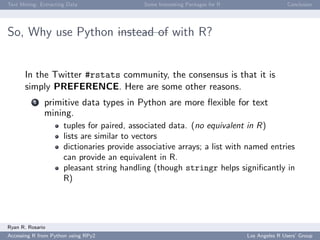
So, Why use Python instead of with R?


       In the Twitter #rstats community, the consensus is that it is
       simply PREFERENCE. Here are some other reasons.
          1   primitive data types in Python are more flexible for text
              mining.
                      tuples for paired, associated data. (no equivalent in R)
                      lists are similar to vectors
                      dictionaries provide associative arrays; a list with named entries
                      can provide an equivalent in R.
                      pleasant string handling (though stringr helps significantly in
                      R)


Ryan R. Rosario
Accessing R from Python using RPy2                                             Los Angeles R Users’ Group
Text Mining: Extracting Data               Some Interesting Packages for R                  Conclusion


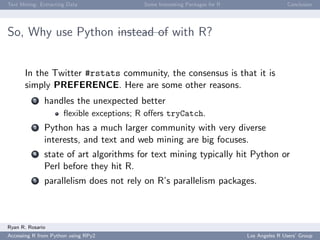
So, Why use Python instead of with R?


       In the Twitter #rstats community, the consensus is that it is
       simply PREFERENCE. Here are some other reasons.
          2   handles the unexpected better
                      flexible exceptions; R offers tryCatch.
          3   Python has a much larger community with very diverse
              interests, and text and web mining are big focuses.
          4   state of art algorithms for text mining typically hit Python or
              Perl before they hit R.
          5   parallelism does not rely on R’s parallelism packages.


Ryan R. Rosario
Accessing R from Python using RPy2                                           Los Angeles R Users’ Group
Text Mining: Extracting Data           Some Interesting Packages for R                  Conclusion


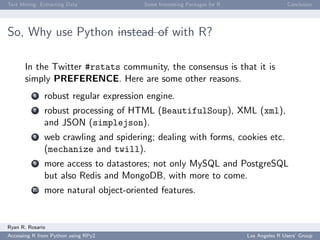
So, Why use Python instead of with R?

       In the Twitter #rstats community, the consensus is that it is
       simply PREFERENCE. Here are some other reasons.
          6   robust regular expression engine.
          7   robust processing of HTML (BeautifulSoup), XML (xml),
              and JSON (simplejson).
          8   web crawling and spidering; dealing with forms, cookies etc.
              (mechanize and twill).
          9   more access to datastores; not only MySQL and PostgreSQL
              but also Redis and MongoDB, with more to come.
         10   more natural object-oriented features.


Ryan R. Rosario
Accessing R from Python using RPy2                                       Los Angeles R Users’ Group
Text Mining: Extracting Data            Some Interesting Packages for R                  Conclusion


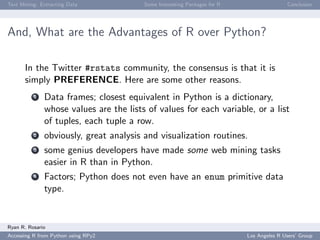
And, What are the Advantages of R over Python?

       In the Twitter #rstats community, the consensus is that it is
       simply PREFERENCE. Here are some other reasons.
          1   Data frames; closest equivalent in Python is a dictionary,
              whose values are the lists of values for each variable, or a list
              of tuples, each tuple a row.
          2   obviously, great analysis and visualization routines.
          3   some genius developers have made some web mining tasks
              easier in R than in Python.
          4   Factors; Python does not even have an enum primitive data
              type.


Ryan R. Rosario
Accessing R from Python using RPy2                                        Los Angeles R Users’ Group
Text Mining: Extracting Data          Some Interesting Packages for R                  Conclusion


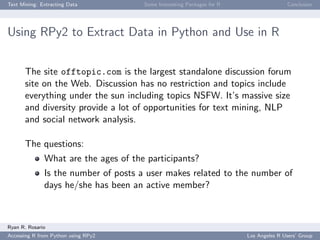
Using RPy2 to Extract Data in Python and Use in R


       The site offtopic.com is the largest standalone discussion forum
       site on the Web. Discussion has no restriction and topics include
       everything under the sun including topics NSFW. It’s massive size
       and diversity provide a lot of opportunities for text mining, NLP
       and social network analysis.

       The questions:
              What are the ages of the participants?
              Is the number of posts a user makes related to the number of
              days he/she has been an active member?


Ryan R. Rosario
Accessing R from Python using RPy2                                      Los Angeles R Users’ Group
Text Mining: Extracting Data         Some Interesting Packages for R                  Conclusion


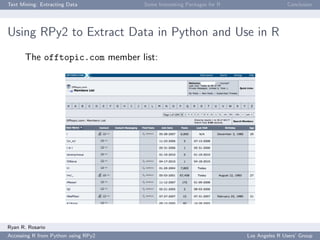
Using RPy2 to Extract Data in Python and Use in R
       The offtopic.com member list:


Ryan R. Rosario
Accessing R from Python using RPy2                                     Los Angeles R Users’ Group
Text Mining: Extracting Data           Some Interesting Packages for R                  Conclusion


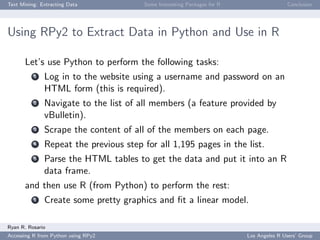
Using RPy2 to Extract Data in Python and Use in R

       Let’s use Python to perform the following tasks:
          1   Log in to the website using a username and password on an
              HTML form (this is required).
          2   Navigate to the list of all members (a feature provided by
              vBulletin).
          3   Scrape the content of all of the members on each page.
          4   Repeat the previous step for all 1,195 pages in the list.
          5   Parse the HTML tables to get the data and put it into an R
              data frame.
       and then use R (from Python) to perform the rest:
          1   Create some pretty graphics and fit a linear model.

Ryan R. Rosario
Accessing R from Python using RPy2                                       Los Angeles R Users’ Group
Text Mining: Extracting Data           Some Interesting Packages for R                  Conclusion


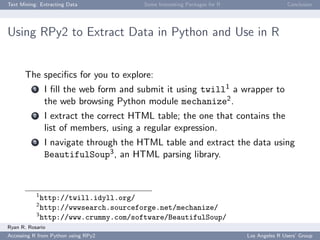
Using RPy2 to Extract Data in Python and Use in R


       The specifics for you to explore:
          1    I fill the web form and submit it using twill1 a wrapper to
               the web browsing Python module mechanize2 .
          2    I extract the correct HTML table; the one that contains the
               list of members, using a regular expression.
          3    I navigate through the HTML table and extract the data using
               BeautifulSoup3 , an HTML parsing library.


           1
             http://twill.idyll.org/
           2
             http://wwwsearch.sourceforge.net/mechanize/
           3
             http://www.crummy.com/software/BeautifulSoup/
Ryan R. Rosario
Accessing R from Python using RPy2                                       Los Angeles R Users’ Group
Text Mining: Extracting Data         Some Interesting Packages for R                  Conclusion


Using RPy2 to Extract Data in Python and Use in R


       Brief code walkthrough.


Ryan R. Rosario
Accessing R from Python using RPy2                                     Los Angeles R Users’ Group
Text Mining: Extracting Data                  Some Interesting Packages for R                  Conclusion


Constructing an R Data Type

       To create a dataframe,
           1    I keep a list for each variable and store the lists in a dictionary,
                using the variable name as a key.
           2    In a new dictionary, coerce the lists to R vectors
       1       dataframe = {}
       2       dataframe [ ’ username ’] = R . StrVector (( data [ ’ username ’ ]) )
       3       dataframe [ ’ join _ date ’] = R . StrVector (( data [ ’ join _ date ’ ]) )
       4       dataframe [ ’ posts ’] = R . IntVector (( data [ ’ posts ’ ]) )
       5       dataframe [ ’ last _ visit ’] = R . StrVector (( data [ ’ last _ visit ’
                   ]) )
       6       dataframe [ ’ birthday ’] = R . StrVector (( data [ ’ birthday ’ ]) )
       7       dataframe [ ’ age ’] = R . IntVector (( data [ ’ age ’ ]) )
       8       MyRDataframe = R . DataFrame ( dataframe )


Ryan R. Rosario
Accessing R from Python using RPy2                                              Los Angeles R Users’ Group
Text Mining: Extracting Data         Some Interesting Packages for R                  Conclusion


Constructing an R Data Type


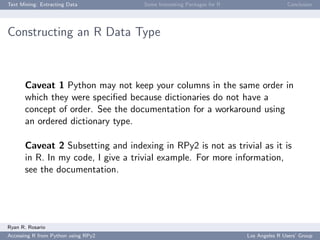
       Caveat 1 Python may not keep your columns in the same order in
       which they were specified because dictionaries do not have a
       concept of order. See the documentation for a workaround using
       an ordered dictionary type.

       Caveat 2 Subsetting and indexing in RPy2 is not as trivial as it is
       in R. In my code, I give a trivial example. For more information,
       see the documentation.


Ryan R. Rosario
Accessing R from Python using RPy2                                     Los Angeles R Users’ Group
Text Mining: Extracting Data             Some Interesting Packages for R                  Conclusion


Constructing an R Data Type


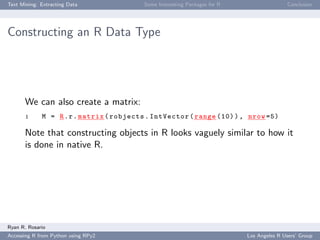
       We can also create a matrix:
       1     M = R . r . matrix ( robjects . IntVector ( range (10) ) , nrow =5)

       Note that constructing objects in R looks vaguely similar to how it
       is done in native R.


Ryan R. Rosario
Accessing R from Python using RPy2                                         Los Angeles R Users’ Group
Text Mining: Extracting Data                 Some Interesting Packages for R                  Conclusion


Plotting a Histogram


       Let’s see the distribution of ages of offtopic.com users. It is best
       to print the plot to a file. If we do not, the graphic relies on X11
       (on Linux) and will disappear when the script ends.
       1    # Plot ages
       2    hist = R . r . hist
       3    R . r . png ( ’~ / Desktop / hist . png ’ , width =300 , height =300)
       4    hist ( MyRDataframe [2] , main = " " xlab = " " , br =20)
       5    R . r [ ’ dev . off ’ ]()


Ryan R. Rosario
Accessing R from Python using RPy2                                             Los Angeles R Users’ Group
Text Mining: Extracting Data            Some Interesting Packages for R                  Conclusion


Plotting a Bivariate Relationship and Custom R Functions

       Next, let’s do some data management and access our own R
       function from Python.
       1    activity = R . r ( r ’ ’ ’
       2          function (x , y ) {
       3                 if ( is . na ( x ) | is . na ( y ) ) NA
       4                 else {
       5                      date .1 <- strptime (x , "% m -% d -% Y ")
       6                      date .2 <- strptime (y , "% m -% d -% Y ")
       7                      difftime ( date .1 , date .2 , units = ’ days ’)
       8                 }
       9          } ’ ’ ’)
      10    as _ numeric = R . r [ ’ as . numeric ’]
      11    days _ active = activity ( dataframe [ ’ join _ date ’] , dataframe [
                  ’ last _ visit ’ ])
      12    days _ active = R . r . abs ( days _ active )
      13    days _ active = as _ numeric ( days _ active )


Ryan R. Rosario
Accessing R from Python using RPy2                                        Los Angeles R Users’ Group
Text Mining: Extracting Data               Some Interesting Packages for R                  Conclusion


Plotting a Bivariate Relationship and Custom R Function


       1    plot = R . r . plot
       2    R . r . png ( ’~ / Desktop / plot . png ’ , width =300 , height =300)
       3    plot ( days _ active , MyRDataframe [3] , pch = ’. ’)
       4    R . r [ ’ dev . off ’ ]()


Ryan R. Rosario
Accessing R from Python using RPy2                                           Los Angeles R Users’ Group
Text Mining: Extracting Data            Some Interesting Packages for R                  Conclusion


Linear Models


       Let’s assume a linear relationship and try to predict posts from
       number of days active.
       1    fit = R . r . lm ( fm1a )
       2    summary = R . r . summary ( fit )
       3    # Now we can program with the results of fit in Python .
       4    print summary [3] # Display an R - like summary
       5    # element 3 is the R - like summary .
       6    # e l e m e n t s 0 and 1 are the a and b c o e f f i c i e n t s
                    respectively .
       7    intercept = summary [3][0]
       8    slope = summary [3][1]


Ryan R. Rosario
Accessing R from Python using RPy2                                        Los Angeles R Users’ Group
Text Mining: Extracting Data         Some Interesting Packages for R                  Conclusion


Wrap Up of RPy2


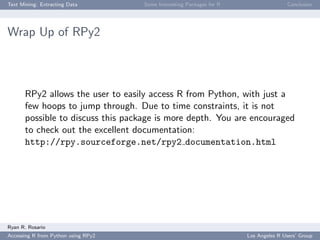
       RPy2 allows the user to easily access R from Python, with just a
       few hoops to jump through. Due to time constraints, it is not
       possible to discuss this package is more depth. You are encouraged
       to check out the excellent documentation:
       http://rpy.sourceforge.net/rpy2 documentation.html


Ryan R. Rosario
Accessing R from Python using RPy2                                     Los Angeles R Users’ Group
Text Mining: Extracting Data            Some Interesting Packages for R                  Conclusion


Alternatives to RPy2


       There are some other Python packages that allow use of R in
       Python:
          1     PypeR is a brand new package discussed in the Journal of
                Statistical Software4 ,
          2     pyRServe for accessing R running RServe from Python.


           4
               http://www.jstatsoft.org/v35/c02/paper
Ryan R. Rosario
Accessing R from Python using RPy2                                        Los Angeles R Users’ Group
Text Mining: Extracting Data                Some Interesting Packages for R                  Conclusion


Python’s Natural Language Toolkit (NLTK)

       Another reason to call R from Python is to use Python’s awesome NLTK
       module. Unfortunately, due to time constraints, I can only list what NLTK is
       capable of.
              several corpora and labeled corpora for classification tasks and training.
              several classifiers including Naive Bayes, and Latent Dirichlet Allocation.
              WordNet interface
              Part of speech taggers
              Word stemmers
              Tokenization, entity washing, stop word lists and dictionaries for parsing.
              Feature grammar parsing.
              and much more
       Then, data can be passed to R for analysis and visualization.


Ryan R. Rosario
Accessing R from Python using RPy2                                            Los Angeles R Users’ Group
Text Mining: Extracting Data                Some Interesting Packages for R                  Conclusion


Python’s Natural Language Toolkit (NLTK)

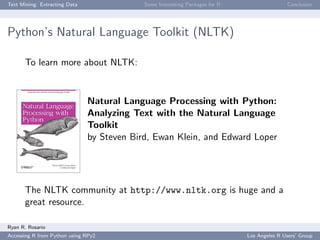
       To learn more about NLTK:


                               Natural Language Processing with Python:
                               Analyzing Text with the Natural Language
                               Toolkit
                               by Steven Bird, Ewan Klein, and Edward Loper


       The NLTK community at http://www.nltk.org is huge and a
       great resource.

Ryan R. Rosario
Accessing R from Python using RPy2                                            Los Angeles R Users’ Group
Text Mining: Extracting Data          Some Interesting Packages for R                  Conclusion


Duncan Temple Lang to the Rescue


       In my opinion, Python has a cleaner syntax for parsing text and
       HTML. Duncan Temple Lang’s XML package provides some HTML
       parsing in R:
              Can read an HTML table and convert the data to a dataframe
              (just like we did here).
              Can parse and create HTML and XML documents.
              Contains an XPath interpreter.
              Many web mining R packages suggest or require this package
              (RAmazonS3, RHTMLForms, RNYTimes).


Ryan R. Rosario
Accessing R from Python using RPy2                                      Los Angeles R Users’ Group
Text Mining: Extracting Data         Some Interesting Packages for R                  Conclusion


RCurl and RJSON


       R provides other packages that provide functionality that is
       typically explored more in Python and other scripting languages.
       RCurl brings the power of Unix curl to R and allows R to act as a
       web client. Using RCurl it may be possible to do a lot of the stuff
       that twill and mechanize do using getForm() and postForm().

       RJSON allows us to parse JSON data (common with REST APIs
       and other APIs) into R data structures. JSON is essentially just a
       bunch of name/value pairs similar to a Python dictionary. The
       Twitter API, which we will see shortly, can spit out JSON data.


Ryan R. Rosario
Accessing R from Python using RPy2                                     Los Angeles R Users’ Group
Text Mining: Extracting Data                 Some Interesting Packages for R                  Conclusion


A Parting Example
       One can perform a sentiment analysis on the two gubernatorial candidates to see if we
       can do a better job than the polls, assuming Twitter is representative of likely voters.
       The code snippet below loops through hashtags and pages of results to extract results
       from the Twitter Search API.
       1    library ( RCurl )
       2    library ( rjson )
       3    hashtags <- c ( " %23 cagov " , " %23 cagovdebate " , " jerry + brown "
                , " meg + whitman " , " brown + whitman " , " %23 cadebate " )
       4    for ( i in 1: length ( hashtags ) ) {
       5        for ( j in 1:10) {
       6              text <- getURL ( paste ( c ( " http : / / search . twitter . com
                           / search . json ? q = " , hashtags [ i ] , " & rpp =100 & since
                           =2010 -10 -13 & until =2010 -10 -13 & page = " , j ) ,
                           collapse = ’ ’) )
       7              entry <- fromJSON ( text )
       8              print ( entry ) # DO S O M E T H I N G ... here we just print
       9        }
      10    }


Ryan R. Rosario
Accessing R from Python using RPy2                                             Los Angeles R Users’ Group
Text Mining: Extracting Data         Some Interesting Packages for R                  Conclusion


A Parting Example


       Short demo.


Ryan R. Rosario
Accessing R from Python using RPy2                                     Los Angeles R Users’ Group
Text Mining: Extracting Data           Some Interesting Packages for R                  Conclusion


Conclusion

       In conclusion...
          1   Calling R from Python gives the best of both worlds by
              combining a fully functional, beautiful programming language
              with an amazing modeling, analysis and visualization system.
          2   R developers are making inroads at providing tools for not
              only text mining and NLP, but also for extracting and
              managing text and web data.
          3   The challenge to R developers is to remove that “dirty”
              feeling of using R for text mining, with some of its clunky
              data structures.
          4   The previous bullet is a difficult challenge, but will greatly
              reduce the gap between both technologies.

Ryan R. Rosario
Accessing R from Python using RPy2                                       Los Angeles R Users’ Group
Text Mining: Extracting Data         Some Interesting Packages for R                  Conclusion


Keep in Touch!


       My email: ryan@stat.ucla.edu

       My blog: http://www.bytemining.com

       Follow me on Twitter: @datajunkie


Ryan R. Rosario
Accessing R from Python using RPy2                                     Los Angeles R Users’ Group
Text Mining: Extracting Data                      Some Interesting Packages for R                      Conclusion


The End
       Questions?


                  Source: http://www.r-chart.com/2010/10/hadley-on-postage-stamp.html, 10/19/10

Ryan R. Rosario
Accessing R from Python using RPy2                                                      Los Angeles R Users’ Group
Text Mining: Extracting Data         Some Interesting Packages for R                  Conclusion


       Thank You!


Ryan R. Rosario
Accessing R from Python using RPy2                                     Los Angeles R Users’ Group

Accessing r from python using r py2

  • 1.
    Los Angeles RUsers’ Group Accessing R from Python using RPy2 Ryan R. Rosario October 19, 2010 Ryan R. Rosario Accessing R from Python using RPy2 Los Angeles R Users’ Group
  • 2.
    Text Mining: ExtractingData Some Interesting Packages for R Conclusion What is Python? An interpreted, object-oriented, high-level programming language with... 1 dynamic typing, yet strongly typed 2 an interactive shell for real time testing of code 3 good rapid application development support 4 extensive scripting capabilities Python is similar in purpose to Perl, with a more well-defined syntax, and is more readable Ryan R. Rosario Accessing R from Python using RPy2 Los Angeles R Users’ Group
  • 3.
    Text Mining: ExtractingData Some Interesting Packages for R Conclusion What is RPy2? RPy2 is a simple interface to R from Python. RSPython was the first interface to R from Python (and Python from R) was RSPython by Duncan Temple Lang. Last updated in 2005. There is also a version for Perl called RSPerl. RPy focused on providing a simple and robust interface to R from the Python programming language. RPy2 is a rewrite of RPy, providing for a more user friendly experience and expanded capabilities. Ryan R. Rosario Accessing R from Python using RPy2 Los Angeles R Users’ Group
  • 4.
    Text Mining: ExtractingData Some Interesting Packages for R Conclusion So, Why use Python instead of with R? In the Twitter #rstats community, the consensus is that it is simply PREFERENCE. Here are some other reasons. 1 primitive data types in Python are more flexible for text mining. tuples for paired, associated data. (no equivalent in R) lists are similar to vectors dictionaries provide associative arrays; a list with named entries can provide an equivalent in R. pleasant string handling (though stringr helps significantly in R) Ryan R. Rosario Accessing R from Python using RPy2 Los Angeles R Users’ Group
  • 5.
    Text Mining: ExtractingData Some Interesting Packages for R Conclusion So, Why use Python instead of with R? In the Twitter #rstats community, the consensus is that it is simply PREFERENCE. Here are some other reasons. 2 handles the unexpected better flexible exceptions; R offers tryCatch. 3 Python has a much larger community with very diverse interests, and text and web mining are big focuses. 4 state of art algorithms for text mining typically hit Python or Perl before they hit R. 5 parallelism does not rely on R’s parallelism packages. Ryan R. Rosario Accessing R from Python using RPy2 Los Angeles R Users’ Group
  • 6.
    Text Mining: ExtractingData Some Interesting Packages for R Conclusion So, Why use Python instead of with R? In the Twitter #rstats community, the consensus is that it is simply PREFERENCE. Here are some other reasons. 6 robust regular expression engine. 7 robust processing of HTML (BeautifulSoup), XML (xml), and JSON (simplejson). 8 web crawling and spidering; dealing with forms, cookies etc. (mechanize and twill). 9 more access to datastores; not only MySQL and PostgreSQL but also Redis and MongoDB, with more to come. 10 more natural object-oriented features. Ryan R. Rosario Accessing R from Python using RPy2 Los Angeles R Users’ Group
  • 7.
    Text Mining: ExtractingData Some Interesting Packages for R Conclusion And, What are the Advantages of R over Python? In the Twitter #rstats community, the consensus is that it is simply PREFERENCE. Here are some other reasons. 1 Data frames; closest equivalent in Python is a dictionary, whose values are the lists of values for each variable, or a list of tuples, each tuple a row. 2 obviously, great analysis and visualization routines. 3 some genius developers have made some web mining tasks easier in R than in Python. 4 Factors; Python does not even have an enum primitive data type. Ryan R. Rosario Accessing R from Python using RPy2 Los Angeles R Users’ Group
  • 8.
    Text Mining: ExtractingData Some Interesting Packages for R Conclusion Using RPy2 to Extract Data in Python and Use in R The site offtopic.com is the largest standalone discussion forum site on the Web. Discussion has no restriction and topics include everything under the sun including topics NSFW. It’s massive size and diversity provide a lot of opportunities for text mining, NLP and social network analysis. The questions: What are the ages of the participants? Is the number of posts a user makes related to the number of days he/she has been an active member? Ryan R. Rosario Accessing R from Python using RPy2 Los Angeles R Users’ Group
  • 9.
    Text Mining: ExtractingData Some Interesting Packages for R Conclusion Using RPy2 to Extract Data in Python and Use in R The offtopic.com member list: Ryan R. Rosario Accessing R from Python using RPy2 Los Angeles R Users’ Group
  • 10.
    Text Mining: ExtractingData Some Interesting Packages for R Conclusion Using RPy2 to Extract Data in Python and Use in R Let’s use Python to perform the following tasks: 1 Log in to the website using a username and password on an HTML form (this is required). 2 Navigate to the list of all members (a feature provided by vBulletin). 3 Scrape the content of all of the members on each page. 4 Repeat the previous step for all 1,195 pages in the list. 5 Parse the HTML tables to get the data and put it into an R data frame. and then use R (from Python) to perform the rest: 1 Create some pretty graphics and fit a linear model. Ryan R. Rosario Accessing R from Python using RPy2 Los Angeles R Users’ Group
  • 11.
    Text Mining: ExtractingData Some Interesting Packages for R Conclusion Using RPy2 to Extract Data in Python and Use in R The specifics for you to explore: 1 I fill the web form and submit it using twill1 a wrapper to the web browsing Python module mechanize2 . 2 I extract the correct HTML table; the one that contains the list of members, using a regular expression. 3 I navigate through the HTML table and extract the data using BeautifulSoup3 , an HTML parsing library. 1 http://twill.idyll.org/ 2 http://wwwsearch.sourceforge.net/mechanize/ 3 http://www.crummy.com/software/BeautifulSoup/ Ryan R. Rosario Accessing R from Python using RPy2 Los Angeles R Users’ Group
  • 12.
    Text Mining: ExtractingData Some Interesting Packages for R Conclusion Using RPy2 to Extract Data in Python and Use in R Brief code walkthrough. Ryan R. Rosario Accessing R from Python using RPy2 Los Angeles R Users’ Group
  • 13.
    Text Mining: ExtractingData Some Interesting Packages for R Conclusion Constructing an R Data Type To create a dataframe, 1 I keep a list for each variable and store the lists in a dictionary, using the variable name as a key. 2 In a new dictionary, coerce the lists to R vectors 1 dataframe = {} 2 dataframe [ ’ username ’] = R . StrVector (( data [ ’ username ’ ]) ) 3 dataframe [ ’ join _ date ’] = R . StrVector (( data [ ’ join _ date ’ ]) ) 4 dataframe [ ’ posts ’] = R . IntVector (( data [ ’ posts ’ ]) ) 5 dataframe [ ’ last _ visit ’] = R . StrVector (( data [ ’ last _ visit ’ ]) ) 6 dataframe [ ’ birthday ’] = R . StrVector (( data [ ’ birthday ’ ]) ) 7 dataframe [ ’ age ’] = R . IntVector (( data [ ’ age ’ ]) ) 8 MyRDataframe = R . DataFrame ( dataframe ) Ryan R. Rosario Accessing R from Python using RPy2 Los Angeles R Users’ Group
  • 14.
    Text Mining: ExtractingData Some Interesting Packages for R Conclusion Constructing an R Data Type Caveat 1 Python may not keep your columns in the same order in which they were specified because dictionaries do not have a concept of order. See the documentation for a workaround using an ordered dictionary type. Caveat 2 Subsetting and indexing in RPy2 is not as trivial as it is in R. In my code, I give a trivial example. For more information, see the documentation. Ryan R. Rosario Accessing R from Python using RPy2 Los Angeles R Users’ Group
  • 15.
    Text Mining: ExtractingData Some Interesting Packages for R Conclusion Constructing an R Data Type We can also create a matrix: 1 M = R . r . matrix ( robjects . IntVector ( range (10) ) , nrow =5) Note that constructing objects in R looks vaguely similar to how it is done in native R. Ryan R. Rosario Accessing R from Python using RPy2 Los Angeles R Users’ Group
  • 16.
    Text Mining: ExtractingData Some Interesting Packages for R Conclusion Plotting a Histogram Let’s see the distribution of ages of offtopic.com users. It is best to print the plot to a file. If we do not, the graphic relies on X11 (on Linux) and will disappear when the script ends. 1 # Plot ages 2 hist = R . r . hist 3 R . r . png ( ’~ / Desktop / hist . png ’ , width =300 , height =300) 4 hist ( MyRDataframe [2] , main = " " xlab = " " , br =20) 5 R . r [ ’ dev . off ’ ]() Ryan R. Rosario Accessing R from Python using RPy2 Los Angeles R Users’ Group
  • 17.
    Text Mining: ExtractingData Some Interesting Packages for R Conclusion Plotting a Bivariate Relationship and Custom R Functions Next, let’s do some data management and access our own R function from Python. 1 activity = R . r ( r ’ ’ ’ 2 function (x , y ) { 3 if ( is . na ( x ) | is . na ( y ) ) NA 4 else { 5 date .1 <- strptime (x , "% m -% d -% Y ") 6 date .2 <- strptime (y , "% m -% d -% Y ") 7 difftime ( date .1 , date .2 , units = ’ days ’) 8 } 9 } ’ ’ ’) 10 as _ numeric = R . r [ ’ as . numeric ’] 11 days _ active = activity ( dataframe [ ’ join _ date ’] , dataframe [ ’ last _ visit ’ ]) 12 days _ active = R . r . abs ( days _ active ) 13 days _ active = as _ numeric ( days _ active ) Ryan R. Rosario Accessing R from Python using RPy2 Los Angeles R Users’ Group
  • 18.
    Text Mining: ExtractingData Some Interesting Packages for R Conclusion Plotting a Bivariate Relationship and Custom R Function 1 plot = R . r . plot 2 R . r . png ( ’~ / Desktop / plot . png ’ , width =300 , height =300) 3 plot ( days _ active , MyRDataframe [3] , pch = ’. ’) 4 R . r [ ’ dev . off ’ ]() Ryan R. Rosario Accessing R from Python using RPy2 Los Angeles R Users’ Group
  • 19.
    Text Mining: ExtractingData Some Interesting Packages for R Conclusion Linear Models Let’s assume a linear relationship and try to predict posts from number of days active. 1 fit = R . r . lm ( fm1a ) 2 summary = R . r . summary ( fit ) 3 # Now we can program with the results of fit in Python . 4 print summary [3] # Display an R - like summary 5 # element 3 is the R - like summary . 6 # e l e m e n t s 0 and 1 are the a and b c o e f f i c i e n t s respectively . 7 intercept = summary [3][0] 8 slope = summary [3][1] Ryan R. Rosario Accessing R from Python using RPy2 Los Angeles R Users’ Group
  • 20.
    Text Mining: ExtractingData Some Interesting Packages for R Conclusion Wrap Up of RPy2 RPy2 allows the user to easily access R from Python, with just a few hoops to jump through. Due to time constraints, it is not possible to discuss this package is more depth. You are encouraged to check out the excellent documentation: http://rpy.sourceforge.net/rpy2 documentation.html Ryan R. Rosario Accessing R from Python using RPy2 Los Angeles R Users’ Group
  • 21.
    Text Mining: ExtractingData Some Interesting Packages for R Conclusion Alternatives to RPy2 There are some other Python packages that allow use of R in Python: 1 PypeR is a brand new package discussed in the Journal of Statistical Software4 , 2 pyRServe for accessing R running RServe from Python. 4 http://www.jstatsoft.org/v35/c02/paper Ryan R. Rosario Accessing R from Python using RPy2 Los Angeles R Users’ Group
  • 22.
    Text Mining: ExtractingData Some Interesting Packages for R Conclusion Python’s Natural Language Toolkit (NLTK) Another reason to call R from Python is to use Python’s awesome NLTK module. Unfortunately, due to time constraints, I can only list what NLTK is capable of. several corpora and labeled corpora for classification tasks and training. several classifiers including Naive Bayes, and Latent Dirichlet Allocation. WordNet interface Part of speech taggers Word stemmers Tokenization, entity washing, stop word lists and dictionaries for parsing. Feature grammar parsing. and much more Then, data can be passed to R for analysis and visualization. Ryan R. Rosario Accessing R from Python using RPy2 Los Angeles R Users’ Group
  • 23.
    Text Mining: ExtractingData Some Interesting Packages for R Conclusion Python’s Natural Language Toolkit (NLTK) To learn more about NLTK: Natural Language Processing with Python: Analyzing Text with the Natural Language Toolkit by Steven Bird, Ewan Klein, and Edward Loper The NLTK community at http://www.nltk.org is huge and a great resource. Ryan R. Rosario Accessing R from Python using RPy2 Los Angeles R Users’ Group
  • 24.
    Text Mining: ExtractingData Some Interesting Packages for R Conclusion Duncan Temple Lang to the Rescue In my opinion, Python has a cleaner syntax for parsing text and HTML. Duncan Temple Lang’s XML package provides some HTML parsing in R: Can read an HTML table and convert the data to a dataframe (just like we did here). Can parse and create HTML and XML documents. Contains an XPath interpreter. Many web mining R packages suggest or require this package (RAmazonS3, RHTMLForms, RNYTimes). Ryan R. Rosario Accessing R from Python using RPy2 Los Angeles R Users’ Group
  • 25.
    Text Mining: ExtractingData Some Interesting Packages for R Conclusion RCurl and RJSON R provides other packages that provide functionality that is typically explored more in Python and other scripting languages. RCurl brings the power of Unix curl to R and allows R to act as a web client. Using RCurl it may be possible to do a lot of the stuff that twill and mechanize do using getForm() and postForm(). RJSON allows us to parse JSON data (common with REST APIs and other APIs) into R data structures. JSON is essentially just a bunch of name/value pairs similar to a Python dictionary. The Twitter API, which we will see shortly, can spit out JSON data. Ryan R. Rosario Accessing R from Python using RPy2 Los Angeles R Users’ Group
  • 26.
    Text Mining: ExtractingData Some Interesting Packages for R Conclusion A Parting Example One can perform a sentiment analysis on the two gubernatorial candidates to see if we can do a better job than the polls, assuming Twitter is representative of likely voters. The code snippet below loops through hashtags and pages of results to extract results from the Twitter Search API. 1 library ( RCurl ) 2 library ( rjson ) 3 hashtags <- c ( " %23 cagov " , " %23 cagovdebate " , " jerry + brown " , " meg + whitman " , " brown + whitman " , " %23 cadebate " ) 4 for ( i in 1: length ( hashtags ) ) { 5 for ( j in 1:10) { 6 text <- getURL ( paste ( c ( " http : / / search . twitter . com / search . json ? q = " , hashtags [ i ] , " & rpp =100 & since =2010 -10 -13 & until =2010 -10 -13 & page = " , j ) , collapse = ’ ’) ) 7 entry <- fromJSON ( text ) 8 print ( entry ) # DO S O M E T H I N G ... here we just print 9 } 10 } Ryan R. Rosario Accessing R from Python using RPy2 Los Angeles R Users’ Group
  • 27.
    Text Mining: ExtractingData Some Interesting Packages for R Conclusion A Parting Example Short demo. Ryan R. Rosario Accessing R from Python using RPy2 Los Angeles R Users’ Group
  • 28.
    Text Mining: ExtractingData Some Interesting Packages for R Conclusion Conclusion In conclusion... 1 Calling R from Python gives the best of both worlds by combining a fully functional, beautiful programming language with an amazing modeling, analysis and visualization system. 2 R developers are making inroads at providing tools for not only text mining and NLP, but also for extracting and managing text and web data. 3 The challenge to R developers is to remove that “dirty” feeling of using R for text mining, with some of its clunky data structures. 4 The previous bullet is a difficult challenge, but will greatly reduce the gap between both technologies. Ryan R. Rosario Accessing R from Python using RPy2 Los Angeles R Users’ Group
  • 29.
    Text Mining: ExtractingData Some Interesting Packages for R Conclusion Keep in Touch! My email: ryan@stat.ucla.edu My blog: http://www.bytemining.com Follow me on Twitter: @datajunkie Ryan R. Rosario Accessing R from Python using RPy2 Los Angeles R Users’ Group
  • 30.
    Text Mining: ExtractingData Some Interesting Packages for R Conclusion The End Questions? Source: http://www.r-chart.com/2010/10/hadley-on-postage-stamp.html, 10/19/10 Ryan R. Rosario Accessing R from Python using RPy2 Los Angeles R Users’ Group
  • 31.
    Text Mining: ExtractingData Some Interesting Packages for R Conclusion Thank You! Ryan R. Rosario Accessing R from Python using RPy2 Los Angeles R Users’ Group