A presentation on:
Face recognition with raspberry pi
GUJARAT TECHNOLOGICAL
UNIVERSITY
C. K. PITHAWALA COLLEGE OF ENGINEERING AND TECHNOLOGY
Prepared by:
Group no-5
Sr. no. Name of student Enrolment
1. Dimple Balasara
120090111055
2. Hetvi Naik 130090111055
3. Vatsal Champaneria 140093111005
4. Krunal Parmar
140093111017
5. Khushbu Raj 140093111033Guided by:
Dr. Mita Paunwala
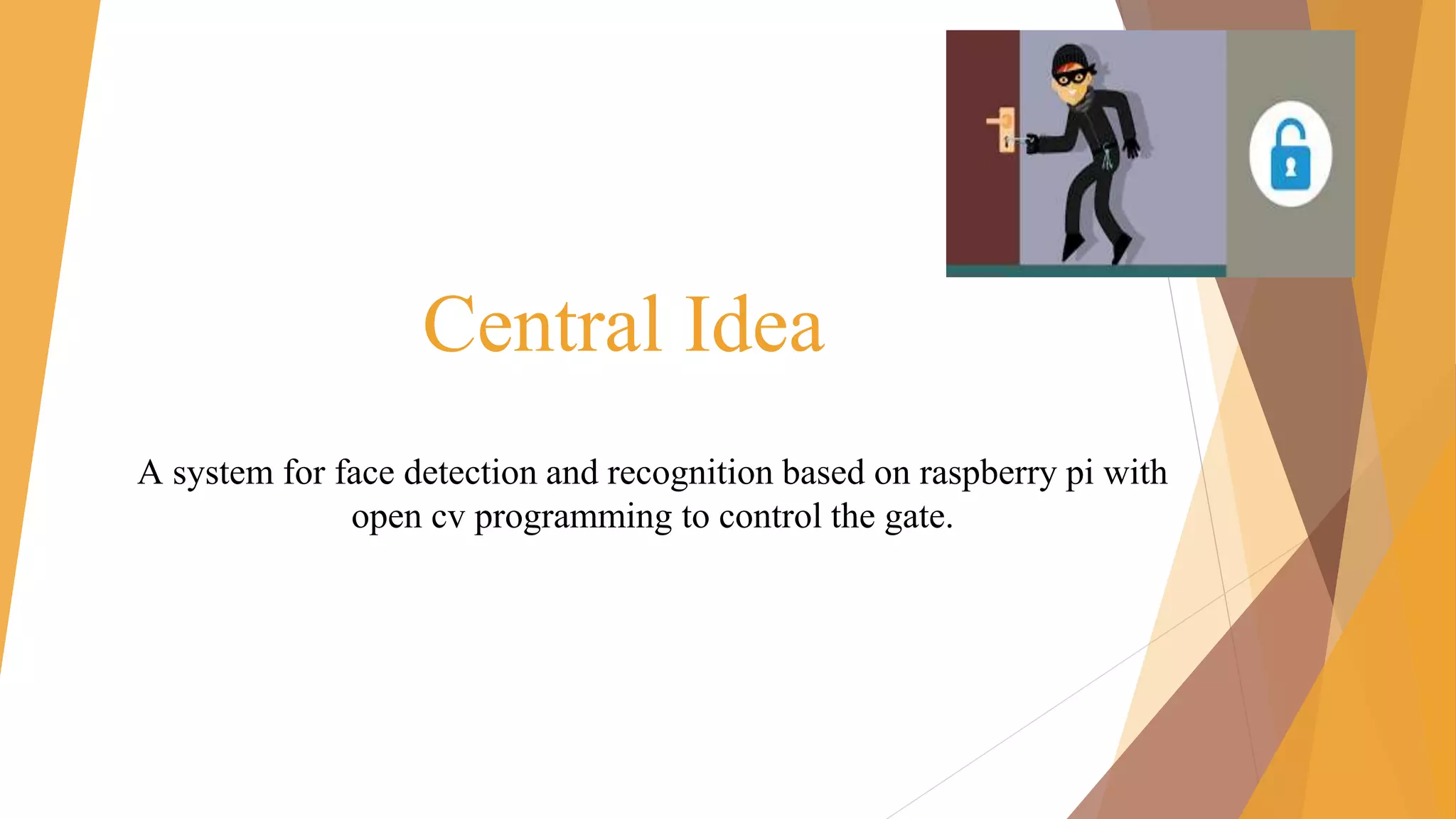
Central Idea
A system for face detection and recognition based on raspberry pi with
open cv programming to control the gate.
Outlines
❑ Introduction
❑ Literature survey
❑ Block diagram
❑ Algorithm
▪ Face detection
▪ Database
▪ Face recognition
❑ Software
❑ Hardware
❑ The system
❑ conclusion
Introduction
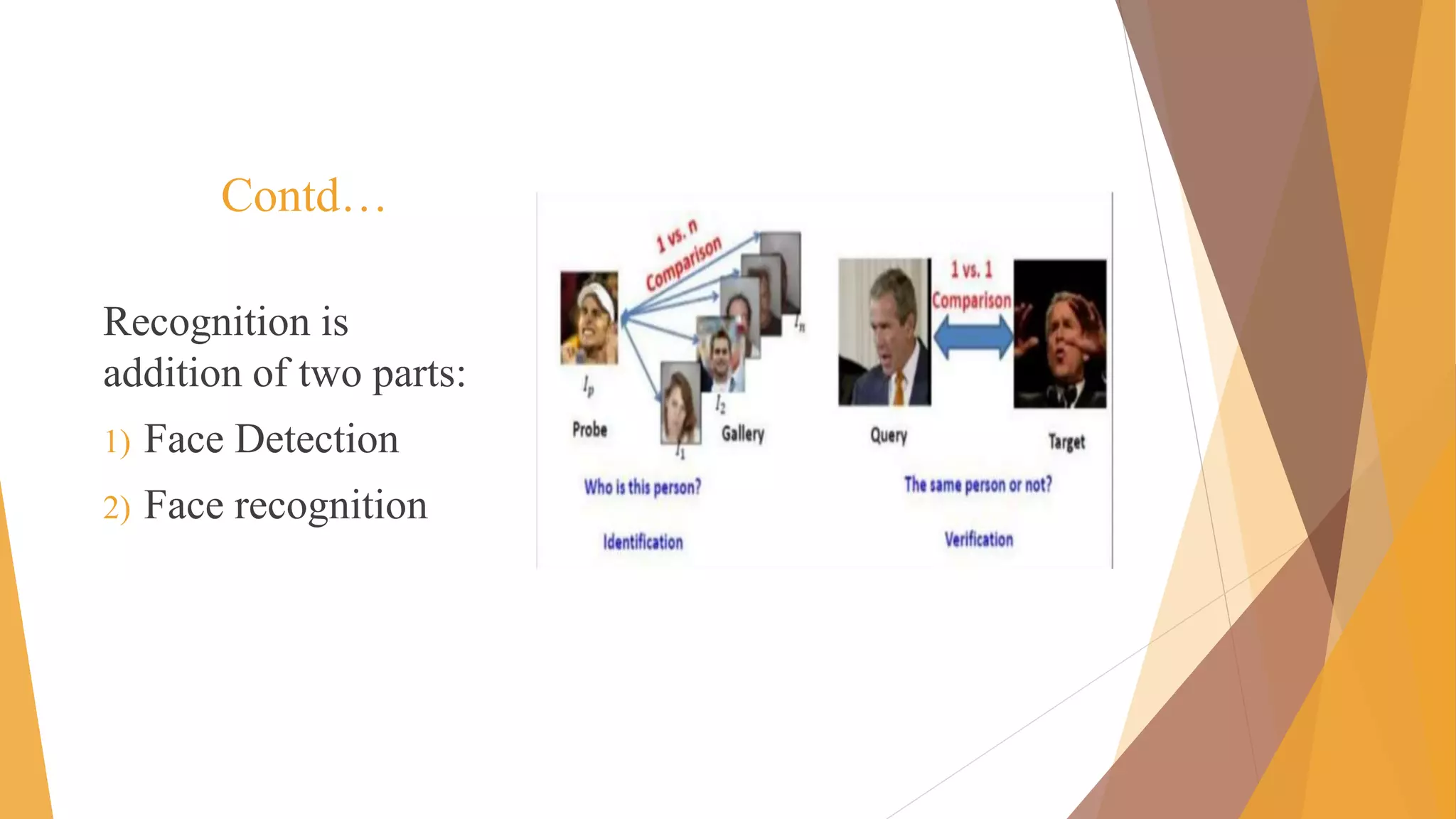
► A facial recognition system is a computer application for
automatically identifying or a verifying a person from a digital
image.
► Face detection locate face in whole frame.
► Input image is matched with database images. Authentication is
given accordingly.
► Face recognition system is mainly used for security purpose.
► We are using raspberry pi for putting our plan into effect!
Contd…
Recognition is
addition of two parts:
1) Face Detection
2) Face recognition
Literature survey
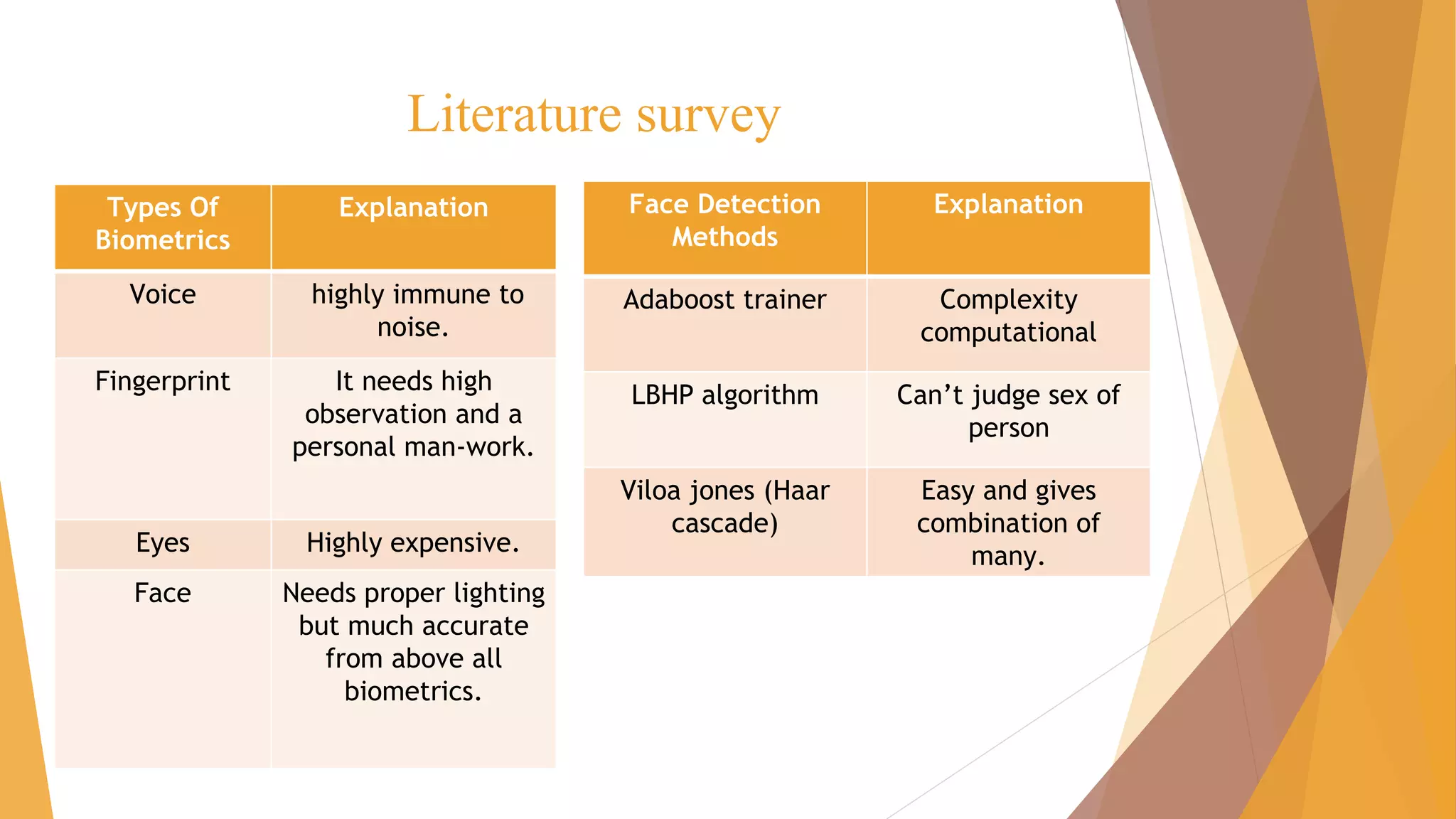
Types Of
Biometrics
Explanation
Voice highly immune to
noise.
Fingerprint It needs high
observation and a
personal man-work.
Eyes Highly expensive.
Face Needs proper lighting
but much accurate
from above all
biometrics.
Face Detection
Methods
Explanation
Adaboost trainer Complexity
computational
LBHP algorithm Can’t judge sex of
person
Viloa jones (Haar
cascade)
Easy and gives
combination of
many.
Literature survey
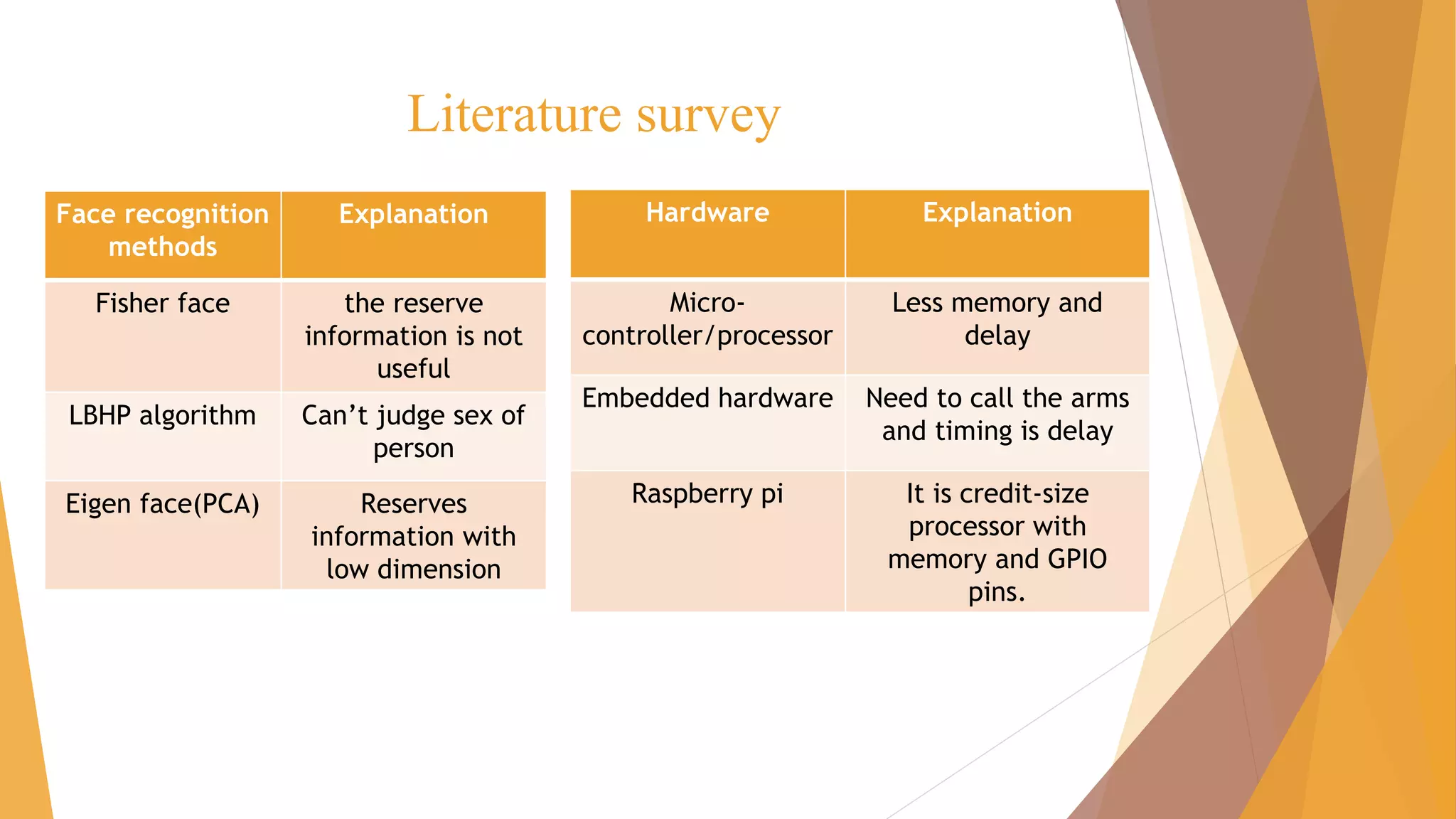
Face recognition
methods
Explanation
Fisher face the reserve
information is not
useful
LBHP algorithm Can’t judge sex of
person
Eigen face(PCA) Reserves
information with
low dimension
Hardware Explanation
Micro-
controller/processor
Less memory and
delay
Embedded hardware Need to call the arms
and timing is delay
Raspberry pi It is credit-size
processor with
memory and GPIO
pins.
Block diagram
camera
[Face detection]
(Haar cascade)
Person
on
gate
i/
p
gate Match??
database
[Open cv + python code]
SD card memory
[Face recognition]
(Eigen faces)
yes/no
RASPBERRY
PI
motor
o/p
Yes
or
no
feedback
[Door opens/close]
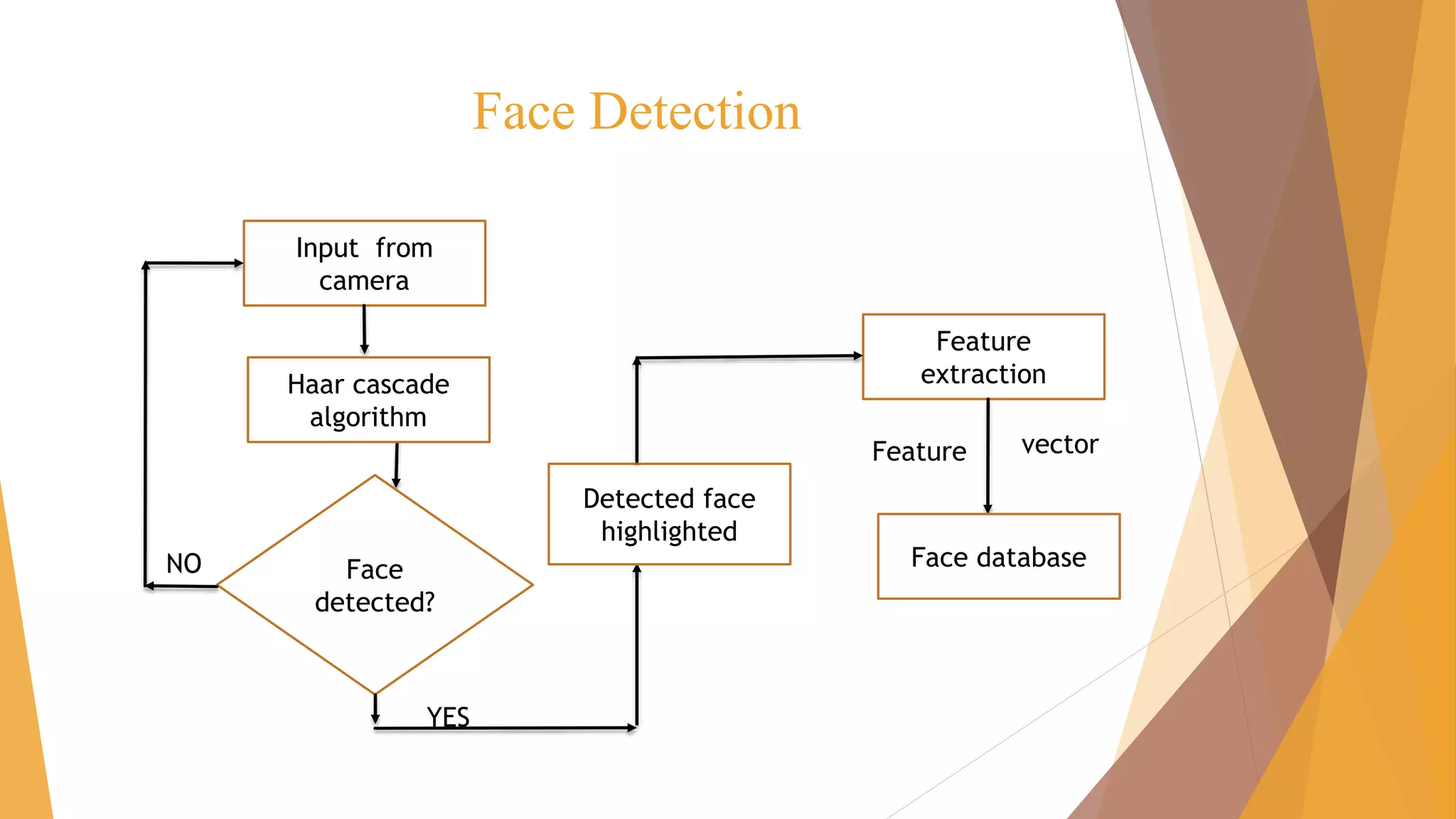
Face Detection
Input from
camera
Feature
extraction
Feature vector
Face
detected?
Haar cascade
algorithm
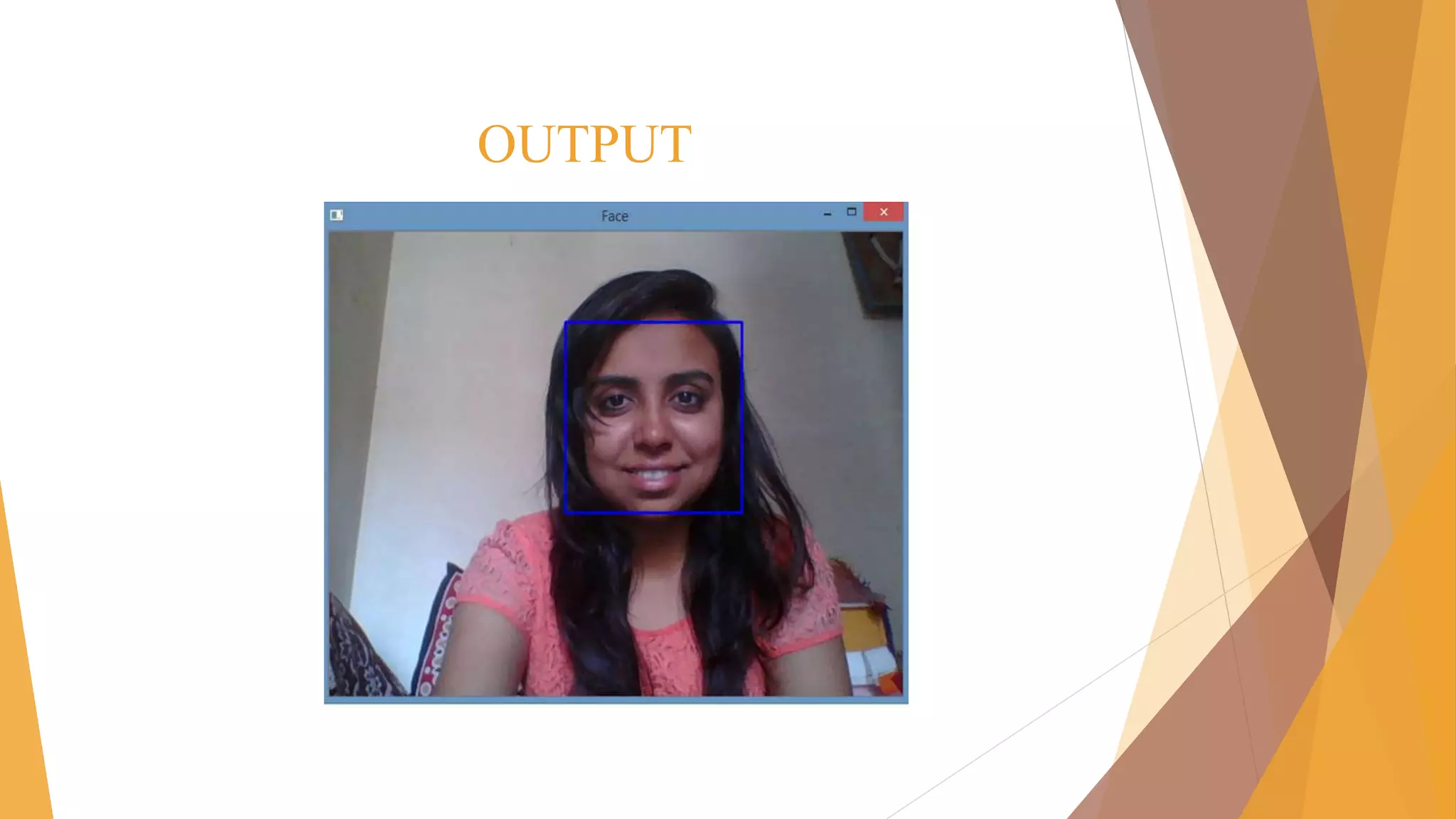
Detected face
highlighted
NO
YES
Face database
OUTPUT
Database
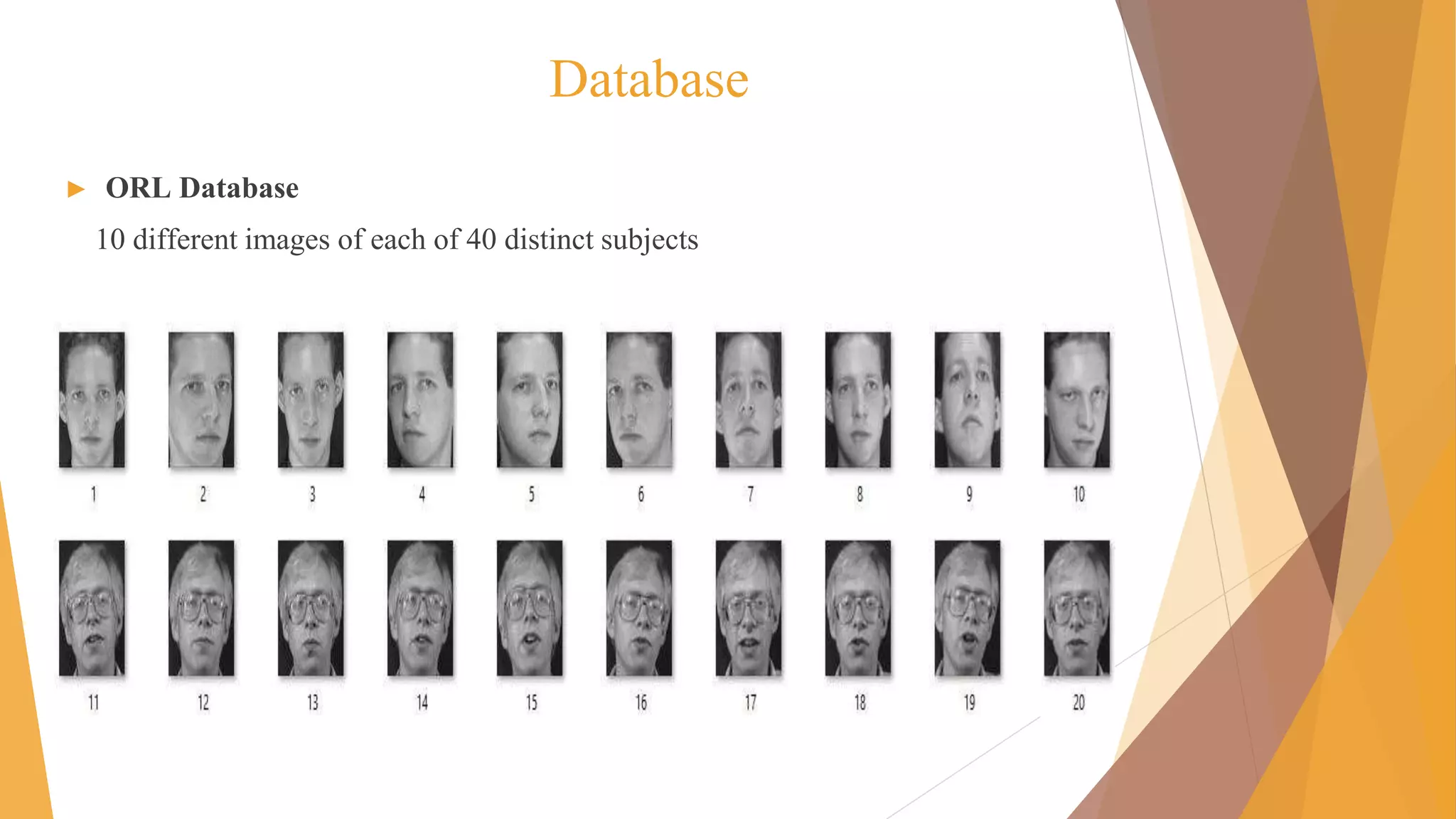
► ORL Database
10 different images of each of 40 distinct subjects
Database
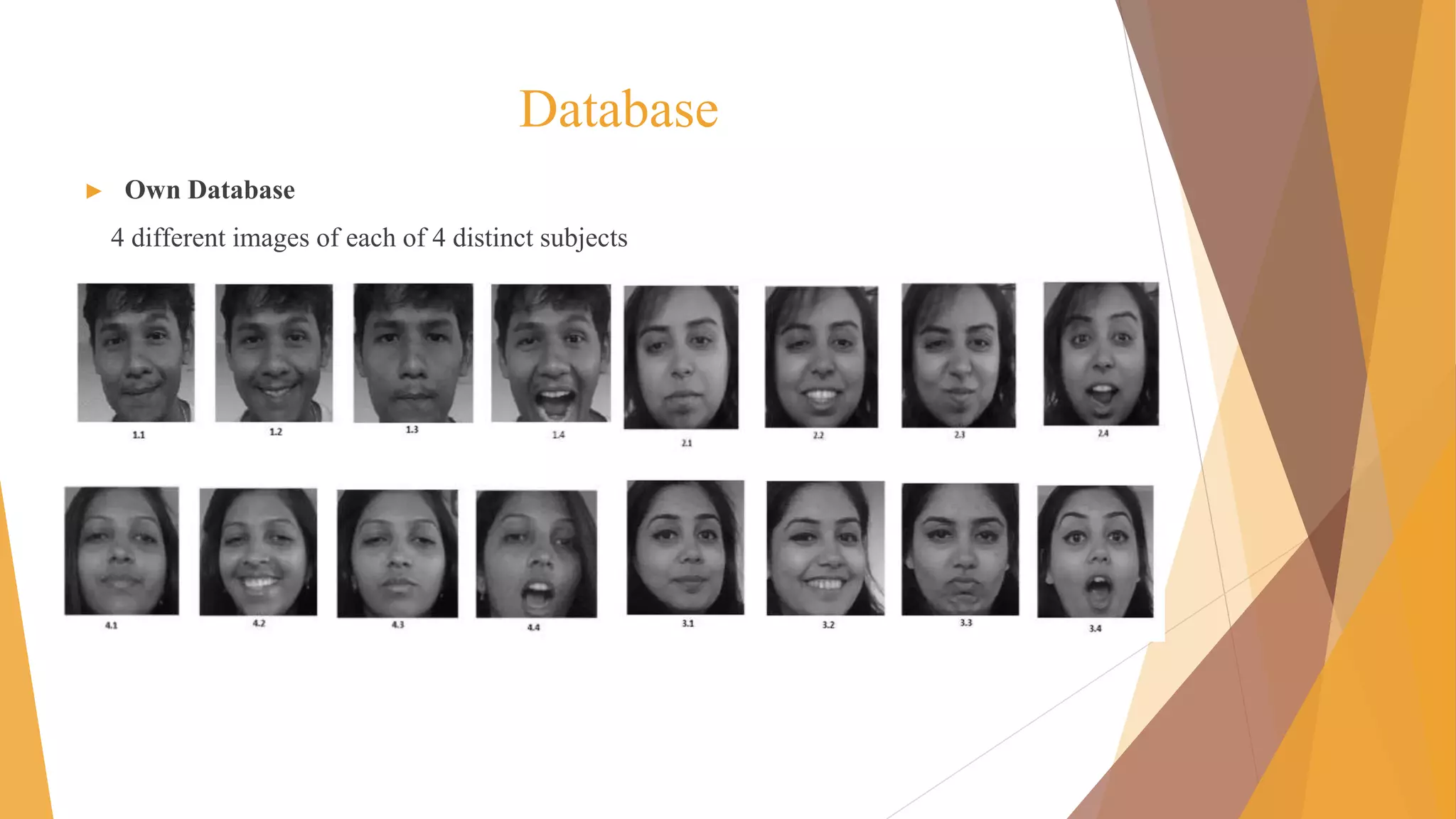
► Own Database
4 different images of each of 4 distinct subjects
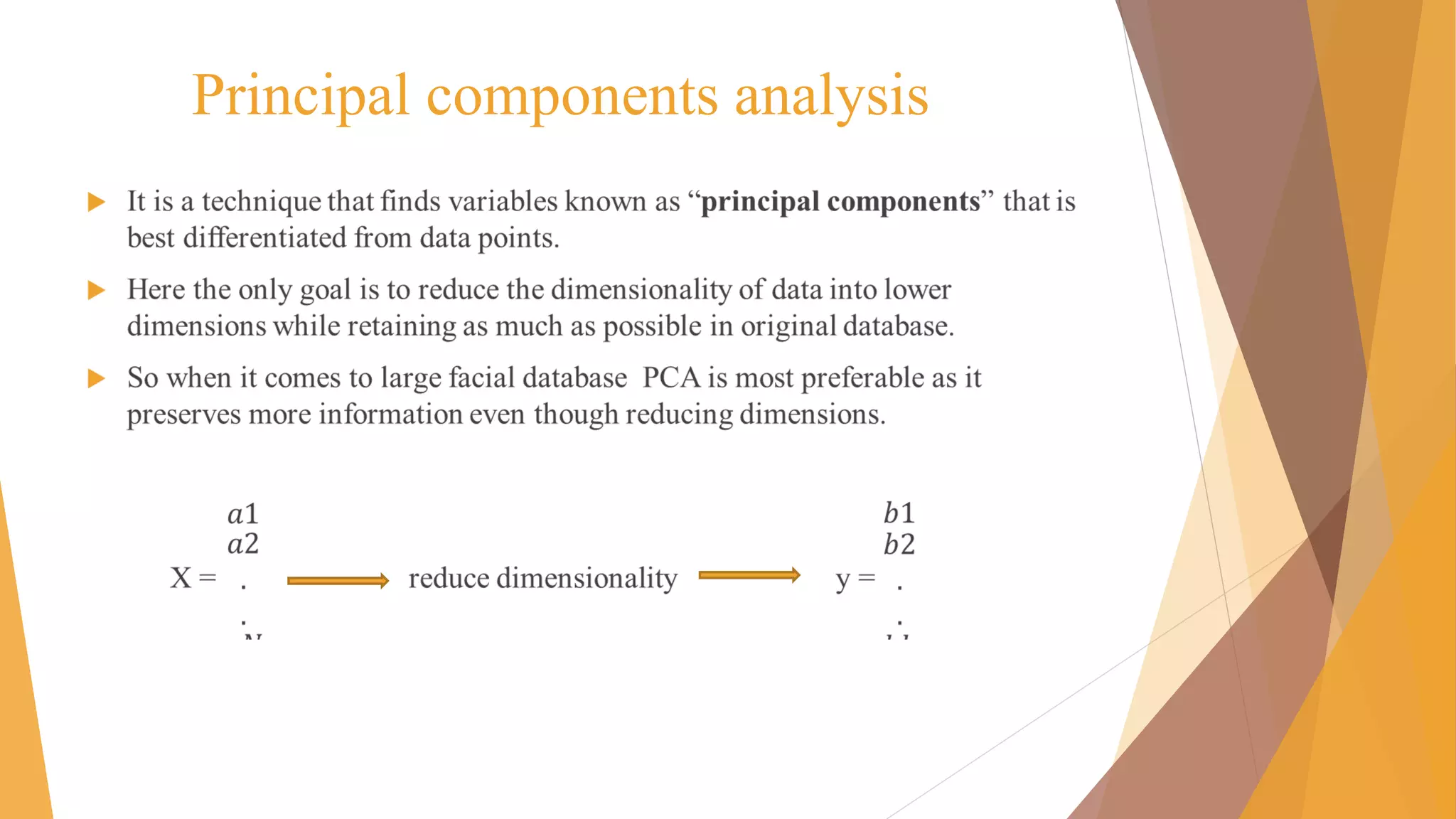
Principal components analysis
►
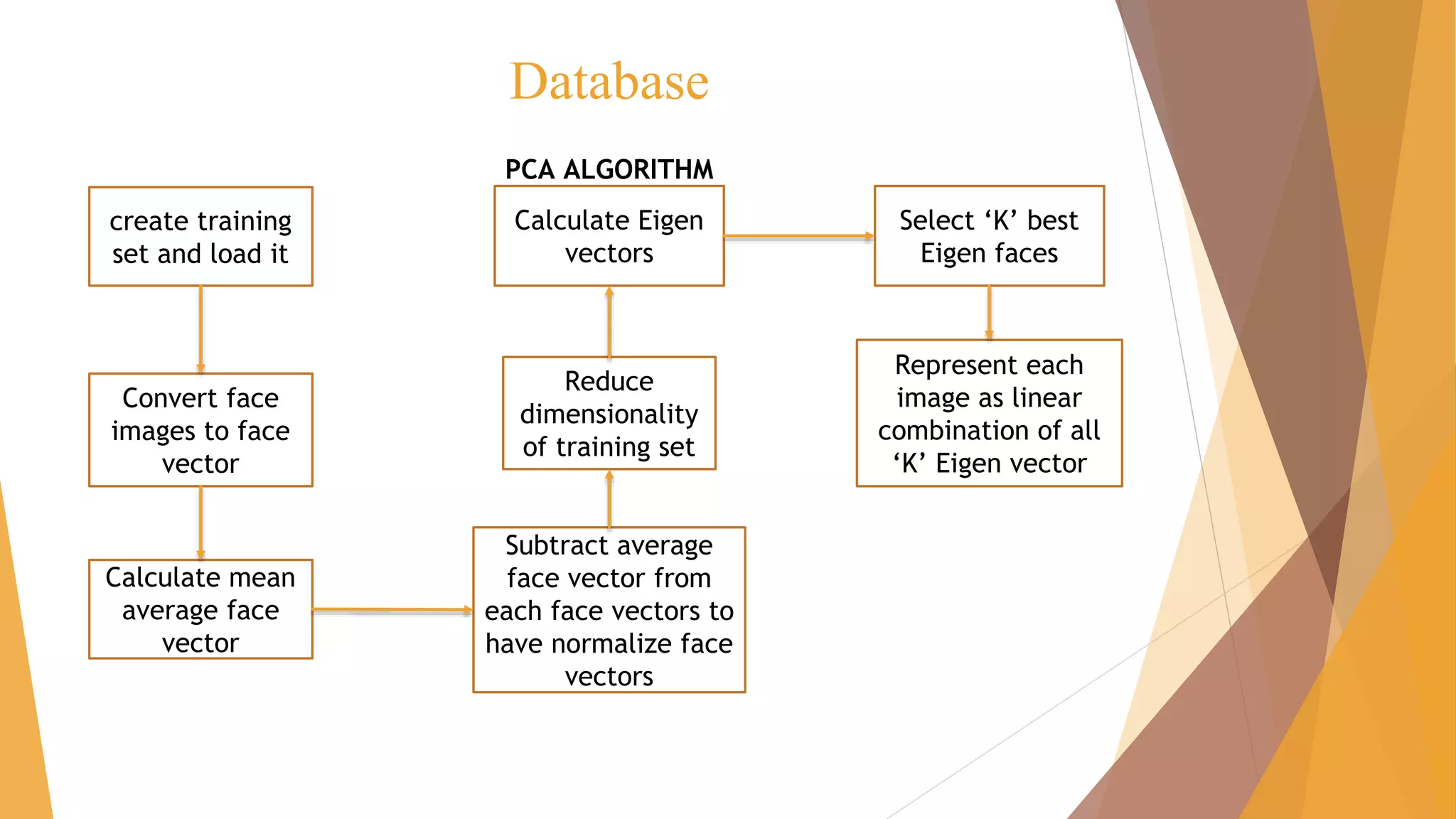
Database
create training
set and load it
Convert face
images to face
vector
Calculate mean
average face
vector
Subtract average
face vector from
each face vectors to
have normalize face
vectors
Reduce
dimensionality
of training set
Calculate Eigen
vectors
Represent each
image as linear
combination of all
‘K’ Eigen vector
Select ‘K’ best
Eigen faces
PCA ALGORITHM
PCA [database]
►
►
Eigen faces
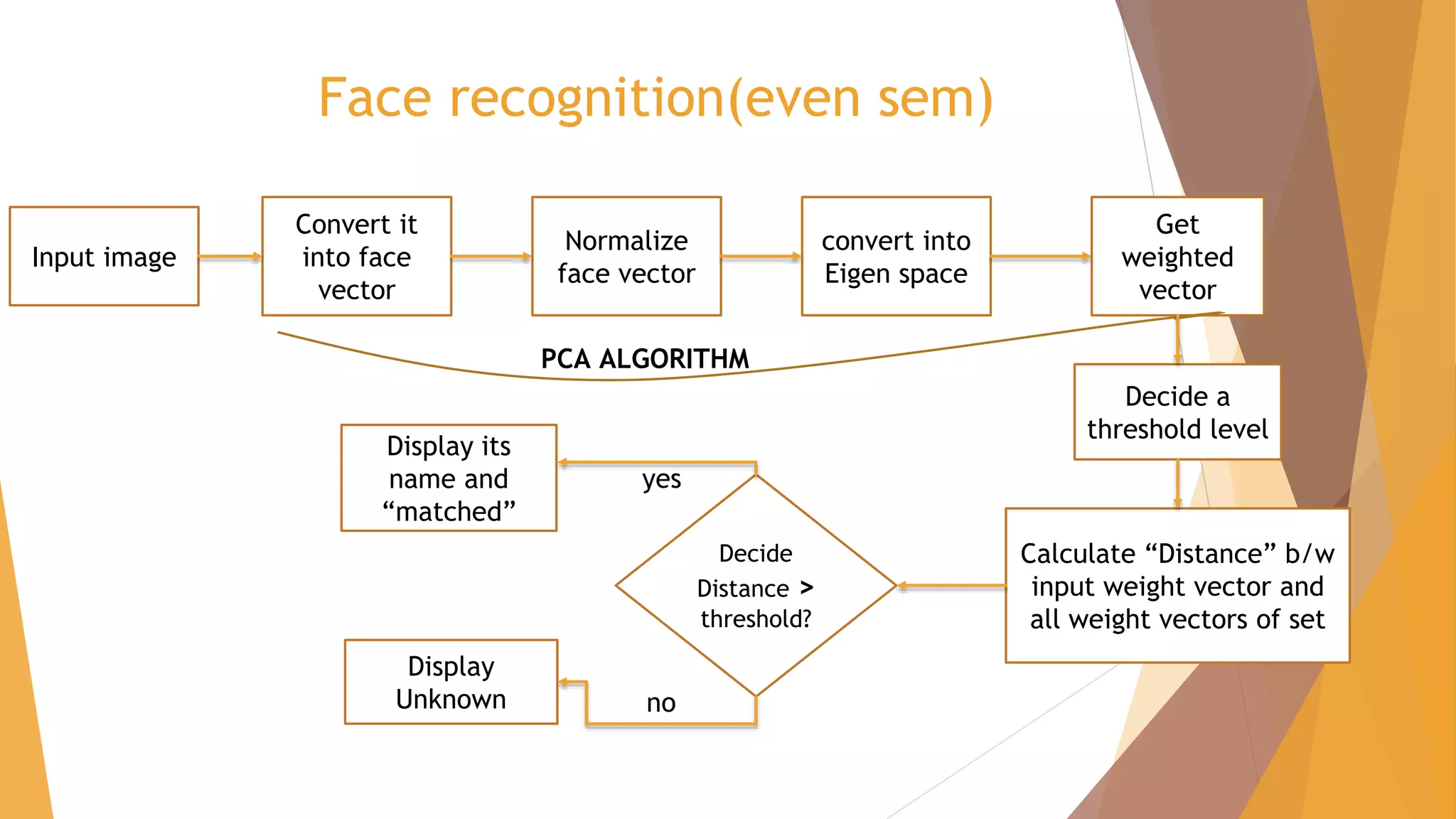
Face recognition(even sem)
Input image
Convert it
into face
vector
Normalize
face vector
convert into
Eigen space
Get
weighted
vector
PCA ALGORITHM
Calculate “Distance” b/w
input weight vector and
all weight vectors of set
Decide a
threshold level
Decide
Distance >
threshold?
Display its
name and
“matched”
Display
Unknown
yes
no
PCA [recognition]
►
►
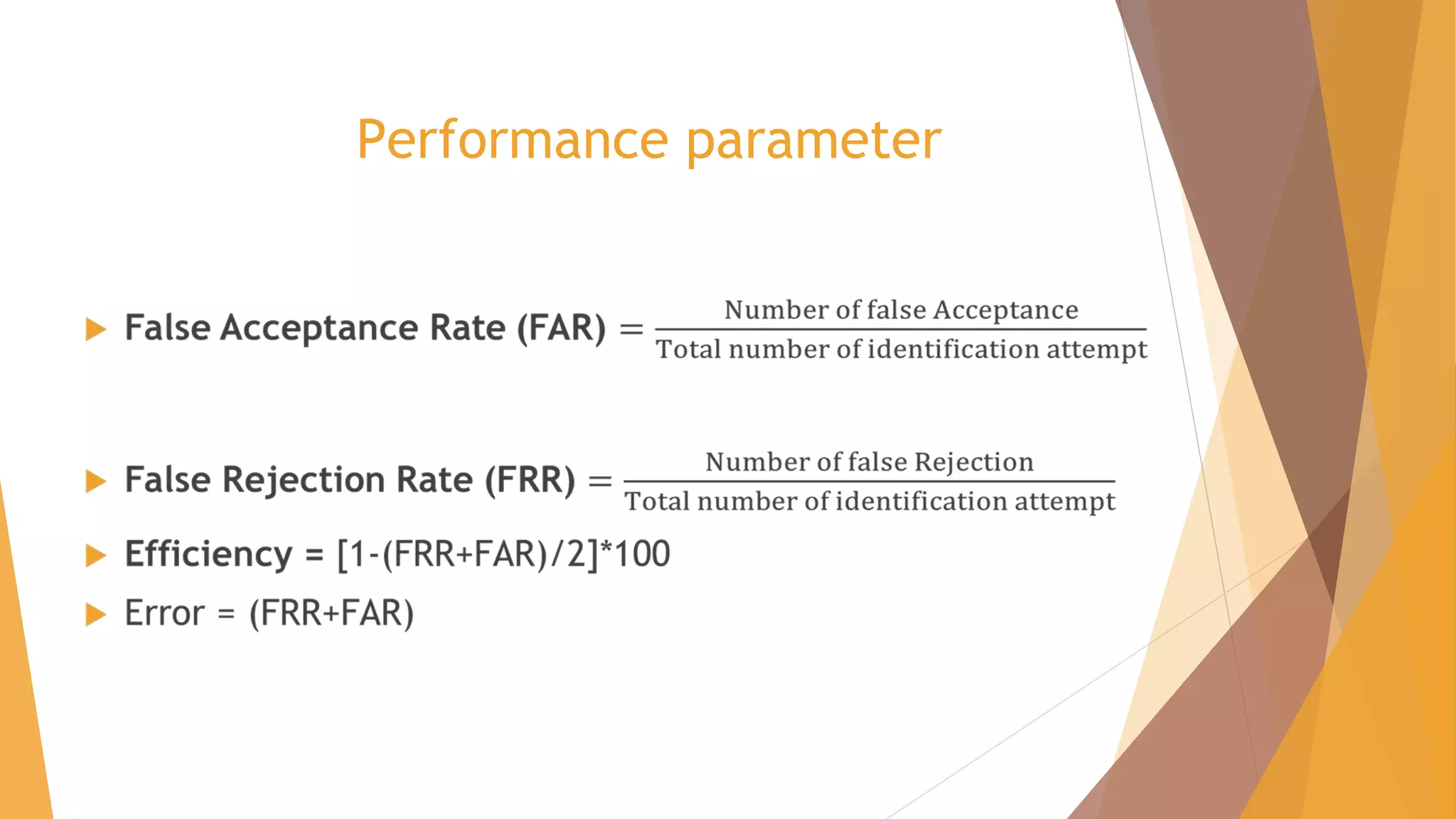
Performance parameter
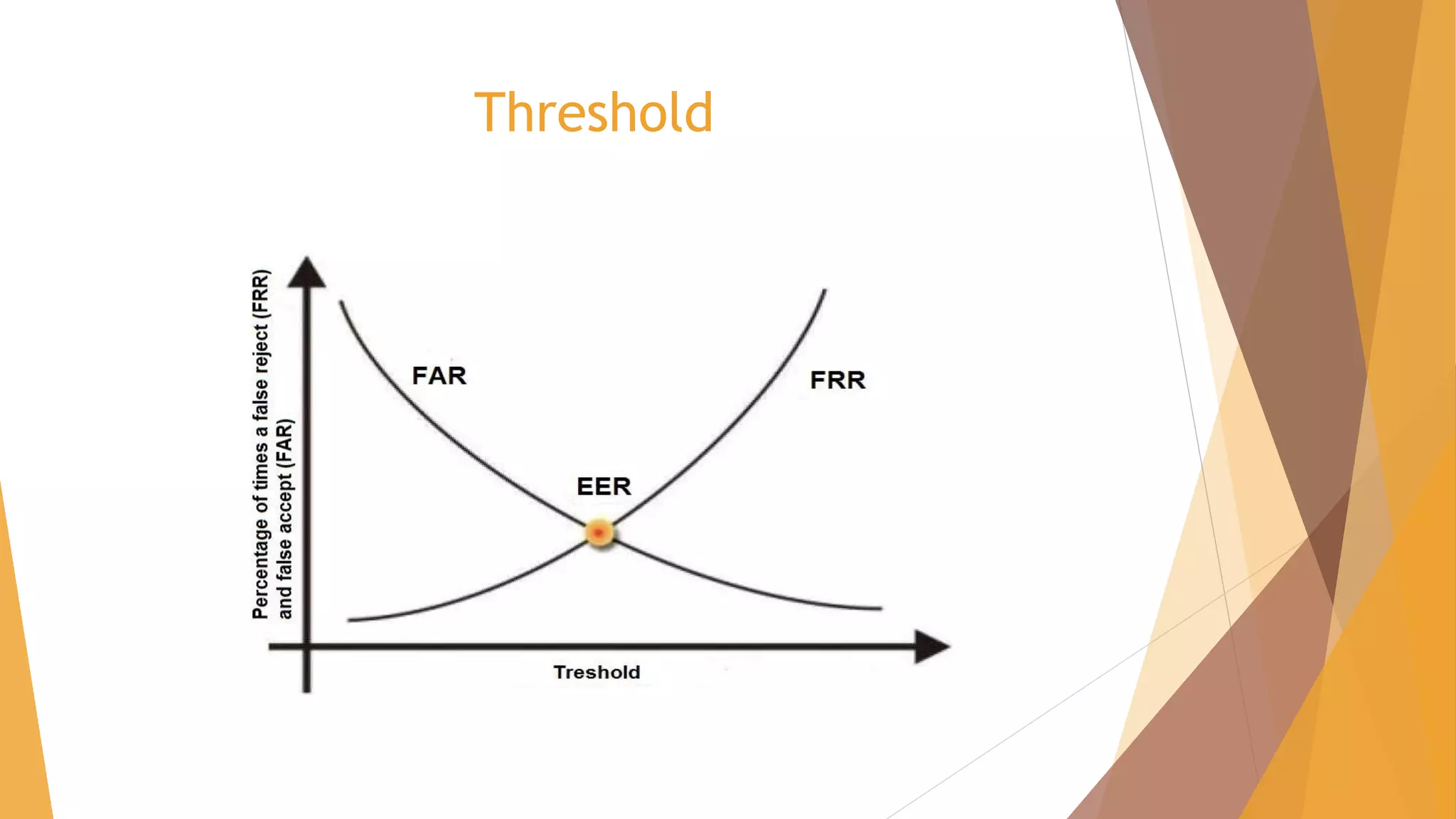
Threshold
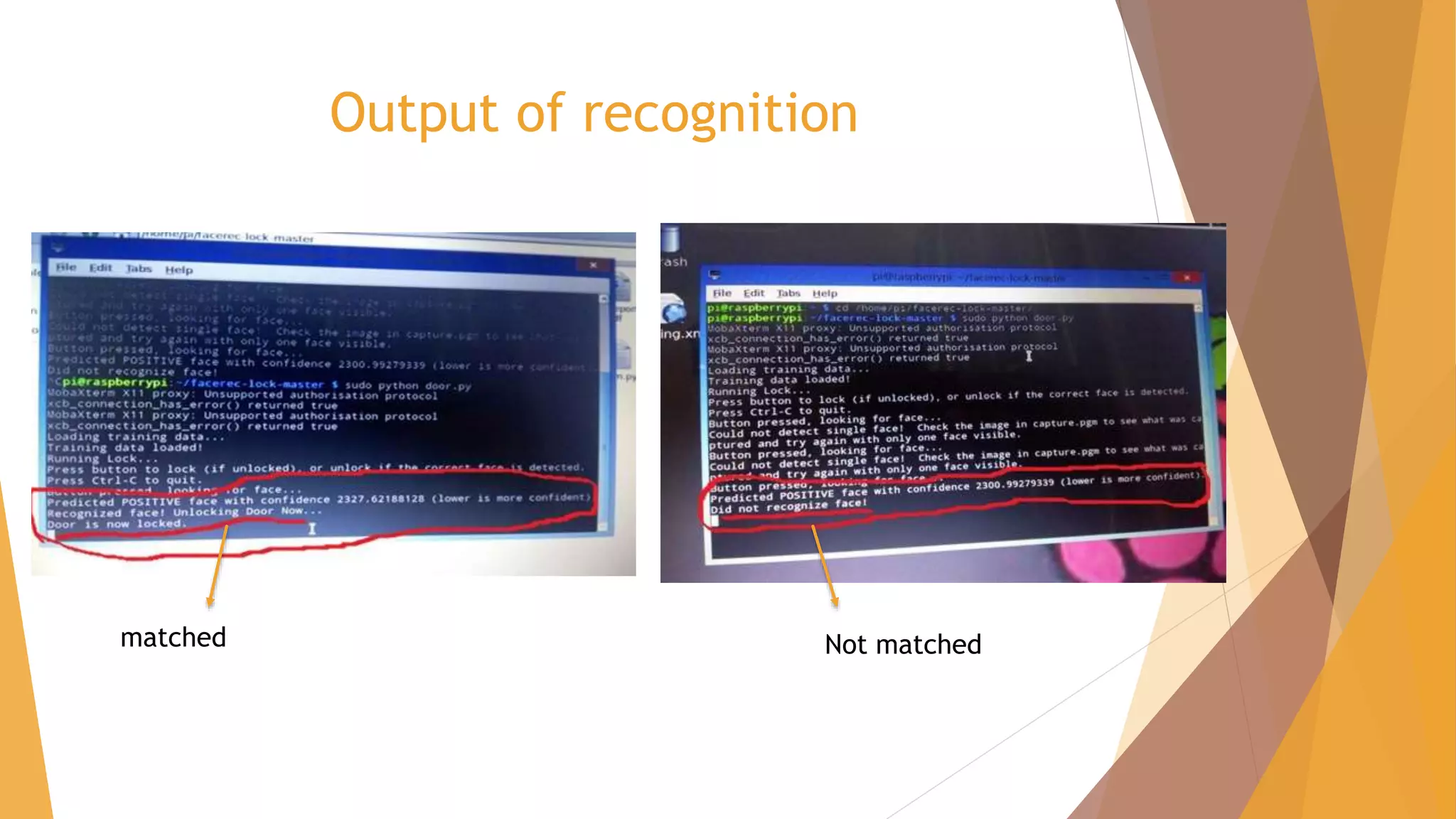
Output of recognition
matched Not matched
software
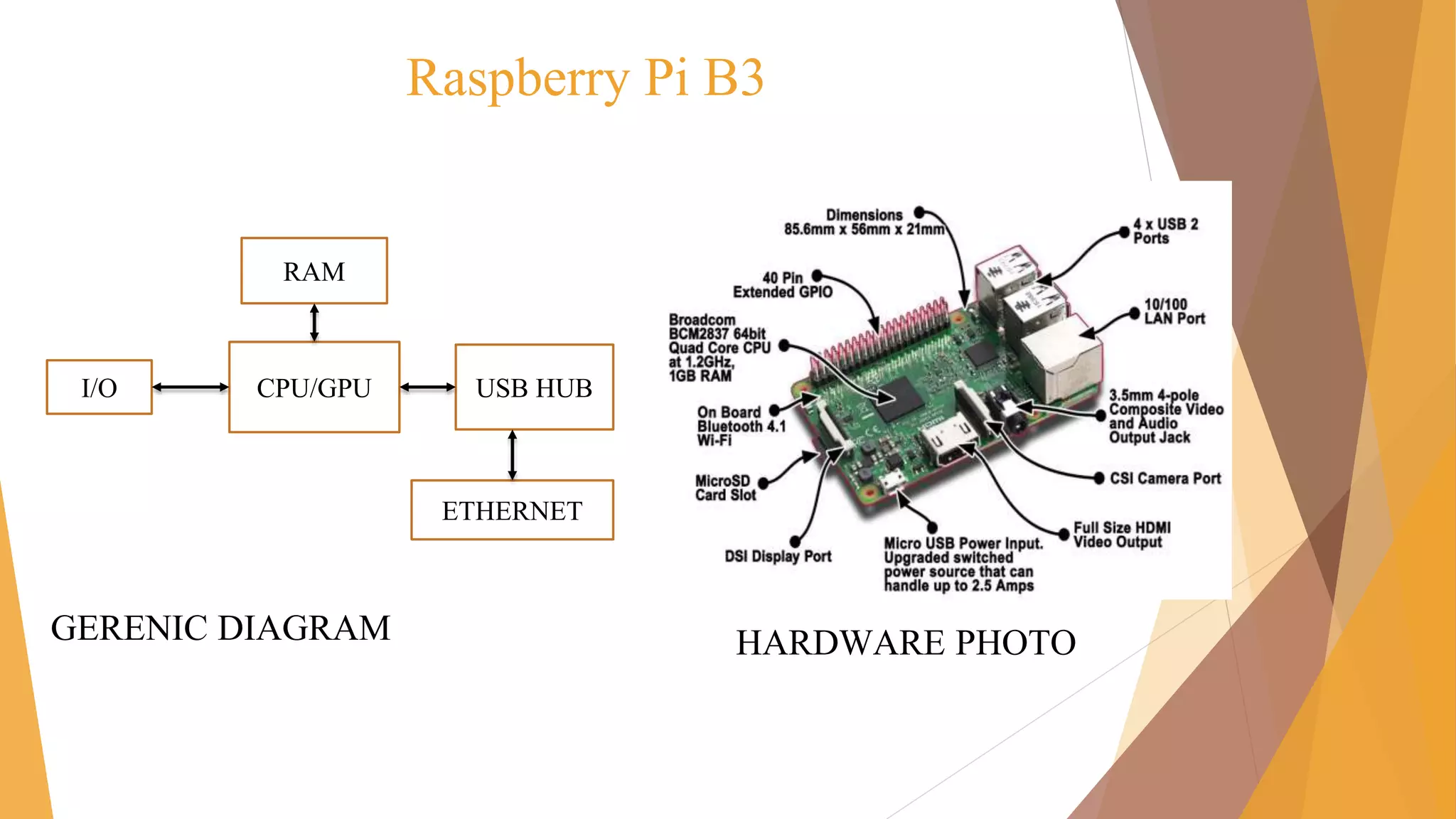
Raspberry Pi B3
GERENIC DIAGRAM HARDWARE PHOTO
CPU/GPU USB HUBI/O
ETHERNET
RAM
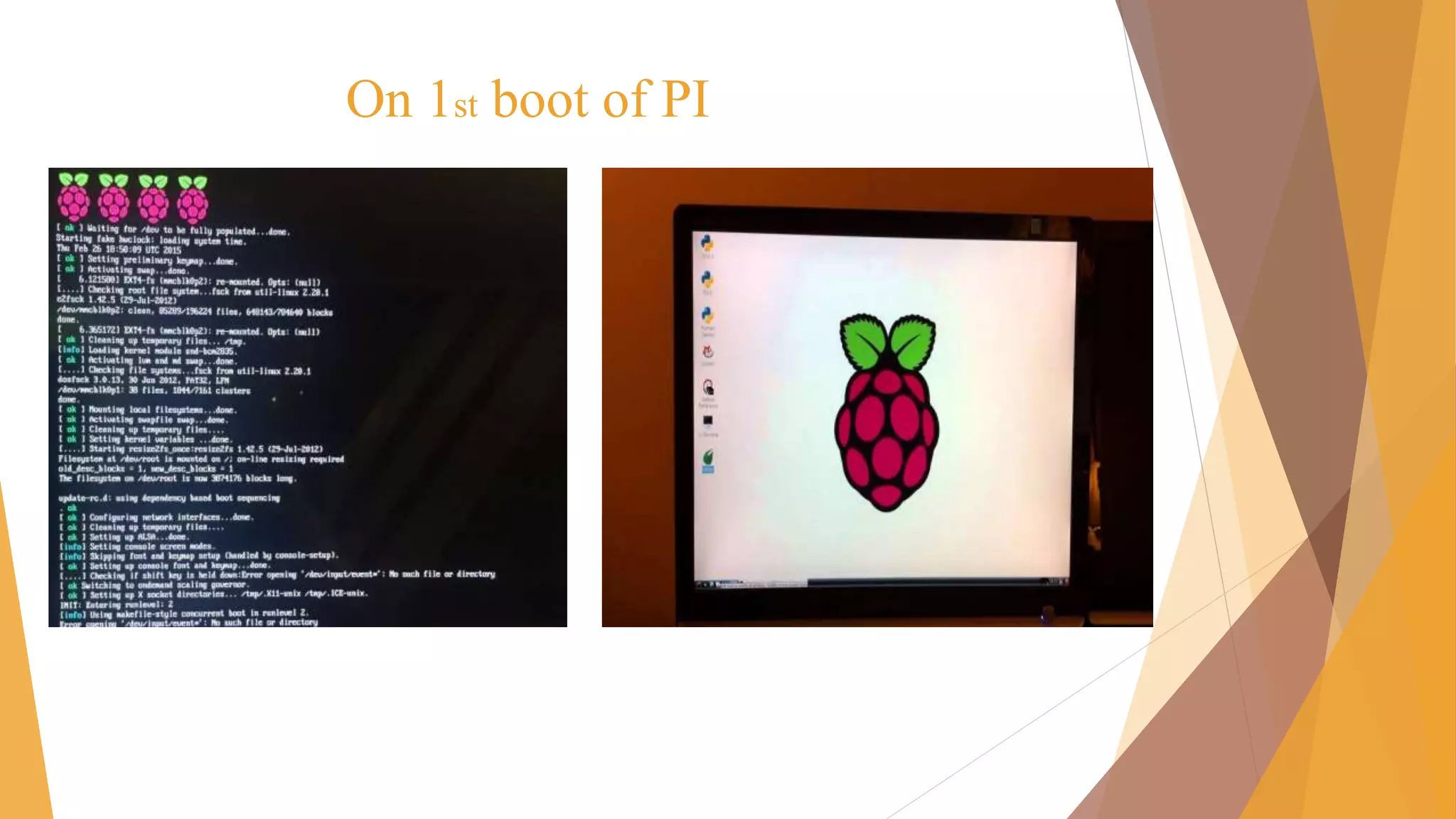
On 1st boot of PI
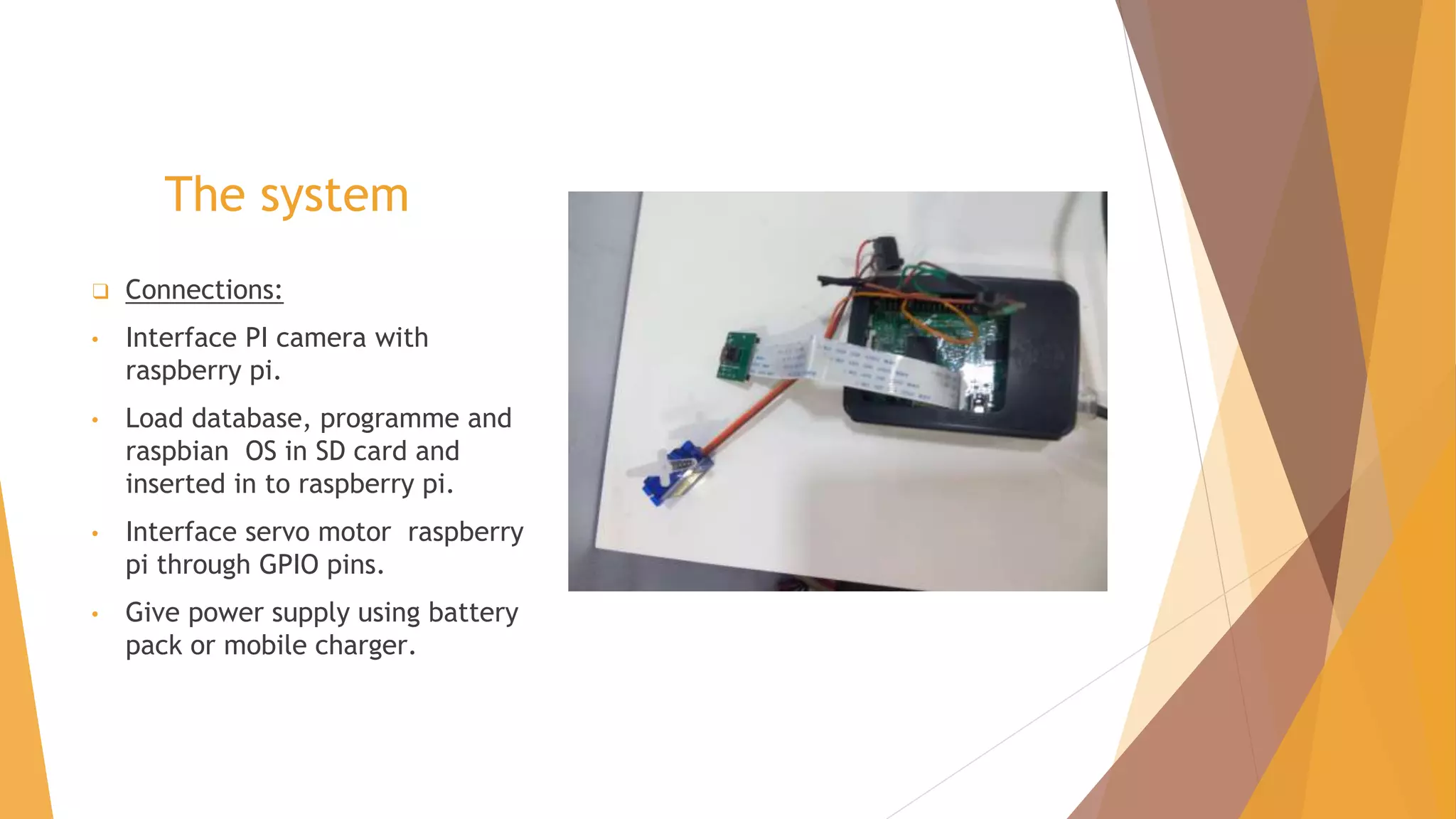
The system
❑ Connections:
• Interface PI camera with
raspberry pi.
• Load database, programme and
raspbian OS in SD card and
inserted in to raspberry pi.
• Interface servo motor raspberry
pi through GPIO pins.
• Give power supply using battery
pack or mobile charger.
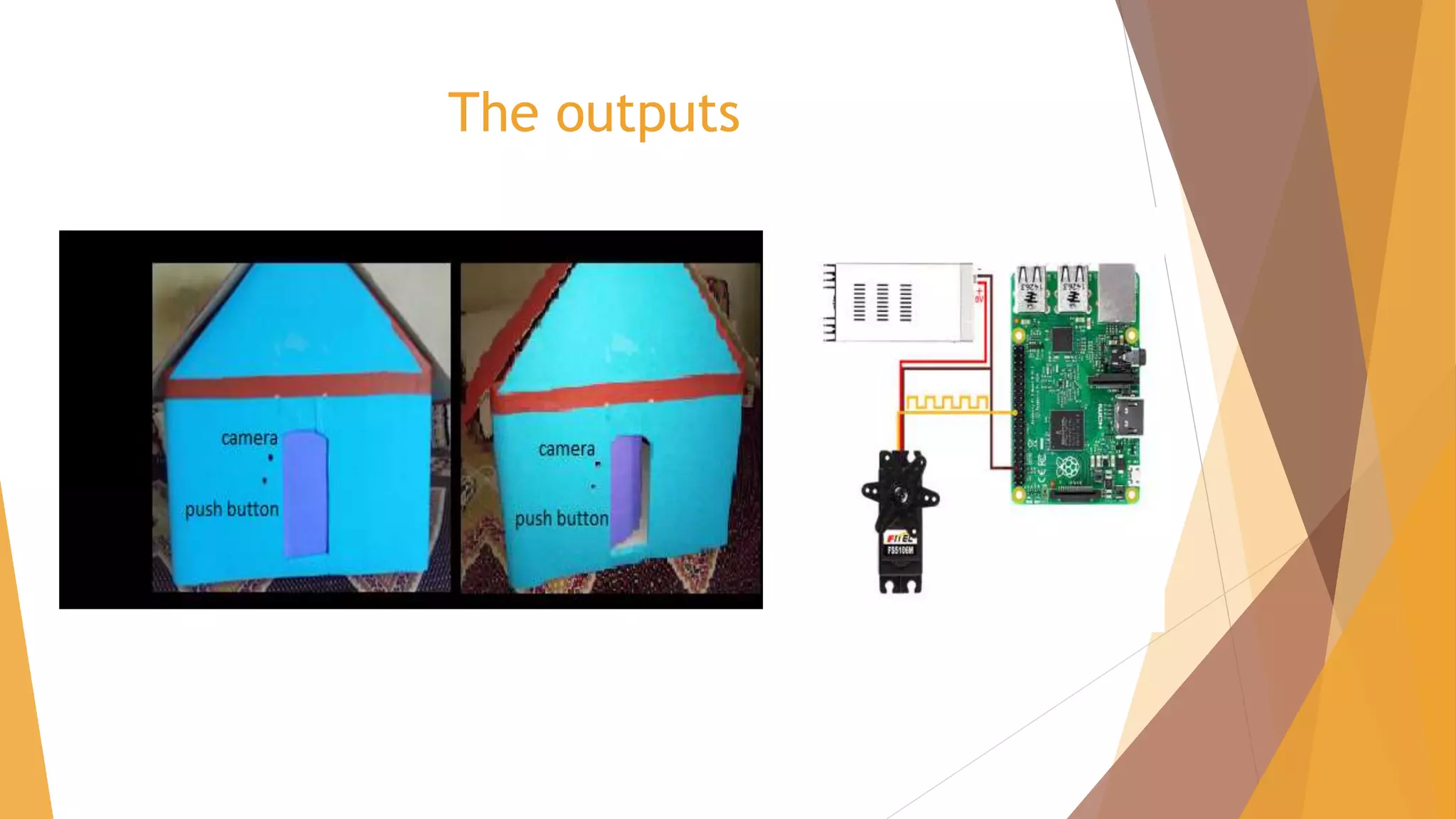
The outputs
conclusion
► By face recognition system we can fulfil the purpose of
security. Detection of face is done by image processing.
Here we use Open Cv with programming language C++.
► Initially camera will capture the image and face detection
algorithm will detect the face in image. Then recognition
algorithm is applied on this detected part. In this project we
have developed a PCA based face recognition system.
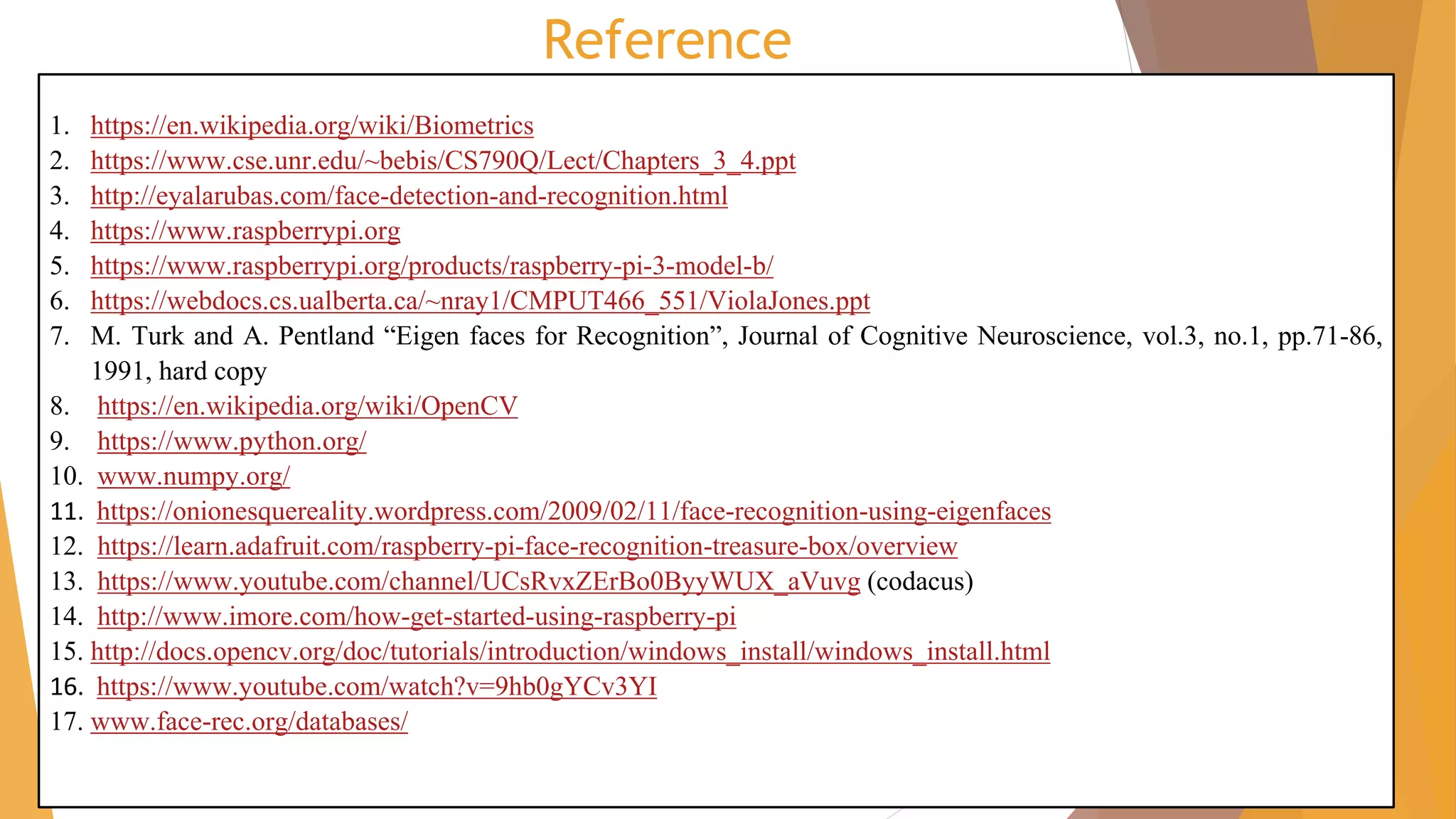
Reference
1. https://en.wikipedia.org/wiki/Biometrics
2. https://www.cse.unr.edu/~bebis/CS790Q/Lect/Chapters_3_4.ppt
3. http://eyalarubas.com/face-detection-and-recognition.html
4. https://www.raspberrypi.org
5. https://www.raspberrypi.org/products/raspberry-pi-3-model-b/
6. https://webdocs.cs.ualberta.ca/~nray1/CMPUT466_551/ViolaJones.ppt
7. M. Turk and A. Pentland “Eigen faces for Recognition”, Journal of Cognitive Neuroscience, vol.3, no.1, pp.71-86,
1991, hard copy
8. https://en.wikipedia.org/wiki/OpenCV
9. https://www.python.org/
10. www.numpy.org/
11. https://onionesquereality.wordpress.com/2009/02/11/face-recognition-using-eigenfaces
12. https://learn.adafruit.com/raspberry-pi-face-recognition-treasure-box/overview
13. https://www.youtube.com/channel/UCsRvxZErBo0ByyWUX_aVuvg (codacus)
14. http://www.imore.com/how-get-started-using-raspberry-pi
15. http://docs.opencv.org/doc/tutorials/introduction/windows_install/windows_install.html
16. https://www.youtube.com/watch?v=9hb0gYCv3YI
17. www.face-rec.org/databases/

Face detection and recognition with pi

  • 1.
    A presentation on: Facerecognition with raspberry pi GUJARAT TECHNOLOGICAL UNIVERSITY C. K. PITHAWALA COLLEGE OF ENGINEERING AND TECHNOLOGY
  • 2.
    Prepared by: Group no-5 Sr.no. Name of student Enrolment 1. Dimple Balasara 120090111055 2. Hetvi Naik 130090111055 3. Vatsal Champaneria 140093111005 4. Krunal Parmar 140093111017 5. Khushbu Raj 140093111033Guided by: Dr. Mita Paunwala
  • 3.
    Central Idea A systemfor face detection and recognition based on raspberry pi with open cv programming to control the gate.
  • 4.
    Outlines ❑ Introduction ❑ Literaturesurvey ❑ Block diagram ❑ Algorithm ▪ Face detection ▪ Database ▪ Face recognition ❑ Software ❑ Hardware ❑ The system ❑ conclusion
  • 5.
    Introduction ► A facialrecognition system is a computer application for automatically identifying or a verifying a person from a digital image. ► Face detection locate face in whole frame. ► Input image is matched with database images. Authentication is given accordingly. ► Face recognition system is mainly used for security purpose. ► We are using raspberry pi for putting our plan into effect!
  • 6.
    Contd… Recognition is addition oftwo parts: 1) Face Detection 2) Face recognition
  • 7.
    Literature survey Types Of Biometrics Explanation Voicehighly immune to noise. Fingerprint It needs high observation and a personal man-work. Eyes Highly expensive. Face Needs proper lighting but much accurate from above all biometrics. Face Detection Methods Explanation Adaboost trainer Complexity computational LBHP algorithm Can’t judge sex of person Viloa jones (Haar cascade) Easy and gives combination of many.
  • 8.
    Literature survey Face recognition methods Explanation Fisherface the reserve information is not useful LBHP algorithm Can’t judge sex of person Eigen face(PCA) Reserves information with low dimension Hardware Explanation Micro- controller/processor Less memory and delay Embedded hardware Need to call the arms and timing is delay Raspberry pi It is credit-size processor with memory and GPIO pins.
  • 9.
    Block diagram camera [Face detection] (Haarcascade) Person on gate i/ p gate Match?? database [Open cv + python code] SD card memory [Face recognition] (Eigen faces) yes/no RASPBERRY PI motor o/p Yes or no feedback [Door opens/close]
  • 10.
    Face Detection Input from camera Feature extraction Featurevector Face detected? Haar cascade algorithm Detected face highlighted NO YES Face database
  • 11.
  • 12.
    Database ► ORL Database 10different images of each of 40 distinct subjects
  • 13.
    Database ► Own Database 4different images of each of 4 distinct subjects
  • 14.
  • 15.
    Database create training set andload it Convert face images to face vector Calculate mean average face vector Subtract average face vector from each face vectors to have normalize face vectors Reduce dimensionality of training set Calculate Eigen vectors Represent each image as linear combination of all ‘K’ Eigen vector Select ‘K’ best Eigen faces PCA ALGORITHM
  • 16.
  • 17.
  • 18.
  • 19.
    Face recognition(even sem) Inputimage Convert it into face vector Normalize face vector convert into Eigen space Get weighted vector PCA ALGORITHM Calculate “Distance” b/w input weight vector and all weight vectors of set Decide a threshold level Decide Distance > threshold? Display its name and “matched” Display Unknown yes no
  • 20.
  • 21.
  • 22.
  • 23.
  • 24.
  • 25.
  • 26.
    Raspberry Pi B3 GERENICDIAGRAM HARDWARE PHOTO CPU/GPU USB HUBI/O ETHERNET RAM
  • 27.
  • 28.
    The system ❑ Connections: •Interface PI camera with raspberry pi. • Load database, programme and raspbian OS in SD card and inserted in to raspberry pi. • Interface servo motor raspberry pi through GPIO pins. • Give power supply using battery pack or mobile charger.
  • 29.
  • 30.
    conclusion ► By facerecognition system we can fulfil the purpose of security. Detection of face is done by image processing. Here we use Open Cv with programming language C++. ► Initially camera will capture the image and face detection algorithm will detect the face in image. Then recognition algorithm is applied on this detected part. In this project we have developed a PCA based face recognition system.
  • 31.
    Reference 1. https://en.wikipedia.org/wiki/Biometrics 2. https://www.cse.unr.edu/~bebis/CS790Q/Lect/Chapters_3_4.ppt 3.http://eyalarubas.com/face-detection-and-recognition.html 4. https://www.raspberrypi.org 5. https://www.raspberrypi.org/products/raspberry-pi-3-model-b/ 6. https://webdocs.cs.ualberta.ca/~nray1/CMPUT466_551/ViolaJones.ppt 7. M. Turk and A. Pentland “Eigen faces for Recognition”, Journal of Cognitive Neuroscience, vol.3, no.1, pp.71-86, 1991, hard copy 8. https://en.wikipedia.org/wiki/OpenCV 9. https://www.python.org/ 10. www.numpy.org/ 11. https://onionesquereality.wordpress.com/2009/02/11/face-recognition-using-eigenfaces 12. https://learn.adafruit.com/raspberry-pi-face-recognition-treasure-box/overview 13. https://www.youtube.com/channel/UCsRvxZErBo0ByyWUX_aVuvg (codacus) 14. http://www.imore.com/how-get-started-using-raspberry-pi 15. http://docs.opencv.org/doc/tutorials/introduction/windows_install/windows_install.html 16. https://www.youtube.com/watch?v=9hb0gYCv3YI 17. www.face-rec.org/databases/