Characteristics of computer
Prepared By:Dyan Saeed
Halabja university – Kurdistan - Iraq
outline
What is a Computer?
Hardware and software of computer
Computers can be generally classified by size & power
The basic parts of computer
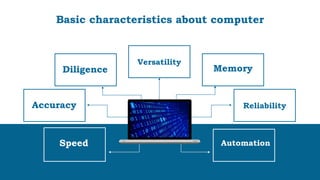
Basic characteristics about computer
How are computers used today?
Functions of computer
Advantages of Using Computer
Top 7 uses of Computers in Our life
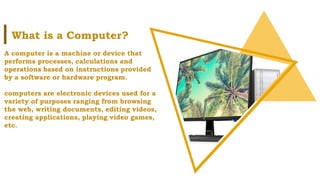
A computer is a machine or device that
performs processes, calculations and
operations based on instructions provided
by a software or hardware program.
computers are electronic devices used for a
variety of purposes ranging from browsing
the web, writing documents, editing videos,
creating applications, playing video games,
etc.
What is a Computer?
Hardware and software of computer
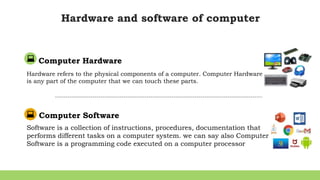
Computer Hardware
Hardware refers to the physical components of a computer. Computer Hardware
is any part of the computer that we can touch these parts.
Computer Software
Software is a collection of instructions, procedures, documentation that
performs different tasks on a computer system. we can say also Computer
Software is a programming code executed on a computer processor
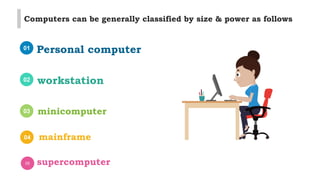
01 Personal computer
02 workstation
03 minicomputer
04 mainframe
05 supercomputer
Computers can be generally classified by size & power as follows
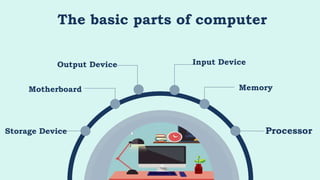
The basic parts of computer
Storage Device
Motherboard Memory
Processor
Input Device
Output Device
The basic parts of computer
01
02
03
Computer language or programming language is a coded syntax used by
computer programmers to communicate with a computer. Computer language
establishes a flow of communication between software programs.
Machine language
Assembly language
High level language
Infographic Style
Reliability
Accuracy
Diligence
Speed
Memory
Automation
Versatility
Basic characteristics about computer
How are computers used today?
Today, computers do jobs that used to be complicated
much simpler. For example, you can write a letter in
a word processor, edit it anytime, spell check, print
copies, and send it to someone across the world in
seconds. All these activities would have taken someone
days, if not months, to do before. Also, these examples
are a small fraction of what computers can do.
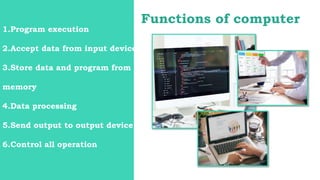
Functions of computer
1.Program execution
2.Accept data from input device
3.Store data and program from
memory
4.Data processing
5.Send output to output device
6.Control all operation
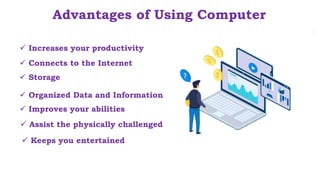
 Assist the physically challenged
Advantages of Using Computer
 Increases your productivity
 Storage
 Connects to the Internet
 Organized Data and Information
 Improves your abilities
 Keeps you entertained
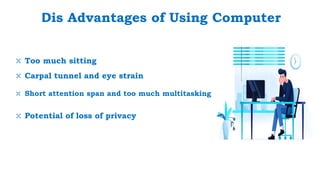
Dis Advantages of Using Computer
⤬ Too much sitting
⤬ Short attention span and too much multitasking
⤬ Carpal tunnel and eye strain
⤬ Potential of loss of privacy
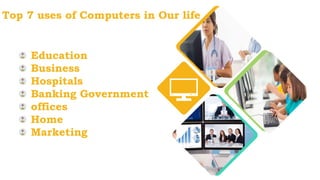
Top 7 uses of Computers in Our life
Education
Business
Hospitals
Banking Government
offices
Home
Marketing
http://www.free-powerpoint-templates-design.com
Many Thanks
Reference
• https://www.tutorialspoint.com/computer_concepts/computer_concepts_characteristics_of_
computer_system.htm#:~:text=A%20computer%20works%20with%20much,operations%2
0is%20microseconds%20and%20nanoseconds.
• https://www.javatpoint.com/what-is-computer
• https://www.tutorialspoint.com/basics_of_computers/basics_of_computers_introduction.htm
• https://www.javatpoint.com/what-are-the-disadvantages-of-a-computer
• http://uru.ac.in/uruonlinelibrary/Cloud_Computing/Basics%20of%20Computer.pdf

Characteristics of computer

  • 1.
    Characteristics of computer PreparedBy:Dyan Saeed Halabja university – Kurdistan - Iraq
  • 2.
    outline What is aComputer? Hardware and software of computer Computers can be generally classified by size & power The basic parts of computer Basic characteristics about computer How are computers used today? Functions of computer Advantages of Using Computer Top 7 uses of Computers in Our life
  • 3.
    A computer isa machine or device that performs processes, calculations and operations based on instructions provided by a software or hardware program. computers are electronic devices used for a variety of purposes ranging from browsing the web, writing documents, editing videos, creating applications, playing video games, etc. What is a Computer?
  • 4.
    Hardware and softwareof computer Computer Hardware Hardware refers to the physical components of a computer. Computer Hardware is any part of the computer that we can touch these parts. Computer Software Software is a collection of instructions, procedures, documentation that performs different tasks on a computer system. we can say also Computer Software is a programming code executed on a computer processor
  • 5.
    01 Personal computer 02workstation 03 minicomputer 04 mainframe 05 supercomputer Computers can be generally classified by size & power as follows
  • 6.
    The basic partsof computer Storage Device Motherboard Memory Processor Input Device Output Device
  • 7.
    The basic partsof computer 01 02 03 Computer language or programming language is a coded syntax used by computer programmers to communicate with a computer. Computer language establishes a flow of communication between software programs. Machine language Assembly language High level language
  • 8.
  • 9.
    How are computersused today? Today, computers do jobs that used to be complicated much simpler. For example, you can write a letter in a word processor, edit it anytime, spell check, print copies, and send it to someone across the world in seconds. All these activities would have taken someone days, if not months, to do before. Also, these examples are a small fraction of what computers can do.
  • 10.
    Functions of computer 1.Programexecution 2.Accept data from input device 3.Store data and program from memory 4.Data processing 5.Send output to output device 6.Control all operation
  • 11.
     Assist thephysically challenged Advantages of Using Computer  Increases your productivity  Storage  Connects to the Internet  Organized Data and Information  Improves your abilities  Keeps you entertained
  • 12.
    Dis Advantages ofUsing Computer ⤬ Too much sitting ⤬ Short attention span and too much multitasking ⤬ Carpal tunnel and eye strain ⤬ Potential of loss of privacy
  • 13.
    Top 7 usesof Computers in Our life Education Business Hospitals Banking Government offices Home Marketing
  • 14.
  • 15.
    Reference • https://www.tutorialspoint.com/computer_concepts/computer_concepts_characteristics_of_ computer_system.htm#:~:text=A%20computer%20works%20with%20much,operations%2 0is%20microseconds%20and%20nanoseconds. • https://www.javatpoint.com/what-is-computer •https://www.tutorialspoint.com/basics_of_computers/basics_of_computers_introduction.htm • https://www.javatpoint.com/what-are-the-disadvantages-of-a-computer • http://uru.ac.in/uruonlinelibrary/Cloud_Computing/Basics%20of%20Computer.pdf

Editor's Notes

  • #7 Social engineering attacks are not the complex attack which requires strong technical knowledge .an attacker might be non technical personal as defined earlier it is an act of stealing information from people . however social engineering attacks are performed by the following steps Research Research phase includes a collection of information about target organization. It may be collected by dumpster diving, scanning websites of the organization, finding information on the internet, gathering information from employees of the target organization, etc. Select Target In the selection of target phase, attacker select the target among other employees of an organization. A frustrated target is more preferred as it will be easy to reveal information from him. Relationship Relationship phase includes creating a relationship with the target in the way that he could not identify the intention in fact target will be trusting the attacker. More Trust level between target and attacker will be easier to reveal information. Exploit Exploit of relationship by a collection of sensitive information such as Username, Passwords, network information, etc.