Jornada de Desarrollo Profesional
Examinar la escuela de hoy y las competencias
tecnológicas: una realidad ineludible
La entrada de las tecnologías móviles en
el salón de clases: estrategias para
innovar a los estudiantes en el
proceso de enseñanza-aprendizaje
Antonio L. Delgado Pérez, M.A. Ed.
Diseñador Instruccional
Introducción
En este proyecto de prisma se busca abrir un
nuevo espacio de reflexión sobre los asuntos de
interés para la comunidad educativa, en cuanto a
la integración de la tecnología móvil en el
contexto académico y los retos del docente
hiperconectado.
Agenda
1. Qué es a Educación Móvil (mLearning)
2. Las tendencias del Mobile Learning
3. Nuevos escenarios de aprendizaje
4. Aplicaciones móviles que propician el
aprendizaje hiperconectado
5. Sesión de comentarios y preguntas
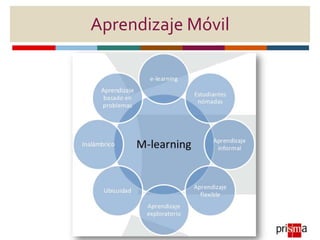
mLearning
Metodología de enseñanza y aprendizaje
valiéndose del uso de pequeños dispositivos
móviles: teléfonos móviles, PDA, tabletas,
PocketPC, iPod y todo dispositivo de mano que
tenga alguna forma de conectividad inalámbrica.
Wikipedia
Aprendizaje Móvil
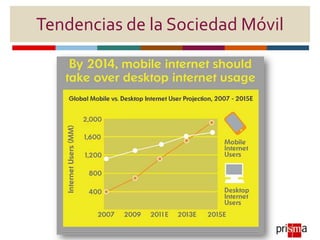
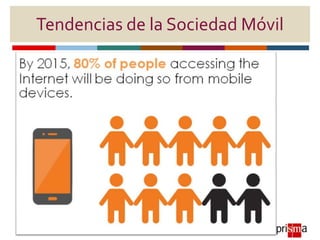
Tendencias de la Sociedad Móvil
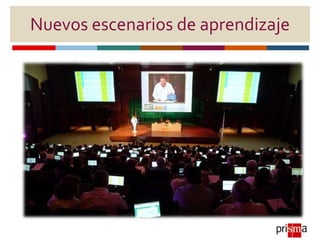
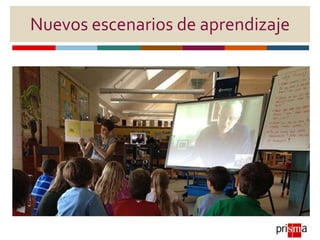
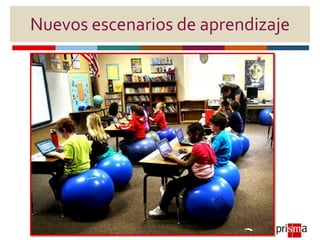
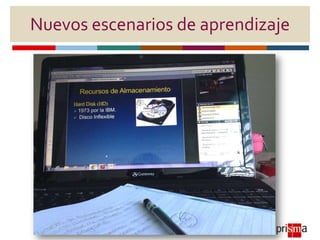
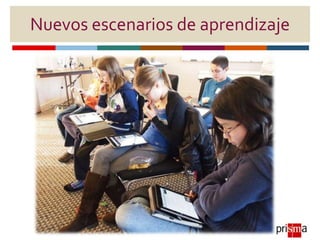
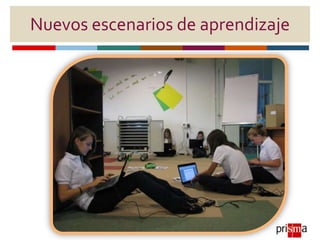
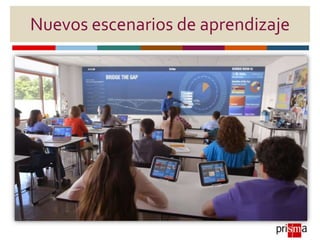
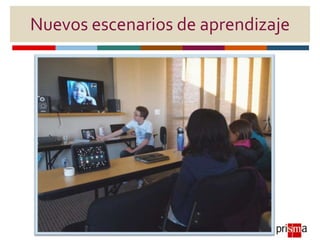
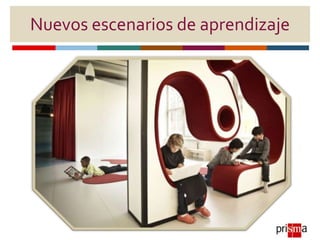
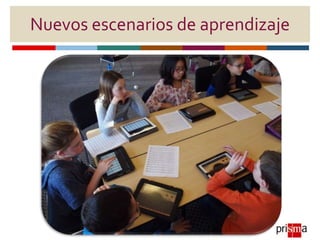
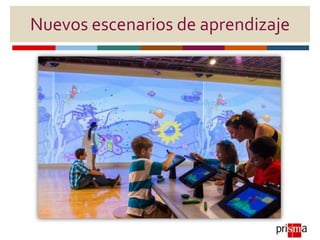
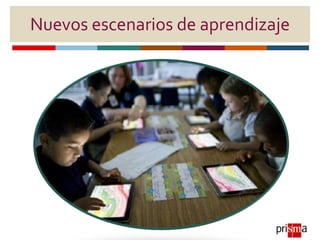
Nuevos escenarios de aprendizaje
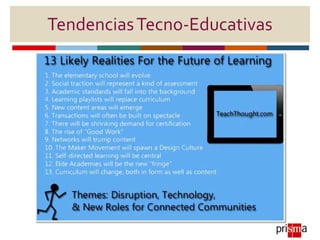
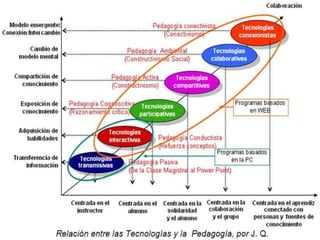
TendenciasTecno-Educativas
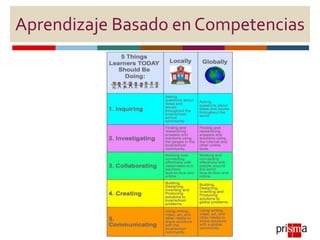
Aprendizaje Basado en Competencias
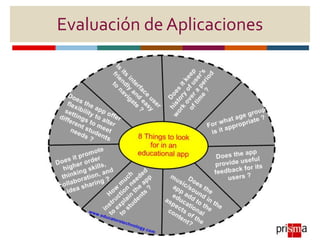
Evaluación de Aplicaciones
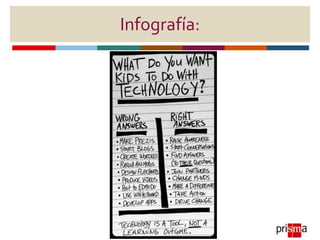
Infografía:
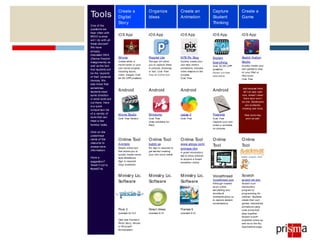
Tools
One of the
questions we
hear often with
BYOD is what
will I do with all
these devices?
We have
already
discussed DNA
(Device Neutral
Assignments) as
well as the fact
that students will
be the ‘experts’
of their personal
devices. We
also know that
sometimes
students need
some direction
in what tools are
out there. Here
is a quick
comparison list
of a variety of
tools that can
meet a few
familiar tasks.
Click on the
underlined
name of the
resource to
access more
information.
Have a
suggestion?
Tweet it out to
#peel21st.
Create a
Digital
Story
Organize
Ideas
Create an
Animation
Capture
Student
Thinking
Create a
GameTools
One of the
questions we
hear often with
BYOD is what
will I do with all
these devices?
We have
already
discussed DNA
(Device Neutral
Assignments) as
well as the fact
that students will
be the ‘experts’
of their personal
devices. We
also know that
sometimes
students need
some direction
in what tools are
out there. Here
is a quick
comparison list
of a variety of
tools that can
meet a few
familiar tasks.
Click on the
underlined
name of the
resource to
access more
information.
Have a
suggestion?
Tweet it out to
#peel21st.
iOS App
iMovie
Create either a
movie trailer or your
own movie projects
including sound,
video, images. Cost:
$4.99 (VPP possible)
iOS App
Popplet Lite
This app will allow
you to capture ideas
in pictures, drawings
or text. Cost: Free
Also an online tool
iOS App
NFB Pix Stop
Quickly create your
own stop motion
animations. Includes
video lessons on the
process.
Cost: Free
iOS App
Explain
Everything
Cost: $2.99 (VPP
possible)
Doceri is a free
alternative.
iOS App
Sketch Nation
Studio
Quickly create your
own games to play
on your iPad or
iPod touch.
Cost: Free
Tools
One of the
questions we
hear often with
BYOD is what
will I do with all
these devices?
We have
already
discussed DNA
(Device Neutral
Assignments) as
well as the fact
that students will
be the ‘experts’
of their personal
devices. We
also know that
sometimes
students need
some direction
in what tools are
out there. Here
is a quick
comparison list
of a variety of
tools that can
meet a few
familiar tasks.
Click on the
underlined
name of the
resource to
access more
information.
Have a
suggestion?
Tweet it out to
#peel21st.
Android
Movie Studio
Cost: Free Version
Android
Mindomo
Cost: Free
(Also available for
iPad)
Android
Lapse It
Cost: Free
Android
Freenote
Cost: Free
Capture your own
notes or annotate
on pictures.
Just because there
isn’t an app right
now, doesn’t mean
there soon won’t
be one. Developers
are constantly
creating new tools.
Web tools may
work as well.
Tools
One of the
questions we
hear often with
BYOD is what
will I do with all
these devices?
We have
already
discussed DNA
(Device Neutral
Assignments) as
well as the fact
that students will
be the ‘experts’
of their personal
devices. We
also know that
sometimes
students need
some direction
in what tools are
out there. Here
is a quick
comparison list
of a variety of
tools that can
meet a few
familiar tasks.
Click on the
underlined
name of the
resource to
access more
information.
Have a
suggestion?
Tweet it out to
#peel21st.
Online Tool
Animoto
Simple online tool
that allows you to
quickly create movie
style slideshows.
Sign in required.
(App available)
Online Tool
bubbl.us
No sign in required to
get started creating
your own word webs!
Online Tool
www.abcya.com/
animate.htm
A great introductory
site to allow children
to explore a drawn
animation online.
Online
Tool
Voicethread
Voicethread.com
Although created
as an online
storytelling tool,
doodles &
comments allow us
to capture student
conversations.
Online
Tool
Scratch
scratch.mit.edu
Scratch is an
introductory
program to
programming for
children. Students
create their own
games, interactives,
animations using
code bricks that
snap together.
Scratch is both
available online as
well as on the My
Applications page.
Tools
One of the
questions we
hear often with
BYOD is what
will I do with all
these devices?
We have
already
discussed DNA
(Device Neutral
Assignments) as
well as the fact
that students will
be the ‘experts’
of their personal
devices. We
also know that
sometimes
students need
some direction
in what tools are
out there. Here
is a quick
comparison list
of a variety of
tools that can
meet a few
familiar tasks.
Click on the
underlined
name of the
resource to
access more
information.
Have a
suggestion?
Tweet it out to
#peel21st.
Ministry Lic.
Software
Pixie 3
Licensed for K-3
(See also Frames 4,
Photo Story, iMovie
or Microsoft
Moviemaker)
Ministry Lic.
Software
Smart Ideas
Licensed K-12
Ministry Lic.
Software
Frames 5
Licensed K-12
Online
Tool
Voicethread
Voicethread.com
Although created
as an online
storytelling tool,
doodles &
comments allow us
to capture student
conversations.
Online
Tool
Scratch
scratch.mit.edu
Scratch is an
introductory
program to
programming for
children. Students
create their own
games, interactives,
animations using
code bricks that
snap together.
Scratch is both
available online as
well as on the My
Applications page.
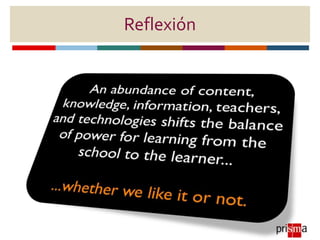
Reflexión
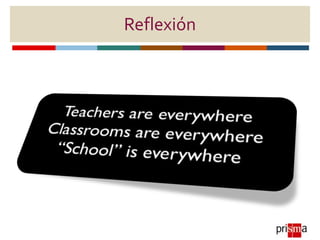
Reflexión
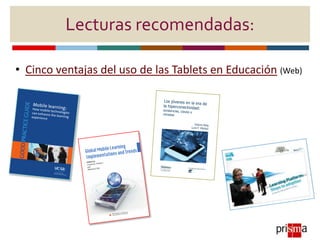
Lecturas recomendadas:
• Cinco ventajas del uso de las Tablets en Educación (Web)
¡Contáctame!

La entrada de las tecnologías móviles en el salón de clases: estrategias para innovar a los estudiantes en el proceso de enseñanza-aprendizaje

  • 1.
    Jornada de DesarrolloProfesional Examinar la escuela de hoy y las competencias tecnológicas: una realidad ineludible La entrada de las tecnologías móviles en el salón de clases: estrategias para innovar a los estudiantes en el proceso de enseñanza-aprendizaje Antonio L. Delgado Pérez, M.A. Ed. Diseñador Instruccional
  • 2.
    Introducción En este proyectode prisma se busca abrir un nuevo espacio de reflexión sobre los asuntos de interés para la comunidad educativa, en cuanto a la integración de la tecnología móvil en el contexto académico y los retos del docente hiperconectado.
  • 3.
    Agenda 1. Qué esa Educación Móvil (mLearning) 2. Las tendencias del Mobile Learning 3. Nuevos escenarios de aprendizaje 4. Aplicaciones móviles que propician el aprendizaje hiperconectado 5. Sesión de comentarios y preguntas
  • 4.
    mLearning Metodología de enseñanzay aprendizaje valiéndose del uso de pequeños dispositivos móviles: teléfonos móviles, PDA, tabletas, PocketPC, iPod y todo dispositivo de mano que tenga alguna forma de conectividad inalámbrica. Wikipedia
  • 5.
  • 6.
    Tendencias de laSociedad Móvil
  • 7.
    Tendencias de laSociedad Móvil
  • 8.
  • 9.
  • 10.
  • 11.
  • 12.
  • 13.
  • 14.
  • 15.
  • 16.
  • 17.
  • 18.
  • 19.
  • 20.
  • 21.
  • 23.
  • 25.
  • 26.
    Tools One of the questionswe hear often with BYOD is what will I do with all these devices? We have already discussed DNA (Device Neutral Assignments) as well as the fact that students will be the ‘experts’ of their personal devices. We also know that sometimes students need some direction in what tools are out there. Here is a quick comparison list of a variety of tools that can meet a few familiar tasks. Click on the underlined name of the resource to access more information. Have a suggestion? Tweet it out to #peel21st. Create a Digital Story Organize Ideas Create an Animation Capture Student Thinking Create a GameTools One of the questions we hear often with BYOD is what will I do with all these devices? We have already discussed DNA (Device Neutral Assignments) as well as the fact that students will be the ‘experts’ of their personal devices. We also know that sometimes students need some direction in what tools are out there. Here is a quick comparison list of a variety of tools that can meet a few familiar tasks. Click on the underlined name of the resource to access more information. Have a suggestion? Tweet it out to #peel21st. iOS App iMovie Create either a movie trailer or your own movie projects including sound, video, images. Cost: $4.99 (VPP possible) iOS App Popplet Lite This app will allow you to capture ideas in pictures, drawings or text. Cost: Free Also an online tool iOS App NFB Pix Stop Quickly create your own stop motion animations. Includes video lessons on the process. Cost: Free iOS App Explain Everything Cost: $2.99 (VPP possible) Doceri is a free alternative. iOS App Sketch Nation Studio Quickly create your own games to play on your iPad or iPod touch. Cost: Free Tools One of the questions we hear often with BYOD is what will I do with all these devices? We have already discussed DNA (Device Neutral Assignments) as well as the fact that students will be the ‘experts’ of their personal devices. We also know that sometimes students need some direction in what tools are out there. Here is a quick comparison list of a variety of tools that can meet a few familiar tasks. Click on the underlined name of the resource to access more information. Have a suggestion? Tweet it out to #peel21st. Android Movie Studio Cost: Free Version Android Mindomo Cost: Free (Also available for iPad) Android Lapse It Cost: Free Android Freenote Cost: Free Capture your own notes or annotate on pictures. Just because there isn’t an app right now, doesn’t mean there soon won’t be one. Developers are constantly creating new tools. Web tools may work as well. Tools One of the questions we hear often with BYOD is what will I do with all these devices? We have already discussed DNA (Device Neutral Assignments) as well as the fact that students will be the ‘experts’ of their personal devices. We also know that sometimes students need some direction in what tools are out there. Here is a quick comparison list of a variety of tools that can meet a few familiar tasks. Click on the underlined name of the resource to access more information. Have a suggestion? Tweet it out to #peel21st. Online Tool Animoto Simple online tool that allows you to quickly create movie style slideshows. Sign in required. (App available) Online Tool bubbl.us No sign in required to get started creating your own word webs! Online Tool www.abcya.com/ animate.htm A great introductory site to allow children to explore a drawn animation online. Online Tool Voicethread Voicethread.com Although created as an online storytelling tool, doodles & comments allow us to capture student conversations. Online Tool Scratch scratch.mit.edu Scratch is an introductory program to programming for children. Students create their own games, interactives, animations using code bricks that snap together. Scratch is both available online as well as on the My Applications page. Tools One of the questions we hear often with BYOD is what will I do with all these devices? We have already discussed DNA (Device Neutral Assignments) as well as the fact that students will be the ‘experts’ of their personal devices. We also know that sometimes students need some direction in what tools are out there. Here is a quick comparison list of a variety of tools that can meet a few familiar tasks. Click on the underlined name of the resource to access more information. Have a suggestion? Tweet it out to #peel21st. Ministry Lic. Software Pixie 3 Licensed for K-3 (See also Frames 4, Photo Story, iMovie or Microsoft Moviemaker) Ministry Lic. Software Smart Ideas Licensed K-12 Ministry Lic. Software Frames 5 Licensed K-12 Online Tool Voicethread Voicethread.com Although created as an online storytelling tool, doodles & comments allow us to capture student conversations. Online Tool Scratch scratch.mit.edu Scratch is an introductory program to programming for children. Students create their own games, interactives, animations using code bricks that snap together. Scratch is both available online as well as on the My Applications page.
  • 27.
  • 28.
  • 29.
    Lecturas recomendadas: • Cincoventajas del uso de las Tablets en Educación (Web)
  • 30.