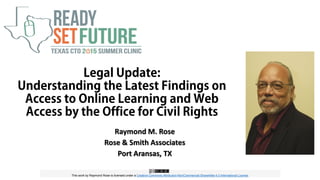
Raymond M. Rose
Rose & Smith Associates
Port Aransas, TX
This work by Raymond Rose is licensed under a Creative Commons Attribution-NonCommercial-ShareAlike 4.0 International License.
Legal Update:
Understanding the Latest Findings on
Access to Online Learning and Web
Access by the Office for Civil Rights
Self-Assessment Quiz
• Who is your district’s Section 504 Coordinator?
• Who is responsible for your online learning program?
• Has your institution adopted quality standards for online
resources/courses?
• Does your institution include an accessibility check for all
technology purchases?
• Has your institution conducted a technology accessibility
audit?
• Have you done an accessibility audit of the district website?
Ray’s Background
• K-12 teacher, curriculum coordinator, counselor, adminstrator
• Civil Rights Specialist with Mass Dept of Education
• Civil Rights Specialist/Manager New England equity assistance center
• Virtual High School designer/manager
• 1st virtual school special needs policy
• 2007 1st publication access and equity in online education
• Faculty, Instructional Technology and Distance Learning Coordinator,
Huston-Tillotson U.
• Technical Working Group, Center on Online Learning and Students with
Disabilities
• 2014 Access and Equity for All Learners in Blended and Online Education
Why are you here?
The 3 Routes to Enforcement Attention
1. Complaints
2. Legal suits
3. Compliance Audit
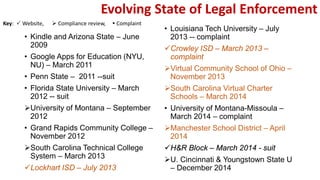
Evolving State of Legal Enforcement
• Kindle and Arizona State – June
2009
• Google Apps for Education (NYU,
NU) – March 2011
• Penn State – 2011 --suit
• Florida State University – March
2012 -- suit
University of Montana – September
2012
• Grand Rapids Community College –
November 2012
South Carolina Technical College
System – March 2013
Lockhart ISD – July 2013
• Louisiana Tech University – July
2013 -- complaint
Crowley ISD – March 2013 –
complaint
Virtual Community School of Ohio –
November 2013
South Carolina Virtual Charter
Schools – March 2014
• University of Montana-Missoula –
March 2014 – complaint
Manchester School District – April
2014
H&R Block – March 2014 - suit
U. Cincinnati & Youngstown State U
– December 2014
Key:  Website,  Compliance review,  Complaint
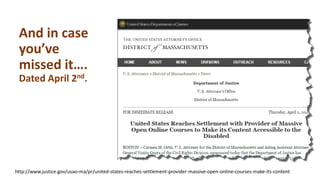
And in case
you’ve
missed it….
Dated April 2nd.
http://www.justice.gov/usao-ma/pr/united-states-reaches-settlement-provider-massive-open-online-courses-make-its-content
Go to iNACOL.org and
find the publication
listed under Latest
News, Research and
Resources
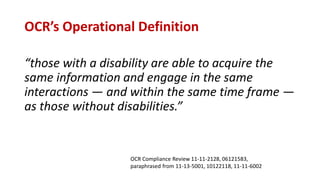
OCR’s Operational Definition
“those with a disability are able to acquire the
same information and engage in the same
interactions — and within the same time frame —
as those without disabilities.”
OCR Compliance Review 11-11-2128, 06121583,
paraphrased from 11-13-5001, 10122118, 11-11-6002
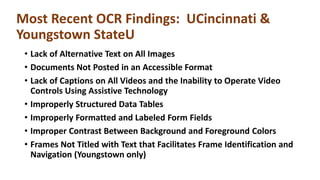
Most Recent OCR Findings: UCincinnati &
Youngstown StateU
• Lack of Alternative Text on All Images
• Documents Not Posted in an Accessible Format
• Lack of Captions on All Videos and the Inability to Operate Video
Controls Using Assistive Technology
• Improperly Structured Data Tables
• Improperly Formatted and Labeled Form Fields
• Improper Contrast Between Background and Foreground Colors
• Frames Not Titled with Text that Facilitates Frame Identification and
Navigation (Youngstown only)
Access and Equity Checklist
•Policies
•Online Course Design
•Program and Course Monitoring
Rose & Smith Associates
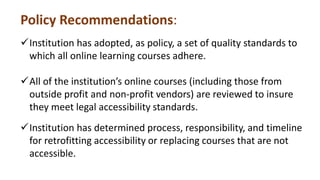
Policy Recommendations:
Institution has adopted, as policy, a set of quality standards to
which all online learning courses adhere.
All of the institution’s online courses (including those from
outside profit and non-profit vendors) are reviewed to insure
they meet legal accessibility standards.
Institution has determined process, responsibility, and timeline
for retrofitting accessibility or replacing courses that are not
accessible.
Policy Recommendations:
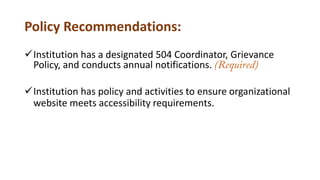
Institution has a designated 504 Coordinator, Grievance
Policy, and conducts annual notifications. (Required)
Institution has policy and activities to ensure organizational
website meets accessibility requirements.
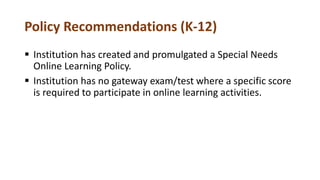
Policy Recommendations (K-12)
 Institution has created and promulgated a Special Needs
Online Learning Policy.
 Institution has no gateway exam/test where a specific score
is required to participate in online learning activities.
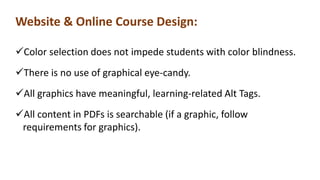
Website & Online Course Design:
Color selection does not impede students with color blindness.
There is no use of graphical eye-candy.
All graphics have meaningful, learning-related Alt Tags.
All content in PDFs is searchable (if a graphic, follow
requirements for graphics).
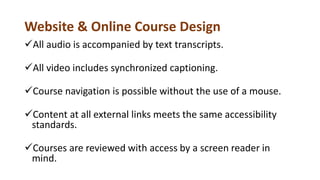
Website & Online Course Design
All audio is accompanied by text transcripts.
All video includes synchronized captioning.
Course navigation is possible without the use of a mouse.
Content at all external links meets the same accessibility
standards.
Courses are reviewed with access by a screen reader in
mind.
Online Program and Course Monitoring
 Disaggregated enrollment data is collected for all online
programs and courses.
 Enrollment data is analyzed for comparison with
sending population.
Resources
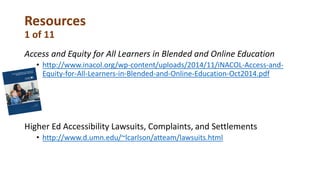
1 of 11
Access and Equity for All Learners in Blended and Online Education
• http://www.inacol.org/wp-content/uploads/2014/11/iNACOL-Access-and-
Equity-for-All-Learners-in-Blended-and-Online-Education-Oct2014.pdf
Higher Ed Accessibility Lawsuits, Complaints, and Settlements
• http://www.d.umn.edu/~lcarlson/atteam/lawsuits.html
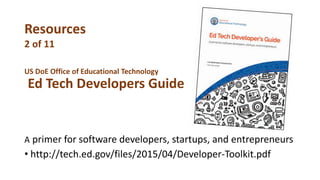
US DoE Office of Educational Technology
Ed Tech Developers Guide
A primer for software developers, startups, and entrepreneurs
• http://tech.ed.gov/files/2015/04/Developer-Toolkit.pdf
Resources
2 of 11
Resources
3 of 11
FREE Video Captioning Apps
•NCAM.wgbh.org
•MAGpie
•CC for FLASH
How to add closed captions to YouTube
•https://www.youtube.com/watch?v=9K4WJs94FfY
Resources
4 of 11
Adobe and Accessibility website (PDF info)
• www.adobe.com/accessibility.html
Creating Accessible Tables and Data Tables
• http://webaim.org/techniques/tables/
• http://webaim.org/techniques/tables/data
2014 Access and equity for all learners in blended and online
education
• http://inacol.org
Resource
5 of 11
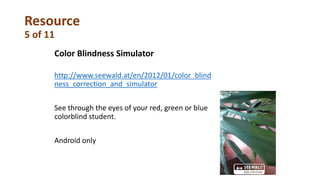
Color Blindness Simulator
http://www.seewald.at/en/2012/01/color_blind
ness_correction_and_simulator
See through the eyes of your red, green or blue
colorblind student.
Android only
Resources
6 of 11
Color advice for cartography
• http://colorbrewer2.org/
Vischeck simulates colorblind vision.
• http://www.vischeck.com/
Daltonize corrects images for colorblind viewers.
• http://www.vischeck.com/daltonize/
More Color Blindness Tools
Resources
7 of 11
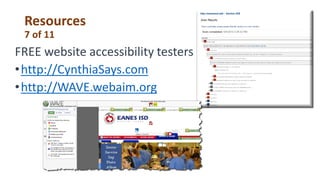
FREE website accessibility testers
•http://CynthiaSays.com
•http://WAVE.webaim.org
Resources
8 of 11
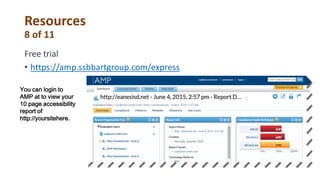
Free trial
• https://amp.ssbbartgroup.com/express
You can login to
AMP at to view your
10 page accessibility
report of
http://yoursitehere.
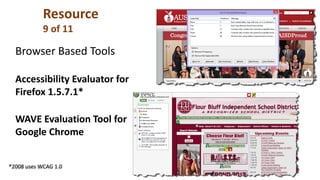
Browser Based Tools
Accessibility Evaluator for
Firefox 1.5.7.1*
WAVE Evaluation Tool for
Google Chrome
*2008 uses WCAG 1.0
Resource
9 of 11
Resources
10 of 11
10 Free Screen Readers
http://usabilitygeek.com/10-free-screen-reader-
blind-visually-impaired-users/
Resource
11 of 11
NVDA http://www.nvaccess.org/
NVDA (NonVisual Desktop Access) is a free “screen
reader” which enables blind and vision impaired people to
use computers. It reads the text on the screen in a
computerised voice. You can control what is read to you
by moving the cursor to the relevant area of text with a
mouse or the arrows on your keyboard.
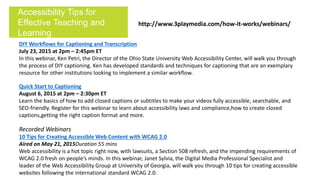
DIY Workflows for Captioning and Transcription
July 23, 2015 at 2pm – 2:45pm ET
In this webinar, Ken Petri, the Director of the Ohio State University Web Accessibility Center, will walk you through
the process of DIY captioning. Ken has developed standards and techniques for captioning that are an exemplary
resource for other institutions looking to implement a similar workflow.
Quick Start to Captioning
August 6, 2015 at 2pm – 2:30pm ET
Learn the basics of how to add closed captions or subtitles to make your videos fully accessible, searchable, and
SEO-friendly. Register for this webinar to learn about accessibility laws and compliance,how to create closed
captions,getting the right caption format and more.
Recorded Webinars
10 Tips for Creating Accessible Web Content with WCAG 2.0
Aired on May 21, 2015Duration 55 mins
Web accessibility is a hot topic right now, with lawsuits, a Section 508 refresh, and the impending requirements of
WCAG 2.0 fresh on people’s minds. In this webinar, Janet Sylvia, the Digital Media Professional Specialist and
leader of the Web Accessibility Group at University of Georgia, will walk you through 10 tips for creating accessible
websites following the international standard WCAG 2.0.
Accessibility Tips for
Effective Teaching and
Learning
http://www.3playmedia.com/how-it-works/webinars/
SSB YouTube Video Series: Web Accessibility 101
Introductory level (short)
videos demonstrating
assistive technology and
common accessibility
challenges.
Search SSB Bart Group on YouTube
Contact Info
Raymond Rose
• ray@rose-smith.com
• 512.791.3100
Presentation slides on this topic are
available at SlideShare.net under
RaymondRose
And at my blog: rmrose.blogspot.com

Legal Update: Understanding the Latest Findings on Access to Online Learning and Web Access by the Office for Civil Rights

  • 1.
    Raymond M. Rose Rose& Smith Associates Port Aransas, TX This work by Raymond Rose is licensed under a Creative Commons Attribution-NonCommercial-ShareAlike 4.0 International License. Legal Update: Understanding the Latest Findings on Access to Online Learning and Web Access by the Office for Civil Rights
  • 2.
    Self-Assessment Quiz • Whois your district’s Section 504 Coordinator? • Who is responsible for your online learning program? • Has your institution adopted quality standards for online resources/courses? • Does your institution include an accessibility check for all technology purchases? • Has your institution conducted a technology accessibility audit? • Have you done an accessibility audit of the district website?
  • 3.
    Ray’s Background • K-12teacher, curriculum coordinator, counselor, adminstrator • Civil Rights Specialist with Mass Dept of Education • Civil Rights Specialist/Manager New England equity assistance center • Virtual High School designer/manager • 1st virtual school special needs policy • 2007 1st publication access and equity in online education • Faculty, Instructional Technology and Distance Learning Coordinator, Huston-Tillotson U. • Technical Working Group, Center on Online Learning and Students with Disabilities • 2014 Access and Equity for All Learners in Blended and Online Education
  • 4.
  • 5.
    The 3 Routesto Enforcement Attention 1. Complaints 2. Legal suits 3. Compliance Audit
  • 6.
    Evolving State ofLegal Enforcement • Kindle and Arizona State – June 2009 • Google Apps for Education (NYU, NU) – March 2011 • Penn State – 2011 --suit • Florida State University – March 2012 -- suit University of Montana – September 2012 • Grand Rapids Community College – November 2012 South Carolina Technical College System – March 2013 Lockhart ISD – July 2013 • Louisiana Tech University – July 2013 -- complaint Crowley ISD – March 2013 – complaint Virtual Community School of Ohio – November 2013 South Carolina Virtual Charter Schools – March 2014 • University of Montana-Missoula – March 2014 – complaint Manchester School District – April 2014 H&R Block – March 2014 - suit U. Cincinnati & Youngstown State U – December 2014 Key:  Website,  Compliance review,  Complaint
  • 7.
    And in case you’ve missedit…. Dated April 2nd. http://www.justice.gov/usao-ma/pr/united-states-reaches-settlement-provider-massive-open-online-courses-make-its-content
  • 8.
    Go to iNACOL.organd find the publication listed under Latest News, Research and Resources
  • 9.
    OCR’s Operational Definition “thosewith a disability are able to acquire the same information and engage in the same interactions — and within the same time frame — as those without disabilities.” OCR Compliance Review 11-11-2128, 06121583, paraphrased from 11-13-5001, 10122118, 11-11-6002
  • 10.
    Most Recent OCRFindings: UCincinnati & Youngstown StateU • Lack of Alternative Text on All Images • Documents Not Posted in an Accessible Format • Lack of Captions on All Videos and the Inability to Operate Video Controls Using Assistive Technology • Improperly Structured Data Tables • Improperly Formatted and Labeled Form Fields • Improper Contrast Between Background and Foreground Colors • Frames Not Titled with Text that Facilitates Frame Identification and Navigation (Youngstown only)
  • 11.
    Access and EquityChecklist •Policies •Online Course Design •Program and Course Monitoring Rose & Smith Associates
  • 12.
    Policy Recommendations: Institution hasadopted, as policy, a set of quality standards to which all online learning courses adhere. All of the institution’s online courses (including those from outside profit and non-profit vendors) are reviewed to insure they meet legal accessibility standards. Institution has determined process, responsibility, and timeline for retrofitting accessibility or replacing courses that are not accessible.
  • 13.
    Policy Recommendations: Institution hasa designated 504 Coordinator, Grievance Policy, and conducts annual notifications. (Required) Institution has policy and activities to ensure organizational website meets accessibility requirements.
  • 14.
    Policy Recommendations (K-12) Institution has created and promulgated a Special Needs Online Learning Policy.  Institution has no gateway exam/test where a specific score is required to participate in online learning activities.
  • 15.
    Website & OnlineCourse Design: Color selection does not impede students with color blindness. There is no use of graphical eye-candy. All graphics have meaningful, learning-related Alt Tags. All content in PDFs is searchable (if a graphic, follow requirements for graphics).
  • 16.
    Website & OnlineCourse Design All audio is accompanied by text transcripts. All video includes synchronized captioning. Course navigation is possible without the use of a mouse. Content at all external links meets the same accessibility standards. Courses are reviewed with access by a screen reader in mind.
  • 17.
    Online Program andCourse Monitoring  Disaggregated enrollment data is collected for all online programs and courses.  Enrollment data is analyzed for comparison with sending population.
  • 18.
    Resources 1 of 11 Accessand Equity for All Learners in Blended and Online Education • http://www.inacol.org/wp-content/uploads/2014/11/iNACOL-Access-and- Equity-for-All-Learners-in-Blended-and-Online-Education-Oct2014.pdf Higher Ed Accessibility Lawsuits, Complaints, and Settlements • http://www.d.umn.edu/~lcarlson/atteam/lawsuits.html
  • 19.
    US DoE Officeof Educational Technology Ed Tech Developers Guide A primer for software developers, startups, and entrepreneurs • http://tech.ed.gov/files/2015/04/Developer-Toolkit.pdf Resources 2 of 11
  • 20.
    Resources 3 of 11 FREEVideo Captioning Apps •NCAM.wgbh.org •MAGpie •CC for FLASH How to add closed captions to YouTube •https://www.youtube.com/watch?v=9K4WJs94FfY
  • 21.
    Resources 4 of 11 Adobeand Accessibility website (PDF info) • www.adobe.com/accessibility.html Creating Accessible Tables and Data Tables • http://webaim.org/techniques/tables/ • http://webaim.org/techniques/tables/data 2014 Access and equity for all learners in blended and online education • http://inacol.org
  • 22.
    Resource 5 of 11 ColorBlindness Simulator http://www.seewald.at/en/2012/01/color_blind ness_correction_and_simulator See through the eyes of your red, green or blue colorblind student. Android only
  • 23.
    Resources 6 of 11 Coloradvice for cartography • http://colorbrewer2.org/ Vischeck simulates colorblind vision. • http://www.vischeck.com/ Daltonize corrects images for colorblind viewers. • http://www.vischeck.com/daltonize/ More Color Blindness Tools
  • 24.
    Resources 7 of 11 FREEwebsite accessibility testers •http://CynthiaSays.com •http://WAVE.webaim.org
  • 25.
    Resources 8 of 11 Freetrial • https://amp.ssbbartgroup.com/express You can login to AMP at to view your 10 page accessibility report of http://yoursitehere.
  • 26.
    Browser Based Tools AccessibilityEvaluator for Firefox 1.5.7.1* WAVE Evaluation Tool for Google Chrome *2008 uses WCAG 1.0 Resource 9 of 11
  • 27.
    Resources 10 of 11 10Free Screen Readers http://usabilitygeek.com/10-free-screen-reader- blind-visually-impaired-users/
  • 28.
    Resource 11 of 11 NVDAhttp://www.nvaccess.org/ NVDA (NonVisual Desktop Access) is a free “screen reader” which enables blind and vision impaired people to use computers. It reads the text on the screen in a computerised voice. You can control what is read to you by moving the cursor to the relevant area of text with a mouse or the arrows on your keyboard.
  • 29.
    DIY Workflows forCaptioning and Transcription July 23, 2015 at 2pm – 2:45pm ET In this webinar, Ken Petri, the Director of the Ohio State University Web Accessibility Center, will walk you through the process of DIY captioning. Ken has developed standards and techniques for captioning that are an exemplary resource for other institutions looking to implement a similar workflow. Quick Start to Captioning August 6, 2015 at 2pm – 2:30pm ET Learn the basics of how to add closed captions or subtitles to make your videos fully accessible, searchable, and SEO-friendly. Register for this webinar to learn about accessibility laws and compliance,how to create closed captions,getting the right caption format and more. Recorded Webinars 10 Tips for Creating Accessible Web Content with WCAG 2.0 Aired on May 21, 2015Duration 55 mins Web accessibility is a hot topic right now, with lawsuits, a Section 508 refresh, and the impending requirements of WCAG 2.0 fresh on people’s minds. In this webinar, Janet Sylvia, the Digital Media Professional Specialist and leader of the Web Accessibility Group at University of Georgia, will walk you through 10 tips for creating accessible websites following the international standard WCAG 2.0. Accessibility Tips for Effective Teaching and Learning http://www.3playmedia.com/how-it-works/webinars/
  • 30.
    SSB YouTube VideoSeries: Web Accessibility 101 Introductory level (short) videos demonstrating assistive technology and common accessibility challenges. Search SSB Bart Group on YouTube
  • 31.
    Contact Info Raymond Rose •ray@rose-smith.com • 512.791.3100 Presentation slides on this topic are available at SlideShare.net under RaymondRose And at my blog: rmrose.blogspot.com