Introduction to Drupal 7

                           Bonus session
                            Drupal SEO


Drupalist: Kalin Chernev     Course by Init Lab (http://initlab.org)   1
Agenda
• Drupal and SEO
• SEO Checklist module
• Other good practices


Drupalist: Kalin Chernev   Course by Init Lab (http://initlab.org)   2
Drupal and SEO
• As a content management system and
  framework, Drupal offers you great
  possibilities for on-page SEO optimizations;
• On-page and/or off-page optimizations will
  not bring you any business results if your
  keywords research is not correctly
• In our Drupal course scope, we will not deal
  with keywords research and targeting, only
  with the Drupal capabilities for SEO

Drupalist: Kalin Chernev     Course by Init Lab (http://initlab.org)   3
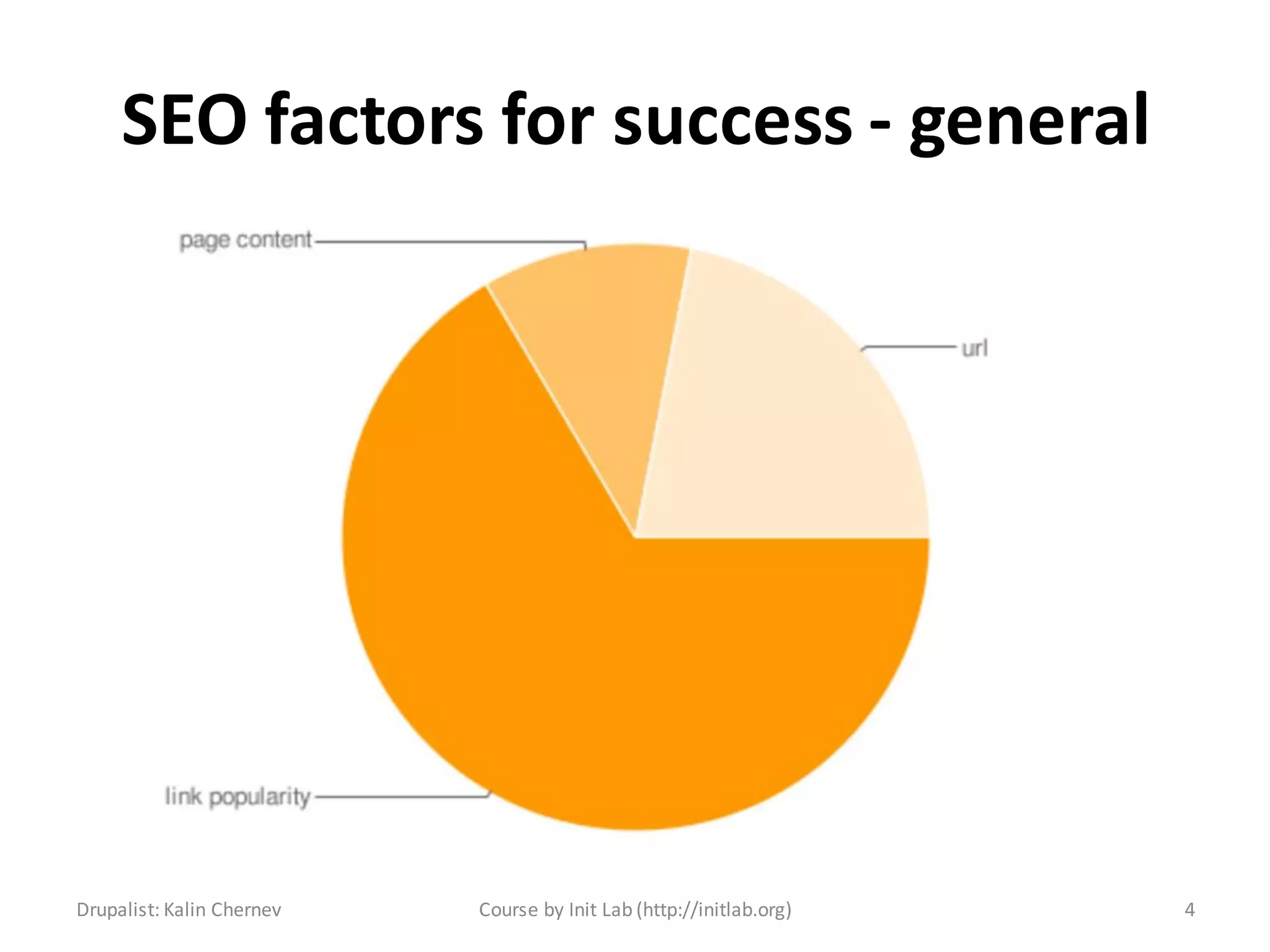
SEO factors for success - general


Drupalist: Kalin Chernev   Course by Init Lab (http://initlab.org)   4
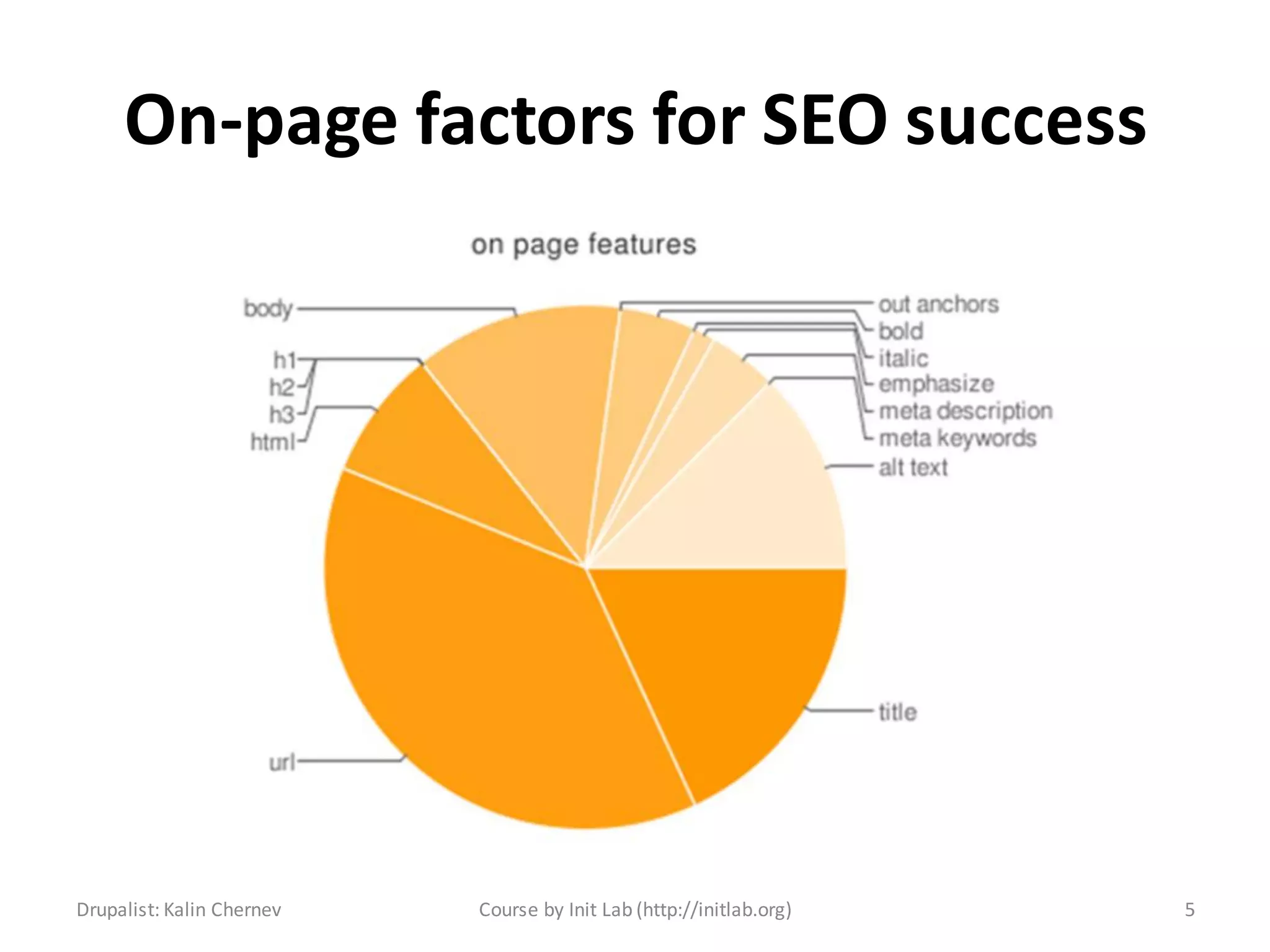
On-page factors for SEO success


Drupalist: Kalin Chernev   Course by Init Lab (http://initlab.org)   5
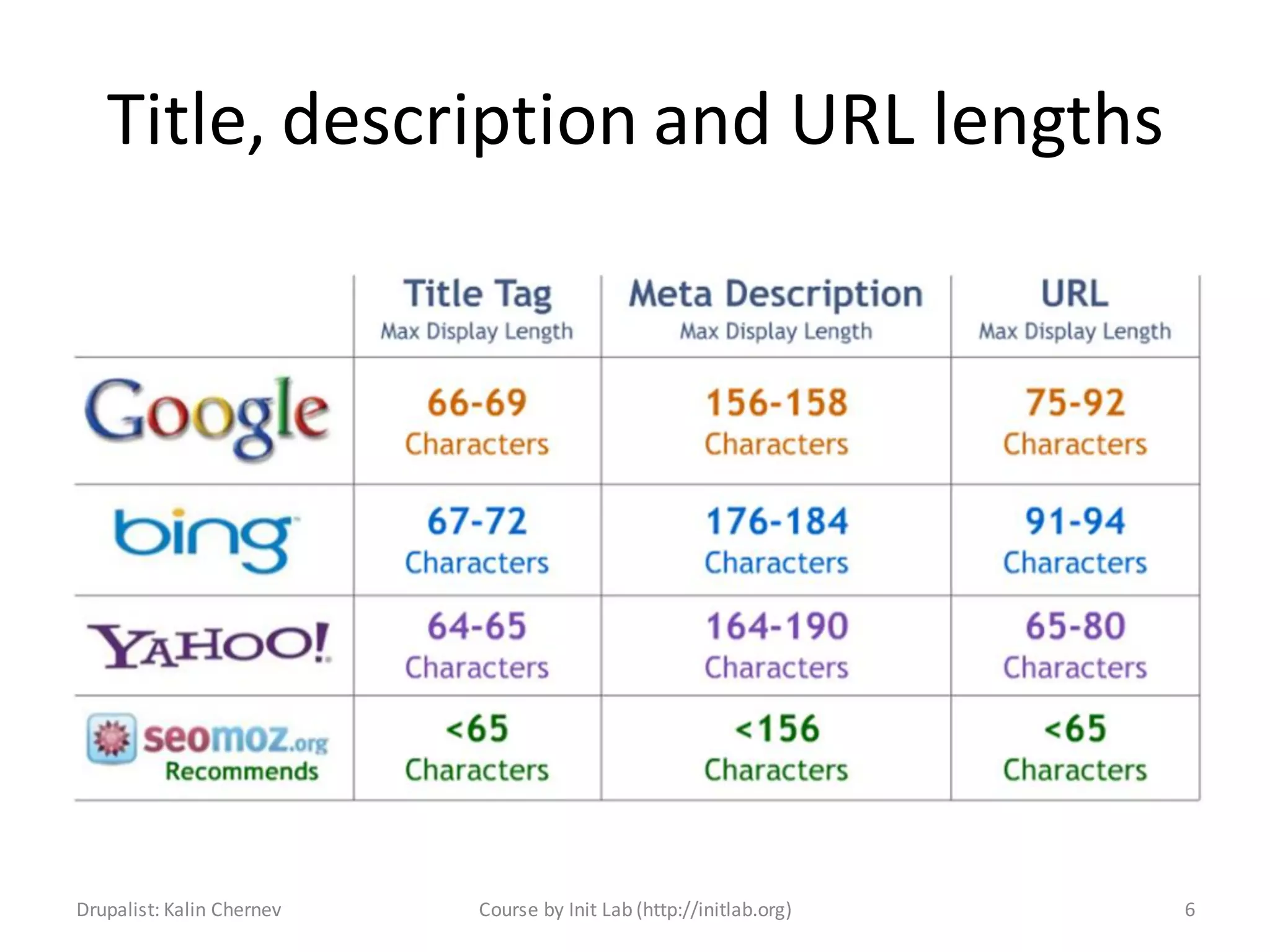
Title, description and URL lengths


Drupalist: Kalin Chernev   Course by Init Lab (http://initlab.org)   6
SEO Checklist
• SEO Checklist was initially developed by
  Volacci and then ported by Blink Reaction
• The module does not optimize your website
  by itself. It rather gives you a list of good
  modules to use to optimize your system.
• You don’t need to install and configure all
  listed modules, only those you consider really
  useful for your project case

Drupalist: Kalin Chernev    Course by Init Lab (http://initlab.org)   7
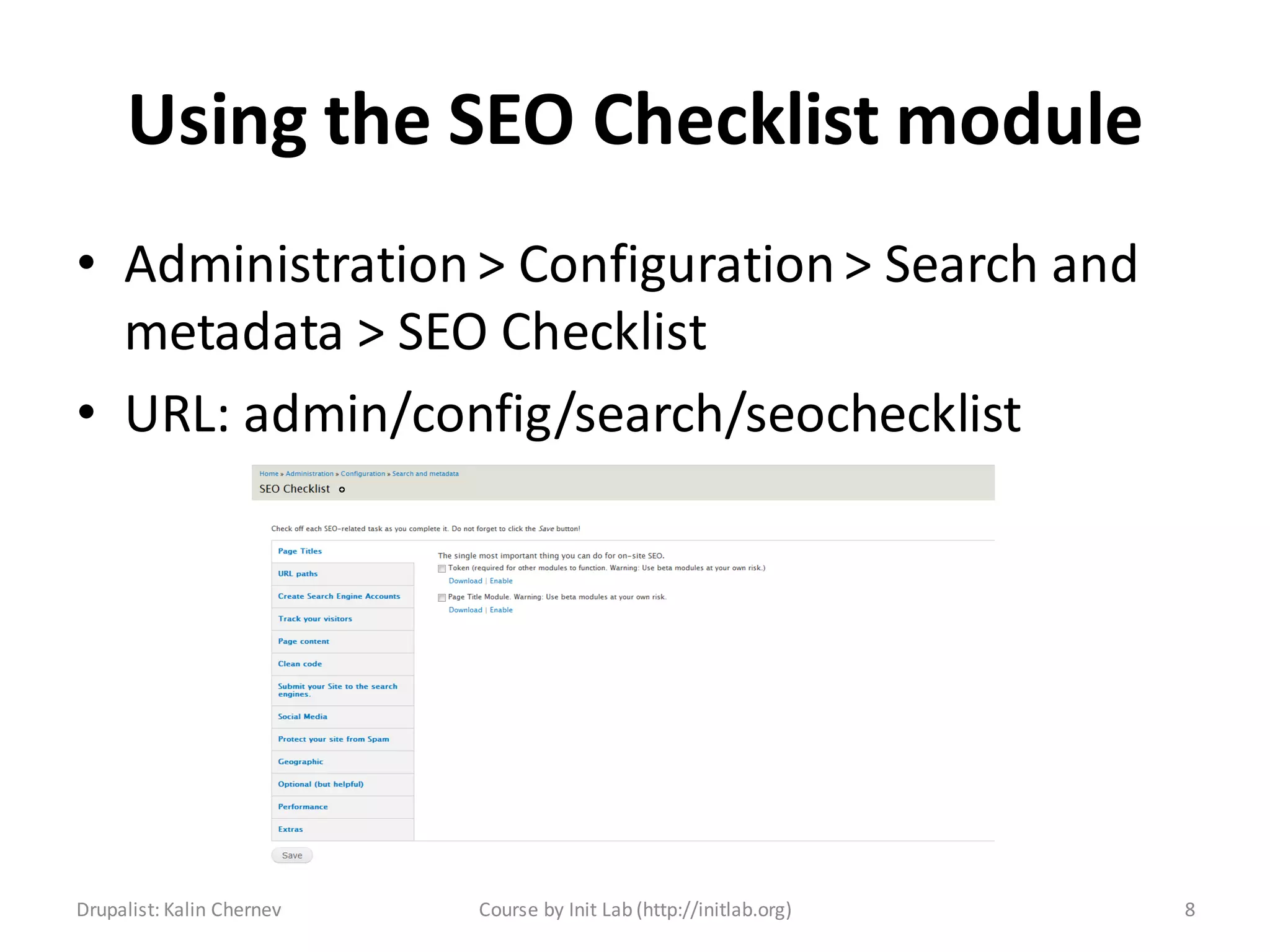
Using the SEO Checklist module
• Administration > Configuration > Search and
  metadata > SEO Checklist
• URL: admin/config/search/seochecklist


Drupalist: Kalin Chernev   Course by Init Lab (http://initlab.org)   8
Page titles
• Absolutely vital to have
• Requires the token module
• The best pattern you can use is {page title} |
  {site name}
• Put target keywords in the beginning
• Avoid stop words as “in”, “the”, “at”, etc.
• Good to be less than 65 symbols of length

Drupalist: Kalin Chernev   Course by Init Lab (http://initlab.org)   9
URL paths
• Another absolutely important feature to setup
       – Clean URLs – removes the ‘?q=‘ from the URLs
       – Pathauto – sets good URLs based on tokens
       – Global redirect – removes the back slash ‘/’ from
         the end of URLs – avoids duplication
       – Redirect module – provides webmasters nice and
         healthy way to manage redirects
• URLs are good if kept under 65 symbols overall

Drupalist: Kalin Chernev   Course by Init Lab (http://initlab.org)   10
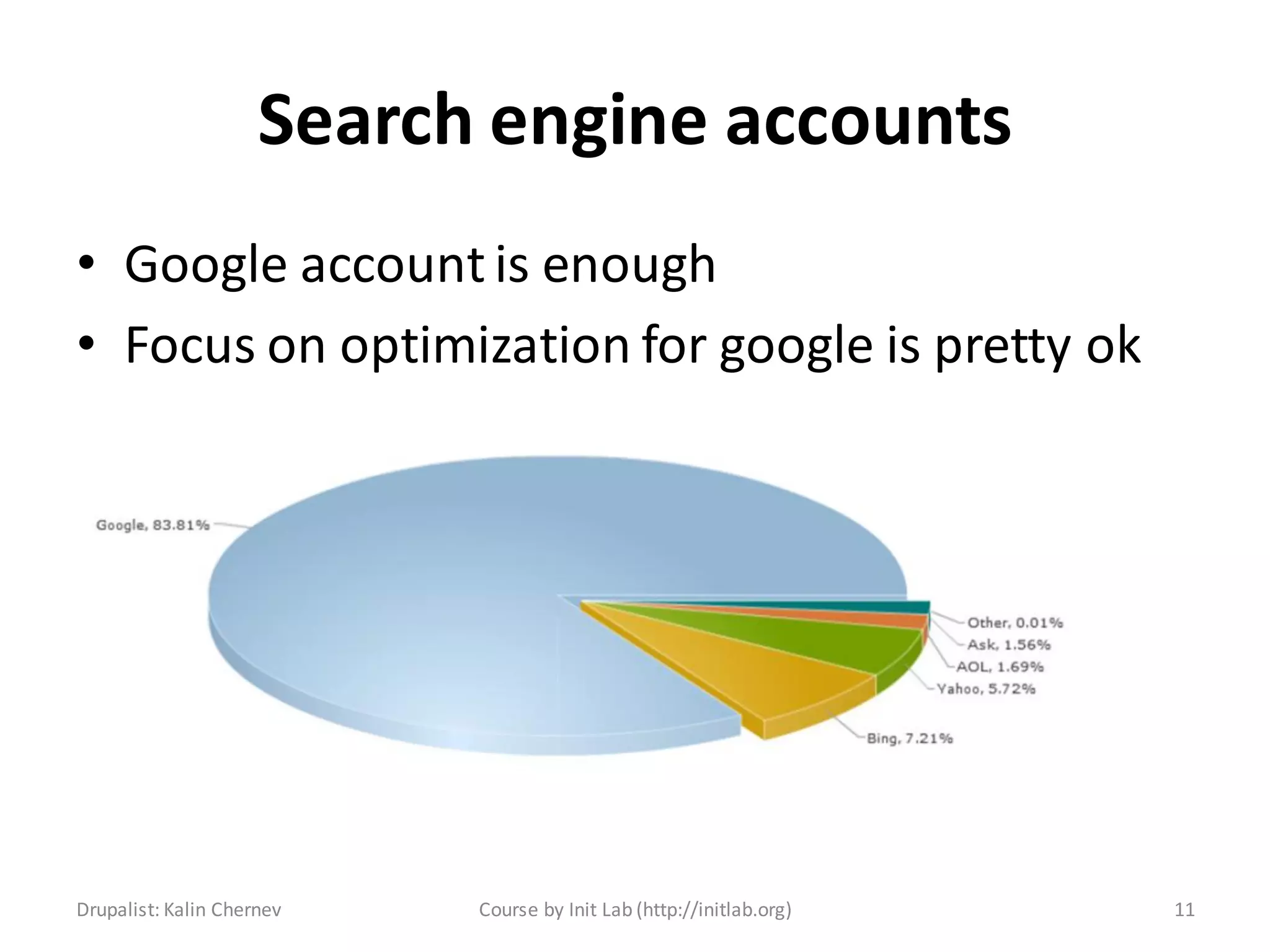
Search engine accounts
• Google account is enough
• Focus on optimization for google is pretty ok


Drupalist: Kalin Chernev   Course by Init Lab (http://initlab.org)   11
Tracking your visitors
• Google analytics tracking
       – With a module: Google Analytics Module;
       – The module will give you options
       – You can also paste the GA code directly in your
         html.tpl.php template file
• Other tracking and analytics options:
       – Piwik;
       – Open web analytics;
       – Clicky;

Drupalist: Kalin Chernev        Course by Init Lab (http://initlab.org)   12
Page content
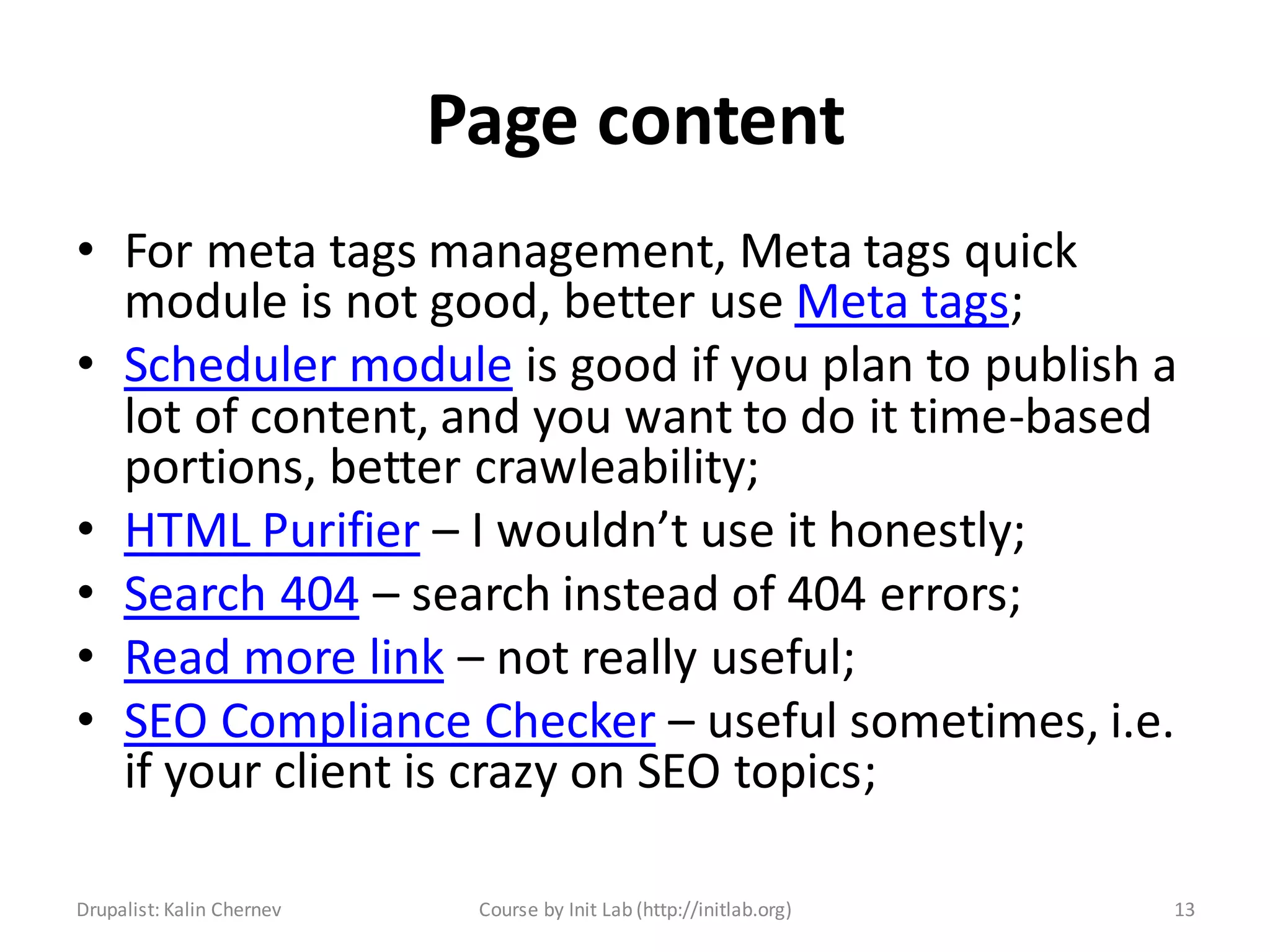
• For meta tags management, Meta tags quick
  module is not good, better use Meta tags;
• Scheduler module is good if you plan to publish a
  lot of content, and you want to do it time-based
  portions, better crawleability;
• HTML Purifier – I wouldn’t use it honestly;
• Search 404 – search instead of 404 errors;
• Read more link – not really useful;
• SEO Compliance Checker – useful sometimes, i.e.
  if your client is crazy on SEO topics;

Drupalist: Kalin Chernev    Course by Init Lab (http://initlab.org)   13
Clean code
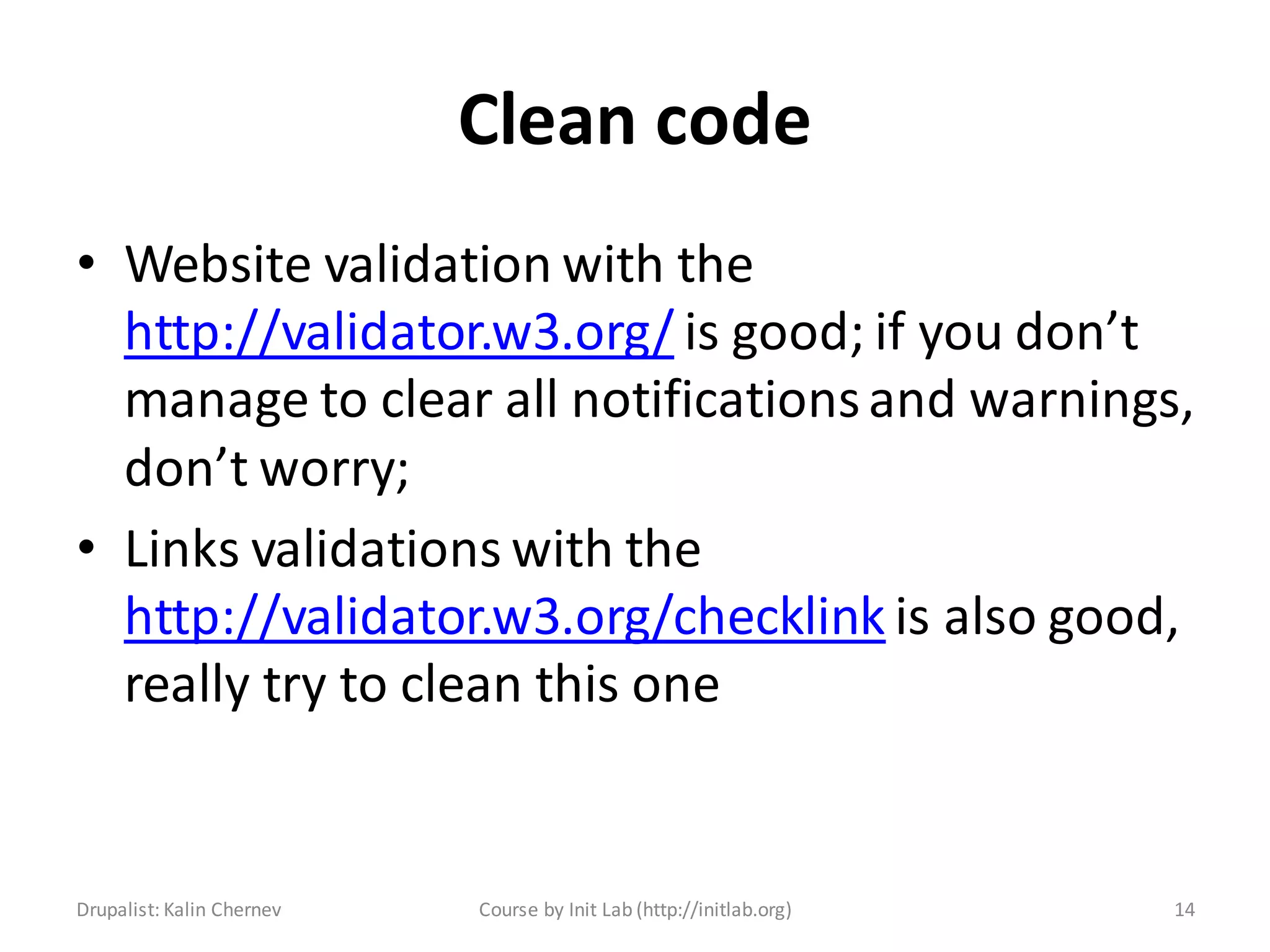
• Website validation with the
  http://validator.w3.org/ is good; if you don’t
  manage to clear all notifications and warnings,
  don’t worry;
• Links validations with the
  http://validator.w3.org/checklink is also good,
  really try to clean this one


Drupalist: Kalin Chernev   Course by Init Lab (http://initlab.org)   14
Submitting your website
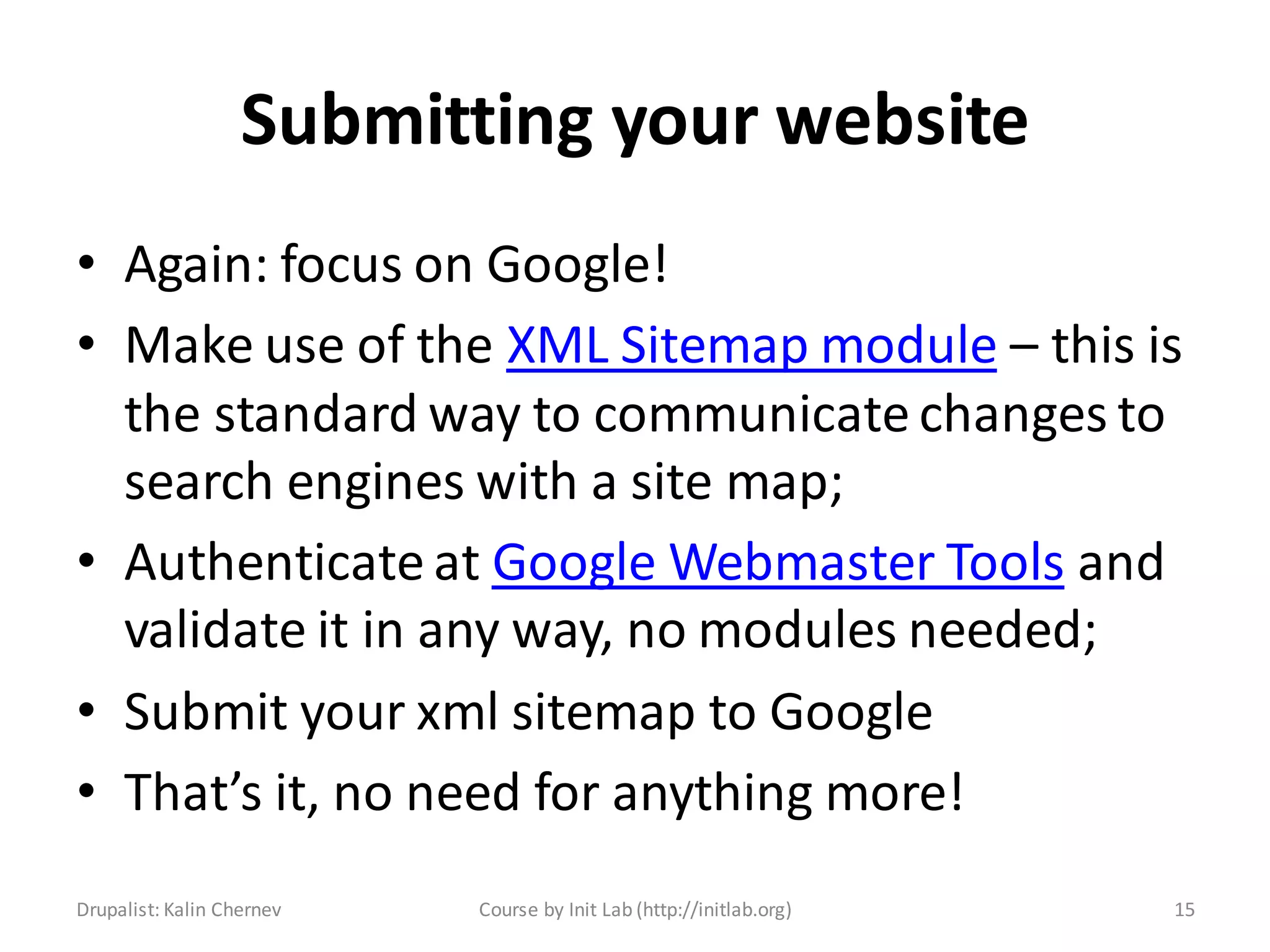
• Again: focus on Google!
• Make use of the XML Sitemap module – this is
  the standard way to communicate changes to
  search engines with a site map;
• Authenticate at Google Webmaster Tools and
  validate it in any way, no modules needed;
• Submit your xml sitemap to Google
• That’s it, no need for anything more!
Drupalist: Kalin Chernev   Course by Init Lab (http://initlab.org)   15
Social media
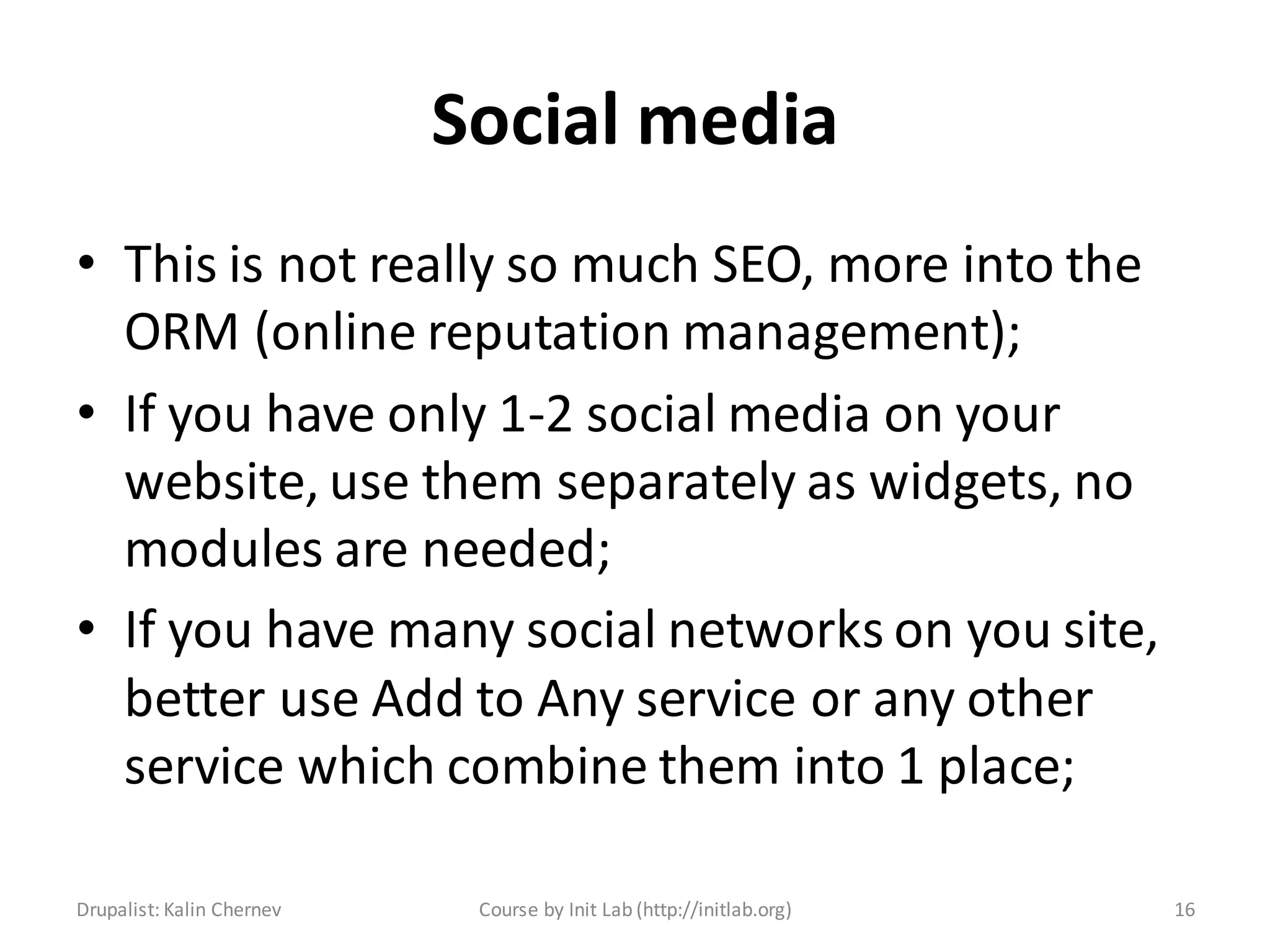
• This is not really so much SEO, more into the
  ORM (online reputation management);
• If you have only 1-2 social media on your
  website, use them separately as widgets, no
  modules are needed;
• If you have many social networks on you site,
  better use Add to Any service or any other
  service which combine them into 1 place;

Drupalist: Kalin Chernev    Course by Init Lab (http://initlab.org)   16
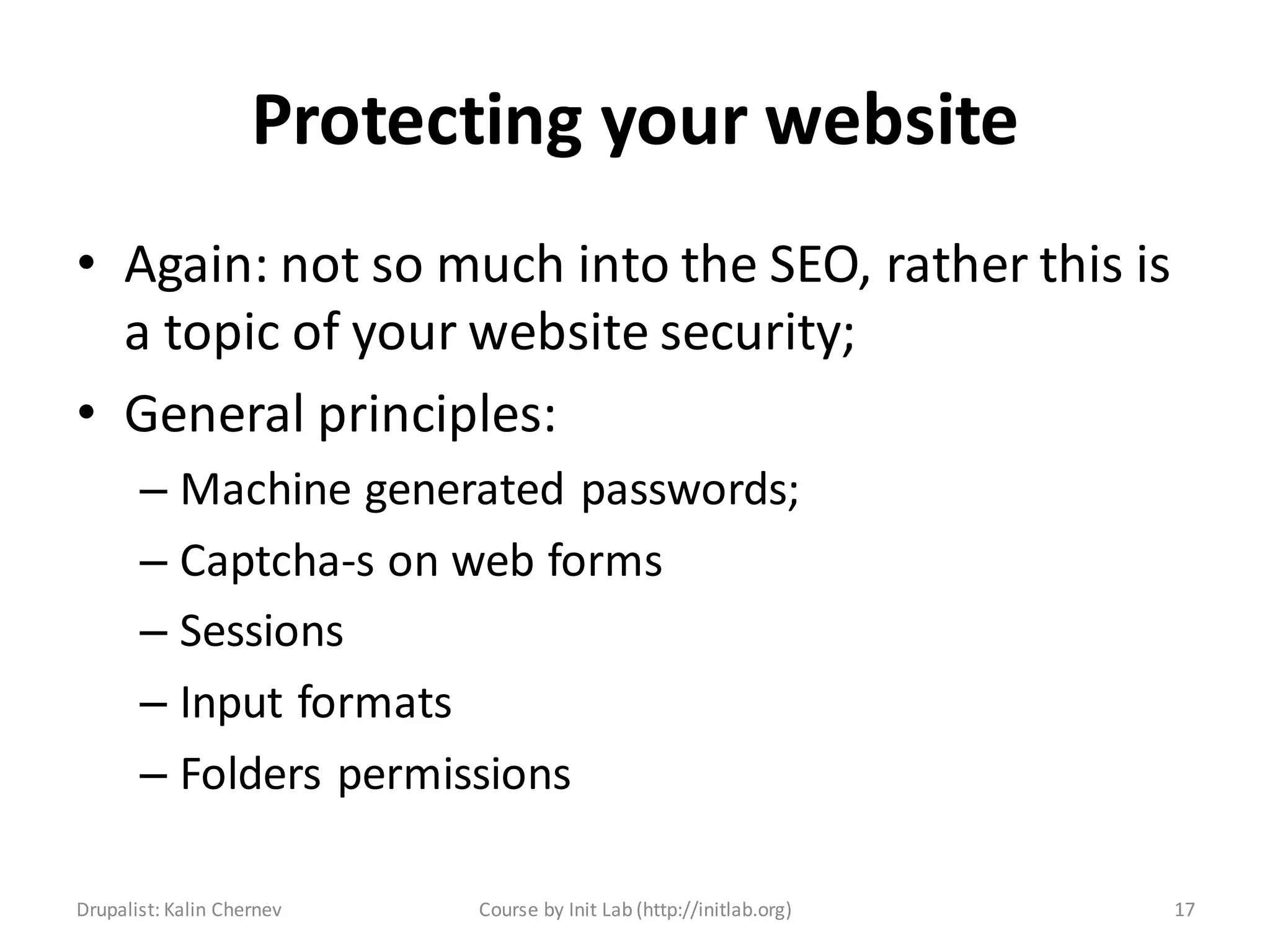
Protecting your website
• Again: not so much into the SEO, rather this is
  a topic of your website security;
• General principles:
       – Machine generated passwords;
       – Captcha-s on web forms
       – Sessions
       – Input formats
       – Folders permissions

Drupalist: Kalin Chernev   Course by Init Lab (http://initlab.org)   17
Geographic
• Haven’t used them so far
• Could be managed with the Meta tags module


Drupalist: Kalin Chernev   Course by Init Lab (http://initlab.org)   18
Performance
• Yes, your website performance is important
  for your better SEO results;
• Your website performance can be measured
  through you Google Webmaster Tools;
• There is a lecture about Performance 


Drupalist: Kalin Chernev    Course by Init Lab (http://initlab.org)   19
Time for questions


Drupalist: Kalin Chernev       Course by Init Lab (http://initlab.org)   20
Contacts
Kalin Chernev
       – E: kalata@shtrak.eu
       – T: twitter.com/kalinchernev
       – U: http://shtrak.eu/kalata


Drupalist: Kalin Chernev   Course by Init Lab (http://initlab.org)   21

Introduction to Drupal 7 - SEO

  • 1.
    Introduction to Drupal7 Bonus session Drupal SEO Drupalist: Kalin Chernev Course by Init Lab (http://initlab.org) 1
  • 2.
    Agenda • Drupal andSEO • SEO Checklist module • Other good practices Drupalist: Kalin Chernev Course by Init Lab (http://initlab.org) 2
  • 3.
    Drupal and SEO •As a content management system and framework, Drupal offers you great possibilities for on-page SEO optimizations; • On-page and/or off-page optimizations will not bring you any business results if your keywords research is not correctly • In our Drupal course scope, we will not deal with keywords research and targeting, only with the Drupal capabilities for SEO Drupalist: Kalin Chernev Course by Init Lab (http://initlab.org) 3
  • 4.
    SEO factors forsuccess - general Drupalist: Kalin Chernev Course by Init Lab (http://initlab.org) 4
  • 5.
    On-page factors forSEO success Drupalist: Kalin Chernev Course by Init Lab (http://initlab.org) 5
  • 6.
    Title, description andURL lengths Drupalist: Kalin Chernev Course by Init Lab (http://initlab.org) 6
  • 7.
    SEO Checklist • SEOChecklist was initially developed by Volacci and then ported by Blink Reaction • The module does not optimize your website by itself. It rather gives you a list of good modules to use to optimize your system. • You don’t need to install and configure all listed modules, only those you consider really useful for your project case Drupalist: Kalin Chernev Course by Init Lab (http://initlab.org) 7
  • 8.
    Using the SEOChecklist module • Administration > Configuration > Search and metadata > SEO Checklist • URL: admin/config/search/seochecklist Drupalist: Kalin Chernev Course by Init Lab (http://initlab.org) 8
  • 9.
    Page titles • Absolutelyvital to have • Requires the token module • The best pattern you can use is {page title} | {site name} • Put target keywords in the beginning • Avoid stop words as “in”, “the”, “at”, etc. • Good to be less than 65 symbols of length Drupalist: Kalin Chernev Course by Init Lab (http://initlab.org) 9
  • 10.
    URL paths • Anotherabsolutely important feature to setup – Clean URLs – removes the ‘?q=‘ from the URLs – Pathauto – sets good URLs based on tokens – Global redirect – removes the back slash ‘/’ from the end of URLs – avoids duplication – Redirect module – provides webmasters nice and healthy way to manage redirects • URLs are good if kept under 65 symbols overall Drupalist: Kalin Chernev Course by Init Lab (http://initlab.org) 10
  • 11.
    Search engine accounts •Google account is enough • Focus on optimization for google is pretty ok Drupalist: Kalin Chernev Course by Init Lab (http://initlab.org) 11
  • 12.
    Tracking your visitors •Google analytics tracking – With a module: Google Analytics Module; – The module will give you options – You can also paste the GA code directly in your html.tpl.php template file • Other tracking and analytics options: – Piwik; – Open web analytics; – Clicky; Drupalist: Kalin Chernev Course by Init Lab (http://initlab.org) 12
  • 13.
    Page content • Formeta tags management, Meta tags quick module is not good, better use Meta tags; • Scheduler module is good if you plan to publish a lot of content, and you want to do it time-based portions, better crawleability; • HTML Purifier – I wouldn’t use it honestly; • Search 404 – search instead of 404 errors; • Read more link – not really useful; • SEO Compliance Checker – useful sometimes, i.e. if your client is crazy on SEO topics; Drupalist: Kalin Chernev Course by Init Lab (http://initlab.org) 13
  • 14.
    Clean code • Websitevalidation with the http://validator.w3.org/ is good; if you don’t manage to clear all notifications and warnings, don’t worry; • Links validations with the http://validator.w3.org/checklink is also good, really try to clean this one Drupalist: Kalin Chernev Course by Init Lab (http://initlab.org) 14
  • 15.
    Submitting your website •Again: focus on Google! • Make use of the XML Sitemap module – this is the standard way to communicate changes to search engines with a site map; • Authenticate at Google Webmaster Tools and validate it in any way, no modules needed; • Submit your xml sitemap to Google • That’s it, no need for anything more! Drupalist: Kalin Chernev Course by Init Lab (http://initlab.org) 15
  • 16.
    Social media • Thisis not really so much SEO, more into the ORM (online reputation management); • If you have only 1-2 social media on your website, use them separately as widgets, no modules are needed; • If you have many social networks on you site, better use Add to Any service or any other service which combine them into 1 place; Drupalist: Kalin Chernev Course by Init Lab (http://initlab.org) 16
  • 17.
    Protecting your website •Again: not so much into the SEO, rather this is a topic of your website security; • General principles: – Machine generated passwords; – Captcha-s on web forms – Sessions – Input formats – Folders permissions Drupalist: Kalin Chernev Course by Init Lab (http://initlab.org) 17
  • 18.
    Geographic • Haven’t usedthem so far • Could be managed with the Meta tags module Drupalist: Kalin Chernev Course by Init Lab (http://initlab.org) 18
  • 19.
    Performance • Yes, yourwebsite performance is important for your better SEO results; • Your website performance can be measured through you Google Webmaster Tools; • There is a lecture about Performance  Drupalist: Kalin Chernev Course by Init Lab (http://initlab.org) 19
  • 20.
    Time for questions Drupalist:Kalin Chernev Course by Init Lab (http://initlab.org) 20
  • 21.
    Contacts Kalin Chernev – E: kalata@shtrak.eu – T: twitter.com/kalinchernev – U: http://shtrak.eu/kalata Drupalist: Kalin Chernev Course by Init Lab (http://initlab.org) 21