Guidelines and examples to plugin
development for continuous tracing and
advanced analysis using XrmToolBox
Jonas
Innofactor Sweden
Rapp
Plugin development for
analysis
Jonas Rapp var jonas = (WhoAmIResponse)service.Execute(new
WhoAmIRequest());
Head of Development, Innofactor SE
Cinteros
Developer
Since 1994, Dynamics CRM since 2009
XrmToolBox contributor
Since 2014
Speaker
2017: CRM Saturday, eXtreme365
MVP
2017
Twitter: @rappen
Email: jonas.rapp@innofactor.com
Blog: jonasrapp.innofactor.se
Audience var audience = (WhoAreYouResponse)service.Execute(new WhoAreYouRequest());
Developers?
C# Developers?
XrmToolBox users?
XrmToolBox contributors?
CRM Debuggers?
Plugin Trace Viewers?
Background
Living with the platform
– or –
Teaching a developer to love the handcuffs of Microsoft Dynamics CRM
The Handcuffs of CRM
From SW dev to MSDynCRM dev
You are not in control
Injecting our code
Can’t take back control
The black box is still black
And it is getting darker in the cloud
Have the box work for you
Improve monitoring, pick up signals
Hawking radiation emitted from a black
hole
Making the cuffs more comfortable
The Handcuffs of CRM
Create your radiation
Write logs
Throw correct exceptions
Relevant messages
try-catch for valid call stacks
Add noop triggers for
logging
Injectable contrast
Simplify development
Supporting libraries
Intialization of service etc
Embed logging
Deployment routines
Upload of webresources
Deployment of plugins
Export / import solutions
etc.
Introduction
Plugin investigation in Microsoft Dynamics 365
Plugin investigation options
Debugging
Plugin Profiler
Plugin Registration, record
context and “replay” during
debugging
Attach to process
Onprem only
Mocking context
Hard code mocked events,
communication with CRM
limited
Analyzing
OOTB Logging
Server Trace file
Plugin Trace Log
Custom Logging
File
Event viewer, External service
Custom entity
Plugin investigation options
Debugging
Concept
Try to reproduce bugs to monitor
behavior
Ad hoc mimicking – “watching
quarks”
Environment
Dev/Test
Access
Plugin Registration
Server process
Analyzing
Concept
Look at actual recorded events
Review history – “walk
backwards”
Environment
Any
Access
Onprem server access
Elevated user
Plugin Analysis – Out of the Box
Server Trace file
Onprem only, requires server access
Hard to see the forest through the trees
Plugin Trace Log
Sandboxed only
OOTB UX discouraging
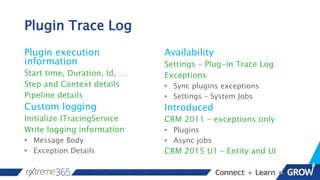
Plugin Trace Log
Plugin execution
information
Start time, Duration, Id, …
Step and Context details
Pipeline details
Custom logging
Initialize ITracingService
Write logging information
• Message Body
• Exception Details
Availability
Settings – Plug-in Trace Log
Exceptions
• Sync plugins exceptions
• Settings – System Jobs
Introduced
CRM 2011 – exceptions only
• Plugins
• Async jobs
CRM 2015 U1 – Entity and UI
Plugin Trace Log
Activation
System Setting
• Off
• Exceptions
• All
Written async
After execution completed
Considerations
Always on?
• Performance impact
Recurring bulk delete job!
• Default is provided
Detail level
• Message Block max 10k
Demo 1
Plugin Trace Log OOTB
Custom Tools
Making plugin investigation easier
Plugin Trace Log – 3rd Party Help
What
Plugin Trace Viewer
A tool in the “industry
standard” XrmToolBox
Alternative UI
Presenting information from
the Plugin Trace Log in a more
appetizing way
Purpose
Empower the Plugin Trace
Log
Filtering
Grouping
Quick-view
Empower YOU
Make it easy to find relevant
information from the log
Plugin Trace Log – Base class
What
Plugin base class
Implements IPlugin
Encapsulates target entity,
images, service, trace etc.
Custom service class
Implements
IOrganizationService
Writes log and timing to trace
Purpose
Make tracing seamless
Code as you always code
Get tracing for free
Streamline development
Focus on business logic, not
repetitive common tasks
Demo 2
Simple plugin using base class
First glance at the Plugin Trace Viewer
Context logging plugin
Correlation
A walk down memory lane
Plugin Trace Log – Correlation Id
What
Guid related to plugin
execution
Maintained through entire
pipeline
Stored in each trace log record
Available in IExecutionContext
How do events correlate?
Purpose
CRM Core
Used to prevent infinite loops
Plugin Trace Viewer
Follow execution chains
Trace events triggering events
Our breadcrumb trail in the
forest
Plugin Trace Viewer – Correlation Id
How
Identify log records with
same Id
Guids transposed to single
letters
No letter for single unique
records
Select all connected records
Filter by correlation id(s)
Purpose
Our breadcrumb trail
Cherry picking the trace log
Connect the dots
Originating from one (1) event
Demo 3
Correlation Id
Plugins triggering plugins
Exception origins
More analysis tools
Aggregated lifetime stats
Plugin Type Statistics
Organization Insights
Plugin Type Statistics
Aggregated stats about
plugins
Execution count
Failure count
Average execution time
Crash count and reasons
Cannot be reset
In CRM
Advanced Find, like any entity
In Plugin Trace Viewer
Show Statistics panel
Organization Insights
Availability
Preview Dashboard (being
replaced)
Marketplace Solution
(replacing)
Metrics about the instance
Activity statistics
Dimensions
Operations (CRUD)
Requests (Form, Report,
Dashboard)
Plugin (Executions, Failures)
Entity
User
Organization Insights – Preview
Dashboard
Organization Insights – Activity
Organization Insights – Plugins
References
Code
JonasPluginBase project https://github.com/rappen/JonasPluginBase
JonasPluginBase NuGet package https://www.nuget.org/packages/Rappen.Xrm.JonasPluginBase/
Samples from demo https://github.com/rappen/eXtreme365-2017-Plugin
CRM Ideas
Reset Plugin Type Statistics https://crmideas.dynamics.com/ideas/dynamics-crm/ID0001110
Define trace message block size https://crmideas.dynamics.com/ideas/dynamics-crm/ID0000599
Store milliseconds on traces https://crmideas.dynamics.com/ideas/dynamics-crm/ID0001056
Trace plugins not sandboxed https://crmideas.dynamics.com/ideas/dynamics-crm/ID0000942
Please vote 
Complete prior to the closing session to be included in the survey drawing!
LG TONE PLATINUM Wireless Stereo Headset
WEBSITE
Jonas Rapp, Innofactor
FILL OUT SURVEY THROUGH THE MOBILE APP
Thank you to our sponsors!

eXtreme365 - Plugin Development for Analysis

  • 1.
    Guidelines and examplesto plugin development for continuous tracing and advanced analysis using XrmToolBox Jonas Innofactor Sweden Rapp Plugin development for analysis
  • 2.
    Jonas Rapp varjonas = (WhoAmIResponse)service.Execute(new WhoAmIRequest()); Head of Development, Innofactor SE Cinteros Developer Since 1994, Dynamics CRM since 2009 XrmToolBox contributor Since 2014 Speaker 2017: CRM Saturday, eXtreme365 MVP 2017 Twitter: @rappen Email: jonas.rapp@innofactor.com Blog: jonasrapp.innofactor.se
  • 3.
    Audience var audience= (WhoAreYouResponse)service.Execute(new WhoAreYouRequest()); Developers? C# Developers? XrmToolBox users? XrmToolBox contributors? CRM Debuggers? Plugin Trace Viewers?
  • 4.
    Background Living with theplatform – or – Teaching a developer to love the handcuffs of Microsoft Dynamics CRM
  • 5.
    The Handcuffs ofCRM From SW dev to MSDynCRM dev You are not in control Injecting our code Can’t take back control The black box is still black And it is getting darker in the cloud Have the box work for you Improve monitoring, pick up signals Hawking radiation emitted from a black hole Making the cuffs more comfortable
  • 6.
    The Handcuffs ofCRM Create your radiation Write logs Throw correct exceptions Relevant messages try-catch for valid call stacks Add noop triggers for logging Injectable contrast Simplify development Supporting libraries Intialization of service etc Embed logging Deployment routines Upload of webresources Deployment of plugins Export / import solutions etc.
  • 7.
  • 8.
    Plugin investigation options Debugging PluginProfiler Plugin Registration, record context and “replay” during debugging Attach to process Onprem only Mocking context Hard code mocked events, communication with CRM limited Analyzing OOTB Logging Server Trace file Plugin Trace Log Custom Logging File Event viewer, External service Custom entity
  • 9.
    Plugin investigation options Debugging Concept Tryto reproduce bugs to monitor behavior Ad hoc mimicking – “watching quarks” Environment Dev/Test Access Plugin Registration Server process Analyzing Concept Look at actual recorded events Review history – “walk backwards” Environment Any Access Onprem server access Elevated user
  • 10.
    Plugin Analysis –Out of the Box Server Trace file Onprem only, requires server access Hard to see the forest through the trees Plugin Trace Log Sandboxed only OOTB UX discouraging
  • 11.
    Plugin Trace Log Pluginexecution information Start time, Duration, Id, … Step and Context details Pipeline details Custom logging Initialize ITracingService Write logging information • Message Body • Exception Details Availability Settings – Plug-in Trace Log Exceptions • Sync plugins exceptions • Settings – System Jobs Introduced CRM 2011 – exceptions only • Plugins • Async jobs CRM 2015 U1 – Entity and UI
  • 12.
    Plugin Trace Log Activation SystemSetting • Off • Exceptions • All Written async After execution completed Considerations Always on? • Performance impact Recurring bulk delete job! • Default is provided Detail level • Message Block max 10k
  • 13.
  • 14.
    Custom Tools Making plugininvestigation easier
  • 15.
    Plugin Trace Log– 3rd Party Help What Plugin Trace Viewer A tool in the “industry standard” XrmToolBox Alternative UI Presenting information from the Plugin Trace Log in a more appetizing way Purpose Empower the Plugin Trace Log Filtering Grouping Quick-view Empower YOU Make it easy to find relevant information from the log
  • 16.
    Plugin Trace Log– Base class What Plugin base class Implements IPlugin Encapsulates target entity, images, service, trace etc. Custom service class Implements IOrganizationService Writes log and timing to trace Purpose Make tracing seamless Code as you always code Get tracing for free Streamline development Focus on business logic, not repetitive common tasks
  • 17.
    Demo 2 Simple pluginusing base class First glance at the Plugin Trace Viewer Context logging plugin
  • 18.
  • 19.
    Plugin Trace Log– Correlation Id What Guid related to plugin execution Maintained through entire pipeline Stored in each trace log record Available in IExecutionContext How do events correlate? Purpose CRM Core Used to prevent infinite loops Plugin Trace Viewer Follow execution chains Trace events triggering events Our breadcrumb trail in the forest
  • 20.
    Plugin Trace Viewer– Correlation Id How Identify log records with same Id Guids transposed to single letters No letter for single unique records Select all connected records Filter by correlation id(s) Purpose Our breadcrumb trail Cherry picking the trace log Connect the dots Originating from one (1) event
  • 21.
    Demo 3 Correlation Id Pluginstriggering plugins Exception origins
  • 22.
    More analysis tools Aggregatedlifetime stats Plugin Type Statistics Organization Insights
  • 23.
    Plugin Type Statistics Aggregatedstats about plugins Execution count Failure count Average execution time Crash count and reasons Cannot be reset In CRM Advanced Find, like any entity In Plugin Trace Viewer Show Statistics panel
  • 24.
    Organization Insights Availability Preview Dashboard(being replaced) Marketplace Solution (replacing) Metrics about the instance Activity statistics Dimensions Operations (CRUD) Requests (Form, Report, Dashboard) Plugin (Executions, Failures) Entity User
  • 25.
    Organization Insights –Preview Dashboard
  • 26.
  • 27.
  • 28.
  • 29.
    Code JonasPluginBase project https://github.com/rappen/JonasPluginBase JonasPluginBaseNuGet package https://www.nuget.org/packages/Rappen.Xrm.JonasPluginBase/ Samples from demo https://github.com/rappen/eXtreme365-2017-Plugin CRM Ideas Reset Plugin Type Statistics https://crmideas.dynamics.com/ideas/dynamics-crm/ID0001110 Define trace message block size https://crmideas.dynamics.com/ideas/dynamics-crm/ID0000599 Store milliseconds on traces https://crmideas.dynamics.com/ideas/dynamics-crm/ID0001056 Trace plugins not sandboxed https://crmideas.dynamics.com/ideas/dynamics-crm/ID0000942 Please vote 
  • 30.
    Complete prior tothe closing session to be included in the survey drawing! LG TONE PLATINUM Wireless Stereo Headset WEBSITE Jonas Rapp, Innofactor FILL OUT SURVEY THROUGH THE MOBILE APP
  • 31.
    Thank you toour sponsors!

Editor's Notes