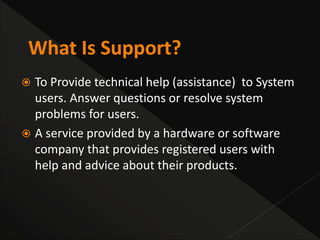




 To Provide technical help (assistance) to System
users. Answer questions or resolve system
problems for users.
 A service provided by a hardware or software
company that provides registered users with
help and advice about their products.
Quick Guide With
Cell-Phone For User
Support
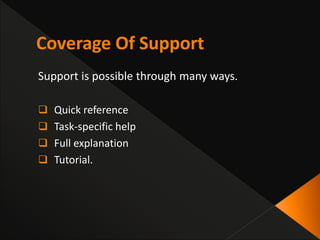
Support is possible through many ways.
 Quick reference
 Task-specific help
 Full explanation
 Tutorial.
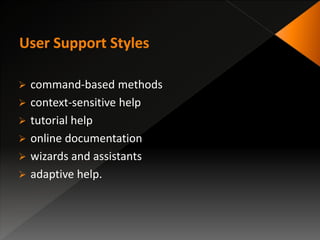
 command-based methods
 context-sensitive help
 tutorial help
 online documentation
 wizards and assistants
 adaptive help.
 Designing a good help system needs to understand
some features that help system should have.
 Using all of these help features is not compulsory for
a system.
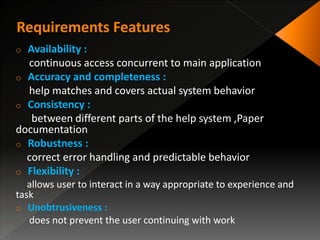
o Availability :
continuous access concurrent to main application
o Accuracy and completeness :
help matches and covers actual system behavior
o Consistency :
between different parts of the help system ,Paper
documentation
o Robustness :
correct error handling and predictable behavior
o Flexibility :
allows user to interact in a way appropriate to experience and
task
o Unobtrusiveness :
does not prevent the user continuing with work
o The user needs to be able to access help at any time
during his interaction with the system.
o He should not have to quit the application he is
working on in order to open the help application.
o It may seem obvious to state that the assistance
provided should be accurate and complete.
 If the assistance provided proves not to match the
actual behavior of the system the user will, at best,
become disillusioned with the help facilities, and, at
worst, get into difficulties.
o The completeness also is very important.
o Users require different types of help for different
purposes.
 This implies that a help system may incorporate a
number of parts.
 The help provided by each of these must be
consistent with all the others and within itself
o Online help should also be consistent with paper
documentation.
 It should be consistent in terms of content,
terminology and style of presentation.
o Help systems are often used by people who are in
difficulty, perhaps because the system is behaving
unexpectedly or has failed altogether.
o It is important then that the help system itself should
be robust, both by correct error handling and
predictable behavior.
o Many help systems are rigid in that they will
produce the same help message regardless of the
expertise of the person seeking help or the
context in which they are working.
o A flexible help system will allow each user to
interact with it in a way appropriate to his needs.
o The help system should not prevent the user from
continuing with normal work, nor should it
interfere with the user’s application.
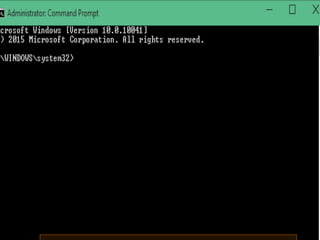
01- Command assistance
 User requests help on particular command
e.g., UNIX man, DOS help
 Good for quick reference
 Assumes user know what to look for
o This type of help is simple and efficient if the user knows
what he wants to know about and is seeking either a
reminder or more detailed information.
o However, it assumes that the user does know what he is
looking for, which is often not the case.
02-Command prompts
 Provide information about correct usage when an error occurs
 Good for simple syntactic errors
 Also assumes knowledge of the command
• Another form of command prompting, which is not specifically
intended to provide help but which supports the user to a
limited degree, is the use of menus and selectable icons.
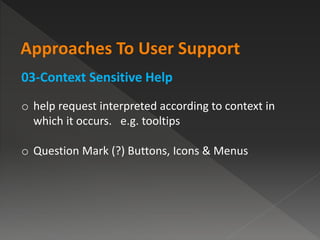
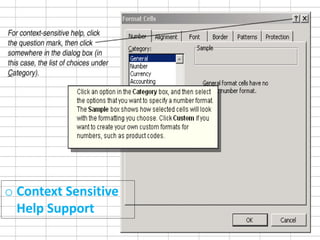
03-Context Sensitive Help
o help request interpreted according to context in
which it occurs. e.g. tooltips
o Question Mark (?) Buttons, Icons & Menus
o Context Sensitive
Help Support
04-On-line Tutorials
o User works through basics of application in a test
environment.
o Can be useful but are often inflexible.
05-On-line documentation
o Paper documentation is made available on computer.
o Continually available in common medium
o Can be difficult to browse
o Hypertext used to support browsing.
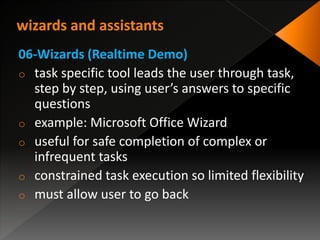
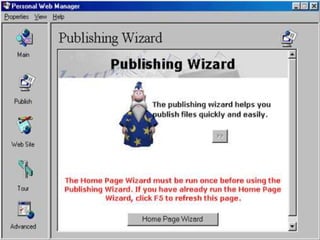
06-Wizards (Realtime Demo)
o task specific tool leads the user through task,
step by step, using user’s answers to specific
questions
o example: Microsoft Office Wizard
o useful for safe completion of complex or
infrequent tasks
o constrained task execution so limited flexibility
o must allow user to go back
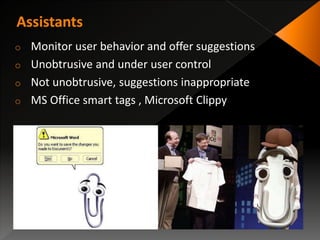
o Monitor user behavior and offer suggestions
o Unobtrusive and under user control
o Not unobtrusive, suggestions inappropriate
o MS Office smart tags , Microsoft Clippy
o Adaptive help is a special case of a general class of
interactive systems, known as intelligent systems.
o Different users will have different needs and levels
of understanding.
o Adaptive help systems attempt to address these
problems.
o The goal of adaptive help systems is to provide
personalized help to users working with complex
interfaces.
o knowledge requirements considerable
o who has control of the interaction?
o what should be adapted?
o what is the scope of the adaptation?
 Knowledge-representation is the field of artificial intelligence
that focuses on designing computer representations that
capture information about the world that can be used to
solve complex problems.
 The main goal of user modeling is customization
and adaptation of systems to the user's specific needs.
 Simple examples of this are browser or email preferences
that can adjust certain parameters of the system to the
requirements of the user.
 Quantification
• User moves between levels of expertise
• Based on quantitative measure of what he knows.
 Stereotypes
• User is classified into a particular category.
 Overlay models
• Idealized model of expert use is constructed
• Actual use compared to ideal
• Model may contain the commonality or difference
Knowledge representation: Domain and Task
Modeling
 All adaptive help systems must have some knowledge of the
system itself.
 In order to provide relevant and appropriate advice.
Knowledge representation: Modeling Advisory
Strategy
 Involves choosing the correct style of advice for a given
situation.
e.g. reminder, tutorial, etc.
 Few intelligent help systems model advisory strategy, but
choice of strategy is still important.
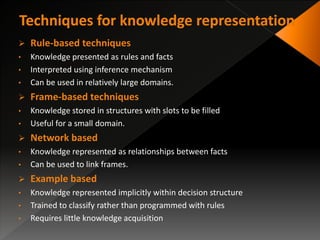
 Rule-based techniques
• Knowledge presented as rules and facts
• Interpreted using inference mechanism
• Can be used in relatively large domains.
 Frame-based techniques
• Knowledge stored in structures with slots to be filled
• Useful for a small domain.
 Network based
• Knowledge represented as relationships between facts
• Can be used to link frames.
 Example based
• Knowledge represented implicitly within decision structure
• Trained to classify rather than programmed with rules
• Requires little knowledge acquisition
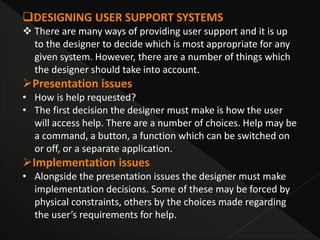
DESIGNING USER SUPPORT SYSTEMS
 There are many ways of providing user support and it is up
to the designer to decide which is most appropriate for any
given system. However, there are a number of things which
the designer should take into account.
Presentation issues
• How is help requested?
• The first decision the designer must make is how the user
will access help. There are a number of choices. Help may be
a command, a button, a function which can be switched on
or off, or a separate application.
Implementation issues
• Alongside the presentation issues the designer must make
implementation decisions. Some of these may be forced by
physical constraints, others by the choices made regarding
the user’s requirements for help.
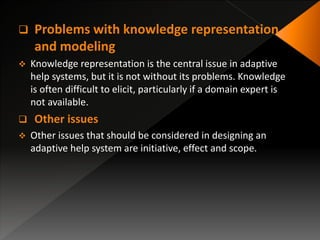
 Problems with knowledge representation
and modeling
 Knowledge representation is the central issue in adaptive
help systems, but it is not without its problems. Knowledge
is often difficult to elicit, particularly if a domain expert is
not available.
 Other issues
 Other issues that should be considered in designing an
adaptive help system are initiative, effect and scope.
Arslan Khan
(3871)
Muhammad Umair
(3825)
Umar Farooq
(3856)
Irfan Haidar
(3897)
Thank You
Contact: brainplayers@yahoo.com

User Support

  • 3.
     To Providetechnical help (assistance) to System users. Answer questions or resolve system problems for users.  A service provided by a hardware or software company that provides registered users with help and advice about their products.
  • 4.
  • 5.
    Support is possiblethrough many ways.  Quick reference  Task-specific help  Full explanation  Tutorial.
  • 6.
     command-based methods context-sensitive help  tutorial help  online documentation  wizards and assistants  adaptive help.
  • 7.
     Designing agood help system needs to understand some features that help system should have.  Using all of these help features is not compulsory for a system.
  • 8.
    o Availability : continuousaccess concurrent to main application o Accuracy and completeness : help matches and covers actual system behavior o Consistency : between different parts of the help system ,Paper documentation o Robustness : correct error handling and predictable behavior o Flexibility : allows user to interact in a way appropriate to experience and task o Unobtrusiveness : does not prevent the user continuing with work
  • 9.
    o The userneeds to be able to access help at any time during his interaction with the system. o He should not have to quit the application he is working on in order to open the help application.
  • 10.
    o It mayseem obvious to state that the assistance provided should be accurate and complete.  If the assistance provided proves not to match the actual behavior of the system the user will, at best, become disillusioned with the help facilities, and, at worst, get into difficulties. o The completeness also is very important.
  • 11.
    o Users requiredifferent types of help for different purposes.  This implies that a help system may incorporate a number of parts.  The help provided by each of these must be consistent with all the others and within itself o Online help should also be consistent with paper documentation.  It should be consistent in terms of content, terminology and style of presentation.
  • 12.
    o Help systemsare often used by people who are in difficulty, perhaps because the system is behaving unexpectedly or has failed altogether. o It is important then that the help system itself should be robust, both by correct error handling and predictable behavior.
  • 13.
    o Many helpsystems are rigid in that they will produce the same help message regardless of the expertise of the person seeking help or the context in which they are working. o A flexible help system will allow each user to interact with it in a way appropriate to his needs.
  • 14.
    o The helpsystem should not prevent the user from continuing with normal work, nor should it interfere with the user’s application.
  • 15.
    01- Command assistance User requests help on particular command e.g., UNIX man, DOS help  Good for quick reference  Assumes user know what to look for o This type of help is simple and efficient if the user knows what he wants to know about and is seeking either a reminder or more detailed information. o However, it assumes that the user does know what he is looking for, which is often not the case.
  • 17.
    02-Command prompts  Provideinformation about correct usage when an error occurs  Good for simple syntactic errors  Also assumes knowledge of the command • Another form of command prompting, which is not specifically intended to provide help but which supports the user to a limited degree, is the use of menus and selectable icons.
  • 18.
    03-Context Sensitive Help ohelp request interpreted according to context in which it occurs. e.g. tooltips o Question Mark (?) Buttons, Icons & Menus
  • 19.
  • 20.
    04-On-line Tutorials o Userworks through basics of application in a test environment. o Can be useful but are often inflexible.
  • 21.
    05-On-line documentation o Paperdocumentation is made available on computer. o Continually available in common medium o Can be difficult to browse o Hypertext used to support browsing.
  • 23.
    06-Wizards (Realtime Demo) otask specific tool leads the user through task, step by step, using user’s answers to specific questions o example: Microsoft Office Wizard o useful for safe completion of complex or infrequent tasks o constrained task execution so limited flexibility o must allow user to go back
  • 25.
    o Monitor userbehavior and offer suggestions o Unobtrusive and under user control o Not unobtrusive, suggestions inappropriate o MS Office smart tags , Microsoft Clippy
  • 26.
    o Adaptive helpis a special case of a general class of interactive systems, known as intelligent systems. o Different users will have different needs and levels of understanding. o Adaptive help systems attempt to address these problems. o The goal of adaptive help systems is to provide personalized help to users working with complex interfaces.
  • 27.
    o knowledge requirementsconsiderable o who has control of the interaction? o what should be adapted? o what is the scope of the adaptation?
  • 28.
     Knowledge-representation isthe field of artificial intelligence that focuses on designing computer representations that capture information about the world that can be used to solve complex problems.  The main goal of user modeling is customization and adaptation of systems to the user's specific needs.  Simple examples of this are browser or email preferences that can adjust certain parameters of the system to the requirements of the user.
  • 29.
     Quantification • Usermoves between levels of expertise • Based on quantitative measure of what he knows.  Stereotypes • User is classified into a particular category.  Overlay models • Idealized model of expert use is constructed • Actual use compared to ideal • Model may contain the commonality or difference
  • 30.
    Knowledge representation: Domainand Task Modeling  All adaptive help systems must have some knowledge of the system itself.  In order to provide relevant and appropriate advice. Knowledge representation: Modeling Advisory Strategy  Involves choosing the correct style of advice for a given situation. e.g. reminder, tutorial, etc.  Few intelligent help systems model advisory strategy, but choice of strategy is still important.
  • 31.
     Rule-based techniques •Knowledge presented as rules and facts • Interpreted using inference mechanism • Can be used in relatively large domains.  Frame-based techniques • Knowledge stored in structures with slots to be filled • Useful for a small domain.  Network based • Knowledge represented as relationships between facts • Can be used to link frames.  Example based • Knowledge represented implicitly within decision structure • Trained to classify rather than programmed with rules • Requires little knowledge acquisition
  • 32.
    DESIGNING USER SUPPORTSYSTEMS  There are many ways of providing user support and it is up to the designer to decide which is most appropriate for any given system. However, there are a number of things which the designer should take into account. Presentation issues • How is help requested? • The first decision the designer must make is how the user will access help. There are a number of choices. Help may be a command, a button, a function which can be switched on or off, or a separate application. Implementation issues • Alongside the presentation issues the designer must make implementation decisions. Some of these may be forced by physical constraints, others by the choices made regarding the user’s requirements for help.
  • 33.
     Problems withknowledge representation and modeling  Knowledge representation is the central issue in adaptive help systems, but it is not without its problems. Knowledge is often difficult to elicit, particularly if a domain expert is not available.  Other issues  Other issues that should be considered in designing an adaptive help system are initiative, effect and scope.
  • 34.
    Arslan Khan (3871) Muhammad Umair (3825) UmarFarooq (3856) Irfan Haidar (3897)
  • 35.