WEBINAR
Migrating to Magento 2 with ease
Presented by:
Stephen McNairn, Senior Project Manager
Paal Soberg, Magento Solution Consultant
Enterprise
Community
Enterprise Cloud
Commerce
Open Source
Cloud
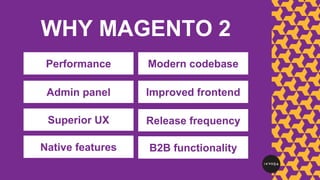
Performance
WHY MAGENTO 2
Admin panel
Superior UX
Native features
Modern codebase
Improved frontend
Release frequency
B2B functionality
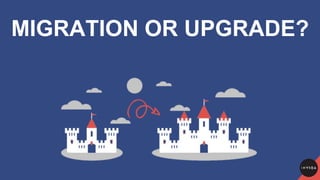
MIGRATION OR UPGRADE?
FEAR
NOT
BEFORE
YOU DO ANYTHING...
Strong business case
Clear business goal
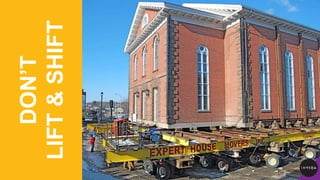
DON’T
LIFT&SHIFT
CLEAR
OUT
TIME FOR A
REQUIREMENTS
CAPTURE
BUSINESS NEED
● Analytics deep dive
● Live customer feedback
● Validate use of the site
BUT HOW?
MoSCoWMust have, Should have, Could have, Won’t have
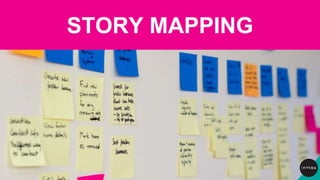
STORY MAPPING
COMMODITY
FEATURES
RISK
MITIGATE
FE RISKS
Pixel perfection?
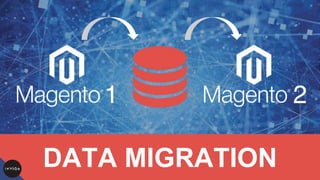
DATA MIGRATION
TESTING
DRIVING INNOVATION
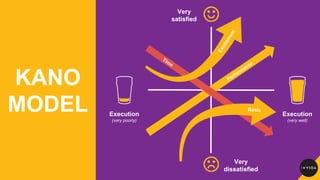
KANO
MODEL Execution
(very poorly)
Execution
(very well)
Very
satisfied
Very
dissatisfied
ABOUT INVIQA (formerly Session Digital)
CLIENTS
Trusted partner across a
wide range of sectors,
experts in:
● B2B
● D2C
● Fashion & luxury
● Media &
publishing
● Retail
● Sport, leisure &
entertainment

Migrating to Magento 2

Editor's Notes

  • #2  The subject of this presentation, based on a webinar by digital agency and consultancy Inviqa is how to smooth your migration from Magento 1 to Magento 2 Insight shared here will also be useful for those of you considering a move to Magento 2 from a different platform altogether Magento 1 is heading into end of life, so no improvements will be made to the platform and support will slowly decline That’s why now is the time to start making decisions about your next steps Head here on YouTube for a recording of the webinar this presentation is based on: http://invi.qa/2zCW6Dm Head here for an accompanying post on migrating to Magento 2: http://invi.qa/2yrvJkn
  • #3 Before we get into the meat of the presentation, it’s worth noting that Magento has recently renamed its products To avoid any confusion, note that: Magento Enterprise is now referred to as ‘Magento Commerce’; Magento Community Edition has renamed into Magento Open Source; and Magento Cloud is now part of the Magento Commerce suite
  • #4  Magento 2 is a significant set-up from Magento 1 and offers superior usability and performance Key features include a new backend admin panel, enhanced UX for admin users, a better native frontend, more native features, and improved B2B functionality
  • #5 Moving from Magento 1 to Magento 2 is not a straightforward upgrade and has more in common with a replatforming project than an upgrade It’s important to understand that an M1-M2 ‘migration’ is essentially a re-build project Magento 2 is very different to Magento 1 versions, which means custom work on your current site will need to be reproduced for the new store (as opposed to just being moved over) For in-house Magento developers, getting to grips with Magento 2 is quite a leap. Magento 2 offers a much more modern codebase, and if you’re familiar with Magento 1, you’ll need to change your dev approach As with any digital investment, the success of your project will come down to careful planning and assessment of your business requirements We recommend that this is conducted as part of a detailed Discovery process So yes, you are going to re-build your site from scratch But FEAR NOT...
  • #6 There are great advantages to sticking with Magento as opposed to choosing a whole new platform And there are a lot of things that will make the re-build a lot easier: The Magento 2 platform still feels much like Magento 1 and has lots of admin improvements, so you won’t have to re-learn it Magento 2 offers a lot more out-of-the-box functionality, including B2B Magento’s Data Migration Tool simplifies the task of transferring data and checking its consistency to a new Magento 2 site
  • #7 Ensure you have strong business case before you do anything Define clear business goal We always recommend that you release light and release early Resist temptation to add too many features in the first release You will learn more about your platform once live Capture real feedback and analytics Retain budget to innovate and strengthen post go-live Make informed decisions and base choices on data, not assumptions Take a ‘minimum viable product’ (MVP) approach; ‘users have got used to X functionality’ is not reason enough to keep a feature
  • #8 Approaching your Magento 2 migration as a straight port of your Magento 1 platform’s features to the new platform may seem like a lower-risk option But it’s easy to make incorrect assumptions about how things work; you may not know or recall why something was built in the first place, for example There’s a risk then of spending budget building things that don’t add business value So recreating your old system is not benefiting from the new If mimicking a feature on your old site doesn’t give you a genuine, measurable advantage over your competitors, it may be better to adapt that feature to work in the context of your new platform, saving budget, and enabling you to innovate in other areas It’s better to think in terms of the key business processes and business value you want to bring to the new platform
  • #9 An ecommerce upgrade is great opportunity to strip out obsolete code and unused features, so see this as an opportunity to ‘clean up’ A big issue for merchants looking to move their Magento 1 store to Magento 2 is the cost associated with replicating existing functionality when there aren’t equivalent Magento 2 extensions – things like gateway and checkout extensions Their reasoning for duplicating this functionality is often just because it was there before and customers are used to it, but can add significant cost to the project Review which bits of functionality are actually needed. Chances are you have some functionality that isn’t used enough to justify spending budget on upgrading extensions, or carrying out work to ensure compatibility. The more that can be dropped, the less there might be to upgrade, which means lower costs Conduct thorough data and user analysis on your current site to check the usage of your bespoke functionality Be strict, and don’t migrate / re-develop unused functionality Review existing business processes and take the opportunity for change if required Your requirement may be partly matched by a native feature Customising features can be costly, so can you compromise on your requirement? Can you still get value without customising a feature? In some cases you need to customise or add functionality to provide value to your business / store
  • #10 What’s the best way to identify requirements?
  • #11 Do an analytics deep dive Get customer feedback Validate use of the site Which features earn you the most revenue? Which processes incur the most costs? How many customer actually use your wish-list, my account, order history? Which pages are most visited? How is search used?
  • #12 MoSCoW (Must have, Should have, Could have, Won’t have) is reductive nature and tends to formalise expectations early in delivery meaning, so it’s best used carefully
  • #13 When planning a platform migration, building a user story map can be a highly effective way of capturing the high-level needs of a platform while tying those needs into value for users of the system. At its simplest form it’s about identifying specific user goals from which you derive activities, tasks, and user stories that deliver on that goal As they’re collaborative in nature, and often cut across departments and business functions, they are a more effective way of creating a shared understanding of what needs to be delivered by the migration. They enable you to understand what the minimum, go-live version of your new platform looks like, allowing you to use this to plan releases
  • #14 Minimise spend on commodity features: Features that a user expects to be there Features that do not provide differentiation Features that do not give you a competitive advantage Do them as cheaply as possible or not at all A commodity feature for one business CAN be a differentiator for you (e.g. store locator) Now you have captured the needs of the system there are decisions to make as to how the business value is best delivered At each point on the map you should ask: Does M2 deliver this value without customisation? Is functionality included? If not, can you adapt your business processes to work in the way that’s required by Magento 2? If not, and customisation is required, does the return for that feature justify the investment? Ask these question to minimise the amount of customisation needed to implement what are often commodity features. Your business should be looking for the cheapest and easiest ways of delivering the value, rather than the feature
  • #15 Risk mitigation is one of the most important things in an ecommerce replatform project Your ecommerce system touches business-critical systems; many business processes will be baked into the platform, and it’s often the main customer touchpoints Done incorrectly, your ecommerce replatform can escalate in costs
  • #16 Beware of scope creep through design, especially when working with third parties Implied functionality through PSD Rich interfaces = manual process Remember that the business will have many years to refine the UX, but you only get one chance to re-platform Do you need Pixel perfection? Think about driving quality where it counts The style guide > The PSD Avoid subjective ‘defects’ and changes Use data and analytics post launch to make UX decisions
  • #17 Have a plan for data migration What needs migrating? Historical orders Addresses Profiles Passwords URL structure Content (articles) Products Take advantage of Magento’s data migration tool for Magento 1 to Magento 2 Get a handle on migration early as possible; all migrations will be different from each other Do delta migration closer to go-live to get latest data Ensure you test through-out and don’t leave to last minute
  • #18 Quality assurance (QA) testing time must also be factored in to ensure all main user journeys (customers and admin users) are not negatively impacted by upgrade work. Testing is a huge part of a replatforming project and needs to be planned and factored into every stage Ongoing testing throughout build User journey testing / regression testing; user acceptance testing
  • #19 You have limited budget, resources, and energy to invest in your ecommerce migration, but ensure you leave enough to invest in innovation once the new site is live
  • #20 The Kano model, developed in the 1980s by Noriaki Kano, provides a useful way to view migration projects It highlights the difference between basic ‘cost of entry’ features and those that ‘excite’ or ‘delight’ end users To take full advantage of a platform migration we should minimise the effort spent on non-differentiating features while retaining enough budget to experiment and innovate in areas that will genuinely differentiate you from their competitors
  • #21  Questions? Get in touch to discuss your business needs and how we can support your digital development http://invi.qa/2dWV6C3 Inviqa is a digital agency and consultancy specialised in ecommerce, content management, and custom software development You might formerly know us as Session Digital, because 18 months ago we unified Session Digital, Inviqa, and iKOS under the Inviqa brand When it comes to Magento, our track record goes right back to the beginning. 10 years ago, we became the first Magento Commerce partner in the UK, we’re a member of the Magento Global Solution Partner Council, and we’re also on the Magento Certification Advisory Board With lots of Magento certifications under our belt, we’re a Magento 2 Trained Solution Partner Over a year ago now, we were selected as one of just a handful of partners to take part in the Magento 2 beta program before its general release As part of that, we launched the UK’s first Magento 2 sites with Byredo and Graze.com
  • #22 Head here to see the great set of clients we’re proud to work with: http://invi.qa/2qMNysl