
Retrofit
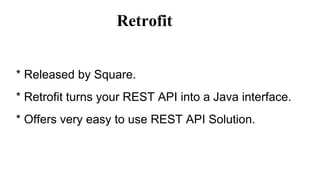
* Released by Square.
* Retrofit turns your REST API into a Java interface.
* Offers very easy to use REST API Solution.
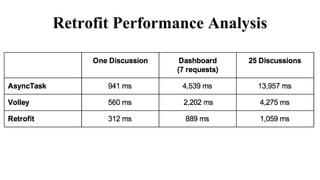
Retrofit Performance Analysis
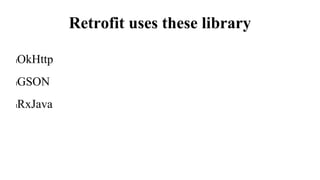
Retrofit uses these library
lOkHttp
lGSON
lRxJava
GSON
lConversion of an object to json or from json to object.
lAll the fields by default are included in conversions even
private fields
lIf don’t want to include the field in conversion, use
transient modifier for that field
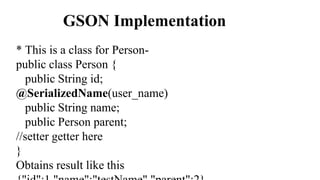
GSON Implementation
* This is a class for Person-
public class Person {
public String id;
@SerializedName(user_name)
public String name;
public Person parent;
//setter getter here
}
Obtains result like this
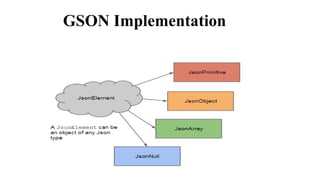
GSON Implementation
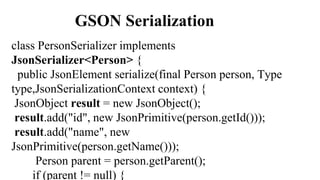
GSON Serialization
class PersonSerializer implements
JsonSerializer<Person> {
public JsonElement serialize(final Person person, Type
type,JsonSerializationContext context) {
JsonObject result = new JsonObject();
result.add("id", new JsonPrimitive(person.getId()));
result.add("name", new
JsonPrimitive(person.getName()));
Person parent = person.getParent();
if (parent != null) {
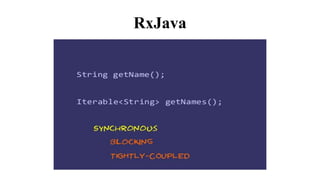
RxJava
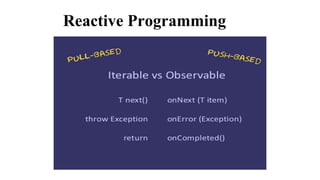
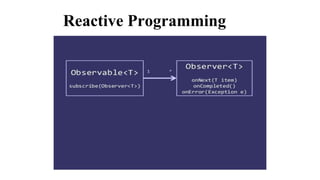
Reactive Programming
Retrofit
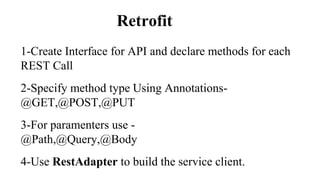
1-Create Interface for API and declare methods for each
REST Call
2-Specify method type Using Annotations-
@GET,@POST,@PUT
3-For paramenters use -
@Path,@Query,@Body
4-Use RestAdapter to build the service client.
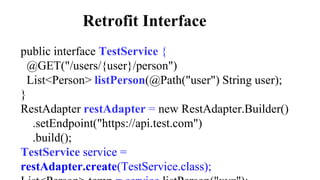
Retrofit Interface
public interface TestService {
@GET("/users/{user}/person")
List<Person> listPerson(@Path("user") String user);
}
RestAdapter restAdapter = new RestAdapter.Builder()
.setEndpoint("https://api.test.com")
.build();
TestService service =
restAdapter.create(TestService.class);
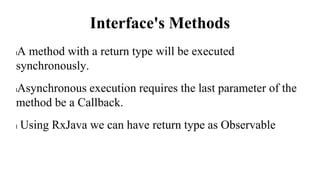
Interface's Methods
lA method with a return type will be executed
synchronously.
lAsynchronous execution requires the last parameter of the
method be a Callback.
l Using RxJava we can have return type as Observable
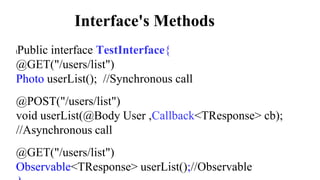
Interface's Methods
lPublic interface TestInterface{
@GET("/users/list")
Photo userList(); //Synchronous call
@POST("/users/list")
void userList(@Body User ,Callback<TResponse> cb);
//Asynchronous call
@GET("/users/list")
Observable<TResponse> userList();//Observable
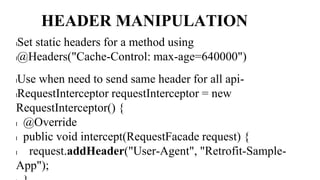
HEADER MANIPULATION
lSet static headers for a method using
l@Headers("Cache-Control: max-age=640000")
lUse when need to send same header for all api-
lRequestInterceptor requestInterceptor = new
RequestInterceptor() {
l @Override
l public void intercept(RequestFacade request) {
l request.addHeader("User-Agent", "Retrofit-Sample-
App");
Retrofit Implementation
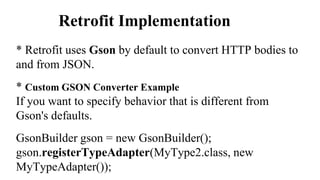
* Retrofit uses Gson by default to convert HTTP bodies to
and from JSON.
* Custom GSON Converter Example
If you want to specify behavior that is different from
Gson's defaults.
GsonBuilder gson = new GsonBuilder();
gson.registerTypeAdapter(MyType2.class, new
MyTypeAdapter());
Retrofit Implementation
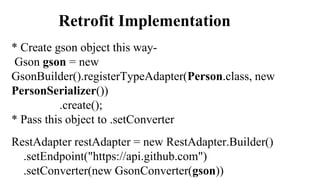
* Create gson object this way-
Gson gson = new
GsonBuilder().registerTypeAdapter(Person.class, new
PersonSerializer())
.create();
* Pass this object to .setConverter
RestAdapter restAdapter = new RestAdapter.Builder()
.setEndpoint("https://api.github.com")
.setConverter(new GsonConverter(gson))
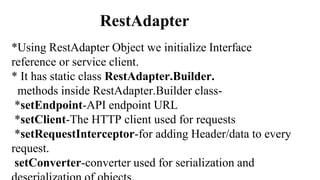
RestAdapter
*Using RestAdapter Object we initialize Interface
reference or service client.
* It has static class RestAdapter.Builder.
methods inside RestAdapter.Builder class-
*setEndpoint-API endpoint URL
*setClient-The HTTP client used for requests
*setRequestInterceptor-for adding Header/data to every
request.
setConverter-converter used for serialization and
Retrofit Implementation
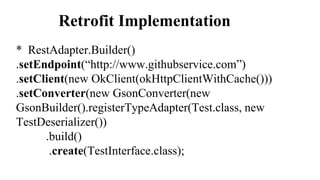
* RestAdapter.Builder()
.setEndpoint(“http://www.githubservice.com”)
.setClient(new OkClient(okHttpClientWithCache()))
.setConverter(new GsonConverter(new
GsonBuilder().registerTypeAdapter(Test.class, new
TestDeserializer())
.build()
.create(TestInterface.class);
Retrofit Implementation
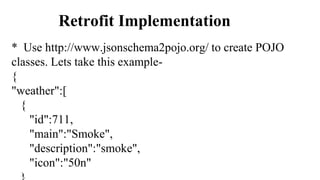
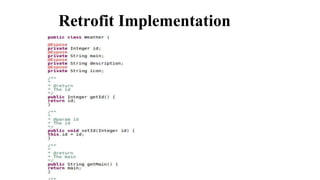
* Use http://www.jsonschema2pojo.org/ to create POJO
classes. Lets take this example-
{
"weather":[
{
"id":711,
"main":"Smoke",
"description":"smoke",
"icon":"50n"
Retrofit Implementation
Implementaion
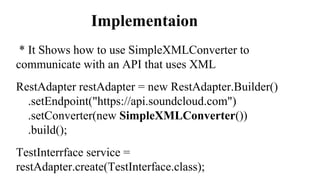
* It Shows how to use SimpleXMLConverter to
communicate with an API that uses XML
RestAdapter restAdapter = new RestAdapter.Builder()
.setEndpoint("https://api.soundcloud.com")
.setConverter(new SimpleXMLConverter())
.build();
TestInterrface service =
restAdapter.create(TestInterface.class);
THANK YOU
l
Contact Cumulations
Are you looking for a mobile apps development team who can understand your business
requirement & develop a user-centric apps?
Email: sales@cumulations.com
Visit us at: http://www.cumulations.com/
Let’s Talk

Retrofit Technology Overview by Cumulations Technologies

  • 1.
    Retrofit * Released bySquare. * Retrofit turns your REST API into a Java interface. * Offers very easy to use REST API Solution.
  • 2.
  • 3.
    Retrofit uses theselibrary lOkHttp lGSON lRxJava
  • 4.
    GSON lConversion of anobject to json or from json to object. lAll the fields by default are included in conversions even private fields lIf don’t want to include the field in conversion, use transient modifier for that field
  • 5.
    GSON Implementation * Thisis a class for Person- public class Person { public String id; @SerializedName(user_name) public String name; public Person parent; //setter getter here } Obtains result like this
  • 6.
  • 7.
    GSON Serialization class PersonSerializerimplements JsonSerializer<Person> { public JsonElement serialize(final Person person, Type type,JsonSerializationContext context) { JsonObject result = new JsonObject(); result.add("id", new JsonPrimitive(person.getId())); result.add("name", new JsonPrimitive(person.getName())); Person parent = person.getParent(); if (parent != null) {
  • 8.
  • 9.
  • 10.
  • 11.
  • 12.
    Retrofit 1-Create Interface forAPI and declare methods for each REST Call 2-Specify method type Using Annotations- @GET,@POST,@PUT 3-For paramenters use - @Path,@Query,@Body 4-Use RestAdapter to build the service client.
  • 13.
    Retrofit Interface public interfaceTestService { @GET("/users/{user}/person") List<Person> listPerson(@Path("user") String user); } RestAdapter restAdapter = new RestAdapter.Builder() .setEndpoint("https://api.test.com") .build(); TestService service = restAdapter.create(TestService.class);
  • 14.
    Interface's Methods lA methodwith a return type will be executed synchronously. lAsynchronous execution requires the last parameter of the method be a Callback. l Using RxJava we can have return type as Observable
  • 15.
    Interface's Methods lPublic interfaceTestInterface{ @GET("/users/list") Photo userList(); //Synchronous call @POST("/users/list") void userList(@Body User ,Callback<TResponse> cb); //Asynchronous call @GET("/users/list") Observable<TResponse> userList();//Observable
  • 16.
    HEADER MANIPULATION lSet staticheaders for a method using l@Headers("Cache-Control: max-age=640000") lUse when need to send same header for all api- lRequestInterceptor requestInterceptor = new RequestInterceptor() { l @Override l public void intercept(RequestFacade request) { l request.addHeader("User-Agent", "Retrofit-Sample- App");
  • 17.
    Retrofit Implementation * Retrofituses Gson by default to convert HTTP bodies to and from JSON. * Custom GSON Converter Example If you want to specify behavior that is different from Gson's defaults. GsonBuilder gson = new GsonBuilder(); gson.registerTypeAdapter(MyType2.class, new MyTypeAdapter());
  • 18.
    Retrofit Implementation * Creategson object this way- Gson gson = new GsonBuilder().registerTypeAdapter(Person.class, new PersonSerializer()) .create(); * Pass this object to .setConverter RestAdapter restAdapter = new RestAdapter.Builder() .setEndpoint("https://api.github.com") .setConverter(new GsonConverter(gson))
  • 19.
    RestAdapter *Using RestAdapter Objectwe initialize Interface reference or service client. * It has static class RestAdapter.Builder. methods inside RestAdapter.Builder class- *setEndpoint-API endpoint URL *setClient-The HTTP client used for requests *setRequestInterceptor-for adding Header/data to every request. setConverter-converter used for serialization and
  • 20.
    Retrofit Implementation * RestAdapter.Builder() .setEndpoint(“http://www.githubservice.com”) .setClient(newOkClient(okHttpClientWithCache())) .setConverter(new GsonConverter(new GsonBuilder().registerTypeAdapter(Test.class, new TestDeserializer()) .build() .create(TestInterface.class);
  • 21.
    Retrofit Implementation * Usehttp://www.jsonschema2pojo.org/ to create POJO classes. Lets take this example- { "weather":[ { "id":711, "main":"Smoke", "description":"smoke", "icon":"50n"
  • 22.
  • 23.
    Implementaion * It Showshow to use SimpleXMLConverter to communicate with an API that uses XML RestAdapter restAdapter = new RestAdapter.Builder() .setEndpoint("https://api.soundcloud.com") .setConverter(new SimpleXMLConverter()) .build(); TestInterrface service = restAdapter.create(TestInterface.class);
  • 24.
  • 25.
    Contact Cumulations Are youlooking for a mobile apps development team who can understand your business requirement & develop a user-centric apps? Email: sales@cumulations.com Visit us at: http://www.cumulations.com/ Let’s Talk