YOU DON’T
HAVE TO
MOODLE:
Ways to Leverage
the Power of
WordPress for
Online Courses
Dev?
Higher Ed?
Training?
Other?
@ReifyMedia
<3 open source
@ReifyMedia
Why Use Moodle/WordPress
1. Free
2. Intuitive
3. Feature rich
4. Themes
5. Plugins
6. Community
7. User centered
@ReifyMedia
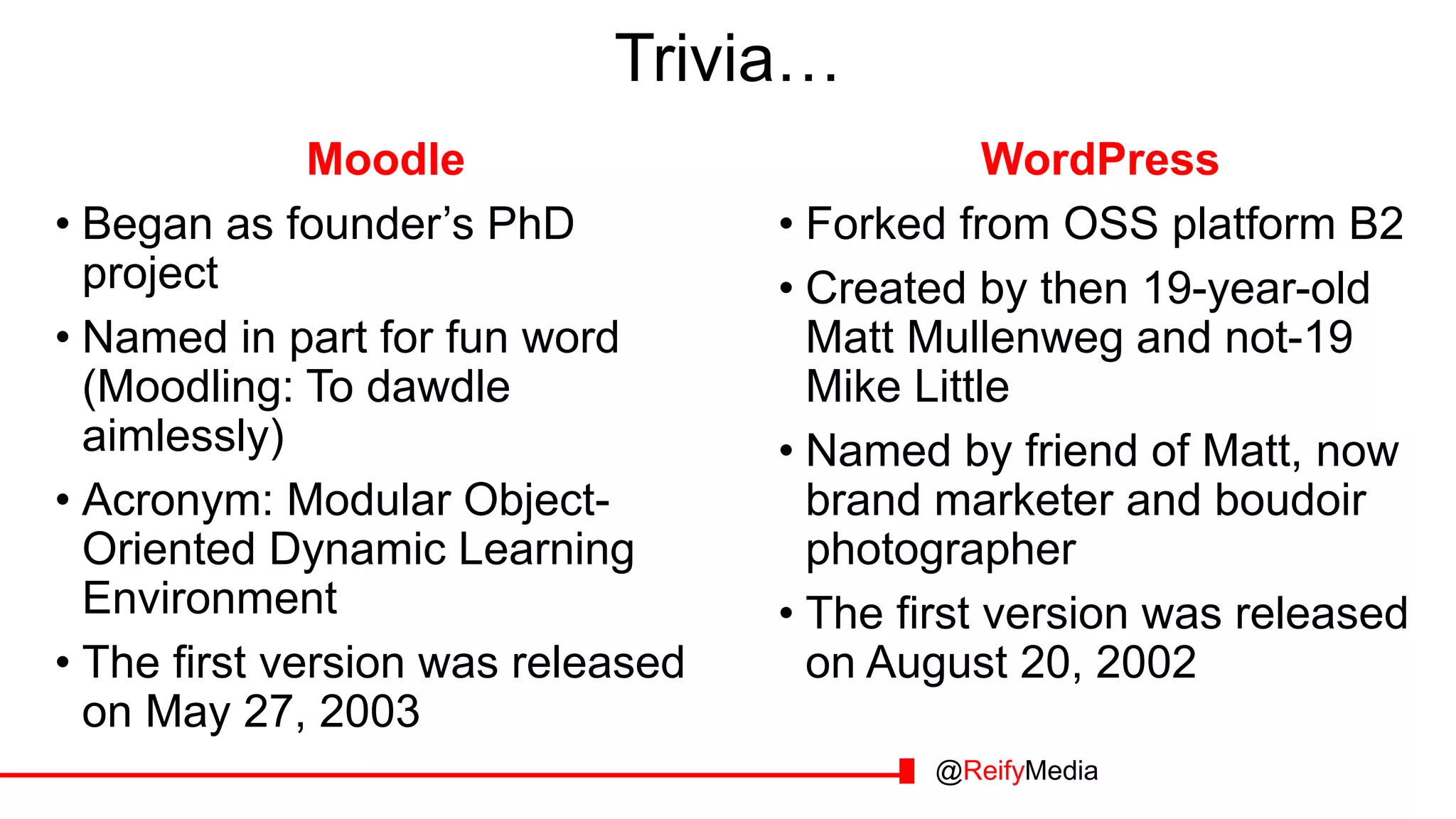
Trivia…
Moodle
• Began as founder’s PhD
project
• Named in part for fun word
(Moodling: To dawdle
aimlessly)
• Acronym: Modular Object-
Oriented Dynamic Learning
Environment
• The first version was released
on May 27, 2003
WordPress
• Forked from OSS platform B2
• Created by then 19-year-old
Matt Mullenweg and not-19
Mike Little
• Named by friend of Matt, now
brand marketer and boudoir
photographer
• The first version was released
on August 20, 2002
@ReifyMedia
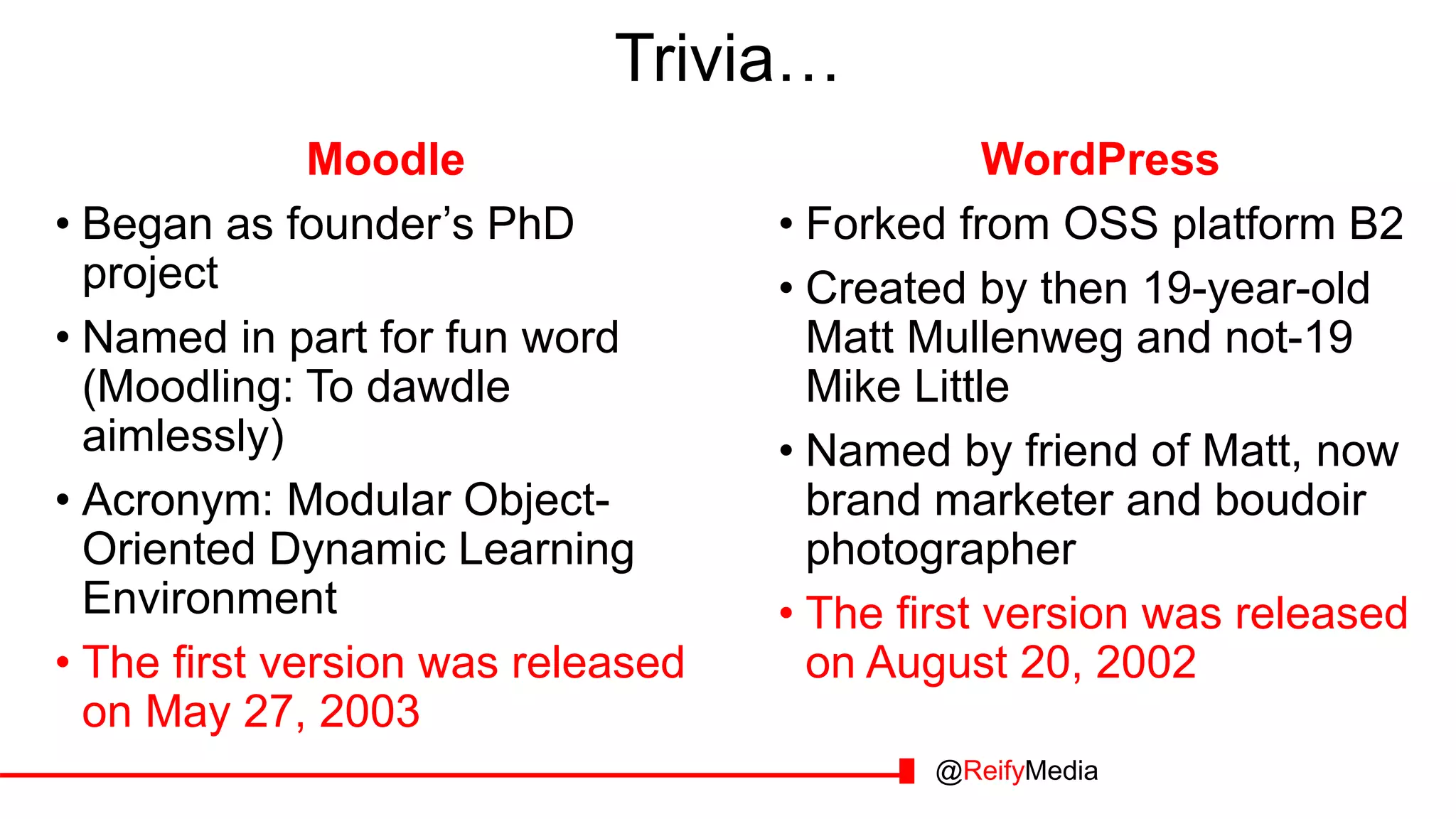
Trivia…
@ReifyMedia
Moodle
• Began as founder’s PhD
project
• Named in part for fun word
(Moodling: To dawdle
aimlessly)
• Acronym: Modular Object-
Oriented Dynamic Learning
Environment
• The first version was released
on May 27, 2003
WordPress
• Forked from OSS platform B2
• Created by then 19-year-old
Matt Mullenweg and not-19
Mike Little
• Named by friend of Matt, now
brand marketer and boudoir
photographer
• The first version was released
on August 20, 2002
Moodle is great! But……
@ReifyMedia
Moodle LMSs are great! But…
@ReifyMedia
Moodle LMSs are great! But…
1. Not for every project
(Don’t always need a forum)
@ReifyMedia
What if you want to… you want to…
1. Tag or curate
resources
1. Not for every project
(Don’t always need a forum)
@ReifyMedia
Moodle LMSs are great! But…
1. Not for every project
(Don’t always need a forum)
2. Education, not business, focused
(Customization can be hard)
@ReifyMedia
1. Tag or curate
resources
What if you want to… you want to…
1. Tag or curate
resources
2. Advertise courses or
events
1. Not for every project
(Don’t always need a forum)
2. Education, not business, focused
(Customization can be hard)
@ReifyMedia
Moodle LMSs are great! But…
1. Not for every project
(Don’t always need a forum)
2. Education, not business, focused
(Customization can be hard)
3. Encourages a certain style
(Modular design)
@ReifyMedia
1. Tag or curate
resources
2. Advertise courses or
events
What if you want to… you want to…
1. Tag or curate
resources
2. Advertise courses or
events
3. Be fancy and well
designed
1. Not for every project
(Don’t always need a forum)
2. Education, not business, focused
(Customization can be hard)
3. Encourages a certain style
(Modular design)
@ReifyMedia
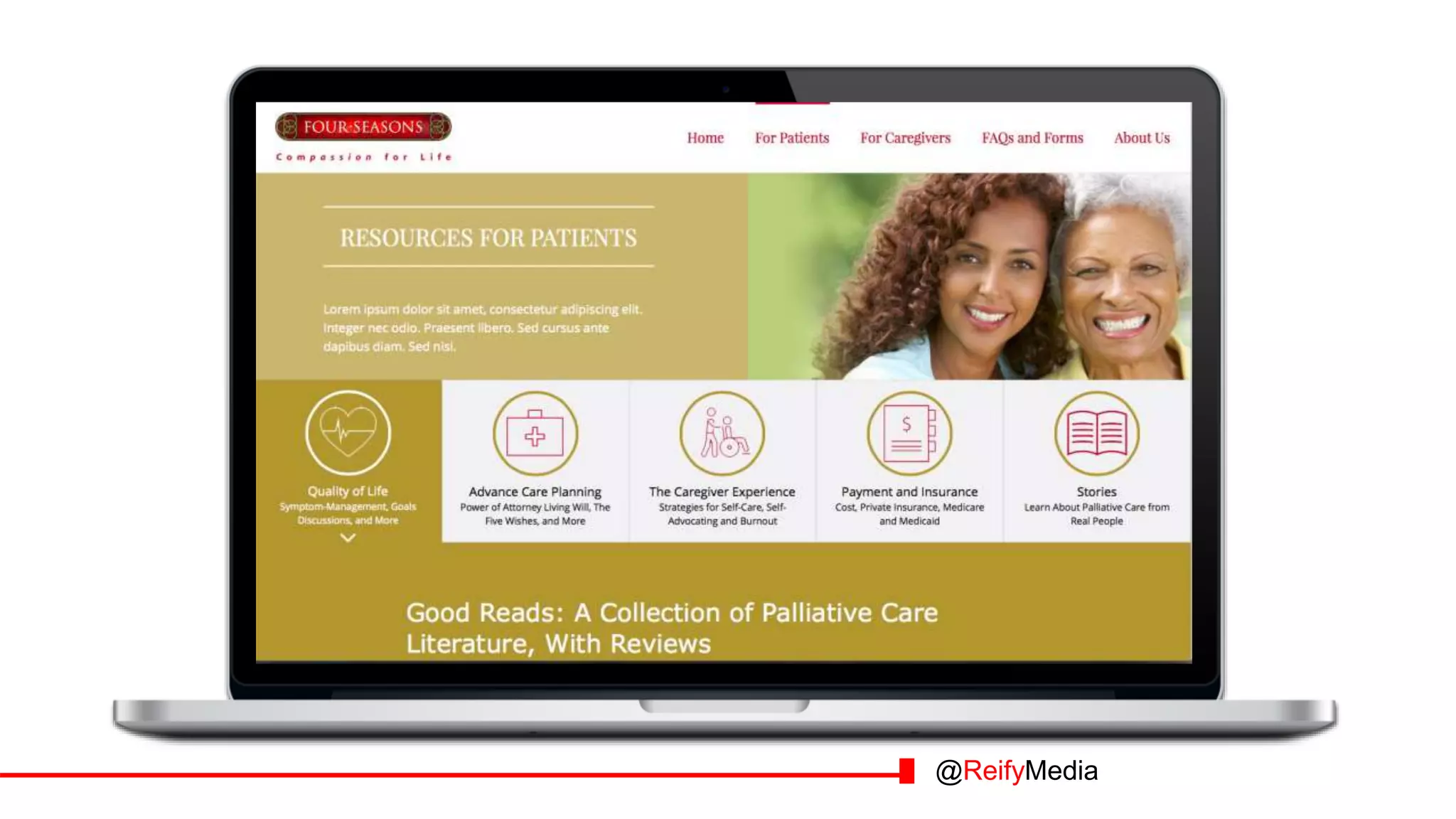
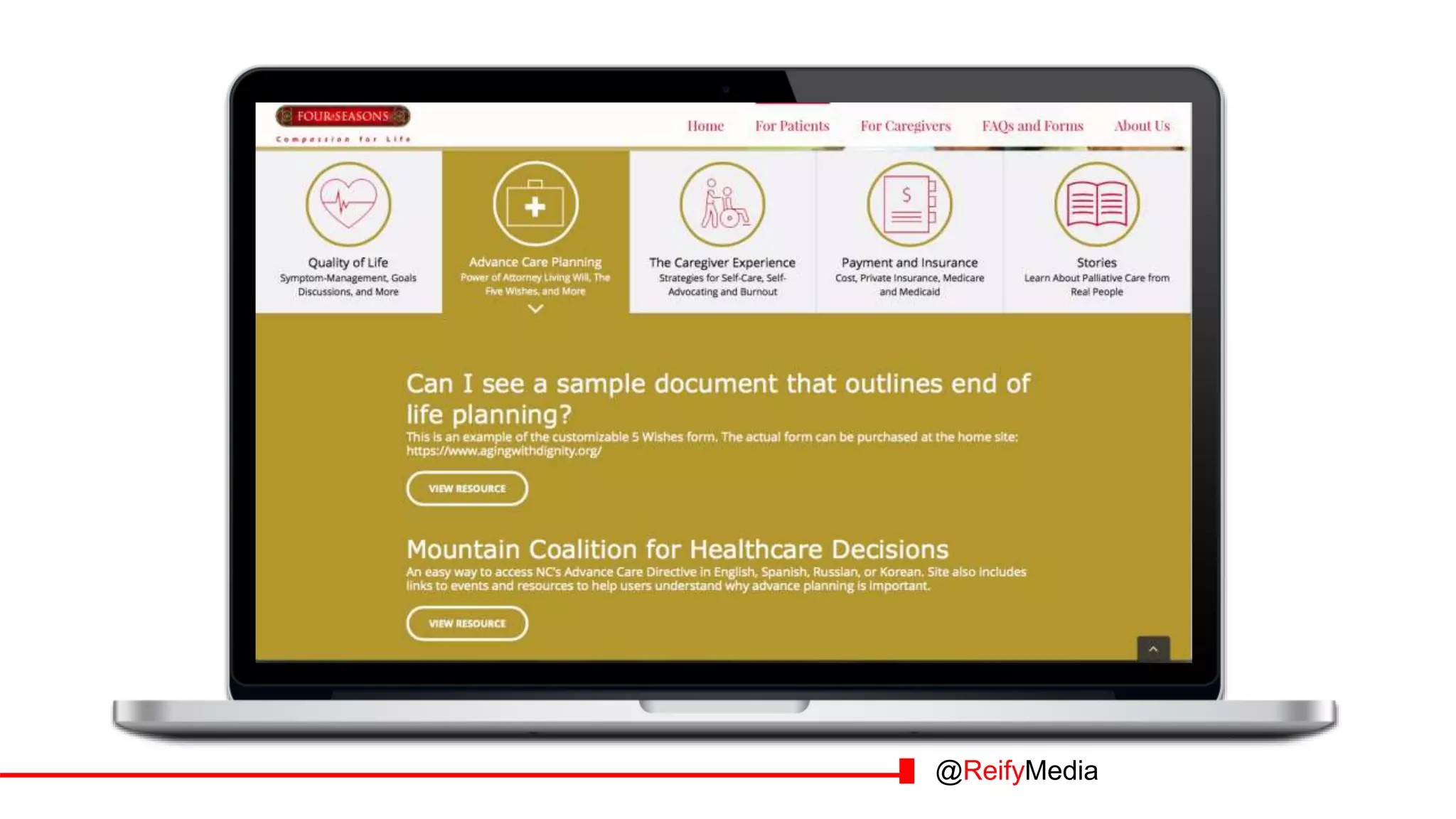
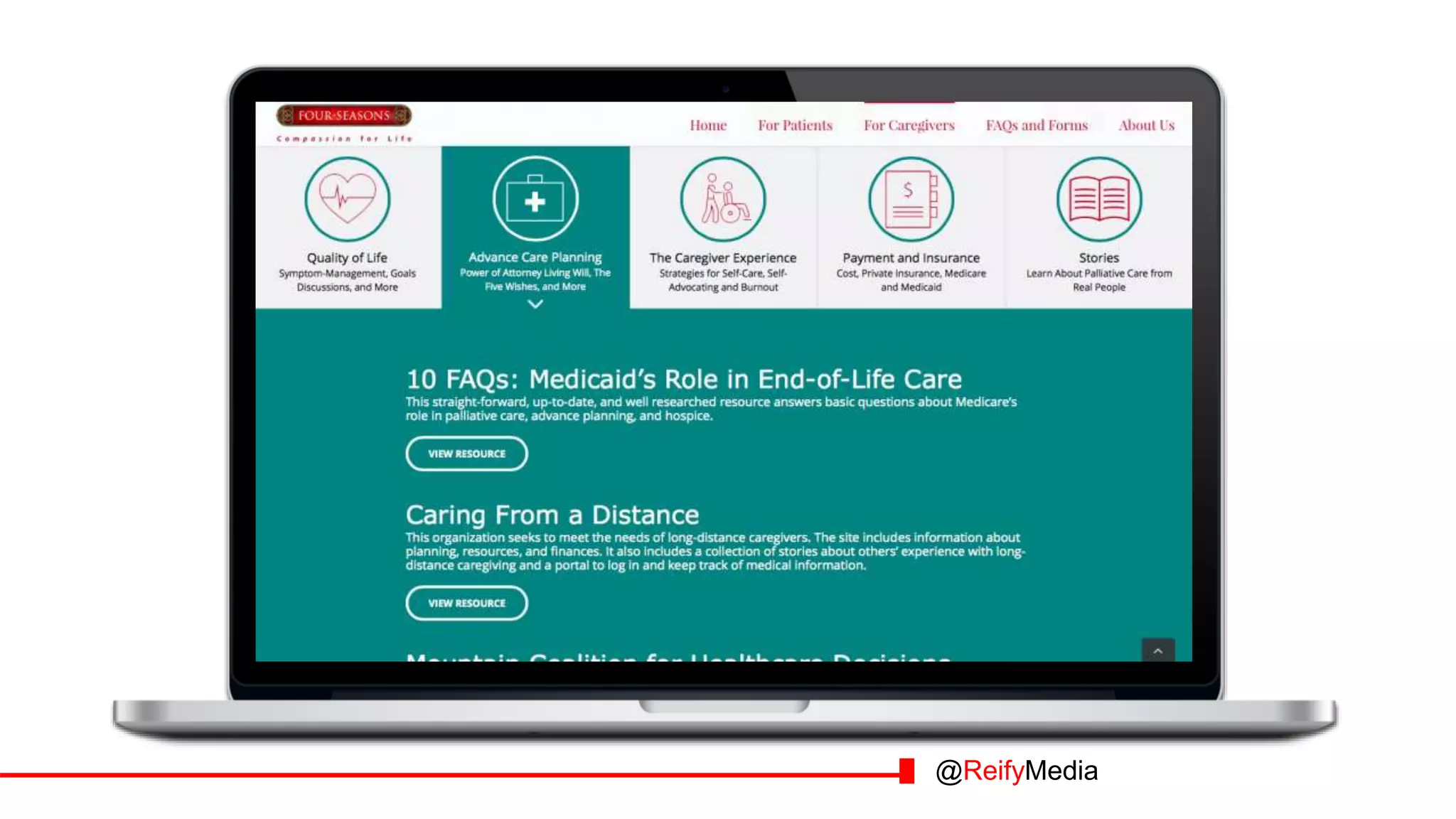
Example:
AFTERBEFORE
Insurance, the healthcare exchange, and
hospice care
How to have conversations about hospice
What is palliative care?
In-person workshops and radio shows,
topical
WordPress Method: Mobile responsive content
management system
Caregiver support: Protecting against caregiver
burnout
@ReifyMedia
@ReifyMedia
@ReifyMedia
@ReifyMedia
@ReifyMedia
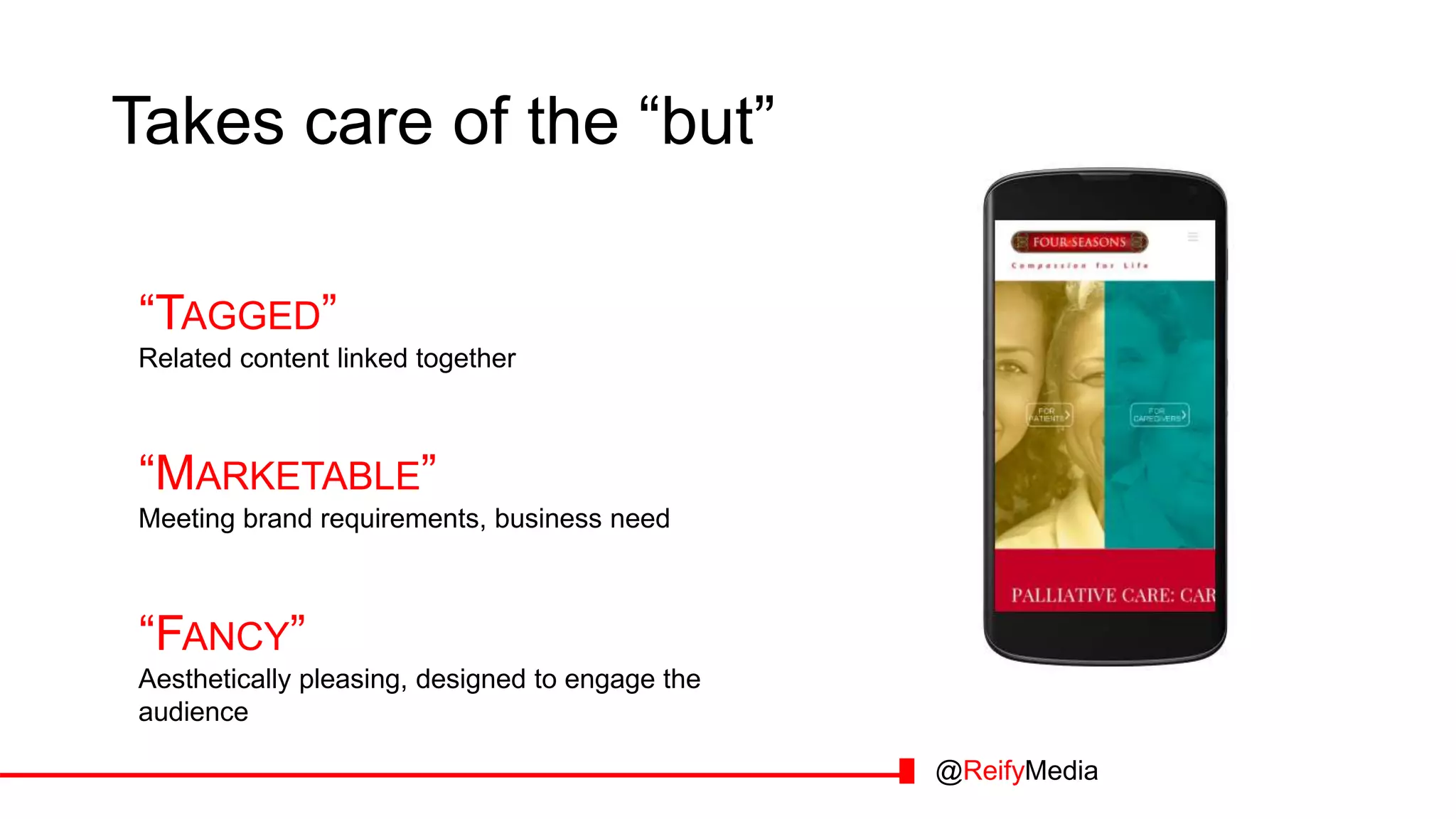
Takes care of the “but”
“TAGGED”
Related content linked together
“MARKETABLE”
Meeting brand requirements, business need
“FANCY”
Aesthetically pleasing, designed to engage the
audience
@ReifyMedia
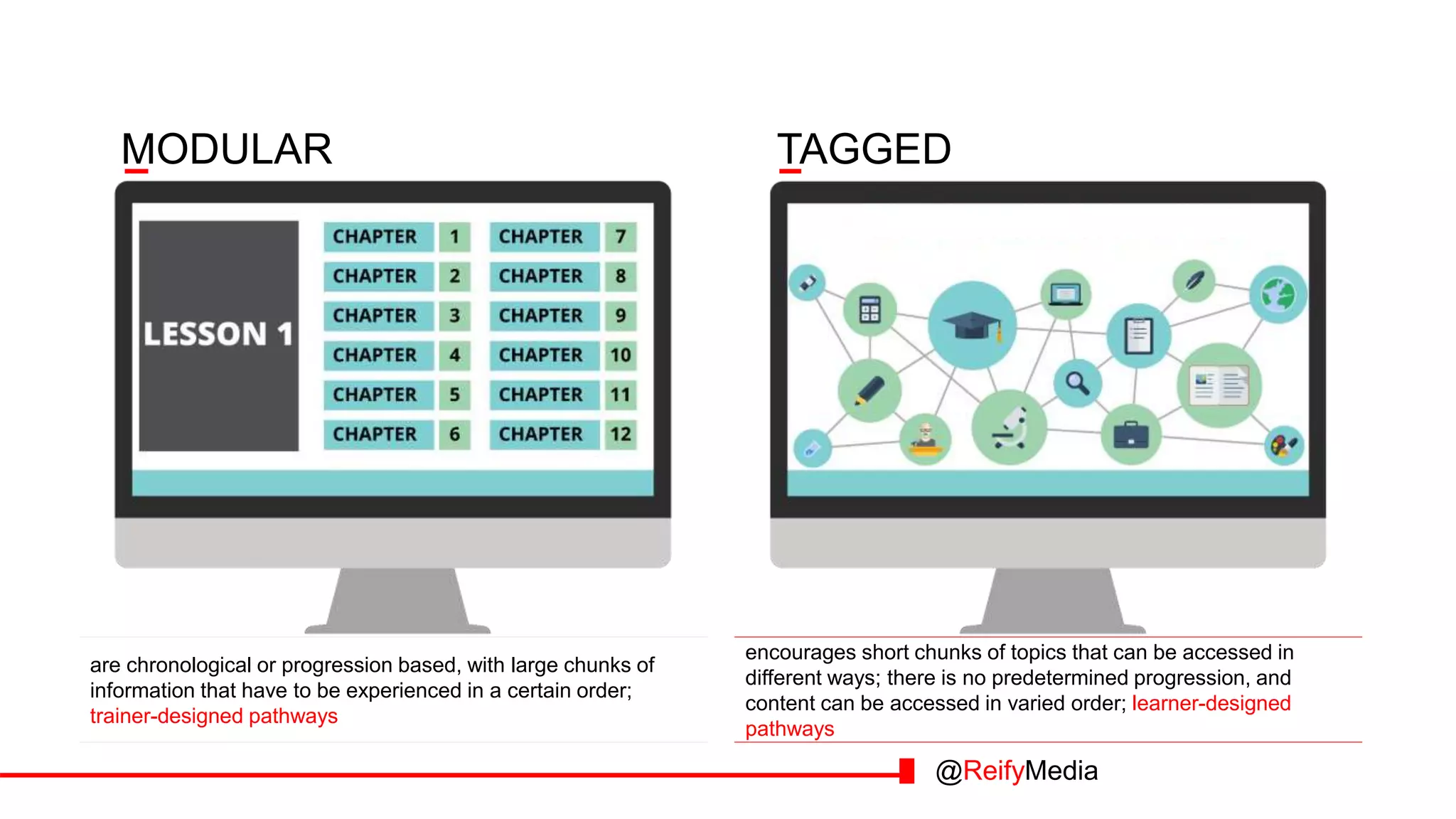
MODULAR
are chronological or progression based, with large chunks of
information that have to be experienced in a certain order;
trainer-designed pathways
TAGGED
encourages short chunks of topics that can be accessed in
different ways; there is no predetermined progression, and
content can be accessed in varied order; learner-designed
pathways
@ReifyMedia
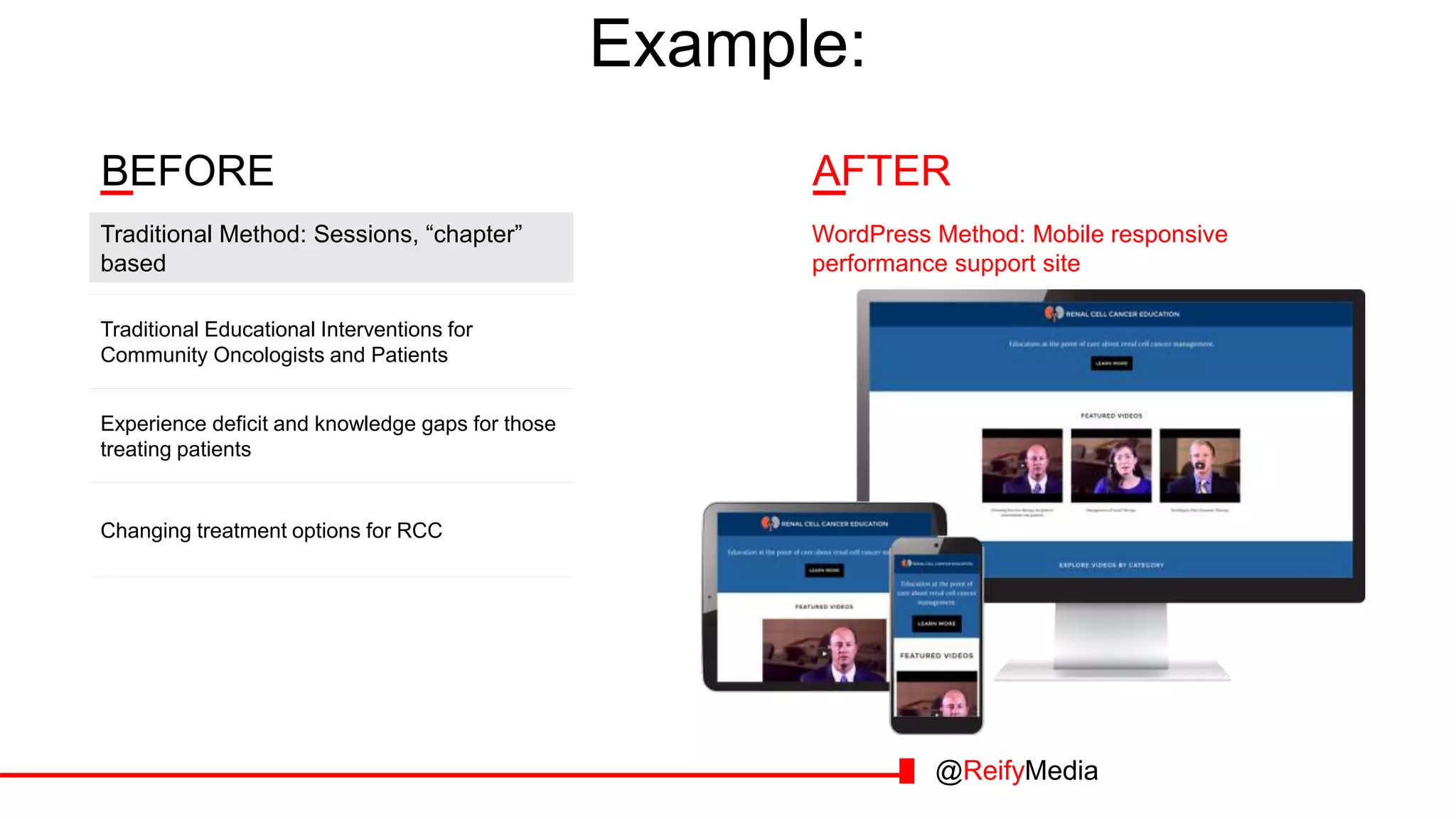
Traditional Educational Interventions for
Community Oncologists and Patients
Experience deficit and knowledge gaps for those
treating patients
Changing treatment options for RCC
Traditional Method: Sessions, “chapter”
based
WordPress Method: Mobile responsive
performance support site
Example:
BEFORE AFTER
@ReifyMedia
@ReifyMedia
@ReifyMedia
@ReifyMedia
@ReifyMedia
Takes care of the “but”
“TAGGED”
“MARKETABLE”
“FANCY”
@ReifyMedia
@ReifyMedia
Plugins: LearnPress
@ReifyMedia
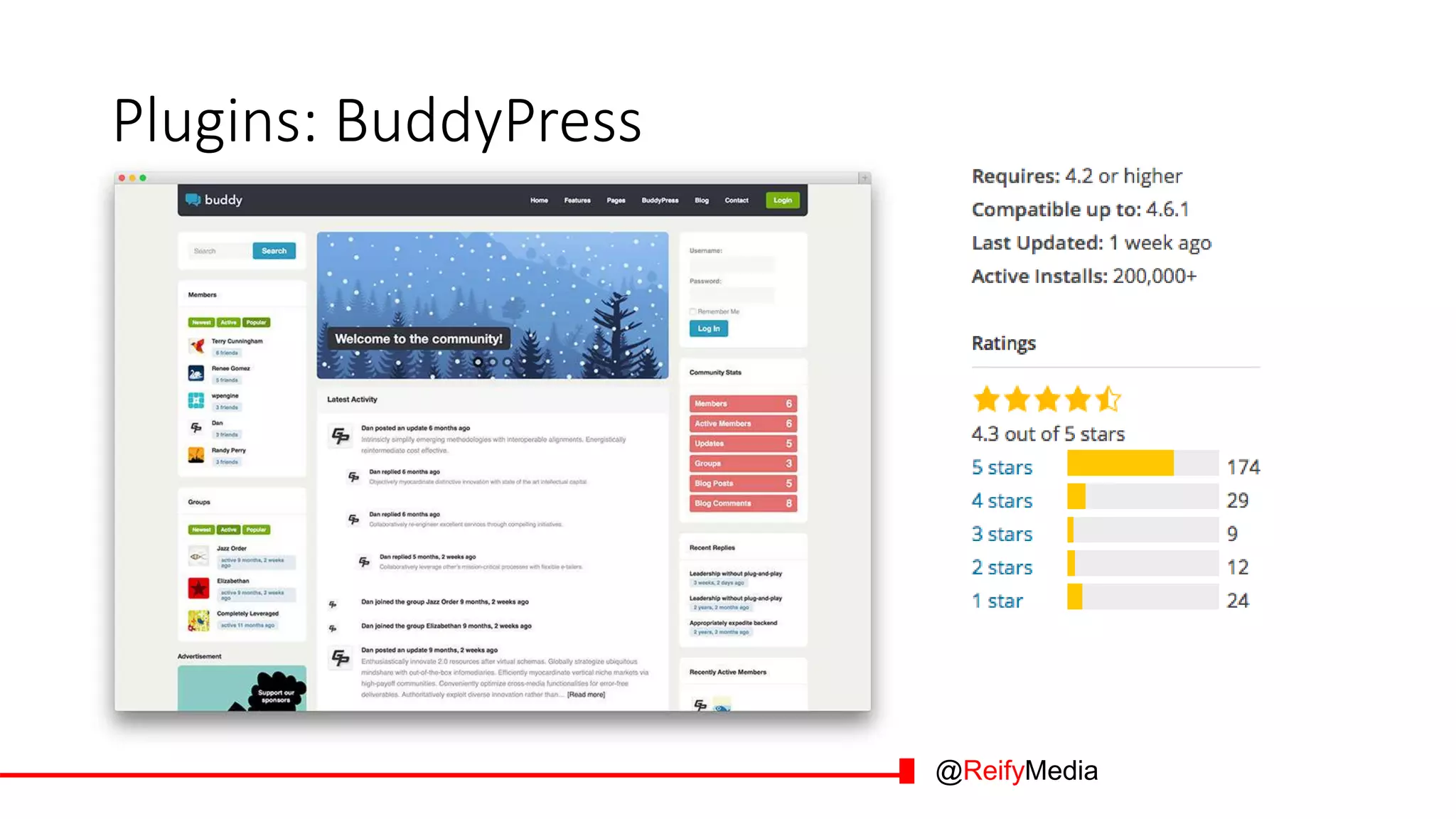
Plugins: BuddyPress
@ReifyMedia
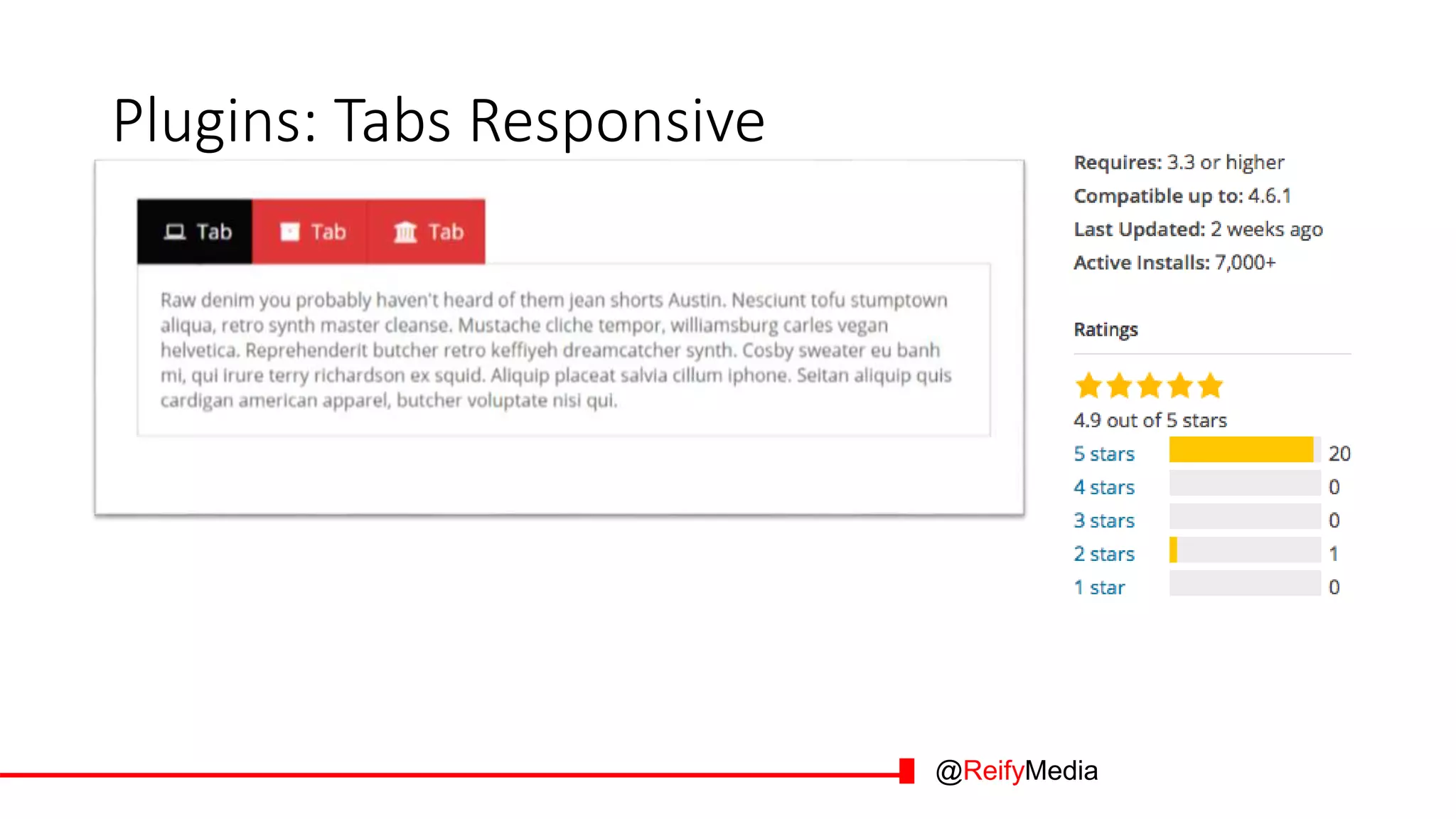
Plugins: Tabs Responsive
@ReifyMedia
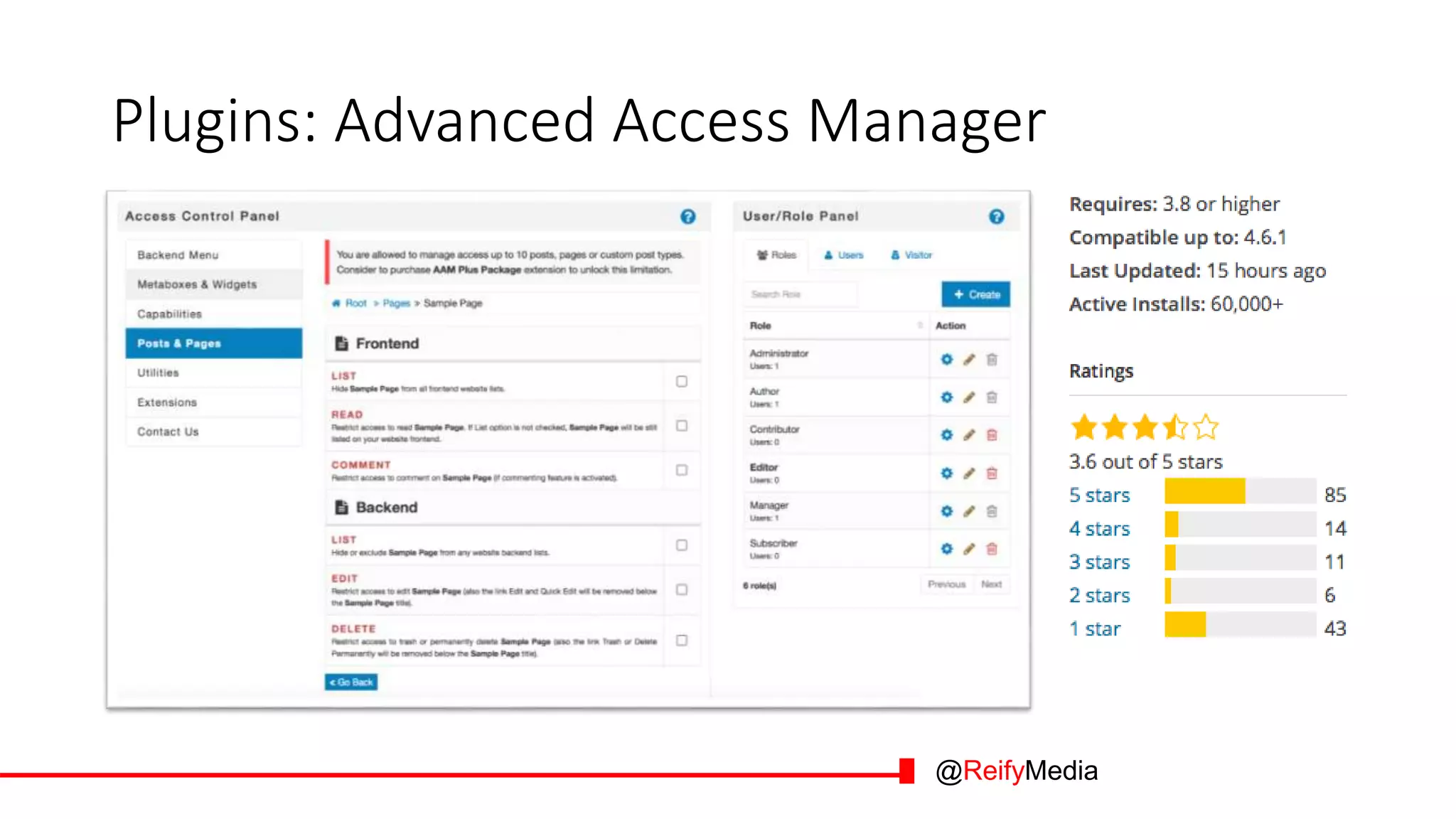
Plugins: Advanced Access Manager
@ReifyMedia
@ReifyMedia
$$
Premium Tools
@ReifyMedia
Consider WordPress over Moodle for
learning if… you want to…
1. Tag or curate resources
2. Advertise courses or events
3. Be fancy and well designed
@ReifyMedia
YOU DON’T
HAVE TO
MOODLE:
Ways to Leverage
the Power of
WordPress for
Online Courses

You Don't Have to Moodle: Ways to leverage the power of Wordpress for online courses

  • 1.
    YOU DON’T HAVE TO MOODLE: Waysto Leverage the Power of WordPress for Online Courses
  • 2.
  • 3.
  • 4.
    Why Use Moodle/WordPress 1.Free 2. Intuitive 3. Feature rich 4. Themes 5. Plugins 6. Community 7. User centered @ReifyMedia
  • 5.
    Trivia… Moodle • Began asfounder’s PhD project • Named in part for fun word (Moodling: To dawdle aimlessly) • Acronym: Modular Object- Oriented Dynamic Learning Environment • The first version was released on May 27, 2003 WordPress • Forked from OSS platform B2 • Created by then 19-year-old Matt Mullenweg and not-19 Mike Little • Named by friend of Matt, now brand marketer and boudoir photographer • The first version was released on August 20, 2002 @ReifyMedia
  • 6.
    Trivia… @ReifyMedia Moodle • Began asfounder’s PhD project • Named in part for fun word (Moodling: To dawdle aimlessly) • Acronym: Modular Object- Oriented Dynamic Learning Environment • The first version was released on May 27, 2003 WordPress • Forked from OSS platform B2 • Created by then 19-year-old Matt Mullenweg and not-19 Mike Little • Named by friend of Matt, now brand marketer and boudoir photographer • The first version was released on August 20, 2002
  • 7.
    Moodle is great!But…… @ReifyMedia
  • 8.
    Moodle LMSs aregreat! But… @ReifyMedia
  • 9.
    Moodle LMSs aregreat! But… 1. Not for every project (Don’t always need a forum) @ReifyMedia
  • 10.
    What if youwant to… you want to… 1. Tag or curate resources 1. Not for every project (Don’t always need a forum) @ReifyMedia
  • 11.
    Moodle LMSs aregreat! But… 1. Not for every project (Don’t always need a forum) 2. Education, not business, focused (Customization can be hard) @ReifyMedia 1. Tag or curate resources
  • 12.
    What if youwant to… you want to… 1. Tag or curate resources 2. Advertise courses or events 1. Not for every project (Don’t always need a forum) 2. Education, not business, focused (Customization can be hard) @ReifyMedia
  • 13.
    Moodle LMSs aregreat! But… 1. Not for every project (Don’t always need a forum) 2. Education, not business, focused (Customization can be hard) 3. Encourages a certain style (Modular design) @ReifyMedia 1. Tag or curate resources 2. Advertise courses or events
  • 14.
    What if youwant to… you want to… 1. Tag or curate resources 2. Advertise courses or events 3. Be fancy and well designed 1. Not for every project (Don’t always need a forum) 2. Education, not business, focused (Customization can be hard) 3. Encourages a certain style (Modular design) @ReifyMedia
  • 15.
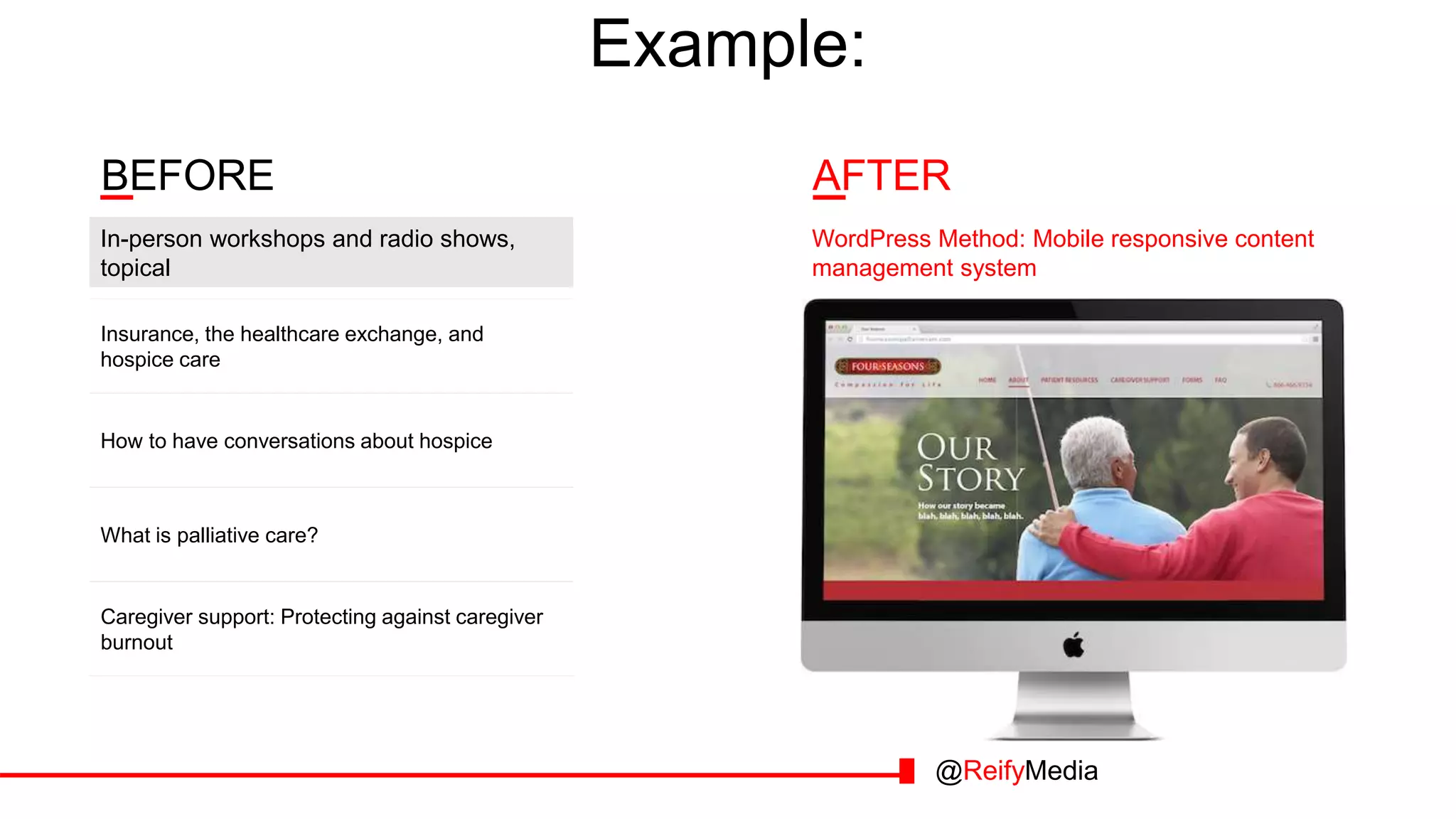
    Example: AFTERBEFORE Insurance, the healthcareexchange, and hospice care How to have conversations about hospice What is palliative care? In-person workshops and radio shows, topical WordPress Method: Mobile responsive content management system Caregiver support: Protecting against caregiver burnout @ReifyMedia
  • 16.
  • 17.
  • 18.
  • 19.
  • 20.
    Takes care ofthe “but” “TAGGED” Related content linked together “MARKETABLE” Meeting brand requirements, business need “FANCY” Aesthetically pleasing, designed to engage the audience @ReifyMedia
  • 21.
    MODULAR are chronological orprogression based, with large chunks of information that have to be experienced in a certain order; trainer-designed pathways TAGGED encourages short chunks of topics that can be accessed in different ways; there is no predetermined progression, and content can be accessed in varied order; learner-designed pathways @ReifyMedia
  • 22.
    Traditional Educational Interventionsfor Community Oncologists and Patients Experience deficit and knowledge gaps for those treating patients Changing treatment options for RCC Traditional Method: Sessions, “chapter” based WordPress Method: Mobile responsive performance support site Example: BEFORE AFTER @ReifyMedia
  • 23.
  • 24.
  • 25.
  • 26.
  • 27.
    Takes care ofthe “but” “TAGGED” “MARKETABLE” “FANCY” @ReifyMedia
  • 28.
  • 29.
  • 30.
  • 31.
  • 32.
    Plugins: Advanced AccessManager @ReifyMedia
  • 33.
  • 34.
  • 35.
    Consider WordPress overMoodle for learning if… you want to… 1. Tag or curate resources 2. Advertise courses or events 3. Be fancy and well designed @ReifyMedia
  • 36.
    YOU DON’T HAVE TO MOODLE: Waysto Leverage the Power of WordPress for Online Courses

Editor's Notes

  • #3 Who’s in the audience?
  • #4 Not here to bash Moodle, love all OSS
  • #5 Quickly, good things both have in common
  • #6 In fact, who’s a bigger OSS nerd? Trivia competition. Three truths and a lie. Which is a lie
  • #7 Release dates reversed.
  • #9 Not just Moodle – some things that are disadvantaged to Moodle are disadvantages to all LMS
  • #10 Major disadvantages (out of the box Moodle has features you won’t always use; built for education not business; has modular style)
  • #11 Practical projects that are problematic with this reasoning
  • #12 Major disadvantages (out of the box Moodle has features you won’t always use; built for education not business; has modular style)
  • #13 Practical projects that are problematic with this reasoning
  • #14 Major disadvantages (out of the box Moodle has features you won’t always use; built for education not business; has modular style)
  • #15 Practical projects that are problematic with this reasoning
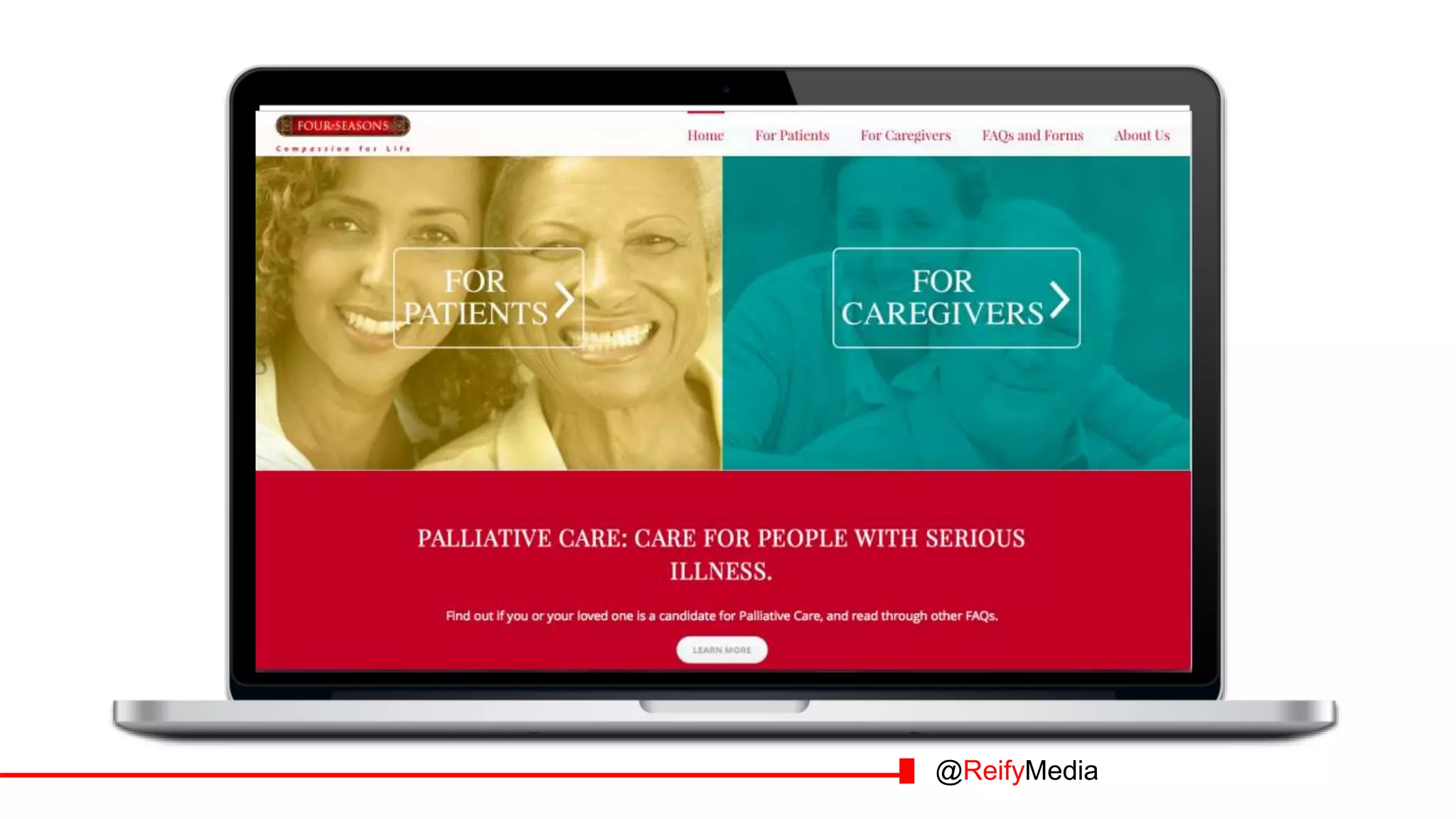
  • #16 Go through Four Seasons example, using screenshots of site on next page—2 minutes
  • #17 30 seconds
  • #18 1 minute
  • #19 30 seconds
  • #20 30 seconds
  • #21 30 seconds
  • #22 Moodle encourages modular, traditional Tagged allows for branching
  • #23 2 minutes Mike The first site we want to review with you is for Duke University Medical Center. They had two challenges. Community practitioners outside of metro areas and outside of major medical centers don’t see enough renal cell carcinoma patients (patients with kidney cancer). Second, treatment options are changing. What does this mean for the community practitioner? (Ask audience) Knowledge gap What Duke University wanted to do was share their internal knowledge about treatment with these community practitioners. And they had the idea that they would record lots of very short (under 2 minutes) videos of experts in this field. When they came to us, they were able to describe what they needed. And what it turned out to be was a performance support system that serves up the right content at the right time. Some of you may refer to these systems as “point of need” where we integrate access to content within the user workflow., during their daily jobs. Mobile was also a requirement.
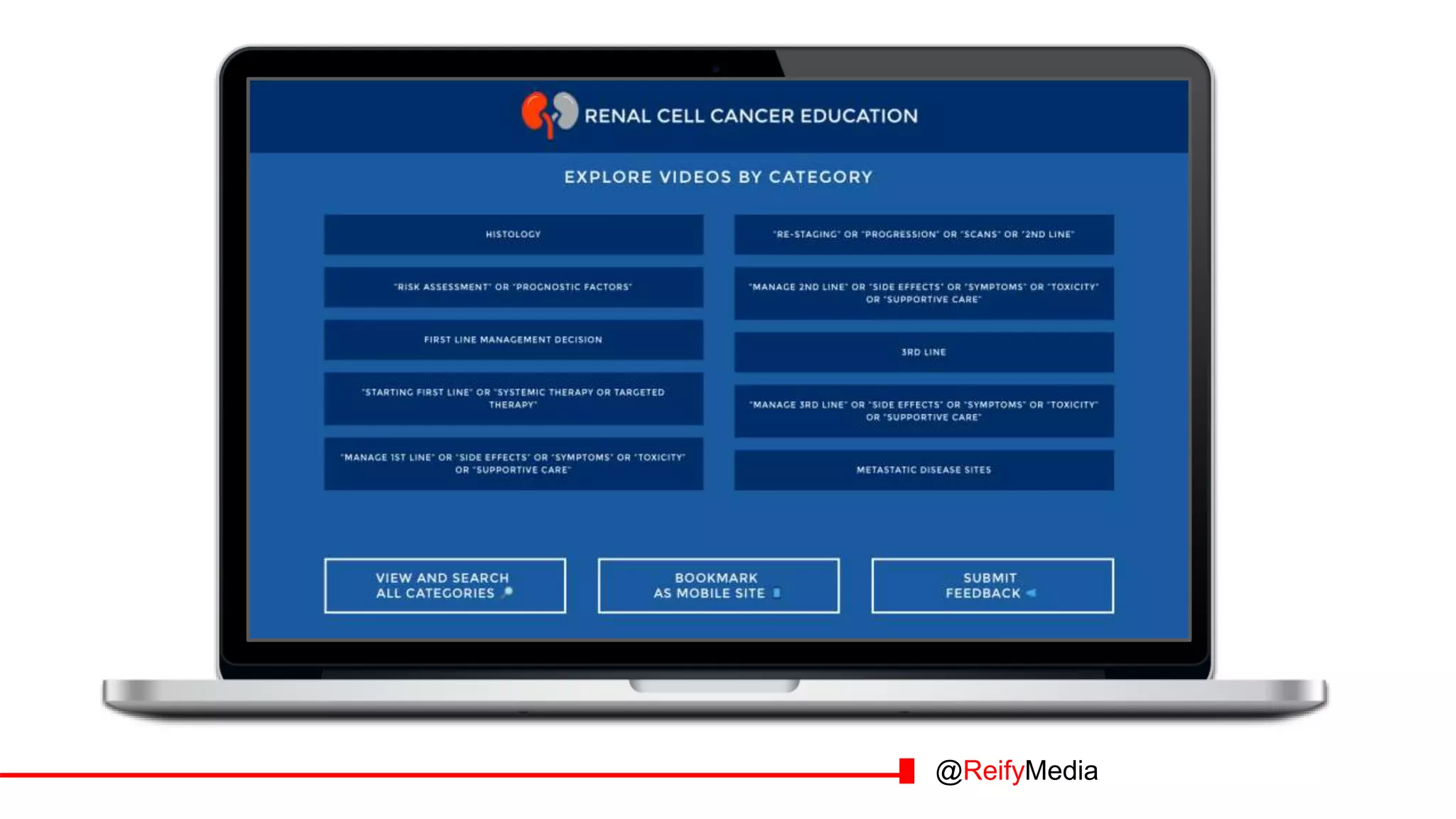
  • #24 1 minute Mike The customer’s challenge was the knowledge gap, but our challenge was how to organize the site in terms of both what makes sense in terms of treatment and in terms of learner behavior and how someone would go to the topic they wanted and how they would search. (in this case it could be any number of people in the community practice). So this took a few attempts with the SMEs as well as a really long whiteboard. Really long. Behind these categories is a “taxonomy” which is basically the engine for the site, the logic of how things are organized. The taxonomy is a really big spreadsheet. Even the search functionality follows the taxonomy and allows multiple ways to search. So just to show you a few screen shots, we click on first line management decision.
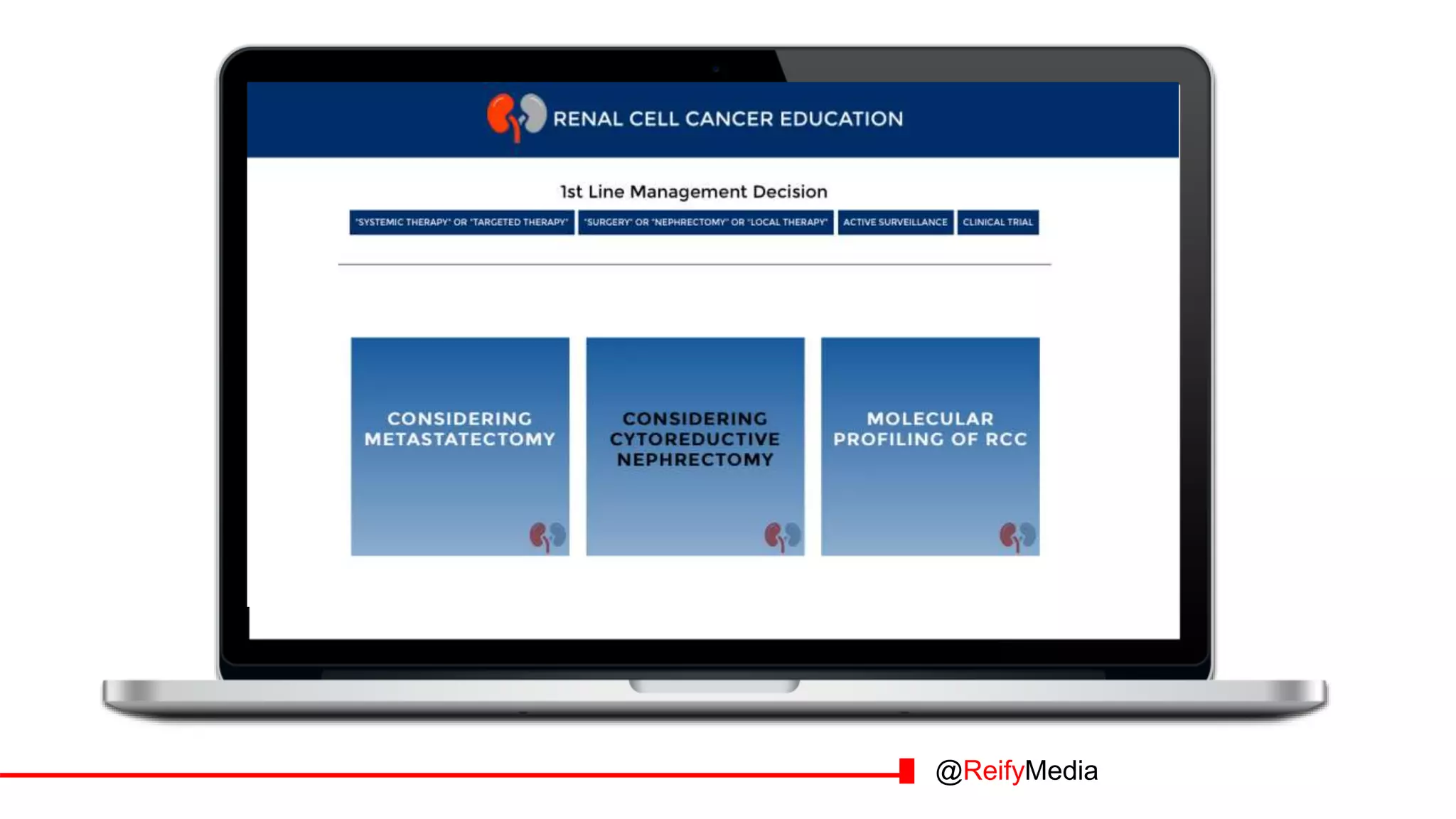
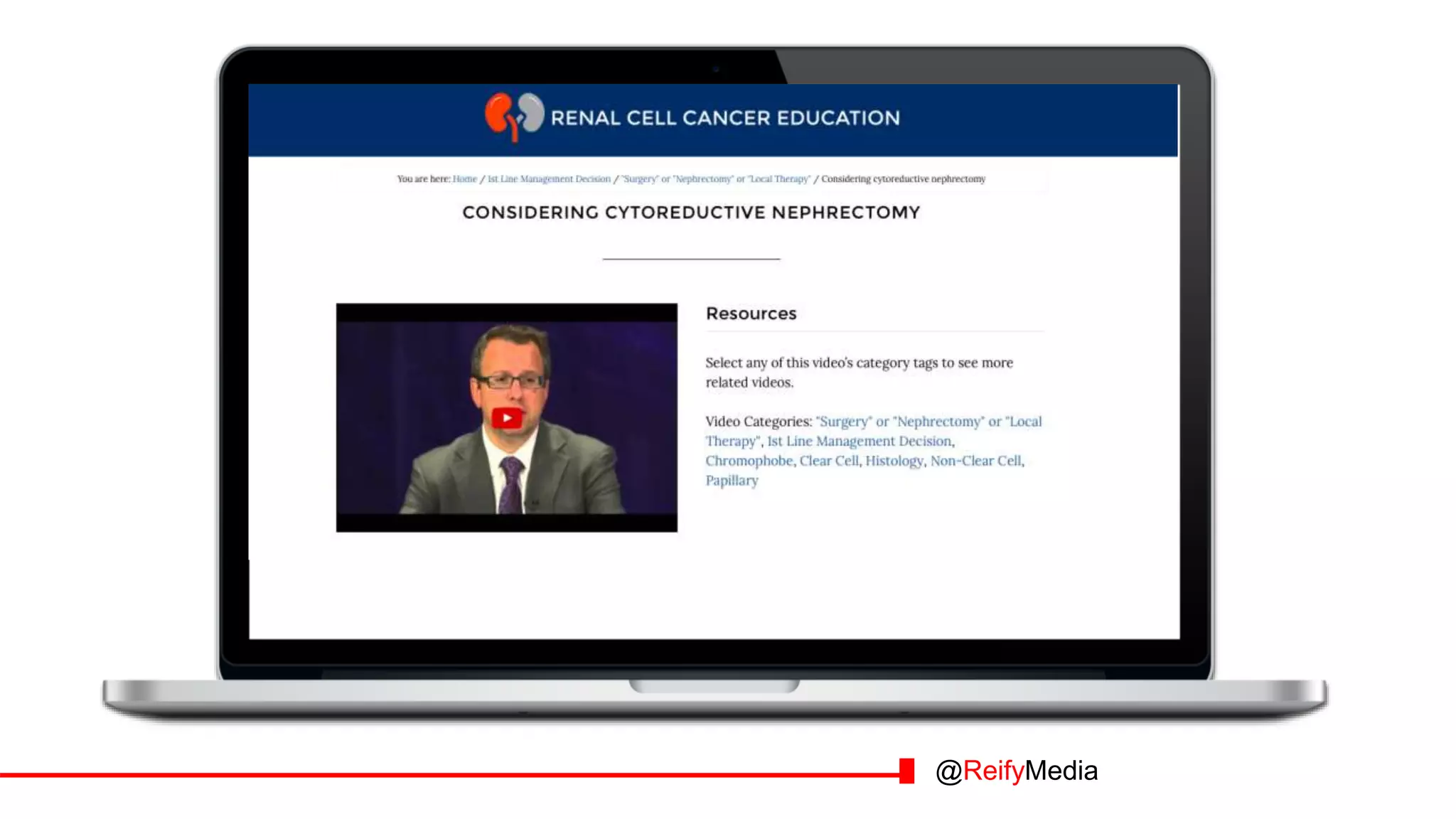
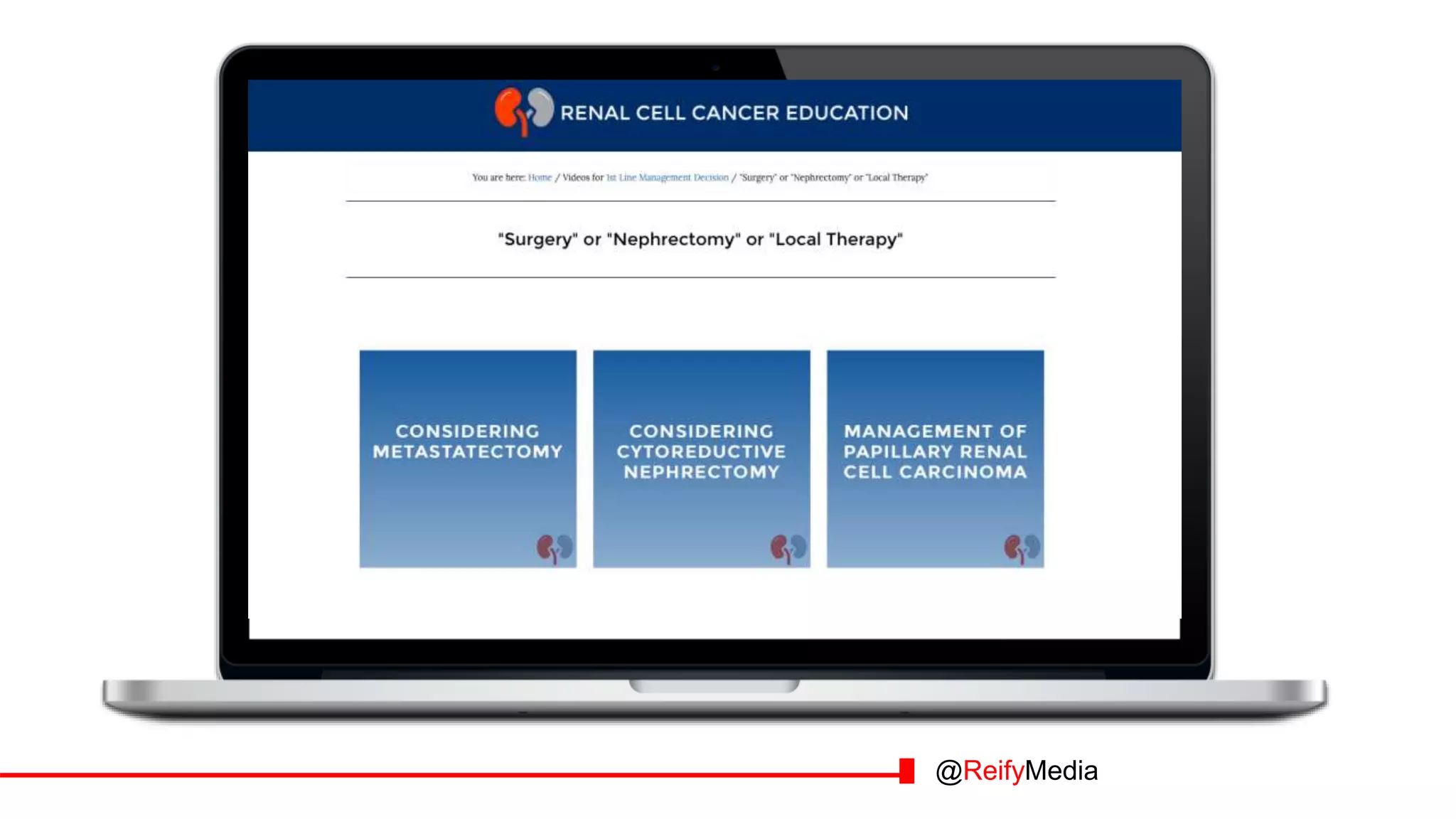
  • #25 30 seconds Mike Under first line management decision, we see these three tagged videos. And you’ll see there are subcategories in the blue boxes which also further tag these videos to help the learner locate specific content. If we click one of them
  • #26 1 minute Mike You’ll see the video we selected, all the video tags associated with this content on the right, and usually, any pdfs or resources to go along with the video. Not all of them have resources If we’re interested in video about “Surgery” or “Nephrectomy” or “Local Therapy”, we can click under video categories to find more videos that meet our needs.
  • #27 30 seconds Mike And pull up the following videos. Can you see the branching happening and how the user navigates. Question from Sarah: Can we make sure to tie in the “just like in your activities, not traditional (module 1, module 2), but branching, was what was important here.”
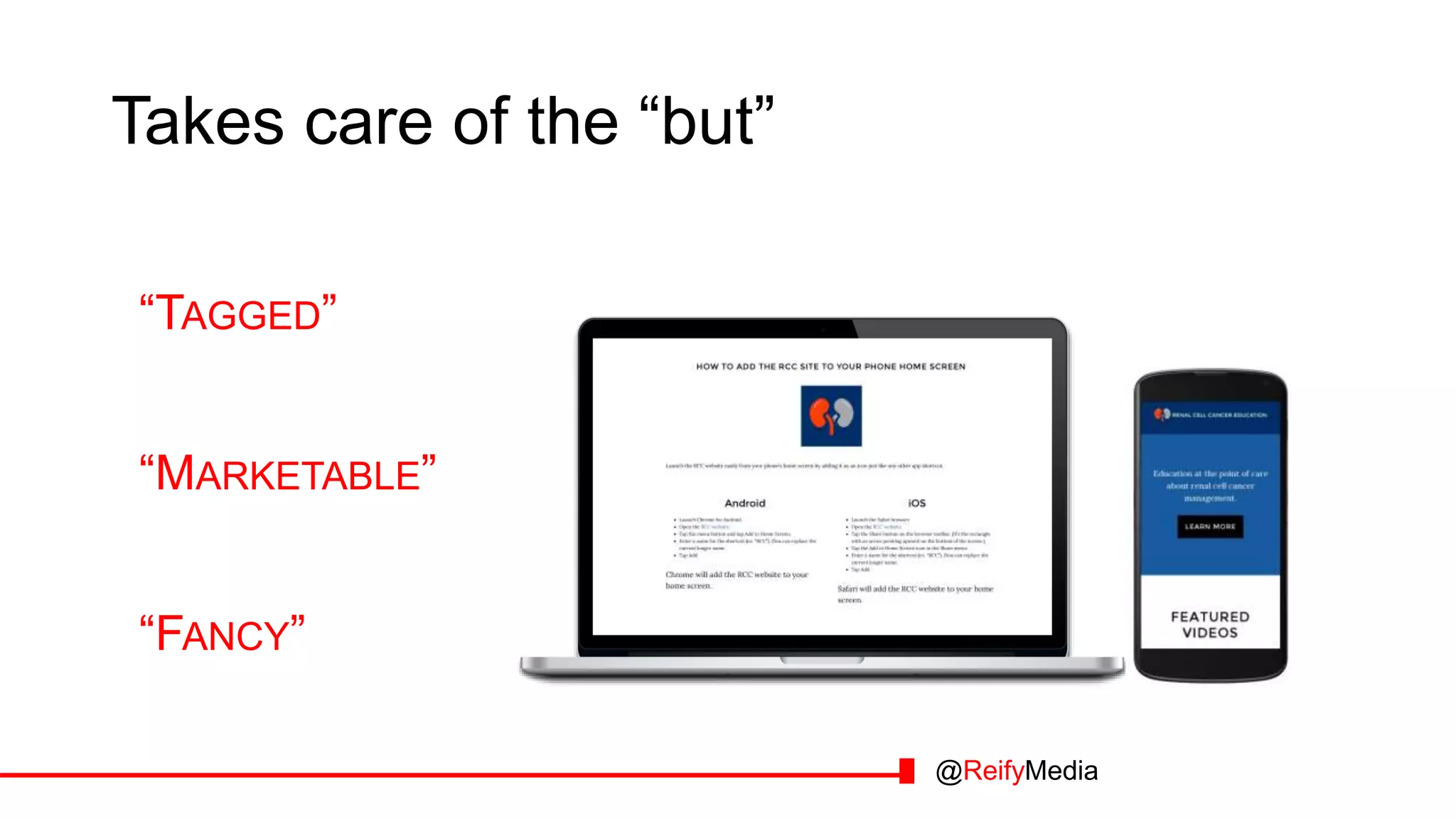
  • #28 30 seconds Mike If we think about deployment, one of the client requirements was mobile access. So with a mobile responsive site, content will display and adapt for the SmartPhone which is great in community practice with physicians on the go. (hold up SmartPhone) It can also be accessed as a traditional website. We came up with instructions for users to place an icon on their phone to access just like an “App” So no typing in the url anymore. And we watched people add it during the launch. And made some refinements to the direction by watching the user.
  • #29 30 seconds Mike If we think about deployment, one of the client requirements was mobile access. So with a mobile responsive site, content will display and adapt for the SmartPhone which is great in community practice with physicians on the go. (hold up SmartPhone) It can also be accessed as a traditional website. We came up with instructions for users to place an icon on their phone to access just like an “App” So no typing in the url anymore. And we watched people add it during the launch. And made some refinements to the direction by watching the user.
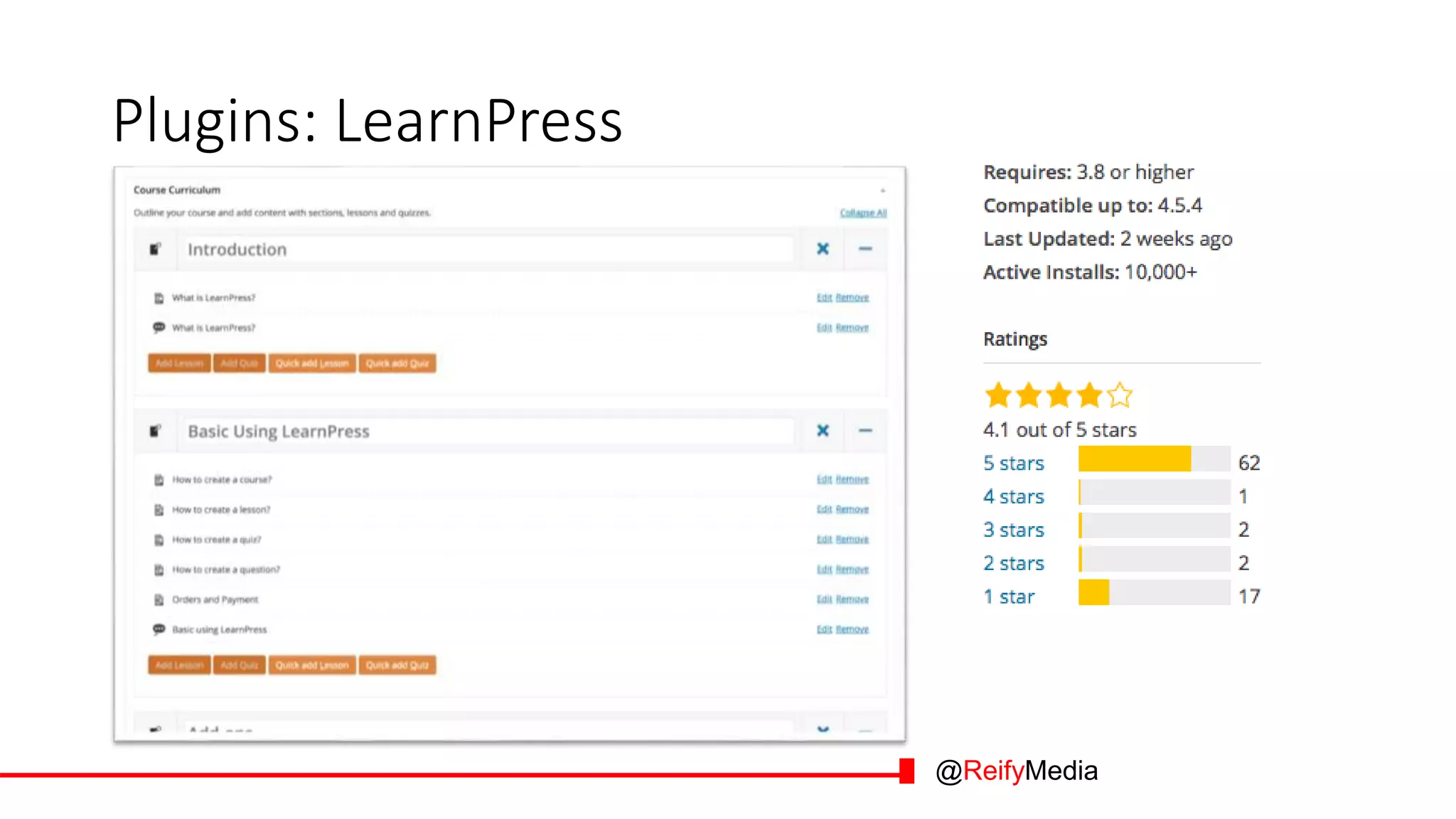
  • #30 Anyone use any of these? 1 minute
  • #31 Anyone use any of these? 1 minute
  • #32 Anyone use any of these? 1 minute
  • #33 Anyone use any of these? 1 minute
  • #34 30 seconds Mike If we think about deployment, one of the client requirements was mobile access. So with a mobile responsive site, content will display and adapt for the SmartPhone which is great in community practice with physicians on the go. (hold up SmartPhone) It can also be accessed as a traditional website. We came up with instructions for users to place an icon on their phone to access just like an “App” So no typing in the url anymore. And we watched people add it during the launch. And made some refinements to the direction by watching the user.
  • #35 Anyone use any of these? 1 minute
  • #36 Practical projects that are problematic with this reasoning