Does it have legs?
Information Architecture Heuristics for Interaction Designers!
                             !
                        presented by: !
                     Abby Covert
                    @Abby_The_IA
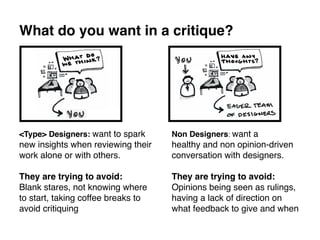
What do you want in a critique?!


<Type> Designers: want to spark     Non Designers: want a !
new insights when reviewing their   healthy and non opinion-driven
work alone or with others.!         conversation with designers.!
!                                   !
They are trying to avoid: !         They are trying to avoid: !
Blank stares, not knowing where !   Opinions being seen as rulings,
to start, taking coffee breaks to   having a lack of direction on
avoid critiquing !                  what feedback to give and when!
But when critiquing work: 

           What we really want to know is


           “Does it have legs?” !
•  Is it stable enough to support the weight of use?!
•  Will it be effective in execution?!
•  Will it stand on itʼs own?!
!
A good place to start when answering these questions is
        Evaluating it against heuristic principles.!
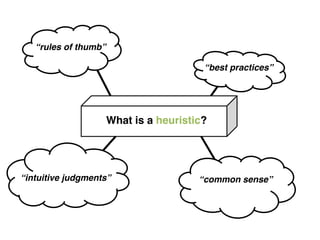
“rules of thumb”!

                                       “best practices”!


                    What is a heuristic?!


“intuitive judgments”!                “common sense”!
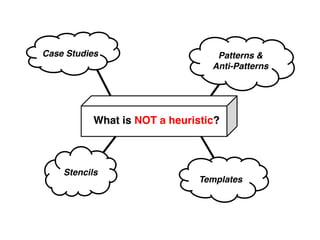
Case Studies!                      Patterns &
                                  Anti-Patterns!


           What is NOT a heuristic?!


    Stencils!
                               Templates!
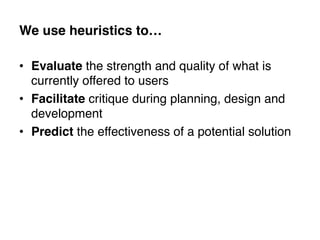
We use heuristics to…!

•  Evaluate the strength and quality of what is
   currently offered to users!
•  Facilitate critique during planning, design and
   development!
•  Predict the effectiveness of a potential solution!
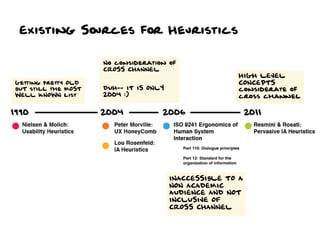
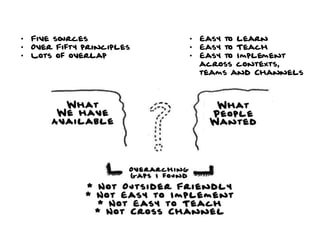
Existing Sources for Heuristics
•  Five sources            •  Easy to learn
•  Over Fifty principles   •  Easy to Teach
•  Lots of overlap         •  Easy to Implement
                              across contexts,
                              teams and Channels
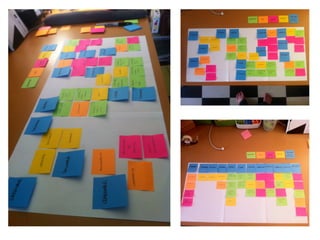
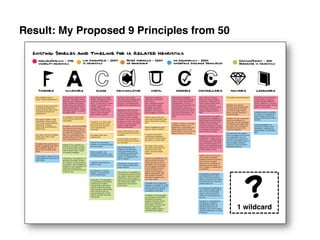
Result: My Proposed 9 Principles from 50!


                                               ?
                                            1 wildcard	
  
REMINDERS– The rules of heuristic use!


1.  Put on your user shoes: Forget where
    you work and what your job is. !
2.  Put on your user goggles: None of these
    principles matter without understanding the
    context of use and who your users are. !
3.  Say “I am not my user”: Never use
    heuristic review as a replacement for user
    research.!
!
#1 Findable


Able to be
located.
#1 Is it Findable?

q    Can users easily locate that which they
      are seeking? !
q    How is findability affected across
      channels and devices?!
q    Are there multiple ways available to
      access things?!
q    How do external and internal search
      engines “see” what is provided?!
q    Is information formatted with results in
      mind? !
q    What is provided to make the delivered
      results more useful?	
  
#2 Accessible


Easily
approached
and/or entered
#2 Is it Accessible?

q  Can it be used via all expected      Be aware that upwards
                                         of 20% or more of the
    channels and devices?!               worldʼs population has
q  How resilient and consistent is it   a disability. !
                                         !
    when used via “other” channels? !    The internet is a public
q  Does it meet the levels of           place. Itʼs like building a
                                         ramp to your building, or
    accessibility compliance to be       refusing to. !
    considerate of those users with      !
                                         </soapbox>!
    disabilities*!
!
!
#3 Clear


Easily
perceptible
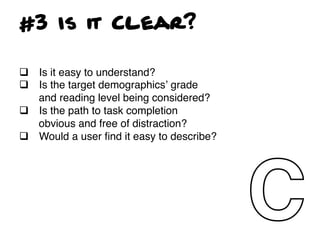
#3 Is it Clear?

q  Is it easy to understand?!
q  Is the target demographicsʼ grade
    and reading level being considered?!
q  Is the path to task completion
    obvious and free of distraction?!
q  Would a user find it easy to describe?!
!
!
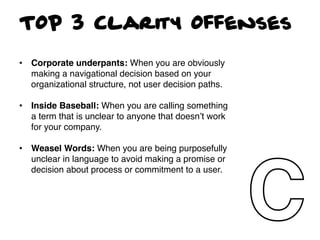
TOP 3 Clarity Offenses

•  Corporate underpants: When you are obviously
   making a navigational decision based on your
   organizational structure, not user decision paths.!

•  Inside Baseball: When you are calling something
   a term that is unclear to anyone that doesnʼt work
   for your company. !
!
•  Weasel Words: When you are being purposefully
   unclear in language to avoid making a promise or
   decision about process or commitment to a user.!
#4 communicative


Talkative,
informing,
timely
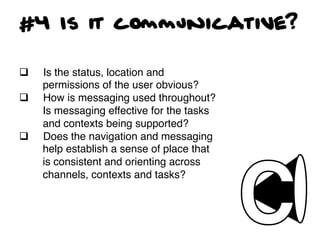
#4 Is it communicative?

q    Is the status, location and
      permissions of the user obvious?!
q    How is messaging used throughout?
      Is messaging effective for the tasks
      and contexts being supported?!
q    Does the navigation and messaging
      help establish a sense of place that
      is consistent and orienting across
      channels, contexts and tasks?!
!
#5 Useful


Capable of
producing the
desired or
intended result
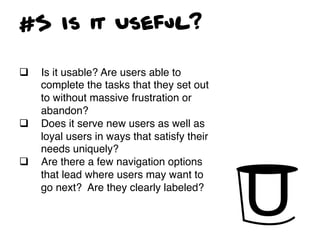
#5 Is it Useful?

q    Is it usable? Are users able to
      complete the tasks that they set out
      to without massive frustration or
      abandon?!
q    Does it serve new users as well as
      loyal users in ways that satisfy their
      needs uniquely?!
q    Are there a few navigation options
      that lead where users may want to
      go next? Are they clearly labeled?!
#6 Credible


Worthy of
confidence,
reliable
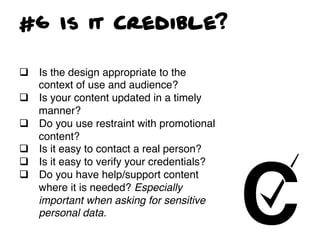
#6 Is it Credible?

q  Is the design appropriate to the
    context of use and audience?!
q  Is your content updated in a timely
    manner? !
q  Do you use restraint with promotional
    content?!
q  Is it easy to contact a real person?!
q  Is it easy to verify your credentials?!
q  Do you have help/support content
    where it is needed? Especially
    important when asking for sensitive
    personal data.!
#7 Controllable


Able to adjust to
a requirement
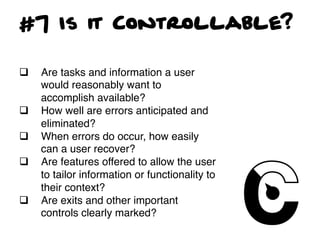
#7 Is it Controllable?

q    Are tasks and information a user
      would reasonably want to
      accomplish available?!
q    How well are errors anticipated and
      eliminated?!
q    When errors do occur, how easily
      can a user recover?!
q    Are features offered to allow the user
      to tailor information or functionality to
      their context?!
q    Are exits and other important
      controls clearly marked?!
#8 Valuable


Of great use,
service and
importance
#8 Is it Valuable?

q    Is it desirable to the target user? !
q    Does it maintain conformity with
      expectations throughout the interaction
      across channels? !
q    Can a user easily describe the value?!
q    How is success being measured? Does
      it contribute to the bottom line?!
q    Does it improve customer satisfaction?!
#9 Learnable


To fix in the
mind, in the
memory
#9 Is it Learnable?

q    Can it be grasped quickly?!
q    What is offered to ease the more
      complicated processes?!
q    Is it memorable?!
q    Is it easy to recount?!
q    Does it behave consistently enough to be
      predictable?!
#10 Delightful


Greatly
pleasing
#10 Is it Delightful?

q    What are your differentiators from
      other similar experiences or
      competitors?!
q    What cross channel ties can be
      explored that delight? !
q    How are user expectations not just
      met but exceeded?!
q    What are you providing that is
      unexpected?!
q    What can you take that is now
      ordinary and make extraordinary?!
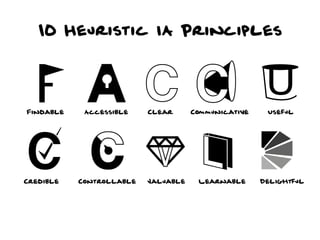
10 Heuristic IA Principles
How to Implement Heuristics
where you work...
q    Teach this content to your organization – not
      just the designers (you can even use this deck)!
q    Heuristically review where you are today!
q    Set baseline scores and identify principles you
      want to see improvement on (and by when)!
q    Start using this as the consistent language
      when critiquing work!
q    Bring these questions as thought starters to
      your critiques!
thank you
•  For listening!
•  For caring!
•  For making the internet a better place!
!
                     Twitter: @Abby_The_IA!
              Email: abby@understandinggroup.com!

Brought	
  to	
  you	
  by:	
  

                                     The	
  company	
  that	
  enables	
  me	
  
                                     do	
  awesome	
  stuff	
  like	
  this	
  for	
  
                                     awesome	
  people	
  like	
  you.	
  

Information Architecture Heuristics

  • 1.
    Does it havelegs? Information Architecture Heuristics for Interaction Designers! ! presented by: ! Abby Covert @Abby_The_IA
  • 2.
    What do youwant in a critique?! <Type> Designers: want to spark Non Designers: want a ! new insights when reviewing their healthy and non opinion-driven work alone or with others.! conversation with designers.! ! ! They are trying to avoid: ! They are trying to avoid: ! Blank stares, not knowing where ! Opinions being seen as rulings, to start, taking coffee breaks to having a lack of direction on avoid critiquing ! what feedback to give and when!
  • 3.
    But when critiquingwork: 
 What we really want to know is
 
 “Does it have legs?” ! •  Is it stable enough to support the weight of use?! •  Will it be effective in execution?! •  Will it stand on itʼs own?! ! A good place to start when answering these questions is Evaluating it against heuristic principles.!
  • 4.
    “rules of thumb”! “best practices”! What is a heuristic?! “intuitive judgments”! “common sense”!
  • 5.
    Case Studies! Patterns & Anti-Patterns! What is NOT a heuristic?! Stencils! Templates!
  • 6.
    We use heuristicsto…! •  Evaluate the strength and quality of what is currently offered to users! •  Facilitate critique during planning, design and development! •  Predict the effectiveness of a potential solution!
  • 7.
  • 8.
    •  Five sources •  Easy to learn •  Over Fifty principles •  Easy to Teach •  Lots of overlap •  Easy to Implement across contexts, teams and Channels
  • 10.
    Result: My Proposed9 Principles from 50! ? 1 wildcard  
  • 11.
    REMINDERS– The rulesof heuristic use! 1.  Put on your user shoes: Forget where you work and what your job is. ! 2.  Put on your user goggles: None of these principles matter without understanding the context of use and who your users are. ! 3.  Say “I am not my user”: Never use heuristic review as a replacement for user research.! !
  • 12.
  • 13.
    #1 Is itFindable? q  Can users easily locate that which they are seeking? ! q  How is findability affected across channels and devices?! q  Are there multiple ways available to access things?! q  How do external and internal search engines “see” what is provided?! q  Is information formatted with results in mind? ! q  What is provided to make the delivered results more useful?  
  • 14.
  • 15.
    #2 Is itAccessible? q  Can it be used via all expected Be aware that upwards of 20% or more of the channels and devices?! worldʼs population has q  How resilient and consistent is it a disability. ! ! when used via “other” channels? ! The internet is a public q  Does it meet the levels of place. Itʼs like building a ramp to your building, or accessibility compliance to be refusing to. ! considerate of those users with ! </soapbox>! disabilities*! ! !
  • 16.
  • 17.
    #3 Is itClear? q  Is it easy to understand?! q  Is the target demographicsʼ grade and reading level being considered?! q  Is the path to task completion obvious and free of distraction?! q  Would a user find it easy to describe?! ! !
  • 18.
    TOP 3 ClarityOffenses •  Corporate underpants: When you are obviously making a navigational decision based on your organizational structure, not user decision paths.! •  Inside Baseball: When you are calling something a term that is unclear to anyone that doesnʼt work for your company. ! ! •  Weasel Words: When you are being purposefully unclear in language to avoid making a promise or decision about process or commitment to a user.!
  • 19.
  • 20.
    #4 Is itcommunicative? q  Is the status, location and permissions of the user obvious?! q  How is messaging used throughout? Is messaging effective for the tasks and contexts being supported?! q  Does the navigation and messaging help establish a sense of place that is consistent and orienting across channels, contexts and tasks?! !
  • 21.
    #5 Useful Capable of producingthe desired or intended result
  • 22.
    #5 Is itUseful? q  Is it usable? Are users able to complete the tasks that they set out to without massive frustration or abandon?! q  Does it serve new users as well as loyal users in ways that satisfy their needs uniquely?! q  Are there a few navigation options that lead where users may want to go next? Are they clearly labeled?!
  • 23.
  • 24.
    #6 Is itCredible? q  Is the design appropriate to the context of use and audience?! q  Is your content updated in a timely manner? ! q  Do you use restraint with promotional content?! q  Is it easy to contact a real person?! q  Is it easy to verify your credentials?! q  Do you have help/support content where it is needed? Especially important when asking for sensitive personal data.!
  • 25.
    #7 Controllable Able toadjust to a requirement
  • 26.
    #7 Is itControllable? q  Are tasks and information a user would reasonably want to accomplish available?! q  How well are errors anticipated and eliminated?! q  When errors do occur, how easily can a user recover?! q  Are features offered to allow the user to tailor information or functionality to their context?! q  Are exits and other important controls clearly marked?!
  • 27.
    #8 Valuable Of greatuse, service and importance
  • 28.
    #8 Is itValuable? q  Is it desirable to the target user? ! q  Does it maintain conformity with expectations throughout the interaction across channels? ! q  Can a user easily describe the value?! q  How is success being measured? Does it contribute to the bottom line?! q  Does it improve customer satisfaction?!
  • 29.
    #9 Learnable To fixin the mind, in the memory
  • 30.
    #9 Is itLearnable? q  Can it be grasped quickly?! q  What is offered to ease the more complicated processes?! q  Is it memorable?! q  Is it easy to recount?! q  Does it behave consistently enough to be predictable?!
  • 31.
  • 32.
    #10 Is itDelightful? q  What are your differentiators from other similar experiences or competitors?! q  What cross channel ties can be explored that delight? ! q  How are user expectations not just met but exceeded?! q  What are you providing that is unexpected?! q  What can you take that is now ordinary and make extraordinary?!
  • 33.
    10 Heuristic IAPrinciples
  • 34.
    How to ImplementHeuristics where you work... q  Teach this content to your organization – not just the designers (you can even use this deck)! q  Heuristically review where you are today! q  Set baseline scores and identify principles you want to see improvement on (and by when)! q  Start using this as the consistent language when critiquing work! q  Bring these questions as thought starters to your critiques!
  • 35.
    thank you •  Forlistening! •  For caring! •  For making the internet a better place! ! Twitter: @Abby_The_IA! Email: abby@understandinggroup.com! Brought  to  you  by:   The  company  that  enables  me   do  awesome  stuff  like  this  for   awesome  people  like  you.