More Related Content

PDF
jQueryでつくる、動きのあるWebページ - 多摩美 メディアリテラシー 
PDF
Poetry in the age of hip-hop 
KEY

KEY

PDF

KEY

PPTX

PDF
Modernizerを用いたHTML5Webサイトの構築 Viewers also liked

KEY
jQueryプラグイン フォトギャラリーを作成する - 芸大Webデザイン演習B 
PDF

PDF
Interactive Music II SuperCollider応用 JITLib - ライブコーディング 1 
PDF
芸術情報演習デザイン(Web) 最終課題制作相談会 
PDF
iTamabi 13 第7回:ARTSAT API 実践 2 衛星の情報で表現する 
PDF

PDF

PDF
情報編集(Web) 第9回: CSSフレームワークを使う - 2 Twitter Bootstrapのカスタマイズ 
PDF
情報編集(Web) 第8回: CSSフレームワークを使う Twitter Bootstrap 
PDF
芸術情報演習デザイン(Web) 第8回: CSSフレームワークを使う Twitter Bootstrap 
PDF

PDF
芸術情報演習デザイン(Web) 第7回:CSSレイアウト 
PDF
メディア芸術基礎 Ⅰ 第5回:サイトの設計、ソーシャルメディアを利用する 
PDF
iTamabi 13 第3回:iPhoneアプリ実践開発講座 1 画像ファイルの読み込み 画像でアニメーションを作成する 
PDF

PDF
メディア芸術基礎 Ⅰ 第4回:CSS入門 情報の形を視覚化する 
PDF
CSS - ボックスモデルを理解する - 千葉商科大学 Web表現 
PDF
芸術情報演習(Web) Tumblrを使う3 カスタムHTMLテーマの作成 
PDF
芸術情報演習デザイン(Web) Tumblrを使う2 テーマをカスタマイズする 
PDF
Sound & CGI-B, 2013.10.04 More from Atsushi Tadokoro

PDF
Webデザイン 第10回:HTML5実践 Three.jsで3Dプログラミング 
PDF
Interactive Music II ProcessingとSuperColliderの連携1 
PDF
Interactive Music II SuperCollider応用 - SuperColliderと OSC (Open Sound Control) 
PDF
Media Art II openFrameworks 複数のシーンの管理・切替え 
PDF
Interactive Music II Processingによるアニメーション 
PDF
「クリエイティブ・ミュージック・コーディング」- オーディオ・ビジュアル作品のための、オープンソースなソフトウエア・フレームワークの現状と展望 
PDF
Interactive Music II ProcessingとSuperColliderの連携 -2 
PDF
Media Art II openFrameworks アプリ間の通信とタンジブルなインターフェイス 
PDF
Interactive Music II SuperCollider応用 2 - SuperColliderとPure Dataの連携 
PDF
iTamabi 13 第9回:ARTSAT API 実践 3 ジオコーディングで衛星の位置を取得 
PDF
芸術情報演習デザイン(Web) 第8回: CSSフレームワークを使う 
PDF
iTamabi 13 ARTSAT API 実践 5 - 衛星の軌道を描く 
PDF
メディア芸術基礎 II 第11回:HTML5実践 表現のための様々なJavaScriptライブラリ 
PDF
coma Creators session vol.2 
PDF
Interactive Music II SuperCollider応用 JITLib - ライブコーディング 2 
PDF

PDF
iTamabi 13 第8回:ARTSAT API 実践 2 衛星アプリを企画する 
PDF
Interactive Music II Processing基本 
PDF
Interactive Music II SuperCollider実習 オリジナルの楽器を作ろう! 
PDF
jQuery 2 イベントを理解する - 芸大Webデザイン演習B
- 2.
- 3.
- 4.
- 5.
- 6.
- 7.
- 8.
- 9.
- 10.
- 12.
- 13.
- 14.
- 15.
- 16.
- 17.
- 18.
- 19.
‣
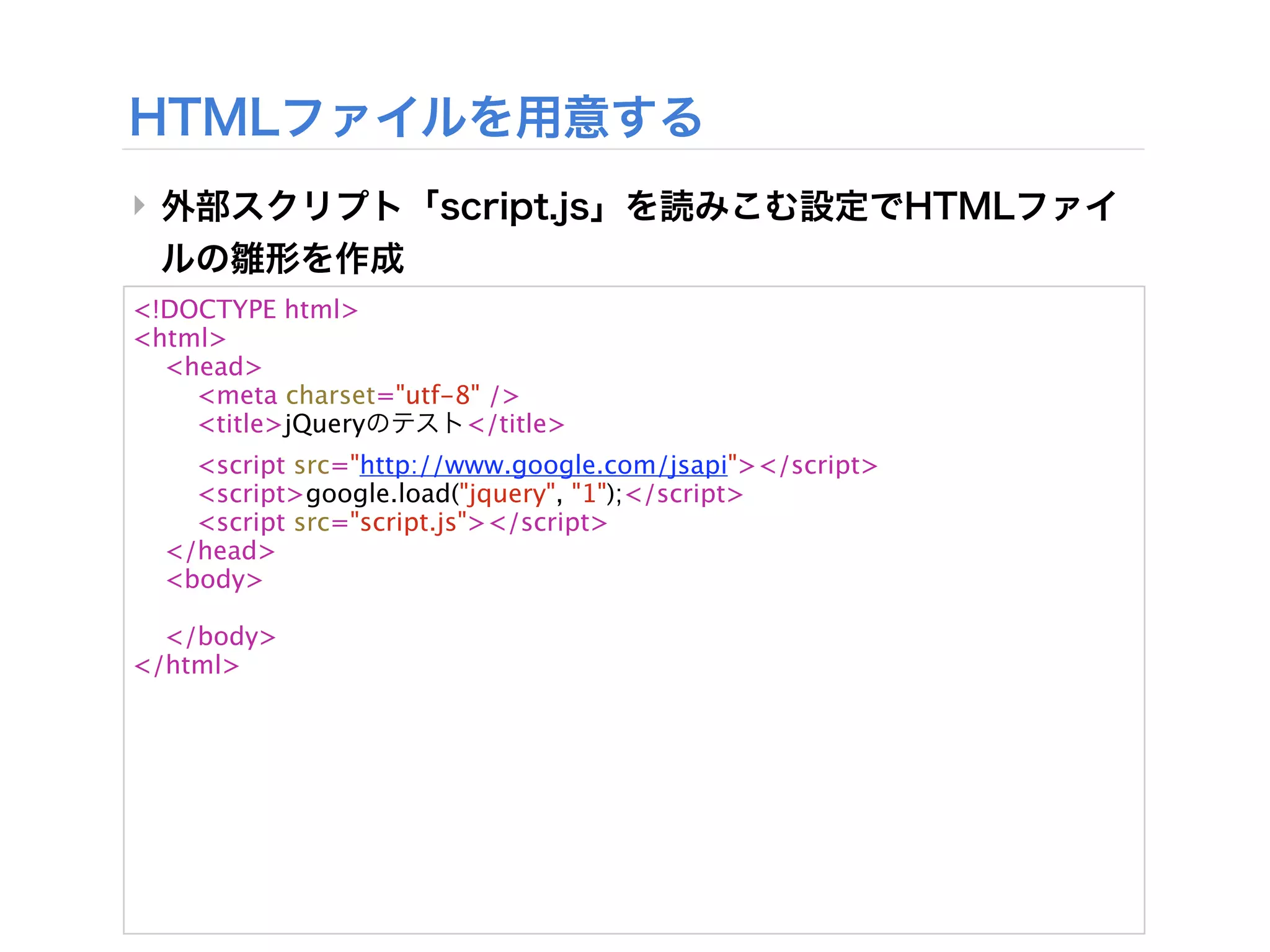
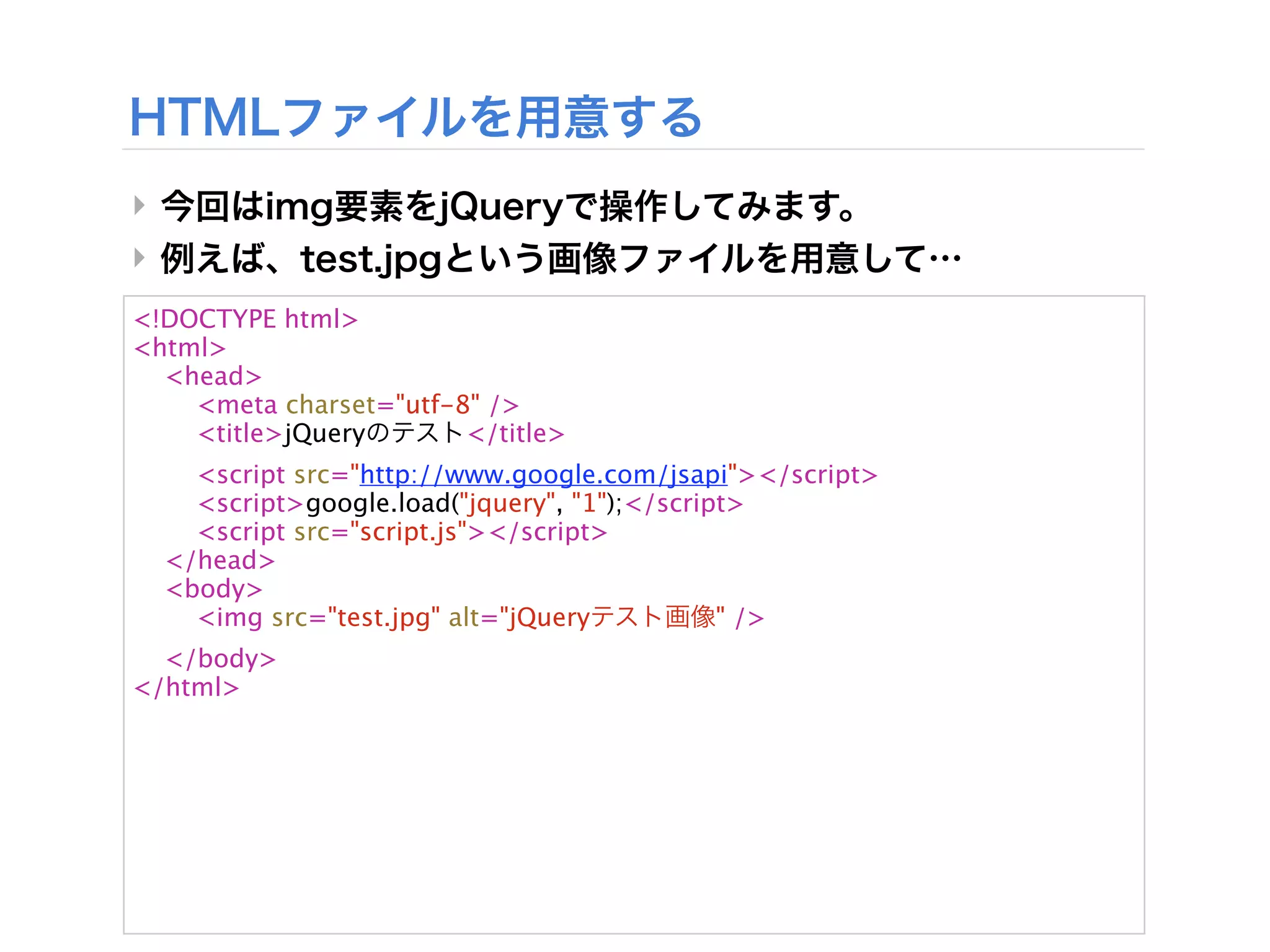
<!DOCTYPE html>
<html>
<head>
<meta charset="utf-8" />
<title>jQuery </title>
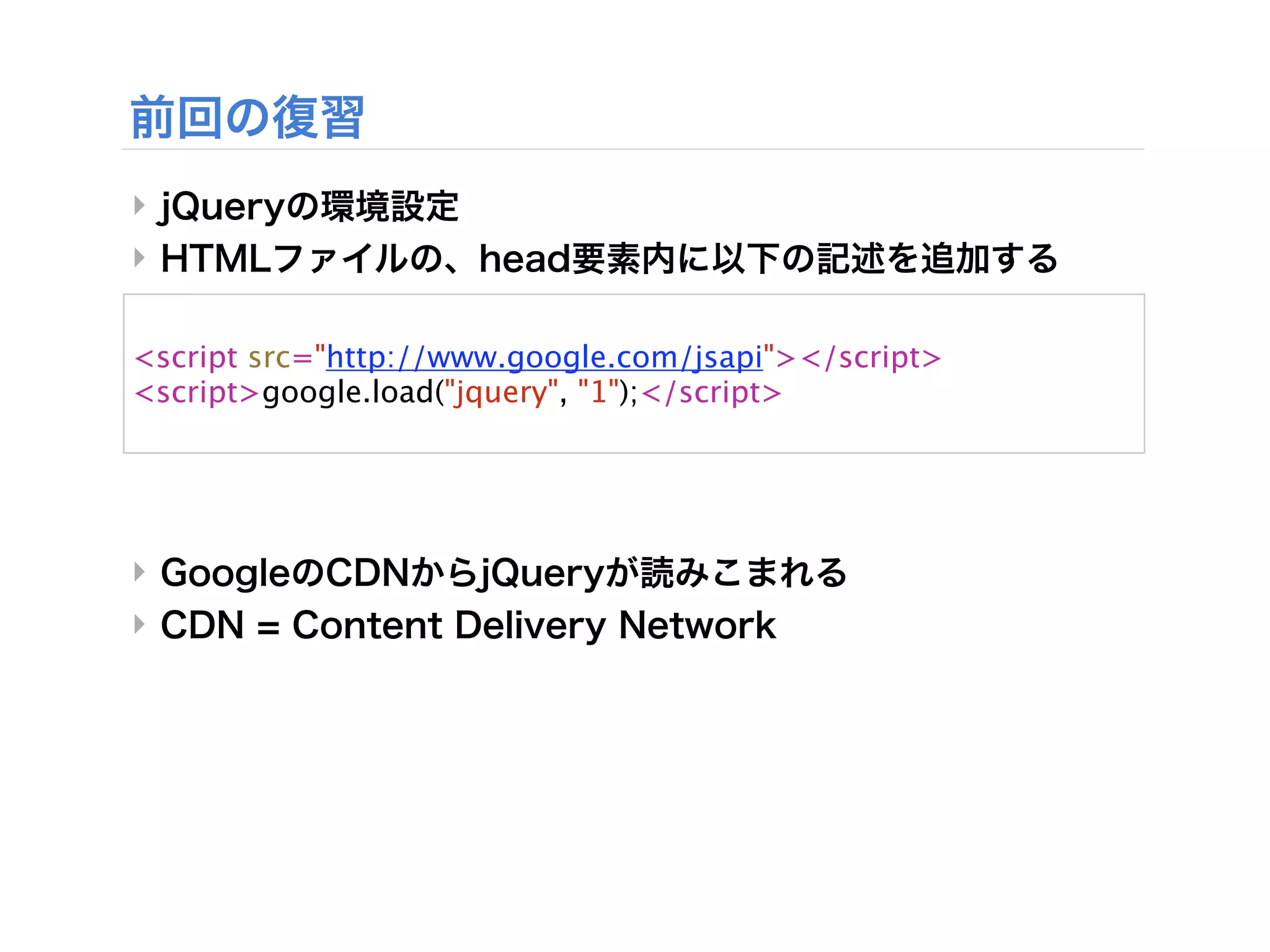
<script src="http://www.google.com/jsapi"></script>
<script>google.load("jquery", "1");</script>
<script src="script.js"></script>
</head>
<body>
</body>
</html>
- 20.
‣
‣
<!DOCTYPE html>
<html>
<head>
<meta charset="utf-8" />
<title>jQuery </title>
<script src="http://www.google.com/jsapi"></script>
<script>google.load("jquery", "1");</script>
<script src="script.js"></script>
</head>
<body>
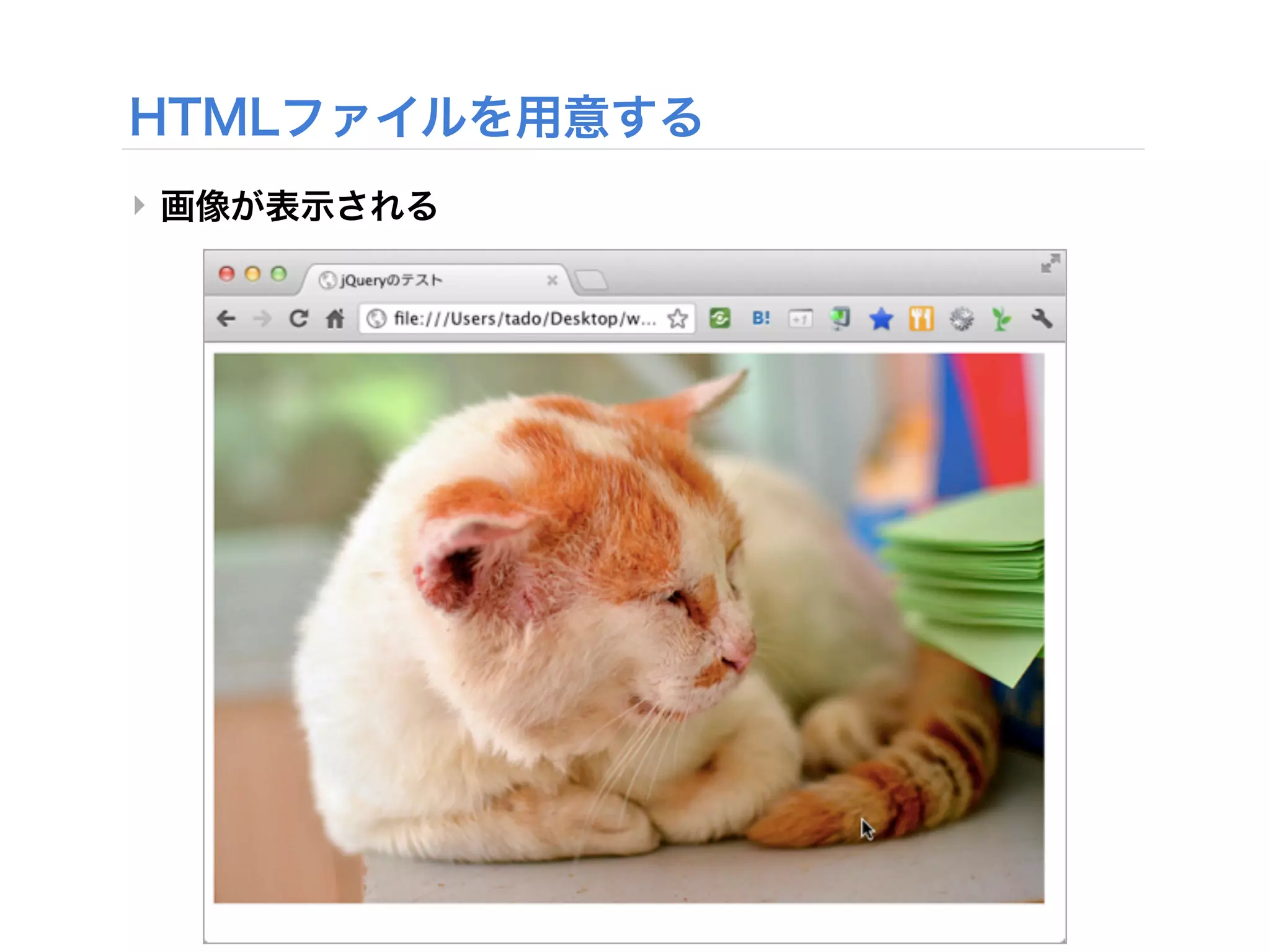
<img src="test.jpg" alt="jQuery " />
</body>
</html>
- 21.
- 22.
- 23.
- 24.
- 25.
- 26.
- 27.
- 28.
- 29.
- 30.
‣
‣
<!DOCTYPE html>
<html>
<head>
<meta charset="utf-8" />
<title>jQuery </title>
<script src="http://www.google.com/jsapi"></script>
<script>google.load("jquery", "1");</script>
<script src="script.js"></script>
</head>
<body>
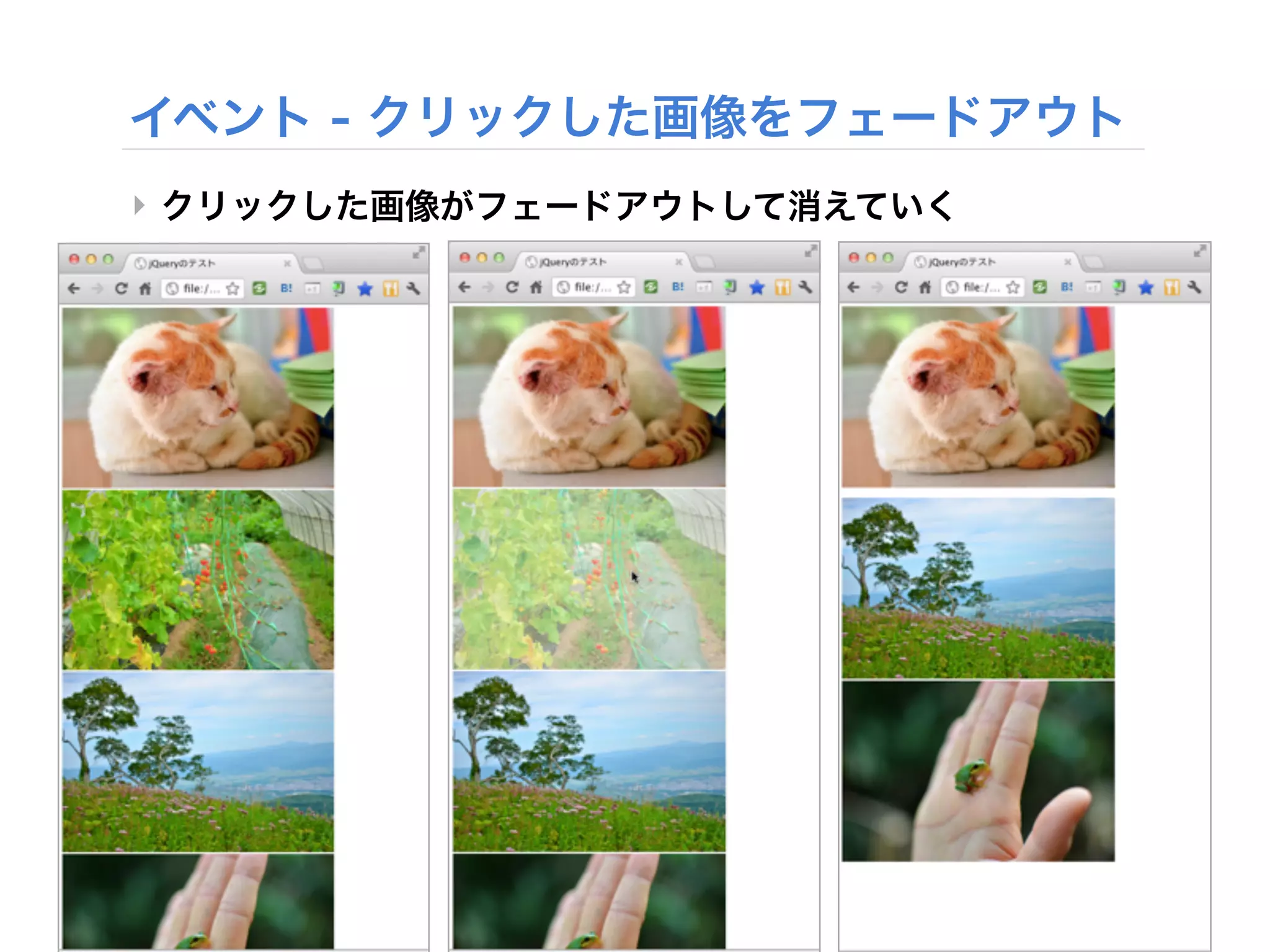
<img src="test1.jpg" alt=" 1" /><br />
<img src="test2.jpg" alt=" 2" /><br />
<img src="test3.jpg" alt=" 3" /><br />
<img src="test4.jpg" alt=" 4" />
</body>
</html>
- 31.
- 32.
- 33.
‣
‣
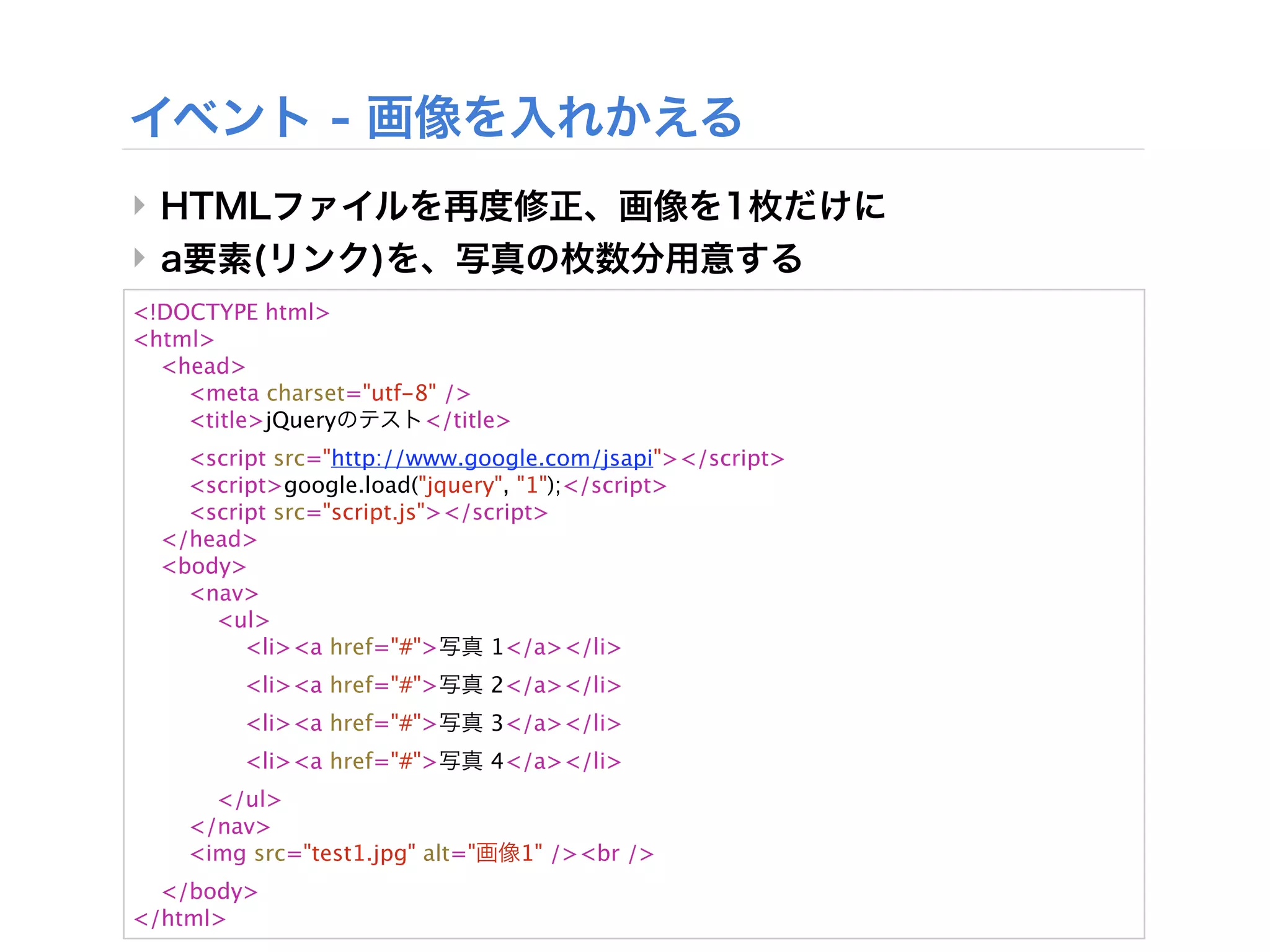
<!DOCTYPE html>
<html>
<head>
<meta charset="utf-8" />
<title>jQuery </title>
<script src="http://www.google.com/jsapi"></script>
<script>google.load("jquery", "1");</script>
<script src="script.js"></script>
</head>
<body>
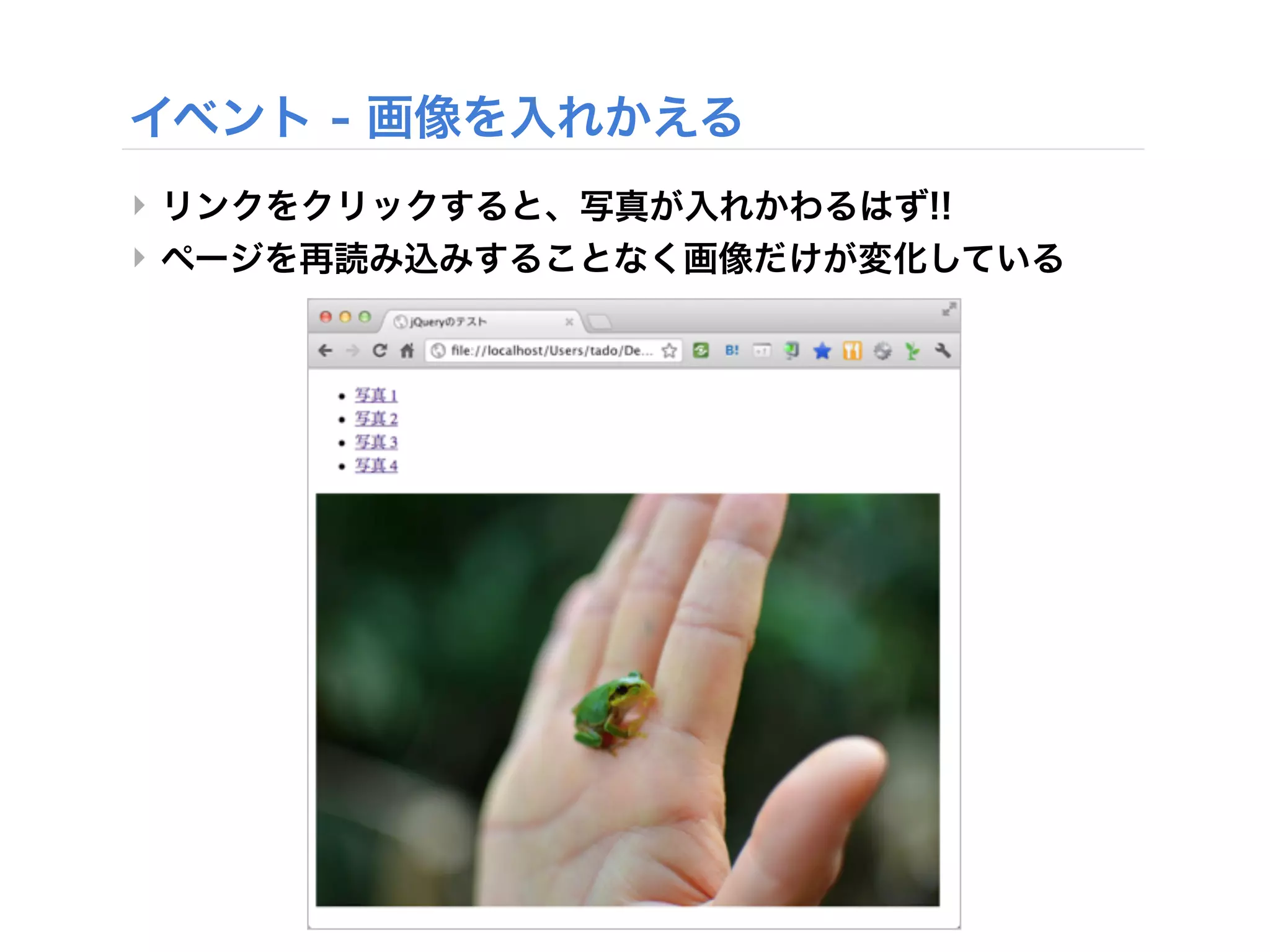
<nav>
<ul>
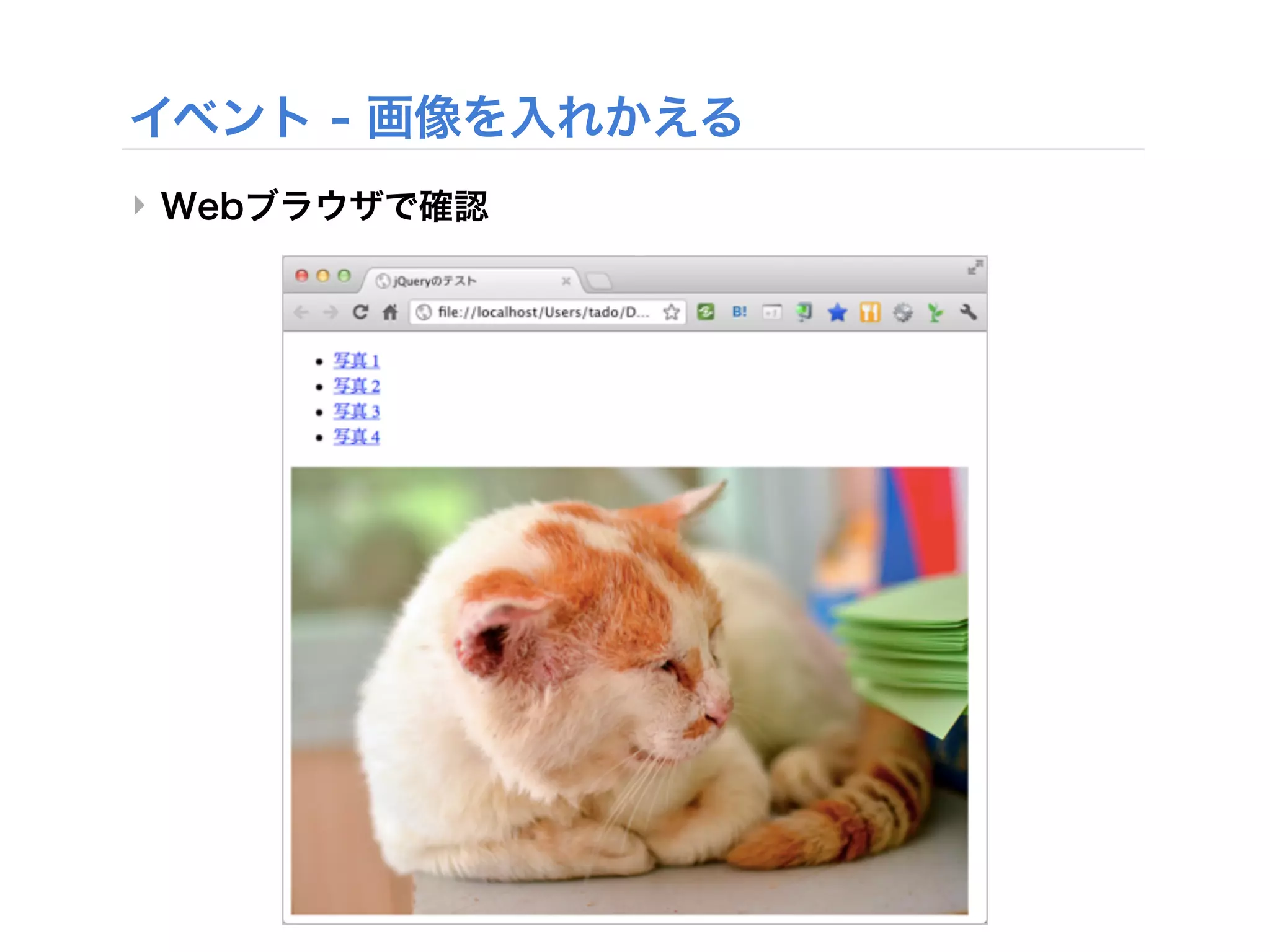
<li><a href="#"> 1</a></li>
<li><a href="#"> 2</a></li>
<li><a href="#"> 3</a></li>
<li><a href="#"> 4</a></li>
</ul>
</nav>
<img src="test1.jpg" alt=" 1" /><br />
</body>
</html>
- 34.
- 35.
‣
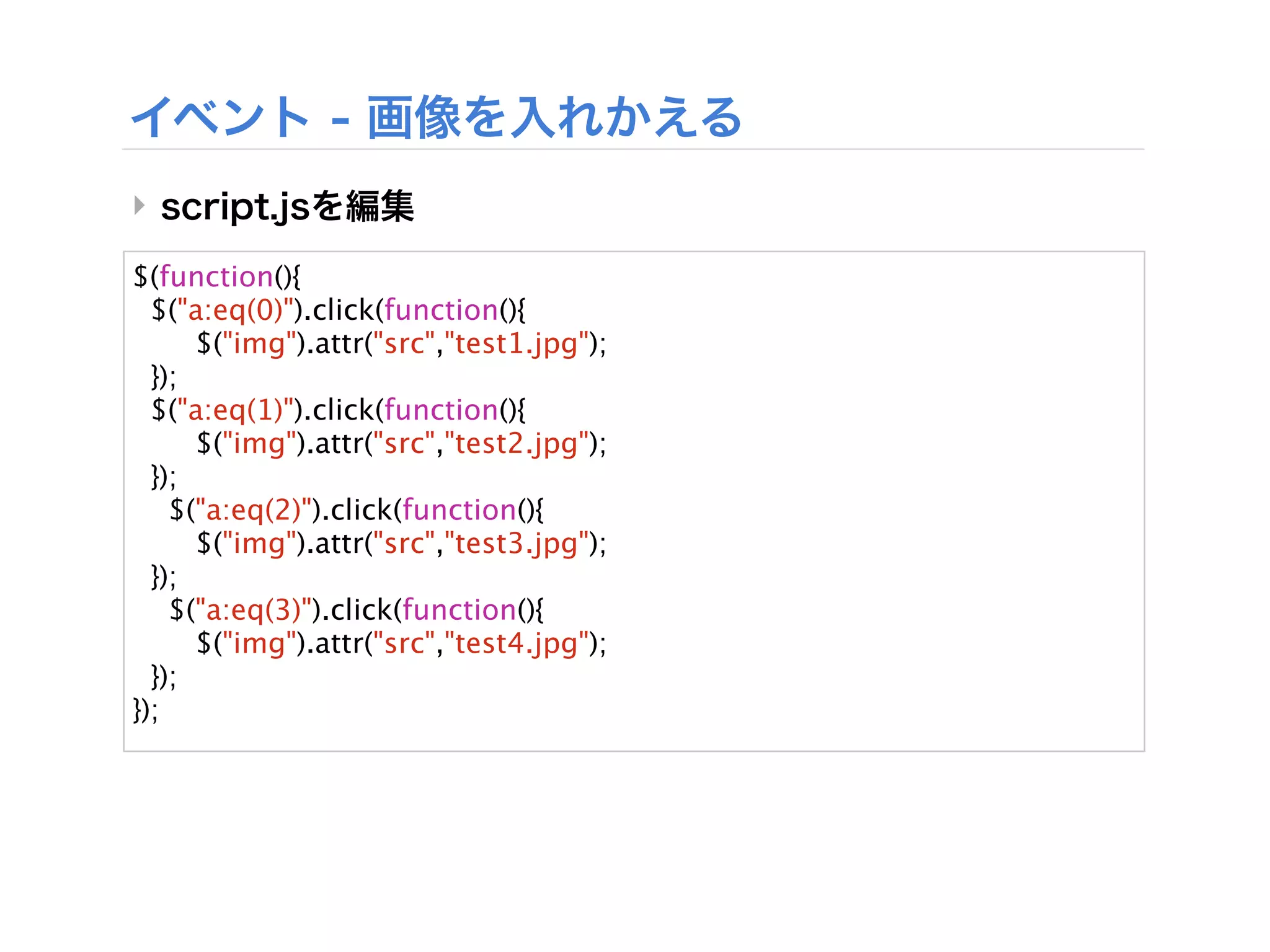
$(function(){
$("a:eq(0)").click(function(){
$("img").attr("src","test1.jpg");
});
$("a:eq(1)").click(function(){
$("img").attr("src","test2.jpg");
});
$("a:eq(2)").click(function(){
$("img").attr("src","test3.jpg");
});
$("a:eq(3)").click(function(){
$("img").attr("src","test4.jpg");
});
});
- 36.
- 37.