Research Protocol

Loading...

Flash Player 9 (or above) is needed to view presentations.
We have detected that you do not have it on your computer. To install it, go here.

0 comments

Post a comment

    Post a comment
    Embed Video
    Edit your comment Cancel

    Favorites, Groups & Events

    Research Protocol - Presentation Transcript

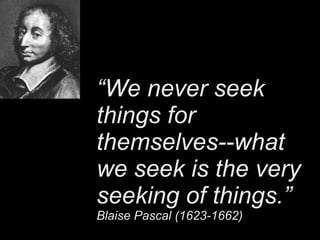
    1. “ We never seek things for themselves--what we seek is the very seeking of things.” Blaise Pascal (1623-1662)
    2. Creating a Research Protocol for Secondary Students
      • Harry Coffill-Librarian, EGR Middle School
      • Susan McCaffrey-District Library
      • Co-Ordinator EGR Public Schools
    3. How many times have you heard a teacher say, “Just Google it?” to a student?
      • Do you know what a Googol is?
    4. A googol (10 100 ) is a very big number
      • 10,000,000,000,000,000,000,000,000,000,000,000,000,000,000,000,000,000,000,000,000,000,000,000,000,000,000,000,000,000,000,000,000,000
    5. Why are we encouraging students to look for needles in haystacks?
    6. Search engines are phone books
      • Search engines are great for finding movie times, travel help, social networking, etc.
      • Search engines SHOULD NOT be our first stop for educational research.
        • Would you be comfortable if your doctor looked up information for your treatment on Yahoo?
        • HOW TO REMOVE AN APPENDIX
    7. Misconceptions
      • Kids have been using the Internet “since birth” and don’t need instruction
        • Many students have been “roaming the playground” for so long they’ve picked up very bad habits.
      • Search engines, free and uncomplicated, can provide all answers
        • Search engines are incredibly complicated when searchers don’t know what they’re looking for.
      • “ The kids know more than I do”
        • No. They don’t.
    8. Skills that college freshmen need
        • “ Students [have] a lack of understanding of how to interpret material - what's good, what's not good. They are not clear on ethical issues of how to cite. They don't know that it is not appropriate to steal clip art. They may have been taught that there are copyright rules, but the concept of intellectual property hasn't sunk in. Most believe if it's this easy, it must be OK.“
          • Catherine Schifter, associate professor in Temple University's department of curriculum
      http://joycevalenza.com/skillsart.html
      • “ Students perceive themselves to be technology-savvy because they can fiddle with hardware, have mastered video games, can download songs…But things that you or I would take for granted, such as understanding an advanced search screen or even being able to use an OPAC completely bewilder them.“
        • Stephen Bell, director of the Paul H. Gutman Library at the Philadelphia University
      Skills that college freshmen need http://joycevalenza.com/skillsart.html
    9. What do we want a student to do?
      • The process is not about “getting the answer”
      • The process SHOULD BE about finding the correct path to the answer
    10. Key Skills for Student Research
      • “What do we want students to do?”
      • STUDENTS SHOULD DO THESE STEPS BEFORE BEGINNING ONLINE RESEARCH!
    11. Plan Research
        • Take the time to write down search terms
        • Look at overviews in print resources first
            • Can a student define “What am I researching?”
            • Can the material be found in an index, almanac, or encyclopedia?
    12. Create Terms for Boolean Research
        • Have the right vocabulary for your search
          • Do students know how to correctly phrase their search?
          • Synonyms
          • Broad to specific
          • Train students to use specific terms
    13. Database Searches
      • MEL
      • Subscription Based Searches
        • Use your library home-page or blog as the “home base” for your research
        • Library home pages can be tailored to reflect in-school curriculum
    14. Searching Skills
      • Subject-Specific Search Engines
        • Utilize your knowledge of “where things are” to look in appropriate spaces whenever possible
      • Use “Advanced Search” features. Always.
      • Scirus.com
    15. Non-Traditional Sources
      • Interviews/Experts
      • Transcripts
      • Podcasts
      • Invisible/Deep Web (WWW2)
    16. Is research in your school conducted as a journey or a destination? Are your students adept at researching beyond commercial search engines?
    SlideShare Zeitgeist 2009

    + susanmccaffreysusanmccaffrey Nominate

    custom

    432 views, 0 favs, 2 embeds more stats

    Ideas for teaching middle and high school students more

    More info about this document

    © All Rights Reserved

    Go to text version

    • Total Views 432
      • 430 on SlideShare
      • 2 from embeds
    • Comments 0
    • Favorites 0
    • Downloads 9
    Most viewed embeds
    • 1 views on http://www.slideshare.net
    • 1 views on http://librarianswithoutbuns.blogspot.com

    more

    All embeds
    • 1 views on http://www.slideshare.net
    • 1 views on http://librarianswithoutbuns.blogspot.com

    less

    Flagged as inappropriate Flag as inappropriate
    Flag as inappropriate

    Select your reason for flagging this presentation as inappropriate. If needed, use the feedback form to let us know more details.

    Cancel
    File a copyright complaint
    Having problems? Go to our helpdesk?

    Categories