SAP Security
An Overview

Presented to: BCO6181
Agenda
1.
2.
3.
4.
5.

What is Security
Building blocks
Common terminologies used
Most Common tools in Security
CUA
What is Security?
Security concept is same around the globe like in your normal life,
security - means removing or restricting unauthorized access to
your belongings. For example your Car, laptop or cared cards etc

IT Security?
Information security (sometimes shortened to InfoSec) is the practice of
defending information from unauthorized access, use, disclosure,
disruption, modification, perusal, inspection, recording or destruction. It is
a general term that can be used regardless of the form the data may take
(electronic, physical, etc...)

SAP Security?
In the same context of InfoSec. SAP security have the same
meaning… or in other words - who can do what in SAP?
Building Blocks

•
•
•
•

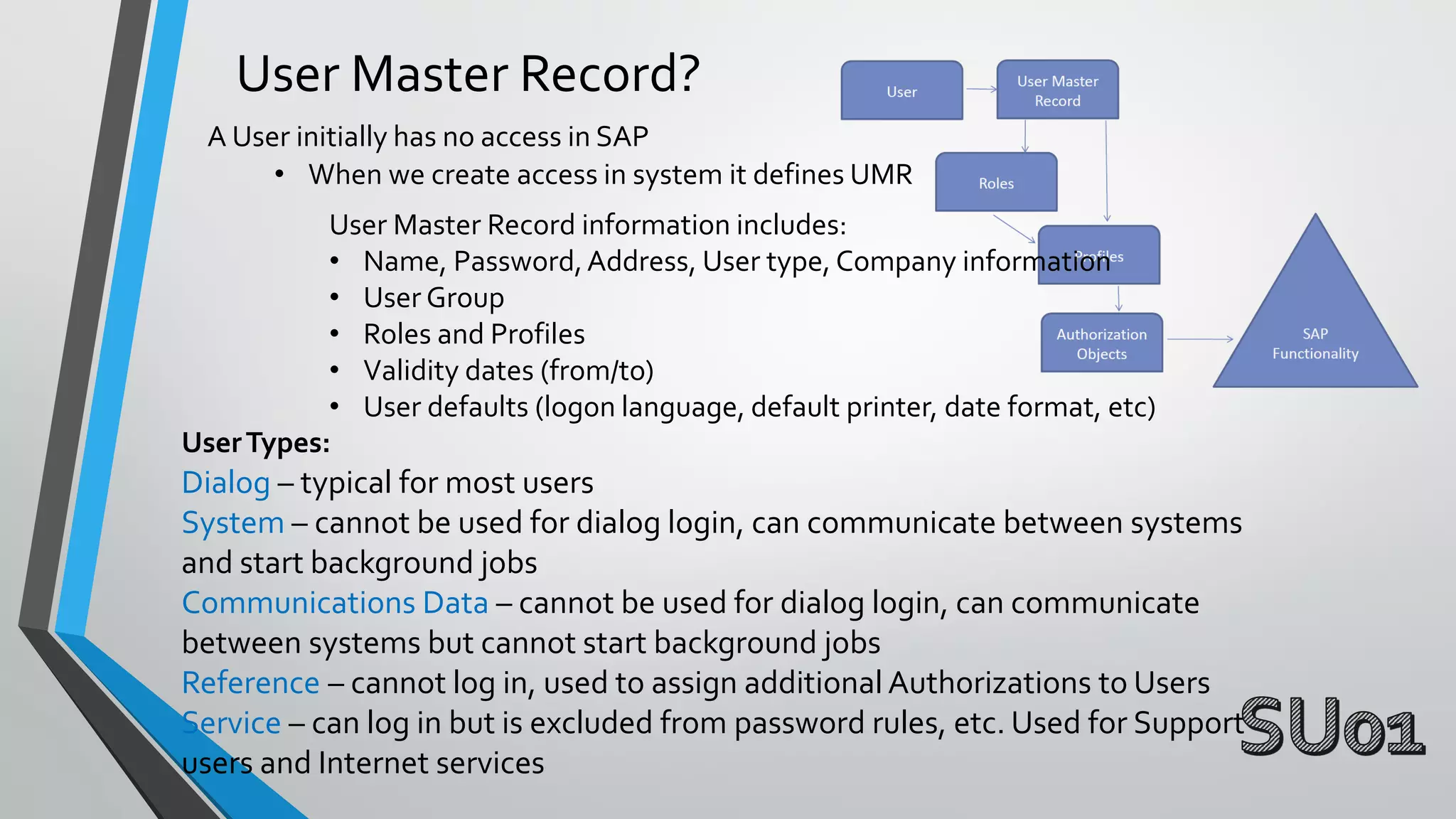
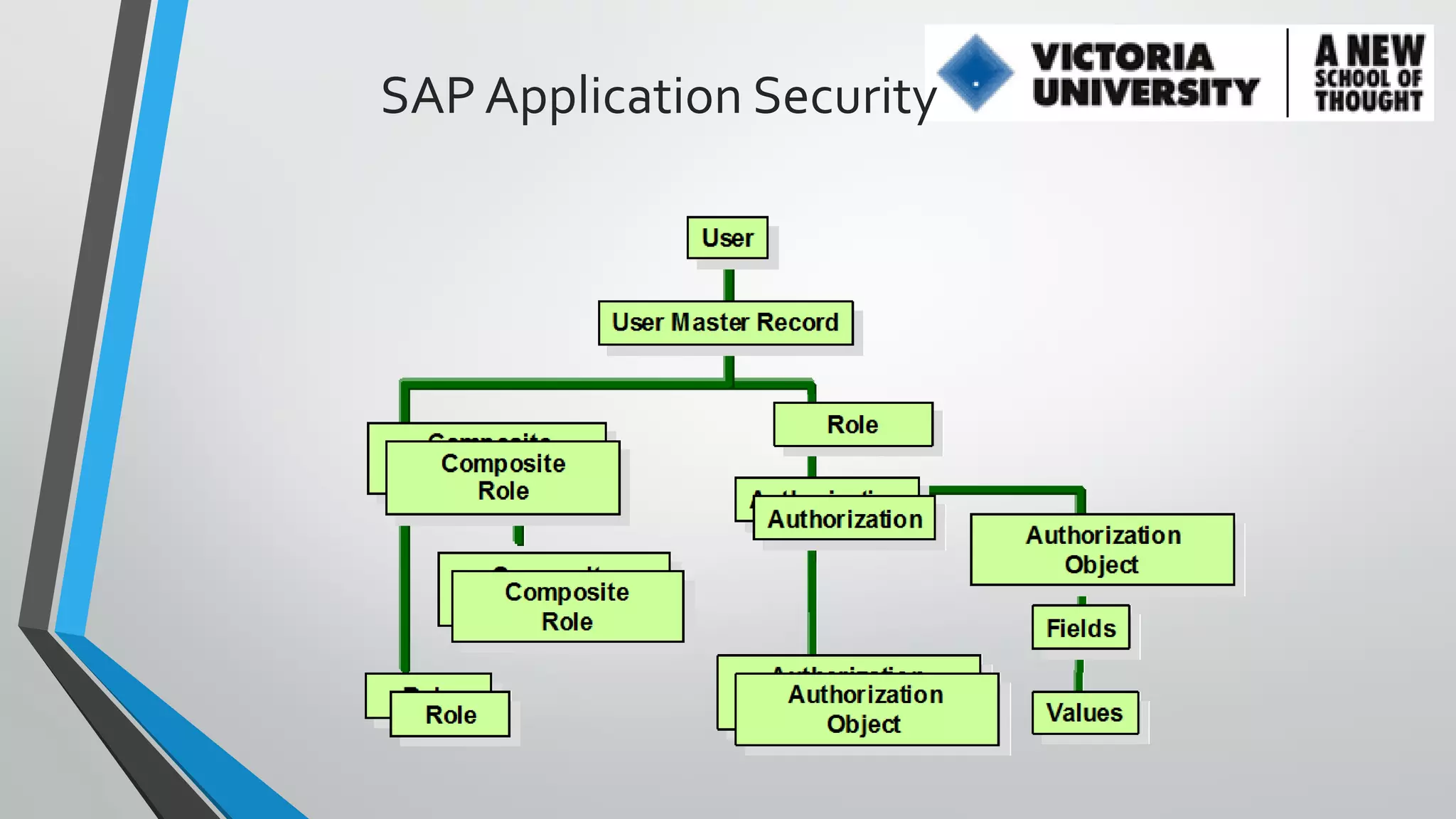
User Master Record
Roles
Profiles
Authorization Objects
User Master Record?
A User initially has no access in SAP
• When we create access in system it defines UMR
User Master Record information includes:
• Name, Password, Address, User type, Company information
• User Group
• Roles and Profiles
• Validity dates (from/to)
• User defaults (logon language, default printer, date format, etc)
User Types:

Dialog – typical for most users
System – cannot be used for dialog login, can communicate between systems
and start background jobs
Communications Data – cannot be used for dialog login, can communicate
between systems but cannot start background jobs
Reference – cannot log in, used to assign additional Authorizations to Users
Service – can log in but is excluded from password rules, etc. Used for Support
users and Internet services
Roles and Profiles
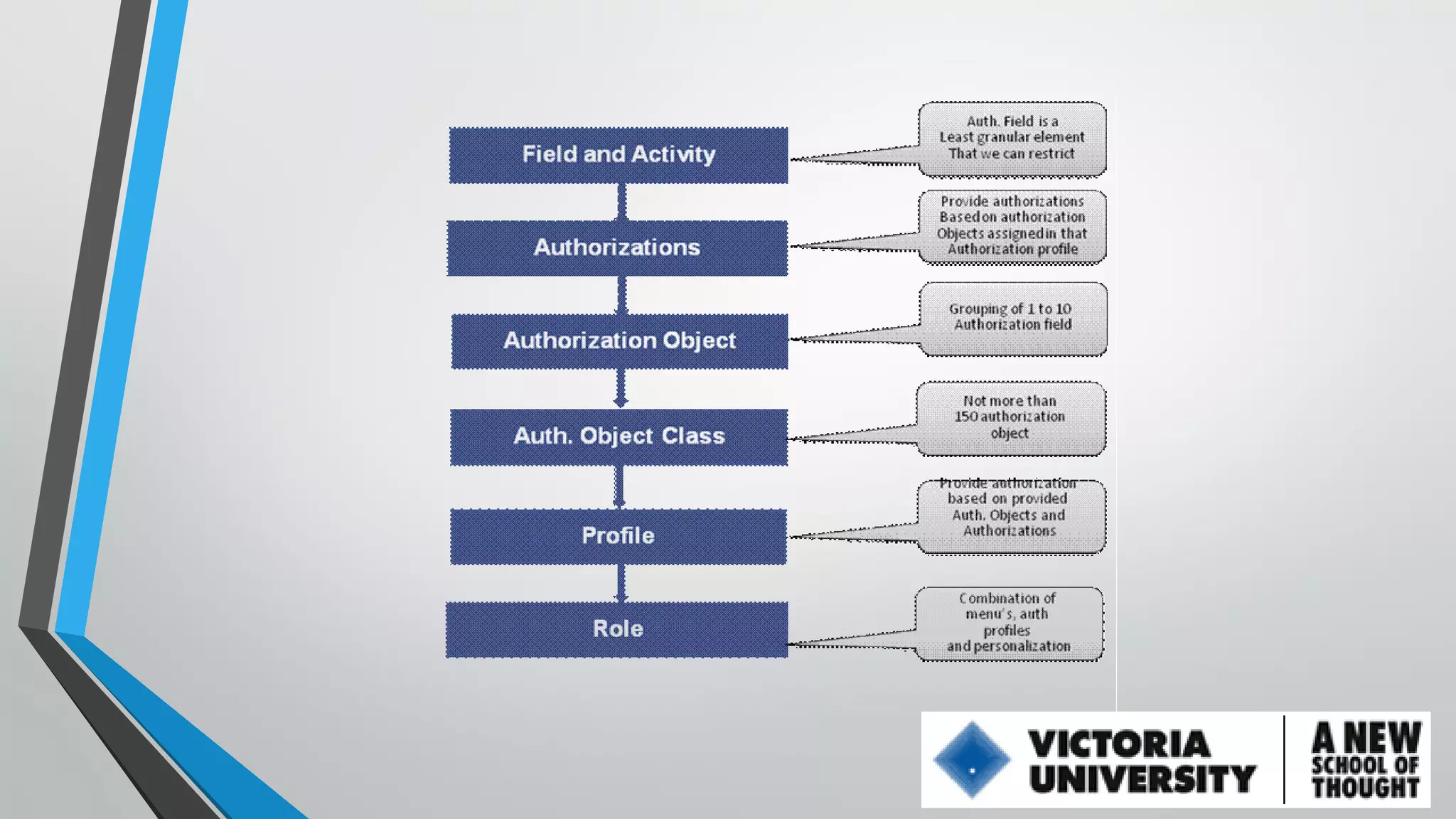
Roles is group of tcode (s), which is used to perform a specific business task. Each
role requires specific privileges to perform a function in SAP that is called
AUTHORIZATIONS

There are 3 types of Roles:
• Single – an independent Role
• Derived – has a parent and differs only in Organization Levels. Maintain
Transactions, Menu, Authorizations only at the parent level
• Composite – container that contains one or more Single or Derived Roles
Authorization Objects
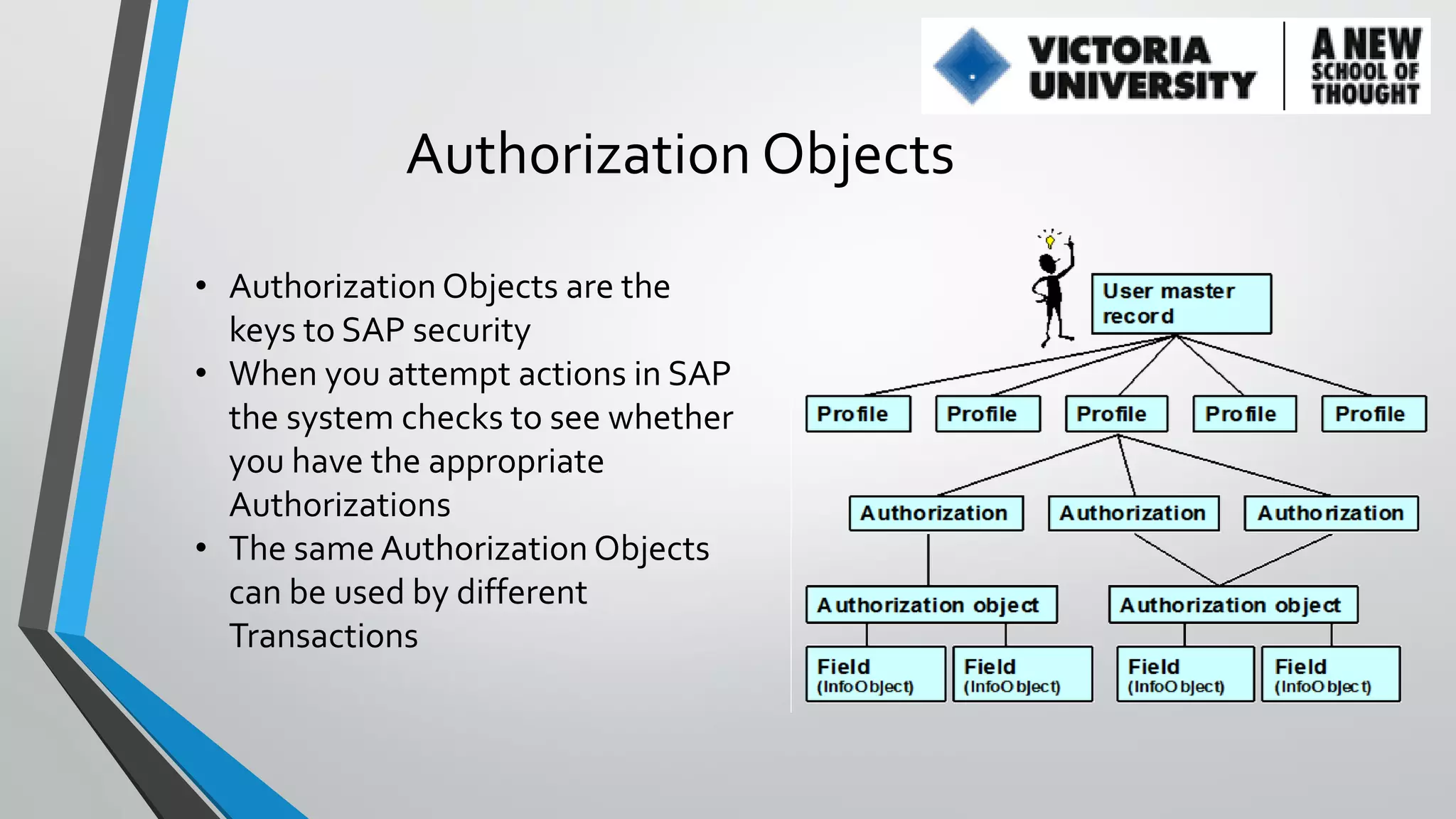
• Authorization Objects are the
keys to SAP security
• When you attempt actions in SAP
the system checks to see whether
you have the appropriate
Authorizations
• The same Authorization Objects
can be used by different
Transactions
SAP Application Security
User Buffer?
• When a User logs into the system, all of the Authorizations that
the User has are loaded into a special place in memory called
the User Buffer
• As the User attempts to perform activities, the system checks
whether the user has the appropriate Authorization Objects in
the User Buffer.
• You can see the buffer in Transaction ???
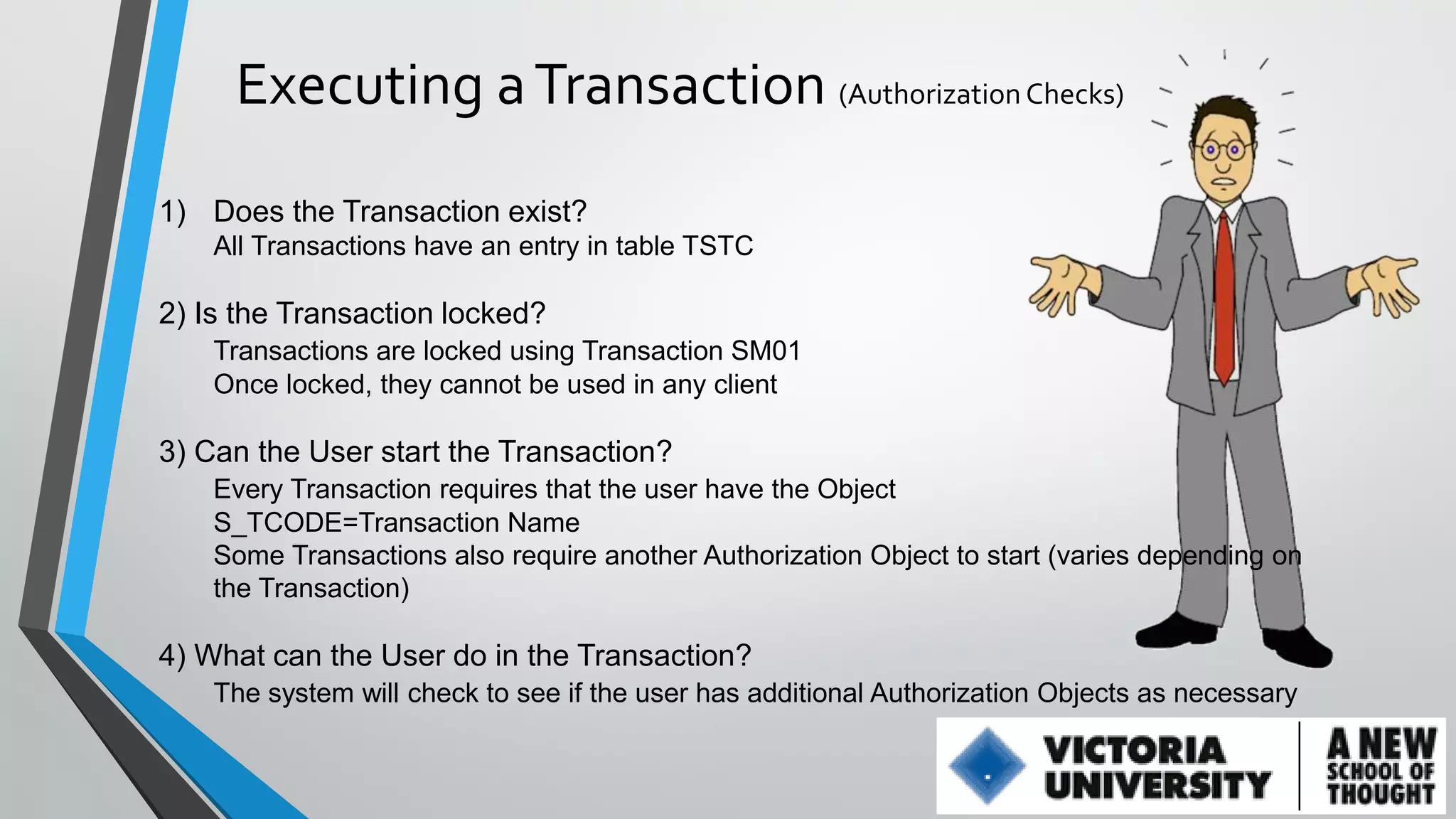
Executing a Transaction (Authorization Checks)
1) Does the Transaction exist?
All Transactions have an entry in table TSTC

2) Is the Transaction locked?
Transactions are locked using Transaction SM01
Once locked, they cannot be used in any client

3) Can the User start the Transaction?
Every Transaction requires that the user have the Object
S_TCODE=Transaction Name
Some Transactions also require another Authorization Object to start (varies depending on
the Transaction)

4) What can the User do in the Transaction?
The system will check to see if the user has additional Authorization Objects as necessary
Live Demo
How to trace missing Authorization
Frequently you find that the role you built has inadequate accesses and will
fail during testing or during production usage. Why?
Why It happens?
Negligence of tester or some other reason

How process initiated?
This process kicks when security guy receives:
• Email or,
• phone call or
• ticket
How do we determine correct accesses required?
 SAP has various tools to analyse access errors and
determine correct Authorizations required:
Use Last Failed Authorization check - SU53 (60% effective)
Use Assignment of Auth Object to Transactions - SU24 (60%
effective)
Trace the Authorizations for a function - ST01 (90% effective)
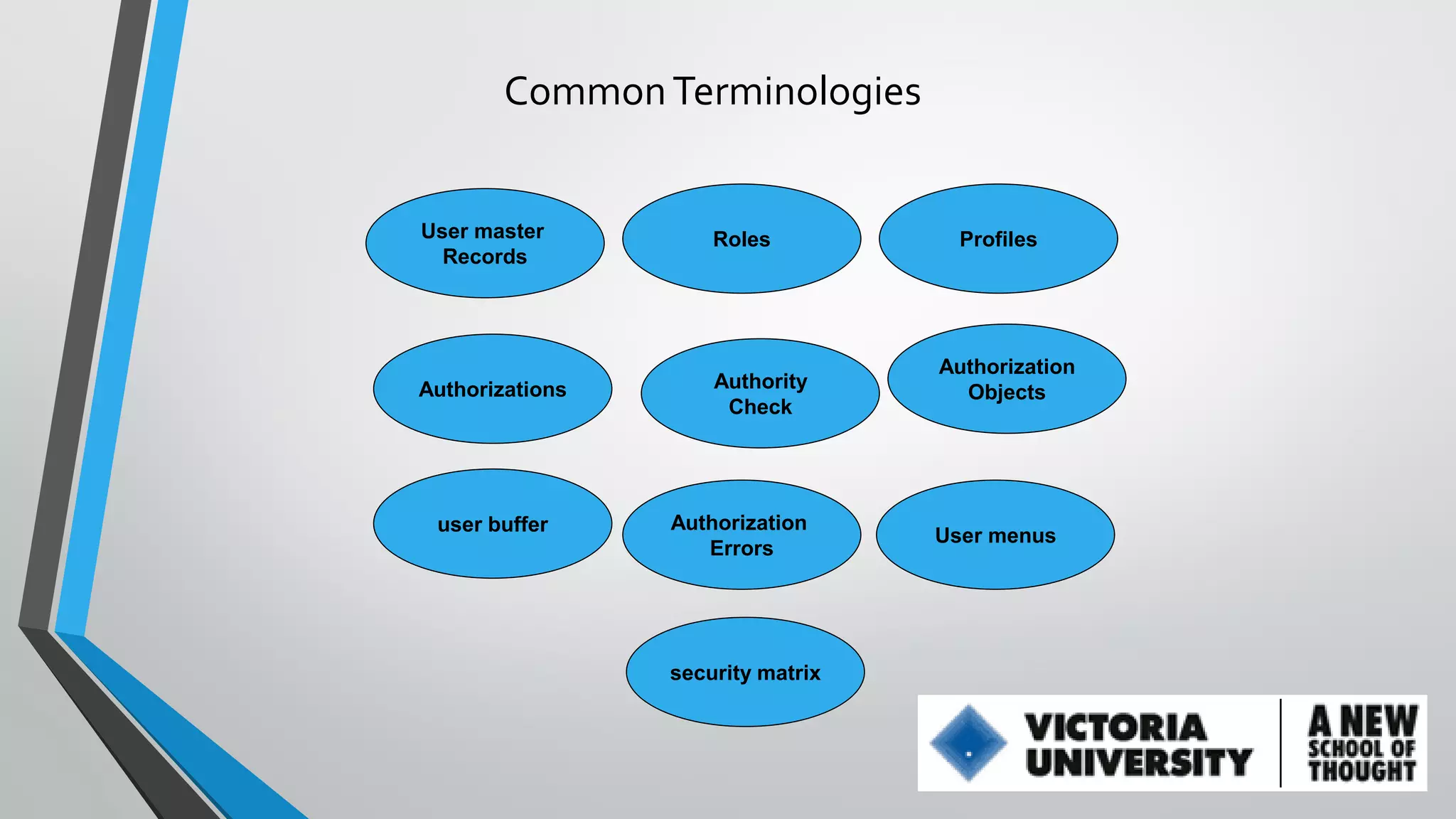
Common Terminologies

User master
Records

Roles

Authorizations

Authority
Check

user buffer

Authorization
Errors

security matrix

Profiles

Authorization
Objects

User menus
SAP Password controls
There are some Standard SAP password Controls
delivered by SAP which cannot be changed
First-time users forced to change their passwords before they can log
onto the SAP system, or after their password is reset.*
Users can only change their password when logging on.
Users can change their password at most, once a day
Users can not re-use their previous five passwords.
The first character can not be “?” or “!”.
The first three characters of the password cannot
appear in the same order as part of the user name.
all be the same.
include space characters.
The password cannot be PASS or SAP*.
Password Controls - cont.
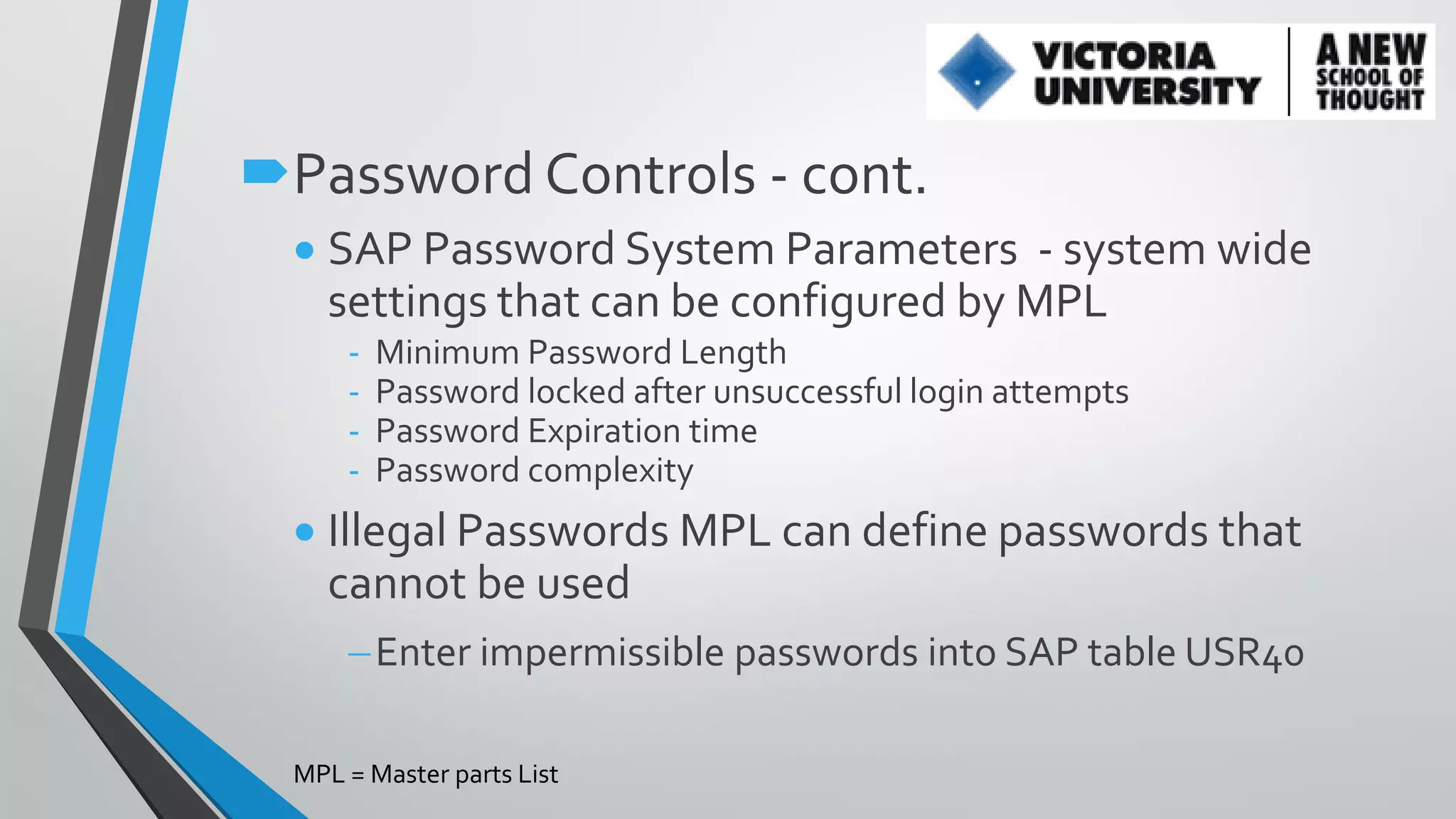
 SAP Password System Parameters - system wide
settings that can be configured by MPL
-

Minimum Password Length
Password locked after unsuccessful login attempts
Password Expiration time
Password complexity

 Illegal Passwords MPL can define passwords that
cannot be used
Enter impermissible passwords into SAP table USR40
MPL = Master parts List
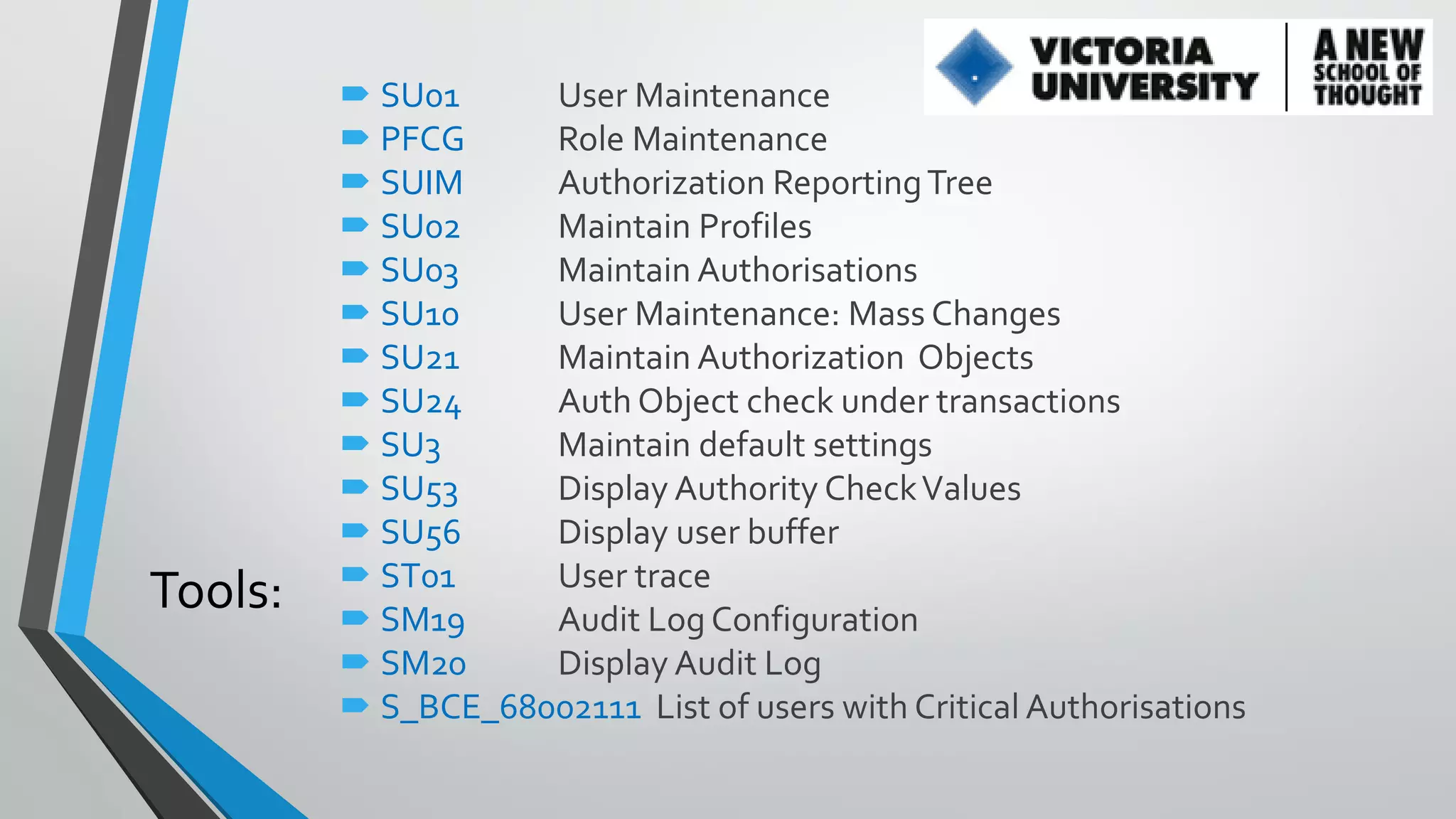
Tools:

 SU01
User Maintenance
 PFCG
Role Maintenance
 SUIM
Authorization Reporting Tree
 SU02
Maintain Profiles
 SU03
Maintain Authorisations
 SU10
User Maintenance: Mass Changes
 SU21
Maintain Authorization Objects
 SU24
Auth Object check under transactions
 SU3
Maintain default settings
 SU53
Display Authority Check Values
 SU56
Display user buffer
 ST01
User trace
 SM19
Audit Log Configuration
 SM20
Display Audit Log
 S_BCE_68002111 List of users with Critical Authorisations
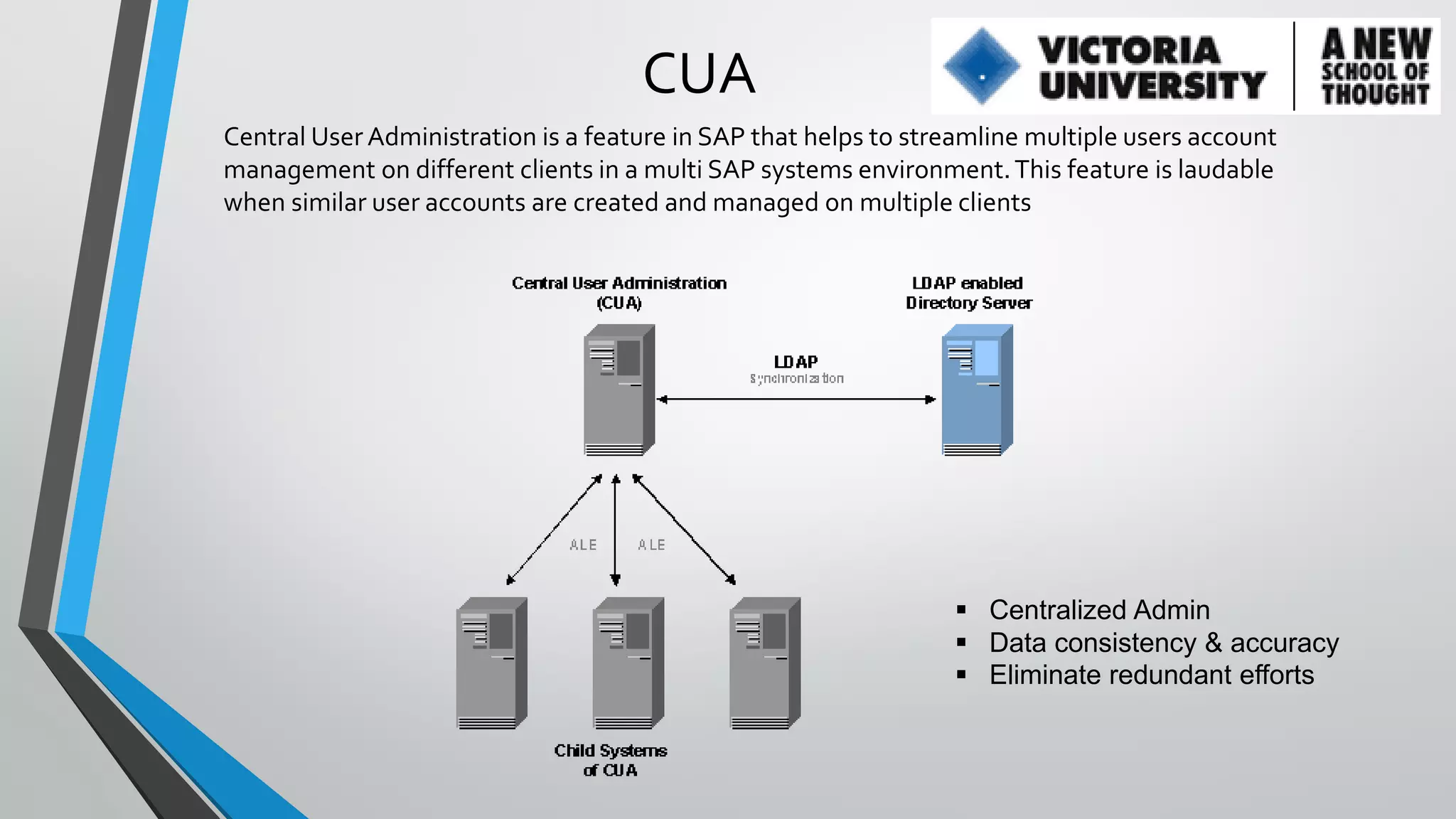
CUA
Central User Administration is a feature in SAP that helps to streamline multiple users account
management on different clients in a multi SAP systems environment. This feature is laudable
when similar user accounts are created and managed on multiple clients

 Centralized Admin
 Data consistency & accuracy
 Eliminate redundant efforts
www.about.me/nasirgondal

Introduction to SAP Security

  • 1.
  • 2.
    Agenda 1. 2. 3. 4. 5. What is Security Buildingblocks Common terminologies used Most Common tools in Security CUA
  • 3.
    What is Security? Securityconcept is same around the globe like in your normal life, security - means removing or restricting unauthorized access to your belongings. For example your Car, laptop or cared cards etc IT Security? Information security (sometimes shortened to InfoSec) is the practice of defending information from unauthorized access, use, disclosure, disruption, modification, perusal, inspection, recording or destruction. It is a general term that can be used regardless of the form the data may take (electronic, physical, etc...) SAP Security? In the same context of InfoSec. SAP security have the same meaning… or in other words - who can do what in SAP?
  • 4.
    Building Blocks • • • • User MasterRecord Roles Profiles Authorization Objects
  • 5.
    User Master Record? AUser initially has no access in SAP • When we create access in system it defines UMR User Master Record information includes: • Name, Password, Address, User type, Company information • User Group • Roles and Profiles • Validity dates (from/to) • User defaults (logon language, default printer, date format, etc) User Types: Dialog – typical for most users System – cannot be used for dialog login, can communicate between systems and start background jobs Communications Data – cannot be used for dialog login, can communicate between systems but cannot start background jobs Reference – cannot log in, used to assign additional Authorizations to Users Service – can log in but is excluded from password rules, etc. Used for Support users and Internet services
  • 6.
    Roles and Profiles Rolesis group of tcode (s), which is used to perform a specific business task. Each role requires specific privileges to perform a function in SAP that is called AUTHORIZATIONS There are 3 types of Roles: • Single – an independent Role • Derived – has a parent and differs only in Organization Levels. Maintain Transactions, Menu, Authorizations only at the parent level • Composite – container that contains one or more Single or Derived Roles
  • 7.
    Authorization Objects • AuthorizationObjects are the keys to SAP security • When you attempt actions in SAP the system checks to see whether you have the appropriate Authorizations • The same Authorization Objects can be used by different Transactions
  • 9.
  • 10.
    User Buffer? • Whena User logs into the system, all of the Authorizations that the User has are loaded into a special place in memory called the User Buffer • As the User attempts to perform activities, the system checks whether the user has the appropriate Authorization Objects in the User Buffer. • You can see the buffer in Transaction ???
  • 11.
    Executing a Transaction(Authorization Checks) 1) Does the Transaction exist? All Transactions have an entry in table TSTC 2) Is the Transaction locked? Transactions are locked using Transaction SM01 Once locked, they cannot be used in any client 3) Can the User start the Transaction? Every Transaction requires that the user have the Object S_TCODE=Transaction Name Some Transactions also require another Authorization Object to start (varies depending on the Transaction) 4) What can the User do in the Transaction? The system will check to see if the user has additional Authorization Objects as necessary
  • 12.
  • 13.
    How to tracemissing Authorization Frequently you find that the role you built has inadequate accesses and will fail during testing or during production usage. Why? Why It happens? Negligence of tester or some other reason How process initiated? This process kicks when security guy receives: • Email or, • phone call or • ticket
  • 14.
    How do wedetermine correct accesses required?  SAP has various tools to analyse access errors and determine correct Authorizations required: Use Last Failed Authorization check - SU53 (60% effective) Use Assignment of Auth Object to Transactions - SU24 (60% effective) Trace the Authorizations for a function - ST01 (90% effective)
  • 15.
    Common Terminologies User master Records Roles Authorizations Authority Check userbuffer Authorization Errors security matrix Profiles Authorization Objects User menus
  • 16.
    SAP Password controls Thereare some Standard SAP password Controls delivered by SAP which cannot be changed First-time users forced to change their passwords before they can log onto the SAP system, or after their password is reset.* Users can only change their password when logging on. Users can change their password at most, once a day Users can not re-use their previous five passwords. The first character can not be “?” or “!”. The first three characters of the password cannot appear in the same order as part of the user name. all be the same. include space characters. The password cannot be PASS or SAP*.
  • 17.
    Password Controls -cont.  SAP Password System Parameters - system wide settings that can be configured by MPL - Minimum Password Length Password locked after unsuccessful login attempts Password Expiration time Password complexity  Illegal Passwords MPL can define passwords that cannot be used Enter impermissible passwords into SAP table USR40 MPL = Master parts List
  • 18.
    Tools:  SU01 User Maintenance PFCG Role Maintenance  SUIM Authorization Reporting Tree  SU02 Maintain Profiles  SU03 Maintain Authorisations  SU10 User Maintenance: Mass Changes  SU21 Maintain Authorization Objects  SU24 Auth Object check under transactions  SU3 Maintain default settings  SU53 Display Authority Check Values  SU56 Display user buffer  ST01 User trace  SM19 Audit Log Configuration  SM20 Display Audit Log  S_BCE_68002111 List of users with Critical Authorisations
  • 19.
    CUA Central User Administrationis a feature in SAP that helps to streamline multiple users account management on different clients in a multi SAP systems environment. This feature is laudable when similar user accounts are created and managed on multiple clients  Centralized Admin  Data consistency & accuracy  Eliminate redundant efforts
  • 20.