DRY CSS
THEORIES, METHODS AND TOOLS FOR
EFFICIENT AND SCALABLE STYLESHEETS

  Jeremy Clarke • http://jeremyclarke.org
               Download these slides:
      http://slideshare.net/jeremyclarke
WHO IS JEREMY CLARKE?


• Communications   Studies at Concordia
 University.

• HTML+CSS     since 2003

• Montreal WordPress
                  Community/
 WordCamp organizer.
OVERVIEW

• An   example of DRY CSS, Global Voices.

• DRY   principle and problems with CSS.

• DRY   CSS theory, implementation and benefits.

• Preparsers   (LESS and SASS)
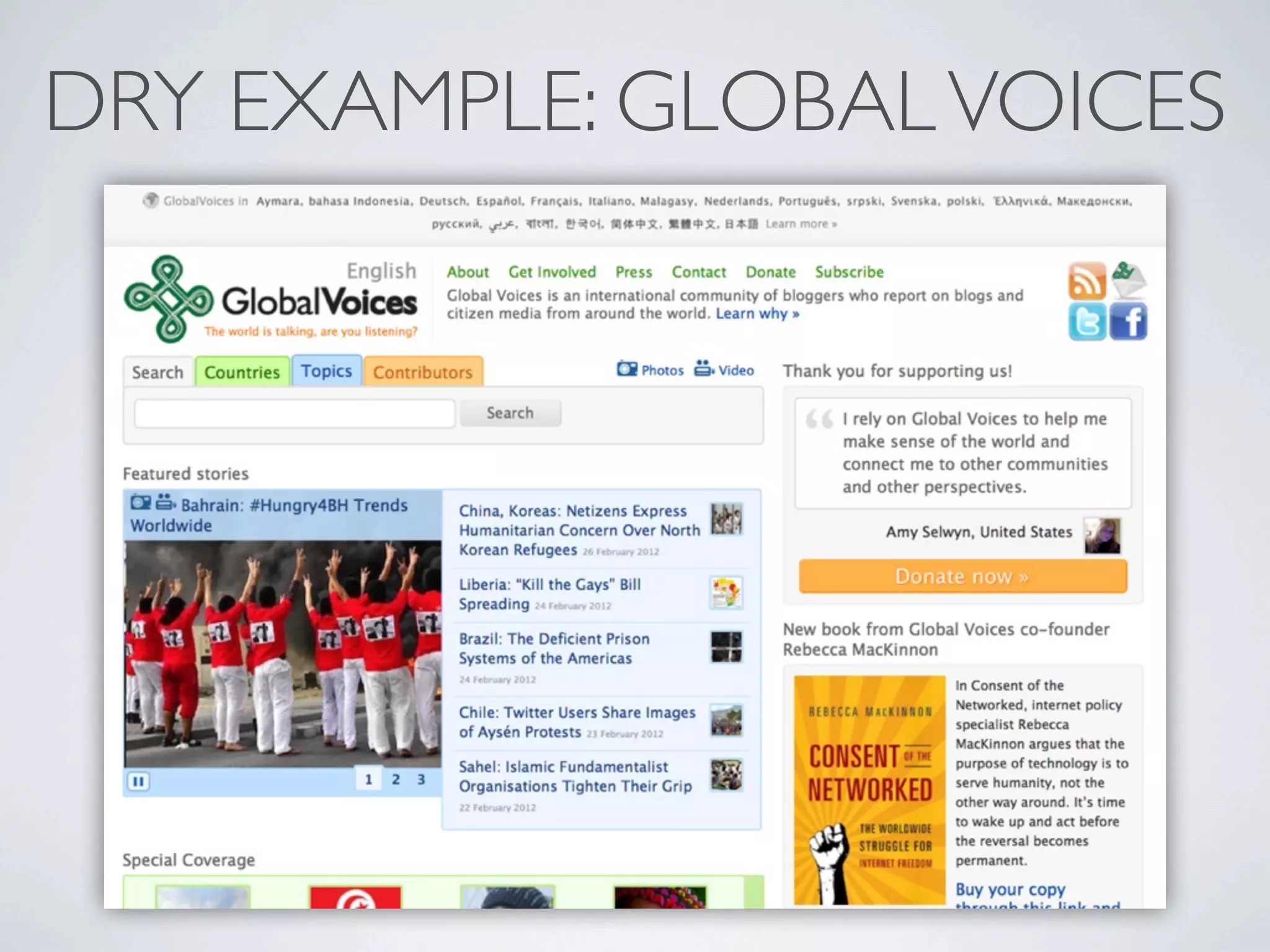
DRY EXAMPLE: GLOBAL VOICES
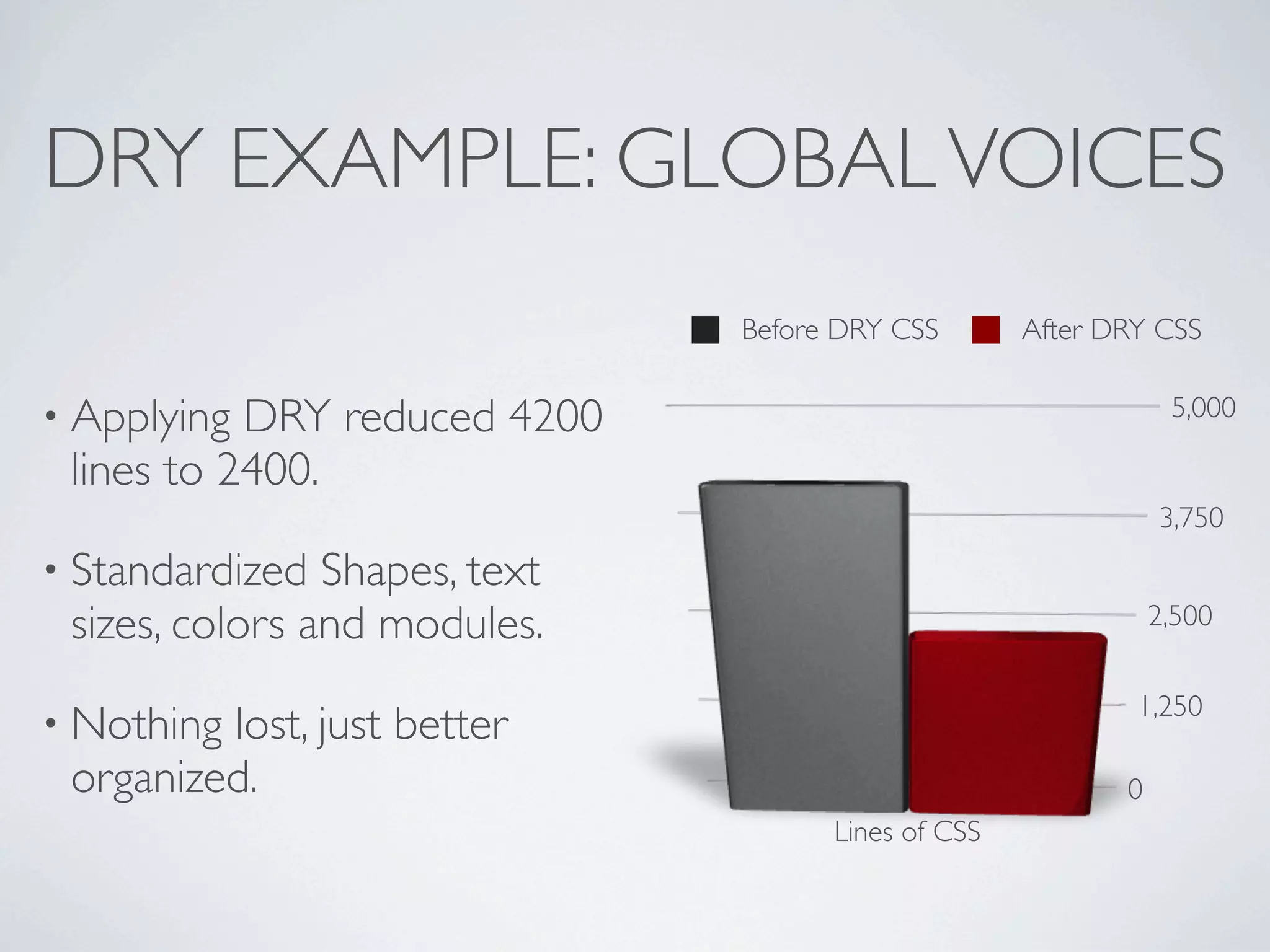
                               Before DRY CSS       After DRY CSS


• Applying DRY reduced 4200                                     5,000

 lines to 2400.
                                                               3,750
• Standardized  Shapes, text
 sizes, colors and modules.                                    2,500


                                                            1,250
• Nothinglost, just better
 organized.                                                0
                                     Lines of CSS
DRY EXAMPLE: GLOBAL VOICES

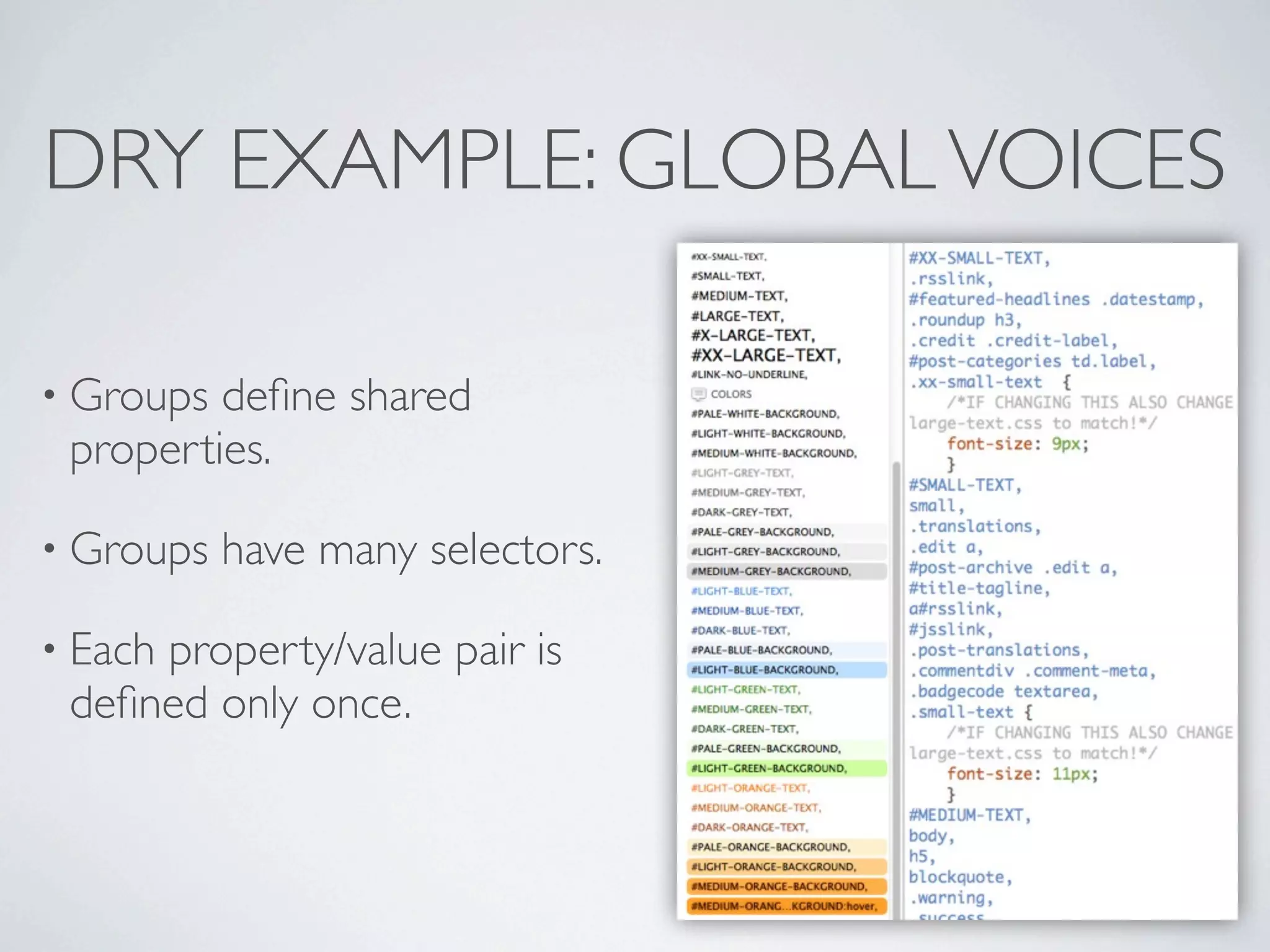
• Groups define shared
 properties.

• Groups   have many selectors.

• Each
     property/value pair is
 defined only once.
DRY EXAMPLE: GLOBAL VOICES
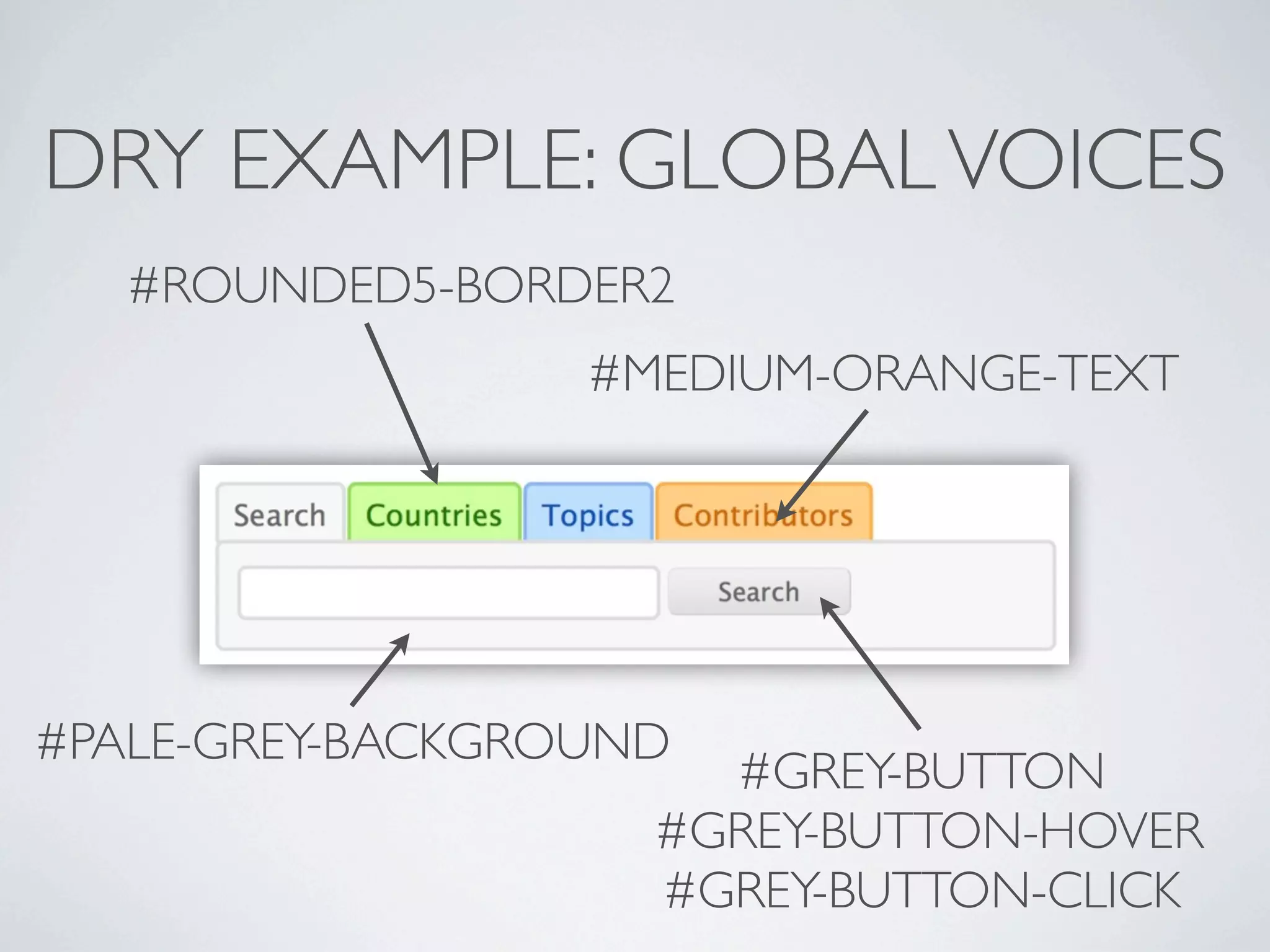
   #ROUNDED5-BORDER2
                  #MEDIUM-ORANGE-TEXT


#PALE-GREY-BACKGROUND
                      #GREY-BUTTON
                    #GREY-BUTTON-HOVER
                    #GREY-BUTTON-CLICK
DRY EXAMPLE: GLOBAL VOICES

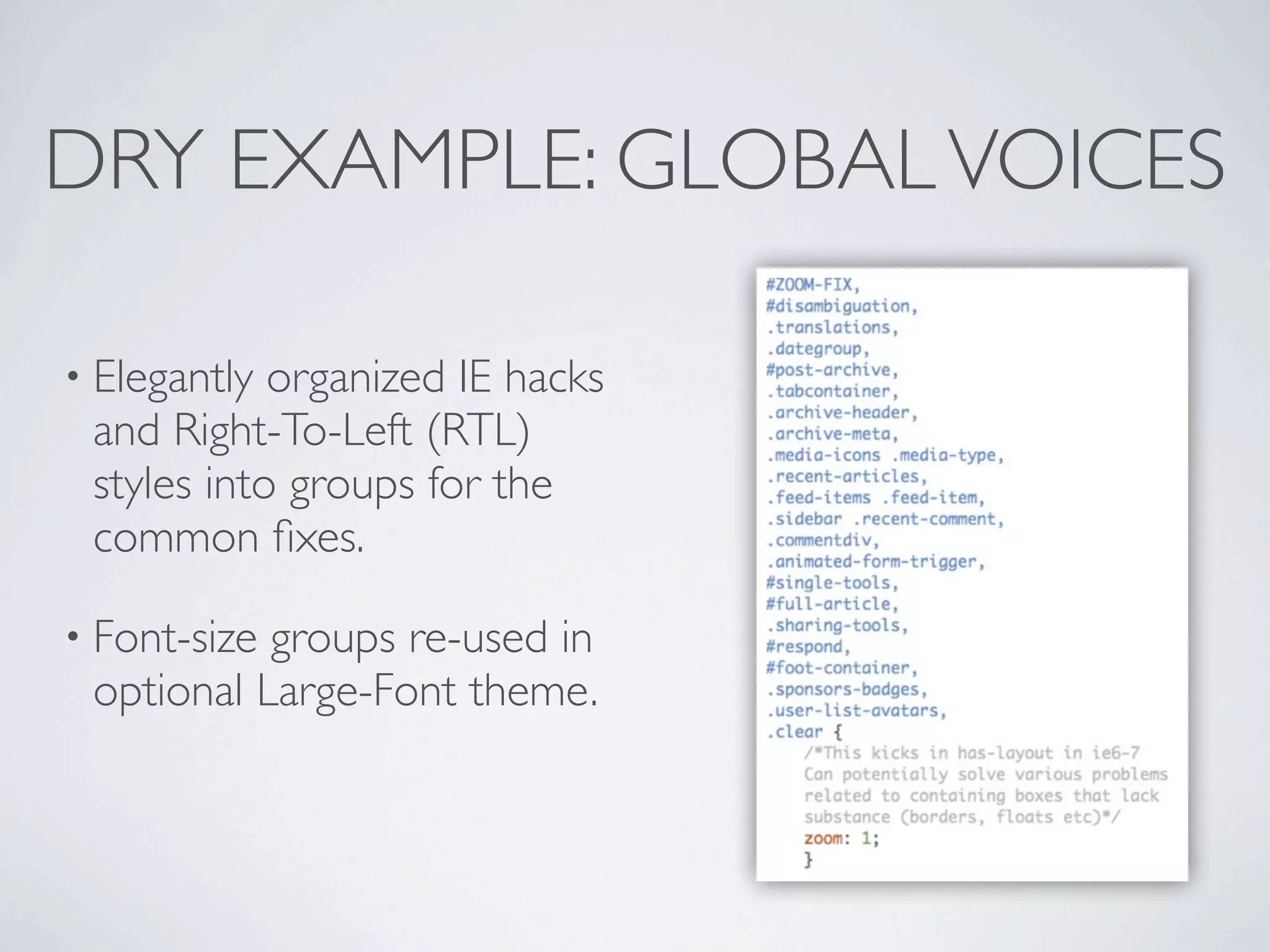
• Elegantly organized IE hacks
 and Right-To-Left (RTL)
 styles into groups for the
 common fixes.

• Font-sizegroups re-used in
 optional Large-Font theme.
2 PRINCIPLES OF GOOD CSS

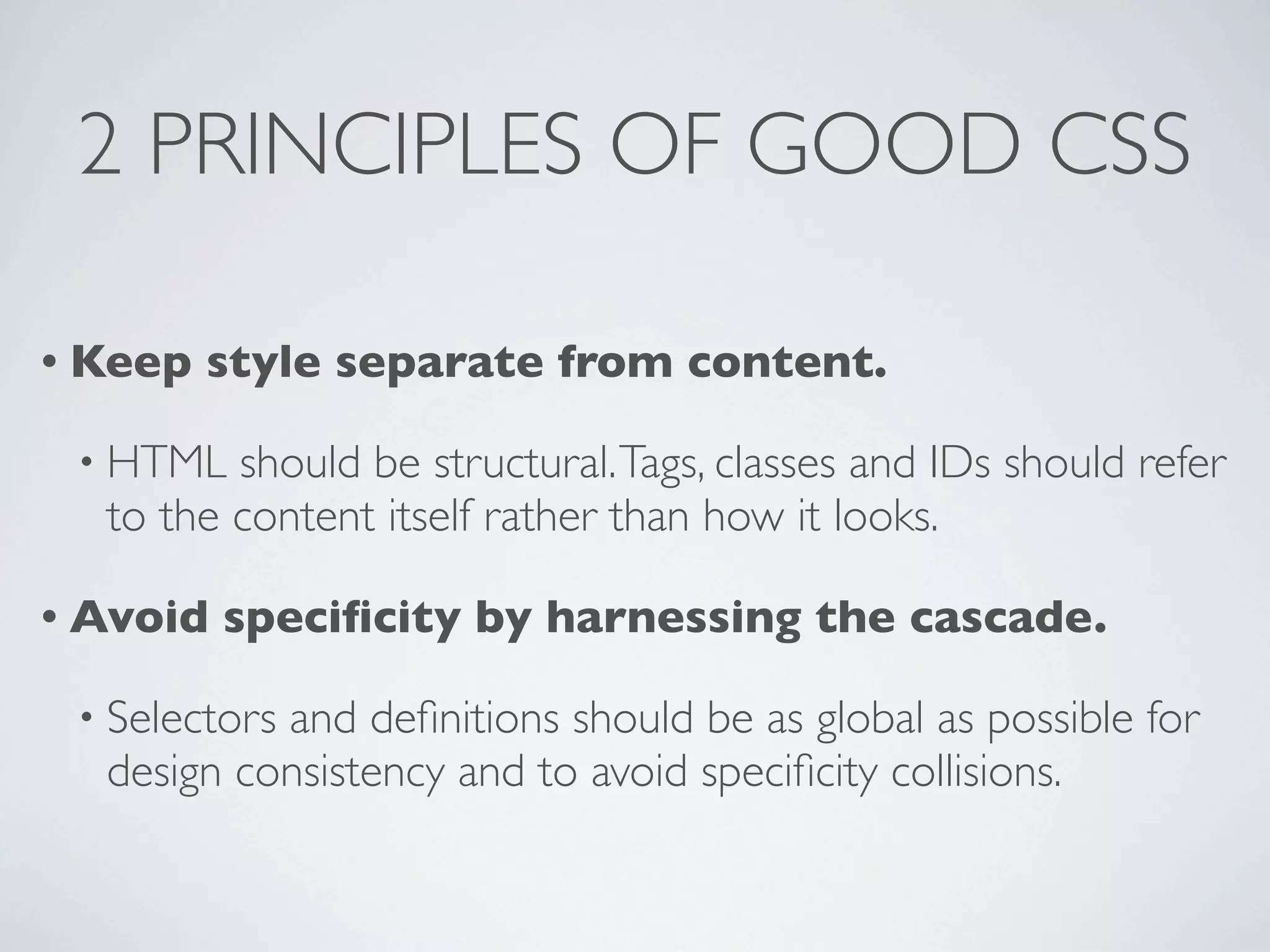
• Keep   style separate from content.

 • HTML  should be structural. Tags, classes and IDs should refer
  to the content itself rather than how it looks.

• Avoid   specificity by harnessing the cascade.

 • Selectors
           and definitions should be as global as possible for
  design consistency and to avoid specificity collisions.
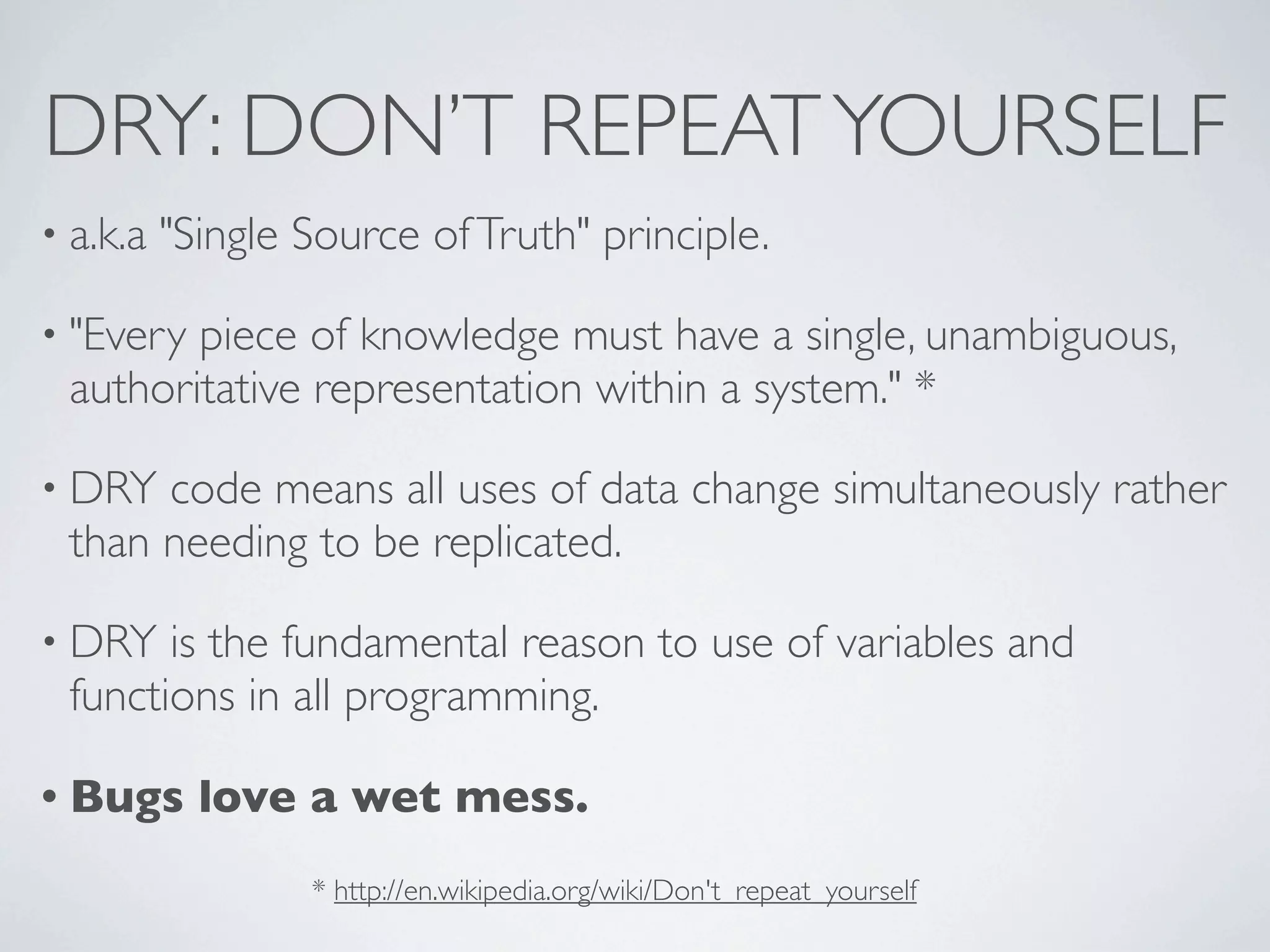
DRY: DON’T REPEAT YOURSELF
• a.k.a   "Single Source of Truth" principle.

• "Everypiece of knowledge must have a single, unambiguous,
 authoritative representation within a system." *

• DRY code means all uses of data change simultaneously rather
 than needing to be replicated.

• DRY  is the fundamental reason to use of variables and
 functions in all programming.

• Bugs      love a wet mess.
                  * http://en.wikipedia.org/wiki/Don't_repeat_yourself
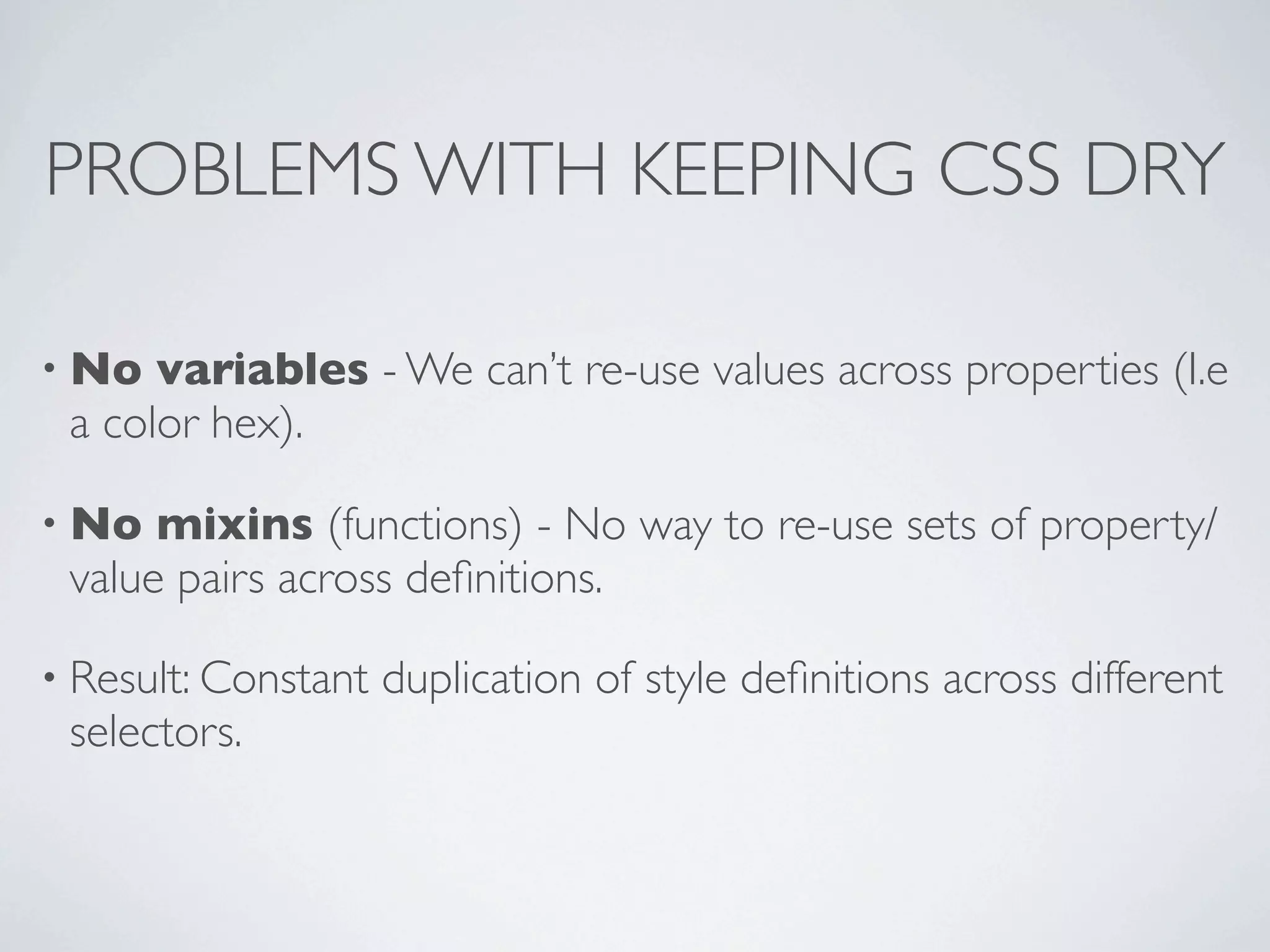
PROBLEMS WITH KEEPING CSS DRY

• No  variables - We can’t re-use values across properties (I.e
 a color hex).

• No  mixins (functions) - No way to re-use sets of property/
 value pairs across definitions.

• Result: Constant   duplication of style definitions across different
 selectors.
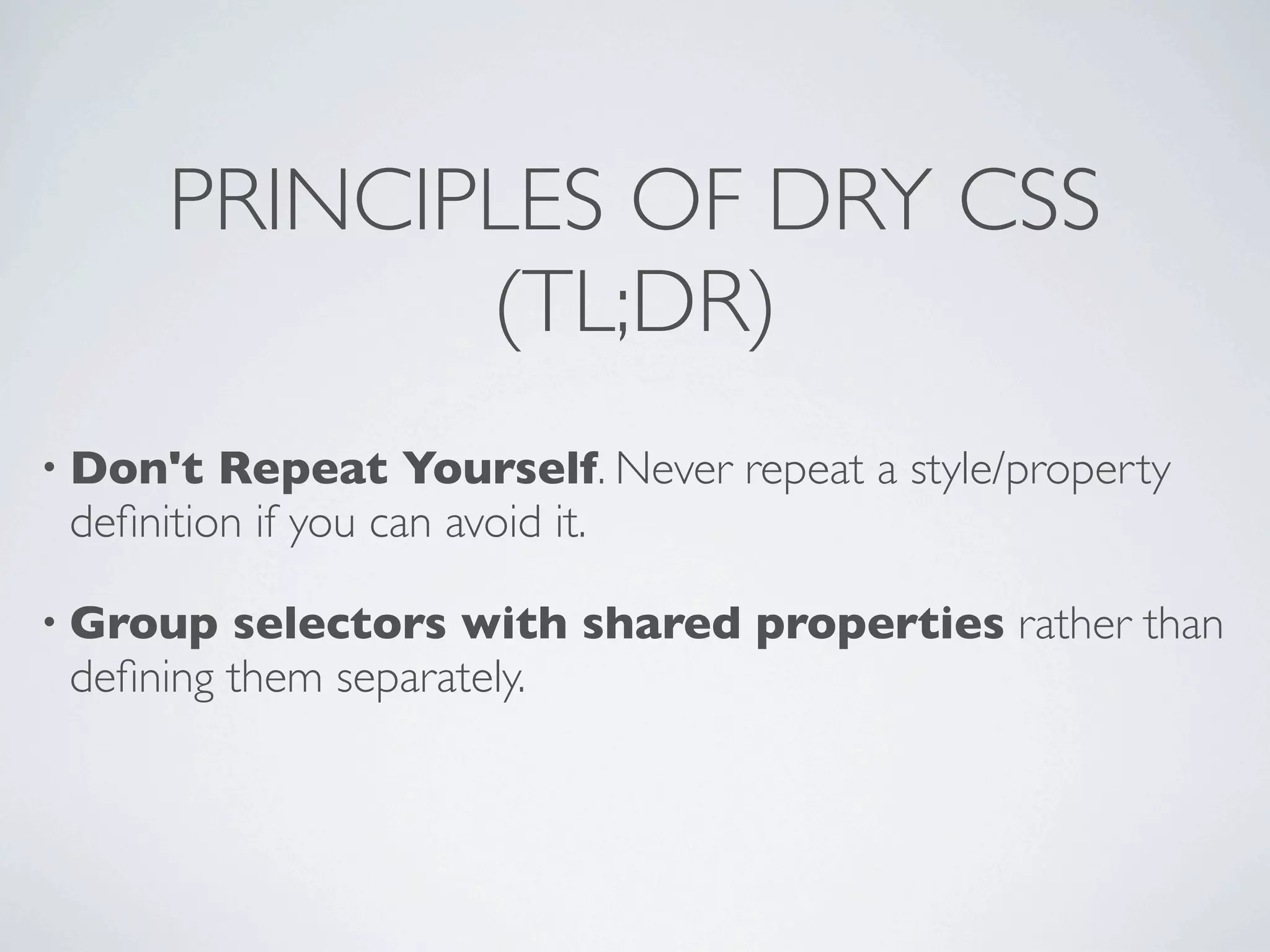
PRINCIPLES OF DRY CSS
            (TL;DR)
• Don't  Repeat Yourself. Never repeat a style/property
 definition if you can avoid it.

• Group  selectors with shared properties rather than
 defining them separately.
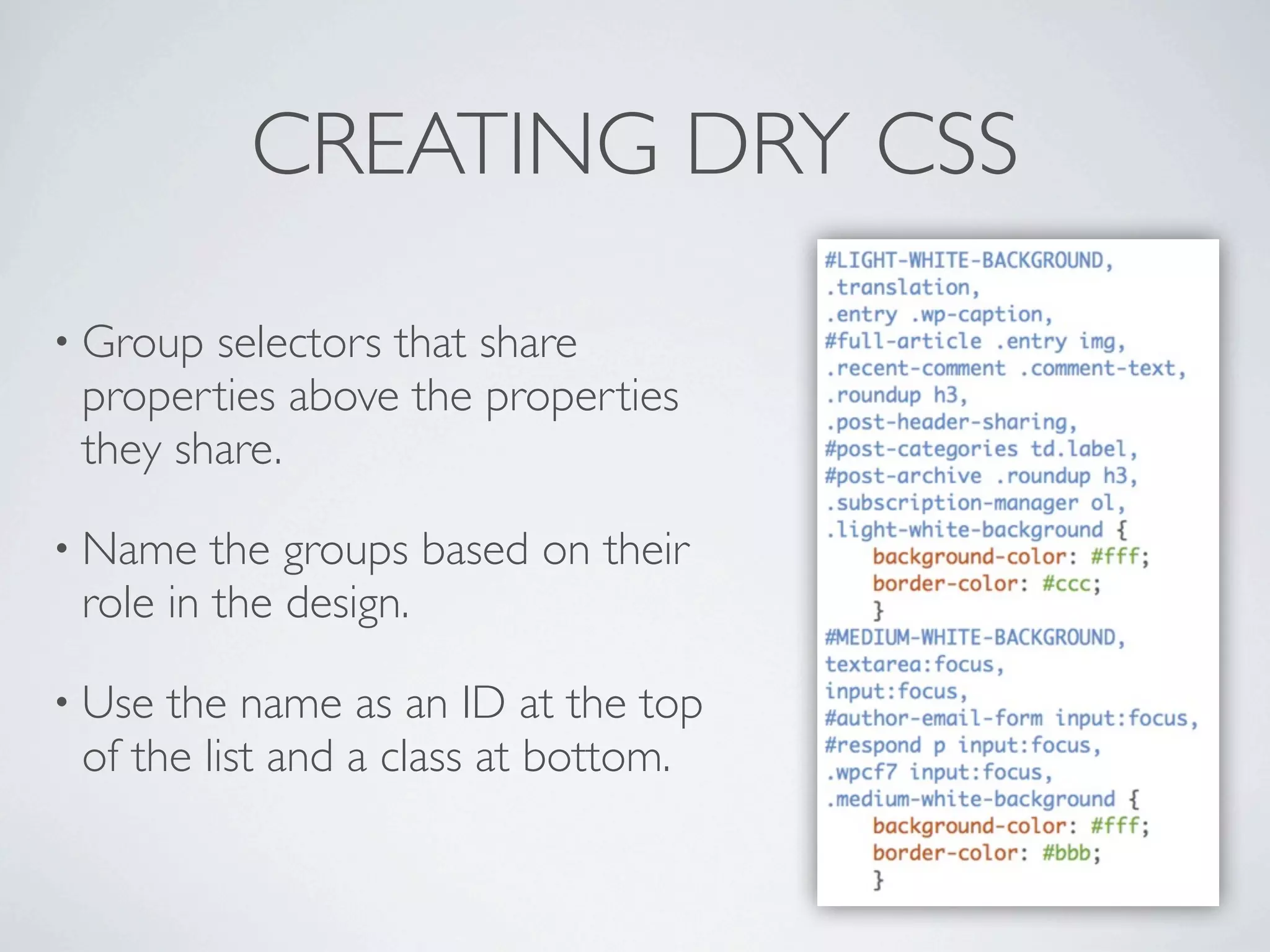
CREATING DRY CSS

• Group selectors that share
 properties above the properties
 they share.

• Name   the groups based on their
 role in the design.

• Use the name as an ID at the top
 of the list and a class at bottom.
ORGANIZING DRY CSS
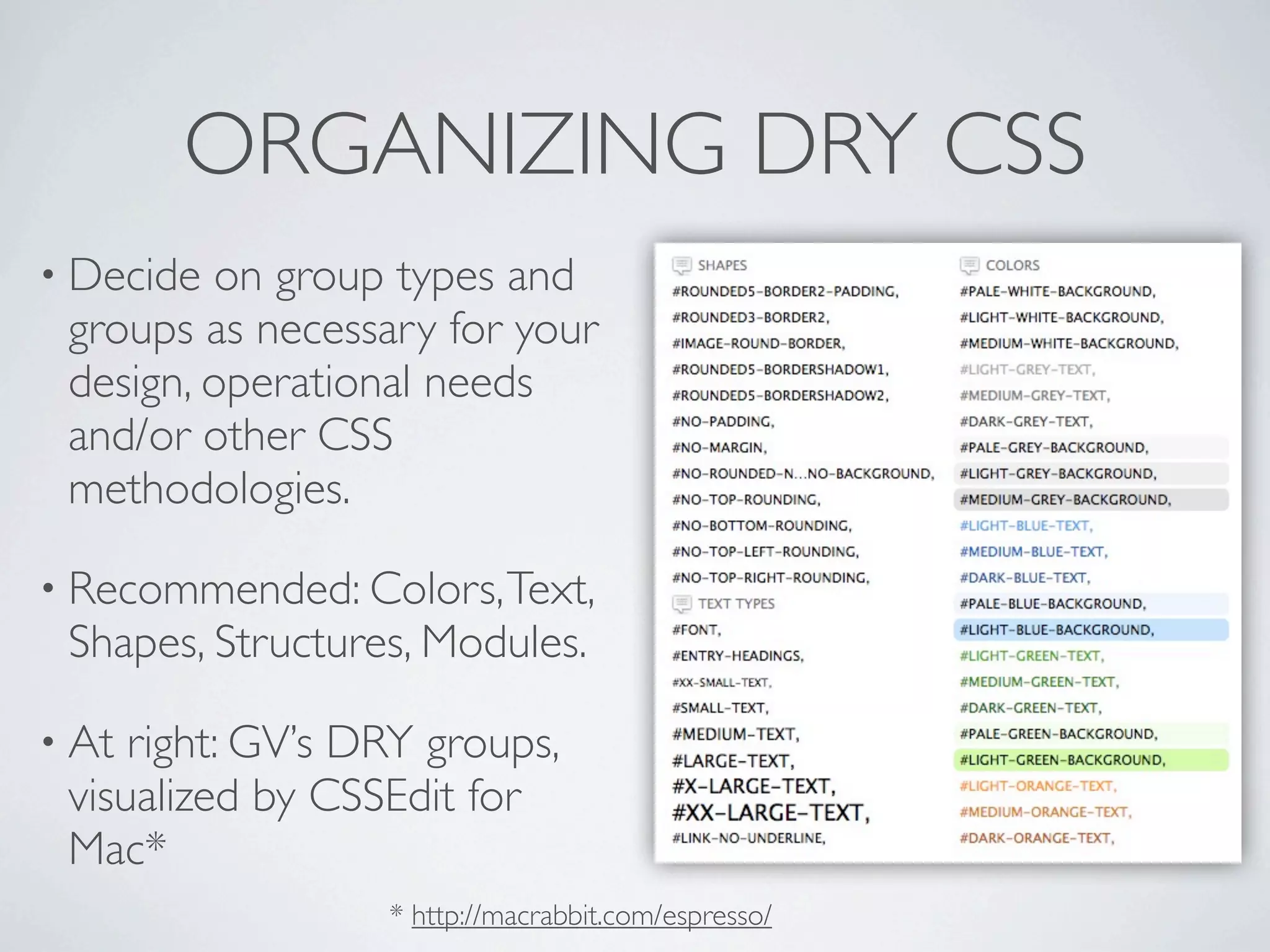
• Decide on group types and
 groups as necessary for your
 design, operational needs
 and/or other CSS
 methodologies.

• Recommended: Colors, Text,
 Shapes, Structures, Modules.

• At right: GV’s DRY groups,
 visualized by CSSEdit for
 Mac*
                  * http://macrabbit.com/espresso/
KEEPING IT DRY

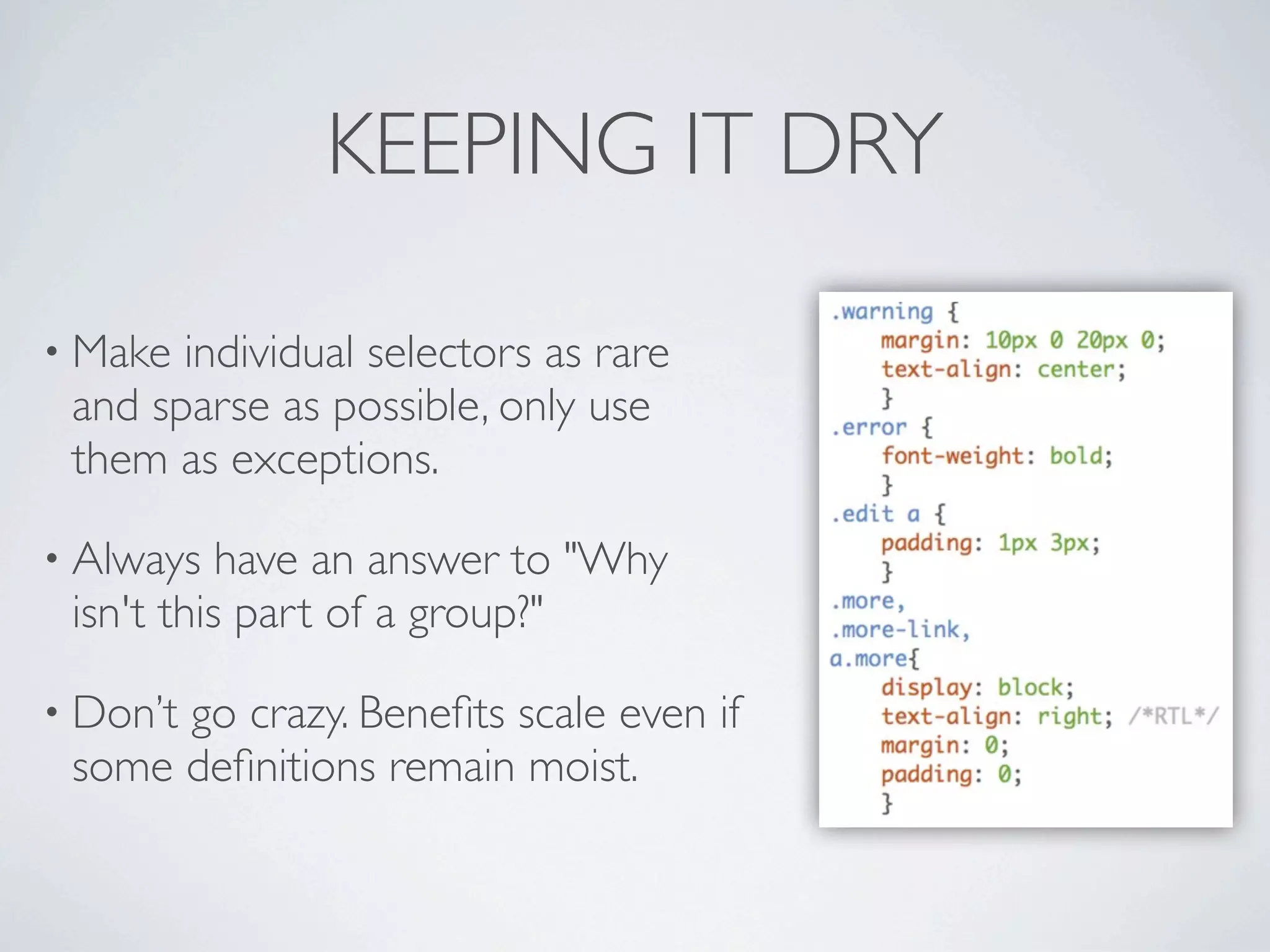
• Make individual selectors as rare
 and sparse as possible, only use
 them as exceptions.

• Always   have an answer to "Why
 isn't this part of a group?"

• Don’t
      go crazy. Benefits scale even if
 some definitions remain moist.
BENEFITS OF DRY CSS

•2 simple rules to follow that ensure a solid organizational
 structure.

• Less   CSS, shorter and smaller (kb) stylesheets.

• Promotes    good design practice and uniform updates.

• Uses   only philosophically and syntactically standard CSS.
BENEFITS:
     PROMOTES CONCEPTUAL DESIGN

• Encourages  you to think in terms of style patterns (groups),
 rather than individual objects.

• Naming    of groups encourages rational organization of designs.

• Listing
        all group members together encourages optimization
 and generalization of selectors because you see how
 interrelated/inheritable they are.
BENEFITS:
EDITS TO GROUPS AFFECT ALL MEMBERS

• Avoids   need to find all related styles to match changes.

• Changes   are less likely to be inconsistently applied.

• When   testing changes the dev sees all group members change
 as well.

• Moving   selectors between groups to restyle is fast and easy.
BENEFITS:
      TAKES ADVANTAGE OF INSPECTORS
•   Inspecting an object shows cascade of
    groups it participates in.

•   Group "name" (starting ID, i.e.
    #SMALL-TEXT) is visible in inspector.

•   Seeing all group members informs
    dev of related elements that should
    be considered.

•   Live-edits expose the change in
    related items as well.
BENEFITS:
DOESN’T REQUIRE CHANGES TO HTML
• Uses   whatever classes and IDs are already present.

• IfHTML needs editing it's only to add more detailed semantic
  classes to use in your DRY groups.

• Useful
       when generated HTML is out of your control
  (WordPress core/plugins, 3rd party widgets)

• Mainly   relevant when comparing DRY with OOCSS.
BENEFITS:
     COMPLETELY STANDARD
• Simply   an organizing principle for normal CSS.

• Adheres    to separation of style and content.

• Bothbackward and forward compatible, from IE6 hacks to
 prefixed CSS3 properties.

• CSS    can be pasted anywhere and just work.

• Groupscan be extracted and re-used elsewhere by removing
 group members and inserting new ones.
BENEFITS:
         INTEGRATES WITH OTHER
            METHODOLOGIES
• Compatible with most other CSS methodologies like grids,
 OOCSS* or SMACSS** because the way you organize your
 groups is up to you.

• Progressiveenhancement and browser support is your
 choice. DRY only defines how you organize your selectors and
 properties.

   * https://github.com/stubbornella/oocss/wiki ** http://smacss.com/book/
PERFORMANCE ISSUES?
• TL;DR:      Probably not.

• "Formost web sites, the possible performance gains from
 optimizing CSS selectors will be small, and are not worth the
 costs." ~Steve Sounders*

• Having   many selectors does not inherently hurt performance.

• SeeSteve Sounders research** for optimizations that matter
 (and can be applied to DRY CSS).
  * http://www.stevesouders.com/blog/2009/03/10/performance-impact-of-css-selectors/
        ** http://www.stevesouders.com/blog/2009/06/18/simplifying-css-selectors/
CSS PREPARSERS
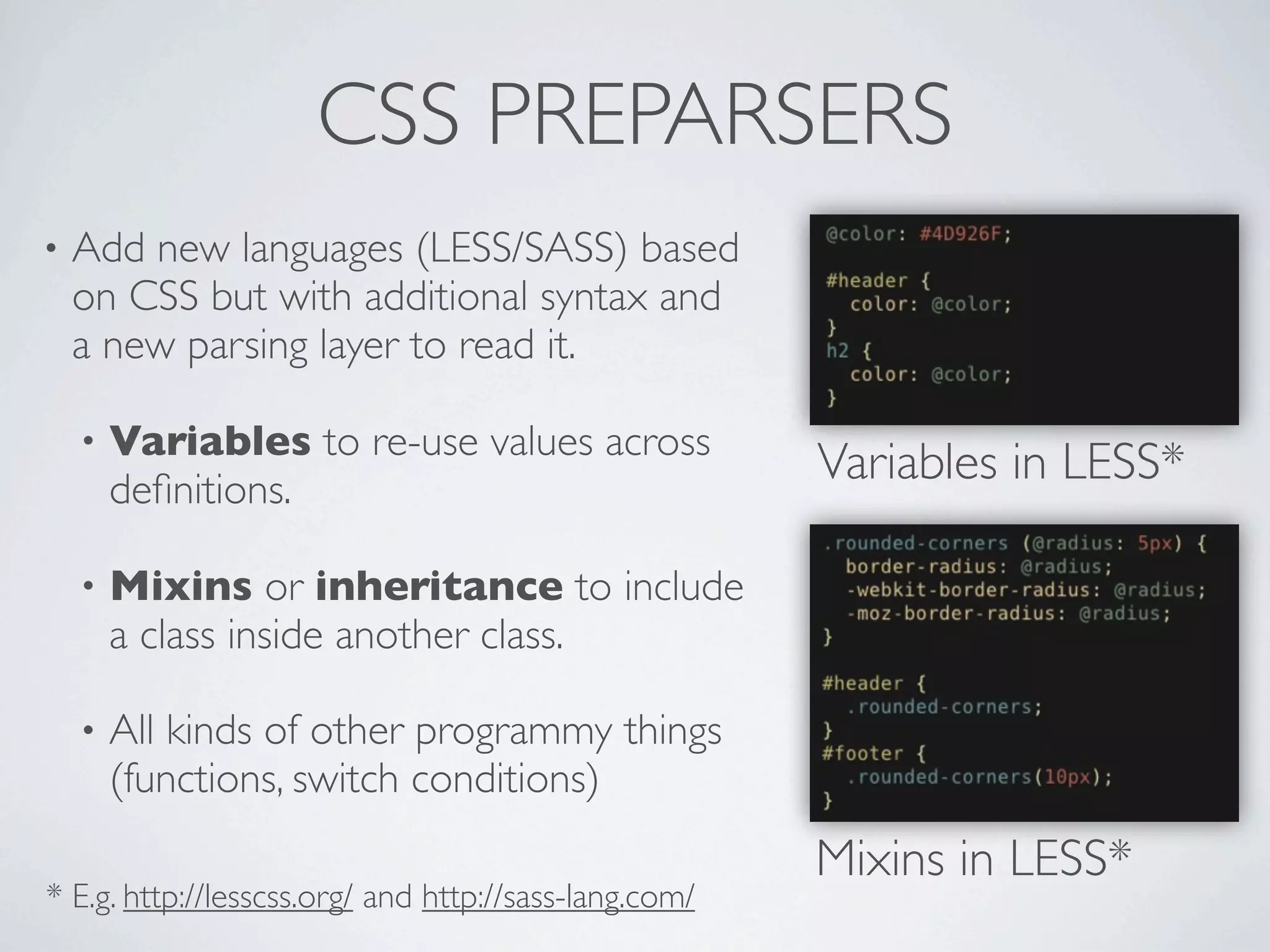
•   Add new languages (LESS/SASS) based
    on CSS but with additional syntax and
    a new parsing layer to read it.

    •   Variables to re-use values across
        definitions.
                                                       Variables in LESS*

    •   Mixins or inheritance to include
        a class inside another class.

    •   All kinds of other programmy things
        (functions, switch conditions)
                                                       Mixins in LESS*
* E.g. http://lesscss.org/ and http://sass-lang.com/
CSS PREPARSERS: CONSIDERATIONS
• Allow   for extensive programming by experts.

• External
         frameworks (blueprint, grids etc.) can be included and
 updated without modification (don’t hack core).

• BUT  at the cost of destandardization and dependence on
 external libraries or software. It isn’t CSS.

• Theycan still be misused to create wet, sloppy stylesheets.
 You still have to plan your design.
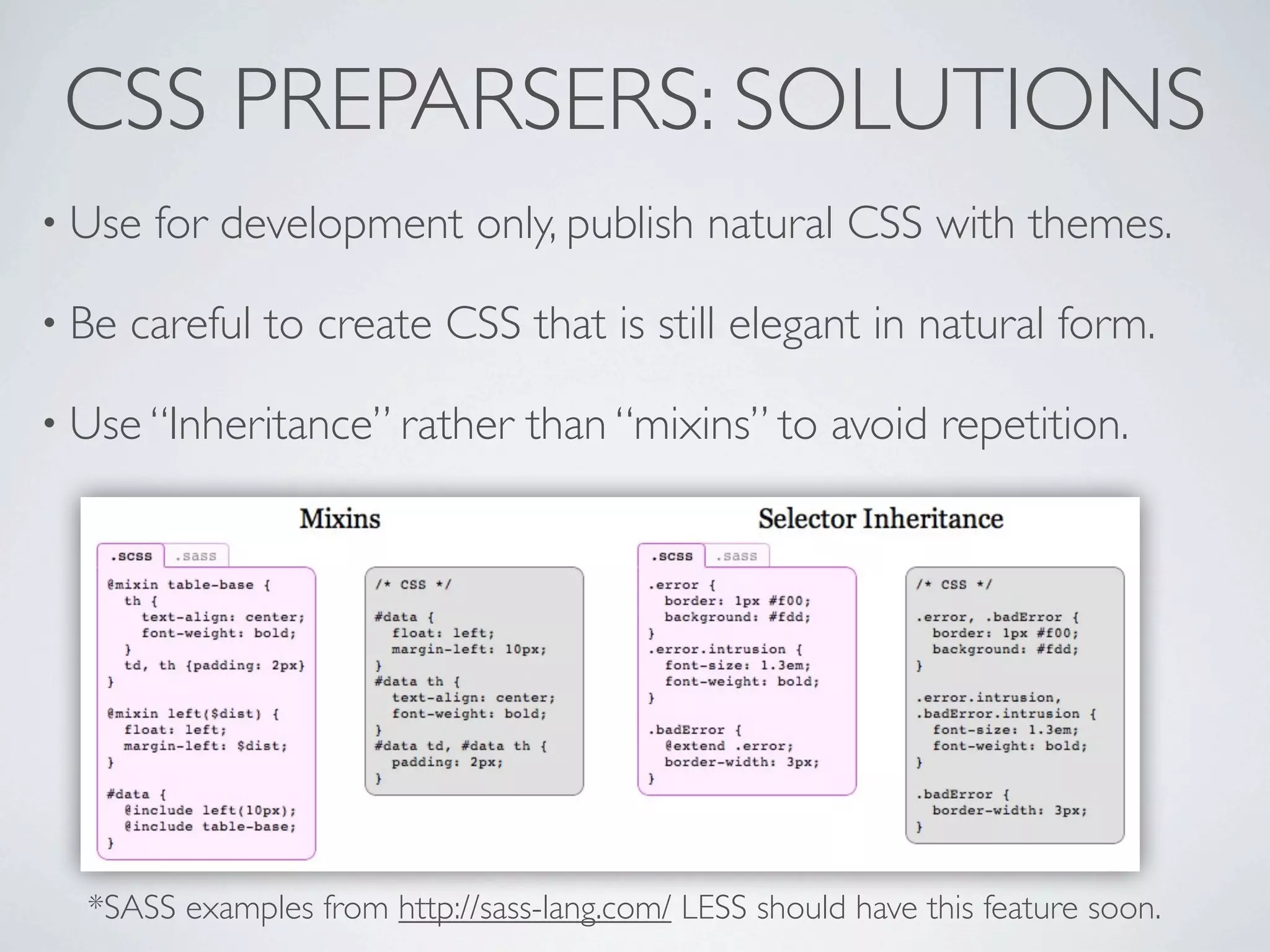
CSS PREPARSERS: SOLUTIONS
• Use   for development only, publish natural CSS with themes.

• Be   careful to create CSS that is still elegant in natural form.

• Use “Inheritance” rather       than “mixins” to avoid repetition.


  *SASS examples from http://sass-lang.com/ LESS should have this feature soon.
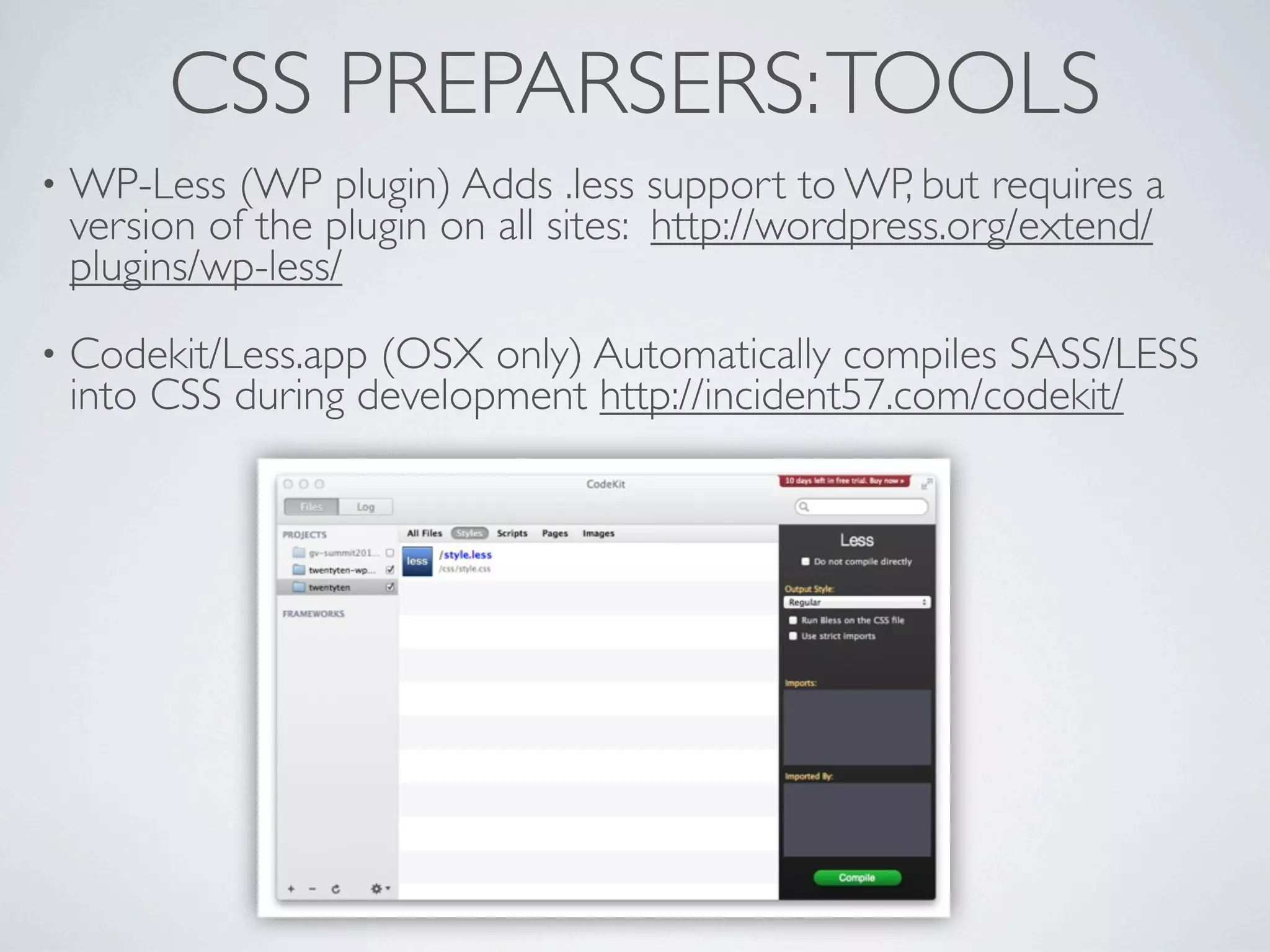
CSS PREPARSERS: TOOLS
•   WP-Less (WP plugin) Adds .less support to WP, but requires a
    version of the plugin on all sites: http://wordpress.org/extend/
    plugins/wp-less/
•   Codekit/Less.app (OSX only) Automatically compiles SASS/LESS
    into CSS during development http://incident57.com/codekit/
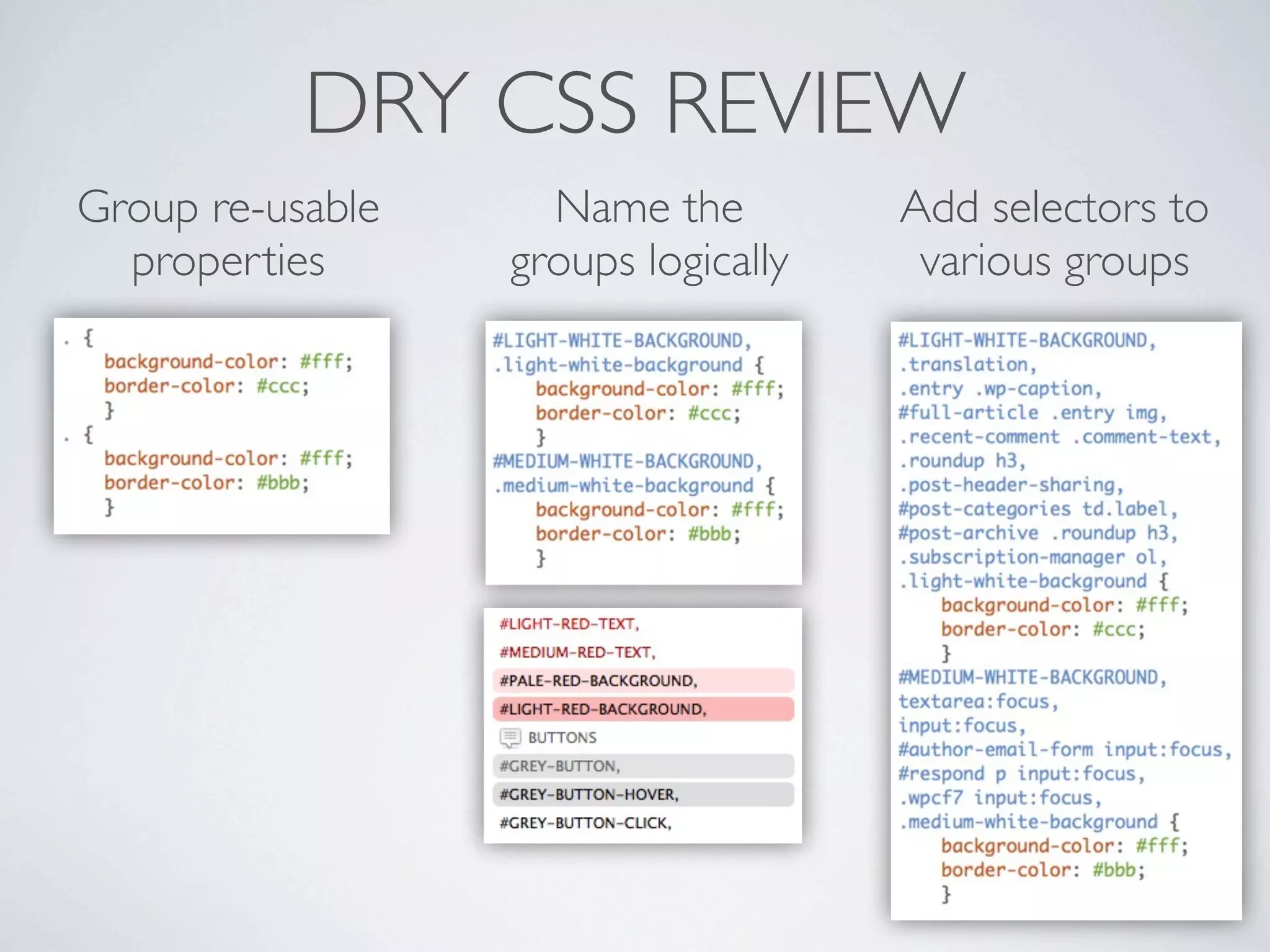
DRY CSS REVIEW
Group re-usable     Name the         Add selectors to
  properties      groups logically    various groups
QUESTIONS?
DRY CSS
 THEORIES, METHODS AND TOOLS FOR
 EFFICIENT AND SCALABLE STYLESHEETS

Jeremy Clarke • http://jeremyclarke.org

                  Creative Commons Share Alike
                   http://creativecommons.org/licenses/by-sa/3.0/


                 Download these slides:
        http://slideshare.net/jeremyclarke

WordCamp NYC - DRY CSS

  • 1.
    DRY CSS THEORIES, METHODSAND TOOLS FOR EFFICIENT AND SCALABLE STYLESHEETS Jeremy Clarke • http://jeremyclarke.org Download these slides: http://slideshare.net/jeremyclarke
  • 2.
    WHO IS JEREMYCLARKE? • Communications Studies at Concordia University. • HTML+CSS since 2003 • Montreal WordPress Community/ WordCamp organizer.
  • 3.
    OVERVIEW • An example of DRY CSS, Global Voices. • DRY principle and problems with CSS. • DRY CSS theory, implementation and benefits. • Preparsers (LESS and SASS)
  • 4.
  • 5.
    DRY EXAMPLE: GLOBALVOICES Before DRY CSS After DRY CSS • Applying DRY reduced 4200 5,000 lines to 2400. 3,750 • Standardized Shapes, text sizes, colors and modules. 2,500 1,250 • Nothinglost, just better organized. 0 Lines of CSS
  • 6.
    DRY EXAMPLE: GLOBALVOICES • Groups define shared properties. • Groups have many selectors. • Each property/value pair is defined only once.
  • 7.
    DRY EXAMPLE: GLOBALVOICES #ROUNDED5-BORDER2 #MEDIUM-ORANGE-TEXT #PALE-GREY-BACKGROUND #GREY-BUTTON #GREY-BUTTON-HOVER #GREY-BUTTON-CLICK
  • 8.
    DRY EXAMPLE: GLOBALVOICES • Elegantly organized IE hacks and Right-To-Left (RTL) styles into groups for the common fixes. • Font-sizegroups re-used in optional Large-Font theme.
  • 9.
    2 PRINCIPLES OFGOOD CSS • Keep style separate from content. • HTML should be structural. Tags, classes and IDs should refer to the content itself rather than how it looks. • Avoid specificity by harnessing the cascade. • Selectors and definitions should be as global as possible for design consistency and to avoid specificity collisions.
  • 10.
    DRY: DON’T REPEATYOURSELF • a.k.a "Single Source of Truth" principle. • "Everypiece of knowledge must have a single, unambiguous, authoritative representation within a system." * • DRY code means all uses of data change simultaneously rather than needing to be replicated. • DRY is the fundamental reason to use of variables and functions in all programming. • Bugs love a wet mess. * http://en.wikipedia.org/wiki/Don't_repeat_yourself
  • 11.
    PROBLEMS WITH KEEPINGCSS DRY • No variables - We can’t re-use values across properties (I.e a color hex). • No mixins (functions) - No way to re-use sets of property/ value pairs across definitions. • Result: Constant duplication of style definitions across different selectors.
  • 12.
    PRINCIPLES OF DRYCSS (TL;DR) • Don't Repeat Yourself. Never repeat a style/property definition if you can avoid it. • Group selectors with shared properties rather than defining them separately.
  • 13.
    CREATING DRY CSS •Group selectors that share properties above the properties they share. • Name the groups based on their role in the design. • Use the name as an ID at the top of the list and a class at bottom.
  • 14.
    ORGANIZING DRY CSS •Decide on group types and groups as necessary for your design, operational needs and/or other CSS methodologies. • Recommended: Colors, Text, Shapes, Structures, Modules. • At right: GV’s DRY groups, visualized by CSSEdit for Mac* * http://macrabbit.com/espresso/
  • 15.
    KEEPING IT DRY •Make individual selectors as rare and sparse as possible, only use them as exceptions. • Always have an answer to "Why isn't this part of a group?" • Don’t go crazy. Benefits scale even if some definitions remain moist.
  • 16.
    BENEFITS OF DRYCSS •2 simple rules to follow that ensure a solid organizational structure. • Less CSS, shorter and smaller (kb) stylesheets. • Promotes good design practice and uniform updates. • Uses only philosophically and syntactically standard CSS.
  • 17.
    BENEFITS: PROMOTES CONCEPTUAL DESIGN • Encourages you to think in terms of style patterns (groups), rather than individual objects. • Naming of groups encourages rational organization of designs. • Listing all group members together encourages optimization and generalization of selectors because you see how interrelated/inheritable they are.
  • 18.
    BENEFITS: EDITS TO GROUPSAFFECT ALL MEMBERS • Avoids need to find all related styles to match changes. • Changes are less likely to be inconsistently applied. • When testing changes the dev sees all group members change as well. • Moving selectors between groups to restyle is fast and easy.
  • 19.
    BENEFITS: TAKES ADVANTAGE OF INSPECTORS • Inspecting an object shows cascade of groups it participates in. • Group "name" (starting ID, i.e. #SMALL-TEXT) is visible in inspector. • Seeing all group members informs dev of related elements that should be considered. • Live-edits expose the change in related items as well.
  • 20.
    BENEFITS: DOESN’T REQUIRE CHANGESTO HTML • Uses whatever classes and IDs are already present. • IfHTML needs editing it's only to add more detailed semantic classes to use in your DRY groups. • Useful when generated HTML is out of your control (WordPress core/plugins, 3rd party widgets) • Mainly relevant when comparing DRY with OOCSS.
  • 21.
    BENEFITS: COMPLETELY STANDARD • Simply an organizing principle for normal CSS. • Adheres to separation of style and content. • Bothbackward and forward compatible, from IE6 hacks to prefixed CSS3 properties. • CSS can be pasted anywhere and just work. • Groupscan be extracted and re-used elsewhere by removing group members and inserting new ones.
  • 22.
    BENEFITS: INTEGRATES WITH OTHER METHODOLOGIES • Compatible with most other CSS methodologies like grids, OOCSS* or SMACSS** because the way you organize your groups is up to you. • Progressiveenhancement and browser support is your choice. DRY only defines how you organize your selectors and properties. * https://github.com/stubbornella/oocss/wiki ** http://smacss.com/book/
  • 23.
    PERFORMANCE ISSUES? • TL;DR: Probably not. • "Formost web sites, the possible performance gains from optimizing CSS selectors will be small, and are not worth the costs." ~Steve Sounders* • Having many selectors does not inherently hurt performance. • SeeSteve Sounders research** for optimizations that matter (and can be applied to DRY CSS). * http://www.stevesouders.com/blog/2009/03/10/performance-impact-of-css-selectors/ ** http://www.stevesouders.com/blog/2009/06/18/simplifying-css-selectors/
  • 24.
    CSS PREPARSERS • Add new languages (LESS/SASS) based on CSS but with additional syntax and a new parsing layer to read it. • Variables to re-use values across definitions. Variables in LESS* • Mixins or inheritance to include a class inside another class. • All kinds of other programmy things (functions, switch conditions) Mixins in LESS* * E.g. http://lesscss.org/ and http://sass-lang.com/
  • 25.
    CSS PREPARSERS: CONSIDERATIONS •Allow for extensive programming by experts. • External frameworks (blueprint, grids etc.) can be included and updated without modification (don’t hack core). • BUT at the cost of destandardization and dependence on external libraries or software. It isn’t CSS. • Theycan still be misused to create wet, sloppy stylesheets. You still have to plan your design.
  • 26.
    CSS PREPARSERS: SOLUTIONS •Use for development only, publish natural CSS with themes. • Be careful to create CSS that is still elegant in natural form. • Use “Inheritance” rather than “mixins” to avoid repetition. *SASS examples from http://sass-lang.com/ LESS should have this feature soon.
  • 27.
    CSS PREPARSERS: TOOLS • WP-Less (WP plugin) Adds .less support to WP, but requires a version of the plugin on all sites: http://wordpress.org/extend/ plugins/wp-less/ • Codekit/Less.app (OSX only) Automatically compiles SASS/LESS into CSS during development http://incident57.com/codekit/
  • 28.
    DRY CSS REVIEW Groupre-usable Name the Add selectors to properties groups logically various groups
  • 29.
  • 30.
    DRY CSS THEORIES,METHODS AND TOOLS FOR EFFICIENT AND SCALABLE STYLESHEETS Jeremy Clarke • http://jeremyclarke.org Creative Commons Share Alike http://creativecommons.org/licenses/by-sa/3.0/ Download these slides: http://slideshare.net/jeremyclarke