CSS3
Mark Branom, Continuing Studies
Brief history… 1997-2001
 Content: HTML 4.01
 Presentation: CSS1
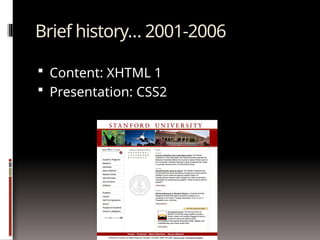
Brief history… 2001-2006
 Content: XHTML 1
 Presentation: CSS2
Brief history… 2007-present
 Content: HTML5
 Presentation: CSS3
Vendor Prefixes
 Some CSS rules won’t work without the vendor prefix.
 Mozilla Browsers (Firefox)
-moz
 Webkit Browsers (Safari, Chrome)
-webkit
 Opera
-o
 Internet Explorer
-ms
<!--[if IE]> <![endif]-->
 Not all CSS rules work with all browsers:
 http://www.caniuse.com/
 http://www.css3.info/selectors-test/
 http://quirksmode.org/css/contents.html
So, what’s the big
deal about CSS3?
See the examples online…
http://www.stanford.edu/group/csp/cs2
2/css3
New selectors!
 element1~element2
Selects an element that is a general next sibling of another
element
 [attribute^=value]
Represents an element with the attribute whose value begins
with the prefix value.
 [attribute$=value]
Represents an element with the attribute whose value ends
with the prefix value.
 [attribute*=value]
Represents an element with the attribute whose value contains
the prefix value.
New pseudo elements/classes!
 :first-of-type
 :last-of-type
 :only-of-type
 Select elements that are first, last, or only child of its type of
its parent
 :first-child
 :only-child
 :last-child
 Selects an element that is the first, only, or last child of its
parent.
More new pseudo
elements/classes!
 nth-child(n)
 :nth-of-type(n)
 Allows you to select elements with a formula.
 :nth-last-child(n)
 :nth-last-of-type(n)
 Work same as nth-child, except that they start counting at the last element instead of
the first.
 :root
 Selects the root initial containing block (in HTML, this is the <html> tag)
 :empty
 Selects elements with no content (“empty”).
 :target
 Selects a targeted element – one with an ID with the same value as the URL's
hash.
Still more new pseudo elements/classes!
 :enabled
 :disabled
 :checked
 Allows a designer to apply style to enabled,
disabled, or checked form field elements.
 :not(selector)
 Negates a selector.
 ::selection
 Defines style for text that a user selects.
New properties! (and some new
property groups!)
• Animation
• Background
• Border and
outline
• Box
• Color
• Content Paged
Media
• Dimension
• Flexible Box
• Font
• Generated
content
• Grid
• Hyperlink
• Linebox
• List
• Margin
• Marquee
• Multi-column
• Padding
• Paged Media
• Positioning
• Print
• Ruby
• Speech
• Table
• Text
• 2D/3D Transform
• Transition
• User-interface
CSS Property Groups:
Animation
 @keyframes
Specifies the animation
 animation
A shorthand property for all the animation properties below, except the animation-play-
state property
 animation-name
Specifies a name for the @keyframes animation
 animation-duration
Specifies how many seconds or milliseconds an animation takes to complete one cycle
 animation-timing-function
Specifies the speed curve of the animation
 animation-delay
Specifies when the animation will start
 animation-iteration-count
Specifies the number of times an animation should be played
 animation-direction
Specifies whether or not the animation should play in reverse on alternate cycles
 animation-play-state
Specifies whether the animation is running or paused
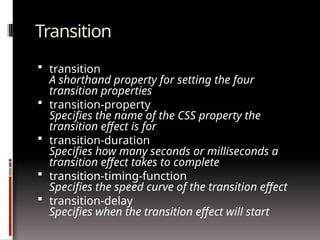
Transition
 transition
A shorthand property for setting the four
transition properties
 transition-property
Specifies the name of the CSS property the
transition effect is for
 transition-duration
Specifies how many seconds or milliseconds a
transition effect takes to complete
 transition-timing-function
Specifies the speed curve of the transition effect
 transition-delay
Specifies when the transition effect will start
Transform
 transform
Applies a 2D or 3D transformation to an element
 transform-origin
Allows you to change the position on transformed elements
 transform-style
Specifies how nested elements are rendered in 3D space
 perspective
Specifies the perspective on how 3D elements are viewed
 perspective-origin
Specifies the bottom position of 3D elements
 backface-visibility
Defines whether or not an element should be visible when not
facing the screen
Background
 background-clip
Specifies the painting area of the background
 background-origin
Specifies the positioning area of the background
images
 background-size
Specifies the size of the background images
 background-gradient
Specifies a gradient (shifting from one color to
another) in the background
Border
 border-bottom-left-radius
Defines the shape of the border of the bottom-left corner
 border-bottom-right-radius
Defines the shape of the border of the bottom-right corner
 border-image
A shorthand property for setting all the border-image-* properties
 border-image-outset
Specifies the amount by which the border image area extends beyond the border box
 border-image-repeat
Specifies whether the image-border should be repeated, rounded or stretched
 border-image-slice
Specifies the inward offsets of the image-border
 border-image-source
Specifies an image to be used as a border
 border-image-width
Specifies the widths of the image-border
 border-radius
A shorthand property for setting all the four border-*-radius properties
 border-top-left-radius
Defines the shape of the border of the top-left corner
 border-top-right-radius
Defines the shape of the border of the top-right corner
Flexible Box
 Allows you to order content using numbers.
 Example:
http://css-tricks.com/snippets/css/a-guide-to-flexbox/
Color
 RGBA(Red,Green,Blue,Alpha opacity)
rgba(100%,0%,0%,0.8) produces 80% red.
 HSLA (Hue, Saturation, Lightness, Alpha opacity)
hsla(0,100%, 50%,1.0) produces 100% red.
 opacity
Sets the opacity level for an element from 0 to 1.0
Font
 Free web fonts:
http://www.google.com/webfonts
http://www.fontsquirrel.com
 @font-face
A rule that allows websites to download and use fonts other than
the "web-safe" fonts
 font-size-adjust
Preserves the readability of text when font fallback occurs
 font-stretch
Selects a normal, condensed, or expanded face from a font family
 Example: Currently no browser supports font-stretch
Text
 hanging-punctuation
Specifies whether a punctuation character may be placed outside the line box
 Example: Currently no browser supports hanging-punctuation
 punctuation-trim
Specifies whether a punctuation character should be trimmed
 Example: Currently no browser supports punctuation-trim
 text-outline
Specifies a text outline
 Example: Currently no browser supports text-outline
 text-wrap
Specifies line breaking rules for text
 Example: Currently no browser supports text-wrap
 text-align-last
Describes how the last line of a block or a line right before a forced line break is aligned
when text-align is "justify"
Text (continued)
 text-justify
Specifies the justification method used when text-align
is "justify"
 text-shadow
Adds shadow to text
 word-break
Specifies line breaking rules for non-CJK
(Chinese/Japanese/Korean) text
 word-wrap
Allows long, unbreakable words to be broken and wrap
to the next line
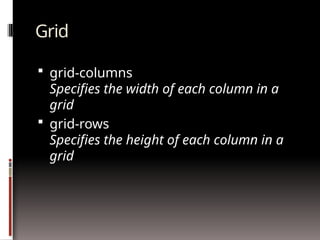
Grid
 grid-columns
Specifies the width of each column in a
grid
 grid-rows
Specifies the height of each column in a
grid
Multi-column
 column-count
Specifies the number of columns an element should be divided into
 column-fill
Specifies how to fill columns
 column-gap
Specifies the gap between the columns
 column-rule
A shorthand property for setting all the column-rule-* properties
 column-rule-color
Specifies the color of the rule between columns
 column-rule-style
Specifies the style of the rule between columns
 column-rule-width
Specifies the width of the rule between columns
 column-span
Specifies how many columns an element should span across
 column-width
Specifies the width of the columns
 columns
A shorthand property for setting column-width and column-count
Marquee
 marquee-direction
Sets the direction of the moving content
 marquee-play-count
Sets how many times the content move
 marquee-speed
Sets how fast the content scrolls
 marquee-style
Sets the style of the moving content
Ruby
 ruby-align
Controls the text alignment of the ruby text and ruby
base contents relative to each other
 ruby-overhang
Determines whether, and on which side, ruby text is
allowed to partially overhang any adjacent text in
addition to its own base, when the ruby text is wider
than the ruby base
 ruby-position
Controls the position of the ruby text with respect to its
base
 ruby-span
Controls the spanning behavior of annotation elements
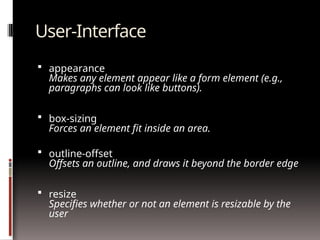
User-Interface
 appearance
Makes any element appear like a form element (e.g.,
paragraphs can look like buttons).
 box-sizing
Forces an element fit inside an area.
 outline-offset
Offsets an outline, and draws it beyond the border edge
 resize
Specifies whether or not an element is resizable by the
user
User-Interface (continued)
 nav-index
Specifies the tabbing order for an element
 nav-down
Specifies the position of the element when using the arrow-down navigation key
 nav-left
Specifies the position of the element when using the arrow-left navigation key
 nav-right
Specifies the position of the element when using the arrow-right navigation key
 nav-up
Specifies the position of the element when using the arrow-up navigation key
 Example: Currently no browser supports the nav* properties
Content for Paged Media (print)
 bookmark-label
Specifies the label of the bookmark
 bookmark-level
Specifies the level of the bookmark
 bookmark-target
Specifies the target of the bookmark link
 float-offset
Pushes floated elements in the opposite direction of the where they have been floated with float
 image-resolution
Specifies the resolution of an image
 marks
Adds crop and/or cross marks to the document
 string-set
Named strings are created with the ‘string-set’ property which copies a string of text into the named string.
Only text is copied; not style, structure, or replaced content
Content for Paged Media (print) -
continued
 hyphenate-after
Specifies the minimum number of characters in a hyphenated word after the
hyphenation character
 hyphenate-before
Specifies the minimum number of characters in a hyphenated word before the
hyphenation character
 hyphenate-character
Specifies a string that is shown when a hyphenate-break occurs
 hyphenate-lines
Indicates the maximum number of successive hyphenated lines in an element
 hyphenate-resource
Specifies a comma-separated list of external resources that can help the
browser determine hyphenation points
 hyphens
Sets how to split words to improve the layout of paragraphs
More Paged Media Properties
 object-fit
Gives a hint for how to scale a replaced element if neither
its width nor its height property is auto
 object-position
Determines the alignment of the object inside the box
 image-orientation
Specifies a rotation in the right or clockwise direction that
a user agent applies to an image
 size
Specifies the size and orientation of the containing box
for page content
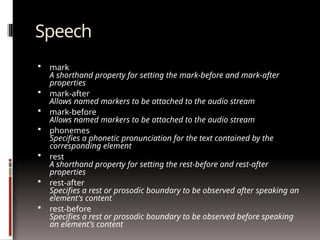
Speech
 mark
A shorthand property for setting the mark-before and mark-after
properties
 mark-after
Allows named markers to be attached to the audio stream
 mark-before
Allows named markers to be attached to the audio stream
 phonemes
Specifies a phonetic pronunciation for the text contained by the
corresponding element
 rest
A shorthand property for setting the rest-before and rest-after
properties
 rest-after
Specifies a rest or prosodic boundary to be observed after speaking an
element's content
 rest-before
Specifies a rest or prosodic boundary to be observed before speaking
an element's content
Speech (continued)
 voice-balance
Specifies the balance between left and right channels
 voice-duration
Specifies how long it should take to render the selected element's
content
 voice-pitch
Specifies the average pitch (a frequency) of the speaking voice
 voice-pitch-range
Specifies variation in average pitch
 voice-rate
Controls the speaking rate
 voice-stress
Indicates the strength of emphasis to be applied
 voice-volume
Refers to the amplitude of the waveform output by the speech
synthesizes
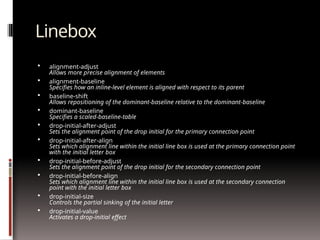
Linebox
 alignment-adjust
Allows more precise alignment of elements
 alignment-baseline
Specifies how an inline-level element is aligned with respect to its parent
 baseline-shift
Allows repositioning of the dominant-baseline relative to the dominant-baseline
 dominant-baseline
Specifies a scaled-baseline-table
 drop-initial-after-adjust
Sets the alignment point of the drop initial for the primary connection point
 drop-initial-after-align
Sets which alignment line within the initial line box is used at the primary connection point
with the initial letter box
 drop-initial-before-adjust
Sets the alignment point of the drop initial for the secondary connection point
 drop-initial-before-align
Sets which alignment line within the initial line box is used at the secondary connection
point with the initial letter box
 drop-initial-size
Controls the partial sinking of the initial letter
 drop-initial-value
Activates a drop-initial effect
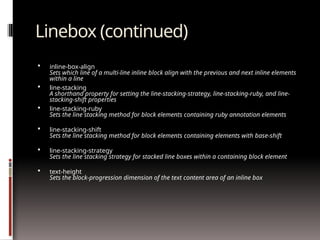
Linebox (continued)
 inline-box-align
Sets which line of a multi-line inline block align with the previous and next inline elements
within a line
 line-stacking
A shorthand property for setting the line-stacking-strategy, line-stacking-ruby, and line-
stacking-shift properties
 line-stacking-ruby
Sets the line stacking method for block elements containing ruby annotation elements
 line-stacking-shift
Sets the line stacking method for block elements containing elements with base-shift
 line-stacking-strategy
Sets the line stacking strategy for stacked line boxes within a containing block element
 text-height
Sets the block-progression dimension of the text content area of an inline box
Hyperlink
 target
A shorthand property for setting the target-name, target-new,
and target-position properties
 target-name
Specifies where to open links (target destination)
 target-new
Specifies whether new destination links should open in a new
window or in a new tab of an existing window
 target-position
Specifies where new destination links should be placed
Some CSS3 Resources…
 http://www.stanford.edu/group/csp/cs22/css3/
 http://border-radius.com/
 http://caniuse.com/
 http://css-tricks.com/
 http://css3.bradshawenterprises.com
 http://css3.info/
 http://cssplay.co.uk/menu/css3-marquee.html
 http://davidwalsh.name/dw-content/webkit-
styles.php
 http://dev.w3.org/csswg/
 http://fontsquirrel.com/
 http://google.com/webfonts
 http://hex2rgba.devoth.com/
 http://hslpicker.com/
 http://html5rocks.com/
 http://html5doctor.com/
 http://leemunroe.com
 http://meyerweb.com/eric/css/
 http://msdn.microsoft.com/
 http://quackit.com/css
 http://quirksmode.org/css/contents.html
 http://standardista.com
 http://standardista.com/sxsw
 http://storiesinflight.com/html5/ruby.html
 http://stubbornella.org/content/category/
general/geek/css/
 http://thinkvitamin.com/design/stay-on-target/
 http://uselesscode.org/blog/82/pure-css3-tab-
widget
 http://virtuelvis.com/gallery/css3/target/
interface.html
 http://w3.org/
 http://w3schools.com
 http://westciv.com/tools/3Dtransforms
 http://xanthir.com/blog
 http://xanthir.com/blog/b4580
 http://selectivizr.com

web Technolotogies notes lke CSS443.pptx

  • 1.
  • 2.
    Brief history… 1997-2001 Content: HTML 4.01  Presentation: CSS1
  • 3.
    Brief history… 2001-2006 Content: XHTML 1  Presentation: CSS2
  • 4.
    Brief history… 2007-present Content: HTML5  Presentation: CSS3
  • 5.
    Vendor Prefixes  SomeCSS rules won’t work without the vendor prefix.  Mozilla Browsers (Firefox) -moz  Webkit Browsers (Safari, Chrome) -webkit  Opera -o  Internet Explorer -ms <!--[if IE]> <![endif]-->  Not all CSS rules work with all browsers:  http://www.caniuse.com/  http://www.css3.info/selectors-test/  http://quirksmode.org/css/contents.html
  • 6.
    So, what’s thebig deal about CSS3? See the examples online… http://www.stanford.edu/group/csp/cs2 2/css3
  • 7.
    New selectors!  element1~element2 Selectsan element that is a general next sibling of another element  [attribute^=value] Represents an element with the attribute whose value begins with the prefix value.  [attribute$=value] Represents an element with the attribute whose value ends with the prefix value.  [attribute*=value] Represents an element with the attribute whose value contains the prefix value.
  • 8.
    New pseudo elements/classes! :first-of-type  :last-of-type  :only-of-type  Select elements that are first, last, or only child of its type of its parent  :first-child  :only-child  :last-child  Selects an element that is the first, only, or last child of its parent.
  • 9.
    More new pseudo elements/classes! nth-child(n)  :nth-of-type(n)  Allows you to select elements with a formula.  :nth-last-child(n)  :nth-last-of-type(n)  Work same as nth-child, except that they start counting at the last element instead of the first.  :root  Selects the root initial containing block (in HTML, this is the <html> tag)  :empty  Selects elements with no content (“empty”).  :target  Selects a targeted element – one with an ID with the same value as the URL's hash.
  • 10.
    Still more newpseudo elements/classes!  :enabled  :disabled  :checked  Allows a designer to apply style to enabled, disabled, or checked form field elements.  :not(selector)  Negates a selector.  ::selection  Defines style for text that a user selects.
  • 11.
    New properties! (andsome new property groups!) • Animation • Background • Border and outline • Box • Color • Content Paged Media • Dimension • Flexible Box • Font • Generated content • Grid • Hyperlink • Linebox • List • Margin • Marquee • Multi-column • Padding • Paged Media • Positioning • Print • Ruby • Speech • Table • Text • 2D/3D Transform • Transition • User-interface CSS Property Groups:
  • 12.
    Animation  @keyframes Specifies theanimation  animation A shorthand property for all the animation properties below, except the animation-play- state property  animation-name Specifies a name for the @keyframes animation  animation-duration Specifies how many seconds or milliseconds an animation takes to complete one cycle  animation-timing-function Specifies the speed curve of the animation  animation-delay Specifies when the animation will start  animation-iteration-count Specifies the number of times an animation should be played  animation-direction Specifies whether or not the animation should play in reverse on alternate cycles  animation-play-state Specifies whether the animation is running or paused
  • 13.
    Transition  transition A shorthandproperty for setting the four transition properties  transition-property Specifies the name of the CSS property the transition effect is for  transition-duration Specifies how many seconds or milliseconds a transition effect takes to complete  transition-timing-function Specifies the speed curve of the transition effect  transition-delay Specifies when the transition effect will start
  • 14.
    Transform  transform Applies a2D or 3D transformation to an element  transform-origin Allows you to change the position on transformed elements  transform-style Specifies how nested elements are rendered in 3D space  perspective Specifies the perspective on how 3D elements are viewed  perspective-origin Specifies the bottom position of 3D elements  backface-visibility Defines whether or not an element should be visible when not facing the screen
  • 15.
    Background  background-clip Specifies thepainting area of the background  background-origin Specifies the positioning area of the background images  background-size Specifies the size of the background images  background-gradient Specifies a gradient (shifting from one color to another) in the background
  • 16.
    Border  border-bottom-left-radius Defines theshape of the border of the bottom-left corner  border-bottom-right-radius Defines the shape of the border of the bottom-right corner  border-image A shorthand property for setting all the border-image-* properties  border-image-outset Specifies the amount by which the border image area extends beyond the border box  border-image-repeat Specifies whether the image-border should be repeated, rounded or stretched  border-image-slice Specifies the inward offsets of the image-border  border-image-source Specifies an image to be used as a border  border-image-width Specifies the widths of the image-border  border-radius A shorthand property for setting all the four border-*-radius properties  border-top-left-radius Defines the shape of the border of the top-left corner  border-top-right-radius Defines the shape of the border of the top-right corner
  • 17.
    Flexible Box  Allowsyou to order content using numbers.  Example: http://css-tricks.com/snippets/css/a-guide-to-flexbox/
  • 18.
    Color  RGBA(Red,Green,Blue,Alpha opacity) rgba(100%,0%,0%,0.8)produces 80% red.  HSLA (Hue, Saturation, Lightness, Alpha opacity) hsla(0,100%, 50%,1.0) produces 100% red.  opacity Sets the opacity level for an element from 0 to 1.0
  • 19.
    Font  Free webfonts: http://www.google.com/webfonts http://www.fontsquirrel.com  @font-face A rule that allows websites to download and use fonts other than the "web-safe" fonts  font-size-adjust Preserves the readability of text when font fallback occurs  font-stretch Selects a normal, condensed, or expanded face from a font family  Example: Currently no browser supports font-stretch
  • 20.
    Text  hanging-punctuation Specifies whethera punctuation character may be placed outside the line box  Example: Currently no browser supports hanging-punctuation  punctuation-trim Specifies whether a punctuation character should be trimmed  Example: Currently no browser supports punctuation-trim  text-outline Specifies a text outline  Example: Currently no browser supports text-outline  text-wrap Specifies line breaking rules for text  Example: Currently no browser supports text-wrap  text-align-last Describes how the last line of a block or a line right before a forced line break is aligned when text-align is "justify"
  • 21.
    Text (continued)  text-justify Specifiesthe justification method used when text-align is "justify"  text-shadow Adds shadow to text  word-break Specifies line breaking rules for non-CJK (Chinese/Japanese/Korean) text  word-wrap Allows long, unbreakable words to be broken and wrap to the next line
  • 22.
    Grid  grid-columns Specifies thewidth of each column in a grid  grid-rows Specifies the height of each column in a grid
  • 23.
    Multi-column  column-count Specifies thenumber of columns an element should be divided into  column-fill Specifies how to fill columns  column-gap Specifies the gap between the columns  column-rule A shorthand property for setting all the column-rule-* properties  column-rule-color Specifies the color of the rule between columns  column-rule-style Specifies the style of the rule between columns  column-rule-width Specifies the width of the rule between columns  column-span Specifies how many columns an element should span across  column-width Specifies the width of the columns  columns A shorthand property for setting column-width and column-count
  • 24.
    Marquee  marquee-direction Sets thedirection of the moving content  marquee-play-count Sets how many times the content move  marquee-speed Sets how fast the content scrolls  marquee-style Sets the style of the moving content
  • 25.
    Ruby  ruby-align Controls thetext alignment of the ruby text and ruby base contents relative to each other  ruby-overhang Determines whether, and on which side, ruby text is allowed to partially overhang any adjacent text in addition to its own base, when the ruby text is wider than the ruby base  ruby-position Controls the position of the ruby text with respect to its base  ruby-span Controls the spanning behavior of annotation elements
  • 26.
    User-Interface  appearance Makes anyelement appear like a form element (e.g., paragraphs can look like buttons).  box-sizing Forces an element fit inside an area.  outline-offset Offsets an outline, and draws it beyond the border edge  resize Specifies whether or not an element is resizable by the user
  • 27.
    User-Interface (continued)  nav-index Specifiesthe tabbing order for an element  nav-down Specifies the position of the element when using the arrow-down navigation key  nav-left Specifies the position of the element when using the arrow-left navigation key  nav-right Specifies the position of the element when using the arrow-right navigation key  nav-up Specifies the position of the element when using the arrow-up navigation key  Example: Currently no browser supports the nav* properties
  • 28.
    Content for PagedMedia (print)  bookmark-label Specifies the label of the bookmark  bookmark-level Specifies the level of the bookmark  bookmark-target Specifies the target of the bookmark link  float-offset Pushes floated elements in the opposite direction of the where they have been floated with float  image-resolution Specifies the resolution of an image  marks Adds crop and/or cross marks to the document  string-set Named strings are created with the ‘string-set’ property which copies a string of text into the named string. Only text is copied; not style, structure, or replaced content
  • 29.
    Content for PagedMedia (print) - continued  hyphenate-after Specifies the minimum number of characters in a hyphenated word after the hyphenation character  hyphenate-before Specifies the minimum number of characters in a hyphenated word before the hyphenation character  hyphenate-character Specifies a string that is shown when a hyphenate-break occurs  hyphenate-lines Indicates the maximum number of successive hyphenated lines in an element  hyphenate-resource Specifies a comma-separated list of external resources that can help the browser determine hyphenation points  hyphens Sets how to split words to improve the layout of paragraphs
  • 30.
    More Paged MediaProperties  object-fit Gives a hint for how to scale a replaced element if neither its width nor its height property is auto  object-position Determines the alignment of the object inside the box  image-orientation Specifies a rotation in the right or clockwise direction that a user agent applies to an image  size Specifies the size and orientation of the containing box for page content
  • 31.
    Speech  mark A shorthandproperty for setting the mark-before and mark-after properties  mark-after Allows named markers to be attached to the audio stream  mark-before Allows named markers to be attached to the audio stream  phonemes Specifies a phonetic pronunciation for the text contained by the corresponding element  rest A shorthand property for setting the rest-before and rest-after properties  rest-after Specifies a rest or prosodic boundary to be observed after speaking an element's content  rest-before Specifies a rest or prosodic boundary to be observed before speaking an element's content
  • 32.
    Speech (continued)  voice-balance Specifiesthe balance between left and right channels  voice-duration Specifies how long it should take to render the selected element's content  voice-pitch Specifies the average pitch (a frequency) of the speaking voice  voice-pitch-range Specifies variation in average pitch  voice-rate Controls the speaking rate  voice-stress Indicates the strength of emphasis to be applied  voice-volume Refers to the amplitude of the waveform output by the speech synthesizes
  • 33.
    Linebox  alignment-adjust Allows moreprecise alignment of elements  alignment-baseline Specifies how an inline-level element is aligned with respect to its parent  baseline-shift Allows repositioning of the dominant-baseline relative to the dominant-baseline  dominant-baseline Specifies a scaled-baseline-table  drop-initial-after-adjust Sets the alignment point of the drop initial for the primary connection point  drop-initial-after-align Sets which alignment line within the initial line box is used at the primary connection point with the initial letter box  drop-initial-before-adjust Sets the alignment point of the drop initial for the secondary connection point  drop-initial-before-align Sets which alignment line within the initial line box is used at the secondary connection point with the initial letter box  drop-initial-size Controls the partial sinking of the initial letter  drop-initial-value Activates a drop-initial effect
  • 34.
    Linebox (continued)  inline-box-align Setswhich line of a multi-line inline block align with the previous and next inline elements within a line  line-stacking A shorthand property for setting the line-stacking-strategy, line-stacking-ruby, and line- stacking-shift properties  line-stacking-ruby Sets the line stacking method for block elements containing ruby annotation elements  line-stacking-shift Sets the line stacking method for block elements containing elements with base-shift  line-stacking-strategy Sets the line stacking strategy for stacked line boxes within a containing block element  text-height Sets the block-progression dimension of the text content area of an inline box
  • 35.
    Hyperlink  target A shorthandproperty for setting the target-name, target-new, and target-position properties  target-name Specifies where to open links (target destination)  target-new Specifies whether new destination links should open in a new window or in a new tab of an existing window  target-position Specifies where new destination links should be placed
  • 36.
    Some CSS3 Resources… http://www.stanford.edu/group/csp/cs22/css3/  http://border-radius.com/  http://caniuse.com/  http://css-tricks.com/  http://css3.bradshawenterprises.com  http://css3.info/  http://cssplay.co.uk/menu/css3-marquee.html  http://davidwalsh.name/dw-content/webkit- styles.php  http://dev.w3.org/csswg/  http://fontsquirrel.com/  http://google.com/webfonts  http://hex2rgba.devoth.com/  http://hslpicker.com/  http://html5rocks.com/  http://html5doctor.com/  http://leemunroe.com  http://meyerweb.com/eric/css/  http://msdn.microsoft.com/  http://quackit.com/css  http://quirksmode.org/css/contents.html  http://standardista.com  http://standardista.com/sxsw  http://storiesinflight.com/html5/ruby.html  http://stubbornella.org/content/category/ general/geek/css/  http://thinkvitamin.com/design/stay-on-target/  http://uselesscode.org/blog/82/pure-css3-tab- widget  http://virtuelvis.com/gallery/css3/target/ interface.html  http://w3.org/  http://w3schools.com  http://westciv.com/tools/3Dtransforms  http://xanthir.com/blog  http://xanthir.com/blog/b4580  http://selectivizr.com