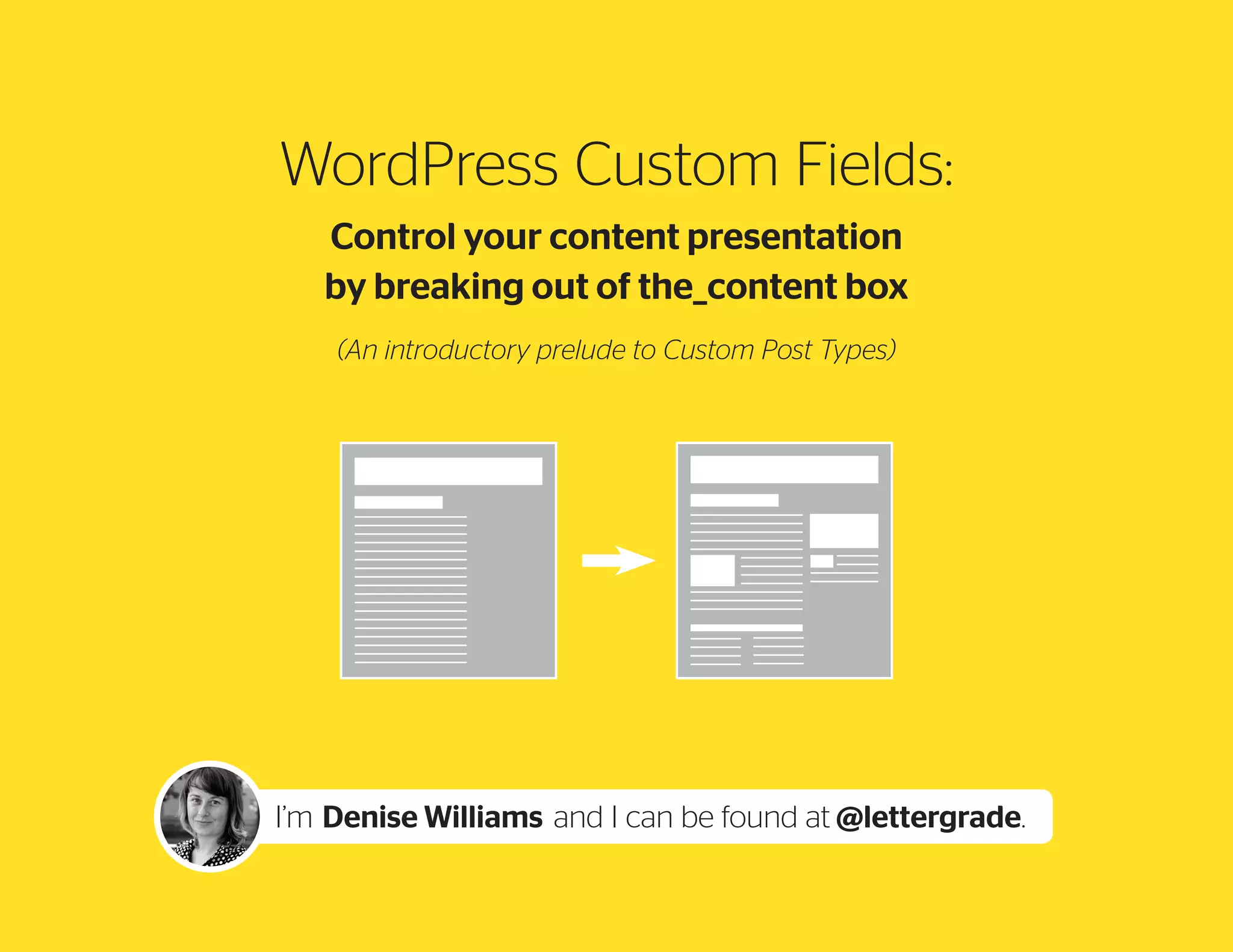
WordPress Custom Fields:
Control your content presentation
by breaking out of the_content box
(An introductory prelude to Custom Post Types)

I’m Denise Williams and I can be found at @lettergrade.
What we will cover:

A

B

C

D

why
Customize

how to
Customize

plugins
for easy
fields

next steps

What can our
pages gain?

a case study add a friendly roadmap to
admin area
custom post
using page
templates and
types
custom fields
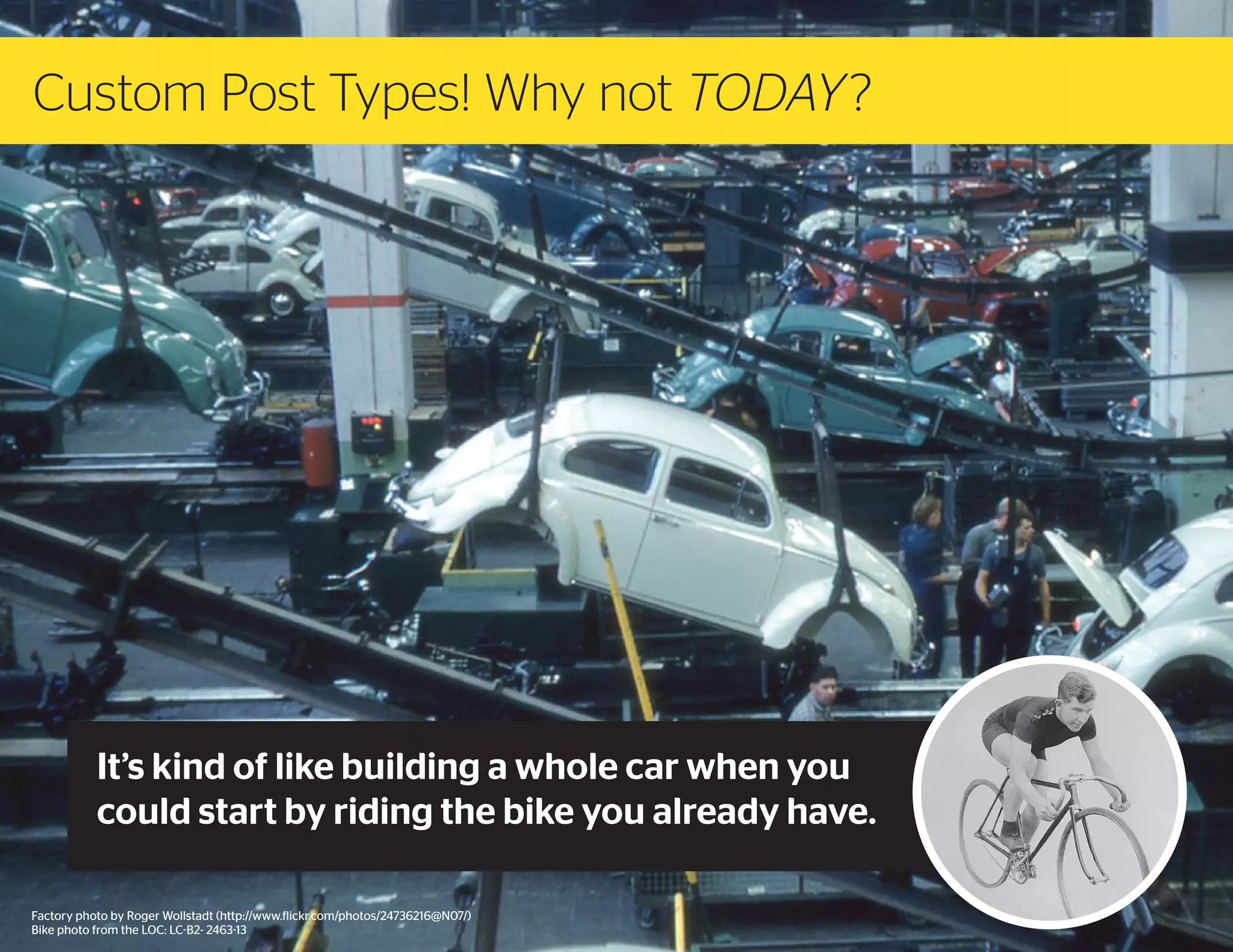
Custom Post Types! Why not TODAY ?

It’s kind of like building a whole car when you
could start by riding the bike you already have.
Factory photo by Roger Wollstadt (http://www.flickr.com/photos/24736216@N07/)
Bike photo from the LOC: LC-B2- 2463-13
Denise Williams
Project director and WordPress developer
at Odeler Services in Montréal.
Can be found at:
www.lettergrade.ca
@lettergrade
15 years working in publishing and marketing,
directing and production managing content
projects.
Started using WordPress in 2007, as the
backend for magazine websites.
A
Why Customize
A
why
Customize

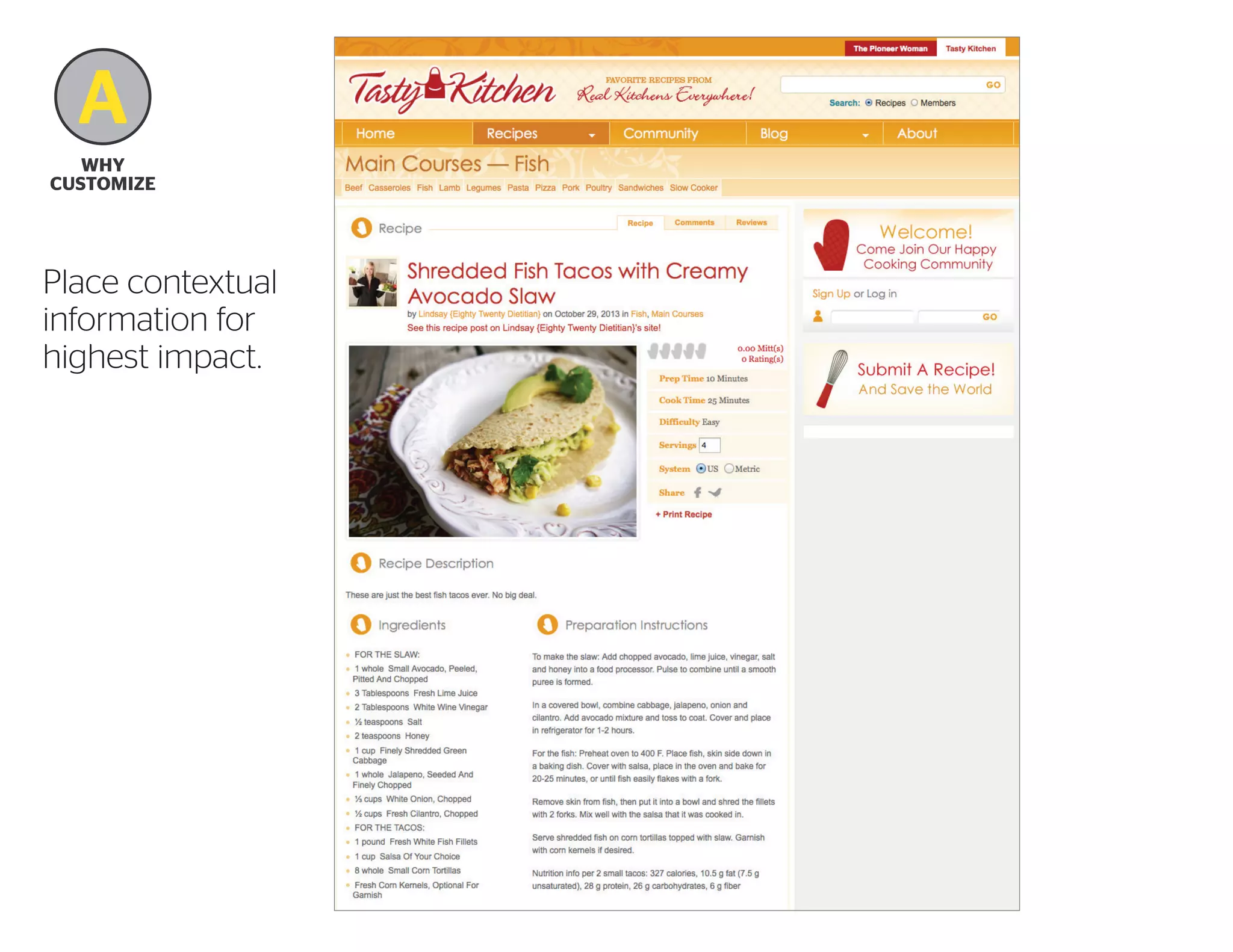
Place contextual
information for
highest impact.
A
why
Customize

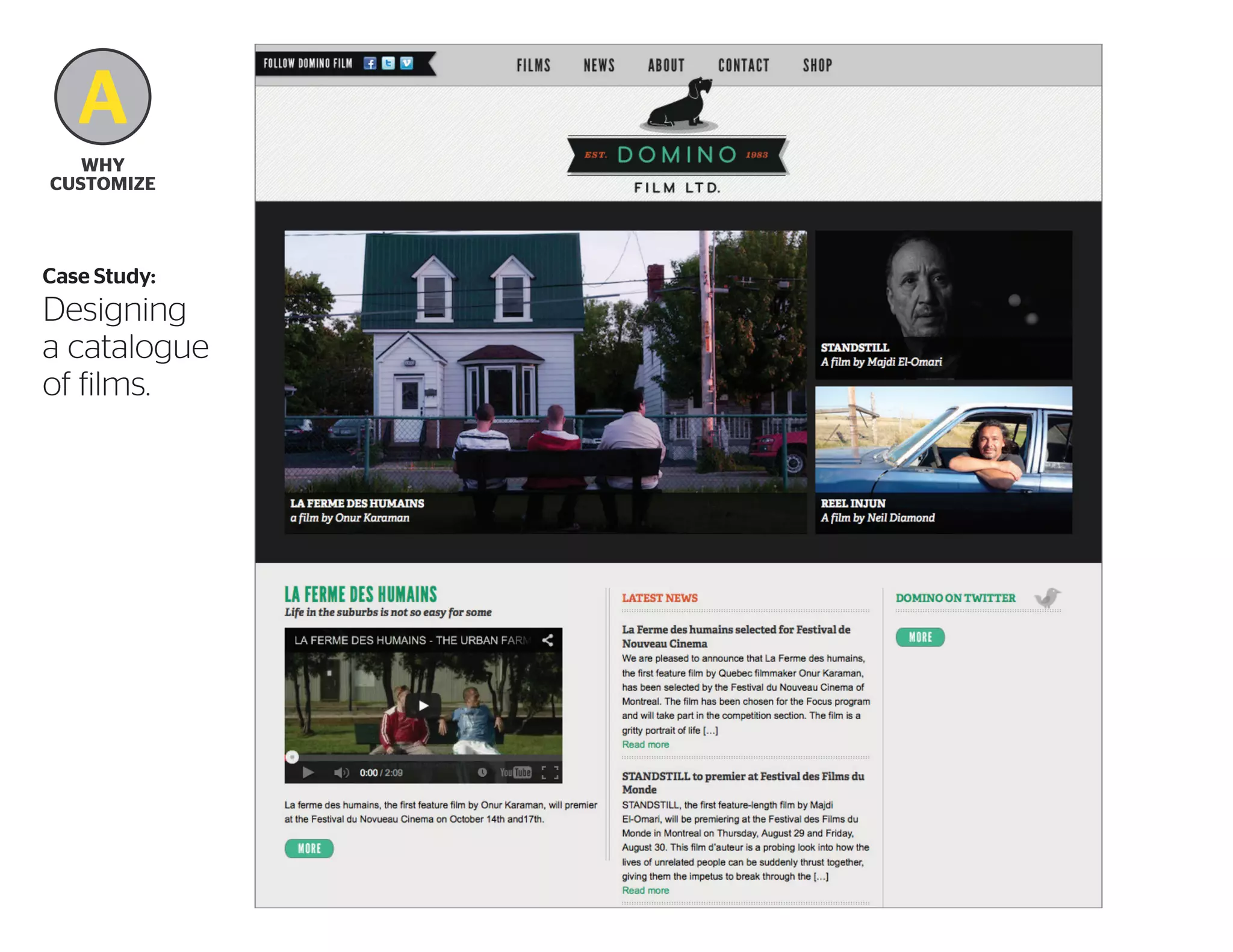
Case Study:

Designing
a catalogue
of films.
A
Why
Customize

Domino’s film pages require many distinct
content areas:
–film title
–release year
–language
–genre
–running time
–official site url
–description

–production credits
–list of awards
–media reviews
–press kit download
–trailer
–related news
–’More like this’
A
Why
Customize

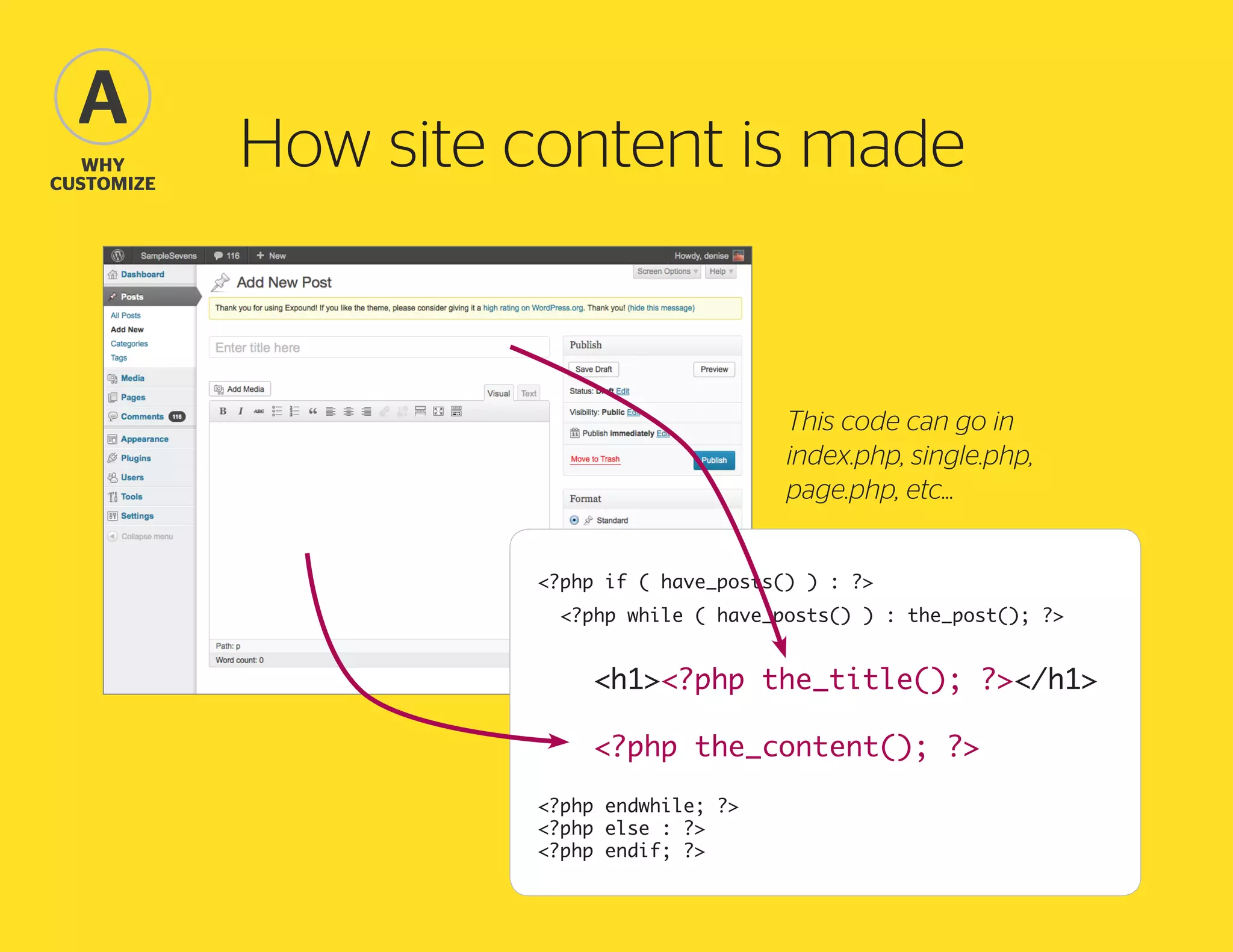
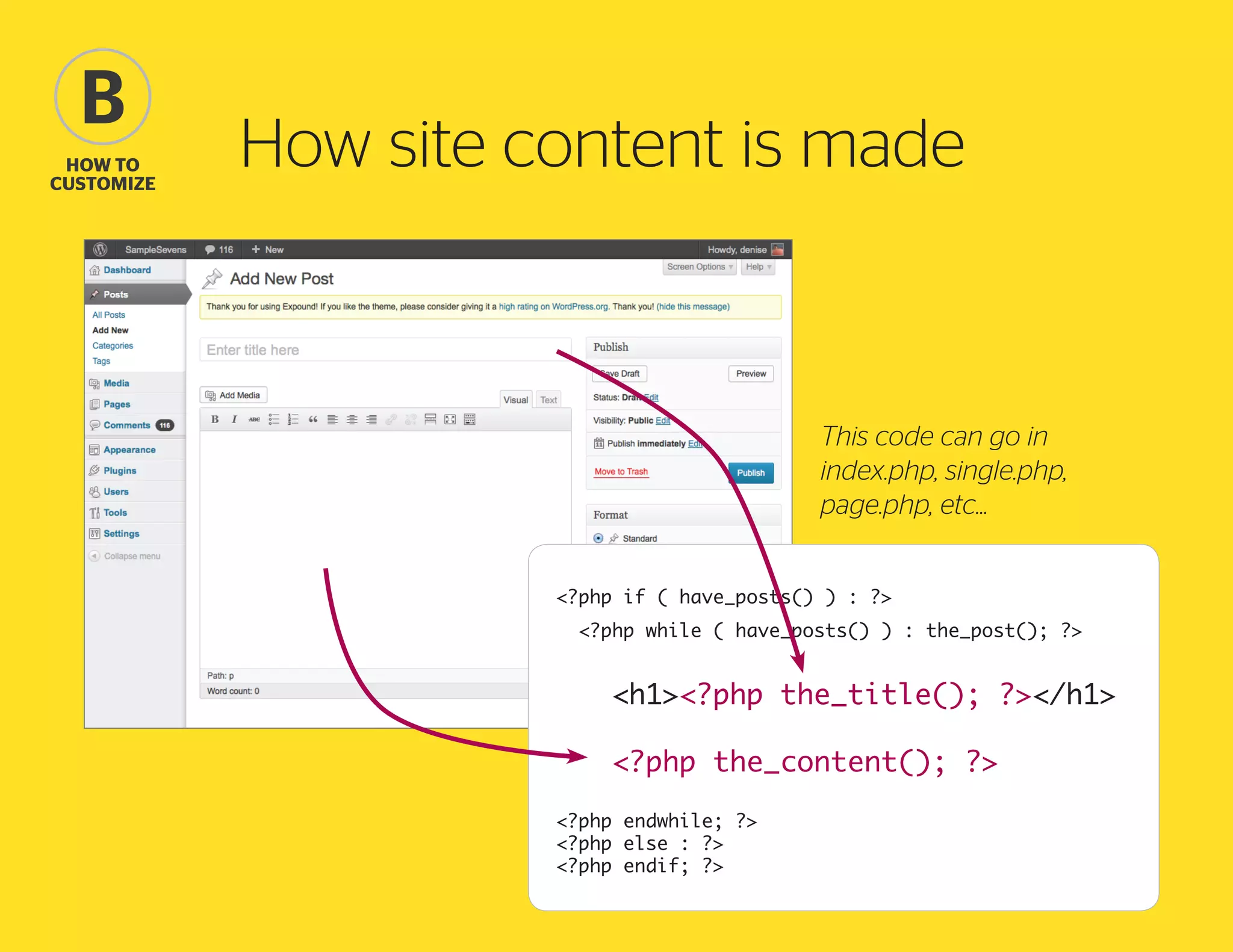
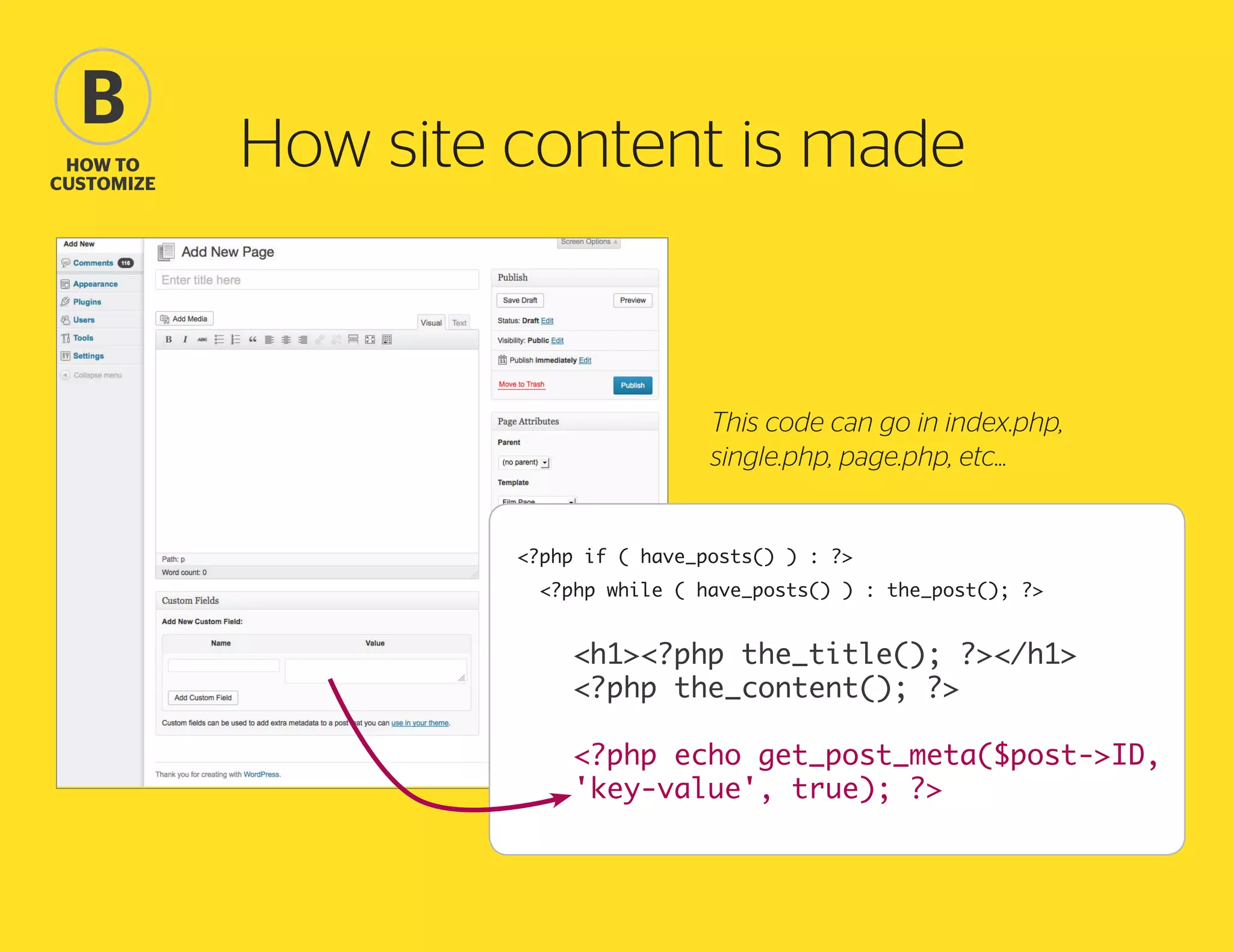
How site content is made

This code can go in
index.php, single.php,
page.php, etc...
<?php if ( have_posts() ) : ?>
<?php while ( have_posts() ) : the_post(); ?>

				
	<h1><?php the_title(); ?></h1>
	 <?php the_content(); ?>
				
<?php endwhile; ?>
<?php else : ?>
<?php endif; ?>
B
how to
Customize

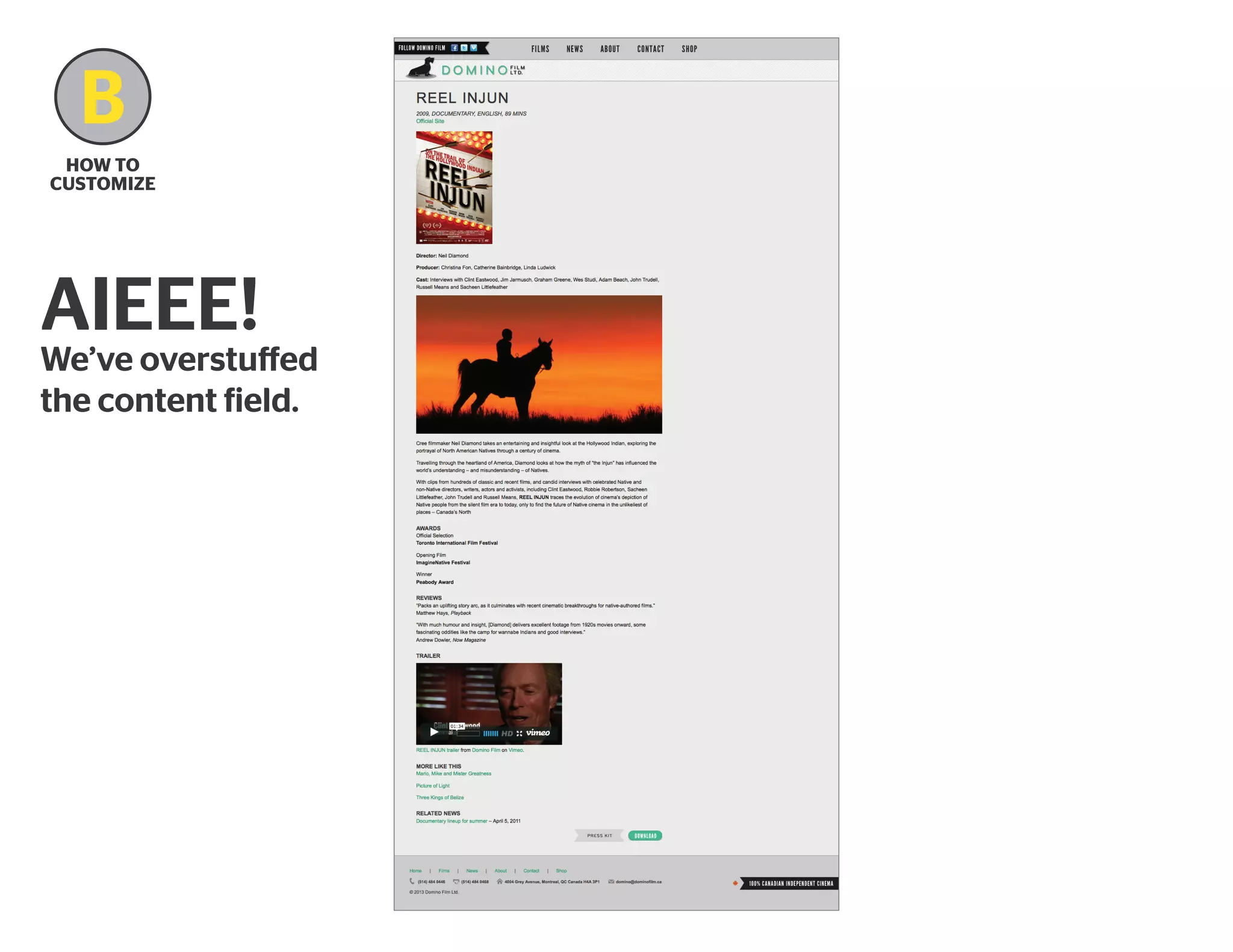
AIEEE!

We’ve overstuffed
the content field.
B
how to
Customize

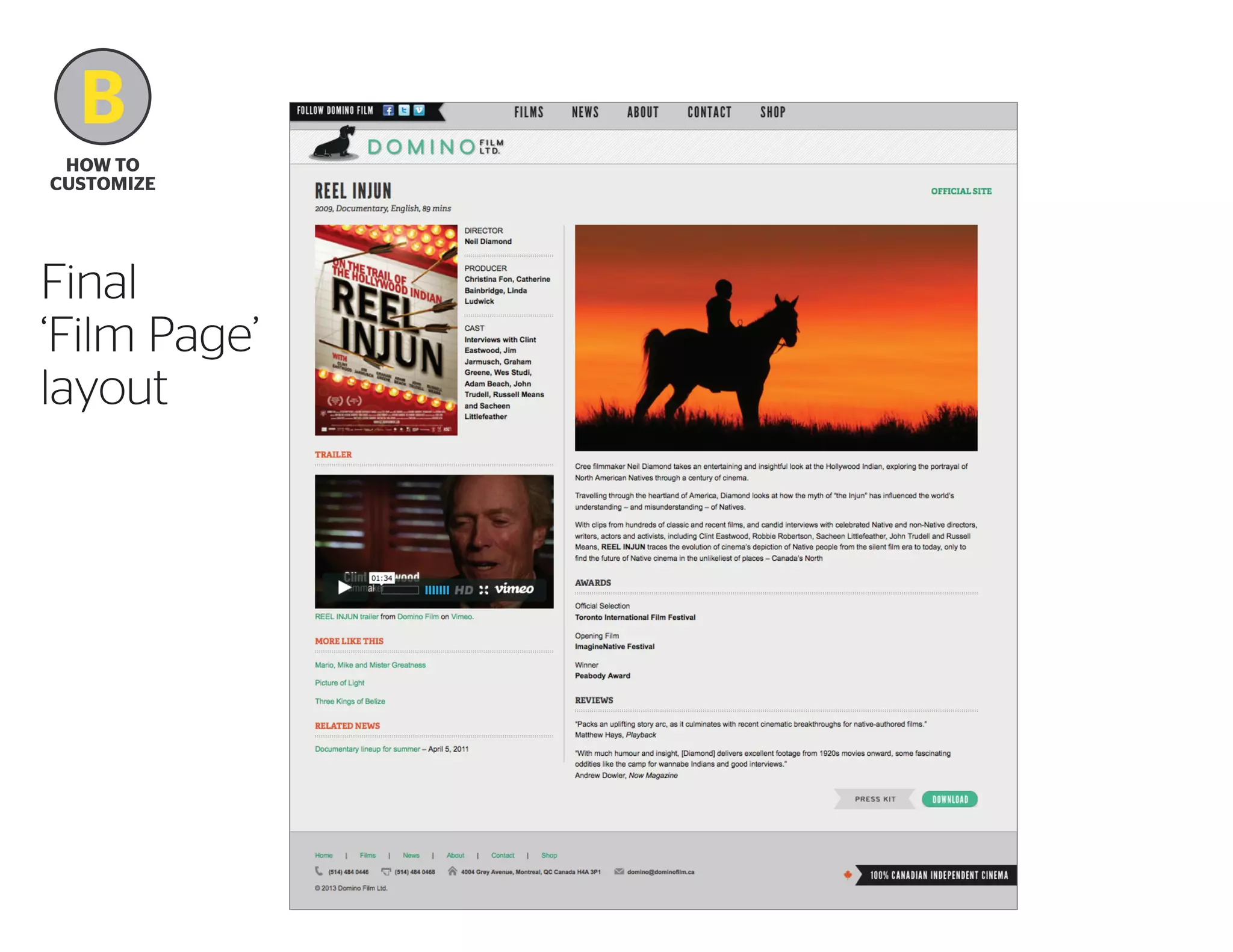
Final
‘Film Page’
layout
B

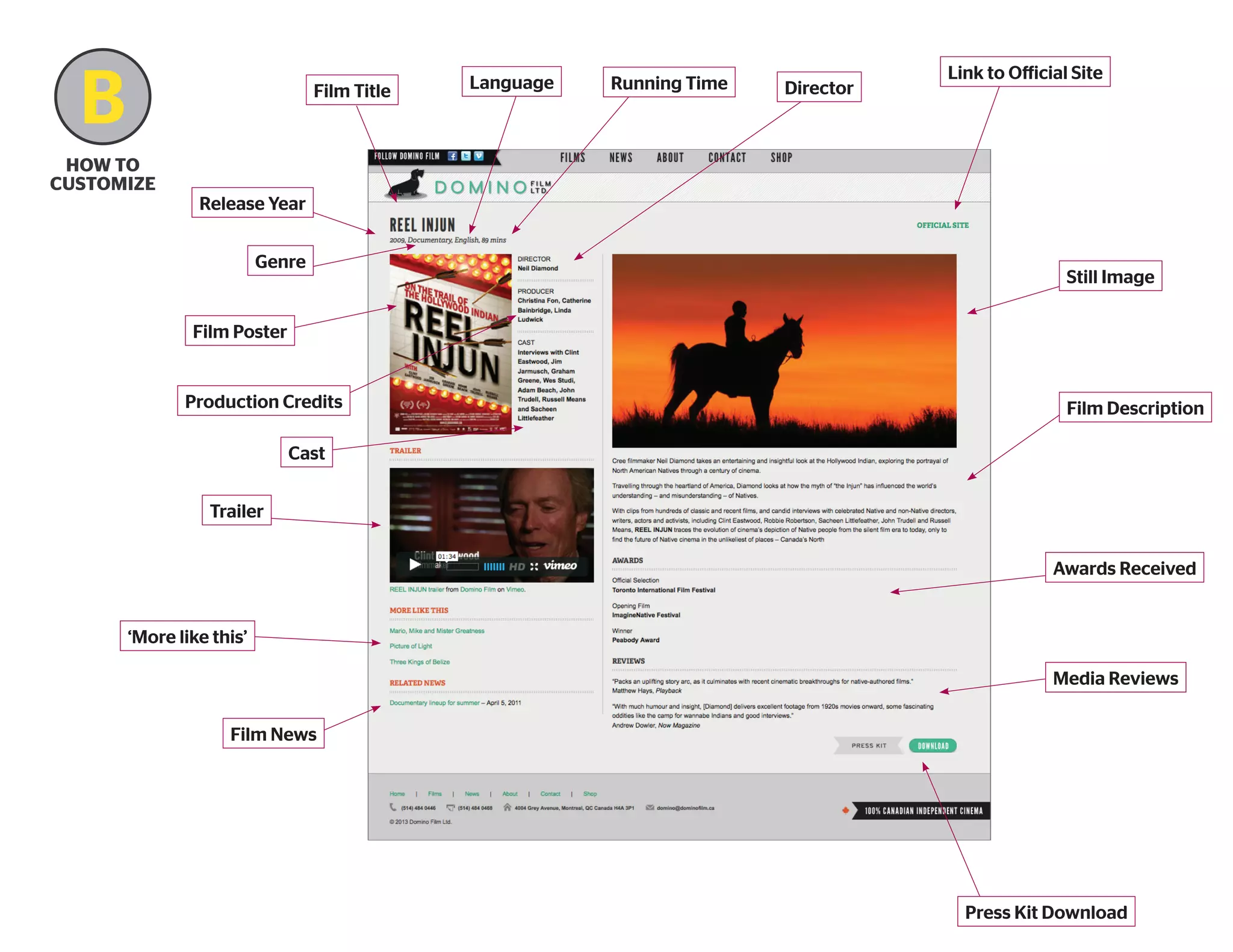
Film Title

how to
Customize

Language

Running Time

Director

Link to Official Site

Release Year
Genre

Still Image

Film Poster

Production Credits

Film Description

Cast
Trailer
Awards Received

‘More like this’
Media Reviews
Film News

Press Kit Download
B
How to Customize
B
how to
Customize

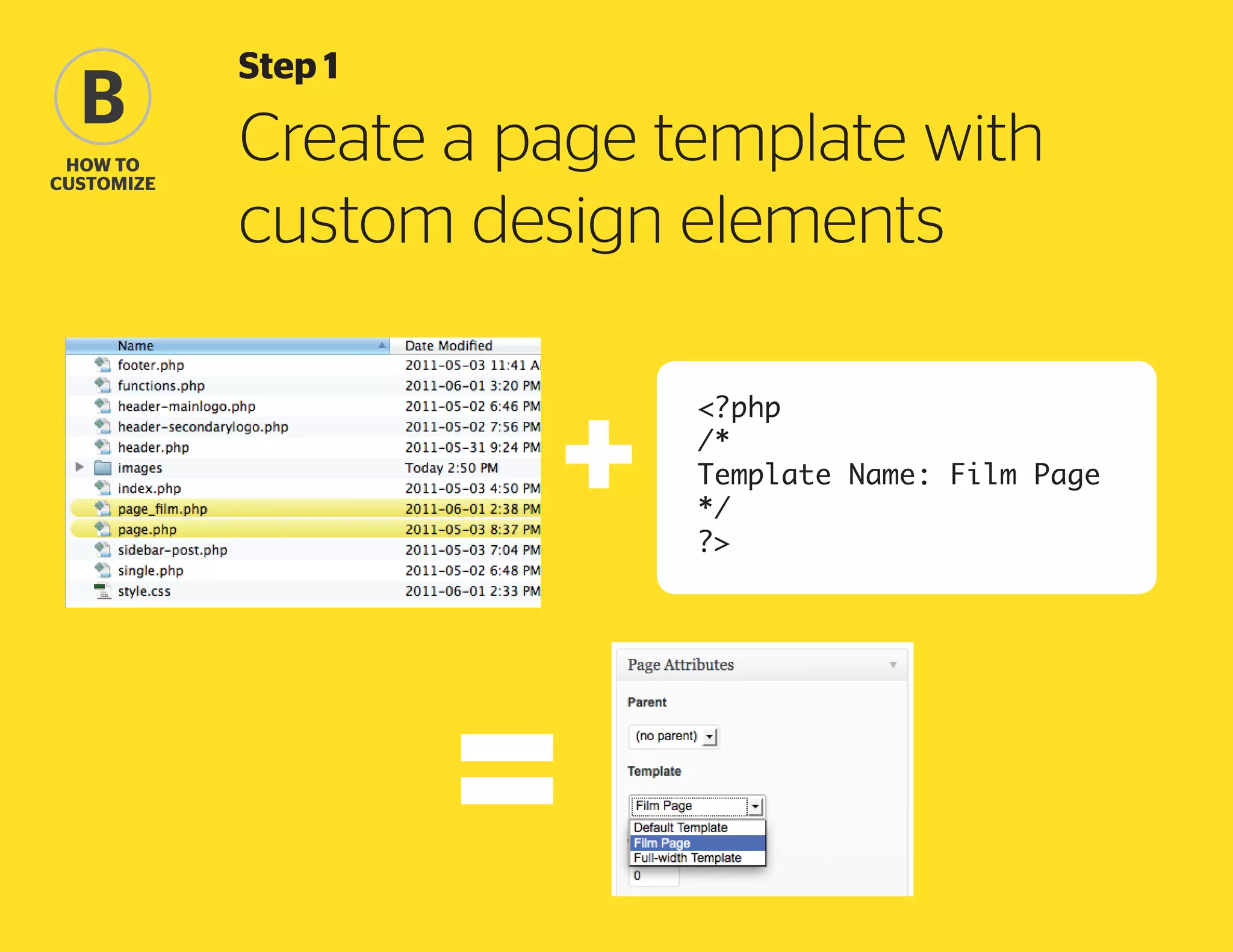
Step 1

Create a page template with
custom design elements
<?php
/*
Template Name: Film Page
*/
?>
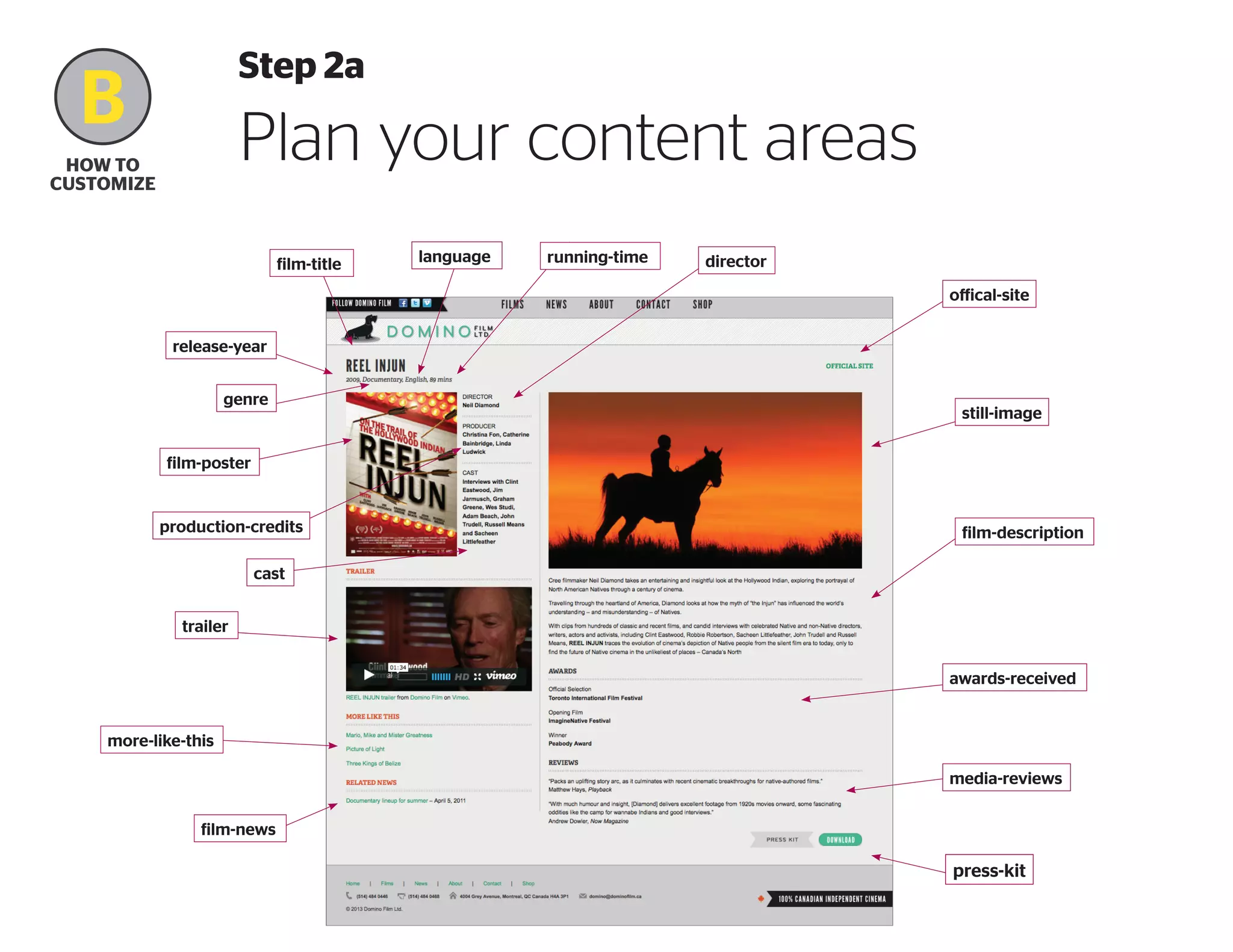
Step 2a

B

Plan your content areas

how to
Customize

film-title

language

running-time

director
offical-site

release-year
genre

still-image

film-poster

production-credits

film-description

cast
trailer
awards-received

more-like-this
media-reviews
film-news

press-kit
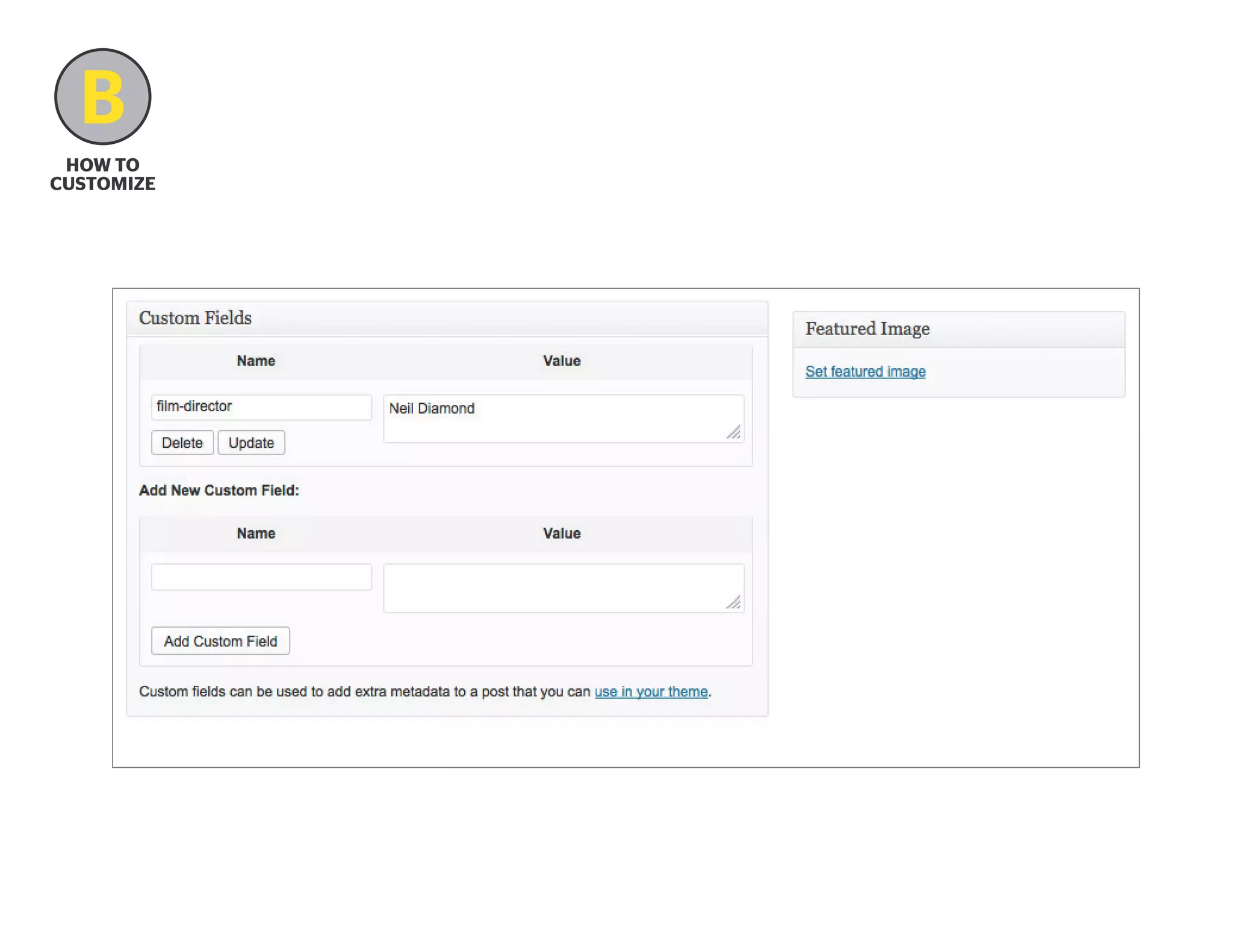
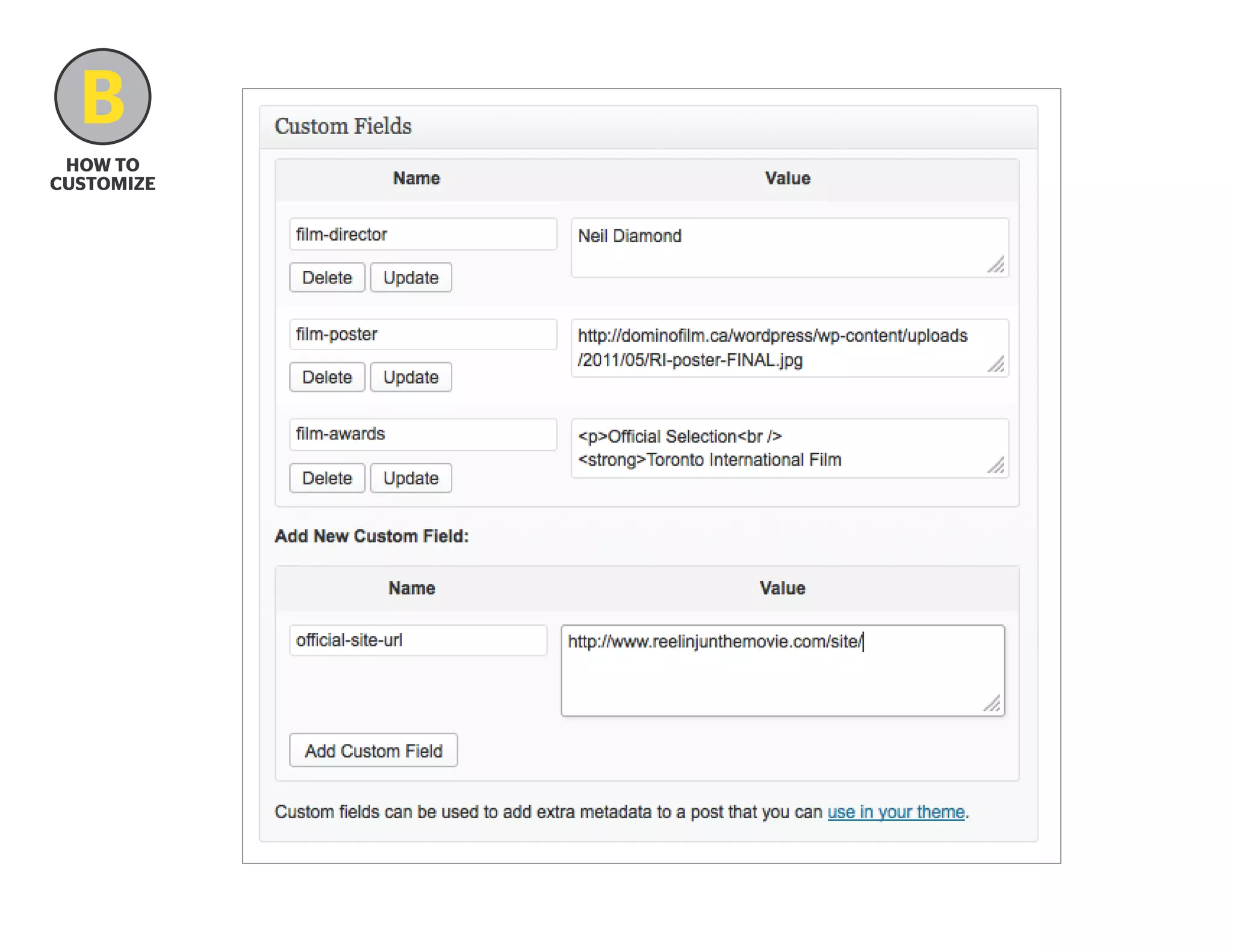
What exactly ARE custom fields?
“Key/Value Pairs”
Think of custom fields as:
– he ability to create your own post template tags.
t
(Make some room, the_content!)
– mpty buckets in which you can store any piece of
e
information that you might want to retrieve later.
B
how to
Customize

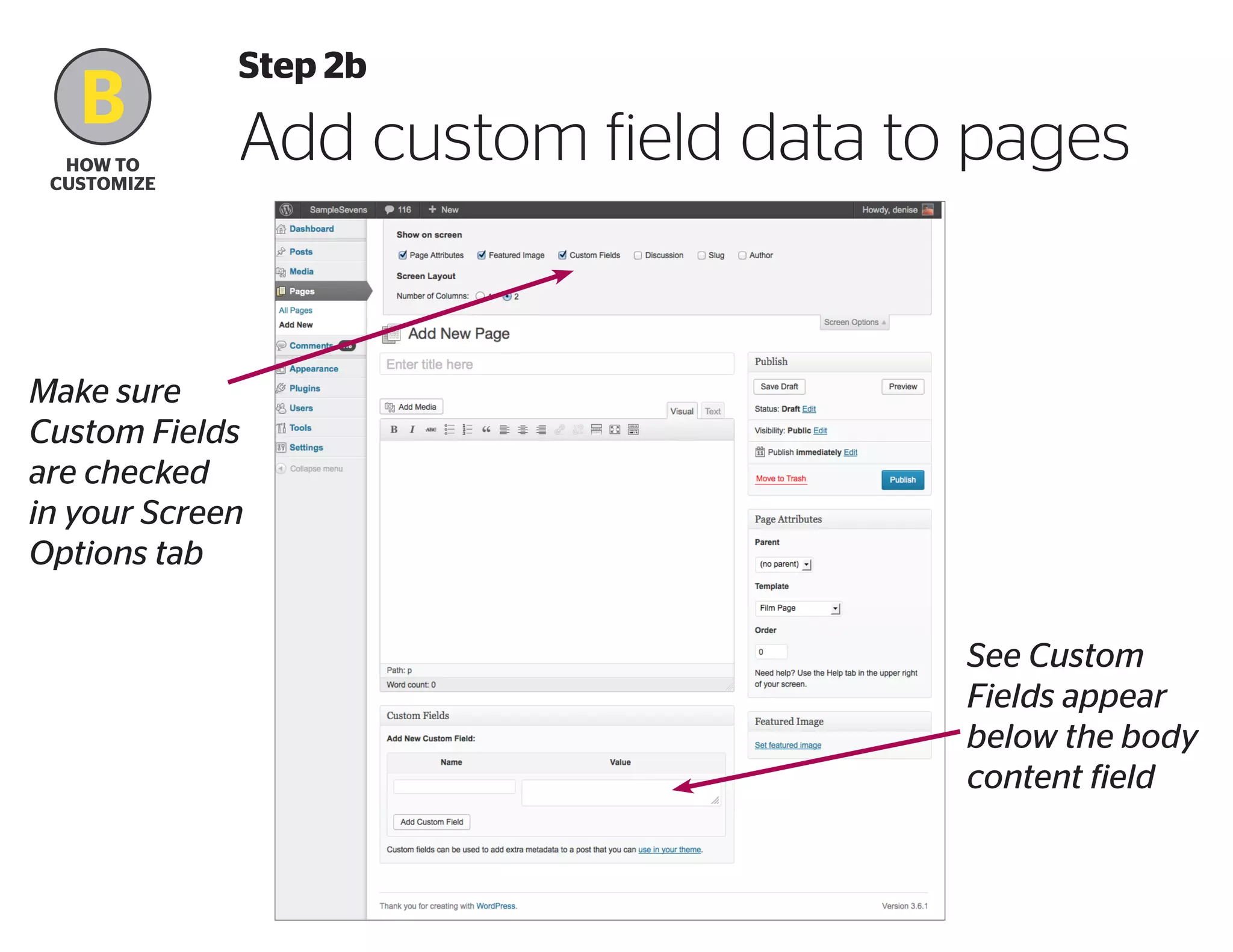
Step 2b

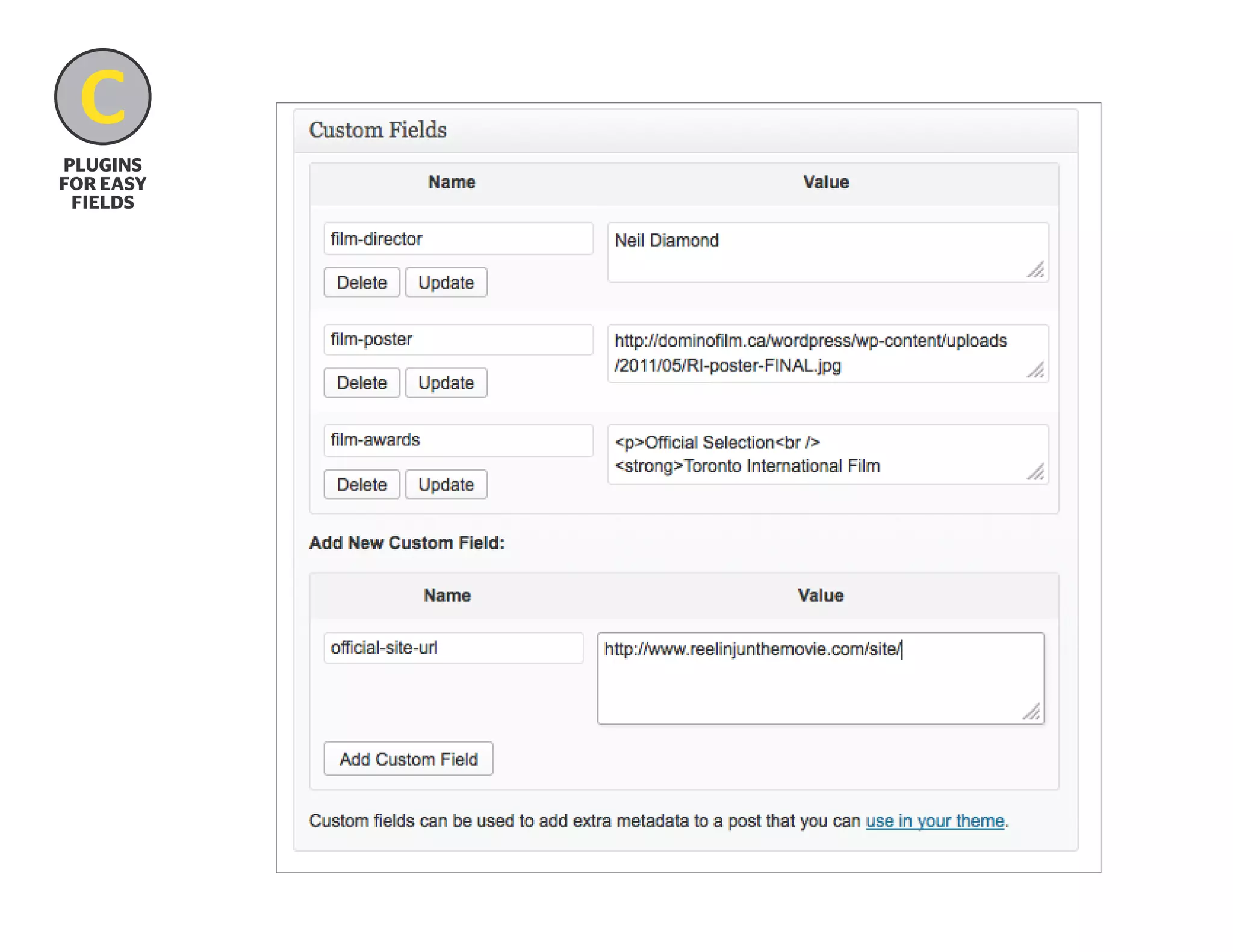
Add custom field data to pages

Make sure
Custom Fields
are checked
in your Screen
Options tab
See Custom
Fields appear
below the body
content field
B
how to
Customize
B
how to
Customize
B
how to
Customize

How site content is made

This code can go in
index.php, single.php,
page.php, etc...
?php if ( have_posts() ) : ?
?php while ( have_posts() ) : the_post(); ?

				
	h1?php the_title(); ?/h1
	 ?php the_content(); ?
				
?php endwhile; ?
?php else : ?
?php endif; ?
B
how to
Customize

How site content is made

This code can go in index.php,
single.php, page.php, etc...
?php if ( have_posts() ) : ?
?php while ( have_posts() ) : the_post(); ?

				
	 h1?php the_title(); ?/h1
	 ?php the_content(); ?
	
?php echo get_post_meta($post-ID,
'key-value', true); ?
B
how to
Customize

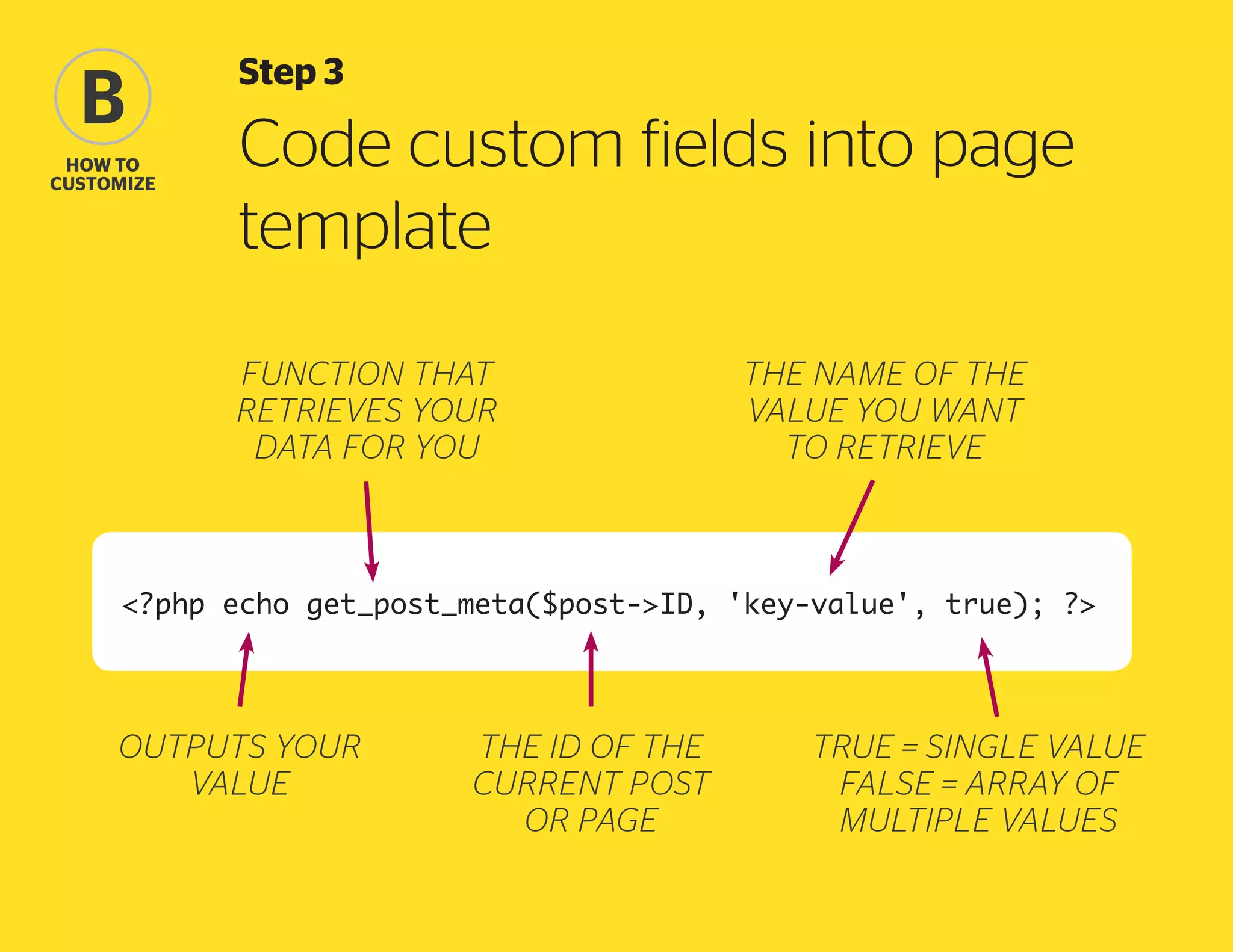
Step 3

Code custom fields into page
template
function that
retrieves your
data for you

the name of the
value you want
to retrieve

?php echo get_post_meta($post-ID, 'key-value', true); ?

outputs your
value

the ID of the
current post
or page

true = single value
false = array of
multiple values
B
how to
Customize

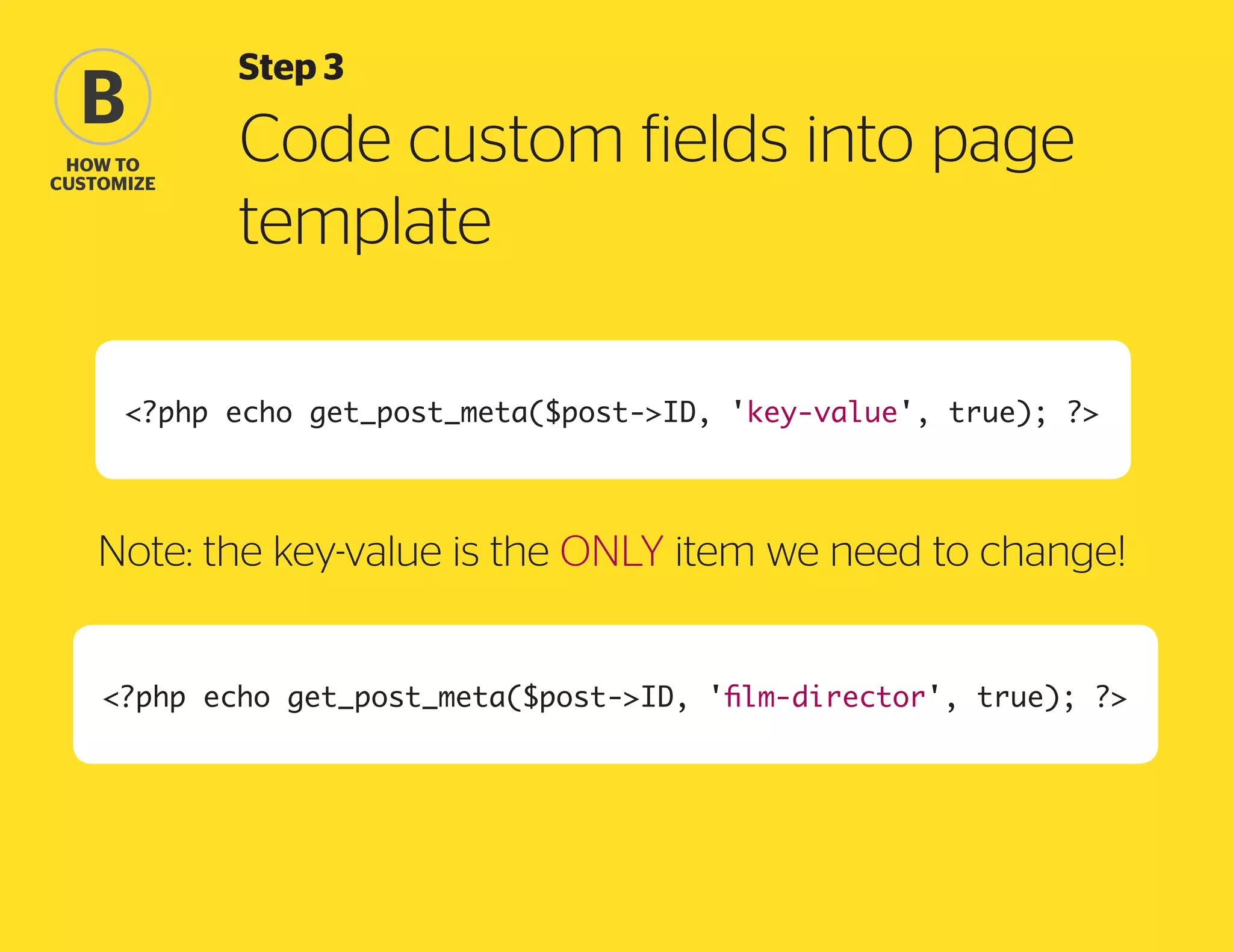
Step 3

Code custom fields into page
template

?php echo get_post_meta($post-ID, 'key-value', true); ?

Note: the key-value is the ONLY item we need to change!
?php echo get_post_meta($post-ID, 'film-director', true); ?
B
how to
Customize

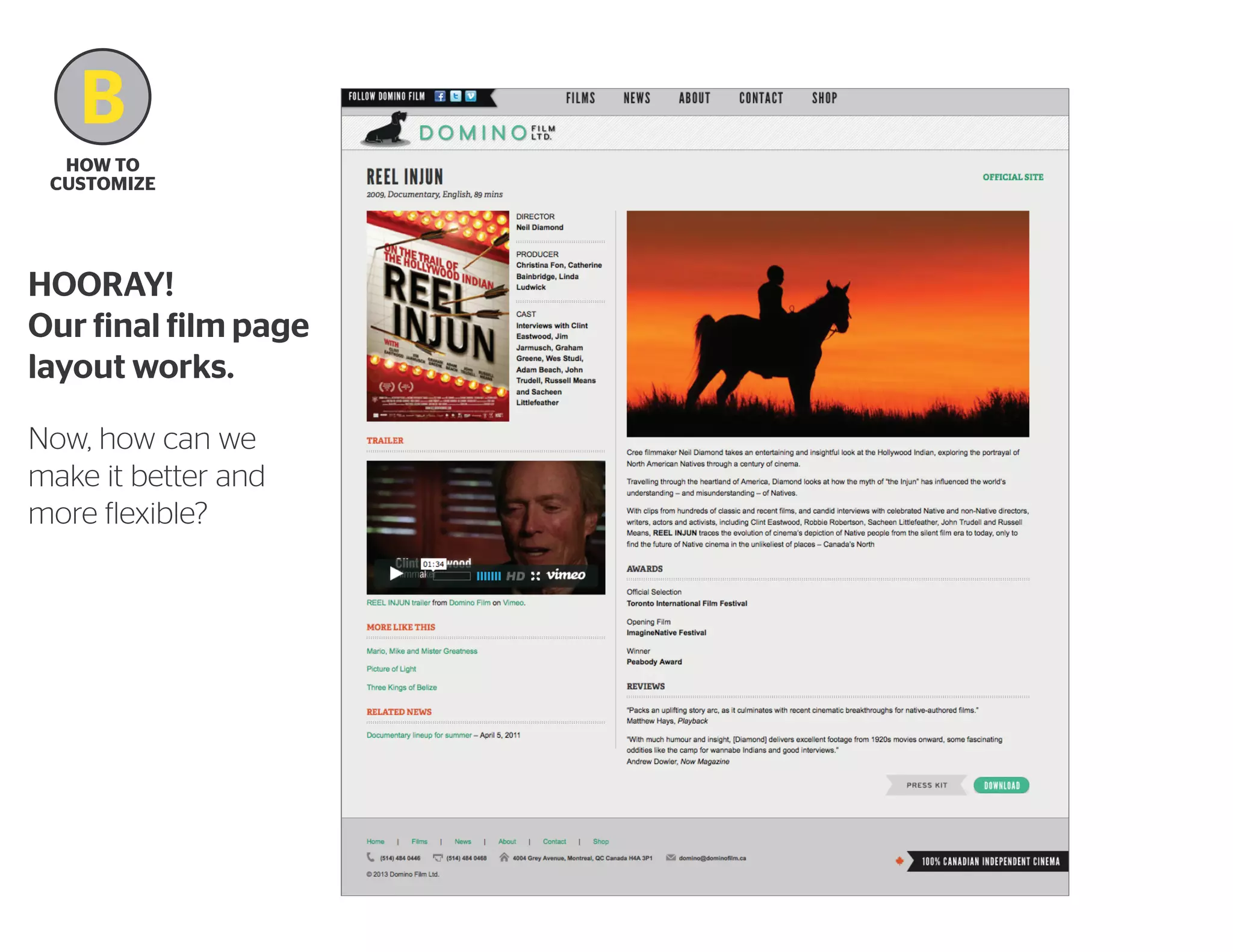
HOORAY!
Our final film page
layout works.
Now, how can we
make it better and
more flexible?
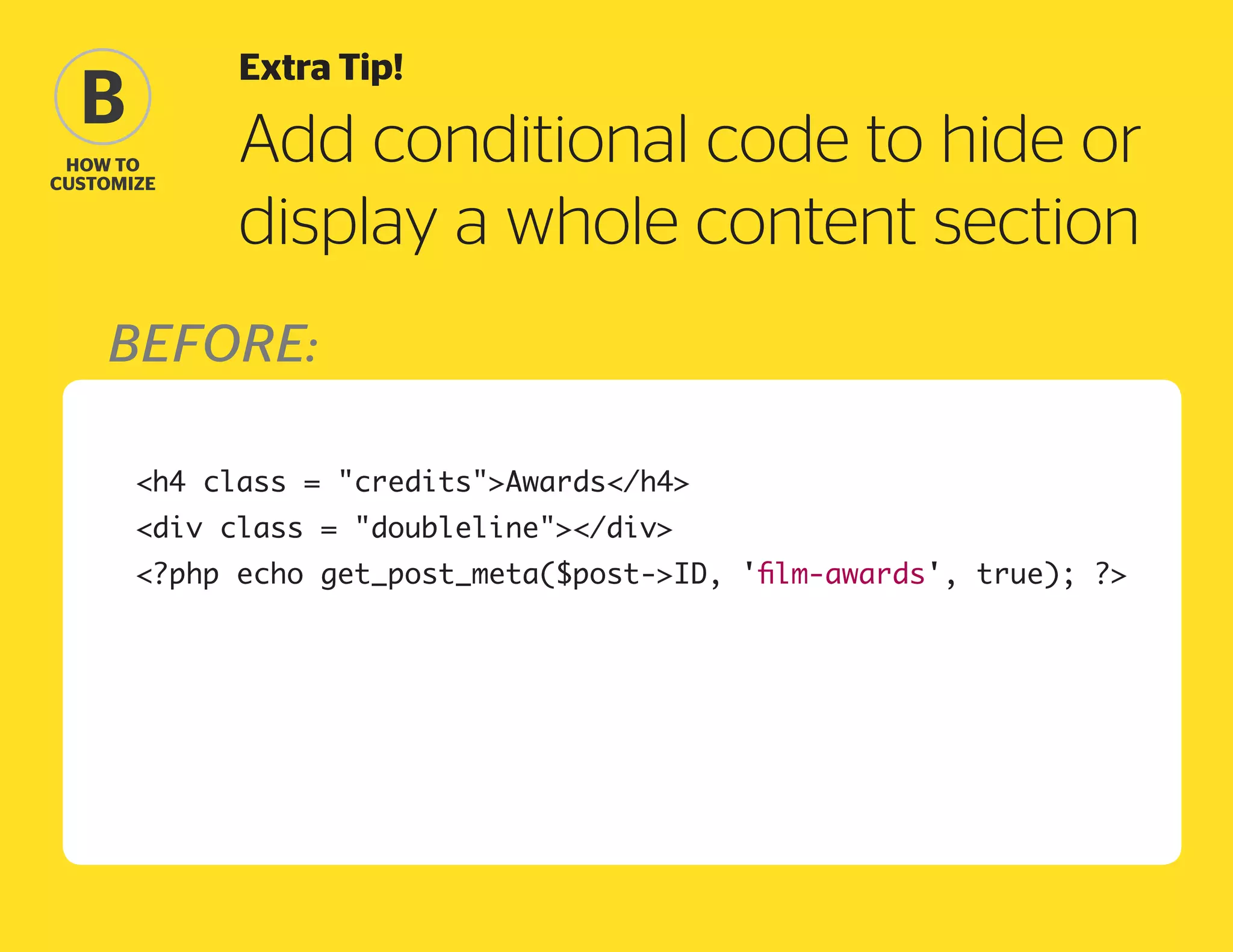
Extra Tip!

B
how to
Customize

Add conditional code to hide or
display a whole content section

Before:
	

h4 class = creditsAwards/h4


?php echo get_post_meta($post-ID, 'film-awards', true); ?


div class = doubleline/div
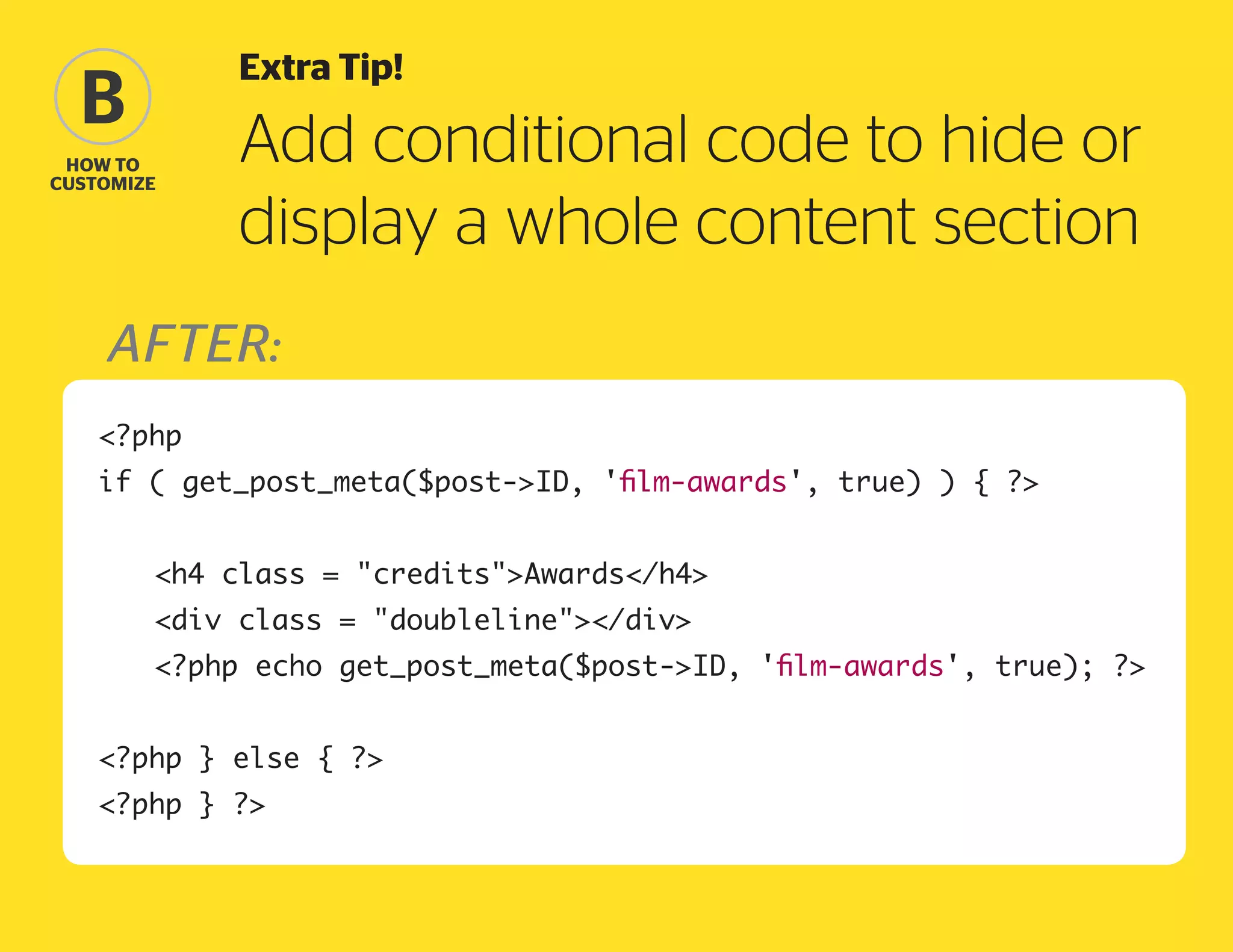
Extra Tip!

B
how to
Customize

Add conditional code to hide or
display a whole content section

after:
?php
if ( get_post_meta($post-ID, 'film-awards', true) ) { ?
	

h4 class = creditsAwards/h4


div class = doubleline/div


?php echo get_post_meta($post-ID, 'film-awards', true); ?

?php } else { ?
?php } ?
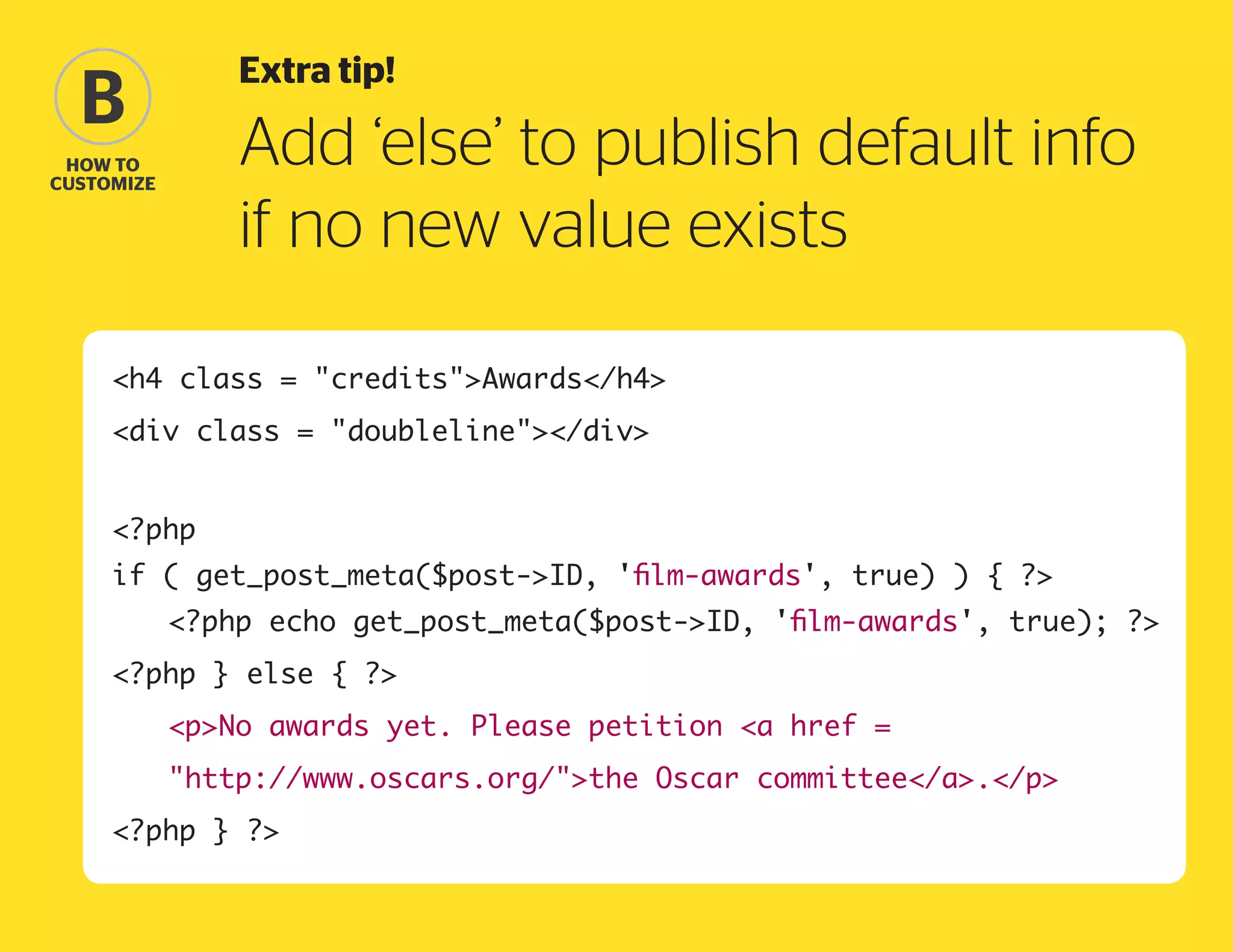
Extra tip!

B

Add ‘else’ to publish default info
if no new value exists

how to
Customize

h4 class = creditsAwards/h4
div class = doubleline/div
?php
if ( get_post_meta($post-ID, 'film-awards', true) ) { ?
	

?php echo get_post_meta($post-ID, 'film-awards', true); ?

?php } else { ?
	

pNo awards yet. Please petition a href =


http://www.oscars.org/the Oscar committee/a./p

?php } ?
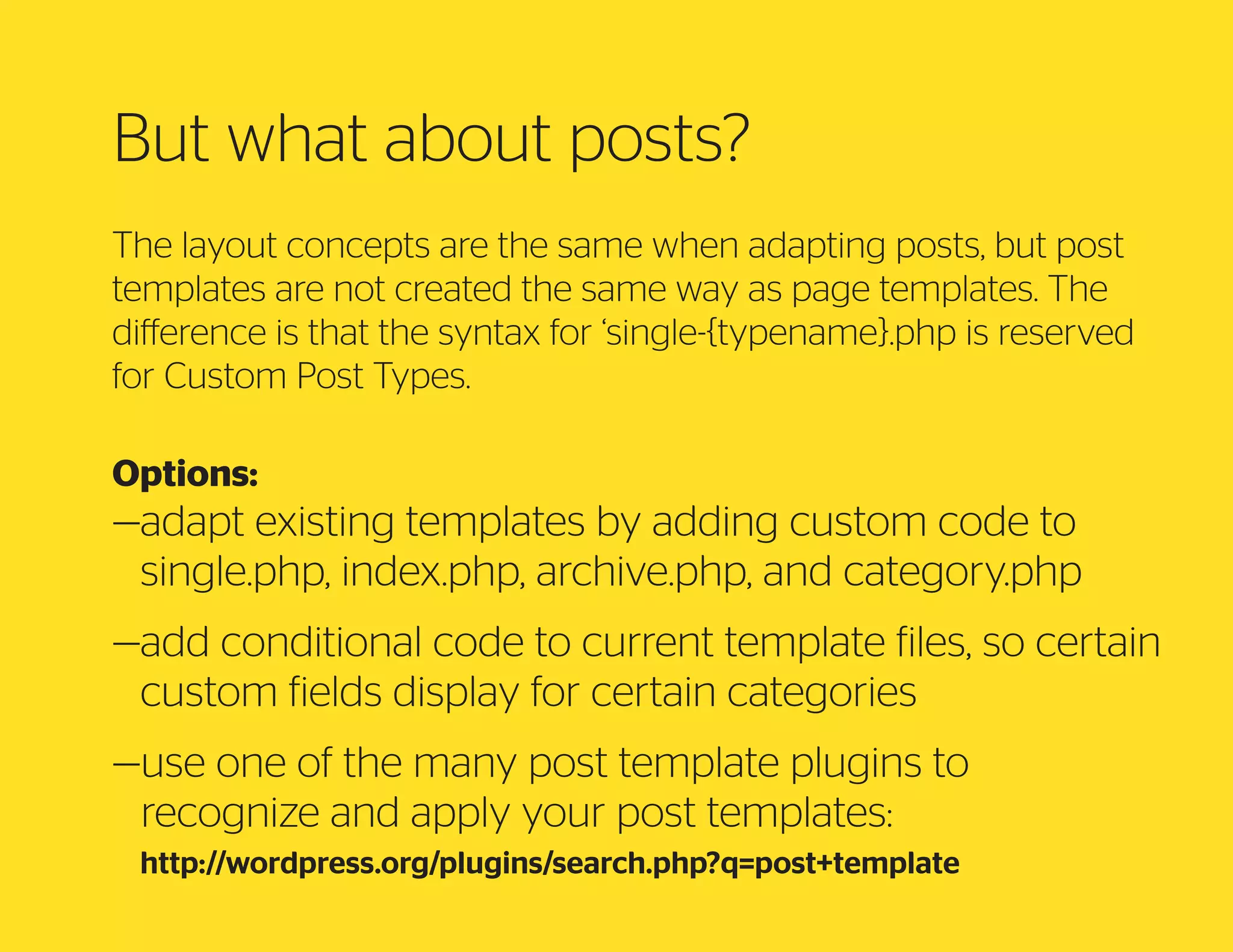
But what about posts?
The layout concepts are the same when adapting posts, but post
templates are not created the same way as page templates. The
difference is that the syntax for ‘single-{typename}.php is reserved
for Custom Post Types.
Options:

— dapt existing templates by adding custom code to
a
single.php, index.php, archive.php, and category.php
— dd conditional code to current template files, so certain
a
custom fields display for certain categories
— se one of the many post template plugins to
u
recognize and apply your post templates:
http://wordpress.org/plugins/search.php?q=post+template
C
Content Entry Plugins
Think about the backend your user will see.

Photo from the LOC: LC-B2- 2457-5
C
B
plugins
for easy
fields
C
B
plugins
for easy
fields

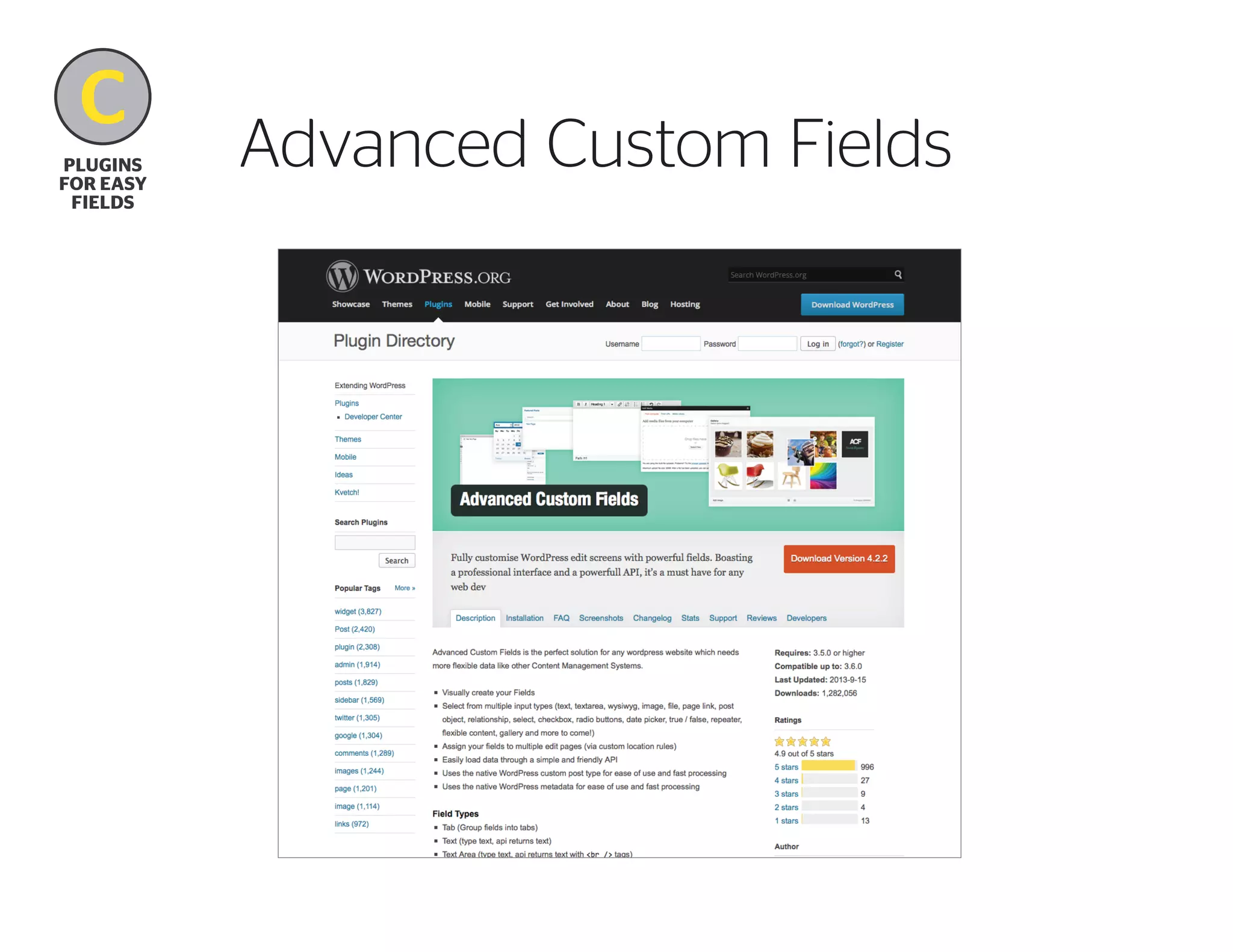
Advanced Custom Fields
C
B
plugins
for easy
fields

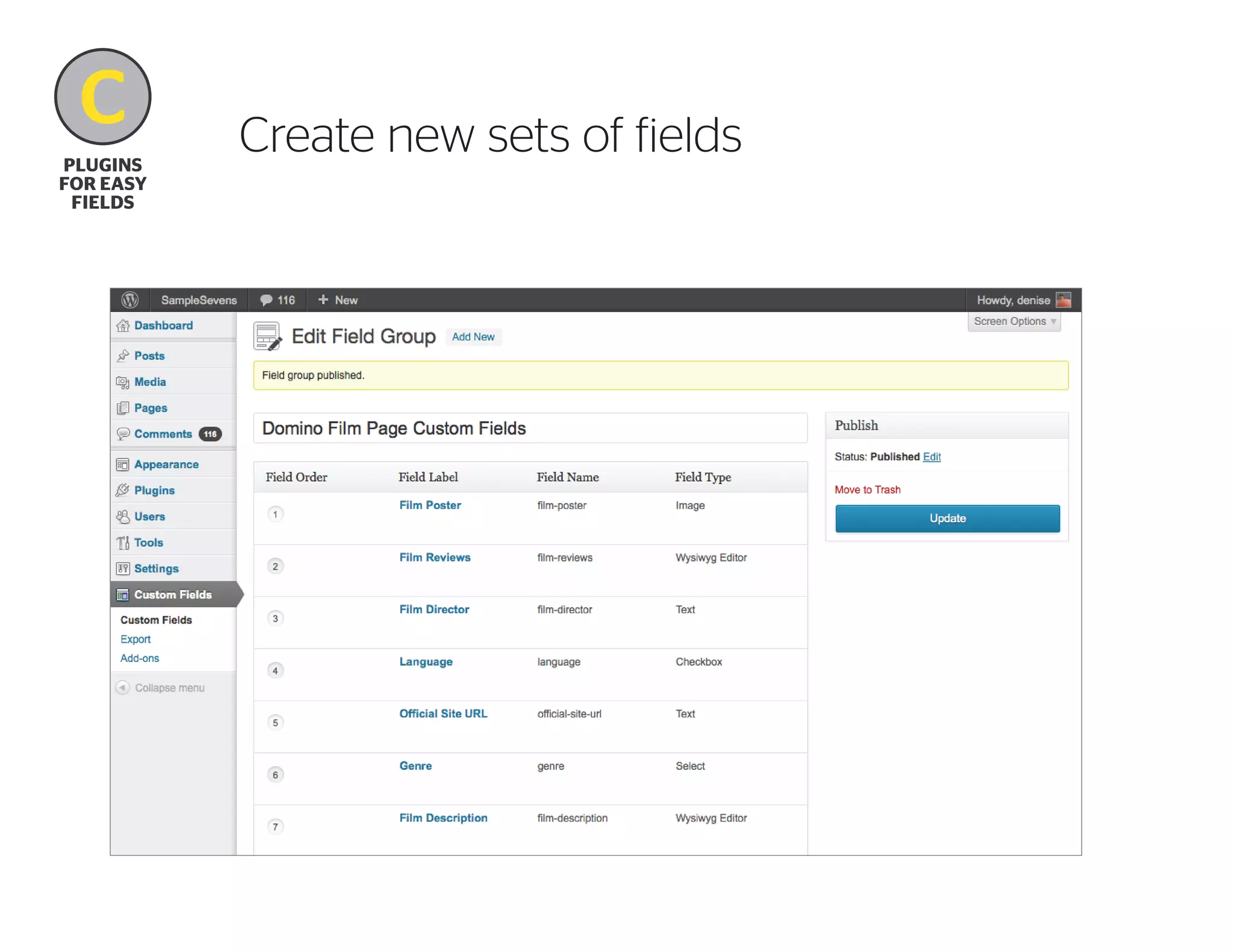
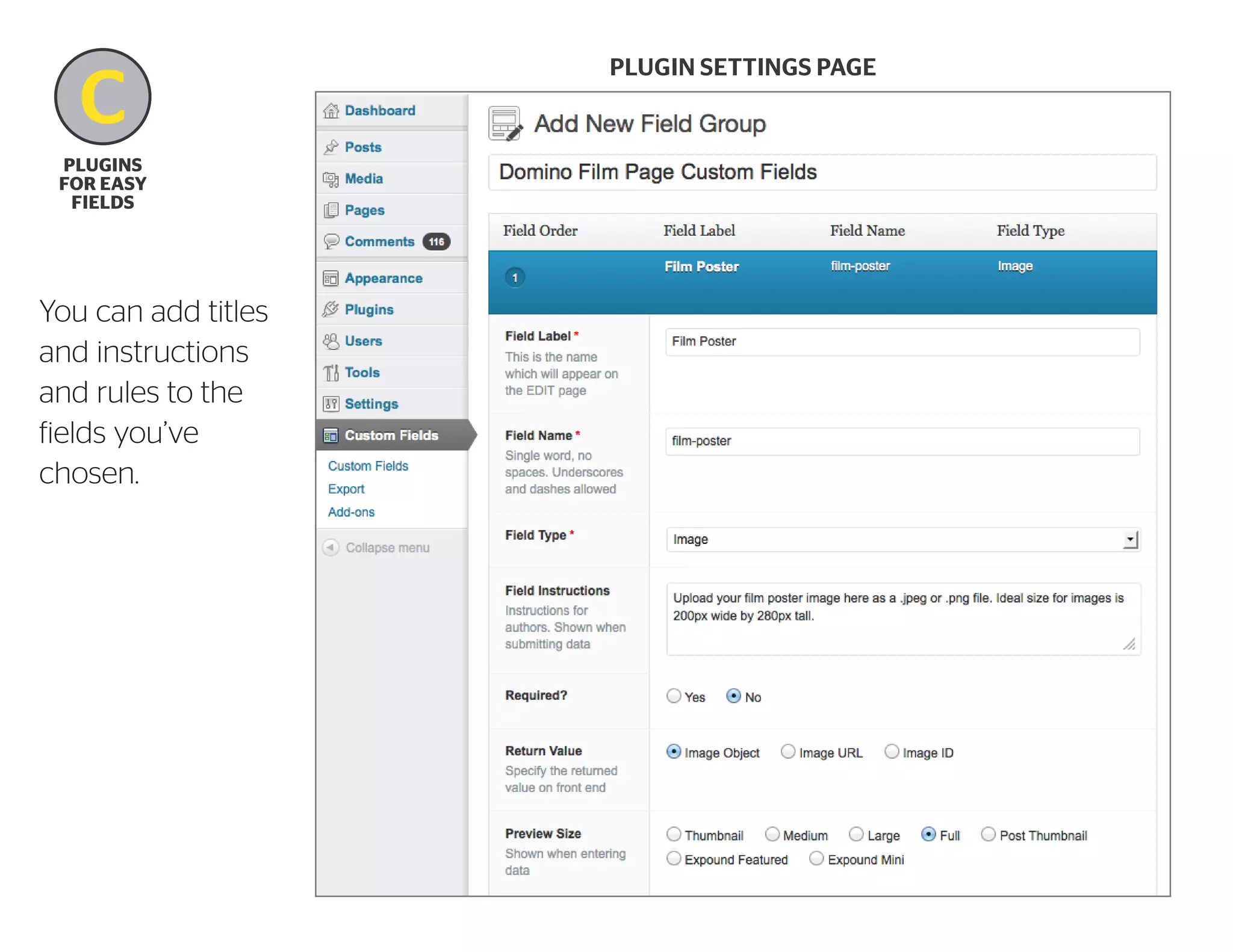
Create new sets of fields
C
B
plugins
for easy
fields

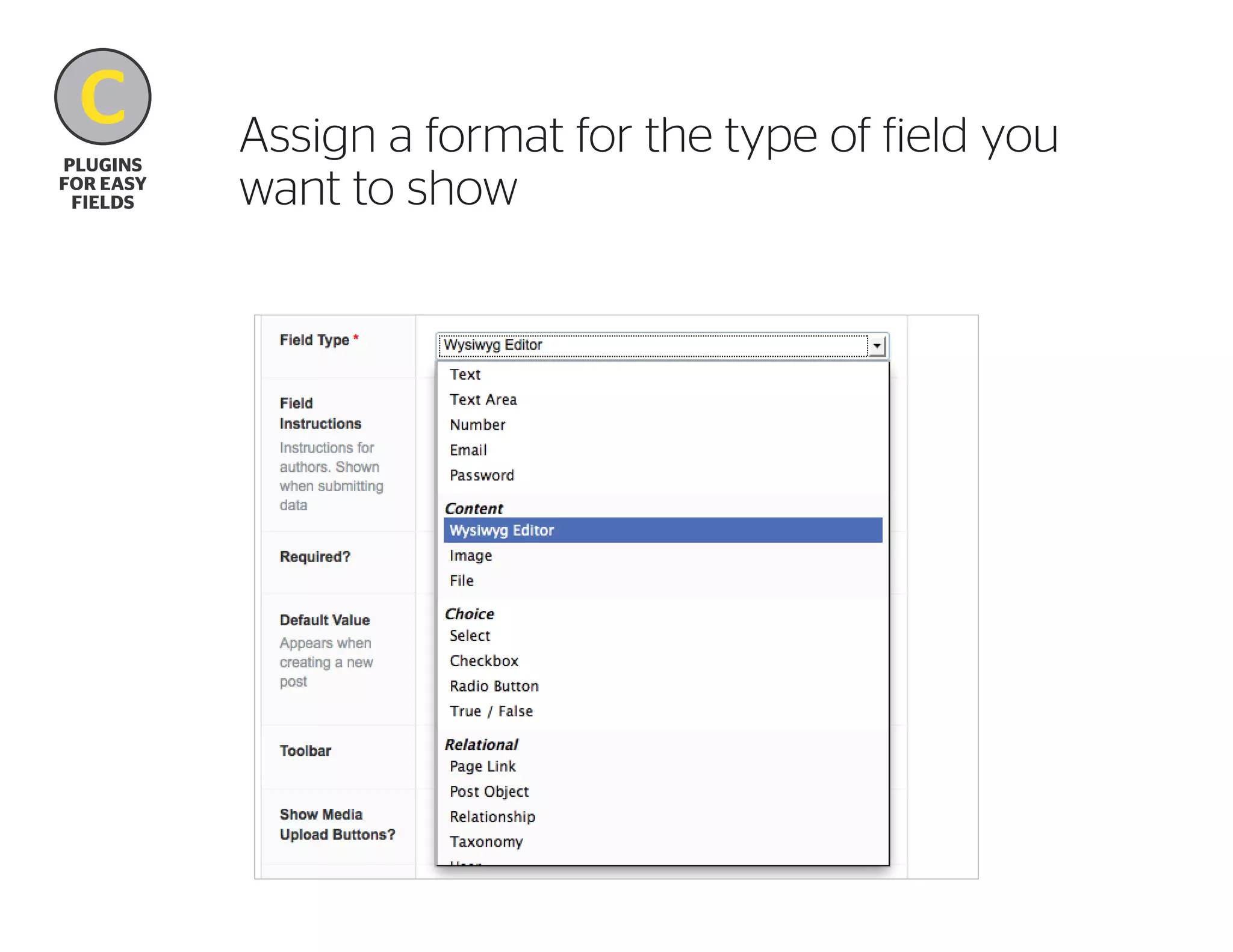
Assign a format for the type of field you
want to show
C
B
plugins
for easy
fields

You can add titles
and instructions
and rules to the
fields you’ve
chosen.

Plugin settings page
C
B
plugins
for easy
fields

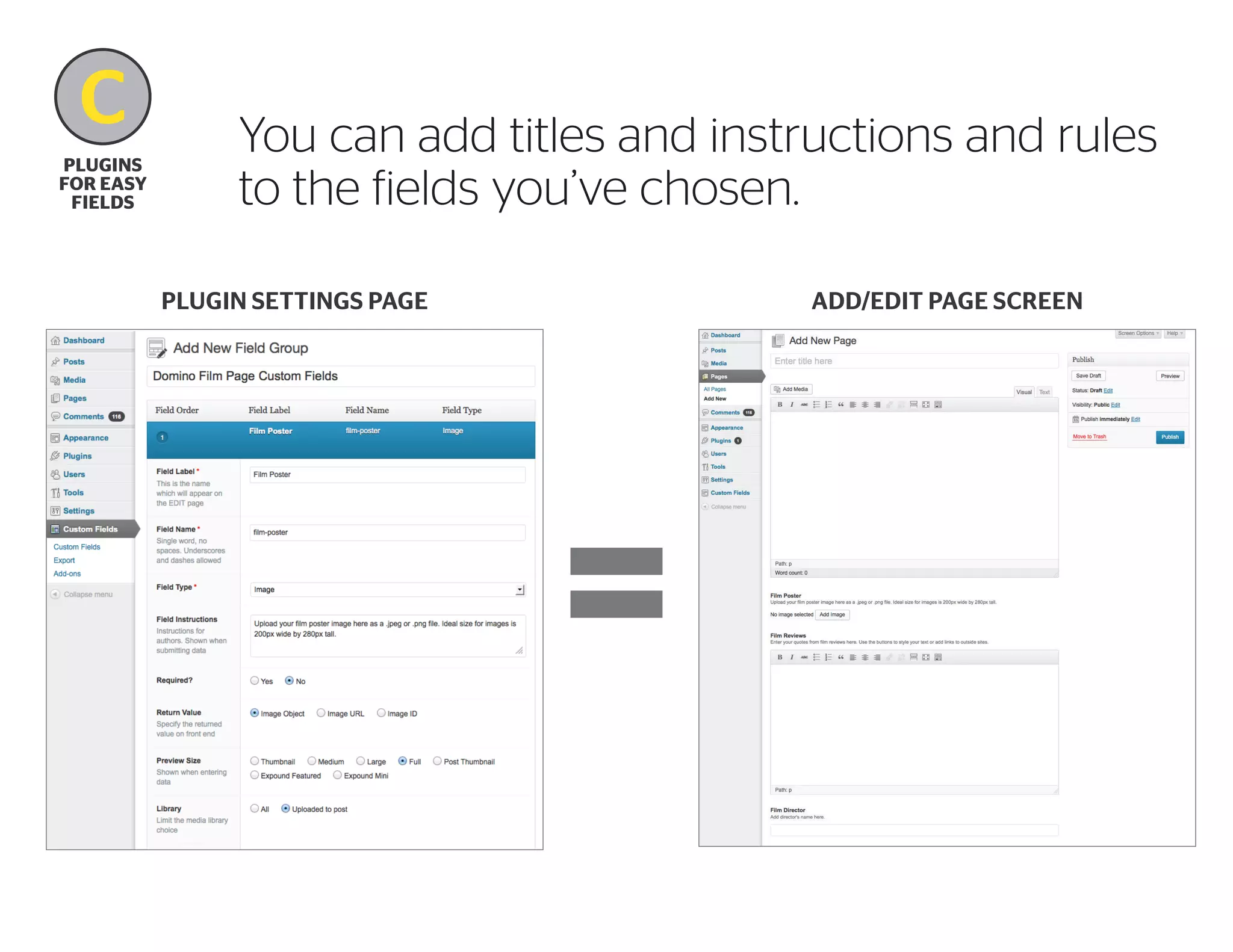
You can add titles and instructions and rules
to the fields you’ve chosen.
Plugin settings page

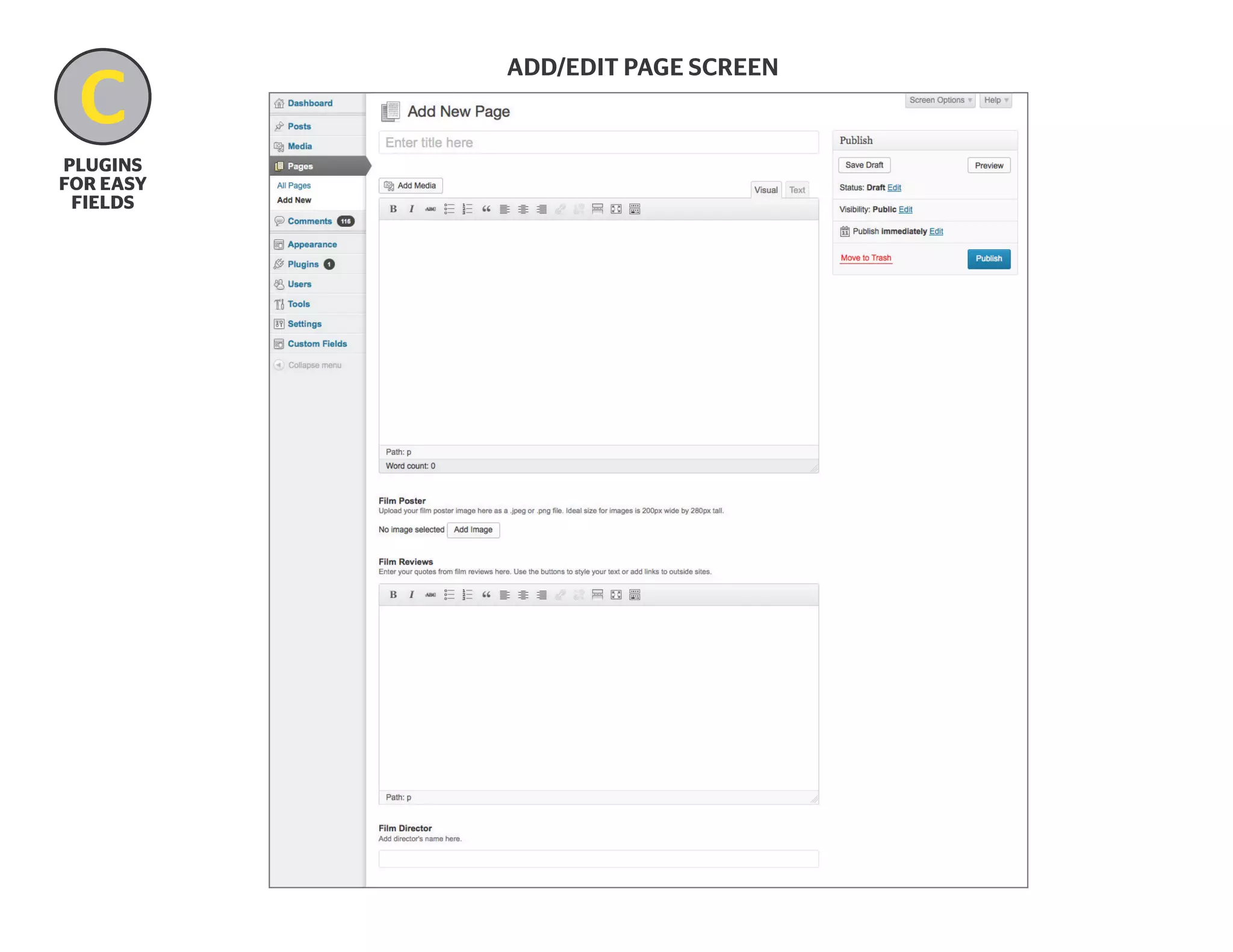
Add/edit page screen
C
B
plugins
for easy
fields

Add/edit page screen
C
plugins
for easy
fields

Other Custom Fields plugins

Custom Fields
http://wordpress.org/plugins/custom-fields/

Developers Custom Fields
http://wordpress.org/plugins/developers-custom-fields/

Search for more plugins:
http://wordpress.org/plugins/search.php?q=custom+fields

Suggestions?
D
Next Steps
D
Next steps

Where do we go from here?

1. Start thinking endlessly about content presentation options.
2.  ook at lots of examples. I’ve started collecting some sites
L
from WP Showcase for you at this page on my blog (your
contributions are welcome!):
	http://blog.lettergrade.ca/custom-site-library/

3.  ave fun with it! Practice for a year. (Six months if you’re
H
really into it.)
4.  ombine all the elements you’ve practiced into planning
C
and building a Custom Post Type.
THANK YOU.
Questions?

I’m Denise Williams and I can be found at @lettergrade.

WordPress Custom Fields: Control your content presentation by breaking out of the_content box

  • 1.
    WordPress Custom Fields: Controlyour content presentation by breaking out of the_content box (An introductory prelude to Custom Post Types) I’m Denise Williams and I can be found at @lettergrade.
  • 2.
    What we willcover: A B C D why Customize how to Customize plugins for easy fields next steps What can our pages gain? a case study add a friendly roadmap to admin area custom post using page templates and types custom fields
  • 3.
    Custom Post Types!Why not TODAY ? It’s kind of like building a whole car when you could start by riding the bike you already have. Factory photo by Roger Wollstadt (http://www.flickr.com/photos/24736216@N07/) Bike photo from the LOC: LC-B2- 2463-13
  • 4.
    Denise Williams Project directorand WordPress developer at Odeler Services in Montréal. Can be found at: www.lettergrade.ca @lettergrade 15 years working in publishing and marketing, directing and production managing content projects. Started using WordPress in 2007, as the backend for magazine websites.
  • 5.
  • 6.
  • 7.
  • 8.
    A Why Customize Domino’s film pagesrequire many distinct content areas: –film title –release year –language –genre –running time –official site url –description –production credits –list of awards –media reviews –press kit download –trailer –related news –’More like this’
  • 9.
    A Why Customize How site contentis made This code can go in index.php, single.php, page.php, etc... <?php if ( have_posts() ) : ?> <?php while ( have_posts() ) : the_post(); ?> <h1><?php the_title(); ?></h1> <?php the_content(); ?> <?php endwhile; ?> <?php else : ?> <?php endif; ?>
  • 10.
  • 11.
  • 12.
    B Film Title how to Customize Language RunningTime Director Link to Official Site Release Year Genre Still Image Film Poster Production Credits Film Description Cast Trailer Awards Received ‘More like this’ Media Reviews Film News Press Kit Download
  • 13.
  • 14.
    B how to Customize Step 1 Createa page template with custom design elements <?php /* Template Name: Film Page */ ?>
  • 15.
    Step 2a B Plan yourcontent areas how to Customize film-title language running-time director offical-site release-year genre still-image film-poster production-credits film-description cast trailer awards-received more-like-this media-reviews film-news press-kit
  • 16.
    What exactly AREcustom fields? “Key/Value Pairs” Think of custom fields as: – he ability to create your own post template tags. t (Make some room, the_content!) – mpty buckets in which you can store any piece of e information that you might want to retrieve later.
  • 17.
    B how to Customize Step 2b Addcustom field data to pages Make sure Custom Fields are checked in your Screen Options tab See Custom Fields appear below the body content field
  • 18.
  • 19.
  • 20.
    B how to Customize How sitecontent is made This code can go in index.php, single.php, page.php, etc... ?php if ( have_posts() ) : ? ?php while ( have_posts() ) : the_post(); ? h1?php the_title(); ?/h1 ?php the_content(); ? ?php endwhile; ? ?php else : ? ?php endif; ?
  • 21.
    B how to Customize How sitecontent is made This code can go in index.php, single.php, page.php, etc... ?php if ( have_posts() ) : ? ?php while ( have_posts() ) : the_post(); ? h1?php the_title(); ?/h1 ?php the_content(); ? ?php echo get_post_meta($post-ID, 'key-value', true); ?
  • 22.
    B how to Customize Step 3 Codecustom fields into page template function that retrieves your data for you the name of the value you want to retrieve ?php echo get_post_meta($post-ID, 'key-value', true); ? outputs your value the ID of the current post or page true = single value false = array of multiple values
  • 23.
    B how to Customize Step 3 Codecustom fields into page template ?php echo get_post_meta($post-ID, 'key-value', true); ? Note: the key-value is the ONLY item we need to change! ?php echo get_post_meta($post-ID, 'film-director', true); ?
  • 24.
    B how to Customize HOORAY! Our finalfilm page layout works. Now, how can we make it better and more flexible?
  • 25.
    Extra Tip! B how to Customize Addconditional code to hide or display a whole content section Before: h4 class = creditsAwards/h4 ?php echo get_post_meta($post-ID, 'film-awards', true); ? div class = doubleline/div
  • 26.
    Extra Tip! B how to Customize Addconditional code to hide or display a whole content section after: ?php if ( get_post_meta($post-ID, 'film-awards', true) ) { ? h4 class = creditsAwards/h4 div class = doubleline/div ?php echo get_post_meta($post-ID, 'film-awards', true); ? ?php } else { ? ?php } ?
  • 27.
    Extra tip! B Add ‘else’to publish default info if no new value exists how to Customize h4 class = creditsAwards/h4 div class = doubleline/div ?php if ( get_post_meta($post-ID, 'film-awards', true) ) { ? ?php echo get_post_meta($post-ID, 'film-awards', true); ? ?php } else { ? pNo awards yet. Please petition a href = http://www.oscars.org/the Oscar committee/a./p ?php } ?
  • 28.
    But what aboutposts? The layout concepts are the same when adapting posts, but post templates are not created the same way as page templates. The difference is that the syntax for ‘single-{typename}.php is reserved for Custom Post Types. Options: — dapt existing templates by adding custom code to a single.php, index.php, archive.php, and category.php — dd conditional code to current template files, so certain a custom fields display for certain categories — se one of the many post template plugins to u recognize and apply your post templates: http://wordpress.org/plugins/search.php?q=post+template
  • 29.
  • 30.
    Think about thebackend your user will see. Photo from the LOC: LC-B2- 2457-5
  • 31.
  • 32.
  • 33.
  • 34.
    C B plugins for easy fields Assign aformat for the type of field you want to show
  • 35.
    C B plugins for easy fields You canadd titles and instructions and rules to the fields you’ve chosen. Plugin settings page
  • 36.
    C B plugins for easy fields You canadd titles and instructions and rules to the fields you’ve chosen. Plugin settings page Add/edit page screen
  • 37.
  • 38.
    C plugins for easy fields Other CustomFields plugins Custom Fields http://wordpress.org/plugins/custom-fields/ Developers Custom Fields http://wordpress.org/plugins/developers-custom-fields/ Search for more plugins: http://wordpress.org/plugins/search.php?q=custom+fields Suggestions?
  • 39.
  • 40.
    D Next steps Where dowe go from here? 1. Start thinking endlessly about content presentation options. 2. ook at lots of examples. I’ve started collecting some sites L from WP Showcase for you at this page on my blog (your contributions are welcome!): http://blog.lettergrade.ca/custom-site-library/ 3. ave fun with it! Practice for a year. (Six months if you’re H really into it.) 4. ombine all the elements you’ve practiced into planning C and building a Custom Post Type.
  • 41.
    THANK YOU. Questions? I’m DeniseWilliams and I can be found at @lettergrade.