WP 101: Custom Fields& Custom Post
Types
Joe Querin – www.joequerin.com
WordCamp Kent – June 15, 2019
@joequerin joecue
joecue
{ Overview }
• Custom Fields vs Custom Post Types
• Ways to Customize WordPress
• What is CSS?
• Need more menus?
• Questions
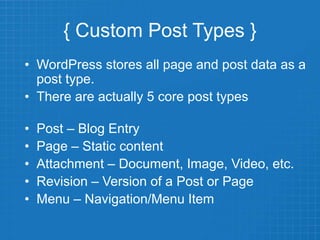
{ Custom Post Types }
• WordPress stores all page and post data as a
post type.
• There are actually 5 core post types
• Post – Blog Entry
• Page – Static content
• Attachment – Document, Image, Video, etc.
• Revision – Version of a Post or Page
• Menu – Navigation/Menu Item
Example Scenario
• Let’s say you have a food blog and you
want to use a custom post type to display
your recipes.
• So you use the awesome code we just
looked at, customized it to represent your
menu offerings. Created categories for
breakfast, lunch, dinner, appetizers,
desserts.
Example Scenario
• You have populated your menu with all of
your fantastic recipes.
• Life is good!
Example Scenario
• Now let’s say 3 months or 6 months, or maybe
even a whole year goes by, and everything is still
good.
• Then you find the ultimate theme, it’s great, it
looks just like you want your website to look.
• So you install it, then you activate it.
• Then later that day or the next someone emails
and asks where are your recipes, so you tell them
to click on recipes, and they ask WHERE? I’m on
your site and there are no recipes.
Example Scenario
• So you go to your site and check. Hmmm no menu….
• Then in 3…2…1.. You panic!
{ Custom Post Types }
• WordPress allows you to create your own
custom post type.
• Allows you to format content in a particular
way.
• Recipes
• Products (non-ecommerce)
• Frequently Asked Questions
• Etc.
{ Custom Post Types }
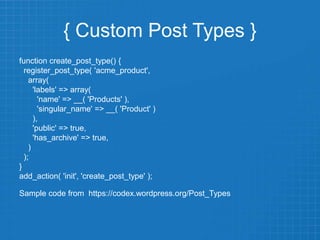
function create_post_type() {
register_post_type( 'acme_product',
array(
'labels' => array(
'name' => __( 'Products' ),
'singular_name' => __( 'Product' )
),
'public' => true,
'has_archive' => true,
)
);
}
add_action( 'init', 'create_post_type' );
Sample code from https://codex.wordpress.org/Post_Types
{ Custom Post Types }
• Plugins
– Custom Post Types UI
• https://generatewp.com/
{ Custom Fields }
• The codex defines a custom field as meta-
data, that contains a key/value pair.
• ????
{ Custom Fields }
• I’ll admit, it’s pretty technical and confusing
• If you keep reading the codex page though, you’ll
see what a key/value pair is.
• Key – the name of the meta-data
• Value – the meta-data
• Example:
– Key: Currently Reading
– Value: Calvin and Hobbes
{ Custom Fields }
• What can you do with custom fields?
• Announcement features on your website
• First create a custom post type to handle the
announcement content
– Title
– Description
– Photo
• How about an announcement start date?
{ Custom Fields }
• Create a custom field
– Start Date – built in scheduling of Post
– Display End Date
– Importance
• Using some PHP logic we can display the
content we can make the post
automatically display based upon the
server’s date as well as when to stop.
{ Custom Fields }
• Using similar PHP logic, we can even
change the CSS class or ID of the
containing element to make the
announcement appear different.
{ Customize WP }
• WordPress Customizer
• Header Image
• Site Title / Tagline
• Colors
• Additional CSS
• Jetpack Plugin
• Additional CSS option
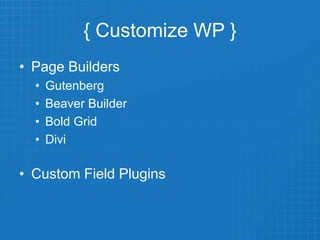
{ Customize WP }
• Page Builders
• Gutenberg
• Beaver Builder
• Bold Grid
• Divi
• Custom Field Plugins
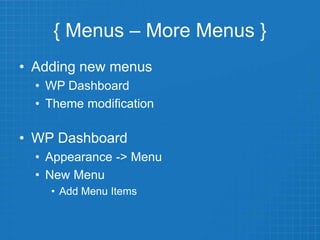
{ Menus – More Menus }
• Adding new menus
• WP Dashboard
• Theme modification
• WP Dashboard
• Appearance -> Menu
• New Menu
• Add Menu Items
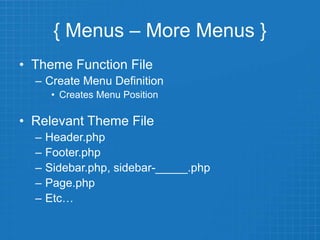
{ Menus – More Menus }
• Theme Function File
– Create Menu Definition
• Creates Menu Position
• Relevant Theme File
– Header.php
– Footer.php
– Sidebar.php, sidebar-_____.php
– Page.php
– Etc…
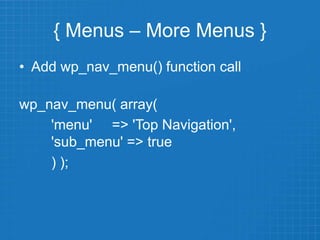
{ Menus – More Menus }
• Add wp_nav_menu() function call
wp_nav_menu( array(
'menu' => 'Top Navigation',
'sub_menu' => true
) );
{ Thanks! }
Joe Querin
www.joequerin.com
@joequerin
joecue
joecue

WordCamp Kent 2019 - WP 101: Custom Post Type & Custom Fields

  • 1.
    WP 101: CustomFields& Custom Post Types Joe Querin – www.joequerin.com WordCamp Kent – June 15, 2019 @joequerin joecue joecue
  • 2.
    { Overview } •Custom Fields vs Custom Post Types • Ways to Customize WordPress • What is CSS? • Need more menus? • Questions
  • 3.
    { Custom PostTypes } • WordPress stores all page and post data as a post type. • There are actually 5 core post types • Post – Blog Entry • Page – Static content • Attachment – Document, Image, Video, etc. • Revision – Version of a Post or Page • Menu – Navigation/Menu Item
  • 4.
    Example Scenario • Let’ssay you have a food blog and you want to use a custom post type to display your recipes. • So you use the awesome code we just looked at, customized it to represent your menu offerings. Created categories for breakfast, lunch, dinner, appetizers, desserts.
  • 5.
    Example Scenario • Youhave populated your menu with all of your fantastic recipes. • Life is good!
  • 6.
    Example Scenario • Nowlet’s say 3 months or 6 months, or maybe even a whole year goes by, and everything is still good. • Then you find the ultimate theme, it’s great, it looks just like you want your website to look. • So you install it, then you activate it. • Then later that day or the next someone emails and asks where are your recipes, so you tell them to click on recipes, and they ask WHERE? I’m on your site and there are no recipes.
  • 7.
    Example Scenario • Soyou go to your site and check. Hmmm no menu…. • Then in 3…2…1.. You panic!
  • 8.
    { Custom PostTypes } • WordPress allows you to create your own custom post type. • Allows you to format content in a particular way. • Recipes • Products (non-ecommerce) • Frequently Asked Questions • Etc.
  • 9.
    { Custom PostTypes } function create_post_type() { register_post_type( 'acme_product', array( 'labels' => array( 'name' => __( 'Products' ), 'singular_name' => __( 'Product' ) ), 'public' => true, 'has_archive' => true, ) ); } add_action( 'init', 'create_post_type' ); Sample code from https://codex.wordpress.org/Post_Types
  • 10.
    { Custom PostTypes } • Plugins – Custom Post Types UI • https://generatewp.com/
  • 11.
    { Custom Fields} • The codex defines a custom field as meta- data, that contains a key/value pair. • ????
  • 12.
    { Custom Fields} • I’ll admit, it’s pretty technical and confusing • If you keep reading the codex page though, you’ll see what a key/value pair is. • Key – the name of the meta-data • Value – the meta-data • Example: – Key: Currently Reading – Value: Calvin and Hobbes
  • 13.
    { Custom Fields} • What can you do with custom fields? • Announcement features on your website • First create a custom post type to handle the announcement content – Title – Description – Photo • How about an announcement start date?
  • 14.
    { Custom Fields} • Create a custom field – Start Date – built in scheduling of Post – Display End Date – Importance • Using some PHP logic we can display the content we can make the post automatically display based upon the server’s date as well as when to stop.
  • 15.
    { Custom Fields} • Using similar PHP logic, we can even change the CSS class or ID of the containing element to make the announcement appear different.
  • 16.
    { Customize WP} • WordPress Customizer • Header Image • Site Title / Tagline • Colors • Additional CSS • Jetpack Plugin • Additional CSS option
  • 17.
    { Customize WP} • Page Builders • Gutenberg • Beaver Builder • Bold Grid • Divi • Custom Field Plugins
  • 18.
    { Menus –More Menus } • Adding new menus • WP Dashboard • Theme modification • WP Dashboard • Appearance -> Menu • New Menu • Add Menu Items
  • 19.
    { Menus –More Menus } • Theme Function File – Create Menu Definition • Creates Menu Position • Relevant Theme File – Header.php – Footer.php – Sidebar.php, sidebar-_____.php – Page.php – Etc…
  • 20.
    { Menus –More Menus } • Add wp_nav_menu() function call wp_nav_menu( array( 'menu' => 'Top Navigation', 'sub_menu' => true ) );
  • 21.
    { Thanks! } JoeQuerin www.joequerin.com @joequerin joecue joecue