Child Themes
Won’t someone think of the
children?
By Damien Carbery
Photo: https://flic.kr/p/ccHYYL by Justkids
Intro - What's the
problem?
Editing core files is bad.
Editing themes is bad.
Child themes are easy.
We all know that you should never modify WordPress core files
(wp-admin and wp-includes) because your changes will be lost when
you update WordPress. Similarly you should not edit a theme but
instead should create a child theme.
I’ll demonstrate how easy it is to create a child theme, how to enhance it
and what to do when the parent theme is not quite child theme friendly.
Why do you need a child theme?
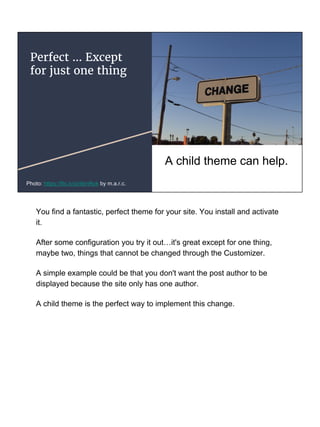
Perfect … Except
for just one thing
A child theme can help.
Photo: https://flic.kr/p/4bnRok by m.a.r.c.
You find a fantastic, perfect theme for your site. You install and activate
it.
After some configuration you try it out…it's great except for one thing,
maybe two, things that cannot be changed through the Customizer.
A simple example could be that you don't want the post author to be
displayed because the site only has one author.
A child theme is the perfect way to implement this change.
Let’s create a child theme
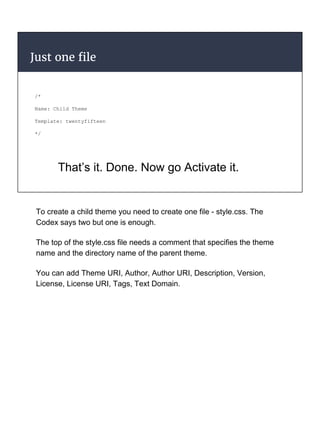
Just one file
/*
Name: Child Theme
Template: twentyfifteen
*/
That’s it. Done. Now go Activate it.
To create a child theme you need to create one file - style.css. The
Codex says two but one is enough.
The top of the style.css file needs a comment that specifies the theme
name and the directory name of the parent theme.
You can add Theme URI, Author, Author URI, Description, Version,
License, License URI, Tags, Text Domain.
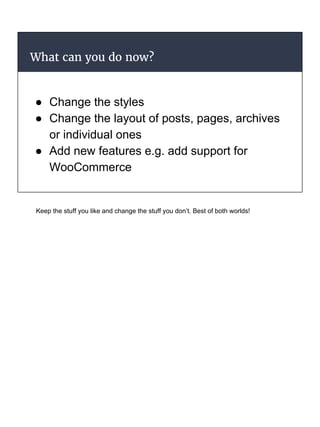
What can you do now?
● Change the styles
● Change the layout of posts, pages, archives
or individual ones
● Add new features e.g. add support for
WooCommerce
Keep the stuff you like and change the stuff you don’t. Best of both worlds!
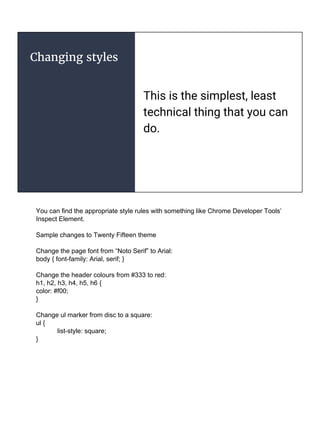
Changing styles
This is the simplest, least
technical thing that you can
do.
You can find the appropriate style rules with something like Chrome Developer Tools’
Inspect Element.
Sample changes to Twenty Fifteen theme
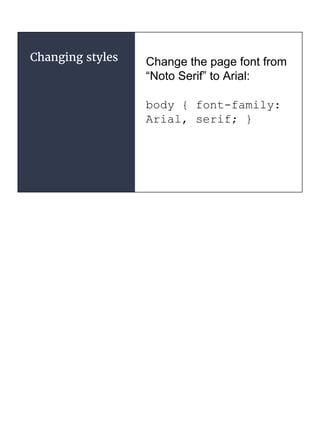
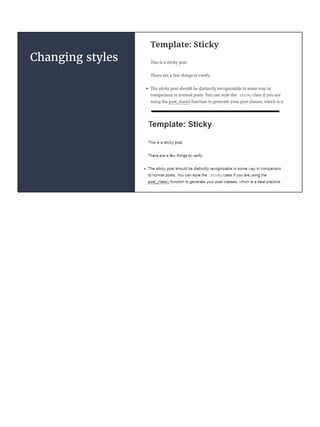
Change the page font from “Noto Serif” to Arial:
body { font-family: Arial, serif; }
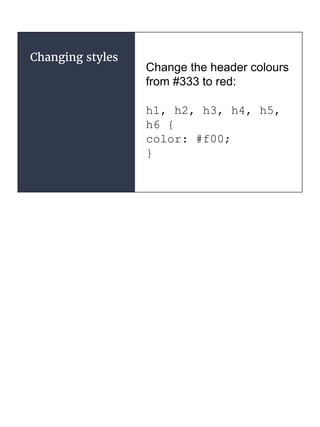
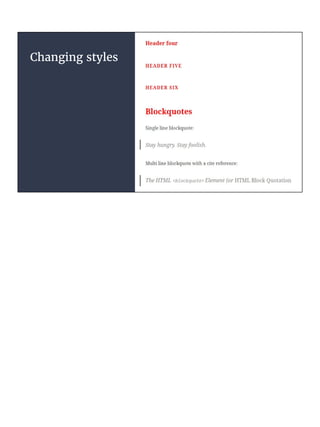
Change the header colours from #333 to red:
h1, h2, h3, h4, h5, h6 {
color: #f00;
}
Change ul marker from disc to a square:
ul {
list-style: square;
}
Changing styles Change the page font from
“Noto Serif” to Arial:
body { font-family:
Arial, serif; }
Changing styles
Changing styles
Change the header colours
from #333 to red:
h1, h2, h3, h4, h5,
h6 {
color: #f00;
}
Changing styles
Changing styles
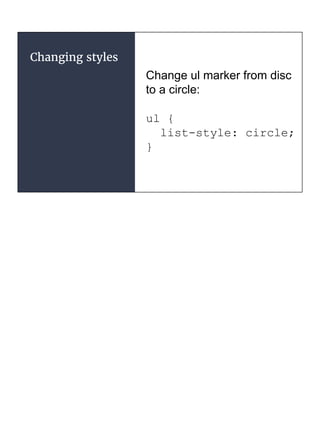
Change ul marker from disc
to a circle:
ul {
list-style: circle;
}
Changing styles
Beyond style changes
Style changes are safe and won’t make your site inaccessible, but they are quite
limited in what they can achieve.
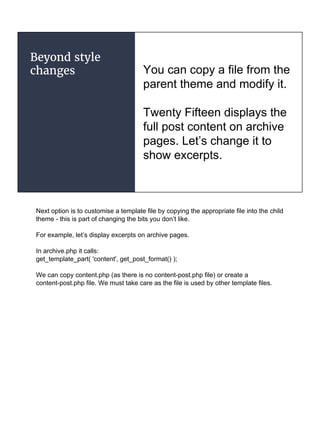
Beyond style
changes You can copy a file from the
parent theme and modify it.
Twenty Fifteen displays the
full post content on archive
pages. Let’s change it to
show excerpts.
Next option is to customise a template file by copying the appropriate file into the child
theme - this is part of changing the bits you don’t like.
For example, let’s display excerpts on archive pages.
In archive.php it calls:
get_template_part( 'content', get_post_format() );
We can copy content.php (as there is no content-post.php file) or create a
content-post.php file. We must take care as the file is used by other template files.
Excerpts in
Archives
Copy the template file and make your
change.
archive.php displays the
archive.
It uses content.php.
That calls the_content()
so change it to
the_excerpt()
Copy content.php into the child theme directory.
You can check that the copy is being used by adding a comment or some text to the
copied file.
It uses (simplified for readability)
the_content(
sprintf(
'Continue reading %s',
the_title( false )
) );
We can just change it to:
the_excerpt();
Excerpts in
Archives ....
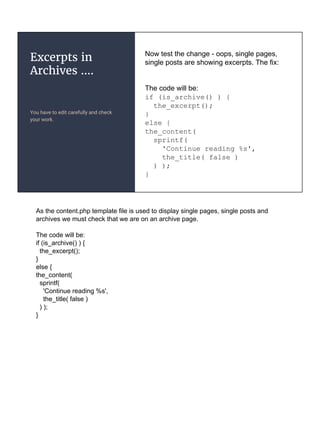
You have to edit carefully and check
your work.
Now test the change - oops, single pages,
single posts are showing excerpts. The fix:
The code will be:
if (is_archive() ) {
the_excerpt();
}
else {
the_content(
sprintf(
'Continue reading %s',
the_title( false )
) );
}
As the content.php template file is used to display single pages, single posts and
archives we must check that we are on an archive page.
The code will be:
if (is_archive() ) {
the_excerpt();
}
else {
the_content(
sprintf(
'Continue reading %s',
the_title( false )
) );
}
Adding new
files
Display a specific page or post
differently from all the rest.
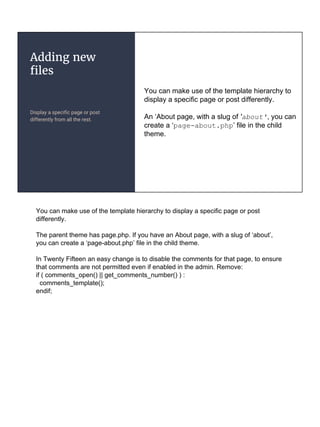
You can make use of the template hierarchy to
display a specific page or post differently.
An ‘About page, with a slug of 'about', you can
create a ‘page-about.php’ file in the child
theme.
You can make use of the template hierarchy to display a specific page or post
differently.
The parent theme has page.php. If you have an About page, with a slug of ‘about’,
you can create a ‘page-about.php’ file in the child theme.
In Twenty Fifteen an easy change is to disable the comments for that page, to ensure
that comments are not permitted even if enabled in the admin. Remove:
if ( comments_open() || get_comments_number() ) :
comments_template();
endif;
WooCommerce
Fix or enhance the WooCommerce in
your theme.
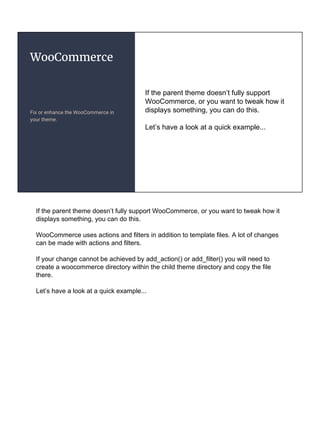
If the parent theme doesn’t fully support
WooCommerce, or you want to tweak how it
displays something, you can do this.
Let’s have a look at a quick example...
If the parent theme doesn’t fully support WooCommerce, or you want to tweak how it
displays something, you can do this.
WooCommerce uses actions and filters in addition to template files. A lot of changes
can be made with actions and filters.
If your change cannot be achieved by add_action() or add_filter() you will need to
create a woocommerce directory within the child theme directory and copy the file
there.
Let’s have a look at a quick example...
WooCommerce..
Change that button
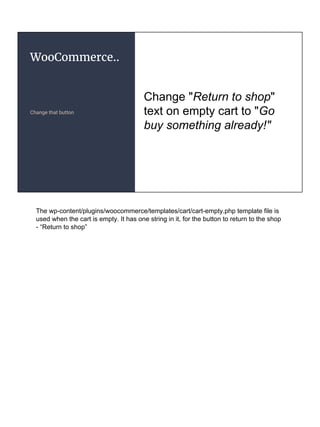
Change "Return to shop"
text on empty cart to "Go
buy something already!"
The wp-content/plugins/woocommerce/templates/cart/cart-empty.php template file is
used when the cart is empty. It has one string in it, for the button to return to the shop
- “Return to shop”
WooCommerce..
Change that button
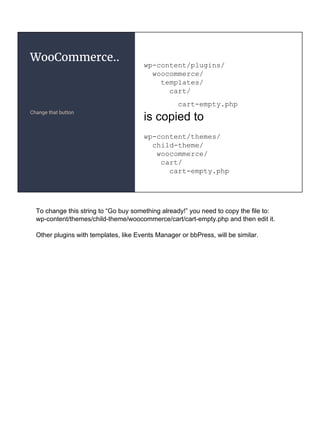
wp-content/plugins/
woocommerce/
templates/
cart/
cart-empty.php
is copied to
wp-content/themes/
child-theme/
woocommerce/
cart/
cart-empty.php
To change this string to “Go buy something already!” you need to copy the file to:
wp-content/themes/child-theme/woocommerce/cart/cart-empty.php and then edit it.
Other plugins with templates, like Events Manager or bbPress, will be similar.
How does it all work?
Photo: https://flic.kr/p/muJmAv by Christina T.
Find the file
Template directory & stylesheet
directory
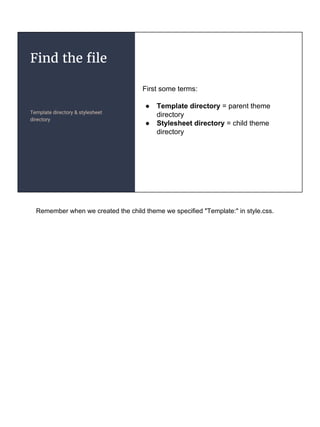
First some terms:
● Template directory = parent theme
directory
● Stylesheet directory = child theme
directory
Remember when we created the child theme we specified "Template:" in style.css.
Find the file
Search order
WordPress searches for the
appropriate file in the child theme
directory, then the parent theme
directory.
For a page, slug ‘about’, ID 2 it will
look in:
child-theme/page-about.php
parent-theme/page-about.php
child-theme/page-2.php
parent-theme/page-2.php
child-theme/page.php
parent-theme/page.php
The child theme always wins!
WordPress searches for the appropriate file in the child theme directory, then the
parent theme directory and then wp-includes/theme-compat directory. For a page,
slug ‘about’, ID 2 it will look in:
child-theme/page-about.php
parent-theme/page-about.php
child-theme/page-2.php
parent-theme/page-2.php
child-theme/page.php
parent-theme/page.php
The child theme always wins!
Beyond CSS and page templates
functions.php
Much more control … if you are
comfortable with php.
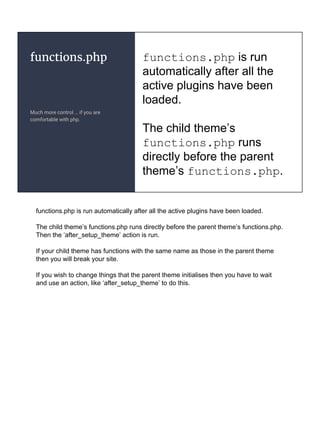
functions.php is run
automatically after all the
active plugins have been
loaded.
The child theme’s
functions.php runs
directly before the parent
theme’s functions.php.
functions.php is run automatically after all the active plugins have been loaded.
The child theme’s functions.php runs directly before the parent theme’s functions.php.
Then the ‘after_setup_theme’ action is run.
If your child theme has functions with the same name as those in the parent theme
then you will break your site.
If you wish to change things that the parent theme initialises then you have to wait
and use an action, like ‘after_setup_theme’ to do this.
functions.php...
Override the parent theme
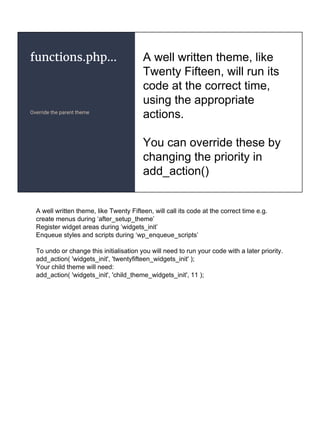
A well written theme, like
Twenty Fifteen, will run its
code at the correct time,
using the appropriate
actions.
You can override these by
changing the priority in
add_action()
A well written theme, like Twenty Fifteen, will call its code at the correct time e.g.
create menus during ‘after_setup_theme’
Register widget areas during ‘widgets_init’
Enqueue styles and scripts during ‘wp_enqueue_scripts’
To undo or change this initialisation you will need to run your code with a later priority.
add_action( 'widgets_init', 'twentyfifteen_widgets_init' );
Your child theme will need:
add_action( 'widgets_init', 'child_theme_widgets_init', 11 );
functions.php...
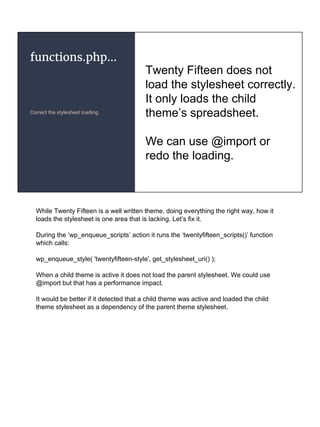
Correct the stylesheet loading.
Twenty Fifteen does not
load the stylesheet correctly.
It only loads the child
theme’s spreadsheet.
We can use @import or
redo the loading.
While Twenty Fifteen is a well written theme, doing everything the right way, how it
loads the stylesheet is one area that is lacking. Let’s fix it.
During the ‘wp_enqueue_scripts’ action it runs the ‘twentyfifteen_scripts()’ function
which calls:
wp_enqueue_style( 'twentyfifteen-style', get_stylesheet_uri() );
When a child theme is active it does not load the parent stylesheet. We could use
@import but that has a performance impact.
It would be better if it detected that a child theme was active and loaded the child
theme stylesheet as a dependency of the parent theme stylesheet.
functions.php...
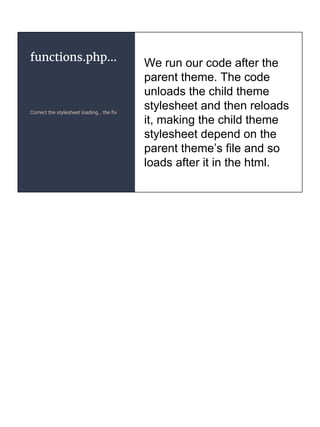
Correct the stylesheet loading… the fix
We run our code after the
parent theme. The code
unloads the child theme
stylesheet and then reloads
it, making the child theme
stylesheet depend on the
parent theme’s file and so
loads after it in the html.
Correct the stylesheet loading...
add_action( 'wp_enqueue_scripts', 'ct_styles', 11 );
function ct_styles() {
wp_dequeue_style( 'twentyfifteen-style' );
wp_enqueue_style( 'twentyfifteen-style',
get_template_directory_uri() .
'/style.css' );
wp_enqueue_style( 'child-style', get_stylesheet_uri(),
array('twentyfifteen-style') );
}
Or: http://justintadlock.com/archives/2014/11/03/loading-parent-styles-for-child-themes
What about bad parents
Photo: https://flic.kr/p/7Rdiq6 by IZATRINI.com
Bad parent
themes
Sometimes they do it their way … the
wrong way
Most themes on
wordpress.org get the basics
right but you may find
exceptions. Example:
wp_head();
echo '<link
src="/path/to/".$colour.".css">';
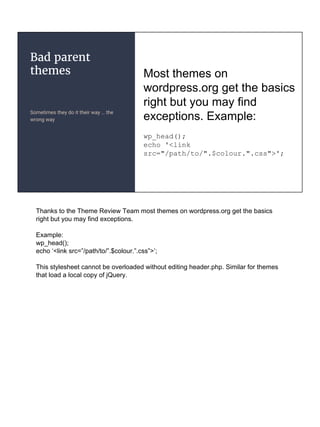
Thanks to the Theme Review Team most themes on wordpress.org get the basics
right but you may find exceptions.
Example:
wp_head();
echo ‘<link src=”/path/to/”.$colour.”.css”>’;
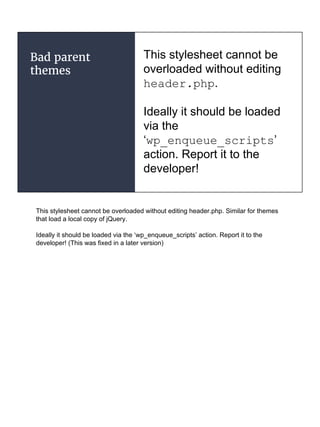
This stylesheet cannot be overloaded without editing header.php. Similar for themes
that load a local copy of jQuery.
Bad parent
themes
This stylesheet cannot be
overloaded without editing
header.php.
Ideally it should be loaded
via the
‘wp_enqueue_scripts’
action. Report it to the
developer!
This stylesheet cannot be overloaded without editing header.php. Similar for themes
that load a local copy of jQuery.
Ideally it should be loaded via the ‘wp_enqueue_scripts’ action. Report it to the
developer! (This was fixed in a later version)
Bad parent
themes
Allow child themes to override all files.
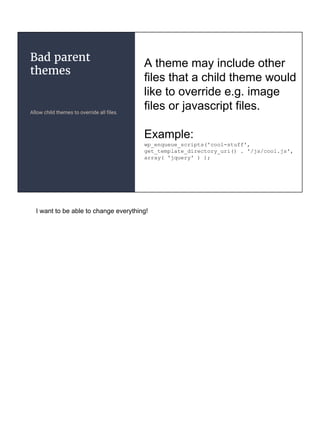
A theme may include other
files that a child theme would
like to override e.g. image
files or javascript files.
Example:
wp_enqueue_scripts('cool-stuff',
get_template_directory_uri() . '/js/cool.js',
array( 'jquery' ) );
I want to be able to change everything!
Bad parent
themes
Use get_theme_file_uri()
Twenty Fifteen hardcodes the
js/html5.js file instead of using this
technique.
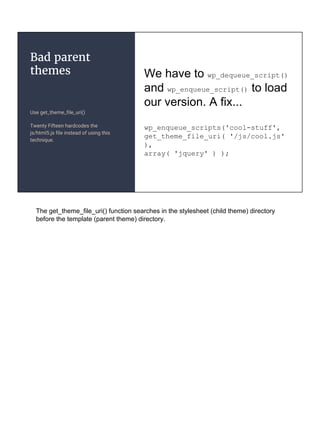
We have to wp_dequeue_script()
and wp_enqueue_script() to load
our version. A fix...
wp_enqueue_scripts('cool-stuff',
get_theme_file_uri( '/js/cool.js'
),
array( 'jquery' ) );
The get_theme_file_uri() function searches in the stylesheet (child theme) directory
before the template (parent theme) directory.
Summary - Child themes are great
● Simple to create.
● Changes are not lost when parent theme
updated.
● You can change as much or as little as you
need.
Thanks!
Questions and Corrections to:
Damien Carbery
damien@damiencarbery.com
http://www.damiencarbery.com
@daymobrew
Photo: Mine

Child Themes (WordCamp Dublin 2017) with notes

  • 1.
    Child Themes Won’t someonethink of the children? By Damien Carbery Photo: https://flic.kr/p/ccHYYL by Justkids
  • 2.
    Intro - What'sthe problem? Editing core files is bad. Editing themes is bad. Child themes are easy. We all know that you should never modify WordPress core files (wp-admin and wp-includes) because your changes will be lost when you update WordPress. Similarly you should not edit a theme but instead should create a child theme. I’ll demonstrate how easy it is to create a child theme, how to enhance it and what to do when the parent theme is not quite child theme friendly.
  • 3.
    Why do youneed a child theme?
  • 4.
    Perfect … Except forjust one thing A child theme can help. Photo: https://flic.kr/p/4bnRok by m.a.r.c. You find a fantastic, perfect theme for your site. You install and activate it. After some configuration you try it out…it's great except for one thing, maybe two, things that cannot be changed through the Customizer. A simple example could be that you don't want the post author to be displayed because the site only has one author. A child theme is the perfect way to implement this change.
  • 5.
    Let’s create achild theme
  • 6.
    Just one file /* Name:Child Theme Template: twentyfifteen */ That’s it. Done. Now go Activate it. To create a child theme you need to create one file - style.css. The Codex says two but one is enough. The top of the style.css file needs a comment that specifies the theme name and the directory name of the parent theme. You can add Theme URI, Author, Author URI, Description, Version, License, License URI, Tags, Text Domain.
  • 7.
    What can youdo now? ● Change the styles ● Change the layout of posts, pages, archives or individual ones ● Add new features e.g. add support for WooCommerce Keep the stuff you like and change the stuff you don’t. Best of both worlds!
  • 8.
    Changing styles This isthe simplest, least technical thing that you can do. You can find the appropriate style rules with something like Chrome Developer Tools’ Inspect Element. Sample changes to Twenty Fifteen theme Change the page font from “Noto Serif” to Arial: body { font-family: Arial, serif; } Change the header colours from #333 to red: h1, h2, h3, h4, h5, h6 { color: #f00; } Change ul marker from disc to a square: ul { list-style: square; }
  • 9.
    Changing styles Changethe page font from “Noto Serif” to Arial: body { font-family: Arial, serif; }
  • 10.
  • 11.
    Changing styles Change theheader colours from #333 to red: h1, h2, h3, h4, h5, h6 { color: #f00; }
  • 12.
  • 13.
    Changing styles Change ulmarker from disc to a circle: ul { list-style: circle; }
  • 14.
  • 15.
    Beyond style changes Stylechanges are safe and won’t make your site inaccessible, but they are quite limited in what they can achieve.
  • 16.
    Beyond style changes Youcan copy a file from the parent theme and modify it. Twenty Fifteen displays the full post content on archive pages. Let’s change it to show excerpts. Next option is to customise a template file by copying the appropriate file into the child theme - this is part of changing the bits you don’t like. For example, let’s display excerpts on archive pages. In archive.php it calls: get_template_part( 'content', get_post_format() ); We can copy content.php (as there is no content-post.php file) or create a content-post.php file. We must take care as the file is used by other template files.
  • 17.
    Excerpts in Archives Copy thetemplate file and make your change. archive.php displays the archive. It uses content.php. That calls the_content() so change it to the_excerpt() Copy content.php into the child theme directory. You can check that the copy is being used by adding a comment or some text to the copied file. It uses (simplified for readability) the_content( sprintf( 'Continue reading %s', the_title( false ) ) ); We can just change it to: the_excerpt();
  • 18.
    Excerpts in Archives .... Youhave to edit carefully and check your work. Now test the change - oops, single pages, single posts are showing excerpts. The fix: The code will be: if (is_archive() ) { the_excerpt(); } else { the_content( sprintf( 'Continue reading %s', the_title( false ) ) ); } As the content.php template file is used to display single pages, single posts and archives we must check that we are on an archive page. The code will be: if (is_archive() ) { the_excerpt(); } else { the_content( sprintf( 'Continue reading %s', the_title( false ) ) ); }
  • 19.
    Adding new files Display aspecific page or post differently from all the rest. You can make use of the template hierarchy to display a specific page or post differently. An ‘About page, with a slug of 'about', you can create a ‘page-about.php’ file in the child theme. You can make use of the template hierarchy to display a specific page or post differently. The parent theme has page.php. If you have an About page, with a slug of ‘about’, you can create a ‘page-about.php’ file in the child theme. In Twenty Fifteen an easy change is to disable the comments for that page, to ensure that comments are not permitted even if enabled in the admin. Remove: if ( comments_open() || get_comments_number() ) : comments_template(); endif;
  • 20.
    WooCommerce Fix or enhancethe WooCommerce in your theme. If the parent theme doesn’t fully support WooCommerce, or you want to tweak how it displays something, you can do this. Let’s have a look at a quick example... If the parent theme doesn’t fully support WooCommerce, or you want to tweak how it displays something, you can do this. WooCommerce uses actions and filters in addition to template files. A lot of changes can be made with actions and filters. If your change cannot be achieved by add_action() or add_filter() you will need to create a woocommerce directory within the child theme directory and copy the file there. Let’s have a look at a quick example...
  • 21.
    WooCommerce.. Change that button Change"Return to shop" text on empty cart to "Go buy something already!" The wp-content/plugins/woocommerce/templates/cart/cart-empty.php template file is used when the cart is empty. It has one string in it, for the button to return to the shop - “Return to shop”
  • 22.
    WooCommerce.. Change that button wp-content/plugins/ woocommerce/ templates/ cart/ cart-empty.php iscopied to wp-content/themes/ child-theme/ woocommerce/ cart/ cart-empty.php To change this string to “Go buy something already!” you need to copy the file to: wp-content/themes/child-theme/woocommerce/cart/cart-empty.php and then edit it. Other plugins with templates, like Events Manager or bbPress, will be similar.
  • 23.
    How does itall work? Photo: https://flic.kr/p/muJmAv by Christina T.
  • 24.
    Find the file Templatedirectory & stylesheet directory First some terms: ● Template directory = parent theme directory ● Stylesheet directory = child theme directory Remember when we created the child theme we specified "Template:" in style.css.
  • 25.
    Find the file Searchorder WordPress searches for the appropriate file in the child theme directory, then the parent theme directory. For a page, slug ‘about’, ID 2 it will look in: child-theme/page-about.php parent-theme/page-about.php child-theme/page-2.php parent-theme/page-2.php child-theme/page.php parent-theme/page.php The child theme always wins! WordPress searches for the appropriate file in the child theme directory, then the parent theme directory and then wp-includes/theme-compat directory. For a page, slug ‘about’, ID 2 it will look in: child-theme/page-about.php parent-theme/page-about.php child-theme/page-2.php parent-theme/page-2.php child-theme/page.php parent-theme/page.php The child theme always wins!
  • 26.
    Beyond CSS andpage templates
  • 27.
    functions.php Much more control… if you are comfortable with php. functions.php is run automatically after all the active plugins have been loaded. The child theme’s functions.php runs directly before the parent theme’s functions.php. functions.php is run automatically after all the active plugins have been loaded. The child theme’s functions.php runs directly before the parent theme’s functions.php. Then the ‘after_setup_theme’ action is run. If your child theme has functions with the same name as those in the parent theme then you will break your site. If you wish to change things that the parent theme initialises then you have to wait and use an action, like ‘after_setup_theme’ to do this.
  • 28.
    functions.php... Override the parenttheme A well written theme, like Twenty Fifteen, will run its code at the correct time, using the appropriate actions. You can override these by changing the priority in add_action() A well written theme, like Twenty Fifteen, will call its code at the correct time e.g. create menus during ‘after_setup_theme’ Register widget areas during ‘widgets_init’ Enqueue styles and scripts during ‘wp_enqueue_scripts’ To undo or change this initialisation you will need to run your code with a later priority. add_action( 'widgets_init', 'twentyfifteen_widgets_init' ); Your child theme will need: add_action( 'widgets_init', 'child_theme_widgets_init', 11 );
  • 29.
    functions.php... Correct the stylesheetloading. Twenty Fifteen does not load the stylesheet correctly. It only loads the child theme’s spreadsheet. We can use @import or redo the loading. While Twenty Fifteen is a well written theme, doing everything the right way, how it loads the stylesheet is one area that is lacking. Let’s fix it. During the ‘wp_enqueue_scripts’ action it runs the ‘twentyfifteen_scripts()’ function which calls: wp_enqueue_style( 'twentyfifteen-style', get_stylesheet_uri() ); When a child theme is active it does not load the parent stylesheet. We could use @import but that has a performance impact. It would be better if it detected that a child theme was active and loaded the child theme stylesheet as a dependency of the parent theme stylesheet.
  • 30.
    functions.php... Correct the stylesheetloading… the fix We run our code after the parent theme. The code unloads the child theme stylesheet and then reloads it, making the child theme stylesheet depend on the parent theme’s file and so loads after it in the html.
  • 31.
    Correct the stylesheetloading... add_action( 'wp_enqueue_scripts', 'ct_styles', 11 ); function ct_styles() { wp_dequeue_style( 'twentyfifteen-style' ); wp_enqueue_style( 'twentyfifteen-style', get_template_directory_uri() . '/style.css' ); wp_enqueue_style( 'child-style', get_stylesheet_uri(), array('twentyfifteen-style') ); } Or: http://justintadlock.com/archives/2014/11/03/loading-parent-styles-for-child-themes
  • 32.
    What about badparents Photo: https://flic.kr/p/7Rdiq6 by IZATRINI.com
  • 33.
    Bad parent themes Sometimes theydo it their way … the wrong way Most themes on wordpress.org get the basics right but you may find exceptions. Example: wp_head(); echo '<link src="/path/to/".$colour.".css">'; Thanks to the Theme Review Team most themes on wordpress.org get the basics right but you may find exceptions. Example: wp_head(); echo ‘<link src=”/path/to/”.$colour.”.css”>’; This stylesheet cannot be overloaded without editing header.php. Similar for themes that load a local copy of jQuery.
  • 34.
    Bad parent themes This stylesheetcannot be overloaded without editing header.php. Ideally it should be loaded via the ‘wp_enqueue_scripts’ action. Report it to the developer! This stylesheet cannot be overloaded without editing header.php. Similar for themes that load a local copy of jQuery. Ideally it should be loaded via the ‘wp_enqueue_scripts’ action. Report it to the developer! (This was fixed in a later version)
  • 35.
    Bad parent themes Allow childthemes to override all files. A theme may include other files that a child theme would like to override e.g. image files or javascript files. Example: wp_enqueue_scripts('cool-stuff', get_template_directory_uri() . '/js/cool.js', array( 'jquery' ) ); I want to be able to change everything!
  • 36.
    Bad parent themes Use get_theme_file_uri() TwentyFifteen hardcodes the js/html5.js file instead of using this technique. We have to wp_dequeue_script() and wp_enqueue_script() to load our version. A fix... wp_enqueue_scripts('cool-stuff', get_theme_file_uri( '/js/cool.js' ), array( 'jquery' ) ); The get_theme_file_uri() function searches in the stylesheet (child theme) directory before the template (parent theme) directory.
  • 37.
    Summary - Childthemes are great ● Simple to create. ● Changes are not lost when parent theme updated. ● You can change as much or as little as you need.
  • 38.
    Thanks! Questions and Correctionsto: Damien Carbery damien@damiencarbery.com http://www.damiencarbery.com @daymobrew Photo: Mine