Universal Design for LearningKatherine FecaninReaching and Engaging All Learners through TechnologyEDUC 6714I-4May 2011
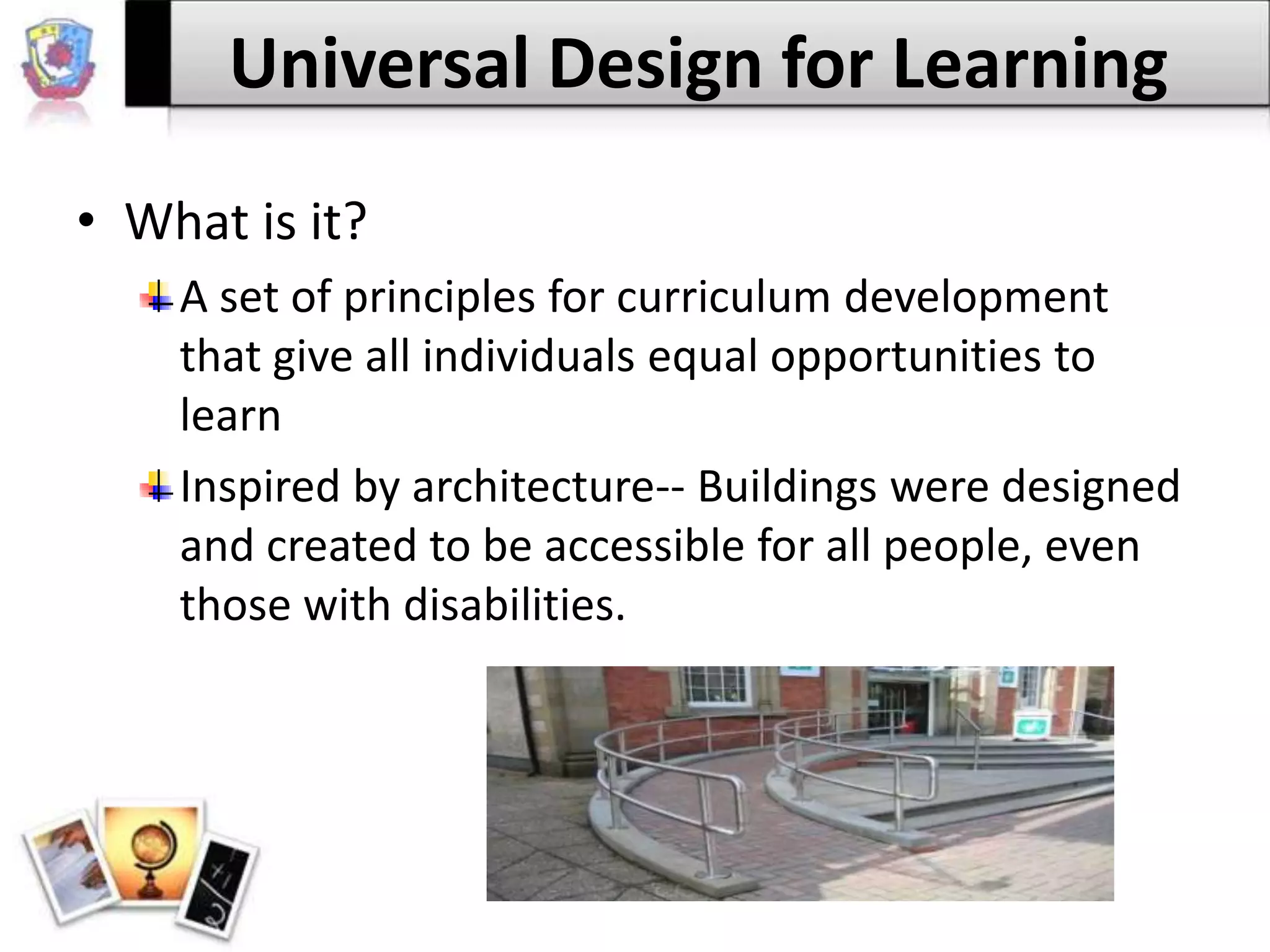
Universal Design for LearningWhat is it?A set of principles for curriculum development that give all individuals equal opportunities to learnInspired by architecture-- Buildings were designed and created to be accessible for all people, even those with disabilities.
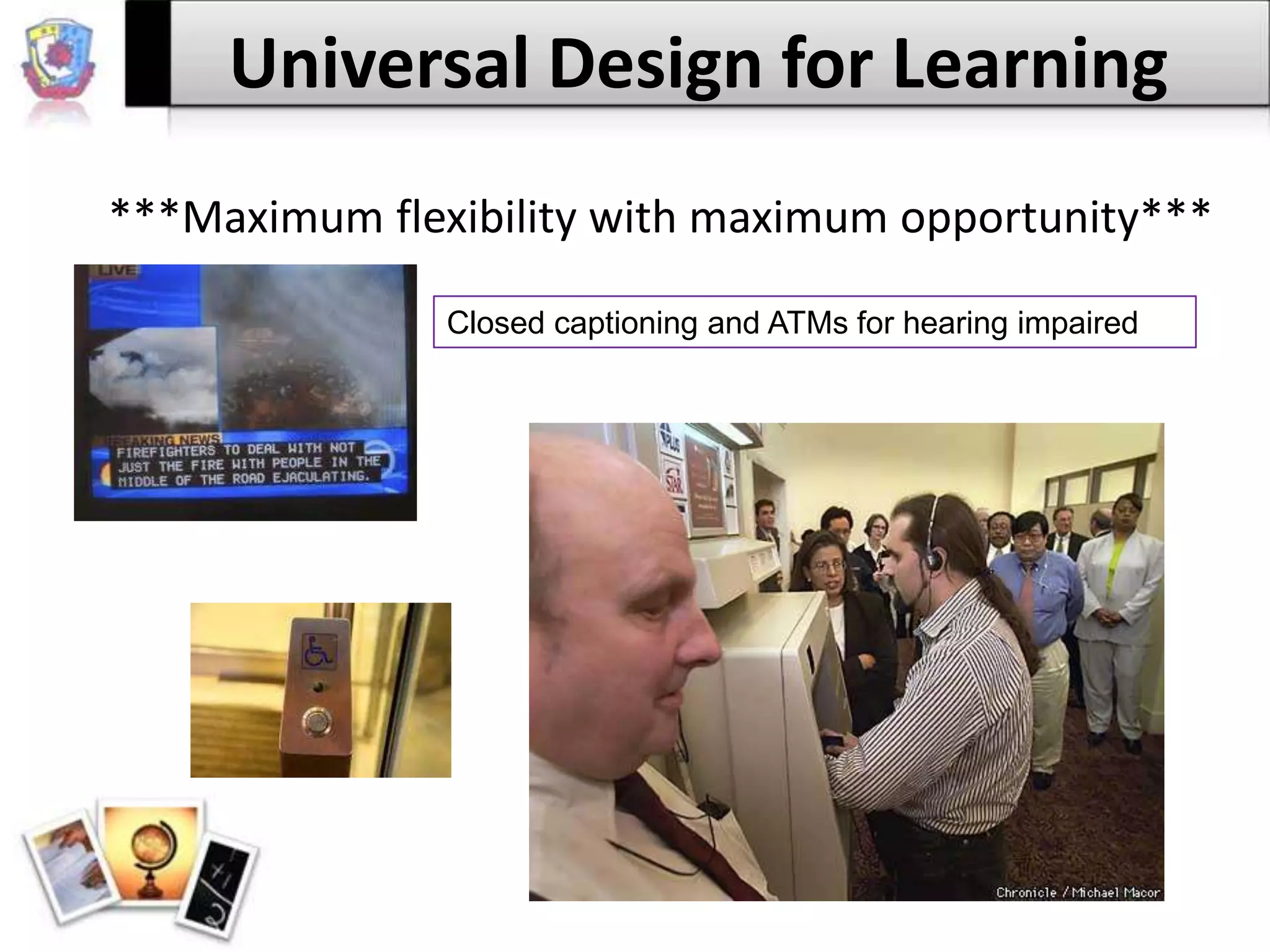
Universal Design for Learning***Maximum flexibility with maximum opportunity***Closed captioning and ATMs for hearing impaired
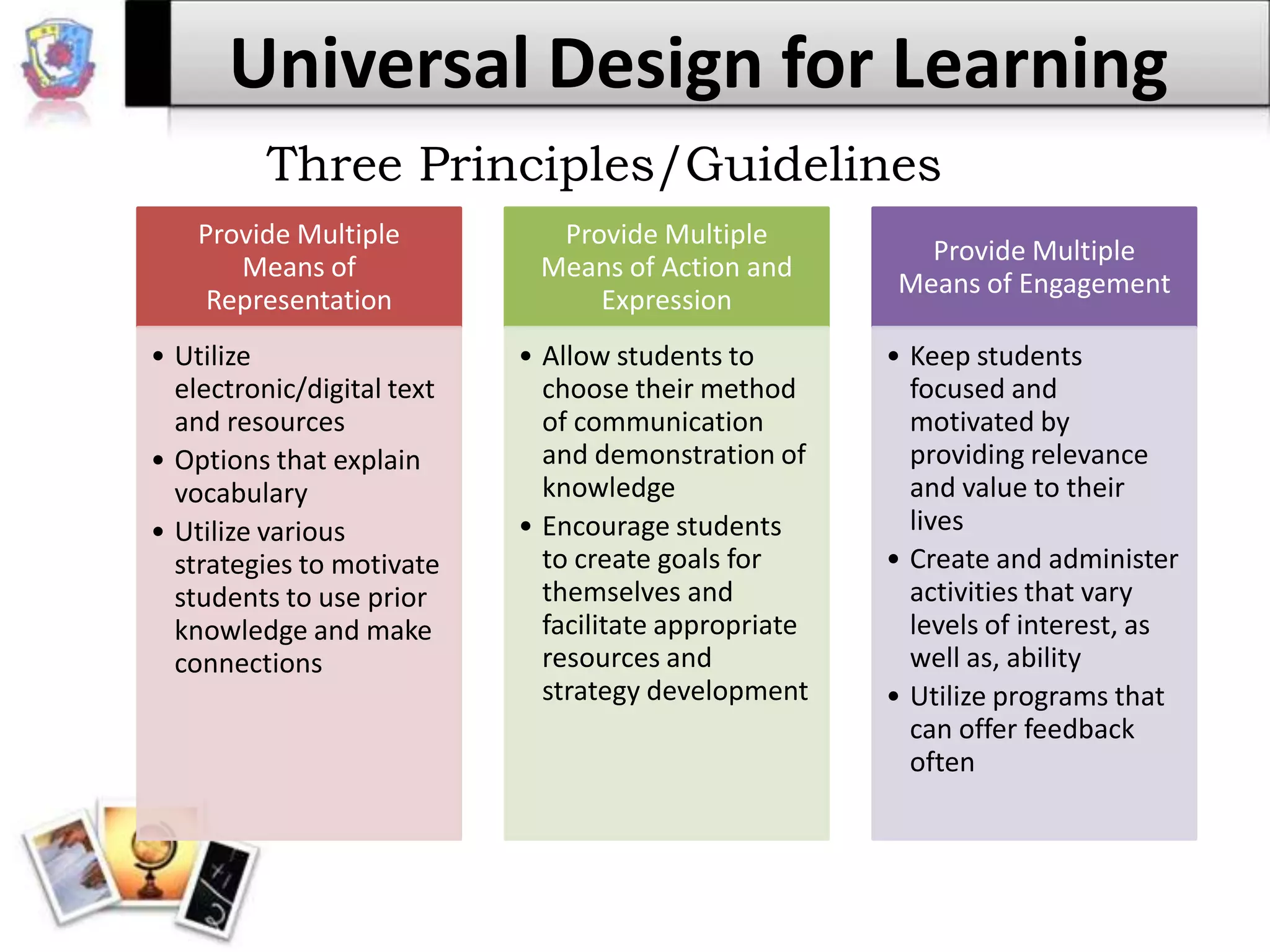
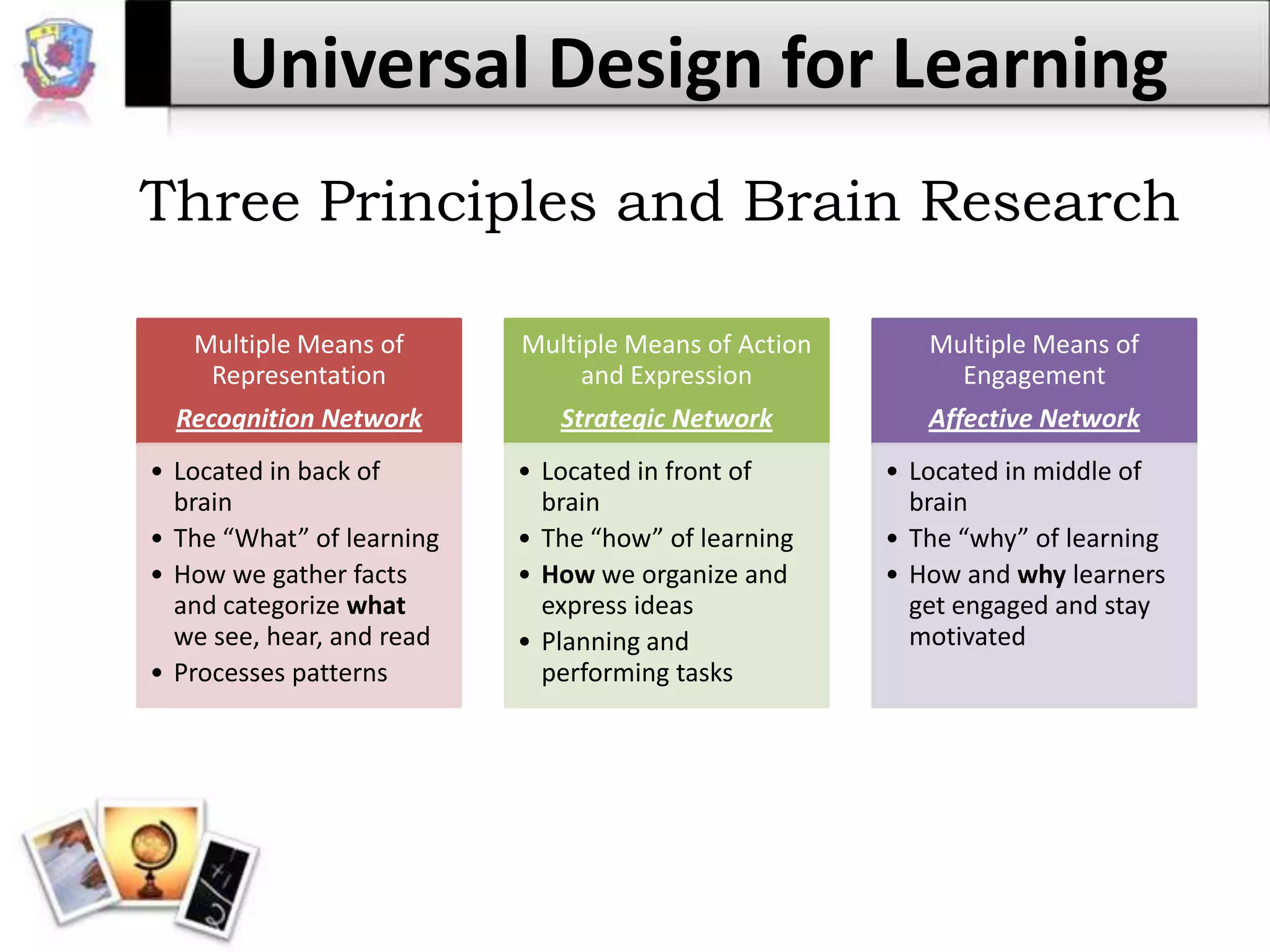
Universal Design for LearningThree Principles/Guidelines
Universal Design for LearningUltimately------ Provide students with choices and options with their academics!!!!!Students enjoy using technology. They use it everyday on their own; cell phones, computers, video games, and iPods/iPads to name a few.Technology helps provide those choices. Why not take advantage of them?
Universal Design for LearningTechnology examples:PowerPoint/Publisher etc. (Microsoft Office tools)Virtual field tripsOnline PortfoliosConcept mapping sites– InspirationOnline versions of textbooks, literature, etc.Audio copies of booksWord processing softwareWebquestsBlogs, Wiki-pages, 		Podcasts, Interactive websites …………..
Universal Design for LearningTechnology examples:…….. the possibilities are massive!Imagine what can be accomplished when we tap into our students’ creativity, in addition to, our own???Added bonus: Our students will be familiar and comfortable with a variety of technology tools when NJDOE changes our state mandated testing to an online and digital format when Measurement Inc.’s contract expires.
Universal Design for LearningThree Principles and Brain Research
Universal Design for LearningCAST Online Tools ReviewClass Profile Maker: provides template for educators to determine the learning profile of their students
UDL Goal Setter: assists educators in setting goals for the learners in their classes

Universal design for learning

  • 1.
    Universal Design forLearningKatherine FecaninReaching and Engaging All Learners through TechnologyEDUC 6714I-4May 2011
  • 2.
    Universal Design forLearningWhat is it?A set of principles for curriculum development that give all individuals equal opportunities to learnInspired by architecture-- Buildings were designed and created to be accessible for all people, even those with disabilities.
  • 3.
    Universal Design forLearning***Maximum flexibility with maximum opportunity***Closed captioning and ATMs for hearing impaired
  • 4.
    Universal Design forLearningThree Principles/Guidelines
  • 5.
    Universal Design forLearningUltimately------ Provide students with choices and options with their academics!!!!!Students enjoy using technology. They use it everyday on their own; cell phones, computers, video games, and iPods/iPads to name a few.Technology helps provide those choices. Why not take advantage of them?
  • 6.
    Universal Design forLearningTechnology examples:PowerPoint/Publisher etc. (Microsoft Office tools)Virtual field tripsOnline PortfoliosConcept mapping sites– InspirationOnline versions of textbooks, literature, etc.Audio copies of booksWord processing softwareWebquestsBlogs, Wiki-pages, Podcasts, Interactive websites …………..
  • 7.
    Universal Design forLearningTechnology examples:…….. the possibilities are massive!Imagine what can be accomplished when we tap into our students’ creativity, in addition to, our own???Added bonus: Our students will be familiar and comfortable with a variety of technology tools when NJDOE changes our state mandated testing to an online and digital format when Measurement Inc.’s contract expires.
  • 8.
    Universal Design forLearningThree Principles and Brain Research
  • 9.
    Universal Design forLearningCAST Online Tools ReviewClass Profile Maker: provides template for educators to determine the learning profile of their students
  • 10.
    UDL Goal Setter:assists educators in setting goals for the learners in their classes
  • 11.
    Curriculum Barrier Finder:helps teachers analyze curriculum to identify any hidden barriers that students may encounter when learning and therefore, the teacher can accommodate his/her student(s) by adjusting instructional presentation and methodsUniversal Design for LearningResources:Center for Applied Special Technology. (2009). UDL guidelines, version 1.0. Retrieved from http://www.udlcenter.org/aboutudl/udlguidelinesMeo, G. (2008). Curriculum planning for all learners: Applying universal design for learning (UDL) to a high school reading comprehension program. Preventing School Failure, 52(2), 21–30. Rose, D., & Meyer, A. (2002). Teaching every student in the digital age: Universal design for learning. Retrieved from http://www.cast.org/teachingeverystudent/ideas/tes/ UDL Solutions Finder http://www.cast.org/teachingeverystudent/tools/udlsolutionsfinder.cfm UDL Curriculum Barriers Finder (paper backup available in textbook) http://www.cast.org/teachingeverystudent/tools/curriculumbarriers.cfm UDL Class Profile Maker (paper backup available in textbook) http://www.cast.org/teachingeverystudent/tools/classprofile.cfm UDL Goal Setter http://www.cast.org/teachingeverystudent/tools/udlgoalsetter.cfm Curriculum Content Resourceshttp://udlselfcheck.cast.org/resources.php#curriculum UDL Lesson Builder http://lessonbuilder.cast.org/ UDL Book Builder http://bookbuilder.cast.org/