

Recommended
More Related Content
What's hot
What's hot (13)
Similar to Social Bookmarking for Educators with Diigo
Similar to Social Bookmarking for Educators with Diigo (20)
Recently uploaded
Recently uploaded (20)
Social Bookmarking for Educators with Diigo
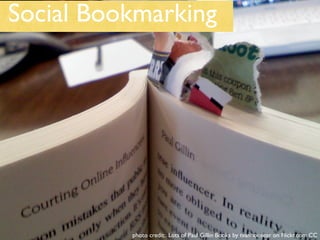
- 1. Social Bookmarking photo credit: Lots of Paul Gillin Books by tvanhoosear on Flickr.com CC
- 2. The Internet Can Be Overwhelming! Image Credit: 27/365 by bandita on Flickr CreativeCommons
- 3. wordle credit: ahentz on slideshare.net
- 4. What is it? Photo Credit: Social Bookmarking Explained - eco2oh on flickr.com CC
- 6. Sign-up is a breeze! Photo Credit “That was easy!” - spackletoe on flickr.com CC
- 8. Sign-up Email required. Used for sending lost passwords!
- 9. Sign-up
- 10. Sign-up
- 11. Sign-up - Verify Email
- 12. Digolet - for any computer *You can install Diigolet on any computer by going to the diigolet link: http://www.diigo.com/tools/diigolet
- 13. Diigo Toolbar = Powerful for YOUR computer *Compatible with Firefox and Internet Explore.Visit http://www.diigo.com/tools/toolbar to install.
- 16. Enjoy the Magic!
- 17. Let’s Take a Look Under the Hood Photo Credit: checking under the hood - wiggy74 on flickr.com CC
- 18. Anatomy of a Bookmark
- 19. Tags = Organize ...your way • use tags you will remember • look at recommended and popular tags • use many tags to describe photo credit: Tags - keywords to describe digital objects by cambodia4kidsorg on Flickr.com CC
- 20. What Next? •Research • Share • Collaborate
- 22. What are your friends bookmarking?
- 23. What are others on Diigo bookmarking?
- 24. Share
- 27. RSS and Tags • Tags have RSS feeds • RSS allows a link to be dynamic • Same link - new resources • Can be viewed in RSS readers
- 28. Two Is Better Than One! “Save to Delicious” is at https://secure.diigo.com/tools/save_to_others Requires log in.
- 29. Want to Learn More? http://readwriteweb.wikispaces.com/socialbookmarks Janice Stearns janice.stearns (at) lausd.net photo credit: all agog by circulating on Flickr.com CC
Editor's Notes
- Bookmarking websites is inefficient Can only be done on one computer. Can’t share. Can disappear. No way to organize well.
- In this age of information overload, social bookmarking allows users to organize and categorize resources and share with others.
- Social bookmarking is new knowledge sharing.
- The basic fundamentals of social bookmarking.
- Social Bookmaking in Plain English video
- Delicious and Diigo are powerful social bookmarking tools.
- Show willrich’s bookmarks Subscribe to a tag and a person