ENVIRONMENTS, LINE UP!
VAGRANT & PUPPET 101
ME
•

Jelrik van Hal

•

Ingewikkeld

•

@jelrikvh
MY MESSAGE
ETCETERA, ETCETERA
(random code; don‟t read it)
INSTALLATION
$ cd project
$ vagrant init

wheezy64 http://someurl.to/wheezy64.box

(www.vagrantbox.es)
$ vagrant init wheezy64 http://someurl.to/wheezy64.box
A `Vagrantfile` has been placed in this directory. You are now ready to
`vagrant up` your first virtual environment! Please read the comments in
the Vagrantfile as well as documentation on `vagrantup.com` for more
information on using Vagrant.
Vagrant.configure("2") do |config|
config.vm.box = "wheezy64"
config.vm.box_url = "http://someurl.to/wheezy64.box"
config.vm.network :forwarded_port, guest: 80, host: 8080
config.vm.network :private_network, ip: "192.168.42.42"
config.vm.synced_folder ".", "/vagrant"
end
$ vagrant up
Bringing machine 'default' up with 'virtualbox' provider...
[default] Box 'wheezy64' was not found. Fetching box from specified URL for the
provider 'virtualbox'. Note that if the URL does not have a box for this provider, you
should interrupt Vagrant now and add the box yourself. Otherwise Vagrant will
attempt to download the full box prior to discovering this error.
Downloading or copying the box...
Extracting box
Successfully added box 'wheezy64' with provider 'virtualbox'!
$ vagrant up
[default] Importing base box 'wheezy64'...
[default] Matching MAC address for NAT networking...
[default] Setting the name of the VM...
[default] Clearing any previously set forwarded ports...
[default] Creating shared folders metadata...
[default] Clearing any previously set network interfaces...
[default] Preparing network interfaces based on configuration...
[default] Forwarding ports...
[default] -- 22 => 2222 (adapter 1)
[default] -- 80 => 8080 (adapter 1)
[default] Booting VM...
[default] Waiting for VM to boot. This can take a few minutes.
[default] VM booted and ready for use!
[default] Configuring and enabling network interfaces...
[default] Mounting shared folders...
[default] -- /vagrant
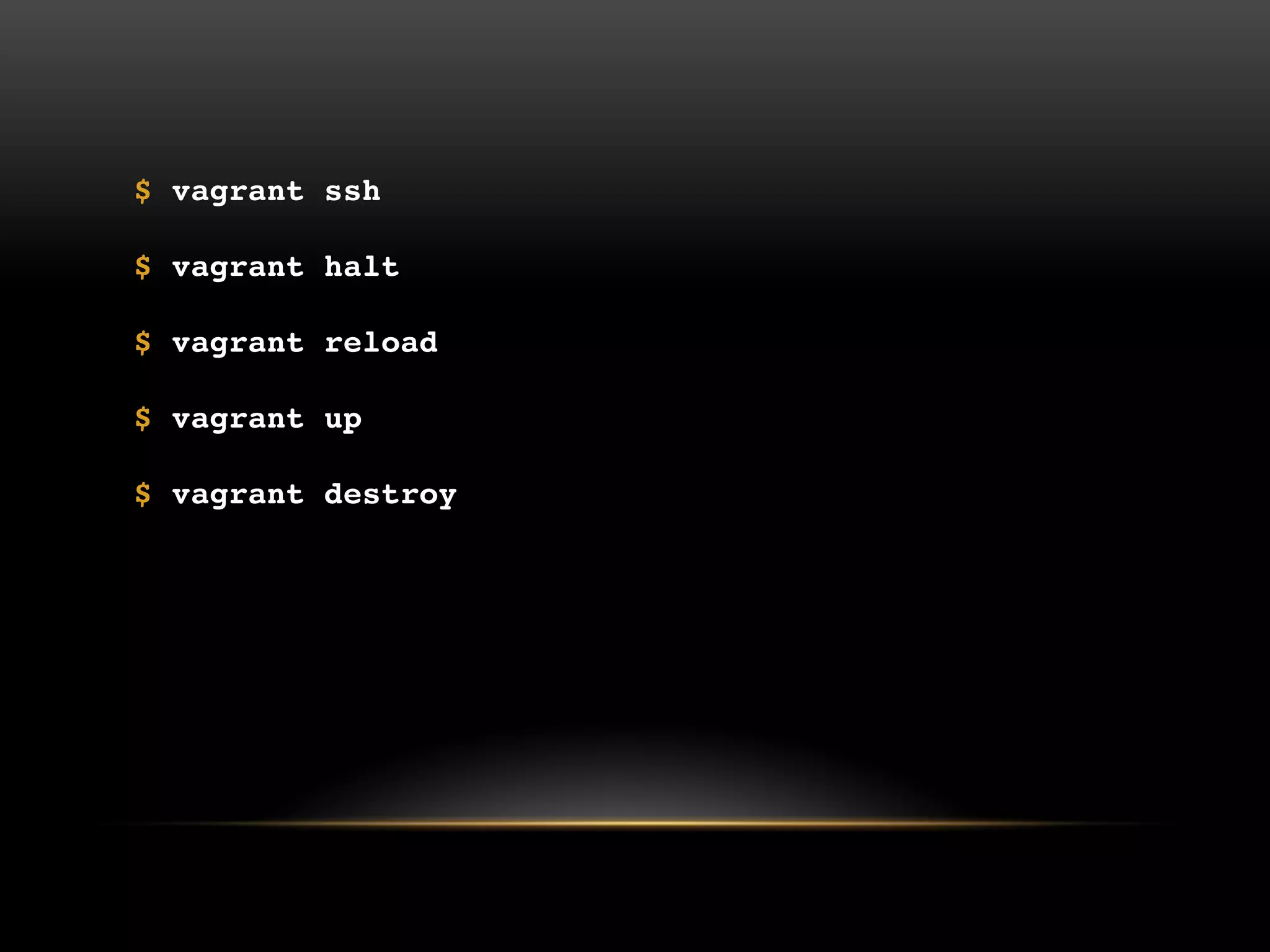
$ vagrant ssh
$ vagrant halt
$ vagrant reload
$ vagrant up
$ vagrant destroy
$
$
$ mkdir –p puppet/manifests
$ touch puppet/manifests/basenode.pp

# Vagrantfile
config.vm.provision :puppet do |puppet|
puppet.manifests_path = "puppet/manifests"
puppet.manifest_file = "basenode.pp"
end
# puppet/manifests/basenode.pp
Exec {
path => [ '/bin/', '/sbin/' , '/usr/bin/‟ ],
}
package { 'php5':
ensure => present,
}
package { 'mysql-server':
ensure => present,
}
package { 'apache2':
ensure => present,
}
# puppet/manifests/basenode.pp
(...)

package { 'apache2':
ensure => present,
}
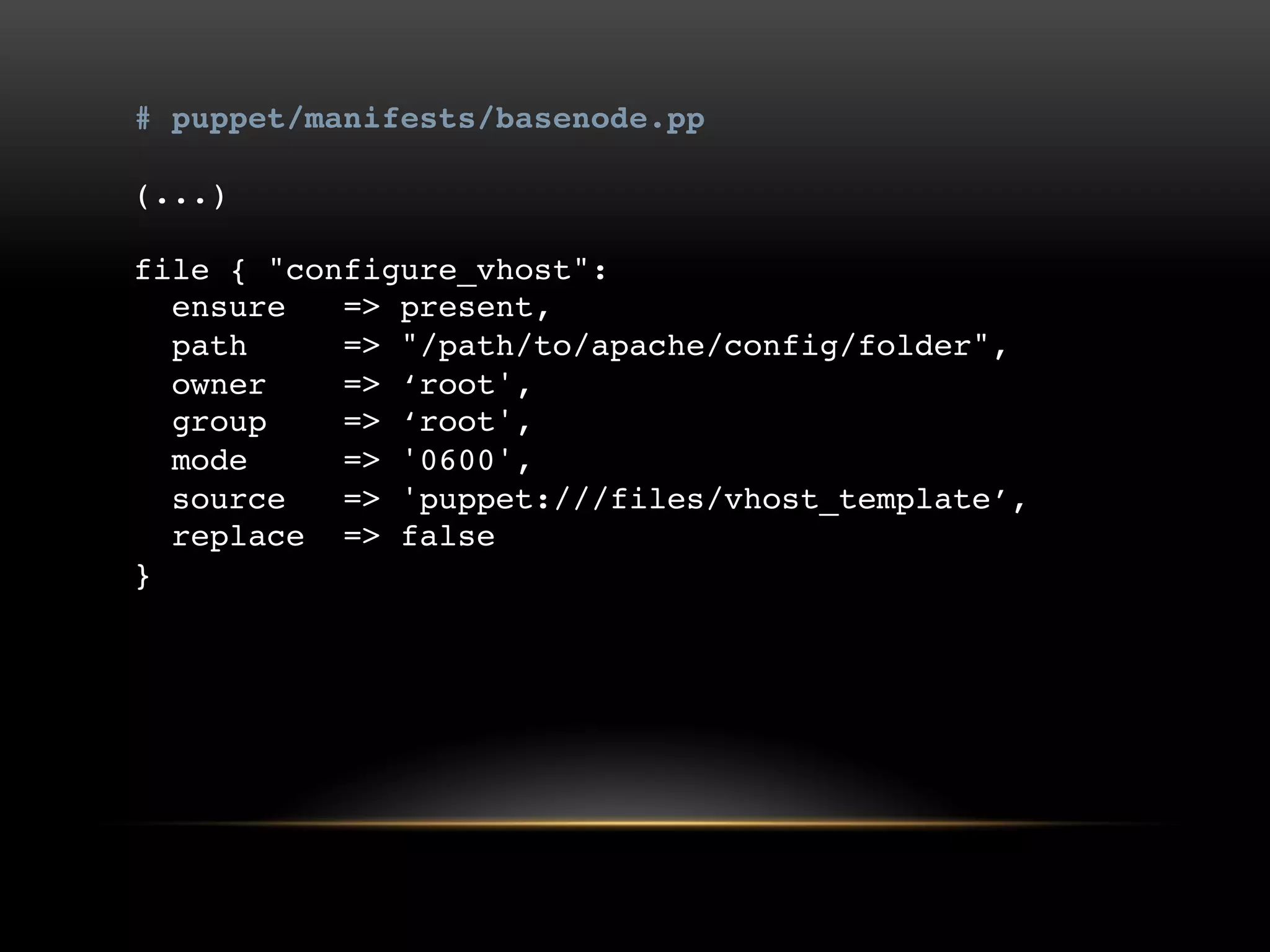
# puppet/manifests/basenode.pp
(...)

file { "configure_vhost":
ensure => present,
path => "/path/to/apache/config/folder",
owner => „root',
group => „root',
mode => '0600',
source => 'puppet:///files/vhost_template‟,
replace => false
}
# puppet/manifests/basenode.pp
(...)

file { "configure_vhost":
ensure => present,
path => "/path/to/apache/config/folder",
owner => „root',
group => „root',
mode => '0600',
source => 'puppet:///files/vhost_template‟,
replace => false,
require => Package["apache2"],
notify => Service[“apache2”]
}
THE WAY TO GO?
I wouldn‟t say so.

There is too much we need to know.
PLUG AND PLAY MODULES
https://github.com/example42
http://forge.puppetlabs.com
…
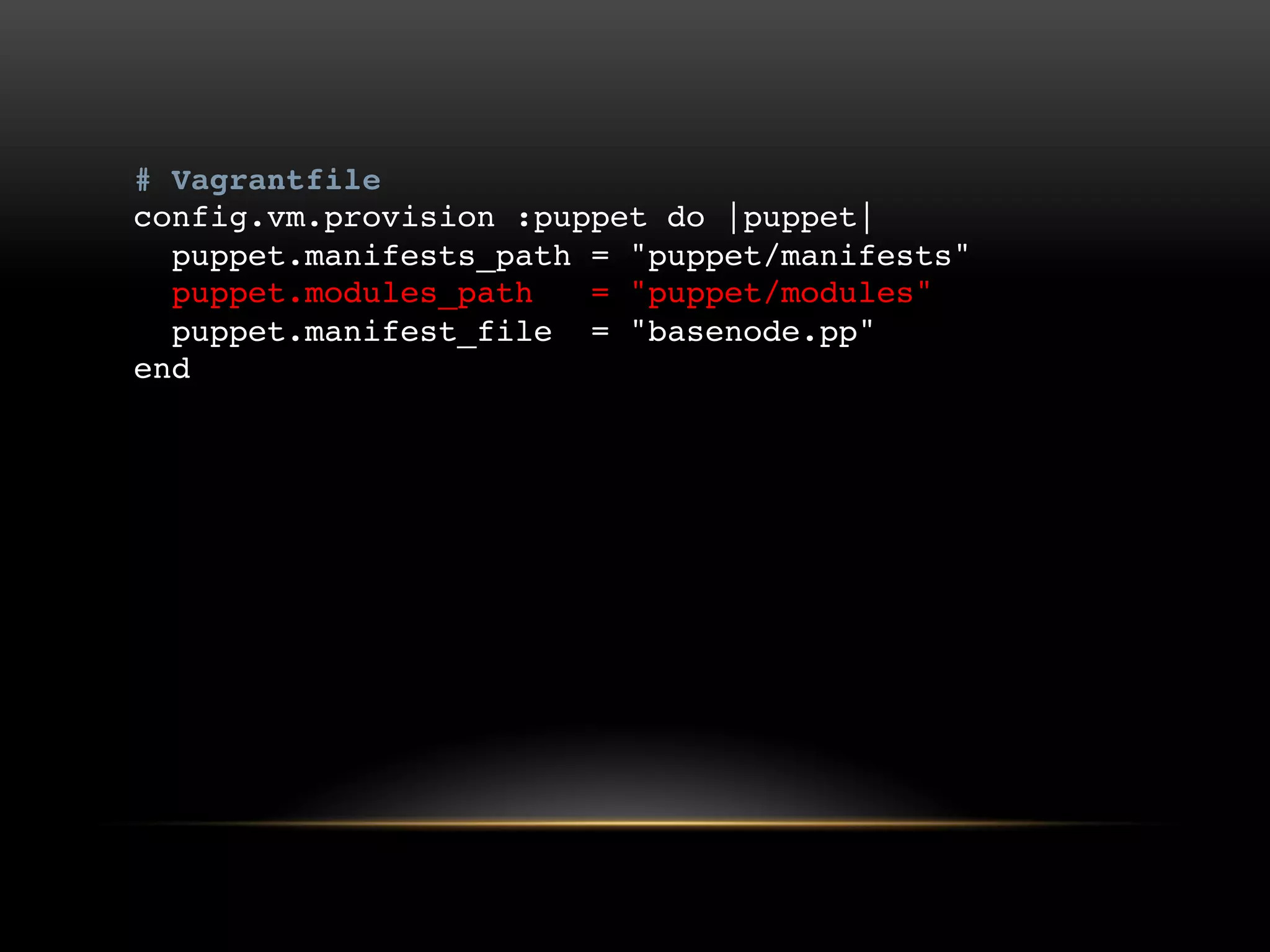
# Vagrantfile
config.vm.provision :puppet do |puppet|
puppet.manifests_path = "puppet/manifests"
puppet.modules_path = "puppet/modules"
puppet.manifest_file = "basenode.pp"
end
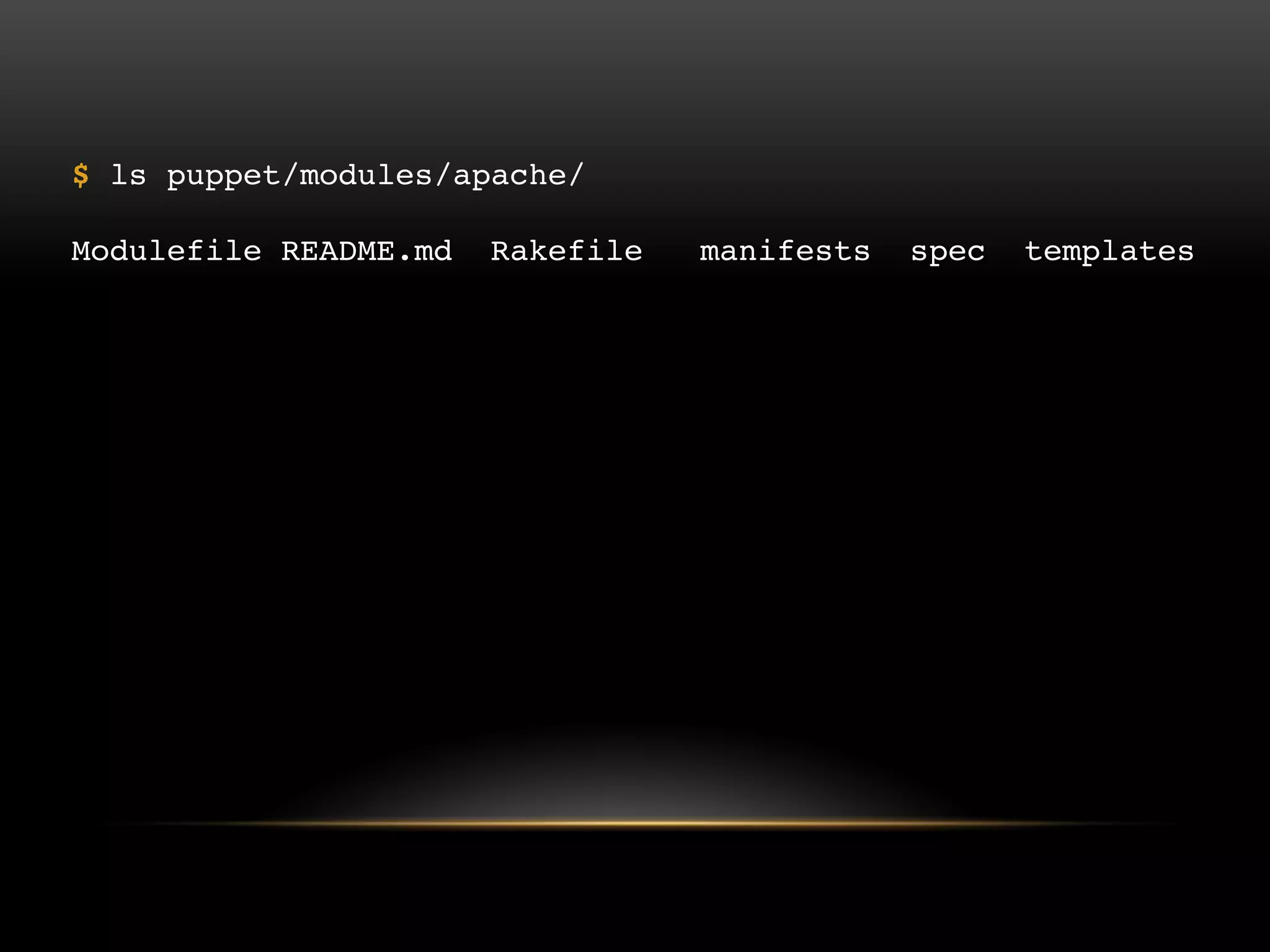
$ ls puppet/modules/apache/
Modulefile README.md Rakefile manifests spec templates
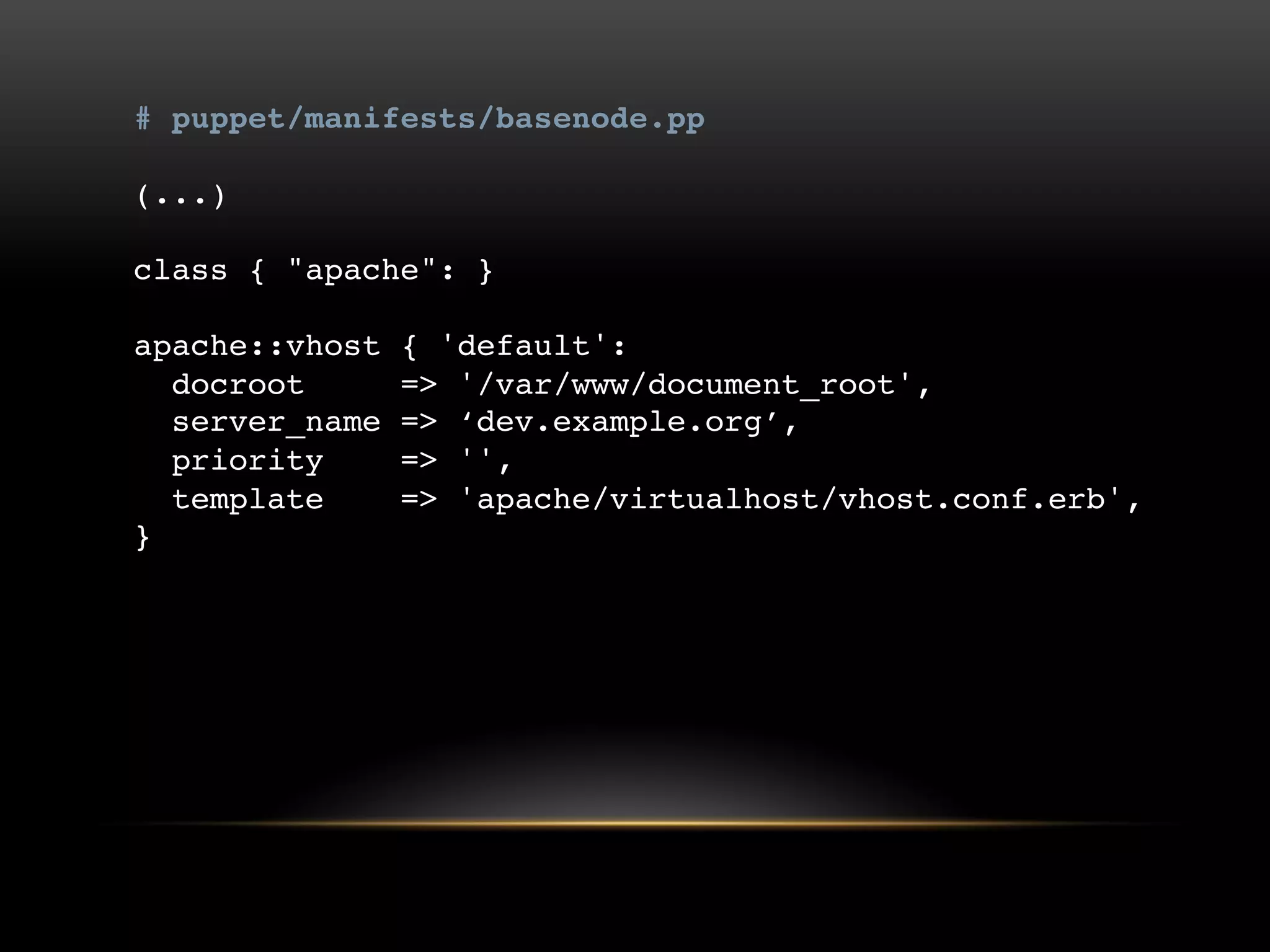
# puppet/manifests/basenode.pp
(...)

class { "apache": }
apache::vhost { 'default':
docroot => '/var/www/document_root',
server_name => „dev.example.org‟,
priority => '',
template => 'apache/virtualhost/vhost.conf.erb',
}
$ vagrant up
$ vagrant up --provision
$ vagrant provision
SO, WHY VAGRANT?
•

No more “works on my machine”

•

The right software, and nothing more

•

Clean development machine

•

Power of provisioning
WHAT‟S MORE?
•

Multiple machines

•

On Windows

•

Please note: Vagrant 1.2 -> 1.3
@skoop

@jelrikvh

@mvriel
@jelrikvh

http://www.vagrantup.com/
http://www.vagrantbox.es/
https://github.com/example42?tab=repositories
http://forge.puppetlabs.com/
THANKS!

Environments line-up! Vagrant & Puppet 101

  • 1.
  • 2.
  • 3.
  • 5.
  • 11.
  • 12.
  • 13.
    $ cd project $vagrant init wheezy64 http://someurl.to/wheezy64.box (www.vagrantbox.es)
  • 14.
    $ vagrant initwheezy64 http://someurl.to/wheezy64.box A `Vagrantfile` has been placed in this directory. You are now ready to `vagrant up` your first virtual environment! Please read the comments in the Vagrantfile as well as documentation on `vagrantup.com` for more information on using Vagrant.
  • 15.
    Vagrant.configure("2") do |config| config.vm.box= "wheezy64" config.vm.box_url = "http://someurl.to/wheezy64.box" config.vm.network :forwarded_port, guest: 80, host: 8080 config.vm.network :private_network, ip: "192.168.42.42" config.vm.synced_folder ".", "/vagrant" end
  • 16.
    $ vagrant up Bringingmachine 'default' up with 'virtualbox' provider... [default] Box 'wheezy64' was not found. Fetching box from specified URL for the provider 'virtualbox'. Note that if the URL does not have a box for this provider, you should interrupt Vagrant now and add the box yourself. Otherwise Vagrant will attempt to download the full box prior to discovering this error. Downloading or copying the box... Extracting box Successfully added box 'wheezy64' with provider 'virtualbox'!
  • 17.
    $ vagrant up [default]Importing base box 'wheezy64'... [default] Matching MAC address for NAT networking... [default] Setting the name of the VM... [default] Clearing any previously set forwarded ports... [default] Creating shared folders metadata... [default] Clearing any previously set network interfaces... [default] Preparing network interfaces based on configuration... [default] Forwarding ports... [default] -- 22 => 2222 (adapter 1) [default] -- 80 => 8080 (adapter 1) [default] Booting VM... [default] Waiting for VM to boot. This can take a few minutes. [default] VM booted and ready for use! [default] Configuring and enabling network interfaces... [default] Mounting shared folders... [default] -- /vagrant
  • 18.
    $ vagrant ssh $vagrant halt $ vagrant reload $ vagrant up $ vagrant destroy
  • 24.
  • 26.
  • 28.
    $ mkdir –ppuppet/manifests $ touch puppet/manifests/basenode.pp # Vagrantfile config.vm.provision :puppet do |puppet| puppet.manifests_path = "puppet/manifests" puppet.manifest_file = "basenode.pp" end
  • 29.
    # puppet/manifests/basenode.pp Exec { path=> [ '/bin/', '/sbin/' , '/usr/bin/‟ ], } package { 'php5': ensure => present, } package { 'mysql-server': ensure => present, } package { 'apache2': ensure => present, }
  • 30.
    # puppet/manifests/basenode.pp (...) package {'apache2': ensure => present, }
  • 31.
    # puppet/manifests/basenode.pp (...) file {"configure_vhost": ensure => present, path => "/path/to/apache/config/folder", owner => „root', group => „root', mode => '0600', source => 'puppet:///files/vhost_template‟, replace => false }
  • 32.
    # puppet/manifests/basenode.pp (...) file {"configure_vhost": ensure => present, path => "/path/to/apache/config/folder", owner => „root', group => „root', mode => '0600', source => 'puppet:///files/vhost_template‟, replace => false, require => Package["apache2"], notify => Service[“apache2”] }
  • 33.
    THE WAY TOGO? I wouldn‟t say so. There is too much we need to know.
  • 34.
    PLUG AND PLAYMODULES https://github.com/example42 http://forge.puppetlabs.com …
  • 35.
    # Vagrantfile config.vm.provision :puppetdo |puppet| puppet.manifests_path = "puppet/manifests" puppet.modules_path = "puppet/modules" puppet.manifest_file = "basenode.pp" end
  • 36.
    $ ls puppet/modules/apache/ ModulefileREADME.md Rakefile manifests spec templates
  • 37.
    # puppet/manifests/basenode.pp (...) class {"apache": } apache::vhost { 'default': docroot => '/var/www/document_root', server_name => „dev.example.org‟, priority => '', template => 'apache/virtualhost/vhost.conf.erb', }
  • 38.
    $ vagrant up $vagrant up --provision $ vagrant provision
  • 39.
    SO, WHY VAGRANT? • Nomore “works on my machine” • The right software, and nothing more • Clean development machine • Power of provisioning
  • 40.
    WHAT‟S MORE? • Multiple machines • OnWindows • Please note: Vagrant 1.2 -> 1.3
  • 41.
  • 42.
  • 43.