Security Testing Using Infrastructure-AsCode
Infrastructure-As-Code means that infrastructure should be treated as code – a really
powerful concept. Server configuration, packages installed, relationships with other
servers, etc. should be modeled with code to be automated and have a predictable
outcome, removing manual steps prone to errors. That doesn’t sound bad, does it?
The goal is to automate all the infrastructure tasks programmatically. In an ideal world
you should be able to start new servers, configure them, and, more importantly, be able
to repeat it over and over again, in a reproducible way, automatically, by using tools
and APIs.
Have you ever had to upgrade a server without knowing whether the upgrade was going
to succeed or not for your application? Are the security updates going to affect your
application? There are so many system factors that can indirectly cause a failure in your
application, such as different kernel versions, distributions, or packages.
When you have a decent set of integration tests it is not that hard to make changes to
your infrastructure with that safety net. There are a number of tools designed to make
your life easier, so there is no need to tinker with bash scripts or manual steps prone to
error.
We can find three groups of tools:
Provisioning tools, like Puppet or Chef, manage the configuration of servers with
packages, services, config files, etc. in a reproducible way and over hundreds of
machines.
Virtual Machine automation tools, like Vagrant, enable new virtual machines to
be started easily in different environments, from virtual machines in VirtualBox or
VMware to cloud providers such as Amazon AWS or Rackspace, and then provision
them with Puppet or Chef.
Testing tools, like rspec, Cucumber, or Selenium, enable unit and integration
tests to be written that verify that the server is in a good state continuously as part
of your continuous integration process.

Vagrant
Learning Puppet can be a tedious task, such as getting up the different pieces (master,
agents), writing your first manifests, etc. A good way to start is to use Vagrant, which
started as an Oracle VirtualBox command line automation tool, and allows you to
create new VMs locally or on cloud providers and provision them with Puppet and Chef
easily.
Vagrant projects are composed of base boxes, specifically configured for Vagrant with
Puppet/Chef, vagrant username and password, and any customizations you may want
to add, plus the configuration to apply to those base boxes defined with Puppet or Chef.
That way we can have several projects sharing the same base boxes where the
Puppet/Chef definitions are different. For instance, a database VM and a web server VM
can both use the same base box, i.e. a CentOS 6 minimal server, and just have different
Puppet manifests. When Vagrant starts them up it will apply the specific configuration.
That also allows you to share boxes and configuration files across teams. For instance,
one base box with the Linux flavor can be used in a team, and in source control we can
have just the Puppet manifests to apply for the different configurations that anybody
from Operations to Developers can use. If a problem arises in production, a developer
can quickly instantiate a equivalent environment using the Vagrant and Puppet
configuration, making a different environment’s issues easy to reproduce.
There is a list of available VMs or base boxes ready to use with Vagrant at
www.vagrantbox.es[1], but you can build your own and share it anywhere. For
VirtualBox they are just (big) VM files that can be easily built using VeeWee[2]
(https://github.com/jedi4ever/veewee[3]) or by changing a base box and rebundling it
with Packer (http://www.packer.io[4]).

Usage
Once you have installed Vagrant[5]
(http://docs.vagrantup.com/v2/installation/index.html[6]) and VirtualBox[7]
(https://www.virtualbox.org/ [8]) you can create a new project.
Vagrant init will create a sample Vagrantfile, the project definition file that can be
customized.
$vgatii mpoet
arn nt yrjc

Then in the Vagrantfile you can change the default box settings and add basic Puppet
provisioning.
cni.mbx="etS64x66-iia"
ofgv.o
CnO-.-8_4mnml
cni.mbxul="tp:/eometoe.o/rhv/eoioypbiofgv.o_r
hts/rp.asrdvcmaciarpstr/ulc
rlae/o/asrdvvgatCnO/./etS64x66-iia.o[]
eesscmmetoe/arn/etS64CnO-.-8_4mnmlbx9"
#cet avrulntoks w cnacs tev b i
rae
ita ewr o e a ces h m y p
cni.mntok"rvt_ewr" i:"9.6.31"
ofgv.ewr piaentok, p 12183.3
cni.mhsnm ="aam.oa"
ofgv.otae q.celcl
cni.mpoiin:uptd |upt
ofgv.rvso ppe o ppe|
ppe.aiet_ah="aiet"
uptmnfsspt
mnfss
ppe.aietfl ="iep"
uptmnfs_ie st.p
ppe.ouept ="oue"
uptmdl_ah mdls
ed
n

In manifests/site.pp you can try any puppet code, i.e. create a file
nd 'aam.oa'{
oe q.celcl
fl {'ro/ert:
ie
/otsce'
md = '60,
oe > 00'
onr= 'ot,
we > ro'
cnet= 'ertfl,frro ee ol'
otn > sce ie o ot ys ny,
}
}

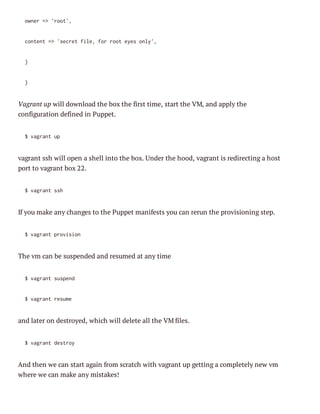
Vagrant up will download the box the first time, start the VM, and apply the
configuration defined in Puppet.
$vgatu
arn p

vagrant ssh will open a shell into the box. Under the hood, vagrant is redirecting a host
port to vagrant box 22.
$vgatsh
arn s

If you make any changes to the Puppet manifests you can rerun the provisioning step.
$vgatpoiin
arn rvso

The vm can be suspended and resumed at any time
$vgatssed
arn upn
$vgatrsm
arn eue

and later on destroyed, which will delete all the VM files.
$vgatdsry
arn eto

And then we can start again from scratch with vagrant up getting a completely new vm
where we can make any mistakes!
Puppet
In Puppet we can configure any aspect of a server: packages, files, permissions,
services, etc. You have seen how to create a file, now let’s see an example of configuring
Apache httpd server and the Linux iptables firewall to open a port.
First we need the Puppet modules to manage httpd and the firewall rules to avoid
writing all the bits and pieces ourselves. Modules are Puppet reusable components that
you can find at the Puppet Forge[10] (http://forge.puppetlabs.com/ [11]) or typically in
GitHub. To install these two modules into the vm, run the following commands that
will download the modules and install them in the /etc/puppet/modules directory.
vgatsh- "uoppe mdl isal-vrin090ppelb/pce
arn s c sd upt oue ntl -eso .. uptasaah"
vgatsh- "uoppe mdl isal-vrin042ppelb/ieal
arn s c sd upt oue ntl -eso .. uptasfrwl"

You can find more information about the Apache[12]
(http://forge.puppetlabs.com/puppetlabs/apache/0.9.0[13]) and the Firewall[14]
(http://forge.puppetlabs.com/puppetlabs/firewall/0.4.2[15]) modules in their Forge
pages. We are just going to add some simple examples to the manifests/site.pp to install
the Apache server with a virtual host that will listen in port 80.
nd 'aam.oa'{
oe q.celcl
cas{'pce:}
ls
aah'
#cet avrulot
rae
itahs
aah:vot{"{:otae.oa"
pce:hs
$:hsnm}lcl:
pr = 8,
ot > 0
dcot= 'vrww,
oro > /a/w'
}
}

Now if you try to access this server in port 80 you will not be able to, as iptables is
configured by default to block all incoming connections. Try accessing
http://192.168.33.13[16] (the ip we configured previously in the Vagrantfile for the
private virtual network) and see for yourself.
To open the firewall, we need to open the port explicitly in the manifests/site.pp by
adding
frwl {'0 alwaah'
ieal
10 lo pce:
poo= 'c'
rt > tp,
pr = '0,
ot > 8'
ato = 'cet,
cin > acp'
}

and running vagrant provision again. Now you should see Apache’s default page in
http://192.168.33.13[17].
So far we have created a virtual machine where the apache server is automatically
installed and the firewall open. You could start from scratch at any time by running
vagrant destroy and vagrant up again.

Testing
Let’s write some tests to ensure that everything is working as expected. We are going to
use Ruby as the language of choice.

Unit testing with rspec-puppet
rspec-puppet[18] (http://rspec-puppet.com/ [19]) is a rspec extension that allows to easily
unit test Puppet manifests.
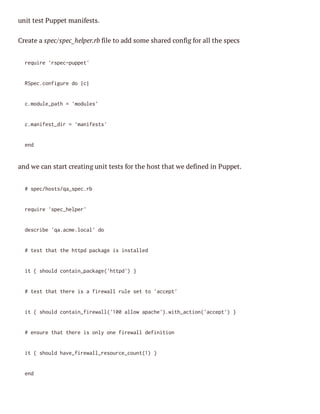
Create a spec/spec_helper.rb file to add some shared config for all the specs
rqie'se-upt
eur rpcppe'
Rpccniued ||
Se.ofgr o c
cmdl_ah='oue'
.ouept
mdls
cmnfs_i ='aiet'
.aietdr mnfss
ed
n

and we can start creating unit tests for the host that we defined in Puppet.
#se/ot/ase.b
pchssq_pcr
rqie'pchle'
eur se_epr
dsrb 'aam.oa'd
ecie q.celcl o
#ts ta tehtdpcaei isald
et ht h tp akg s ntle
i {sol cnanpcae'tp' }
t
hud oti_akg(htd)
#ts ta teei afrwl rl stt 'cet
et ht hr s ieal ue e o acp'
i {sol cnanfrwl(10alwaah'.ihato(acp' }
t
hud oti_ieal'0 lo pce)wt_cin'cet)
#esr ta teei ol oefrwl dfnto
nue ht hr s ny n ieal eiiin
i {sol hv_iealrsuc_on()}
t
hud aefrwl_eorecut1
ed
n
After installing rspec-puppet gem install rspec-puppet, you can run rspec to execute the
tests.
..
.
Fnse i 14scns
iihd n . eod
3eape,0fiue
xmls
alrs

Success!

Integration testing with Cucumber
Unit testing is fast and can catch a lot of errors quickly, but how can we check that the
machine is actually configured as we expected?
Let’s use Cucumber[20] (http://cukes.info/ [21]), a BDD tool, to create an integration test
that checks whether a specific port is open in the virtual machine we started.
Create a features/smoke_tests.feature file with:
Faue Soetss
etr: mk et
Soetsigseaist mk sr alsse cmoet aeu adrnig
mk etn cnro o ae ue l ytm opnns r p n unn.
Seai:Srie sol b u adlseigt terasge pr
cnro evcs hud e p n itnn o hi sind ot
Te te"pce sriesol b lseigo pr "0
hn h aah" evc hud e itnn n ot 8"

Install Cucumber gem install cucumber and run cucumber. The first run will output a
message saying that the step definition has not been created yet.
Faue Soetss
etr: mk et
Soetsigseaist mk sr alsse cmoet aeu adrnig
mk etn cnro o ae ue l ytm opnns r p n unn.
Seai:Srie sol b u adlseigt terasge pr #
cnro evcs hud e p n itnn o hi sind ot
faue/mk_et.etr:
etrssoetssfaue4
Te te"pce sriesol b lseigo pr "0 #
hn h aah" evc hud e itnn n ot 8"
faue/mk_et.etr:
etrssoetssfaue5
1seai ( udfnd
cnro 1 neie)
1se ( udfnd
tp 1 neie)
0001
m.0s

You can implement step definitions for undefined steps with these snippets:
Te(^h ".?"sriesol b lseigo pr ".?"/ d |r1 ag|
hn/te (*) evc hud e itnn n ot (*)$) o ag, r2
pnig#epestergx aoewt tecd yuws yuhd
edn
xrs h eep bv ih h oe o ih o a
ed
n

So let’s create a features/step_definitions/tcp_ip_steps.rb file that implements our service
should be listening on port step by opening a TCP socket.
Te /te".?"sriesol b lseigo pr ".?"/d |evc,pr|
hn ^h (*) evc hud e itnn n ot (*)$ o srie ot
hs =UIpreEV'R')hs
ot
R.as(N[UL].ot
bgn
ei
s=TPoktnwhs,pr)
CSce.e(ot ot
scoe
.ls
rsu Ecpin= err
ece xeto > ro
rie"{evc}i ntlseiga #hs}o pr #pr})
as(#srie s o itnn t {ot n ot {ot"
ed
n
ed
n

And rerun Cucumber, this time using an environment variable URL to specify where the
machine is running, as used in the step definition URL=http://192.168.33.13 cucumber.
Faue Soetss
etr: mk et
Soetsigseaist mk sr alsse cmoet aeu adrnig
mk etn cnro o ae ue l ytm opnns r p n unn.
Seai:Srie sol b u adlseigt terasge pr #
cnro evcs hud e p n itnn o hi sind ot
faue/mk_et.etr:
etrssoetssfaue4
Te te"pce sriesol b lseigo pr "0 #
hn h aah" evc hud e itnn n ot 8"
faue/tpdfntostpi_tp.b1
etrsse_eiiin/c_psesr:
1seai ( pse)
cnro 1 asd
1se ( pse)
tp 1 asd
0003
m.0s

Success! The port is actually open in the virtual machine.

Wash, rinse, repeat
This was a small example of what can be achieved using Infrastructure-As-Code and
automation tools such as Puppet and Vagrant combined with standard testing tools
like rspec or Cucumber. When a continuous integration tool like Jenkins is thrown into
the mix to run these tests continuously, the result is an automatic end-to-end solution
that tests systems as any other code, avoiding regressions and enabling Continuous
Delivery[22] (http://blog.csanchez.org/2013/11/12/continuous-delivery-with-mavenpuppet-and-tomcat-video-from-apachecon-na-2013/ [23]) – automation all the way
from source to production.
A more detailed example can be found in my continuous-delivery project at GitHub[24]
(https://github.com/carlossg/continuous-delivery[25]).
1. http://www.vagrantbox.es/
2. https://github.com/jedi4ever/veewee
3. https://github.com/jedi4ever/veewee
4. http://www.packer.io/
5. http://docs.vagrantup.com/v2/installation/index.html
6. http://docs.vagrantup.com/v2/installation/index.html
7. https://www.virtualbox.org/
8. https://www.virtualbox.org/
9. https://repo.maestrodev.com/archiva/repository/publicreleases/com/maestrodev/vagrant/CentOS/6.4/CentOS-6.4-x86_64-minimal.box
10. http://forge.puppetlabs.com/
11. http://forge.puppetlabs.com/
12. http://forge.puppetlabs.com/puppetlabs/apache/0.9.0
13. http://forge.puppetlabs.com/puppetlabs/apache/0.9.0
14. http://forge.puppetlabs.com/puppetlabs/firewall/0.4.2
15. http://forge.puppetlabs.com/puppetlabs/firewall/0.4.2
16. http://192.168.33.13/
17. http://192.168.33.13/
18. http://rspec-puppet.com/
19. http://rspec-puppet.com/
20. http://cukes.info/
21. http://cukes.info/
22. http://blog.csanchez.org/2013/11/12/continuous-delivery-with-maven-puppet-and-tomcat-videofrom-apachecon-na-2013/
23. http://blog.csanchez.org/2013/11/12/continuous-delivery-with-maven-puppet-and-tomcat-videofrom-apachecon-na-2013/
24. https://github.com/carlossg/continuous-delivery
25. https://github.com/carlossg/continuous-delivery

Security Testing Using Infrastructure-As-Code

  • 1.
    Security Testing UsingInfrastructure-AsCode Infrastructure-As-Code means that infrastructure should be treated as code – a really powerful concept. Server configuration, packages installed, relationships with other servers, etc. should be modeled with code to be automated and have a predictable outcome, removing manual steps prone to errors. That doesn’t sound bad, does it? The goal is to automate all the infrastructure tasks programmatically. In an ideal world you should be able to start new servers, configure them, and, more importantly, be able to repeat it over and over again, in a reproducible way, automatically, by using tools and APIs. Have you ever had to upgrade a server without knowing whether the upgrade was going to succeed or not for your application? Are the security updates going to affect your application? There are so many system factors that can indirectly cause a failure in your application, such as different kernel versions, distributions, or packages. When you have a decent set of integration tests it is not that hard to make changes to your infrastructure with that safety net. There are a number of tools designed to make your life easier, so there is no need to tinker with bash scripts or manual steps prone to error. We can find three groups of tools: Provisioning tools, like Puppet or Chef, manage the configuration of servers with packages, services, config files, etc. in a reproducible way and over hundreds of machines. Virtual Machine automation tools, like Vagrant, enable new virtual machines to be started easily in different environments, from virtual machines in VirtualBox or VMware to cloud providers such as Amazon AWS or Rackspace, and then provision them with Puppet or Chef. Testing tools, like rspec, Cucumber, or Selenium, enable unit and integration tests to be written that verify that the server is in a good state continuously as part
  • 2.
    of your continuousintegration process. Vagrant Learning Puppet can be a tedious task, such as getting up the different pieces (master, agents), writing your first manifests, etc. A good way to start is to use Vagrant, which started as an Oracle VirtualBox command line automation tool, and allows you to create new VMs locally or on cloud providers and provision them with Puppet and Chef easily. Vagrant projects are composed of base boxes, specifically configured for Vagrant with Puppet/Chef, vagrant username and password, and any customizations you may want to add, plus the configuration to apply to those base boxes defined with Puppet or Chef. That way we can have several projects sharing the same base boxes where the Puppet/Chef definitions are different. For instance, a database VM and a web server VM can both use the same base box, i.e. a CentOS 6 minimal server, and just have different Puppet manifests. When Vagrant starts them up it will apply the specific configuration. That also allows you to share boxes and configuration files across teams. For instance, one base box with the Linux flavor can be used in a team, and in source control we can have just the Puppet manifests to apply for the different configurations that anybody from Operations to Developers can use. If a problem arises in production, a developer can quickly instantiate a equivalent environment using the Vagrant and Puppet configuration, making a different environment’s issues easy to reproduce. There is a list of available VMs or base boxes ready to use with Vagrant at www.vagrantbox.es[1], but you can build your own and share it anywhere. For VirtualBox they are just (big) VM files that can be easily built using VeeWee[2] (https://github.com/jedi4ever/veewee[3]) or by changing a base box and rebundling it with Packer (http://www.packer.io[4]). Usage Once you have installed Vagrant[5] (http://docs.vagrantup.com/v2/installation/index.html[6]) and VirtualBox[7] (https://www.virtualbox.org/ [8]) you can create a new project.
  • 3.
    Vagrant init willcreate a sample Vagrantfile, the project definition file that can be customized. $vgatii mpoet arn nt yrjc Then in the Vagrantfile you can change the default box settings and add basic Puppet provisioning. cni.mbx="etS64x66-iia" ofgv.o CnO-.-8_4mnml cni.mbxul="tp:/eometoe.o/rhv/eoioypbiofgv.o_r hts/rp.asrdvcmaciarpstr/ulc rlae/o/asrdvvgatCnO/./etS64x66-iia.o[] eesscmmetoe/arn/etS64CnO-.-8_4mnmlbx9" #cet avrulntoks w cnacs tev b i rae ita ewr o e a ces h m y p cni.mntok"rvt_ewr" i:"9.6.31" ofgv.ewr piaentok, p 12183.3 cni.mhsnm ="aam.oa" ofgv.otae q.celcl cni.mpoiin:uptd |upt ofgv.rvso ppe o ppe| ppe.aiet_ah="aiet" uptmnfsspt mnfss ppe.aietfl ="iep" uptmnfs_ie st.p ppe.ouept ="oue" uptmdl_ah mdls ed n In manifests/site.pp you can try any puppet code, i.e. create a file nd 'aam.oa'{ oe q.celcl fl {'ro/ert: ie /otsce' md = '60, oe > 00'
  • 4.
    onr= 'ot, we >ro' cnet= 'ertfl,frro ee ol' otn > sce ie o ot ys ny, } } Vagrant up will download the box the first time, start the VM, and apply the configuration defined in Puppet. $vgatu arn p vagrant ssh will open a shell into the box. Under the hood, vagrant is redirecting a host port to vagrant box 22. $vgatsh arn s If you make any changes to the Puppet manifests you can rerun the provisioning step. $vgatpoiin arn rvso The vm can be suspended and resumed at any time $vgatssed arn upn $vgatrsm arn eue and later on destroyed, which will delete all the VM files. $vgatdsry arn eto And then we can start again from scratch with vagrant up getting a completely new vm where we can make any mistakes!
  • 5.
    Puppet In Puppet wecan configure any aspect of a server: packages, files, permissions, services, etc. You have seen how to create a file, now let’s see an example of configuring Apache httpd server and the Linux iptables firewall to open a port. First we need the Puppet modules to manage httpd and the firewall rules to avoid writing all the bits and pieces ourselves. Modules are Puppet reusable components that you can find at the Puppet Forge[10] (http://forge.puppetlabs.com/ [11]) or typically in GitHub. To install these two modules into the vm, run the following commands that will download the modules and install them in the /etc/puppet/modules directory. vgatsh- "uoppe mdl isal-vrin090ppelb/pce arn s c sd upt oue ntl -eso .. uptasaah" vgatsh- "uoppe mdl isal-vrin042ppelb/ieal arn s c sd upt oue ntl -eso .. uptasfrwl" You can find more information about the Apache[12] (http://forge.puppetlabs.com/puppetlabs/apache/0.9.0[13]) and the Firewall[14] (http://forge.puppetlabs.com/puppetlabs/firewall/0.4.2[15]) modules in their Forge pages. We are just going to add some simple examples to the manifests/site.pp to install the Apache server with a virtual host that will listen in port 80. nd 'aam.oa'{ oe q.celcl cas{'pce:} ls aah' #cet avrulot rae itahs aah:vot{"{:otae.oa" pce:hs $:hsnm}lcl: pr = 8, ot > 0 dcot= 'vrww, oro > /a/w' }
  • 6.
    } Now if youtry to access this server in port 80 you will not be able to, as iptables is configured by default to block all incoming connections. Try accessing http://192.168.33.13[16] (the ip we configured previously in the Vagrantfile for the private virtual network) and see for yourself. To open the firewall, we need to open the port explicitly in the manifests/site.pp by adding frwl {'0 alwaah' ieal 10 lo pce: poo= 'c' rt > tp, pr = '0, ot > 8' ato = 'cet, cin > acp' } and running vagrant provision again. Now you should see Apache’s default page in http://192.168.33.13[17]. So far we have created a virtual machine where the apache server is automatically installed and the firewall open. You could start from scratch at any time by running vagrant destroy and vagrant up again. Testing Let’s write some tests to ensure that everything is working as expected. We are going to use Ruby as the language of choice. Unit testing with rspec-puppet rspec-puppet[18] (http://rspec-puppet.com/ [19]) is a rspec extension that allows to easily
  • 7.
    unit test Puppetmanifests. Create a spec/spec_helper.rb file to add some shared config for all the specs rqie'se-upt eur rpcppe' Rpccniued || Se.ofgr o c cmdl_ah='oue' .ouept mdls cmnfs_i ='aiet' .aietdr mnfss ed n and we can start creating unit tests for the host that we defined in Puppet. #se/ot/ase.b pchssq_pcr rqie'pchle' eur se_epr dsrb 'aam.oa'd ecie q.celcl o #ts ta tehtdpcaei isald et ht h tp akg s ntle i {sol cnanpcae'tp' } t hud oti_akg(htd) #ts ta teei afrwl rl stt 'cet et ht hr s ieal ue e o acp' i {sol cnanfrwl(10alwaah'.ihato(acp' } t hud oti_ieal'0 lo pce)wt_cin'cet) #esr ta teei ol oefrwl dfnto nue ht hr s ny n ieal eiiin i {sol hv_iealrsuc_on()} t hud aefrwl_eorecut1 ed n
  • 8.
    After installing rspec-puppetgem install rspec-puppet, you can run rspec to execute the tests. .. . Fnse i 14scns iihd n . eod 3eape,0fiue xmls alrs Success! Integration testing with Cucumber Unit testing is fast and can catch a lot of errors quickly, but how can we check that the machine is actually configured as we expected? Let’s use Cucumber[20] (http://cukes.info/ [21]), a BDD tool, to create an integration test that checks whether a specific port is open in the virtual machine we started. Create a features/smoke_tests.feature file with: Faue Soetss etr: mk et Soetsigseaist mk sr alsse cmoet aeu adrnig mk etn cnro o ae ue l ytm opnns r p n unn. Seai:Srie sol b u adlseigt terasge pr cnro evcs hud e p n itnn o hi sind ot Te te"pce sriesol b lseigo pr "0 hn h aah" evc hud e itnn n ot 8" Install Cucumber gem install cucumber and run cucumber. The first run will output a message saying that the step definition has not been created yet. Faue Soetss etr: mk et Soetsigseaist mk sr alsse cmoet aeu adrnig mk etn cnro o ae ue l ytm opnns r p n unn.
  • 9.
    Seai:Srie sol bu adlseigt terasge pr # cnro evcs hud e p n itnn o hi sind ot faue/mk_et.etr: etrssoetssfaue4 Te te"pce sriesol b lseigo pr "0 # hn h aah" evc hud e itnn n ot 8" faue/mk_et.etr: etrssoetssfaue5 1seai ( udfnd cnro 1 neie) 1se ( udfnd tp 1 neie) 0001 m.0s You can implement step definitions for undefined steps with these snippets: Te(^h ".?"sriesol b lseigo pr ".?"/ d |r1 ag| hn/te (*) evc hud e itnn n ot (*)$) o ag, r2 pnig#epestergx aoewt tecd yuws yuhd edn xrs h eep bv ih h oe o ih o a ed n So let’s create a features/step_definitions/tcp_ip_steps.rb file that implements our service should be listening on port step by opening a TCP socket. Te /te".?"sriesol b lseigo pr ".?"/d |evc,pr| hn ^h (*) evc hud e itnn n ot (*)$ o srie ot hs =UIpreEV'R')hs ot R.as(N[UL].ot bgn ei s=TPoktnwhs,pr) CSce.e(ot ot scoe .ls rsu Ecpin= err ece xeto > ro rie"{evc}i ntlseiga #hs}o pr #pr}) as(#srie s o itnn t {ot n ot {ot"
  • 10.
    ed n ed n And rerun Cucumber,this time using an environment variable URL to specify where the machine is running, as used in the step definition URL=http://192.168.33.13 cucumber. Faue Soetss etr: mk et Soetsigseaist mk sr alsse cmoet aeu adrnig mk etn cnro o ae ue l ytm opnns r p n unn. Seai:Srie sol b u adlseigt terasge pr # cnro evcs hud e p n itnn o hi sind ot faue/mk_et.etr: etrssoetssfaue4 Te te"pce sriesol b lseigo pr "0 # hn h aah" evc hud e itnn n ot 8" faue/tpdfntostpi_tp.b1 etrsse_eiiin/c_psesr: 1seai ( pse) cnro 1 asd 1se ( pse) tp 1 asd 0003 m.0s Success! The port is actually open in the virtual machine. Wash, rinse, repeat This was a small example of what can be achieved using Infrastructure-As-Code and automation tools such as Puppet and Vagrant combined with standard testing tools like rspec or Cucumber. When a continuous integration tool like Jenkins is thrown into the mix to run these tests continuously, the result is an automatic end-to-end solution that tests systems as any other code, avoiding regressions and enabling Continuous Delivery[22] (http://blog.csanchez.org/2013/11/12/continuous-delivery-with-mavenpuppet-and-tomcat-video-from-apachecon-na-2013/ [23]) – automation all the way from source to production.
  • 11.
    A more detailedexample can be found in my continuous-delivery project at GitHub[24] (https://github.com/carlossg/continuous-delivery[25]). 1. http://www.vagrantbox.es/ 2. https://github.com/jedi4ever/veewee 3. https://github.com/jedi4ever/veewee 4. http://www.packer.io/ 5. http://docs.vagrantup.com/v2/installation/index.html 6. http://docs.vagrantup.com/v2/installation/index.html 7. https://www.virtualbox.org/ 8. https://www.virtualbox.org/ 9. https://repo.maestrodev.com/archiva/repository/publicreleases/com/maestrodev/vagrant/CentOS/6.4/CentOS-6.4-x86_64-minimal.box 10. http://forge.puppetlabs.com/ 11. http://forge.puppetlabs.com/ 12. http://forge.puppetlabs.com/puppetlabs/apache/0.9.0 13. http://forge.puppetlabs.com/puppetlabs/apache/0.9.0 14. http://forge.puppetlabs.com/puppetlabs/firewall/0.4.2 15. http://forge.puppetlabs.com/puppetlabs/firewall/0.4.2 16. http://192.168.33.13/ 17. http://192.168.33.13/ 18. http://rspec-puppet.com/ 19. http://rspec-puppet.com/ 20. http://cukes.info/ 21. http://cukes.info/ 22. http://blog.csanchez.org/2013/11/12/continuous-delivery-with-maven-puppet-and-tomcat-videofrom-apachecon-na-2013/ 23. http://blog.csanchez.org/2013/11/12/continuous-delivery-with-maven-puppet-and-tomcat-videofrom-apachecon-na-2013/ 24. https://github.com/carlossg/continuous-delivery
  • 12.