Apache Ambari 1.7.0 
November 2014 
Page 1 © Hortonworks Inc. 2011 – 2014. All Rights Reserved 
What’s New
What’s New in Ambari 1.7.0 
Core Services 
ResourceManager HA 
Capacity Scheduler Refresh Queues 
HDFS Rebalance 
Manage -env.sh Files 
Set <final> Config Properties 
Download Client Configs 
Config Versioning + History 
Stacks 
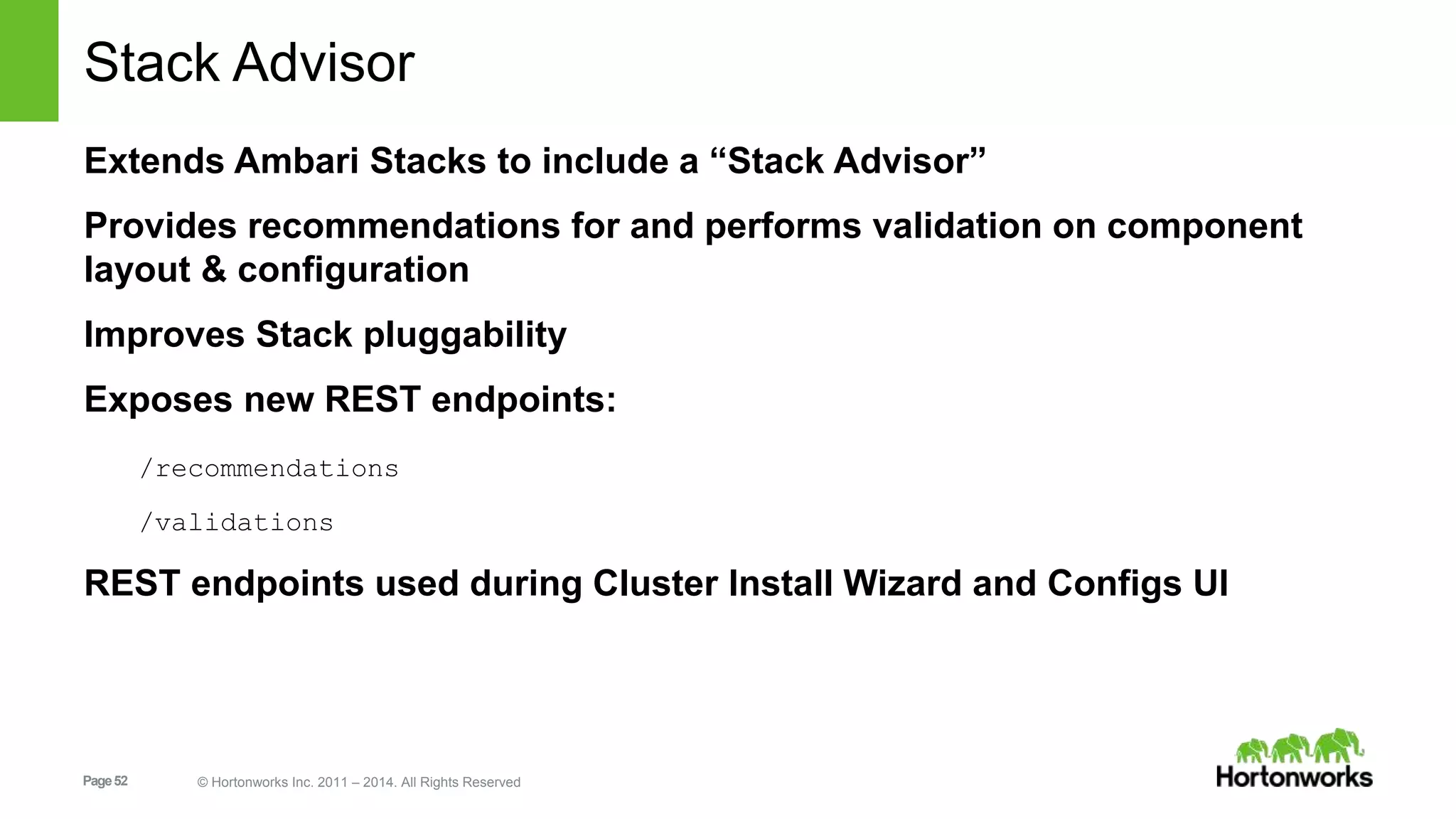
Stack Advisor 
Page 2 © Hortonworks Inc. 2011 – 2014. All Rights Reserved 
Ambari Platform 
Ambari Administration 
Ambari Views Framework 
Ambari Blueprints Export w/configs 
Ubuntu 12 Platform Support 
Usability 
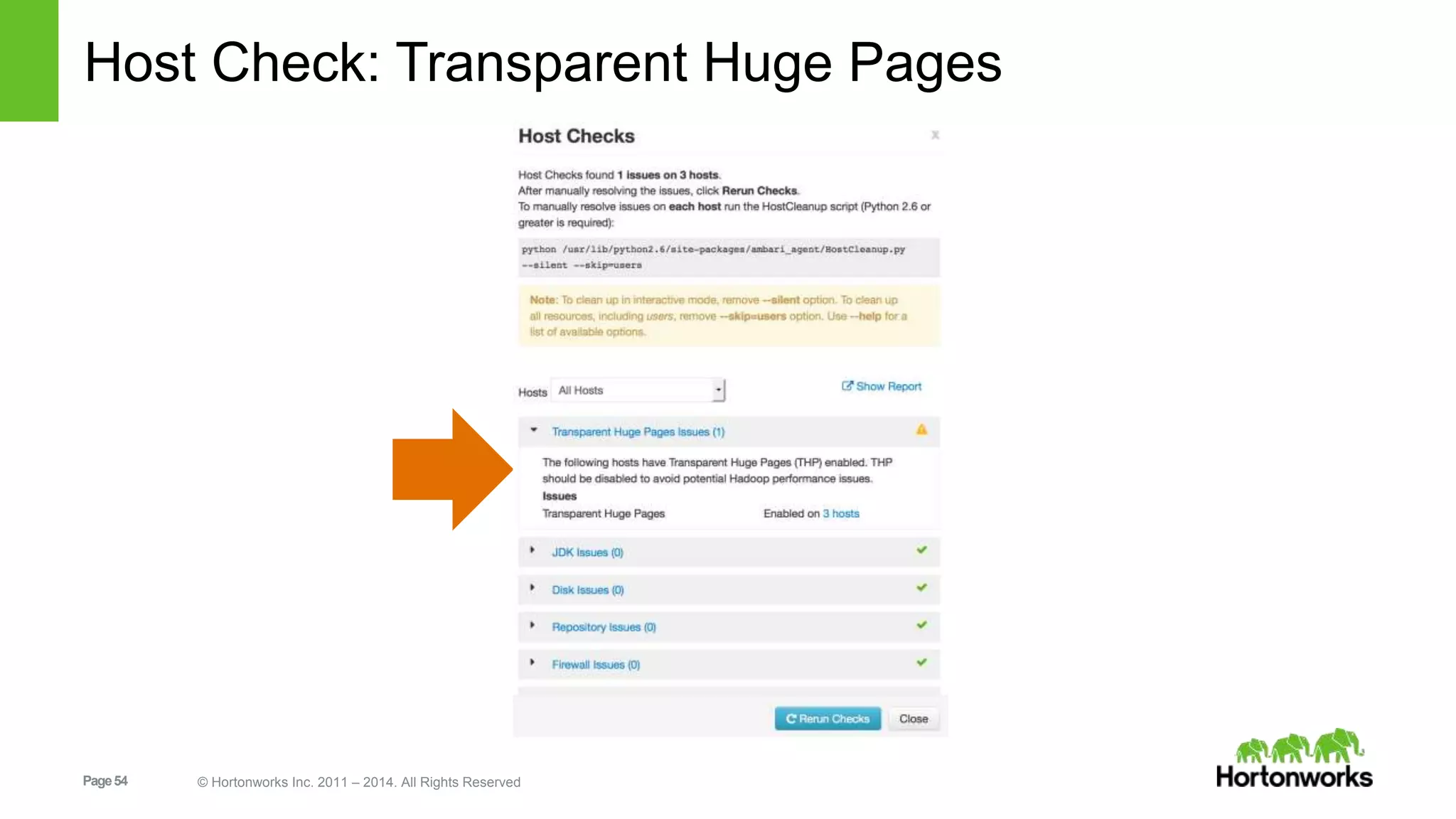
Check THP enabled 
Abort Background Operations 
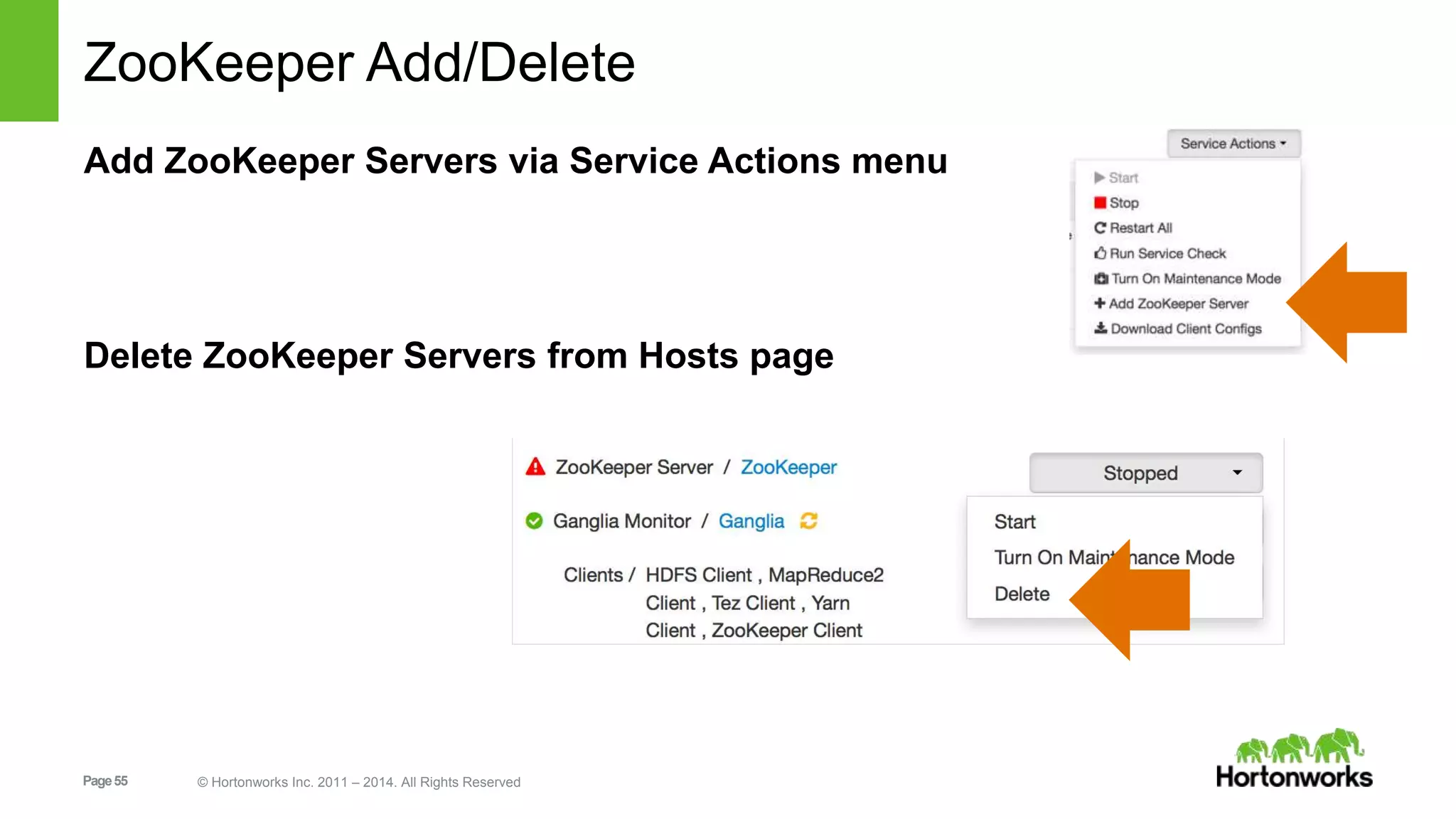
Delete ZooKeeper Servers 
For a complete list of changes 
https://issues.apache.org/jira/browse/AMBARI/fixforversion/12326546
Core Services 
Page 3 © Hortonworks Inc. 2011 – 2014. All Rights Reserved
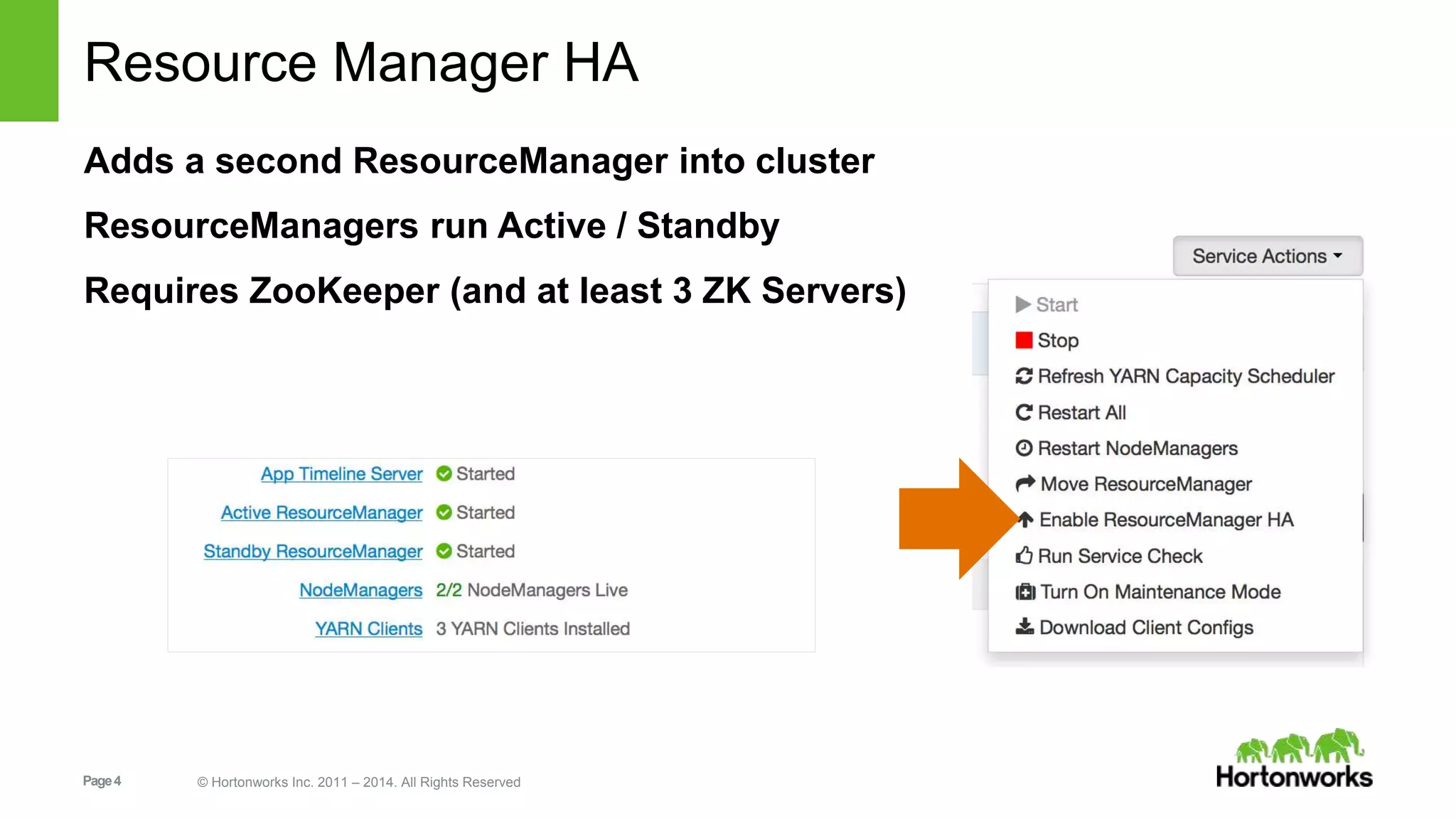
Resource Manager HA 
Adds a second ResourceManager into cluster 
ResourceManagers run Active / Standby 
Requires ZooKeeper (and at least 3 ZK Servers) 
Page 4 © Hortonworks Inc. 2011 – 2014. All Rights Reserved
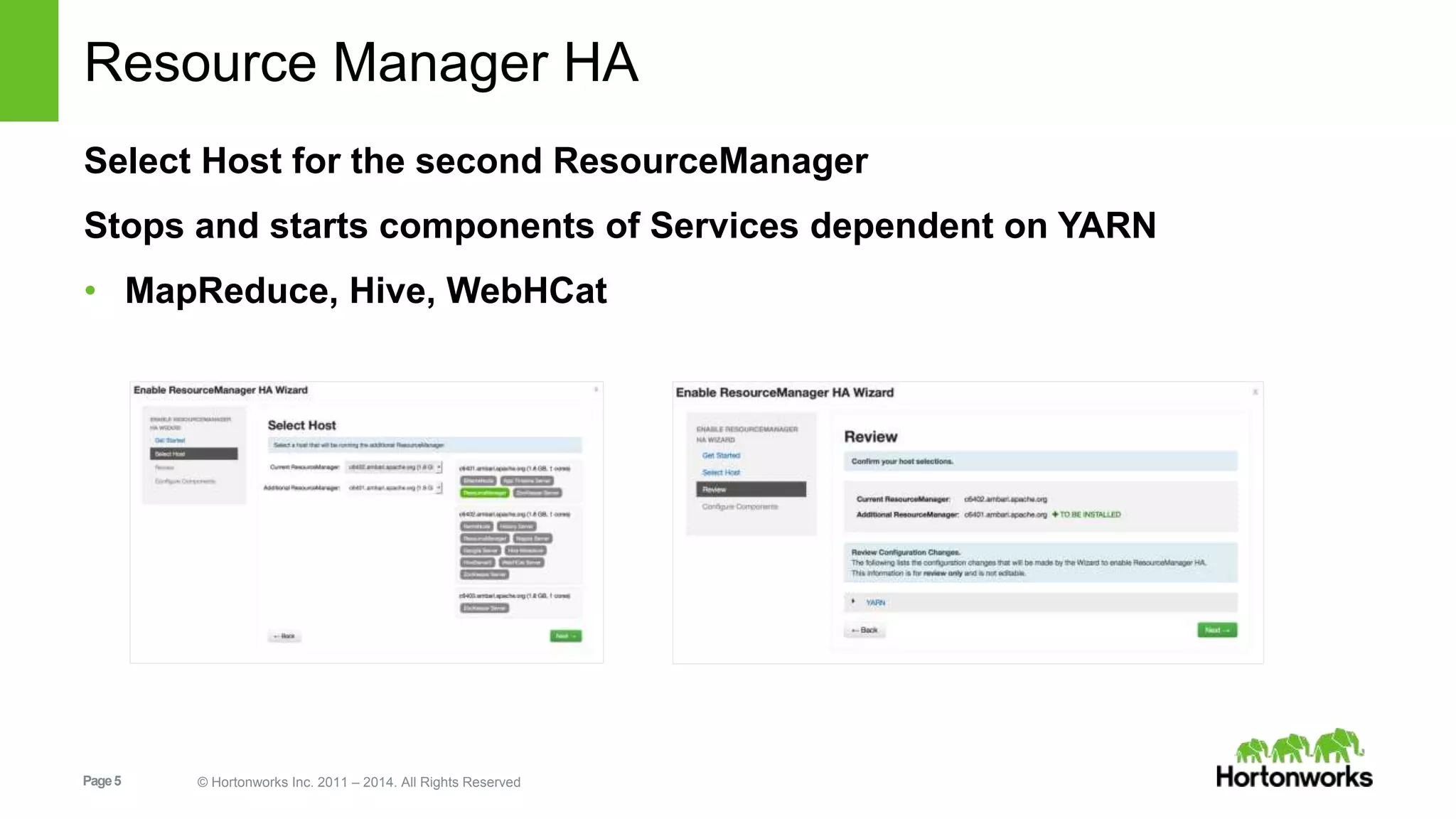
Resource Manager HA 
Select Host for the second ResourceManager 
Stops and starts components of Services dependent on YARN 
• MapReduce, Hive, WebHCat 
Page 5 © Hortonworks Inc. 2011 – 2014. All Rights Reserved
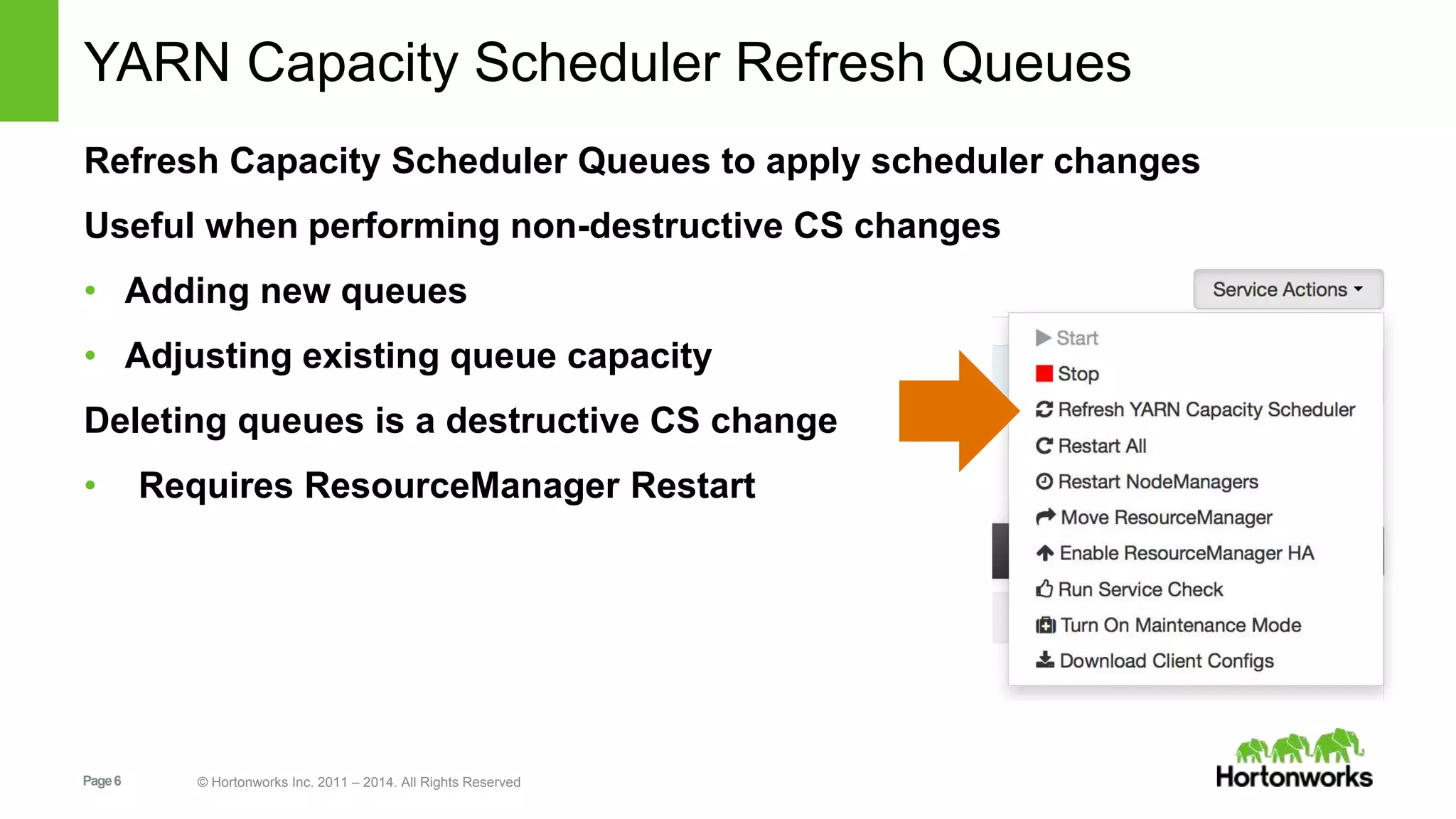
YARN Capacity Scheduler Refresh Queues 
Refresh Capacity Scheduler Queues to apply scheduler changes 
Useful when performing non-destructive CS changes 
• Adding new queues 
• Adjusting existing queue capacity 
Deleting queues is a destructive CS change 
• Requires ResourceManager Restart 
Page 6 © Hortonworks Inc. 2011 – 2014. All Rights Reserved
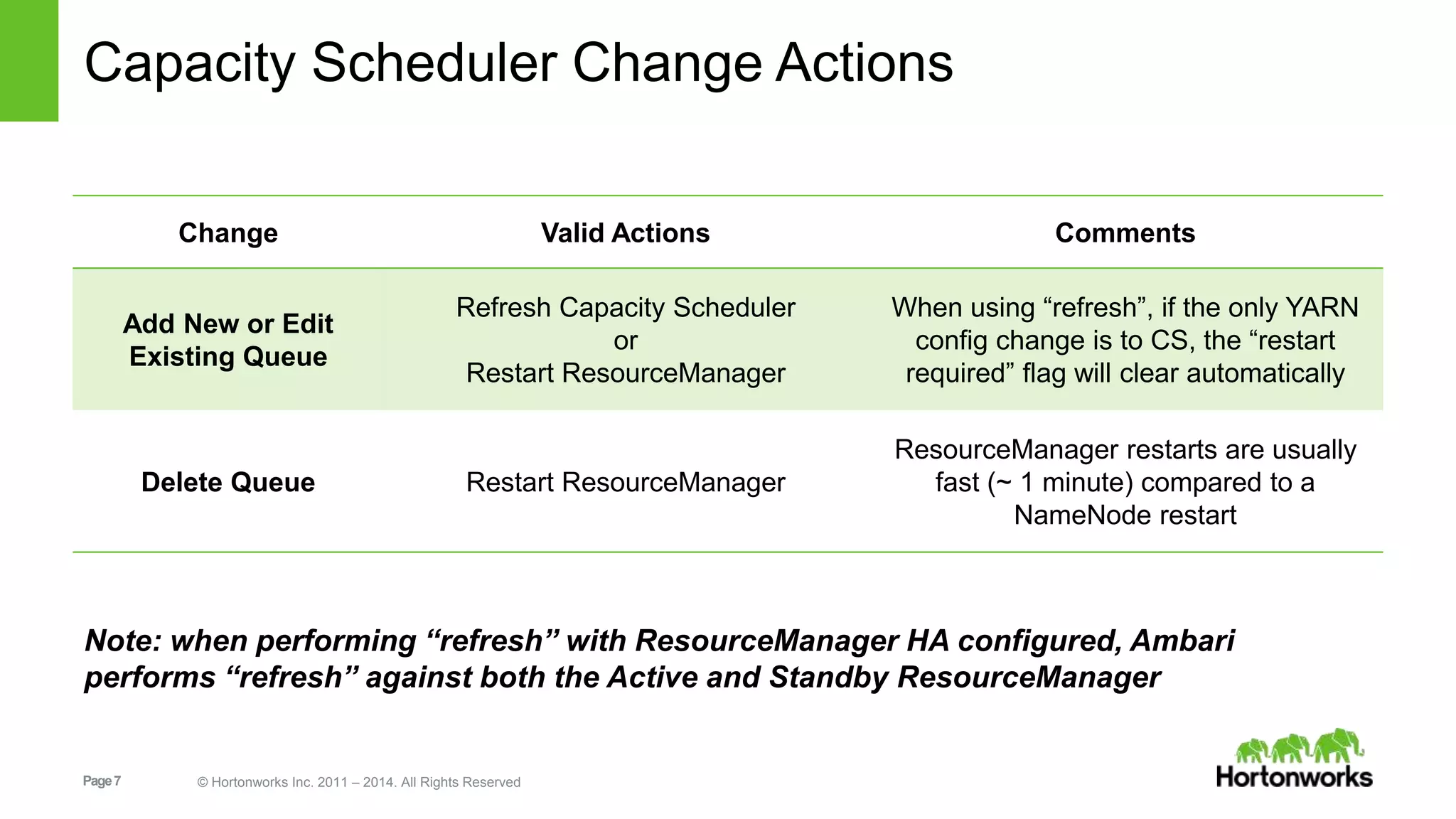
Capacity Scheduler Change Actions 
Change Valid Actions Comments 
Add New or Edit 
Existing Queue 
Refresh Capacity Scheduler 
Note: when performing “refresh” with ResourceManager HA configured, Ambari 
performs “refresh” against both the Active and Standby ResourceManager 
Page 7 © Hortonworks Inc. 2011 – 2014. All Rights Reserved 
or 
Restart ResourceManager 
When using “refresh”, if the only YARN 
config change is to CS, the “restart 
required” flag will clear automatically 
Delete Queue Restart ResourceManager 
ResourceManager restarts are usually 
fast (~ 1 minute) compared to a 
NameNode restart
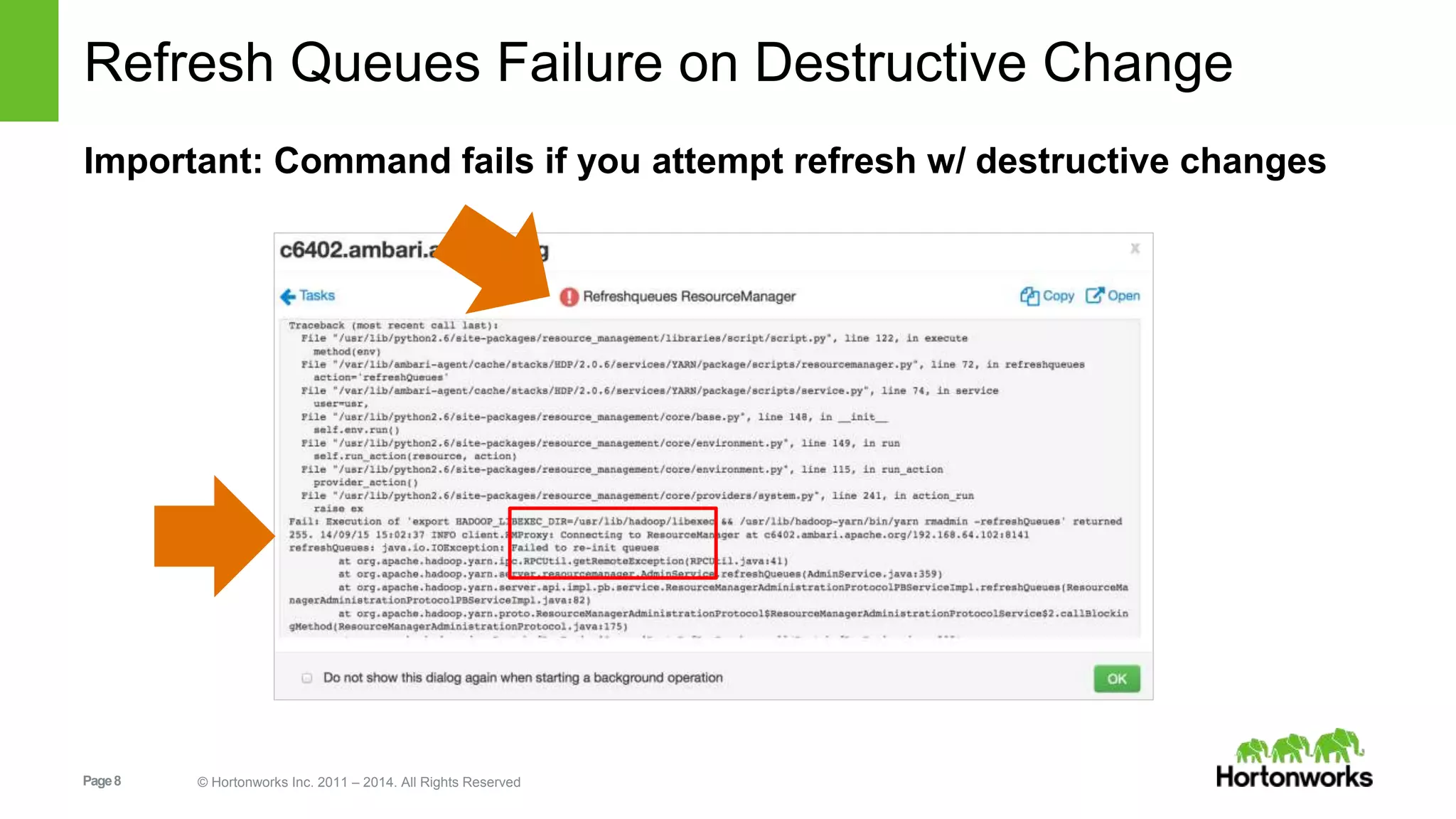
Refresh Queues Failure on Destructive Change 
Important: Command fails if you attempt refresh w/ destructive changes 
Page 8 © Hortonworks Inc. 2011 – 2014. All Rights Reserved
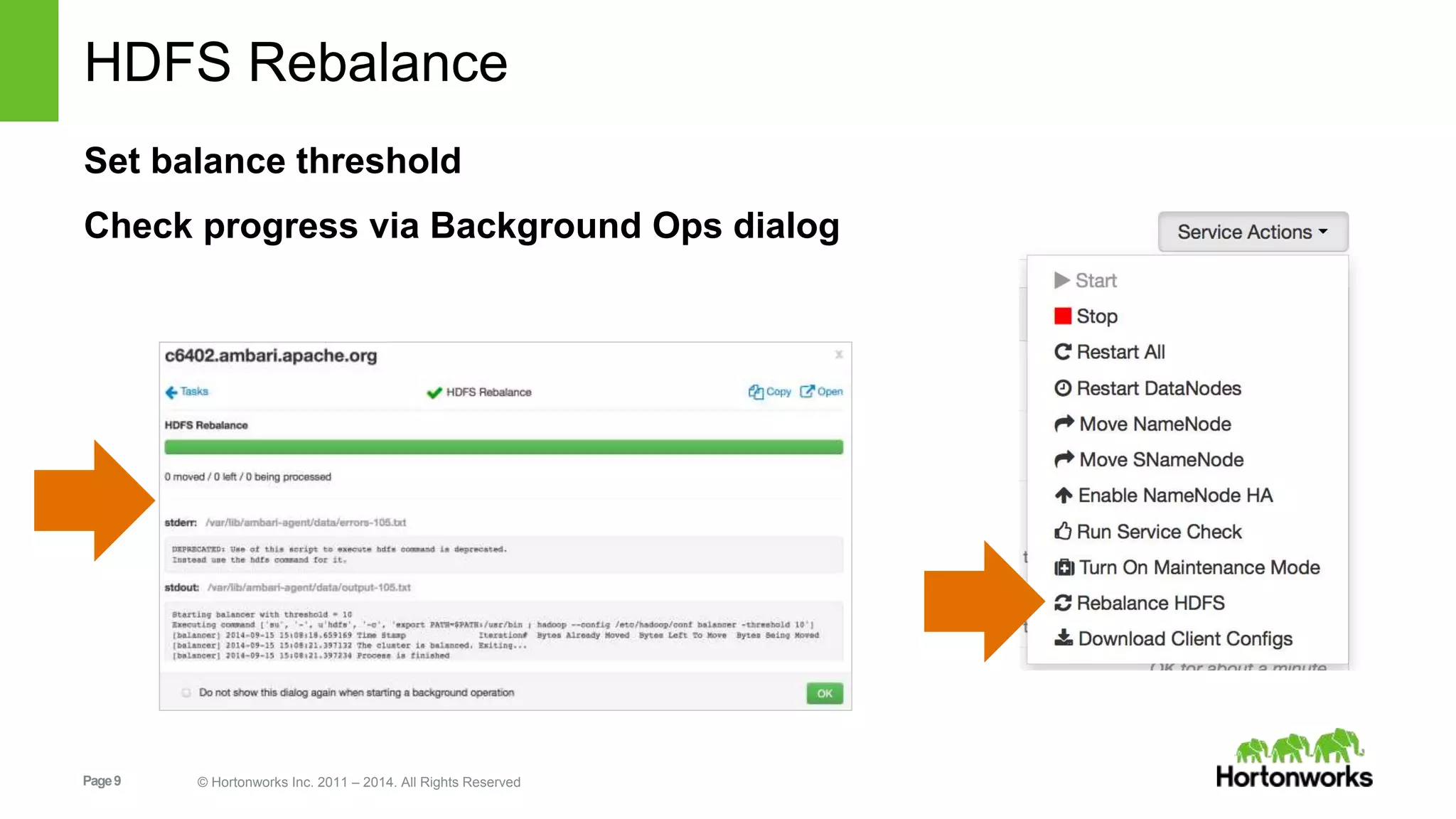
HDFS Rebalance 
Set balance threshold 
Check progress via Background Ops dialog 
Page 9 © Hortonworks Inc. 2011 – 2014. All Rights Reserved
Configuration Enhancements 
Page 10 © Hortonworks Inc. 2011 – 2014. All Rights Reserved
Summary of Config Enhancements 
Download Client Configs 
Manage -env.sh files 
Set <final> Config Properties 
Configuration Change Notes 
Add Bulk Custom Properties 
Config Versioning + History 
Page 11 © Hortonworks Inc. 2011 – 2014. All Rights Reserved
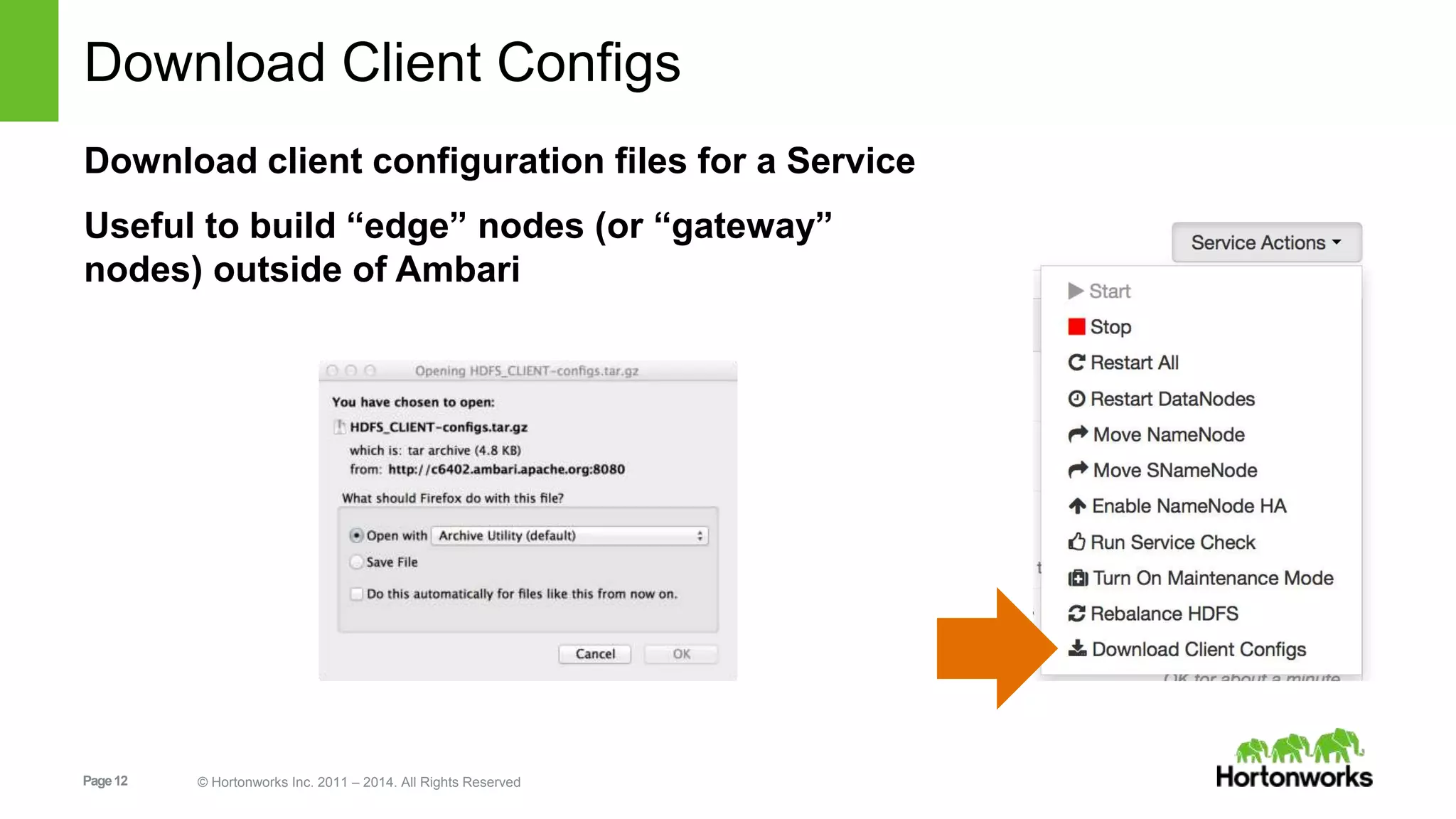
Download Client Configs 
Download client configuration files for a Service 
Useful to build “edge” nodes (or “gateway” 
nodes) outside of Ambari 
Page 12 © Hortonworks Inc. 2011 – 2014. All Rights Reserved
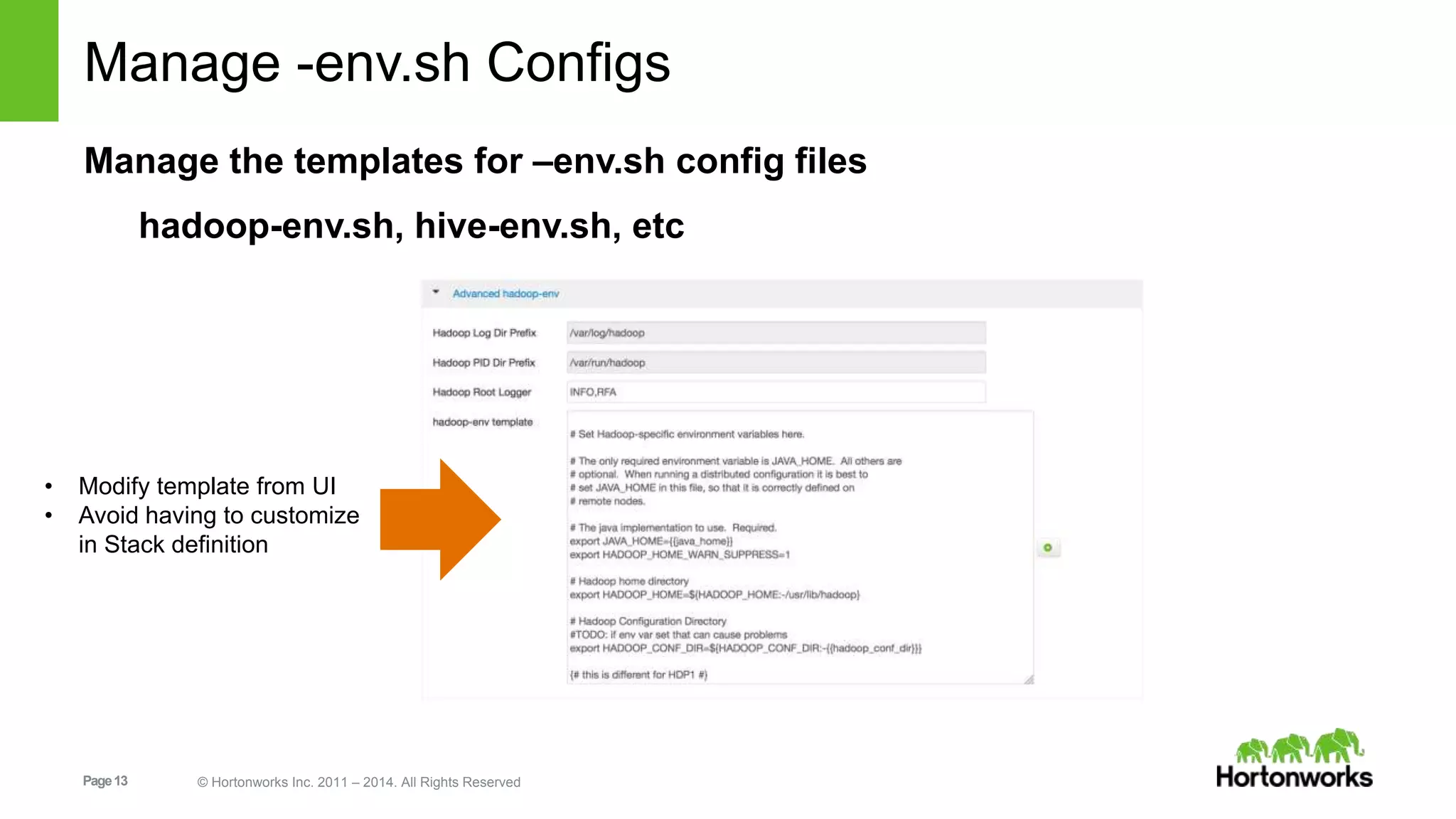
Manage -env.sh Configs 
Manage the templates for –env.sh config files 
hadoop-env.sh, hive-env.sh, etc 
• Modify template from UI 
• Avoid having to customize 
in Stack definition 
Page 13 © Hortonworks Inc. 2011 – 2014. All Rights Reserved
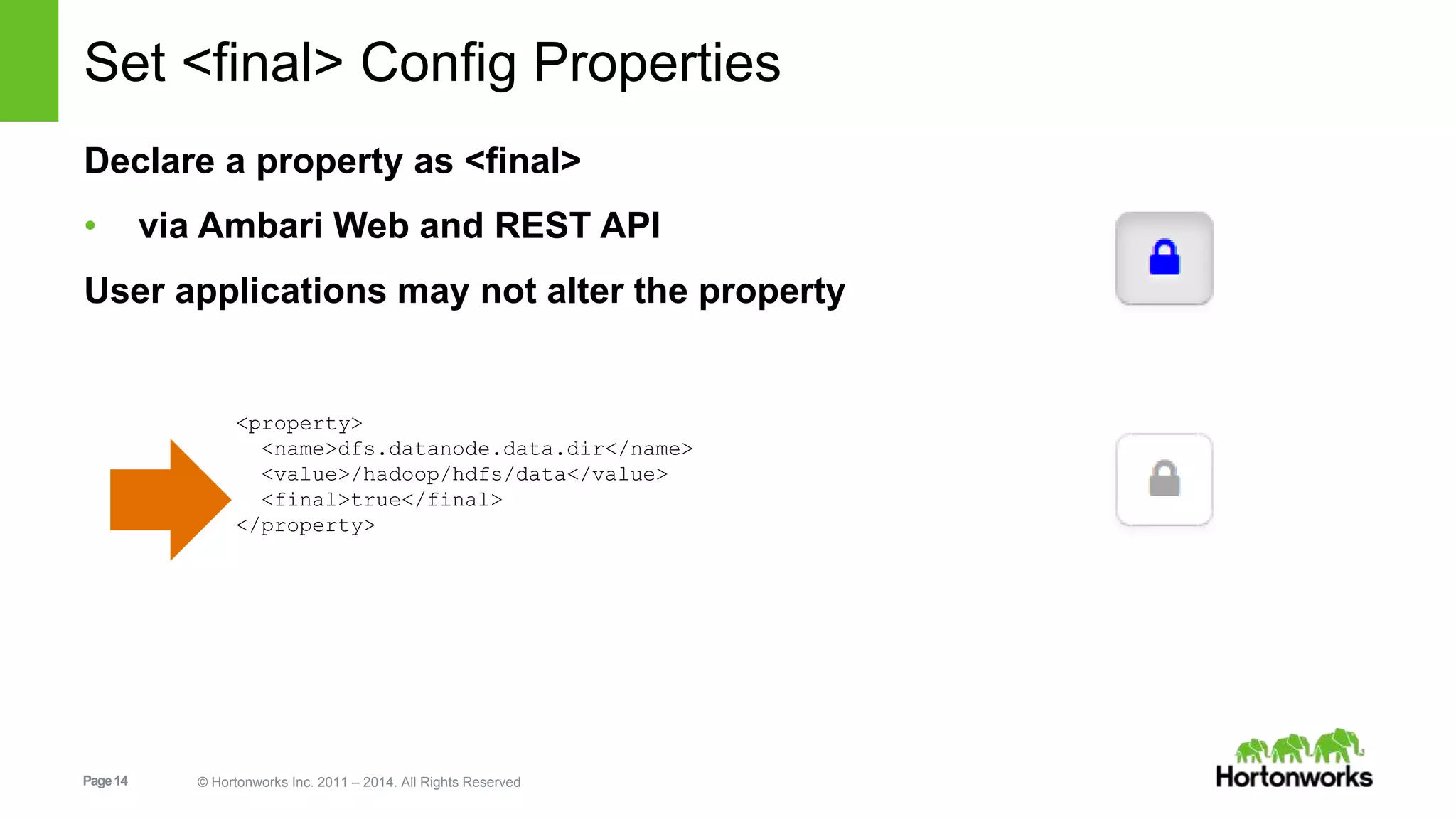
Set <final> Config Properties 
Declare a property as <final> 
• via Ambari Web and REST API 
User applications may not alter the property 
<property> 
<name>dfs.datanode.data.dir</name> 
<value>/hadoop/hdfs/data</value> 
<final>true</final> 
</property> 
Page 14 © Hortonworks Inc. 2011 – 2014. All Rights Reserved
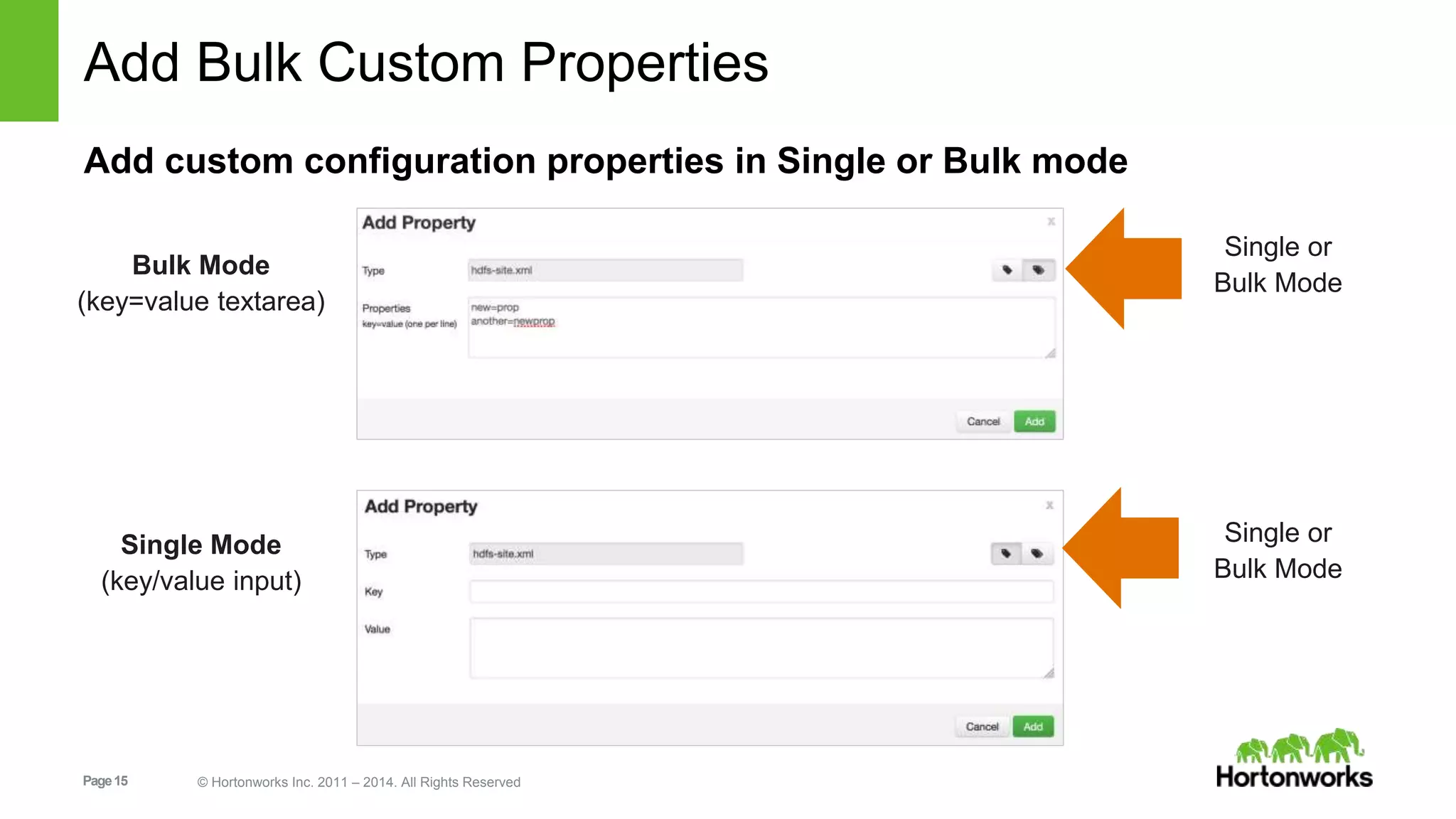
Add Bulk Custom Properties 
Add custom configuration properties in Single or Bulk mode 
Page 15 © Hortonworks Inc. 2011 – 2014. All Rights Reserved 
Single or 
Bulk Mode 
Single or 
Bulk Mode 
Bulk Mode 
(key=value textarea) 
Single Mode 
(key/value input)
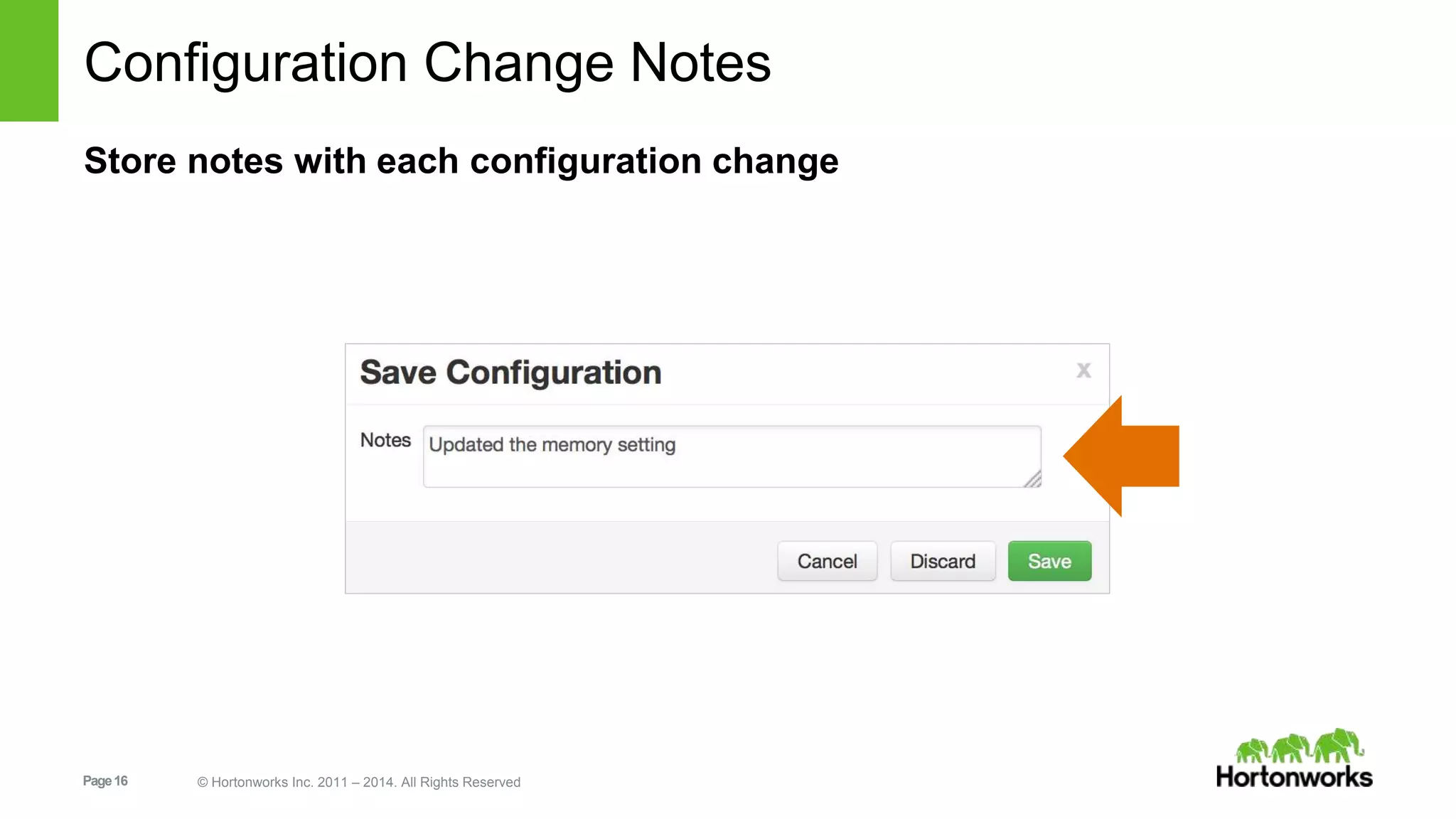
Configuration Change Notes 
Store notes with each configuration change 
Page 16 © Hortonworks Inc. 2011 – 2014. All Rights Reserved
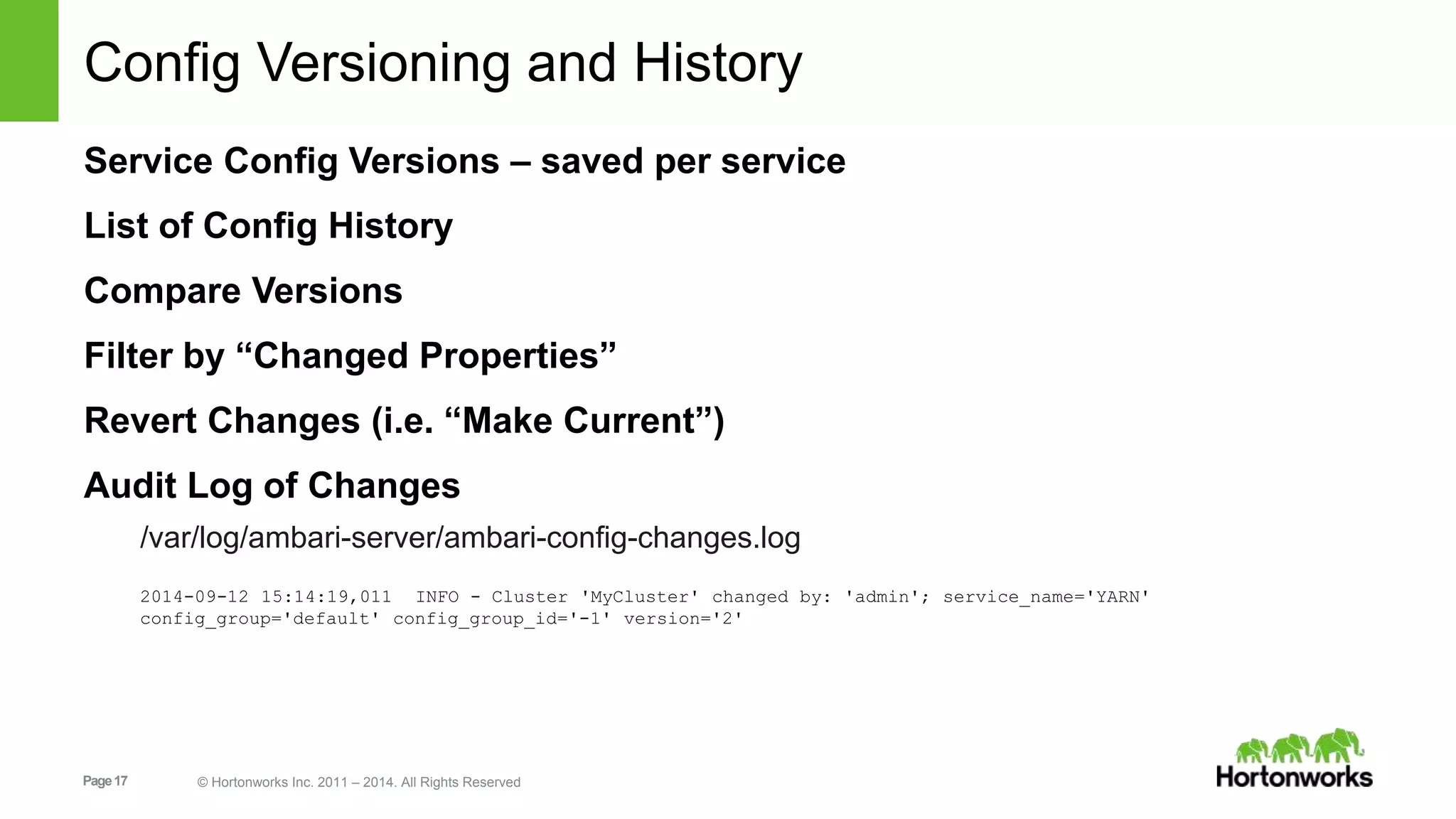
Config Versioning and History 
Service Config Versions – saved per service 
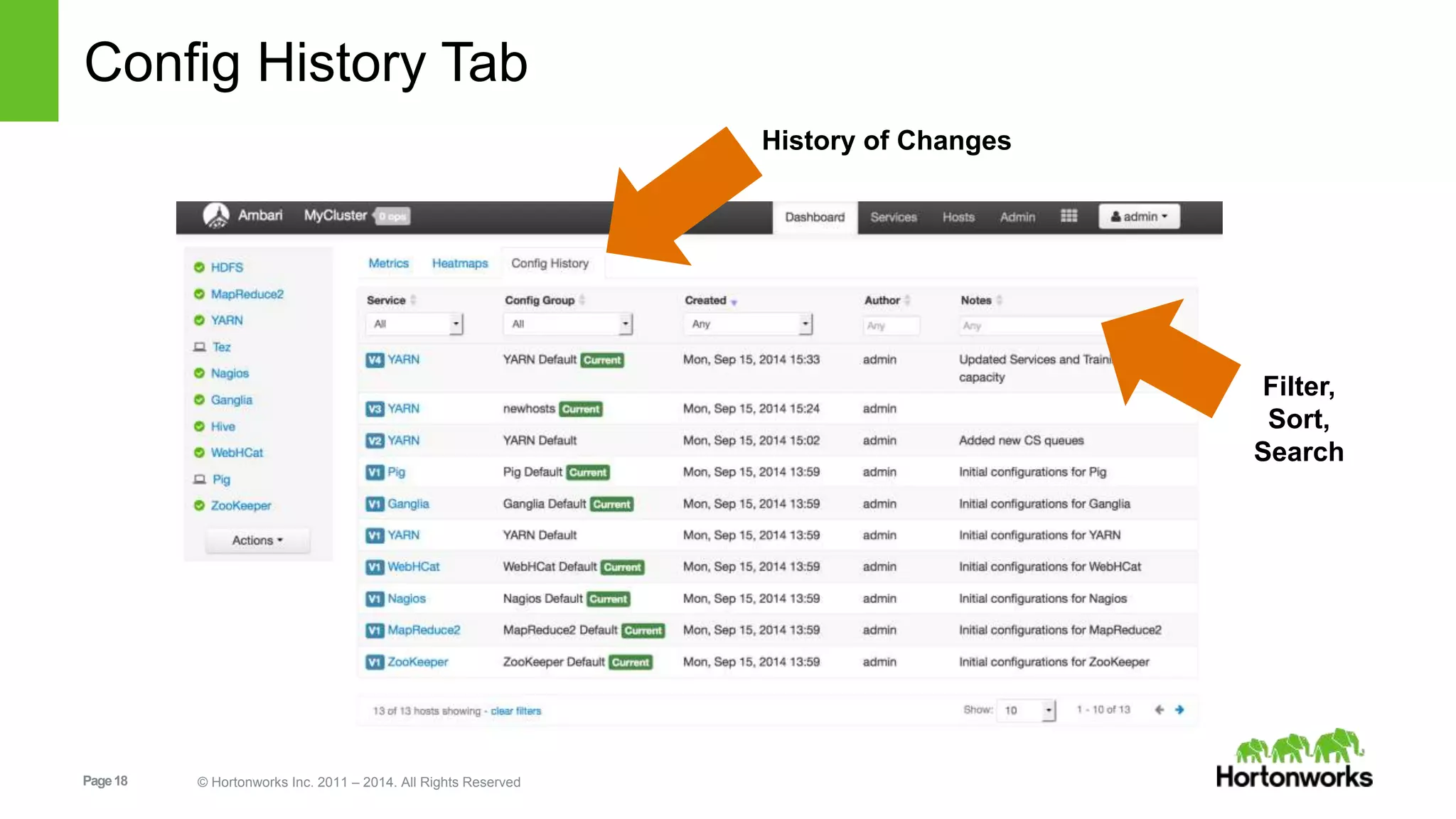
List of Config History 
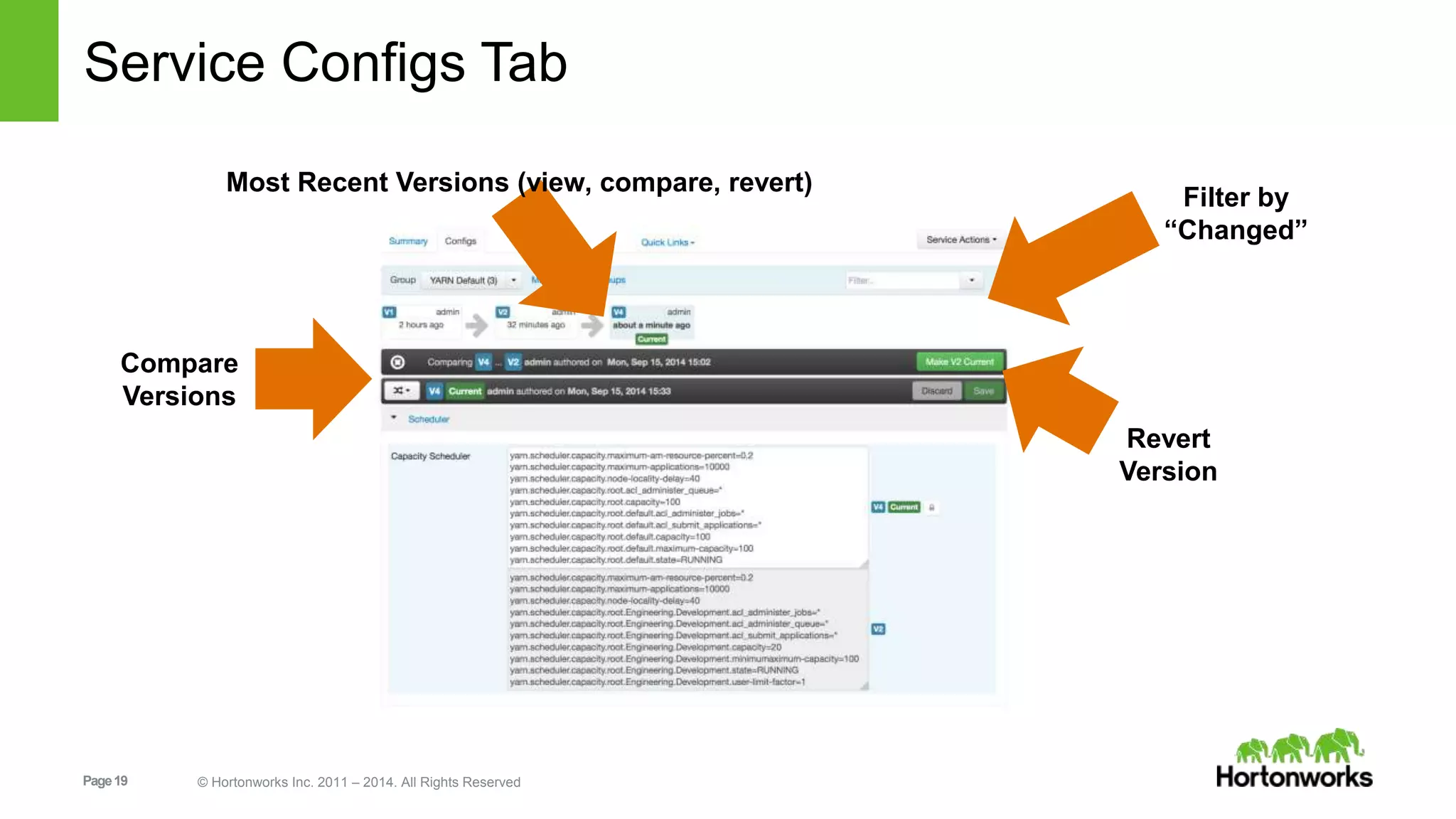
Compare Versions 
Filter by “Changed Properties” 
Revert Changes (i.e. “Make Current”) 
Audit Log of Changes 
/var/log/ambari-server/ambari-config-changes.log 
2014-09-12 15:14:19,011 INFO - Cluster 'MyCluster' changed by: 'admin'; service_name='YARN' 
config_group='default' config_group_id='-1' version='2' 
Page 17 © Hortonworks Inc. 2011 – 2014. All Rights Reserved
Config History Tab 
Page 18 © Hortonworks Inc. 2011 – 2014. All Rights Reserved 
History of Changes 
Filter, 
Sort, 
Search
Service Configs Tab 
Most Recent Versions (view, compare, revert) 
Compare 
Versions 
Page 19 © Hortonworks Inc. 2011 – 2014. All Rights Reserved 
Filter by 
“Changed” 
Revert 
Version
Administration 
Page 20 © Hortonworks Inc. 2011 – 2014. All Rights Reserved
Ambari Administration 
Introducing the Ambari Admin 
Introducing Groups 
Introducing Permissions 
LDAP Users and Groups 
Page 21 © Hortonworks Inc. 2011 – 2014. All Rights Reserved
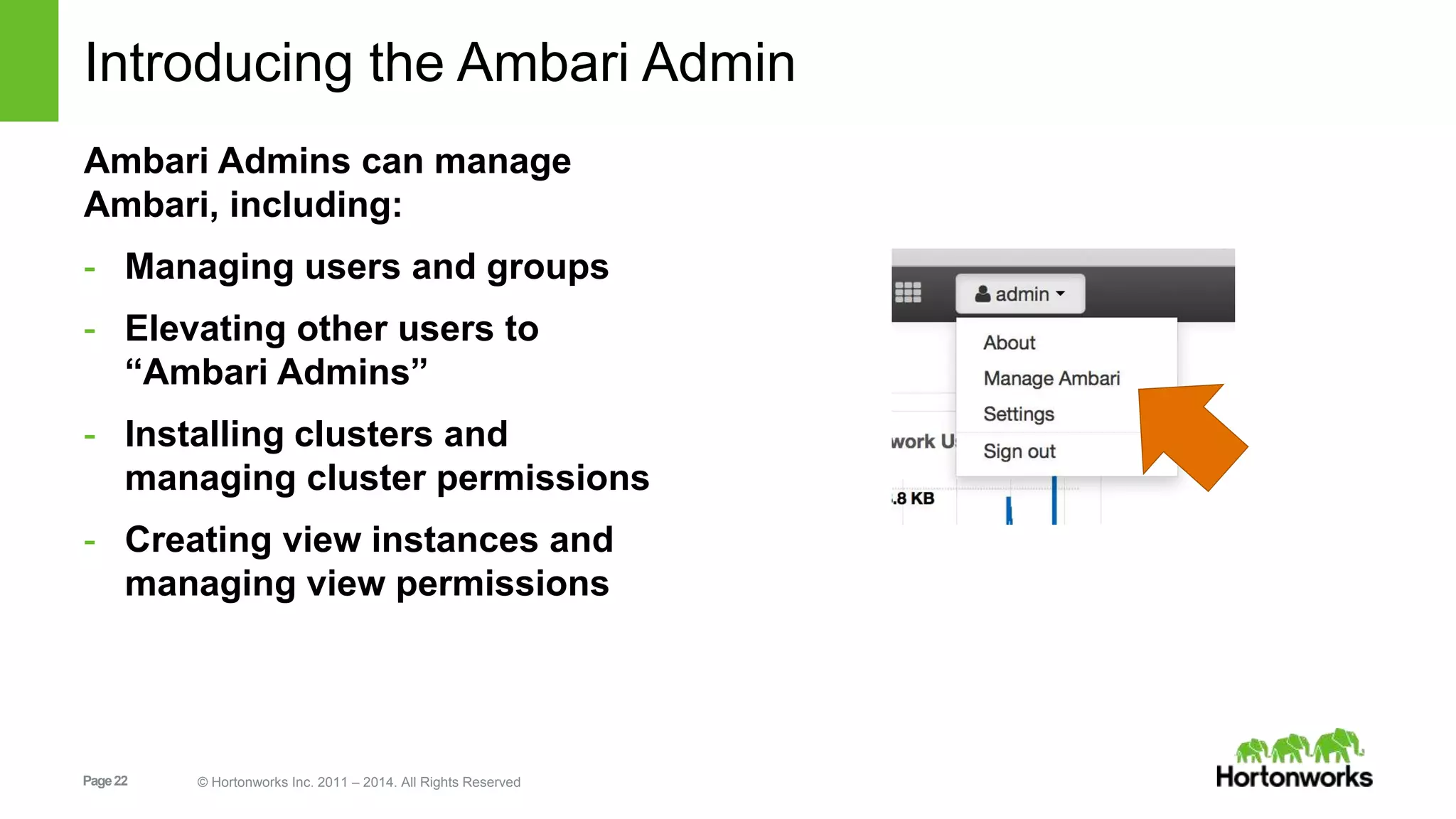
Introducing the Ambari Admin 
Ambari Admins can manage 
Ambari, including: 
- Managing users and groups 
- Elevating other users to 
“Ambari Admins” 
- Installing clusters and 
managing cluster permissions 
- Creating view instances and 
managing view permissions 
Page 22 © Hortonworks Inc. 2011 – 2014. All Rights Reserved
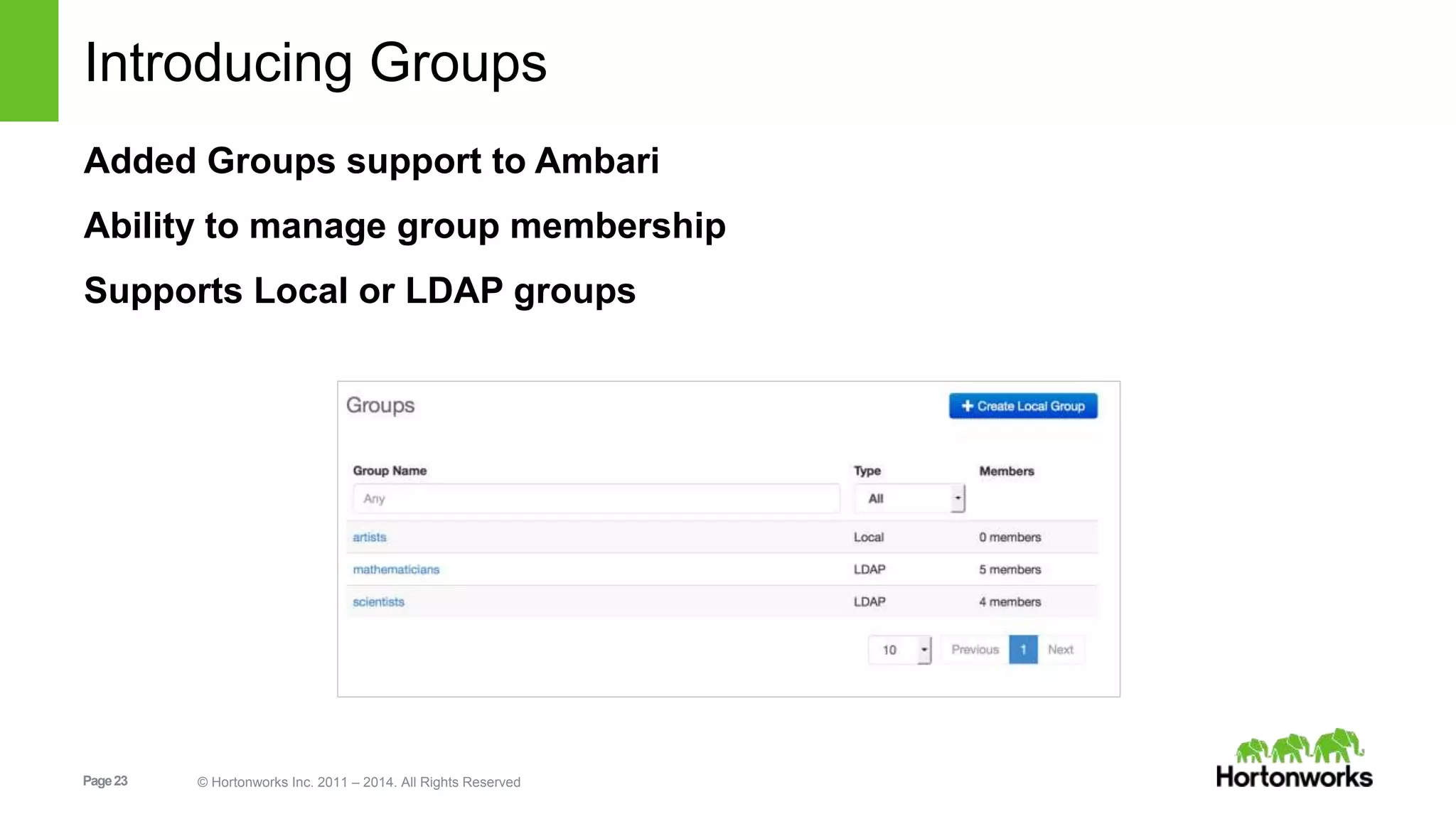
Introducing Groups 
Added Groups support to Ambari 
Ability to manage group membership 
Supports Local or LDAP groups 
Page 23 © Hortonworks Inc. 2011 – 2014. All Rights Reserved
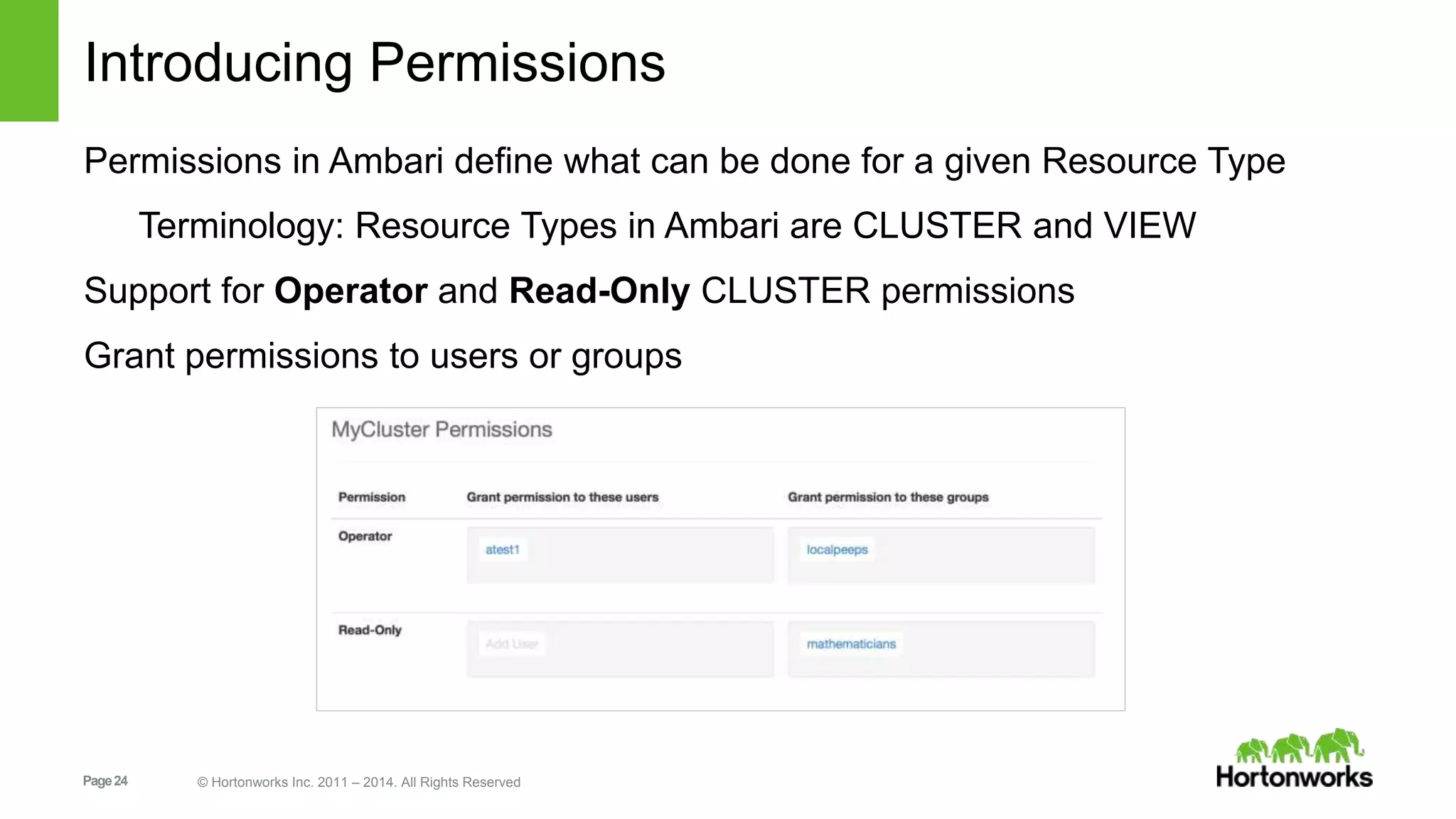
Introducing Permissions 
Permissions in Ambari define what can be done for a given Resource Type 
Terminology: Resource Types in Ambari are CLUSTER and VIEW 
Support for Operator and Read-Only CLUSTER permissions 
Grant permissions to users or groups 
Page 24 © Hortonworks Inc. 2011 – 2014. All Rights Reserved
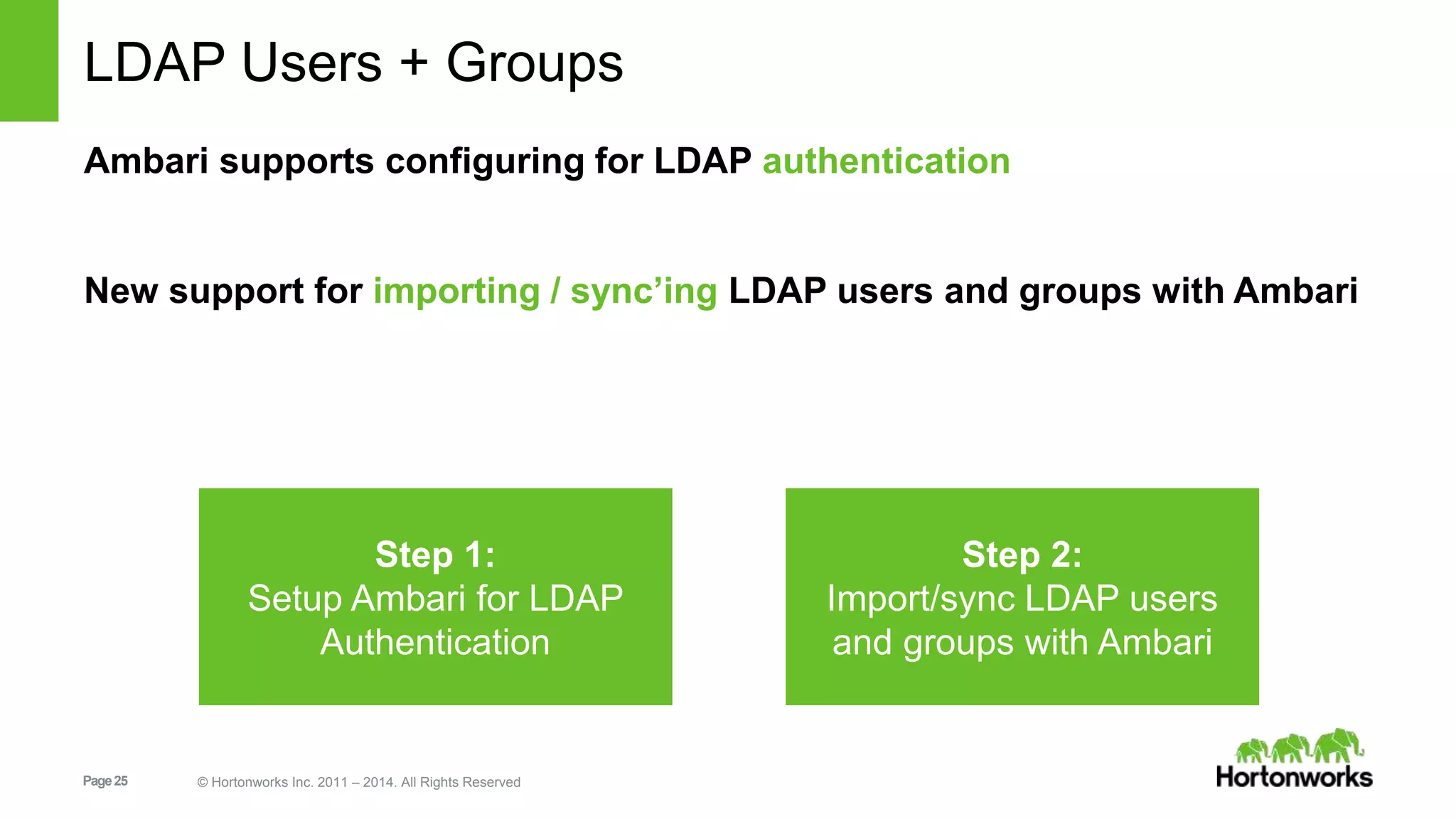
LDAP Users + Groups 
Ambari supports configuring for LDAP authentication 
New support for importing / sync’ing LDAP users and groups with Ambari 
Step 1: 
Setup Ambari for LDAP 
Authentication 
Page 25 © Hortonworks Inc. 2011 – 2014. All Rights Reserved 
Step 2: 
Import/sync LDAP users 
and groups with Ambari
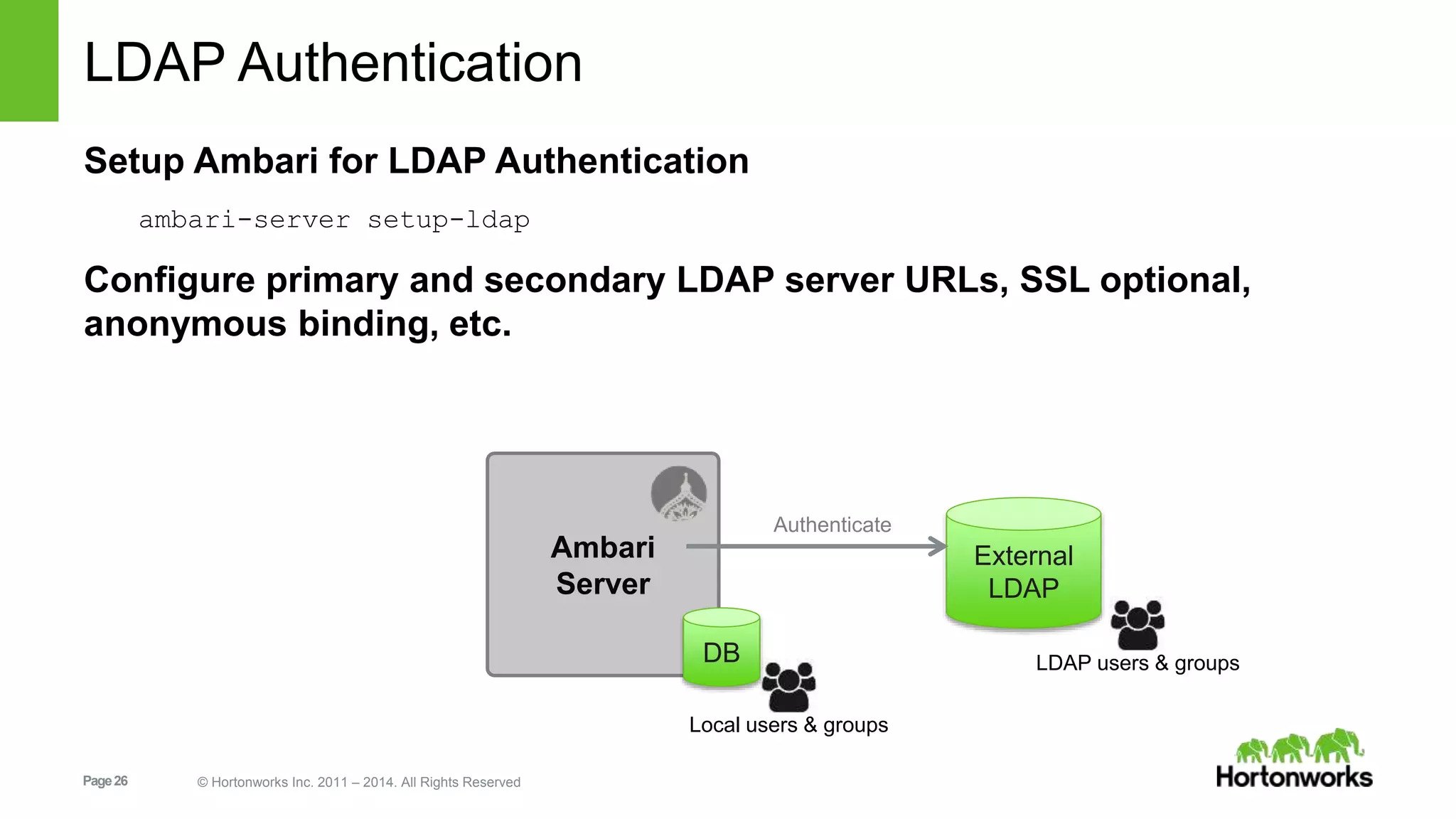
LDAP Authentication 
Setup Ambari for LDAP Authentication 
ambari-server setup-ldap 
Configure primary and secondary LDAP server URLs, SSL optional, 
anonymous binding, etc. 
Page 26 © Hortonworks Inc. 2011 – 2014. All Rights Reserved 
Ambari 
Server 
External 
LDAP 
Authenticate 
DB LDAP users & groups 
Local users & groups
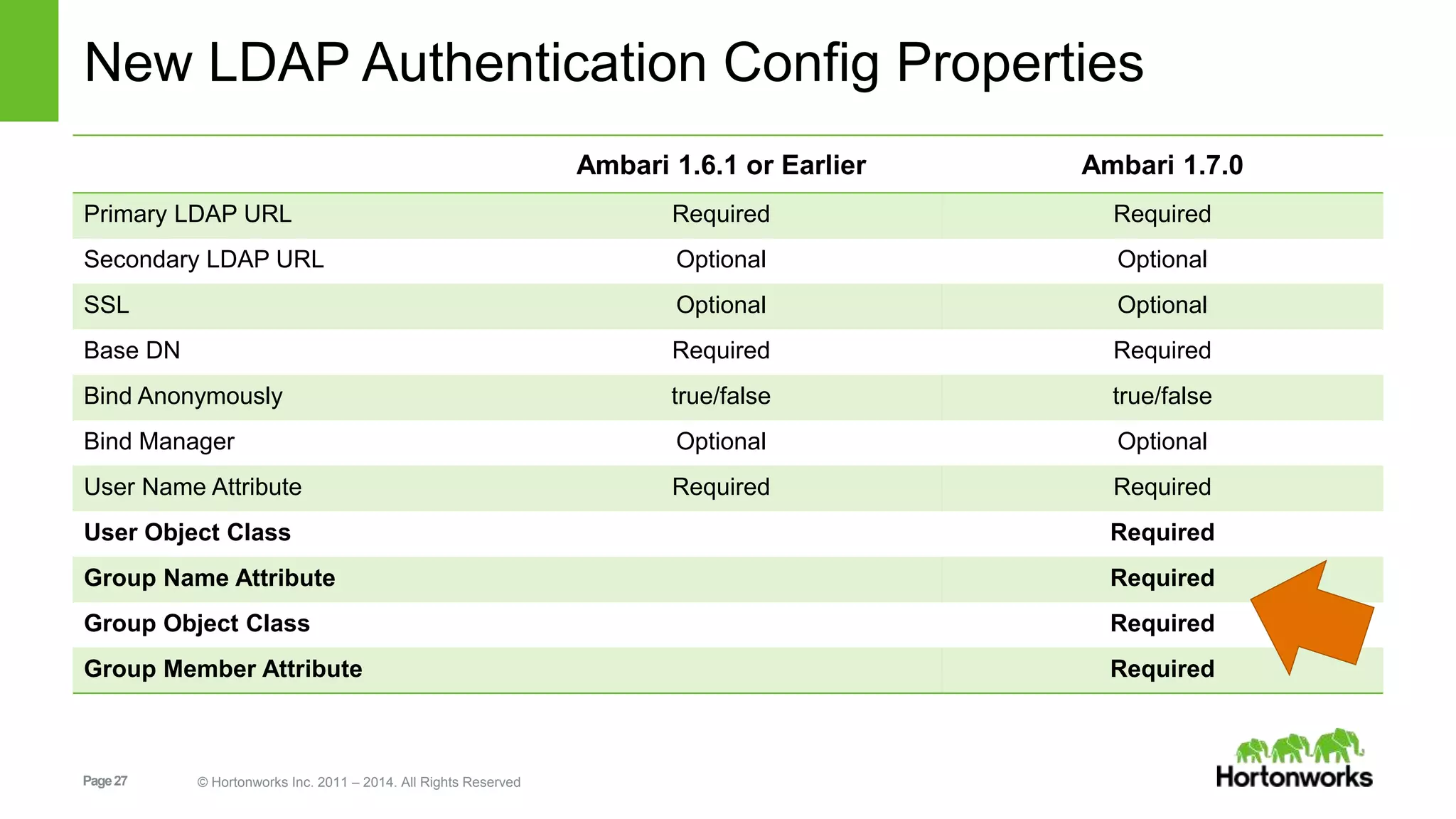
New LDAP Authentication Config Properties 
Page 27 © Hortonworks Inc. 2011 – 2014. All Rights Reserved 
Ambari 1.6.1 or Earlier Ambari 1.7.0 
Primary LDAP URL Required Required 
Secondary LDAP URL Optional Optional 
SSL Optional Optional 
Base DN Required Required 
Bind Anonymously true/false true/false 
Bind Manager Optional Optional 
User Name Attribute Required Required 
User Object Class Required 
Group Name Attribute Required 
Group Object Class Required 
Group Member Attribute Required
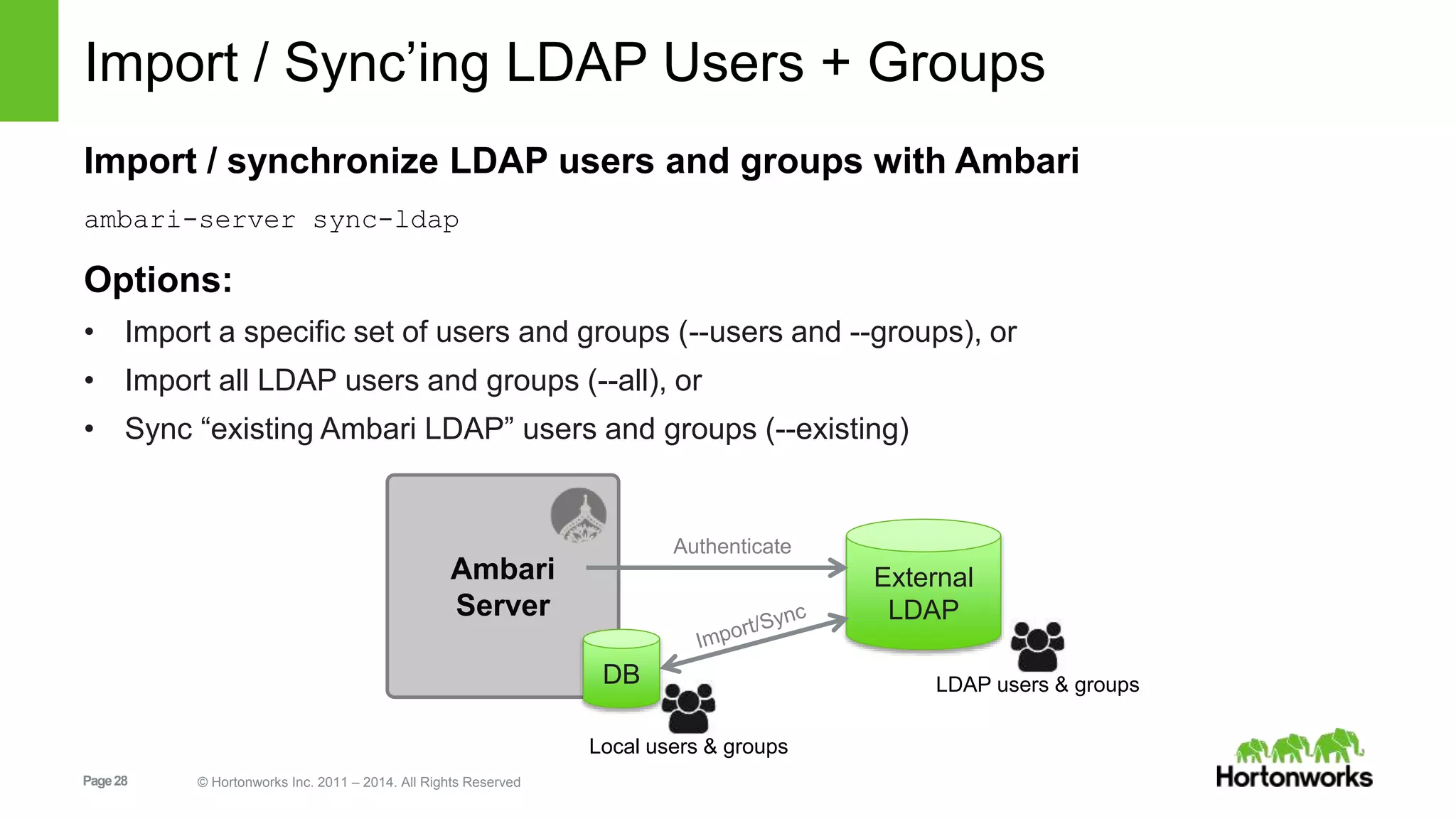
Import / Sync’ing LDAP Users + Groups 
Import / synchronize LDAP users and groups with Ambari 
ambari-server sync-ldap 
Options: 
• Import a specific set of users and groups (--users and --groups), or 
• Import all LDAP users and groups (--all), or 
• Sync “existing Ambari LDAP” users and groups (--existing) 
Ambari 
Server 
Page 28 © Hortonworks Inc. 2011 – 2014. All Rights Reserved 
External 
LDAP 
Authenticate 
DB LDAP users & groups 
Local users & groups
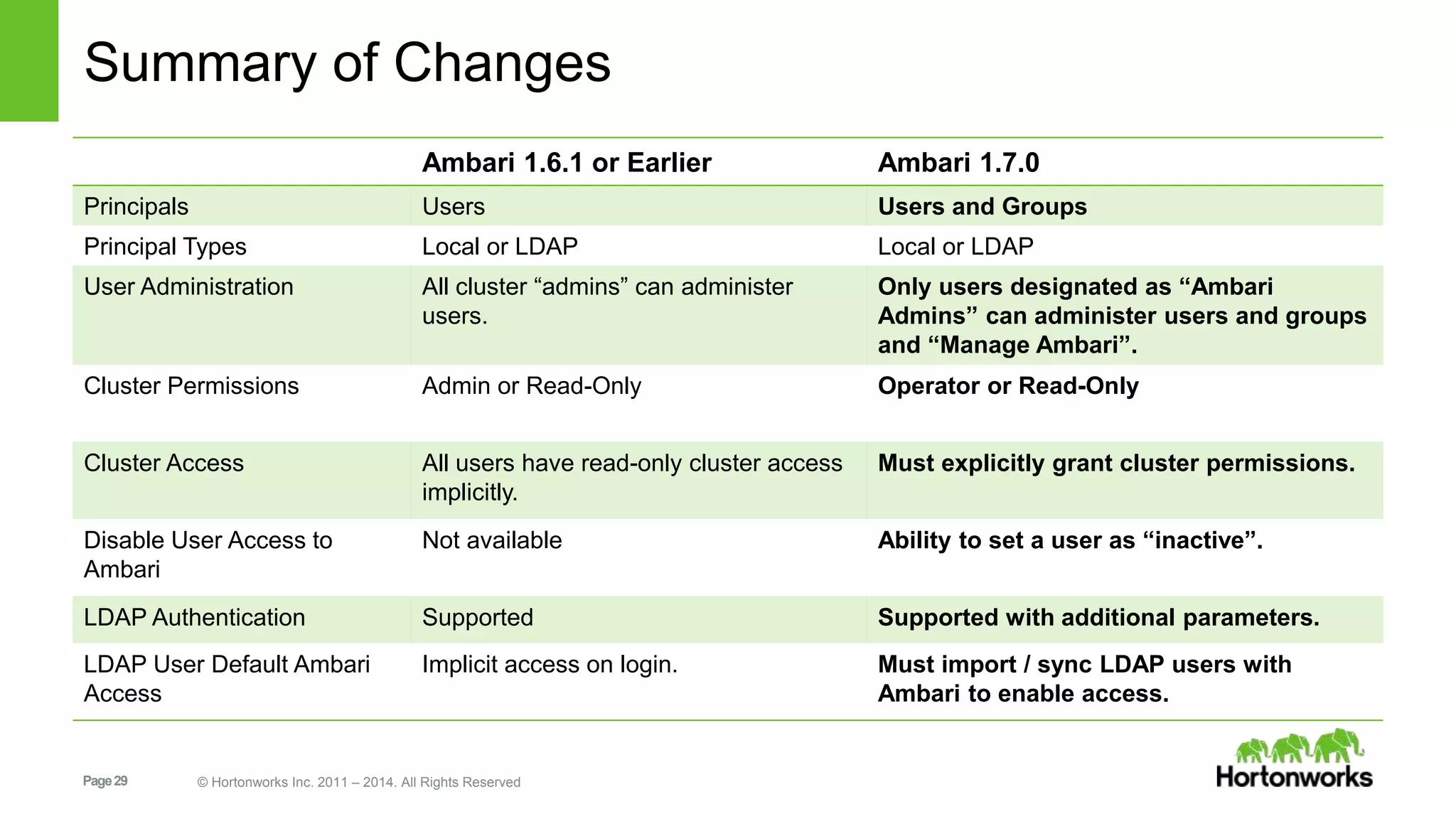
Summary of Changes 
Ambari 1.6.1 or Earlier Ambari 1.7.0 
Principals Users Users and Groups 
Principal Types Local or LDAP Local or LDAP 
User Administration All cluster “admins” can administer 
users. 
Page 29 © Hortonworks Inc. 2011 – 2014. All Rights Reserved 
Only users designated as “Ambari 
Admins” can administer users and groups 
and “Manage Ambari”. 
Cluster Permissions Admin or Read-Only Operator or Read-Only 
Cluster Access All users have read-only cluster access 
implicitly. 
Must explicitly grant cluster permissions. 
Disable User Access to 
Ambari 
Not available Ability to set a user as “inactive”. 
LDAP Authentication Supported Supported with additional parameters. 
LDAP User Default Ambari 
Access 
Implicit access on login. Must import / sync LDAP users with 
Ambari to enable access.
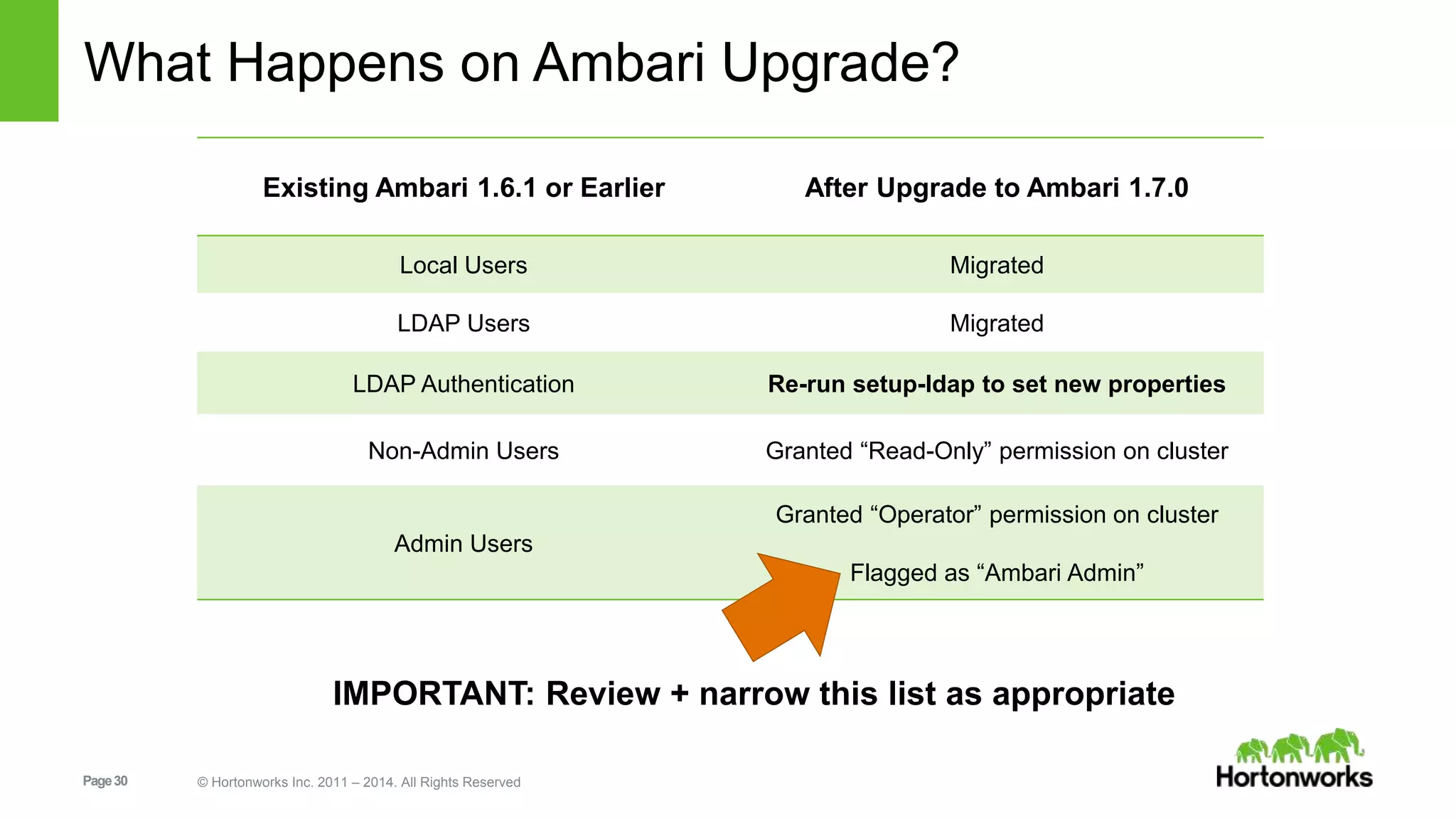
What Happens on Ambari Upgrade? 
Existing Ambari 1.6.1 or Earlier After Upgrade to Ambari 1.7.0 
Local Users Migrated 
LDAP Users Migrated 
LDAP Authentication Re-run setup-ldap to set new properties 
Non-Admin Users Granted “Read-Only” permission on cluster 
Admin Users 
Page 30 © Hortonworks Inc. 2011 – 2014. All Rights Reserved 
Granted “Operator” permission on cluster 
Flagged as “Ambari Admin” 
IMPORTANT: Review + narrow this list as appropriate
Views Framework 
Page 31 © Hortonworks Inc. 2011 – 2014. All Rights Reserved
Ambari Views Framework 
Goal: enable the delivery of custom UI experiences in Ambari Web 
Developers can extend the Ambari Web interface 
• Views expose custom UI features for Hadoop Services 
Ambari Admins can entitle Views to Ambari Web users 
• Entitlements framework for controlling access to Views 
Page 32 © Hortonworks Inc. 2011 – 2014. All Rights Reserved
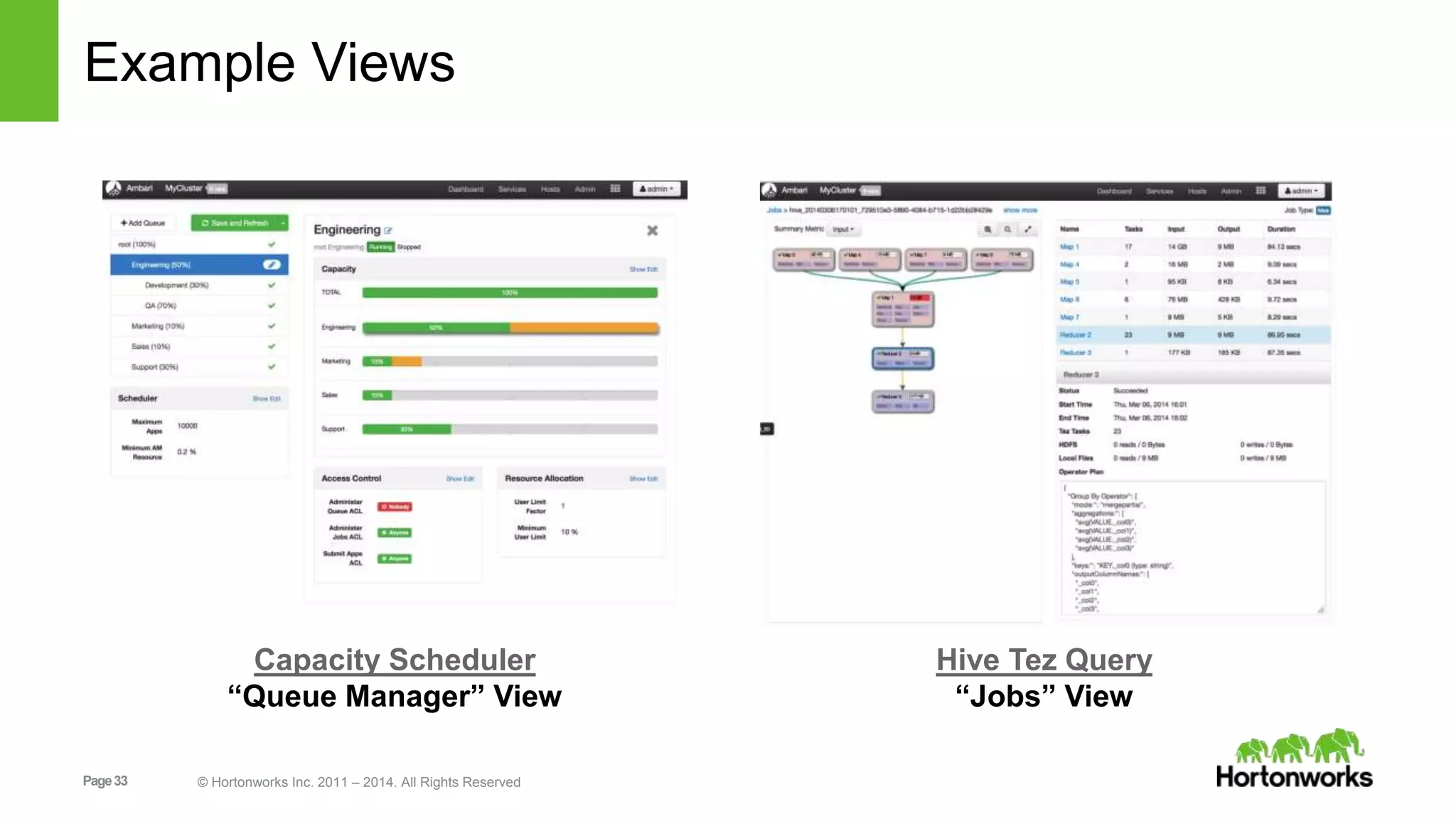
Example Views 
Capacity Scheduler 
“Queue Manager” View 
Page 33 © Hortonworks Inc. 2011 – 2014. All Rights Reserved 
Hive Tez Query 
“Jobs” View
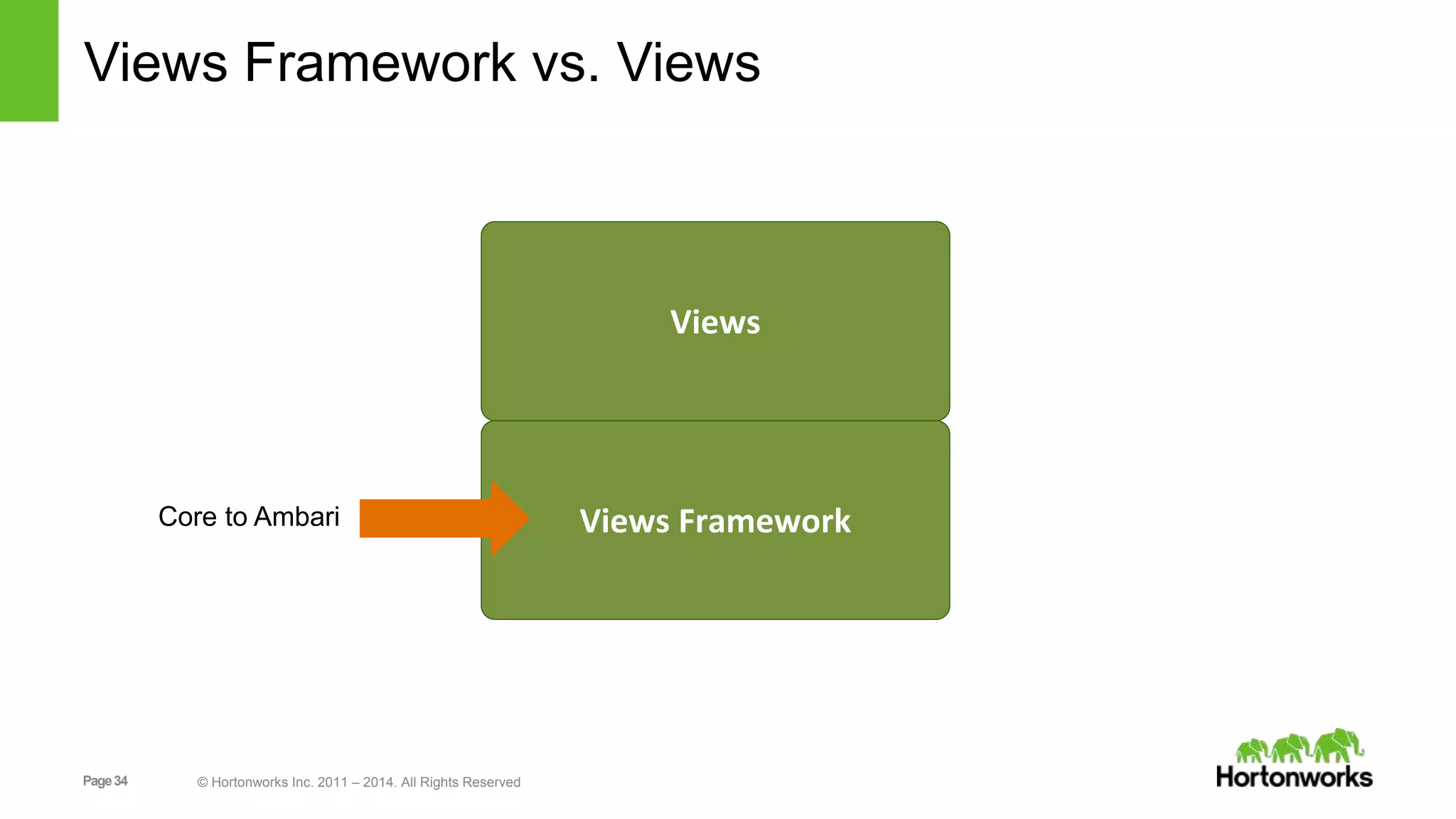
Views Framework vs. Views 
Page 34 © Hortonworks Inc. 2011 – 2014. All Rights Reserved 
Views 
Views Framework 
Core to Ambari
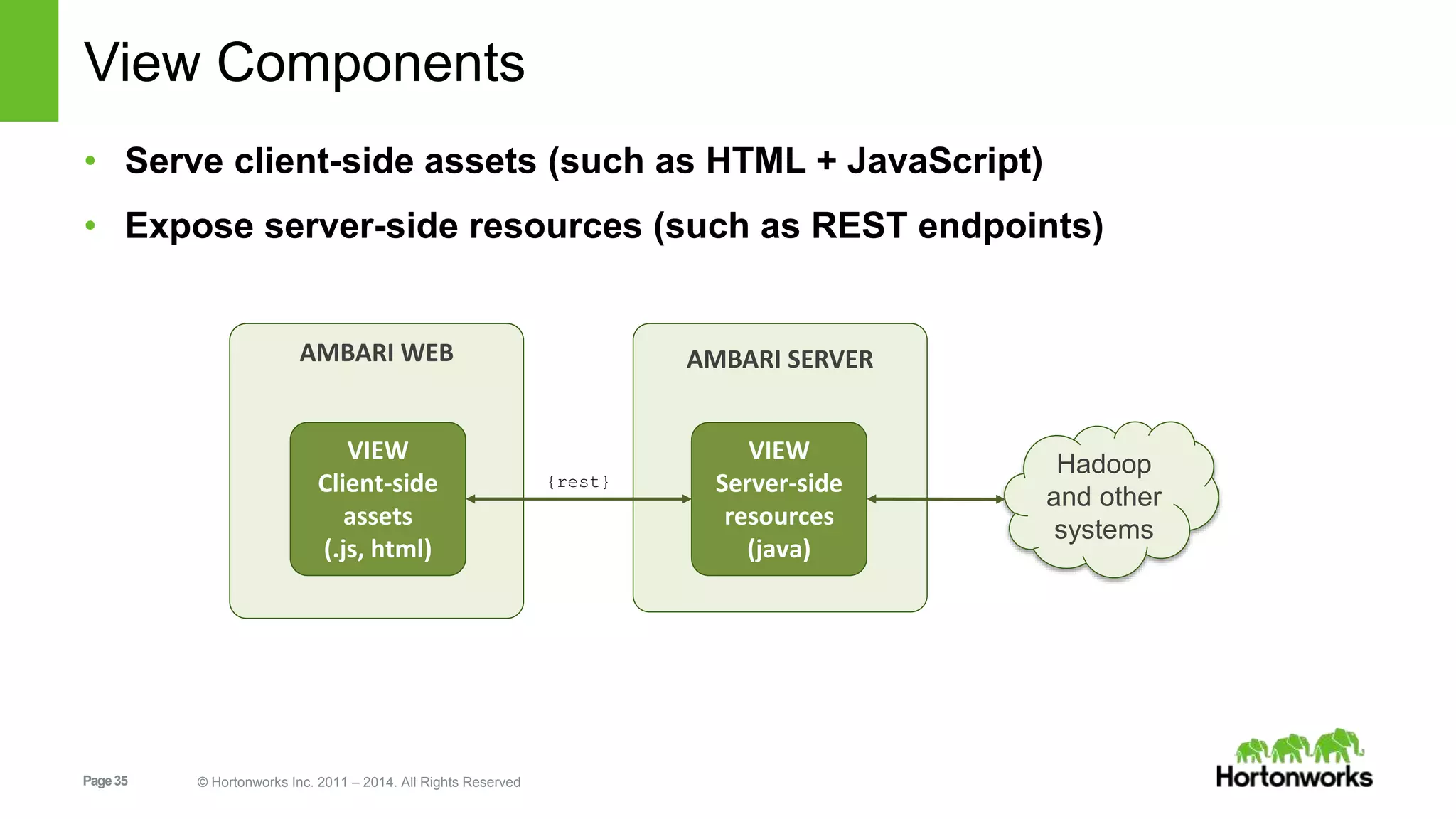
View Components 
• Serve client-side assets (such as HTML + JavaScript) 
• Expose server-side resources (such as REST endpoints) 
AMBARI WEB 
VIEW 
Client-side 
assets 
(.js, html) 
Page 35 © Hortonworks Inc. 2011 – 2014. All Rights Reserved 
AMBARI SERVER 
VIEW 
Server-side 
resources 
(java) 
{rest} 
Hadoop 
and other 
systems
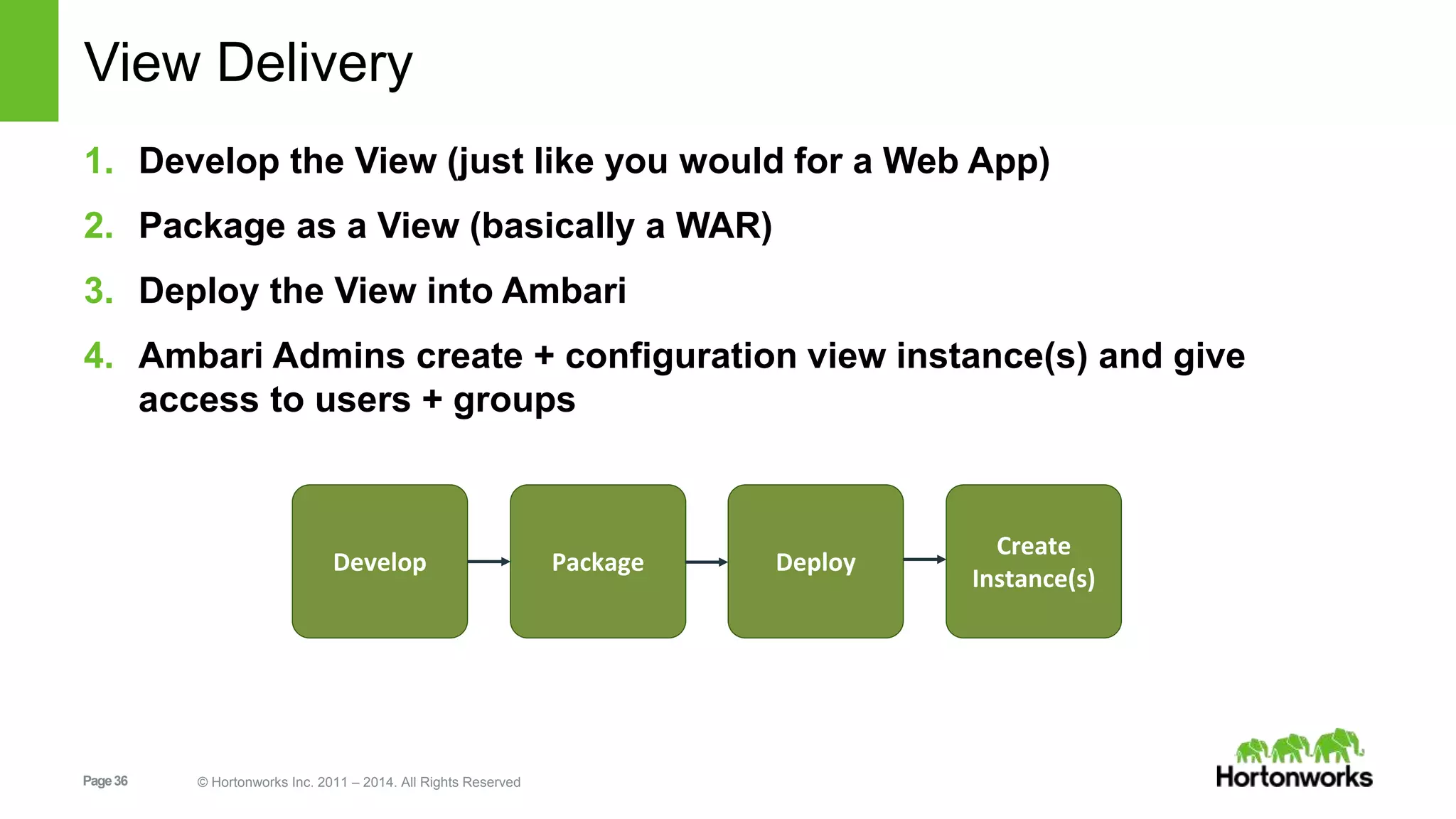
View Delivery 
1. Develop the View (just like you would for a Web App) 
2. Package as a View (basically a WAR) 
3. Deploy the View into Ambari 
4. Ambari Admins create + configuration view instance(s) and give 
access to users + groups 
Develop Package Deploy 
Page 36 © Hortonworks Inc. 2011 – 2014. All Rights Reserved 
Create 
Instance(s)
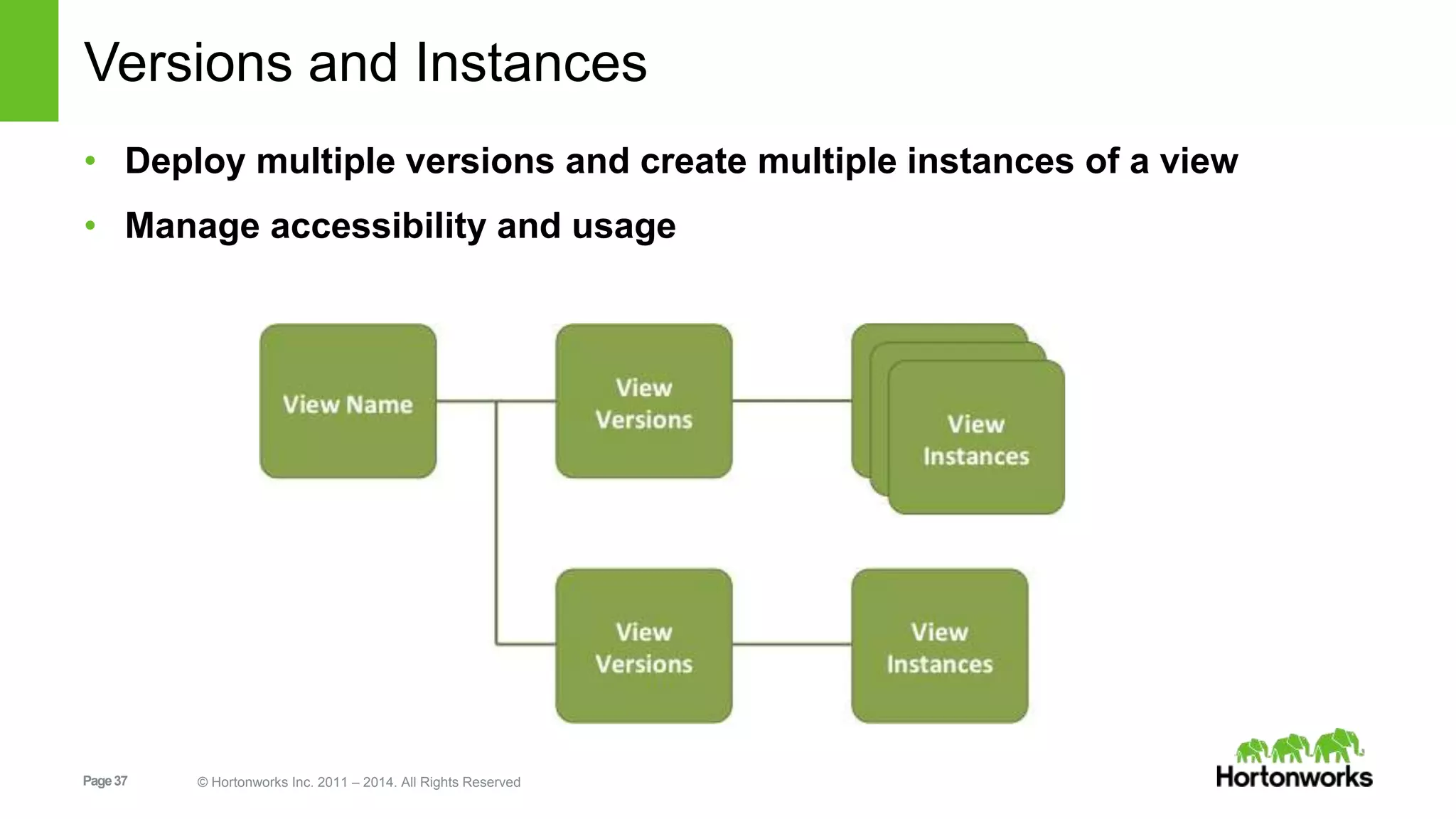
Versions and Instances 
• Deploy multiple versions and create multiple instances of a view 
• Manage accessibility and usage 
Page 37 © Hortonworks Inc. 2011 – 2014. All Rights Reserved
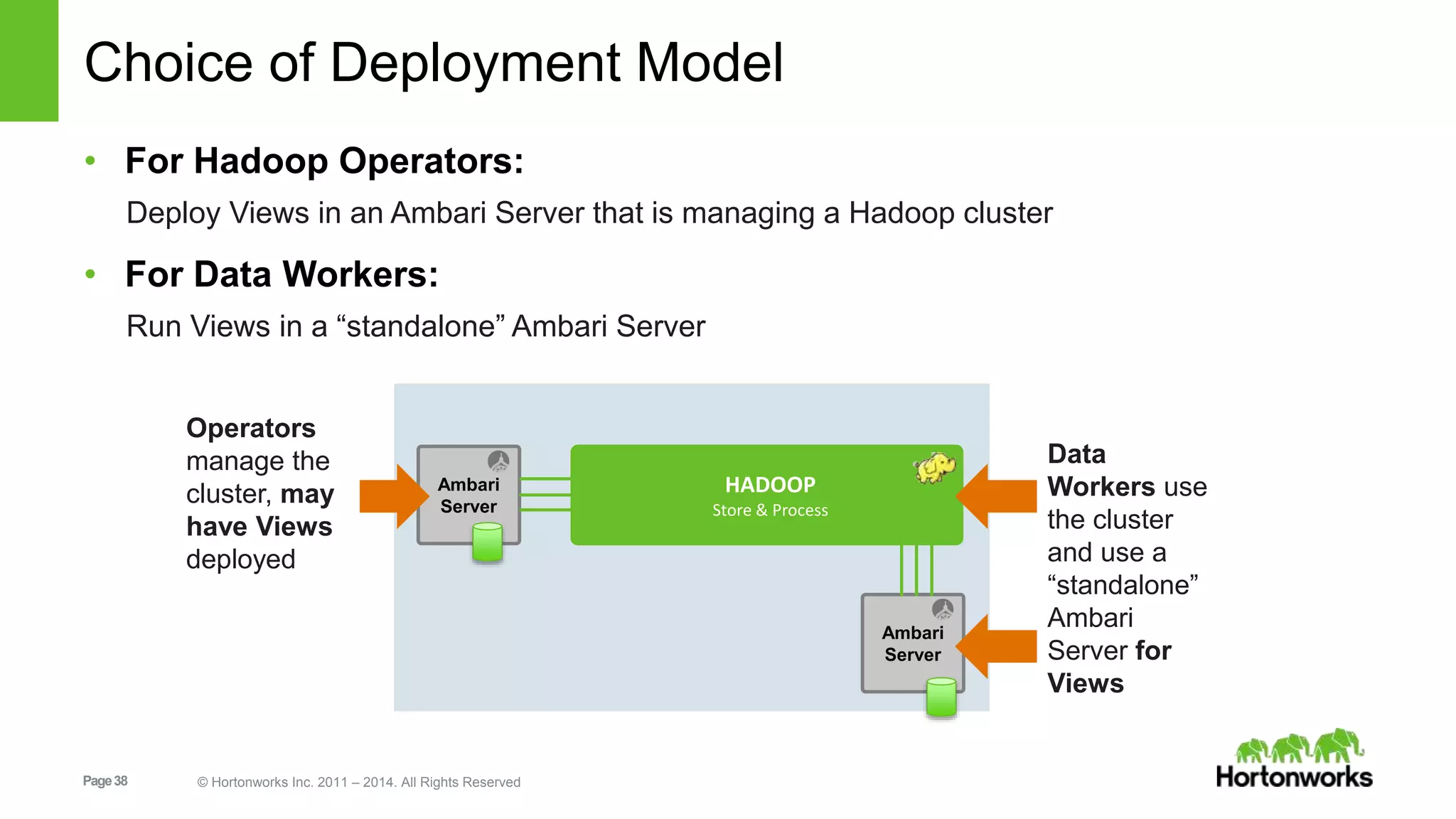
Choice of Deployment Model 
• For Hadoop Operators: 
Deploy Views in an Ambari Server that is managing a Hadoop cluster 
• For Data Workers: 
Run Views in a “standalone” Ambari Server 
Ambari 
Server 
Page 38 © Hortonworks Inc. 2011 – 2014. All Rights Reserved 
HADOOP 
Store & Process 
Ambari 
Server 
Operators 
manage the 
cluster, may 
have Views 
deployed 
Data 
Workers use 
the cluster 
and use a 
“standalone” 
Ambari 
Server for 
Views
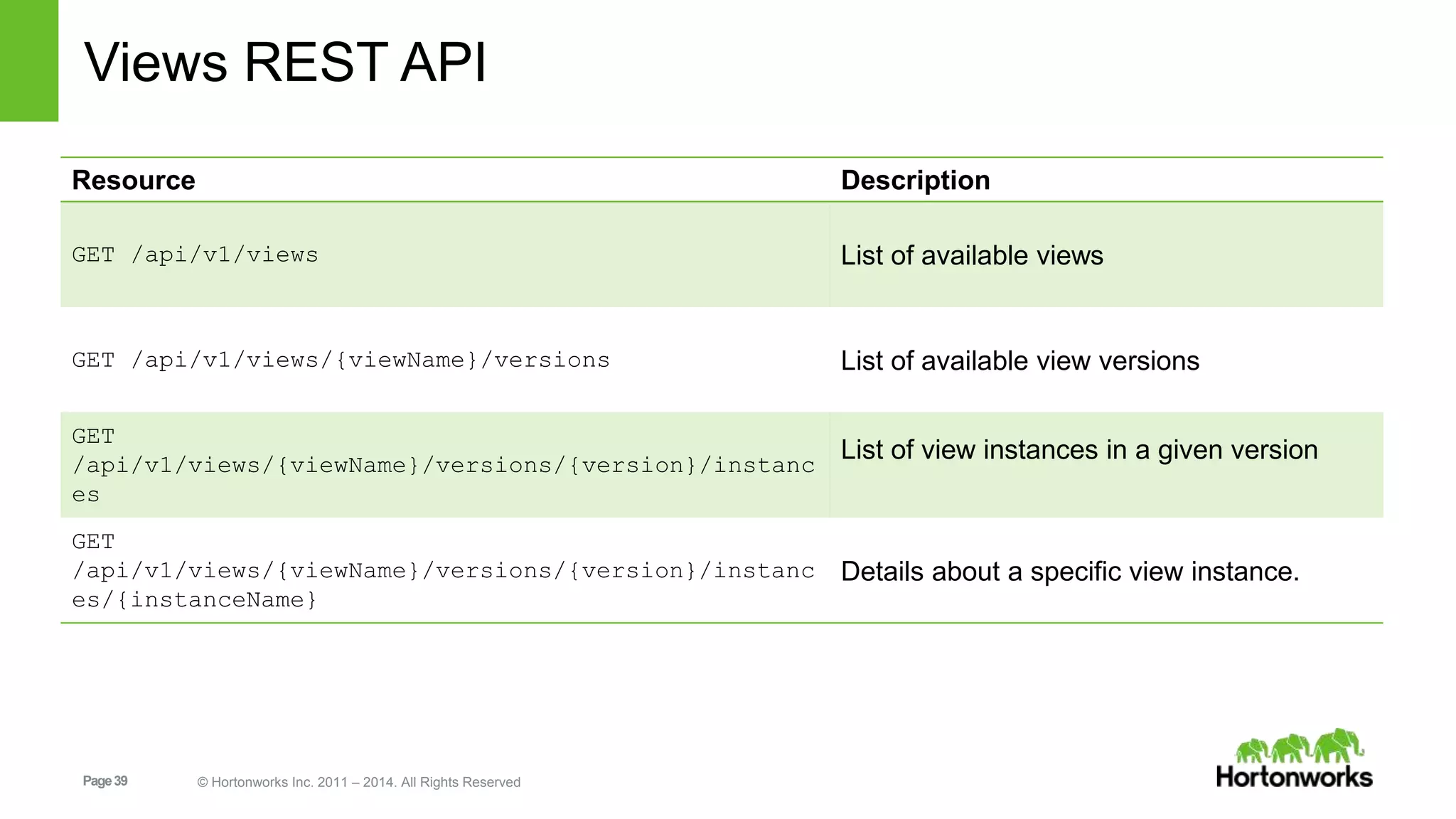
Views REST API 
Resource Description 
GET /api/v1/views List of available views 
GET /api/v1/views/{viewName}/versions List of available view versions 
GET 
/api/v1/views/{viewName}/versions/{version}/instanc 
es 
Page 39 © Hortonworks Inc. 2011 – 2014. All Rights Reserved 
List of view instances in a given version 
GET 
/api/v1/views/{viewName}/versions/{version}/instanc 
es/{instanceName} 
Details about a specific view instance.
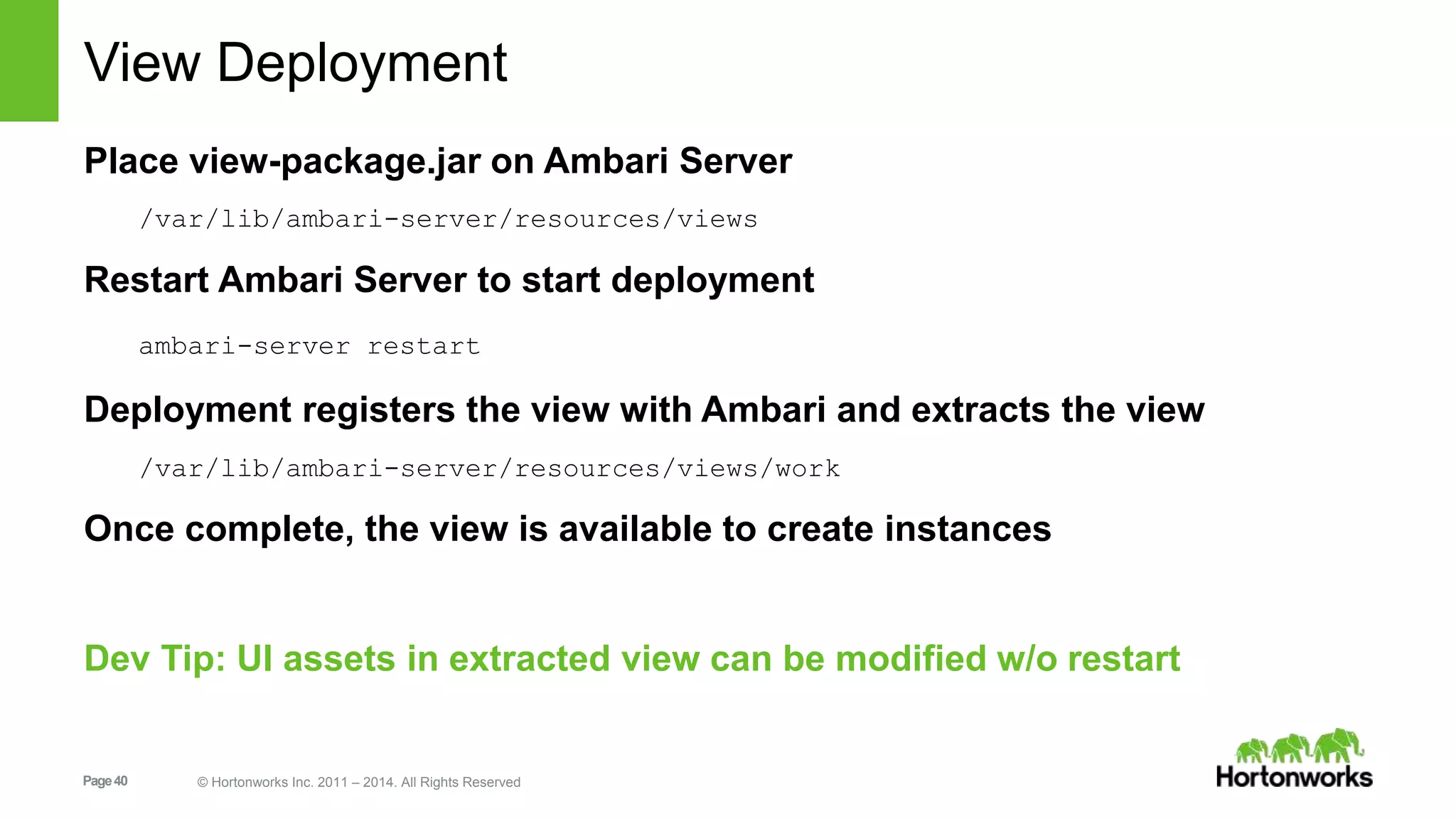
View Deployment 
Place view-package.jar on Ambari Server 
/var/lib/ambari-server/resources/views 
Restart Ambari Server to start deployment 
ambari-server restart 
Deployment registers the view with Ambari and extracts the view 
/var/lib/ambari-server/resources/views/work 
Once complete, the view is available to create instances 
Dev Tip: UI assets in extracted view can be modified w/o restart 
Page 40 © Hortonworks Inc. 2011 – 2014. All Rights Reserved
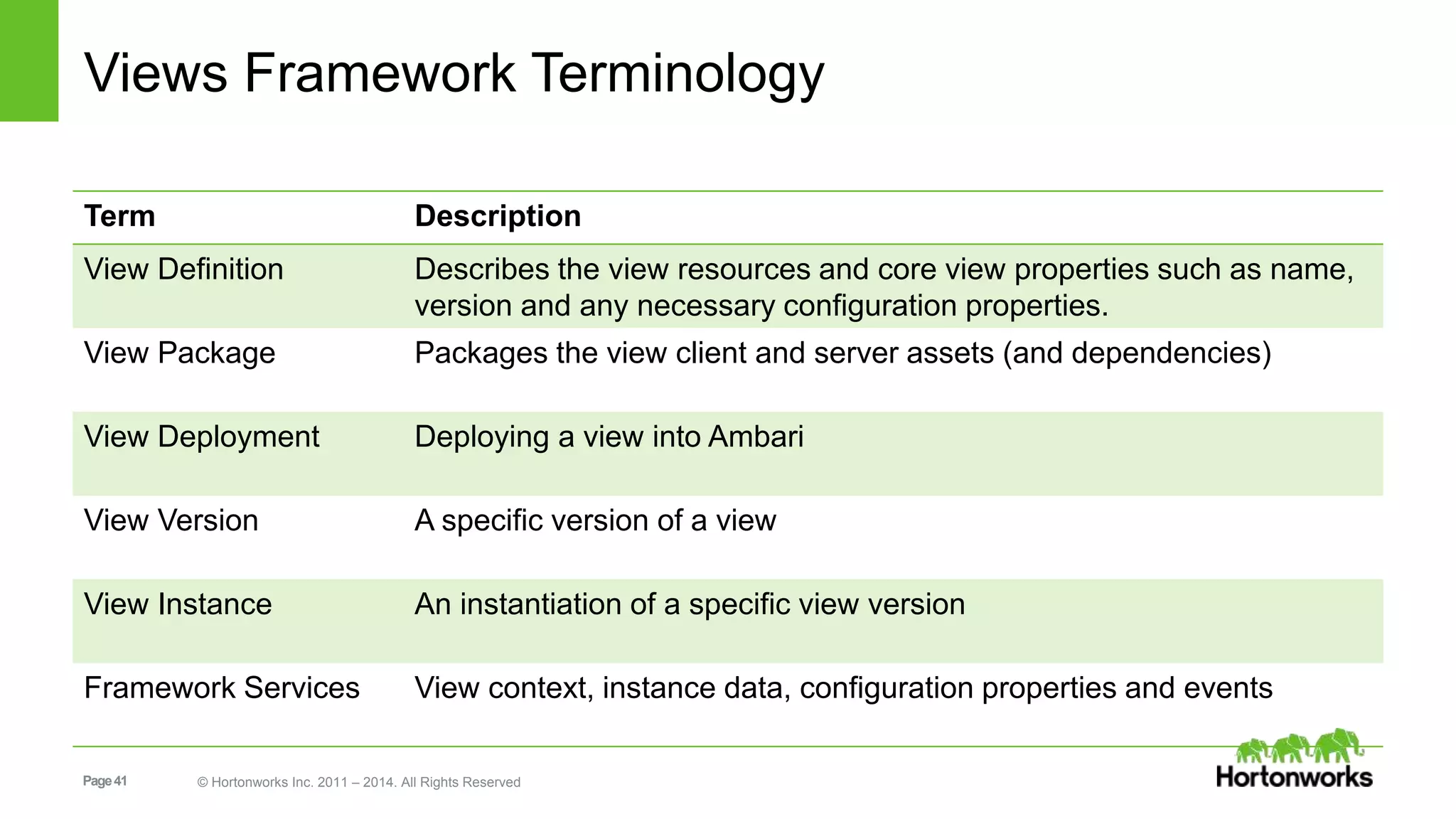
Views Framework Terminology 
Term Description 
View Definition Describes the view resources and core view properties such as name, 
version and any necessary configuration properties. 
View Package Packages the view client and server assets (and dependencies) 
View Deployment Deploying a view into Ambari 
View Version A specific version of a view 
View Instance An instantiation of a specific view version 
Framework Services View context, instance data, configuration properties and events 
Page 41 © Hortonworks Inc. 2011 – 2014. All Rights Reserved
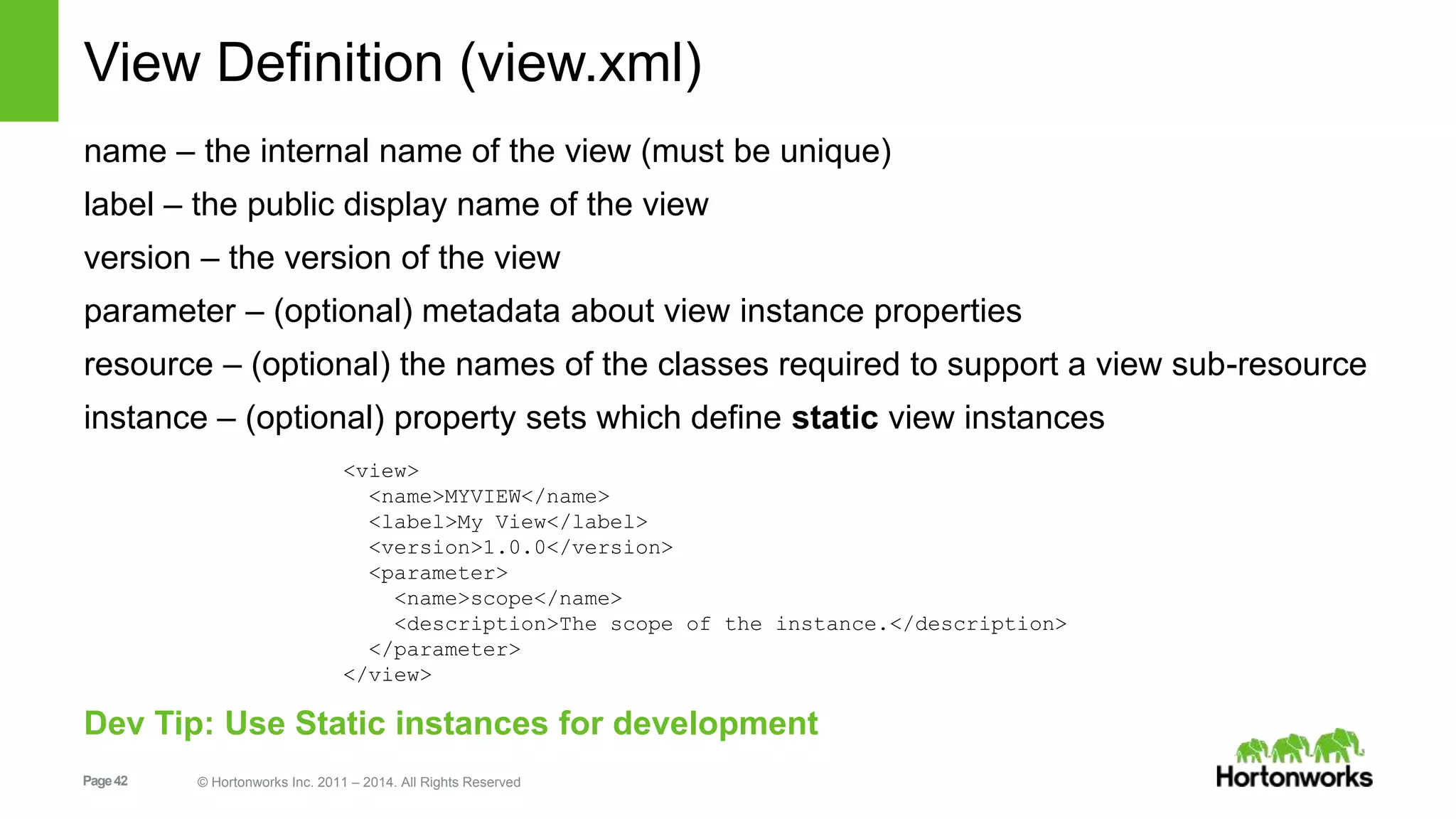
View Definition (view.xml) 
name – the internal name of the view (must be unique) 
label – the public display name of the view 
version – the version of the view 
parameter – (optional) metadata about view instance properties 
resource – (optional) the names of the classes required to support a view sub-resource 
instance – (optional) property sets which define static view instances 
<view> 
<name>MYVIEW</name> 
<label>My View</label> 
<version>1.0.0</version> 
<parameter> 
<name>scope</name> 
<description>The scope of the instance.</description> 
</parameter> 
</view> 
Dev Tip: Use Static instances for development 
Page 42 © Hortonworks Inc. 2011 – 2014. All Rights Reserved
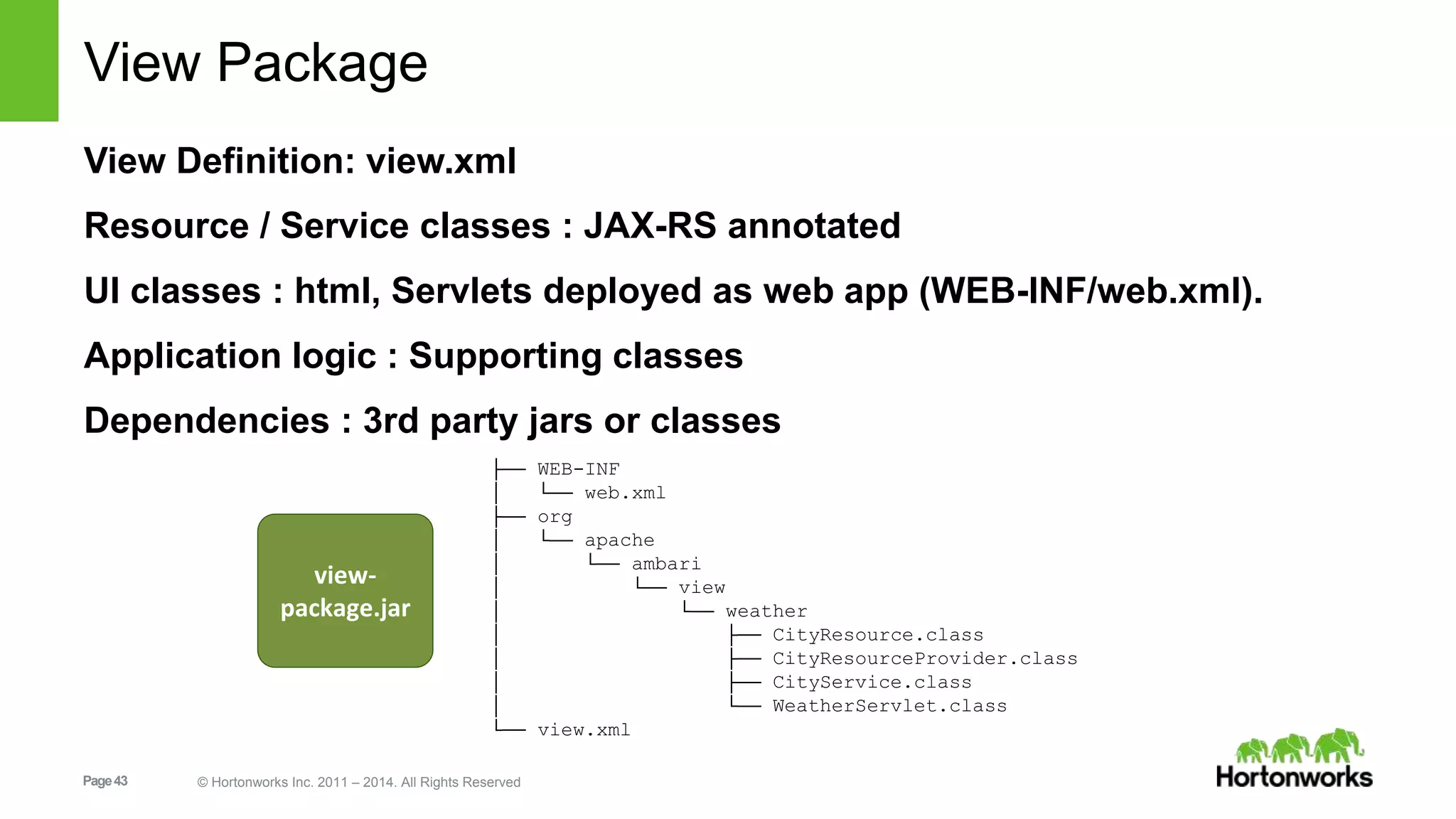
View Package 
View Definition: view.xml 
Resource / Service classes : JAX-RS annotated 
UI classes : html, Servlets deployed as web app (WEB-INF/web.xml). 
Application logic : Supporting classes 
Dependencies : 3rd party jars or classes 
├── WEB-INF 
│ └── web.xml 
├── org 
│ └── apache 
│ └── ambari 
│ └── view 
│ └── weather 
│ ├── CityResource.class 
│ ├── CityResourceProvider.class 
│ ├── CityService.class 
│ └── WeatherServlet.class 
└── view.xml 
view-package. 
jar 
Page 43 © Hortonworks Inc. 2011 – 2014. All Rights Reserved
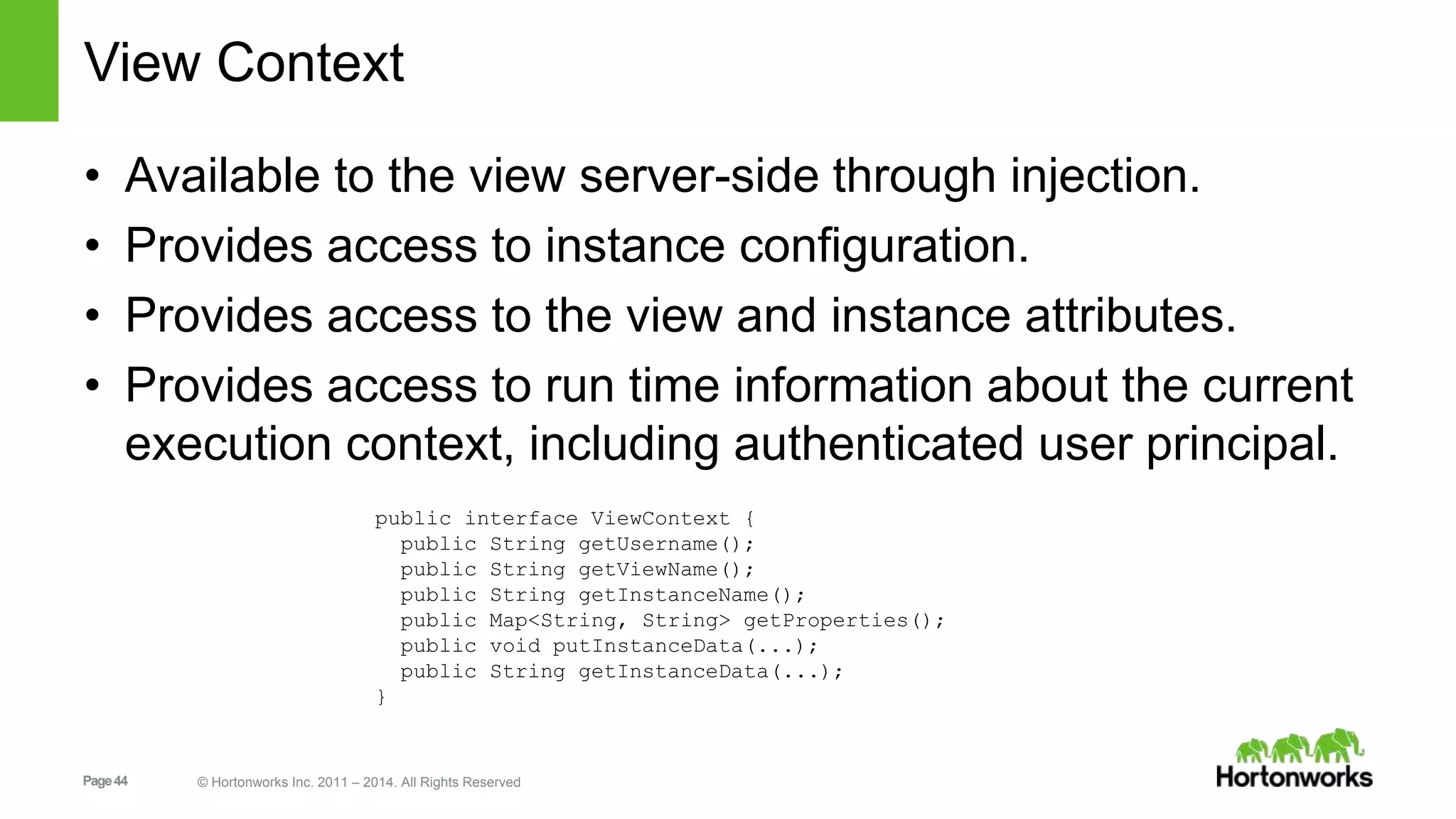
View Context 
• Available to the view server-side through injection. 
• Provides access to instance configuration. 
• Provides access to the view and instance attributes. 
• Provides access to run time information about the current 
execution context, including authenticated user principal. 
public interface ViewContext { 
public String getUsername(); 
public String getViewName(); 
public String getInstanceName(); 
public Map<String, String> getProperties(); 
public void putInstanceData(...); 
public String getInstanceData(...); 
} 
Page 44 © Hortonworks Inc. 2011 – 2014. All Rights Reserved
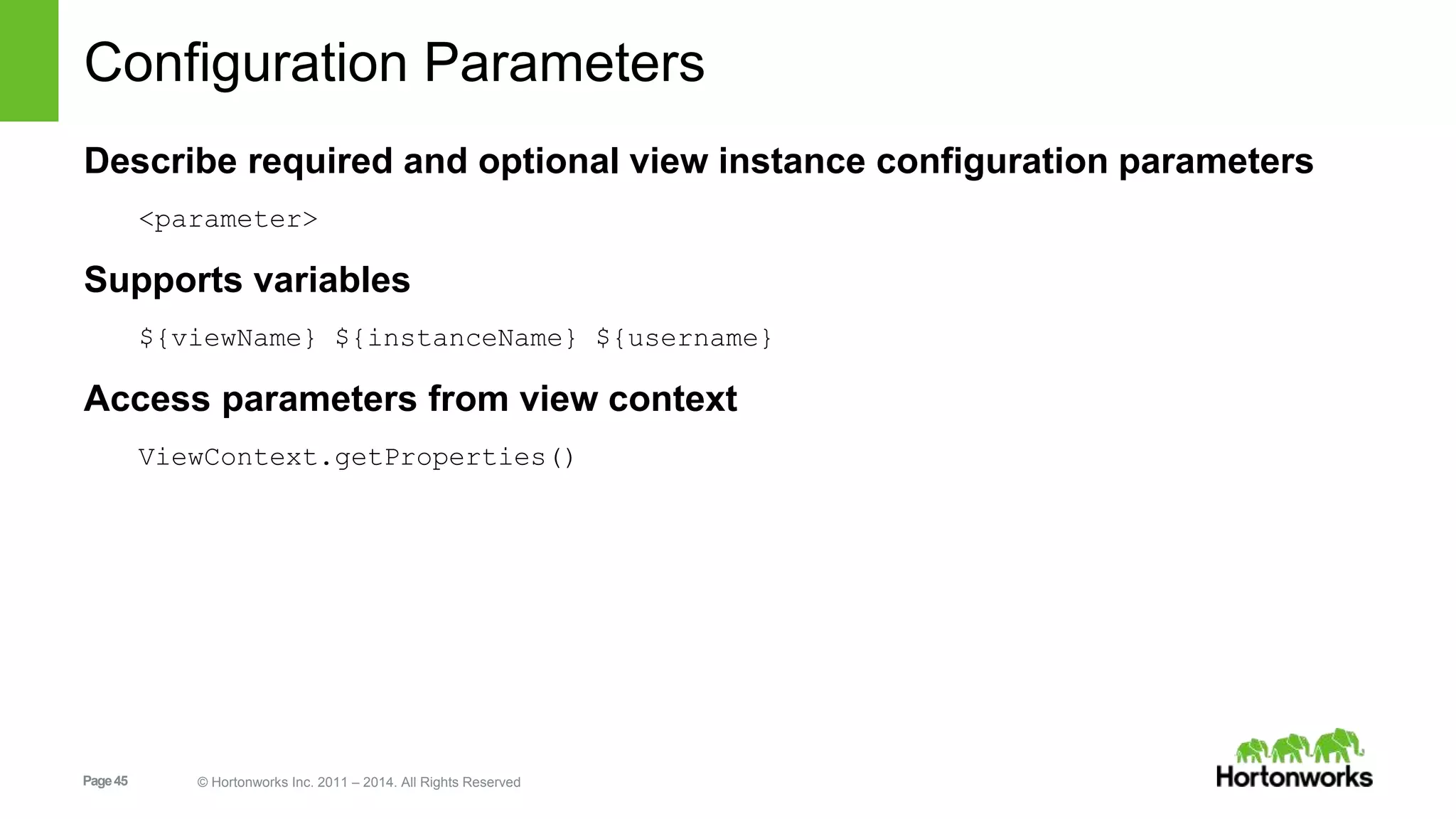
Configuration Parameters 
Describe required and optional view instance configuration parameters 
<parameter> 
Supports variables 
${viewName} ${instanceName} ${username} 
Access parameters from view context 
ViewContext.getProperties() 
Page 45 © Hortonworks Inc. 2011 – 2014. All Rights Reserved
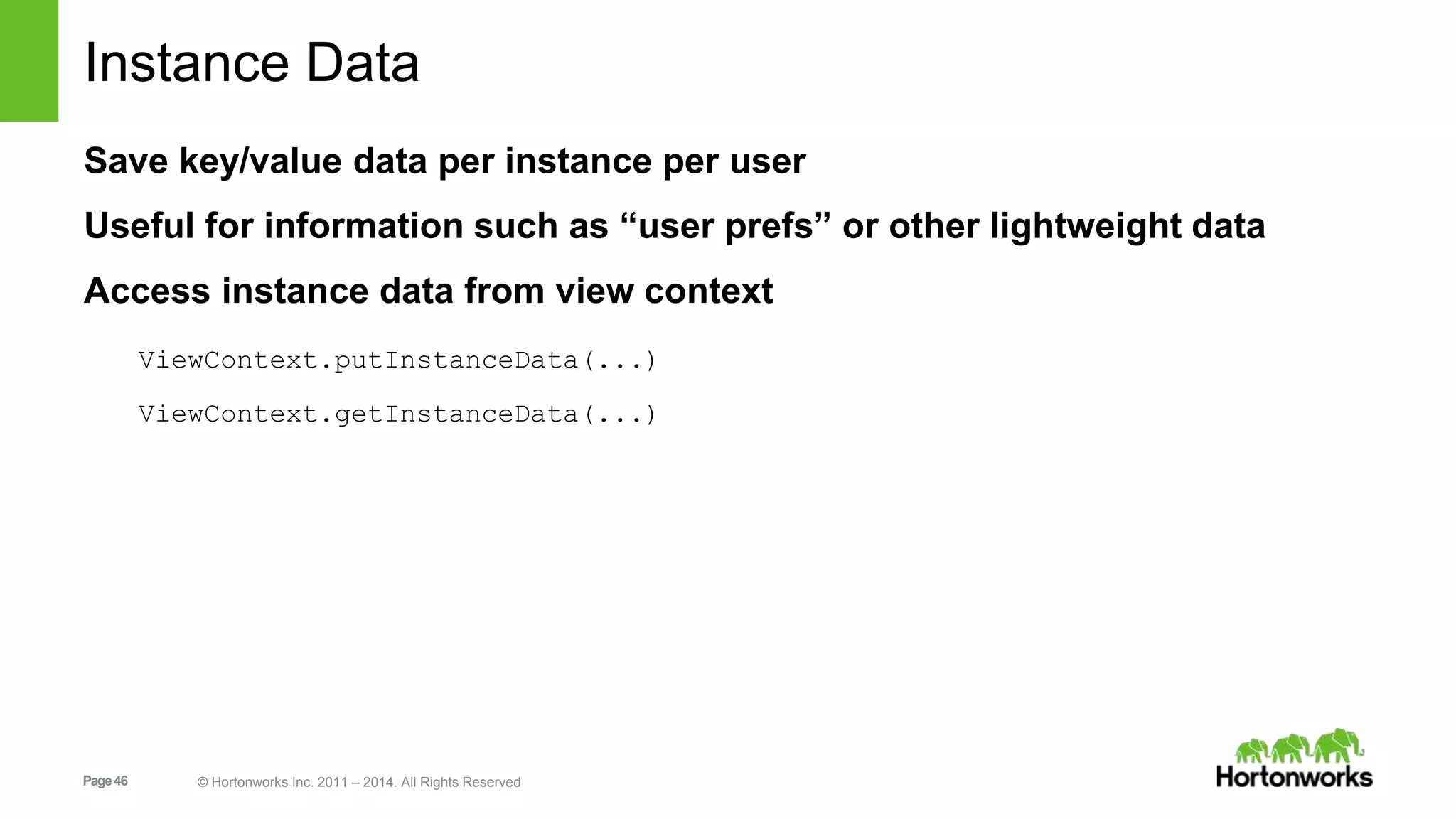
Instance Data 
Save key/value data per instance per user 
Useful for information such as “user prefs” or other lightweight data 
Access instance data from view context 
ViewContext.putInstanceData(...) 
ViewContext.getInstanceData(...) 
Page 46 © Hortonworks Inc. 2011 – 2014. All Rights Reserved
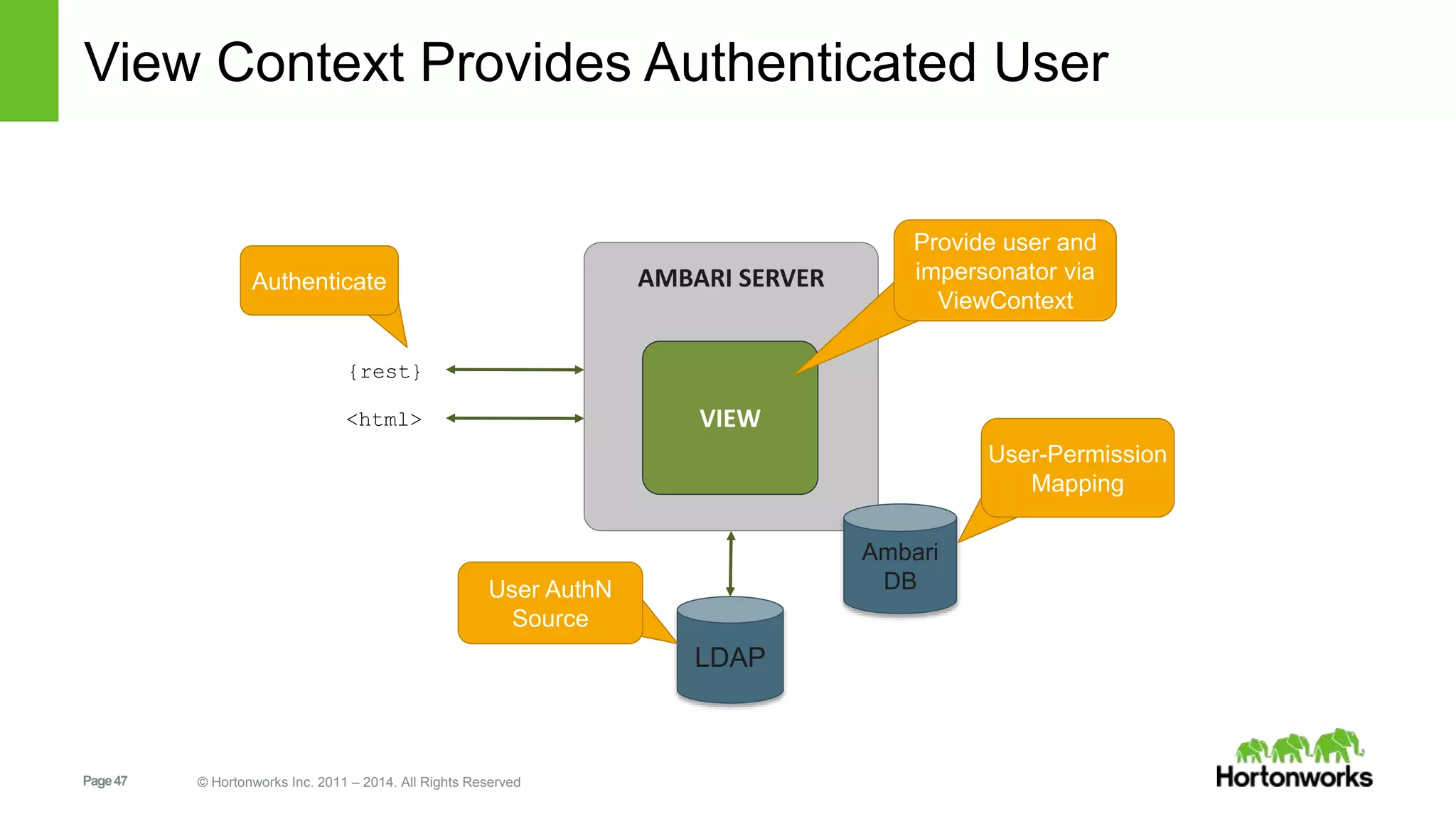
View Context Provides Authenticated User 
Page 47 © Hortonworks Inc. 2011 – 2014. All Rights Reserved 
AMBARI SERVER 
VIEW 
Ambari 
DB 
LDAP 
{rest} 
<html> 
User AuthN 
Source 
User-Permission 
Mapping 
Authenticate 
Provide user and 
impersonator via 
ViewContext
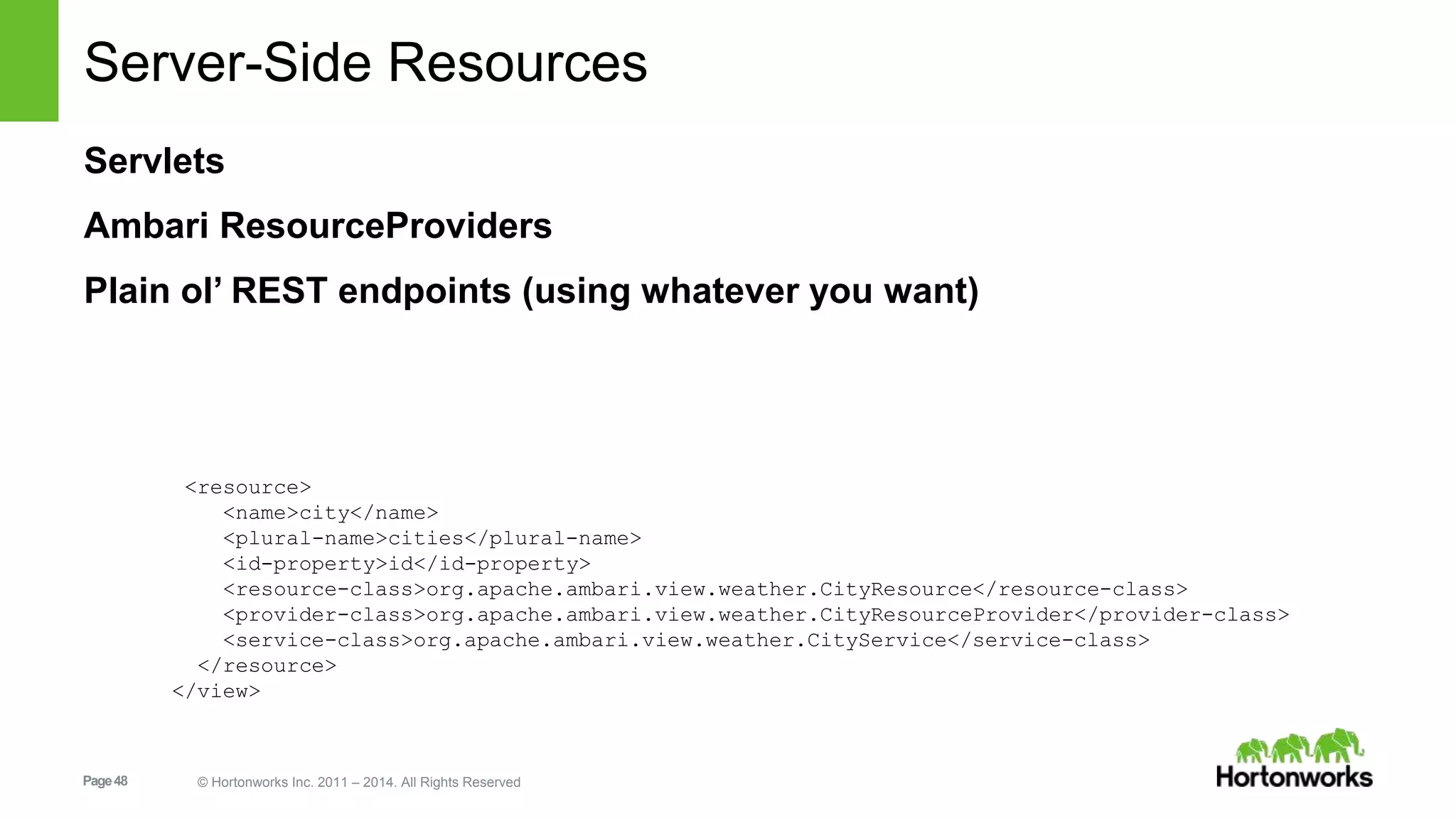
Server-Side Resources 
Servlets 
Ambari ResourceProviders 
Plain ol’ REST endpoints (using whatever you want) 
<resource> 
<name>city</name> 
<plural-name>cities</plural-name> 
<id-property>id</id-property> 
<resource-class>org.apache.ambari.view.weather.CityResource</resource-class> 
<provider-class>org.apache.ambari.view.weather.CityResourceProvider</provider-class> 
<service-class>org.apache.ambari.view.weather.CityService</service-class> 
</resource> 
</view> 
Page 48 © Hortonworks Inc. 2011 – 2014. All Rights Reserved
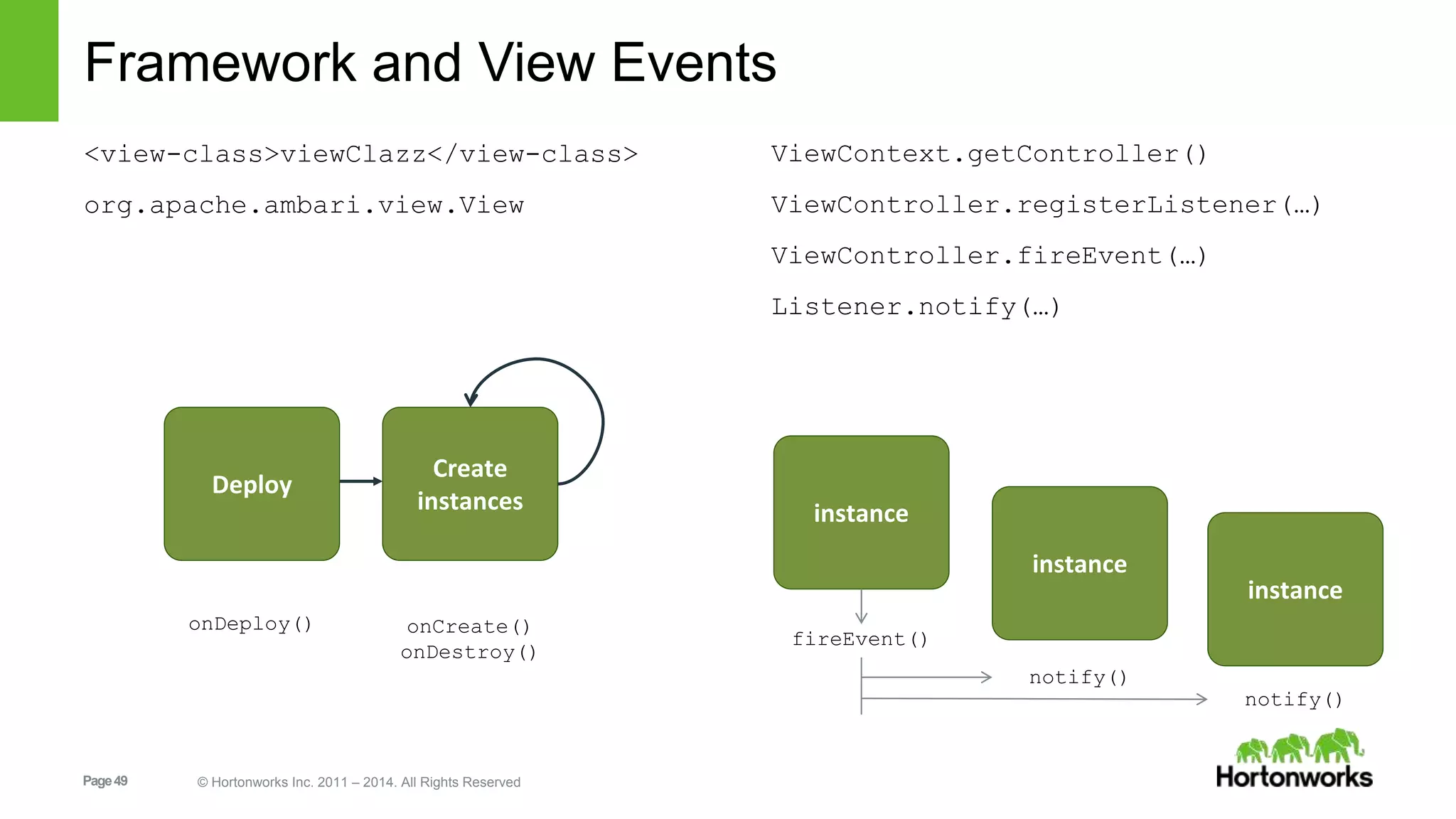
Framework and View Events 
<view-class>viewClazz</view-class> 
org.apache.ambari.view.View 
Page 49 © Hortonworks Inc. 2011 – 2014. All Rights Reserved 
ViewContext.getController() 
ViewController.registerListener(…) 
ViewController.fireEvent(…) 
Listener.notify(…) 
Deploy 
Create 
instances 
onDeploy() onCreate() 
onDestroy() 
instance 
instance 
instance 
fireEvent() 
notify() 
notify()
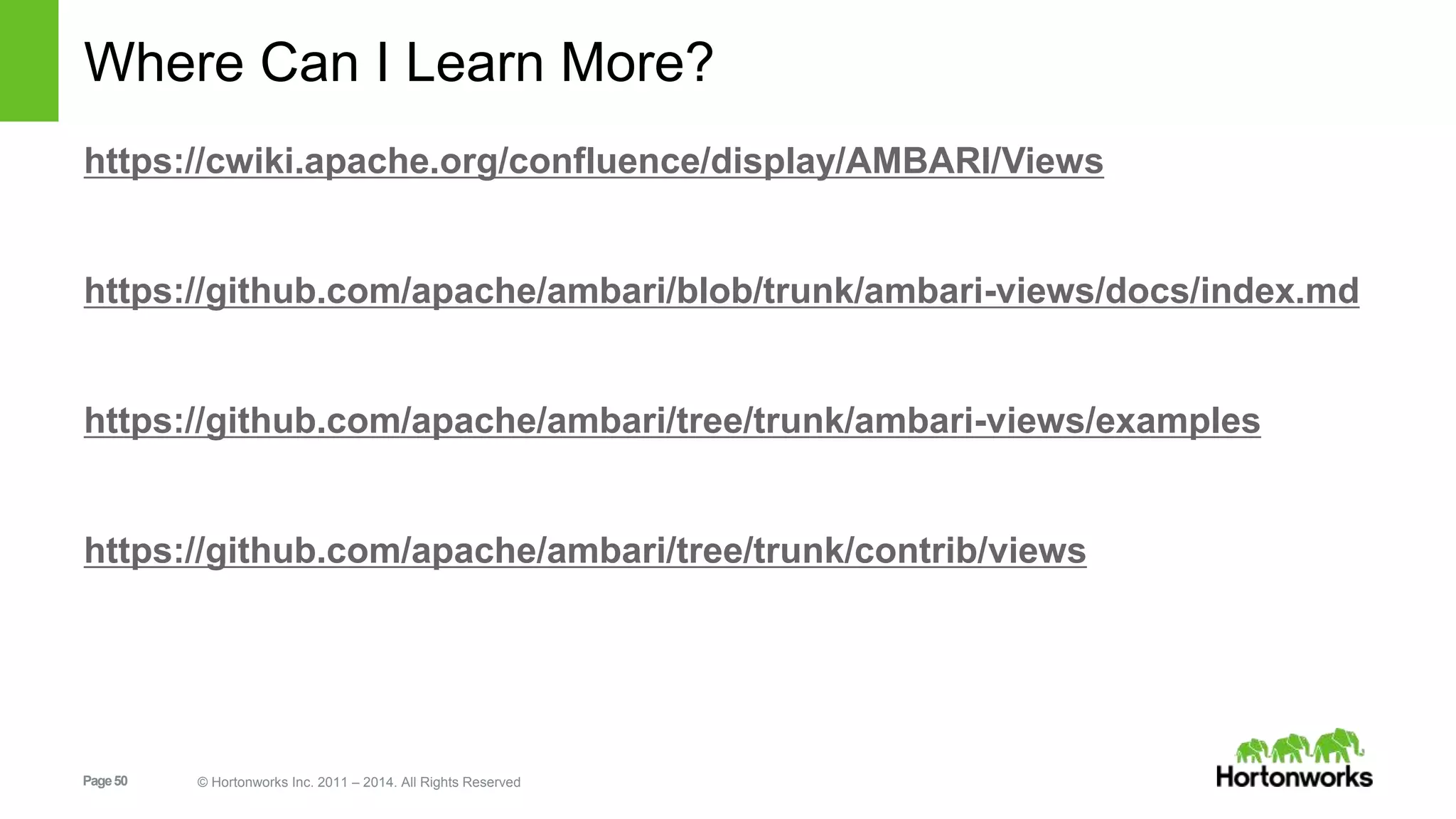
Where Can I Learn More? 
https://cwiki.apache.org/confluence/display/AMBARI/Views 
https://github.com/apache/ambari/blob/trunk/ambari-views/docs/index.md 
https://github.com/apache/ambari/tree/trunk/ambari-views/examples 
https://github.com/apache/ambari/tree/trunk/contrib/views 
Page 50 © Hortonworks Inc. 2011 – 2014. All Rights Reserved
Stack Advisor 
Page 51 © Hortonworks Inc. 2011 – 2014. All Rights Reserved
Stack Advisor 
Extends Ambari Stacks to include a “Stack Advisor” 
Provides recommendations for and performs validation on component 
layout & configuration 
Improves Stack pluggability 
Exposes new REST endpoints: 
/recommendations 
/validations 
REST endpoints used during Cluster Install Wizard and Configs UI 
Page 52 © Hortonworks Inc. 2011 – 2014. All Rights Reserved
Usability 
Page 53 © Hortonworks Inc. 2011 – 2014. All Rights Reserved
Host Check: Transparent Huge Pages 
Page 54 © Hortonworks Inc. 2011 – 2014. All Rights Reserved
ZooKeeper Add/Delete 
Add ZooKeeper Servers via Service Actions menu 
Delete ZooKeeper Servers from Hosts page 
Page 55 © Hortonworks Inc. 2011 – 2014. All Rights Reserved
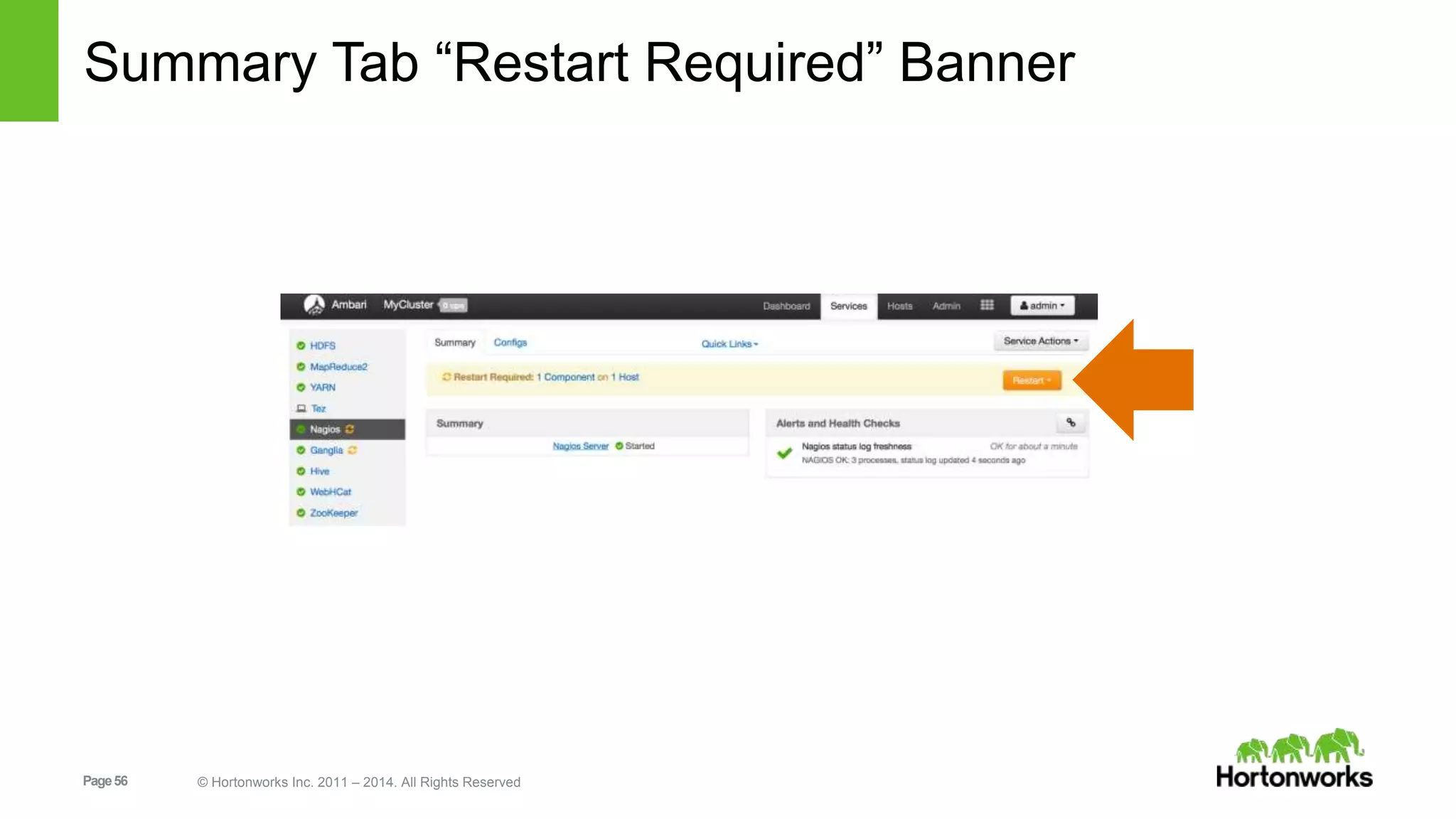
Summary Tab “Restart Required” Banner 
Page 56 © Hortonworks Inc. 2011 – 2014. All Rights Reserved
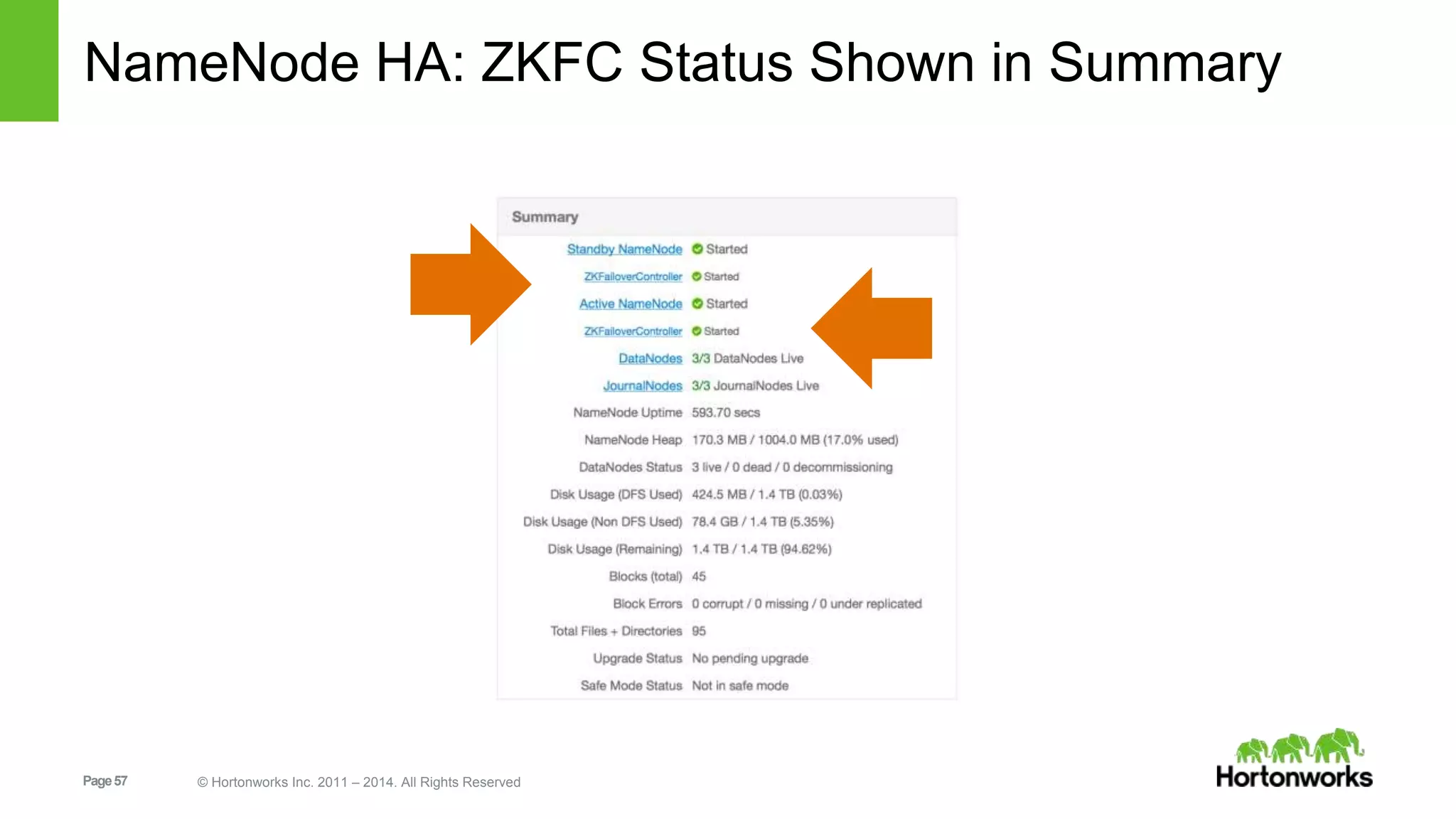
NameNode HA: ZKFC Status Shown in Summary 
Page 57 © Hortonworks Inc. 2011 – 2014. All Rights Reserved
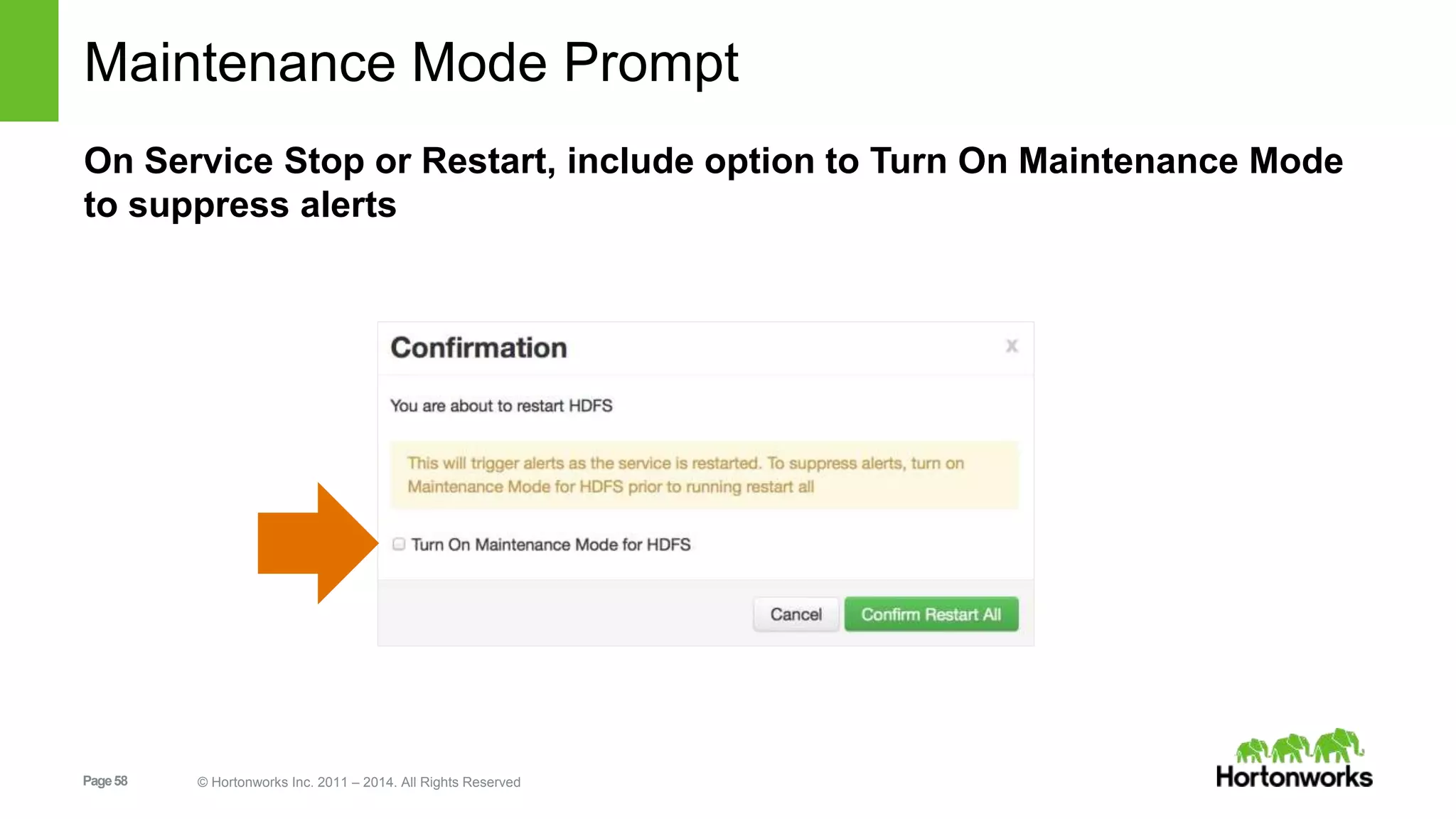
Maintenance Mode Prompt 
On Service Stop or Restart, include option to Turn On Maintenance Mode 
to suppress alerts 
Page 58 © Hortonworks Inc. 2011 – 2014. All Rights Reserved
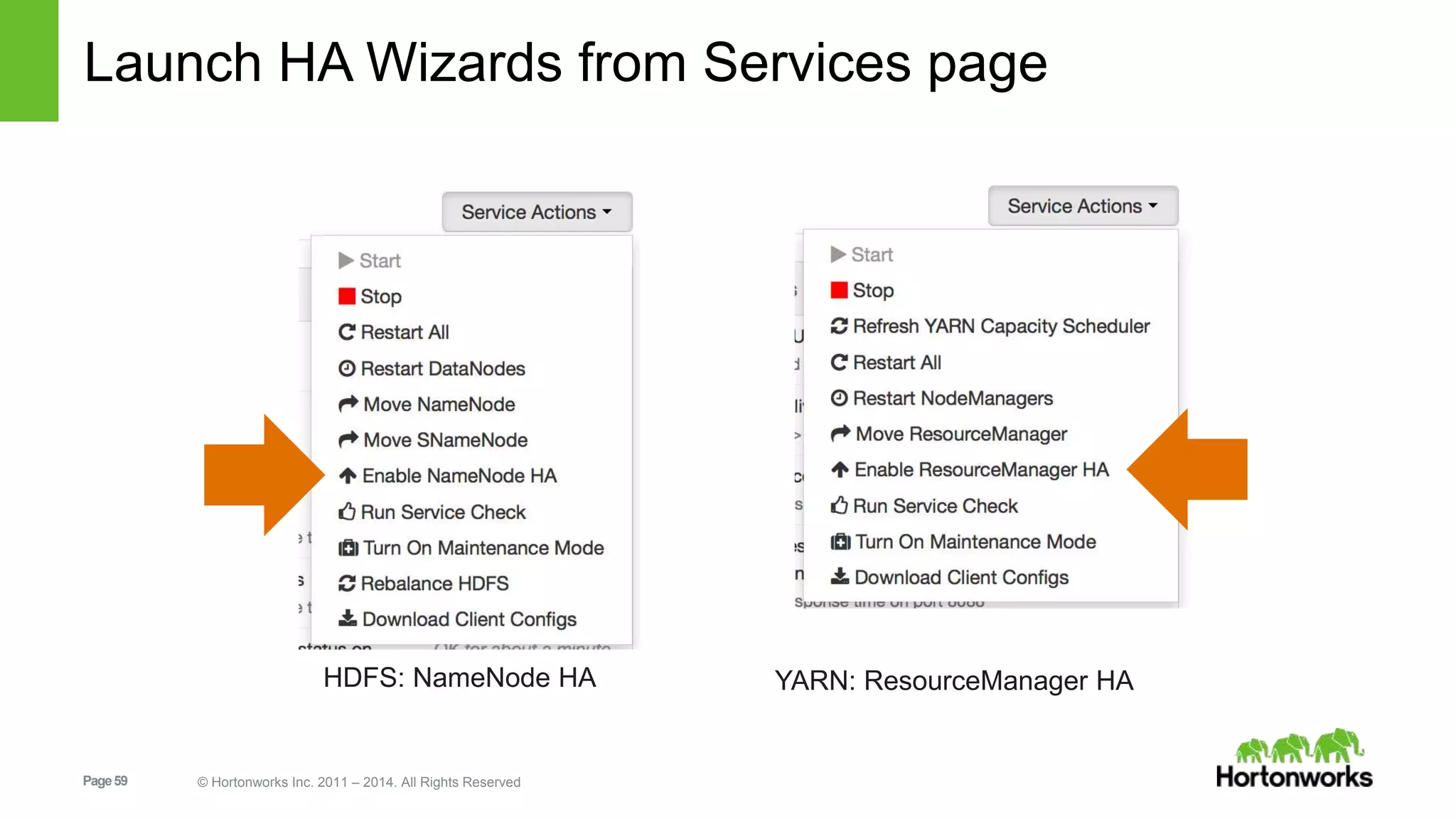
Launch HA Wizards from Services page 
HDFS: NameNode HA YARN: ResourceManager HA 
Page 59 © Hortonworks Inc. 2011 – 2014. All Rights Reserved
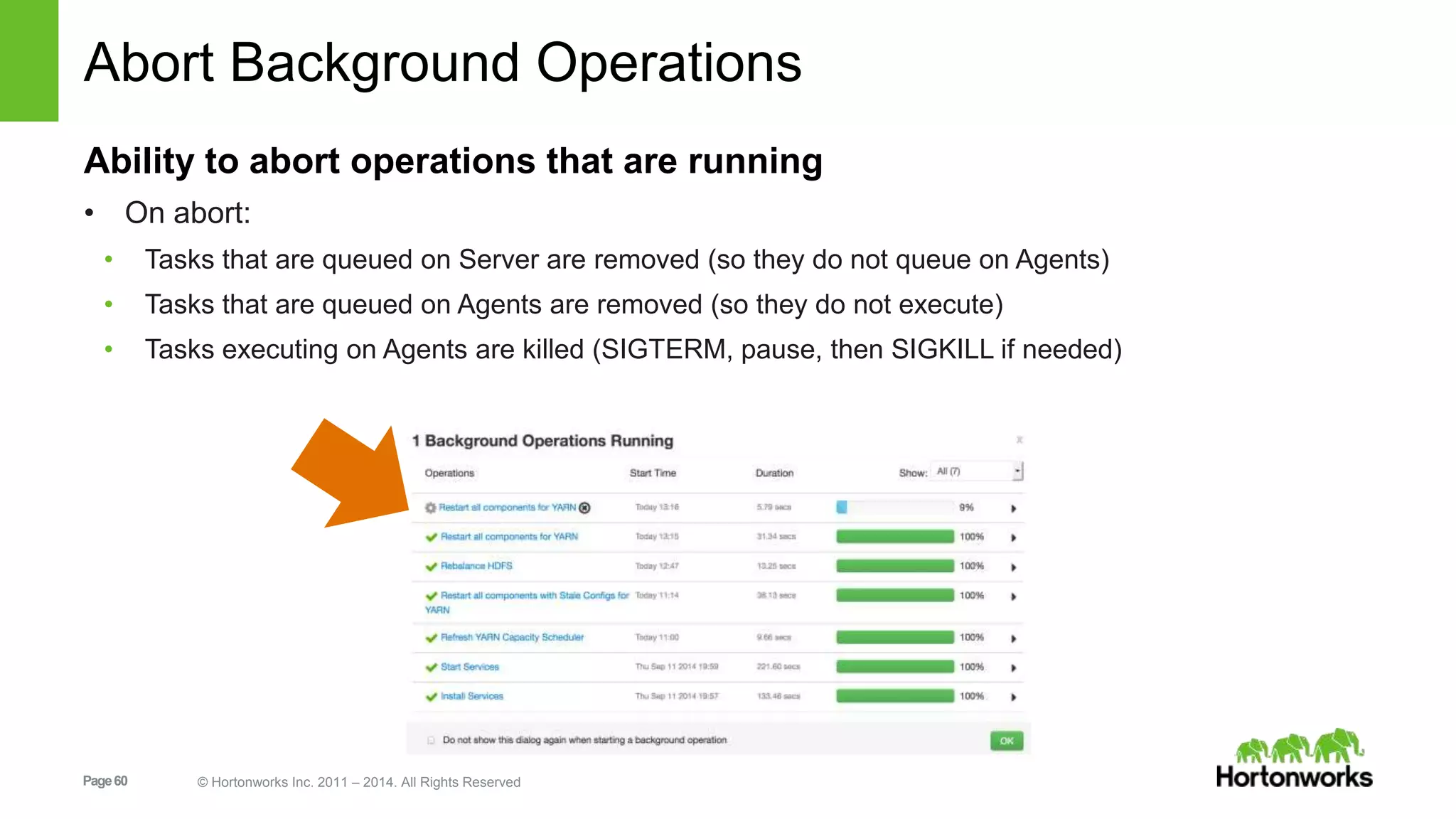
Abort Background Operations 
Ability to abort operations that are running 
• On abort: 
• Tasks that are queued on Server are removed (so they do not queue on Agents) 
• Tasks that are queued on Agents are removed (so they do not execute) 
• Tasks executing on Agents are killed (SIGTERM, pause, then SIGKILL if needed) 
Page 60 © Hortonworks Inc. 2011 – 2014. All Rights Reserved
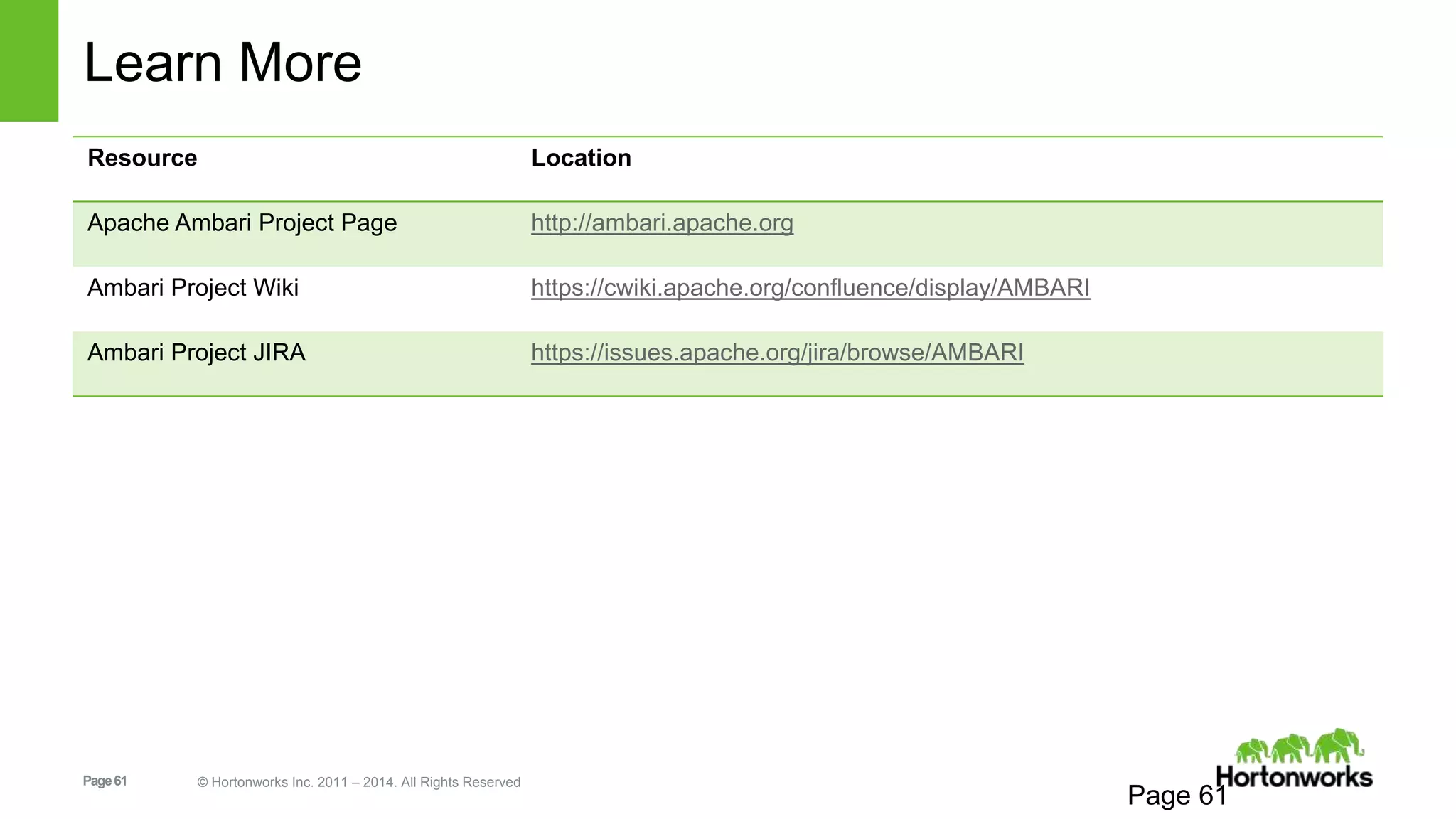
Learn More 
Page 61 © Hortonworks Inc. 2011 – 2014. All Rights Reserved 
Page 61 
Resource Location 
Apache Ambari Project Page http://ambari.apache.org 
Ambari Project Wiki https://cwiki.apache.org/confluence/display/AMBARI 
Ambari Project JIRA https://issues.apache.org/jira/browse/AMBARI

Apache Ambari - What's New in 1.7.0

  • 1.
    Apache Ambari 1.7.0 November 2014 Page 1 © Hortonworks Inc. 2011 – 2014. All Rights Reserved What’s New
  • 2.
    What’s New inAmbari 1.7.0 Core Services ResourceManager HA Capacity Scheduler Refresh Queues HDFS Rebalance Manage -env.sh Files Set <final> Config Properties Download Client Configs Config Versioning + History Stacks Stack Advisor Page 2 © Hortonworks Inc. 2011 – 2014. All Rights Reserved Ambari Platform Ambari Administration Ambari Views Framework Ambari Blueprints Export w/configs Ubuntu 12 Platform Support Usability Check THP enabled Abort Background Operations Delete ZooKeeper Servers For a complete list of changes https://issues.apache.org/jira/browse/AMBARI/fixforversion/12326546
  • 3.
    Core Services Page3 © Hortonworks Inc. 2011 – 2014. All Rights Reserved
  • 4.
    Resource Manager HA Adds a second ResourceManager into cluster ResourceManagers run Active / Standby Requires ZooKeeper (and at least 3 ZK Servers) Page 4 © Hortonworks Inc. 2011 – 2014. All Rights Reserved
  • 5.
    Resource Manager HA Select Host for the second ResourceManager Stops and starts components of Services dependent on YARN • MapReduce, Hive, WebHCat Page 5 © Hortonworks Inc. 2011 – 2014. All Rights Reserved
  • 6.
    YARN Capacity SchedulerRefresh Queues Refresh Capacity Scheduler Queues to apply scheduler changes Useful when performing non-destructive CS changes • Adding new queues • Adjusting existing queue capacity Deleting queues is a destructive CS change • Requires ResourceManager Restart Page 6 © Hortonworks Inc. 2011 – 2014. All Rights Reserved
  • 7.
    Capacity Scheduler ChangeActions Change Valid Actions Comments Add New or Edit Existing Queue Refresh Capacity Scheduler Note: when performing “refresh” with ResourceManager HA configured, Ambari performs “refresh” against both the Active and Standby ResourceManager Page 7 © Hortonworks Inc. 2011 – 2014. All Rights Reserved or Restart ResourceManager When using “refresh”, if the only YARN config change is to CS, the “restart required” flag will clear automatically Delete Queue Restart ResourceManager ResourceManager restarts are usually fast (~ 1 minute) compared to a NameNode restart
  • 8.
    Refresh Queues Failureon Destructive Change Important: Command fails if you attempt refresh w/ destructive changes Page 8 © Hortonworks Inc. 2011 – 2014. All Rights Reserved
  • 9.
    HDFS Rebalance Setbalance threshold Check progress via Background Ops dialog Page 9 © Hortonworks Inc. 2011 – 2014. All Rights Reserved
  • 10.
    Configuration Enhancements Page10 © Hortonworks Inc. 2011 – 2014. All Rights Reserved
  • 11.
    Summary of ConfigEnhancements Download Client Configs Manage -env.sh files Set <final> Config Properties Configuration Change Notes Add Bulk Custom Properties Config Versioning + History Page 11 © Hortonworks Inc. 2011 – 2014. All Rights Reserved
  • 12.
    Download Client Configs Download client configuration files for a Service Useful to build “edge” nodes (or “gateway” nodes) outside of Ambari Page 12 © Hortonworks Inc. 2011 – 2014. All Rights Reserved
  • 13.
    Manage -env.sh Configs Manage the templates for –env.sh config files hadoop-env.sh, hive-env.sh, etc • Modify template from UI • Avoid having to customize in Stack definition Page 13 © Hortonworks Inc. 2011 – 2014. All Rights Reserved
  • 14.
    Set <final> ConfigProperties Declare a property as <final> • via Ambari Web and REST API User applications may not alter the property <property> <name>dfs.datanode.data.dir</name> <value>/hadoop/hdfs/data</value> <final>true</final> </property> Page 14 © Hortonworks Inc. 2011 – 2014. All Rights Reserved
  • 15.
    Add Bulk CustomProperties Add custom configuration properties in Single or Bulk mode Page 15 © Hortonworks Inc. 2011 – 2014. All Rights Reserved Single or Bulk Mode Single or Bulk Mode Bulk Mode (key=value textarea) Single Mode (key/value input)
  • 16.
    Configuration Change Notes Store notes with each configuration change Page 16 © Hortonworks Inc. 2011 – 2014. All Rights Reserved
  • 17.
    Config Versioning andHistory Service Config Versions – saved per service List of Config History Compare Versions Filter by “Changed Properties” Revert Changes (i.e. “Make Current”) Audit Log of Changes /var/log/ambari-server/ambari-config-changes.log 2014-09-12 15:14:19,011 INFO - Cluster 'MyCluster' changed by: 'admin'; service_name='YARN' config_group='default' config_group_id='-1' version='2' Page 17 © Hortonworks Inc. 2011 – 2014. All Rights Reserved
  • 18.
    Config History Tab Page 18 © Hortonworks Inc. 2011 – 2014. All Rights Reserved History of Changes Filter, Sort, Search
  • 19.
    Service Configs Tab Most Recent Versions (view, compare, revert) Compare Versions Page 19 © Hortonworks Inc. 2011 – 2014. All Rights Reserved Filter by “Changed” Revert Version
  • 20.
    Administration Page 20© Hortonworks Inc. 2011 – 2014. All Rights Reserved
  • 21.
    Ambari Administration Introducingthe Ambari Admin Introducing Groups Introducing Permissions LDAP Users and Groups Page 21 © Hortonworks Inc. 2011 – 2014. All Rights Reserved
  • 22.
    Introducing the AmbariAdmin Ambari Admins can manage Ambari, including: - Managing users and groups - Elevating other users to “Ambari Admins” - Installing clusters and managing cluster permissions - Creating view instances and managing view permissions Page 22 © Hortonworks Inc. 2011 – 2014. All Rights Reserved
  • 23.
    Introducing Groups AddedGroups support to Ambari Ability to manage group membership Supports Local or LDAP groups Page 23 © Hortonworks Inc. 2011 – 2014. All Rights Reserved
  • 24.
    Introducing Permissions Permissionsin Ambari define what can be done for a given Resource Type Terminology: Resource Types in Ambari are CLUSTER and VIEW Support for Operator and Read-Only CLUSTER permissions Grant permissions to users or groups Page 24 © Hortonworks Inc. 2011 – 2014. All Rights Reserved
  • 25.
    LDAP Users +Groups Ambari supports configuring for LDAP authentication New support for importing / sync’ing LDAP users and groups with Ambari Step 1: Setup Ambari for LDAP Authentication Page 25 © Hortonworks Inc. 2011 – 2014. All Rights Reserved Step 2: Import/sync LDAP users and groups with Ambari
  • 26.
    LDAP Authentication SetupAmbari for LDAP Authentication ambari-server setup-ldap Configure primary and secondary LDAP server URLs, SSL optional, anonymous binding, etc. Page 26 © Hortonworks Inc. 2011 – 2014. All Rights Reserved Ambari Server External LDAP Authenticate DB LDAP users & groups Local users & groups
  • 27.
    New LDAP AuthenticationConfig Properties Page 27 © Hortonworks Inc. 2011 – 2014. All Rights Reserved Ambari 1.6.1 or Earlier Ambari 1.7.0 Primary LDAP URL Required Required Secondary LDAP URL Optional Optional SSL Optional Optional Base DN Required Required Bind Anonymously true/false true/false Bind Manager Optional Optional User Name Attribute Required Required User Object Class Required Group Name Attribute Required Group Object Class Required Group Member Attribute Required
  • 28.
    Import / Sync’ingLDAP Users + Groups Import / synchronize LDAP users and groups with Ambari ambari-server sync-ldap Options: • Import a specific set of users and groups (--users and --groups), or • Import all LDAP users and groups (--all), or • Sync “existing Ambari LDAP” users and groups (--existing) Ambari Server Page 28 © Hortonworks Inc. 2011 – 2014. All Rights Reserved External LDAP Authenticate DB LDAP users & groups Local users & groups
  • 29.
    Summary of Changes Ambari 1.6.1 or Earlier Ambari 1.7.0 Principals Users Users and Groups Principal Types Local or LDAP Local or LDAP User Administration All cluster “admins” can administer users. Page 29 © Hortonworks Inc. 2011 – 2014. All Rights Reserved Only users designated as “Ambari Admins” can administer users and groups and “Manage Ambari”. Cluster Permissions Admin or Read-Only Operator or Read-Only Cluster Access All users have read-only cluster access implicitly. Must explicitly grant cluster permissions. Disable User Access to Ambari Not available Ability to set a user as “inactive”. LDAP Authentication Supported Supported with additional parameters. LDAP User Default Ambari Access Implicit access on login. Must import / sync LDAP users with Ambari to enable access.
  • 30.
    What Happens onAmbari Upgrade? Existing Ambari 1.6.1 or Earlier After Upgrade to Ambari 1.7.0 Local Users Migrated LDAP Users Migrated LDAP Authentication Re-run setup-ldap to set new properties Non-Admin Users Granted “Read-Only” permission on cluster Admin Users Page 30 © Hortonworks Inc. 2011 – 2014. All Rights Reserved Granted “Operator” permission on cluster Flagged as “Ambari Admin” IMPORTANT: Review + narrow this list as appropriate
  • 31.
    Views Framework Page31 © Hortonworks Inc. 2011 – 2014. All Rights Reserved
  • 32.
    Ambari Views Framework Goal: enable the delivery of custom UI experiences in Ambari Web Developers can extend the Ambari Web interface • Views expose custom UI features for Hadoop Services Ambari Admins can entitle Views to Ambari Web users • Entitlements framework for controlling access to Views Page 32 © Hortonworks Inc. 2011 – 2014. All Rights Reserved
  • 33.
    Example Views CapacityScheduler “Queue Manager” View Page 33 © Hortonworks Inc. 2011 – 2014. All Rights Reserved Hive Tez Query “Jobs” View
  • 34.
    Views Framework vs.Views Page 34 © Hortonworks Inc. 2011 – 2014. All Rights Reserved Views Views Framework Core to Ambari
  • 35.
    View Components •Serve client-side assets (such as HTML + JavaScript) • Expose server-side resources (such as REST endpoints) AMBARI WEB VIEW Client-side assets (.js, html) Page 35 © Hortonworks Inc. 2011 – 2014. All Rights Reserved AMBARI SERVER VIEW Server-side resources (java) {rest} Hadoop and other systems
  • 36.
    View Delivery 1.Develop the View (just like you would for a Web App) 2. Package as a View (basically a WAR) 3. Deploy the View into Ambari 4. Ambari Admins create + configuration view instance(s) and give access to users + groups Develop Package Deploy Page 36 © Hortonworks Inc. 2011 – 2014. All Rights Reserved Create Instance(s)
  • 37.
    Versions and Instances • Deploy multiple versions and create multiple instances of a view • Manage accessibility and usage Page 37 © Hortonworks Inc. 2011 – 2014. All Rights Reserved
  • 38.
    Choice of DeploymentModel • For Hadoop Operators: Deploy Views in an Ambari Server that is managing a Hadoop cluster • For Data Workers: Run Views in a “standalone” Ambari Server Ambari Server Page 38 © Hortonworks Inc. 2011 – 2014. All Rights Reserved HADOOP Store & Process Ambari Server Operators manage the cluster, may have Views deployed Data Workers use the cluster and use a “standalone” Ambari Server for Views
  • 39.
    Views REST API Resource Description GET /api/v1/views List of available views GET /api/v1/views/{viewName}/versions List of available view versions GET /api/v1/views/{viewName}/versions/{version}/instanc es Page 39 © Hortonworks Inc. 2011 – 2014. All Rights Reserved List of view instances in a given version GET /api/v1/views/{viewName}/versions/{version}/instanc es/{instanceName} Details about a specific view instance.
  • 40.
    View Deployment Placeview-package.jar on Ambari Server /var/lib/ambari-server/resources/views Restart Ambari Server to start deployment ambari-server restart Deployment registers the view with Ambari and extracts the view /var/lib/ambari-server/resources/views/work Once complete, the view is available to create instances Dev Tip: UI assets in extracted view can be modified w/o restart Page 40 © Hortonworks Inc. 2011 – 2014. All Rights Reserved
  • 41.
    Views Framework Terminology Term Description View Definition Describes the view resources and core view properties such as name, version and any necessary configuration properties. View Package Packages the view client and server assets (and dependencies) View Deployment Deploying a view into Ambari View Version A specific version of a view View Instance An instantiation of a specific view version Framework Services View context, instance data, configuration properties and events Page 41 © Hortonworks Inc. 2011 – 2014. All Rights Reserved
  • 42.
    View Definition (view.xml) name – the internal name of the view (must be unique) label – the public display name of the view version – the version of the view parameter – (optional) metadata about view instance properties resource – (optional) the names of the classes required to support a view sub-resource instance – (optional) property sets which define static view instances <view> <name>MYVIEW</name> <label>My View</label> <version>1.0.0</version> <parameter> <name>scope</name> <description>The scope of the instance.</description> </parameter> </view> Dev Tip: Use Static instances for development Page 42 © Hortonworks Inc. 2011 – 2014. All Rights Reserved
  • 43.
    View Package ViewDefinition: view.xml Resource / Service classes : JAX-RS annotated UI classes : html, Servlets deployed as web app (WEB-INF/web.xml). Application logic : Supporting classes Dependencies : 3rd party jars or classes ├── WEB-INF │ └── web.xml ├── org │ └── apache │ └── ambari │ └── view │ └── weather │ ├── CityResource.class │ ├── CityResourceProvider.class │ ├── CityService.class │ └── WeatherServlet.class └── view.xml view-package. jar Page 43 © Hortonworks Inc. 2011 – 2014. All Rights Reserved
  • 44.
    View Context •Available to the view server-side through injection. • Provides access to instance configuration. • Provides access to the view and instance attributes. • Provides access to run time information about the current execution context, including authenticated user principal. public interface ViewContext { public String getUsername(); public String getViewName(); public String getInstanceName(); public Map<String, String> getProperties(); public void putInstanceData(...); public String getInstanceData(...); } Page 44 © Hortonworks Inc. 2011 – 2014. All Rights Reserved
  • 45.
    Configuration Parameters Describerequired and optional view instance configuration parameters <parameter> Supports variables ${viewName} ${instanceName} ${username} Access parameters from view context ViewContext.getProperties() Page 45 © Hortonworks Inc. 2011 – 2014. All Rights Reserved
  • 46.
    Instance Data Savekey/value data per instance per user Useful for information such as “user prefs” or other lightweight data Access instance data from view context ViewContext.putInstanceData(...) ViewContext.getInstanceData(...) Page 46 © Hortonworks Inc. 2011 – 2014. All Rights Reserved
  • 47.
    View Context ProvidesAuthenticated User Page 47 © Hortonworks Inc. 2011 – 2014. All Rights Reserved AMBARI SERVER VIEW Ambari DB LDAP {rest} <html> User AuthN Source User-Permission Mapping Authenticate Provide user and impersonator via ViewContext
  • 48.
    Server-Side Resources Servlets Ambari ResourceProviders Plain ol’ REST endpoints (using whatever you want) <resource> <name>city</name> <plural-name>cities</plural-name> <id-property>id</id-property> <resource-class>org.apache.ambari.view.weather.CityResource</resource-class> <provider-class>org.apache.ambari.view.weather.CityResourceProvider</provider-class> <service-class>org.apache.ambari.view.weather.CityService</service-class> </resource> </view> Page 48 © Hortonworks Inc. 2011 – 2014. All Rights Reserved
  • 49.
    Framework and ViewEvents <view-class>viewClazz</view-class> org.apache.ambari.view.View Page 49 © Hortonworks Inc. 2011 – 2014. All Rights Reserved ViewContext.getController() ViewController.registerListener(…) ViewController.fireEvent(…) Listener.notify(…) Deploy Create instances onDeploy() onCreate() onDestroy() instance instance instance fireEvent() notify() notify()
  • 50.
    Where Can ILearn More? https://cwiki.apache.org/confluence/display/AMBARI/Views https://github.com/apache/ambari/blob/trunk/ambari-views/docs/index.md https://github.com/apache/ambari/tree/trunk/ambari-views/examples https://github.com/apache/ambari/tree/trunk/contrib/views Page 50 © Hortonworks Inc. 2011 – 2014. All Rights Reserved
  • 51.
    Stack Advisor Page51 © Hortonworks Inc. 2011 – 2014. All Rights Reserved
  • 52.
    Stack Advisor ExtendsAmbari Stacks to include a “Stack Advisor” Provides recommendations for and performs validation on component layout & configuration Improves Stack pluggability Exposes new REST endpoints: /recommendations /validations REST endpoints used during Cluster Install Wizard and Configs UI Page 52 © Hortonworks Inc. 2011 – 2014. All Rights Reserved
  • 53.
    Usability Page 53© Hortonworks Inc. 2011 – 2014. All Rights Reserved
  • 54.
    Host Check: TransparentHuge Pages Page 54 © Hortonworks Inc. 2011 – 2014. All Rights Reserved
  • 55.
    ZooKeeper Add/Delete AddZooKeeper Servers via Service Actions menu Delete ZooKeeper Servers from Hosts page Page 55 © Hortonworks Inc. 2011 – 2014. All Rights Reserved
  • 56.
    Summary Tab “RestartRequired” Banner Page 56 © Hortonworks Inc. 2011 – 2014. All Rights Reserved
  • 57.
    NameNode HA: ZKFCStatus Shown in Summary Page 57 © Hortonworks Inc. 2011 – 2014. All Rights Reserved
  • 58.
    Maintenance Mode Prompt On Service Stop or Restart, include option to Turn On Maintenance Mode to suppress alerts Page 58 © Hortonworks Inc. 2011 – 2014. All Rights Reserved
  • 59.
    Launch HA Wizardsfrom Services page HDFS: NameNode HA YARN: ResourceManager HA Page 59 © Hortonworks Inc. 2011 – 2014. All Rights Reserved
  • 60.
    Abort Background Operations Ability to abort operations that are running • On abort: • Tasks that are queued on Server are removed (so they do not queue on Agents) • Tasks that are queued on Agents are removed (so they do not execute) • Tasks executing on Agents are killed (SIGTERM, pause, then SIGKILL if needed) Page 60 © Hortonworks Inc. 2011 – 2014. All Rights Reserved
  • 61.
    Learn More Page61 © Hortonworks Inc. 2011 – 2014. All Rights Reserved Page 61 Resource Location Apache Ambari Project Page http://ambari.apache.org Ambari Project Wiki https://cwiki.apache.org/confluence/display/AMBARI Ambari Project JIRA https://issues.apache.org/jira/browse/AMBARI