Connecting a Computer

Loading...

Flash Player 9 (or above) is needed to view presentations.
We have detected that you do not have it on your computer. To install it, go here.

0 comments

Post a comment

    Post a comment
    Embed Video
    Edit your comment Cancel

    Favorites, Groups & Events

    Connecting a Computer - Presentation Transcript

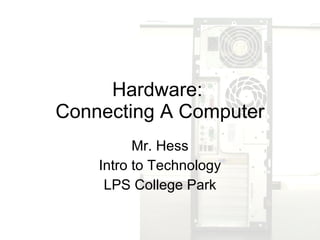
    1. Hardware: Connecting A Computer Mr. Hess Intro to Technology LPS College Park
    2. Don’t be afraid. It’s easier than it looks.
    3. Getting Power to the PC Goes in the wall Goes in your computer
    4. Power Cord
    5. Let there be light! Be sure I’m facing the right way. VS.
    6. Monitor
    7. Communicating to the PC PS/2 USB Keyboard
    8. PS/2 Keyboard USB Keyboard
    9. There’s a mouse on my desk! PS/2 USB Mouse I heard you had a mouse problem.
    10. PS/2 Mouse USB
    11. Jack me into the internet!
      • RJ45=Network Cable
      RJ11=Phone/Modem
              • VGA: Monitor
              • PS/2: Mouse & Keyboard
              • USB: flash drive, mouse, keyboard, printer
              • RJ45: internet cable, network cable
              • Firewire: video cameras, hard drives
              • Sound Card: pink=microphone; green=speakers/headphones
    12.  
    13. Keyboard Mouse Speakers or Headphones Microphone USB Network Cable Printer
    14. Zip ties are a great way to organize cables.
    15. Helpful Tips:
      • If something’s wrong, check the cables first.
      • Always be sure the cable is going into the plug the right way. Don’t force it!
      • Never plug in or unplug the computer while it is turned on. Always turn off the computer when connecting wires.
      • Don’t forget to check that plugs are plugged in on the other side as well. (The wall, the monitor, the internet jack, etc.)

    + Dan HessDan Hess, 2 months ago

    custom

    260 views, 0 favs, 1 embeds more stats

    Basic overview of how to connect a computer.
    More info about this document

    © All Rights Reserved

    Go to text version

    • Total Views 260
      • 207 on SlideShare
      • 53 from embeds
    • Comments 0
    • Favorites 0
    • Downloads 4
    Most viewed embeds
    • 53 views on http://mrhess.org

    more

    All embeds
    • 53 views on http://mrhess.org

    less

    Flagged as inappropriate Flag as inappropriate
    Flag as inappropriate

    Select your reason for flagging this presentation as inappropriate. If needed, use the feedback form to let us know more details.

    Cancel
    File a copyright complaint
    Having problems? Go to our helpdesk?

    Categories