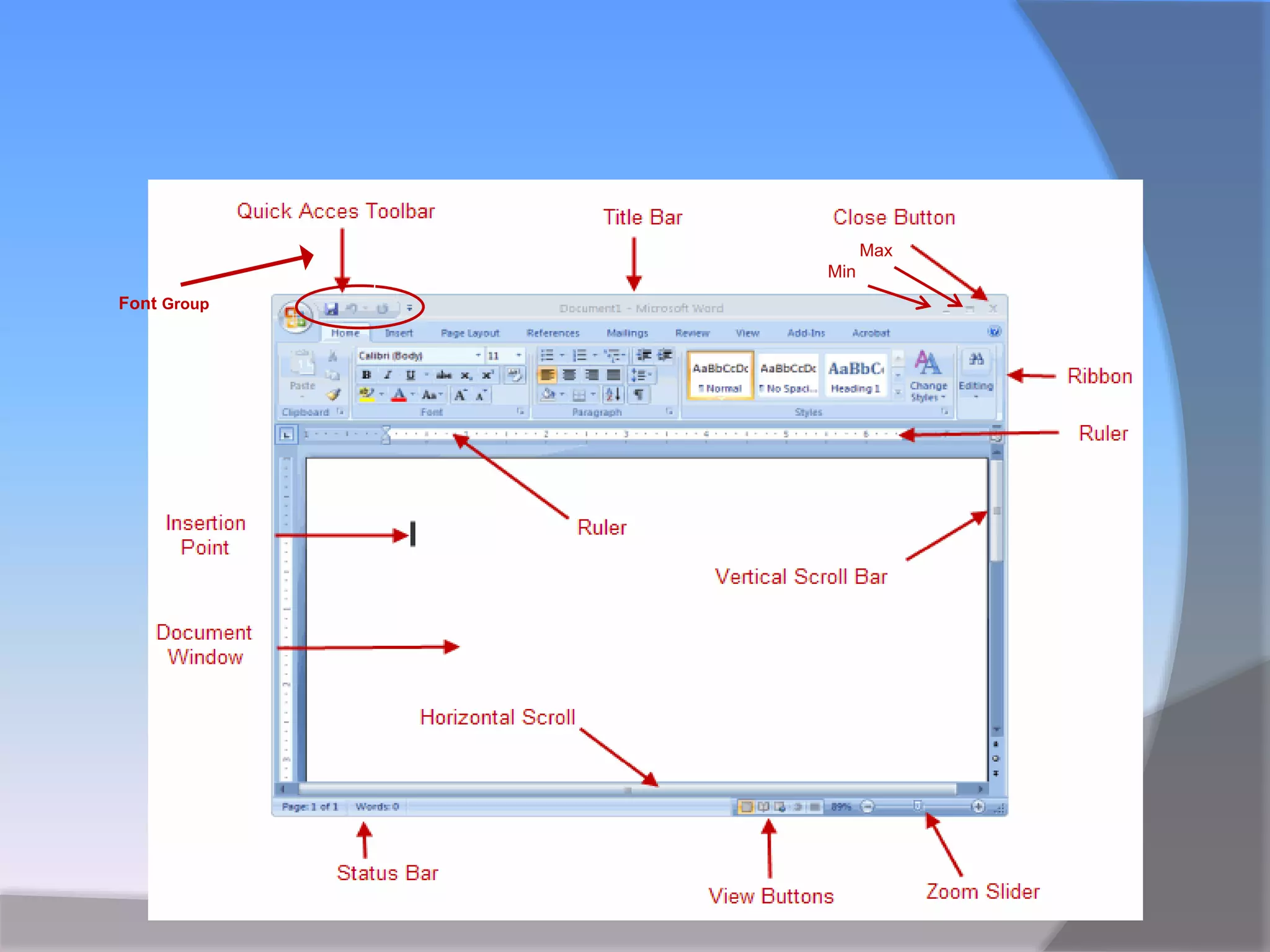
This document provides an overview of the interface of Microsoft Word. It describes the main components of the Word interface, including the Office Button, title bar, control box, quick access toolbar, ribbon bar, rulers, scroll bars, status bar, and insertion point. It explains the functions of each component, such as using the Office Button to access common file functions, the ribbon bar to access commonly used commands organized into tabs and groups, and the status bar for information on page numbers, word counts, and zoom level.
In this document
Powered by AI
Overview of MS Word as part of Microsoft Office 2007; its release, features, and the Ribbon interface.
Detailed exploration of MS Word interface components, including the Office Button, Title Bar, Control Box, Quick Access Toolbar, Menu Bar, Ribbon Bar, Rulers, Scroll Bars, and Status Bar.
Expression of gratitude to the audience for their time, highlighting its importance.
Introduction of MSWord
MS word is the 12th version of Microsoft’s word
processing software.
It is the part of Microsoft Office 2007 productivity
suit/package.
It was released in November 2006.
It has new features along with the popular
Ribbon interface.
Define the Interfaceparts
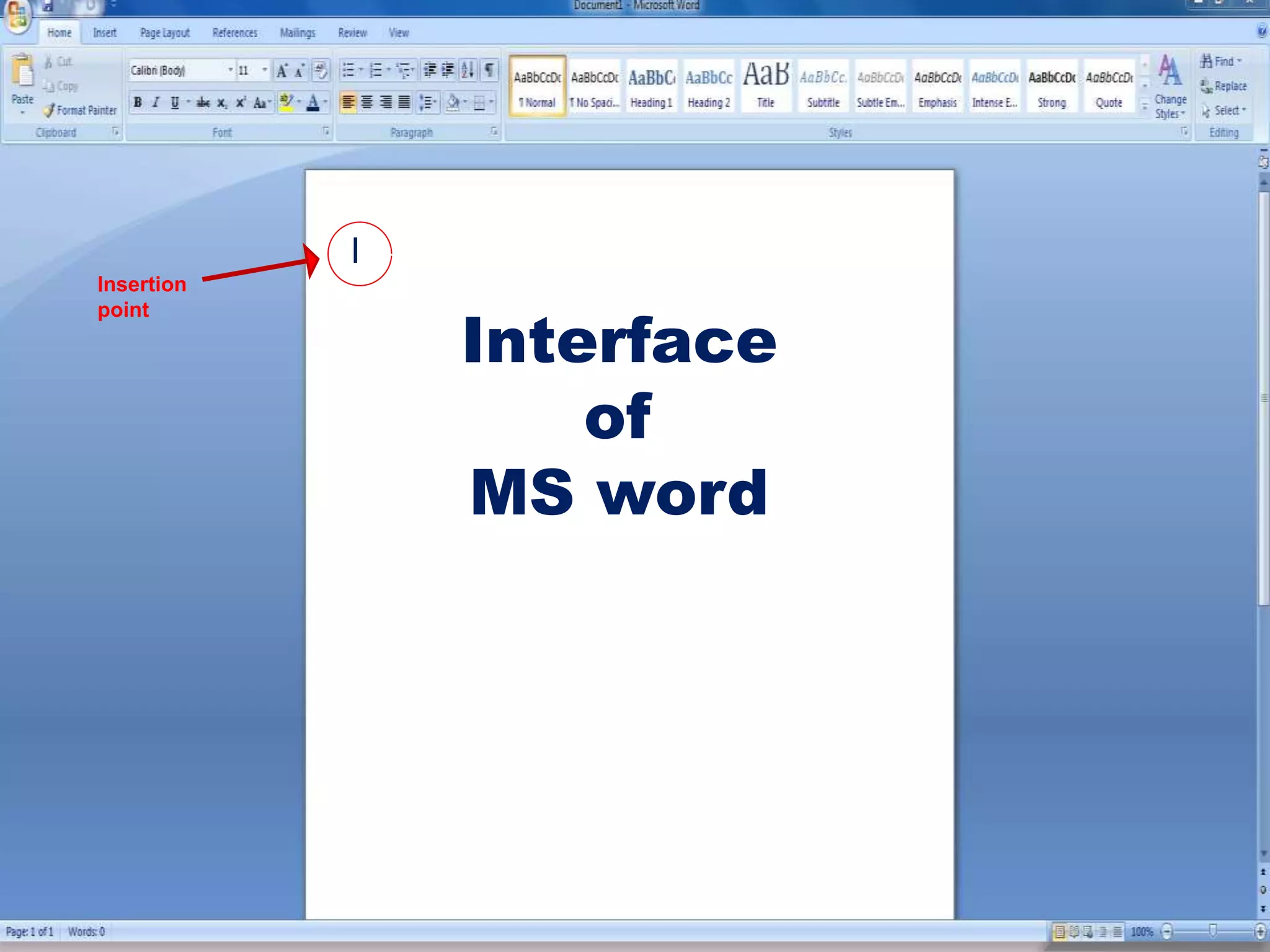
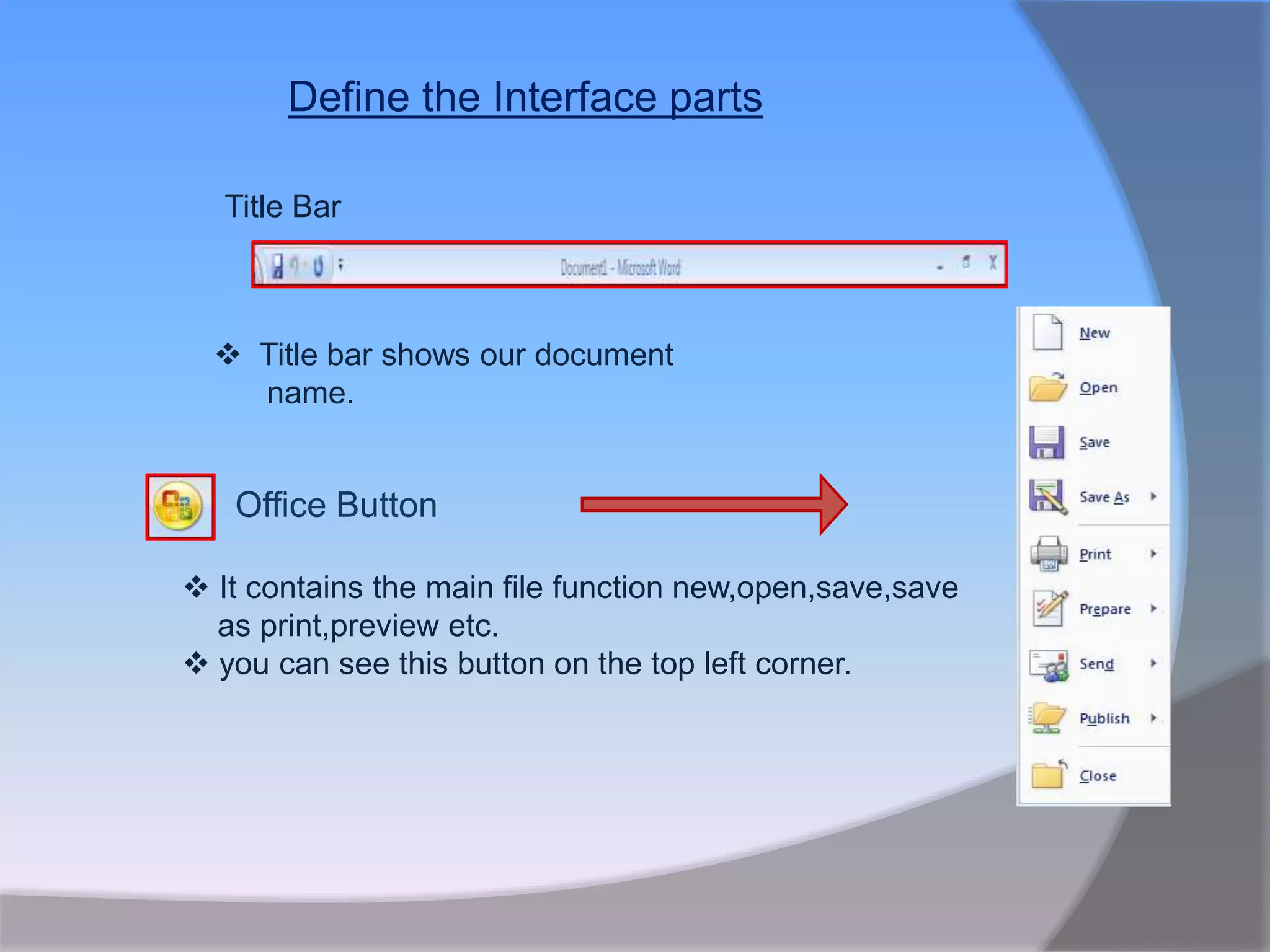
Office Button
It contains the main file function new,open,save,save
as print,preview etc.
you can see this button on the top left corner.
Title Bar
Title bar shows our document
name.
9.
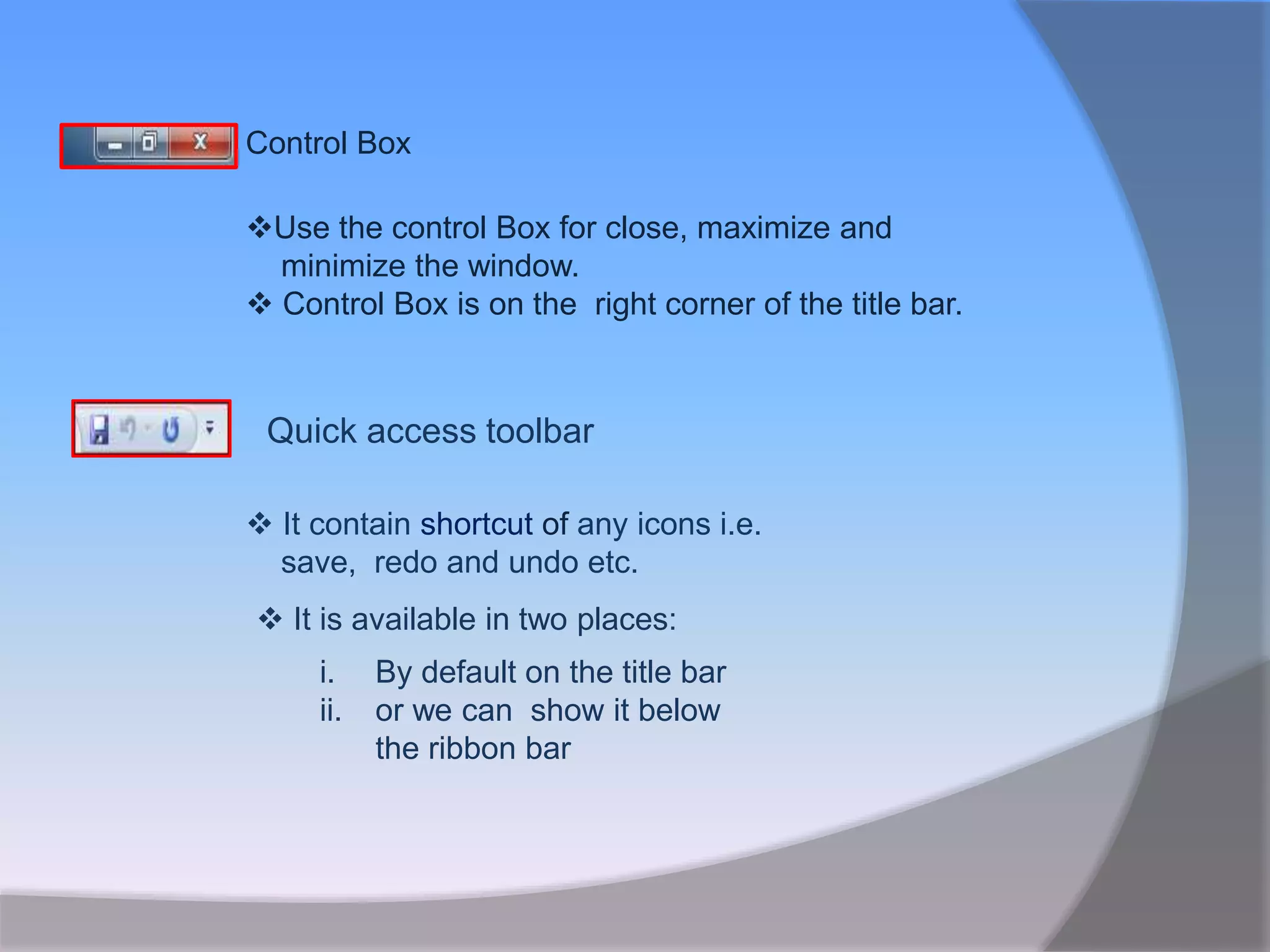
Control Box
Use thecontrol Box for close, maximize and
minimize the window.
Control Box is on the right corner of the title bar.
Quick access toolbar
It contain shortcut of any icons i.e.
save, redo and undo etc.
It is available in two places:
i. By default on the title bar
ii. or we can show it below
the ribbon bar
10.
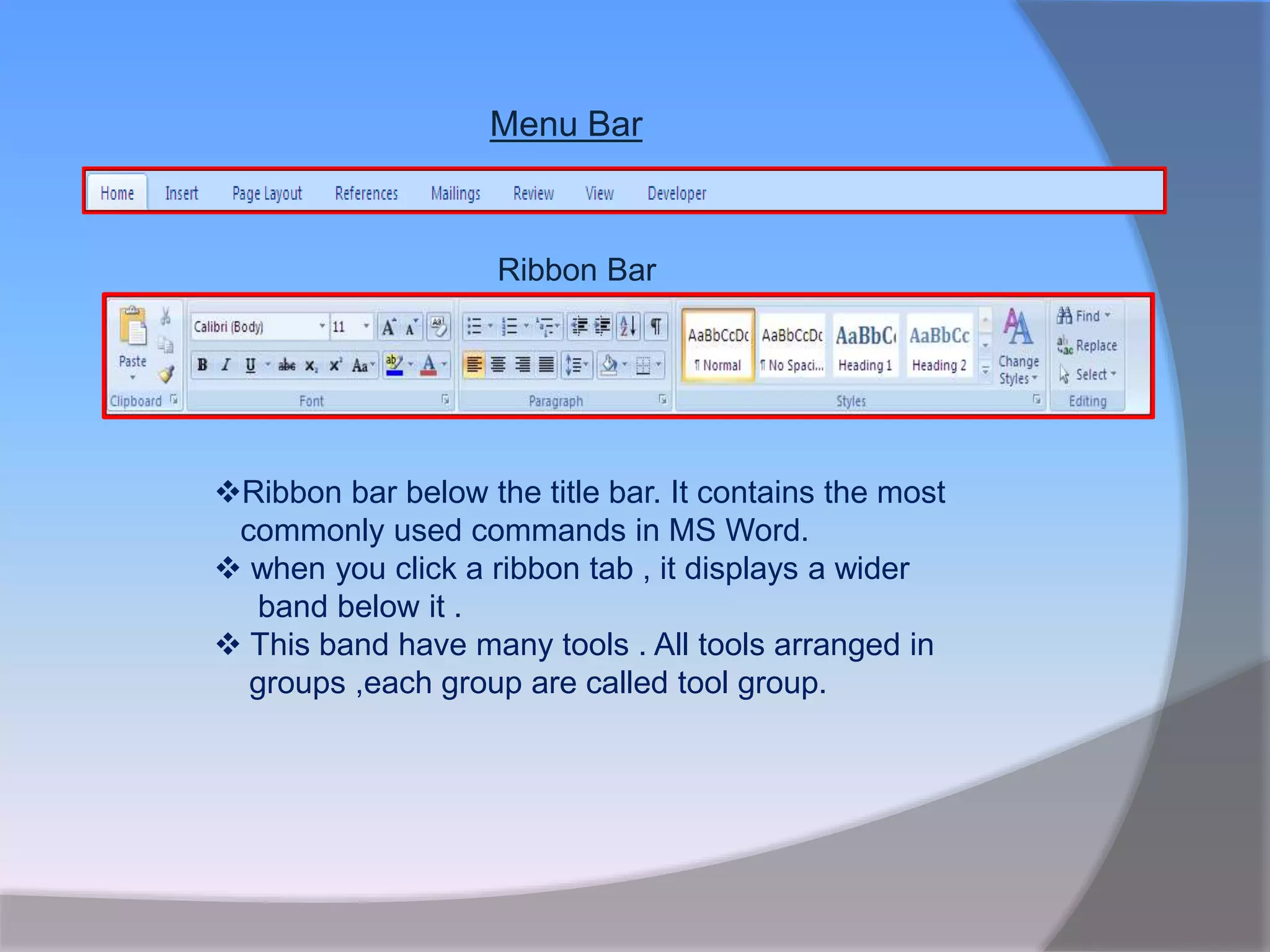
Menu Bar
Ribbon Bar
Ribbonbar below the title bar. It contains the most
commonly used commands in MS Word.
when you click a ribbon tab , it displays a wider
band below it .
This band have many tools . All tools arranged in
groups ,each group are called tool group.
11.
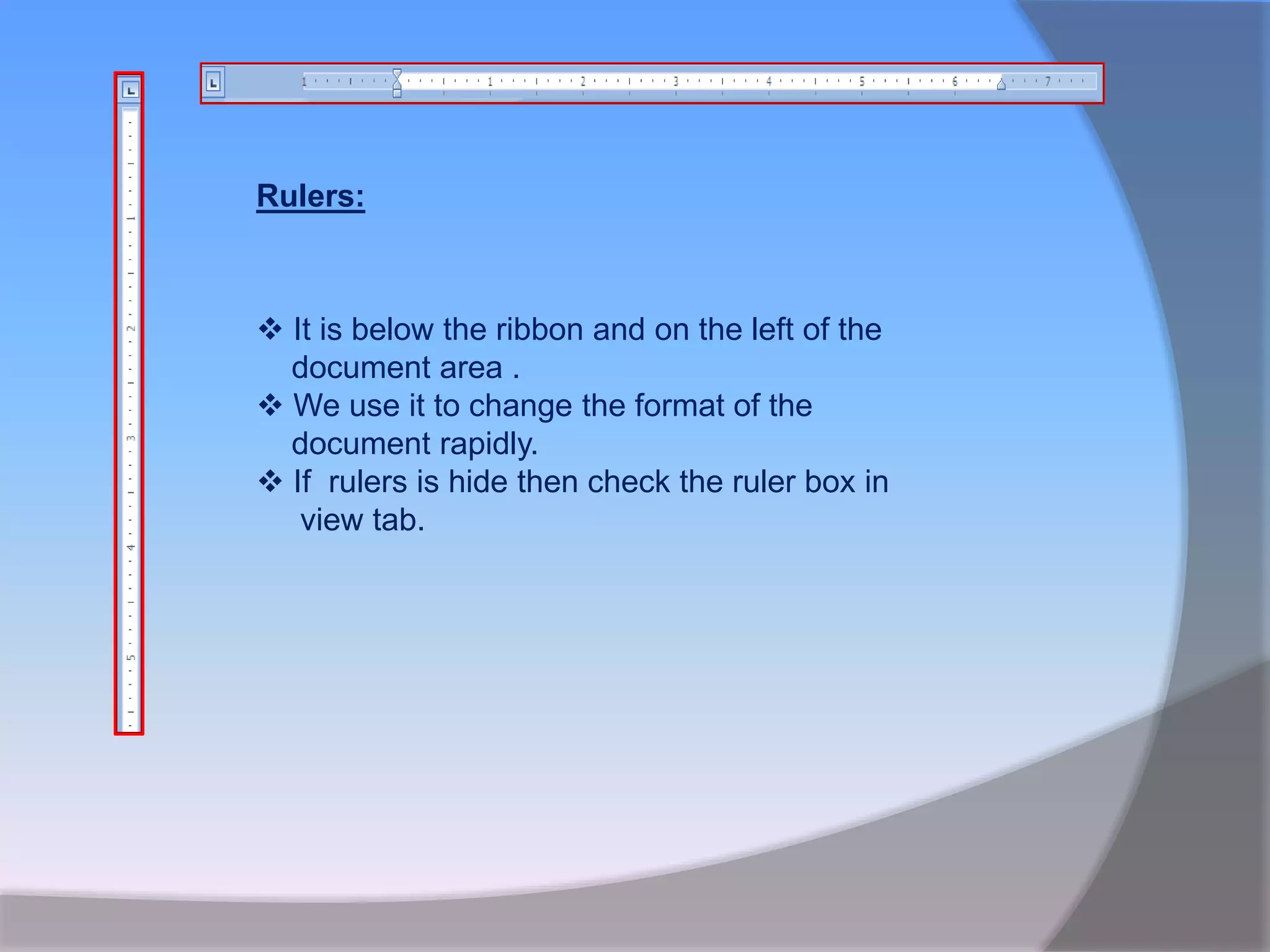
It isbelow the ribbon and on the left of the
document area .
We use it to change the format of the
document rapidly.
If rulers is hide then check the ruler box in
view tab.
Rulers:
12.
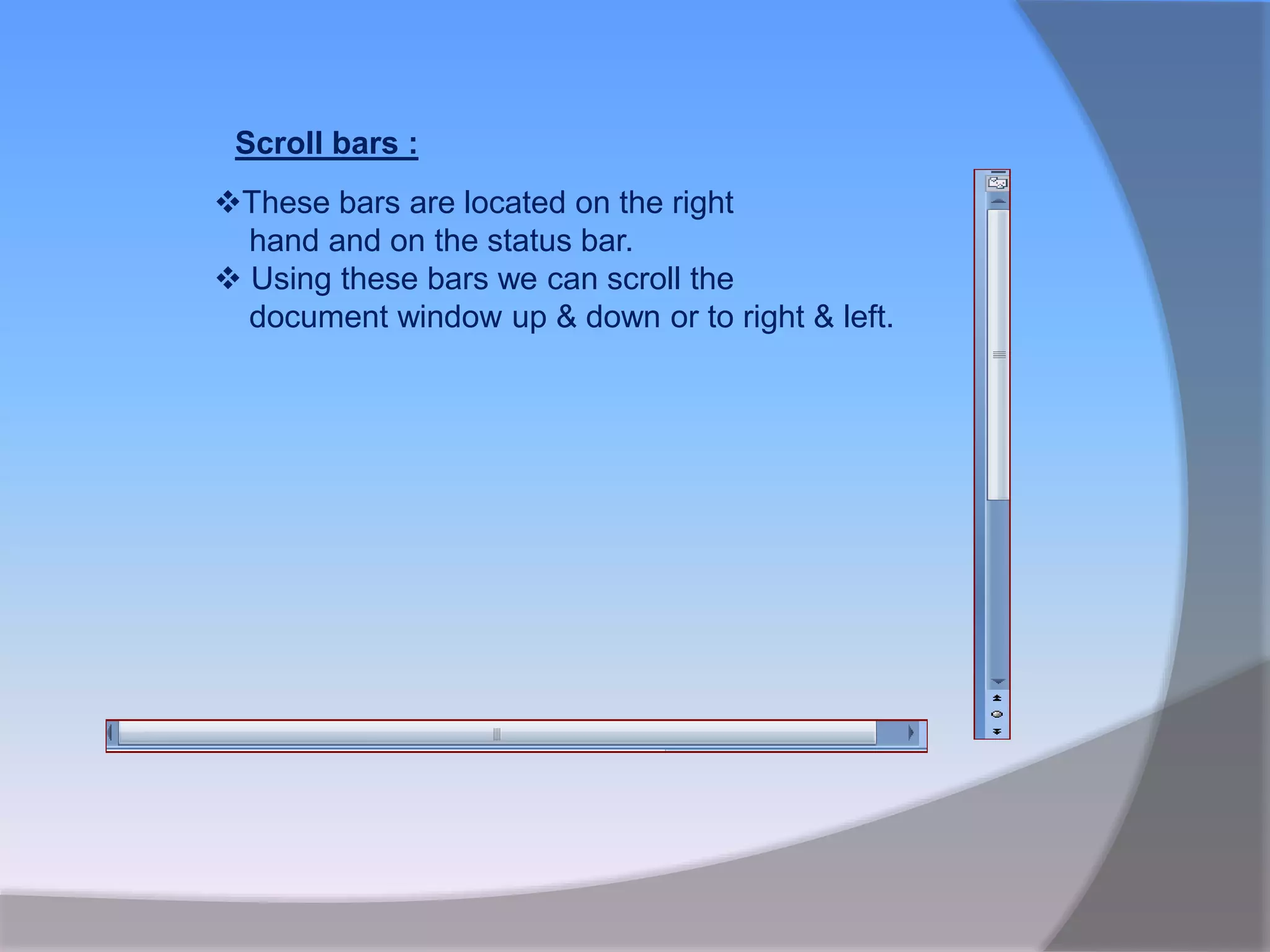
Scroll bars :
Thesebars are located on the right
hand and on the status bar.
Using these bars we can scroll the
document window up & down or to right & left.
13.
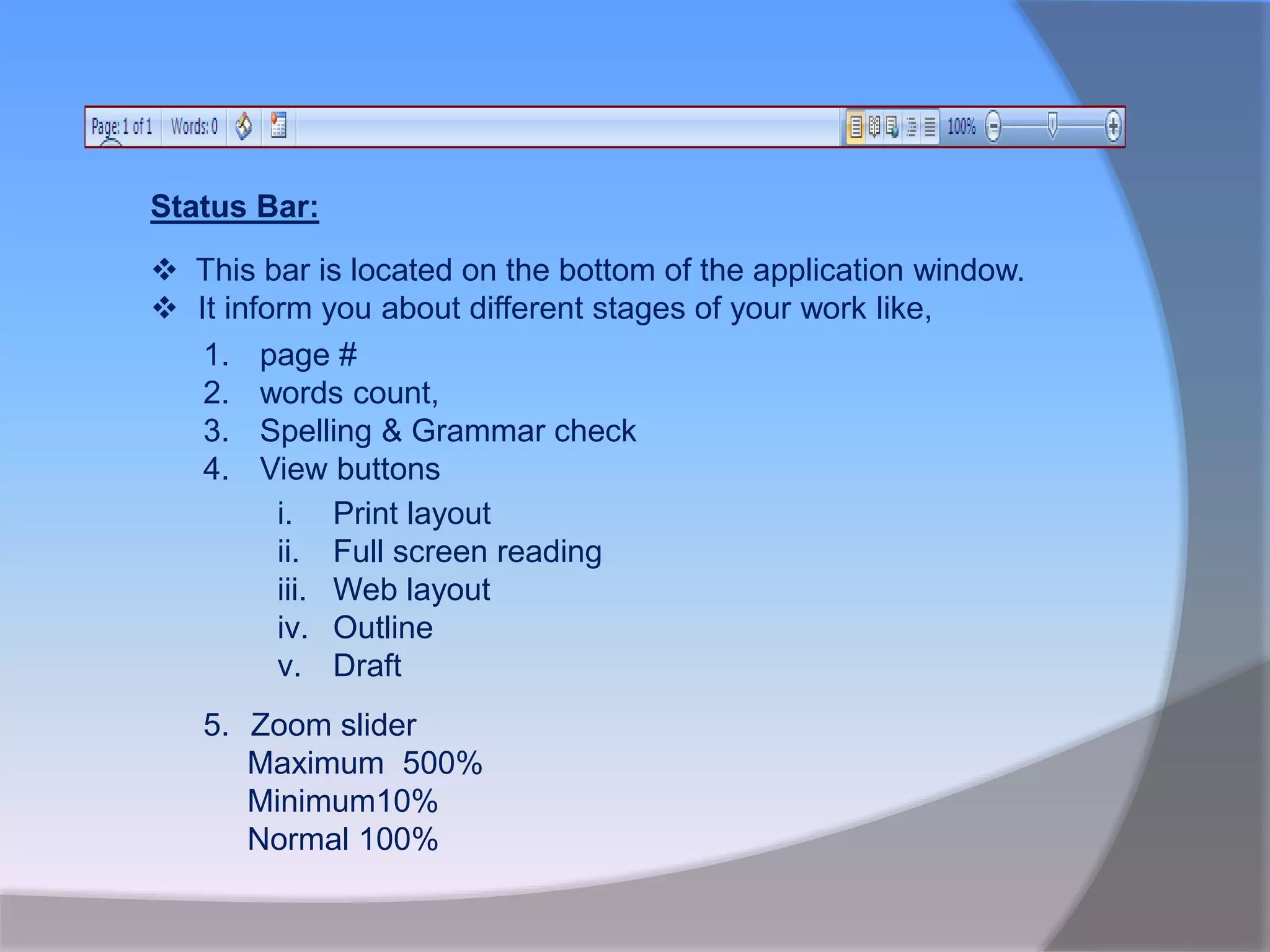
Status Bar:
Thisbar is located on the bottom of the application window.
It inform you about different stages of your work like,
1. page #
2. words count,
3. Spelling & Grammar check
4. View buttons
i. Print layout
ii. Full screen reading
iii. Web layout
iv. Outline
v. Draft
5. Zoom slider
Maximum 500%
Minimum10%
Normal 100%