Scrum With Team Foundation Server 2010

Loading...

Flash Player 9 (or above) is needed to view presentations.
We have detected that you do not have it on your computer. To install it, go here.

0 comments

Post a comment

    Post a comment
    Embed Video
    Edit your comment Cancel

    Notes on slide 1

    Swamp 2 + 5…

    Mitch:Estimation is a tool used by the team that allows it to commit to its work

    Add animation and a “can’t commit”… Move a smaller up…

    Add animation and a “can’t commit”… Move a smaller up…

    Add a not-finished… Red -

    Add animation and a “can’t commit”… Move a smaller up…

    Favorites, Groups & Events

    Scrum With Team Foundation Server 2010 - Presentation Transcript

    1. Scrum with Team Foundation Server 2010
      Aaron Bjork
      Microsoft
    2. Agenda
      Scrum with TFS 2010
      Planning the Project
      How do you plan the project?
      Project planning in TFS 2010
      Planning a Sprint
      What is sprint planning?
      Sprint planning in TFS 2010
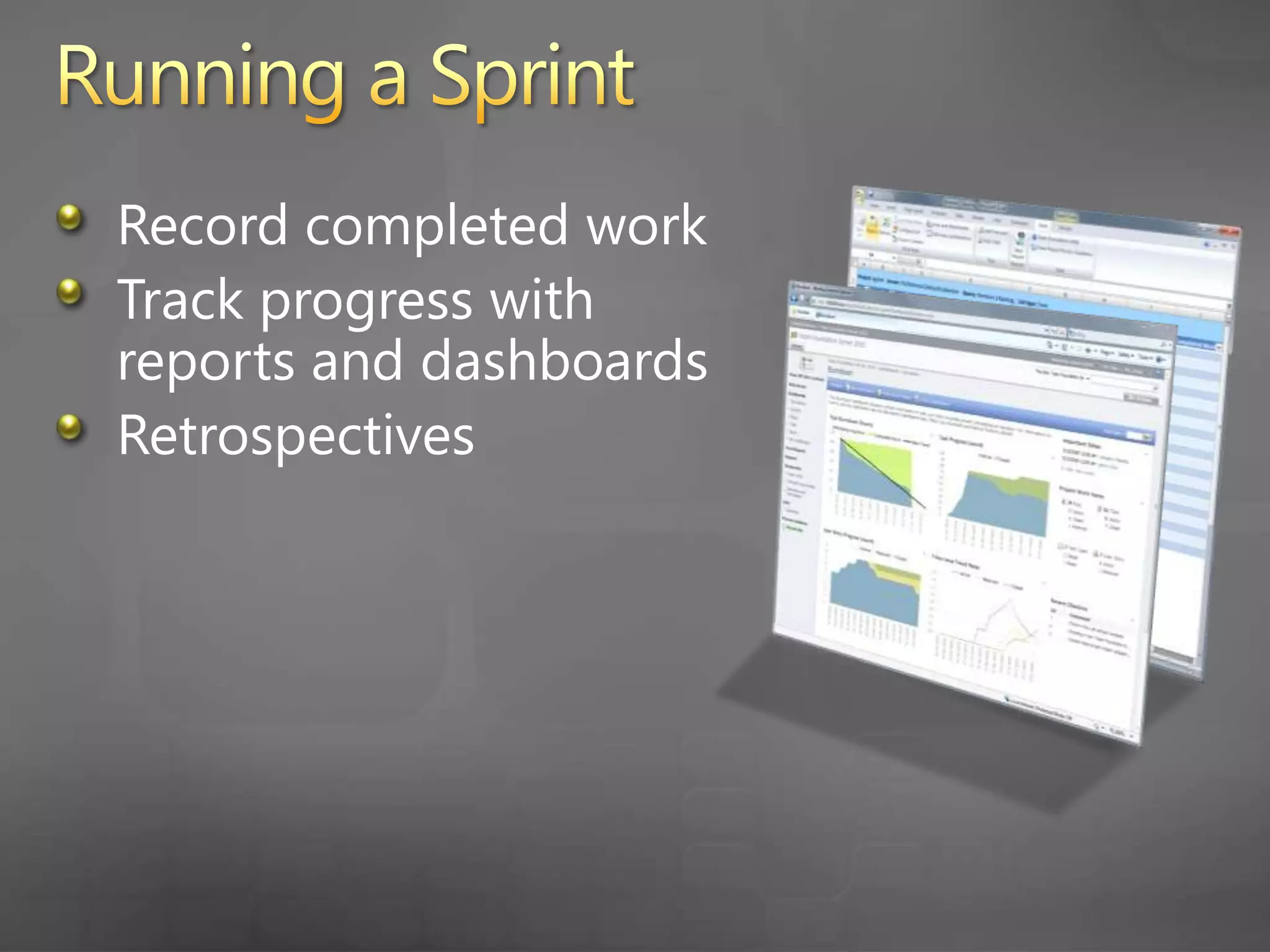
      Running a Sprint
      How do you run a sprint?
      Running a sprint in TFS 2010
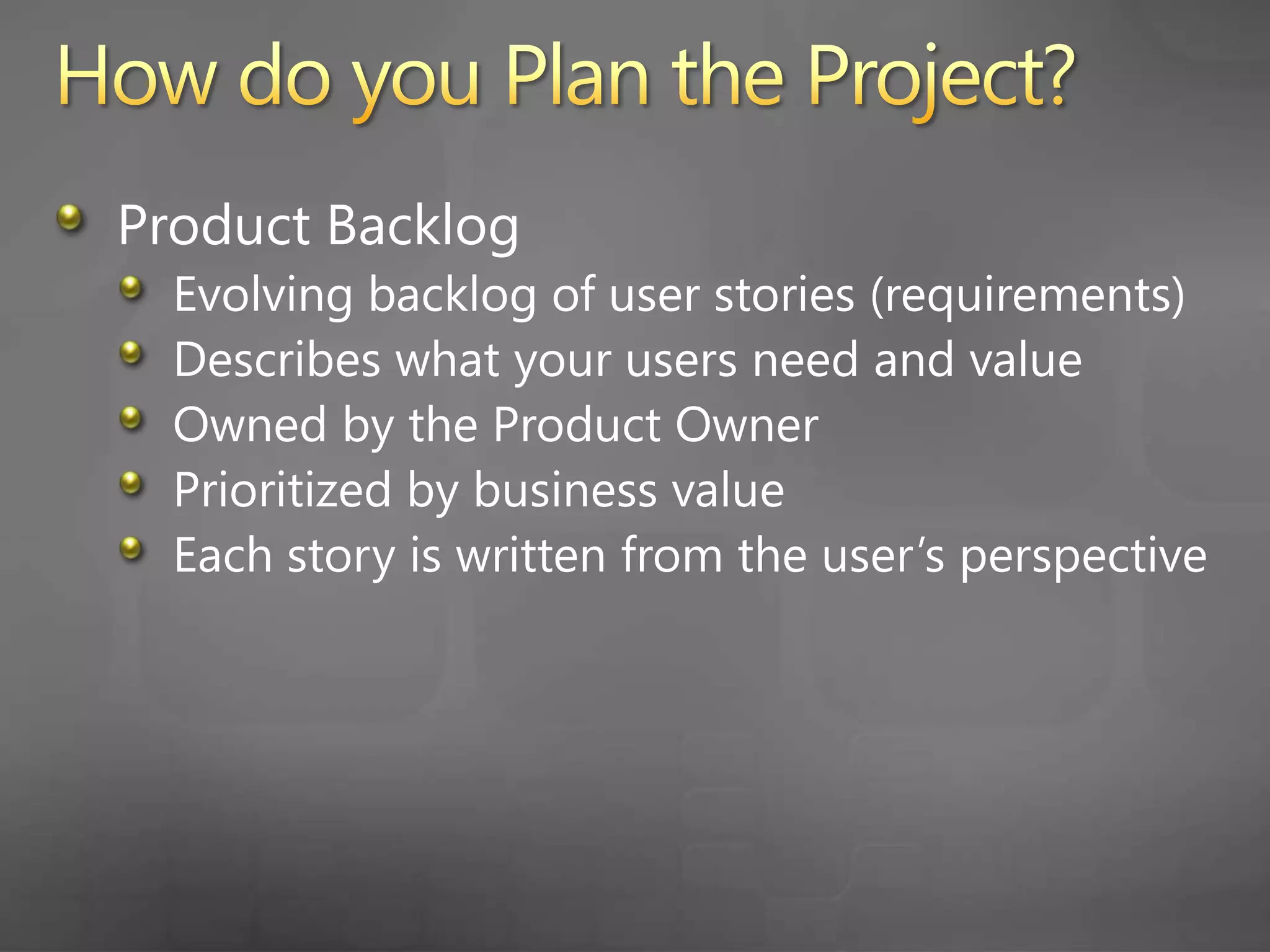
    3. How do you Plan the Project?
      Product Backlog
      Evolving backlog of user stories (requirements)
      Describes what your users need and value
      Owned by the Product Owner
      Prioritized by business value
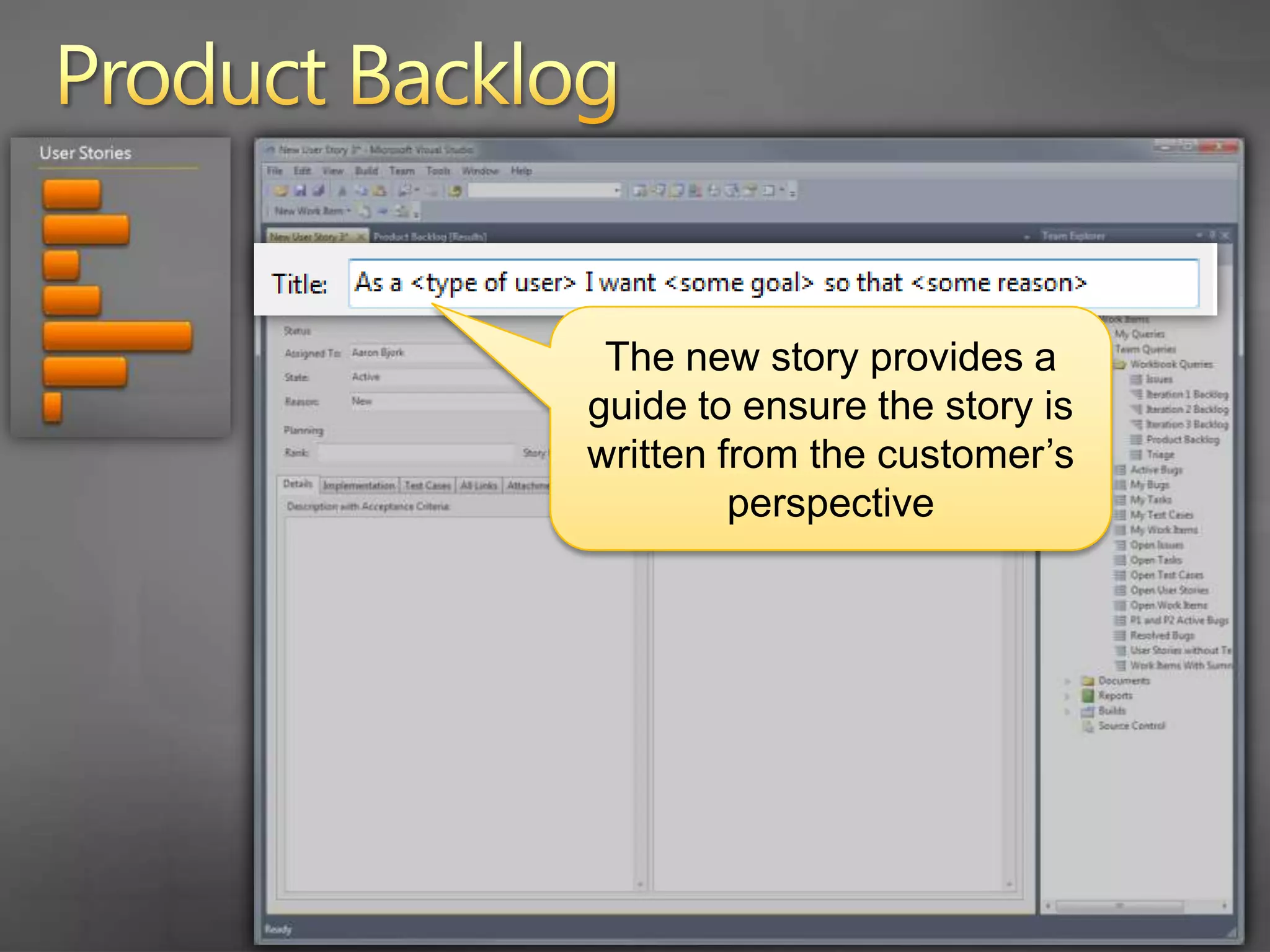
      Each story is written from the user’s perspective
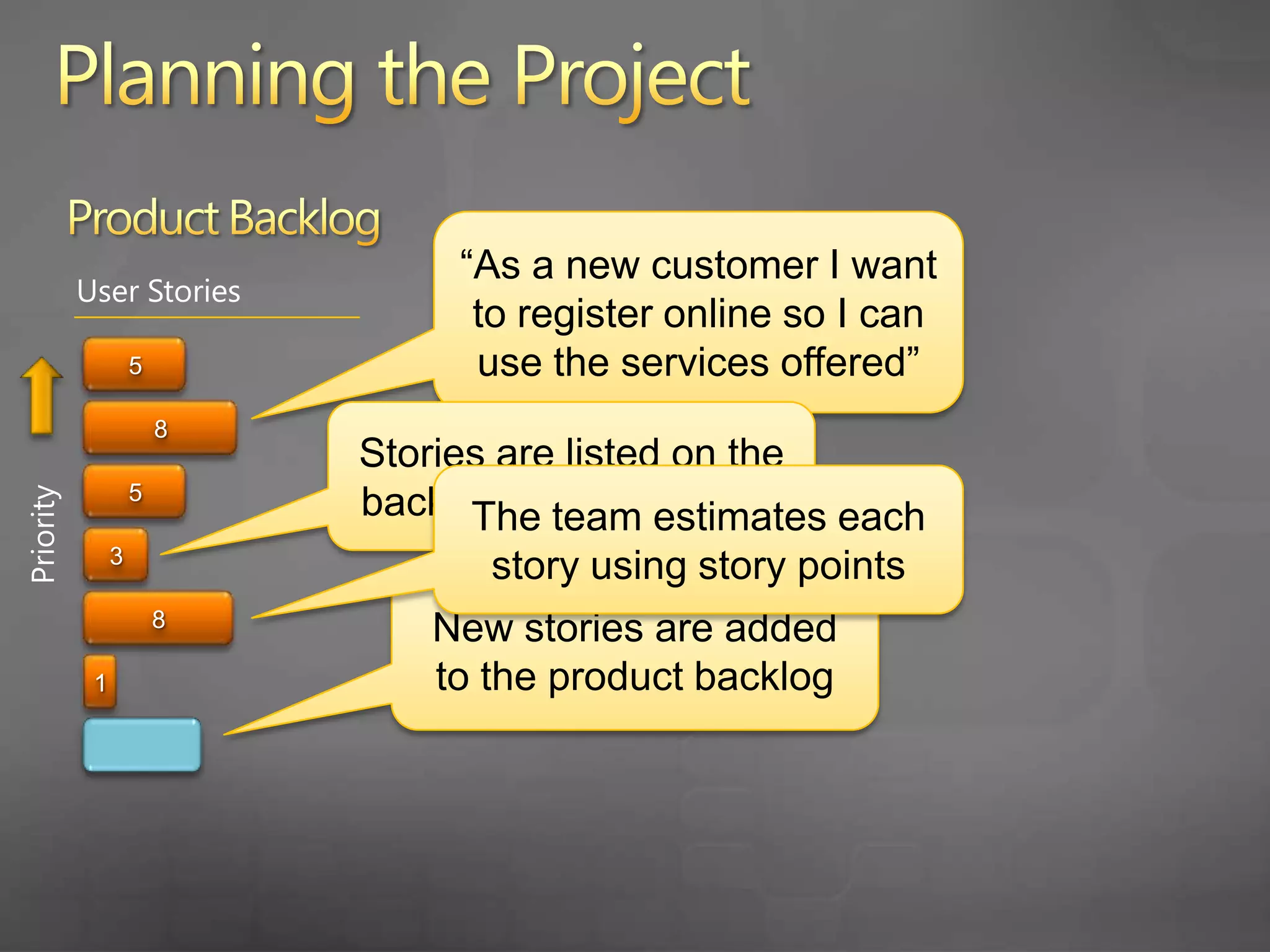
    4. Planning the Project
      Product Backlog
      “As a new customer I want to register online so I can use the services offered”
      User Stories
      5
      Stories are listed on the backlog in priority order
      8
      The team estimates each story using story points
      5
      Priority
      3
      New stories are added to the product backlog
      8
      1
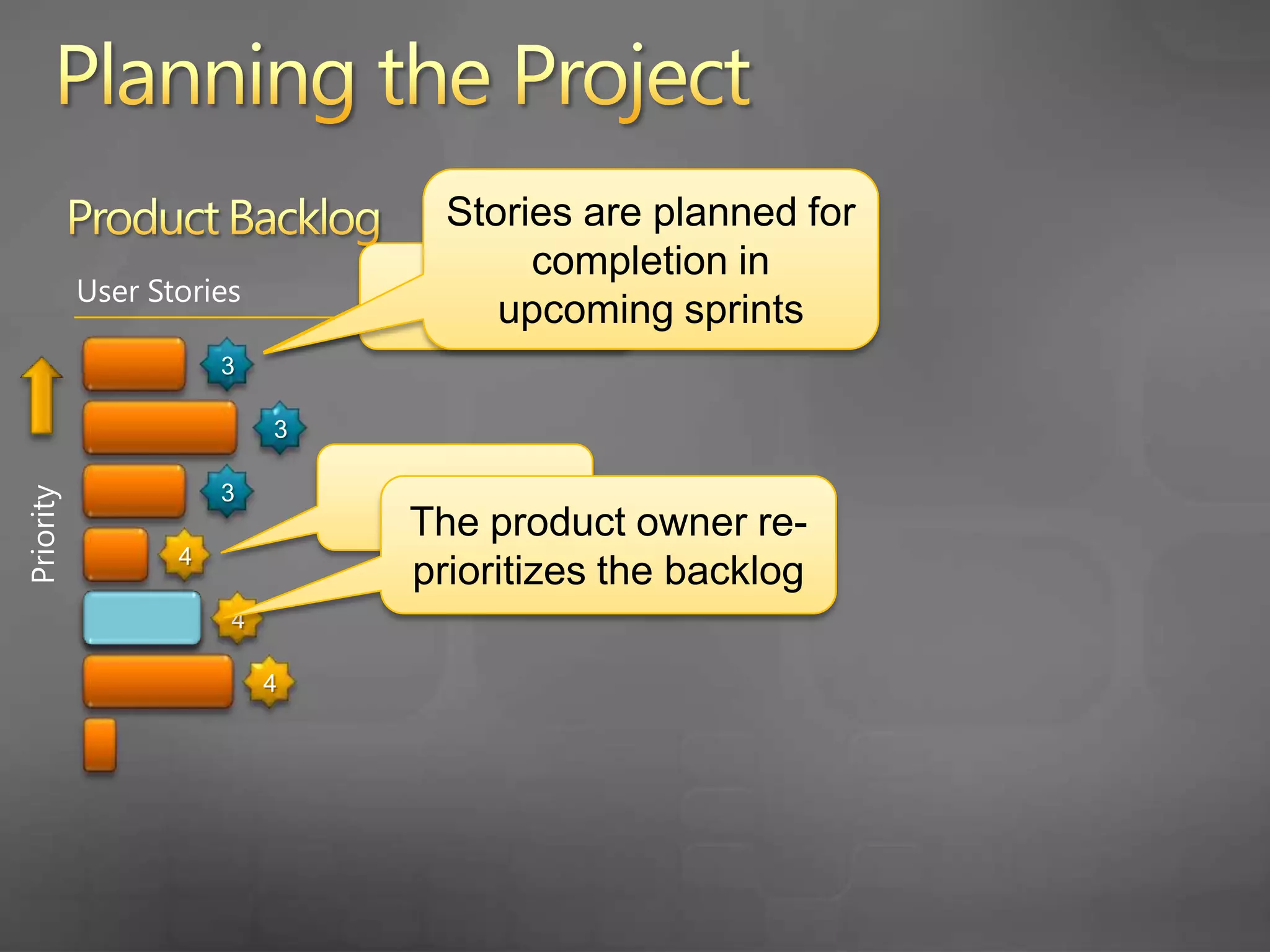
    5. Planning the Project
      Stories are planned for completion in upcoming sprints
      Product Backlog
      Sprint 3
      User Stories
      3
      3
      Sprint 4
      3
      The product owner re-prioritizes the backlog
      Priority
      4
      4
      4
    6. … let’s look at the Product Backlog in TFS 2010
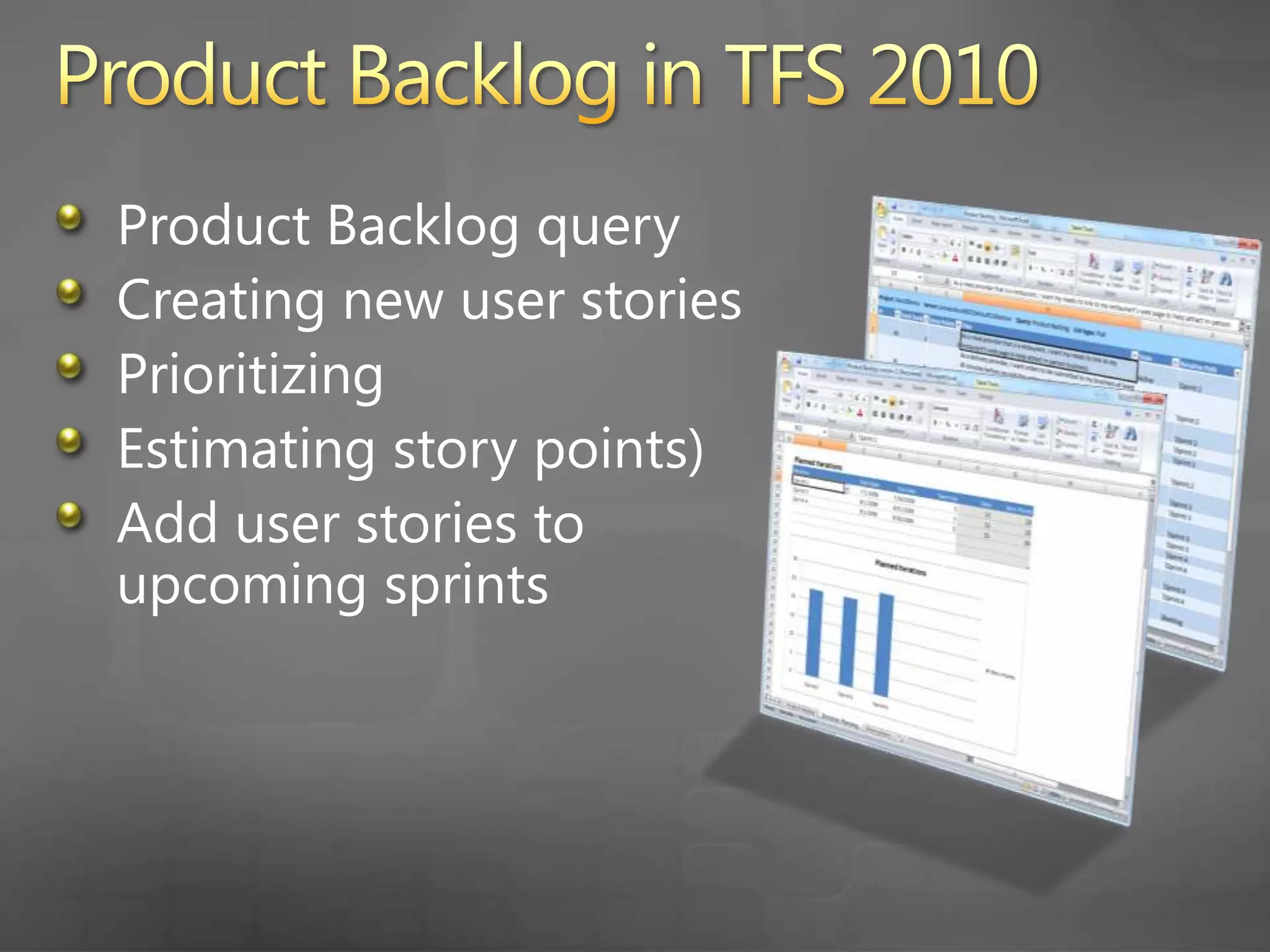
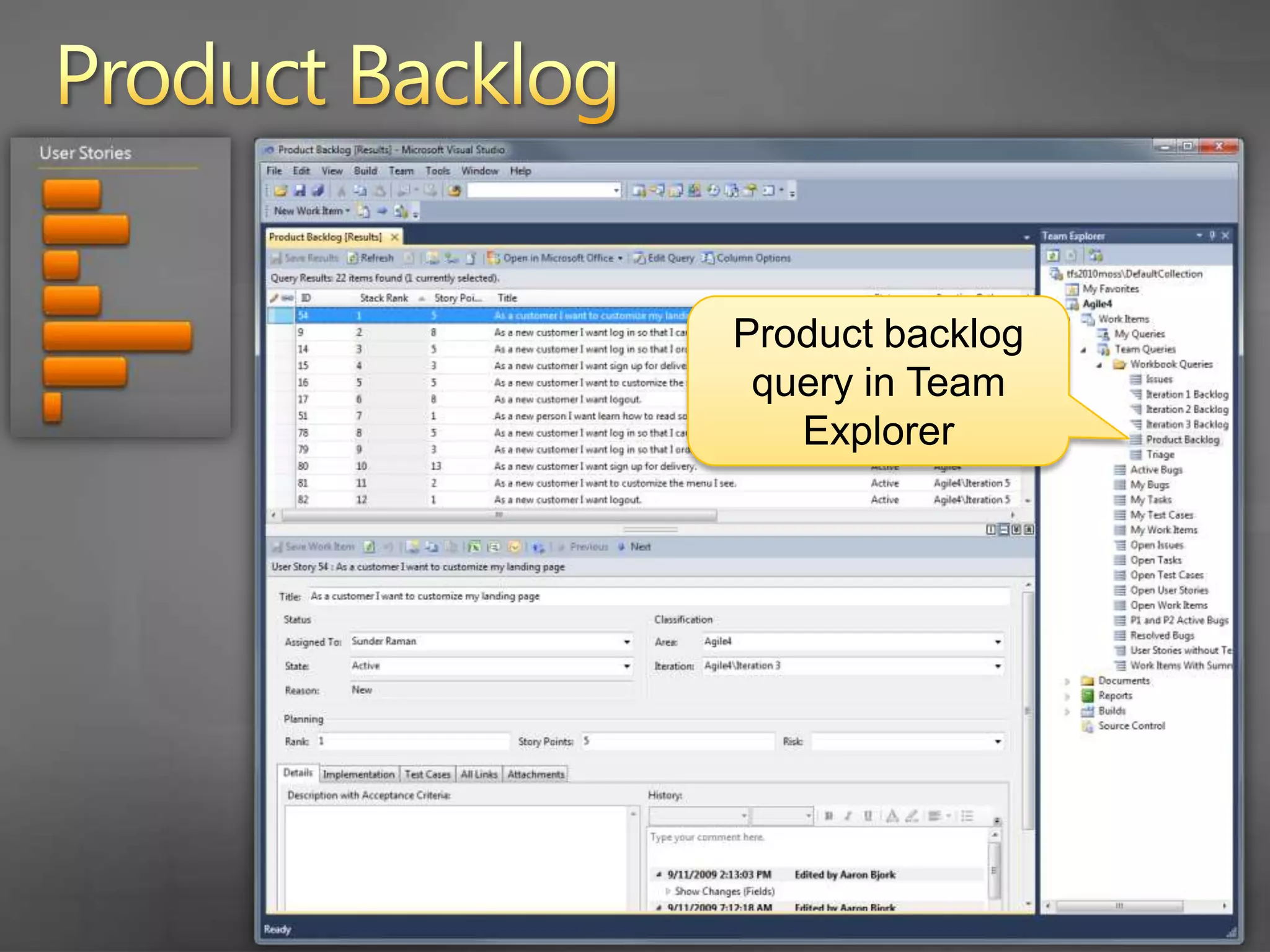
    7. Product Backlog in TFS 2010
      Product Backlog query
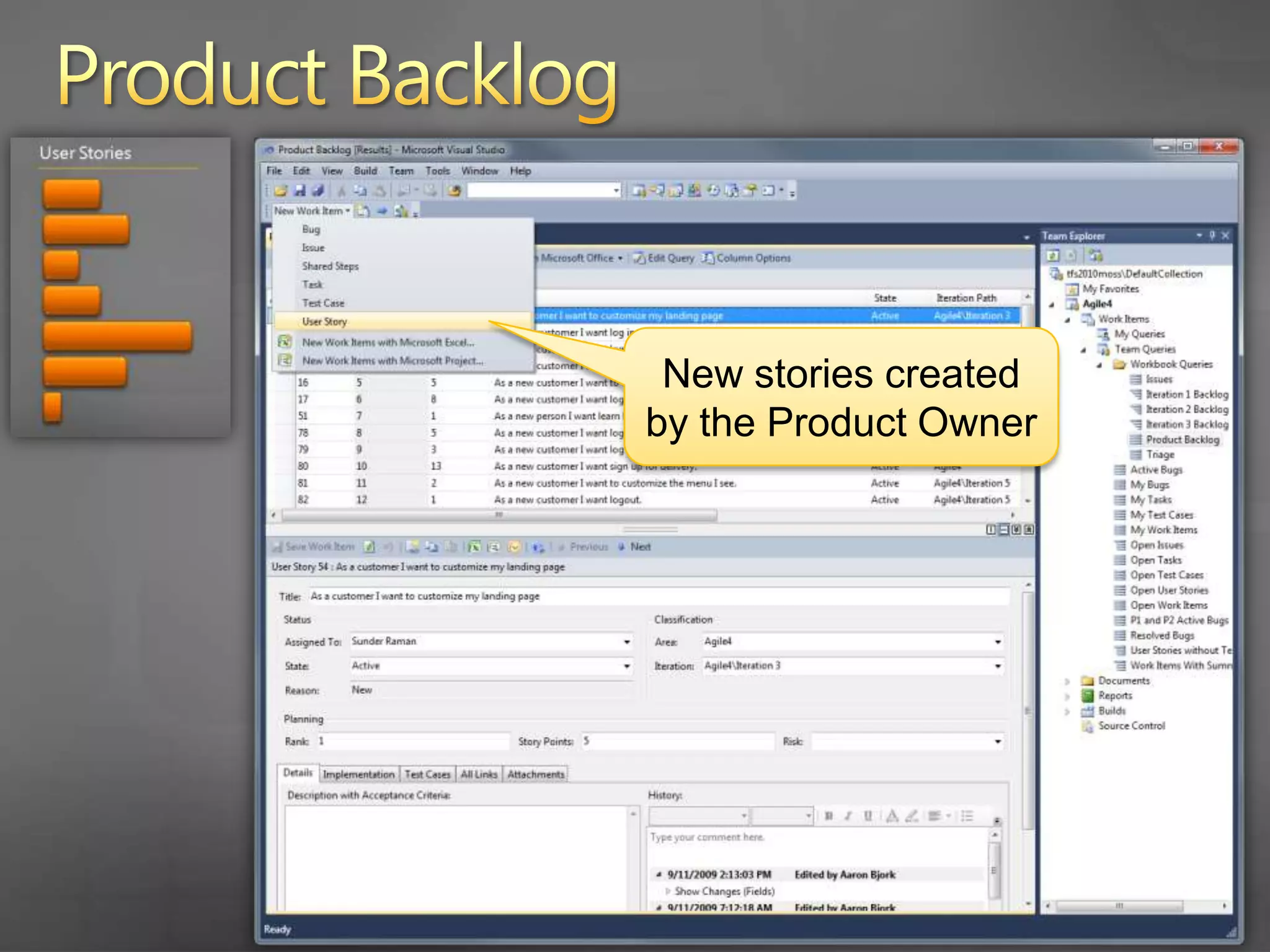
      Creating new user stories
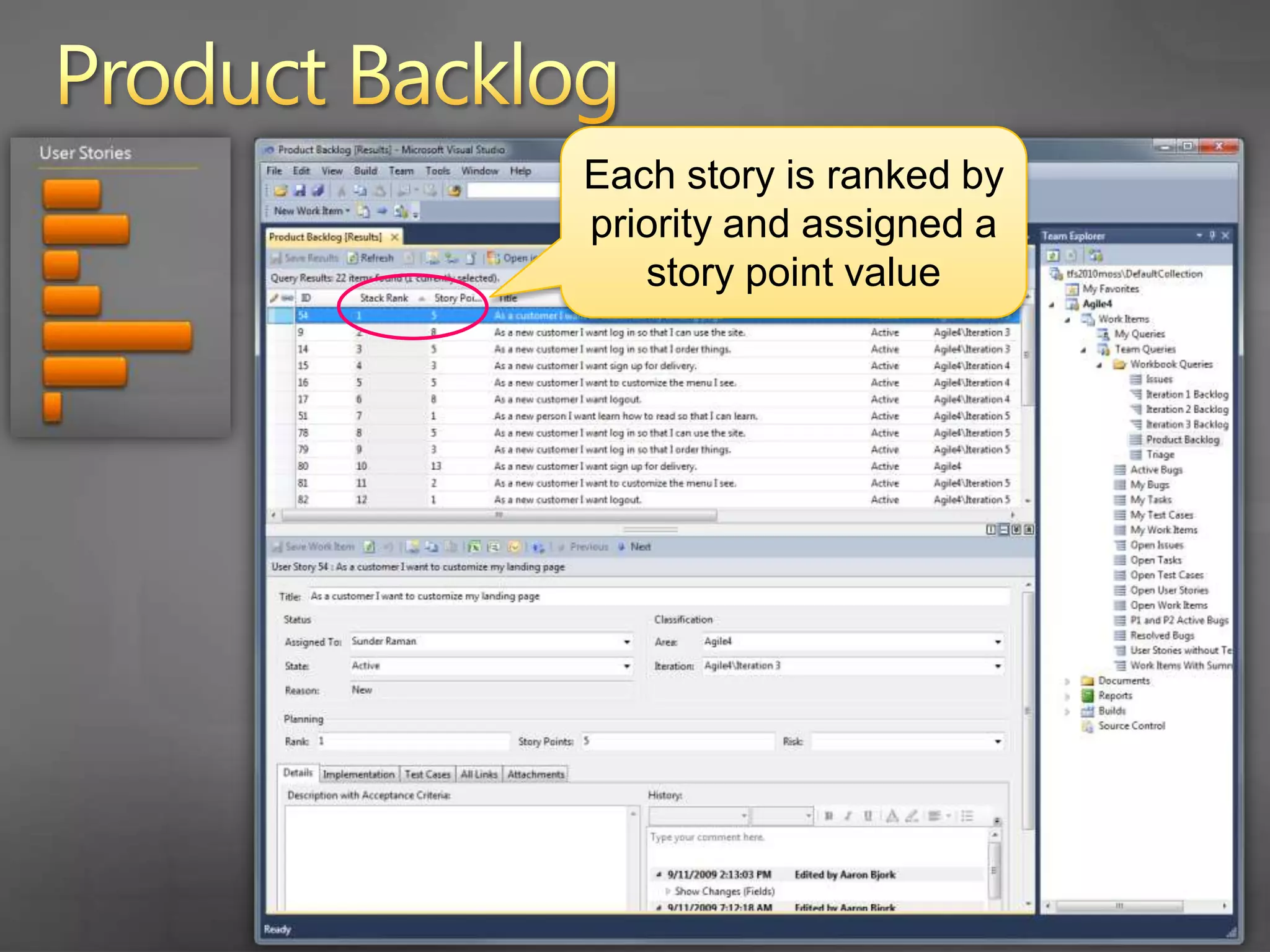
      Prioritizing
      Estimating story points)
      Add user stories to upcoming sprints
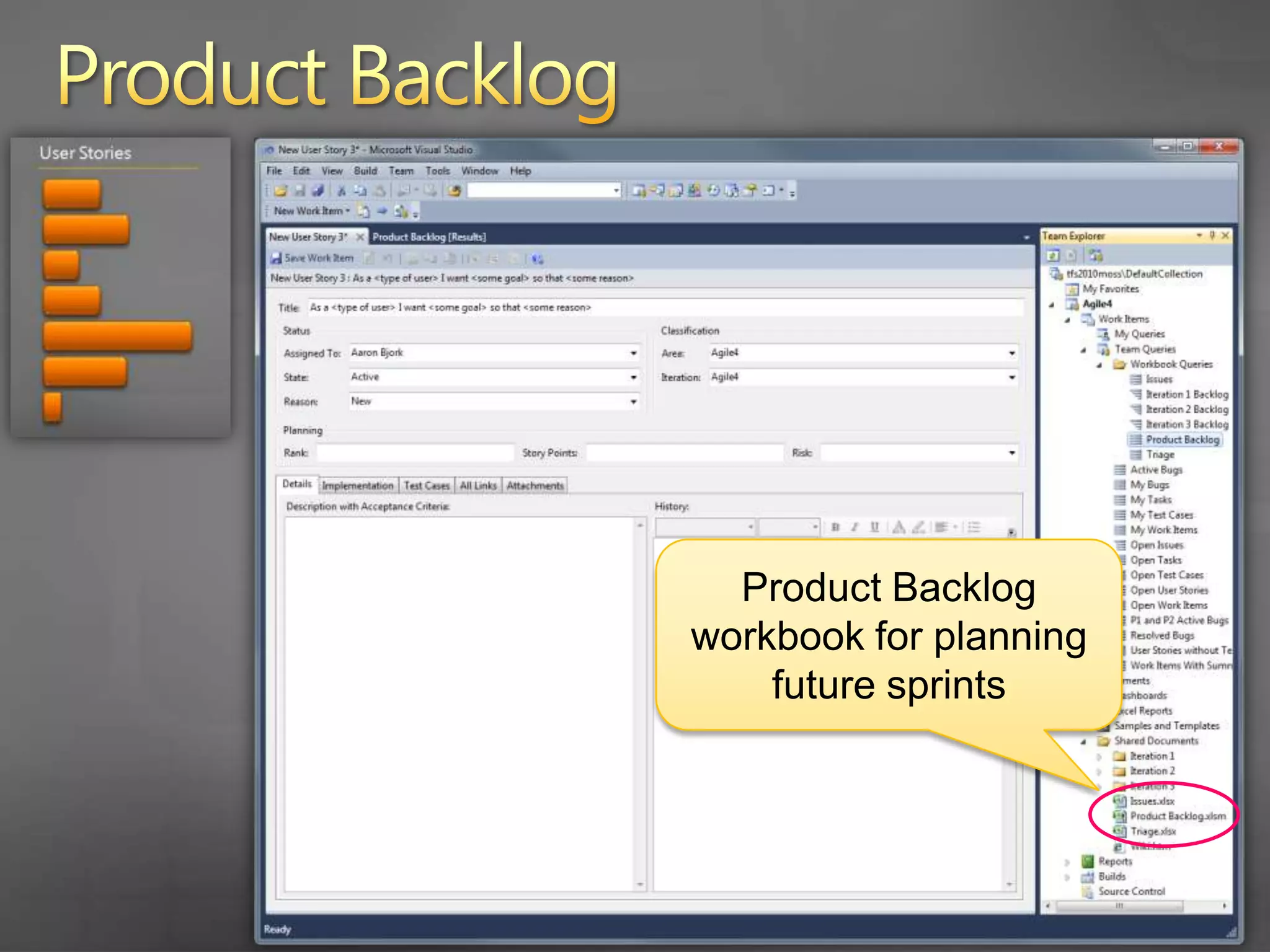
    8. Product Backlog
      Product backlog query in Team Explorer
    9. Product Backlog
      New stories created by the Product Owner
    10. Product Backlog
      The new story provides a guide to ensure the story is written from the customer’s perspective
    11. Product Backlog
      Each story is ranked by priority and assigned a story point value
    12. Product Backlog
      Product Backlog workbook for planning future sprints
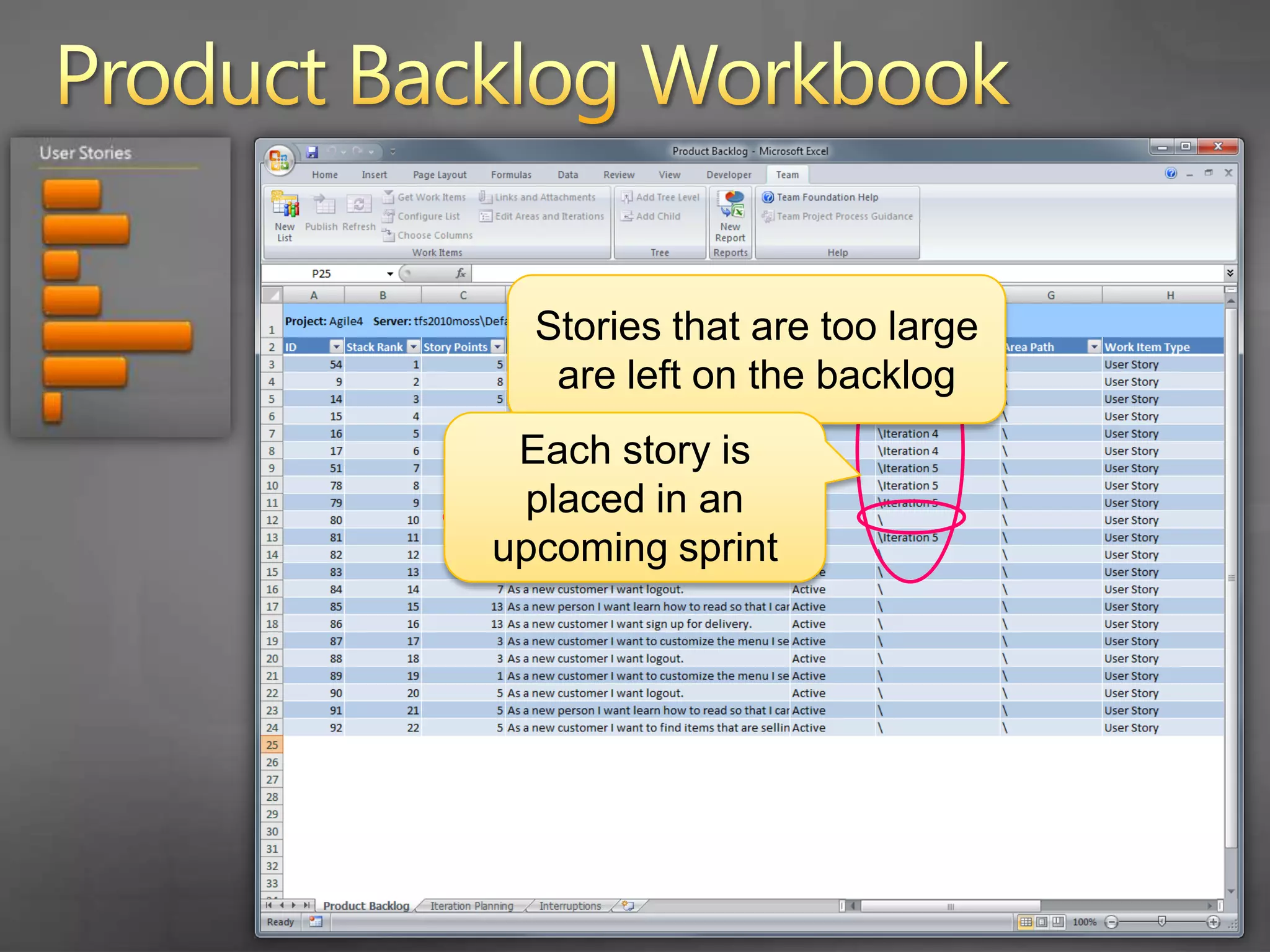
    13. Product Backlog Workbook
      Stories that are too large are left on the backlog
      Each story is placed in an upcoming sprint
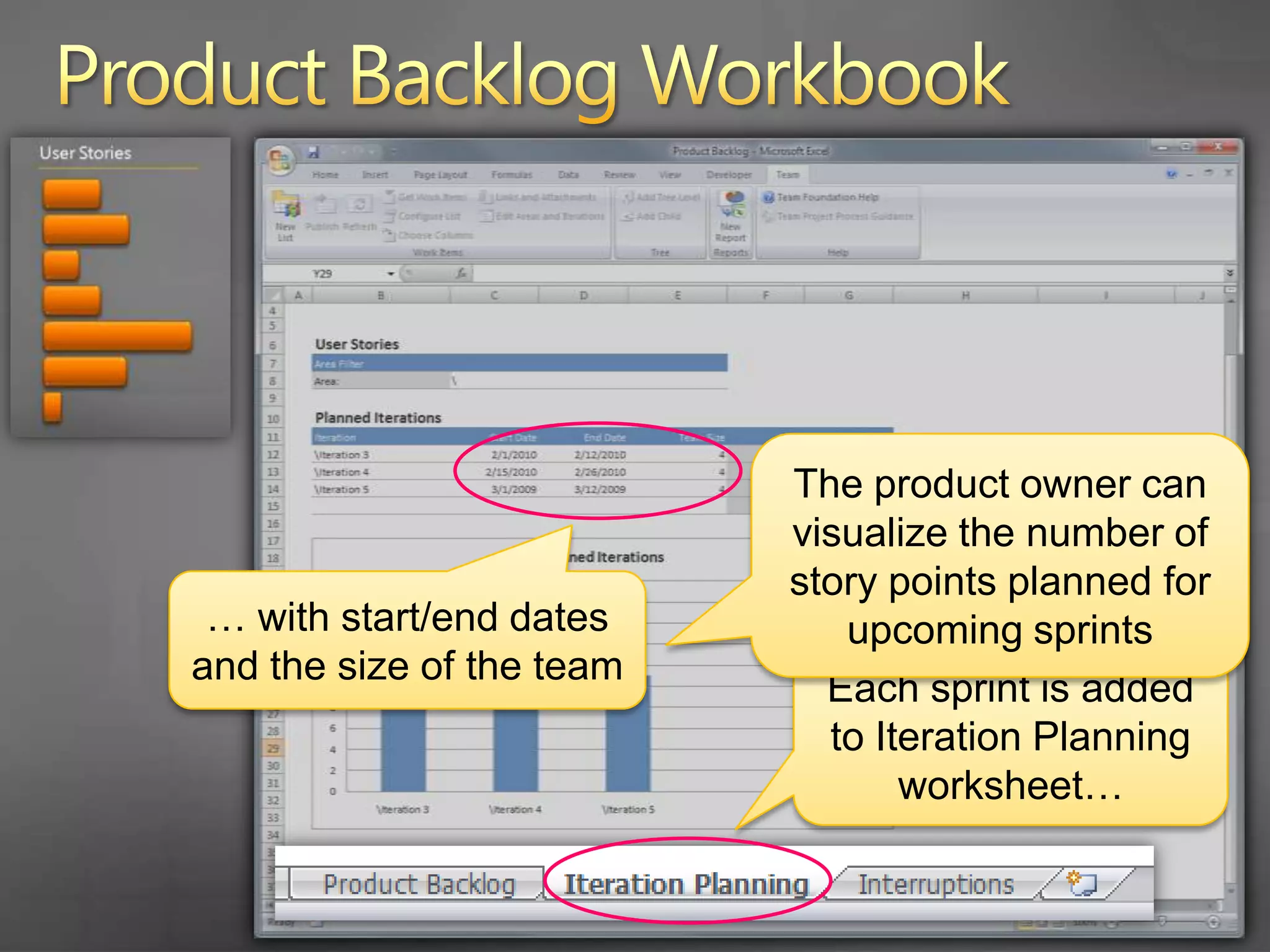
    14. Product Backlog Workbook
      The product owner can visualize the number of story points planned for upcoming sprints
      … with start/end dates and the size of the team
      Each sprint is added to Iteration Planning worksheet…
    15. Agenda
      Scrum with TFS 2010
      Planning the Project
      How do you plan the project?
      Project planning in TFS 2010
      Planning a Sprint
      What is sprint planning?
      Sprint planning in TFS 2010
      Running a Sprint
      How do you run a sprint?
      Running a sprint in TFS 2010
    16. What is Sprint Planning?
      The product owner and the team add user stories to the sprint
      Each story is decomposed into tasks
      The team makes a commitment to each user story
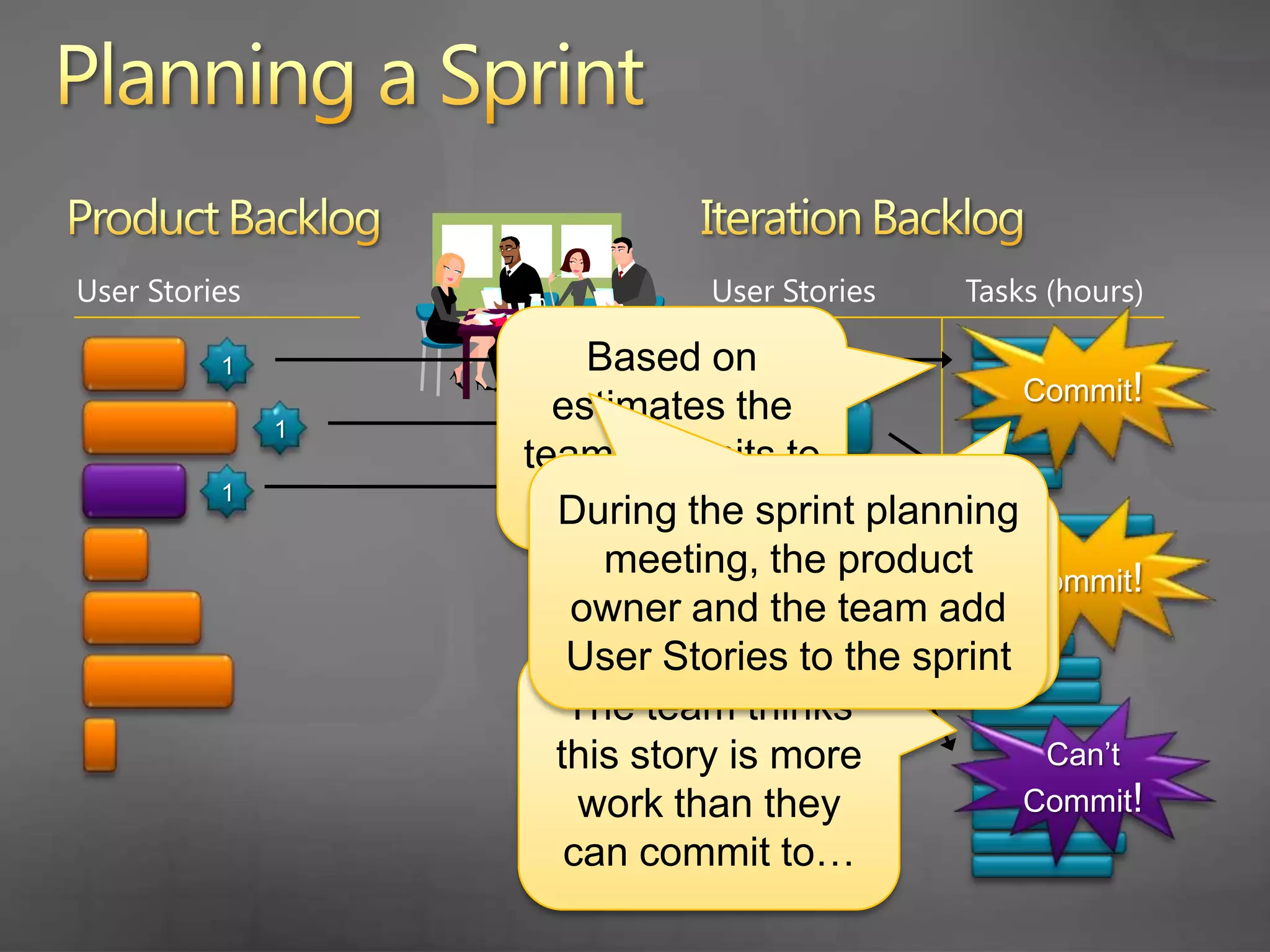
    17. Planning a Sprint
      Product Backlog
      Iteration Backlog
      User Stories
      User Stories
      Tasks (hours)
      Commit!
      Based on estimates the team commits to each story
      1
      1
      During the sprint planning meeting, the product owner and the team add User Stories to the sprint
      1
      The team breaks down each story into tasks
      Commit!
      The team thinks this story is more work than they can commit to…
      Can’t Commit!
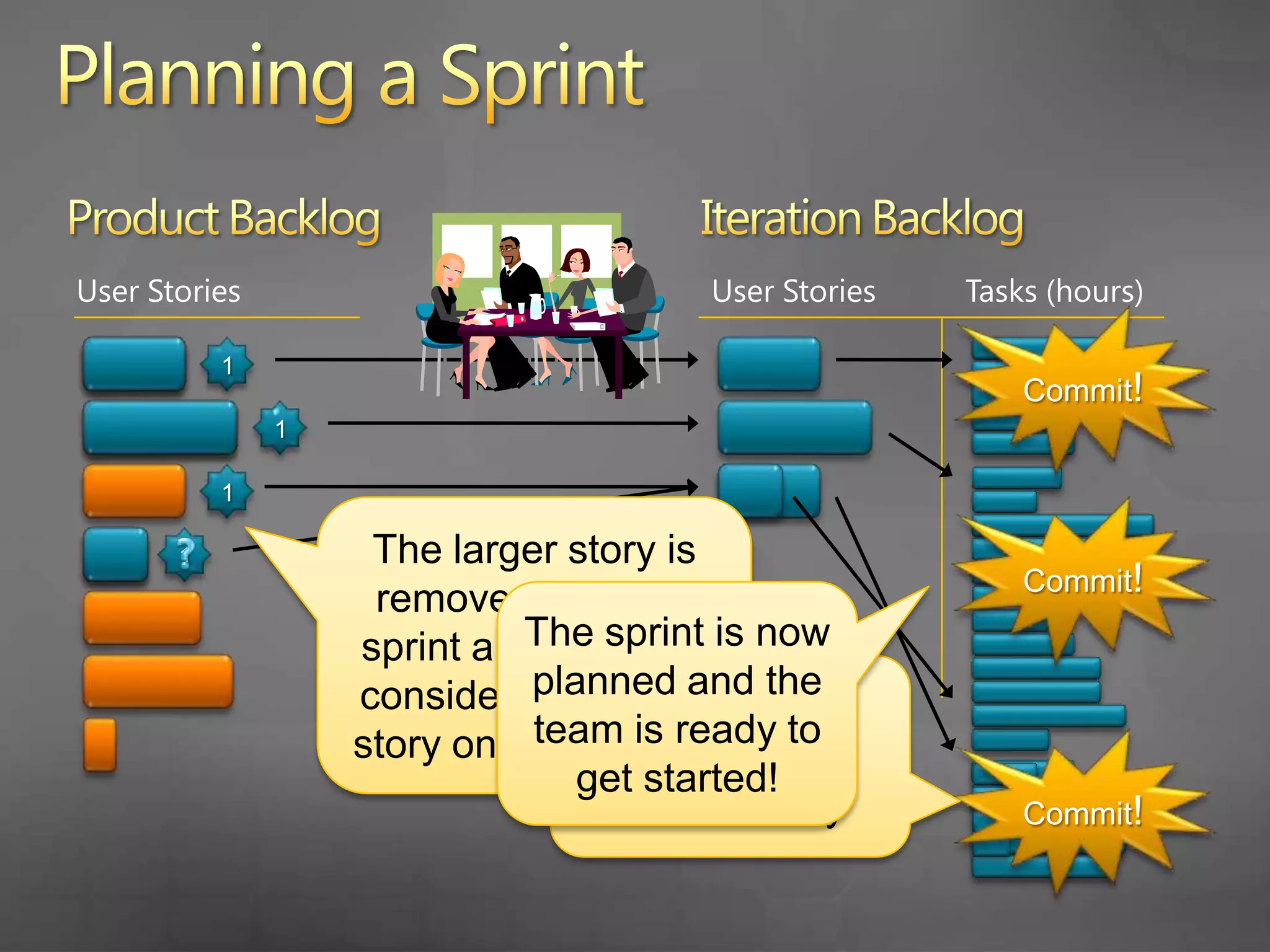
    18. Planning a Sprint
      Product Backlog
      Iteration Backlog
      User Stories
      User Stories
      Tasks (hours)
      Commit!
      1
      1
      1
      The larger story is removed from the sprint and the team considers a smaller story on the backlog
      Commit!
      ?
      1
      The sprint is now planned and the team is ready to get started!
      The team can commit to this smaller story
      Commit!
    19. … let’s look at Sprint Planning in TFS 2010
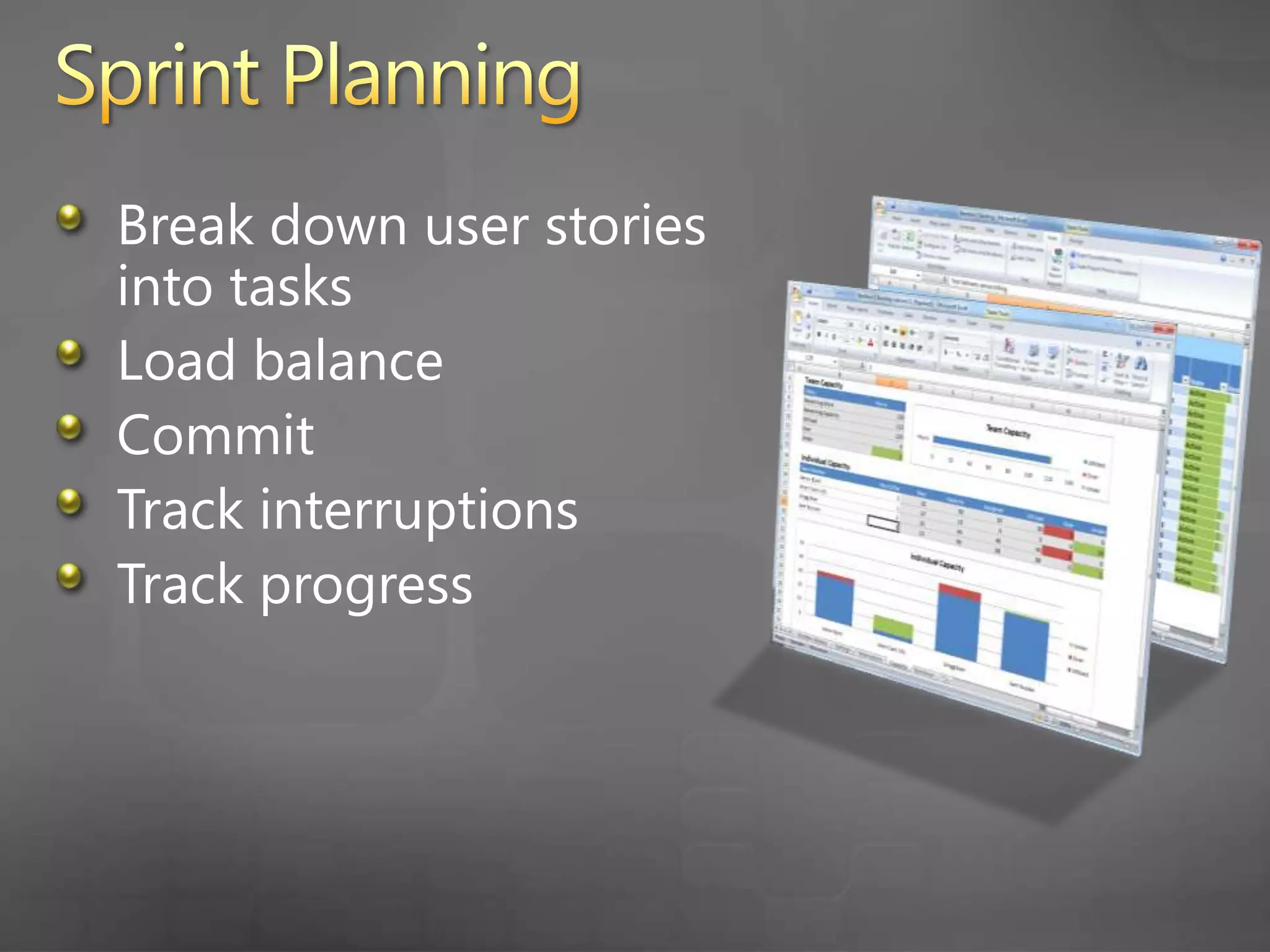
    20. Sprint Planning
      Break down user stories into tasks
      Load balance
      Commit
      Track interruptions
      Track progress
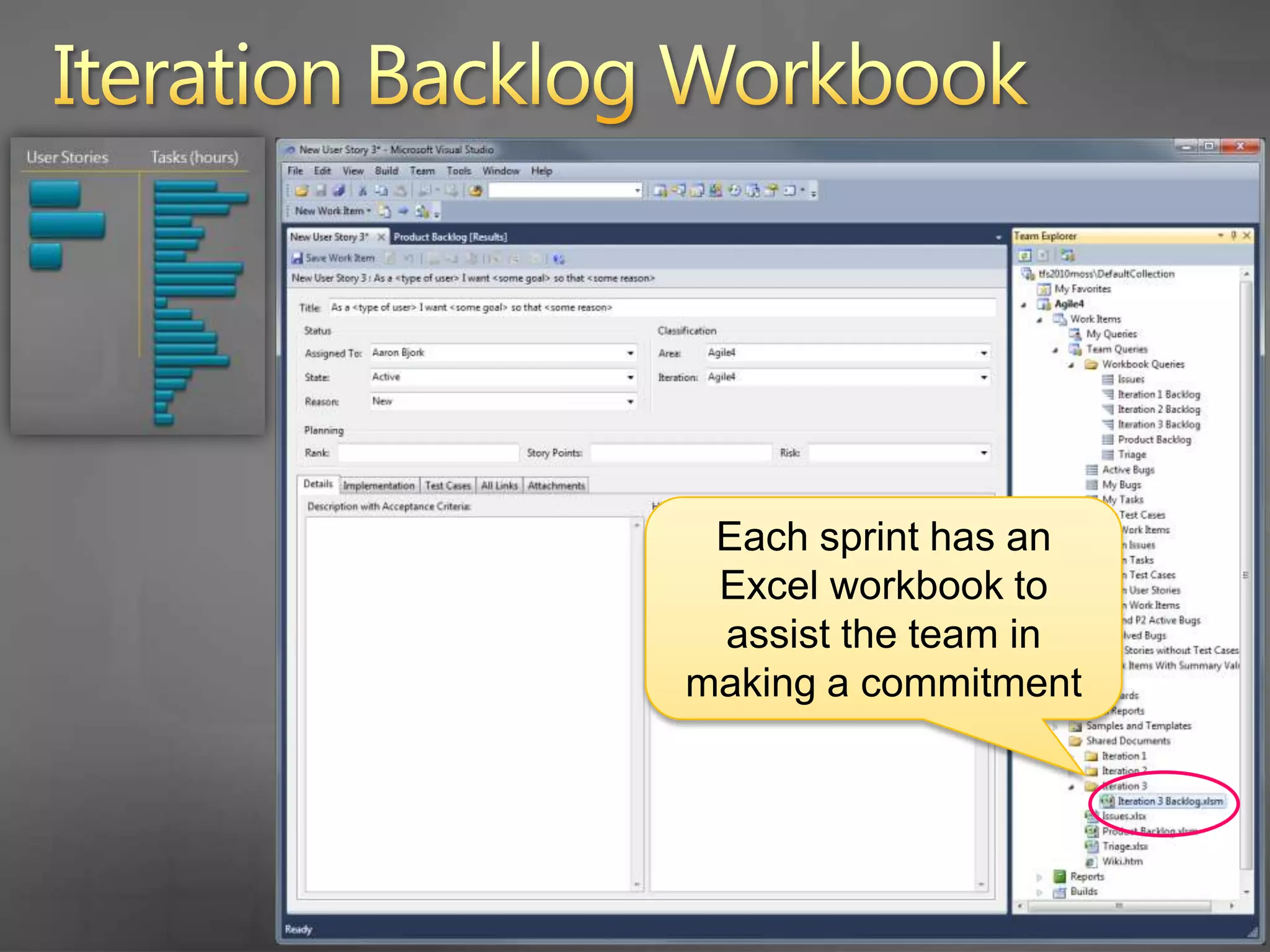
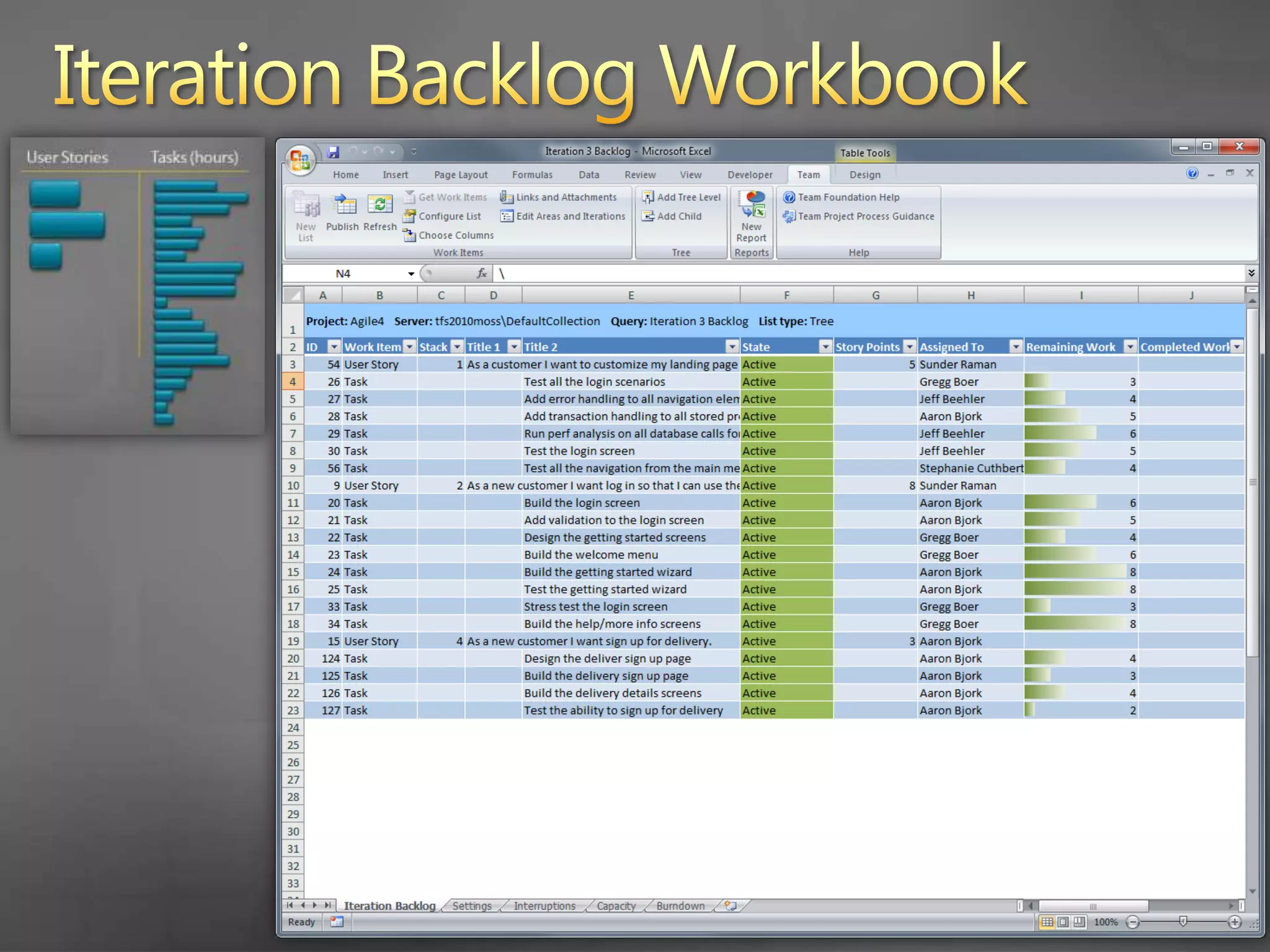
    21. Iteration Backlog Workbook
      Each sprint has an Excel workbook to assist the team in making a commitment
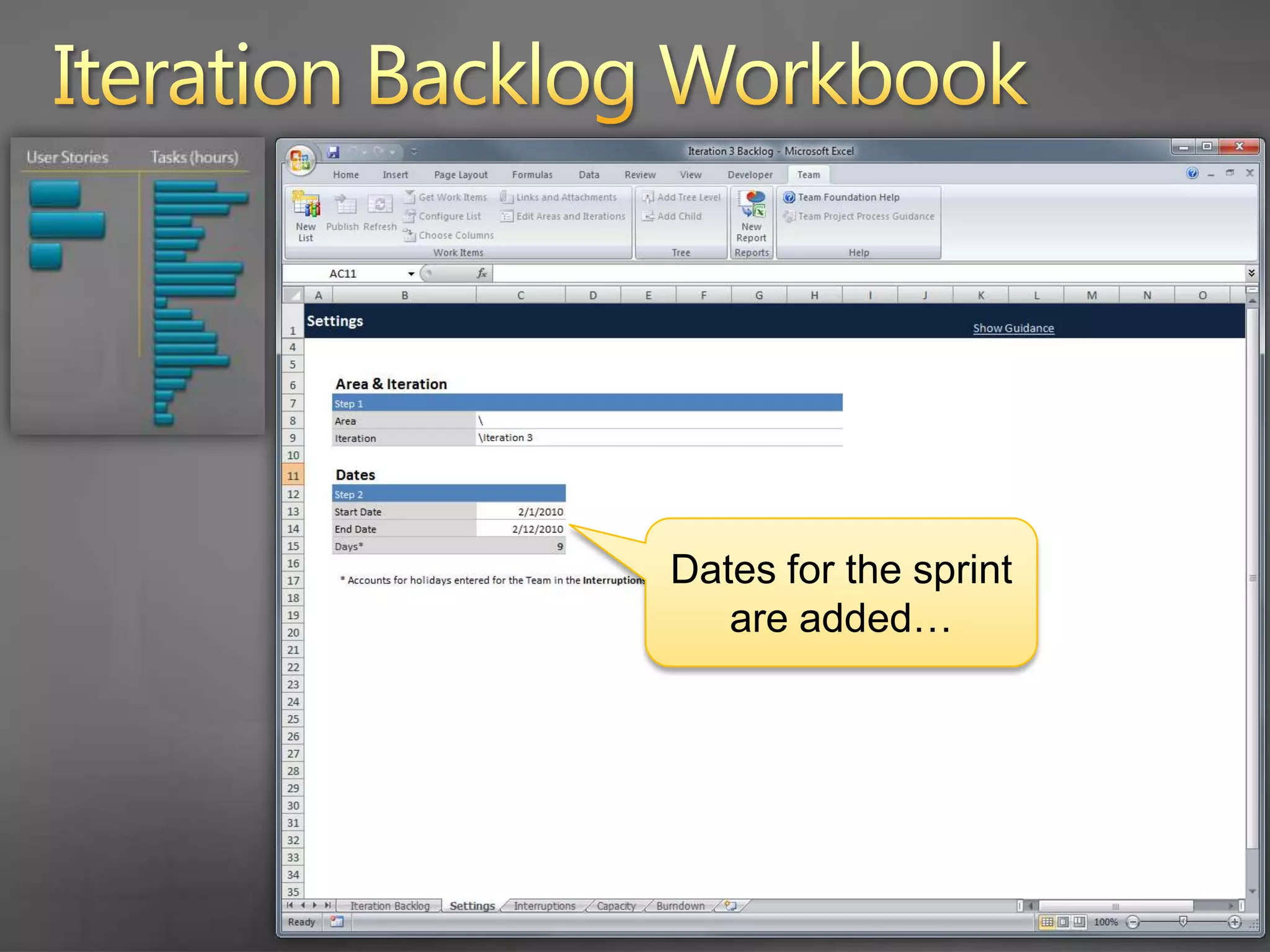
    22. Iteration Backlog Workbook
      Dates for the sprint are added…
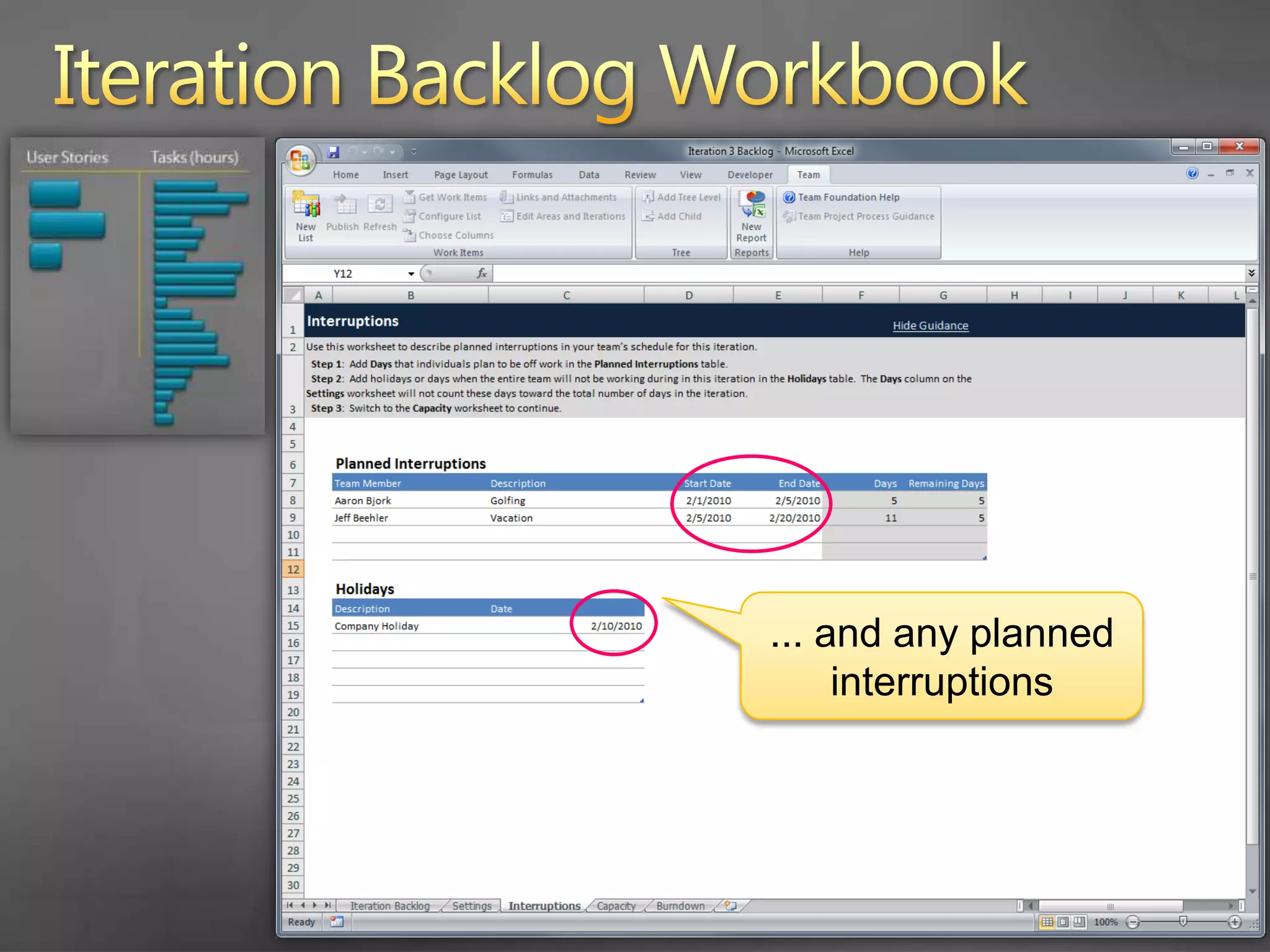
    23. Iteration Backlog Workbook
      ... and any planned interruptions
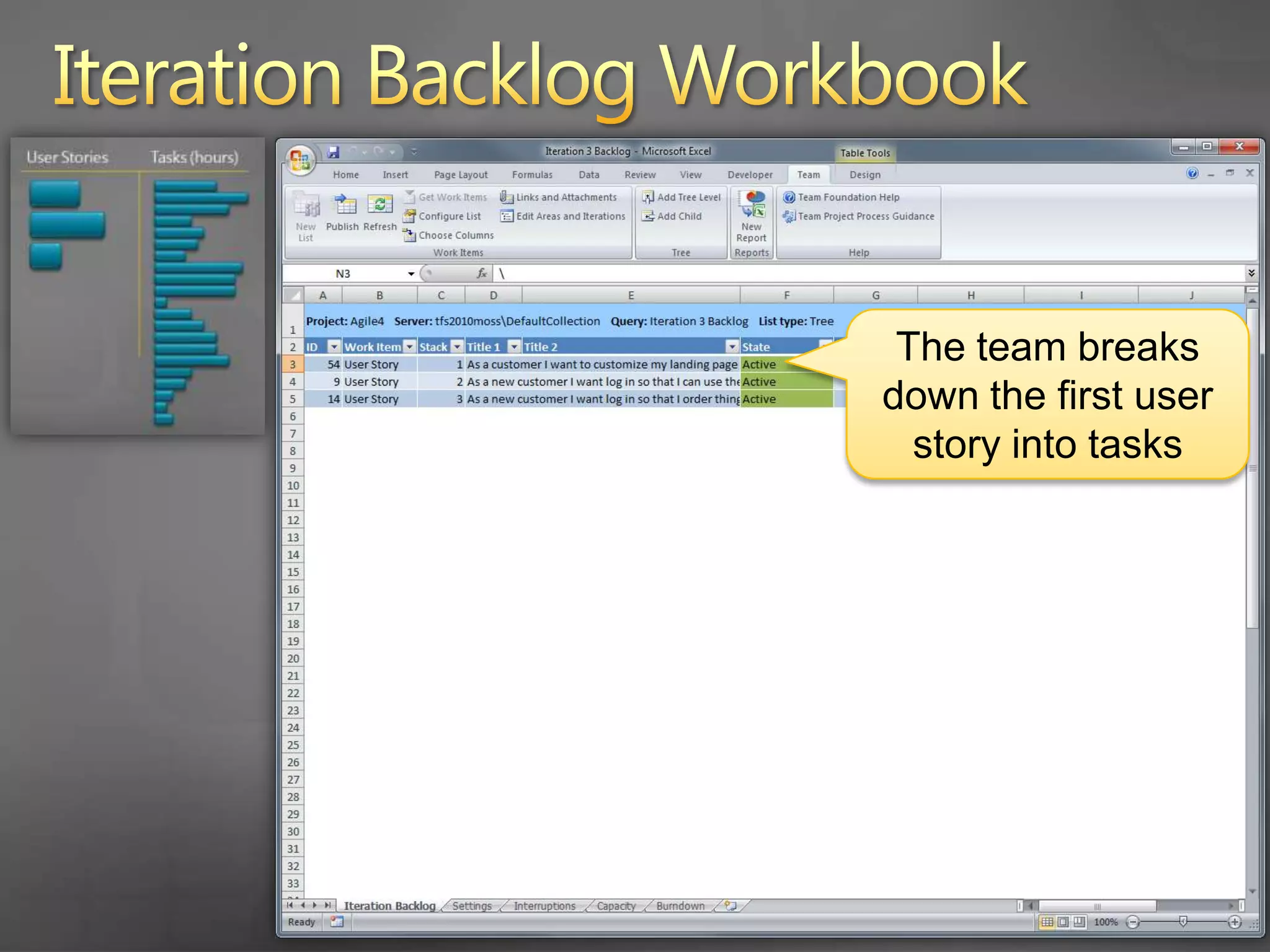
    24. Iteration Backlog Workbook
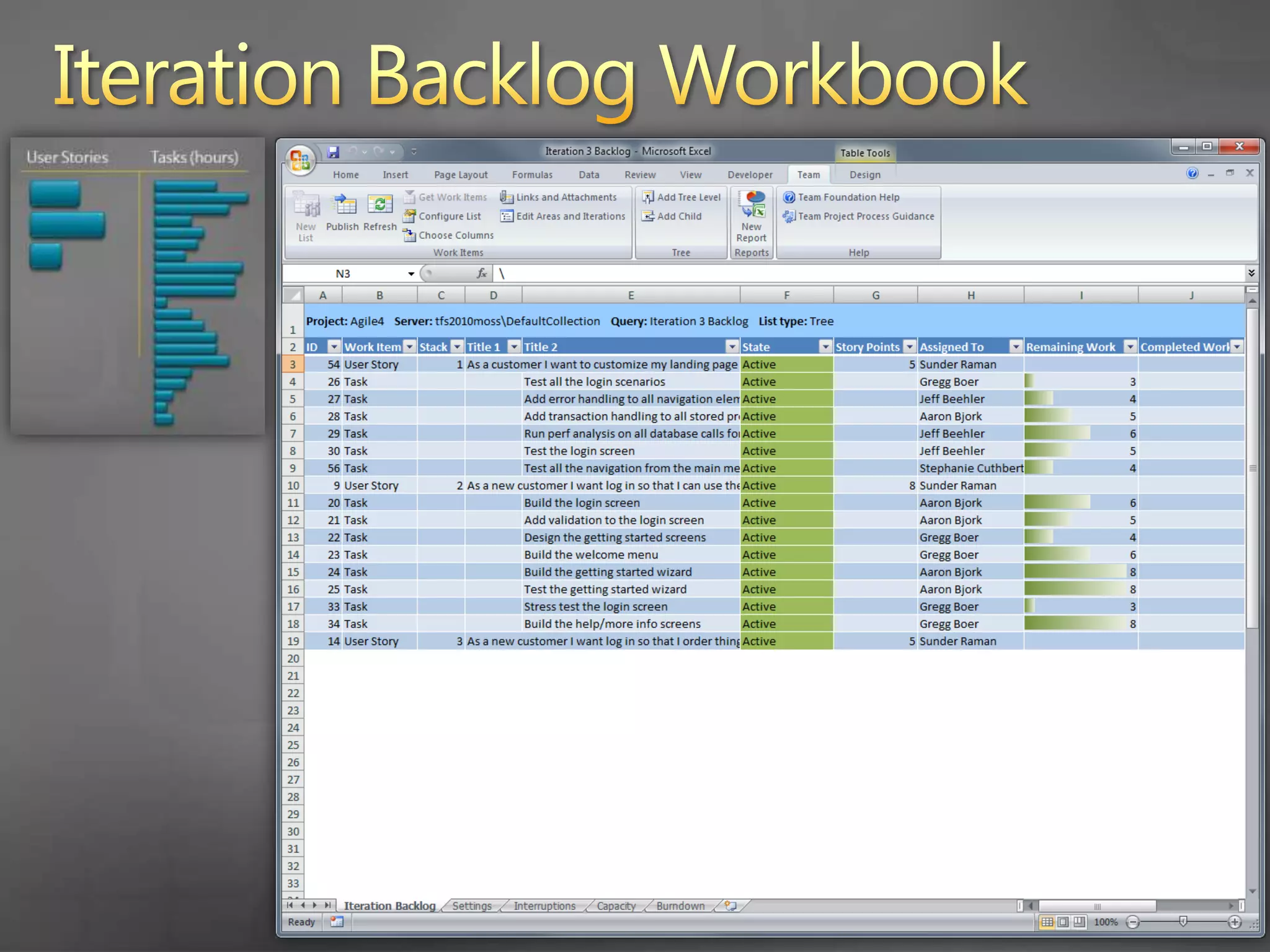
      The team breaks down the first user story into tasks
    25. Iteration Backlog Workbook
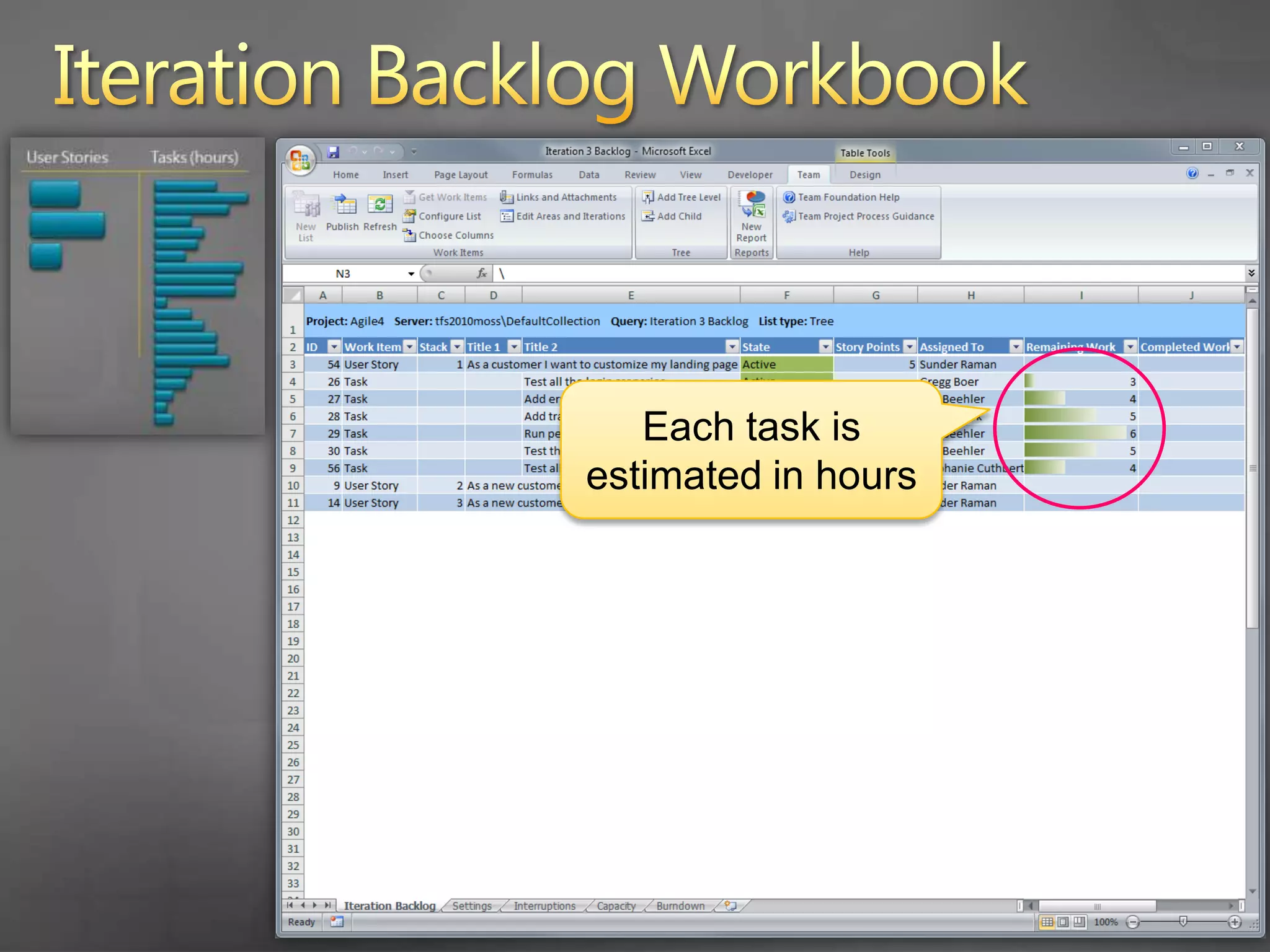
      Each task is estimated in hours
    26. Iteration Backlog Workbook
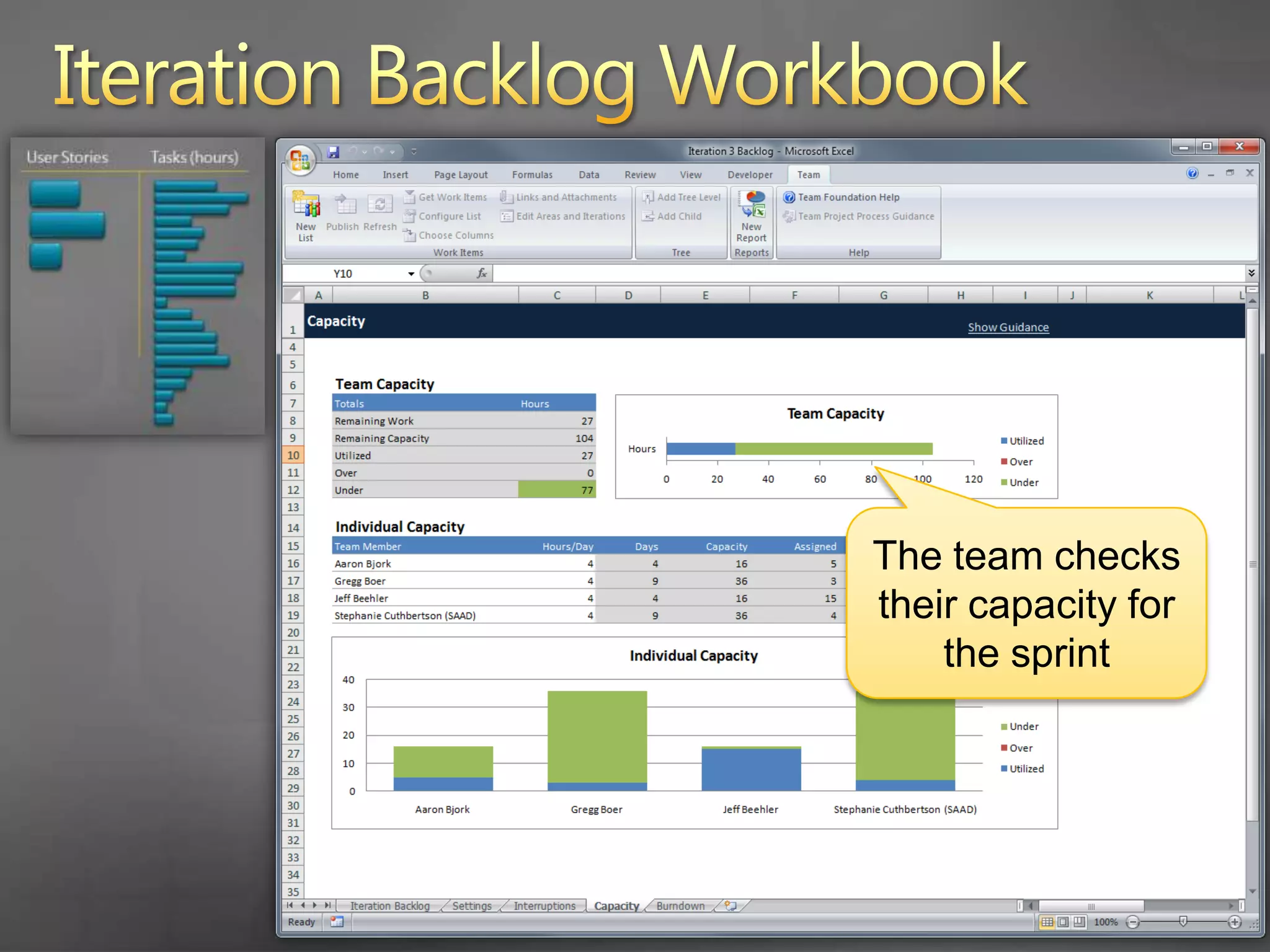
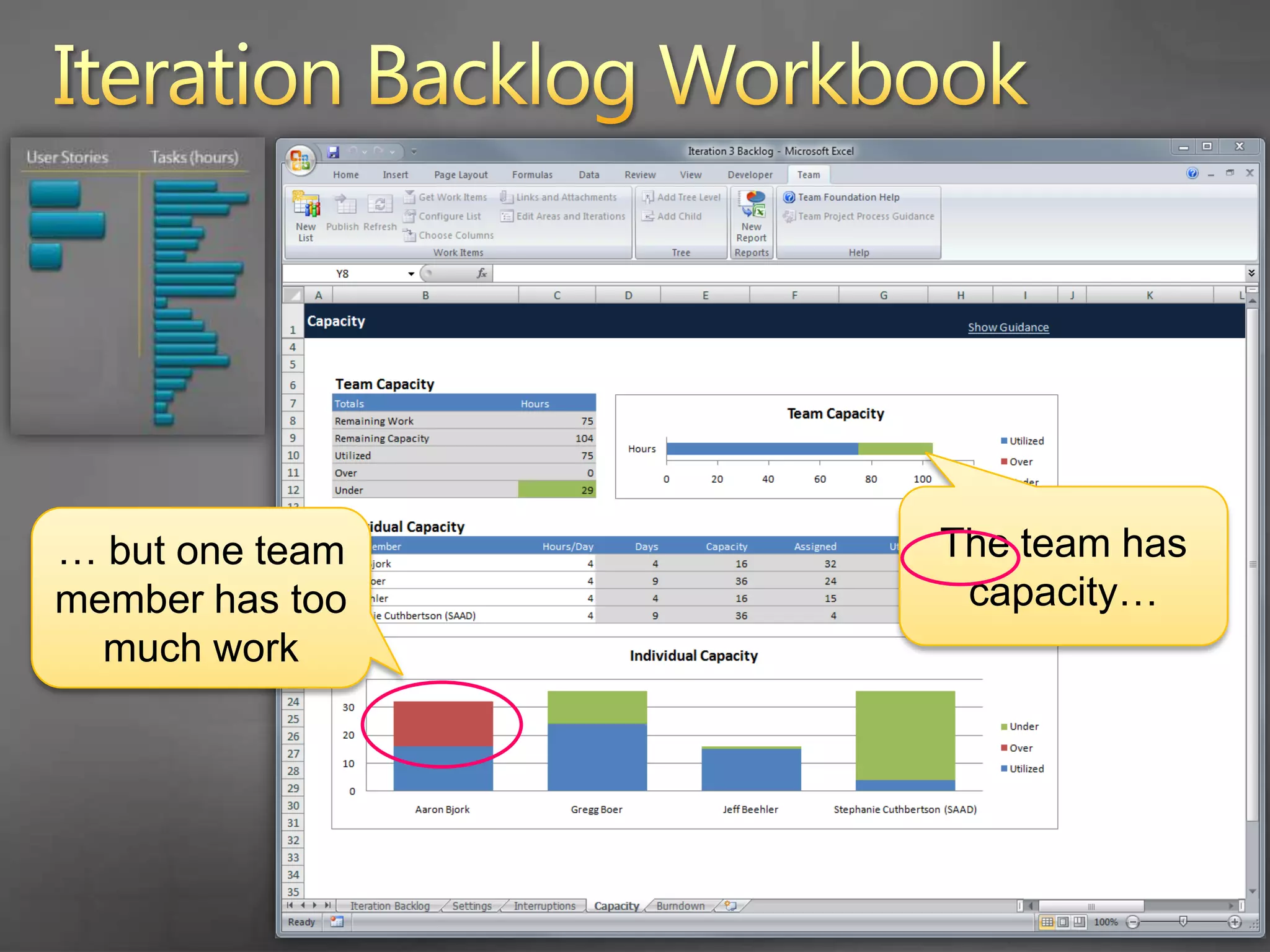
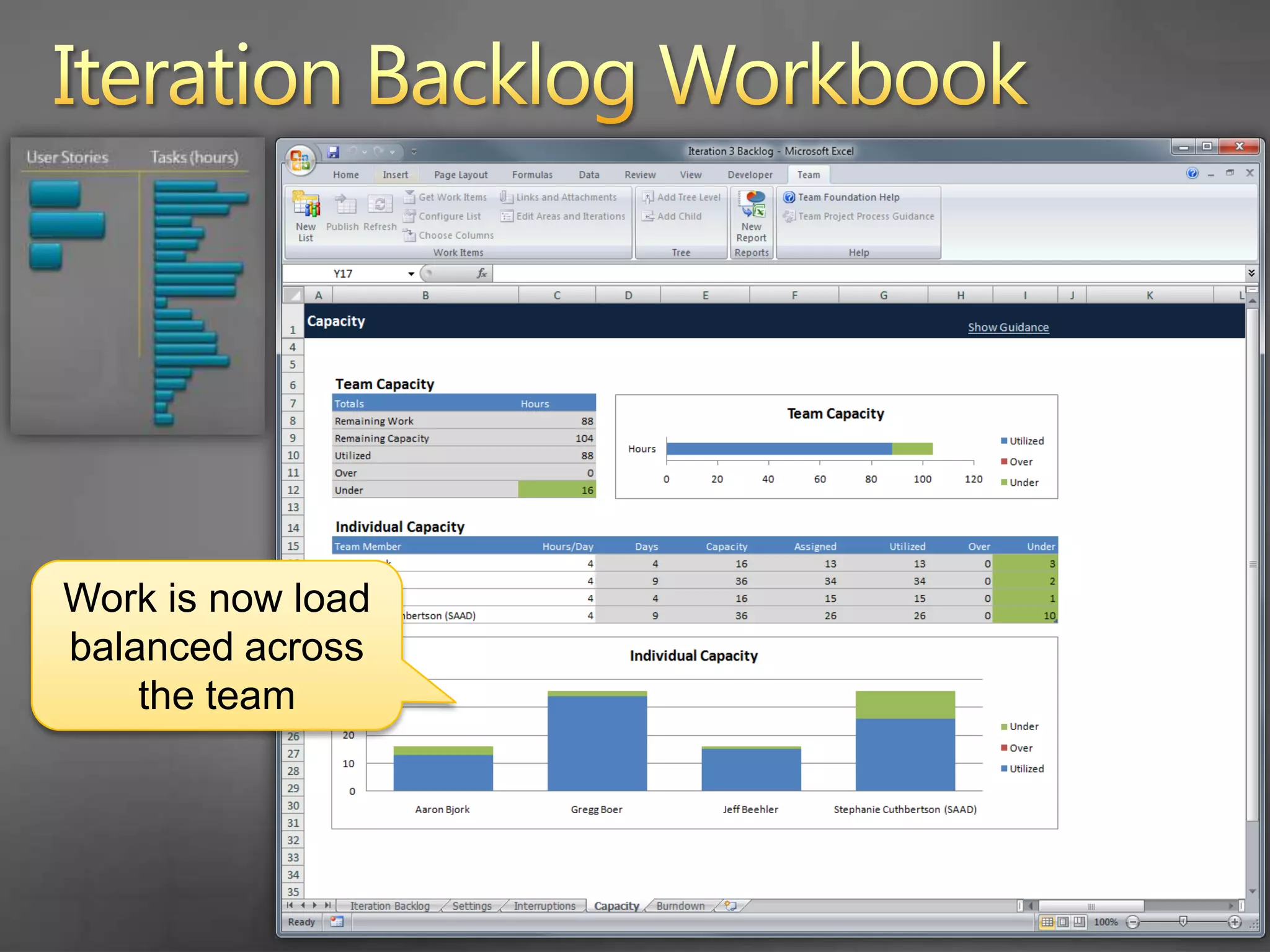
      The team checks their capacity for the sprint
    27. Iteration Backlog Workbook
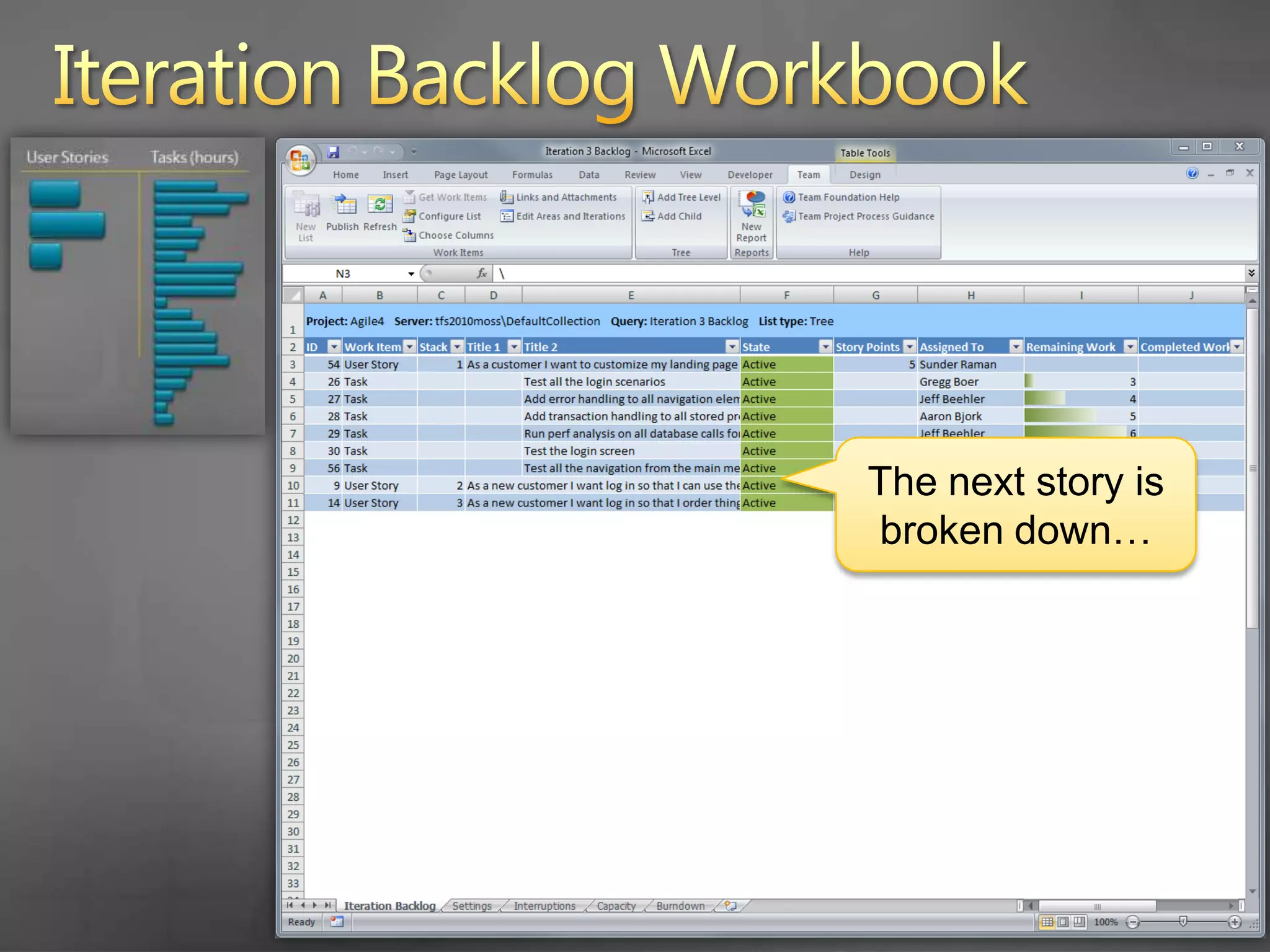
      The next story is broken down…
    28. Iteration Backlog Workbook
    29. Iteration Backlog Workbook
      The team has capacity…
      … but one team member has too much work
    30. Iteration Backlog Workbook
    31. Iteration Backlog Workbook
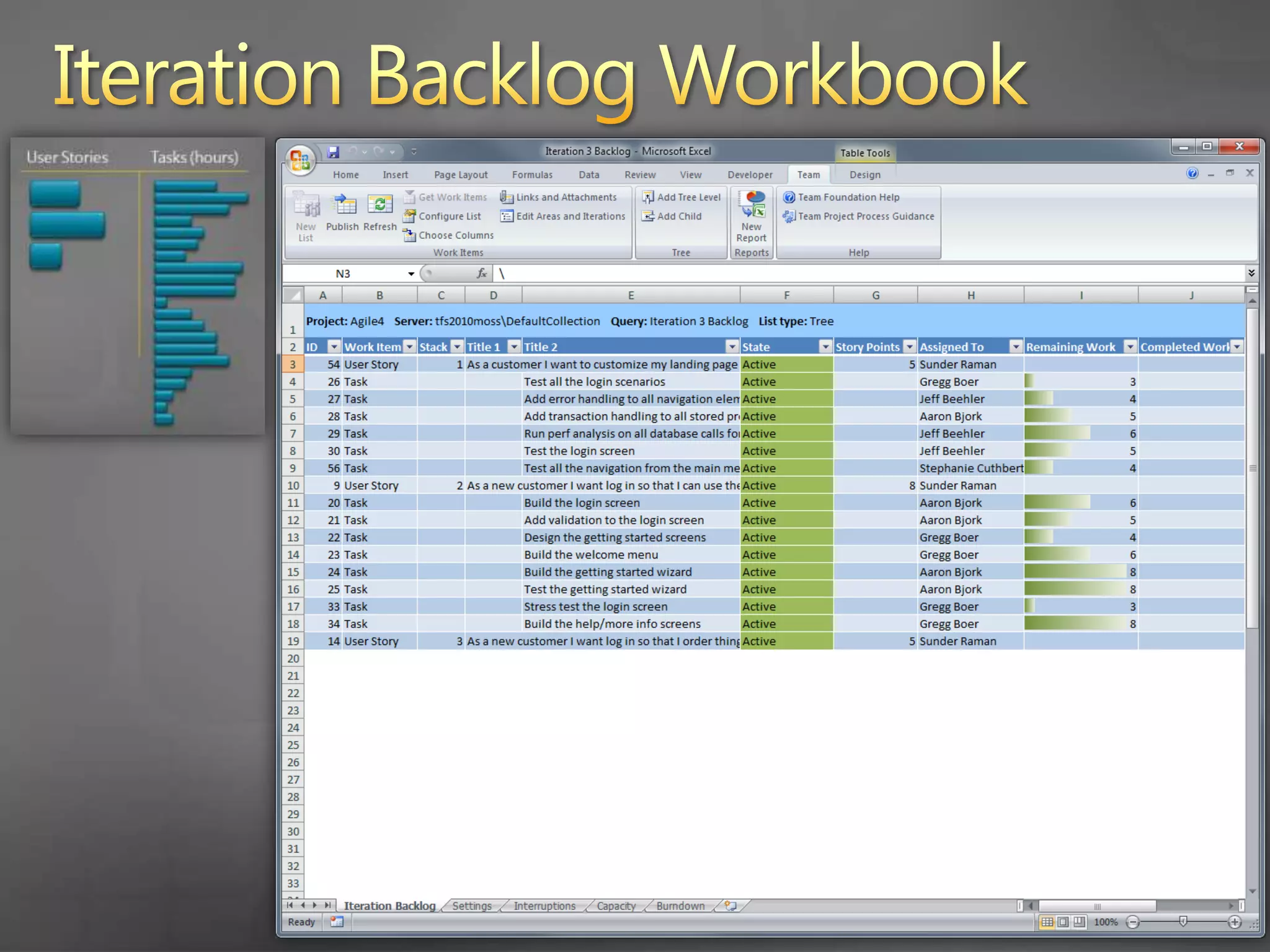
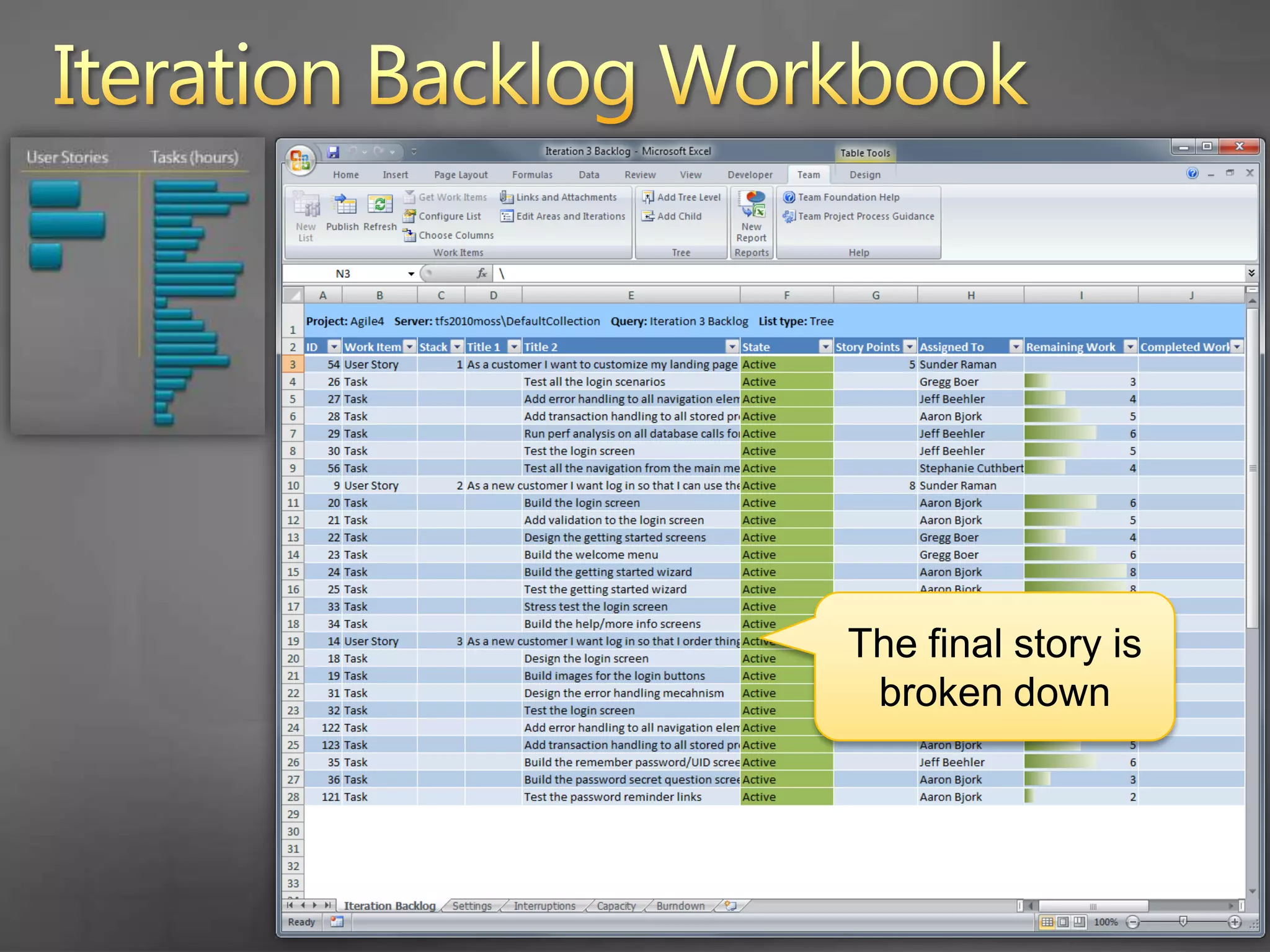
      The final story is broken down
    32. Iteration Backlog Workbook
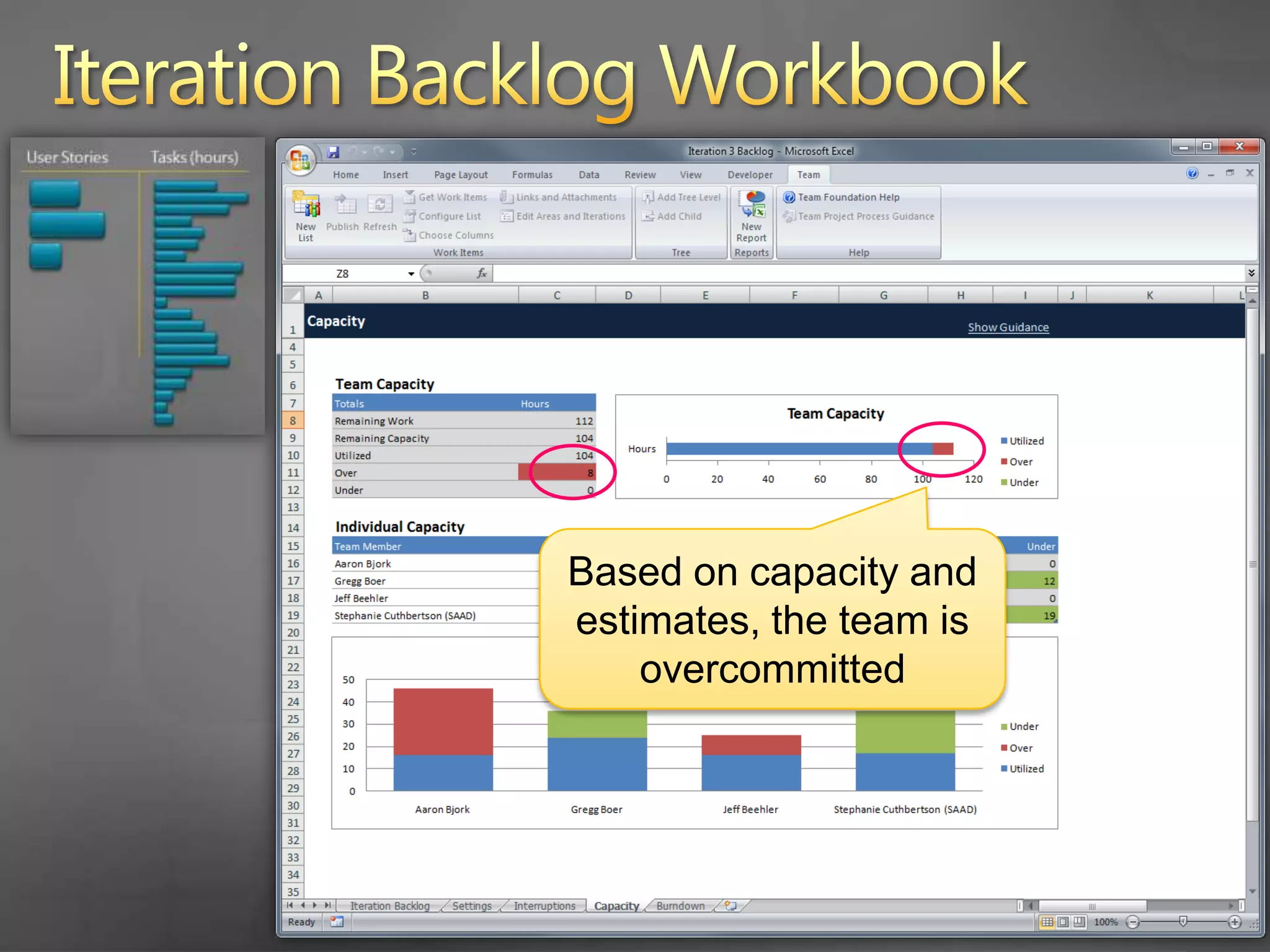
      Based on capacity and estimates, the team is overcommitted
    33. Iteration Backlog Workbook
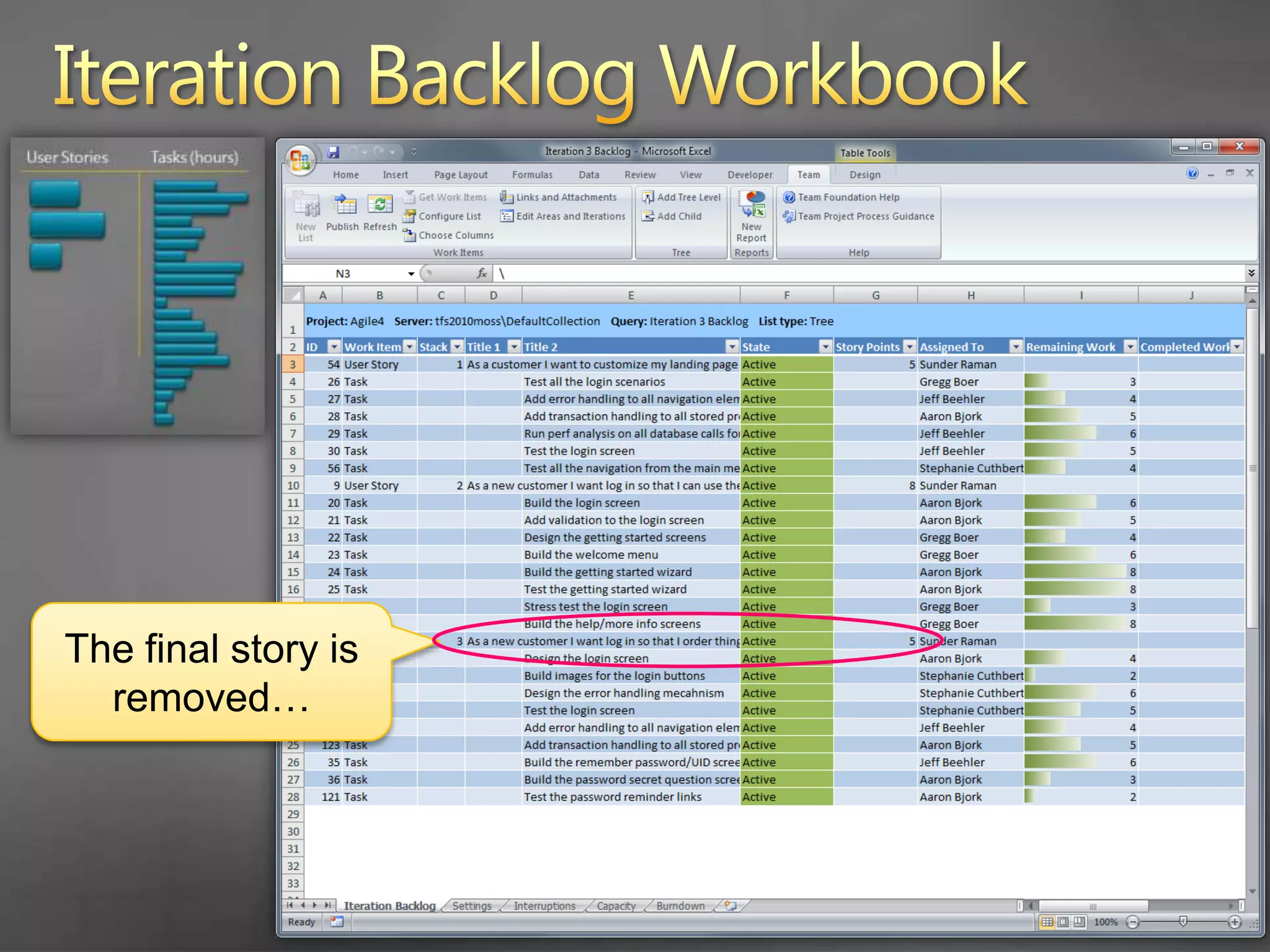
      The final story is removed…
    34. Iteration Backlog Workbook
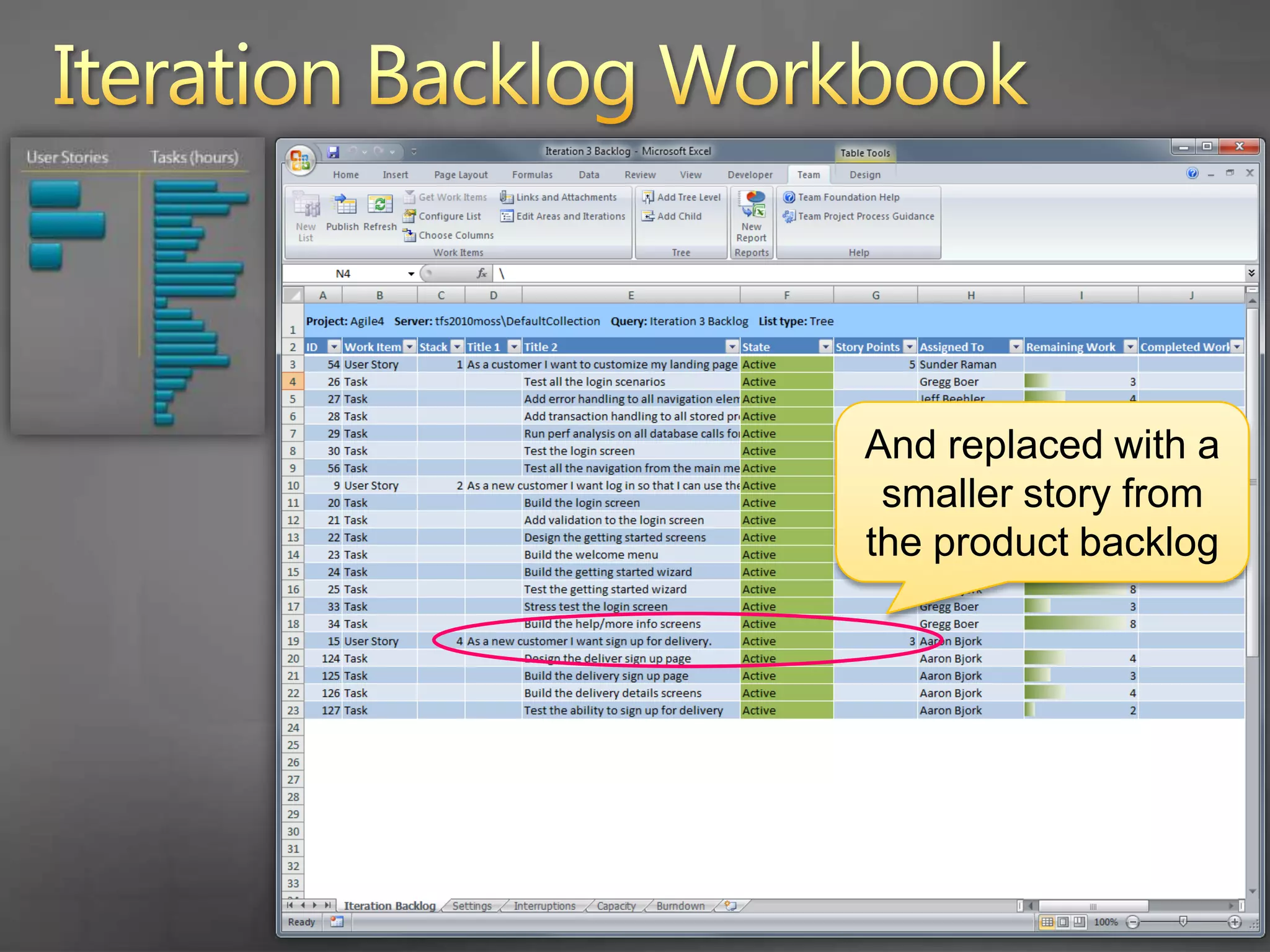
      And replaced with a smaller story from the product backlog
    35. Iteration Backlog Workbook
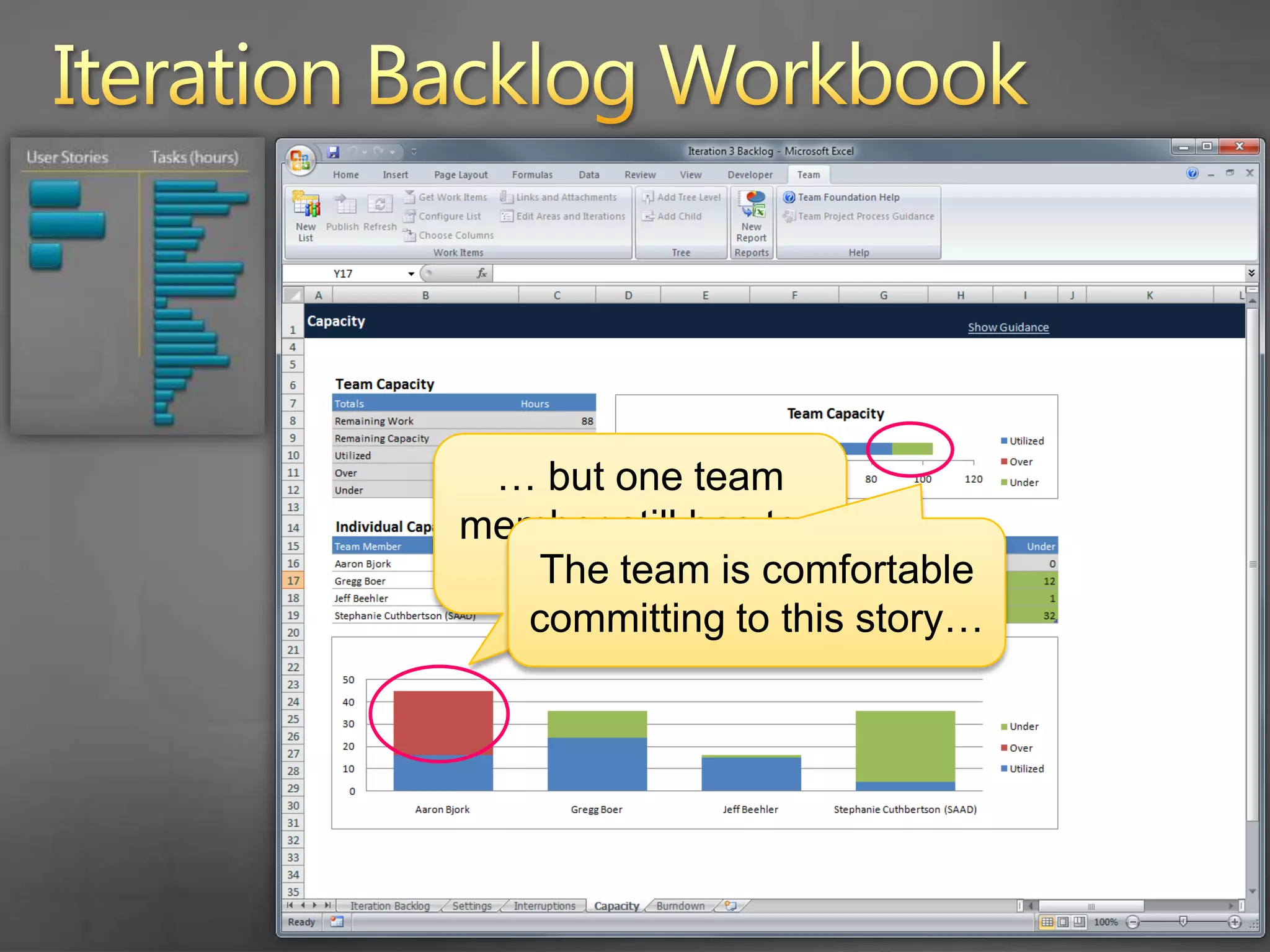
      … but one team member still has too much work
      The team is comfortable committing to this story…
    36. Iteration Backlog Workbook
    37. Iteration Backlog Workbook
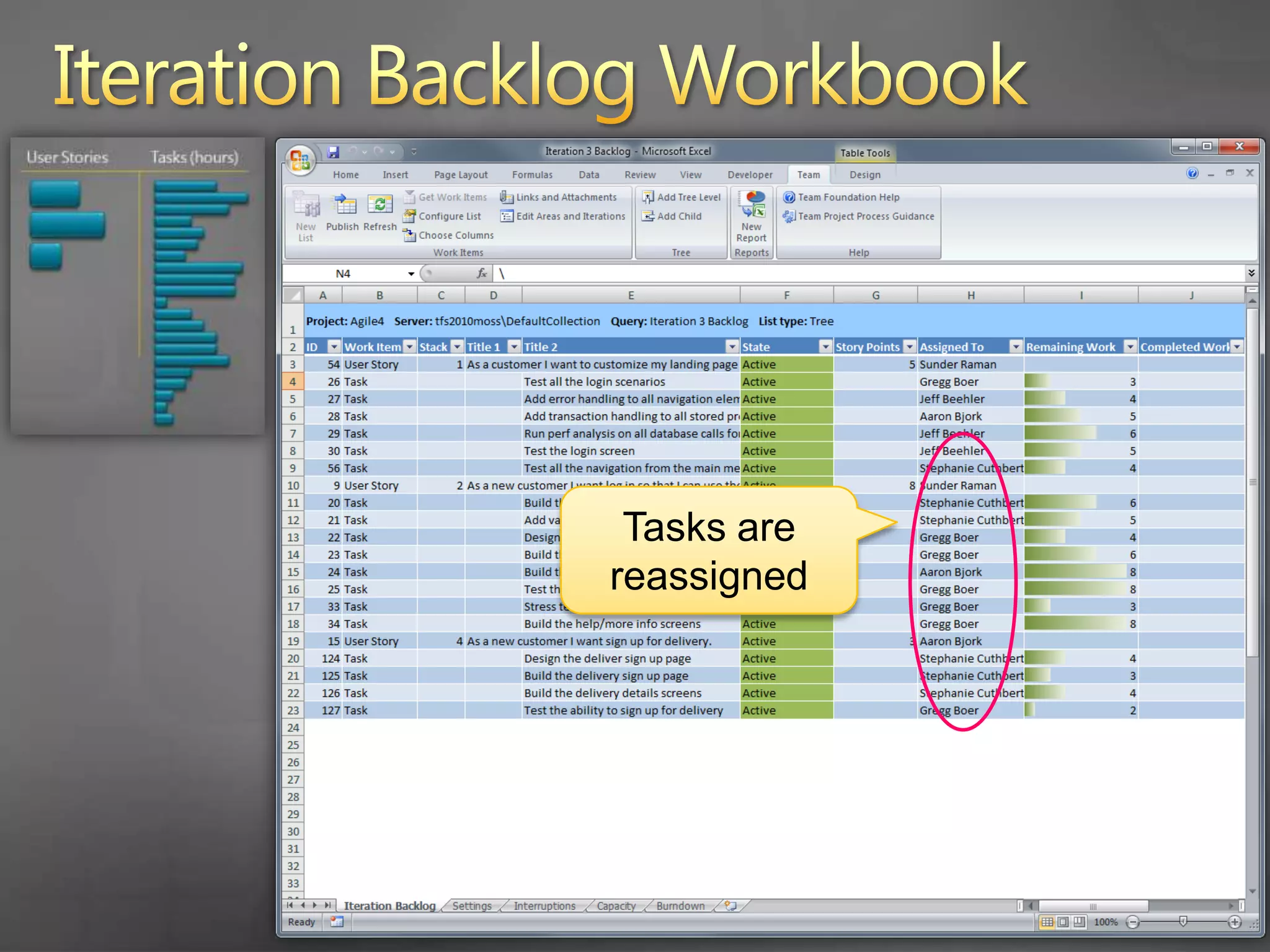
      Tasks are reassigned
    38. Iteration Backlog Workbook
      Work is now load balanced across the team
    39. Iteration Backlog Workbook
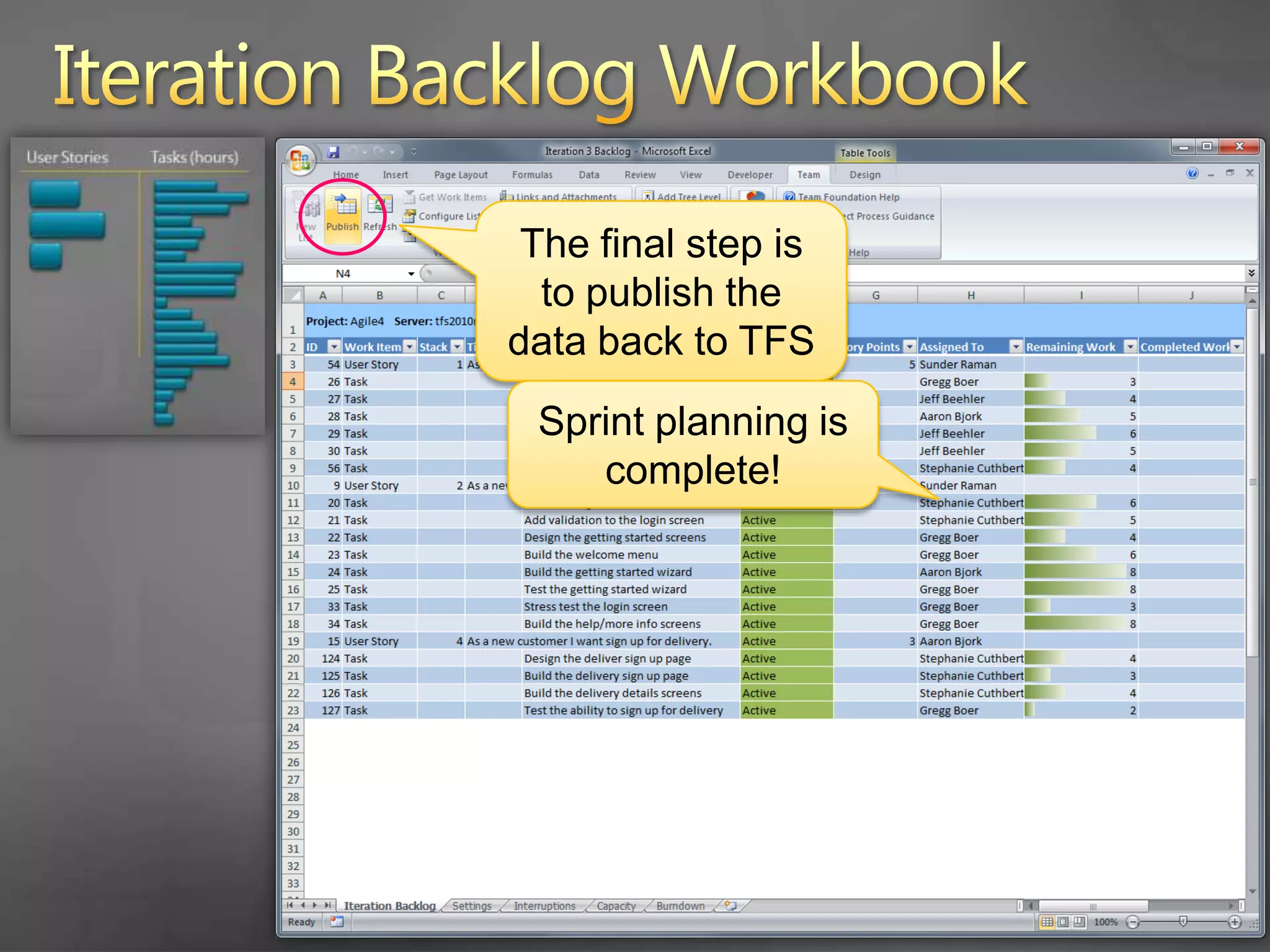
      The final step is to publish the data back to TFS
      Sprint planning is complete!
    40. Agenda
      Scrum with TFS 2010
      Planning the Project
      How do you plan the project?
      Project planning in TFS 2010
      Planning a Sprint
      What is sprint planning?
      Sprint planning in TFS 2010
      Running a Sprint
      How do you run a sprint?
      Running a sprint in TFS 2010
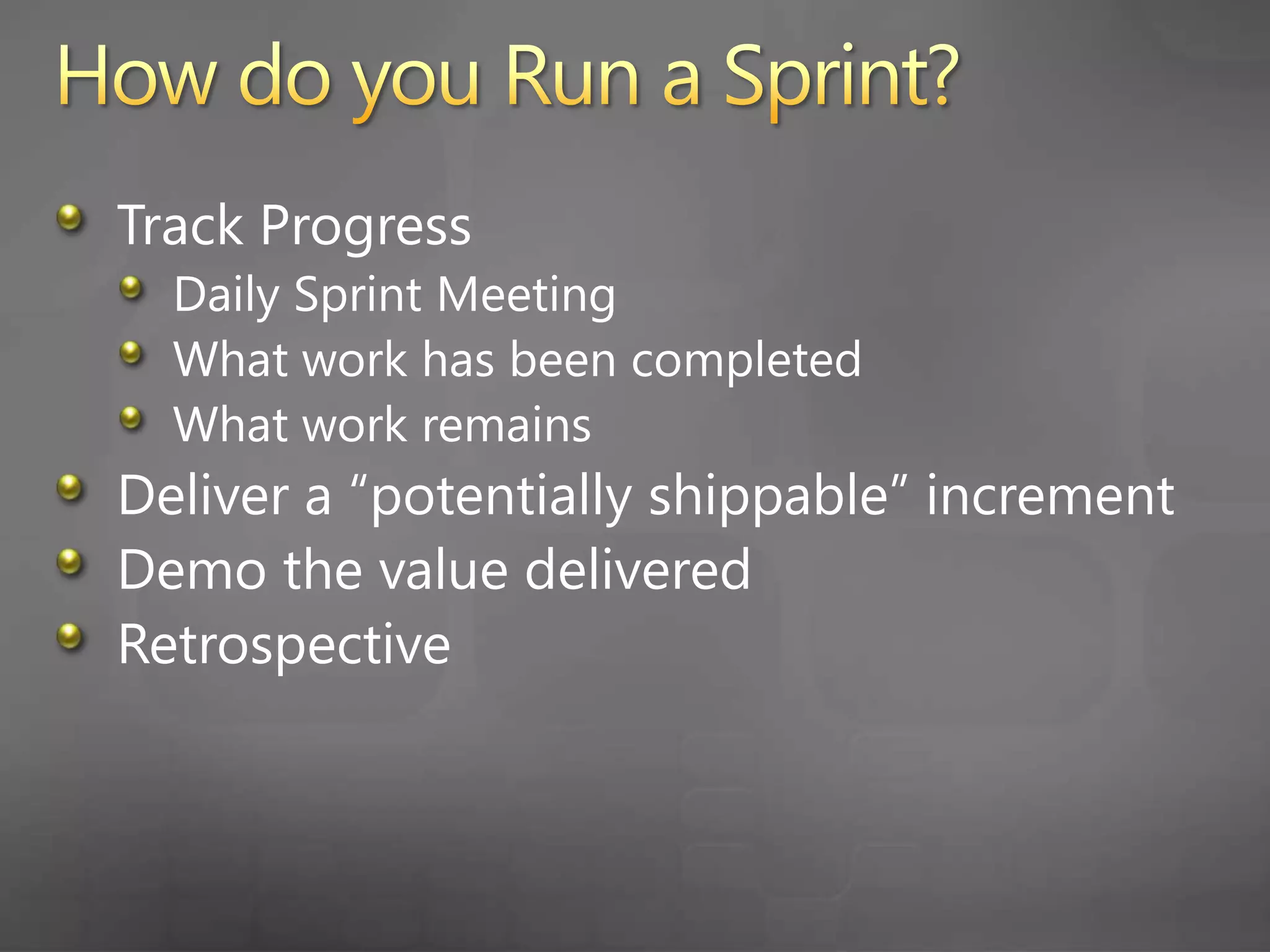
    41. How do you Run a Sprint?
      Track Progress
      Daily Sprint Meeting
      What work has been completed
      What work remains
      Deliver a “potentially shippable” increment
      Demo the value delivered
      Retrospective
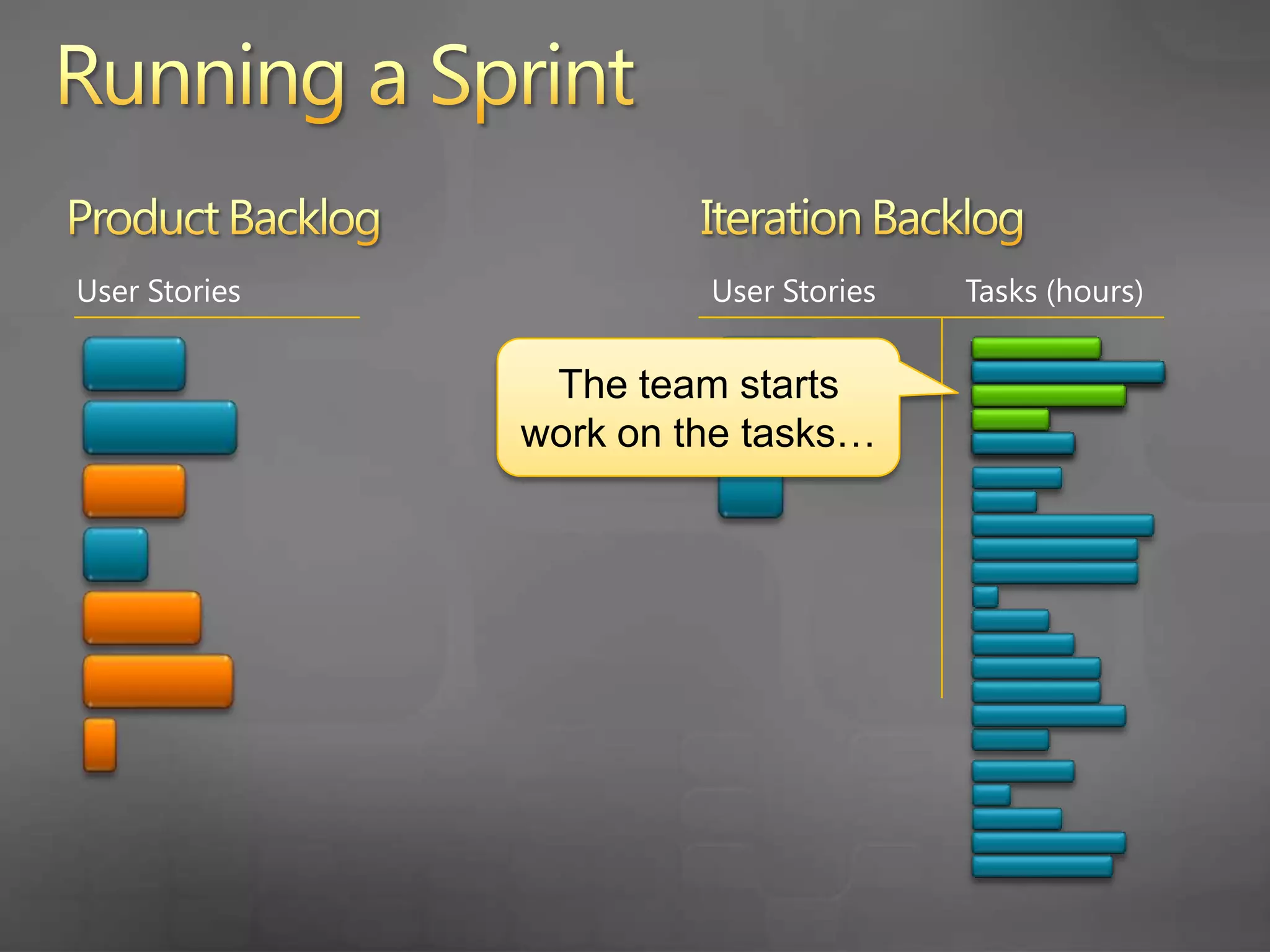
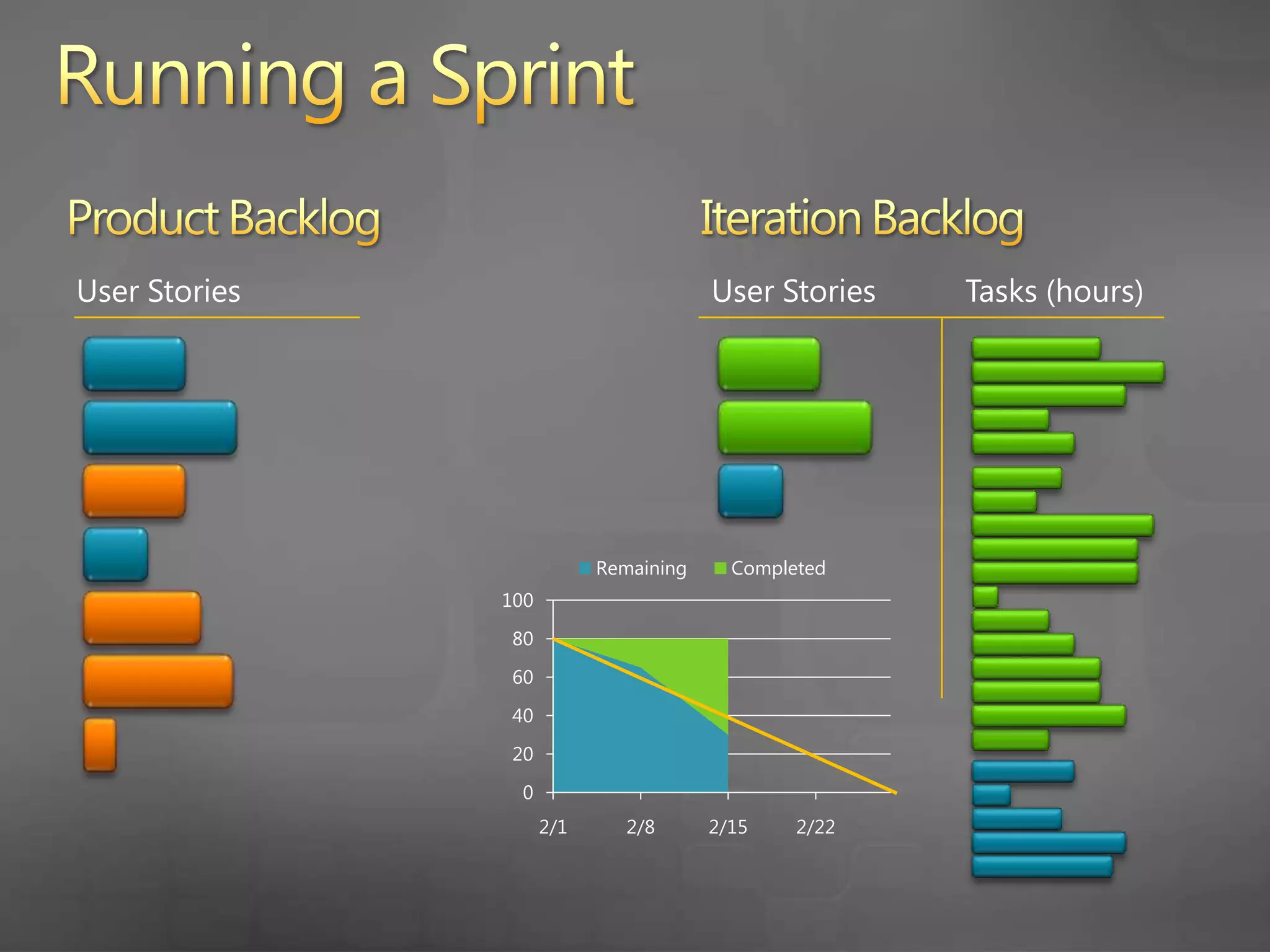
    42. Running a Sprint
      Product Backlog
      Iteration Backlog
      User Stories
      User Stories
      Tasks (hours)
      The team starts work on the tasks…
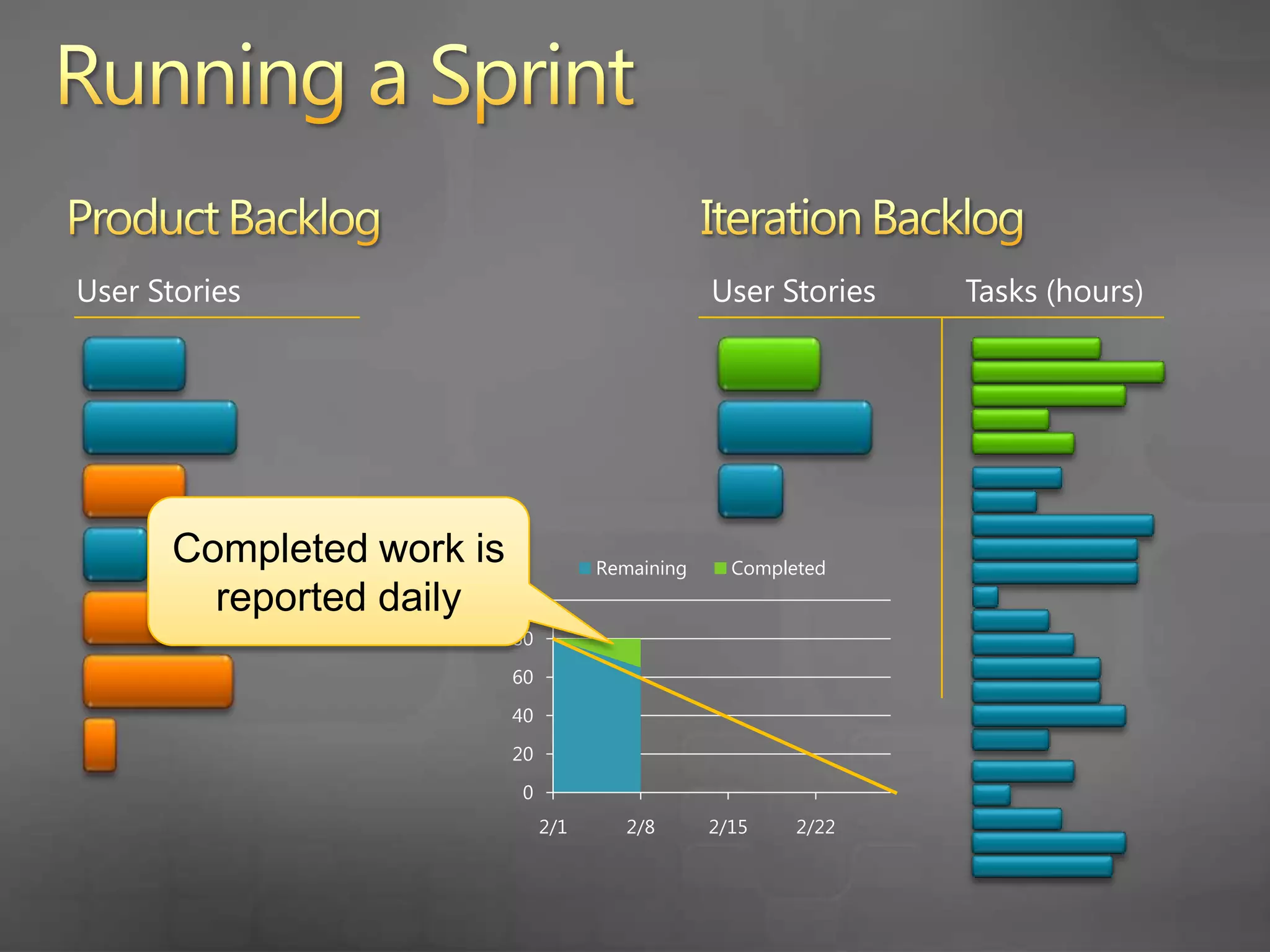
    43. Running a Sprint
      Product Backlog
      Iteration Backlog
      User Stories
      User Stories
      Tasks (hours)
      Completed work is reported daily
    44. Running a Sprint
      Product Backlog
      Iteration Backlog
      User Stories
      User Stories
      Tasks (hours)
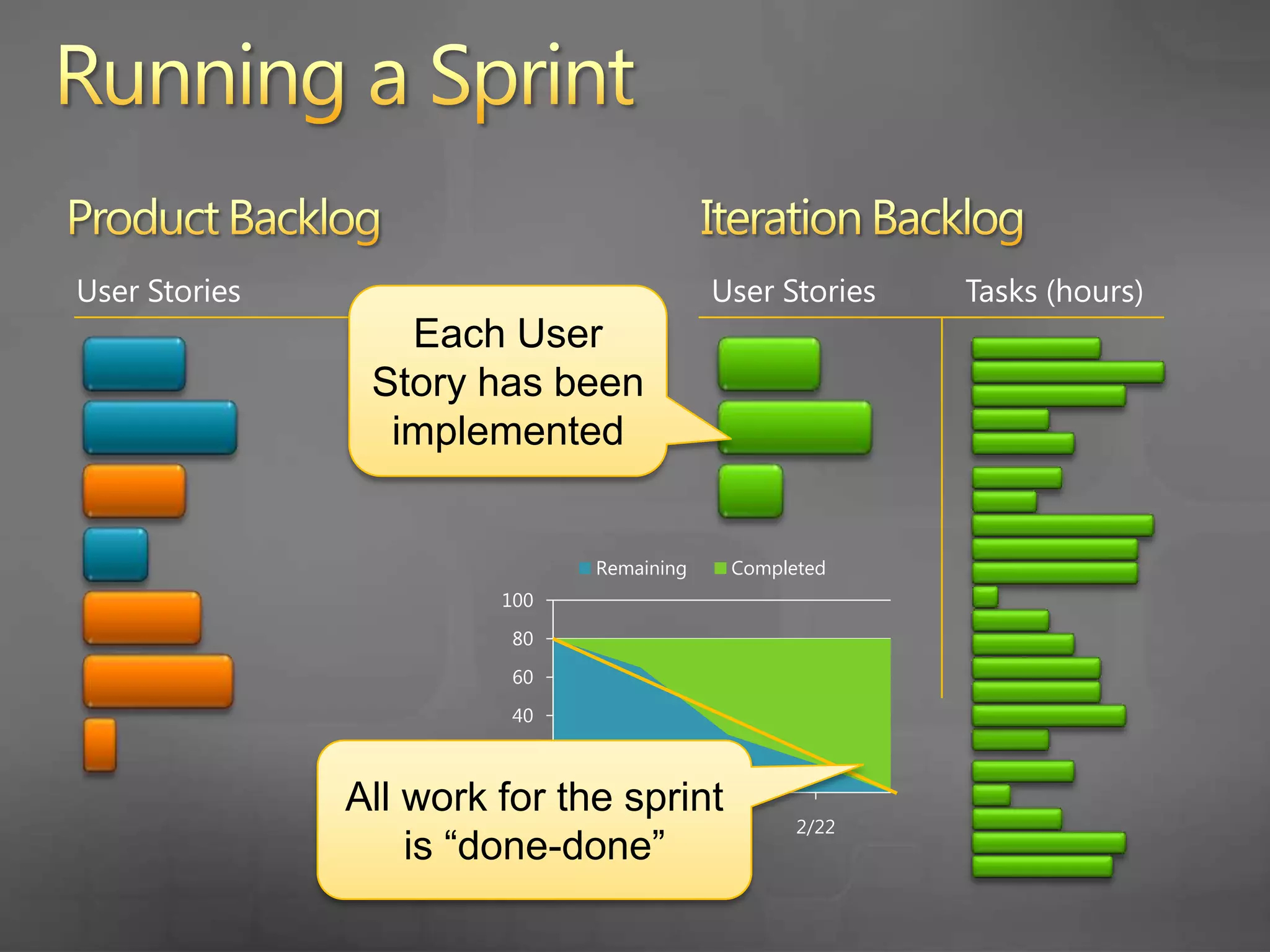
    45. Running a Sprint
      Product Backlog
      Iteration Backlog
      User Stories
      User Stories
      Tasks (hours)
      Each User Story has been implemented
      All work for the sprint is “done-done”
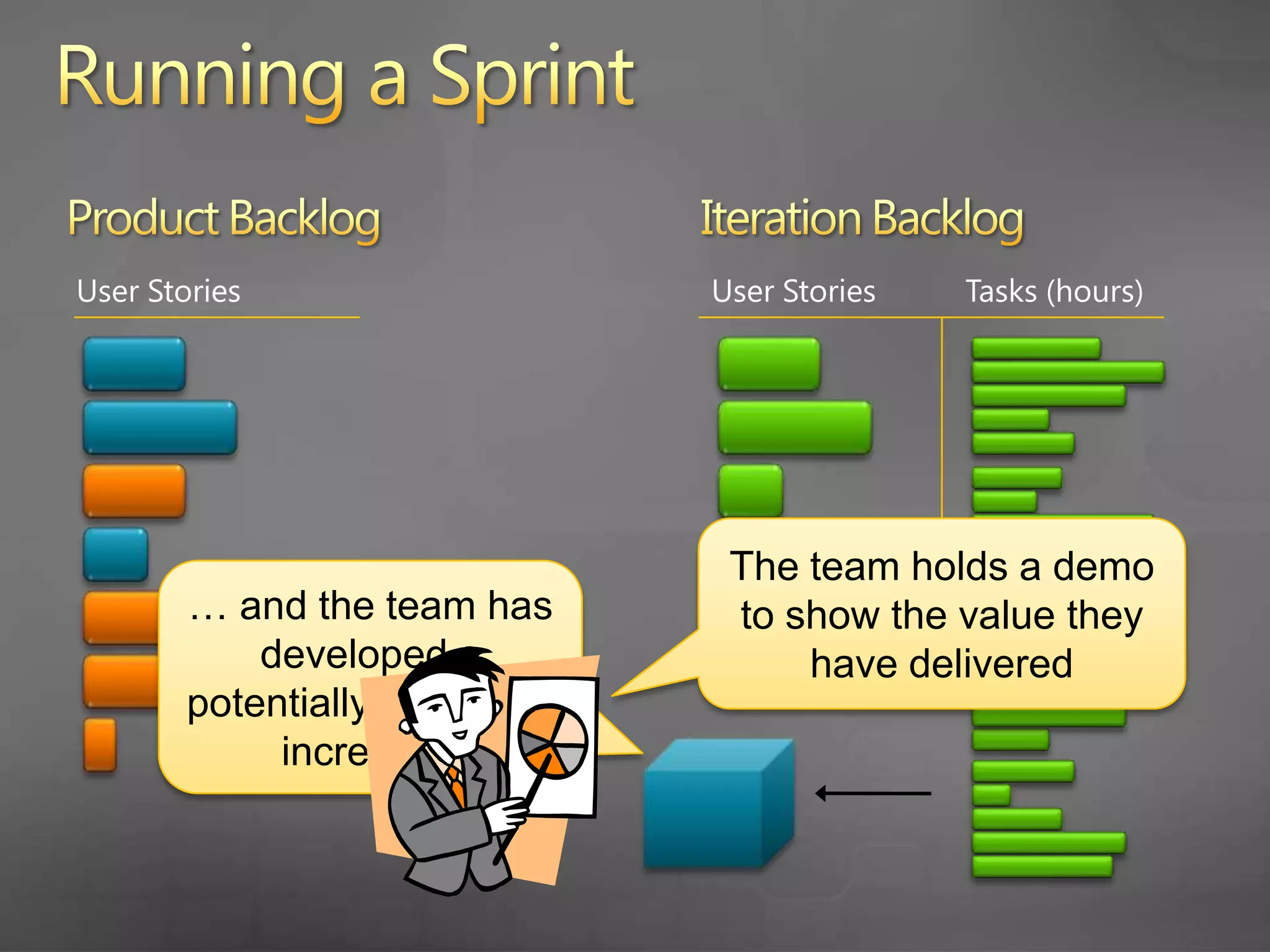
    46. Running a Sprint
      Product Backlog
      Iteration Backlog
      User Stories
      User Stories
      Tasks (hours)
      The team holds a demo to show the value they have delivered
      … and the team has developed a potentially shippable increment
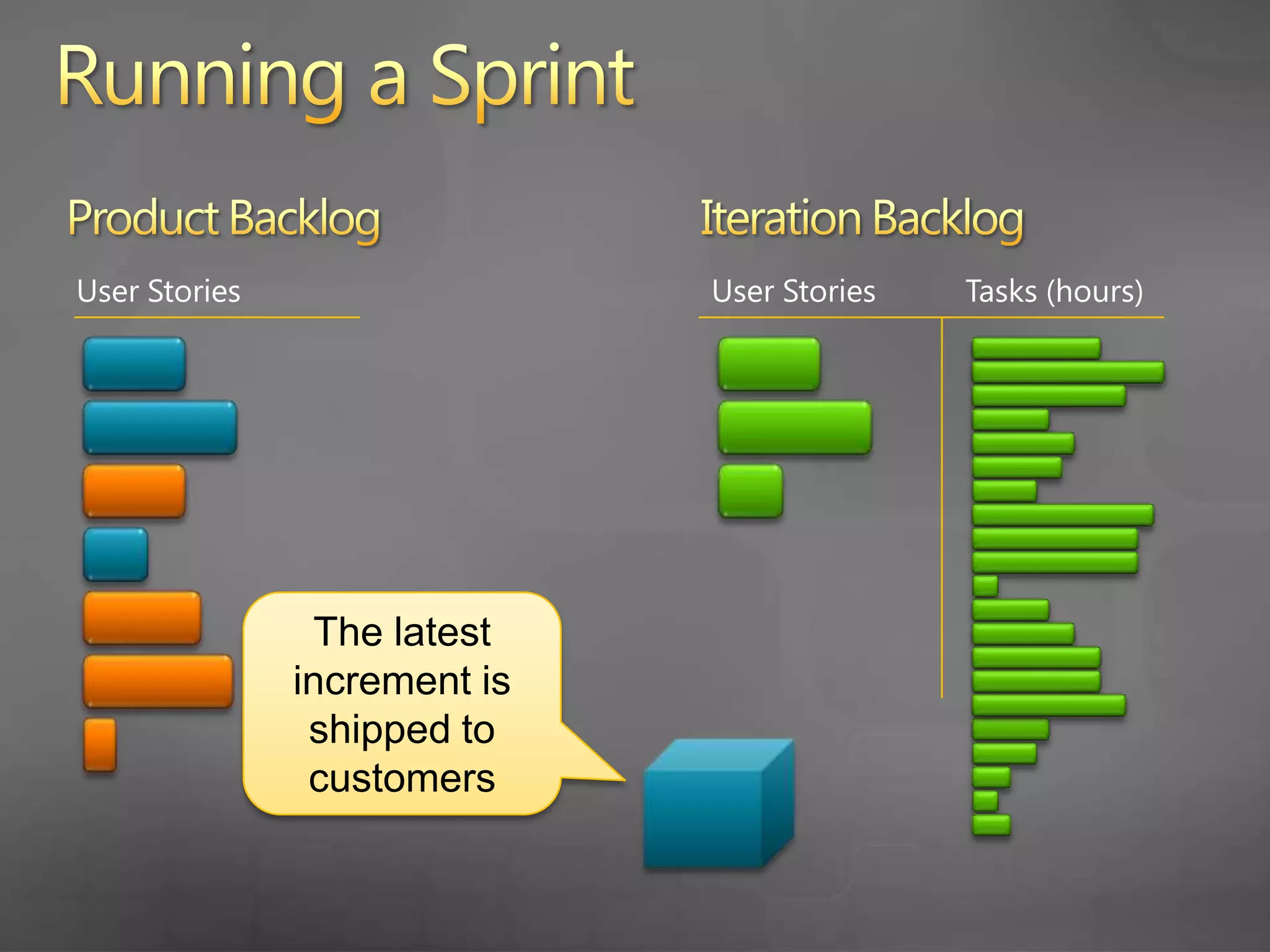
    47. Running a Sprint
      Product Backlog
      Iteration Backlog
      User Stories
      User Stories
      Tasks (hours)
      The latest increment is shipped to customers
    48. Running a Sprint
      Product Backlog
      Iteration Backlog
      User Stories
      User Stories
      Tasks (hours)
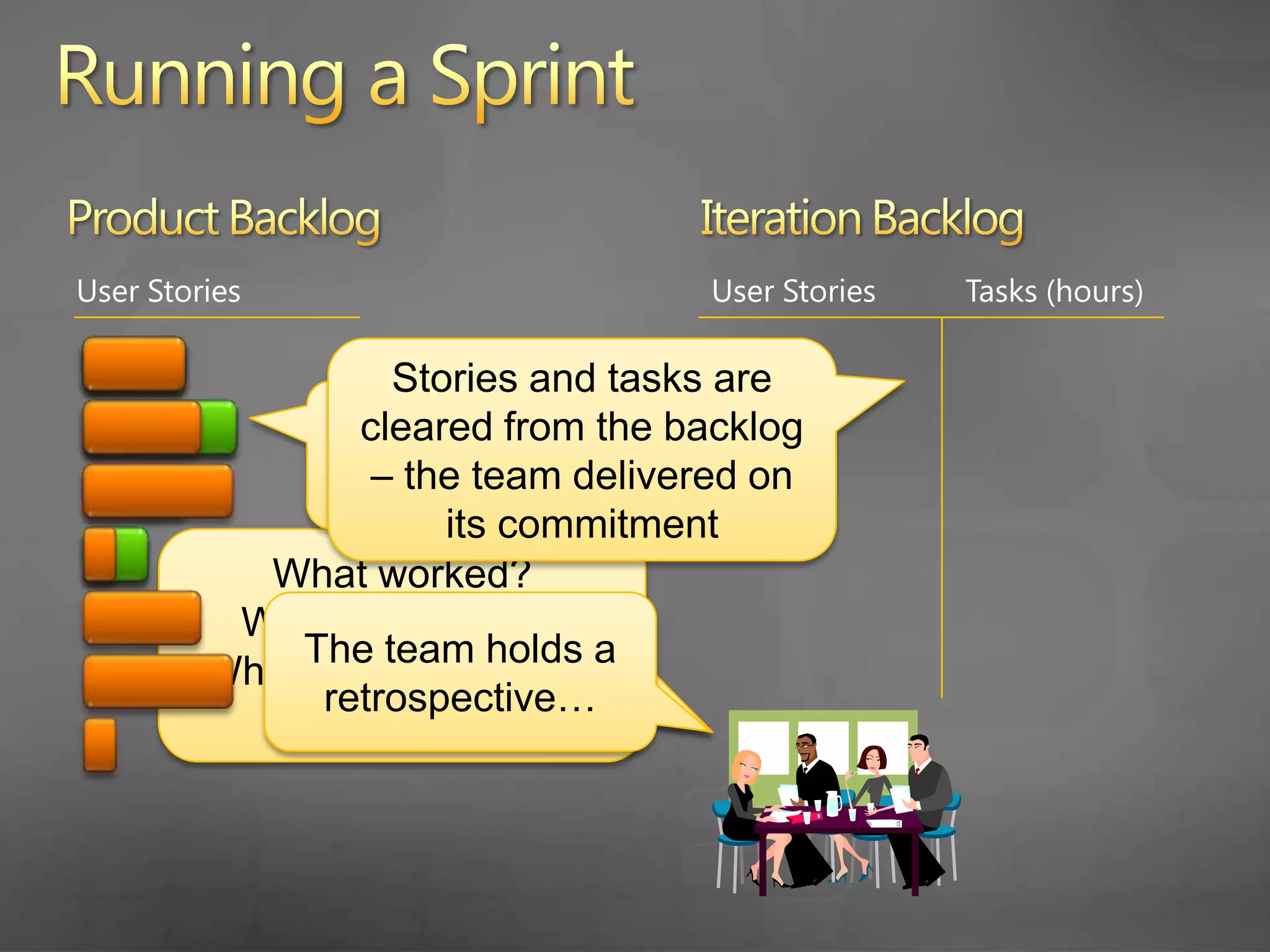
      Stories and tasks are cleared from the backlog – the team delivered on its commitment
      Stories delivered in the last sprint are closed
      What worked?
      What didn’t work? What can the team do to improve?
      The team holds a retrospective…
    49. Running a Sprint
      Product Backlog
      Iteration Backlog
      User Stories
      User Stories
      Tasks (hours)
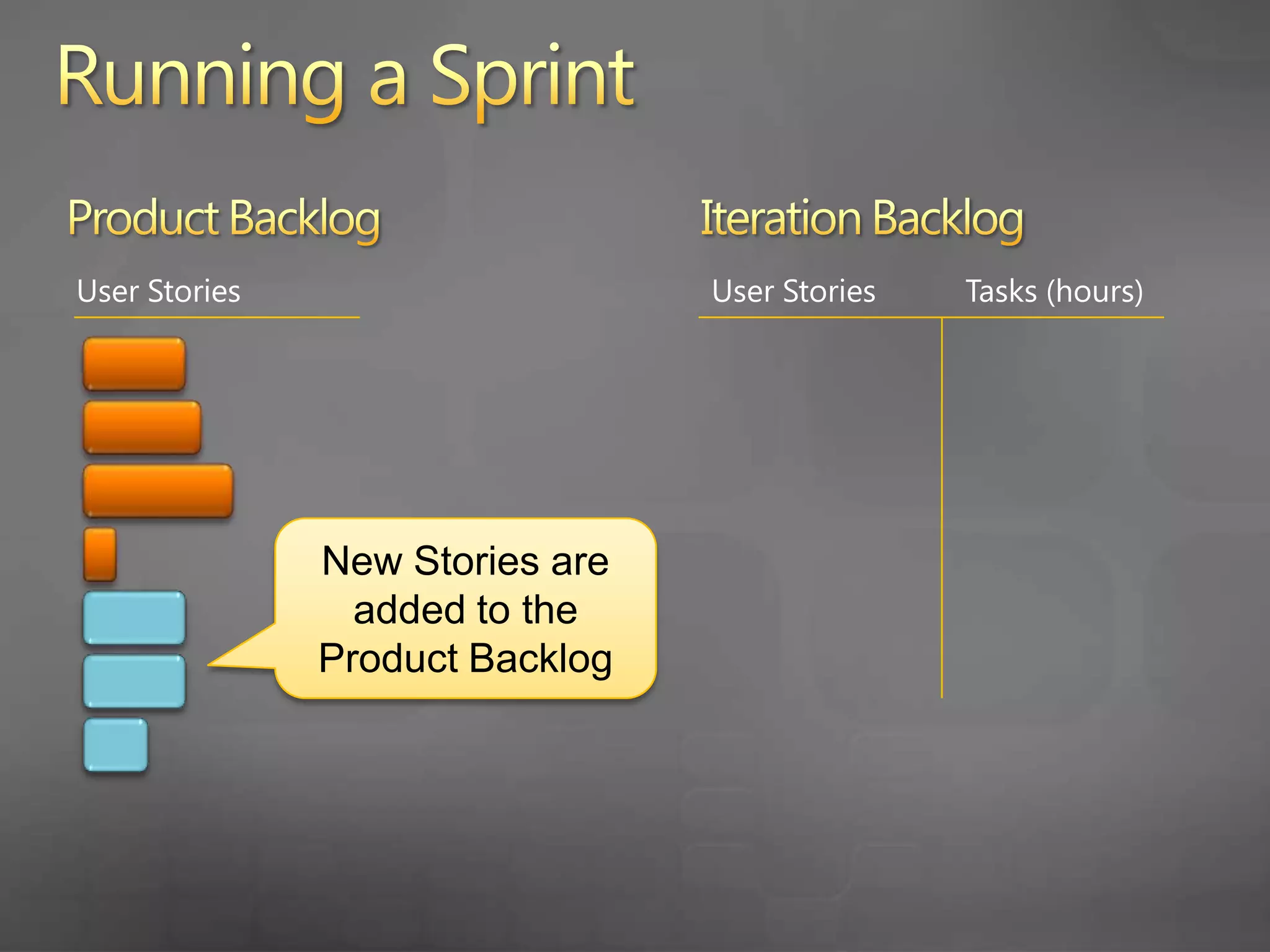
      New Stories are added to the Product Backlog
    50. Running a Sprint
      Product Backlog
      Iteration Backlog
      User Stories
      User Stories
      Tasks (hours)
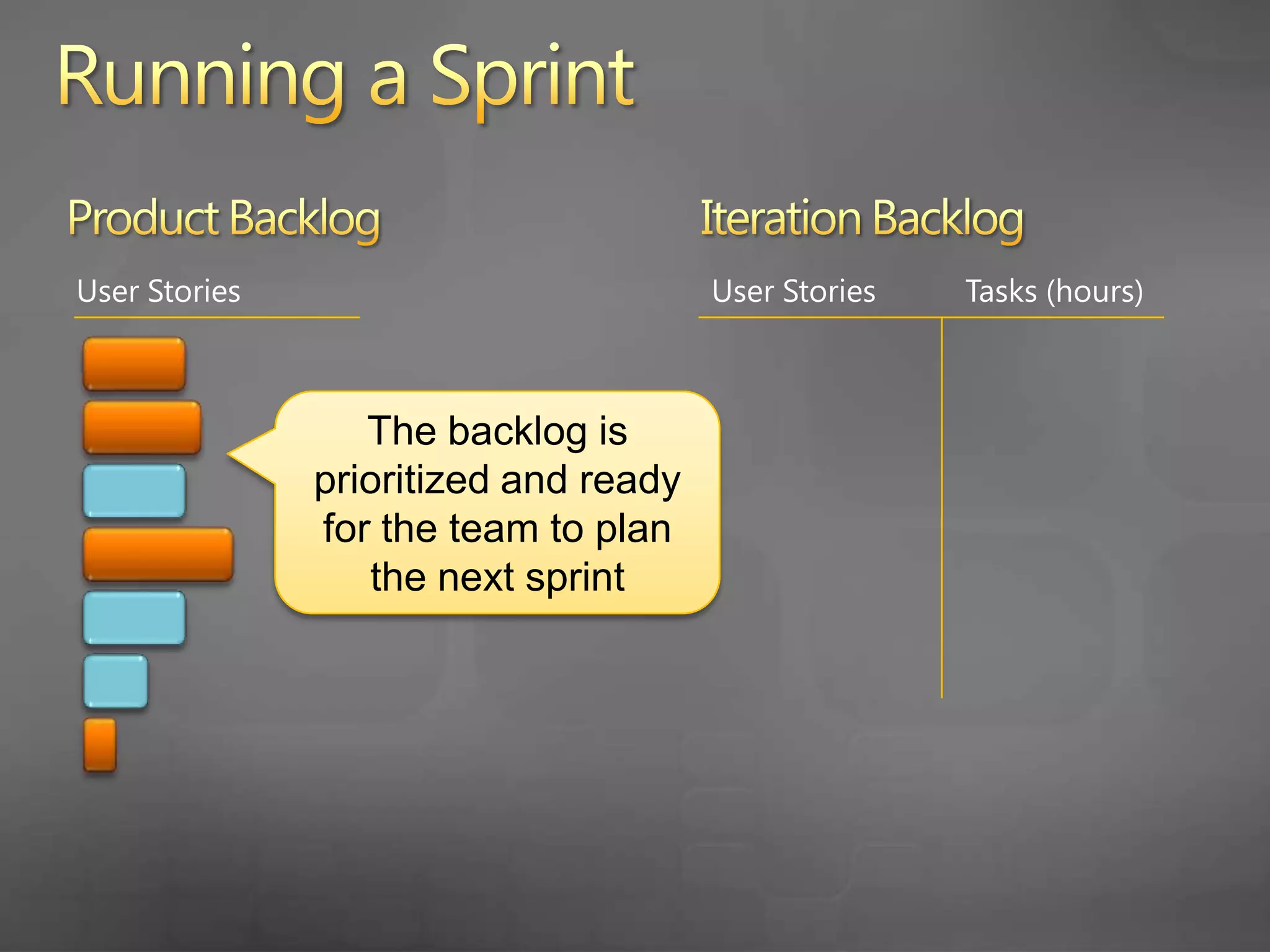
      The backlog is prioritized and ready for the team to plan the next sprint
    51. … let’s look at Running a Sprint in TFS 2010
    52. Running a Sprint
      Record completed work
      Track progress with reports and dashboards
      Retrospectives
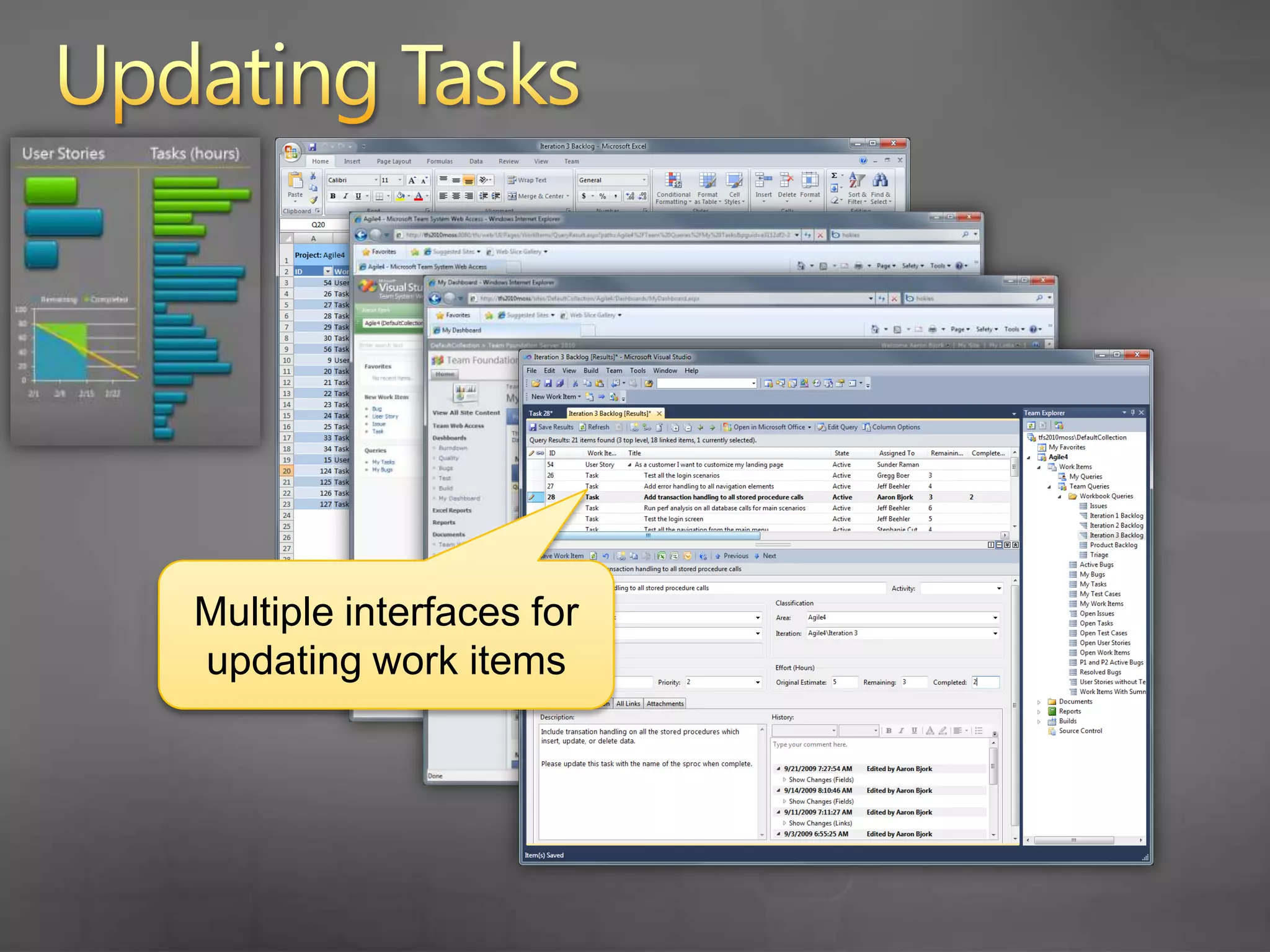
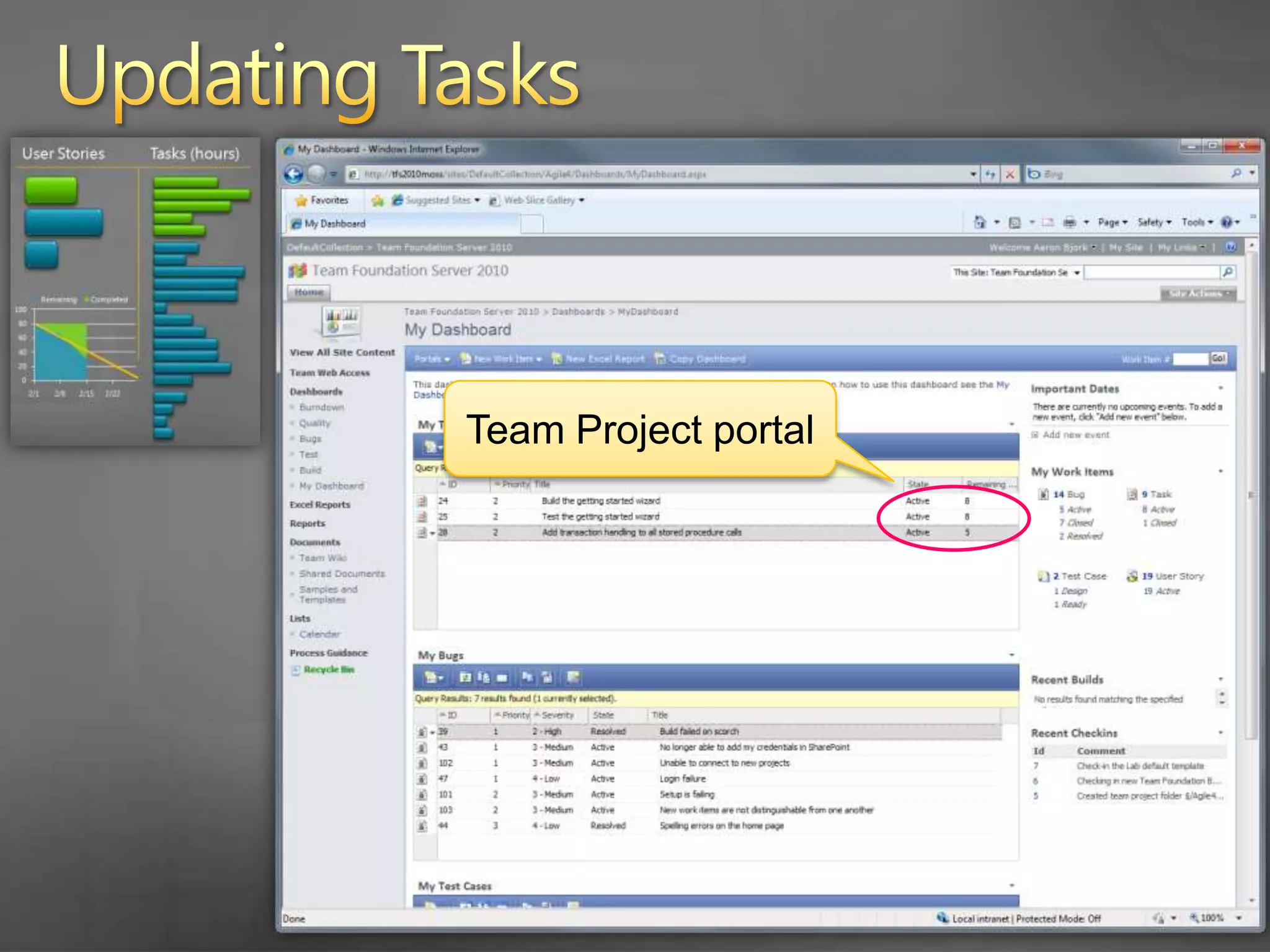
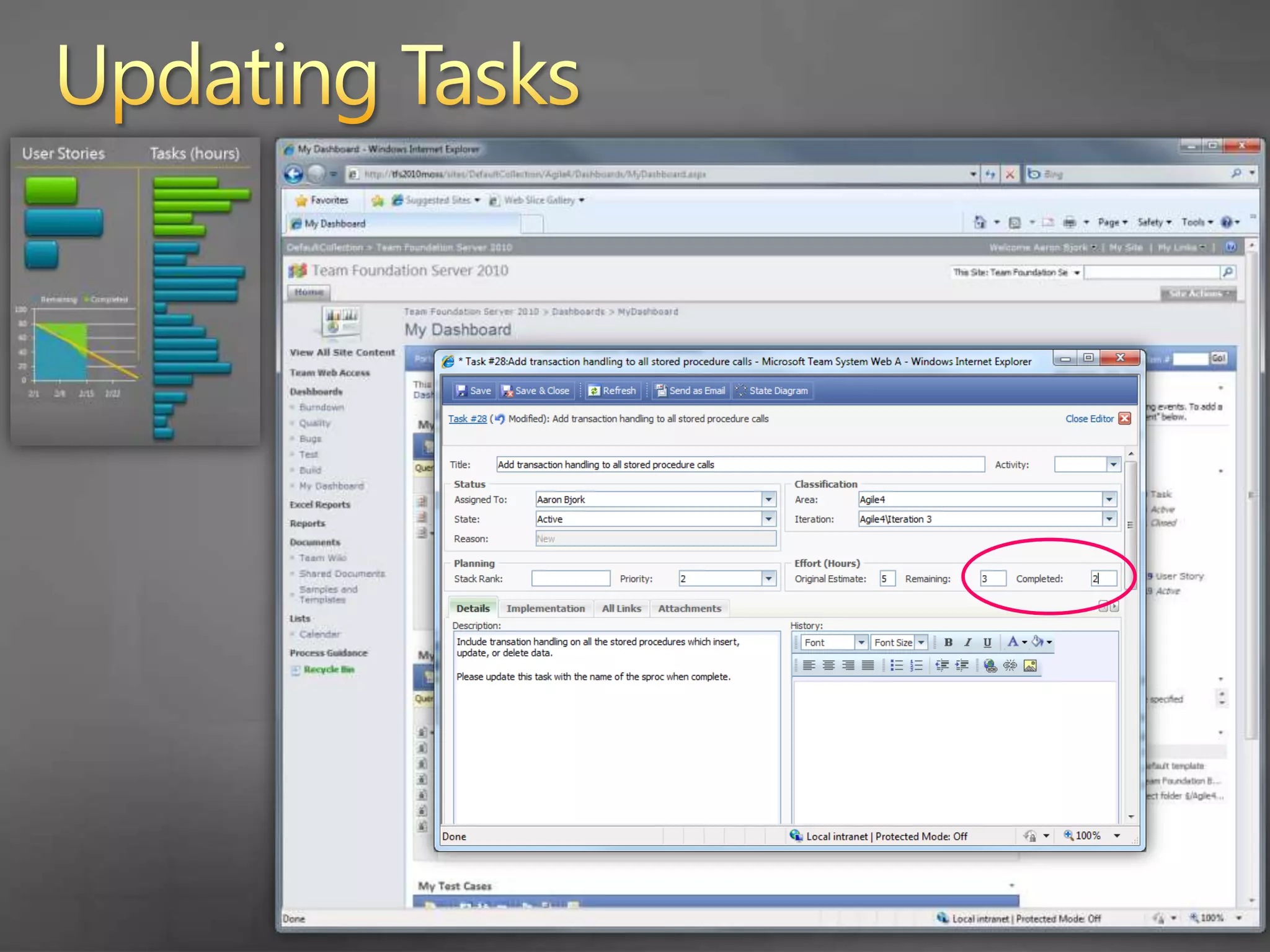
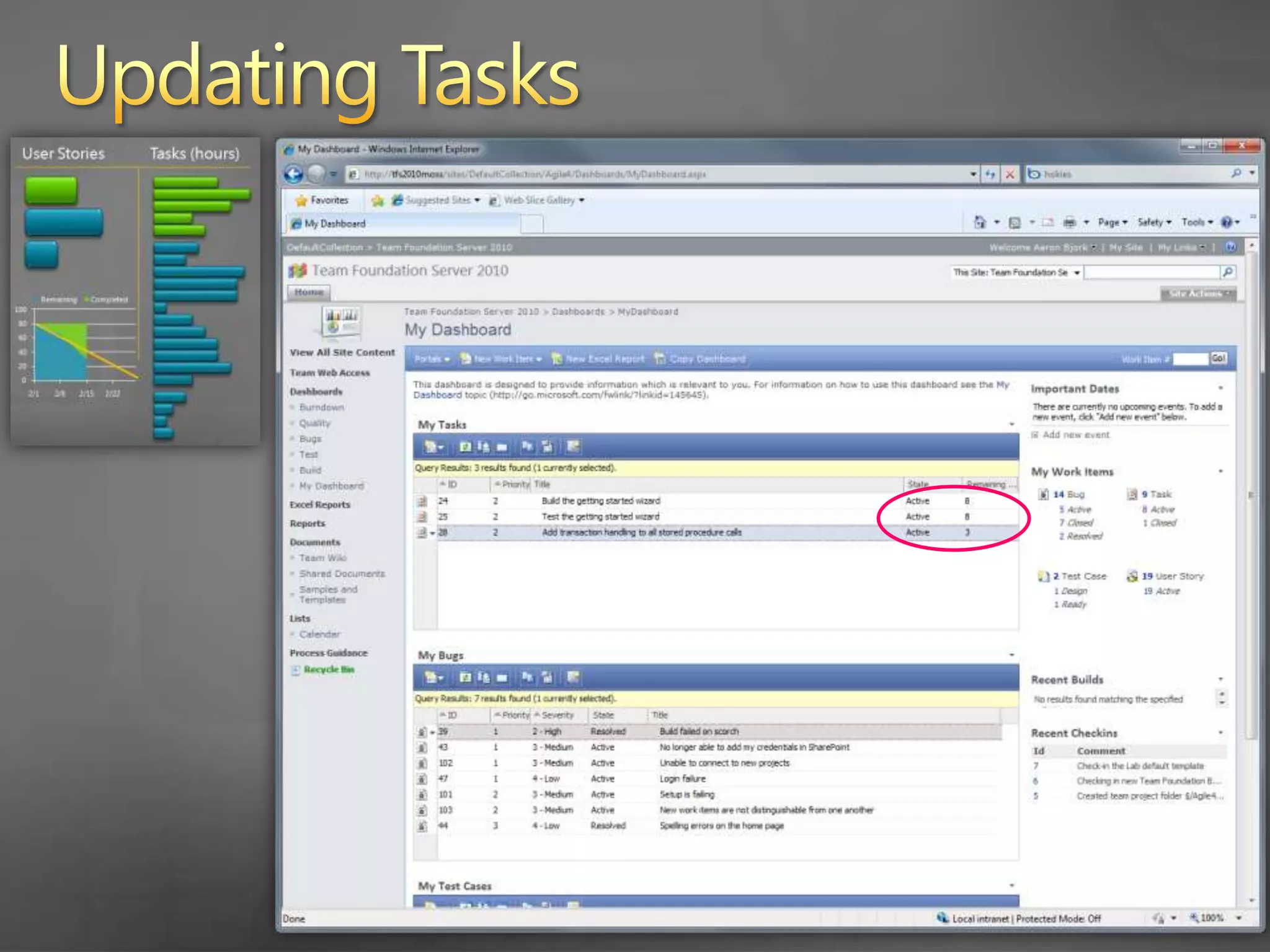
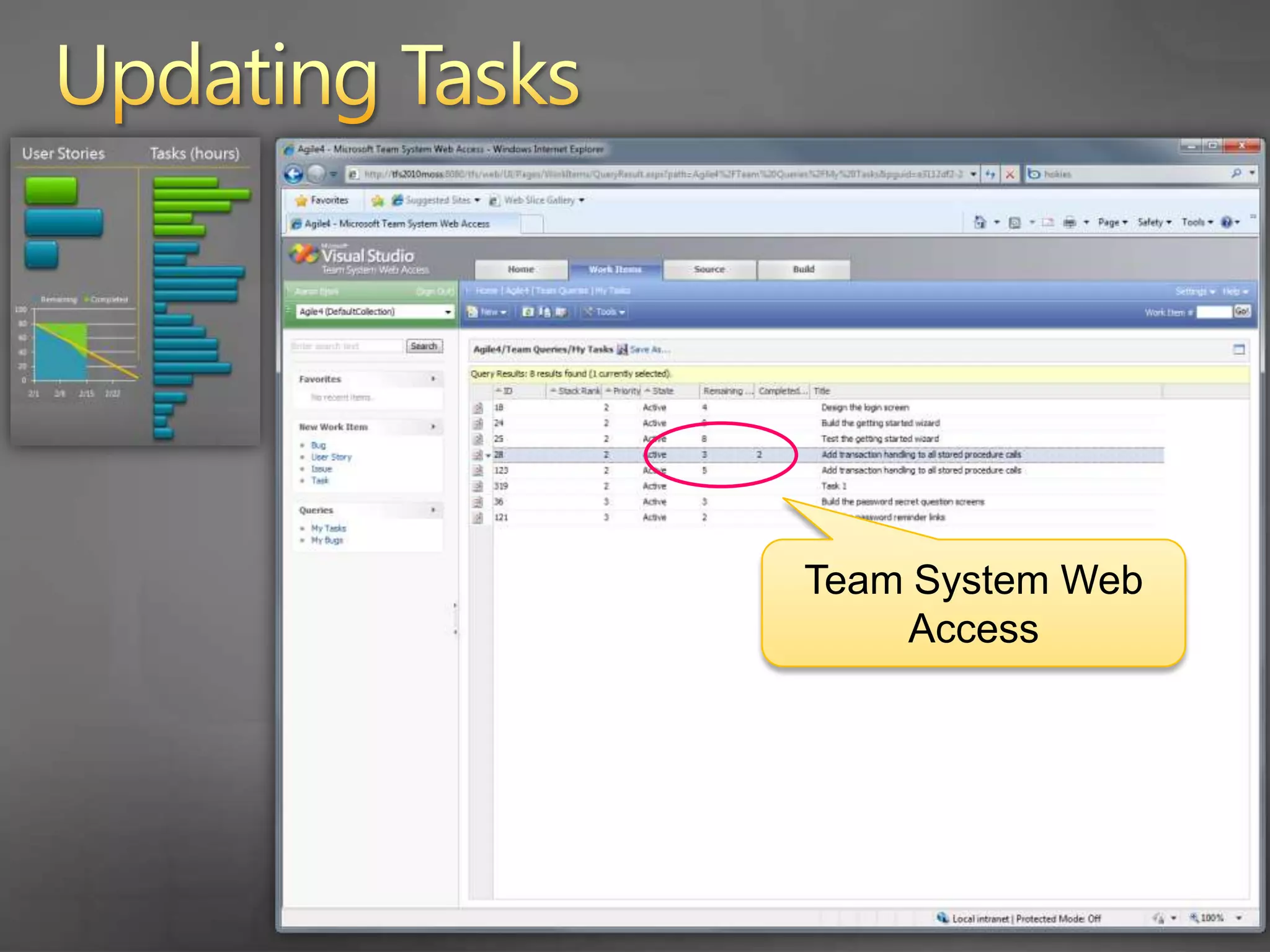
    53. Updating Tasks
      Multiple interfaces for updating work items
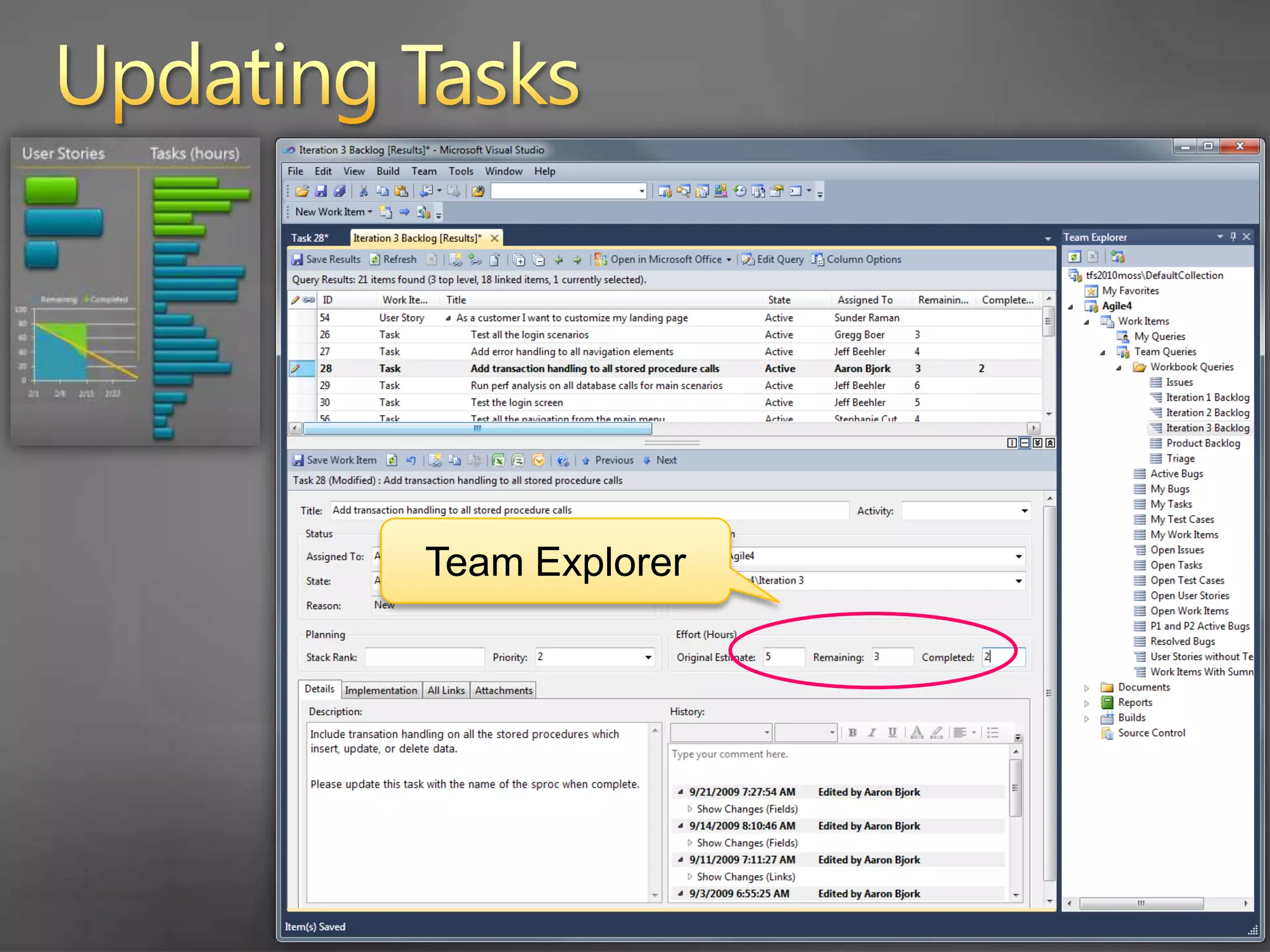
    54. Updating Tasks
      Team Explorer
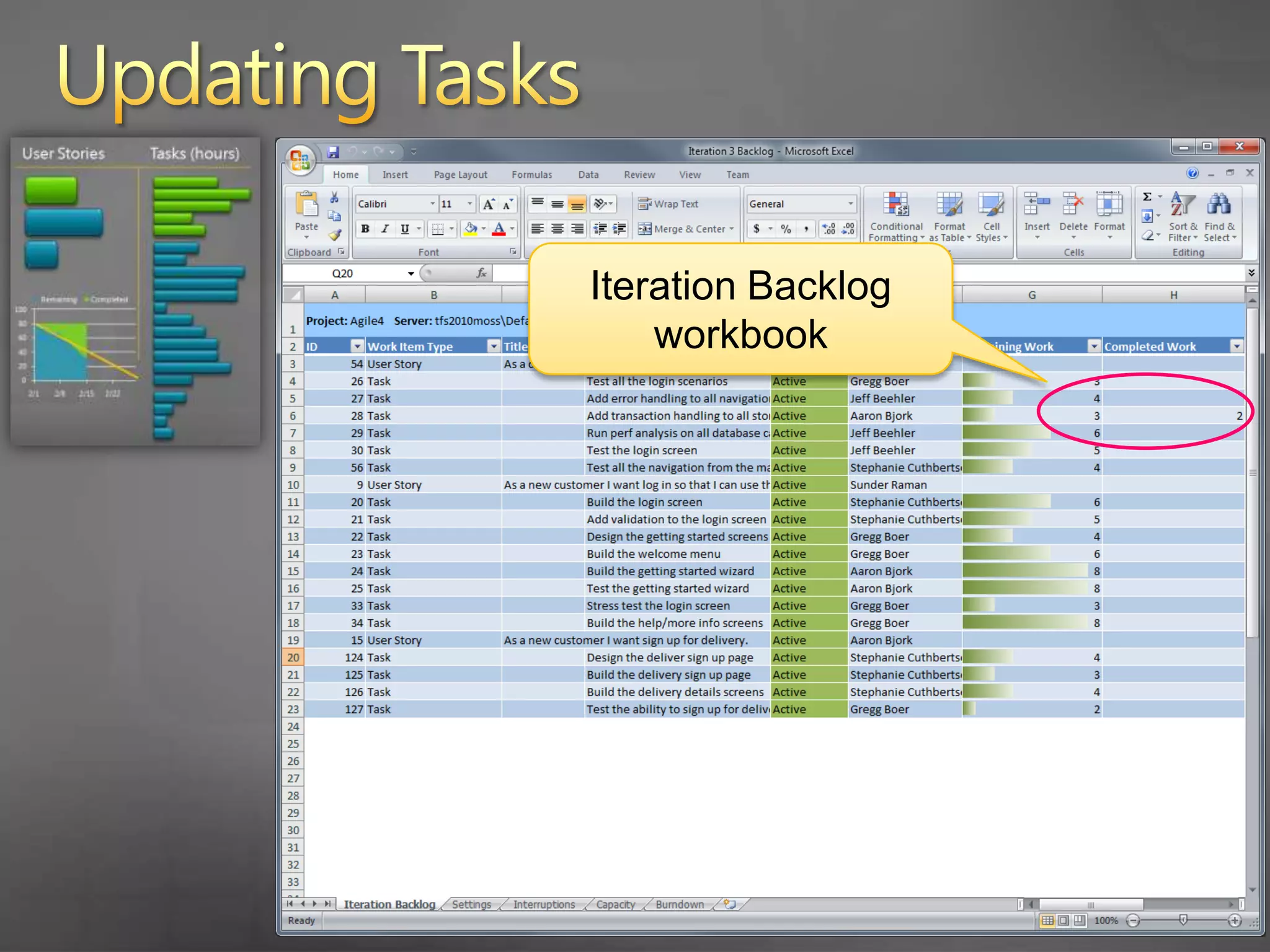
    55. Updating Tasks
      Iteration Backlog workbook
    56. Updating Tasks
      Team Project portal
    57. Updating Tasks
    58. Updating Tasks
    59. Updating Tasks
      Team System Web Access
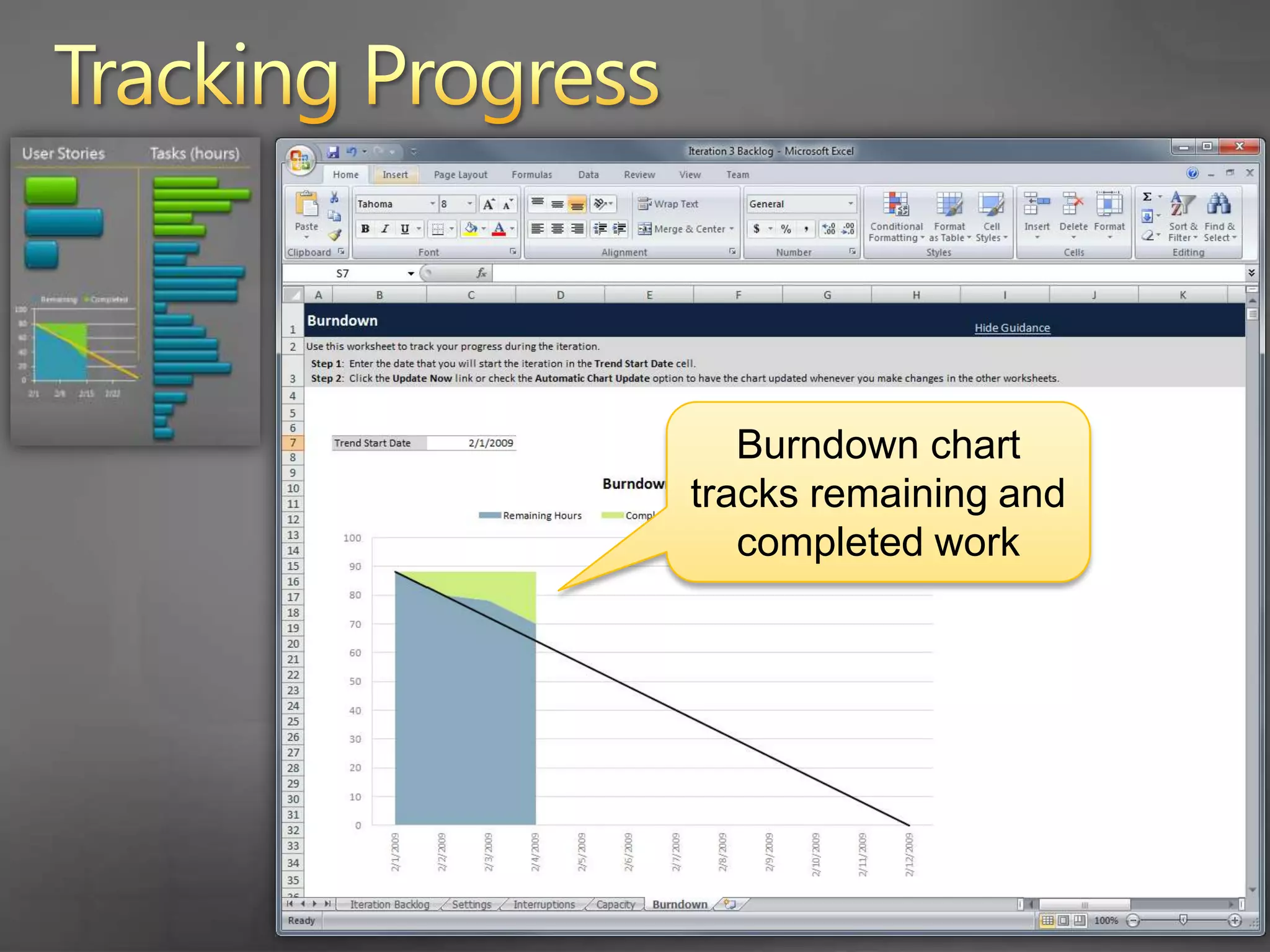
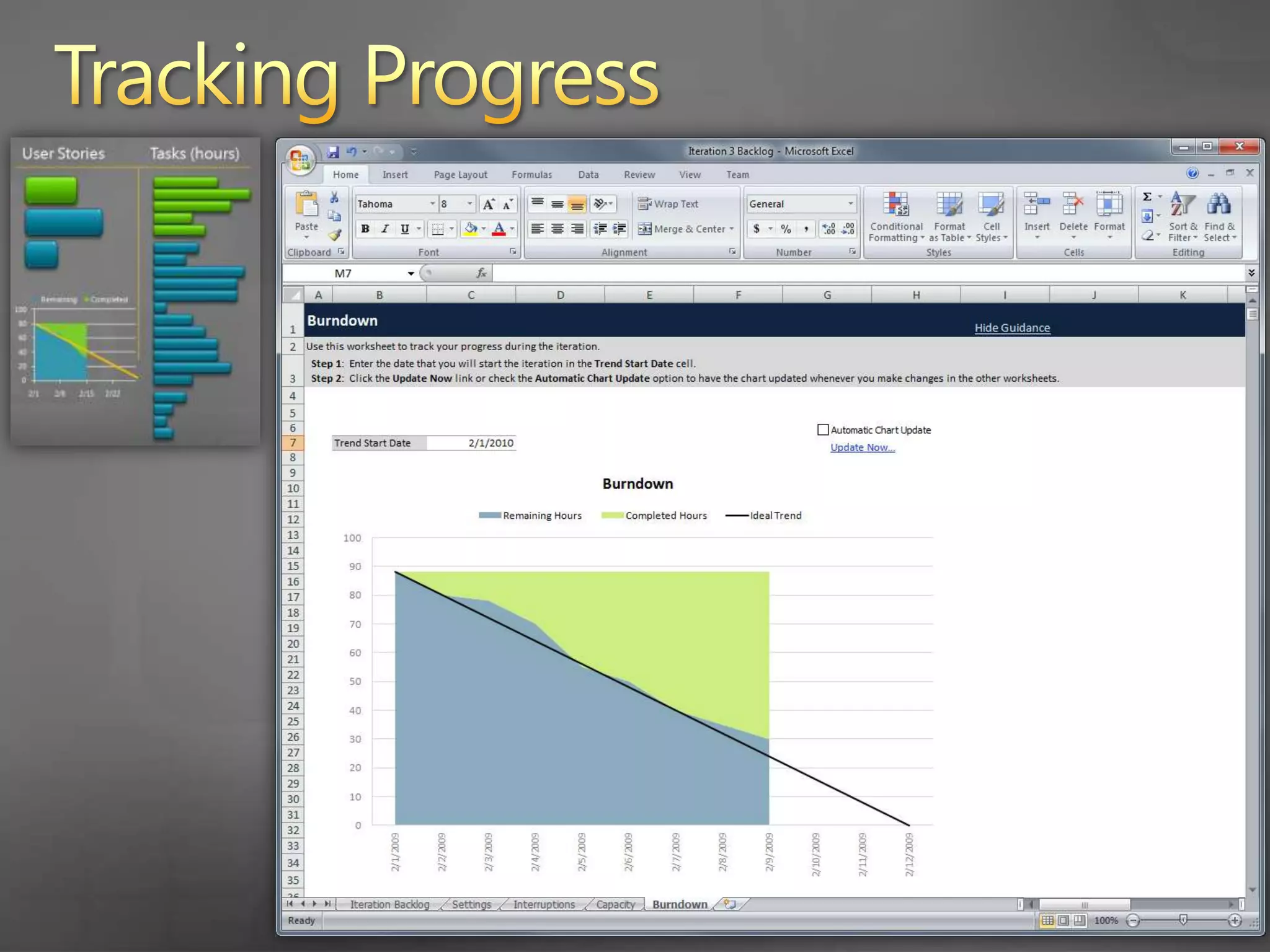
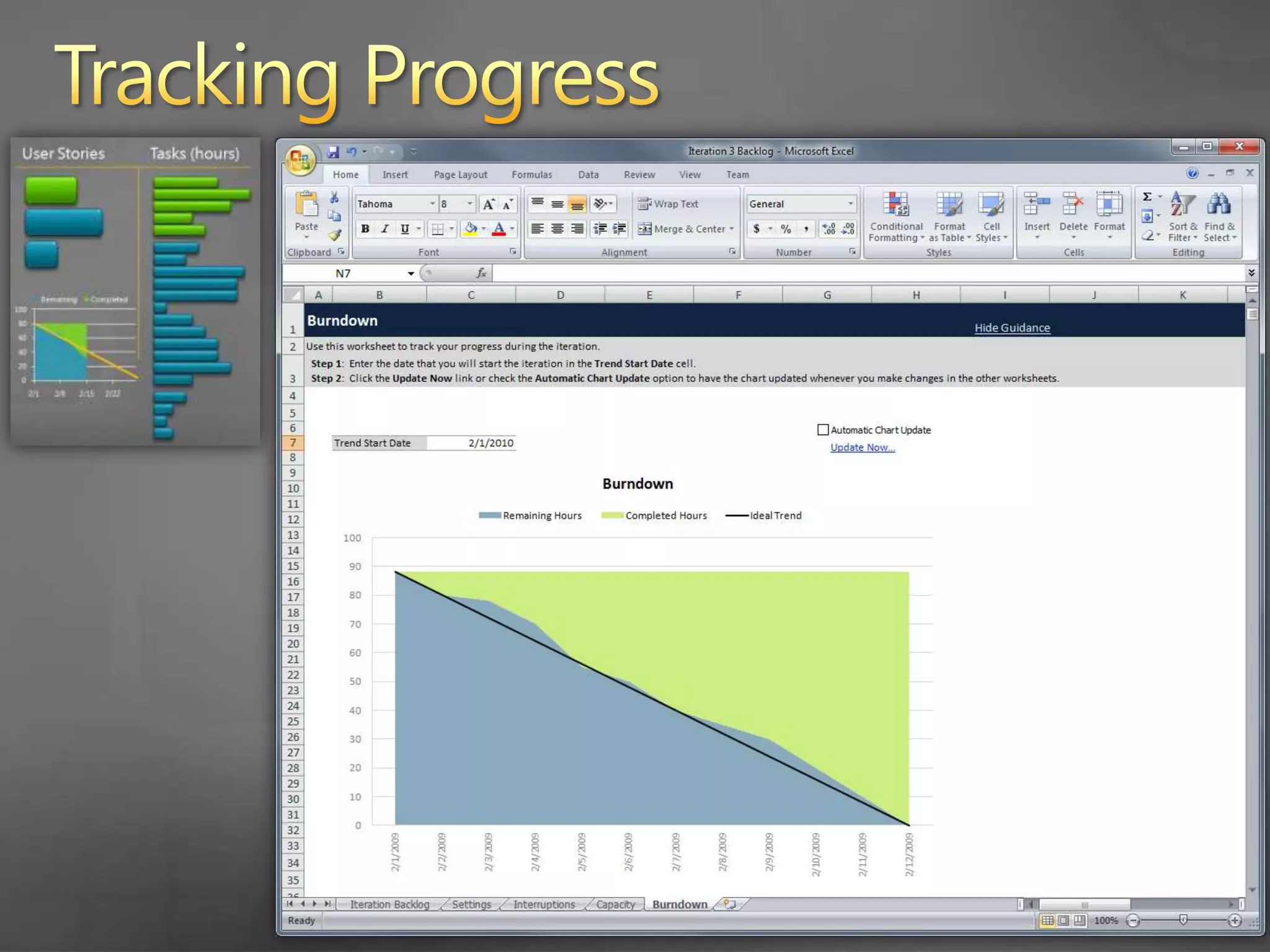
    60. Tracking Progress
      Burndown chart tracks remaining and completed work
    61. Tracking Progress
    62. Tracking Progress
    63. Tracking Progress
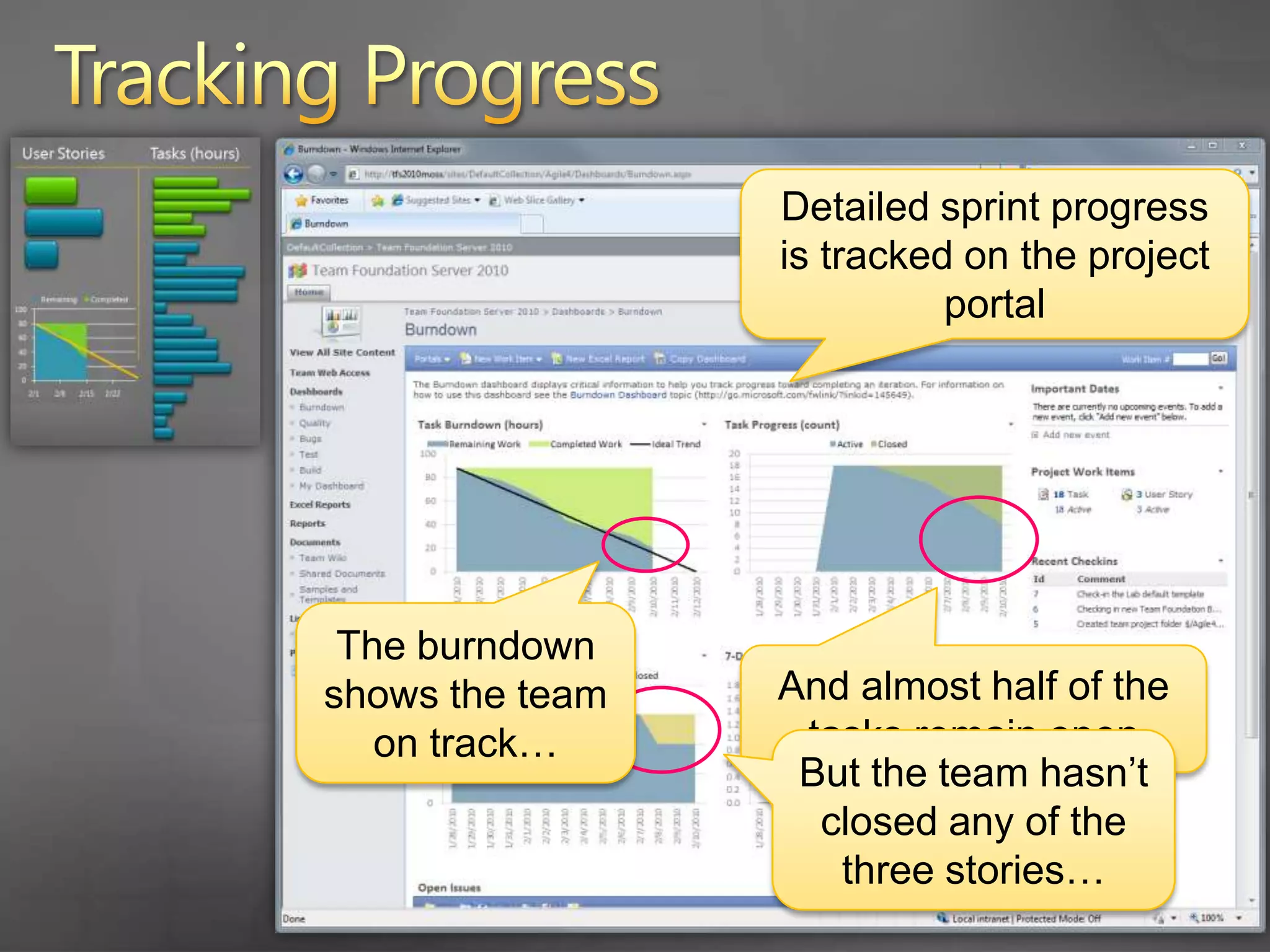
      Detailed sprint progress is tracked on the project portal
      The burndown shows the team on track…
      And almost half of the tasks remain open
      But the team hasn’t closed any of the three stories…
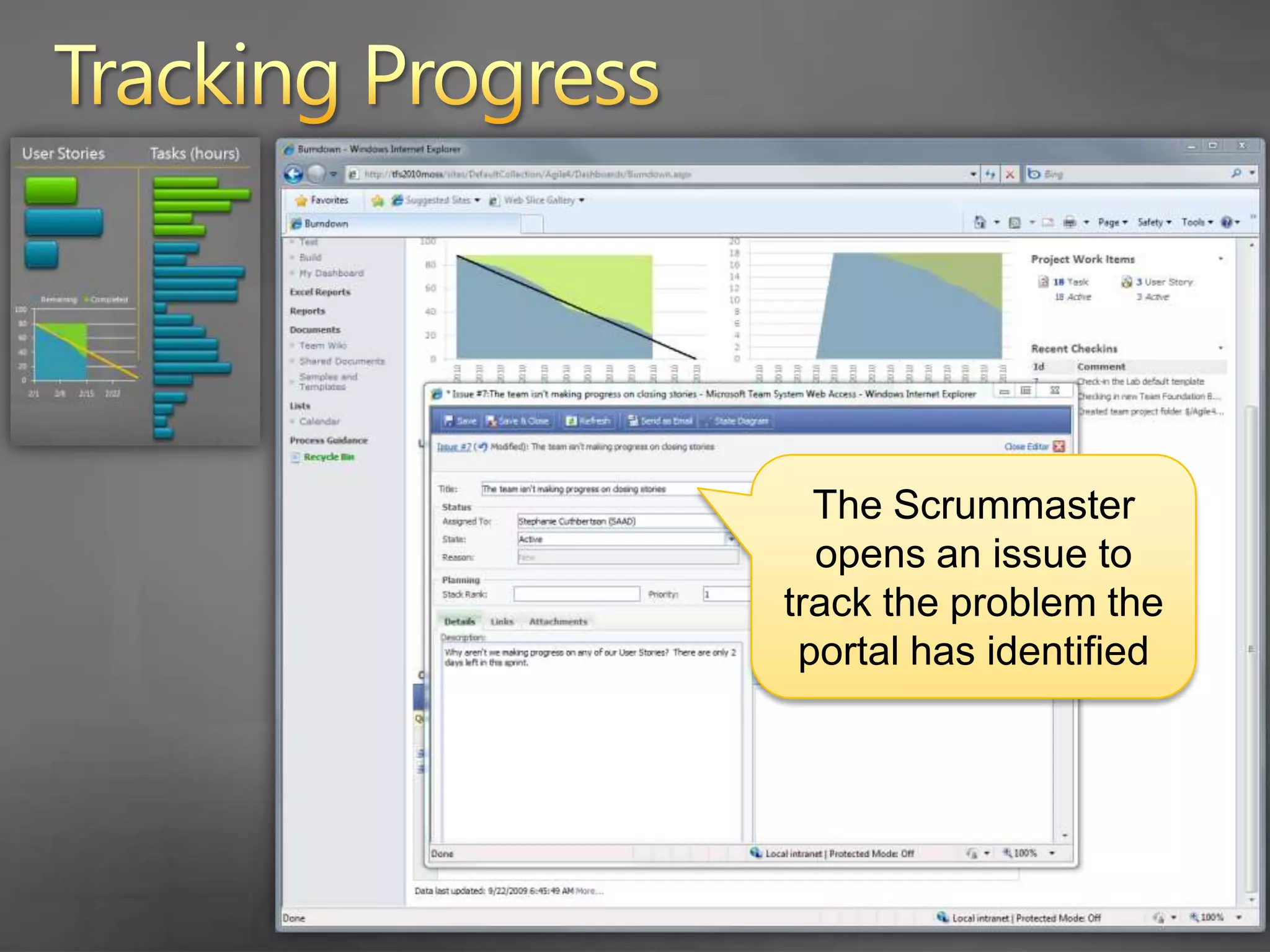
    64. Tracking Progress
      The Scrummaster opens an issue to track the problem the portal has identified
    65. Tracking Progress
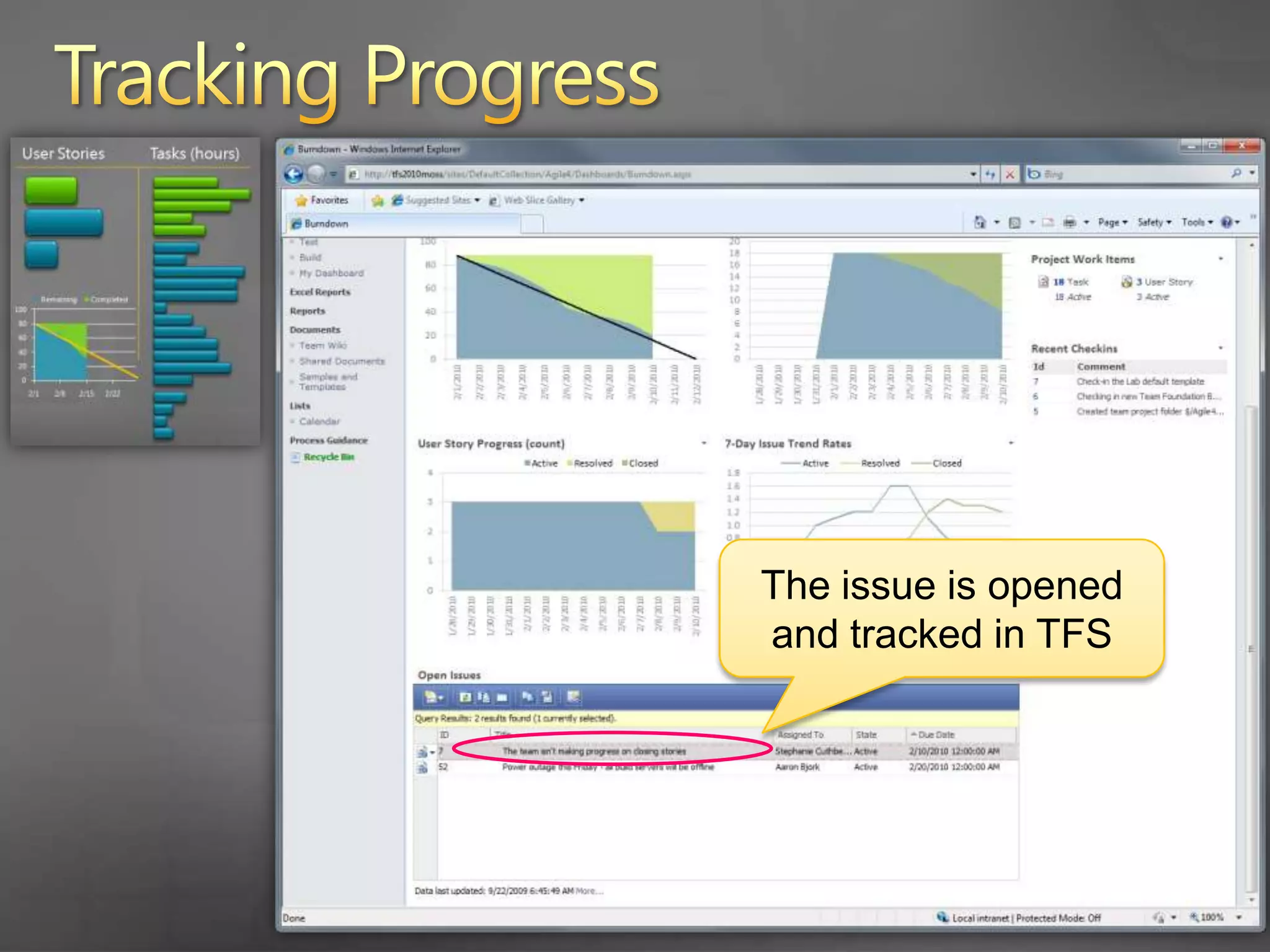
      The issue is opened and tracked in TFS
    66. Tracking Progress
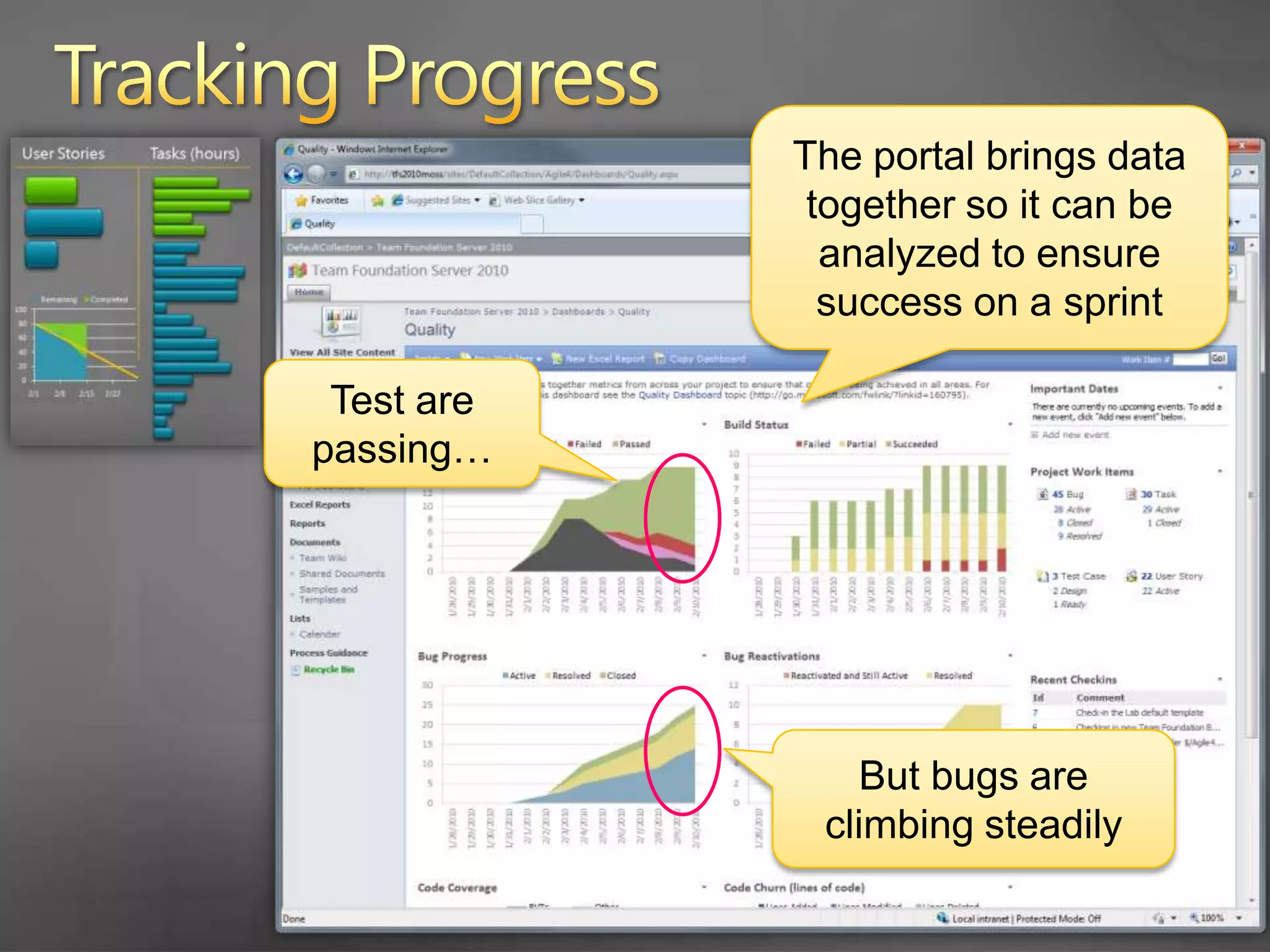
      The portal brings data together so it can be analyzed to ensure success on a sprint
      Test are passing…
      But bugs are climbing steadily
    67. Tracking Progress
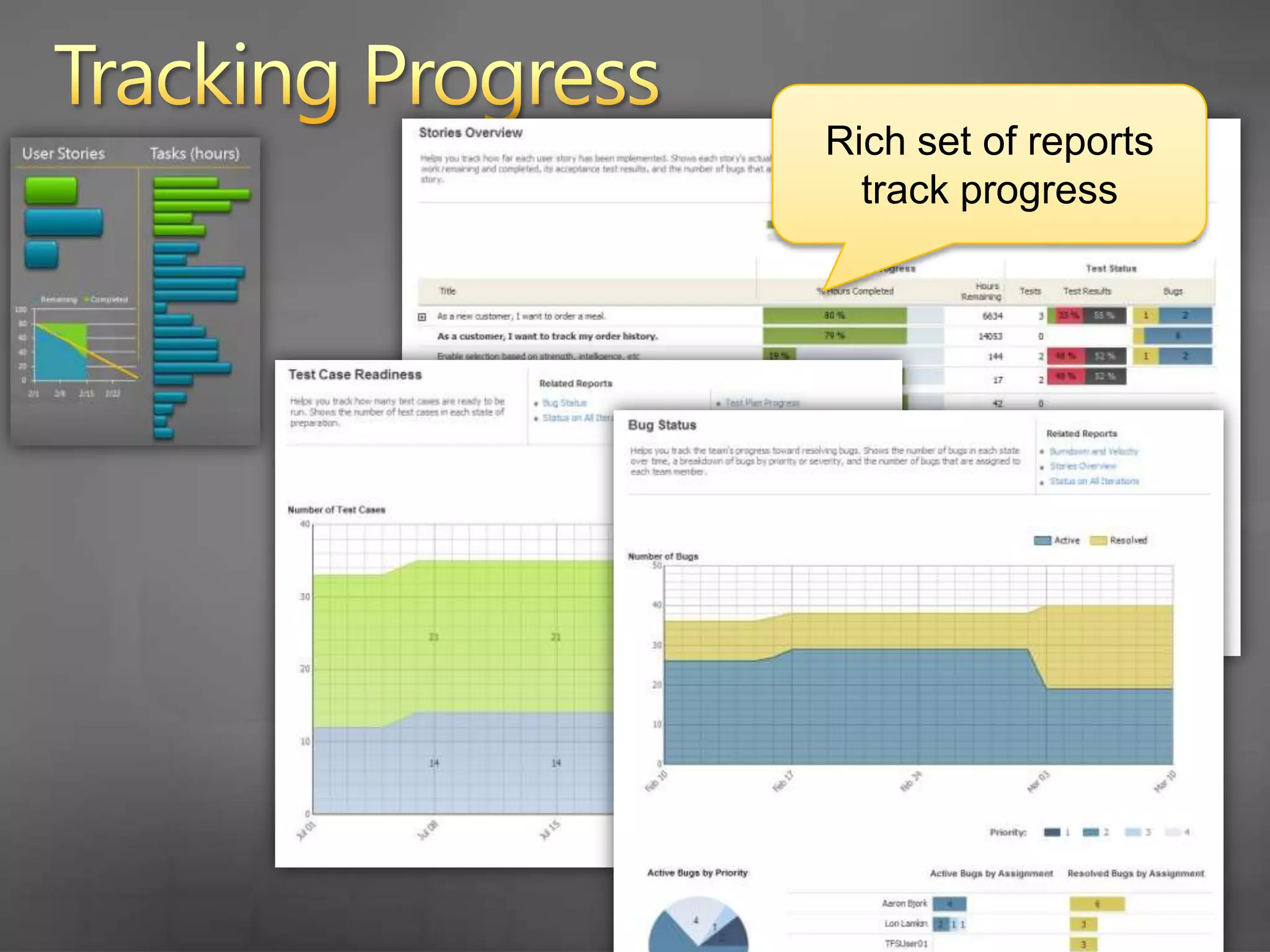
      Rich set of reports track progress
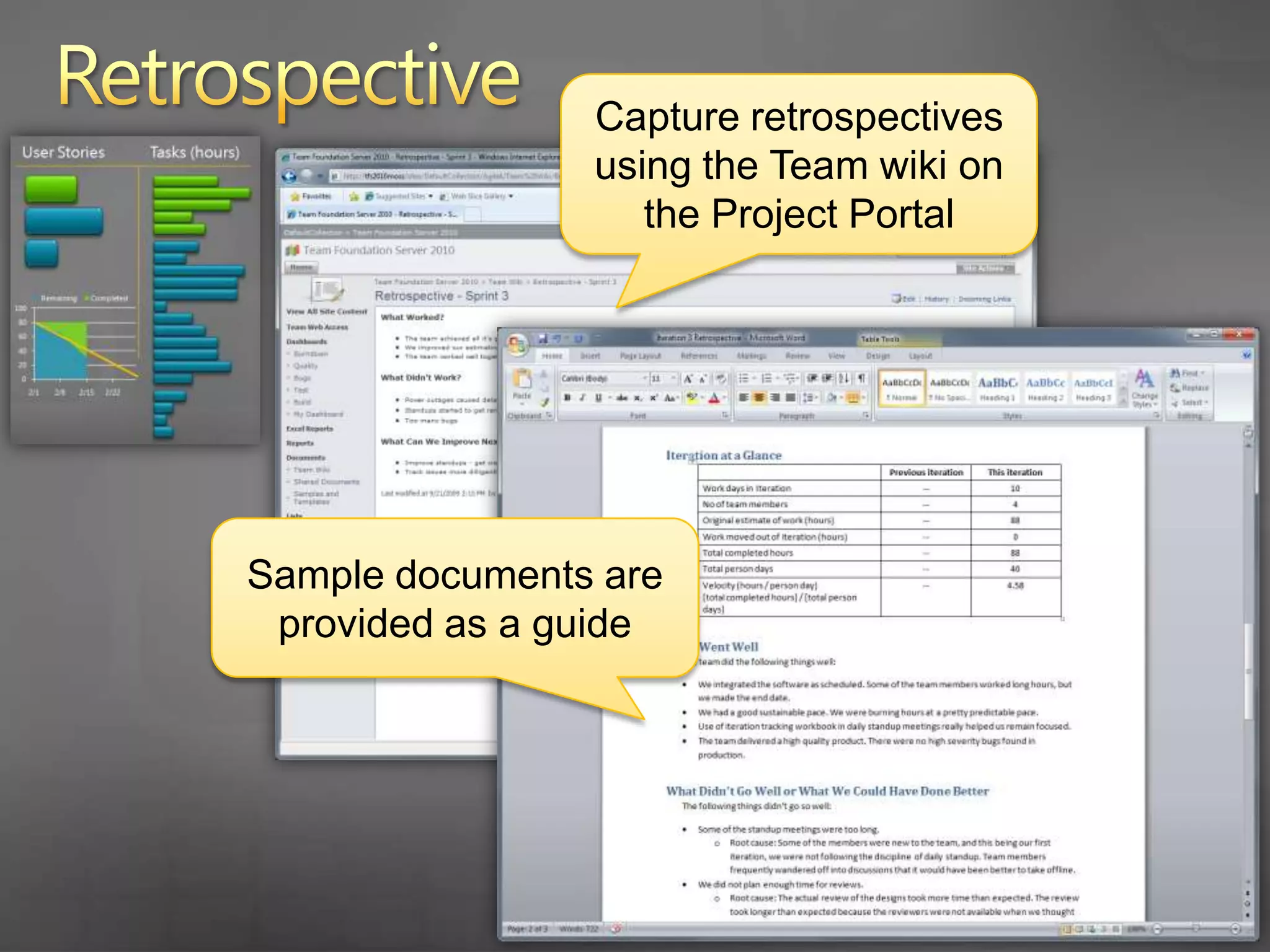
    68. Retrospective
      Capture retrospectives using the Team wiki on the Project Portal
      Sample documents are provided as a guide
    69. Agenda
      Scrum with TFS 2010
      Planning the Project
      How do you plan the project?
      Project planning in TFS 2010
      Planning a Sprint
      What is sprint planning?
      Sprint planning in TFS 2010
      Running a Sprint
      How do you run a sprint?
      Running a sprint in TFS 2010
    70. Questions/Follow-Up
      Contact
      Aaron Bjork – abjork@microsoft.com
      http://blogs.msdn.com/aaronbjork
      TFS Resources
      http://blogs.msdn.com/bharry
      http://social.msdn.microsoft.com/Forums/en-US/category/vsts
      http://msdn.microsoft.com/en-us/teamsystem/default.aspx
    71. © 2009 Microsoft Corporation. All rights reserved. Microsoft, Windows, Windows Vista and other product names are or may be registered trademarks and/or trademarks in the U.S. and/or other countries.
      The information herein is for informational purposes only and represents the current view of Microsoft Corporation as of the date of this presentation. Because Microsoft must respond to changing market conditions, it should not be interpreted to be a commitment on the part of Microsoft, and Microsoft cannot guarantee the accuracy of any information provided after the date of this presentation. MICROSOFT MAKES NO WARRANTIES, EXPRESS, IMPLIED OR STATUTORY, AS TO THE INFORMATION IN THIS PRESENTATION.
    72. Backup Slides
    73. User Stories
      Tasks (hours)
    74. User Stories
      Tasks (hours)

    + Aaron BjorkAaron Bjork, 1 month ago

    custom

    655 views, 0 favs, 0 embeds more stats

    Learn how Team Foundation Server 2010 supports Scru more

    More info about this document

    © All Rights Reserved

    Go to text version

    • Total Views 655
      • 655 on SlideShare
      • 0 from embeds
    • Comments 0
    • Favorites 0
    • Downloads 53
    Most viewed embeds

    more

    All embeds

    less

    Flagged as inappropriate Flag as inappropriate
    Flag as inappropriate

    Select your reason for flagging this presentation as inappropriate. If needed, use the feedback form to let us know more details.

    Cancel
    File a copyright complaint
    Having problems? Go to our helpdesk?

    Categories