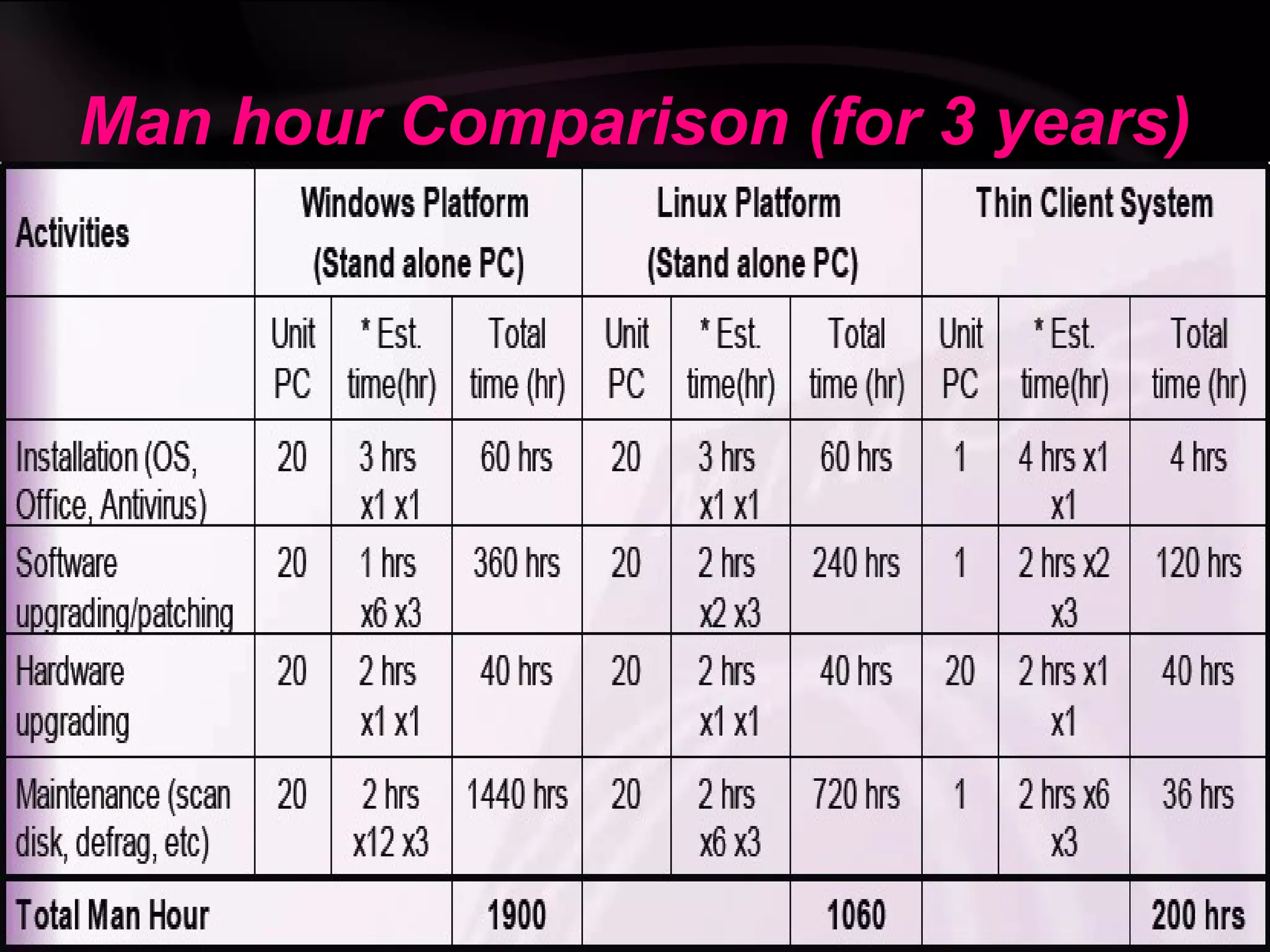
Thin client computing involves using low-cost thin client terminals instead of traditional PCs. Thin clients have minimal local hardware and rely on a centralized server for processing and data storage. This reduces costs associated with hardware, maintenance, power consumption and IT staff. The main components are thin client terminals, thin client software, network connectivity and a server. Common protocols used include RDP, ICA and X11. Thin clients provide advantages like lower TCO, simplified management and security, but may impact performance for multimedia or graphics-heavy applications.
Green Computing
Green computing or green IT is “The
study and practice of designing, manufacturing,
using, and disposing of computers, servers, and
associated subsystems—such as monitors,
printers, storage devices, and networking and
communications systems—efficiently and
effectively with minimal or no impact on the
environment.
The two main goals:
• Reduction in cost.
• Energy efficiency.
3.
Thin Client:-
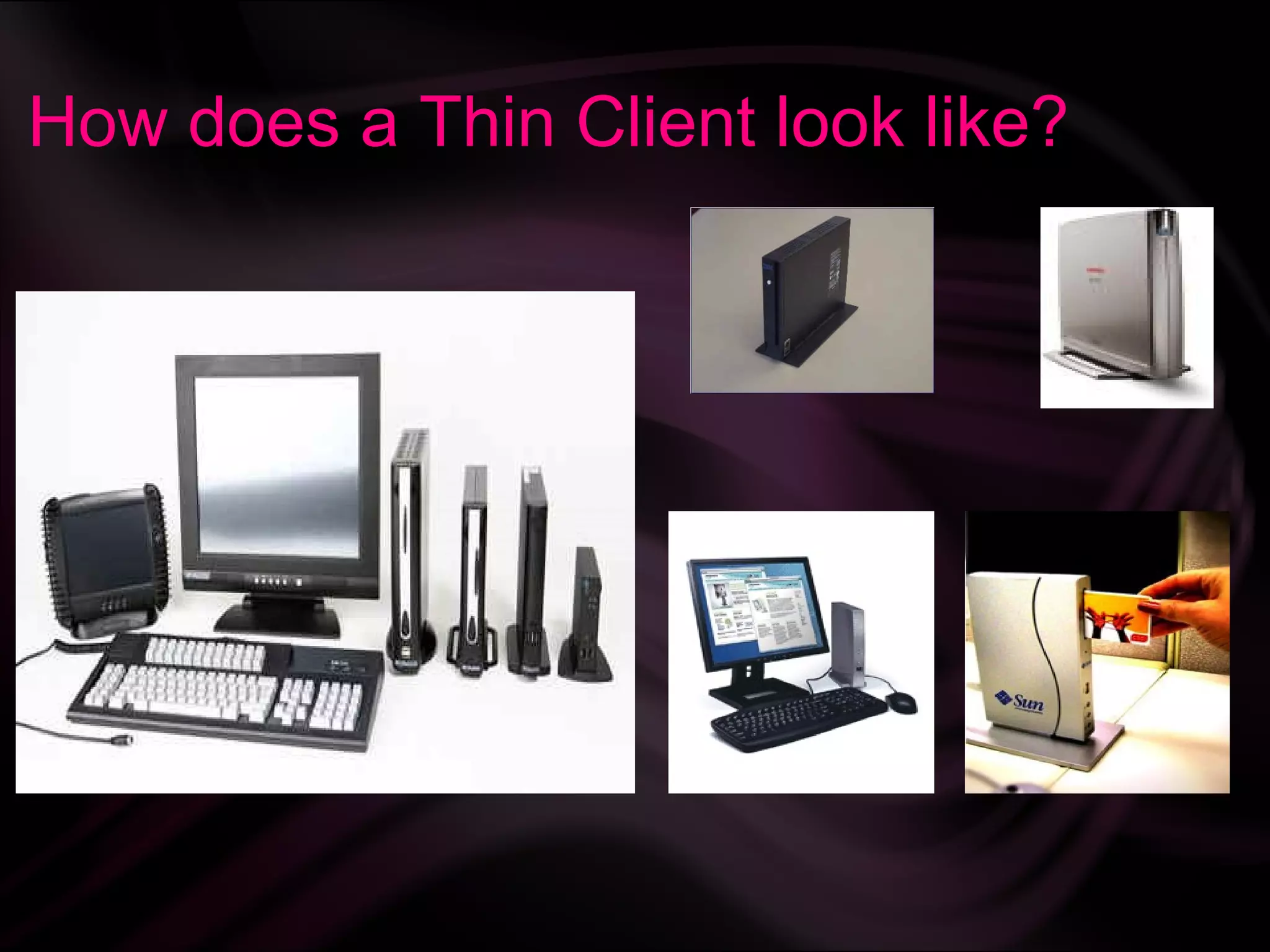
A thin client can refer to
either a software program or to an
actual computer that relies heavily on
another computer to do most of its
work.
4.
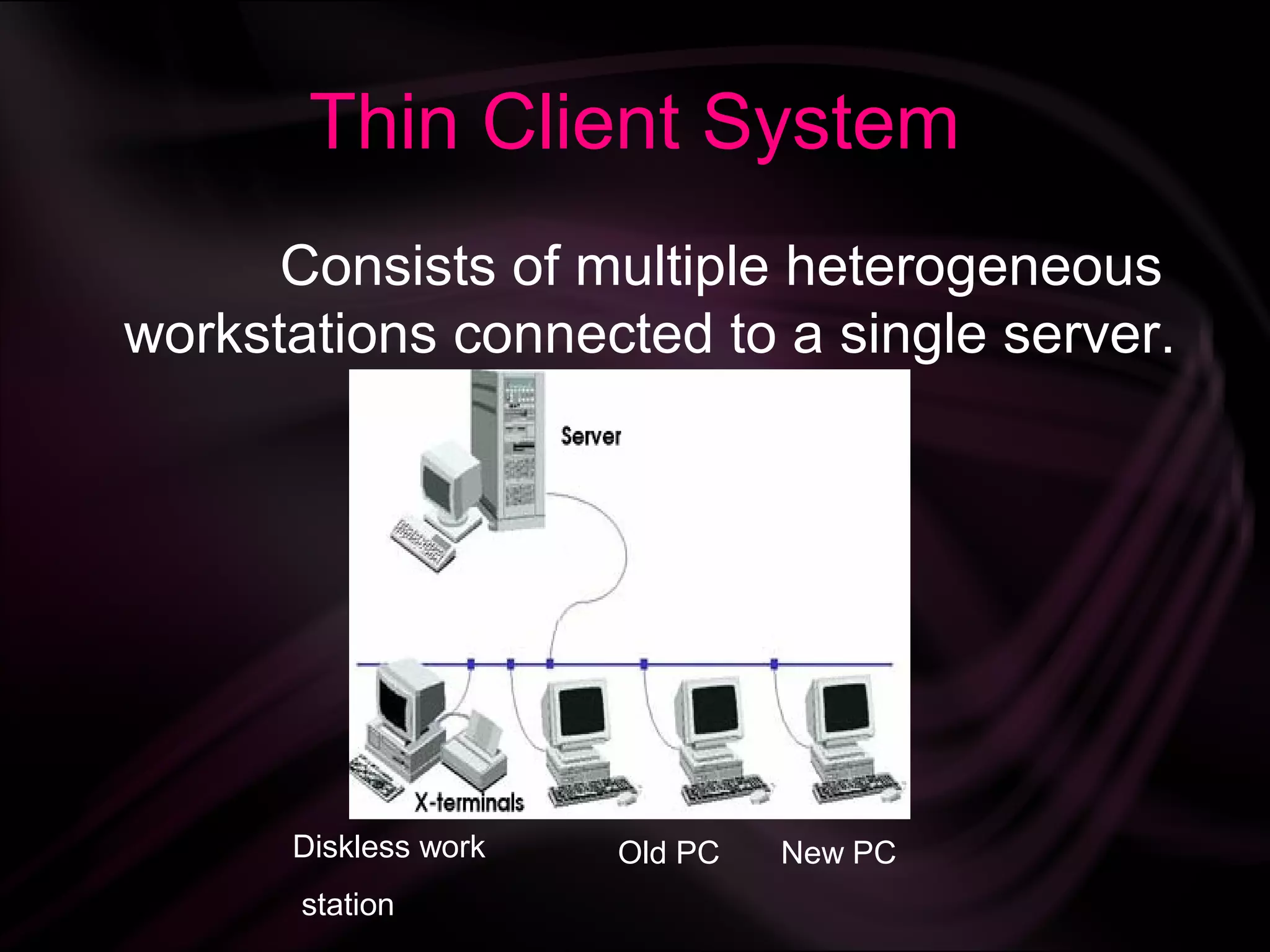
Thin Client System
Consists of multiple heterogeneous
workstations connected to a single server.
Diskless work Old PC New PC
station
5.
Thin Client System
Thin Client System
Hardware requirement of a Thin Client is :
Keyboard, monitor, mouse and some
computation power.
6.
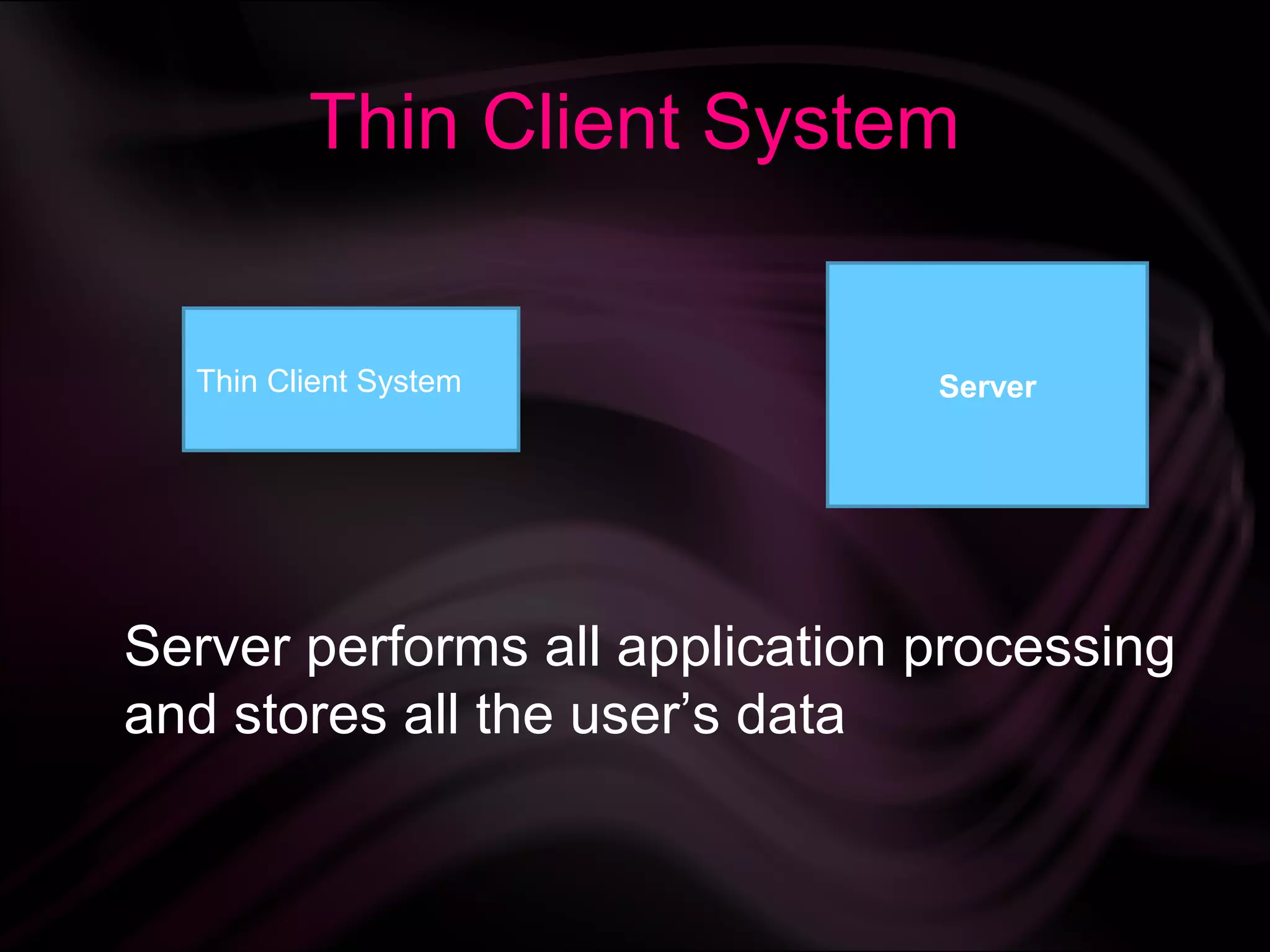
Thin Client System
Thin Client System Server
Server performs all application processing
and stores all the user’s data
7.
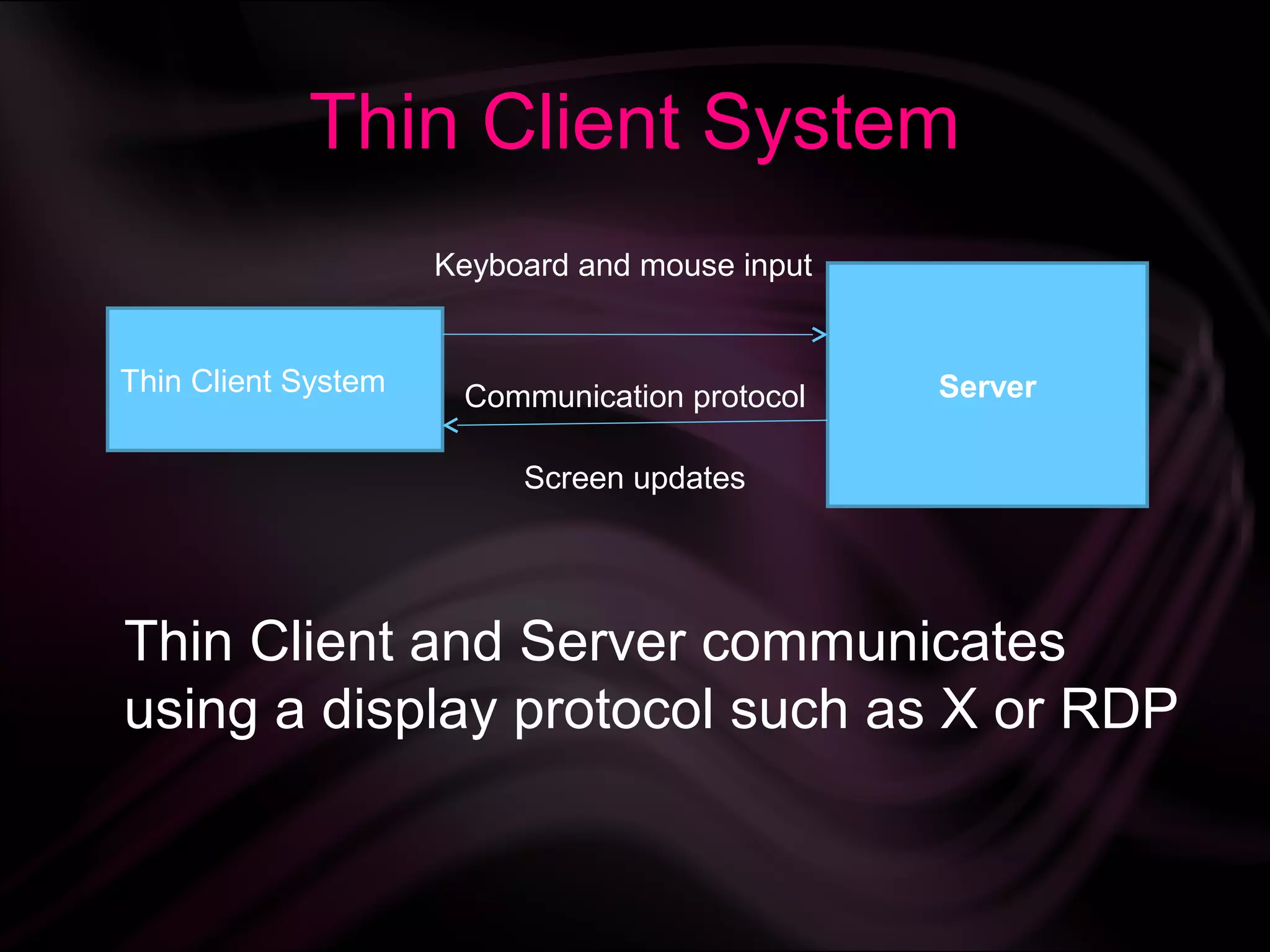
Thin Client System
Keyboard and mouse input
Thin Client System Communication protocol Server
Screen updates
Thin Client and Server communicates
using a display protocol such as X or RDP
8.
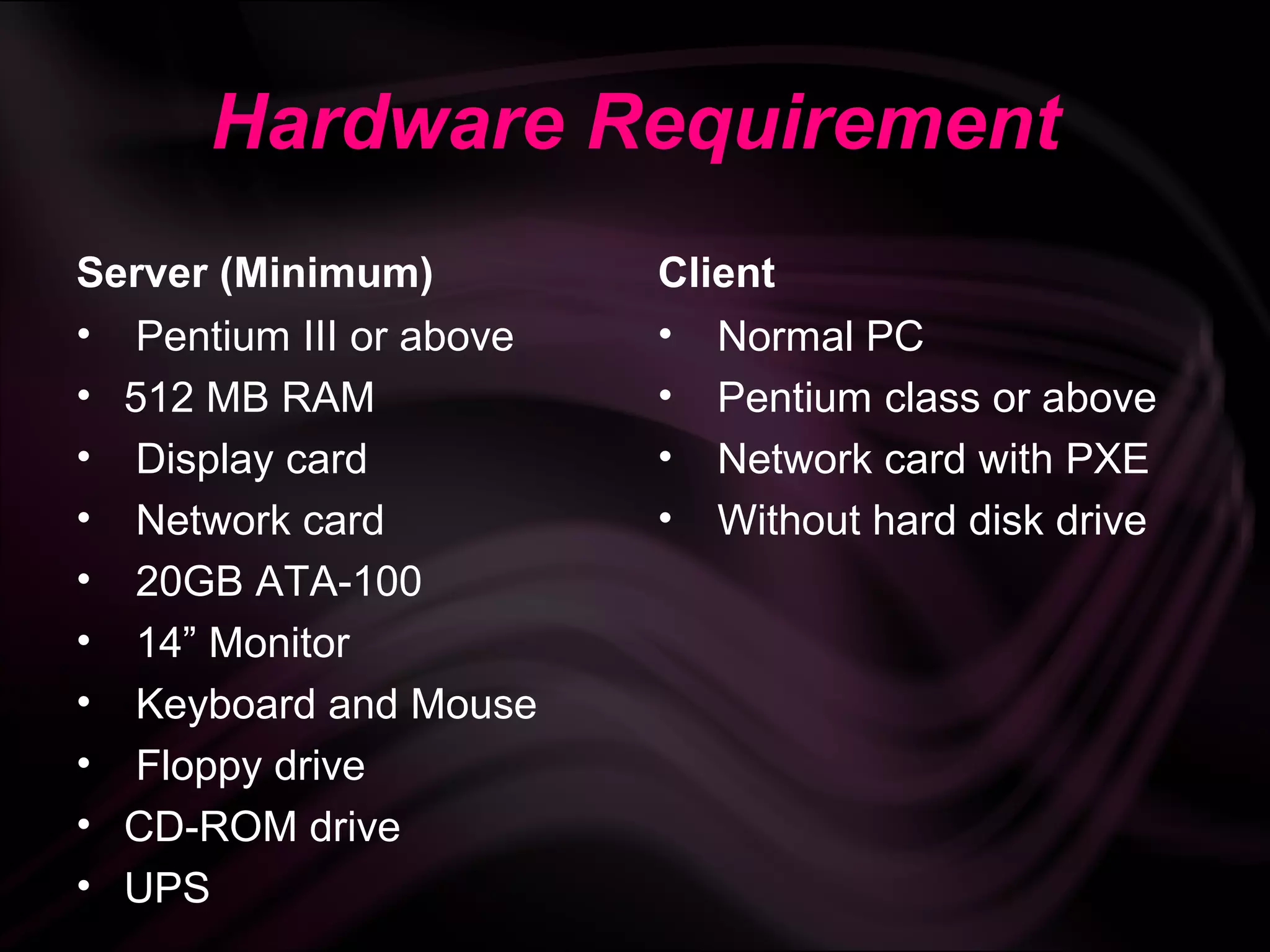
Hardware Requirement
Server (Minimum) Client
• Pentium III or above • Normal PC
• 512 MB RAM • Pentium class or above
• Display card • Network card with PXE
• Network card • Without hard disk drive
• 20GB ATA-100
• 14” Monitor
• Keyboard and Mouse
• Floppy drive
• CD-ROM drive
• UPS
9.
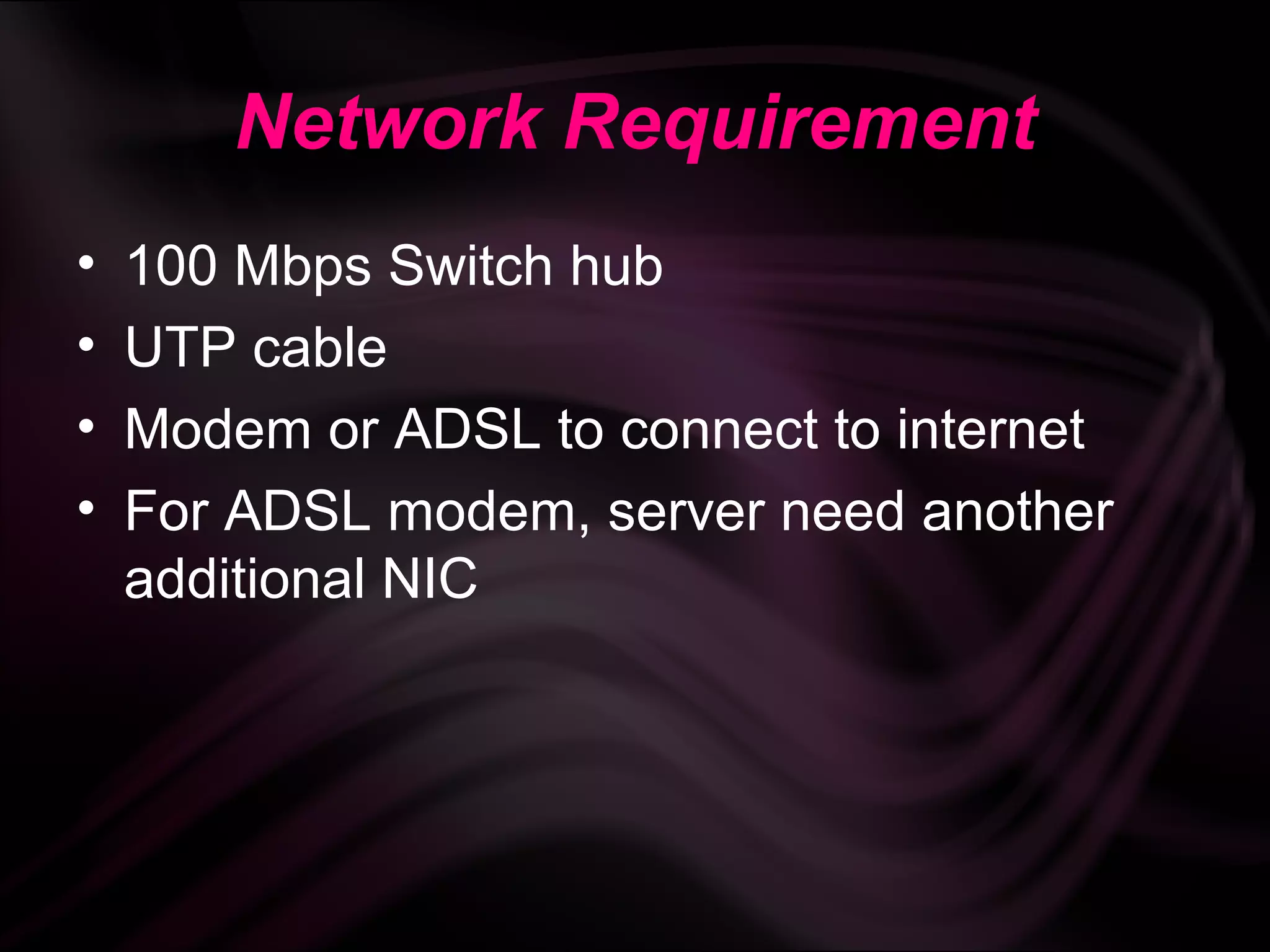
Network Requirement
• 100 Mbps Switch hub
• UTP cable
• Modem or ADSL to connect to internet
• For ADSL modem, server need another
additional NIC
10.
Software Requirement
Server Client
• Linux OS
• X Windows (KDE/GNOME) • Office suite applications
• DHCP service • Web browser
• TFTP service • E-mail & news reader
• NFS service • Graphics applications
• Thin client software
• Multimedia applications
• Printer service (optional)
•
• Games applications
Firewall service (optional)
• Backup data service
(optional)
• Proxy service (optional)
• DNS service (optional)
• UPS service (optional)
How a ThinClient works:-
• A thin client can be a low-powered PC a
terminal that boots and downloads it’s os
from a boot server or other embedded os.
• Remote Computation Server Takes Care Of
All The Processing.
• Individual sessions or virtual machines are
created on the server for multiple access.
• Works On either Citrix`s ICA Or Microsoft's
RDP Protocols (Both Require Only 20Kbps
Speed Over Network To Work).
13.
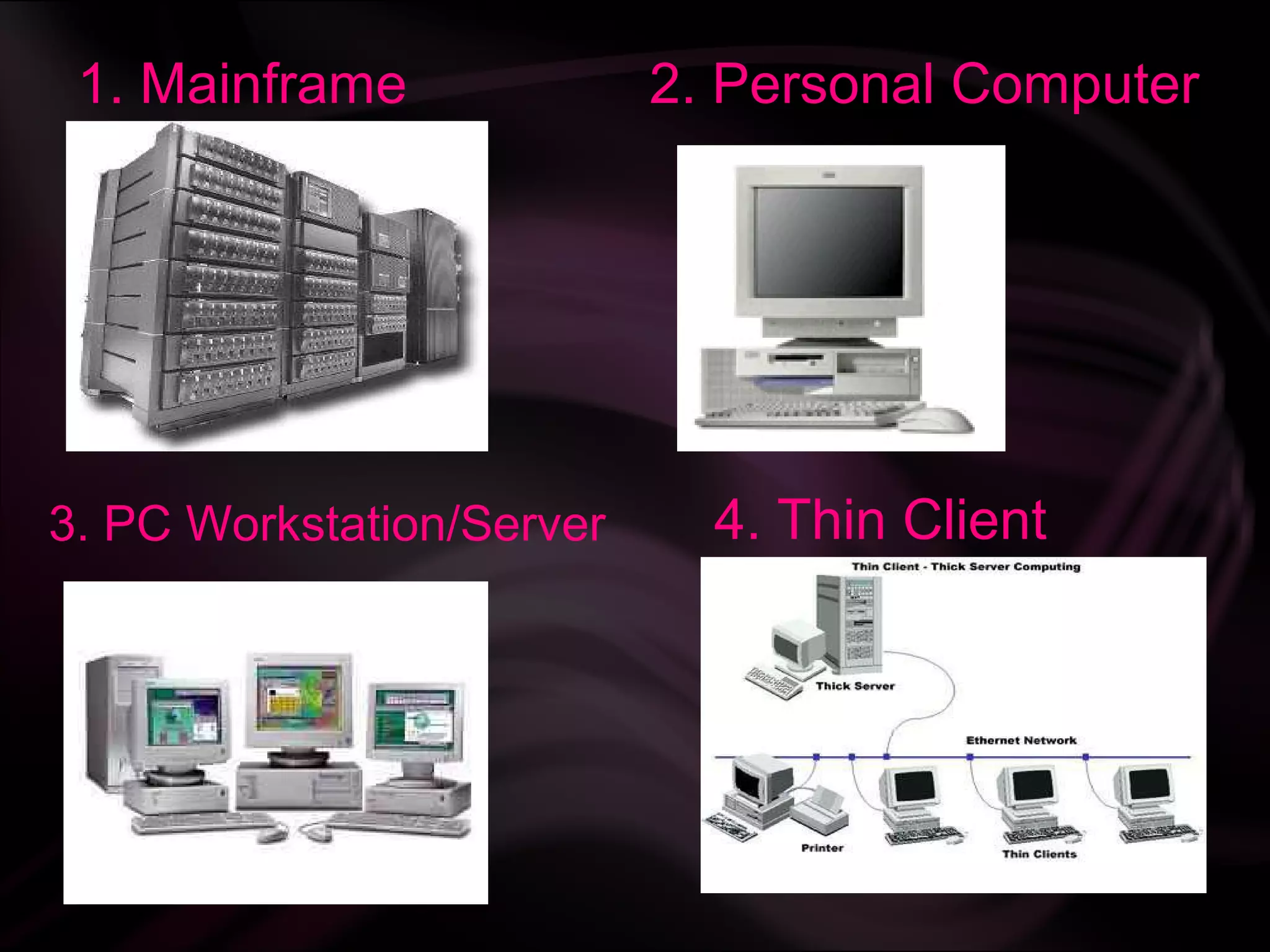
1. Mainframe 2. Personal Computer
3. PC Workstation/Server 4. Thin Client
Characteristics:-
• Single point of failure
• Cheap client hardware
• Client simplicity
• Thin client security
17.
List of protocolsused with thin clients:-
• Appliance Link Protocol
• Citrix ICA
• NX technology
• PCoverIP
• Remote Desktop Protocol
• GO-Global RXP
• HP's Remote Graphics Software
• Secure Shell or SSH, an encrypted replacement for telnet.
• SPICE (Simple Protocol For Independent Computing
Environments)
• Virtual Network Computing
• X11, central to Unix windowing
• XML, HTML, or JSON over HTTP (Ajax)
18.
Trends in ThinClient computing:-
• Few years ago low-powered desktop
clients within a local network were
used.
• Recent trends obtain information from
ASP’S.
• Walk up browsing stations are
developed .
19.
Recent trends:-
Ultra ThinClients:
• A sun Microsystems stateless
S270 thin client is called an
ultra thin client or a zero client.
• Kernel initializes the network,
begins networking and handles
display of server’s output.
20.
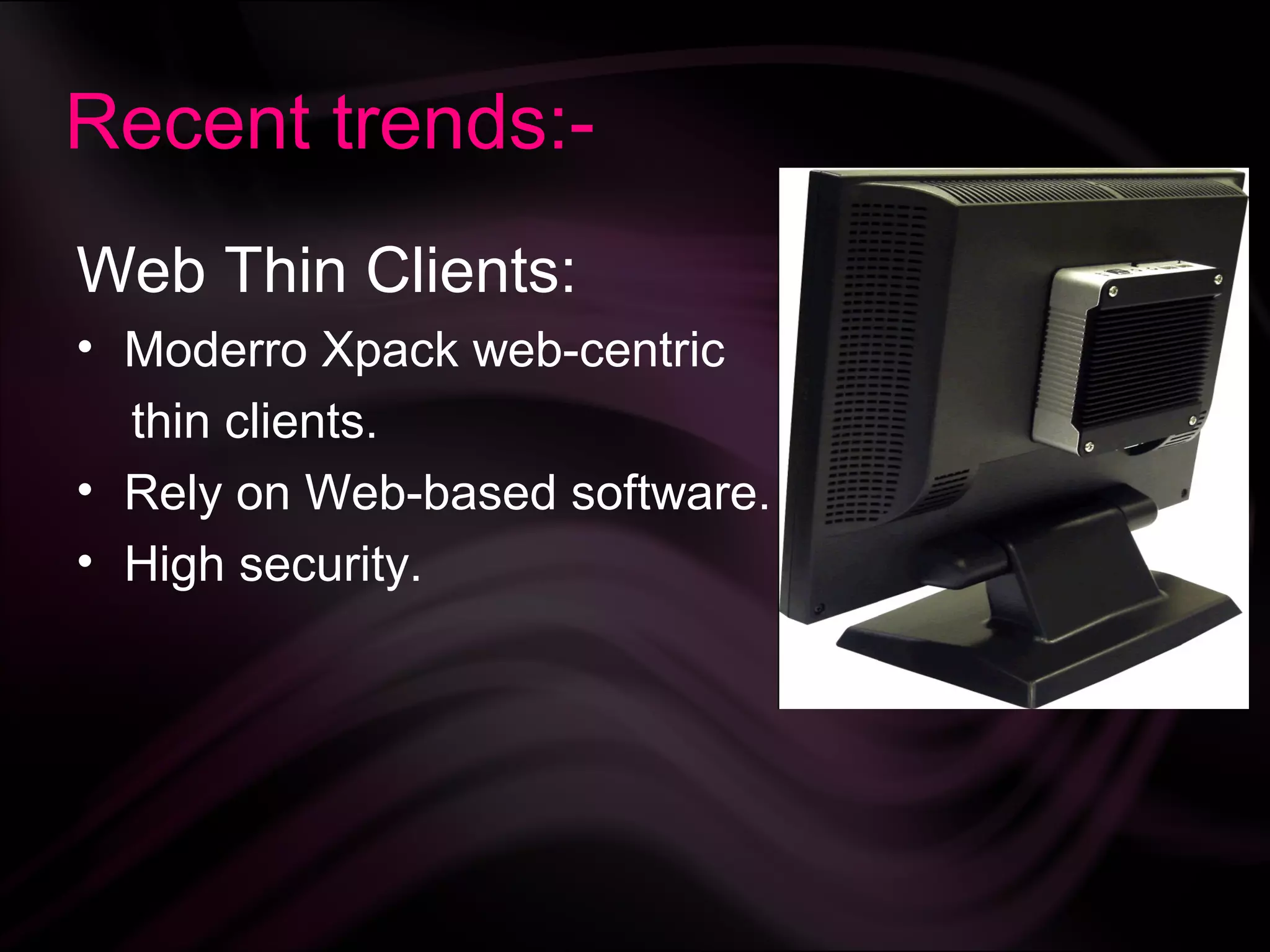
Recent trends:-
Web ThinClients:
• Moderro Xpack web-centric
thin clients.
• Rely on Web-based software.
• High security.
21.
Applications:-
• Used inhospitals ,educational
system’s , internet cafes and libraries
and home user’s.
• Acts as remote accessing solution for
companies.
• client-side technologies like Ajax and
Flash makes it more compatible.
Components of ThinClient computing:-
• Thin client software.
• Network connectivity.
• The host server.
24.
Components of ThinClient computing:-
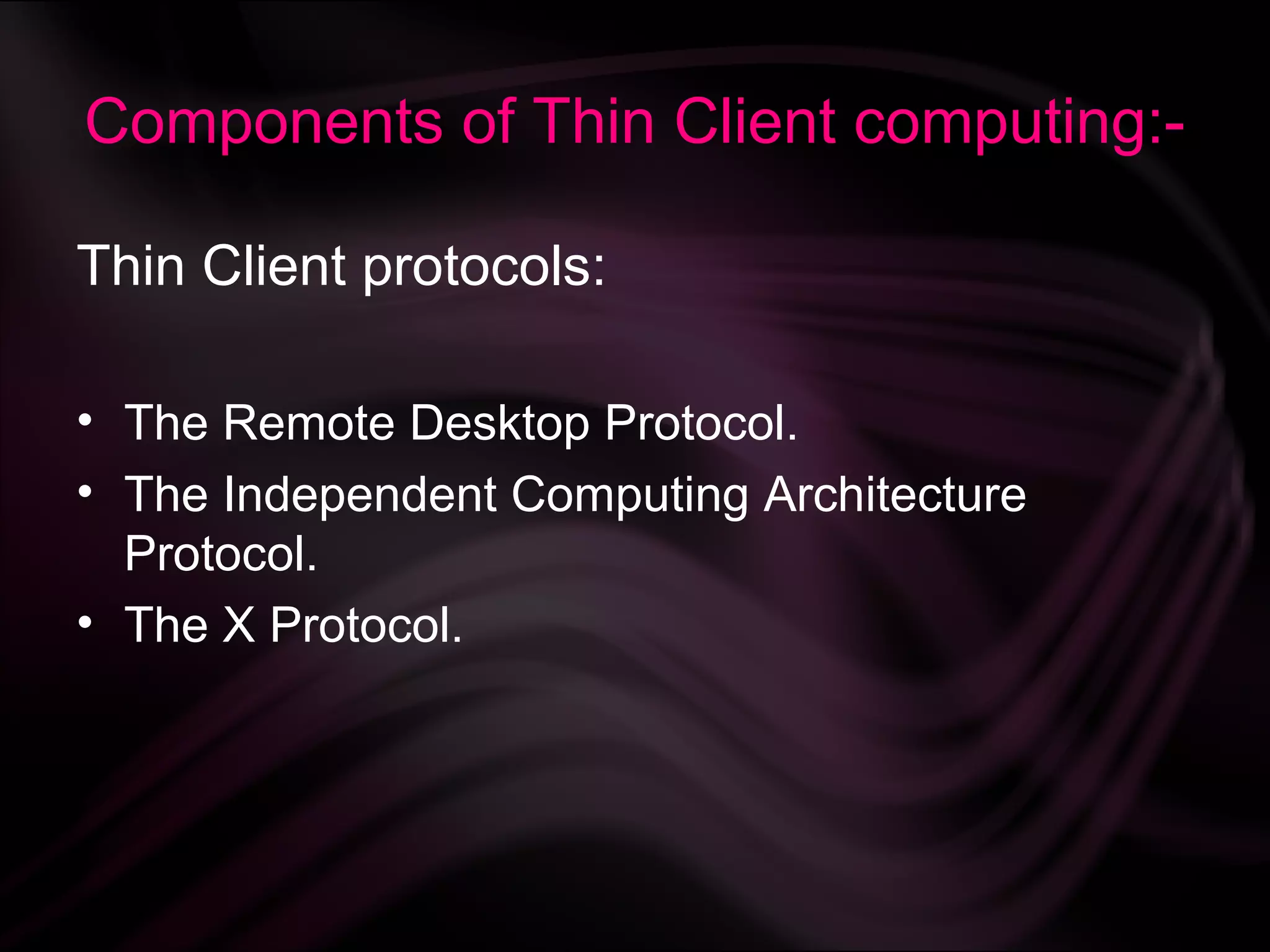
Thin Client protocols:
• The Remote Desktop Protocol.
• The Independent Computing Architecture
Protocol.
• The X Protocol.
25.
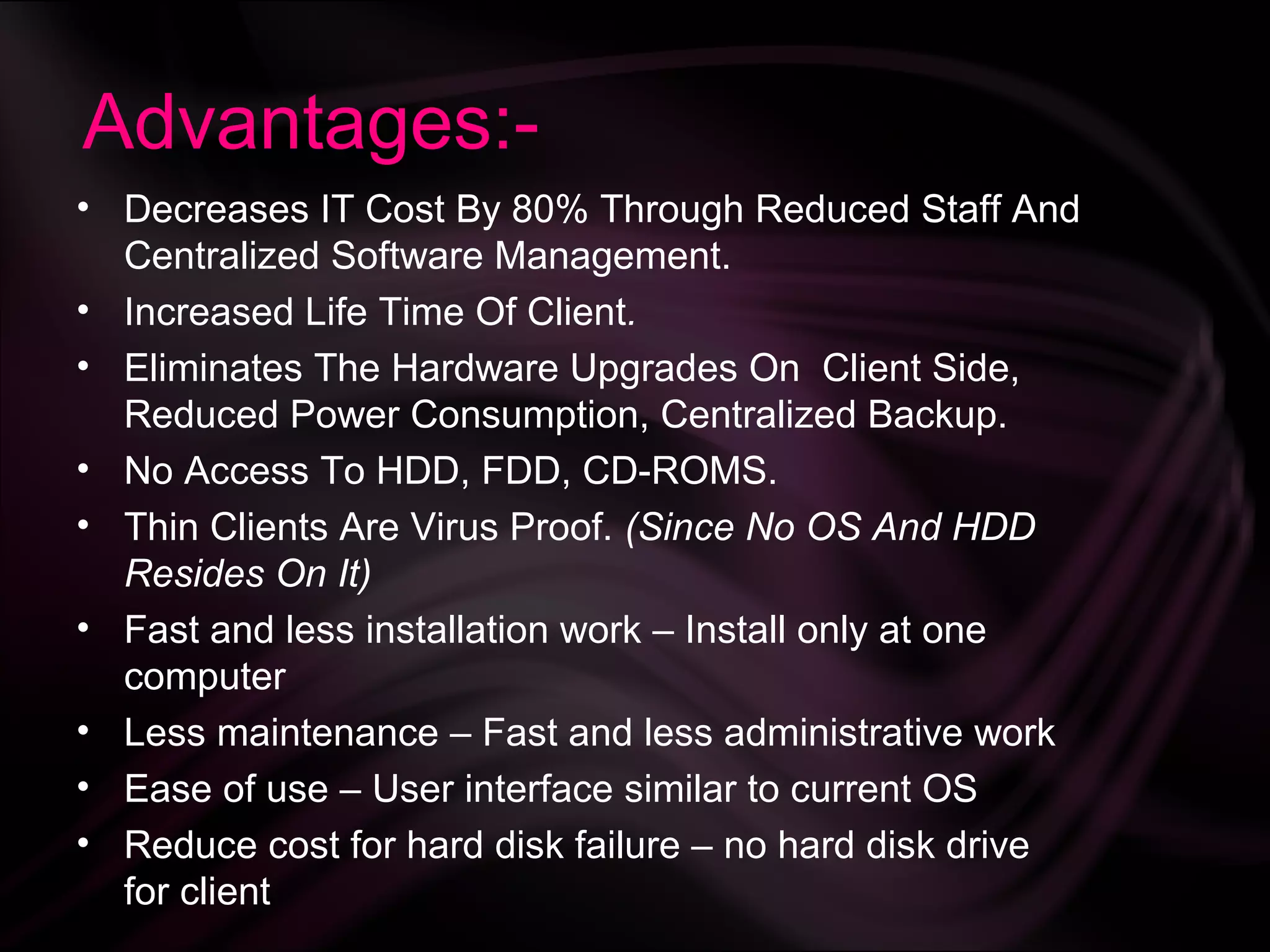
Advantages:-
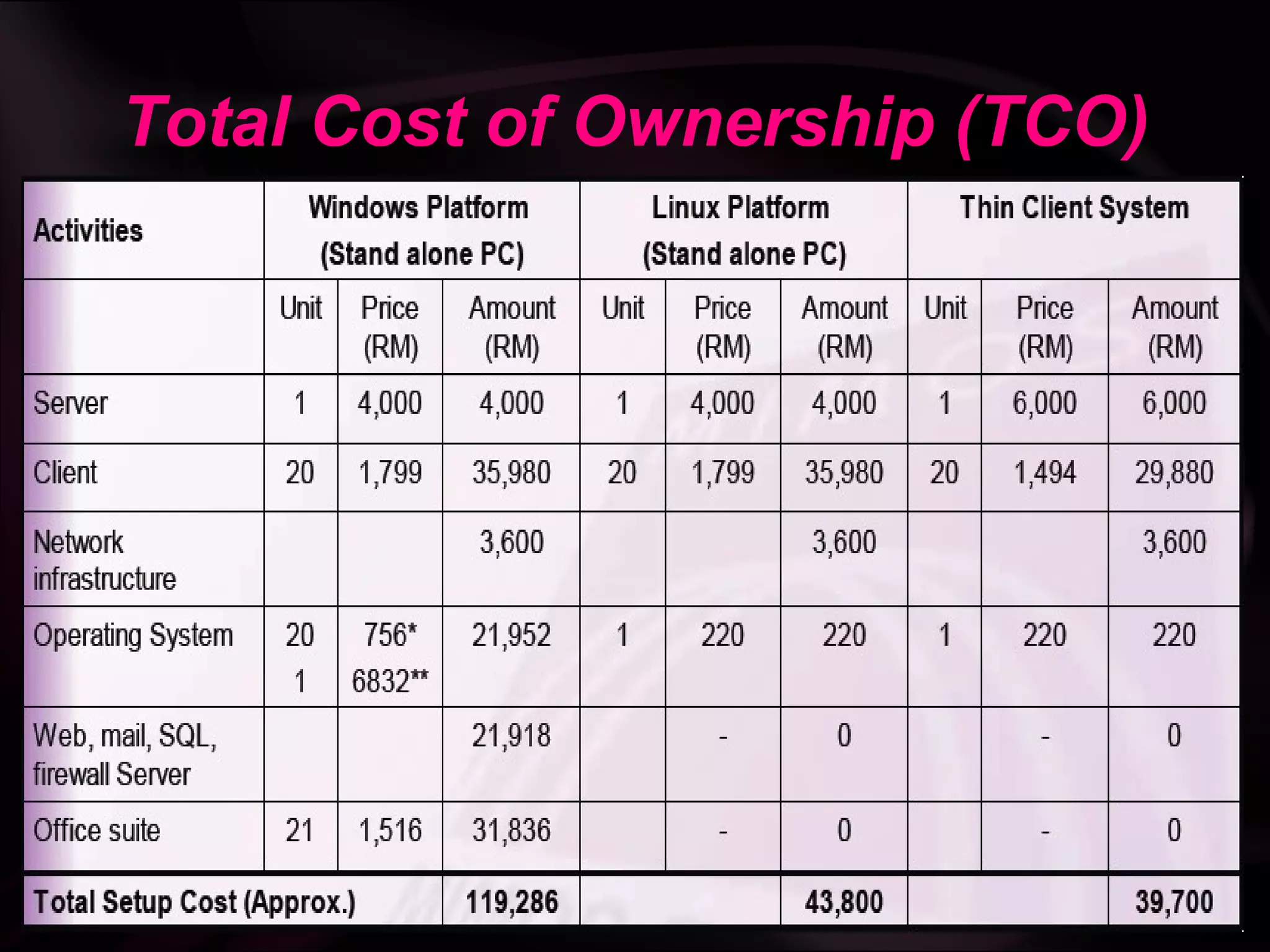
• Decreases ITCost By 80% Through Reduced Staff And
Centralized Software Management.
• Increased Life Time Of Client.
• Eliminates The Hardware Upgrades On Client Side,
Reduced Power Consumption, Centralized Backup.
• No Access To HDD, FDD, CD-ROMS.
• Thin Clients Are Virus Proof. (Since No OS And HDD
Resides On It)
• Fast and less installation work – Install only at one
computer
• Less maintenance – Fast and less administrative work
• Ease of use – User interface similar to current OS
• Reduce cost for hard disk failure – no hard disk drive
for client
26.
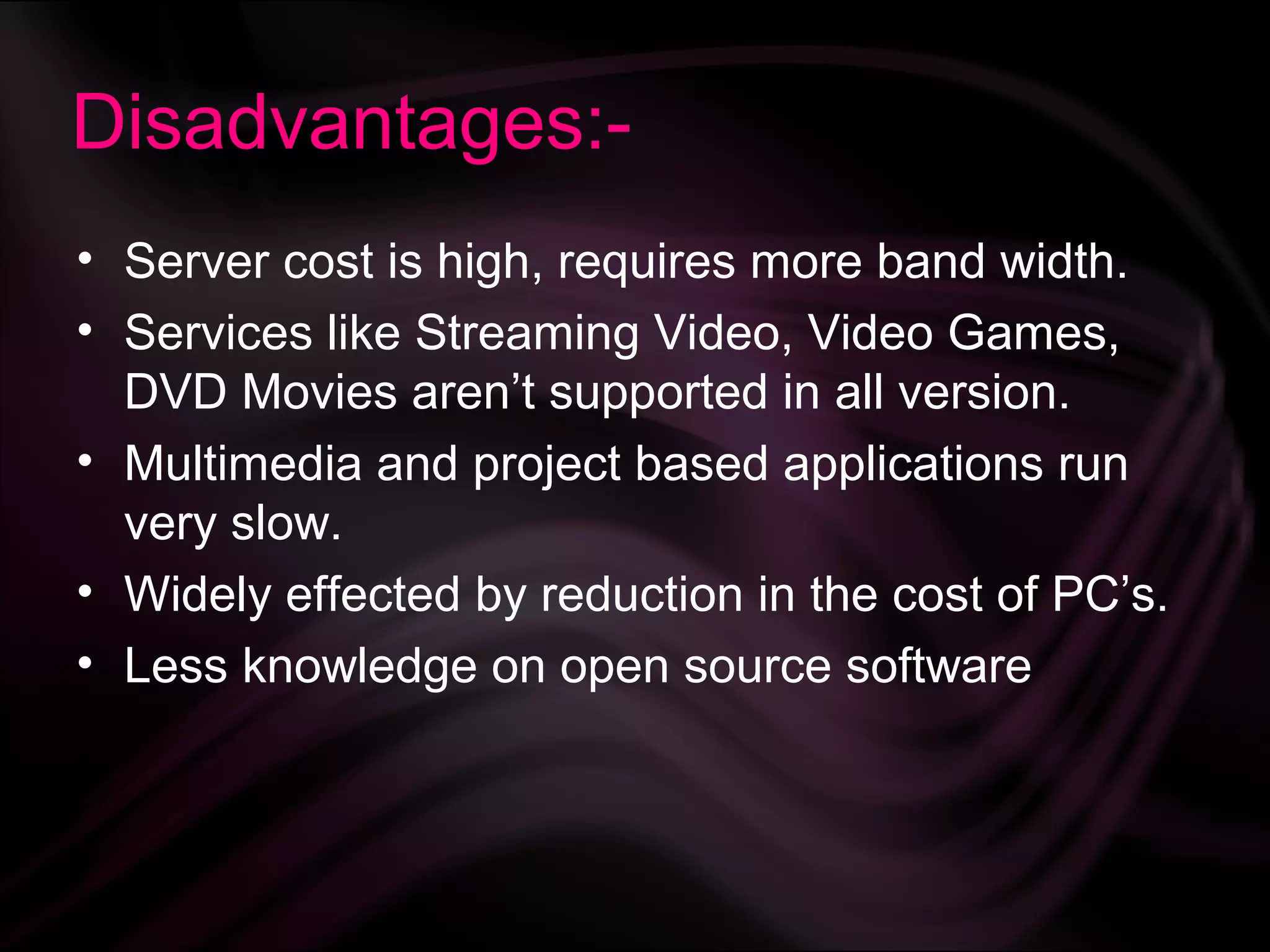
Disadvantages:-
• Server costis high, requires more band width.
• Services like Streaming Video, Video Games,
DVD Movies aren’t supported in all version.
• Multimedia and project based applications run
very slow.
• Widely effected by reduction in the cost of PC’s.
• Less knowledge on open source software
Conclusion:-
• Common PCskill would be enough to manages
the whole network, extends life of PC’s by 2-
3years and reduces Base Line Support costs
over 3 to 5 years.
• Thin client system can be deploy to all sector
• Web base applications better to support
multiplatform
“Thin Client is a primitive of Green Computing”



![References:-
[1].http://en.wikipedia.org/wiki/Thin_client
[2].http://www.thinclients.co.in/
[3].http://www.search.com/reference/Thin_cli
ent
[4].http://en.wikipedia.org/wiki/cloud_comput
ing](https://image.slidesharecdn.com/thinclient-130312040431-phpapp01/75/Thin-client-30-2048.jpg)