© 2013 Marketo, Inc. Marketo Proprietary and Confidential
Getting Data into Marketo -
Forms, Custom Objects and
Integrations
Page
© 2013 Marketo, Inc. Marketo Proprietary and Confidential
Objectives
• Objectives
• Understand options around getting data into Marketo
• Review the Marketo Object Model
• Review how the SOAP API interacts with the Marketo Data Model
• Discuss best practices around integrating with Marketo
© 2013 Marketo, Inc. Marketo Proprietary and Confidential
Getting Records into Marketo
Page
© 2013 Marketo, Inc. Marketo Proprietary and Confidential
Getting Records into Marketo
• Integration with your CRM
• Can create duplicates
• List Import via CSV files
• De-dupe logic in place
• Upon Marketo form submission
• De-dupe logic in place
• Manually via Marketo Interface
• Can create duplicates
• SOAP API
• Can either de-dupe (using email as a unique key) or create duplicates (use your
own unique key)
Page
© 2013 Marketo, Inc. Marketo Proprietary and Confidential
Best Practices Around List Import
• List Import or use Marketo forms to create/update leads
• Can create duplicates
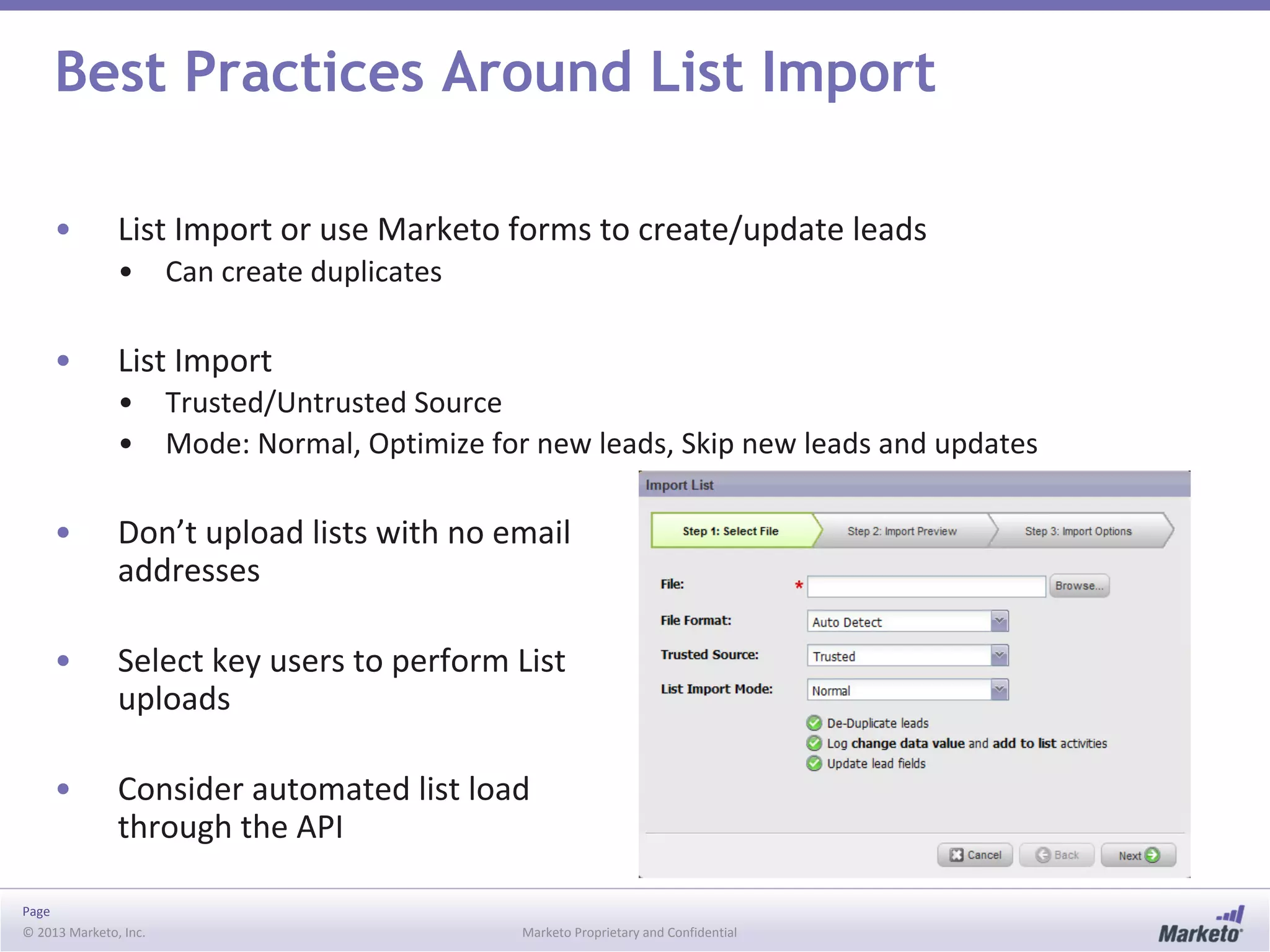
• List Import
• Trusted/Untrusted Source
• Mode: Normal, Optimize for new leads, Skip new leads and updates
• Don’t upload lists with no email
addresses
• Select key users to perform List
uploads
• Consider automated list load
through the API
© 2013 Marketo, Inc. Marketo Proprietary and Confidential
Getting Data in from Forms
Page
© 2013 Marketo, Inc. Marketo Proprietary and Confidential
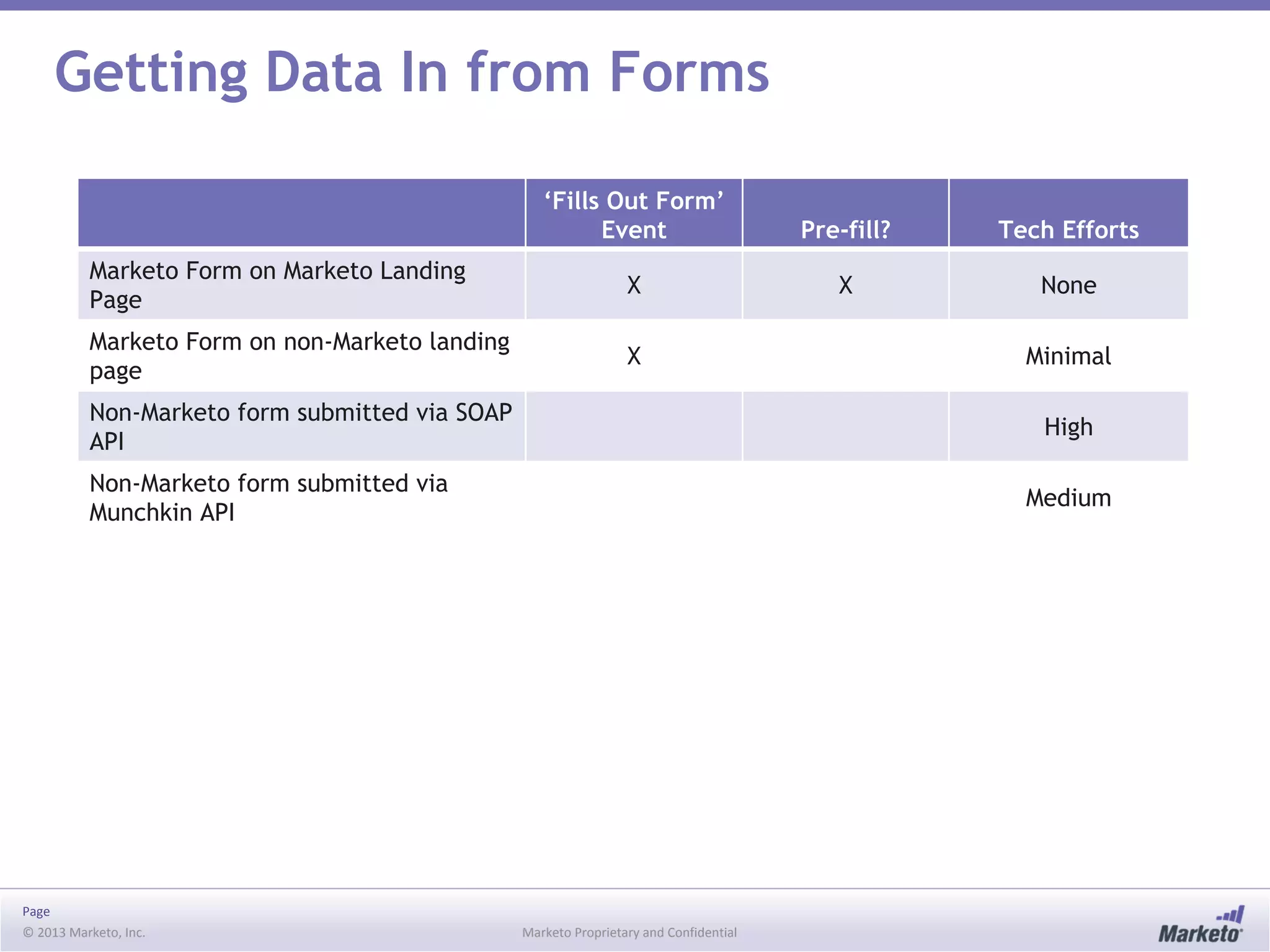
Getting Data In from Forms
‘Fills Out Form’
Event Pre-fill? Tech Efforts
Marketo Form on Marketo Landing
Page
X X None
Marketo Form on non-Marketo landing
page
X Minimal
Non-Marketo form submitted via SOAP
API
High
Non-Marketo form submitted via
Munchkin API
Medium
Page
© 2013 Marketo, Inc. Marketo Proprietary and Confidential
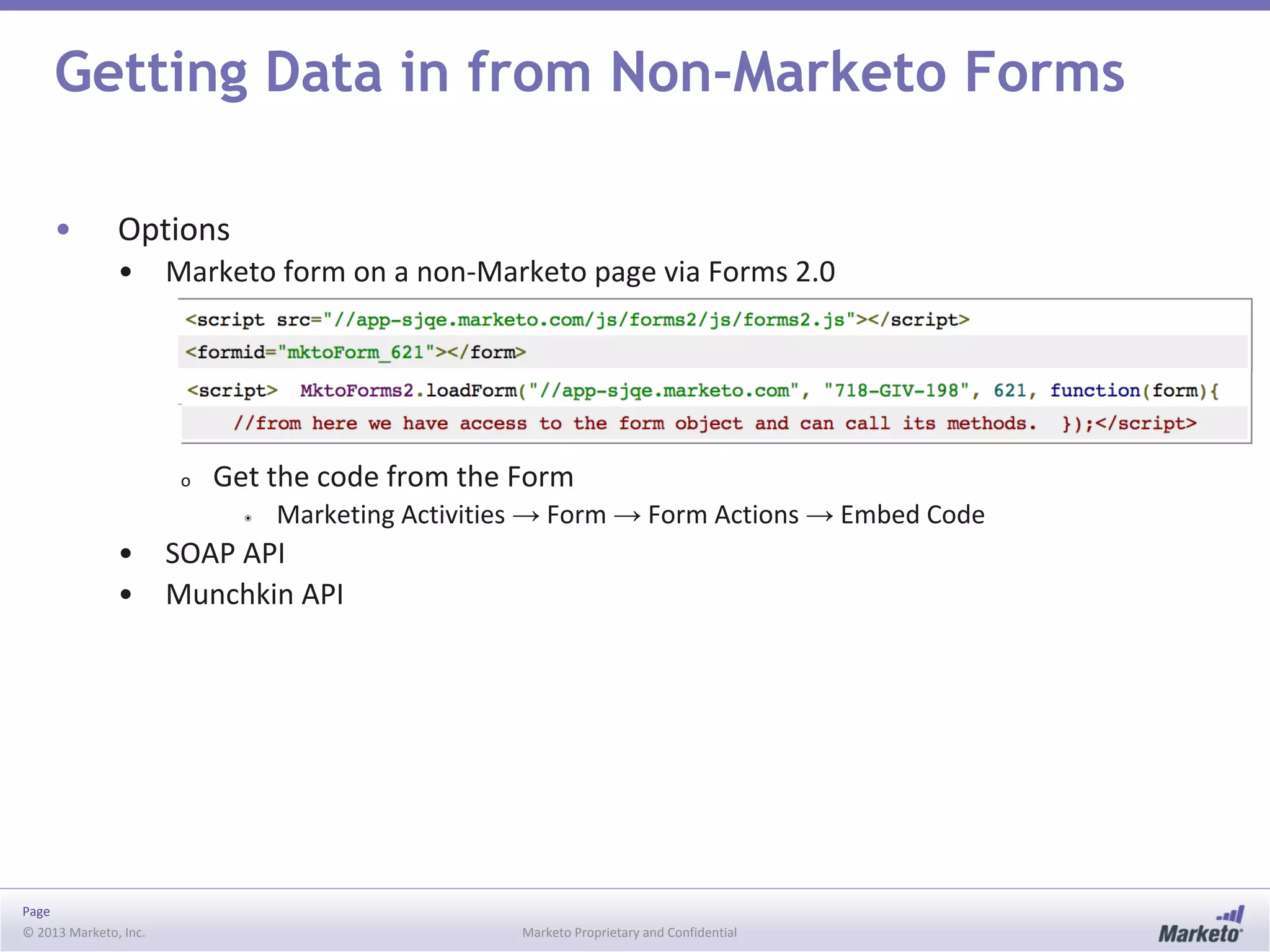
Getting Data in from Non-Marketo Forms
• Options
• Marketo form on a non-Marketo page via Forms 2.0
o Get the code from the Form
◉ Marketing Activities → Form → Form Actions → Embed Code
• SOAP API
• Munchkin API
© 2013 Marketo, Inc. Marketo Proprietary and Confidential
Forms 2.0
Marketo forms, wherever!
Page
© 2013 Marketo, Inc. Marketo Proprietary and Confidential
Forms 2.0
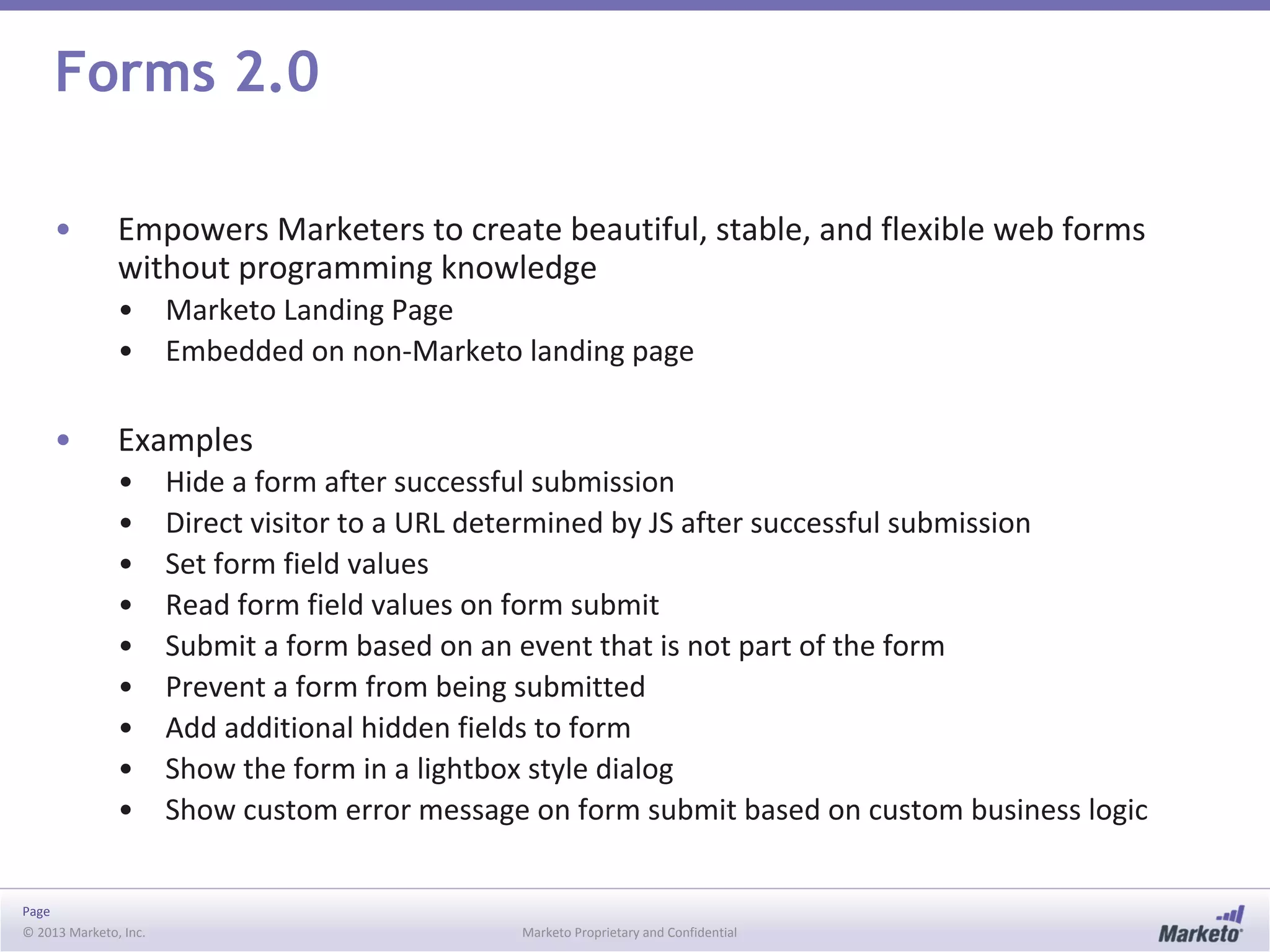
• Empowers Marketers to create beautiful, stable, and flexible web forms
without programming knowledge
• Marketo Landing Page
• Embedded on non-Marketo landing page
• Examples
• Hide a form after successful submission
• Direct visitor to a URL determined by JS after successful submission
• Set form field values
• Read form field values on form submit
• Submit a form based on an event that is not part of the form
• Prevent a form from being submitted
• Add additional hidden fields to form
• Show the form in a lightbox style dialog
• Show custom error message on form submit based on custom business logic
Page
© 2013 Marketo, Inc. Marketo Proprietary and Confidential
Forms 2.0 API
• MktoForms2 (top level) and Form Objects
• MktoForms2 Methods
• .loadForm(baseUrl, munchkinId, formId [,callback])
• .lightbox(form [,opts])
• .newForm(formData [,callback])
• .getForm(formId)
• .allForms()
• .getPageFields()
• Form Methods
• .render([formElem])
• .getId()
• .getFormElem()
• .validate()
• .onValidate(callback)
• .submit()
• .onSubmit(callback)
• http://developers.marketo.com/documentation/websites/forms-2-0/
• .onSuccess(callback)
• .submitable([canSubmit])
• .allFieldsFilled()
• .setValues(vals)
• .getValues()
• .addHiddenFields(values)
• .vals([values])
• .showErrorMessage(msg [,elem])
© 2013 Marketo, Inc. Marketo Proprietary and Confidential
The Marketo Object Model
Page
© 2013 Marketo, Inc. Marketo Proprietary and Confidential
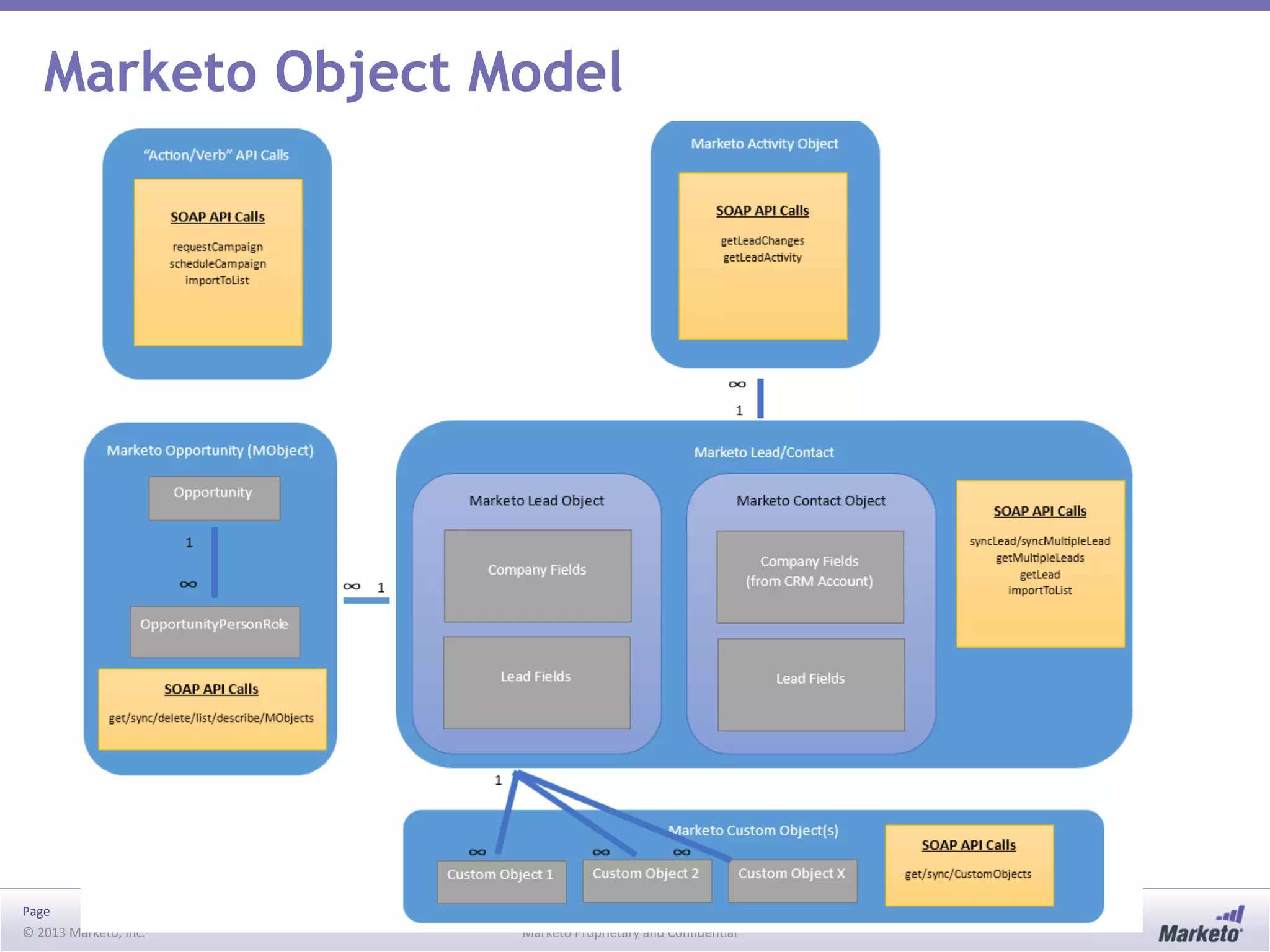
Marketo Object Model
Page
© 2013 Marketo, Inc. Marketo Proprietary and Confidential
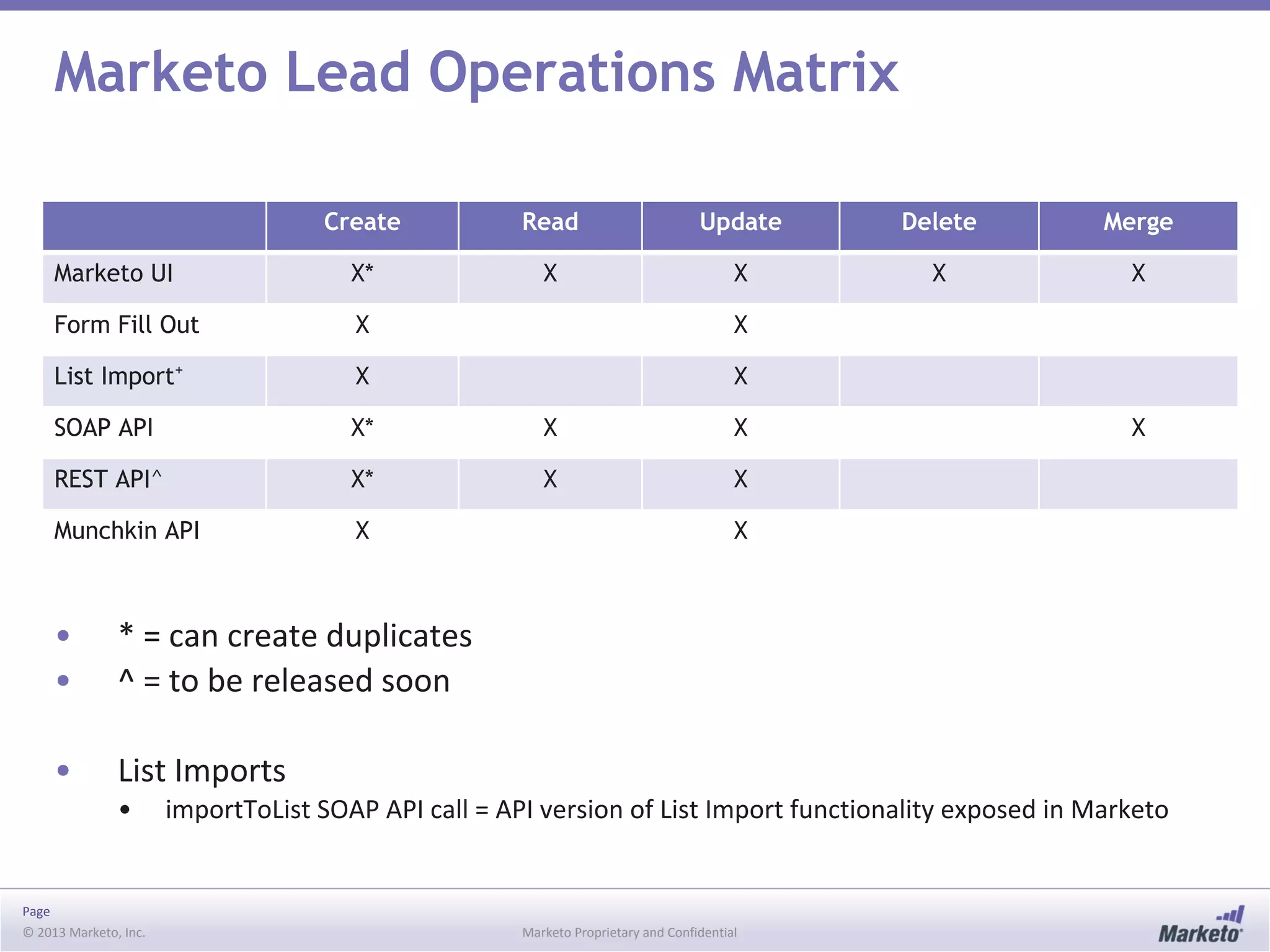
Marketo Lead Operations Matrix
Create Read Update Delete Merge
Marketo UI X* X X X X
Form Fill Out X X
List Import+
X X
SOAP API X* X X X
REST API^ X* X X
Munchkin API X X
• * = can create duplicates
• ^ = to be released soon
• List Imports
• importToList SOAP API call = API version of List Import functionality exposed in Marketo
© 2013 Marketo, Inc. Marketo Proprietary and Confidential
Marketo’s SOAP API
Page
© 2013 Marketo, Inc. Marketo Proprietary and Confidential
Marketo’s SOAP API – Tradeoffs
• Benefits
• Allows for non-native integrations
• Secure backend communication
• Considerations:
• Not all fields and functionality exposed in Marketo UI are available in SOAP API
• Developer resources needed
Page
© 2013 Marketo, Inc. Marketo Proprietary and Confidential
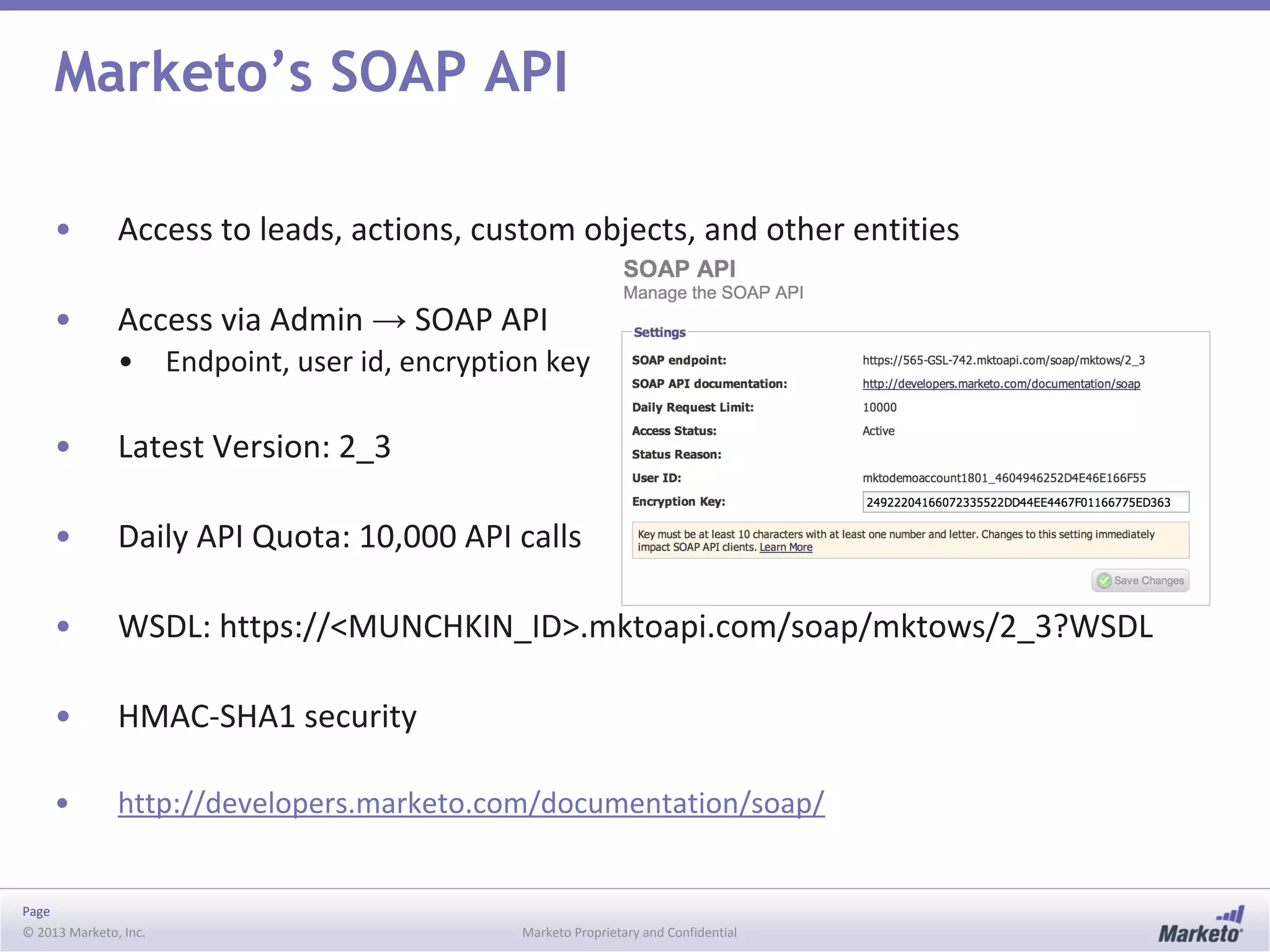
Marketo’s SOAP API
• Access to leads, actions, custom objects, and other entities
• Access via Admin → SOAP API
• Endpoint, user id, encryption key
• Latest Version: 2_3
• Daily API Quota: 10,000 API calls
• WSDL: https://<MUNCHKIN_ID>.mktoapi.com/soap/mktows/2_3?WSDL
• HMAC-SHA1 security
• http://developers.marketo.com/documentation/soap/
Page
© 2013 Marketo, Inc. Marketo Proprietary and Confidential
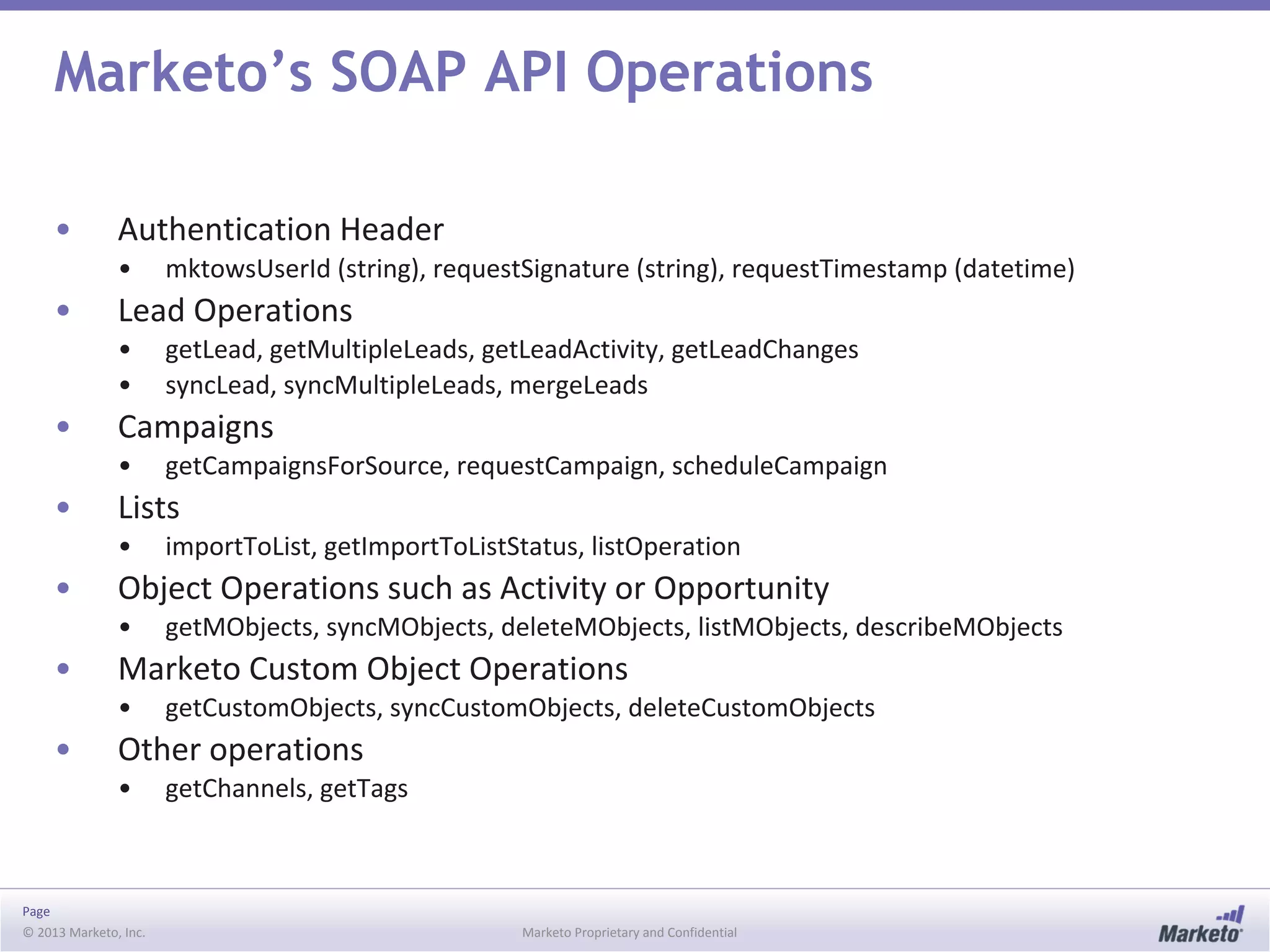
Marketo’s SOAP API Operations
• Authentication Header
• mktowsUserId (string), requestSignature (string), requestTimestamp (datetime)
• Lead Operations
• getLead, getMultipleLeads, getLeadActivity, getLeadChanges
• syncLead, syncMultipleLeads, mergeLeads
• Campaigns
• getCampaignsForSource, requestCampaign, scheduleCampaign
• Lists
• importToList, getImportToListStatus, listOperation
• Object Operations such as Activity or Opportunity
• getMObjects, syncMObjects, deleteMObjects, listMObjects, describeMObjects
• Marketo Custom Object Operations
• getCustomObjects, syncCustomObjects, deleteCustomObjects
• Other operations
• getChannels, getTags
© 2013 Marketo, Inc. Marketo Proprietary and Confidential
Marketo Munchkin API
Page
© 2013 Marketo, Inc. Marketo Proprietary and Confidential
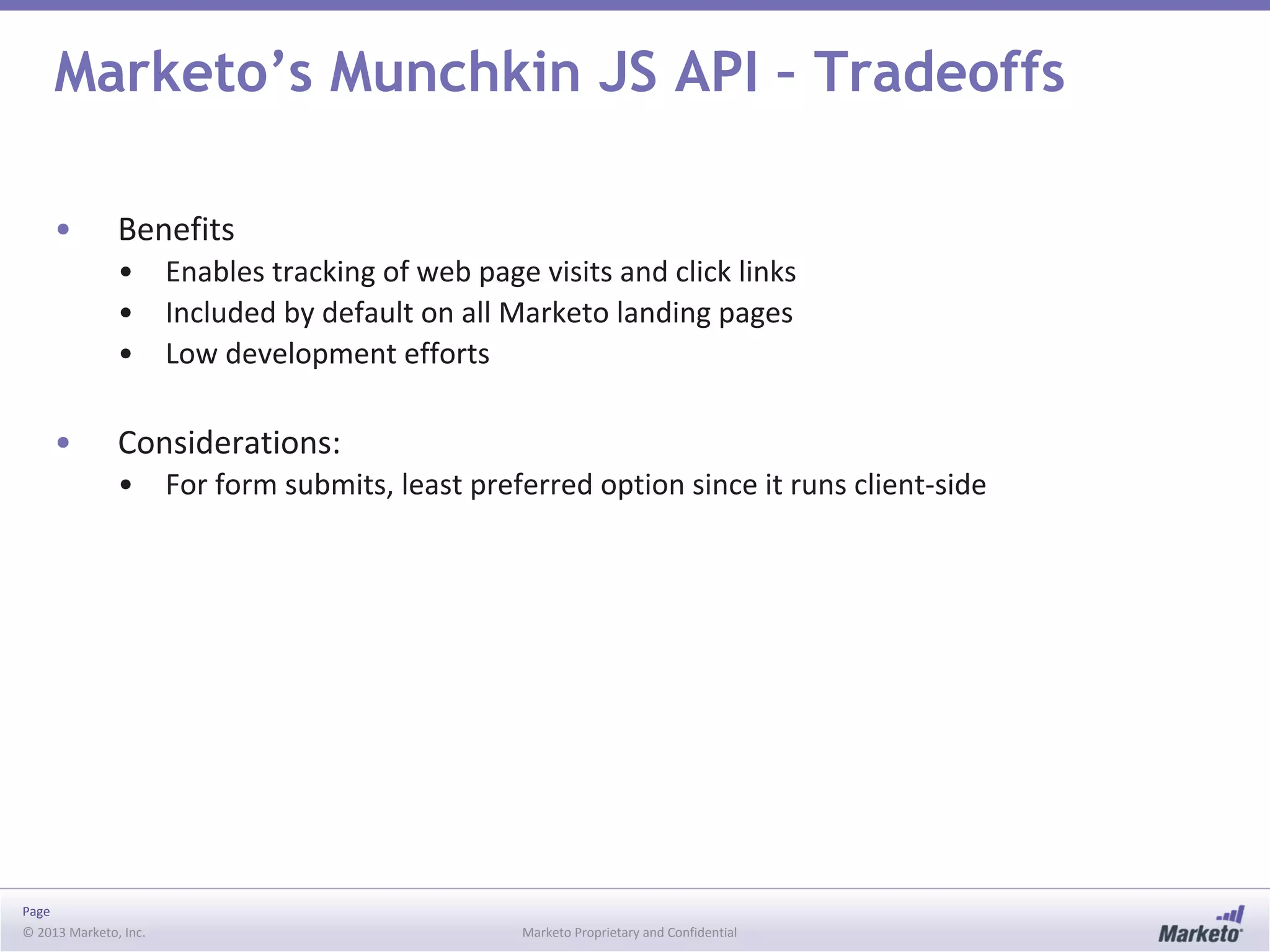
Marketo’s Munchkin JS API – Tradeoffs
• Benefits
• Enables tracking of web page visits and click links
• Included by default on all Marketo landing pages
• Low development efforts
• Considerations:
• For form submits, least preferred option since it runs client-side
Page
© 2013 Marketo, Inc. Marketo Proprietary and Confidential
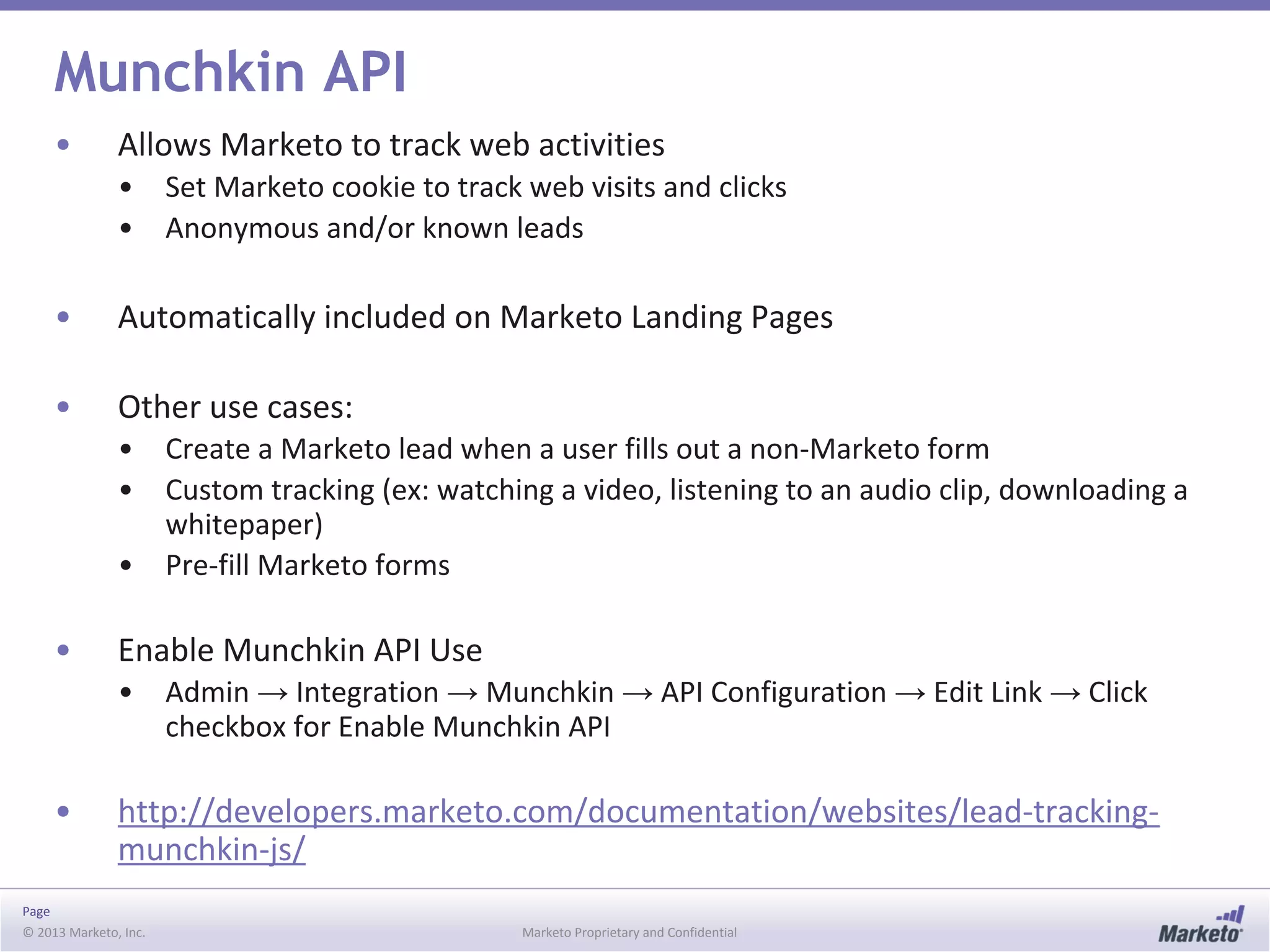
Munchkin API
• Allows Marketo to track web activities
• Set Marketo cookie to track web visits and clicks
• Anonymous and/or known leads
• Automatically included on Marketo Landing Pages
• Other use cases:
• Create a Marketo lead when a user fills out a non-Marketo form
• Custom tracking (ex: watching a video, listening to an audio clip, downloading a
whitepaper)
• Pre-fill Marketo forms
• Enable Munchkin API Use
• Admin → Integration → Munchkin → API Configuration → Edit Link → Click
checkbox for Enable Munchkin API
• http://developers.marketo.com/documentation/websites/lead-tracking-
munchkin-js/
Page
© 2013 Marketo, Inc. Marketo Proprietary and Confidential
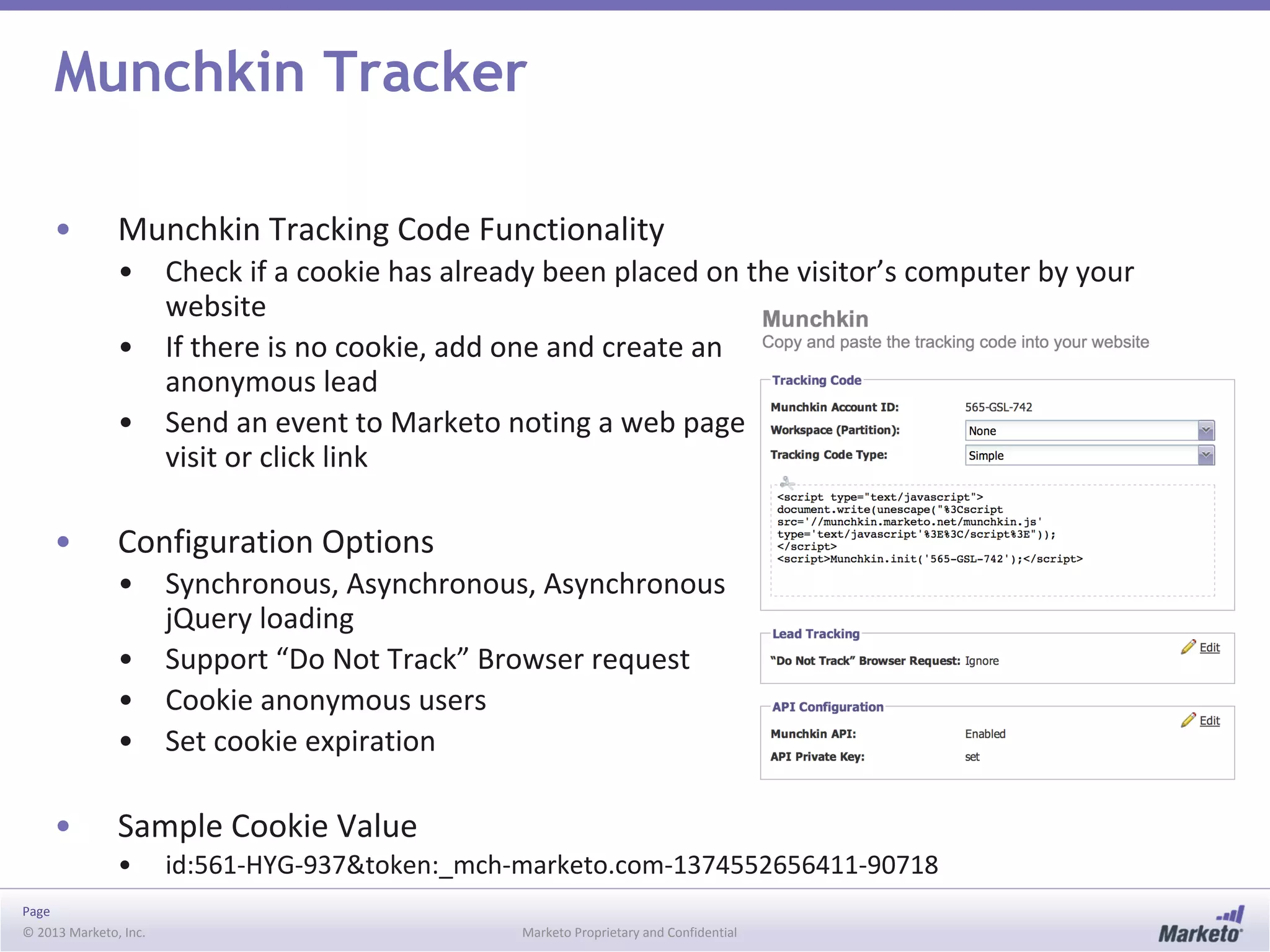
Munchkin Tracker
• Munchkin Tracking Code Functionality
• Check if a cookie has already been placed on the visitor’s computer by your
website
• If there is no cookie, add one and create an
anonymous lead
• Send an event to Marketo noting a web page
visit or click link
• Configuration Options
• Synchronous, Asynchronous, Asynchronous
jQuery loading
• Support “Do Not Track” Browser request
• Cookie anonymous users
• Set cookie expiration
• Sample Cookie Value
• id:561-HYG-937&token:_mch-marketo.com-1374552656411-90718
Page
© 2013 Marketo, Inc. Marketo Proprietary and Confidential
Calling Munchkin API Functions
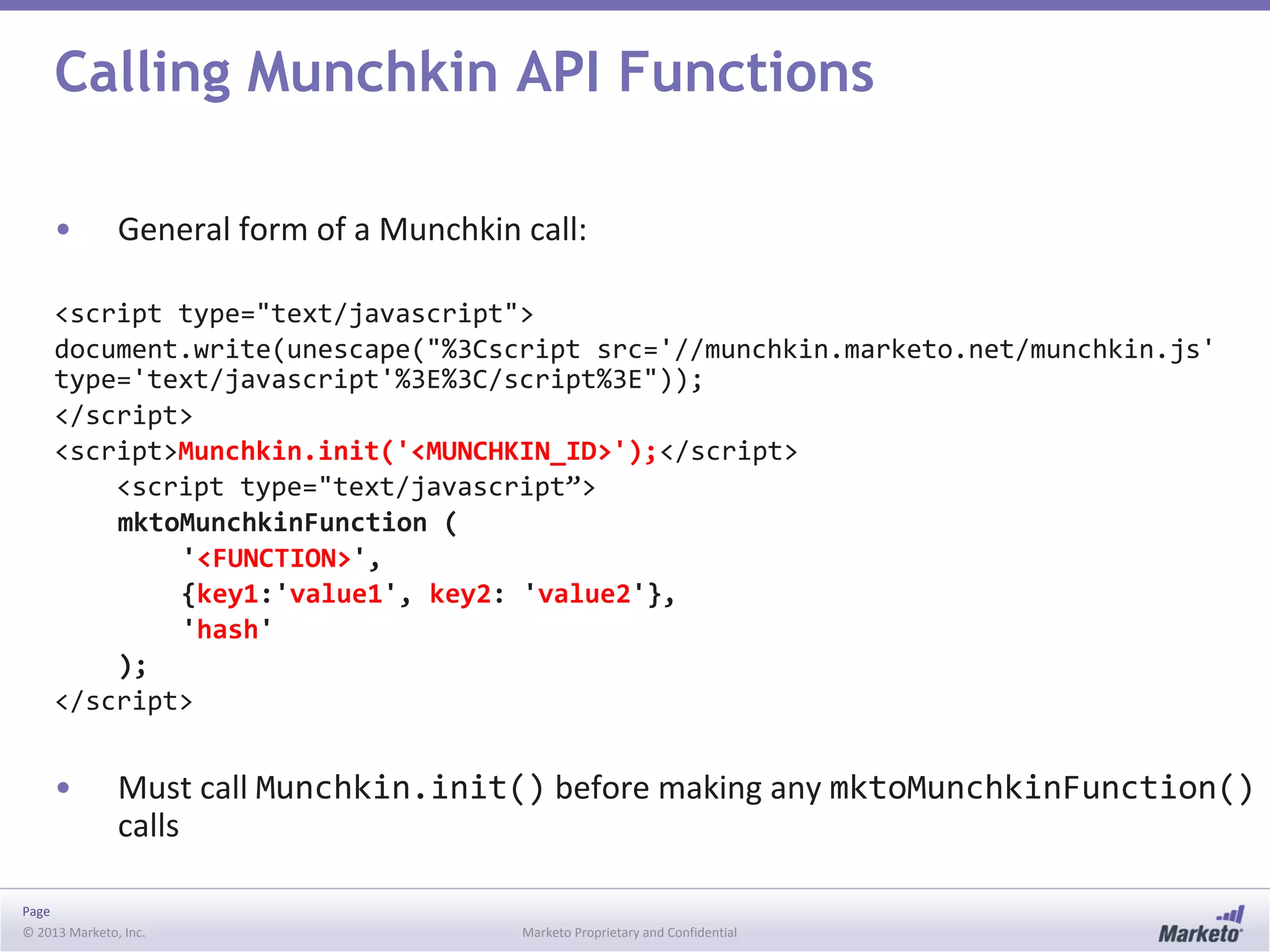
• General form of a Munchkin call:
<script type="text/javascript">
document.write(unescape("%3Cscript src='//munchkin.marketo.net/munchkin.js'
type='text/javascript'%3E%3C/script%3E"));
</script>
<script>Munchkin.init('<MUNCHKIN_ID>');</script>
<script type="text/javascript”>
mktoMunchkinFunction (
'<FUNCTION>',
{key1:'value1', key2: 'value2'},
'hash'
);
</script>
• Must call Munchkin.init() before making any mktoMunchkinFunction()
calls
Page
© 2013 Marketo, Inc. Marketo Proprietary and Confidential
Munchkin API Functions
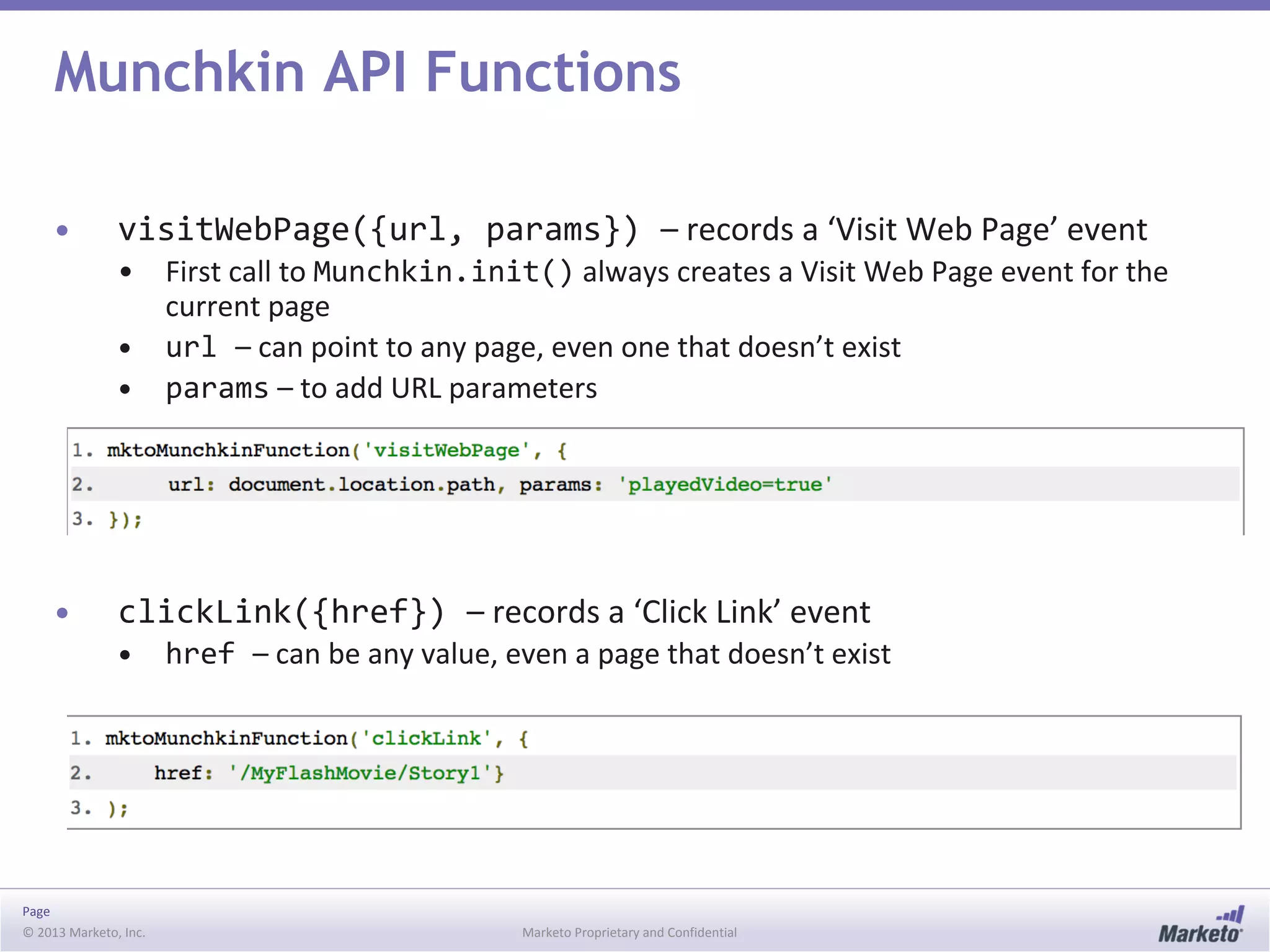
• visitWebPage({url, params}) – records a ‘Visit Web Page’ event
• First call to Munchkin.init() always creates a Visit Web Page event for the
current page
• url – can point to any page, even one that doesn’t exist
• params – to add URL parameters
• clickLink({href}) – records a ‘Click Link’ event
• href – can be any value, even a page that doesn’t exist
Page
© 2013 Marketo, Inc. Marketo Proprietary and Confidential
Munchkin API Functions
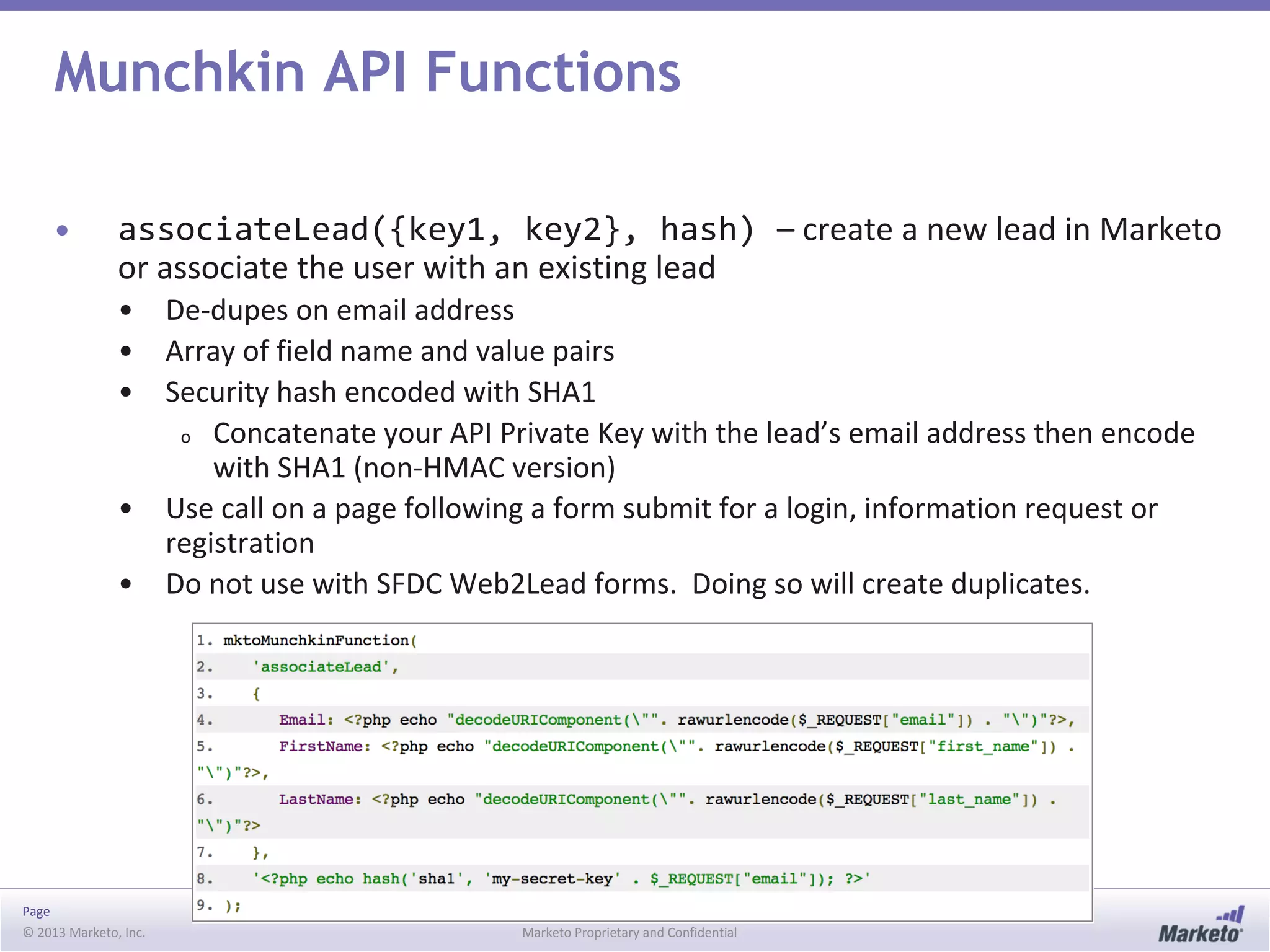
• associateLead({key1, key2}, hash) – create a new lead in Marketo
or associate the user with an existing lead
• De-dupes on email address
• Array of field name and value pairs
• Security hash encoded with SHA1
o Concatenate your API Private Key with the lead’s email address then encode
with SHA1 (non-HMAC version)
• Use call on a page following a form submit for a login, information request or
registration
• Do not use with SFDC Web2Lead forms. Doing so will create duplicates.
Page
© 2013 Marketo, Inc. Marketo Proprietary and Confidential
Munchkin API: Triggering Campaigns
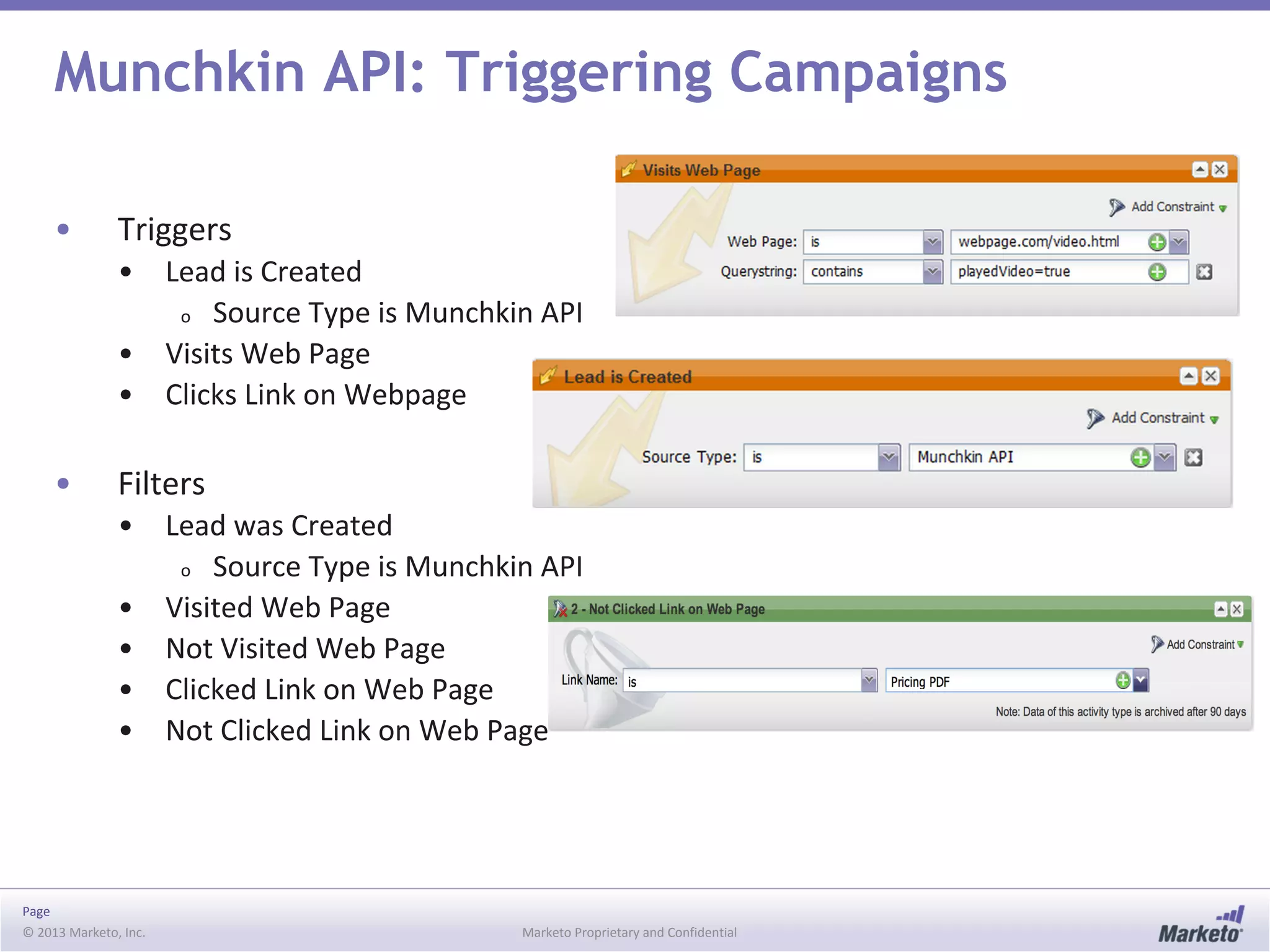
• Triggers
• Lead is Created
o Source Type is Munchkin API
• Visits Web Page
• Clicks Link on Webpage
• Filters
• Lead was Created
o Source Type is Munchkin API
• Visited Web Page
• Not Visited Web Page
• Clicked Link on Web Page
• Not Clicked Link on Web Page
© 2013 Marketo, Inc. Marketo Proprietary and Confidential
Custom Objects
Page
© 2013 Marketo, Inc. Marketo Proprietary and Confidential
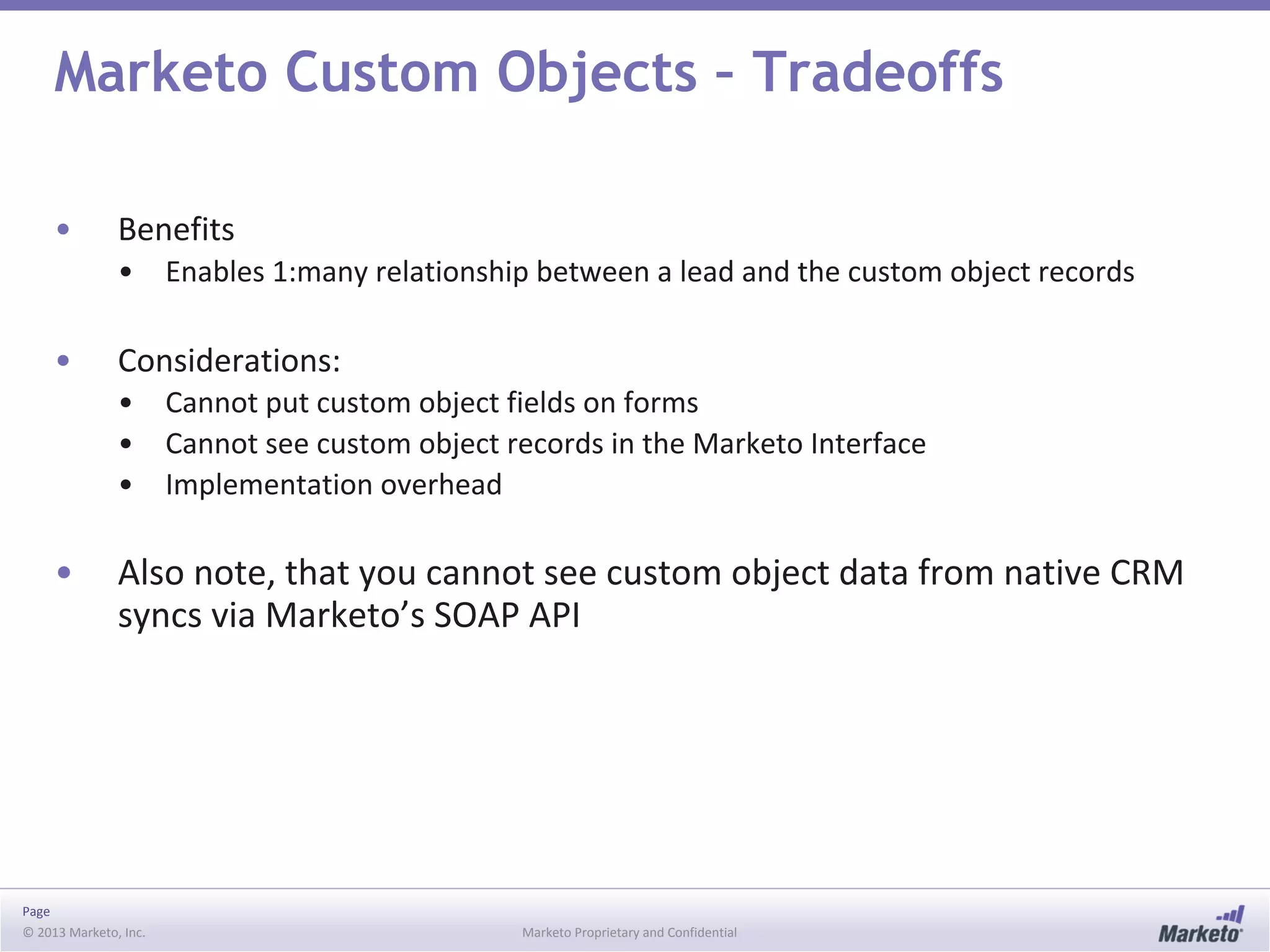
Marketo Custom Objects – Tradeoffs
• Benefits
• Enables 1:many relationship between a lead and the custom object records
• Considerations:
• Cannot put custom object fields on forms
• Cannot see custom object records in the Marketo Interface
• Implementation overhead
• Also note, that you cannot see custom object data from native CRM
syncs via Marketo’s SOAP API
Page
© 2013 Marketo, Inc. Marketo Proprietary and Confidential
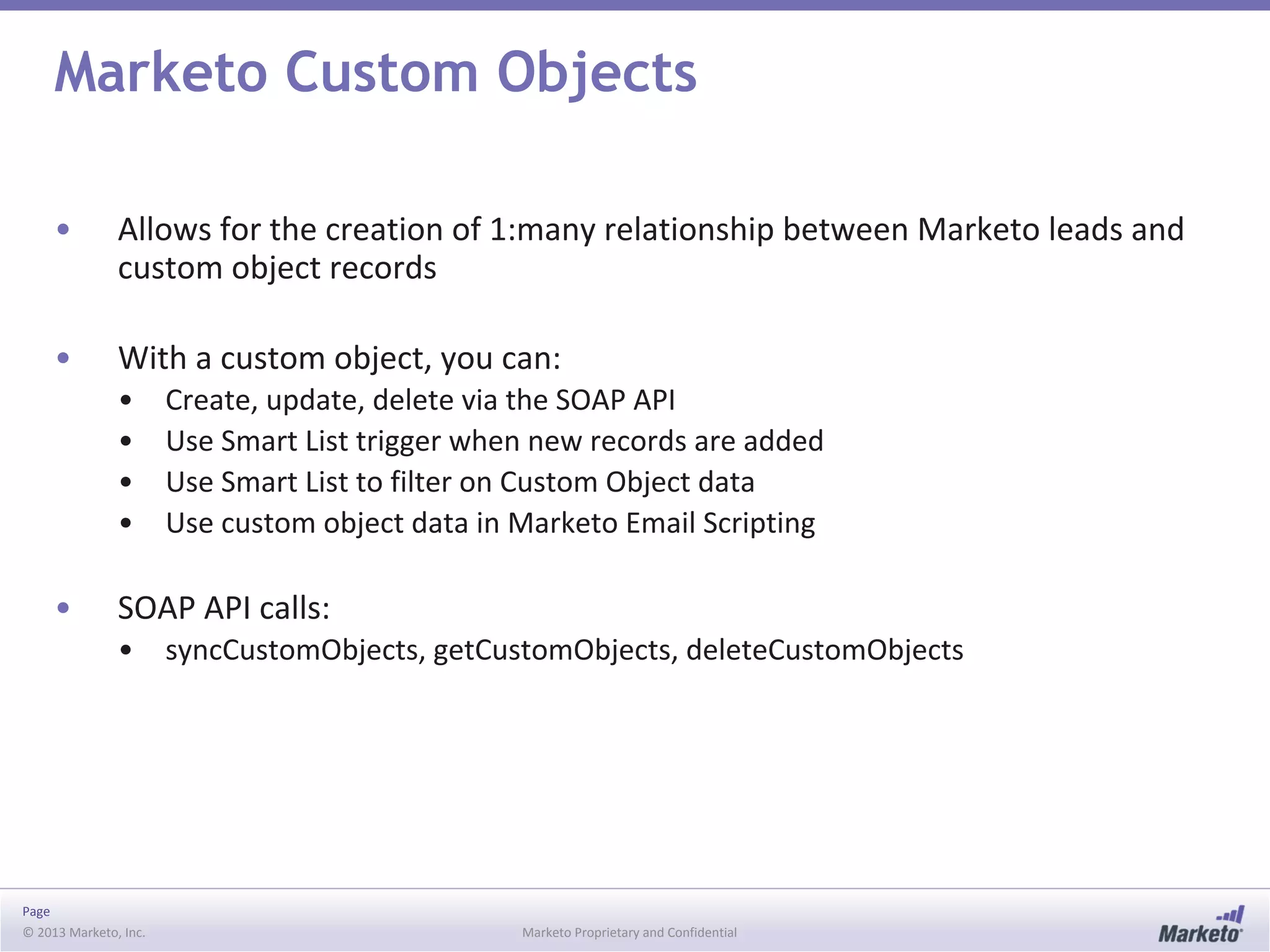
Marketo Custom Objects
• Allows for the creation of 1:many relationship between Marketo leads and
custom object records
• With a custom object, you can:
• Create, update, delete via the SOAP API
• Use Smart List trigger when new records are added
• Use Smart List to filter on Custom Object data
• Use custom object data in Marketo Email Scripting
• SOAP API calls:
• syncCustomObjects, getCustomObjects, deleteCustomObjects
Page
© 2013 Marketo, Inc. Marketo Proprietary and Confidential
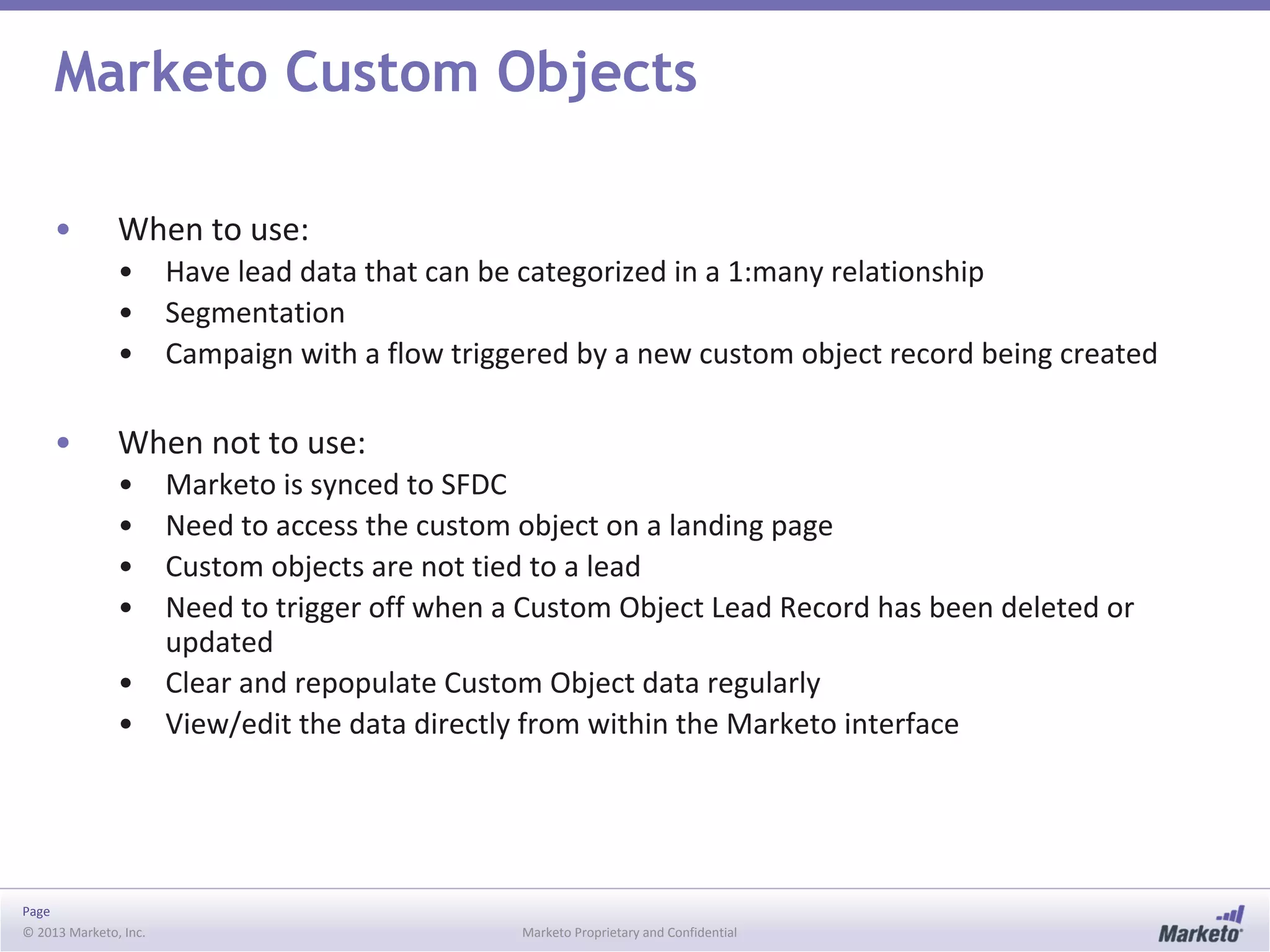
Marketo Custom Objects
• When to use:
• Have lead data that can be categorized in a 1:many relationship
• Segmentation
• Campaign with a flow triggered by a new custom object record being created
• When not to use:
• Marketo is synced to SFDC
• Need to access the custom object on a landing page
• Custom objects are not tied to a lead
• Need to trigger off when a Custom Object Lead Record has been deleted or
updated
• Clear and repopulate Custom Object data regularly
• View/edit the data directly from within the Marketo interface
© 2013 Marketo, Inc. Marketo Proprietary and Confidential
Email Scripting
Page
© 2013 Marketo, Inc. Marketo Proprietary and Confidential
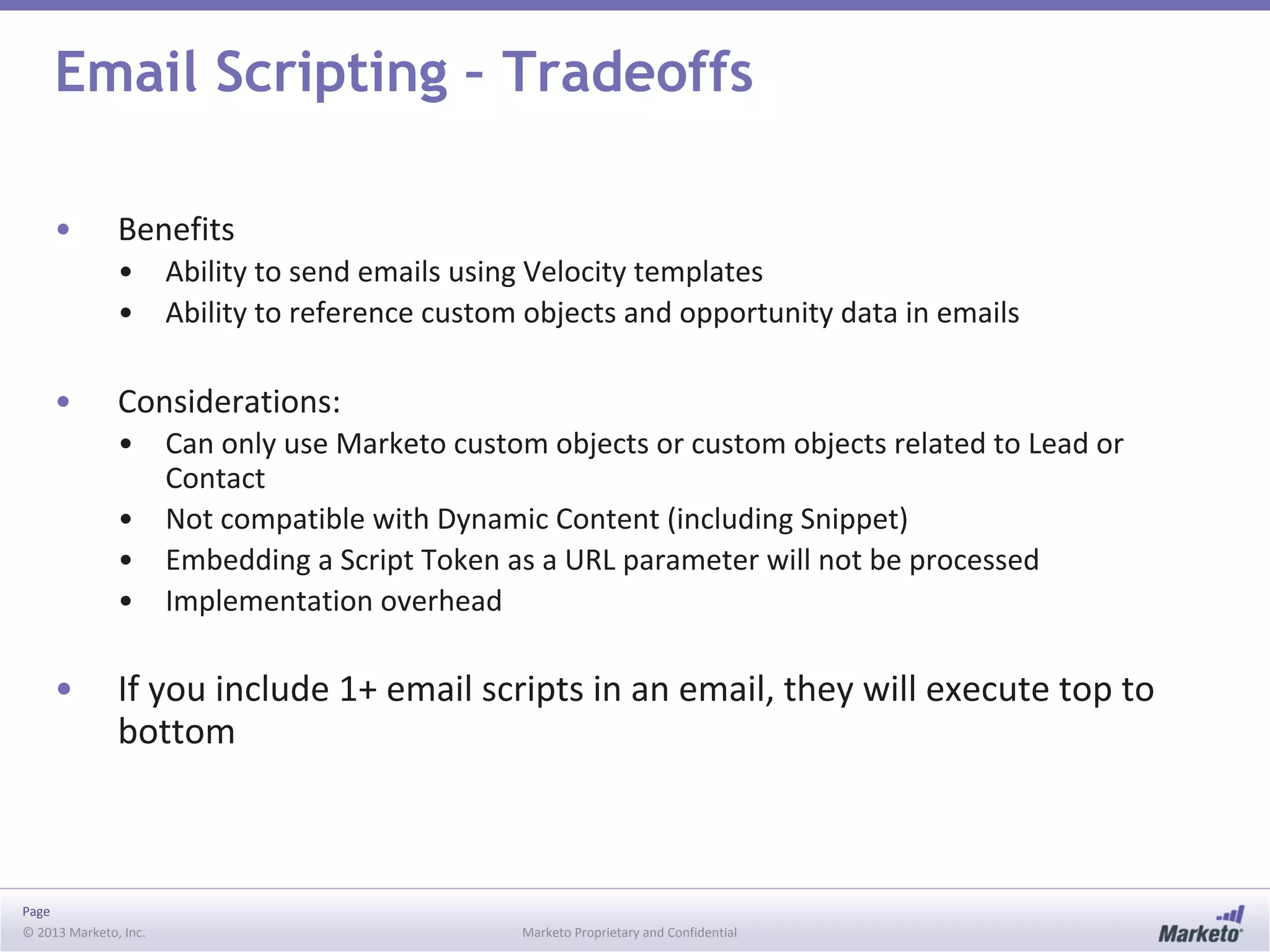
Email Scripting – Tradeoffs
• Benefits
• Ability to send emails using Velocity templates
• Ability to reference custom objects and opportunity data in emails
• Considerations:
• Can only use Marketo custom objects or custom objects related to Lead or
Contact
• Not compatible with Dynamic Content (including Snippet)
• Embedding a Script Token as a URL parameter will not be processed
• Implementation overhead
• If you include 1+ email scripts in an email, they will execute top to
bottom
Page
© 2013 Marketo, Inc. Marketo Proprietary and Confidential
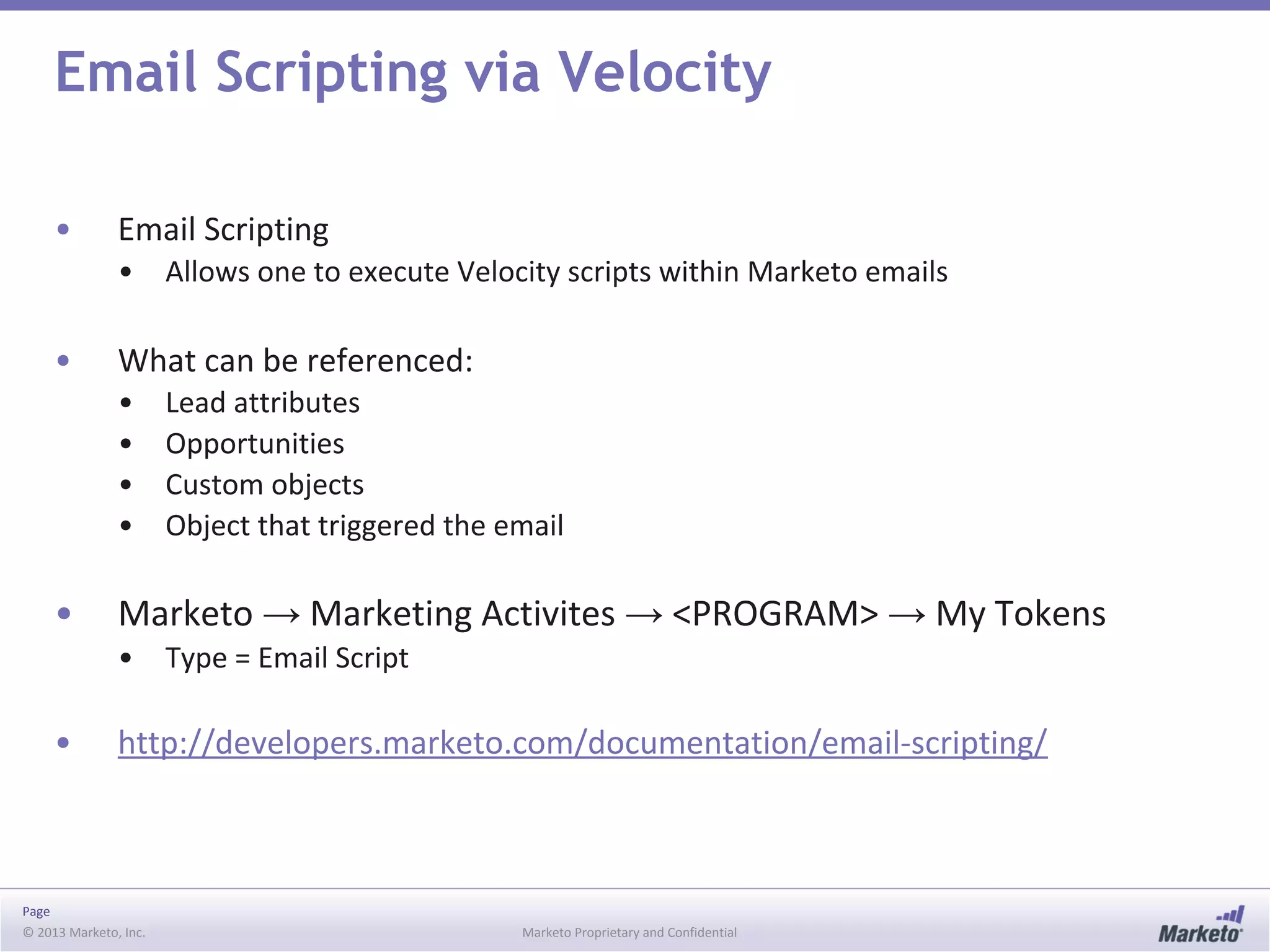
Email Scripting via Velocity
• Email Scripting
• Allows one to execute Velocity scripts within Marketo emails
• What can be referenced:
• Lead attributes
• Opportunities
• Custom objects
• Object that triggered the email
• Marketo → Marketing Activites → <PROGRAM> → My Tokens
• Type = Email Script
• http://developers.marketo.com/documentation/email-scripting/
Page
© 2013 Marketo, Inc. Marketo Proprietary and Confidential
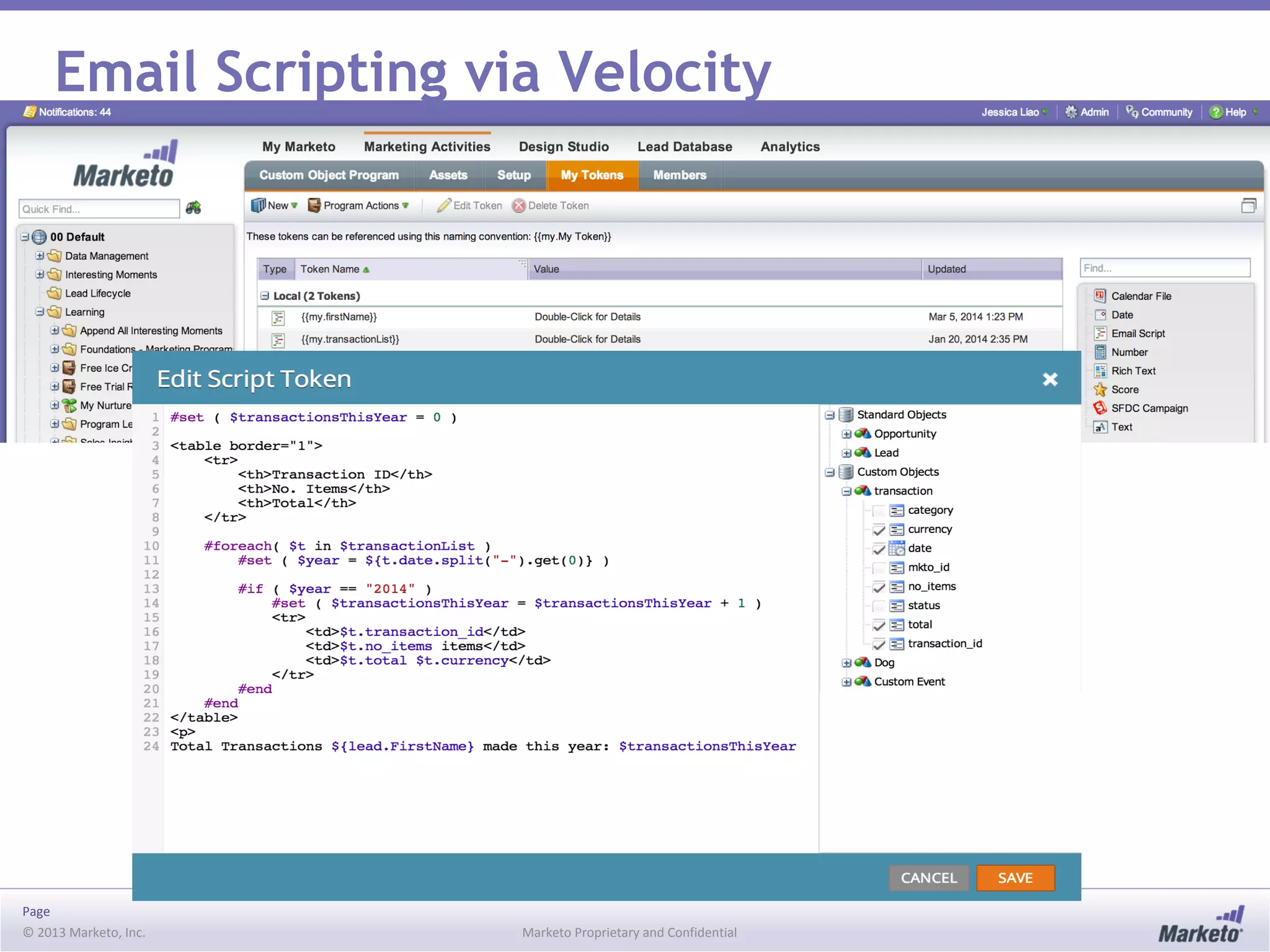
Email Scripting via Velocity
Page
© 2013 Marketo, Inc. Marketo Proprietary and Confidential
Email Scripting
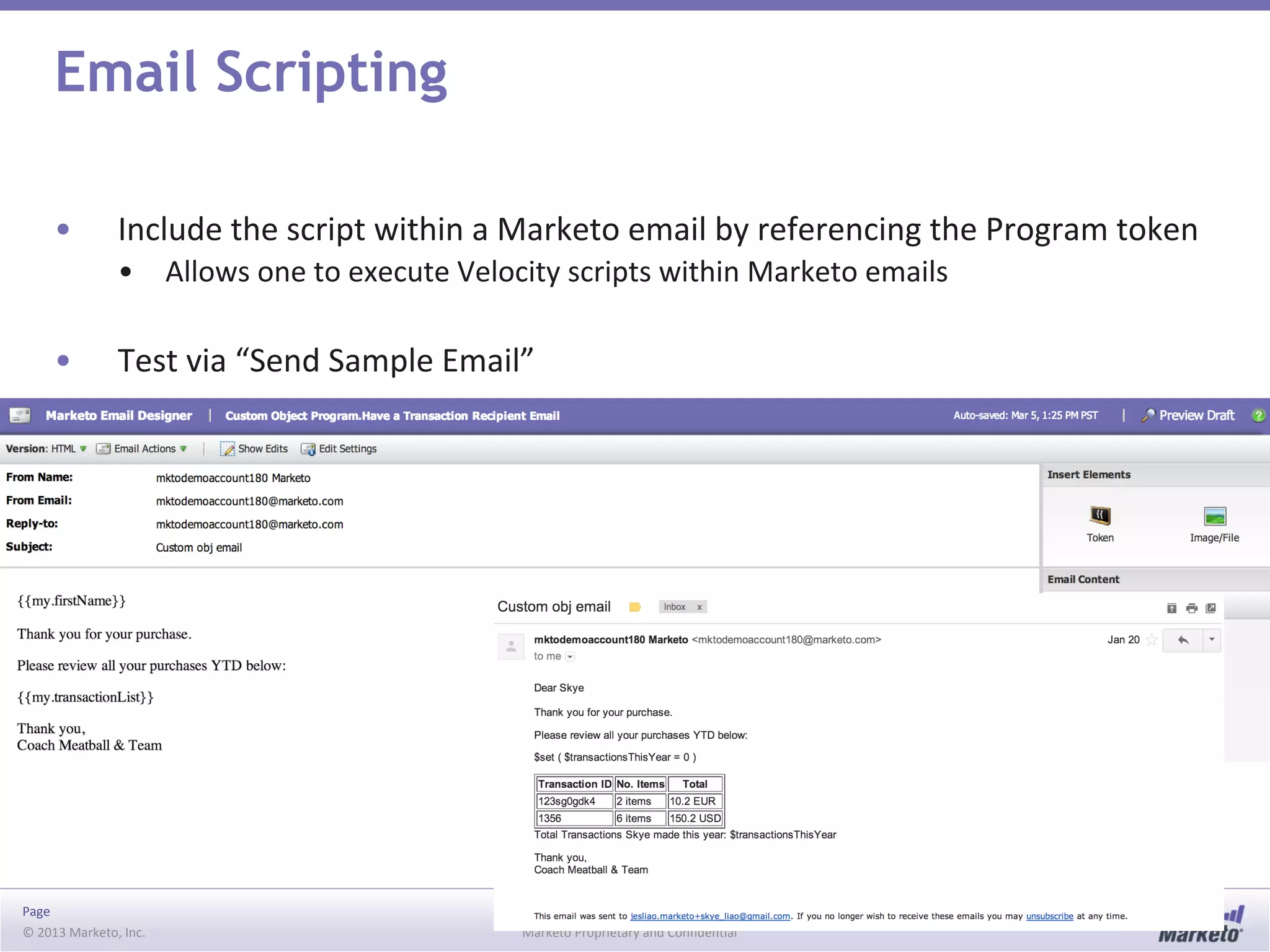
• Include the script within a Marketo email by referencing the Program token
• Allows one to execute Velocity scripts within Marketo emails
• Test via “Send Sample Email”
© 2013 Marketo, Inc. Marketo Proprietary and Confidential
Webhooks
Page
© 2013 Marketo, Inc. Marketo Proprietary and Confidential
Webhooks Trade Offs
• Benefits
• Ability to send and receive data from and external web service
• Quick to implement
• Considerations
• Limited error handling
• Cannot be used in batch campaigns
• Cannot subscribe to third party webhooks
Page
© 2013 Marketo, Inc. Marketo Proprietary and Confidential
Webhooks
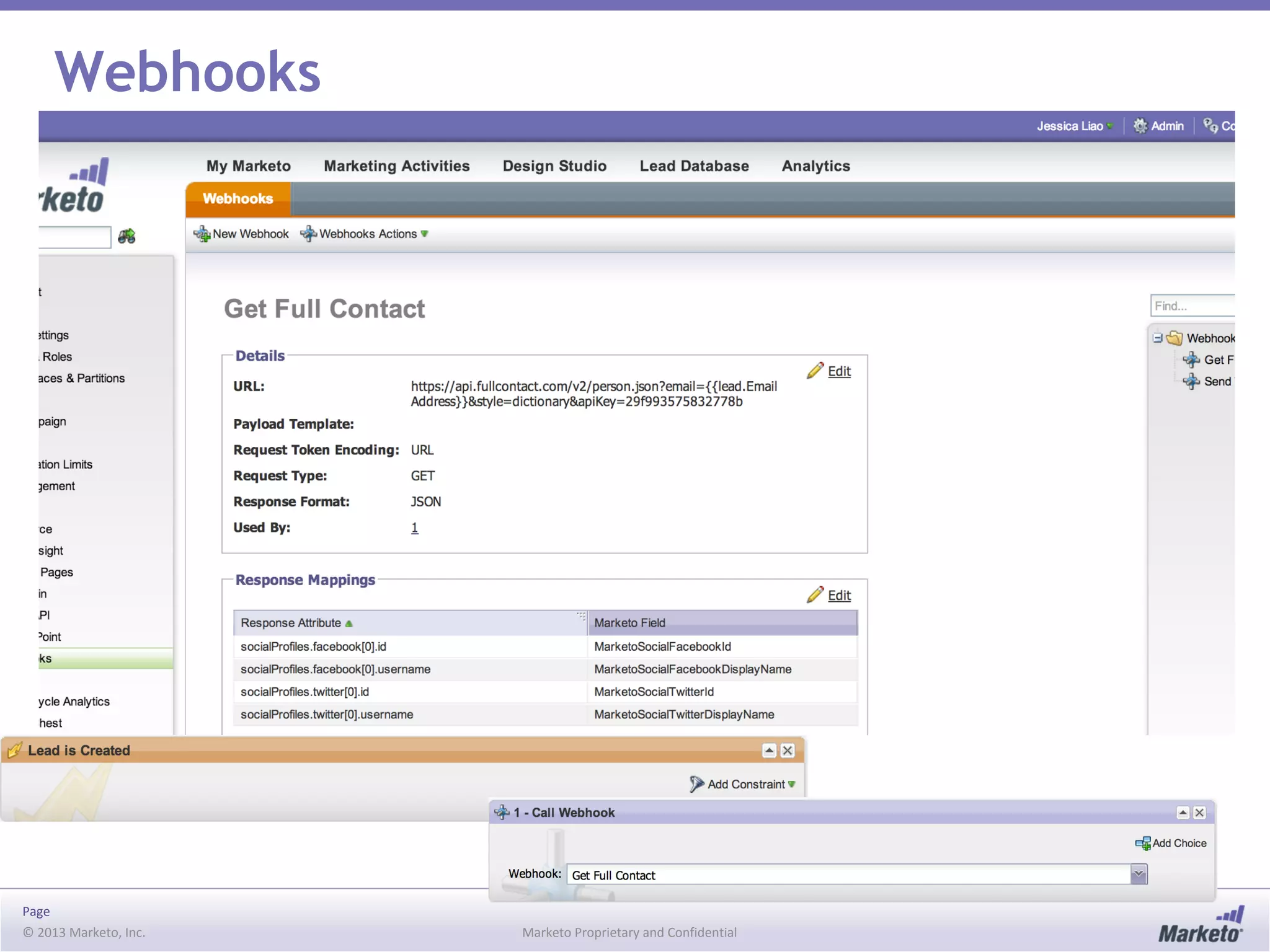
• Allows one to make a call from within Marketo to an external service
• Through webhooks, you can:
• Push data from one platform to another
• Retrieve data from another platform
• POST and GET supported
• Accepts XML or JSON responses
• Sample use cases: send a SMS text message via Twilio, de-dupe via RingLead
in SFDC
• http://developers.marketo.com/documentation/webhooks/
Page
© 2013 Marketo, Inc. Marketo Proprietary and Confidential
Webhooks
© 2013 Marketo, Inc. Marketo Proprietary and Confidential
More Information
Please visit developers.marketo.com

Getting Data into Marketo

  • 1.
    © 2013 Marketo,Inc. Marketo Proprietary and Confidential Getting Data into Marketo - Forms, Custom Objects and Integrations
  • 2.
    Page © 2013 Marketo,Inc. Marketo Proprietary and Confidential Objectives • Objectives • Understand options around getting data into Marketo • Review the Marketo Object Model • Review how the SOAP API interacts with the Marketo Data Model • Discuss best practices around integrating with Marketo
  • 3.
    © 2013 Marketo,Inc. Marketo Proprietary and Confidential Getting Records into Marketo
  • 4.
    Page © 2013 Marketo,Inc. Marketo Proprietary and Confidential Getting Records into Marketo • Integration with your CRM • Can create duplicates • List Import via CSV files • De-dupe logic in place • Upon Marketo form submission • De-dupe logic in place • Manually via Marketo Interface • Can create duplicates • SOAP API • Can either de-dupe (using email as a unique key) or create duplicates (use your own unique key)
  • 5.
    Page © 2013 Marketo,Inc. Marketo Proprietary and Confidential Best Practices Around List Import • List Import or use Marketo forms to create/update leads • Can create duplicates • List Import • Trusted/Untrusted Source • Mode: Normal, Optimize for new leads, Skip new leads and updates • Don’t upload lists with no email addresses • Select key users to perform List uploads • Consider automated list load through the API
  • 6.
    © 2013 Marketo,Inc. Marketo Proprietary and Confidential Getting Data in from Forms
  • 7.
    Page © 2013 Marketo,Inc. Marketo Proprietary and Confidential Getting Data In from Forms ‘Fills Out Form’ Event Pre-fill? Tech Efforts Marketo Form on Marketo Landing Page X X None Marketo Form on non-Marketo landing page X Minimal Non-Marketo form submitted via SOAP API High Non-Marketo form submitted via Munchkin API Medium
  • 8.
    Page © 2013 Marketo,Inc. Marketo Proprietary and Confidential Getting Data in from Non-Marketo Forms • Options • Marketo form on a non-Marketo page via Forms 2.0 o Get the code from the Form ◉ Marketing Activities → Form → Form Actions → Embed Code • SOAP API • Munchkin API
  • 9.
    © 2013 Marketo,Inc. Marketo Proprietary and Confidential Forms 2.0 Marketo forms, wherever!
  • 10.
    Page © 2013 Marketo,Inc. Marketo Proprietary and Confidential Forms 2.0 • Empowers Marketers to create beautiful, stable, and flexible web forms without programming knowledge • Marketo Landing Page • Embedded on non-Marketo landing page • Examples • Hide a form after successful submission • Direct visitor to a URL determined by JS after successful submission • Set form field values • Read form field values on form submit • Submit a form based on an event that is not part of the form • Prevent a form from being submitted • Add additional hidden fields to form • Show the form in a lightbox style dialog • Show custom error message on form submit based on custom business logic
  • 11.
    Page © 2013 Marketo,Inc. Marketo Proprietary and Confidential Forms 2.0 API • MktoForms2 (top level) and Form Objects • MktoForms2 Methods • .loadForm(baseUrl, munchkinId, formId [,callback]) • .lightbox(form [,opts]) • .newForm(formData [,callback]) • .getForm(formId) • .allForms() • .getPageFields() • Form Methods • .render([formElem]) • .getId() • .getFormElem() • .validate() • .onValidate(callback) • .submit() • .onSubmit(callback) • http://developers.marketo.com/documentation/websites/forms-2-0/ • .onSuccess(callback) • .submitable([canSubmit]) • .allFieldsFilled() • .setValues(vals) • .getValues() • .addHiddenFields(values) • .vals([values]) • .showErrorMessage(msg [,elem])
  • 12.
    © 2013 Marketo,Inc. Marketo Proprietary and Confidential The Marketo Object Model
  • 13.
    Page © 2013 Marketo,Inc. Marketo Proprietary and Confidential Marketo Object Model
  • 14.
    Page © 2013 Marketo,Inc. Marketo Proprietary and Confidential Marketo Lead Operations Matrix Create Read Update Delete Merge Marketo UI X* X X X X Form Fill Out X X List Import+ X X SOAP API X* X X X REST API^ X* X X Munchkin API X X • * = can create duplicates • ^ = to be released soon • List Imports • importToList SOAP API call = API version of List Import functionality exposed in Marketo
  • 15.
    © 2013 Marketo,Inc. Marketo Proprietary and Confidential Marketo’s SOAP API
  • 16.
    Page © 2013 Marketo,Inc. Marketo Proprietary and Confidential Marketo’s SOAP API – Tradeoffs • Benefits • Allows for non-native integrations • Secure backend communication • Considerations: • Not all fields and functionality exposed in Marketo UI are available in SOAP API • Developer resources needed
  • 17.
    Page © 2013 Marketo,Inc. Marketo Proprietary and Confidential Marketo’s SOAP API • Access to leads, actions, custom objects, and other entities • Access via Admin → SOAP API • Endpoint, user id, encryption key • Latest Version: 2_3 • Daily API Quota: 10,000 API calls • WSDL: https://<MUNCHKIN_ID>.mktoapi.com/soap/mktows/2_3?WSDL • HMAC-SHA1 security • http://developers.marketo.com/documentation/soap/
  • 18.
    Page © 2013 Marketo,Inc. Marketo Proprietary and Confidential Marketo’s SOAP API Operations • Authentication Header • mktowsUserId (string), requestSignature (string), requestTimestamp (datetime) • Lead Operations • getLead, getMultipleLeads, getLeadActivity, getLeadChanges • syncLead, syncMultipleLeads, mergeLeads • Campaigns • getCampaignsForSource, requestCampaign, scheduleCampaign • Lists • importToList, getImportToListStatus, listOperation • Object Operations such as Activity or Opportunity • getMObjects, syncMObjects, deleteMObjects, listMObjects, describeMObjects • Marketo Custom Object Operations • getCustomObjects, syncCustomObjects, deleteCustomObjects • Other operations • getChannels, getTags
  • 19.
    © 2013 Marketo,Inc. Marketo Proprietary and Confidential Marketo Munchkin API
  • 20.
    Page © 2013 Marketo,Inc. Marketo Proprietary and Confidential Marketo’s Munchkin JS API – Tradeoffs • Benefits • Enables tracking of web page visits and click links • Included by default on all Marketo landing pages • Low development efforts • Considerations: • For form submits, least preferred option since it runs client-side
  • 21.
    Page © 2013 Marketo,Inc. Marketo Proprietary and Confidential Munchkin API • Allows Marketo to track web activities • Set Marketo cookie to track web visits and clicks • Anonymous and/or known leads • Automatically included on Marketo Landing Pages • Other use cases: • Create a Marketo lead when a user fills out a non-Marketo form • Custom tracking (ex: watching a video, listening to an audio clip, downloading a whitepaper) • Pre-fill Marketo forms • Enable Munchkin API Use • Admin → Integration → Munchkin → API Configuration → Edit Link → Click checkbox for Enable Munchkin API • http://developers.marketo.com/documentation/websites/lead-tracking- munchkin-js/
  • 22.
    Page © 2013 Marketo,Inc. Marketo Proprietary and Confidential Munchkin Tracker • Munchkin Tracking Code Functionality • Check if a cookie has already been placed on the visitor’s computer by your website • If there is no cookie, add one and create an anonymous lead • Send an event to Marketo noting a web page visit or click link • Configuration Options • Synchronous, Asynchronous, Asynchronous jQuery loading • Support “Do Not Track” Browser request • Cookie anonymous users • Set cookie expiration • Sample Cookie Value • id:561-HYG-937&token:_mch-marketo.com-1374552656411-90718
  • 23.
    Page © 2013 Marketo,Inc. Marketo Proprietary and Confidential Calling Munchkin API Functions • General form of a Munchkin call: <script type="text/javascript"> document.write(unescape("%3Cscript src='//munchkin.marketo.net/munchkin.js' type='text/javascript'%3E%3C/script%3E")); </script> <script>Munchkin.init('<MUNCHKIN_ID>');</script> <script type="text/javascript”> mktoMunchkinFunction ( '<FUNCTION>', {key1:'value1', key2: 'value2'}, 'hash' ); </script> • Must call Munchkin.init() before making any mktoMunchkinFunction() calls
  • 24.
    Page © 2013 Marketo,Inc. Marketo Proprietary and Confidential Munchkin API Functions • visitWebPage({url, params}) – records a ‘Visit Web Page’ event • First call to Munchkin.init() always creates a Visit Web Page event for the current page • url – can point to any page, even one that doesn’t exist • params – to add URL parameters • clickLink({href}) – records a ‘Click Link’ event • href – can be any value, even a page that doesn’t exist
  • 25.
    Page © 2013 Marketo,Inc. Marketo Proprietary and Confidential Munchkin API Functions • associateLead({key1, key2}, hash) – create a new lead in Marketo or associate the user with an existing lead • De-dupes on email address • Array of field name and value pairs • Security hash encoded with SHA1 o Concatenate your API Private Key with the lead’s email address then encode with SHA1 (non-HMAC version) • Use call on a page following a form submit for a login, information request or registration • Do not use with SFDC Web2Lead forms. Doing so will create duplicates.
  • 26.
    Page © 2013 Marketo,Inc. Marketo Proprietary and Confidential Munchkin API: Triggering Campaigns • Triggers • Lead is Created o Source Type is Munchkin API • Visits Web Page • Clicks Link on Webpage • Filters • Lead was Created o Source Type is Munchkin API • Visited Web Page • Not Visited Web Page • Clicked Link on Web Page • Not Clicked Link on Web Page
  • 27.
    © 2013 Marketo,Inc. Marketo Proprietary and Confidential Custom Objects
  • 28.
    Page © 2013 Marketo,Inc. Marketo Proprietary and Confidential Marketo Custom Objects – Tradeoffs • Benefits • Enables 1:many relationship between a lead and the custom object records • Considerations: • Cannot put custom object fields on forms • Cannot see custom object records in the Marketo Interface • Implementation overhead • Also note, that you cannot see custom object data from native CRM syncs via Marketo’s SOAP API
  • 29.
    Page © 2013 Marketo,Inc. Marketo Proprietary and Confidential Marketo Custom Objects • Allows for the creation of 1:many relationship between Marketo leads and custom object records • With a custom object, you can: • Create, update, delete via the SOAP API • Use Smart List trigger when new records are added • Use Smart List to filter on Custom Object data • Use custom object data in Marketo Email Scripting • SOAP API calls: • syncCustomObjects, getCustomObjects, deleteCustomObjects
  • 30.
    Page © 2013 Marketo,Inc. Marketo Proprietary and Confidential Marketo Custom Objects • When to use: • Have lead data that can be categorized in a 1:many relationship • Segmentation • Campaign with a flow triggered by a new custom object record being created • When not to use: • Marketo is synced to SFDC • Need to access the custom object on a landing page • Custom objects are not tied to a lead • Need to trigger off when a Custom Object Lead Record has been deleted or updated • Clear and repopulate Custom Object data regularly • View/edit the data directly from within the Marketo interface
  • 31.
    © 2013 Marketo,Inc. Marketo Proprietary and Confidential Email Scripting
  • 32.
    Page © 2013 Marketo,Inc. Marketo Proprietary and Confidential Email Scripting – Tradeoffs • Benefits • Ability to send emails using Velocity templates • Ability to reference custom objects and opportunity data in emails • Considerations: • Can only use Marketo custom objects or custom objects related to Lead or Contact • Not compatible with Dynamic Content (including Snippet) • Embedding a Script Token as a URL parameter will not be processed • Implementation overhead • If you include 1+ email scripts in an email, they will execute top to bottom
  • 33.
    Page © 2013 Marketo,Inc. Marketo Proprietary and Confidential Email Scripting via Velocity • Email Scripting • Allows one to execute Velocity scripts within Marketo emails • What can be referenced: • Lead attributes • Opportunities • Custom objects • Object that triggered the email • Marketo → Marketing Activites → <PROGRAM> → My Tokens • Type = Email Script • http://developers.marketo.com/documentation/email-scripting/
  • 34.
    Page © 2013 Marketo,Inc. Marketo Proprietary and Confidential Email Scripting via Velocity
  • 35.
    Page © 2013 Marketo,Inc. Marketo Proprietary and Confidential Email Scripting • Include the script within a Marketo email by referencing the Program token • Allows one to execute Velocity scripts within Marketo emails • Test via “Send Sample Email”
  • 36.
    © 2013 Marketo,Inc. Marketo Proprietary and Confidential Webhooks
  • 37.
    Page © 2013 Marketo,Inc. Marketo Proprietary and Confidential Webhooks Trade Offs • Benefits • Ability to send and receive data from and external web service • Quick to implement • Considerations • Limited error handling • Cannot be used in batch campaigns • Cannot subscribe to third party webhooks
  • 38.
    Page © 2013 Marketo,Inc. Marketo Proprietary and Confidential Webhooks • Allows one to make a call from within Marketo to an external service • Through webhooks, you can: • Push data from one platform to another • Retrieve data from another platform • POST and GET supported • Accepts XML or JSON responses • Sample use cases: send a SMS text message via Twilio, de-dupe via RingLead in SFDC • http://developers.marketo.com/documentation/webhooks/
  • 39.
    Page © 2013 Marketo,Inc. Marketo Proprietary and Confidential Webhooks
  • 40.
    © 2013 Marketo,Inc. Marketo Proprietary and Confidential More Information Please visit developers.marketo.com