
Connecting Hardware to Flex (360MAX)
•
2 likes•700 views

Looking at the revolution in low cost easy to program embedded computing, focusing on the arduino open source hardware and software platform and zigbee network modules and how both of these can be easily connected up to Flex.

Recommended
Recommended
More Related Content
What's hot
What's hot (13)
Viewers also liked
Viewers also liked (13)
Similar to Connecting Hardware to Flex (360MAX)
Similar to Connecting Hardware to Flex (360MAX) (20)
More from Justin Mclean
More from Justin Mclean (9)
Recently uploaded
Recently uploaded (20)
Connecting Hardware to Flex (360MAX)
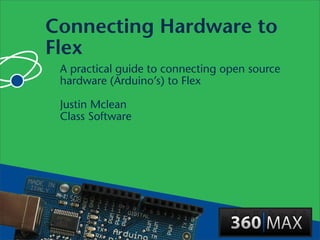
- 1. Connecting Hardware to Flex A practical guide to connecting open source hardware (Arduino’s) to Flex Justin Mclean Class Software
- 2. Who am I? • Director of Class Software for 10 years • Developing and creating web applications for 15 years • Programming for 25 years • Adobe solution partner • Adobe certified developer and trainer in Flex and ColdFusion • Based in Sydney Australia
- 3. Electronics Trends • Low cost small components • More complex components with simple standard interfaces • Cheap low volume board manufacture
- 4. Computing Trends • Easier to program • Use of high level languages • Software tools • Open source
- 5. Communication Trends • Low cost long range wireless • Mesh networks
- 6. Are We There Yet? • Low cost fast devices • It’s easy to communicate between devices and computers • Can build complex systems from off the shelf components • Commercial and open source products and kits are available
- 7. Arduino Open source hardware and software platform
- 8. Arduino Platform • Open source hardware and software platform • Easy to program • Hardware is flexible, fast, low power and low cost
- 9. Arduino Hardware • Comes in a number of shapes sizes • Low cost • Easy to program • Easy to extend
- 10. Arduino Boards
- 11. Arduino Boards
- 12. Arduino Boards
- 13. Arduino Boards
- 14. Arduino Shields
- 15. Arduino Shields
- 16. Arduino Shields
- 17. Arduino Shields
- 18. Arduino Software Platform • Open source cross platform IDE • Alpha but very stable • Code in high level C like language • Updated frequently • Growing and active community
- 19. Arduino IDE
- 20. Arduino Code • C like high level language • Inbuilt functions to read and set digital and analog inputs and outputs • Includes libraries to perform common hardware or software tasks
- 21. Led Shield Demo
- 22. Led Shield Demo
- 23. Setup and Loop Functions • Setup function called once void setup() { ... } • Loop function called over and over again void loop() { ... }
- 24. Setting Digital Outputs • Set digital pin as output in setup pinMode(pin, OUTPUT); • Digital outputs turned on or off in setup or loop digitalWrite(pin, HIGH); digitalWrite(pin, LOW);
- 25. Flex Flex to Arduino communication
- 26. Layers of Communication • Flex to proxy via an Actionscript library • Proxy to USB communication • USB to arduino
- 27. Computer Arduino Flex Code Arduino Function Calls and Code Events TCP/IP USB AS3 Glue USB Proxy Firmata Socket Cable Flex to Arduino
- 28. Flex Led Demo
- 29. AS3Glue Digital Output • Create arduino instance var arduino:Arduino = new Arduino(); • Wait for firmware version • Set digital pin as output arduino.setPinMode(pin, Arduino.OUTPUT); • Turn digital output on arduino.writeDigitalPin(pin, Arduino.HIGH);
- 30. AS3Glue Events • Uses Flex events for digital inputs. • Listen for changes via event listener arduino.addEventListener (ArduinoEvent.DIGITAL_DATA, onReceiveData); public function onReceiveData (event:ArduinoEvent):void { }
- 31. Wireless Communication Wireless communication with XBee modems
- 32. XBee Modems • Hardware wireless modem • Low cost • Consume very little power • Good range • Easy to configure
- 33. XBee Modem
- 34. XBee Networks • Point to point • Point to multipoint • Mesh
- 35. Funnel IO • Arduino based hardware • Java server • Flex library
- 39. Setting Digital Output • Create FIO instance var fio:Fio = new Fio([1], Fio.FIRMATA); • Turn digital output on or off by setting value fio.ioModule(1).digitalPin(pin).value = 1;
- 42. Reading Analog Input • Read analog value same way as digital value value = ioModule(1).analogPin(pin).value; • Event based analogPin(pin).addEventListener( PinEvent.CHANGE, function); • Timer based
- 43. Issues • Debugging can be hard • No simulator • Memory, power and speed limits • Need a little electronic knowledge
- 44. Why do this? • Expose yourself to new ideas and new ways of solving problems • Involves interaction with the real world • Encourages creativity • Platform limits improves programming skill
- 45. It’s Fun!
- 46. Questions? Ask now, see me after the session or email me at justin@classsoftware.com
- 47. Useful Sites List of useful hardware of software sites
- 48. Software Sites • Arduino http://www.arduino.cc for software, user forum and playground • AS3Glue http://code.google.com/p/as3glue/ • Funnel IO http://funnel.cc/
- 49. Hardware Sites • Spark Fun (US) http://www.sparkfun.com/ • Adafruit Industries (US) http:// www.adafruit.com/ • Electronic Goldmine (US) http:// www.goldmine-elec.com/
- 50. Other Sites • Lady Ada http://www.ladyada.net/ • Evil Mad Scientist http:// www.evilmadscientist.com/ • NY Resistor http://www.nycresistor.com/ • Make Zine http://makezine.com/