1 
What If Your Network Was 
Smarter Than You? 
Jeremy Pollard
2 
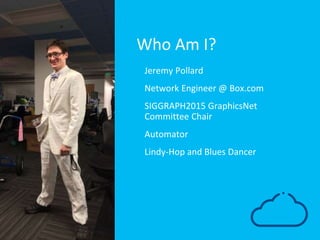
Who Am I? 
• Jeremy Pollard 
• Network Engineer @ Box.com 
• SIGGRAPH2015 GraphicsNet 
Committee Chair 
• Automator 
• Lindy-Hop and Blues Dancer
3 
Complete Network Overhaul 
Networks that grow organically don’t scale, 
news to no one.
4 
Network Overhaul 
• Old design grew as needed 
‒ Need a switch? Add a switch. 
‒ Flat layer 2 design. 
‒ Did not Scale. 
• New Design 
‒ Greenfield! 
‒ New hardware! 
‒ New design! 
‒ New Datacenter!
5 
“ Let’s build a smarter 
network. 
Said everyone, everywhere.
6 
How do we do this? 
What are we trying to solve?
7 
We’re Network 
Engineers…
8 
And We Like… 
• Standards 
• Specifications 
• Designing with scalability in mind 
• Repeatable patterns
9 
And Yet We Still Have To Answer Questions Like… 
• Which IP address should I use? 
• Where is this host located? 
• Do you know how this device is supposed to be cabled? 
• Which port should I use? 
• Did you configure that new switch?
10 
Boring
11 
Error Prone
12 
A Waste Of Time
13 
Cost The Company $$$
14 
How Did Box Approach This? 
By thinking outside the Box… HA! Get it?! 
*crickets*
15 
New Network Design 
In 30 seconds or less 
• Core / Agg / ToR model 
• Fully routed to the ToR 
• Two ToRs per cabinet 
• Pattern based port assignment 
• Mathematically generated 
‒ IP addresses 
‒ Hostnames 
‒ VLANs 
• ID numbers to indicate Datacenter, Pod, Cabinet 
‒ More on this later!
16 
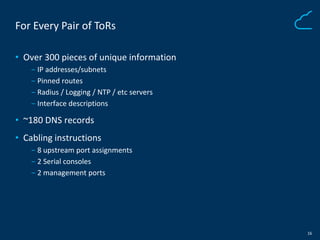
For Every Pair of ToRs 
• Over 300 pieces of unique information 
‒ IP addresses/subnets 
‒ Pinned routes 
‒ Radius / Logging / NTP / etc servers 
‒ Interface descriptions 
• ~180 DNS records 
• Cabling instructions 
‒ 8 upstream port assignments 
‒ 2 Serial consoles 
‒ 2 management ports
17 
Highly Complex
18 
Highly Automatable
19 
Time to build a smarter network
20 
The Infrastructure API
21 
Infrastructure API 
• HTTP based REST API 
• All things IP / Network / Datacenter 
• Single source of truth
22 
It’s our design specification
23 
It’s our design specification 
Implemented in code
24 
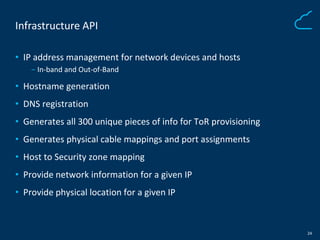
Infrastructure API 
• IP address management for network devices and hosts 
‒ In-band and Out-of-Band 
• Hostname generation 
• DNS registration 
• Generates all 300 unique pieces of info for ToR provisioning 
• Generates physical cable mappings and port assignments 
• Host to Security zone mapping 
• Provide network information for a given IP 
• Provide physical location for a given IP
25 
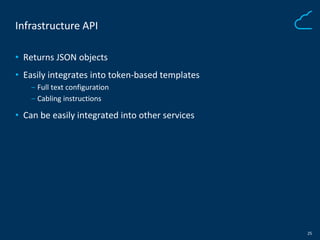
Infrastructure API 
• Returns JSON objects 
• Easily integrates into token-based templates 
‒ Full text configuration 
‒ Cabling instructions 
• Can be easily integrated into other services
26 
How Does It Work?
27 
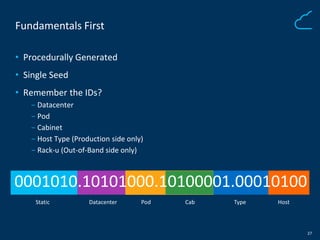
Fundamentals First 
• Procedurally Generated 
• Single Seed 
• Remember the IDs? 
‒ Datacenter 
‒ Pod 
‒ Cabinet 
‒ Host Type (Production side only) 
‒ Rack-u (Out-of-Band side only) 
0001010.10101000.10100001.00010100 
Static Datacenter Pod Cab 
Type Host
28 
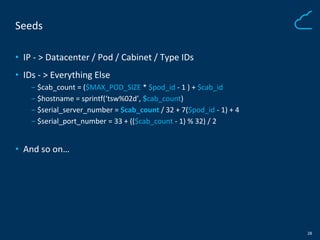
Seeds 
• IP - > Datacenter / Pod / Cabinet / Type IDs 
• IDs - > Everything Else 
‒ $cab_count = ($MAX_POD_SIZE * $pod_id - 1 ) + $cab_id 
‒ $hostname = sprintf(‘tsw%02d’, $cab_count) 
‒ $serial_server_number = $cab_count / 32 + 7($pod_id - 1) + 4 
‒ $serial_port_number = 33 + (($cab_count - 1) % 32) / 2 
• And so on…
29 
New Switch Provisioning 
A Use Case
30 
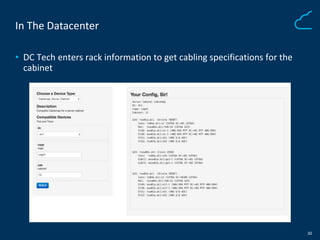
In The Datacenter 
• DC Tech enters rack information to get cabling specifications for the 
cabinet
31 
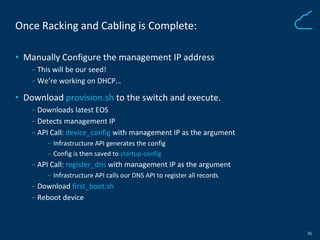
Once Racking and Cabling is Complete: 
• Manually Configure the management IP address 
‒ This will be our seed! 
‒ We’re working on DHCP… 
• Download provision.sh to the switch and execute. 
‒ Downloads latest EOS 
‒ Detects management IP 
‒ API Call: device_config with management IP as the argument 
‒ Infrastructure API generates the config 
‒ Config is then saved to startup-config 
‒ API Call: register_dns with management IP as the argument 
‒ Infrastructure API calls our DNS API to register all records 
‒ Download first_boot.sh 
‒ Reboot device
32 
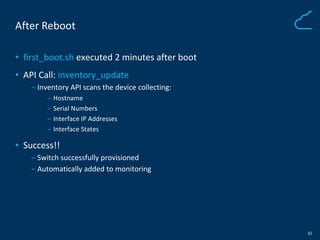
After Reboot 
• first_boot.sh executed 2 minutes after boot 
• API Call: inventory_update 
‒ Inventory API scans the device collecting: 
‒ Hostname 
‒ Serial Numbers 
‒ Interface IP Addresses 
‒ Interface States 
• Success!! 
‒ Switch successfully provisioned 
‒ Automatically added to monitoring
33 
Other Uses?
34 
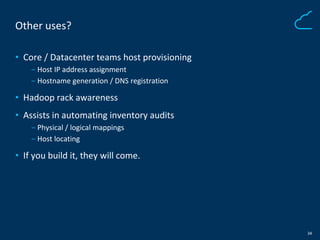
Other uses? 
• Core / Datacenter teams host provisioning 
‒ Host IP address assignment 
‒ Hostname generation / DNS registration 
• Hadoop rack awareness 
• Assists in automating inventory audits 
‒ Physical / logical mappings 
‒ Host locating 
• If you build it, they will come.
35 
Humans are still needed… Right? 
Right?!
36 
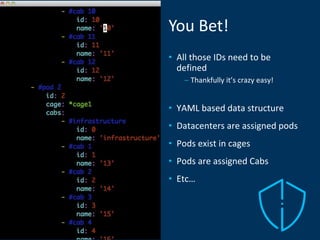
You Bet! 
• All those IDs need to be 
defined 
– Thankfully it’s crazy easy! 
• YAML based data structure 
• Datacenters are assigned pods 
• Pods exist in cages 
• Pods are assigned Cabs 
• Etc…
37 
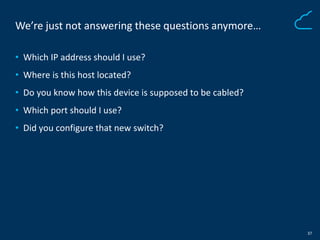
We’re just not answering these questions anymore… 
• Which IP address should I use? 
• Where is this host located? 
• Do you know how this device is supposed to be cabled? 
• Which port should I use? 
• Did you configure that new switch?
38 
“ This sounds great! But 
what are the potential 
problems? 
- Said anyone still paying attention
39 
Problems… 
• Screw up ID allocation 
• DC Tech cabled devices incorrectly or incorrect physical location 
• Need to move an existing cab to another pod 
• Bugs!
40 
What’s Next? 
To the future!!
41 
Yet To Come 
• Get DHCP working for management addresses 
• Dynamically generate topology diagrams 
‒ Graphviz 
‒ D3 
‒ Take your pick 
• Automated validation of link health 
‒ Up / Down 
‒ Light levels 
‒ Db loss
42 
Thanks!