a Platform-as-a-Service company
Advanced Cloud Script
Brendan Vanous
Senior Developer Success Engineer
Overview
• “Getting Started with Cloud Script” Recap
• Recap: Calling Cloud Script
• Scenarios and Updates
• Resources
October 15, 2015 1
“Getting Started with Cloud Script” Recap
• Previous webinar “Getting Started with Cloud Script”
• What is Cloud Script
• Creating scripts
• Revision Control
• Webhooks
• Debugging
• Usage Scenarios
• Limitations*
* Updates!
October 15, 2015 2
[Basics] Calling a Cloud Script
• Query for the active Cloud Script URL
POST /client/GetCloudScriptUrl HTTP/1.1
Host: {{TitleID}}.playfabapi.com
Content-Type: application/json
X-Authentication:{{SessionTicket}}
{
"Testing": true
}
• Response
{
"code": 200,
"status": "OK",
"data": {
"Url": "https://{{TitleID}}.playfablogic.com/1/test"
}
}
October 15, 2015 3
[Basics] Calling a Cloud Script
• Launch the Cloud Script
POST /1/prod/client/RunCloudScript HTTP/1.1
Host: {{TitleID}}.playfablogic.com
Content-Type: application/json
X-Authentication: {{SessionTicket}}
{
"ActionId": "onLevelComplete“,
"ParamsEncoded": "{"level":1}"
}
• Response
• Standard response code
• Handler, version, revision
• Custom response data
• Log (for debugging)
• Runtime
October 15, 2015 4
{
"code": 200,
"status": "OK",
"data": {
"ActionId": "onLevelComplete",
"Version": 1,
"Revision": 43,
"Results": {
"rewards": [
{
"PlayFabId": "14141CB68CBE4956",
"Result": false,
"ItemId": "TestItem2",
"Annotation": "Given by completing level 1",
"UnitPrice": 0
}
]
},
"ResultsEncoded":
"{"rewards":[{"PlayFabId":"14141CB68CBE4956","Result":false,"ItemId":"TestItem2","Annotati
on":"Given by completing level 1","UnitPrice":0}]}",
"ActionLog": "",
"ExecutionTime": 0.1680013
}
}
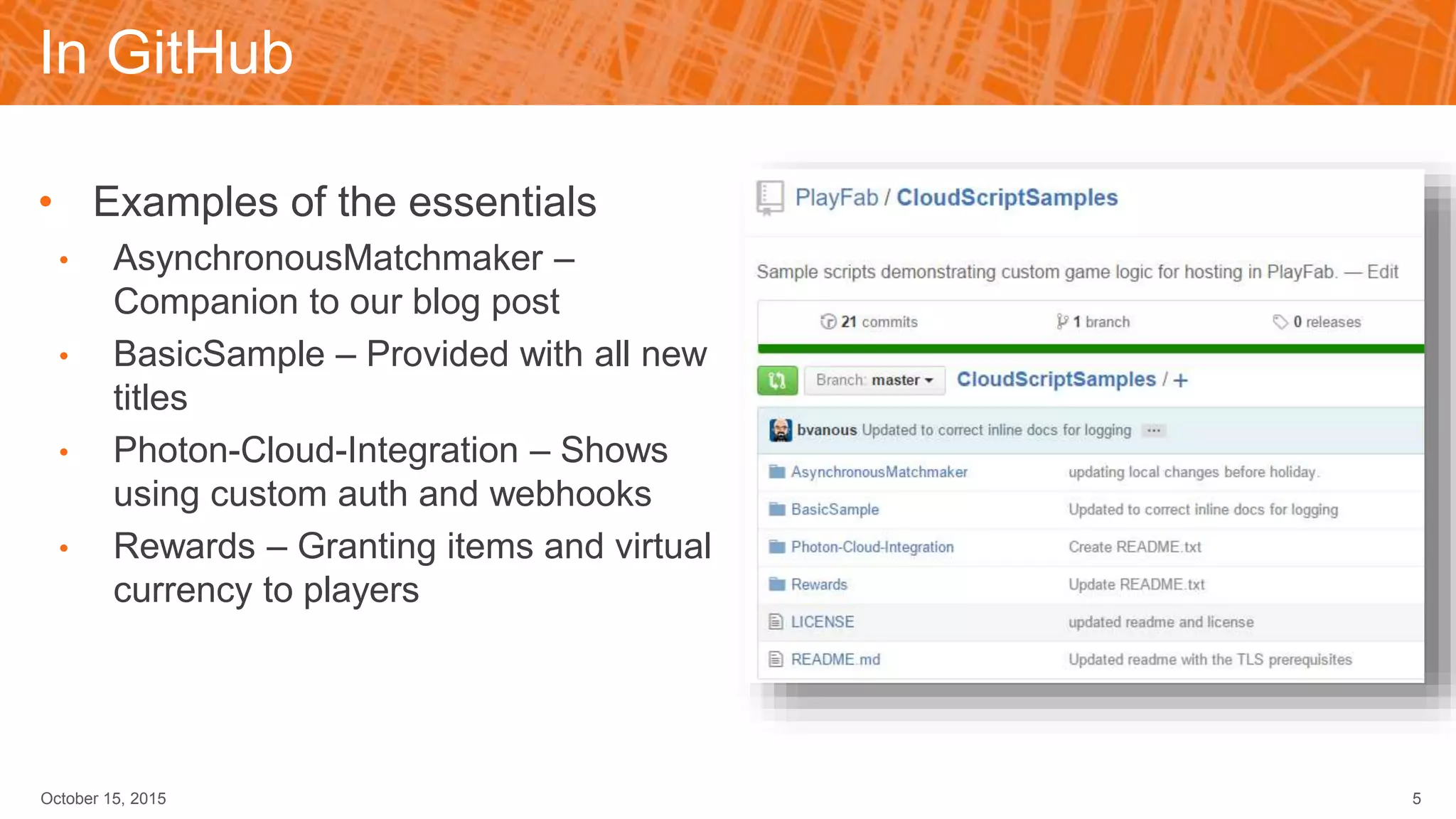
In GitHub
• Examples of the essentials
• AsynchronousMatchmaker –
Companion to our blog post
• BasicSample – Provided with all new
titles
• Photon-Cloud-Integration – Shows
using custom auth and webhooks
• Rewards – Granting items and virtual
currency to players
October 15, 2015 5
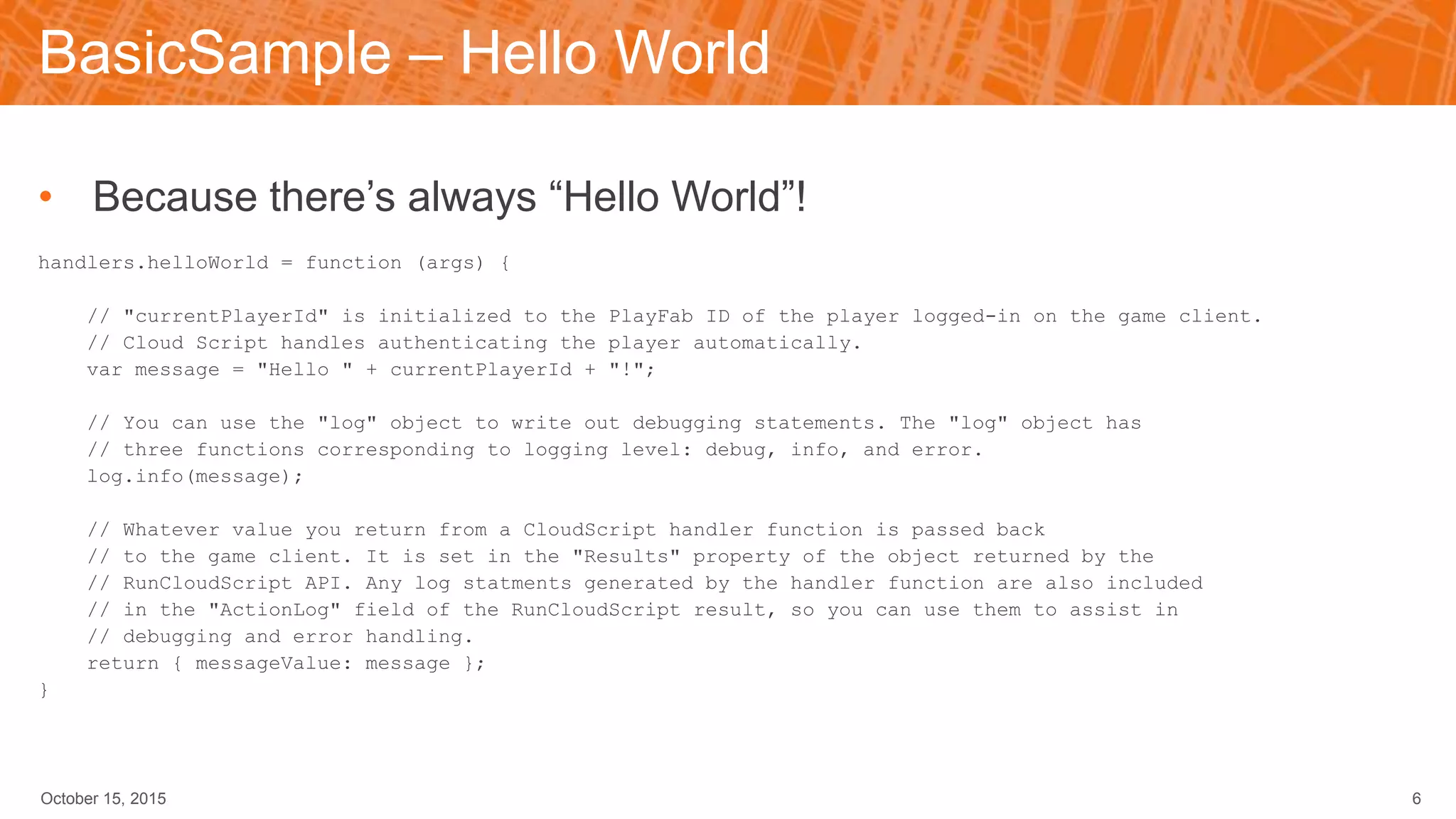
BasicSample – Hello World
• Because there’s always “Hello World”!
handlers.helloWorld = function (args) {
// "currentPlayerId" is initialized to the PlayFab ID of the player logged-in on the game client.
// Cloud Script handles authenticating the player automatically.
var message = "Hello " + currentPlayerId + "!";
// You can use the "log" object to write out debugging statements. The "log" object has
// three functions corresponding to logging level: debug, info, and error.
log.info(message);
// Whatever value you return from a CloudScript handler function is passed back
// to the game client. It is set in the "Results" property of the object returned by the
// RunCloudScript API. Any log statments generated by the handler function are also included
// in the "ActionLog" field of the RunCloudScript result, so you can use them to assist in
// debugging and error handling.
return { messageValue: message };
}
October 15, 2015 6
[Basics] Scenario 1: Updates
October 15, 2015 7
• Updating a title is more than just the executable
• Changing items
• User data
• Save values
• User Internal Data to track player data version
• Have an “onLogin” handler
• Calls current version handler (“updateToRevN”), passing in player data version
• If not at this version, call previous version handler
• Once returned, update for latest version
• onLogin then sets player version
Yeah, don’t do that…
Updating the User Version
• Roll the changes into one call
handlers.playerLogin = function (args) {
var currentVersion = "7";
var versionKey = "userVersion";
var playerData = server.GetUserInternalData({
PlayFabId: currentPlayerId,
Keys: [versionKey]
});
var userVersion = playerData.Data[versionKey];
if (userVersion != currentVersion) {
UpdateToVersion7(userVersion, currentPlayerId);
}
var updateUserDataResult = server.UpdateUserInternalData({
PlayFabId: currentPlayerId,
Data: {
userVersion: currentVersion
}
});
October 15, 2015 8
log.debug("Set title version for player " + currentPlayerId + "
to " + currentVersion);
}
function UpdateToVersion7(userVersion, userPlayFabId)
{
// Here's where you'd update the player's data
// changing any items or stat values needed for this version
return null;
}
[Basics] Scenario 2: Player Actions
October 15, 2015 9
• For competitive games
• Resolution of player action must be server authoritative
• Player selects moves, which are sent to Cloud Script
• Evaluate moves
• Are they possible?
• Does the player have the right items?
• etc.
• On failure, write info to User Internal Data
• Use cheat tracking to have cheaters play together
BasicSample – Validating Player Action
• Has enough time passed?
function processPlayerMove(playerMove) {
var now = Date.now();
var playerMoveCooldownInSeconds = 15;
var playerData = server.GetUserInternalData({
PlayFabId: currentPlayerId,
Keys: ["last_move_timestamp"]
});
var lastMoveTimestampSetting = playerData.Data["last_move_timestamp"];
if (lastMoveTimestampSetting) {
var lastMoveTime = Date.parse(lastMoveTimestampSetting.Value);
var timeSinceLastMoveInSeconds = (now - lastMoveTime) / 1000;
log.debug("lastMoveTime: " + lastMoveTime + " now: " + now + " timeSinceLastMoveInSeconds: " +
timeSinceLastMoveInSeconds);
if (timeSinceLastMoveInSeconds < playerMoveCooldownInSeconds) {
log.error("Invalid move - time since last move: " + timeSinceLastMoveInSeconds + "s less than minimum of " +
playerMoveCooldownInSeconds + "s.")
return false;
}
}
October 15, 2015 10
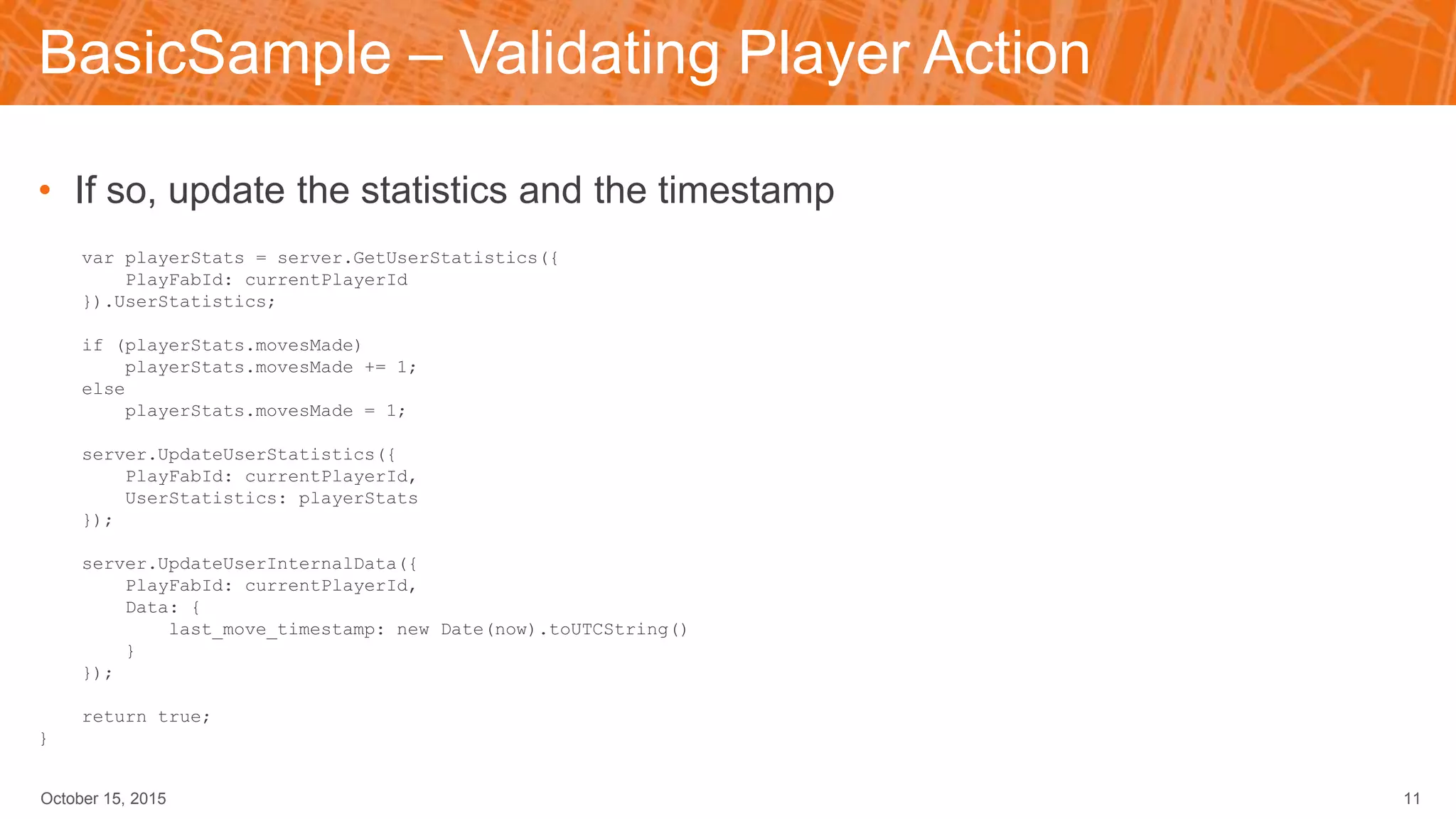
BasicSample – Validating Player Action
• If so, update the statistics and the timestamp
var playerStats = server.GetUserStatistics({
PlayFabId: currentPlayerId
}).UserStatistics;
if (playerStats.movesMade)
playerStats.movesMade += 1;
else
playerStats.movesMade = 1;
server.UpdateUserStatistics({
PlayFabId: currentPlayerId,
UserStatistics: playerStats
});
server.UpdateUserInternalData({
PlayFabId: currentPlayerId,
Data: {
last_move_timestamp: new Date(now).toUTCString()
}
});
return true;
}
October 15, 2015 11
[Basics] Scenario 3: Rewards
October 15, 2015 12
• Determination of rewards for player actions
• Player actions are sent to Cloud Script
• Evaluate actions
• Has enough time passed?
• Are the values reasonable?
• etc.
• On failure, write info to User Internal Data
• Use cheat tracking to decide how to manage them
Rewards – onLevelComplete
• Optional: Define rewards in Title Internal Data
var LevelRewards =
[
["TestItem1"],
["TestItem2"],
["TestItem3"],
["TestItem1", "TestItem2"],
["TestItem2", "TestItem2"],
["TestItem3", "TestItem3"]
]
handlers.onLevelComplete = function(args)
{
var levelNum = args.level;
// Do some basic input validation
if(levelNum < 0 || levelNum >= LevelRewards.length)
{
log.info("Invalid level "+levelNum+" completed by "+currentPlayerId);
return {};
}
October 15, 2015 13
Rewards – onLevelComplete
• Also tracking level completion
var levelCompleteKey = "LevelCompleted"+levelNum;
// Get the user's internal data
var playerInternalData = server.GetUserInternalData(
{
PlayFabId: currentPlayerId,
Keys: [levelCompleteKey]
});
// Did they already complete this level?
if(playerInternalData.Data[levelCompleteKey])
{
log.info("Player "+currentPlayerId+" already completed level "+levelNum);
return {};
}
October 15, 2015 14
Rewards – onLevelComplete
• Grant the reward
var rewards = LevelRewards[levelNum];
var resultItems = null;
if(rewards)
{
// Grant reward items to player for completing the level
var itemGrantResult = server.GrantItemsToUser(
{
PlayFabId: currentPlayerId,
Annotation: "Given by completing level "+levelNum,
ItemIds: rewards
});
resultItems = itemGrantResult.ItemGrantResults;
}
October 15, 2015 15
Rewards – onLevelComplete
• And finally update the level tracking and return the information on the reward
// Mark the level as being completed so they can't get the reward again
var saveData = {};
saveData[levelCompleteKey] = "true";
server.UpdateUserInternalData(
{
PlayFabId: currentPlayerId,
Data: saveData
});
// Return the results of the item grant so the client can see what they got
return {
rewards: resultItems
};
}
October 15, 2015 16
[Basics] Scenario 4: Messaging
October 15, 2015 17
• Push Messages
• Require Server authority
• Player attacking another player’s base
• Player beat a friend’s score
• etc.
• Player-to-player messages
• Write them to Shared Group Data, using ID of PlayFabId
• Arbitrary messages, with arbitrary payloads
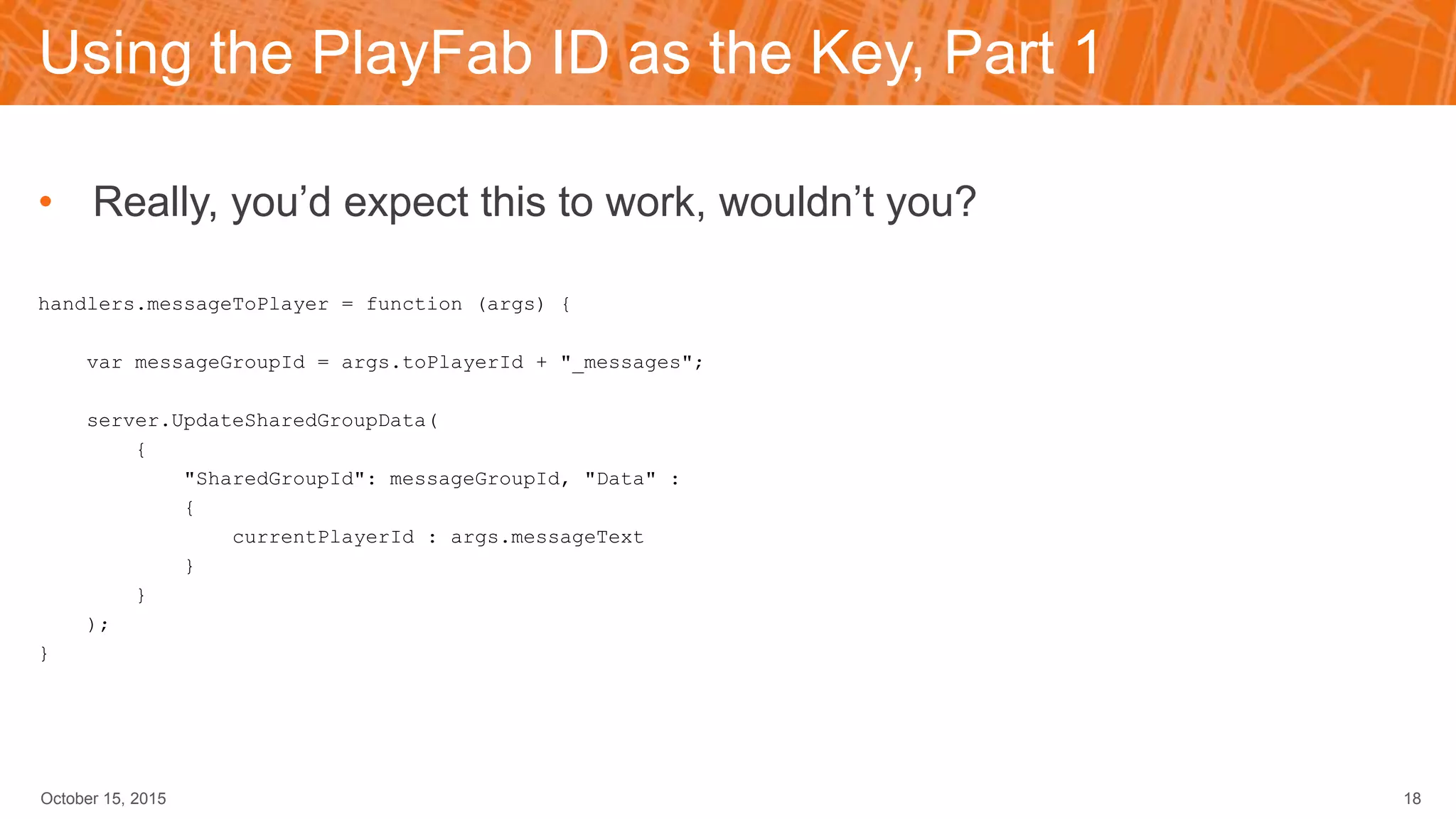
Using the PlayFab ID as the Key, Part 1
• Really, you’d expect this to work, wouldn’t you?
handlers.messageToPlayer = function (args) {
var messageGroupId = args.toPlayerId + "_messages";
server.UpdateSharedGroupData(
{
"SharedGroupId": messageGroupId, "Data" :
{
currentPlayerId : args.messageText
}
}
);
}
October 15, 2015 18
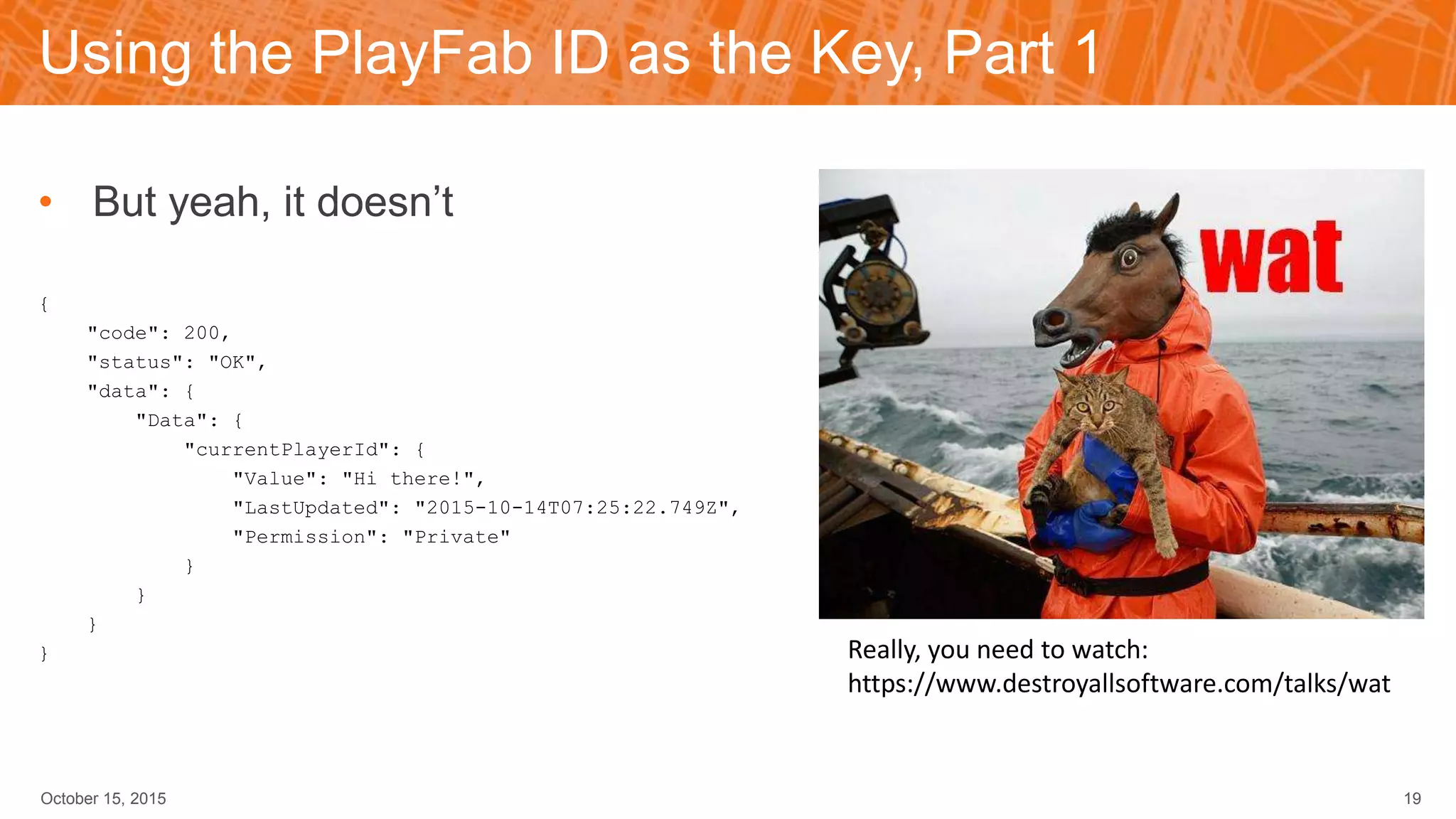
Using the PlayFab ID as the Key, Part 1
• But yeah, it doesn’t
{
"code": 200,
"status": "OK",
"data": {
"Data": {
"currentPlayerId": {
"Value": "Hi there!",
"LastUpdated": "2015-10-14T07:25:22.749Z",
"Permission": "Private"
}
}
}
}
October 15, 2015 19
Really, you need to watch:
https://www.destroyallsoftware.com/talks/wat
Using the PlayFab ID as the Key, Part 2
• Here’s how to do it
handlers.messageToPlayer = function (args) {
var messageGroupId = args.toPlayerId + "_messages";
var dataPayload = {};
var keyString = currentPlayerId;
dataPayload[keyString] = args.messageText;
server.UpdateSharedGroupData(
{
"SharedGroupId": messageGroupId, "Data" : dataPayload
}
);
}
October 15, 2015 20
Consuming the Message
• Space is limited – once the message is received, remove it
handlers.checkMessages = function (args) {
var messageGroupId = currentPlayerId + "_messages";
var messageList = server.GetSharedGroupData({"SharedGroupId": messageGroupId});
var dataPayload = {};
for (var key in messageList.Data)
{
if (messageList.Data.hasOwnProperty(key)) {
var message = JSON.parse(messageList.Data[key].Value);
// Take action on the key - display to user, etc.
var keyString = key;
dataPayload[keyString] = null;
}
}
server.UpdateSharedGroupData({
"SharedGroupId": messageGroupId, "Data" : dataPayload
});
}
October 15, 2015 21
[Basics] Scenario 5: Extra Leaderboard Columns
October 15, 2015 22
• Shared Group Data
• Storage not tied to a particular player
• Readable by any player (permission set Public)
• Data value per player
• Key is the PlayFab ID of the player
• Write extra data when updating score
• One API call to read players in display
[New and Improved] Scenario 5: Web API Calls
• Whether your own or a third party
• The http function of Cloud Script allows for secure calls
• Enables integration with any third-party Web API
• The question to ask is, what are your needs?
October 15, 2015 23
Option 1: Use Session Ticket
• Using basic authentication mechanism from PlayFab
• Use Server/AuthenticateSessionTicket to validate
handlers.externalCall = function (args) {
var url = "https://api.yourdomainhere.com/playfab/someaction";
var method = "post";
var obj = {"dataValue1":value1, "dataValue2":value2};
var contentBody = JSON.stringify(obj);
var contentType = "application/json";
var headers = {};
headers["Authorization"] = args.sessionTicket;
var response = http.request(url,method,contentBody,contentType,headers);
}
October 15, 2015 24
Option 2: OAuth2
• More secure solutions may require OAuth2, or similar
• Which, as a Web API, we support – no problem
• Normal process for OAuth2-type systems
• Use a locally stored secret key to request a token from the OAuth2 service
• Use that token to access secure calls
• Recommendation: Short token lifetime
October 15, 2015 25
Obtaining the Bearer Token
• Use a secret key to obtain a client-specific token
• Optional: Store the secret key in PlayFab, and the client never even sees it
function GetAccesToken(secretKey)
{
var url = "https://api.yourdomainhere.com/RequestToken";
var method = "post";
var contentBody = "token_type=Bearer";
var contentType = "application/x-www-form-urlencoded";
var headers = {};
headers["Authorization"] = "Basic "+secretKey;
var response = http.request(url,method,contentBody,contentType,headers);
var finalData = JSON.parse(response);
var access_token = finalData["access_token"];
return access_token;
}
October 15, 2015 26
Using the Bearer Token
• Once you have the Bearer Token, use it to access custom functionality
• Note: Do not store the Bearer Token for re-use – regenerate it each time
handlers.externalCall = function (args) {
var url = "https://api.yourdomainhere.com/playfab/someaction";
var method = "post";
var obj = {"dataValue1":value1, "dataValue2":value2};
var contentBody = JSON.stringify(obj);
var contentType = "application/json";
var bearerAccessToken = GetAccessToken(args.secretKey);
var headers = {};
headers["Authorization"] = "Bearer "+ bearerAccesToken;
var response = http.request(url,method,contentBody,contentType,headers);
}
October 15, 2015 27
Resources
• PlayFab Cloud Script Tutorial
• https://playfab.com/?post_type=pf_docs&p=1003
• GitHub
• https://github.com/PlayFab/CloudScriptSamples
• Dave & Buster’s usage
• https://playfab.com/blog/dave-busters-goes-mobile-with-playfabs-help/
October 15, 2015 28
QUESTIONS?
Twitter @playfabnetwork

PlayFab Advanced Cloud Script

  • 1.
    a Platform-as-a-Service company AdvancedCloud Script Brendan Vanous Senior Developer Success Engineer
  • 2.
    Overview • “Getting Startedwith Cloud Script” Recap • Recap: Calling Cloud Script • Scenarios and Updates • Resources October 15, 2015 1
  • 3.
    “Getting Started withCloud Script” Recap • Previous webinar “Getting Started with Cloud Script” • What is Cloud Script • Creating scripts • Revision Control • Webhooks • Debugging • Usage Scenarios • Limitations* * Updates! October 15, 2015 2
  • 4.
    [Basics] Calling aCloud Script • Query for the active Cloud Script URL POST /client/GetCloudScriptUrl HTTP/1.1 Host: {{TitleID}}.playfabapi.com Content-Type: application/json X-Authentication:{{SessionTicket}} { "Testing": true } • Response { "code": 200, "status": "OK", "data": { "Url": "https://{{TitleID}}.playfablogic.com/1/test" } } October 15, 2015 3
  • 5.
    [Basics] Calling aCloud Script • Launch the Cloud Script POST /1/prod/client/RunCloudScript HTTP/1.1 Host: {{TitleID}}.playfablogic.com Content-Type: application/json X-Authentication: {{SessionTicket}} { "ActionId": "onLevelComplete“, "ParamsEncoded": "{"level":1}" } • Response • Standard response code • Handler, version, revision • Custom response data • Log (for debugging) • Runtime October 15, 2015 4 { "code": 200, "status": "OK", "data": { "ActionId": "onLevelComplete", "Version": 1, "Revision": 43, "Results": { "rewards": [ { "PlayFabId": "14141CB68CBE4956", "Result": false, "ItemId": "TestItem2", "Annotation": "Given by completing level 1", "UnitPrice": 0 } ] }, "ResultsEncoded": "{"rewards":[{"PlayFabId":"14141CB68CBE4956","Result":false,"ItemId":"TestItem2","Annotati on":"Given by completing level 1","UnitPrice":0}]}", "ActionLog": "", "ExecutionTime": 0.1680013 } }
  • 6.
    In GitHub • Examplesof the essentials • AsynchronousMatchmaker – Companion to our blog post • BasicSample – Provided with all new titles • Photon-Cloud-Integration – Shows using custom auth and webhooks • Rewards – Granting items and virtual currency to players October 15, 2015 5
  • 7.
    BasicSample – HelloWorld • Because there’s always “Hello World”! handlers.helloWorld = function (args) { // "currentPlayerId" is initialized to the PlayFab ID of the player logged-in on the game client. // Cloud Script handles authenticating the player automatically. var message = "Hello " + currentPlayerId + "!"; // You can use the "log" object to write out debugging statements. The "log" object has // three functions corresponding to logging level: debug, info, and error. log.info(message); // Whatever value you return from a CloudScript handler function is passed back // to the game client. It is set in the "Results" property of the object returned by the // RunCloudScript API. Any log statments generated by the handler function are also included // in the "ActionLog" field of the RunCloudScript result, so you can use them to assist in // debugging and error handling. return { messageValue: message }; } October 15, 2015 6
  • 8.
    [Basics] Scenario 1:Updates October 15, 2015 7 • Updating a title is more than just the executable • Changing items • User data • Save values • User Internal Data to track player data version • Have an “onLogin” handler • Calls current version handler (“updateToRevN”), passing in player data version • If not at this version, call previous version handler • Once returned, update for latest version • onLogin then sets player version Yeah, don’t do that…
  • 9.
    Updating the UserVersion • Roll the changes into one call handlers.playerLogin = function (args) { var currentVersion = "7"; var versionKey = "userVersion"; var playerData = server.GetUserInternalData({ PlayFabId: currentPlayerId, Keys: [versionKey] }); var userVersion = playerData.Data[versionKey]; if (userVersion != currentVersion) { UpdateToVersion7(userVersion, currentPlayerId); } var updateUserDataResult = server.UpdateUserInternalData({ PlayFabId: currentPlayerId, Data: { userVersion: currentVersion } }); October 15, 2015 8 log.debug("Set title version for player " + currentPlayerId + " to " + currentVersion); } function UpdateToVersion7(userVersion, userPlayFabId) { // Here's where you'd update the player's data // changing any items or stat values needed for this version return null; }
  • 10.
    [Basics] Scenario 2:Player Actions October 15, 2015 9 • For competitive games • Resolution of player action must be server authoritative • Player selects moves, which are sent to Cloud Script • Evaluate moves • Are they possible? • Does the player have the right items? • etc. • On failure, write info to User Internal Data • Use cheat tracking to have cheaters play together
  • 11.
    BasicSample – ValidatingPlayer Action • Has enough time passed? function processPlayerMove(playerMove) { var now = Date.now(); var playerMoveCooldownInSeconds = 15; var playerData = server.GetUserInternalData({ PlayFabId: currentPlayerId, Keys: ["last_move_timestamp"] }); var lastMoveTimestampSetting = playerData.Data["last_move_timestamp"]; if (lastMoveTimestampSetting) { var lastMoveTime = Date.parse(lastMoveTimestampSetting.Value); var timeSinceLastMoveInSeconds = (now - lastMoveTime) / 1000; log.debug("lastMoveTime: " + lastMoveTime + " now: " + now + " timeSinceLastMoveInSeconds: " + timeSinceLastMoveInSeconds); if (timeSinceLastMoveInSeconds < playerMoveCooldownInSeconds) { log.error("Invalid move - time since last move: " + timeSinceLastMoveInSeconds + "s less than minimum of " + playerMoveCooldownInSeconds + "s.") return false; } } October 15, 2015 10
  • 12.
    BasicSample – ValidatingPlayer Action • If so, update the statistics and the timestamp var playerStats = server.GetUserStatistics({ PlayFabId: currentPlayerId }).UserStatistics; if (playerStats.movesMade) playerStats.movesMade += 1; else playerStats.movesMade = 1; server.UpdateUserStatistics({ PlayFabId: currentPlayerId, UserStatistics: playerStats }); server.UpdateUserInternalData({ PlayFabId: currentPlayerId, Data: { last_move_timestamp: new Date(now).toUTCString() } }); return true; } October 15, 2015 11
  • 13.
    [Basics] Scenario 3:Rewards October 15, 2015 12 • Determination of rewards for player actions • Player actions are sent to Cloud Script • Evaluate actions • Has enough time passed? • Are the values reasonable? • etc. • On failure, write info to User Internal Data • Use cheat tracking to decide how to manage them
  • 14.
    Rewards – onLevelComplete •Optional: Define rewards in Title Internal Data var LevelRewards = [ ["TestItem1"], ["TestItem2"], ["TestItem3"], ["TestItem1", "TestItem2"], ["TestItem2", "TestItem2"], ["TestItem3", "TestItem3"] ] handlers.onLevelComplete = function(args) { var levelNum = args.level; // Do some basic input validation if(levelNum < 0 || levelNum >= LevelRewards.length) { log.info("Invalid level "+levelNum+" completed by "+currentPlayerId); return {}; } October 15, 2015 13
  • 15.
    Rewards – onLevelComplete •Also tracking level completion var levelCompleteKey = "LevelCompleted"+levelNum; // Get the user's internal data var playerInternalData = server.GetUserInternalData( { PlayFabId: currentPlayerId, Keys: [levelCompleteKey] }); // Did they already complete this level? if(playerInternalData.Data[levelCompleteKey]) { log.info("Player "+currentPlayerId+" already completed level "+levelNum); return {}; } October 15, 2015 14
  • 16.
    Rewards – onLevelComplete •Grant the reward var rewards = LevelRewards[levelNum]; var resultItems = null; if(rewards) { // Grant reward items to player for completing the level var itemGrantResult = server.GrantItemsToUser( { PlayFabId: currentPlayerId, Annotation: "Given by completing level "+levelNum, ItemIds: rewards }); resultItems = itemGrantResult.ItemGrantResults; } October 15, 2015 15
  • 17.
    Rewards – onLevelComplete •And finally update the level tracking and return the information on the reward // Mark the level as being completed so they can't get the reward again var saveData = {}; saveData[levelCompleteKey] = "true"; server.UpdateUserInternalData( { PlayFabId: currentPlayerId, Data: saveData }); // Return the results of the item grant so the client can see what they got return { rewards: resultItems }; } October 15, 2015 16
  • 18.
    [Basics] Scenario 4:Messaging October 15, 2015 17 • Push Messages • Require Server authority • Player attacking another player’s base • Player beat a friend’s score • etc. • Player-to-player messages • Write them to Shared Group Data, using ID of PlayFabId • Arbitrary messages, with arbitrary payloads
  • 19.
    Using the PlayFabID as the Key, Part 1 • Really, you’d expect this to work, wouldn’t you? handlers.messageToPlayer = function (args) { var messageGroupId = args.toPlayerId + "_messages"; server.UpdateSharedGroupData( { "SharedGroupId": messageGroupId, "Data" : { currentPlayerId : args.messageText } } ); } October 15, 2015 18
  • 20.
    Using the PlayFabID as the Key, Part 1 • But yeah, it doesn’t { "code": 200, "status": "OK", "data": { "Data": { "currentPlayerId": { "Value": "Hi there!", "LastUpdated": "2015-10-14T07:25:22.749Z", "Permission": "Private" } } } } October 15, 2015 19 Really, you need to watch: https://www.destroyallsoftware.com/talks/wat
  • 21.
    Using the PlayFabID as the Key, Part 2 • Here’s how to do it handlers.messageToPlayer = function (args) { var messageGroupId = args.toPlayerId + "_messages"; var dataPayload = {}; var keyString = currentPlayerId; dataPayload[keyString] = args.messageText; server.UpdateSharedGroupData( { "SharedGroupId": messageGroupId, "Data" : dataPayload } ); } October 15, 2015 20
  • 22.
    Consuming the Message •Space is limited – once the message is received, remove it handlers.checkMessages = function (args) { var messageGroupId = currentPlayerId + "_messages"; var messageList = server.GetSharedGroupData({"SharedGroupId": messageGroupId}); var dataPayload = {}; for (var key in messageList.Data) { if (messageList.Data.hasOwnProperty(key)) { var message = JSON.parse(messageList.Data[key].Value); // Take action on the key - display to user, etc. var keyString = key; dataPayload[keyString] = null; } } server.UpdateSharedGroupData({ "SharedGroupId": messageGroupId, "Data" : dataPayload }); } October 15, 2015 21
  • 23.
    [Basics] Scenario 5:Extra Leaderboard Columns October 15, 2015 22 • Shared Group Data • Storage not tied to a particular player • Readable by any player (permission set Public) • Data value per player • Key is the PlayFab ID of the player • Write extra data when updating score • One API call to read players in display
  • 24.
    [New and Improved]Scenario 5: Web API Calls • Whether your own or a third party • The http function of Cloud Script allows for secure calls • Enables integration with any third-party Web API • The question to ask is, what are your needs? October 15, 2015 23
  • 25.
    Option 1: UseSession Ticket • Using basic authentication mechanism from PlayFab • Use Server/AuthenticateSessionTicket to validate handlers.externalCall = function (args) { var url = "https://api.yourdomainhere.com/playfab/someaction"; var method = "post"; var obj = {"dataValue1":value1, "dataValue2":value2}; var contentBody = JSON.stringify(obj); var contentType = "application/json"; var headers = {}; headers["Authorization"] = args.sessionTicket; var response = http.request(url,method,contentBody,contentType,headers); } October 15, 2015 24
  • 26.
    Option 2: OAuth2 •More secure solutions may require OAuth2, or similar • Which, as a Web API, we support – no problem • Normal process for OAuth2-type systems • Use a locally stored secret key to request a token from the OAuth2 service • Use that token to access secure calls • Recommendation: Short token lifetime October 15, 2015 25
  • 27.
    Obtaining the BearerToken • Use a secret key to obtain a client-specific token • Optional: Store the secret key in PlayFab, and the client never even sees it function GetAccesToken(secretKey) { var url = "https://api.yourdomainhere.com/RequestToken"; var method = "post"; var contentBody = "token_type=Bearer"; var contentType = "application/x-www-form-urlencoded"; var headers = {}; headers["Authorization"] = "Basic "+secretKey; var response = http.request(url,method,contentBody,contentType,headers); var finalData = JSON.parse(response); var access_token = finalData["access_token"]; return access_token; } October 15, 2015 26
  • 28.
    Using the BearerToken • Once you have the Bearer Token, use it to access custom functionality • Note: Do not store the Bearer Token for re-use – regenerate it each time handlers.externalCall = function (args) { var url = "https://api.yourdomainhere.com/playfab/someaction"; var method = "post"; var obj = {"dataValue1":value1, "dataValue2":value2}; var contentBody = JSON.stringify(obj); var contentType = "application/json"; var bearerAccessToken = GetAccessToken(args.secretKey); var headers = {}; headers["Authorization"] = "Bearer "+ bearerAccesToken; var response = http.request(url,method,contentBody,contentType,headers); } October 15, 2015 27
  • 29.
    Resources • PlayFab CloudScript Tutorial • https://playfab.com/?post_type=pf_docs&p=1003 • GitHub • https://github.com/PlayFab/CloudScriptSamples • Dave & Buster’s usage • https://playfab.com/blog/dave-busters-goes-mobile-with-playfabs-help/ October 15, 2015 28
  • 30.

Editor's Notes