AdWords UI vs. API
How AdWords UI maps into
AdWords API
Timo
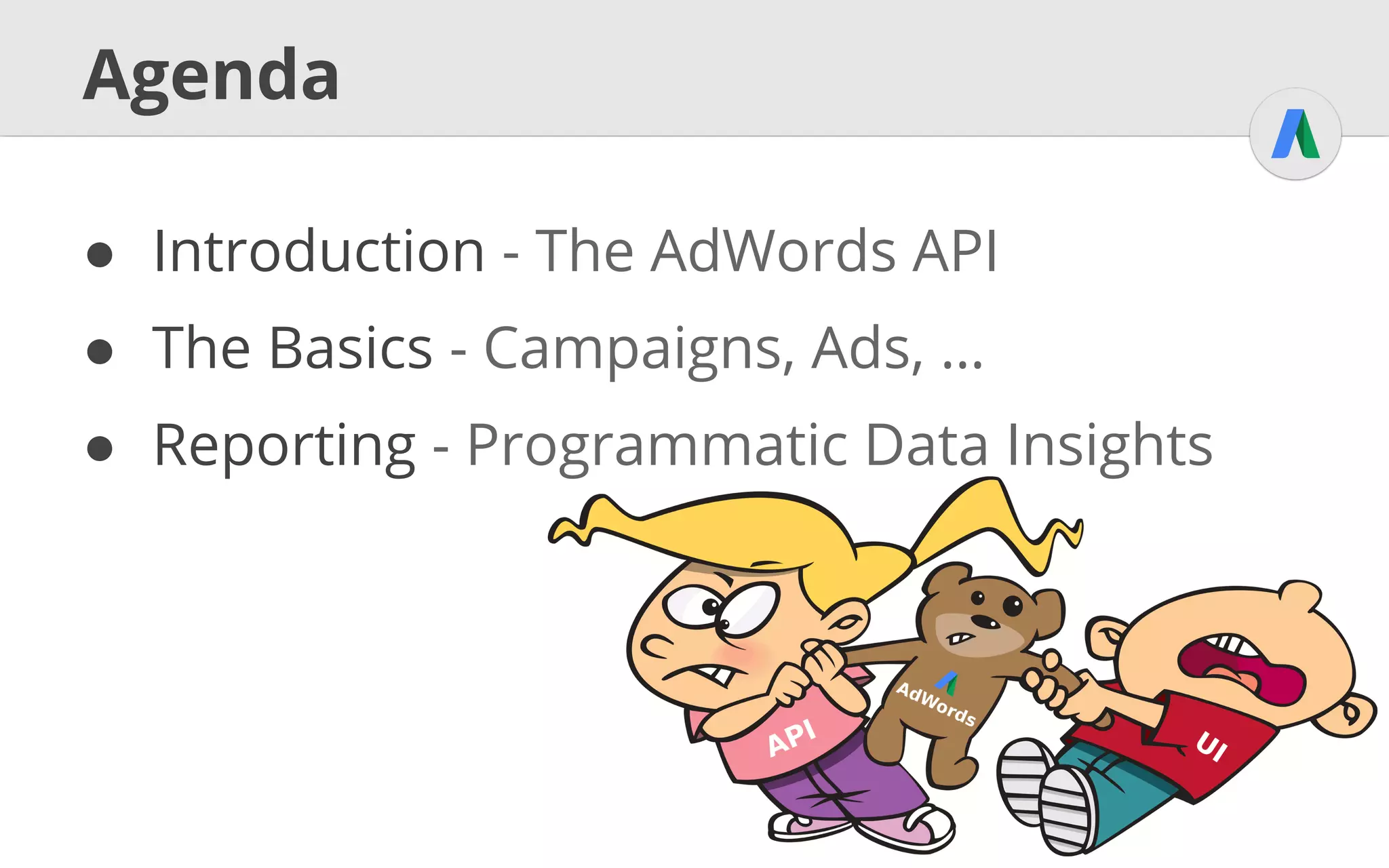
Agenda
● Introduction - The AdWords API
● The Basics - Campaigns, Ads, …
● Reporting - Programmatic Data Insights
Introduction
The AdWords API
UI vs. API
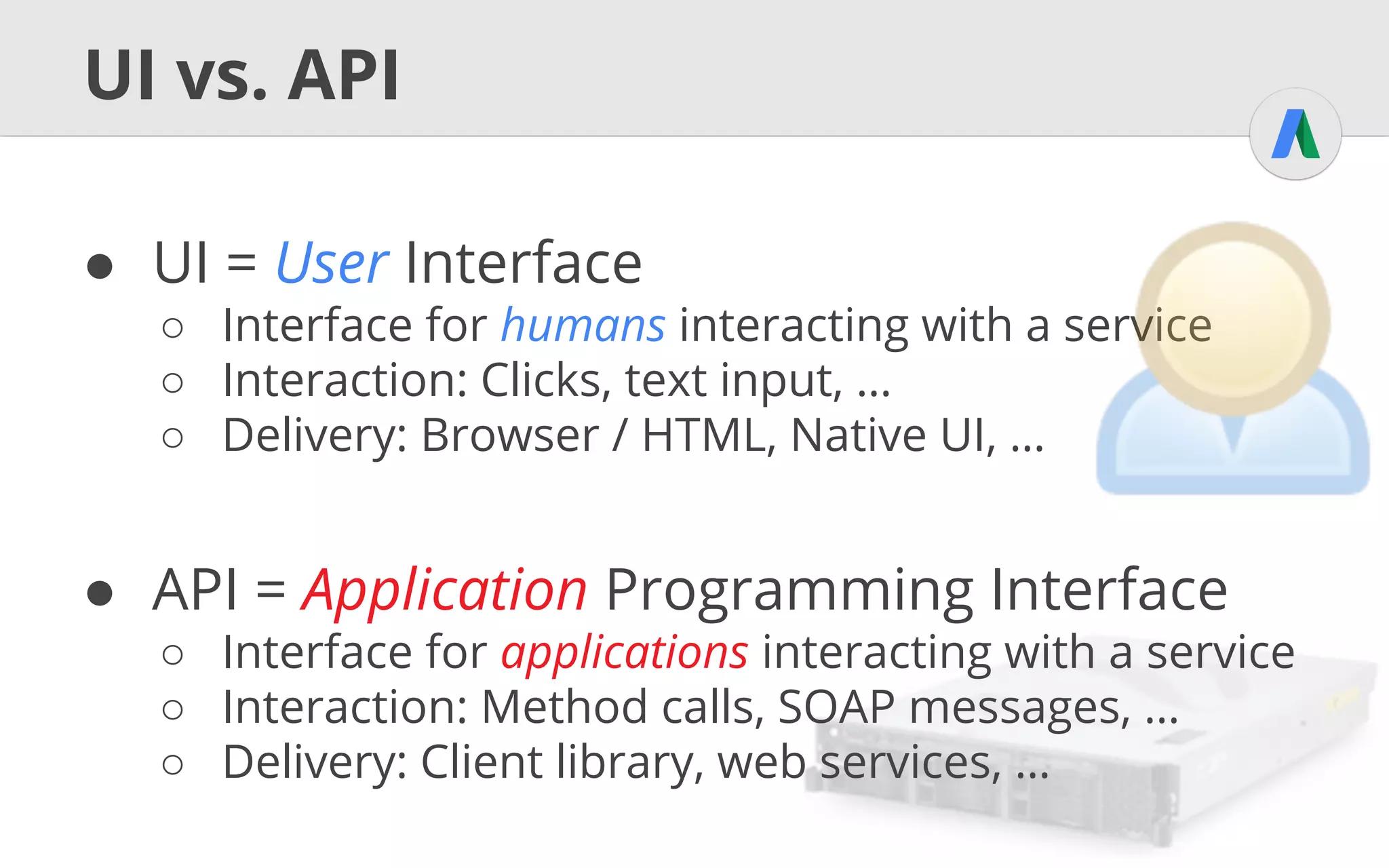
● UI = User Interface
○ Interface for humans interacting with a service
○ Interaction: Clicks, text input, …
○ Delivery: Browser / HTML, Native UI, …
● API = Application Programming Interface
○ Interface for applications interacting with a service
○ Interaction: Method calls, SOAP messages, …
○ Delivery: Client library, web services, …
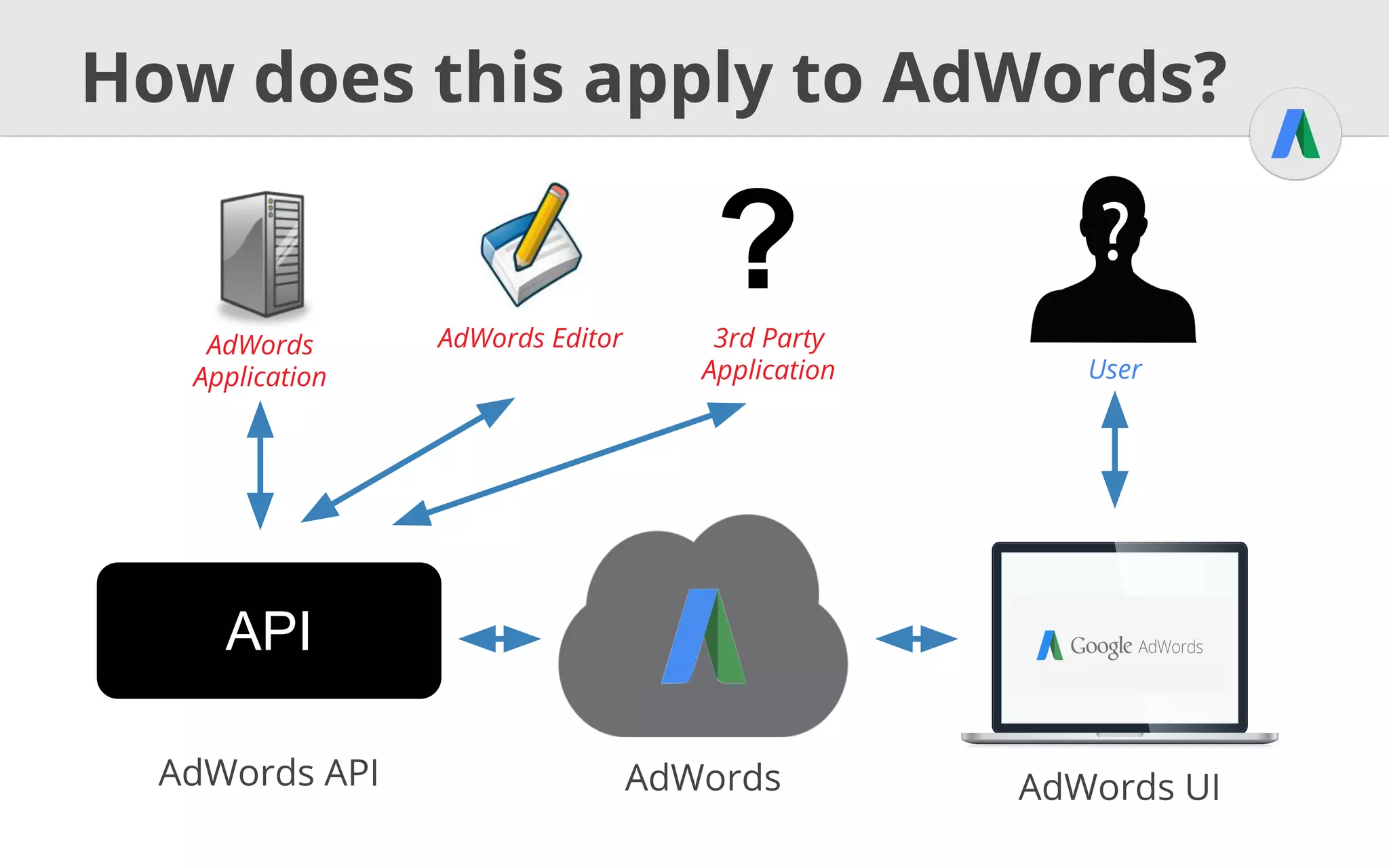
How does this apply to AdWords?
AdWords AdWords UI
API
AdWords API
AdWords
Application User
AdWords Editor
?3rd Party
Application
The Basics
Campaigns, Ads, ...
U
I
Authentication
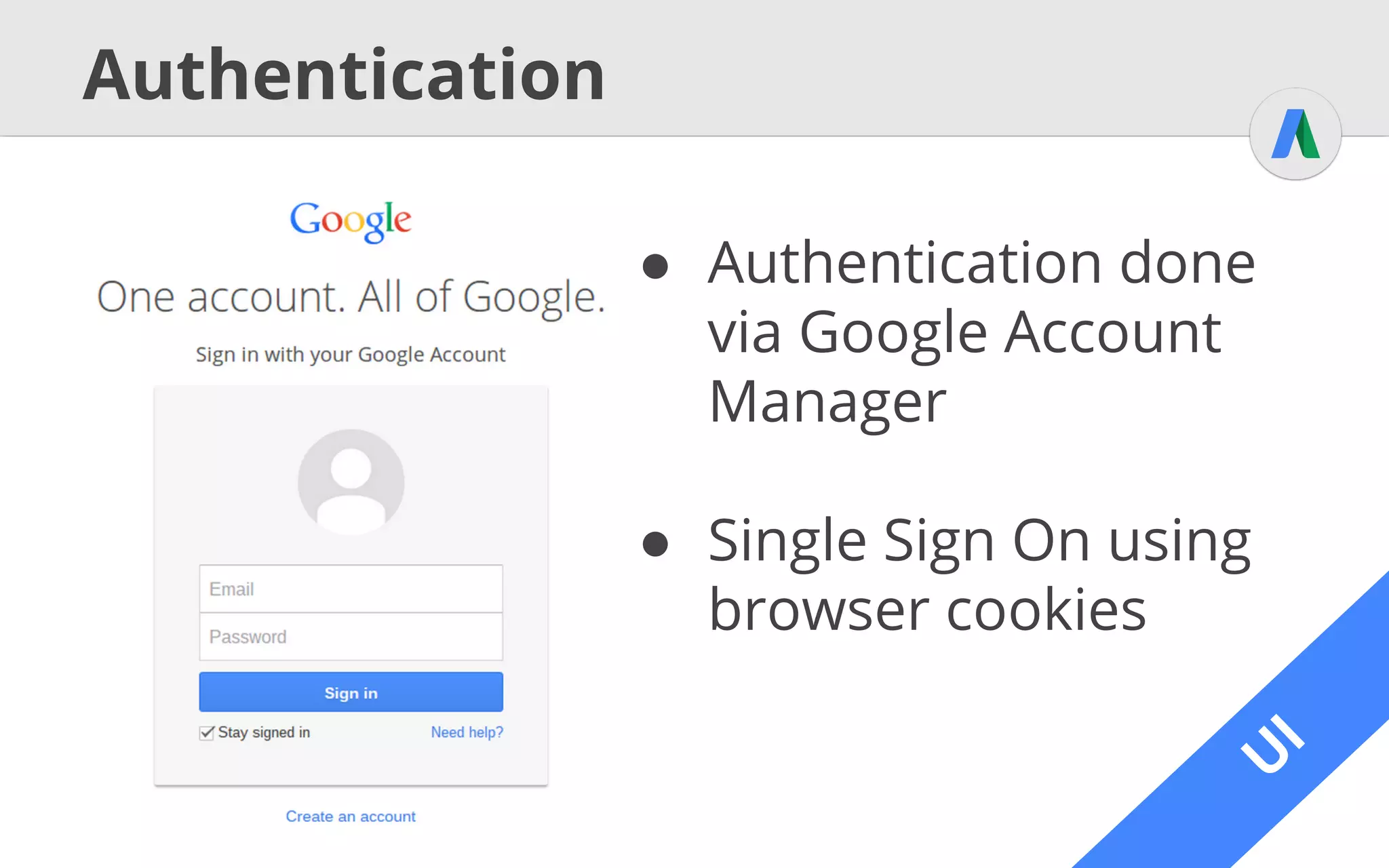
● Authentication done
via Google Account
Manager
● Single Sign On using
browser cookies
A
PI
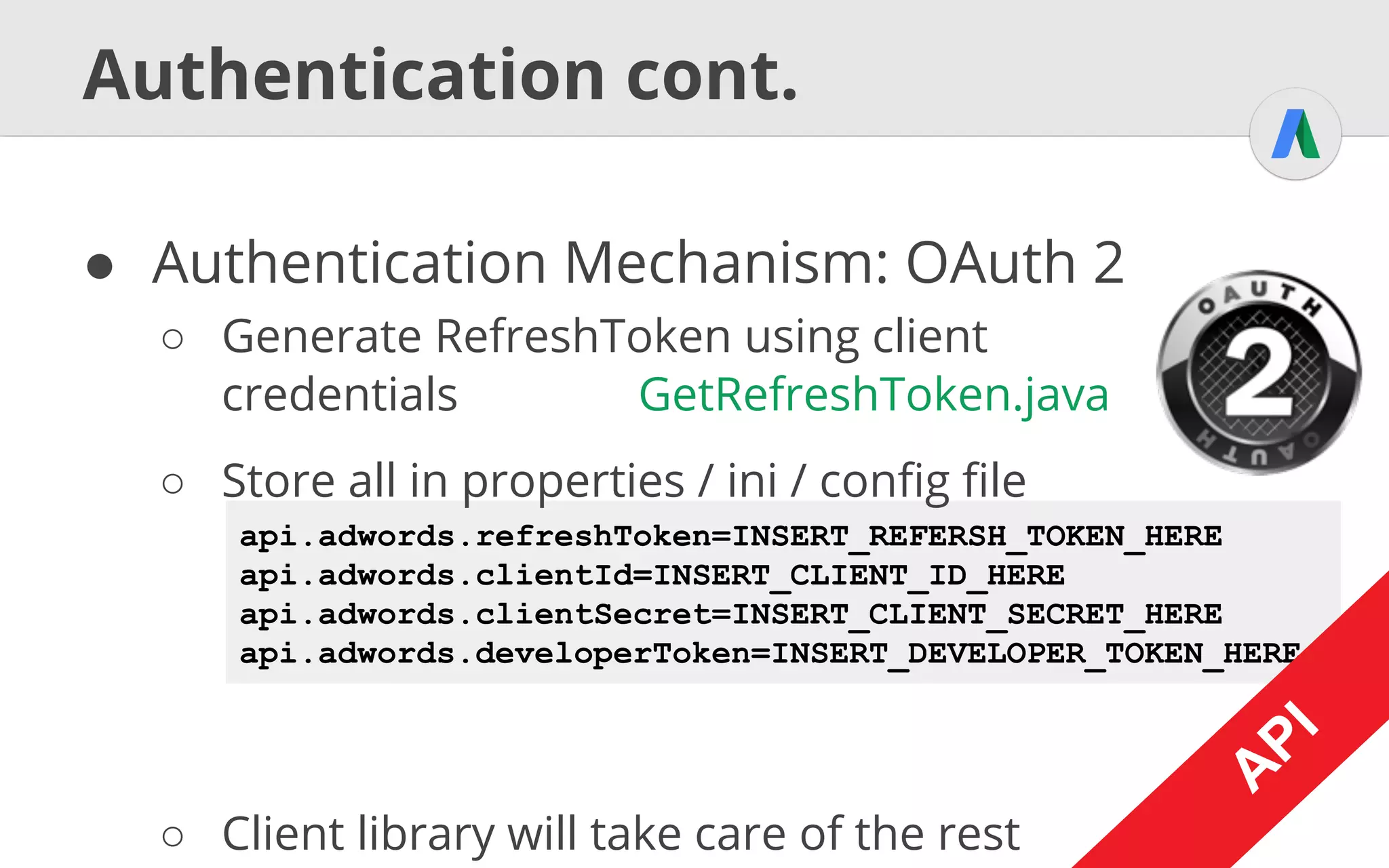
api.adwords.refreshToken=INSERT_REFERSH_TOKEN_HERE
api.adwords.clientId=INSERT_CLIENT_ID_HERE
api.adwords.clientSecret=INSERT_CLIENT_SECRET_HERE
api.adwords.developerToken=INSERT_DEVELOPER_TOKEN_HERE
Authentication cont.
● Authentication Mechanism: OAuth 2
○ Generate RefreshToken using client
credentials GetRefreshToken.java
○ Store all in properties / ini / config file
○ Client library will take care of the rest
A
PI
U
I
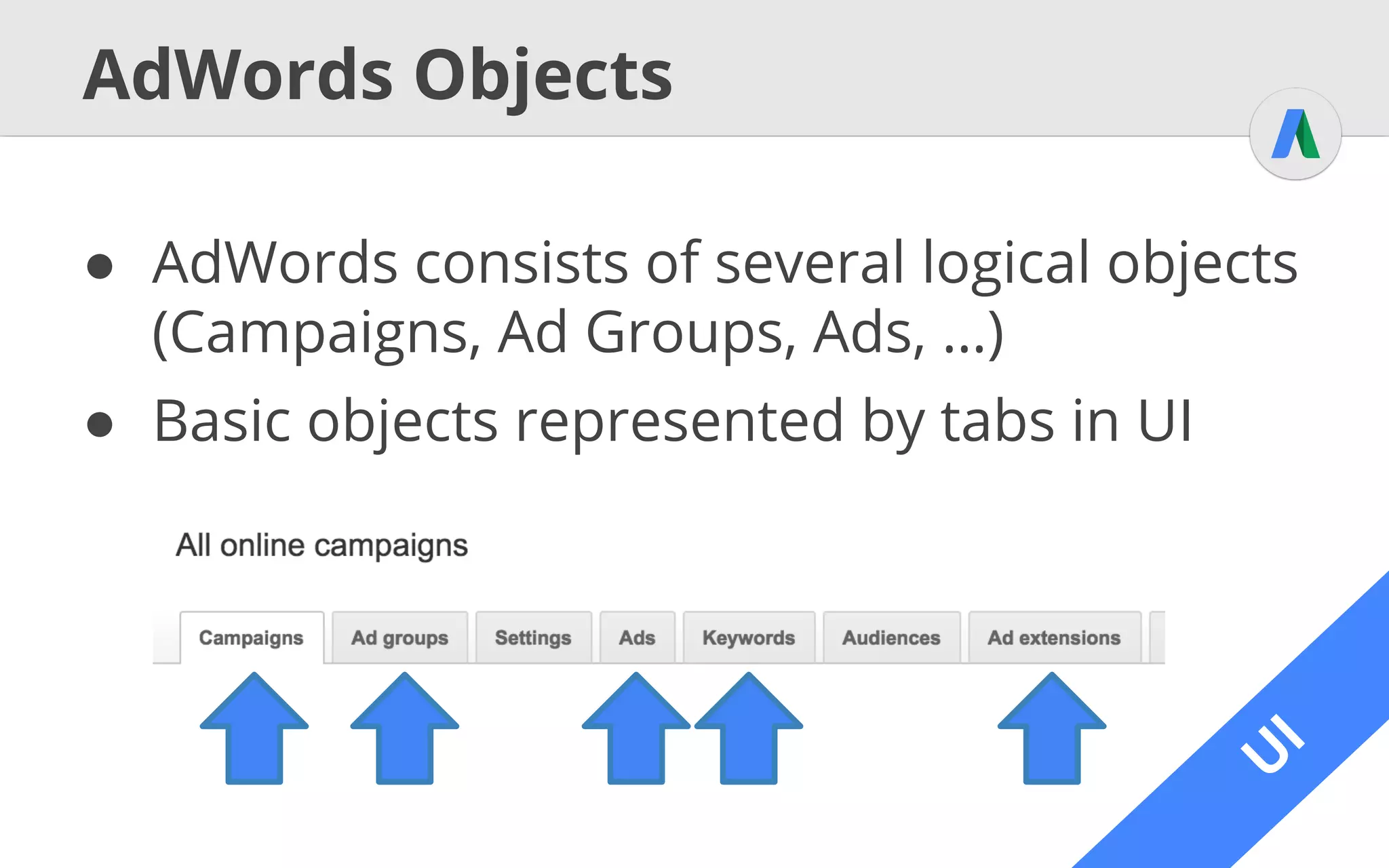
AdWords Objects
● AdWords consists of several logical objects
(Campaigns, Ad Groups, Ads, …)
● Basic objects represented by tabs in UI
U
I
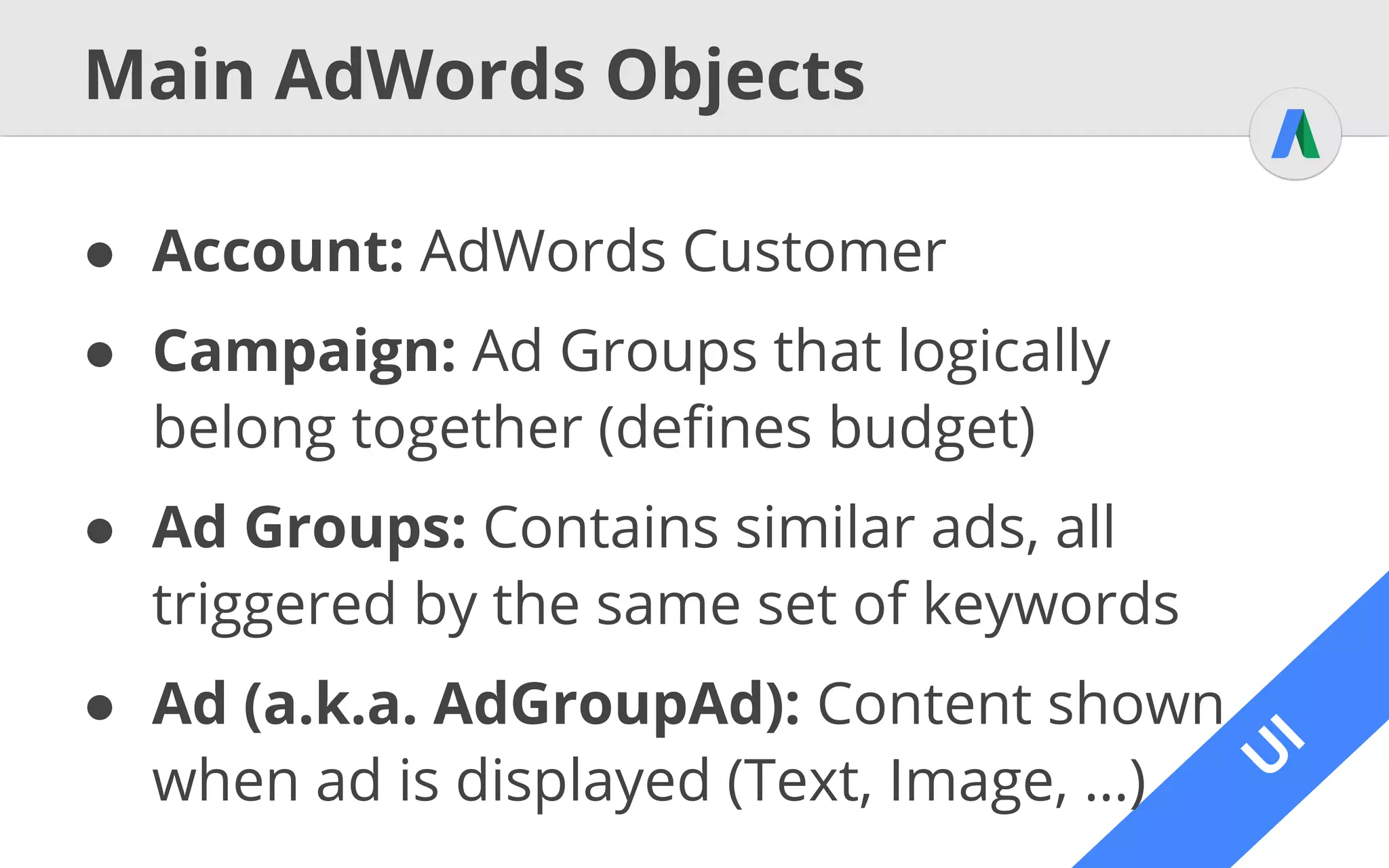
Main AdWords Objects
● Account: AdWords Customer
● Campaign: Ad Groups that logically
belong together (defines budget)
● Ad Groups: Contains similar ads, all
triggered by the same set of keywords
● Ad (a.k.a. AdGroupAd): Content shown
when ad is displayed (Text, Image, …)
U
I
Main AdWords Objects cont.
Account
Campaign Campaign
Ad Group Ad Group
Ad
Online Electronics Store
TVs Cameras
Plasma TVs TFT TVs
Buy test best Plasme
TVs at our store!Out now: The 2015
Plasma TV series!
Ad
Keyword
buy plasma TVKeyword
lastest plasma TVsKeyword
plasma tv store
Campaign
Phones
A
PI
Objects, Services & Operations
● General Rule: One service for each object
○ get Retrieve object, specified by Selector
○ query Like get, but specified by AWQL
○ mutate Alter objects, depending on operator
■ ADD Creates a new object
■ SET Updates an object
■ REMOVE Deletes an object
A
PI
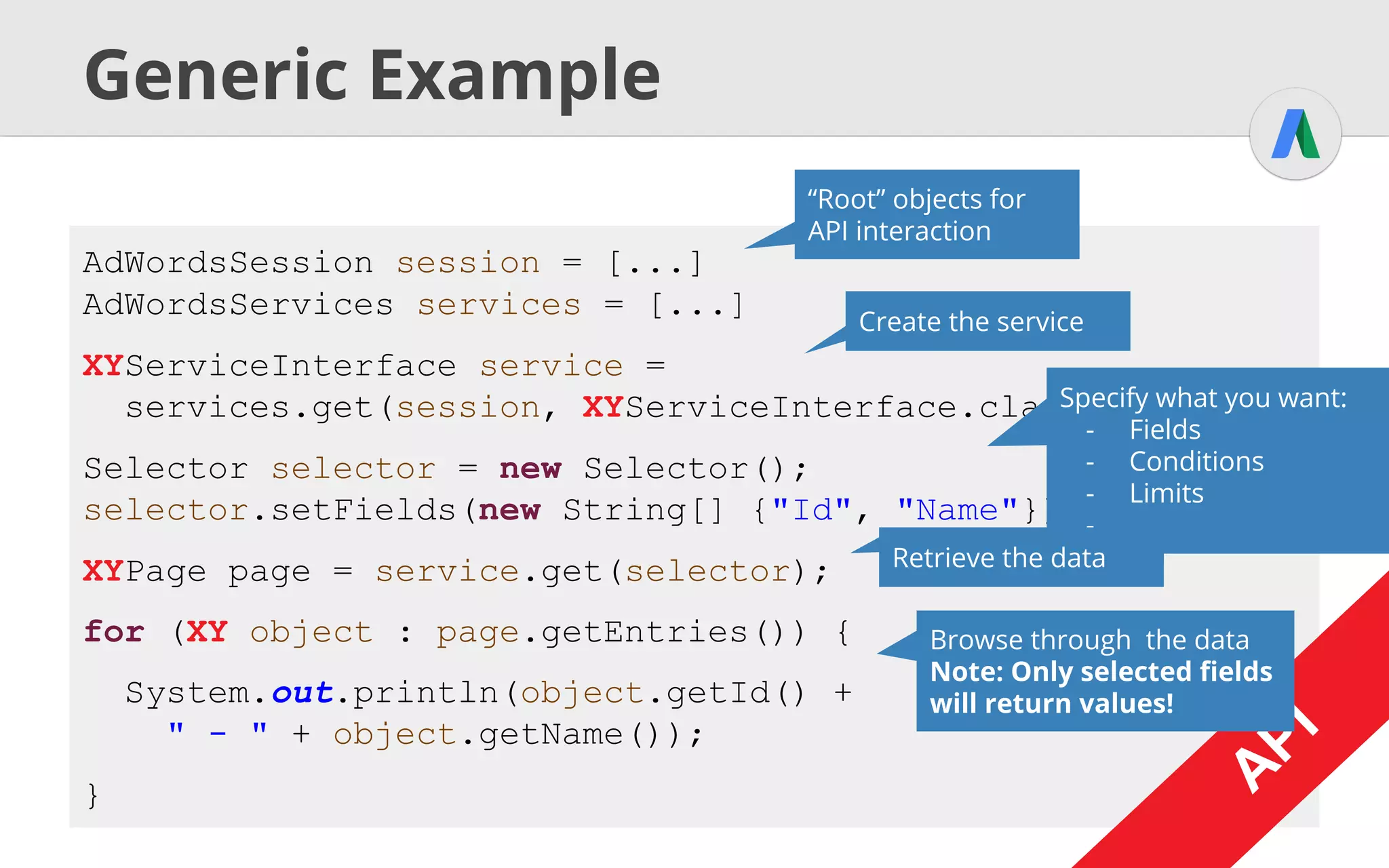
Generic Example
AdWordsSession session = [...]
AdWordsServices services = [...]
XYServiceInterface service =
services.get(session, XYServiceInterface.class);
Selector selector = new Selector();
selector.setFields(new String[] {"Id", "Name"});
XYPage page = service.get(selector);
for (XY object : page.getEntries()) {
System.out.println(object.getId() +
" - " + object.getName());
} A
PI
“Root” objects for
API interaction
Create the service
Specify what you want:
- Fields
- Conditions
- Limits
- ...
Retrieve the data
Browse through the data
Note: Only selected fields
will return values!
A
PI
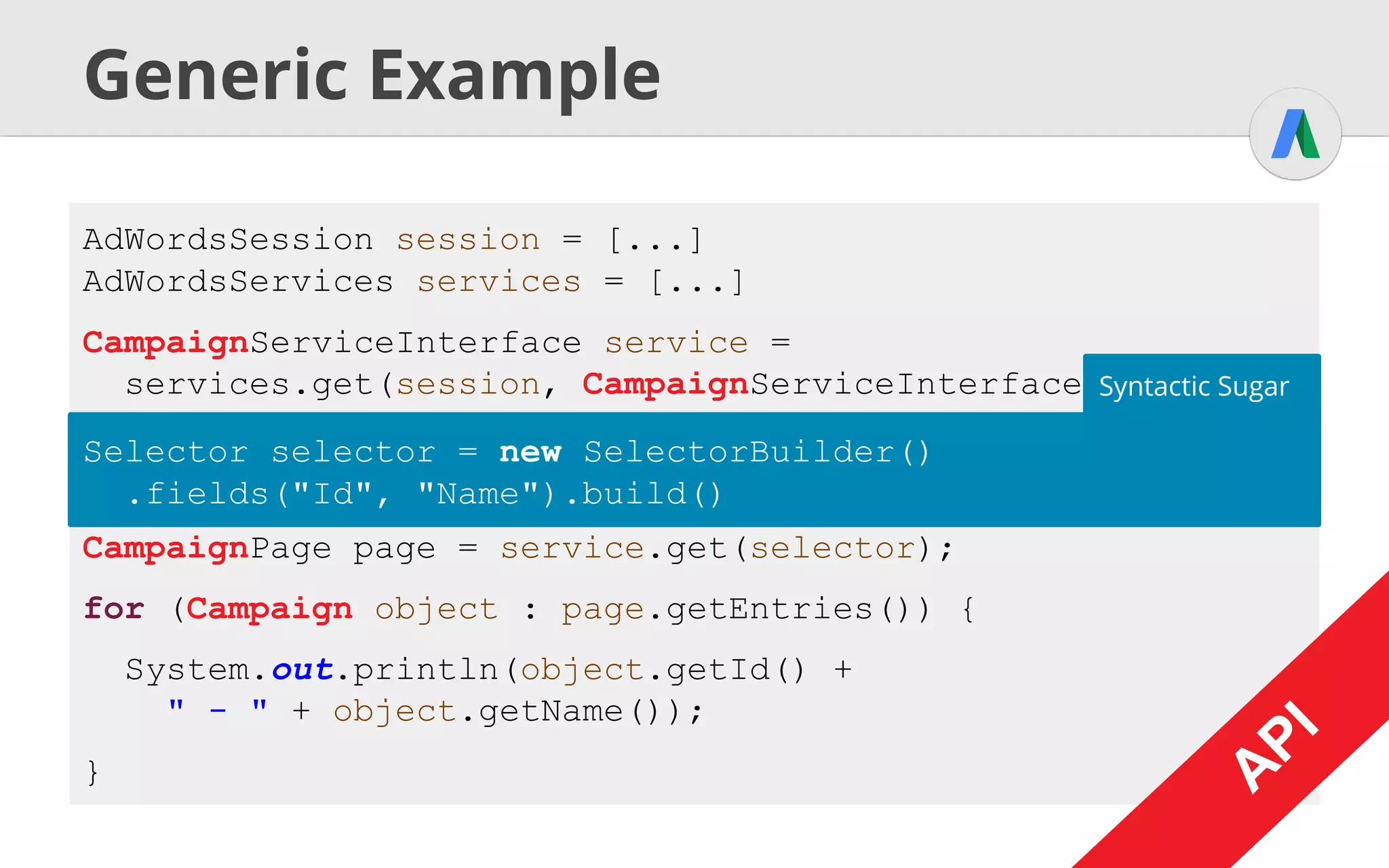
Generic Example
AdWordsSession session = [...]
AdWordsServices services = [...]
CampaignServiceInterface service =
services.get(session, CampaignServiceInterface.class);
Selector selector = new Selector();
selector.setFields(new String[] {"Id", "Name"});
CampaignPage page = service.get(selector);
for (Campaign object : page.getEntries()) {
System.out.println(object.getId() +
" - " + object.getName());
} A
PI
Selector selector = new SelectorBuilder()
.fields("Id", "Name").build()
Syntactic Sugar
A
PI
Some Campaign Data Services
A
PI
CampaignService
AdGroupService AdGroupAdService
CampaignCriterionService
Ad Extensions
● UI: All extensions bundled in
one tab (GMB for locations)
● V201409: Feed Services Old :(
○ Define generic feed, add items,
map structure, associate with campaign
● V201502: Dedicated Services New!
○ Create extension feed items and add to ad group
/ campaign / customer
A
PI
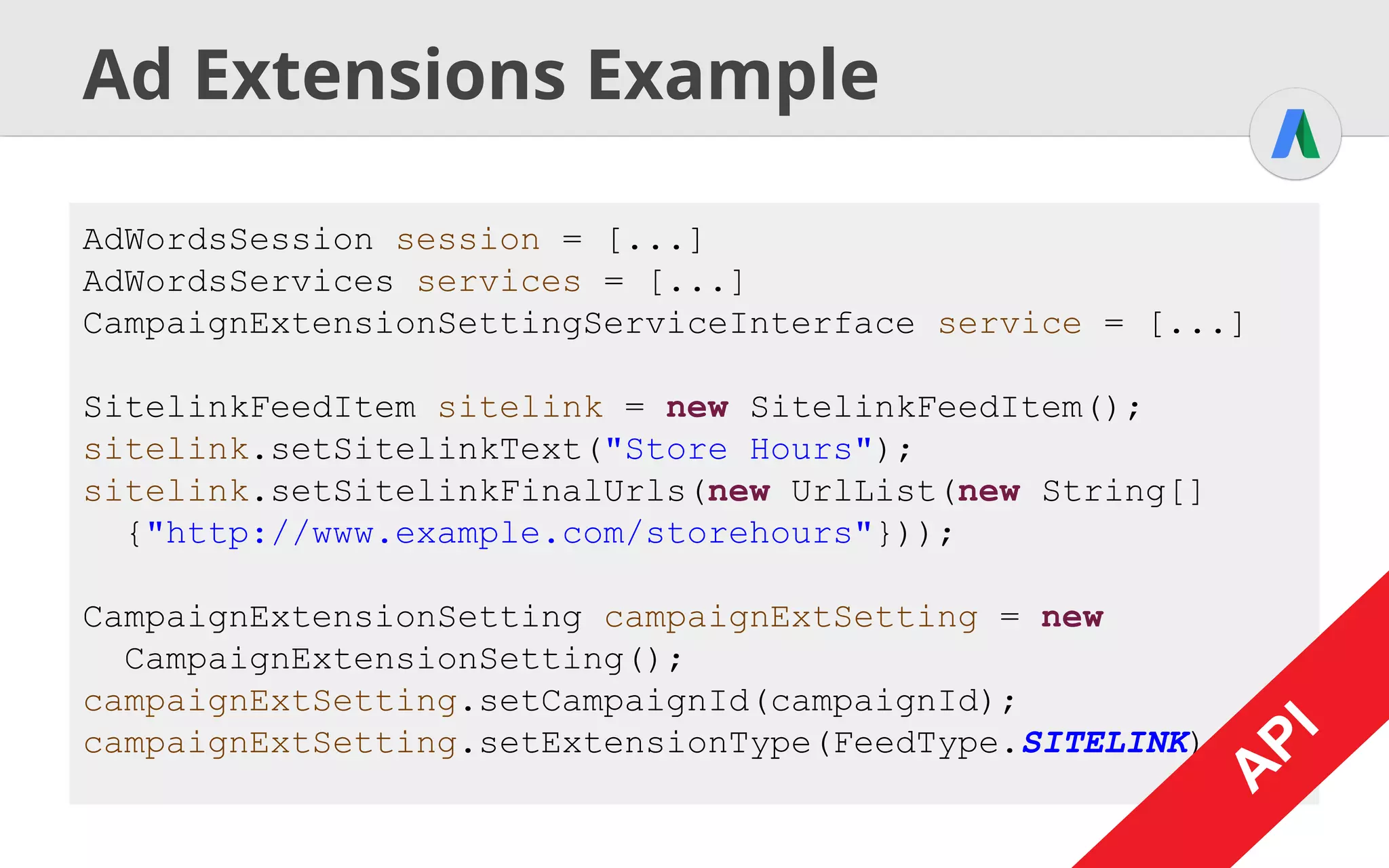
Ad Extensions Example
AdWordsSession session = [...]
AdWordsServices services = [...]
CampaignExtensionSettingServiceInterface service = [...]
SitelinkFeedItem sitelink = new SitelinkFeedItem();
sitelink.setSitelinkText("Store Hours");
sitelink.setSitelinkFinalUrls(new UrlList(new String[]
{"http://www.example.com/storehours"}));
CampaignExtensionSetting campaignExtSetting = new
CampaignExtensionSetting();
campaignExtSetting.setCampaignId(campaignId);
campaignExtSetting.setExtensionType(FeedType.SITELINK);
A
PI
A
PI
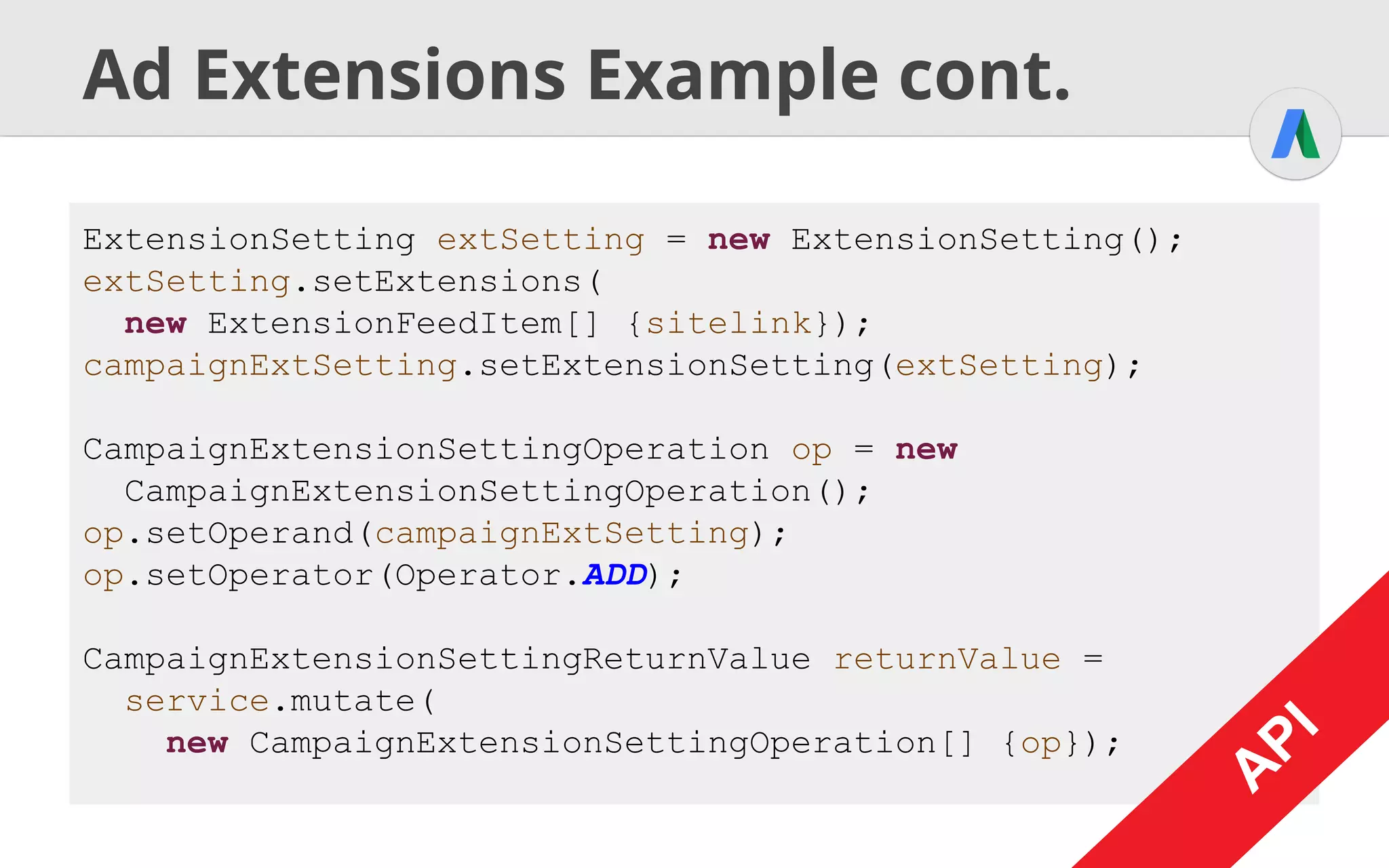
Ad Extensions Example cont.
ExtensionSetting extSetting = new ExtensionSetting();
extSetting.setExtensions(
new ExtensionFeedItem[] {sitelink});
campaignExtSetting.setExtensionSetting(extSetting);
CampaignExtensionSettingOperation op = new
CampaignExtensionSettingOperation();
op.setOperand(campaignExtSetting);
op.setOperator(Operator.ADD);
CampaignExtensionSettingReturnValue returnValue =
service.mutate(
new CampaignExtensionSettingOperation[] {op});
A
PI
Reporting
Programmatic Data Insights
U
I
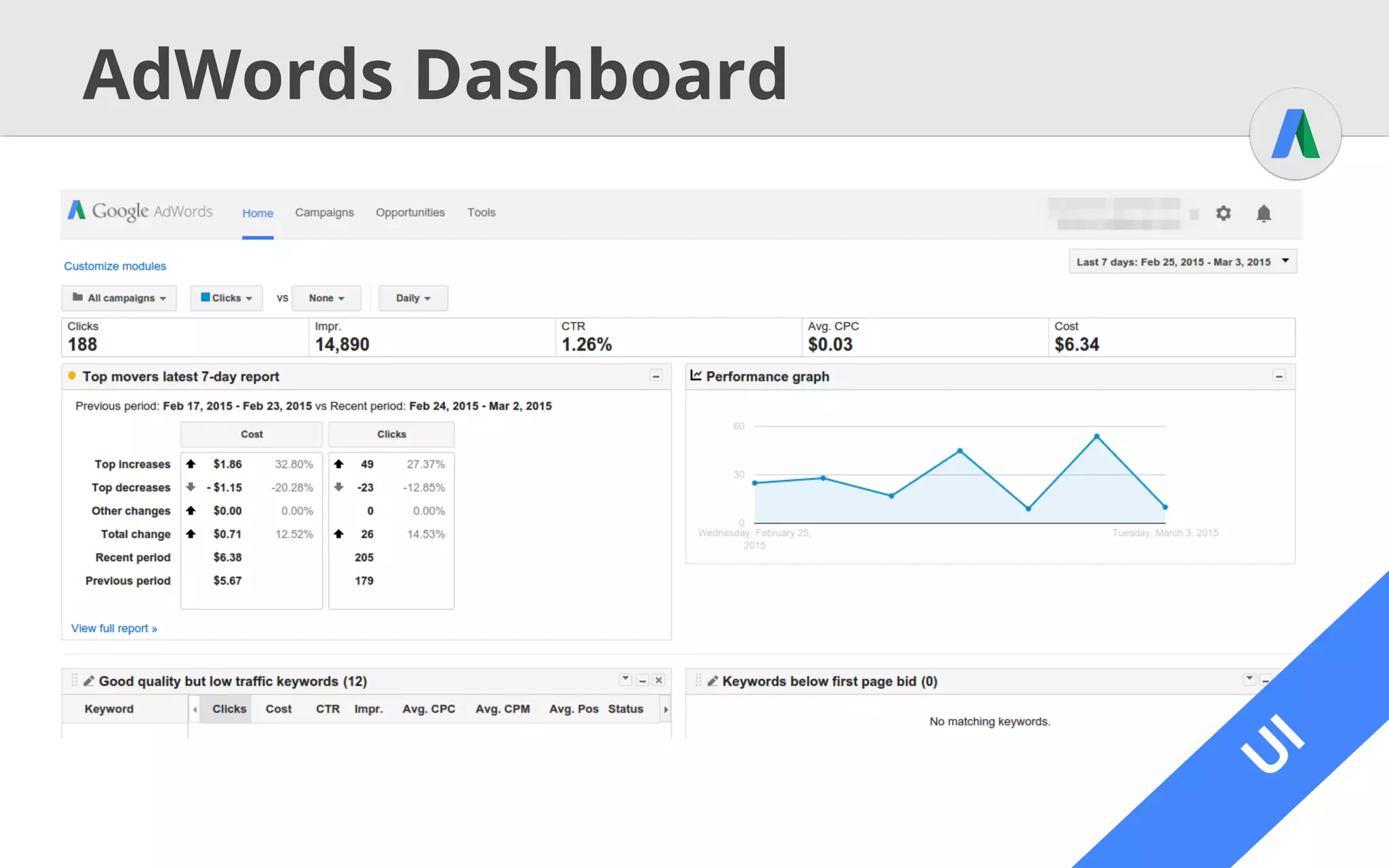
AdWords Dashboard
U
I
U
I
Embedded Reports
U
I
● UI integrates reporting & management
● Chart shows metrics over time
○ Customizable metrics
○ Filters for date ranges, object attributes…
● Table shows metrics grouped by objects
○ Customizable columns
○ Filters from charts
○ Download as CSV, XML, PDF, ... file
U
I
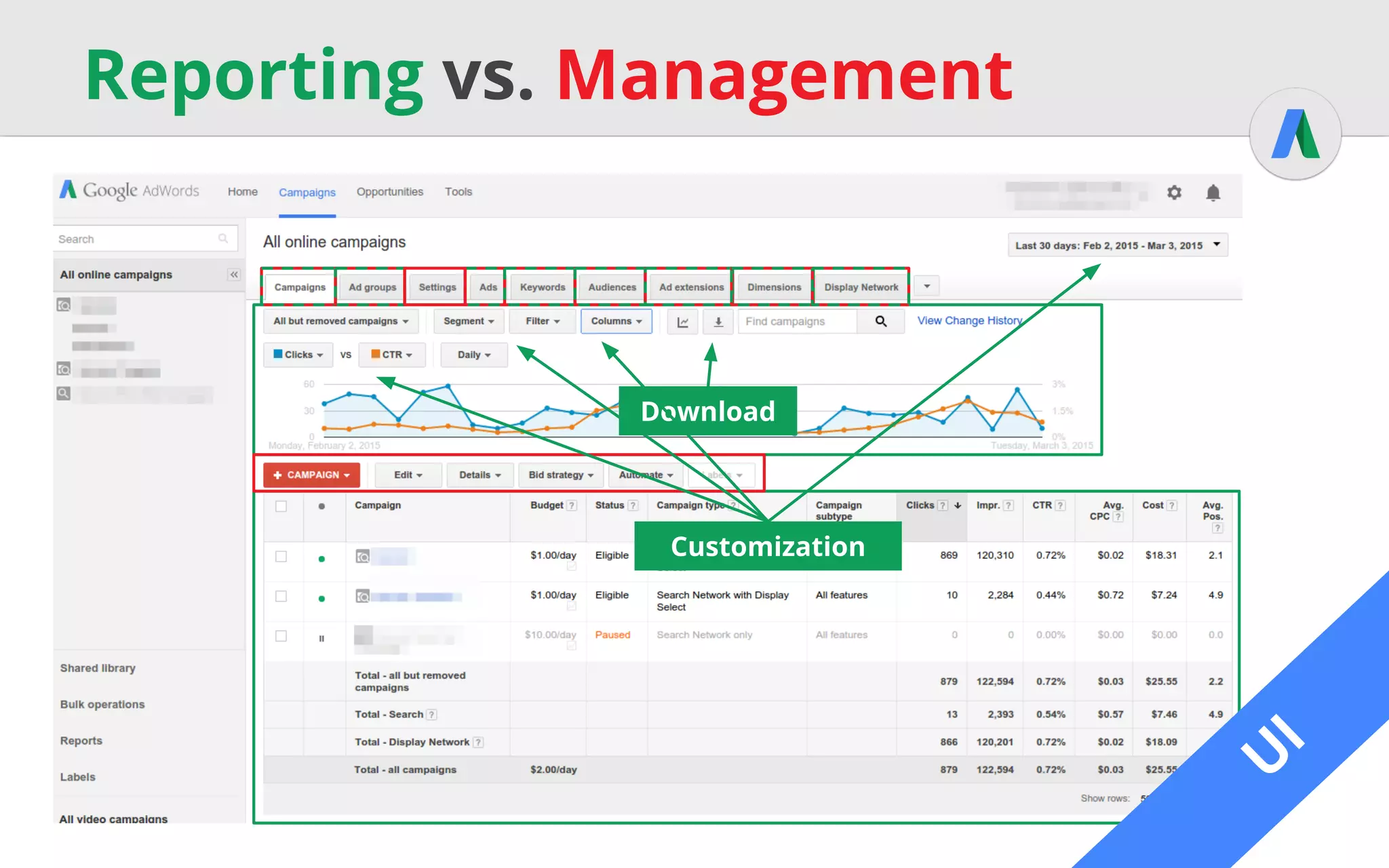
Reporting vs. Management
U
I
Download
Customization
A
PI
Reporting with the API
● Reports through ReportDownloader*
○ Download as stream / file, same as through UI
○ Define report type, columns, filters, format, etc.
using ReportDefinition
○ Alternative: AWQL
* Slightly different in other languages
A
PI
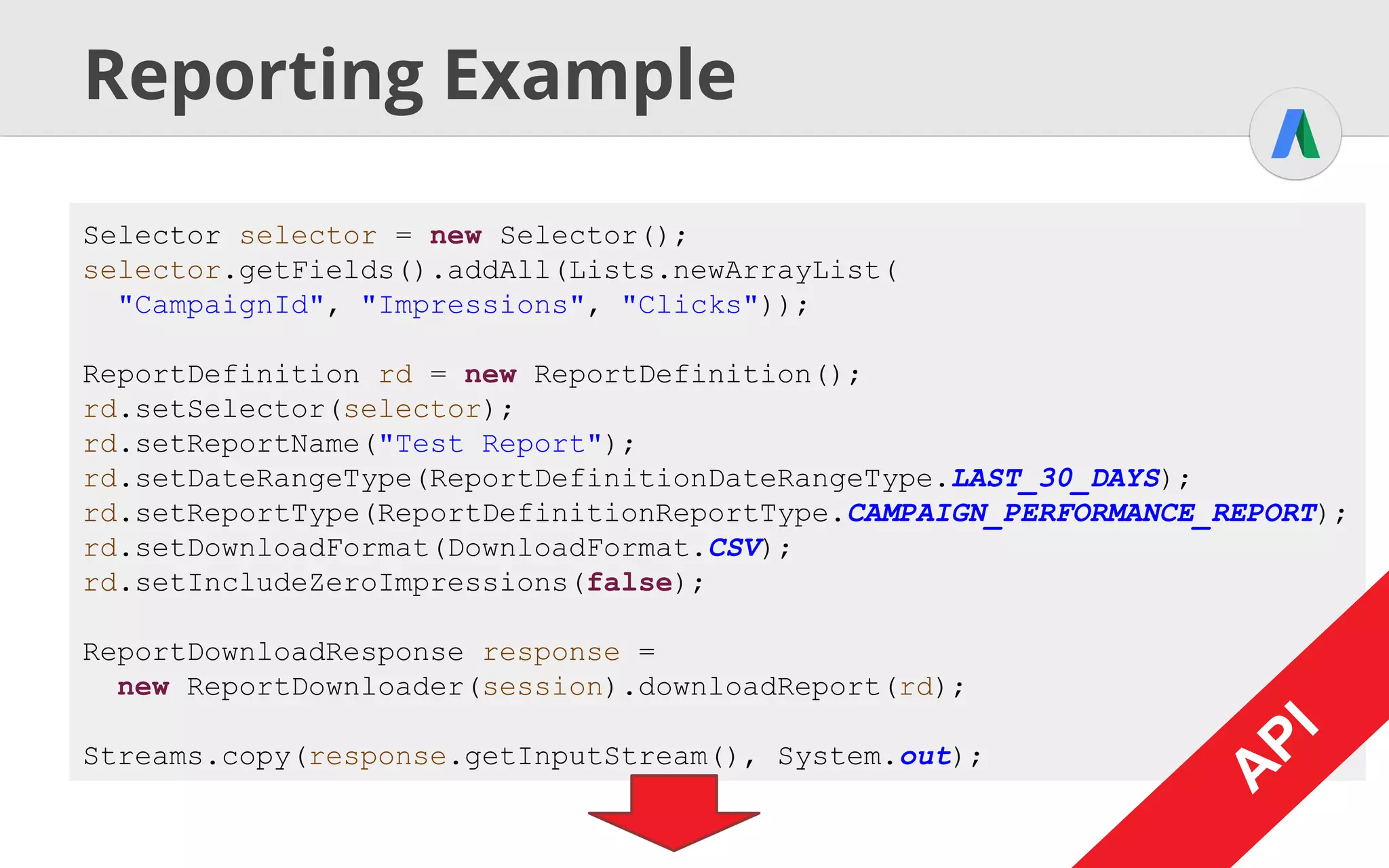
Reporting Example
Selector selector = new Selector();
selector.getFields().addAll(Lists.newArrayList(
"CampaignId", "Impressions", "Clicks"));
ReportDefinition rd = new ReportDefinition();
rd.setSelector(selector);
rd.setReportName("Test Report");
rd.setDateRangeType(ReportDefinitionDateRangeType.LAST_30_DAYS);
rd.setReportType(ReportDefinitionReportType.CAMPAIGN_PERFORMANCE_REPORT);
rd.setDownloadFormat(DownloadFormat.CSV);
rd.setIncludeZeroImpressions(false);
ReportDownloadResponse response =
new ReportDownloader(session).downloadReport(rd);
Streams.copy(response.getInputStream(), System.out);
A
PI
A
PI
A
PI
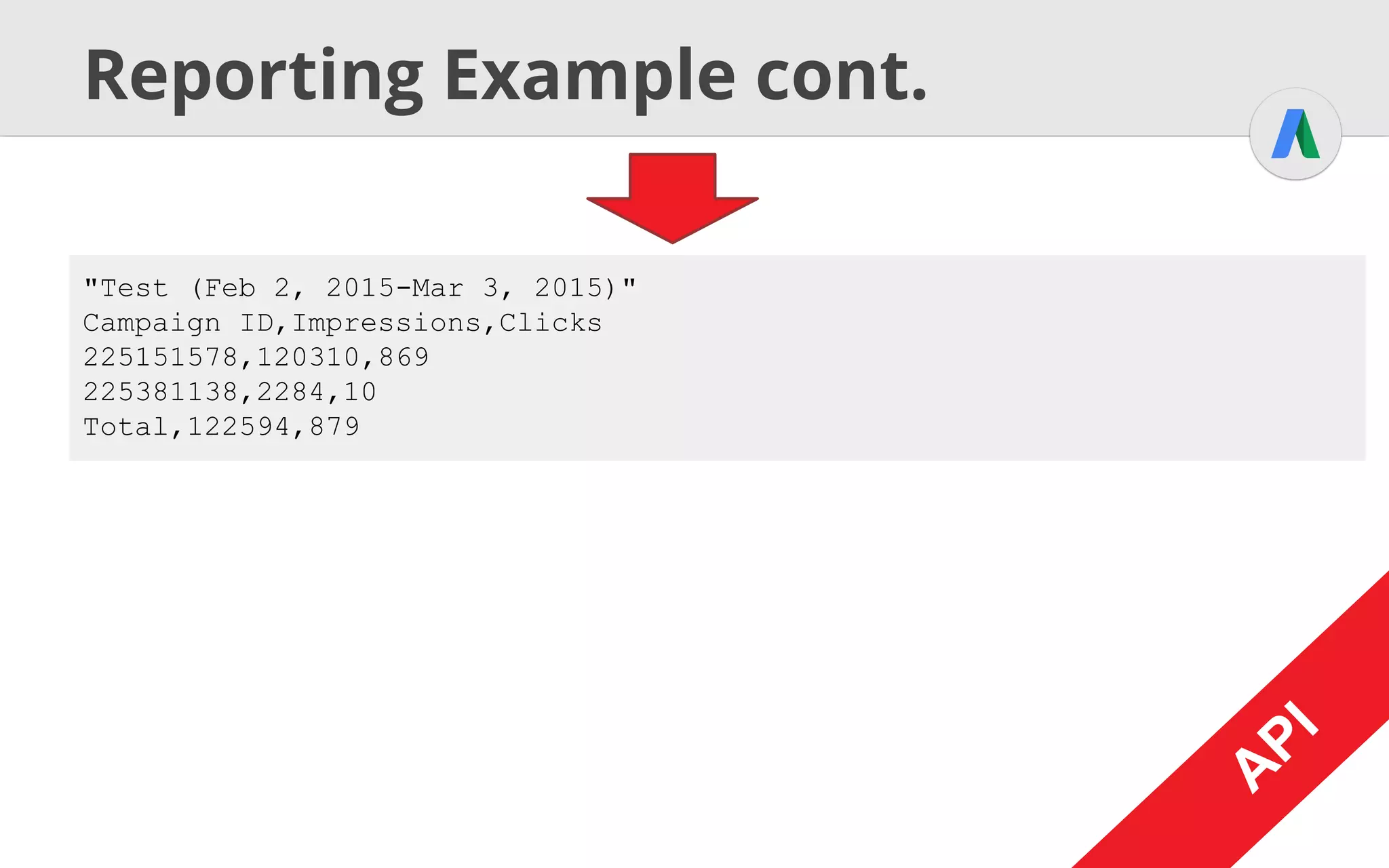
Reporting Example cont.
"Test (Feb 2, 2015-Mar 3, 2015)"
Campaign ID,Impressions,Clicks
225151578,120310,869
225381138,2284,10
Total,122594,879
A
PI
A
PI
A
PI
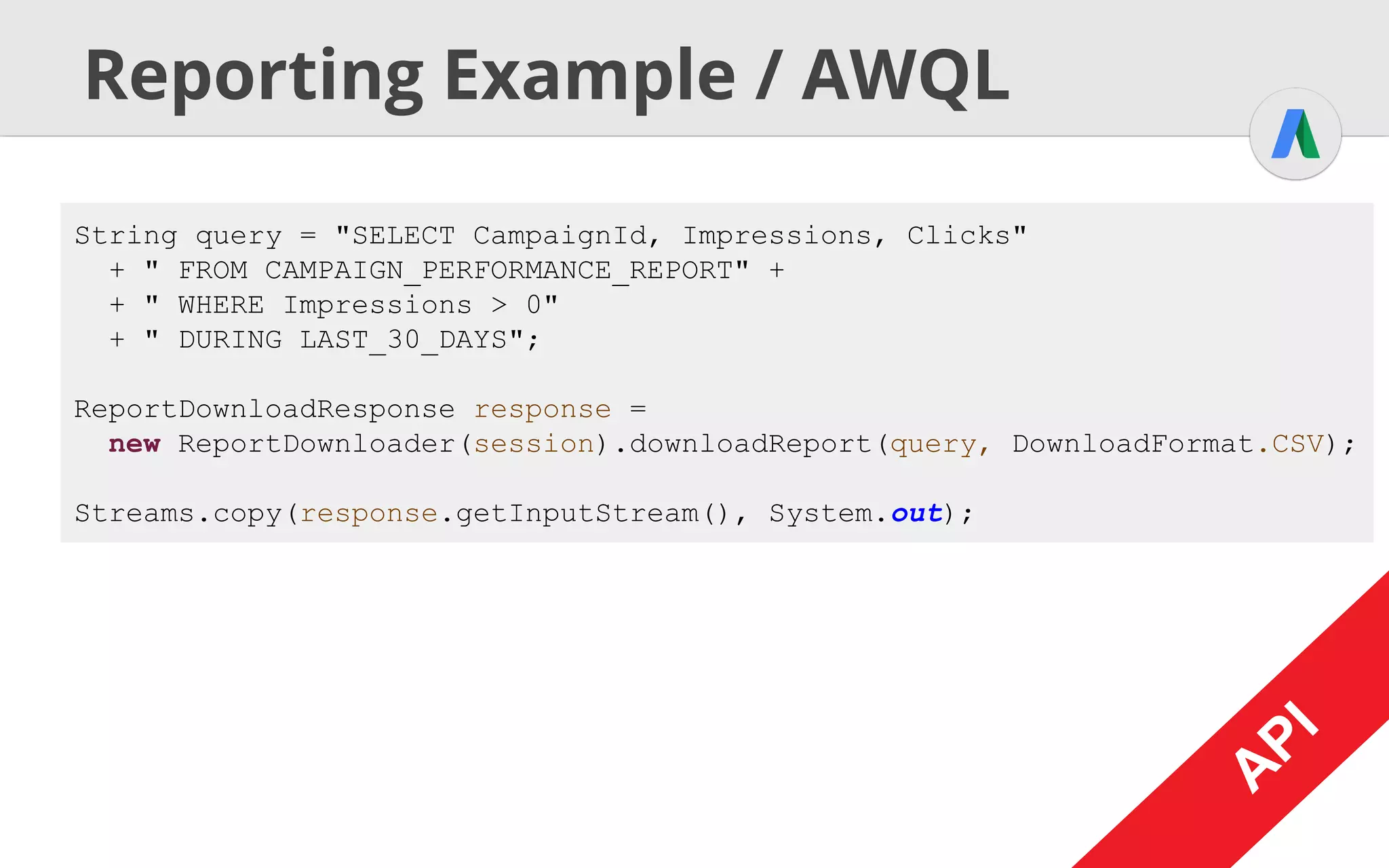
Reporting Example / AWQL
String query = "SELECT CampaignId, Impressions, Clicks"
+ " FROM CAMPAIGN_PERFORMANCE_REPORT" +
+ " WHERE Impressions > 0"
+ " DURING LAST_30_DAYS";
ReportDownloadResponse response =
new ReportDownloader(session).downloadReport(query, DownloadFormat.CSV);
Streams.copy(response.getInputStream(), System.out);
A
PI
A
PI
A
PI
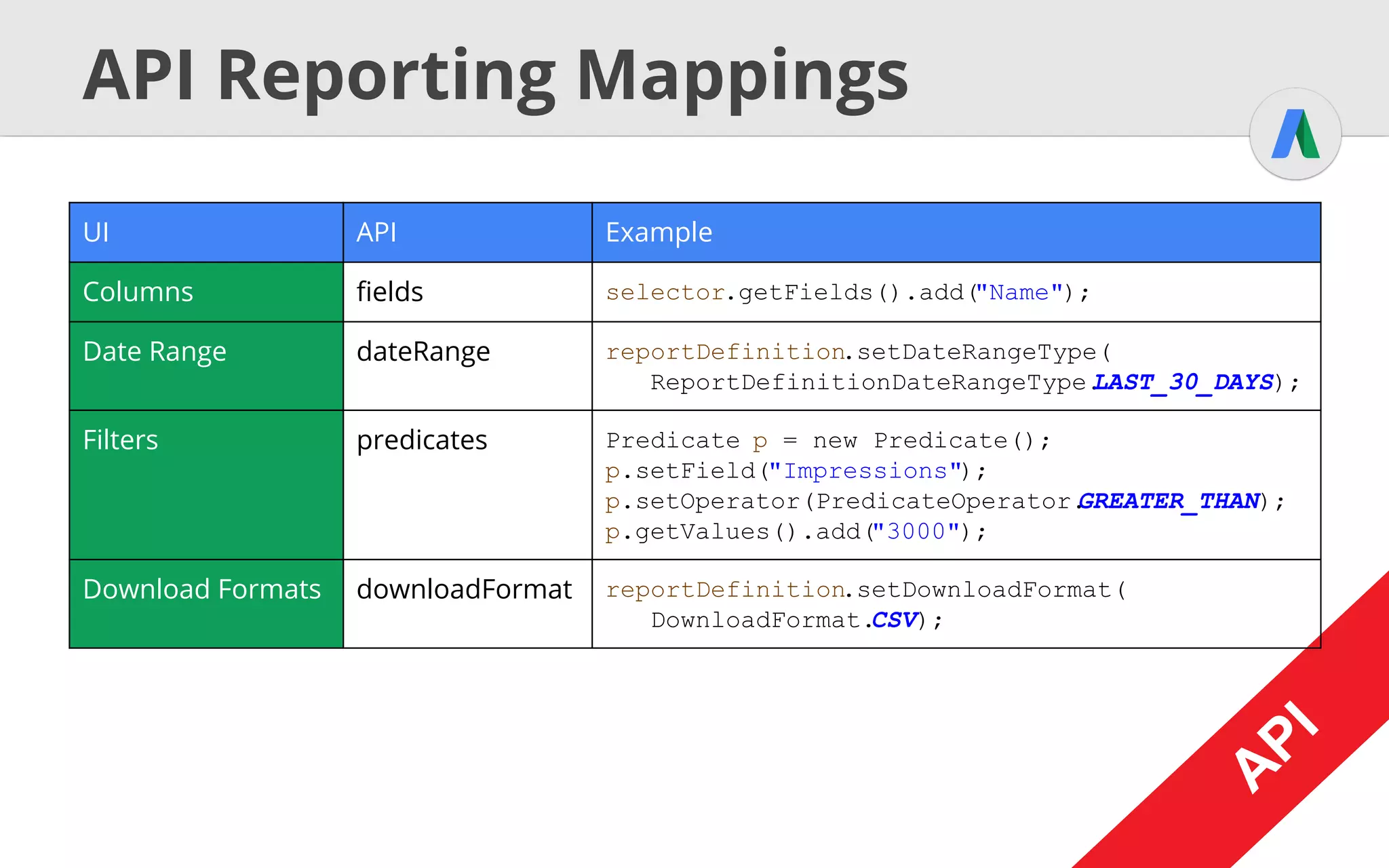
API Reporting Mappings
A
PI
A
PI
UI API Example
Columns fields selector.getFields().add("Name");
Date Range dateRange reportDefinition.setDateRangeType(
ReportDefinitionDateRangeType.LAST_30_DAYS);
Filters predicates Predicate p = new Predicate();
p.setField("Impressions");
p.setOperator(PredicateOperator.GREATER_THAN);
p.getValues().add("3000");
Download Formats downloadFormat reportDefinition.setDownloadFormat(
DownloadFormat.CSV);
A
PI
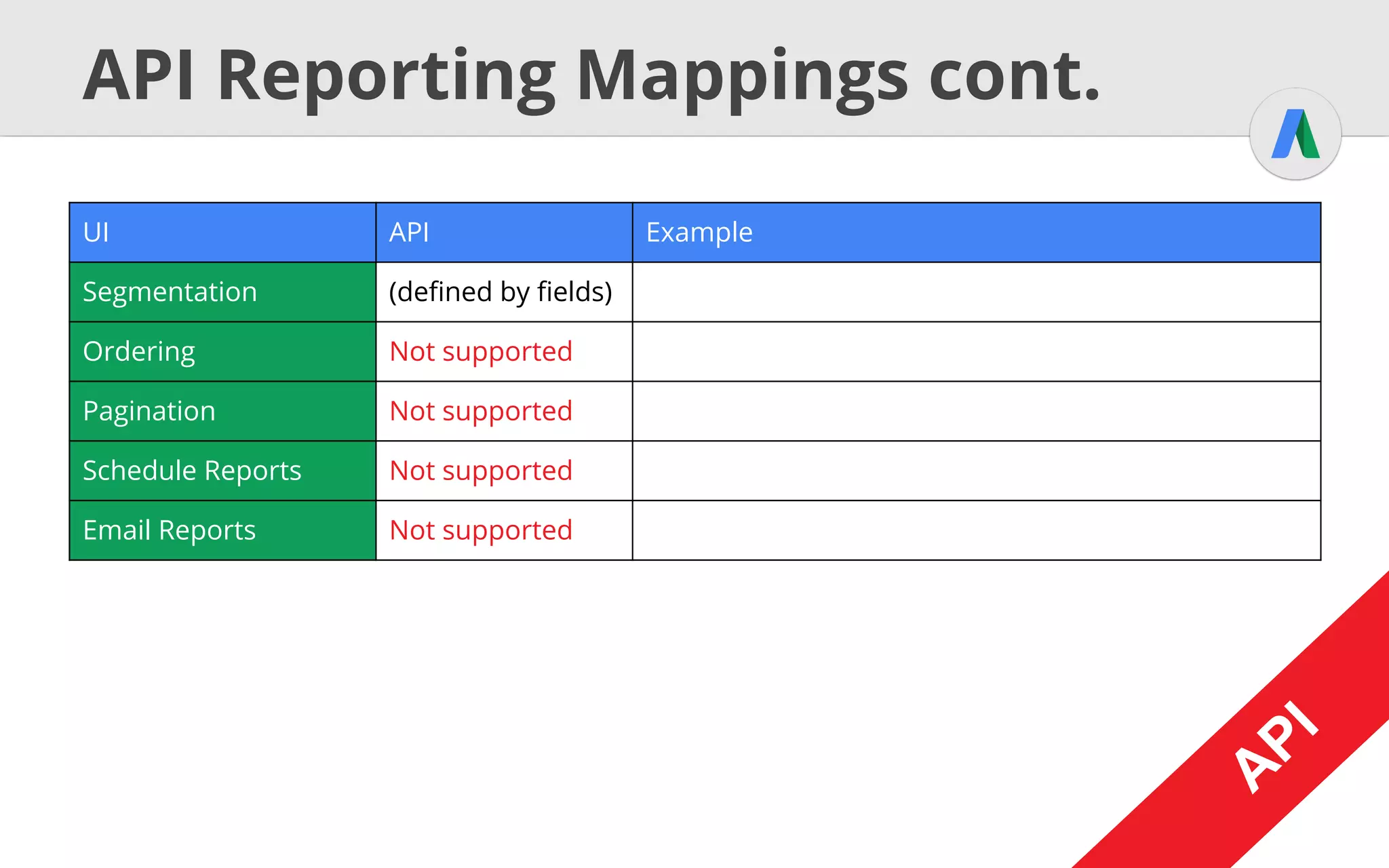
API Reporting Mappings cont.
A
PI
UI API Example
Segmentation (defined by fields)
Ordering Not supported
Pagination Not supported
Schedule Reports Not supported
Email Reports Not supported
A
PI
A
PI
Reports Types
A
PI
CAMPAIGN_PERFORMANCE_REPORT
ADGROUP_PERFORMANCE_REPORT
Full list @ http://goo.gl/HlGePj
Resources
● AdWords Help http://goo.gl/1pxGGu
● API Developers Guide http://goo.gl/Q8rgGL
● UI Report Mapping http://goo.gl/vEvULv

How AdWords UI maps into adwords api

  • 1.
    AdWords UI vs.API How AdWords UI maps into AdWords API Timo
  • 2.
    Agenda ● Introduction -The AdWords API ● The Basics - Campaigns, Ads, … ● Reporting - Programmatic Data Insights
  • 3.
  • 4.
    UI vs. API ●UI = User Interface ○ Interface for humans interacting with a service ○ Interaction: Clicks, text input, … ○ Delivery: Browser / HTML, Native UI, … ● API = Application Programming Interface ○ Interface for applications interacting with a service ○ Interaction: Method calls, SOAP messages, … ○ Delivery: Client library, web services, …
  • 5.
    How does thisapply to AdWords? AdWords AdWords UI API AdWords API AdWords Application User AdWords Editor ?3rd Party Application
  • 6.
  • 7.
    U I Authentication ● Authentication done viaGoogle Account Manager ● Single Sign On using browser cookies
  • 8.
    A PI api.adwords.refreshToken=INSERT_REFERSH_TOKEN_HERE api.adwords.clientId=INSERT_CLIENT_ID_HERE api.adwords.clientSecret=INSERT_CLIENT_SECRET_HERE api.adwords.developerToken=INSERT_DEVELOPER_TOKEN_HERE Authentication cont. ● AuthenticationMechanism: OAuth 2 ○ Generate RefreshToken using client credentials GetRefreshToken.java ○ Store all in properties / ini / config file ○ Client library will take care of the rest A PI
  • 9.
    U I AdWords Objects ● AdWordsconsists of several logical objects (Campaigns, Ad Groups, Ads, …) ● Basic objects represented by tabs in UI
  • 10.
    U I Main AdWords Objects ●Account: AdWords Customer ● Campaign: Ad Groups that logically belong together (defines budget) ● Ad Groups: Contains similar ads, all triggered by the same set of keywords ● Ad (a.k.a. AdGroupAd): Content shown when ad is displayed (Text, Image, …)
  • 11.
    U I Main AdWords Objectscont. Account Campaign Campaign Ad Group Ad Group Ad Online Electronics Store TVs Cameras Plasma TVs TFT TVs Buy test best Plasme TVs at our store!Out now: The 2015 Plasma TV series! Ad Keyword buy plasma TVKeyword lastest plasma TVsKeyword plasma tv store Campaign Phones
  • 12.
    A PI Objects, Services &Operations ● General Rule: One service for each object ○ get Retrieve object, specified by Selector ○ query Like get, but specified by AWQL ○ mutate Alter objects, depending on operator ■ ADD Creates a new object ■ SET Updates an object ■ REMOVE Deletes an object
  • 13.
    A PI Generic Example AdWordsSession session= [...] AdWordsServices services = [...] XYServiceInterface service = services.get(session, XYServiceInterface.class); Selector selector = new Selector(); selector.setFields(new String[] {"Id", "Name"}); XYPage page = service.get(selector); for (XY object : page.getEntries()) { System.out.println(object.getId() + " - " + object.getName()); } A PI “Root” objects for API interaction Create the service Specify what you want: - Fields - Conditions - Limits - ... Retrieve the data Browse through the data Note: Only selected fields will return values!
  • 14.
    A PI Generic Example AdWordsSession session= [...] AdWordsServices services = [...] CampaignServiceInterface service = services.get(session, CampaignServiceInterface.class); Selector selector = new Selector(); selector.setFields(new String[] {"Id", "Name"}); CampaignPage page = service.get(selector); for (Campaign object : page.getEntries()) { System.out.println(object.getId() + " - " + object.getName()); } A PI Selector selector = new SelectorBuilder() .fields("Id", "Name").build() Syntactic Sugar
  • 15.
    A PI Some Campaign DataServices A PI CampaignService AdGroupService AdGroupAdService CampaignCriterionService
  • 16.
    Ad Extensions ● UI:All extensions bundled in one tab (GMB for locations) ● V201409: Feed Services Old :( ○ Define generic feed, add items, map structure, associate with campaign ● V201502: Dedicated Services New! ○ Create extension feed items and add to ad group / campaign / customer
  • 17.
    A PI Ad Extensions Example AdWordsSessionsession = [...] AdWordsServices services = [...] CampaignExtensionSettingServiceInterface service = [...] SitelinkFeedItem sitelink = new SitelinkFeedItem(); sitelink.setSitelinkText("Store Hours"); sitelink.setSitelinkFinalUrls(new UrlList(new String[] {"http://www.example.com/storehours"})); CampaignExtensionSetting campaignExtSetting = new CampaignExtensionSetting(); campaignExtSetting.setCampaignId(campaignId); campaignExtSetting.setExtensionType(FeedType.SITELINK); A PI
  • 18.
    A PI Ad Extensions Examplecont. ExtensionSetting extSetting = new ExtensionSetting(); extSetting.setExtensions( new ExtensionFeedItem[] {sitelink}); campaignExtSetting.setExtensionSetting(extSetting); CampaignExtensionSettingOperation op = new CampaignExtensionSettingOperation(); op.setOperand(campaignExtSetting); op.setOperator(Operator.ADD); CampaignExtensionSettingReturnValue returnValue = service.mutate( new CampaignExtensionSettingOperation[] {op}); A PI
  • 19.
  • 20.
  • 21.
    U I Embedded Reports U I ● UIintegrates reporting & management ● Chart shows metrics over time ○ Customizable metrics ○ Filters for date ranges, object attributes… ● Table shows metrics grouped by objects ○ Customizable columns ○ Filters from charts ○ Download as CSV, XML, PDF, ... file
  • 22.
  • 23.
    A PI Reporting with theAPI ● Reports through ReportDownloader* ○ Download as stream / file, same as through UI ○ Define report type, columns, filters, format, etc. using ReportDefinition ○ Alternative: AWQL * Slightly different in other languages
  • 24.
    A PI Reporting Example Selector selector= new Selector(); selector.getFields().addAll(Lists.newArrayList( "CampaignId", "Impressions", "Clicks")); ReportDefinition rd = new ReportDefinition(); rd.setSelector(selector); rd.setReportName("Test Report"); rd.setDateRangeType(ReportDefinitionDateRangeType.LAST_30_DAYS); rd.setReportType(ReportDefinitionReportType.CAMPAIGN_PERFORMANCE_REPORT); rd.setDownloadFormat(DownloadFormat.CSV); rd.setIncludeZeroImpressions(false); ReportDownloadResponse response = new ReportDownloader(session).downloadReport(rd); Streams.copy(response.getInputStream(), System.out); A PI A PI
  • 25.
    A PI Reporting Example cont. "Test(Feb 2, 2015-Mar 3, 2015)" Campaign ID,Impressions,Clicks 225151578,120310,869 225381138,2284,10 Total,122594,879 A PI A PI
  • 26.
    A PI Reporting Example /AWQL String query = "SELECT CampaignId, Impressions, Clicks" + " FROM CAMPAIGN_PERFORMANCE_REPORT" + + " WHERE Impressions > 0" + " DURING LAST_30_DAYS"; ReportDownloadResponse response = new ReportDownloader(session).downloadReport(query, DownloadFormat.CSV); Streams.copy(response.getInputStream(), System.out); A PI A PI
  • 27.
    A PI API Reporting Mappings A PI A PI UIAPI Example Columns fields selector.getFields().add("Name"); Date Range dateRange reportDefinition.setDateRangeType( ReportDefinitionDateRangeType.LAST_30_DAYS); Filters predicates Predicate p = new Predicate(); p.setField("Impressions"); p.setOperator(PredicateOperator.GREATER_THAN); p.getValues().add("3000"); Download Formats downloadFormat reportDefinition.setDownloadFormat( DownloadFormat.CSV);
  • 28.
    A PI API Reporting Mappingscont. A PI UI API Example Segmentation (defined by fields) Ordering Not supported Pagination Not supported Schedule Reports Not supported Email Reports Not supported A PI
  • 29.
  • 30.
    Resources ● AdWords Helphttp://goo.gl/1pxGGu ● API Developers Guide http://goo.gl/Q8rgGL ● UI Report Mapping http://goo.gl/vEvULv