
Digital Storytelling 101
ISTE
June 23, 2019
Gretchen Sting
Take advantage of our free quality K12 resources
Have questions? Want to learn more?
Email - TeachersFirst@sflinc.org | Visit - TheSourceForLearning.org
a nonprofit that has been providing quality educational resources for 40 yearsa nonprofit that has been providing quality educational
resources for 40 years
a nonprofit that has been providing quality educational resources for 40 years
www.teachersfirst.com myscilife.org
teachersfirst.com/ok2as
k
http://bit.ly/SFL_ISTE19
Complete the form with
your name & email for
access to the slide deck
and a few extras that we’d
love to share with you.
Websites recommended in this presentation may collect
educational information, personally identifiable
information, and/or directory information. Please make
sure to inquire about your school/district policy with
regards to use of these types of sites in the classroom
before you decide to adopt a suggested strategy.
Digital Storytelling 101
Have you always wanted to try a digital storytelling project but
it seemed too complicated? Digital Storytelling 101 gives
everything you need! An outline of steps, differentiation ideas
and assessment techniques get you started. A list of
resources and tools provides everything you need.
Digital Storytelling
101 Objectives:
At the end of the course, the student will
be able to;
1. Lead students successfully through
the digital storytelling process;
2. Discover ways to effectively integrate
digital storytelling into the curriculum;
3. Lose your fear of digital storytelling!
In other
words…...
You will be
Excited
Enthusiastic
And Ready
For your first
digital storytelling
project!
What do you
teach?
What methods will you use to
achieve the greatest critical
thinking, collaboration,
communication, and
creativity?
How do you engage
your students?
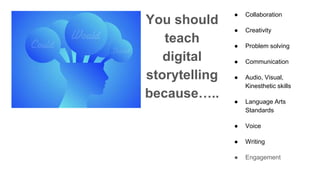
You should
teach
digital
storytelling
because…..
● Collaboration
● Creativity
● Problem solving
● Communication
● Audio, Visual,
Kinesthetic skills
● Language Arts
Standards
● Voice
● Writing
● Engagement
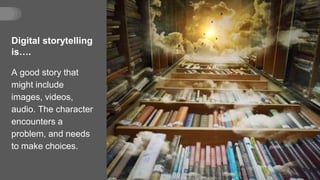
Digital storytelling
is….
A good story that
might include
images, videos,
audio. The character
encounters a
problem, and needs
to make choices.
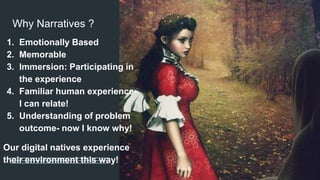
Why Narratives ?
1. Emotionally Based
2. Memorable
3. Immersion: Participating in
the experience
4. Familiar human experience-
I can relate!
5. Understanding of problem
outcome- now I know why!
Our digital natives experience
their environment this way!
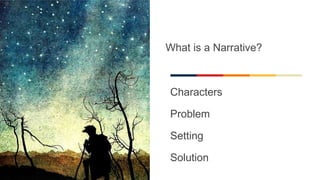
What is a Narrative?
Characters
Problem
Setting
Solution
Digital Story
Topic Ideas
1. War of the Roses in 1455…...
2. A personal experience
3. A favorite place
4. A special object
5. A lesson learned
6. A moment in history
7. Science content
8. Math content
9. Conflict
10.Lessons learned
More ideas ➔ Book Trailers
➔ Interview with leader, sports legend,
artist, scientist, musician
➔ Managing a scientific process like
photosynthesis
➔ Interviewing an animal
➔ Native American Myths
➔ Alternate Endings
➔ Using Same Story Structure
➔ Sequels to a story
➔ Story structure the same format changing
characters, setting, or place
Step 1: What
story do I tell?
What are your
standards?
What objectives do
you want your
students to master?
What is your
curriculum?
Who can use Digital
Storytelling?
It is all about the human experience and
learning! Living, facing challenges, trying
to move on, and solutions or results.
English: Narratives, Personal Narratives,
Realistic Fiction, Memoirs, historical
fiction, adventure, fantasy.
Social Studies: a person or event from
past, present, or futureScience: Scientist,
a concept, an idea
Math: reasoning or explanation for a
mathematical idea, concept, or problem
faced.
What topic do you see
your students using
digital storytelling as an
expression of their
learning?
https://padlet.com/thinkingteachers/DS101
Classroom
implementation
1. Model
2. Model steps
3. Small groups
4. Rubric
expectations
Step 2: Make a Story
Plan
No Computers!
Step by step
Keep it simple- this is not the final
product.
Show various examples
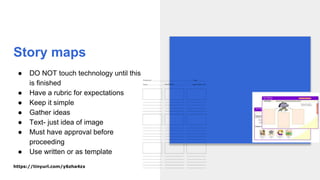
Story maps
● DO NOT touch technology until this
is finished
● Have a rubric for expectations
● Keep it simple
● Gather ideas
● Text- just idea of image
● Must have approval before
proceeding
● Use written or as template
https://tinyurl.com/y6zha4zx
Step 3:
Write!
Type
Voice typing…
Partner
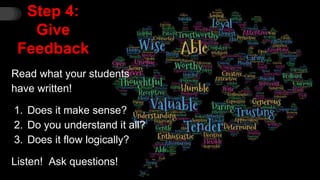
Step 4:
Give
Feedback
Read what your students
have written!
1. Does it make sense?
2. Do you understand it all?
3. Does it flow logically?
Listen! Ask questions!
Step 5: Rubric or checklist
● What are your objectives?
● What is the grade level?
● Does content content area knowledge need to
be included?
● What are you asking students to do?
● What does the final project look like in your
mind?
Digital
Storytelling
Program
1. Age of
students?
2. All on your
account?
3. Separate
account?
4. Features
5. Free?
Step 6: Digital
Storytelling
Program
1. Introduce the program.
2. Insert text into the sections
3. Add images; photos? Copyright
free? drawings?
4. Add audio: recorded voice?
5. Save
6. Share
Step 7:
Adding text
Determining
how much text
“fits” on one
section due to
length or topic...
Step 8:
Images
What is in the
program you
are using?
1. Copyright free
images
2. Photos
3. Drawings?
Step 9: Audio
What is in the program you are using?
1. Record within the program
2. Readers theater style
3. Read entire text
Step 10:
Work in
Progress
You need to
have access!
❏ Status
❏ Feedback
Step 11: Final
Evaluation
Rubric has set
expectations!
Step 12:
Sharing
❖ Who
❖ When
❖ Where
Lessons Learned
1. No touching digital storytelling software UNTIL STORY HAS BEEN
REVIEWED
2. Set realistic time limits
3. Planner and Reflection Tool
4. Accountability
5. Keep stories to single event, not a full novel
6. Be prepared for excitement and enthusiasm!
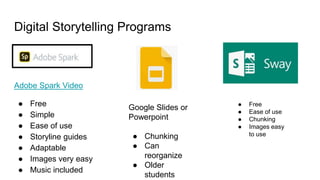
Digital Storytelling Programs
Adobe Spark Video
● Free
● Simple
● Ease of use
● Storyline guides
● Adaptable
● Images very easy
● Music included
Google Slides or
Powerpoint
● Chunking
● Can
reorganize
● Older
students
● Free
● Ease of use
● Chunking
● Images easy
to use
Quiz Time!
1. What grade level can do
digital storytelling?
2. What subjects can be used
in digital stories?
3. Do you have to have 1 to 1
devices to do digital
storytelling projects?
4. Do you need complicated
software and hardware for
digital storytelling?
5. When can you start your
first digital storytelling
project?
Your turn!
1. Select one of the
programs: adobe spark
video, Google Slides, or
Sway.
2. What is the story you would
like to tell?
3. Start to tell your story with
your selected program!
4. Share with me on padlet.
It’s up to you take to take the first step to begin!
https://etc.usf.edu/lit2go/
It’s my Digital Story!
Great work!
Share to the padlet!
@SFLOK2Ask
Any
Questions??

ISTE 2019: Digital Storytelling 101

  • 1.
    Digital Storytelling 101 ISTE June23, 2019 Gretchen Sting
  • 2.
    Take advantage ofour free quality K12 resources Have questions? Want to learn more? Email - TeachersFirst@sflinc.org | Visit - TheSourceForLearning.org a nonprofit that has been providing quality educational resources for 40 yearsa nonprofit that has been providing quality educational resources for 40 years a nonprofit that has been providing quality educational resources for 40 years www.teachersfirst.com myscilife.org teachersfirst.com/ok2as k
  • 3.
    http://bit.ly/SFL_ISTE19 Complete the formwith your name & email for access to the slide deck and a few extras that we’d love to share with you.
  • 4.
    Websites recommended inthis presentation may collect educational information, personally identifiable information, and/or directory information. Please make sure to inquire about your school/district policy with regards to use of these types of sites in the classroom before you decide to adopt a suggested strategy.
  • 5.
    Digital Storytelling 101 Haveyou always wanted to try a digital storytelling project but it seemed too complicated? Digital Storytelling 101 gives everything you need! An outline of steps, differentiation ideas and assessment techniques get you started. A list of resources and tools provides everything you need.
  • 6.
    Digital Storytelling 101 Objectives: Atthe end of the course, the student will be able to; 1. Lead students successfully through the digital storytelling process; 2. Discover ways to effectively integrate digital storytelling into the curriculum; 3. Lose your fear of digital storytelling!
  • 7.
    In other words…... You willbe Excited Enthusiastic And Ready For your first digital storytelling project!
  • 8.
    What do you teach? Whatmethods will you use to achieve the greatest critical thinking, collaboration, communication, and creativity? How do you engage your students?
  • 9.
    You should teach digital storytelling because….. ● Collaboration ●Creativity ● Problem solving ● Communication ● Audio, Visual, Kinesthetic skills ● Language Arts Standards ● Voice ● Writing ● Engagement
  • 10.
    Digital storytelling is…. A goodstory that might include images, videos, audio. The character encounters a problem, and needs to make choices.
  • 11.
    Why Narratives ? 1.Emotionally Based 2. Memorable 3. Immersion: Participating in the experience 4. Familiar human experience- I can relate! 5. Understanding of problem outcome- now I know why! Our digital natives experience their environment this way!
  • 12.
    What is aNarrative? Characters Problem Setting Solution
  • 13.
    Digital Story Topic Ideas 1.War of the Roses in 1455…... 2. A personal experience 3. A favorite place 4. A special object 5. A lesson learned 6. A moment in history 7. Science content 8. Math content 9. Conflict 10.Lessons learned
  • 14.
    More ideas ➔Book Trailers ➔ Interview with leader, sports legend, artist, scientist, musician ➔ Managing a scientific process like photosynthesis ➔ Interviewing an animal ➔ Native American Myths ➔ Alternate Endings ➔ Using Same Story Structure ➔ Sequels to a story ➔ Story structure the same format changing characters, setting, or place
  • 15.
    Step 1: What storydo I tell? What are your standards? What objectives do you want your students to master? What is your curriculum?
  • 16.
    Who can useDigital Storytelling? It is all about the human experience and learning! Living, facing challenges, trying to move on, and solutions or results. English: Narratives, Personal Narratives, Realistic Fiction, Memoirs, historical fiction, adventure, fantasy. Social Studies: a person or event from past, present, or futureScience: Scientist, a concept, an idea Math: reasoning or explanation for a mathematical idea, concept, or problem faced.
  • 18.
    What topic doyou see your students using digital storytelling as an expression of their learning? https://padlet.com/thinkingteachers/DS101
  • 19.
    Classroom implementation 1. Model 2. Modelsteps 3. Small groups 4. Rubric expectations
  • 20.
    Step 2: Makea Story Plan No Computers! Step by step Keep it simple- this is not the final product. Show various examples
  • 21.
    Story maps ● DONOT touch technology until this is finished ● Have a rubric for expectations ● Keep it simple ● Gather ideas ● Text- just idea of image ● Must have approval before proceeding ● Use written or as template https://tinyurl.com/y6zha4zx
  • 22.
  • 23.
    Step 4: Give Feedback Read whatyour students have written! 1. Does it make sense? 2. Do you understand it all? 3. Does it flow logically? Listen! Ask questions!
  • 24.
    Step 5: Rubricor checklist ● What are your objectives? ● What is the grade level? ● Does content content area knowledge need to be included? ● What are you asking students to do? ● What does the final project look like in your mind?
  • 25.
    Digital Storytelling Program 1. Age of students? 2.All on your account? 3. Separate account? 4. Features 5. Free?
  • 26.
    Step 6: Digital Storytelling Program 1.Introduce the program. 2. Insert text into the sections 3. Add images; photos? Copyright free? drawings? 4. Add audio: recorded voice? 5. Save 6. Share
  • 27.
    Step 7: Adding text Determining howmuch text “fits” on one section due to length or topic...
  • 28.
    Step 8: Images What isin the program you are using? 1. Copyright free images 2. Photos 3. Drawings?
  • 29.
    Step 9: Audio Whatis in the program you are using? 1. Record within the program 2. Readers theater style 3. Read entire text
  • 30.
    Step 10: Work in Progress Youneed to have access! ❏ Status ❏ Feedback
  • 31.
    Step 11: Final Evaluation Rubrichas set expectations!
  • 32.
  • 33.
    Lessons Learned 1. Notouching digital storytelling software UNTIL STORY HAS BEEN REVIEWED 2. Set realistic time limits 3. Planner and Reflection Tool 4. Accountability 5. Keep stories to single event, not a full novel 6. Be prepared for excitement and enthusiasm!
  • 34.
    Digital Storytelling Programs AdobeSpark Video ● Free ● Simple ● Ease of use ● Storyline guides ● Adaptable ● Images very easy ● Music included Google Slides or Powerpoint ● Chunking ● Can reorganize ● Older students ● Free ● Ease of use ● Chunking ● Images easy to use
  • 35.
    Quiz Time! 1. Whatgrade level can do digital storytelling? 2. What subjects can be used in digital stories? 3. Do you have to have 1 to 1 devices to do digital storytelling projects? 4. Do you need complicated software and hardware for digital storytelling? 5. When can you start your first digital storytelling project?
  • 36.
    Your turn! 1. Selectone of the programs: adobe spark video, Google Slides, or Sway. 2. What is the story you would like to tell? 3. Start to tell your story with your selected program! 4. Share with me on padlet. It’s up to you take to take the first step to begin! https://etc.usf.edu/lit2go/
  • 37.
    It’s my DigitalStory! Great work! Share to the padlet!
  • 38.