Brooks Bennett, City of Round Rock, TX YouTube for Developers Developers
Necessary YouTube Caveat YouTube has the power to make time melt away. It is possible to watch years of: Kittens Slam dunks Car crashes Kids dancing
What we will cover Uploading to YouTube Proper moderation settings Video embedding basics Custom video embed parameters YouTube Player API YouTube Data API
Why YouTube World’s largest video sharing community Video quality has greatly improved over past two years Actively adding new features HTML5 Closed captions Robust APIs
YouTube for Government YouTube has a government partner program, but it takes a  LONG  time to get accepted and there is no feedback during the process Removes any video duration limitations Gives you a little bit more control over the branding of the page
YouTube for Government The name of your government, government department, or agency Your .gov website URL The account name you've registered on YouTube (i.e., your YouTube username) The email address you are using to manage the account
YouTube for Government Any other information about your plans to launch the channel, and what types of content you plan to post Send this information to:  [email_address]
Uploading to YouTube http://www.youtube.com
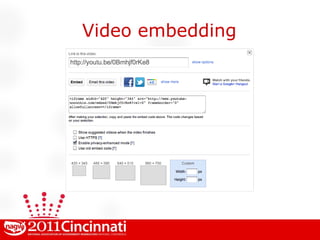
Video embedding
Video embedding Uncheck “Show suggested videos when video finishes,” unless you are comfortable with random suggested videos showing up Check HTTPS if you are embedding on a secure site to avoid “mixed content” warnings
Video embedding Check “Enable privacy-enhanced mode” to disallow YouTube from setting a cookie when the player is loaded Cookie will only be set when user clicks to play the video and that information will not be personally identifiable
Video embedding Uncheck “Use old embed code” <iFrame> embed detects if device can use HTML5 video You can detect what your browser supports at:  http://www.youtube.com/html5 Only use <Object> if the site you are using won’t allow iFrame
Video embedding Select predefined size Or set a custom height or width YouTube will automatically constrain proportions, which is a nice feature Nice to know size of content area where you are embedding and size accordingly
Video embedding What you might be thinking: “ Give me more control...”
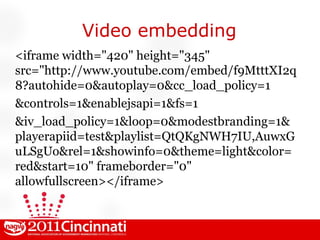
Video embedding <iframe width=&quot;420&quot; height=&quot;345&quot; src=&quot;http://www.youtube.com/embed/f9MtttXI2q8?autohide=0&autoplay=0&cc_load_policy=1 &controls=1&enablejsapi=1&fs=1 &iv_load_policy=1&loop=0&modestbranding=1&playerapiid=test&playlist=QtQKgNWH7IU,AuwxGuLSgUo&rel=1&showinfo=0&theme=light&color=red&start=10&quot; frameborder=&quot;0&quot; allowfullscreen></iframe>
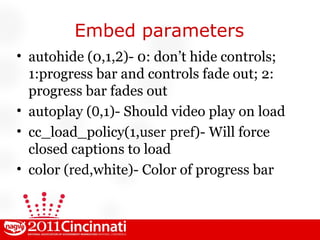
Embed parameters autohide (0,1, 2 )- 0: don’t hide controls; 1:progress bar and controls fade out; 2: progress bar fades out autoplay ( 0 ,1)- Should video play on load cc_load_policy(1, user pref )- Will force closed captions to load color ( red ,white)- Color of progress bar
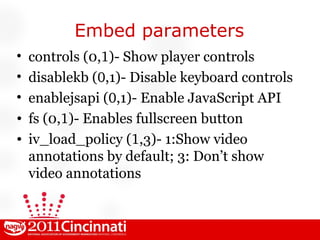
Embed parameters controls (0, 1 )- Show player controls disablekb ( 0 ,1)- Disable keyboard controls enablejsapi ( 0 ,1)- Enable JavaScript API fs (0, 1 )- Enables fullscreen button iv_load_policy ( 1 ,3)- 1:Show video annotations by default; 3: Don’t show video annotations
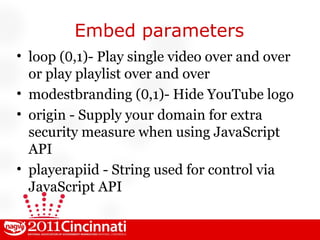
Embed parameters loop ( 0 ,1)- Play single video over and over or play playlist over and over modestbranding ( 0 ,1)- Hide YouTube logo origin - Supply your domain for extra security measure when using JavaScript API playerapiid - String used for control via JavaScript API
Embed parameters playlist - Comma separated list of YouTube IDs rel (0, 1 )- Show related videos showinfo (0, 1 )- Show title text on video before playing start - Value in seconds to start playing video theme ( dark ,light) - Theme color
Embed parameters HUH? Let's tinker a bit...
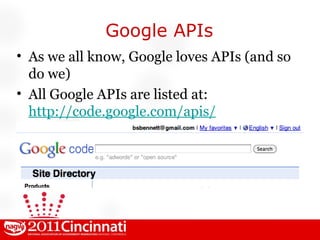
Google APIs As we all know, Google loves APIs (and so do we) All Google APIs are listed at: http://code.google.com/apis/
Player APIs Give you control over YouTube video playback on your website Configure basic settings Drive the player interface Build your own player controls
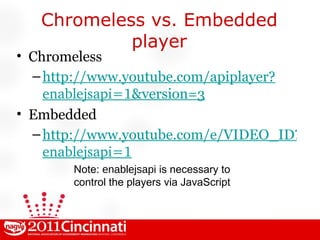
Chromeless vs. Embedded player Chromeless http://www.youtube.com/apiplayer? enablejsapi=1 &version=3 Embedded http://www.youtube.com/e/VIDEO_ID?version=3& enablejsapi=1 Note:  enablejsapi  is necessary to control the players via JavaScript
Player APIs Player API demo: http://code.google.com/apis/youtube/youtube_player_demo.html
Player APIs Player API documentation: http://code.google.com/apis/youtube/js_api_reference.html
Player APIs Shall we make some junk? Yes, we shall
Player APIs Garbage into an idea... We could take long form videos, like Board and Commission meetings, and add links to jump to each agenda item. This would take some effort, but you suddenly have a “poor man’s” video playback system for meetings. Cost: $0 .
Data API Lets you incorporate YouTube functionality into your own application or website. You can perform searches, upload videos, create playlists, and more.
Data API Data API Overview
Data API Google recommends you use  JSON-C  instead of JSON for working with the Data API via JavaScript More compact, logical responses Doesn’t mimic XML tags and attributes YouTube says JSON will be deprecated, so do it for future proofing
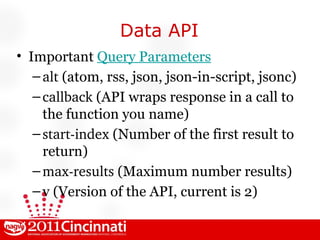
Data API Important  Query Parameters alt  (atom, rss, json, json-in-script, jsonc) callback  (API wraps response in a call to the function you name) start-index  (Number of the first result to return) max-results  (Maximum number results) v (Version of the API, current is 2)
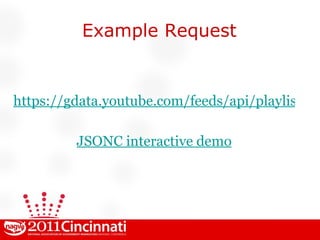
Example Request https://gdata.youtube.com/feeds/api/playlists/1D96B84306CAFDE0?v=2&alt=jsonc JSONC interactive demo
Partial Response (experimental) API returns lots of stuff.  Partial response  only sends what you want using an XPATH-like syntax ?fields=entry(title,link[@rel='self' or @rel='edit'],media:group(media:thumbnail)) Note:  jsonc  is not yet enabled for returning partial responses
Mumbo Jumbo? So what do you do with this stuff?
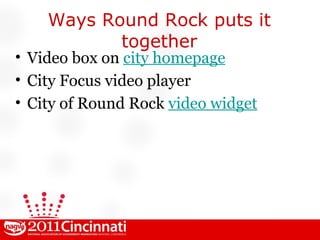
Ways Round Rock puts it together Video box on  city homepage City Focus video player City of Round Rock  video widget
Thanks! Brooks Bennett City of Round Rock, TX [email_address] @brooksbennett Circle me on Google+

YouTube for Developers

  • 1.
    Brooks Bennett, Cityof Round Rock, TX YouTube for Developers Developers
  • 2.
    Necessary YouTube CaveatYouTube has the power to make time melt away. It is possible to watch years of: Kittens Slam dunks Car crashes Kids dancing
  • 3.
    What we willcover Uploading to YouTube Proper moderation settings Video embedding basics Custom video embed parameters YouTube Player API YouTube Data API
  • 4.
    Why YouTube World’slargest video sharing community Video quality has greatly improved over past two years Actively adding new features HTML5 Closed captions Robust APIs
  • 5.
    YouTube for GovernmentYouTube has a government partner program, but it takes a LONG time to get accepted and there is no feedback during the process Removes any video duration limitations Gives you a little bit more control over the branding of the page
  • 6.
    YouTube for GovernmentThe name of your government, government department, or agency Your .gov website URL The account name you've registered on YouTube (i.e., your YouTube username) The email address you are using to manage the account
  • 7.
    YouTube for GovernmentAny other information about your plans to launch the channel, and what types of content you plan to post Send this information to: [email_address]
  • 8.
    Uploading to YouTubehttp://www.youtube.com
  • 9.
  • 10.
    Video embedding Uncheck“Show suggested videos when video finishes,” unless you are comfortable with random suggested videos showing up Check HTTPS if you are embedding on a secure site to avoid “mixed content” warnings
  • 11.
    Video embedding Check“Enable privacy-enhanced mode” to disallow YouTube from setting a cookie when the player is loaded Cookie will only be set when user clicks to play the video and that information will not be personally identifiable
  • 12.
    Video embedding Uncheck“Use old embed code” <iFrame> embed detects if device can use HTML5 video You can detect what your browser supports at: http://www.youtube.com/html5 Only use <Object> if the site you are using won’t allow iFrame
  • 13.
    Video embedding Selectpredefined size Or set a custom height or width YouTube will automatically constrain proportions, which is a nice feature Nice to know size of content area where you are embedding and size accordingly
  • 14.
    Video embedding Whatyou might be thinking: “ Give me more control...”
  • 15.
    Video embedding <iframewidth=&quot;420&quot; height=&quot;345&quot; src=&quot;http://www.youtube.com/embed/f9MtttXI2q8?autohide=0&autoplay=0&cc_load_policy=1 &controls=1&enablejsapi=1&fs=1 &iv_load_policy=1&loop=0&modestbranding=1&playerapiid=test&playlist=QtQKgNWH7IU,AuwxGuLSgUo&rel=1&showinfo=0&theme=light&color=red&start=10&quot; frameborder=&quot;0&quot; allowfullscreen></iframe>
  • 16.
    Embed parameters autohide(0,1, 2 )- 0: don’t hide controls; 1:progress bar and controls fade out; 2: progress bar fades out autoplay ( 0 ,1)- Should video play on load cc_load_policy(1, user pref )- Will force closed captions to load color ( red ,white)- Color of progress bar
  • 17.
    Embed parameters controls(0, 1 )- Show player controls disablekb ( 0 ,1)- Disable keyboard controls enablejsapi ( 0 ,1)- Enable JavaScript API fs (0, 1 )- Enables fullscreen button iv_load_policy ( 1 ,3)- 1:Show video annotations by default; 3: Don’t show video annotations
  • 18.
    Embed parameters loop( 0 ,1)- Play single video over and over or play playlist over and over modestbranding ( 0 ,1)- Hide YouTube logo origin - Supply your domain for extra security measure when using JavaScript API playerapiid - String used for control via JavaScript API
  • 19.
    Embed parameters playlist- Comma separated list of YouTube IDs rel (0, 1 )- Show related videos showinfo (0, 1 )- Show title text on video before playing start - Value in seconds to start playing video theme ( dark ,light) - Theme color
  • 20.
    Embed parameters HUH?Let's tinker a bit...
  • 21.
    Google APIs Aswe all know, Google loves APIs (and so do we) All Google APIs are listed at: http://code.google.com/apis/
  • 22.
    Player APIs Giveyou control over YouTube video playback on your website Configure basic settings Drive the player interface Build your own player controls
  • 23.
    Chromeless vs. Embeddedplayer Chromeless http://www.youtube.com/apiplayer? enablejsapi=1 &version=3 Embedded http://www.youtube.com/e/VIDEO_ID?version=3& enablejsapi=1 Note: enablejsapi is necessary to control the players via JavaScript
  • 24.
    Player APIs PlayerAPI demo: http://code.google.com/apis/youtube/youtube_player_demo.html
  • 25.
    Player APIs PlayerAPI documentation: http://code.google.com/apis/youtube/js_api_reference.html
  • 26.
    Player APIs Shallwe make some junk? Yes, we shall
  • 27.
    Player APIs Garbageinto an idea... We could take long form videos, like Board and Commission meetings, and add links to jump to each agenda item. This would take some effort, but you suddenly have a “poor man’s” video playback system for meetings. Cost: $0 .
  • 28.
    Data API Letsyou incorporate YouTube functionality into your own application or website. You can perform searches, upload videos, create playlists, and more.
  • 29.
    Data API DataAPI Overview
  • 30.
    Data API Googlerecommends you use JSON-C instead of JSON for working with the Data API via JavaScript More compact, logical responses Doesn’t mimic XML tags and attributes YouTube says JSON will be deprecated, so do it for future proofing
  • 31.
    Data API Important Query Parameters alt (atom, rss, json, json-in-script, jsonc) callback (API wraps response in a call to the function you name) start-index (Number of the first result to return) max-results (Maximum number results) v (Version of the API, current is 2)
  • 32.
  • 33.
    Partial Response (experimental)API returns lots of stuff. Partial response only sends what you want using an XPATH-like syntax ?fields=entry(title,link[@rel='self' or @rel='edit'],media:group(media:thumbnail)) Note: jsonc is not yet enabled for returning partial responses
  • 34.
    Mumbo Jumbo? Sowhat do you do with this stuff?
  • 35.
    Ways Round Rockputs it together Video box on city homepage City Focus video player City of Round Rock video widget
  • 36.
    Thanks! Brooks BennettCity of Round Rock, TX [email_address] @brooksbennett Circle me on Google+