2004 PrenticeHall, Inc. All rights reserved.
Chapter 5 - Introduction to XHTML:
Part 2
Outline
5.1 Introduction
5.2 Basic XHTML Tables
5.3 Intermediate XHTML Tables and Formatting
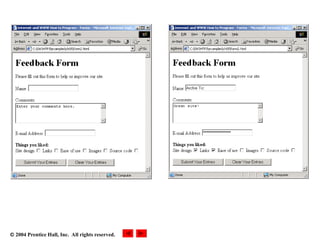
5.4 Basic XHTML Forms
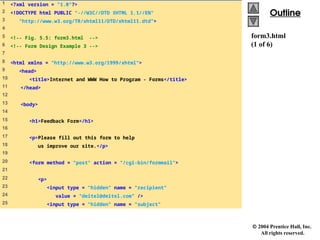
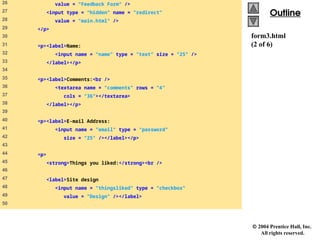
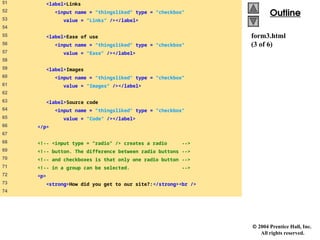
5.5 More Complex XHTML Forms
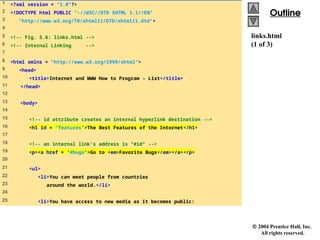
5.6 Internal Linking
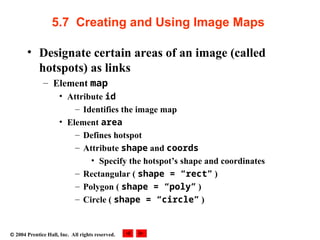
5.7 Creating and Using Image Maps
5.8 meta Elements
5.9 frameset Element
5.10 Nested framesets
5.11 Web Resources
3.
2004 PrenticeHall, Inc. All rights reserved.
Objectives
• In this lesson, you will learn:
– To be able to create tables with rows and columns of
data.
– To be able to control table formatting.
– To be able to create and use forms.
– To be able to create and use image maps to aid in Web-
page navigation.
– To be able to make Web pages accessible to search
engines using meta elements.
– To be able to use the frameset element to display
multiple Web pages in a single browser window.
4.
2004 PrenticeHall, Inc. All rights reserved.
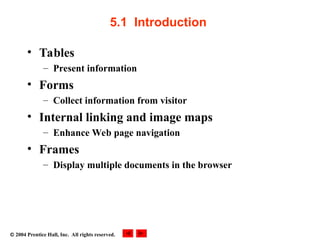
5.1 Introduction
• Tables
– Present information
• Forms
– Collect information from visitor
• Internal linking and image maps
– Enhance Web page navigation
• Frames
– Display multiple documents in the browser
5.
2004 PrenticeHall, Inc. All rights reserved.
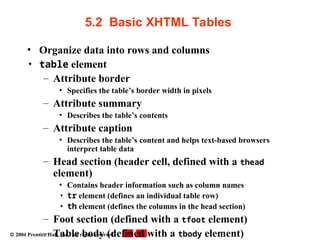
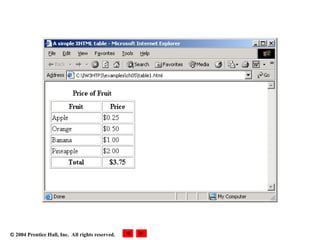
5.2 Basic XHTML Tables
• Organize data into rows and columns
• table element
– Attribute border
• Specifies the table’s border width in pixels
– Attribute summary
• Describes the table’s contents
– Attribute caption
• Describes the table’s content and helps text-based browsers
interpret table data
– Head section (header cell, defined with a thead
element)
• Contains header information such as column names
• tr element (defines an individual table row)
• th element (defines the columns in the head section)
– Foot section (defined with a tfoot element)
– Table body (defined with a tbody element)
6.
2004 PrenticeHall, Inc.
All rights reserved.
Outline
Outline
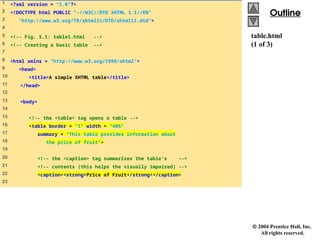
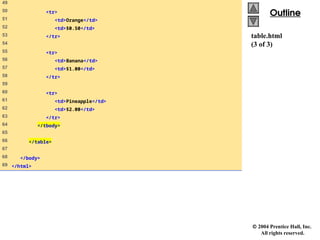
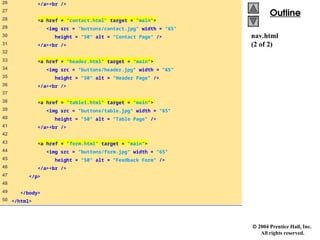
table.html
(1 of 3)
1 <?xml version = "1.0"?>
2 <!DOCTYPE html PUBLIC "-//W3C//DTD XHTML 1.1//EN"
3 "http://www.w3.org/TR/xhtml11/DTD/xhtml11.dtd">
4
5 <!-- Fig. 5.1: table1.html -->
6 <!-- Creating a basic table -->
7
8 <html xmlns = "http://www.w3.org/1999/xhtml">
9 <head>
10 <title>A simple XHTML table</title>
11 </head>
12
13 <body>
14
15 <!-- the <table> tag opens a table -->
16 <table border = "1" width = "40%"
17 summary = "This table provides information about
18 the price of fruit">
19
20 <!-- the <caption> tag summarizes the table's -->
21 <!-- contents (this helps the visually impaired) -->
22 <caption><strong>Price of Fruit</strong></caption>
23
7.
2004 PrenticeHall, Inc.
All rights reserved.
Outline
Outline
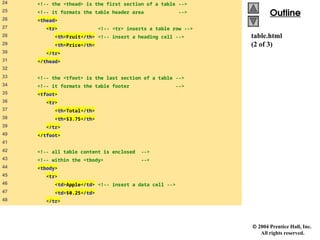
table.html
(2 of 3)
24 <!-- the <thead> is the first section of a table -->
25 <!-- it formats the table header area -->
26 <thead>
27 <tr> <!-- <tr> inserts a table row -->
28 <th>Fruit</th> <!-- insert a heading cell -->
29 <th>Price</th>
30 </tr>
31 </thead>
32
33 <!-- the <tfoot> is the last section of a table -->
34 <!-- it formats the table footer -->
35 <tfoot>
36 <tr>
37 <th>Total</th>
38 <th>$3.75</th>
39 </tr>
40 </tfoot>
41
42 <!-- all table content is enclosed -->
43 <!-- within the <tbody> -->
44 <tbody>
45 <tr>
46 <td>Apple</td> <!-- insert a data cell -->
47 <td>$0.25</td>
48 </tr>
2004 PrenticeHall, Inc. All rights reserved.
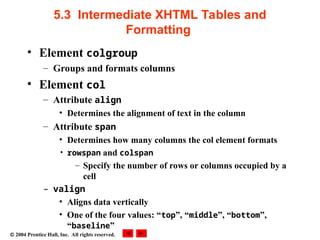
5.3 Intermediate XHTML Tables and
Formatting
• Element colgroup
– Groups and formats columns
• Element col
– Attribute align
• Determines the alignment of text in the column
– Attribute span
• Determines how many columns the col element formats
• rowspan and colspan
– Specify the number of rows or columns occupied by a
cell
– valign
• Aligns data vertically
• One of the four values: “top”, “middle”, “bottom”,
“baseline”
11.
2004 PrenticeHall, Inc.
All rights reserved.
Outline
Outline
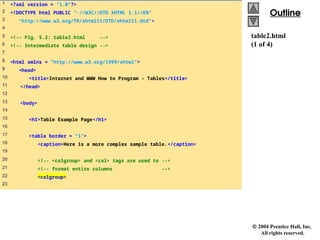
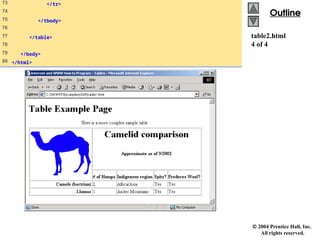
table2.html
(1 of 4)
1 <?xml version = "1.0"?>
2 <!DOCTYPE html PUBLIC "-//W3C//DTD XHTML 1.1//EN"
3 "http://www.w3.org/TR/xhtml11/DTD/xhtml11.dtd">
4
5 <!-- Fig. 5.2: table2.html -->
6 <!-- Intermediate table design -->
7
8 <html xmlns = "http://www.w3.org/1999/xhtml">
9 <head>
10 <title>Internet and WWW How to Program - Tables</title>
11 </head>
12
13 <body>
14
15 <h1>Table Example Page</h1>
16
17 <table border = "1">
18 <caption>Here is a more complex sample table.</caption>
19
20 <!-- <colgroup> and <col> tags are used to -->
21 <!-- format entire columns -->
22 <colgroup>
23
12.
2004 PrenticeHall, Inc.
All rights reserved.
Outline
Outline
table2.html
(2 of 4)
24 <!-- span attribute determines how many columns -->
25 <!-- the <col> tag affects -->
26 <col align = "right" span = "1" />
27 </colgroup>
28
29 <thead>
30
31 <!-- rowspans and colspans merge the specified -->
32 <!-- number of cells vertically or horizontally -->
33 <tr>
34
35 <!-- merge two rows -->
36 <th rowspan = "2">
37 <img src = "camel.gif" width = "205"
38 height = "167" alt = "Picture of a camel" />
39 </th>
40
41 <!-- merge four columns -->
42 <th colspan = "4" valign = "top">
43 <h1>Camelid comparison</h1><br />
44 <p>Approximate as of 9/2002</p>
45 </th>
46 </tr>
47
2004 PrenticeHall, Inc.
All rights reserved.
Outline
Outline
table2.html
4 of 4
73 </tr>
74
75 </tbody>
76
77 </table>
78
79 </body>
80 </html>
15.
2004 PrenticeHall, Inc. All rights reserved.
5.4 Basic XHTML Forms
• Element form
– Attribute method
• Specifies how the form’s data is sent to Web server
• method = “post”
– Appends form data to the browser request
• method = “get”
– Appends form data directly to the end of the URL
– Attribute action
• Specifies the URL of a script on the Web server
– input
• Specifies data to provide to the script that processes the
form
16.
2004 PrenticeHall, Inc.
All rights reserved.
Outline
Outline
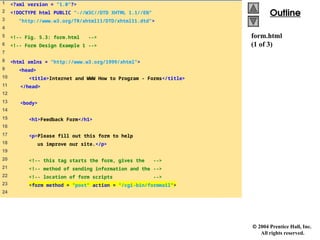
form.html
(1 of 3)
1 <?xml version = "1.0"?>
2 <!DOCTYPE html PUBLIC "-//W3C//DTD XHTML 1.1//EN"
3 "http://www.w3.org/TR/xhtml11/DTD/xhtml11.dtd">
4
5 <!-- Fig. 5.3: form.html -->
6 <!-- Form Design Example 1 -->
7
8 <html xmlns = "http://www.w3.org/1999/xhtml">
9 <head>
10 <title>Internet and WWW How to Program - Forms</title>
11 </head>
12
13 <body>
14
15 <h1>Feedback Form</h1>
16
17 <p>Please fill out this form to help
18 us improve our site.</p>
19
20 <!-- this tag starts the form, gives the -->
21 <!-- method of sending information and the -->
22 <!-- location of form scripts -->
23 <form method = "post" action = "/cgi-bin/formmail">
24
17.
2004 PrenticeHall, Inc.
All rights reserved.
Outline
Outline
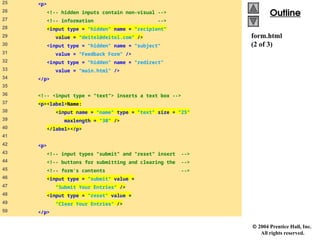
form.html
(2 of 3)
25 <p>
26 <!-- hidden inputs contain non-visual -->
27 <!-- information -->
28 <input type = "hidden" name = "recipient"
29 value = "deitel@deitel.com" />
30 <input type = "hidden" name = "subject"
31 value = "Feedback Form" />
32 <input type = "hidden" name = "redirect"
33 value = "main.html" />
34 </p>
35
36 <!-- <input type = "text"> inserts a text box -->
37 <p><label>Name:
38 <input name = "name" type = "text" size = "25"
39 maxlength = "30" />
40 </label></p>
41
42 <p>
43 <!-- input types "submit" and "reset" insert -->
44 <!-- buttons for submitting and clearing the -->
45 <!-- form's contents -->
46 <input type = "submit" value =
47 "Submit Your Entries" />
48 <input type = "reset" value =
49 "Clear Your Entries" />
50 </p>
18.
2004 PrenticeHall, Inc.
All rights reserved.
Outline
Outline
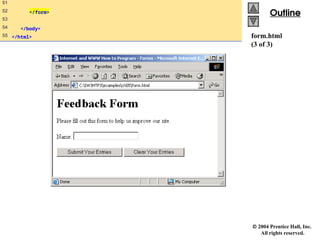
form.html
(3 of 3)
51
52 </form>
53
54 </body>
55 </html>
19.
2004 PrenticeHall, Inc. All rights reserved.
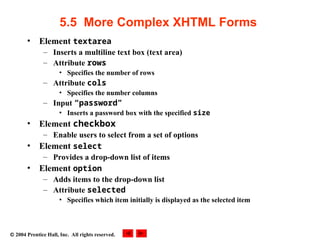
5.5 More Complex XHTML Forms
• Element textarea
– Inserts a multiline text box (text area)
– Attribute rows
• Specifies the number of rows
– Attribute cols
• Specifies the number columns
– Input “password”
• Inserts a password box with the specified size
• Element checkbox
– Enable users to select from a set of options
• Element select
– Provides a drop-down list of items
• Element option
– Adds items to the drop-down list
– Attribute selected
• Specifies which item initially is displayed as the selected item
20.
2004 PrenticeHall, Inc.
All rights reserved.
Outline
Outline
form2.html
(1 of 4)
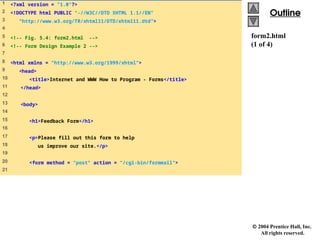
1 <?xml version = "1.0"?>
2 <!DOCTYPE html PUBLIC "-//W3C//DTD XHTML 1.1//EN"
3 "http://www.w3.org/TR/xhtml11/DTD/xhtml11.dtd">
4
5 <!-- Fig. 5.4: form2.html -->
6 <!-- Form Design Example 2 -->
7
8 <html xmlns = "http://www.w3.org/1999/xhtml">
9 <head>
10 <title>Internet and WWW How to Program - Forms</title>
11 </head>
12
13 <body>
14
15 <h1>Feedback Form</h1>
16
17 <p>Please fill out this form to help
18 us improve our site.</p>
19
20 <form method = "post" action = "/cgi-bin/formmail">
21
21.
2004 PrenticeHall, Inc.
All rights reserved.
Outline
Outline
form2.html
(2 of 4)
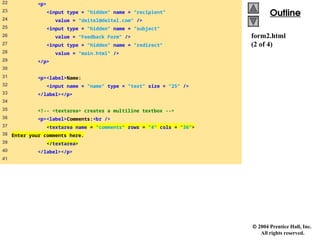
22 <p>
23 <input type = "hidden" name = "recipient"
24 value = "deitel@deitel.com" />
25 <input type = "hidden" name = "subject"
26 value = "Feedback Form" />
27 <input type = "hidden" name = "redirect"
28 value = "main.html" />
29 </p>
30
31 <p><label>Name:
32 <input name = "name" type = "text" size = "25" />
33 </label></p>
34
35 <!-- <textarea> creates a multiline textbox -->
36 <p><label>Comments:<br />
37 <textarea name = "comments" rows = "4" cols = "36">
38 Enter your comments here.
39 </textarea>
40 </label></p>
41
22.
2004 PrenticeHall, Inc.
All rights reserved.
Outline
Outline
form2.html
(3 of 4)
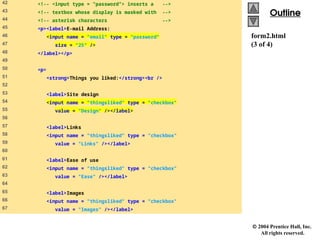
42 <!-- <input type = "password"> inserts a -->
43 <!-- textbox whose display is masked with -->
44 <!-- asterisk characters -->
45 <p><label>E-mail Address:
46 <input name = "email" type = "password"
47 size = "25" />
48 </label></p>
49
50 <p>
51 <strong>Things you liked:</strong><br />
52
53 <label>Site design
54 <input name = "thingsliked" type = "checkbox"
55 value = "Design" /></label>
56
57 <label>Links
58 <input name = "thingsliked" type = "checkbox"
59 value = "Links" /></label>
60
61 <label>Ease of use
62 <input name = "thingsliked" type = "checkbox"
63 value = "Ease" /></label>
64
65 <label>Images
66 <input name = "thingsliked" type = "checkbox"
67 value = "Images" /></label>
23.
2004 PrenticeHall, Inc.
All rights reserved.
Outline
Outline
form2.html
(4 of 4)
68
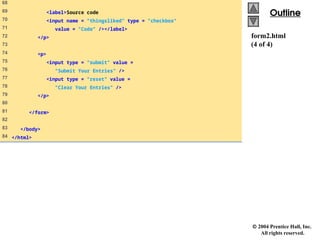
69 <label>Source code
70 <input name = "thingsliked" type = "checkbox"
71 value = "Code" /></label>
72 </p>
73
74 <p>
75 <input type = "submit" value =
76 "Submit Your Entries" />
77 <input type = "reset" value =
78 "Clear Your Entries" />
79 </p>
80
81 </form>
82
83 </body>
84 </html>
2004 PrenticeHall, Inc.
All rights reserved.
Outline
Outline
form3.html
(1 of 6)
1 <?xml version = "1.0"?>
2 <!DOCTYPE html PUBLIC "-//W3C//DTD XHTML 1.1//EN"
3 "http://www.w3.org/TR/xhtml11/DTD/xhtml11.dtd">
4
5 <!-- Fig. 5.5: form3.html -->
6 <!-- Form Design Example 3 -->
7
8 <html xmlns = "http://www.w3.org/1999/xhtml">
9 <head>
10 <title>Internet and WWW How to Program - Forms</title>
11 </head>
12
13 <body>
14
15 <h1>Feedback Form</h1>
16
17 <p>Please fill out this form to help
18 us improve our site.</p>
19
20 <form method = "post" action = "/cgi-bin/formmail">
21
22 <p>
23 <input type = "hidden" name = "recipient"
24 value = "deitel@deitel.com" />
25 <input type = "hidden" name = "subject"
26.
2004 PrenticeHall, Inc.
All rights reserved.
Outline
Outline
form3.html
(2 of 6)
26 value = "Feedback Form" />
27 <input type = "hidden" name = "redirect"
28 value = "main.html" />
29 </p>
30
31 <p><label>Name:
32 <input name = "name" type = "text" size = "25" />
33 </label></p>
34
35 <p><label>Comments:<br />
36 <textarea name = "comments" rows = "4"
37 cols = "36"></textarea>
38 </label></p>
39
40 <p><label>E-mail Address:
41 <input name = "email" type = "password"
42 size = "25" /></label></p>
43
44 <p>
45 <strong>Things you liked:</strong><br />
46
47 <label>Site design
48 <input name = "thingsliked" type = "checkbox"
49 value = "Design" /></label>
50
27.
2004 PrenticeHall, Inc.
All rights reserved.
Outline
Outline
form3.html
(3 of 6)
51 <label>Links
52 <input name = "thingsliked" type = "checkbox"
53 value = "Links" /></label>
54
55 <label>Ease of use
56 <input name = "thingsliked" type = "checkbox"
57 value = "Ease" /></label>
58
59 <label>Images
60 <input name = "thingsliked" type = "checkbox"
61 value = "Images" /></label>
62
63 <label>Source code
64 <input name = "thingsliked" type = "checkbox"
65 value = "Code" /></label>
66 </p>
67
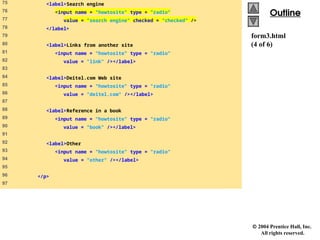
68 <!-- <input type = "radio" /> creates a radio -->
69 <!-- button. The difference between radio buttons -->
70 <!-- and checkboxes is that only one radio button -->
71 <!-- in a group can be selected. -->
72 <p>
73 <strong>How did you get to our site?:</strong><br />
74
28.
2004 PrenticeHall, Inc.
All rights reserved.
Outline
Outline
form3.html
(4 of 6)
75 <label>Search engine
76 <input name = "howtosite" type = "radio"
77 value = "search engine" checked = "checked" />
78 </label>
79
80 <label>Links from another site
81 <input name = "howtosite" type = "radio"
82 value = "link" /></label>
83
84 <label>Deitel.com Web site
85 <input name = "howtosite" type = "radio"
86 value = "deitel.com" /></label>
87
88 <label>Reference in a book
89 <input name = "howtosite" type = "radio"
90 value = "book" /></label>
91
92 <label>Other
93 <input name = "howtosite" type = "radio"
94 value = "other" /></label>
95
96 </p>
97
29.
2004 PrenticeHall, Inc.
All rights reserved.
Outline
Outline
form3.html
(5 of 6)
98 <p>
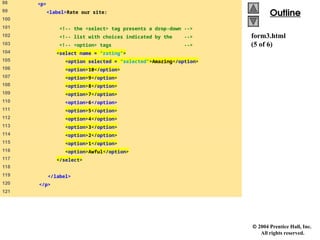
99 <label>Rate our site:
100
101 <!-- the <select> tag presents a drop-down -->
102 <!-- list with choices indicated by the -->
103 <!-- <option> tags -->
104 <select name = "rating">
105 <option selected = "selected">Amazing</option>
106 <option>10</option>
107 <option>9</option>
108 <option>8</option>
109 <option>7</option>
110 <option>6</option>
111 <option>5</option>
112 <option>4</option>
113 <option>3</option>
114 <option>2</option>
115 <option>1</option>
116 <option>Awful</option>
117 </select>
118
119 </label>
120 </p>
121
30.
2004 PrenticeHall, Inc.
All rights reserved.
Outline
Outline
form3.html
(6 of 6)
122 <p>
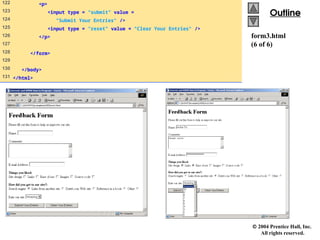
123 <input type = "submit" value =
124 "Submit Your Entries" />
125 <input type = "reset" value = "Clear Your Entries" />
126 </p>
127
128 </form>
129
130 </body>
131 </html>
31.
2004 PrenticeHall, Inc. All rights reserved.
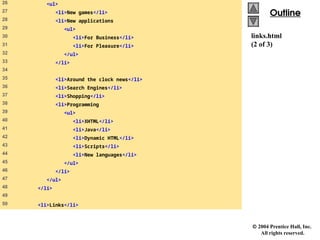
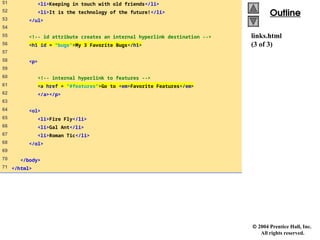
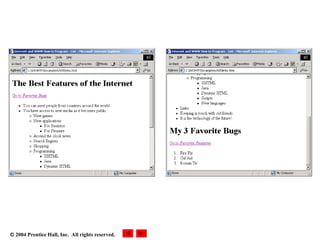
5.6 Internal Linking
• Enables the user to jump between locations in
the same document
32.
2004 PrenticeHall, Inc.
All rights reserved.
Outline
Outline
links.html
(1 of 3)
1 <?xml version = "1.0"?>
2 <!DOCTYPE html PUBLIC "-//W3C//DTD XHTML 1.1//EN"
3 "http://www.w3.org/TR/xhtml11/DTD/xhtml11.dtd">
4
5 <!-- Fig. 5.6: links.html -->
6 <!-- Internal Linking -->
7
8 <html xmlns = "http://www.w3.org/1999/xhtml">
9 <head>
10 <title>Internet and WWW How to Program - List</title>
11 </head>
12
13 <body>
14
15 <!-- id attribute creates an internal hyperlink destination -->
16 <h1 id = "features">The Best Features of the Internet</h1>
17
18 <!-- an internal link's address is "#id" -->
19 <p><a href = "#bugs">Go to <em>Favorite Bugs</em></a></p>
20
21 <ul>
22 <li>You can meet people from countries
23 around the world.</li>
24
25 <li>You have access to new media as it becomes public:
2004 PrenticeHall, Inc. All rights reserved.
5.7 Creating and Using Image Maps
• Designate certain areas of an image (called
hotspots) as links
– Element map
• Attribute id
– Identifies the image map
• Element area
– Defines hotspot
– Attribute shape and coords
• Specify the hotspot’s shape and coordinates
– Rectangular ( shape = “rect” )
– Polygon ( shape = “poly” )
– Circle ( shape = “circle” )
37.
2004 PrenticeHall, Inc.
All rights reserved.
Outline
Outline
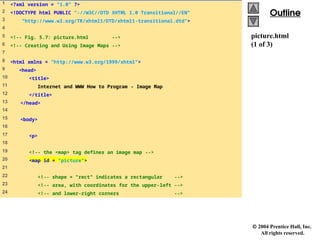
picture.html
(1 of 3)
1 <?xml version = "1.0" ?>
2 <!DOCTYPE html PUBLIC "-//W3C//DTD XHTML 1.0 Transitional//EN"
3 "http://www.w3.org/TR/xhtml1/DTD/xhtml1-transitional.dtd">
4
5 <!-- Fig. 5.7: picture.html -->
6 <!-- Creating and Using Image Maps -->
7
8 <html xmlns = "http://www.w3.org/1999/xhtml">
9 <head>
10 <title>
11 Internet and WWW How to Program - Image Map
12 </title>
13 </head>
14
15 <body>
16
17 <p>
18
19 <!-- the <map> tag defines an image map -->
20 <map id = "picture">
21
22 <!-- shape = "rect" indicates a rectangular -->
23 <!-- area, with coordinates for the upper-left -->
24 <!-- and lower-right corners -->
38.
2004 PrenticeHall, Inc.
All rights reserved.
Outline
Outline
picture.html
(2 of 3)
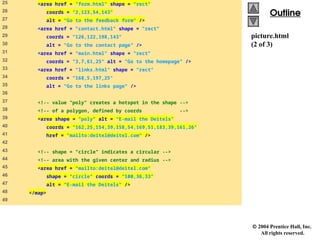
25 <area href = "form.html" shape = "rect"
26 coords = "2,123,54,143"
27 alt = "Go to the feedback form" />
28 <area href = "contact.html" shape = "rect"
29 coords = "126,122,198,143"
30 alt = "Go to the contact page" />
31 <area href = "main.html" shape = "rect"
32 coords = "3,7,61,25" alt = "Go to the homepage" />
33 <area href = "links.html" shape = "rect"
34 coords = "168,5,197,25"
35 alt = "Go to the links page" />
36
37 <!-- value "poly" creates a hotspot in the shape -->
38 <!-- of a polygon, defined by coords -->
39 <area shape = "poly" alt = "E-mail the Deitels"
40 coords = "162,25,154,39,158,54,169,51,183,39,161,26"
41 href = "mailto:deitel@deitel.com" />
42
43 <!-- shape = "circle" indicates a circular -->
44 <!-- area with the given center and radius -->
45 <area href = "mailto:deitel@deitel.com"
46 shape = "circle" coords = "100,36,33"
47 alt = "E-mail the Deitels" />
48 </map>
49
39.
2004 PrenticeHall, Inc.
All rights reserved.
Outline
Outline
picture.html
(3 of 3)
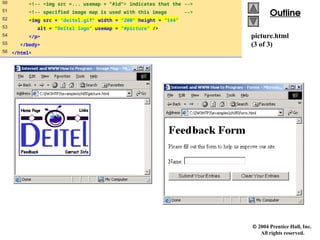
50 <!-- <img src =... usemap = "#id"> indicates that the -->
51 <!-- specified image map is used with this image -->
52 <img src = "deitel.gif" width = "200" height = "144"
53 alt = "Deitel logo" usemap = "#picture" />
54 </p>
55 </body>
56 </html>
40.
2004 PrenticeHall, Inc. All rights reserved.
5.8 meta Elements
• Specify information about a document
– Attribute name
• Identifies the type of meta element
• “keywords” ( name = “keywords” )
– Provides search engines with a list of words that
describe a page
• “description” ( name = “description” )
– Provides a description of a site
– Attribute content
• Provides the information search engine use to catalog
pages
41.
2004 PrenticeHall, Inc.
All rights reserved.
Outline
Outline
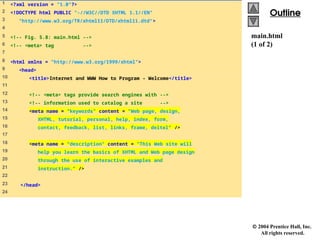
main.html
(1 of 2)
1 <?xml version = "1.0"?>
2 <!DOCTYPE html PUBLIC "-//W3C//DTD XHTML 1.1//EN"
3 "http://www.w3.org/TR/xhtml11/DTD/xhtml11.dtd">
4
5 <!-- Fig. 5.8: main.html -->
6 <!-- <meta> tag -->
7
8 <html xmlns = "http://www.w3.org/1999/xhtml">
9 <head>
10 <title>Internet and WWW How to Program - Welcome</title>
11
12 <!-- <meta> tags provide search engines with -->
13 <!-- information used to catalog a site -->
14 <meta name = "keywords" content = "Web page, design,
15 XHTML, tutorial, personal, help, index, form,
16 contact, feedback, list, links, frame, deitel" />
17
18 <meta name = "description" content = "This Web site will
19 help you learn the basics of XHTML and Web page design
20 through the use of interactive examples and
21 instruction." />
22
23 </head>
24
42.
2004 PrenticeHall, Inc.
All rights reserved.
Outline
Outline
main.html
(2 of 2)
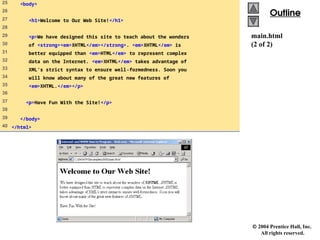
25 <body>
26
27 <h1>Welcome to Our Web Site!</h1>
28
29 <p>We have designed this site to teach about the wonders
30 of <strong><em>XHTML</em></strong>. <em>XHTML</em> is
31 better equipped than <em>HTML</em> to represent complex
32 data on the Internet. <em>XHTML</em> takes advantage of
33 XML’s strict syntax to ensure well-formedness. Soon you
34 will know about many of the great new features of
35 <em>XHTML.</em></p>
36
37 <p>Have Fun With the Site!</p>
38
39 </body>
40 </html>
43.
2004 PrenticeHall, Inc. All rights reserved.
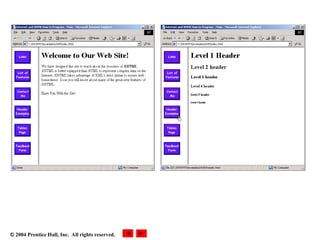
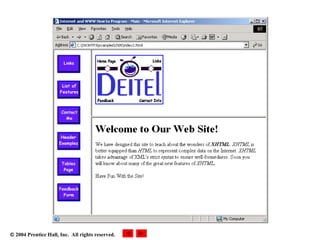
5.9 frameset Element
• Allow browser display more than one
document simultaneously
– Element frameset
• Attribute cols
– Specifies the frameset’s column layout
• Attribute rows
– Specifies the number of rows and the size of each row
• Element frame
– Specifies the documents that will be loaded
– Attribute src
• Specifies URL of the page to display
44.
2004 PrenticeHall, Inc.
All rights reserved.
Outline
Outline
index.html
(1 of 2)
1 <?xml version = "1.0"?>
2 <!DOCTYPE html PUBLIC "-//W3C//DTD XHTML 1.0 Frameset//EN"
3 "http://www.w3.org/TR/xhtml1/DTD/xhtml1-frameset.dtd">
4
5 <!-- Fig. 5.9: index.html -->
6 <!-- XHTML Frames I -->
7
8 <html xmlns = "http://www.w3.org/1999/xhtml">
9 <head>
10 <title>Internet and WWW How to Program - Main</title>
11 <meta name = "keywords" content = "Webpage, design,
12 XHTML, tutorial, personal, help, index, form,
13 contact, feedback, list, links, frame, deitel" />
14
15 <meta name = "description" content = "This Web site will
16 help you learn the basics of XHTML and Web page design
17 through the use of interactive examples
18 and instruction." />
19
20 </head>
21
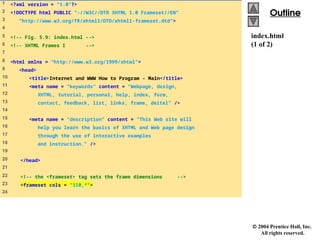
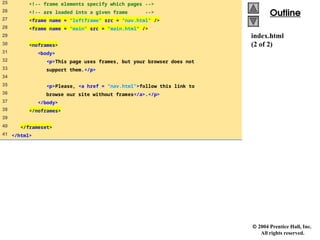
22 <!-- the <frameset> tag sets the frame dimensions -->
23 <frameset cols = "110,*">
24
45.
2004 PrenticeHall, Inc.
All rights reserved.
Outline
Outline
index.html
(2 of 2)
25 <!-- frame elements specify which pages -->
26 <!-- are loaded into a given frame -->
27 <frame name = "leftframe" src = "nav.html" />
28 <frame name = "main" src = "main.html" />
29
30 <noframes>
31 <body>
32 <p>This page uses frames, but your browser does not
33 support them.</p>
34
35 <p>Please, <a href = "nav.html">follow this link to
36 browse our site without frames</a>.</p>
37 </body>
38 </noframes>
39
40 </frameset>
41 </html>
2004 PrenticeHall, Inc. All rights reserved.
5.10 Nested framesets
• framesets within framesets
50.
2004 PrenticeHall, Inc.
All rights reserved.
Outline
Outline
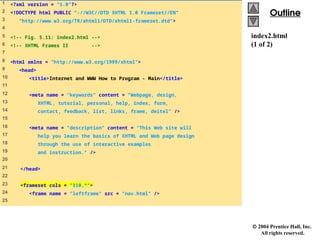
index2.html
(1 of 2)
1 <?xml version = "1.0"?>
2 <!DOCTYPE html PUBLIC "-//W3C//DTD XHTML 1.0 Frameset//EN"
3 "http://www.w3.org/TR/xhtml1/DTD/xhtml1-frameset.dtd">
4
5 <!-- Fig. 5.11: index2.html -->
6 <!-- XHTML Frames II -->
7
8 <html xmlns = "http://www.w3.org/1999/xhtml">
9 <head>
10 <title>Internet and WWW How to Program - Main</title>
11
12 <meta name = "keywords" content = "Webpage, design,
13 XHTML, tutorial, personal, help, index, form,
14 contact, feedback, list, links, frame, deitel" />
15
16 <meta name = "description" content = "This Web site will
17 help you learn the basics of XHTML and Web page design
18 through the use of interactive examples
19 and instruction." />
20
21 </head>
22
23 <frameset cols = "110,*">
24 <frame name = "leftframe" src = "nav.html" />
25
51.
2004 PrenticeHall, Inc.
All rights reserved.
Outline
Outline
index2.html
(2 of 2)
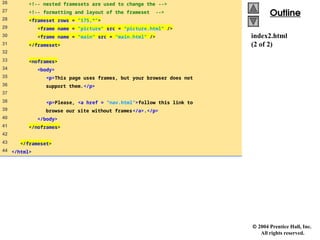
26 <!-- nested framesets are used to change the -->
27 <!-- formatting and layout of the frameset -->
28 <frameset rows = "175,*">
29 <frame name = "picture" src = "picture.html" />
30 <frame name = "main" src = "main.html" />
31 </frameset>
32
33 <noframes>
34 <body>
35 <p>This page uses frames, but your browser does not
36 support them.</p>
37
38 <p>Please, <a href = "nav.html">follow this link to
39 browse our site without frames</a>.</p>
40 </body>
41 </noframes>
42
43 </frameset>
44 </html>
2004 PrenticeHall, Inc. All rights reserved.
5.11 Web Resources
• www.vbxml.com/xhtml/articles/xhtml_tables
• www.webreference.com/xml/reference/xhtml.html


![Introduction_to_HTML_Presentation [Autosaved].pptx](https://cdn.slidesharecdn.com/ss_thumbnails/introductiontohtmlpresentationautosaved-250924135400-629f4929-thumbnail.jpg?width=640&height=640&fit=bounds)


