



XHTMLEXtensibleHyperText Markup LanguageMd. Shajed E Islam
XHTML …stands for EXtensibleHyperText Markup Languageis almost identical to HTML 4.01is a stricterand cleanerversion of HTMLCombination of XML and HTMLTags from HTMLRule from XML
WHY XHTML?
Industry standardsCross browsers supportValidatedDifferent device browsers support (like iphone, pda, mobile etc.)
XHTML structureOne root element per documentProperly nested elementsClose elementsLowercase elements
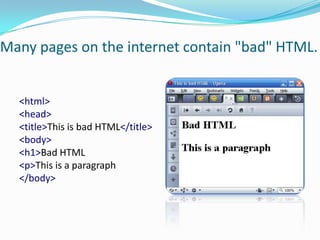
Many pages on the internet contain "bad" HTML.<html><head><title>This is bad HTML</title><body><h1>Bad HTML<p>This is a paragraph</body>
XHTML vs HTML
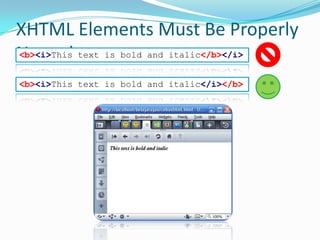
XHTML Elements Must Be Properly Nested<b><i>This text is bold and italic</b></i><b><i>This text is bold and italic</i></b>
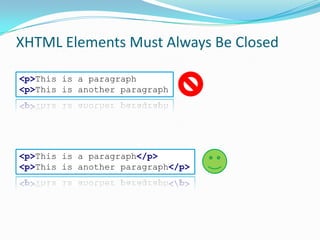
XHTML Elements Must Always Be Closed<p>This is a paragraph<p>This is another paragraph<p>This is a paragraph</p><p>This is another paragraph</p>
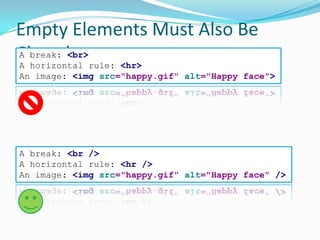
Empty Elements Must Also Be ClosedA break: <br>A horizontal rule: <hr>An image: <imgsrc="happy.gif"alt="Happy face">A break: <br/>A horizontal rule: <hr/>An image: <imgsrc="happy.gif"alt="Happy face"/>
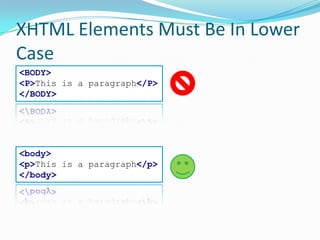
XHTML Elements Must Be In Lower Case<BODY><P>This is a paragraph</P></BODY><body><p>This is a paragraph</p></body>
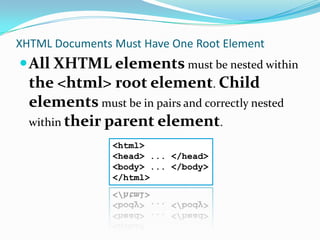
XHTML Documents Must Have One Root ElementAll XHTML elements must be nested within the <html> root element. Child elements must be in pairs and correctly nested within their parent element.<html><head> ... </head><body> ... </body></html>
Block or Inline?
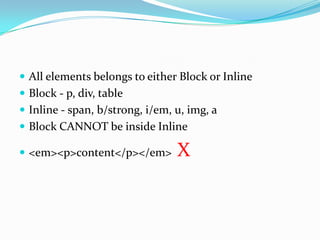
All elements belongs to either Block or InlineBlock - p, div, tableInline - span, b/strong, i/em, u, img, aBlock CANNOT be inside Inline<em><p>content</p></em>  X
Common Attributes
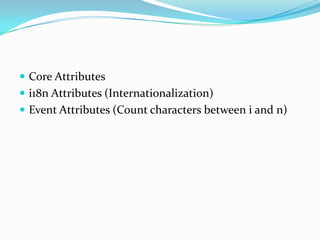
Core Attributesi18n Attributes (Internationalization)Event Attributes (Count characters between i and n)
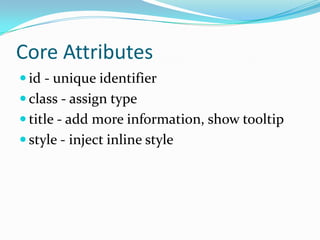
Core Attributesid - unique identifierclass - assign typetitle - add more information, show tooltipstyle - inject inline style
i18n Attributesdir - content direction ltr, trlxml:lang - en, deJust forget it!
Event Attributesonclickondbclickonmouseoeveronmouseoutonkeypressetc...
XHTML Syntax Rules
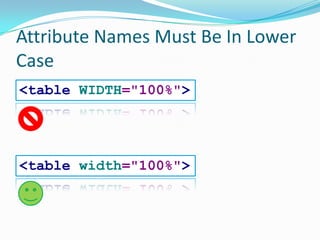
Attribute Names Must Be In Lower Case<tableWIDTH="100%"><tablewidth="100%">
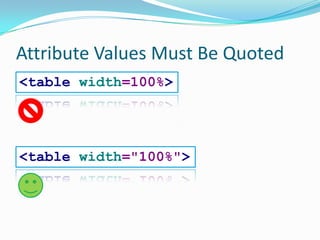
Attribute Values Must Be Quoted<tablewidth=100%><tablewidth="100%">
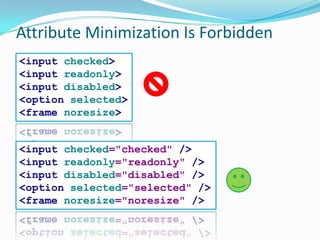
Attribute Minimization Is Forbidden<inputchecked><inputreadonly><inputdisabled><optionselected><framenoresize><inputchecked="checked"/><inputreadonly="readonly"/><inputdisabled="disabled"/><optionselected="selected"/><framenoresize="noresize"/>
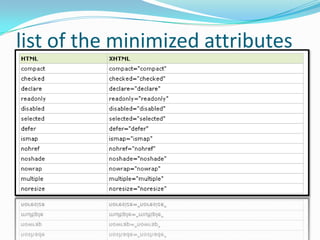
list of the minimized attributes
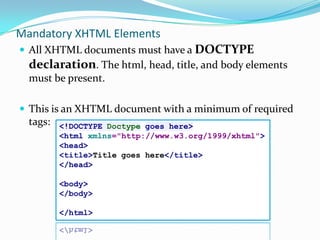
Mandatory XHTML ElementsAll XHTML documents must have a DOCTYPE declaration. The html, head, title, and body elements must be present.This is an XHTML document with a minimum of required tags:<!DOCTYPE Doctype goes here><htmlxmlns="http://www.w3.org/1999/xhtml"><head><title>Title goes here</title></head><body></body></html>
XHTML DTD
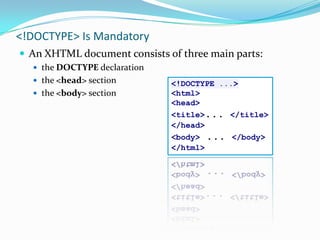
<!DOCTYPE> Is MandatoryAn XHTML document consists of three main parts:the DOCTYPE declarationthe <head> sectionthe <body> section<!DOCTYPE ...><html><head><title>... </title></head><body> ... </body></html>
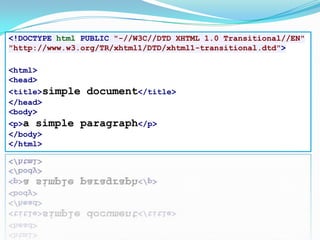
An XHTML Example<!DOCTYPE html PUBLIC "-//W3C//DTD XHTML 1.0 Transitional//EN""http://www.w3.org/TR/xhtml1/DTD/xhtml1-transitional.dtd"><html><head><title>simple document</title></head><body><p>a simple paragraph</p></body></html>
Document Type Definitions (DTD)A DTD specifies the syntax of a web page in SGMLDTDs are used by SGML applications, such as HTML, to specify rules for documents of a particular type, including a set of elements and entity declarationsAn XHTML DTD describes in precise, computer-readable language, the allowed syntax of XHTML markup
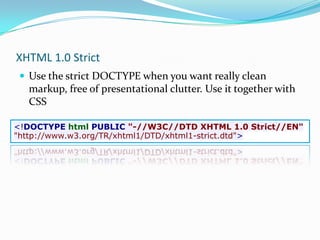
XHTML 1.0 StrictUse the strict DOCTYPE when you want really clean markup, free of presentational clutter. Use it together with CSS<!DOCTYPE html PUBLIC "-//W3C//DTD XHTML 1.0 Strict//EN""http://www.w3.org/TR/xhtml1/DTD/xhtml1-strict.dtd">
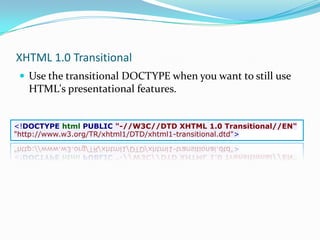
XHTML 1.0 TransitionalUse the transitional DOCTYPE when you want to still use HTML's presentational features.<!DOCTYPE html PUBLIC "-//W3C//DTD XHTML 1.0 Transitional//EN""http://www.w3.org/TR/xhtml1/DTD/xhtml1-transitional.dtd">
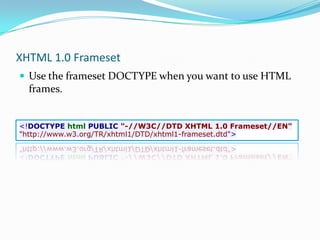
XHTML 1.0 FramesetUse the frameset DOCTYPE when you want to use HTML frames.<!DOCTYPE html PUBLIC "-//W3C//DTD XHTML 1.0 Frameset//EN""http://www.w3.org/TR/xhtml1/DTD/xhtml1-frameset.dtd">
SEO - XHTML For Titles, Descriptions and Metatags
The TITLE tagExample: <TITLE>Speedy SEO Services Company</TITLE>The DESCRIPTION meta tagExample: <META NAME="description" CONTENT=" SEO Services for home based and big businesses." >The KEYWORDS meta tag Example: <META NAME="keywords" CONTENT=“bglobal, web design, web development, cms, php, etc.">
Meta Tags Explained
Meta Authornot supported by the major search engines like Google, Yahoo or MSN.Meta Content LanguageSome search engine robots use this meta tag to categorize your webpage by language.Meta Content Type<meta http-equiv="Content-Type" content="content type, text or html">Meta DescriptionMeta KeywordsMeta Title
Referencehttp://www.w3schools.com/xhtml
Thanks
Thanks

Xhtml

  • 1.
  • 2.
    XHTML …stands forEXtensibleHyperText Markup Languageis almost identical to HTML 4.01is a stricterand cleanerversion of HTMLCombination of XML and HTMLTags from HTMLRule from XML
  • 3.
  • 4.
    Industry standardsCross browserssupportValidatedDifferent device browsers support (like iphone, pda, mobile etc.)
  • 5.
    XHTML structureOne rootelement per documentProperly nested elementsClose elementsLowercase elements
  • 6.
    Many pages onthe internet contain "bad" HTML.<html><head><title>This is bad HTML</title><body><h1>Bad HTML<p>This is a paragraph</body>
  • 7.
  • 8.
    XHTML Elements MustBe Properly Nested<b><i>This text is bold and italic</b></i><b><i>This text is bold and italic</i></b>
  • 9.
    XHTML Elements MustAlways Be Closed<p>This is a paragraph<p>This is another paragraph<p>This is a paragraph</p><p>This is another paragraph</p>
  • 10.
    Empty Elements MustAlso Be ClosedA break: <br>A horizontal rule: <hr>An image: <imgsrc="happy.gif"alt="Happy face">A break: <br/>A horizontal rule: <hr/>An image: <imgsrc="happy.gif"alt="Happy face"/>
  • 11.
    XHTML Elements MustBe In Lower Case<BODY><P>This is a paragraph</P></BODY><body><p>This is a paragraph</p></body>
  • 12.
    XHTML Documents MustHave One Root ElementAll XHTML elements must be nested within the <html> root element. Child elements must be in pairs and correctly nested within their parent element.<html><head> ... </head><body> ... </body></html>
  • 13.
  • 14.
    All elements belongsto either Block or InlineBlock - p, div, tableInline - span, b/strong, i/em, u, img, aBlock CANNOT be inside Inline<em><p>content</p></em> X
  • 15.
  • 16.
    Core Attributesi18n Attributes(Internationalization)Event Attributes (Count characters between i and n)
  • 17.
    Core Attributesid -unique identifierclass - assign typetitle - add more information, show tooltipstyle - inject inline style
  • 18.
    i18n Attributesdir -content direction ltr, trlxml:lang - en, deJust forget it!
  • 19.
  • 20.
  • 21.
    Attribute Names MustBe In Lower Case<tableWIDTH="100%"><tablewidth="100%">
  • 22.
    Attribute Values MustBe Quoted<tablewidth=100%><tablewidth="100%">
  • 23.
    Attribute Minimization IsForbidden<inputchecked><inputreadonly><inputdisabled><optionselected><framenoresize><inputchecked="checked"/><inputreadonly="readonly"/><inputdisabled="disabled"/><optionselected="selected"/><framenoresize="noresize"/>
  • 24.
    list of theminimized attributes
  • 25.
    Mandatory XHTML ElementsAllXHTML documents must have a DOCTYPE declaration. The html, head, title, and body elements must be present.This is an XHTML document with a minimum of required tags:<!DOCTYPE Doctype goes here><htmlxmlns="http://www.w3.org/1999/xhtml"><head><title>Title goes here</title></head><body></body></html>
  • 26.
  • 27.
    <!DOCTYPE> Is MandatoryAnXHTML document consists of three main parts:the DOCTYPE declarationthe <head> sectionthe <body> section<!DOCTYPE ...><html><head><title>... </title></head><body> ... </body></html>
  • 28.
    An XHTML Example<!DOCTYPEhtml PUBLIC "-//W3C//DTD XHTML 1.0 Transitional//EN""http://www.w3.org/TR/xhtml1/DTD/xhtml1-transitional.dtd"><html><head><title>simple document</title></head><body><p>a simple paragraph</p></body></html>
  • 29.
    Document Type Definitions(DTD)A DTD specifies the syntax of a web page in SGMLDTDs are used by SGML applications, such as HTML, to specify rules for documents of a particular type, including a set of elements and entity declarationsAn XHTML DTD describes in precise, computer-readable language, the allowed syntax of XHTML markup
  • 30.
    XHTML 1.0 StrictUsethe strict DOCTYPE when you want really clean markup, free of presentational clutter. Use it together with CSS<!DOCTYPE html PUBLIC "-//W3C//DTD XHTML 1.0 Strict//EN""http://www.w3.org/TR/xhtml1/DTD/xhtml1-strict.dtd">
  • 31.
    XHTML 1.0 TransitionalUsethe transitional DOCTYPE when you want to still use HTML's presentational features.<!DOCTYPE html PUBLIC "-//W3C//DTD XHTML 1.0 Transitional//EN""http://www.w3.org/TR/xhtml1/DTD/xhtml1-transitional.dtd">
  • 32.
    XHTML 1.0 FramesetUsethe frameset DOCTYPE when you want to use HTML frames.<!DOCTYPE html PUBLIC "-//W3C//DTD XHTML 1.0 Frameset//EN""http://www.w3.org/TR/xhtml1/DTD/xhtml1-frameset.dtd">
  • 33.
    SEO - XHTMLFor Titles, Descriptions and Metatags
  • 34.
    The TITLE tagExample:<TITLE>Speedy SEO Services Company</TITLE>The DESCRIPTION meta tagExample: <META NAME="description" CONTENT=" SEO Services for home based and big businesses." >The KEYWORDS meta tag Example: <META NAME="keywords" CONTENT=“bglobal, web design, web development, cms, php, etc.">
  • 35.
  • 36.
    Meta Authornot supportedby the major search engines like Google, Yahoo or MSN.Meta Content LanguageSome search engine robots use this meta tag to categorize your webpage by language.Meta Content Type<meta http-equiv="Content-Type" content="content type, text or html">Meta DescriptionMeta KeywordsMeta Title
  • 37.
  • 38.
  • 39.

Editor's Notes

  • #26 Note: The DOCTYPE declaration is not a part of the XHTML document itself. It is not an XHTML element. You will learn more about the XHTML DOCTYPE in the next chapter.Note: The xmlns attribute in &lt;html&gt;, specifies the xml namespace for a document, and is required in XHTML documents. However, the HTML validator at w3.org does not complain when the xmlns attribute is missing. This is because the namespace &quot;xmlns=http://www.w3.org/1999/xhtml&quot; is default, and will be added to the &lt;html&gt; tag even if you do not include it.
  • #28 Note: The DOCTYPE declaration is not a part of the XHTML document itself. It is not an XHTML element. You will learn more about the XHTML DOCTYPE in the next chapter.Note: The xmlns attribute in &lt;html&gt;, specifies the xml namespace for a document, and is required in XHTML documents. However, the HTML validator at w3.org does not complain when the xmlns attribute is missing. This is because the namespace &quot;xmlns=http://www.w3.org/1999/xhtml&quot; is default, and will be added to the &lt;html&gt; tag even if you do not include it.
  • #29 Note: The DOCTYPE declaration is not a part of the XHTML document itself. It is not an XHTML element. You will learn more about the XHTML DOCTYPE in the next chapter.Note: The xmlns attribute in &lt;html&gt;, specifies the xml namespace for a document, and is required in XHTML documents. However, the HTML validator at w3.org does not complain when the xmlns attribute is missing. This is because the namespace &quot;xmlns=http://www.w3.org/1999/xhtml&quot; is default, and will be added to the &lt;html&gt; tag even if you do not include it.
  • #30 Note: The DOCTYPE declaration is not a part of the XHTML document itself. It is not an XHTML element. You will learn more about the XHTML DOCTYPE in the next chapter.Note: The xmlns attribute in &lt;html&gt;, specifies the xml namespace for a document, and is required in XHTML documents. However, the HTML validator at w3.org does not complain when the xmlns attribute is missing. This is because the namespace &quot;xmlns=http://www.w3.org/1999/xhtml&quot; is default, and will be added to the &lt;html&gt; tag even if you do not include it.
  • #31 Note: The DOCTYPE declaration is not a part of the XHTML document itself. It is not an XHTML element. You will learn more about the XHTML DOCTYPE in the next chapter.Note: The xmlns attribute in &lt;html&gt;, specifies the xml namespace for a document, and is required in XHTML documents. However, the HTML validator at w3.org does not complain when the xmlns attribute is missing. This is because the namespace &quot;xmlns=http://www.w3.org/1999/xhtml&quot; is default, and will be added to the &lt;html&gt; tag even if you do not include it.
  • #32 Note: The DOCTYPE declaration is not a part of the XHTML document itself. It is not an XHTML element. You will learn more about the XHTML DOCTYPE in the next chapter.Note: The xmlns attribute in &lt;html&gt;, specifies the xml namespace for a document, and is required in XHTML documents. However, the HTML validator at w3.org does not complain when the xmlns attribute is missing. This is because the namespace &quot;xmlns=http://www.w3.org/1999/xhtml&quot; is default, and will be added to the &lt;html&gt; tag even if you do not include it.
  • #33 Note: The DOCTYPE declaration is not a part of the XHTML document itself. It is not an XHTML element. You will learn more about the XHTML DOCTYPE in the next chapter.Note: The xmlns attribute in &lt;html&gt;, specifies the xml namespace for a document, and is required in XHTML documents. However, the HTML validator at w3.org does not complain when the xmlns attribute is missing. This is because the namespace &quot;xmlns=http://www.w3.org/1999/xhtml&quot; is default, and will be added to the &lt;html&gt; tag even if you do not include it.