AMD Developer Summit
Session: WT-4071
GPU Accelerated 3D Graphics for Java
Kevin Rushforth & Chien Yang
Oracle Corporation

1

Copyright © 2012, Oracle and/or its affiliates. All rights reserved.

Insert Information Protection Policy Classification from Slide 13
Program Agenda
!  JavaFX Graphics Overview
!  Transforms
!  Camera and Coordinate System
!  Z-buffer (depth test)
!  Movable Camera

Copyright © 2013, Oracle and/or its affiliates. All rights reserved.
2
Program Agenda
!  3D Geometry
!  3D Attributes
!  3D Picking
!  MSAA
!  SubScene
!  Wrap-up / Q&A

Copyright © 2013, Oracle and/or its affiliates. All rights reserved.
3
JavaFX Graphics Overview
" 

Scene graph model
" 

Hierarchy of group and leaf (graphic primitive) nodes

" 

Leaf nodes have individual graphical attributes

" 

Group nodes can have collective attributes

" 

Parent/child directed graph similar to component trees

Copyright © 2013, Oracle and/or its affiliates. All rights reserved.
4
JavaFX Graphics Overview
" 

Capabilities
" 

Transformation (translate, rotate, scale and shear)

" 

Animation (timeline and transitions)

" 

Effects (blurs, drop shadows, color filters, etc.)

" 

Rendering attributes

Copyright © 2013, Oracle and/or its affiliates. All rights reserved.
5
JavaFX Graphics Overview
" 

Primary graphical node types
" 

Shape (rectangle, circle, path, etc.)

" 

Text (a specialized form of Shape)

" 

ImageView

" 

MediaView

Copyright © 2013, Oracle and/or its affiliates. All rights reserved.
6
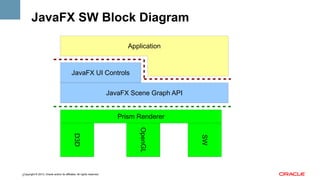
JavaFX SW Block Diagram
Application

JavaFX UI Controls
JavaFX Scene Graph API
Prism Renderer
SW

OpenGL

D3D
Copyright © 2013, Oracle and/or its affiliates. All rights reserved.
7
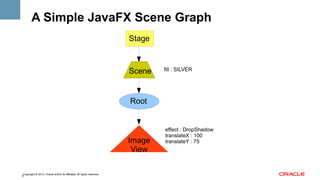
A Simple JavaFX Scene Graph
Stage

Scene

fill : SILVER

Root

Image
View
Copyright © 2013, Oracle and/or its affiliates. All rights reserved.
8

effect : DropShadow
translateX : 100
translateY : 75
Simple Scenegraph Demo

Copyright © 2013, Oracle and/or its affiliates. All rights reserved.
9
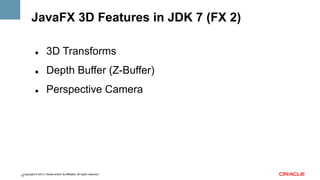
JavaFX 3D Features in JDK 7 (FX 2)
" 

3D Transforms

" 

Depth Buffer (Z-Buffer)

" 

Perspective Camera

Copyright © 2013, Oracle and/or its affiliates. All rights reserved.
10
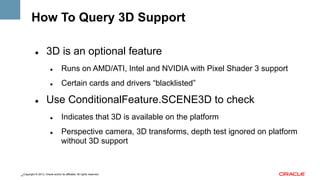
How To Query 3D Support
" 

3D is an optional feature
" 

" 

" 

Runs on AMD/ATI, Intel and NVIDIA with Pixel Shader 3 support
Certain cards and drivers “blacklisted”

Use ConditionalFeature.SCENE3D to check
" 

" 

Indicates that 3D is available on the platform
Perspective camera, 3D transforms, depth test ignored on platform
without 3D support

Copyright © 2013, Oracle and/or its affiliates. All rights reserved.
11
JavaFX on Windows
" 

Windows Vista / 7 / 8 (32-bit or 64-bit)

" 

HW acceleration via DirectX 9.0c
" 

GPUs include: AMD, Intel HD, NVIDIA

" 

May need newer driver (especially for Intel HD)

" 

Run with -Dprism.verbose=true to check

Copyright © 2013, Oracle and/or its affiliates. All rights reserved.
12
JavaFX on Mac OS X
" 

Mac OS X 10.7 (Lion) and 10.8 (Mountain Lion)

" 

HW acceleration via OpenGL 2.0
" 

GPUs include: AMD, Intel HD, NVIDIA

" 

Run with -Dprism.verbose=true to check

Copyright © 2013, Oracle and/or its affiliates. All rights reserved.
13
JavaFX on Linux
" 

Ubuntu 12.04 LTS or later, OEL 6 or later

" 

HW acceleration via OpenGL 2.0
" 

" 

Requires vendor-supplied driver

" 

" 

GPUs include: AMD, NVIDIA

Run with -Dprism.verbose=true to check

Support for Intel HD, open source drivers in a later release
" 

You can try it now: -Dprism.forceGPU=true

Copyright © 2013, Oracle and/or its affiliates. All rights reserved.
14
JavaFX on Embedded
" 

HW acceleration via OpenGL ES 2

" 

3D is not supported for FX 8, but will be in future
" 

" 

Requires chipset that supports non-power-of-two textures
You can try it now on Raspberry Pi:
-Dcom.sun.javafx.experimental.embedded.3d=true

Copyright © 2013, Oracle and/or its affiliates. All rights reserved.
15
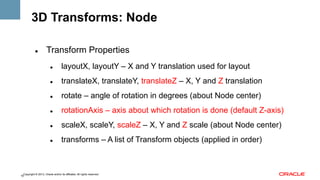
3D Transforms: Node
" 

Transform Properties
" 

layoutX, layoutY – X and Y translation used for layout

" 

translateX, translateY, translateZ – X, Y and Z translation

" 

rotate – angle of rotation in degrees (about Node center)

" 

rotationAxis – axis about which rotation is done (default Z-axis)

" 

scaleX, scaleY, scaleZ – X, Y and Z scale (about Node center)

" 

transforms – A list of Transform objects (applied in order)

Copyright © 2013, Oracle and/or its affiliates. All rights reserved.
16
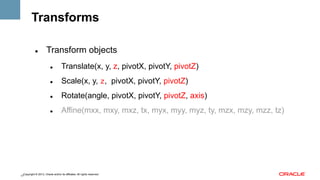
Transforms
" 

Transform objects
" 

Translate(x, y, z, pivotX, pivotY, pivotZ)

" 

Scale(x, y, z, pivotX, pivotY, pivotZ)

" 

Rotate(angle, pivotX, pivotY, pivotZ, axis)

" 

Affine(mxx, mxy, mxz, tx, myx, myy, myz, ty, mzx, mzy, mzz, tz)

Copyright © 2013, Oracle and/or its affiliates. All rights reserved.
17
Order of Transform Operations
Translate(layoutX+translateX, layoutY+translateY, translateZ)
Translate(pivotX, pivotY, pivotZ) // computed center of node
Rotate(rotate, rotationAxis)
Scale(scaleX, scaleY, scaleZ)
Translate(-pivotX, -pivotY, -pivotZ) // computed center of node
transform[0]
transform[1]
...
Copyright © 2013, Oracle and/or its affiliates. All rights reserved.
18
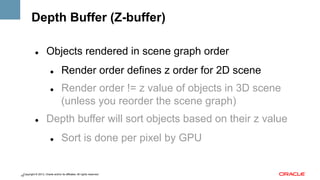
Depth Buffer (Z-buffer)
" 

Objects rendered in scene graph order
" 

" 

" 

Render order defines z order for 2D scene
Render order != z value of objects in 3D scene
(unless you reorder the scene graph)

Depth buffer will sort objects based on their z value
" 

Sort is done per pixel by GPU

Copyright © 2013, Oracle and/or its affiliates. All rights reserved.
19
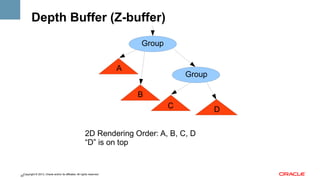
Depth Buffer (Z-buffer)
Group
A

Group
B
C

2D Rendering Order: A, B, C, D
“D” is on top

Copyright © 2013, Oracle and/or its affiliates. All rights reserved.
20

D
Depth Buffer (Z-buffer)
" 

Objects rendered in scene graph order
" 

" 

" 

Render order defines z order for 2D scene
Render order != z value of objects in 3D scene
(unless you reorder the scene graph)

Depth buffer will sort objects based on their z value
" 

Sort is done per pixel by GPU

Copyright © 2013, Oracle and/or its affiliates. All rights reserved.
21
Depth Buffer (Z-buffer)
Group
A

Group

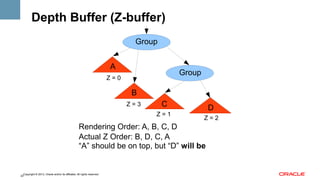
Z=0

B
Z=3

C
Z=1

D
Z=2

Rendering Order: A, B, C, D
Actual Z Order: B, D, C, A
“A” should be on top, but “D” will be

Copyright © 2013, Oracle and/or its affiliates. All rights reserved.
22
Depth Buffer (Z-buffer)
" 

Objects rendered in scene graph order
" 

" 

" 

Render order defines z order for 2D scene
Render order != z value of objects in 3D scene
(unless you reorder the scene graph)

Depth buffer will sort objects based on their z value
" 

Sort is done per pixel by GPU

Copyright © 2013, Oracle and/or its affiliates. All rights reserved.
23
Depth Buffer (Z-buffer)
" 

Construct scene with depth buffer attribute

" 

Node has depthTest property
" 

DISABLE, ENABLE and INHERIT

" 

depthTest is only used on Scene with a depth buffer

" 

Its default value is INHERIT

" 

If depthTest = INHERIT, depth testing is enabled if it is enabled for
its parent node (or its parent node is null)

Copyright © 2013, Oracle and/or its affiliates. All rights reserved.
24
Depth Test Demo

Copyright © 2013, Oracle and/or its affiliates. All rights reserved.
25
VideoCube Demo

Copyright © 2013, Oracle and/or its affiliates. All rights reserved.
26
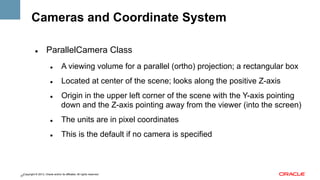
Cameras and Coordinate System
" 

ParallelCamera Class
" 

A viewing volume for a parallel (ortho) projection; a rectangular box

" 

Located at center of the scene; looks along the positive Z-axis

" 

Origin in the upper left corner of the scene with the Y-axis pointing
down and the Z-axis pointing away from the viewer (into the screen)

" 

The units are in pixel coordinates

" 

This is the default if no camera is specified

Copyright © 2013, Oracle and/or its affiliates. All rights reserved.
27
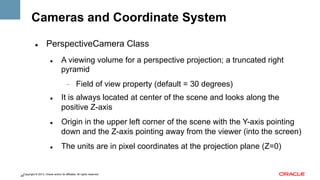
Cameras and Coordinate System
" 

PerspectiveCamera Class
" 

A viewing volume for a perspective projection; a truncated right
pyramid
- 

" 

" 

" 

Field of view property (default = 30 degrees)

It is always located at center of the scene and looks along the
positive Z-axis
Origin in the upper left corner of the scene with the Y-axis pointing
down and the Z-axis pointing away from the viewer (into the screen)
The units are in pixel coordinates at the projection plane (Z=0)

Copyright © 2013, Oracle and/or its affiliates. All rights reserved.
28
JavaFX Coordinate System
" 

Differences from typical 3D coordinate systems
" 

Origin: top-left vs. center

" 

Direction: Y down vs. Y up

" 

Unit: pixel vs. normalized [-1, 1]

Copyright © 2013, Oracle and/or its affiliates. All rights reserved.
29
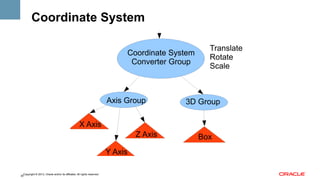
Coordinate System
Coordinate System
Converter Group

Axis Group

Translate
Rotate
Scale

3D Group

X Axis
Z Axis
Y Axis
Copyright © 2013, Oracle and/or its affiliates. All rights reserved.
30

Box
Coordinate System Demo

Copyright © 2013, Oracle and/or its affiliates. All rights reserved.
31
New JavaFX 3D Features in JDK 8
" 

Movable cameras

" 

3D primitives (e.g., meshes, predefined solids)

" 

3D attributes (e.g., lights, materials)

" 

3D picking

" 

Scene Antialiasing

" 

SubScene

Copyright © 2013, Oracle and/or its affiliates. All rights reserved.
32
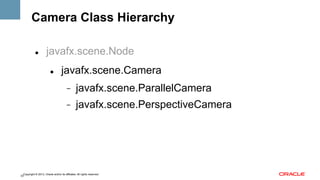
Camera Class Hierarchy
" 

javafx.scene.Node
" 

javafx.scene.Camera
- 

javafx.scene.ParallelCamera

- 

javafx.scene.PerspectiveCamera

Copyright © 2013, Oracle and/or its affiliates. All rights reserved.
33
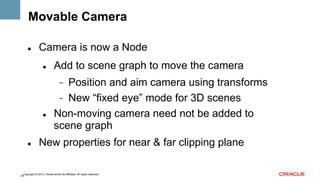
Movable Camera
" 

Camera is now a Node
" 

Add to scene graph to move the camera
Position and aim camera using transforms
-  New “fixed eye” mode for 3D scenes
Non-moving camera need not be added to
scene graph
- 

" 

" 

New properties for near & far clipping plane

Copyright © 2013, Oracle and/or its affiliates. All rights reserved.
34
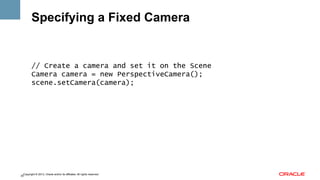
Specifying a Fixed Camera

// Create a camera and set it on the Scene
Camera camera = new PerspectiveCamera();
scene.setCamera(camera);

Copyright © 2013, Oracle and/or its affiliates. All rights reserved.
35
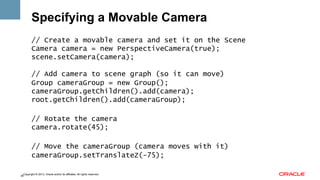
Specifying a Movable Camera
// Create a movable camera and set it on the Scene
Camera camera = new PerspectiveCamera(true);
scene.setCamera(camera);
// Add camera to scene graph (so it can move)
Group cameraGroup = new Group();
cameraGroup.getChildren().add(camera);
root.getChildren().add(cameraGroup);
// Rotate the camera
camera.rotate(45);
// Move the cameraGroup (camera moves with it)
cameraGroup.setTranslateZ(-75);
Copyright © 2013, Oracle and/or its affiliates. All rights reserved.
36
Movable Camera Demo

Copyright © 2013, Oracle and/or its affiliates. All rights reserved.
37
3D Shapes
" 

FX 2 only has 2D shapes (with 3D transforms)

" 

FX 8 adds 3D shapes
" 

User-defined shapes

" 

Predefined shapes

Copyright © 2013, Oracle and/or its affiliates. All rights reserved.
38
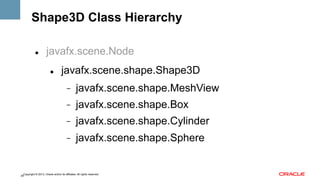
Shape3D Class Hierarchy
" 

javafx.scene.Node
" 

javafx.scene.shape.Shape3D
- 

javafx.scene.shape.MeshView

- 

javafx.scene.shape.Box

- 

javafx.scene.shape.Cylinder

- 

javafx.scene.shape.Sphere

Copyright © 2013, Oracle and/or its affiliates. All rights reserved.
39
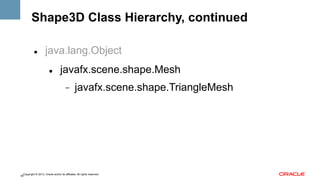
Shape3D Class Hierarchy, continued
" 

java.lang.Object
" 

javafx.scene.shape.Mesh
- 

javafx.scene.shape.TriangleMesh

Copyright © 2013, Oracle and/or its affiliates. All rights reserved.
40
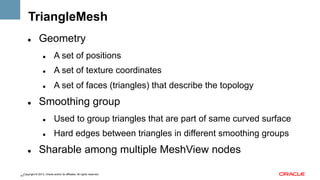
TriangleMesh
" 

Geometry
" 

" 

A set of texture coordinates

" 

" 

A set of positions
A set of faces (triangles) that describe the topology

Smoothing group
" 

" 

" 

Used to group triangles that are part of same curved surface
Hard edges between triangles in different smoothing groups

Sharable among multiple MeshView nodes

Copyright © 2013, Oracle and/or its affiliates. All rights reserved.
41
Defining a MeshView
// Create the arrays of positions, texCoords
float[] positions = createPositions();
float[] texCoords = createUVs();
// Create faces (indices into the positions, texCoord arrays)
int[] faces = createFaces();
// Create a mesh
TriangleMesh mesh = new TriangleMesh();
mesh.getPositions.setAll(positions);
mesh.getTexCoords.setAll(texCoords);
mesh.getFaces.setAll(faces);
// Create meshView
MeshView mv = new MeshView(mesh);
Copyright © 2013, Oracle and/or its affiliates. All rights reserved.
42
MeshView Demo

Copyright © 2013, Oracle and/or its affiliates. All rights reserved.
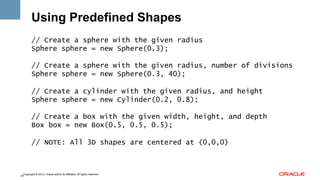
43
Using Predefined Shapes
// Create a sphere with the given radius
Sphere sphere = new Sphere(0.3);
// Create a sphere with the given radius, number of divisions
Sphere sphere = new Sphere(0.3, 40);
// Create a cylinder with the given radius, and height
Sphere sphere = new Cylinder(0.2, 0.8);
// Create a box with the given width, height, and depth
Box box = new Box(0.5, 0.5, 0.5);
// NOTE: All 3D shapes are centered at (0,0,0)

Copyright © 2013, Oracle and/or its affiliates. All rights reserved.
44
Predefined Shapes Demo

Copyright © 2013, Oracle and/or its affiliates. All rights reserved.
45
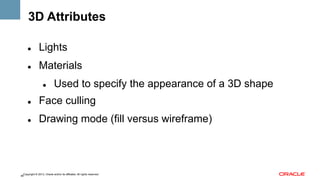
3D Attributes
" 

Lights

" 

Materials
" 

Used to specify the appearance of a 3D shape

" 

Face culling

" 

Drawing mode (fill versus wireframe)

Copyright © 2013, Oracle and/or its affiliates. All rights reserved.
46
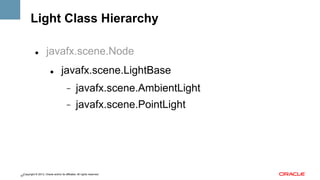
Light Class Hierarchy
" 

javafx.scene.Node
" 

javafx.scene.LightBase
- 

javafx.scene.AmbientLight

- 

javafx.scene.PointLight

Copyright © 2013, Oracle and/or its affiliates. All rights reserved.
47
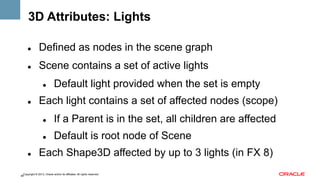
3D Attributes: Lights
" 

Defined as nodes in the scene graph

" 

Scene contains a set of active lights
" 

" 

Default light provided when the set is empty

Each light contains a set of affected nodes (scope)
" 
" 

" 

If a Parent is in the set, all children are affected
Default is root node of Scene

Each Shape3D affected by up to 3 lights (in FX 8)

Copyright © 2013, Oracle and/or its affiliates. All rights reserved.
48
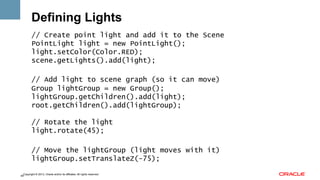
Defining Lights
// Create point light and add it to the Scene
PointLight light = new PointLight();
light.setColor(Color.RED);
scene.getLights().add(light);
// Add light to scene graph (so it can move)
Group lightGroup = new Group();
lightGroup.getChildren().add(light);
root.getChildren().add(lightGroup);
// Rotate the light
light.rotate(45);
// Move the lightGroup (light moves with it)
lightGroup.setTranslateZ(-75);
Copyright © 2013, Oracle and/or its affiliates. All rights reserved.
49
Lighting Demo

Copyright © 2013, Oracle and/or its affiliates. All rights reserved.
50
Material Class Hierarchy
" 

java.lang.Object
" 

javafx.scene.paint.Material
- 

javafx.scene.paint.PhongMaterial

Copyright © 2013, Oracle and/or its affiliates. All rights reserved.
51
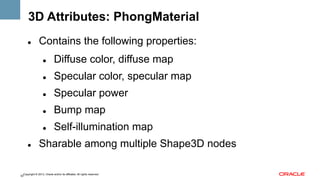
3D Attributes: PhongMaterial
" 

Contains the following properties:
" 
" 

Specular color, specular map

" 

Specular power

" 

Bump map

" 
" 

Diffuse color, diffuse map

Self-illumination map

Sharable among multiple Shape3D nodes

Copyright © 2013, Oracle and/or its affiliates. All rights reserved.
52
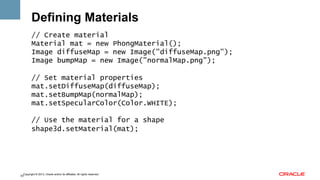
Defining Materials
// Create material
Material mat = new PhongMaterial();
Image diffuseMap = new Image("diffuseMap.png");
Image bumpMap = new Image("normalMap.png");
// Set material properties
mat.setDiffuseMap(diffuseMap);
mat.setBumpMap(normalMap);
mat.setSpecularColor(Color.WHITE);
// Use the material for a shape
shape3d.setMaterial(mat);

Copyright © 2013, Oracle and/or its affiliates. All rights reserved.
53
Materials Demo

Copyright © 2013, Oracle and/or its affiliates. All rights reserved.
54
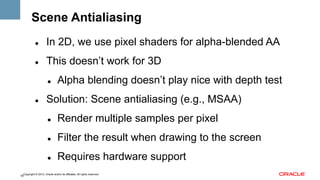
Scene Antialiasing
" 

In 2D, we use pixel shaders for alpha-blended AA

" 

This doesn’t work for 3D
" 

" 

Alpha blending doesn’t play nice with depth test

Solution: Scene antialiasing (e.g., MSAA)
" 

Render multiple samples per pixel

" 

Filter the result when drawing to the screen

" 

Requires hardware support

Copyright © 2013, Oracle and/or its affiliates. All rights reserved.
55
Scene AA Demo

Copyright © 2013, Oracle and/or its affiliates. All rights reserved.
56
SubScene Hierarchy
" 

javafx.scene.Node
" 

javafx.scene.SubScene

Copyright © 2013, Oracle and/or its affiliates. All rights reserved.
57
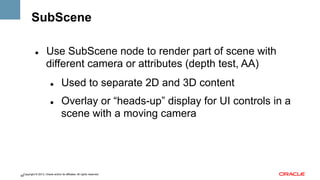
SubScene
" 

Use SubScene node to render part of scene with
different camera or attributes (depth test, AA)
" 

" 

Used to separate 2D and 3D content
Overlay or “heads-up” display for UI controls in a
scene with a moving camera

Copyright © 2013, Oracle and/or its affiliates. All rights reserved.
58
SubScene Demo

Copyright © 2013, Oracle and/or its affiliates. All rights reserved.
59
3D Picking
" 

3D ray picking already used for 2D primitive with
PerspectiveCamera

" 

This is extended to support picking 3D geometry

" 

Additional API provides intersected point

Copyright © 2013, Oracle and/or its affiliates. All rights reserved.
60
3D Picking Demo

Copyright © 2013, Oracle and/or its affiliates. All rights reserved.
61
Loading Models
" 

Many 3D file formats exist, such as:
" 

Obj, Maya, 3D Studio Max, Collada

" 

We will make sample code available for some of these

" 

Members of the community can also write loaders

Copyright © 2013, Oracle and/or its affiliates. All rights reserved.
62
Loader Demo

Copyright © 2013, Oracle and/or its affiliates. All rights reserved.
63
Futures
" 

" 

More vertex data formats (e.g., normals)
More geometry (e.g, cone, 3D text, triangle strips,
subdivision surfaces)

" 

Advanced lighting and shading

" 

Picking API

" 

Mixing native (OpenGL, D3D?) rendering with JavaFX

Copyright © 2013, Oracle and/or its affiliates. All rights reserved.
64
Futures
" 

Accelerated mesh animation

" 

Loaders

" 

Geometry utilities (e.g., vecmath, camera controller)

Copyright © 2013, Oracle and/or its affiliates. All rights reserved.
65
3D Demo

Copyright © 2013, Oracle and/or its affiliates. All rights reserved.
66
Q&A

Copyright © 2013, Oracle and/or its affiliates. All rights reserved.
67

WT-4071, GPU accelerated 3D graphics for Java, by Kevin Rushforth, Chien Yang, John Yoon and Nicolas Lorain

  • 1.
    AMD Developer Summit Session:WT-4071 GPU Accelerated 3D Graphics for Java Kevin Rushforth & Chien Yang Oracle Corporation 1 Copyright © 2012, Oracle and/or its affiliates. All rights reserved. Insert Information Protection Policy Classification from Slide 13
  • 2.
    Program Agenda !  JavaFXGraphics Overview !  Transforms !  Camera and Coordinate System !  Z-buffer (depth test) !  Movable Camera Copyright © 2013, Oracle and/or its affiliates. All rights reserved. 2
  • 3.
    Program Agenda !  3DGeometry !  3D Attributes !  3D Picking !  MSAA !  SubScene !  Wrap-up / Q&A Copyright © 2013, Oracle and/or its affiliates. All rights reserved. 3
  • 4.
    JavaFX Graphics Overview "  Scenegraph model "  Hierarchy of group and leaf (graphic primitive) nodes "  Leaf nodes have individual graphical attributes "  Group nodes can have collective attributes "  Parent/child directed graph similar to component trees Copyright © 2013, Oracle and/or its affiliates. All rights reserved. 4
  • 5.
    JavaFX Graphics Overview "  Capabilities "  Transformation(translate, rotate, scale and shear) "  Animation (timeline and transitions) "  Effects (blurs, drop shadows, color filters, etc.) "  Rendering attributes Copyright © 2013, Oracle and/or its affiliates. All rights reserved. 5
  • 6.
    JavaFX Graphics Overview "  Primarygraphical node types "  Shape (rectangle, circle, path, etc.) "  Text (a specialized form of Shape) "  ImageView "  MediaView Copyright © 2013, Oracle and/or its affiliates. All rights reserved. 6
  • 7.
    JavaFX SW BlockDiagram Application JavaFX UI Controls JavaFX Scene Graph API Prism Renderer SW OpenGL D3D Copyright © 2013, Oracle and/or its affiliates. All rights reserved. 7
  • 8.
    A Simple JavaFXScene Graph Stage Scene fill : SILVER Root Image View Copyright © 2013, Oracle and/or its affiliates. All rights reserved. 8 effect : DropShadow translateX : 100 translateY : 75
  • 9.
    Simple Scenegraph Demo Copyright© 2013, Oracle and/or its affiliates. All rights reserved. 9
  • 10.
    JavaFX 3D Featuresin JDK 7 (FX 2) "  3D Transforms "  Depth Buffer (Z-Buffer) "  Perspective Camera Copyright © 2013, Oracle and/or its affiliates. All rights reserved. 10
  • 11.
    How To Query3D Support "  3D is an optional feature "  "  "  Runs on AMD/ATI, Intel and NVIDIA with Pixel Shader 3 support Certain cards and drivers “blacklisted” Use ConditionalFeature.SCENE3D to check "  "  Indicates that 3D is available on the platform Perspective camera, 3D transforms, depth test ignored on platform without 3D support Copyright © 2013, Oracle and/or its affiliates. All rights reserved. 11
  • 12.
    JavaFX on Windows "  WindowsVista / 7 / 8 (32-bit or 64-bit) "  HW acceleration via DirectX 9.0c "  GPUs include: AMD, Intel HD, NVIDIA "  May need newer driver (especially for Intel HD) "  Run with -Dprism.verbose=true to check Copyright © 2013, Oracle and/or its affiliates. All rights reserved. 12
  • 13.
    JavaFX on MacOS X "  Mac OS X 10.7 (Lion) and 10.8 (Mountain Lion) "  HW acceleration via OpenGL 2.0 "  GPUs include: AMD, Intel HD, NVIDIA "  Run with -Dprism.verbose=true to check Copyright © 2013, Oracle and/or its affiliates. All rights reserved. 13
  • 14.
    JavaFX on Linux "  Ubuntu12.04 LTS or later, OEL 6 or later "  HW acceleration via OpenGL 2.0 "  "  Requires vendor-supplied driver "  "  GPUs include: AMD, NVIDIA Run with -Dprism.verbose=true to check Support for Intel HD, open source drivers in a later release "  You can try it now: -Dprism.forceGPU=true Copyright © 2013, Oracle and/or its affiliates. All rights reserved. 14
  • 15.
    JavaFX on Embedded "  HWacceleration via OpenGL ES 2 "  3D is not supported for FX 8, but will be in future "  "  Requires chipset that supports non-power-of-two textures You can try it now on Raspberry Pi: -Dcom.sun.javafx.experimental.embedded.3d=true Copyright © 2013, Oracle and/or its affiliates. All rights reserved. 15
  • 16.
    3D Transforms: Node "  TransformProperties "  layoutX, layoutY – X and Y translation used for layout "  translateX, translateY, translateZ – X, Y and Z translation "  rotate – angle of rotation in degrees (about Node center) "  rotationAxis – axis about which rotation is done (default Z-axis) "  scaleX, scaleY, scaleZ – X, Y and Z scale (about Node center) "  transforms – A list of Transform objects (applied in order) Copyright © 2013, Oracle and/or its affiliates. All rights reserved. 16
  • 17.
    Transforms "  Transform objects "  Translate(x, y,z, pivotX, pivotY, pivotZ) "  Scale(x, y, z, pivotX, pivotY, pivotZ) "  Rotate(angle, pivotX, pivotY, pivotZ, axis) "  Affine(mxx, mxy, mxz, tx, myx, myy, myz, ty, mzx, mzy, mzz, tz) Copyright © 2013, Oracle and/or its affiliates. All rights reserved. 17
  • 18.
    Order of TransformOperations Translate(layoutX+translateX, layoutY+translateY, translateZ) Translate(pivotX, pivotY, pivotZ) // computed center of node Rotate(rotate, rotationAxis) Scale(scaleX, scaleY, scaleZ) Translate(-pivotX, -pivotY, -pivotZ) // computed center of node transform[0] transform[1] ... Copyright © 2013, Oracle and/or its affiliates. All rights reserved. 18
  • 19.
    Depth Buffer (Z-buffer) "  Objectsrendered in scene graph order "  "  "  Render order defines z order for 2D scene Render order != z value of objects in 3D scene (unless you reorder the scene graph) Depth buffer will sort objects based on their z value "  Sort is done per pixel by GPU Copyright © 2013, Oracle and/or its affiliates. All rights reserved. 19
  • 20.
    Depth Buffer (Z-buffer) Group A Group B C 2DRendering Order: A, B, C, D “D” is on top Copyright © 2013, Oracle and/or its affiliates. All rights reserved. 20 D
  • 21.
    Depth Buffer (Z-buffer) "  Objectsrendered in scene graph order "  "  "  Render order defines z order for 2D scene Render order != z value of objects in 3D scene (unless you reorder the scene graph) Depth buffer will sort objects based on their z value "  Sort is done per pixel by GPU Copyright © 2013, Oracle and/or its affiliates. All rights reserved. 21
  • 22.
    Depth Buffer (Z-buffer) Group A Group Z=0 B Z=3 C Z=1 D Z=2 RenderingOrder: A, B, C, D Actual Z Order: B, D, C, A “A” should be on top, but “D” will be Copyright © 2013, Oracle and/or its affiliates. All rights reserved. 22
  • 23.
    Depth Buffer (Z-buffer) "  Objectsrendered in scene graph order "  "  "  Render order defines z order for 2D scene Render order != z value of objects in 3D scene (unless you reorder the scene graph) Depth buffer will sort objects based on their z value "  Sort is done per pixel by GPU Copyright © 2013, Oracle and/or its affiliates. All rights reserved. 23
  • 24.
    Depth Buffer (Z-buffer) "  Constructscene with depth buffer attribute "  Node has depthTest property "  DISABLE, ENABLE and INHERIT "  depthTest is only used on Scene with a depth buffer "  Its default value is INHERIT "  If depthTest = INHERIT, depth testing is enabled if it is enabled for its parent node (or its parent node is null) Copyright © 2013, Oracle and/or its affiliates. All rights reserved. 24
  • 25.
    Depth Test Demo Copyright© 2013, Oracle and/or its affiliates. All rights reserved. 25
  • 26.
    VideoCube Demo Copyright ©2013, Oracle and/or its affiliates. All rights reserved. 26
  • 27.
    Cameras and CoordinateSystem "  ParallelCamera Class "  A viewing volume for a parallel (ortho) projection; a rectangular box "  Located at center of the scene; looks along the positive Z-axis "  Origin in the upper left corner of the scene with the Y-axis pointing down and the Z-axis pointing away from the viewer (into the screen) "  The units are in pixel coordinates "  This is the default if no camera is specified Copyright © 2013, Oracle and/or its affiliates. All rights reserved. 27
  • 28.
    Cameras and CoordinateSystem "  PerspectiveCamera Class "  A viewing volume for a perspective projection; a truncated right pyramid -  "  "  "  Field of view property (default = 30 degrees) It is always located at center of the scene and looks along the positive Z-axis Origin in the upper left corner of the scene with the Y-axis pointing down and the Z-axis pointing away from the viewer (into the screen) The units are in pixel coordinates at the projection plane (Z=0) Copyright © 2013, Oracle and/or its affiliates. All rights reserved. 28
  • 29.
    JavaFX Coordinate System "  Differencesfrom typical 3D coordinate systems "  Origin: top-left vs. center "  Direction: Y down vs. Y up "  Unit: pixel vs. normalized [-1, 1] Copyright © 2013, Oracle and/or its affiliates. All rights reserved. 29
  • 30.
    Coordinate System Coordinate System ConverterGroup Axis Group Translate Rotate Scale 3D Group X Axis Z Axis Y Axis Copyright © 2013, Oracle and/or its affiliates. All rights reserved. 30 Box
  • 31.
    Coordinate System Demo Copyright© 2013, Oracle and/or its affiliates. All rights reserved. 31
  • 32.
    New JavaFX 3DFeatures in JDK 8 "  Movable cameras "  3D primitives (e.g., meshes, predefined solids) "  3D attributes (e.g., lights, materials) "  3D picking "  Scene Antialiasing "  SubScene Copyright © 2013, Oracle and/or its affiliates. All rights reserved. 32
  • 33.
  • 34.
    Movable Camera "  Camera isnow a Node "  Add to scene graph to move the camera Position and aim camera using transforms -  New “fixed eye” mode for 3D scenes Non-moving camera need not be added to scene graph -  "  "  New properties for near & far clipping plane Copyright © 2013, Oracle and/or its affiliates. All rights reserved. 34
  • 35.
    Specifying a FixedCamera // Create a camera and set it on the Scene Camera camera = new PerspectiveCamera(); scene.setCamera(camera); Copyright © 2013, Oracle and/or its affiliates. All rights reserved. 35
  • 36.
    Specifying a MovableCamera // Create a movable camera and set it on the Scene Camera camera = new PerspectiveCamera(true); scene.setCamera(camera); // Add camera to scene graph (so it can move) Group cameraGroup = new Group(); cameraGroup.getChildren().add(camera); root.getChildren().add(cameraGroup); // Rotate the camera camera.rotate(45); // Move the cameraGroup (camera moves with it) cameraGroup.setTranslateZ(-75); Copyright © 2013, Oracle and/or its affiliates. All rights reserved. 36
  • 37.
    Movable Camera Demo Copyright© 2013, Oracle and/or its affiliates. All rights reserved. 37
  • 38.
    3D Shapes "  FX 2only has 2D shapes (with 3D transforms) "  FX 8 adds 3D shapes "  User-defined shapes "  Predefined shapes Copyright © 2013, Oracle and/or its affiliates. All rights reserved. 38
  • 39.
  • 40.
    Shape3D Class Hierarchy,continued "  java.lang.Object "  javafx.scene.shape.Mesh -  javafx.scene.shape.TriangleMesh Copyright © 2013, Oracle and/or its affiliates. All rights reserved. 40
  • 41.
    TriangleMesh "  Geometry "  "  A set oftexture coordinates "  "  A set of positions A set of faces (triangles) that describe the topology Smoothing group "  "  "  Used to group triangles that are part of same curved surface Hard edges between triangles in different smoothing groups Sharable among multiple MeshView nodes Copyright © 2013, Oracle and/or its affiliates. All rights reserved. 41
  • 42.
    Defining a MeshView //Create the arrays of positions, texCoords float[] positions = createPositions(); float[] texCoords = createUVs(); // Create faces (indices into the positions, texCoord arrays) int[] faces = createFaces(); // Create a mesh TriangleMesh mesh = new TriangleMesh(); mesh.getPositions.setAll(positions); mesh.getTexCoords.setAll(texCoords); mesh.getFaces.setAll(faces); // Create meshView MeshView mv = new MeshView(mesh); Copyright © 2013, Oracle and/or its affiliates. All rights reserved. 42
  • 43.
    MeshView Demo Copyright ©2013, Oracle and/or its affiliates. All rights reserved. 43
  • 44.
    Using Predefined Shapes //Create a sphere with the given radius Sphere sphere = new Sphere(0.3); // Create a sphere with the given radius, number of divisions Sphere sphere = new Sphere(0.3, 40); // Create a cylinder with the given radius, and height Sphere sphere = new Cylinder(0.2, 0.8); // Create a box with the given width, height, and depth Box box = new Box(0.5, 0.5, 0.5); // NOTE: All 3D shapes are centered at (0,0,0) Copyright © 2013, Oracle and/or its affiliates. All rights reserved. 44
  • 45.
    Predefined Shapes Demo Copyright© 2013, Oracle and/or its affiliates. All rights reserved. 45
  • 46.
    3D Attributes "  Lights "  Materials "  Used tospecify the appearance of a 3D shape "  Face culling "  Drawing mode (fill versus wireframe) Copyright © 2013, Oracle and/or its affiliates. All rights reserved. 46
  • 47.
  • 48.
    3D Attributes: Lights "  Definedas nodes in the scene graph "  Scene contains a set of active lights "  "  Default light provided when the set is empty Each light contains a set of affected nodes (scope) "  "  "  If a Parent is in the set, all children are affected Default is root node of Scene Each Shape3D affected by up to 3 lights (in FX 8) Copyright © 2013, Oracle and/or its affiliates. All rights reserved. 48
  • 49.
    Defining Lights // Createpoint light and add it to the Scene PointLight light = new PointLight(); light.setColor(Color.RED); scene.getLights().add(light); // Add light to scene graph (so it can move) Group lightGroup = new Group(); lightGroup.getChildren().add(light); root.getChildren().add(lightGroup); // Rotate the light light.rotate(45); // Move the lightGroup (light moves with it) lightGroup.setTranslateZ(-75); Copyright © 2013, Oracle and/or its affiliates. All rights reserved. 49
  • 50.
    Lighting Demo Copyright ©2013, Oracle and/or its affiliates. All rights reserved. 50
  • 51.
  • 52.
    3D Attributes: PhongMaterial "  Containsthe following properties: "  "  Specular color, specular map "  Specular power "  Bump map "  "  Diffuse color, diffuse map Self-illumination map Sharable among multiple Shape3D nodes Copyright © 2013, Oracle and/or its affiliates. All rights reserved. 52
  • 53.
    Defining Materials // Creatematerial Material mat = new PhongMaterial(); Image diffuseMap = new Image("diffuseMap.png"); Image bumpMap = new Image("normalMap.png"); // Set material properties mat.setDiffuseMap(diffuseMap); mat.setBumpMap(normalMap); mat.setSpecularColor(Color.WHITE); // Use the material for a shape shape3d.setMaterial(mat); Copyright © 2013, Oracle and/or its affiliates. All rights reserved. 53
  • 54.
    Materials Demo Copyright ©2013, Oracle and/or its affiliates. All rights reserved. 54
  • 55.
    Scene Antialiasing "  In 2D,we use pixel shaders for alpha-blended AA "  This doesn’t work for 3D "  "  Alpha blending doesn’t play nice with depth test Solution: Scene antialiasing (e.g., MSAA) "  Render multiple samples per pixel "  Filter the result when drawing to the screen "  Requires hardware support Copyright © 2013, Oracle and/or its affiliates. All rights reserved. 55
  • 56.
    Scene AA Demo Copyright© 2013, Oracle and/or its affiliates. All rights reserved. 56
  • 57.
    SubScene Hierarchy "  javafx.scene.Node "  javafx.scene.SubScene Copyright ©2013, Oracle and/or its affiliates. All rights reserved. 57
  • 58.
    SubScene "  Use SubScene nodeto render part of scene with different camera or attributes (depth test, AA) "  "  Used to separate 2D and 3D content Overlay or “heads-up” display for UI controls in a scene with a moving camera Copyright © 2013, Oracle and/or its affiliates. All rights reserved. 58
  • 59.
    SubScene Demo Copyright ©2013, Oracle and/or its affiliates. All rights reserved. 59
  • 60.
    3D Picking "  3D raypicking already used for 2D primitive with PerspectiveCamera "  This is extended to support picking 3D geometry "  Additional API provides intersected point Copyright © 2013, Oracle and/or its affiliates. All rights reserved. 60
  • 61.
    3D Picking Demo Copyright© 2013, Oracle and/or its affiliates. All rights reserved. 61
  • 62.
    Loading Models "  Many 3Dfile formats exist, such as: "  Obj, Maya, 3D Studio Max, Collada "  We will make sample code available for some of these "  Members of the community can also write loaders Copyright © 2013, Oracle and/or its affiliates. All rights reserved. 62
  • 63.
    Loader Demo Copyright ©2013, Oracle and/or its affiliates. All rights reserved. 63
  • 64.
    Futures "  "  More vertex dataformats (e.g., normals) More geometry (e.g, cone, 3D text, triangle strips, subdivision surfaces) "  Advanced lighting and shading "  Picking API "  Mixing native (OpenGL, D3D?) rendering with JavaFX Copyright © 2013, Oracle and/or its affiliates. All rights reserved. 64
  • 65.
    Futures "  Accelerated mesh animation "  Loaders "  Geometryutilities (e.g., vecmath, camera controller) Copyright © 2013, Oracle and/or its affiliates. All rights reserved. 65
  • 66.
    3D Demo Copyright ©2013, Oracle and/or its affiliates. All rights reserved. 66
  • 67.
    Q&A Copyright © 2013,Oracle and/or its affiliates. All rights reserved. 67