WSO2 API Manager analytics
Chanaka Fernando
WSO2 Inc.
Agenda
• APIM Analytics architecture
• Analytics at API Publisher
• Analytics at API Store
• Log analysis
• Real time notifications
• Purging analytics data
APIM Analytics architecture
WSO2 Data Analytics Server
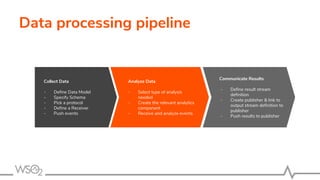
Data processing pipeline
Collect Data
- Define Data Model
- Specify Schema
- Pick a protocol
- Define a Receiver
- Push events
Analyze Data
- Select type of analysis
needed
- Create the relevant analytics
component
- Receive and analyze events
Communicate Results
- Define result stream
definition
- Create publisher & link to
output stream definition to
publisher
- Push results to publisher
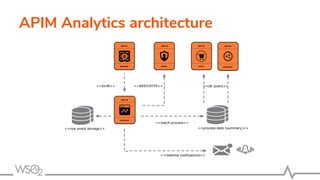
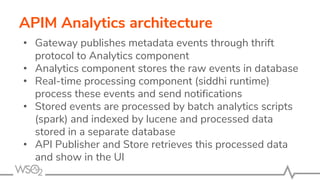
APIM Analytics architecture
• Gateway publishes metadata events through thrift
protocol to Analytics component
• Analytics component stores the raw events in database
• Real-time processing component (siddhi runtime)
process these events and send notifications
• Stored events are processed by batch analytics scripts
(spark) and indexed by lucene and processed data
stored in a separate database
• API Publisher and Store retrieves this processed data
and show in the UI
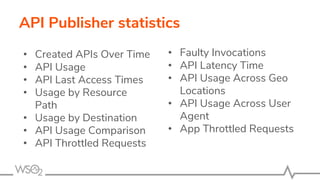
API Publisher statistics
• Created APIs Over Time
• API Usage
• API Last Access Times
• Usage by Resource
Path
• Usage by Destination
• API Usage Comparison
• API Throttled Requests
• Faulty Invocations
• API Latency Time
• API Usage Across Geo
Locations
• API Usage Across User
Agent
• App Throttled Requests
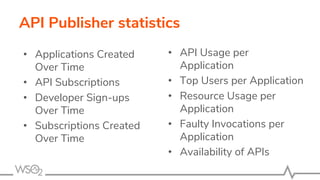
API Publisher statistics
• Applications Created
Over Time
• API Subscriptions
• Developer Sign-ups
Over Time
• Subscriptions Created
Over Time
• API Usage per
Application
• Top Users per Application
• Resource Usage per
Application
• Faulty Invocations per
Application
• Availability of APIs
API Publisher Statistics Demo
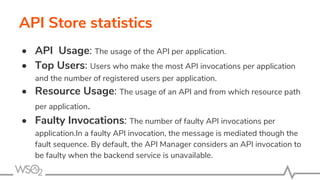
API Store statistics
• API Usage: The usage of the API per application.
• Top Users: Users who make the most API invocations per application
and the number of registered users per application.
• Resource Usage: The usage of an API and from which resource path
per application.
• Faulty Invocations: The number of faulty API invocations per
application.In a faulty API invocation, the message is mediated though the
fault sequence. By default, the API Manager considers an API invocation to
be faulty when the backend service is unavailable.
API Store Statistics Demo
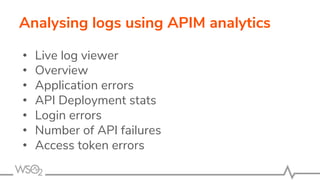
Analysing logs using APIM analytics
• Live log viewer
• Overview
• Application errors
• API Deployment stats
• Login errors
• Number of API failures
• Access token errors
Log analyser Demo
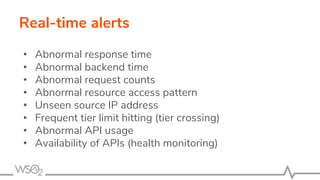
Real-time alerts
• Abnormal response time
• Abnormal backend time
• Abnormal request counts
• Abnormal resource access pattern
• Unseen source IP address
• Frequent tier limit hitting (tier crossing)
• Abnormal API usage
• Availability of APIs (health monitoring)
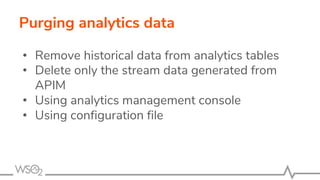
Purging analytics data
• Remove historical data from analytics tables
• Delete only the stream data generated from
APIM
• Using analytics management console
• Using configuration file

Wso2 api manager analytics and reporting

  • 1.
    WSO2 API Manageranalytics Chanaka Fernando WSO2 Inc.
  • 2.
    Agenda • APIM Analyticsarchitecture • Analytics at API Publisher • Analytics at API Store • Log analysis • Real time notifications • Purging analytics data
  • 3.
  • 4.
  • 5.
    Data processing pipeline CollectData - Define Data Model - Specify Schema - Pick a protocol - Define a Receiver - Push events Analyze Data - Select type of analysis needed - Create the relevant analytics component - Receive and analyze events Communicate Results - Define result stream definition - Create publisher & link to output stream definition to publisher - Push results to publisher
  • 6.
    APIM Analytics architecture •Gateway publishes metadata events through thrift protocol to Analytics component • Analytics component stores the raw events in database • Real-time processing component (siddhi runtime) process these events and send notifications • Stored events are processed by batch analytics scripts (spark) and indexed by lucene and processed data stored in a separate database • API Publisher and Store retrieves this processed data and show in the UI
  • 7.
    API Publisher statistics •Created APIs Over Time • API Usage • API Last Access Times • Usage by Resource Path • Usage by Destination • API Usage Comparison • API Throttled Requests • Faulty Invocations • API Latency Time • API Usage Across Geo Locations • API Usage Across User Agent • App Throttled Requests
  • 8.
    API Publisher statistics •Applications Created Over Time • API Subscriptions • Developer Sign-ups Over Time • Subscriptions Created Over Time • API Usage per Application • Top Users per Application • Resource Usage per Application • Faulty Invocations per Application • Availability of APIs
  • 9.
  • 10.
    API Store statistics •API Usage: The usage of the API per application. • Top Users: Users who make the most API invocations per application and the number of registered users per application. • Resource Usage: The usage of an API and from which resource path per application. • Faulty Invocations: The number of faulty API invocations per application.In a faulty API invocation, the message is mediated though the fault sequence. By default, the API Manager considers an API invocation to be faulty when the backend service is unavailable.
  • 11.
  • 12.
    Analysing logs usingAPIM analytics • Live log viewer • Overview • Application errors • API Deployment stats • Login errors • Number of API failures • Access token errors
  • 13.
  • 14.
    Real-time alerts • Abnormalresponse time • Abnormal backend time • Abnormal request counts • Abnormal resource access pattern • Unseen source IP address • Frequent tier limit hitting (tier crossing) • Abnormal API usage • Availability of APIs (health monitoring)
  • 15.
    Purging analytics data •Remove historical data from analytics tables • Delete only the stream data generated from APIM • Using analytics management console • Using configuration file