@radkitten
abergmann@atnetplus.c
om
Tips & Tricks to Make
Sure Your Website is
Accessible
WCAG Guidelines and simple changes every user and developer
can implement to make their website accessible to those with
disabilities
By: Angela Bergmann
@radkitten
abergmann@atnetplus.c
om
Web Content Accessibility Guidelines
A wide range of recommendations for making web content more
accessible. By following the WCAG you will help in making the
content of your website more accessible to those with disabilities
such as:
 Blindness & Low Vision
 Deafness & Hearing Loss
 Learning Disabilities
 Cognitive Limitations
 Limited Movement
 Speech Disabilities
 Photosensitivity
 And combinations of these.
@radkitten
abergmann@atnetplus.c
om
WCAG 2.0 Guidelines
WCAG 2.0 has 12 guidelines that are organized into 4 principles:
Perceivable
Operable
Understandable
Robust
@radkitten
abergmann@atnetplus.c
om
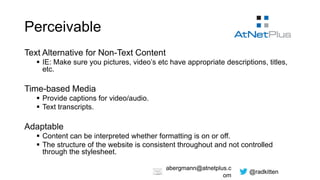
Perceivable
Text Alternative for Non-Text Content
 IE: Make sure you pictures, video’s etc have appropriate descriptions, titles,
etc.
Time-based Media
 Provide captions for video/audio.
 Text transcripts.
Adaptable
 Content can be interpreted whether formatting is on or off.
 The structure of the website is consistent throughout and not controlled
through the stylesheet.
@radkitten
abergmann@atnetplus.c
om
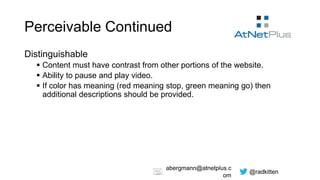
Perceivable Continued
Distinguishable
 Content must have contrast from other portions of the website.
 Ability to pause and play video.
 If color has meaning (red meaning stop, green meaning go) then
additional descriptions should be provided.
@radkitten
abergmann@atnetplus.c
om
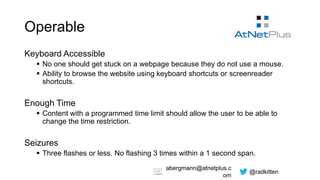
Operable
Keyboard Accessible
 No one should get stuck on a webpage because they do not use a mouse.
 Ability to browse the website using keyboard shortcuts or screenreader
shortcuts.
Enough Time
 Content with a programmed time limit should allow the user to be able to
change the time restriction.
Seizures
 Three flashes or less. No flashing 3 times within a 1 second span.
@radkitten
abergmann@atnetplus.c
om
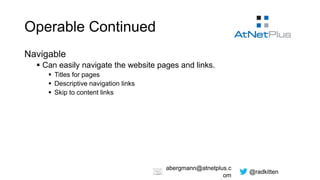
Operable Continued
Navigable
 Can easily navigate the website pages and links.
 Titles for pages
 Descriptive navigation links
 Skip to content links
@radkitten
abergmann@atnetplus.c
om
Understandable
Readable
 The language of a page is identified.
 Content should be understandable to someone with roughly 9 years of
primary education.
Predictable
 Pages should behave in expected ways.
@radkitten
abergmann@atnetplus.c
om
Robust
Compatible With New Browsers & Assistive Technology
 Completed tags
 Correctly nested elements
 Non-unique attributes
 Interface components are described and purpose identified
@radkitten
abergmann@atnetplus.c
om
Wordpress and accessibility
WordPress on it’s own is decently accessibility friendly. There are
a few issues, but most of them can be fixed either by yourself or
through a plugin.
The issues are:
 An empty search does not return an error unless told to by the theme
developer.
 “Read More” links are not specific.
 Redundant title attributes.
@radkitten
abergmann@atnetplus.c
om
Plugins and themes
The vast majority of issues stem from the fact that there is no
accessibility check on themes and plugins.
Accessibility friendly themes and plugins are few and far
between, but they do exist.
A great resource for themes & plugins is:
http://wp-accessible.org/
@radkitten
abergmann@atnetplus.c
om
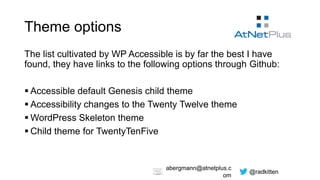
Theme options
The list cultivated by WP Accessible is by far the best I have
found, they have links to the following options through Github:
 Accessible default Genesis child theme
 Accessibility changes to the Twenty Twelve theme
 WordPress Skeleton theme
 Child theme for TwentyTenFive
@radkitten
abergmann@atnetplus.c
om
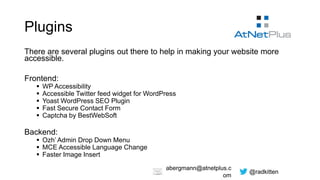
Plugins
There are several plugins out there to help in making your website more
accessible.
Frontend:
 WP Accessibility
 Accessible Twitter feed widget for WordPress
 Yoast WordPress SEO Plugin
 Fast Secure Contact Form
 Captcha by BestWebSoft
Backend:
 Ozh’ Admin Drop Down Menu
 MCE Accessible Language Change
 Faster Image Insert
@radkitten
abergmann@atnetplus.c
om
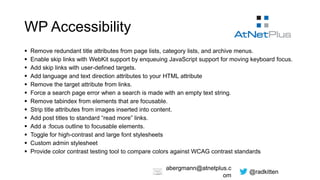
WP Accessibility
 Remove redundant title attributes from page lists, category lists, and archive menus.
 Enable skip links with WebKit support by enqueuing JavaScript support for moving keyboard focus.
 Add skip links with user-defined targets.
 Add language and text direction attributes to your HTML attribute
 Remove the target attribute from links.
 Force a search page error when a search is made with an empty text string.
 Remove tabindex from elements that are focusable.
 Strip title attributes from images inserted into content.
 Add post titles to standard “read more” links.
 Add a :focus outline to focusable elements.
 Toggle for high-contrast and large font stylesheets
 Custom admin stylesheet
 Provide color contrast testing tool to compare colors against WCAG contrast standards
@radkitten
abergmann@atnetplus.c
om
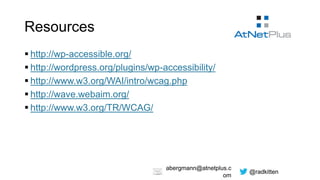
Resources
 http://wp-accessible.org/
 http://wordpress.org/plugins/wp-accessibility/
 http://www.w3.org/WAI/intro/wcag.php
 http://wave.webaim.org/
 http://www.w3.org/TR/WCAG/

WP Accessibility

  • 1.
    @radkitten abergmann@atnetplus.c om Tips & Tricksto Make Sure Your Website is Accessible WCAG Guidelines and simple changes every user and developer can implement to make their website accessible to those with disabilities By: Angela Bergmann
  • 2.
    @radkitten abergmann@atnetplus.c om Web Content AccessibilityGuidelines A wide range of recommendations for making web content more accessible. By following the WCAG you will help in making the content of your website more accessible to those with disabilities such as:  Blindness & Low Vision  Deafness & Hearing Loss  Learning Disabilities  Cognitive Limitations  Limited Movement  Speech Disabilities  Photosensitivity  And combinations of these.
  • 3.
    @radkitten abergmann@atnetplus.c om WCAG 2.0 Guidelines WCAG2.0 has 12 guidelines that are organized into 4 principles: Perceivable Operable Understandable Robust
  • 4.
    @radkitten abergmann@atnetplus.c om Perceivable Text Alternative forNon-Text Content  IE: Make sure you pictures, video’s etc have appropriate descriptions, titles, etc. Time-based Media  Provide captions for video/audio.  Text transcripts. Adaptable  Content can be interpreted whether formatting is on or off.  The structure of the website is consistent throughout and not controlled through the stylesheet.
  • 5.
    @radkitten abergmann@atnetplus.c om Perceivable Continued Distinguishable  Contentmust have contrast from other portions of the website.  Ability to pause and play video.  If color has meaning (red meaning stop, green meaning go) then additional descriptions should be provided.
  • 6.
    @radkitten abergmann@atnetplus.c om Operable Keyboard Accessible  Noone should get stuck on a webpage because they do not use a mouse.  Ability to browse the website using keyboard shortcuts or screenreader shortcuts. Enough Time  Content with a programmed time limit should allow the user to be able to change the time restriction. Seizures  Three flashes or less. No flashing 3 times within a 1 second span.
  • 7.
    @radkitten abergmann@atnetplus.c om Operable Continued Navigable  Caneasily navigate the website pages and links.  Titles for pages  Descriptive navigation links  Skip to content links
  • 8.
    @radkitten abergmann@atnetplus.c om Understandable Readable  The languageof a page is identified.  Content should be understandable to someone with roughly 9 years of primary education. Predictable  Pages should behave in expected ways.
  • 9.
    @radkitten abergmann@atnetplus.c om Robust Compatible With NewBrowsers & Assistive Technology  Completed tags  Correctly nested elements  Non-unique attributes  Interface components are described and purpose identified
  • 10.
    @radkitten abergmann@atnetplus.c om Wordpress and accessibility WordPresson it’s own is decently accessibility friendly. There are a few issues, but most of them can be fixed either by yourself or through a plugin. The issues are:  An empty search does not return an error unless told to by the theme developer.  “Read More” links are not specific.  Redundant title attributes.
  • 11.
    @radkitten abergmann@atnetplus.c om Plugins and themes Thevast majority of issues stem from the fact that there is no accessibility check on themes and plugins. Accessibility friendly themes and plugins are few and far between, but they do exist. A great resource for themes & plugins is: http://wp-accessible.org/
  • 12.
    @radkitten abergmann@atnetplus.c om Theme options The listcultivated by WP Accessible is by far the best I have found, they have links to the following options through Github:  Accessible default Genesis child theme  Accessibility changes to the Twenty Twelve theme  WordPress Skeleton theme  Child theme for TwentyTenFive
  • 13.
    @radkitten abergmann@atnetplus.c om Plugins There are severalplugins out there to help in making your website more accessible. Frontend:  WP Accessibility  Accessible Twitter feed widget for WordPress  Yoast WordPress SEO Plugin  Fast Secure Contact Form  Captcha by BestWebSoft Backend:  Ozh’ Admin Drop Down Menu  MCE Accessible Language Change  Faster Image Insert
  • 14.
    @radkitten abergmann@atnetplus.c om WP Accessibility  Removeredundant title attributes from page lists, category lists, and archive menus.  Enable skip links with WebKit support by enqueuing JavaScript support for moving keyboard focus.  Add skip links with user-defined targets.  Add language and text direction attributes to your HTML attribute  Remove the target attribute from links.  Force a search page error when a search is made with an empty text string.  Remove tabindex from elements that are focusable.  Strip title attributes from images inserted into content.  Add post titles to standard “read more” links.  Add a :focus outline to focusable elements.  Toggle for high-contrast and large font stylesheets  Custom admin stylesheet  Provide color contrast testing tool to compare colors against WCAG contrast standards
  • 15.
    @radkitten abergmann@atnetplus.c om Resources  http://wp-accessible.org/  http://wordpress.org/plugins/wp-accessibility/ http://www.w3.org/WAI/intro/wcag.php  http://wave.webaim.org/  http://www.w3.org/TR/WCAG/