



























@HamletBatista
SOLVING COMPLEX JAVASCRIPT ISSUES
AND LEVERAGING SEMANTIC HTML5
MASTERING CHROME DEVELOPER TOOLS
@HamletBatista
• How incorrectly nested HTML tags impact SEO.
• How to use the Chrome JavaScript Debugger to fix serious SEO issues.
• Speed up pages by splitting code bundles and removing unused code.
• How service workers allow for new exciting use cases.
AGENDA
@HamletBatista
CHROME DEVELOPER TOOLS
Meet your
new best
friend
@HamletBatista
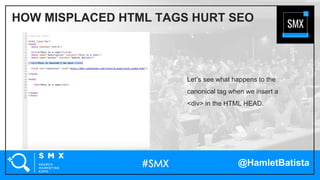
Let’s see what happens to the
canonical tag when we insert a
<div> in the HTML HEAD.
HOW MISPLACED HTML TAGS HURT SEO
@HamletBatista
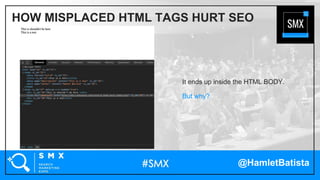
It ends up inside the HTML BODY.
But why?
HOW MISPLACED HTML TAGS HURT SEO
@HamletBatista
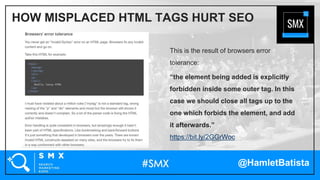
This is the result of browsers error
tolerance:
“the element being added is explicitly
forbidden inside some outer tag. In this
case we should close all tags up to the
one which forbids the element, and add
it afterwards.”
https://bit.ly/2GGrWoc
HOW MISPLACED HTML TAGS HURT SEO
@HamletBatista
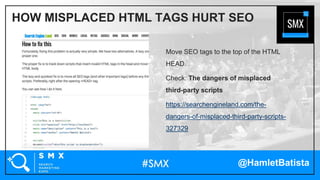
Move SEO tags to the top of the HTML
HEAD.
Check: The dangers of misplaced
third-party scripts
https://searchengineland.com/the-
dangers-of-misplaced-third-party-scripts-
327329
HOW MISPLACED HTML TAGS HURT SEO
@HamletBatista
• Does this affect Googlebot?
• If it does, does the fix work too?
Let’s see!
HOW MISPLACED HTML TAGS HURT SEO
@HamletBatista
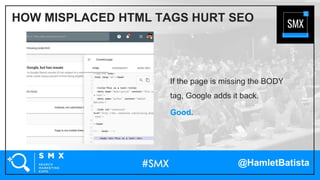
If the page is missing the BODY
tag, Google adds it back.
Good.
HOW MISPLACED HTML TAGS HURT SEO
@HamletBatista
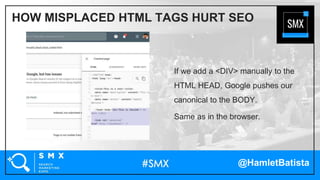
If we add a <DIV> manually to the
HTML HEAD, Google pushes our
canonical to the BODY.
Same as in the browser.
HOW MISPLACED HTML TAGS HURT SEO
@HamletBatista
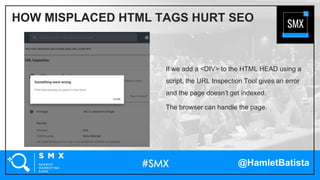
If we add a <DIV> to the HTML HEAD using a
script, the URL Inspection Tool gives an error
and the page doesn’t get indexed.
The browser can handle the page.
HOW MISPLACED HTML TAGS HURT SEO
@HamletBatista
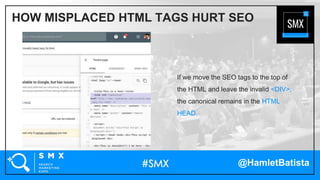
If we move the SEO tags to the top of
the HTML and leave the invalid <DIV>,
the canonical remains in the HTML
HEAD.
HOW MISPLACED HTML TAGS HURT SEO
@HamletBatista
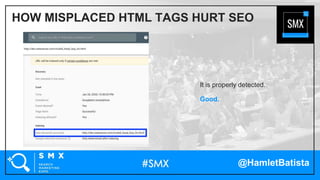
It is properly detected.
Good.
HOW MISPLACED HTML TAGS HURT SEO
@HamletBatista
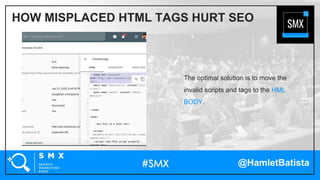
The optimal solution is to move the
invalid scripts and tags to the HML
BODY.
HOW MISPLACED HTML TAGS HURT SEO
@HamletBatista
• What about HTML5 tags?
• Does Google recognize them?
Let’s see!
HOW MISPLACED HTML TAGS HURT SEO
@HamletBatista
The new semantic elements provide
document meaning.
https://www.w3schools.com/html/htm
l5_semantic_elements.asp
HOW MISPLACED HTML TAGS HURT SEO
@HamletBatista
How Misplaced HTML tags Hurt SEO
@HamletBatista
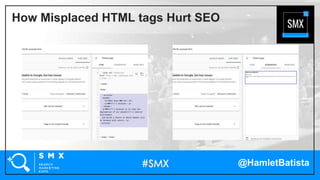
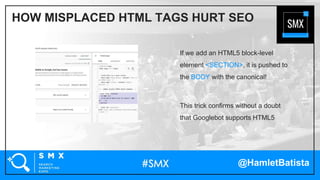
If we add an HTML5 block-level
element <SECTION>, it is pushed to
the BODY with the canonical!
This trick confirms without a doubt
that Googlebot supports HTML5
HOW MISPLACED HTML TAGS HURT SEO
@HamletBatista
Share these #SMXInsights on your social channels!
• Misplaced HTML tags (including HTML5 ones) in the HEAD can
push SEO tags to the BODY
• The issue is visible in the browser and the Search Console URL
Inspection Tool
• Moving SEO tags to the top of the HTML HEAD helps
@HamletBatista
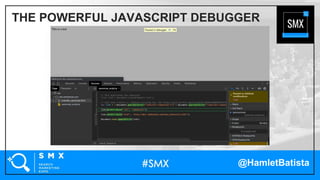
Let's learn to use the Chrome Debugger
to identify obscure scripts that override
SEO tags.
This test page has a canonical and the
script linked overrides it.
THE POWERFUL JAVASCRIPT DEBUGGER
@HamletBatista
Let’s use the JavaScript
Debugger to track down scripts
that override SEO tags.
THE POWERFUL JAVASCRIPT DEBUGGER
@HamletBatista
First, we set up a DOM breakpoint to
stop JavaScript execution when the
attributes of the canonical tag are
modified.
Next, we hit refresh.
THE POWERFUL JAVASCRIPT DEBUGGER
@HamletBatista
THE POWERFUL JAVASCRIPT DEBUGGER
@HamletBatista
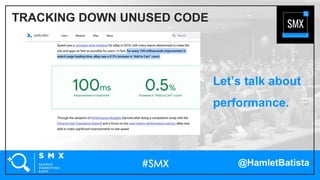
Let’s talk about
performance.
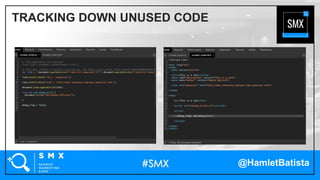
TRACKING DOWN UNUSED CODE
@HamletBatista
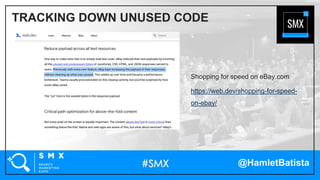
Shopping for speed on eBay.com
https://web.dev/shopping-for-speed-
on-ebay/
TRACKING DOWN UNUSED CODE
@HamletBatista
TRACKING DOWN UNUSED CODE
@HamletBatista
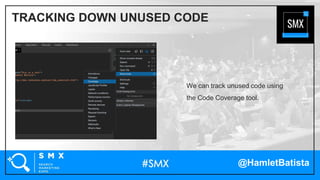
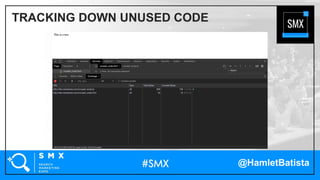
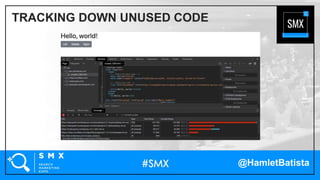
We can track unused code using
the Code Coverage tool.
TRACKING DOWN UNUSED CODE
@HamletBatista
TRACKING DOWN UNUSED CODE
@HamletBatista
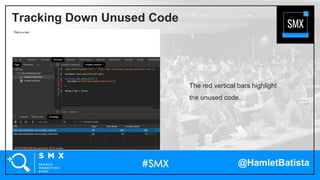
The red vertical bars highlight
the unused code.
Tracking Down Unused Code
@HamletBatista
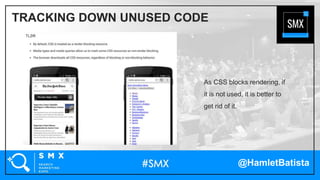
As CSS blocks rendering, if
it is not used, it is better to
get rid of it.
TRACKING DOWN UNUSED CODE
@HamletBatista
TRACKING DOWN UNUSED CODE
@HamletBatista
• The JavaScript Debugger can help track down the scripts that override SEO
tags and cause performance issues
• The Code Coverage tool helps identify JavaScript and CSS code that is never
used so that we can remove it
Share these #SMXInsights on your social channels!
@HamletBatista
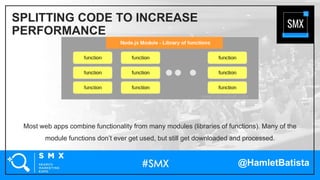
Most web apps combine functionality from many modules (libraries of functions). Many of the
module functions don’t ever get used, but still get downloaded and processed.
SPLITTING CODE TO INCREASE
PERFORMANCE
@HamletBatista
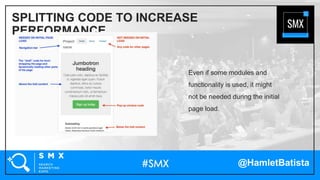
Even if some modules and
functionality is used, it might
not be needed during the initial
page load.
SPLITTING CODE TO INCREASE
PERFORMANCE
@HamletBatista
Webpack and similar tools work behind the scenes in popular frameworks like reactjs and vuejs,
bundling standard, third party, and custom modules into a single bundle.
SPLITTING CODE TO INCREASE
PERFORMANCE
@HamletBatista
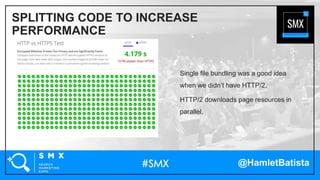
Single file bundling was a good idea
when we didn’t have HTTP/2.
HTTP/2 downloads page resources in
parallel.
SPLITTING CODE TO INCREASE
PERFORMANCE
@HamletBatista
SPLITTING CODE TO INCREASE
PERFORMANCE
@HamletBatista
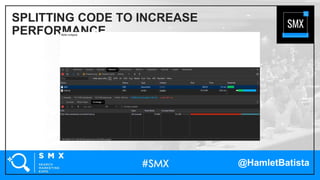
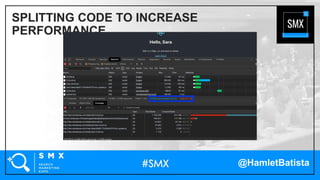
Webpack has features that
allow splitting bundles so that
you can load only what it is
needed.
SPLITTING CODE TO INCREASE PERFORMANCE
@HamletBatista
Here is a basic skeleton React app that
imports a component to display a
welcome message.
I built it using https://create-react-
app.dev/
SPLITTING CODE TO INCREASE
PERFORMANCE
@HamletBatista
SPLITTING CODE TO INCREASE
PERFORMANCE
@HamletBatista
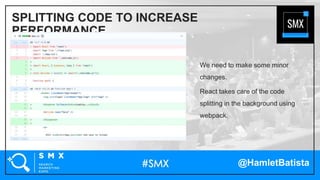
We can use React.lazy to load components
only when needed.
SPLITTING CODE TO INCREASE
PERFORMANCE
@HamletBatista
We need to make some minor
changes.
React takes care of the code
splitting in the background using
webpack.
SPLITTING CODE TO INCREASE
PERFORMANCE
@HamletBatista
SPLITTING CODE TO INCREASE
PERFORMANCE
@HamletBatista
Here are code splitting resources
for the most popular JavaScript
frameworks
SPLITTING CODE TO INCREASE
PERFORMANCE
• https://reactjs.org/docs/code-splitting.html
• https://angular.io/guide/lazy-loading-
ngmodules
• https://vuejsdevelopers.com/2017/07/03/vue
-js-code-splitting-webpack/
@HamletBatista
• Traditionally JavaScript apps combine assets in large single bundle files
• A lot of JavaScript code and components are not necessary during the initial
load time
• We can leverage code splitting techniques available in the most popular
JavaScript frameworks to create smaller bundles
Share these #SMXInsights on your social channels!
@HamletBatista
Service Workers are like mini CDNs in your
browser.
This page has some cool use cases:
https://github.com/GoogleChrome/samples/
tree/gh-pages/service-worker
The Power of Service Workers
@HamletBatista
This Service Worker demonstrates
the core offline functionality
https://bit.ly/37INRHh
THE POWER OF SERVICE WORKERS
@HamletBatista
This one leverages prefetching to
reduce page load time
https://bit.ly/2Ocz7J8
THE POWER OF SERVICE WORKERS
@HamletBatista
This one enables for tracking offline
events in Google Analytics!
https://bit.ly/2S6wkSK
THE POWER OF SERVICE WORKERS
@HamletBatista
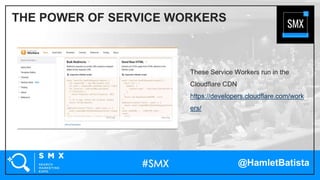
These Service Workers run in the
Cloudflare CDN
https://developers.cloudflare.com/work
ers/
THE POWER OF SERVICE WORKERS
@HamletBatista
This example caches third-party
scripts and rewrites the
references to speed them up
https://bit.ly/2OdT6qT
THE POWER OF SERVICE WORKERS
@HamletBatista
This example speeds up WordPress
sites by caching all not-logged-in user
requests in the CDN
https://bit.ly/2OdT6qT
THE POWER OF SERVICE WORKERS
@HamletBatista
THE POWER OF SERVICE WORKERS
Cloudflare Workers Playground
https://cloudflareworkers.com/
@HamletBatista
THE POWER OF SERVICE WORKERS
Another example is RankSense’s
Cloudflare Workers App that can upload
SEO changes in bulk using Google
Sheets
https://bit.ly/37HXkPk
@HamletBatista
• Service Workers in your browser can allow many advanced use cases like offline
operation and tracking offline events in Google Analytics
• Service Workers in the Cloud/CDN extend this capability to power third-party
script caching and faster SEO implementations
Share these #SMXInsights on your social channels!
@HamletBatista
SEE YOU AT THE NEXT SMX!

Solving Complex JavaScript Issues and Leveraging Semantic HTML5

Editor's Notes

  • #3 Diagnose SEO and page speed issues related to the incorrect nesting of HTML tags and scripts. Learn to use the Chrome JavaScript Debugger to track down serious SEO issues. Speed up JavaScript by removing unused code and implementing code splitting when appropriate. Leverage service workers and to edge workers for more powerful use cases
  • #15 The order of tags and scripts in a page can negatively affect SEO indexing and page speed. Browsers tolerate most HTML errors. As search search engines now render as browsers, some of this auto correction can negatively affect indexing. This fascinating article lists some examples supported by major web browsers https://www.html5rocks.com/en/tutorials/internals/howbrowserswork/ Do Googlebot and Bingbot accommodate for errors too? What kind of errors they handle before and after rendering? What HTML5 errors do they handle, which errors they don’t? Same for JavaScript. How long do bots wait for JavaScript changes that update tags? I wrote advanced code to conduct this research and share my findings using practical examples. https://www.html5rocks.com/en/tutorials/internals/howbrowserswork/#Parser_Lexer_combination
  • #18 The order of tags and scripts in a page can negatively affect SEO indexing and page speed. Browsers tolerate most HTML errors. As search search engines now render as browsers, some of this auto correction can negatively affect indexing. This fascinating article lists some examples supported by major web browsers https://www.html5rocks.com/en/tutorials/internals/howbrowserswork/ Do Googlebot and Bingbot accommodate for errors too? What kind of errors they handle before and after rendering? What HTML5 errors do they handle, which errors they don’t? Same for JavaScript. How long do bots wait for JavaScript changes that update tags? I wrote advanced code to conduct this research and share my findings using practical examples. https://www.html5rocks.com/en/tutorials/internals/howbrowserswork/#Parser_Lexer_combination
  • #26 =
  • #30 Plan of action #2 Let's learn to use the Chrome Debugger to identify scripts that override SEO tags https://stackoverflow.com/questions/24963729/find-javascript-that-is-changing-dom-element and https://elijahmanor.com/7-chrome-tips-developers-designers-may-not-know/ Find unsused code using the coverage tab in dev tools, refactor code to remove unused code. See https://developers.google.com/web/tools/chrome-devtools/coverage
  • #33 See https://web.dev/remove-unused-code/
  • #34 https://www.tutorialkart.com/nodejs/nodejs-modules/
  • #35 https://vuejsdevelopers.com/2017/07/03/vue-js-code-splitting-webpack/
  • #37 http://www.httpvshttps.com/
  • #46 See https://web.dev/remove-unused-code/
  • #54 https://googlechrome.github.io/samples/service-worker/offline-analytics/index.html
  • #55 https://googlechrome.github.io/samples/service-worker/offline-analytics/index.html
  • #56 See https://web.dev/remove-unused-code/