Working with Audio
Sound and Audio Engineering
Capturing Audio
• Convert changes in air pressure into electrical
voltages
• A microphone is a transducer (converts form
of energy).
• Electrical voltages are “analog.”
States of Sound
• Acoustic (Sound Waves)
• Analog (Electrical Voltages)
• Digital (Numerical Values)
• Acoustic  Analog  Digital (and back again)
– Analog to Digital Converters
– Work with audio in a non-linear way on computer,
etc.
– Send it back out through cables to speakers into
sound waves into air and into ears, etc.
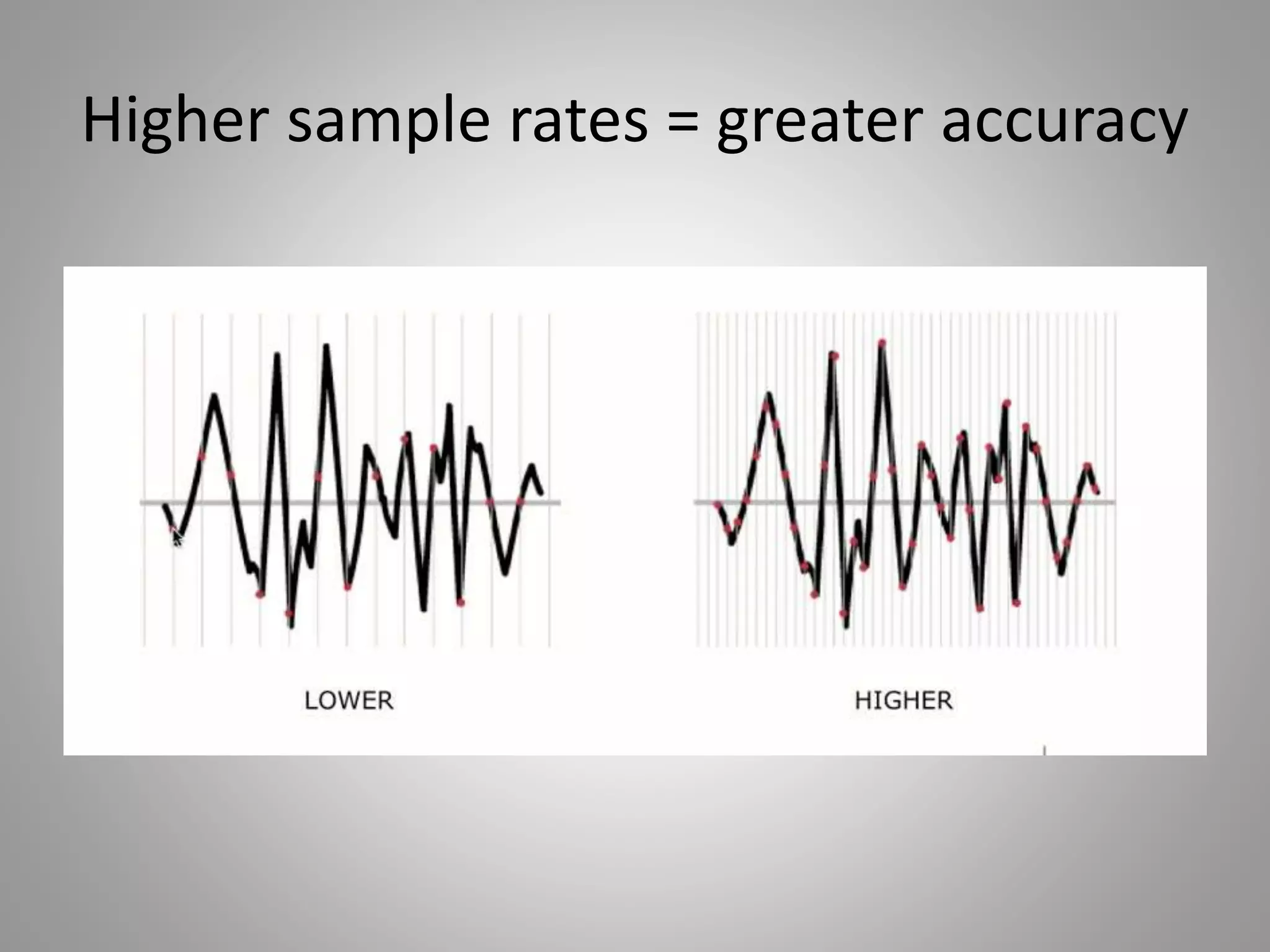
Sample Rate
• Number of samples per second (also
expressed in Hz)
– 8,000 Hz – Telephone, Walkie-Talkies
– 44,100 Hz – Audio CD
– 48,000 Hz – DVD
– 96,000 Hz – HD, Blue Ray Discs
– 192,000 Hz – Highest currently available
Higher sample rates = greater accuracy
• Dynamic Range: available range of volume
between the loudest and the softest audible
sounds.
• Signal to Noise Ratio: the difference in volume
between what you want to hear (signal) and
what you don’t want to hear (noise).
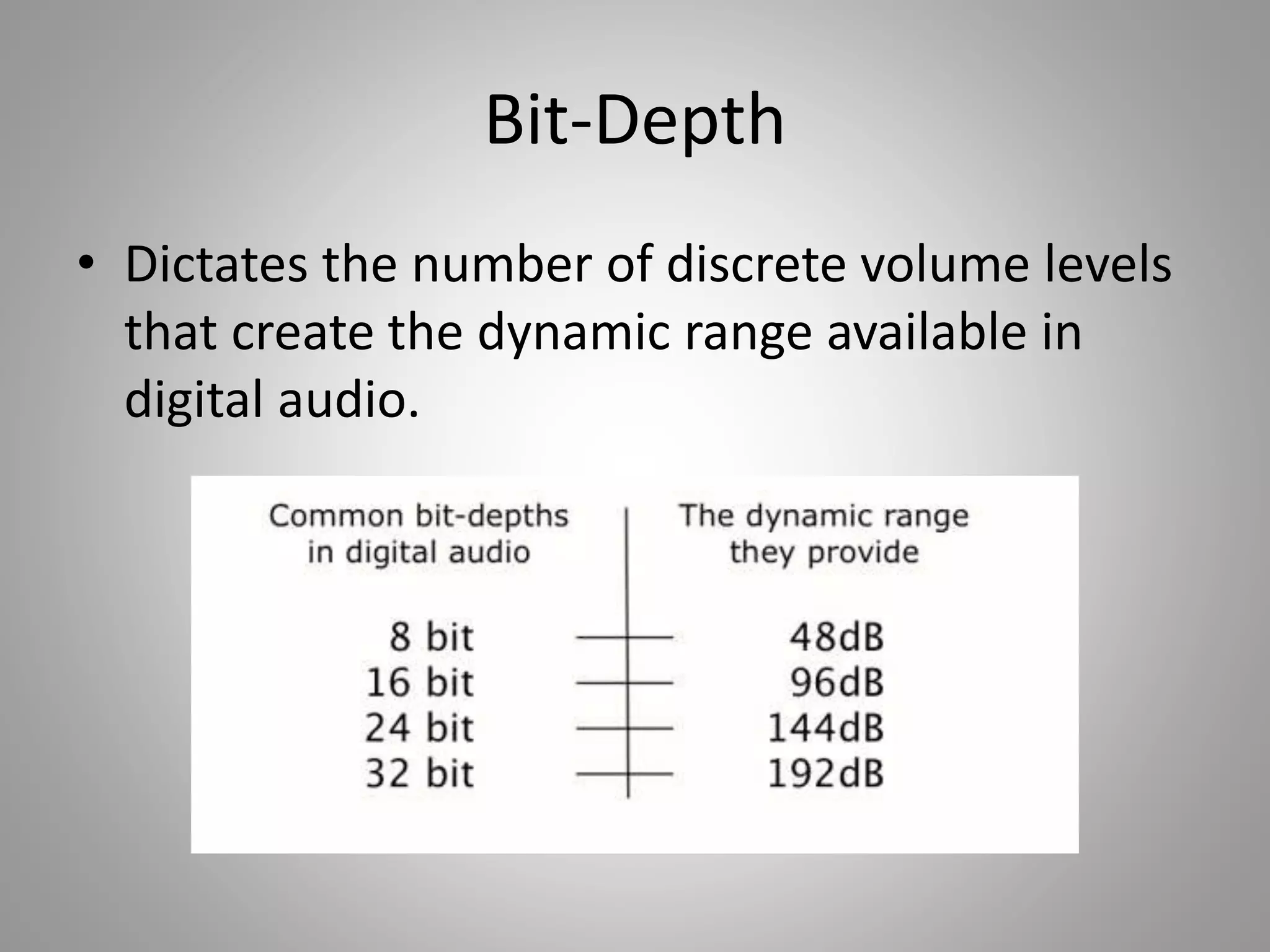
Bit-Depth
• Dictates the number of discrete volume levels
that create the dynamic range available in
digital audio.
Sample Rate and Bit-Depth
• Camera Analogy: Sample rate is how many
pictures you take in a second, bit-depth is the
number of colors your camera can discern.
• Higher of each gives you better quality but
also gives you larger file sizes.
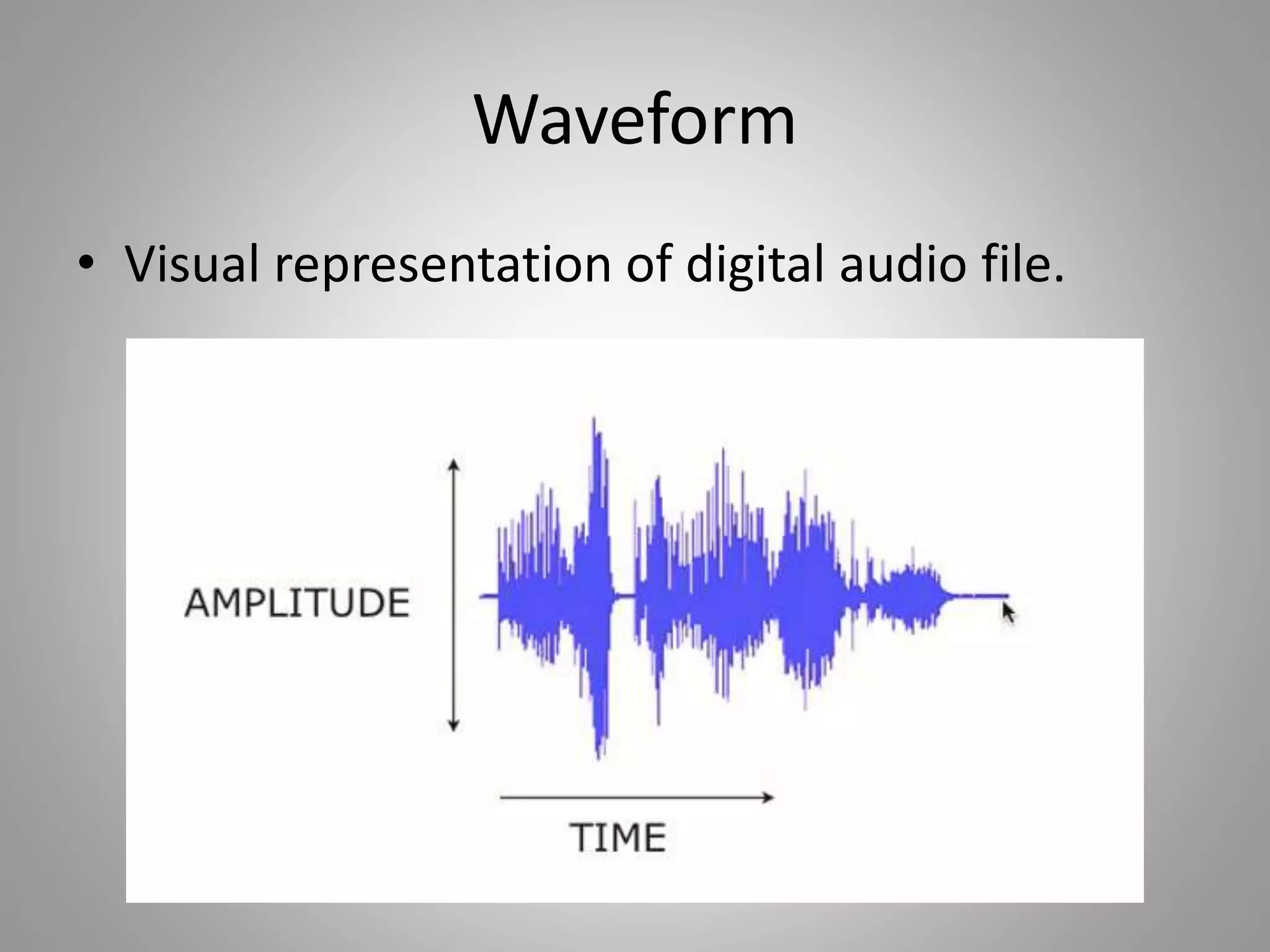
Waveform
• Visual representation of digital audio file.
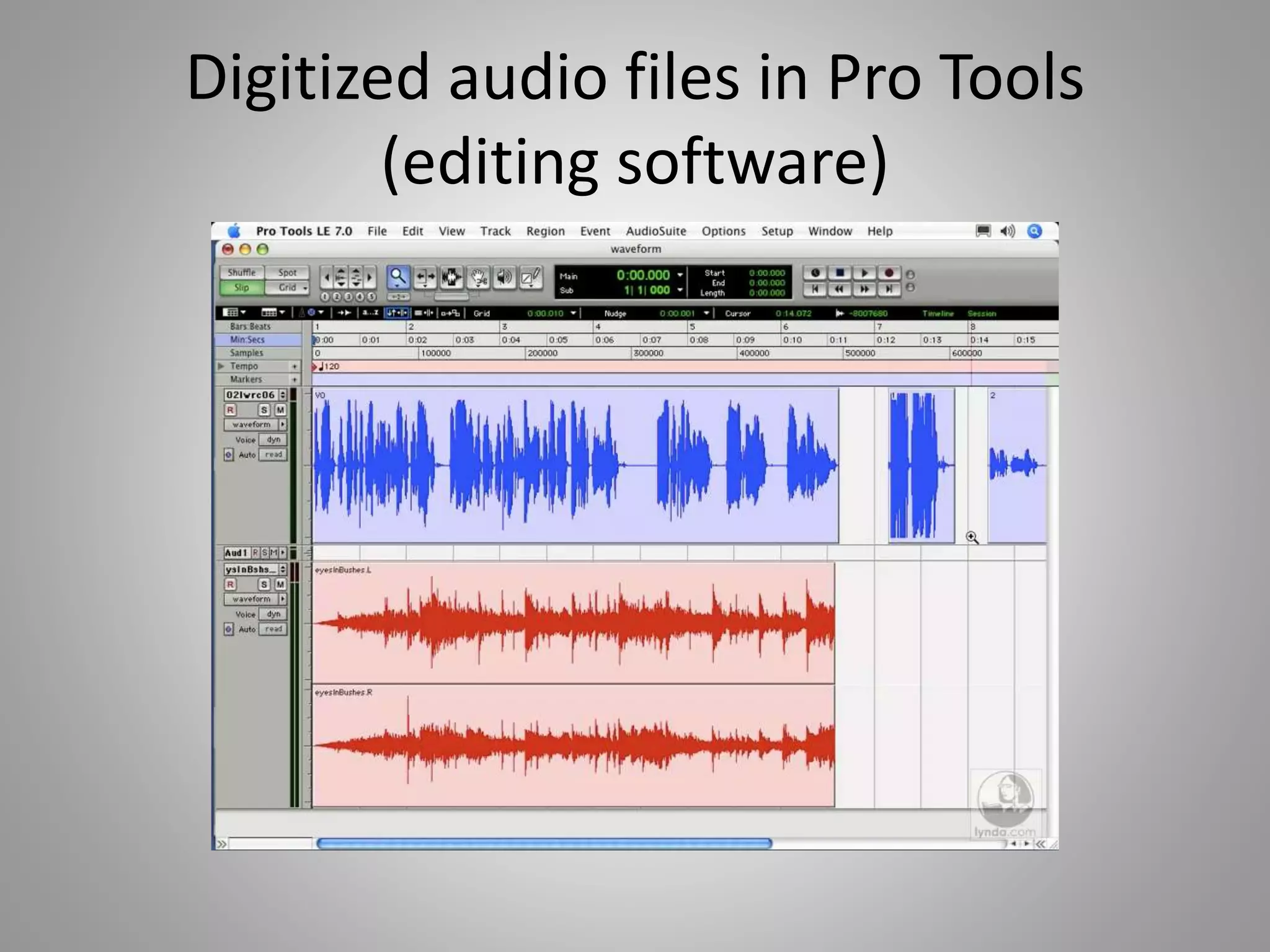
Digitized audio files in Pro Tools
(editing software)
Audio File Formats
• Uncompressed
– WAV
– AIFF
– SD2
• Compressed
– MP3
– AAC
– WMA

Working with audio

  • 1.
    Working with Audio Soundand Audio Engineering
  • 2.
    Capturing Audio • Convertchanges in air pressure into electrical voltages • A microphone is a transducer (converts form of energy). • Electrical voltages are “analog.”
  • 3.
    States of Sound •Acoustic (Sound Waves) • Analog (Electrical Voltages) • Digital (Numerical Values) • Acoustic  Analog  Digital (and back again) – Analog to Digital Converters – Work with audio in a non-linear way on computer, etc. – Send it back out through cables to speakers into sound waves into air and into ears, etc.
  • 4.
    Sample Rate • Numberof samples per second (also expressed in Hz) – 8,000 Hz – Telephone, Walkie-Talkies – 44,100 Hz – Audio CD – 48,000 Hz – DVD – 96,000 Hz – HD, Blue Ray Discs – 192,000 Hz – Highest currently available
  • 5.
    Higher sample rates= greater accuracy
  • 6.
    • Dynamic Range:available range of volume between the loudest and the softest audible sounds. • Signal to Noise Ratio: the difference in volume between what you want to hear (signal) and what you don’t want to hear (noise).
  • 7.
    Bit-Depth • Dictates thenumber of discrete volume levels that create the dynamic range available in digital audio.
  • 8.
    Sample Rate andBit-Depth • Camera Analogy: Sample rate is how many pictures you take in a second, bit-depth is the number of colors your camera can discern. • Higher of each gives you better quality but also gives you larger file sizes.
  • 9.
    Waveform • Visual representationof digital audio file.
  • 10.
    Digitized audio filesin Pro Tools (editing software)
  • 11.
    Audio File Formats •Uncompressed – WAV – AIFF – SD2 • Compressed – MP3 – AAC – WMA