

cloud.analogy info@cloudanalogy.com +1(415)830-3899
SALESFORCE WORKFLOW RULES
VS. PROCESS BUILDER
TM
What are Salesforce Workflow Rules?
cloud.analogy info@cloudanalogy.com +1(415)830-3899
Workflow rules are the orders
created by a Salesforce user to
perform automated actions when
certain conditions or series of
conditions are met. These tasks
can happen instantly or can be
scheduled at a particular time,
based on a trigger.
TM
cloud.analogy info@cloudanalogy.com +1(415)830-3899
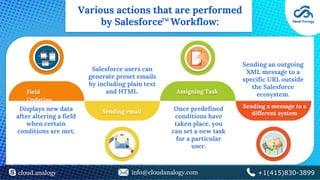
Various actions that are performed
by Salesforce Workflow:
Field
Updation
Sending email
Assigning Task
Sending a message to a
different system
Displays new data
after altering a field
when certain
conditions are met.
Salesforce users can
generate preset emails
by including plain text
and HTML.
Once predefined
conditions have
taken place, you
can set a new task
for a particular
user.
Sending an outgoing
XML message to a
specific URL outside
the Salesforce
ecosystem.
TM
cloud.analogy info@cloudanalogy.com +1(415)830-3899
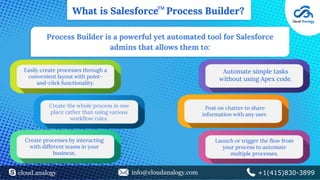
What is Salesforce Process Builder?
Process Builder is a powerful yet automated tool for Salesforce
admins that allows them to:
Easily create processes through a
convenient layout with point-
and-click functionality.
Create the whole process in one
place rather than using various
workflow rules.
Create processes by interacting
with different teams in your
business.
Automate simple tasks
without using Apex code.
Post on chatter to share
information with any user.
Launch or trigger the flow from
your process to automate
multiple processes.
TM
cloud.analogy info@cloudanalogy.com +1(415)830-3899
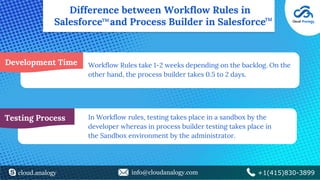
Difference between Workflow Rules in
Salesforce and Process Builder in SalesforceTMTM
Development Time Workflow Rules take 1-2 weeks depending on the backlog. On the
other hand, the process builder takes 0.5 to 2 days.
Testing Process In Workflow rules, testing takes place in a sandbox by the
developer whereas in process builder testing takes place in
the Sandbox environment by the administrator.
cloud.analogy info@cloudanalogy.com +1(415)830-3899
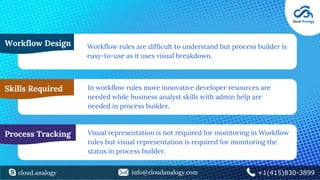
Workflow Design Workflow rules are difficult to understand but process builder is
easy-to-use as it uses visual breakdown.
Skills Required
Process Tracking
In workflow rules more innovative developer resources are
needed while business analyst skills with admin help are
needed in process builder.
Visual representation is not required for monitoring in Workflow
rules but visual representation is required for monitoring the
status in process builder.
Thank
You
cloud.analogy info@cloudanalogy.com +1(415)830-3899

Workflow Rules in Salesforce vs Process Builder in Salesforce

  • 1.
  • 2.
    What are SalesforceWorkflow Rules? cloud.analogy info@cloudanalogy.com +1(415)830-3899 Workflow rules are the orders created by a Salesforce user to perform automated actions when certain conditions or series of conditions are met. These tasks can happen instantly or can be scheduled at a particular time, based on a trigger. TM
  • 3.
    cloud.analogy info@cloudanalogy.com +1(415)830-3899 Variousactions that are performed by Salesforce Workflow: Field Updation Sending email Assigning Task Sending a message to a different system Displays new data after altering a field when certain conditions are met. Salesforce users can generate preset emails by including plain text and HTML. Once predefined conditions have taken place, you can set a new task for a particular user. Sending an outgoing XML message to a specific URL outside the Salesforce ecosystem. TM
  • 4.
    cloud.analogy info@cloudanalogy.com +1(415)830-3899 Whatis Salesforce Process Builder? Process Builder is a powerful yet automated tool for Salesforce admins that allows them to: Easily create processes through a convenient layout with point- and-click functionality. Create the whole process in one place rather than using various workflow rules. Create processes by interacting with different teams in your business. Automate simple tasks without using Apex code. Post on chatter to share information with any user. Launch or trigger the flow from your process to automate multiple processes. TM
  • 5.
    cloud.analogy info@cloudanalogy.com +1(415)830-3899 Differencebetween Workflow Rules in Salesforce and Process Builder in SalesforceTMTM Development Time Workflow Rules take 1-2 weeks depending on the backlog. On the other hand, the process builder takes 0.5 to 2 days. Testing Process In Workflow rules, testing takes place in a sandbox by the developer whereas in process builder testing takes place in the Sandbox environment by the administrator.
  • 6.
    cloud.analogy info@cloudanalogy.com +1(415)830-3899 WorkflowDesign Workflow rules are difficult to understand but process builder is easy-to-use as it uses visual breakdown. Skills Required Process Tracking In workflow rules more innovative developer resources are needed while business analyst skills with admin help are needed in process builder. Visual representation is not required for monitoring in Workflow rules but visual representation is required for monitoring the status in process builder.
  • 7.